ECU Seat Ateca 2017 Owner's Guide
[x] Cancel search | Manufacturer: SEAT, Model Year: 2017, Model line: Ateca, Model: Seat Ateca 2017Pages: 328, PDF Size: 6.36 MB
Page 116 of 328
Operation
The vehicle keys or new spare keys can be
o bt
ained from a SEAT Official Service, a spe-
cialised workshop or an approved key service
qualified to create this kind of key.
New keys or spare keys must be synchron-
ised before use ››› page 120. CAUTION
All of the vehicle keys contain electronic com-
ponent s. Pr
otect them from damage, impacts
and humidity. Note
● On ly
use the key button when you require
the corresponding function. Pushing the but-
ton unnecessarily could accidentally unlock
the vehicle or trigger the alarm. It is also pos-
sible even when you are outside the radius of
action.
● Key operation can be greatly influenced by
ov
erlapping radio signals close to the vehicle
working in the same range of frequencies, for
example, radio transmitters or mobile tele-
phones.
● Obstacles between the remote control and
the v
ehicle, bad weather conditions and dis-
charged batteries can considerably reduce
the range of the remote control.
● If the buttons of the vehicle key are press-
ed ››
› Fig. 121 or ››› Fig. 122 or one of the cen-
tral locking buttons ››› page 115 is pressed
repeatedly in short succession, the central
locking briefly disconnects as protection against overloading. The vehicle is then un-
loc
k
ed. Lock it if necessary. Unlocking/Locking by remote control
Read the additional information carefully
› ›
› page 9
The vehicle will be locked again automatical-
ly if you do not open one of the doors or the
rear lid within 30 seconds after unlocking the
car. This function prevents the vehicle from
remaining unlocked if the unlocking button is
pressed by mistake. This does not apply if
you press the button for at least one sec-
ond.
In v
ehicles with a security central locking
feature (selective unlocking of side doors)
››› page 114, when the button is pressed
onc e, on
ly the driver door and the fuel tank
flap are unlocked. When the button is press-
ed a second time, all the vehicle doors are
unlocked. WARNING
Observe the safety warnings ››
› in Descrip-
tion on p ag
e 112. Note
● Do not u
se the remote control key until the
vehicle is visible. ●
Other f u
nctions of the remote control key
››› page 127, Convenience opening/closing. Selective unlocking system
The selective unlocking system allows you to
on
ly
unlock the driver door and the fuel tank
flap. All other doors and the rear lid remain
locked.
Unlocking the driver door and tank flap
– Press button on the remote control key
onc e
, or turn the key once to open.
Unlocking all the doors, the rear lid and the
tank flap simultaneously.
– Within 5 seconds, press button on the
r emot
e control key twice, or turn the key to
open twice within 5 seconds.
The anti-theft security system* and the anti-
theft alarm* are immediately disabled if you
unlock only the driver door, without unlock-
ing the other doors.
In vehicles with Easy Connect*, you can pro-
gramme the security central locking system
directly ››› page 115.
114
Page 117 of 328
Opening and closing
Programming the central locking sys-
t em You can use Easy Connect* to select which
door
s
are unlocked with the central locking
system. Using the radio or the Easy Connect*
system, you can select whether the vehicle
automatically closes with the “Auto Lock”
programme at speeds of more than 15 km/h
(9 mph).
Programming the unlocking of the doors (ve-
hicles with Easy Connect)
– Select: control button Systems or Vehi-
cle systems > Vehicle settings >
Central locking > Unlocking doors .
Pr ogr
amming the Auto Lock (vehicles with
radio)
– Select: SETUP button > control button
Central locking > Locking while
driving .
Pr ogr
amming the Auto Lock (vehicles with
Easy Connect)
– Select: control button Systems or Vehi-
cle systems > Vehicle settings >
Locking while driving .
Unlocking doors You c
an choose to un-
lock all the doors or only the driver door
when you unlock the vehicle. In all the op-
tions, the fuel tank flap is also unlocked. With the Driver
setting, when
you press the
button on the remote control key only the
door on the driv er's
side is unlocked. If that
button is pressed twice, the rest of the doors
and the rear lid will be unlocked.
In vehicles with a conventional key, turn the
key in the door lock, in the direction of open-
ing, twice within 2 seconds.
If the button is pressed, all the vehicle
door s
are locked. At the same time, a confir-
mation signal* is heard.
Auto Lock /Locking while driving . If
you select on, all the vehicle doors are
locked at speeds above 15 km/h (9 mph).
Central locking switch Read the additional information carefully
› ›
› page 9
Please note the following when using the
central locking switch to lock your vehicle:
● It is not possible to open the doors or the
re
ar lid from the outside (for safety reasons,
e.g. when stopped at traffic lights).
● The LED in the central locking switch lights
up when all
the doors are closed and locked.
● You can open the doors individually from
the ins
ide by pulling the inside door handle. ●
In the event
of an accident in which the air-
bags inflate, doors locked from the inside will
be automatically unlocked to facilitate access
and assistance. WARNING
● The c entr
al locking switch also operates
when the ignition is switched off and auto-
matically locks all the vehicle doors when the
button is pressed.
● The central locking switch does not operate
if the
vehicle is locked from the outside and
the anti-theft security system is switched on.
● Locked doors could delay assistance in an
emerg
ency, potentially putting lives at risk.
Do not leave anyone, especially children, in
the vehicle. Note
Your vehicle will lock automatically when it
r e
aches a speed of about 15 km/h (9 mph)
(Auto Lock) ››› page 112. You can unlock the
vehicle again using button on the central
loc k
ing switch. 115
Technical data
Advice
Operation
Emergencies
Safety
Page 121 of 328
Opening and closing
CAUTION
The sensor surfaces on the door handles
c ou
ld engage if hit with a water jet or high
pressure steam if there is a valid vehicle key
in the proximity. If at least one of the win-
dows is open and the sensor surface B on
one of the h
andles permanently activates, all
windows will close. If the water jet or steam
is briefly moved away from the sensor surface A (arrow) on one of the handles and then
point ed at
it again, all the windows will prob-
ably open ››› page 118. Note
● If the
vehicle battery has little or no charge,
or the vehicle key battery is almost or entire-
ly out of charge, you will probably not be able
to lock or unlock the vehicle with the Keyless
Access system. The vehicle can be unlocked
or locked manually ››› page 85.
● To control the proper locking of the vehicle,
the rel
ease function is disabled for approx. 2
seconds.
● If the message Keyless access system
faulty is
displayed on the screen of the
dash panel, abnormalities may occur in the
operation of the Keyless Access system. Con-
tact a specialised workshop. SEAT recom-
mends visiting a SEAT dealership for this.
● Depending on the function set on the info-
tainment
system for the mirrors, the exterior
mirrors will unfold and the surround lighting
will come on when unlocking the vehicle us- ing the sensor surface on the driver and pas-
sen
g
er door handles ››› page 141.
● If there is no valid key inside the vehicle or
the sys
tem fails to detect one, a warning will
display on the dash panel screen. This could
happen if any other radio frequency signal in-
terferes with the key signal (e.g. from a mo-
bile device accessory) or if the key is covered
by another object (e.g. an aluminium case).
● If the sensors are very dirty, e.g. have a lay-
er of s
alt, how the sensors on the door han-
dles operate may be affected. In this case,
clean the vehicle.
● If the vehicle is equipped with an automatic
ge
arbox, it may only be locked in the gear
stick is in position P. Anti-theft security system (Safelock)*
The following message is displayed on the in-
s
trument
panel to remind the driver that
when the vehicle is closed from the outside,
the anti-theft security system is switched on. Do not forget the Safelock.
Please see Instruction Manual . The
vehicle cannot be opened from inside. This
makes it more difficult for unauthorised per-
sons to break into the vehicle ››› in De-
s c
ription on page 112.
The anti-theft security system can be switch-
ed off each time the vehicle is locked: ●
Turn the k
ey a second time to the lock posi-
tion, in the door lock, within two seconds. If
necessary, remove the protective cover on
the driver door handle ›››
page 9 or else
● Press on the remote control key for a
sec ond time
within 2 seconds.
The flashing frequency of the diode in the
door sill immediately confirms the process.
Initially, the diode flashes in a fast sequence
for a brief period, then it stops for approxi-
mately 30 seconds and, lastly continues
flashing slowly.
119Technical data
Advice
Operation
Emergencies
Safety
Page 125 of 328
Opening and closing
●
The v
ibration of a mobile phone left inside
the vehicle may cause the vehicle interior
monitoring alarm to trigger, as both sensors
react to movements and shakes inside the ve-
hicle.
● If on activating the alarm, any door or the
re
ar lid is open, only the alarm will be activa-
ted. The vehicle interior monitoring and the
anti-tow system will only be activated once
all the doors are closed (including the rear
lid). Deactivating the vehicle interior moni-
t
orin
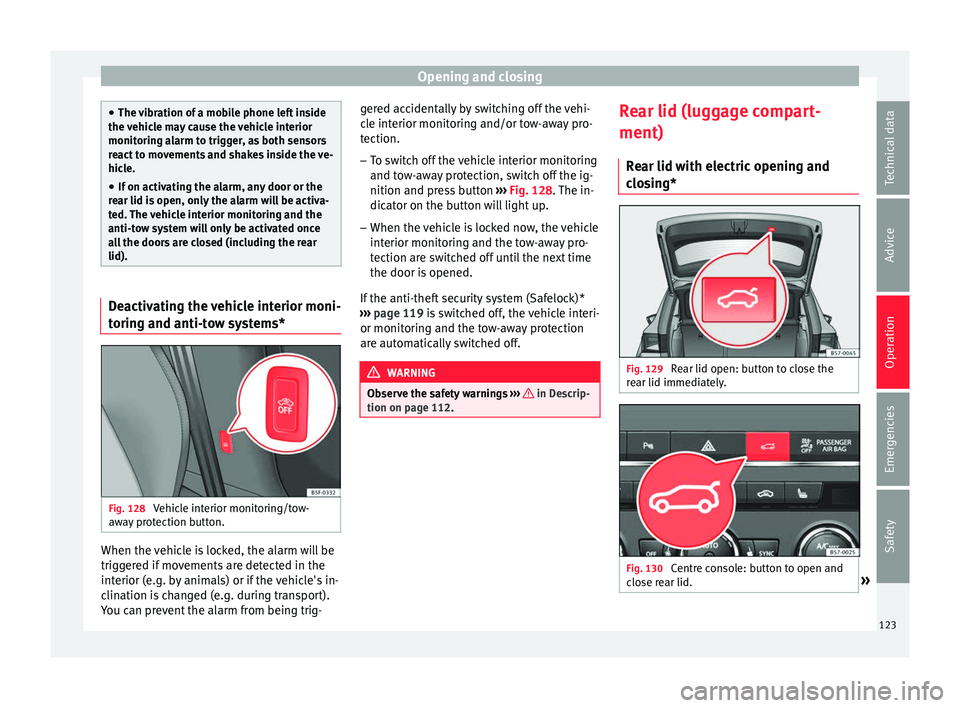
g and anti-tow systems* Fig. 128
Vehicle interior monitoring/tow-
a w
ay protection button. When the vehicle is locked, the alarm will be
trig
g
ered if movements are detected in the
interior (e.g. by animals) or if the vehicle's in-
clination is changed (e.g. during transport).
You can prevent the alarm from being trig- gered accidentally by switching off the vehi-
cl
e interior monitoring and/or tow-away pro-
tection.
– To switch off the vehicle interior monitoring
and to
w-away protection, switch off the ig-
nition and press button ››› Fig. 128. The in-
dicator on the button will light up.
– When the vehicle is locked now, the vehicle
interior monit
oring and the tow-away pro-
tection are switched off until the next time
the door is opened.
If the anti-theft security system (Safelock)*
››› page 119 is switched off, the vehicle interi-
or monitoring and the tow-away protection
are automatically switched off. WARNING
Observe the safety warnings ››
› in Descrip-
tion on p ag
e 112. Rear lid (luggage compart-
ment)
R e
ar lid with electric opening and
closing* Fig. 129
Rear lid open: button to close the
r e
ar lid immediately. Fig. 130
Centre console: button to open and
c lo
se rear lid. » 123
Technical data
Advice
Operation
Emergencies
Safety
Page 146 of 328
Operation
Adjusting the head restraints
– To set the head restraint higher, grasp the
side
s with both hands and move it up-
wards, until you see it engage.
– To set the head restraint lower down, press
the 1
› ››
Fig. 141
button and move it
downwards.
Removing the head restraint
To remove the head restraint, the correspond-
ing backrest must be partially folded forward. – Unlock the backrest ››
› page 146.
– Move the head restraint upwards until it ar-
rive
s to the top.
– Press button 1
› ›
›
Fig. 141, while simulta-
neously pressing on the security hole 2›››
Fig. 141 w ith a fl
at screwdriver a maxi-
mum of 5 mm wide, and remove the head
restraint.
– Move the backrest until it engages properly
› ›
› .
Fittin g the he
ad restraint
To mount the external head restraints, the
corresponding backrest must be partially fol-
ded forward.
– Unlock the backrest ››
› page 146.
– Insert the head restraint bars into the
guides
until they perceptibly engage. It should not be possible to remove the head
re
straint from the backrest.
– Move the backrest until it engages properly
››
› .
WARNING
● Ple
ase observe the general notes
››› page 66.
● Remove the rear head restraints only when
it i
s necessary for the placement of a child
seat ››› page 79. After removing a child seat,
remount the head restraint immediately.
Travelling with the head restraints removed
or improperly adjusted increases the risk of
severe injuries. Seat functions
Intr oduction WARNING
Inappropriate use of the seat functions can
c au
se severe injuries.
● Assume the proper sitting position before
your trip and r
emain in it throughout. This al-
so applies to the other occupants.
● Always keep hands, fingers, feet and other
par
ts of the body away from the operating ra-
dius and the adjustment of seats. Seat heating
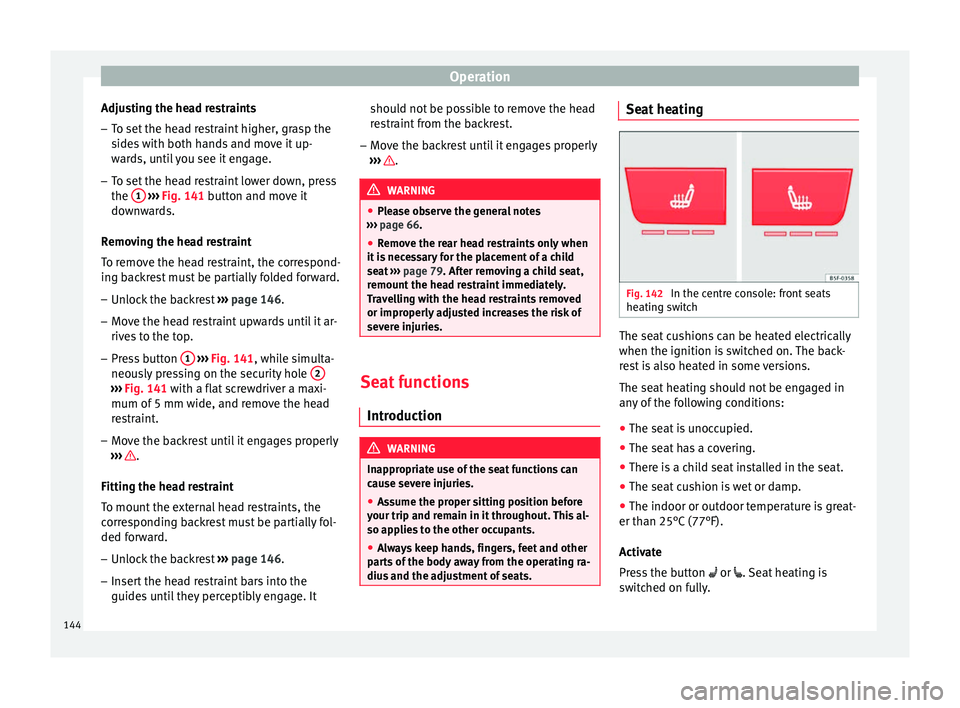
Fig. 142
In the centre console: front seats
he atin
g switch The seat cushions can be heated electrically
when the ignition i
s
switched on. The back-
rest is also heated in some versions.
The seat heating should not be engaged in
any of the following conditions:
● The seat is unoccupied.
● The seat has a covering.
● There is a child seat installed in the seat.
● The seat cushion is wet or damp.
● The indoor or outdoor temperature is great-
er than 25°C
(77°F).
Activate
Press the button or . Seat heating is
switched on fully.
144
Page 151 of 328
Transport and practical equipment
Electrical equipment can be connected to the
12 v
olt power socket. The appliances connec-
ted to each power socket must not exceed a
power rating of 120 Watt. WARNING
The power socket works only when the igni-
tion i s
on. Improper use may cause serious
injury or even fire. Children should therefore
not be left in the vehicle unattended if the
button is also left behind. Otherwise there is
a possibility that they may be injured. CAUTION
Always use the correct type of plugs to avoid
d am
aging the sockets. Note
The use of electrical appliances with the en-
gine sw it
ched off will cause a battery dis-
charge. Storing objects
Lo
ading the luggage compartment All luggage and other loose objects must be
s
af
ely secured in the luggage compartment.
Unsecured objects which shift back and forth
could impair the driving safety or driving characteristics of the vehicle by shifting the
centr
e of gravity.
– Distribute the load evenly in the luggage
comp
artment.
– Place heavy objects as far forward as possi-
bl
e in the luggage compartment.
– Place the heavy objects first.
– Secure heavy objects to the fitted fastening
ring
s ››› page 151. WARNING
● Loo
se luggage and other objects in the lug-
gage compartment could cause serious inju-
ries.
● Always stow objects in the luggage com-
par
tment and secure them on the fastening
rings.
● Use suitable straps to secure heavy ob-
ject
s.
● During sudden manoeuvres or accidents,
loose o
bjects can be thrown forward, injuring
vehicle occupants or passers-by. This in-
creased risk of injury will be further increased
if a loose object is struck by an inflating air-
bag. If this happens, objects may shoot out-
ward like a missile. Risk of fatal injury.
● Please note that the centre of gravity may
shift
when transporting heavy objects; this
may affect vehicle handling and lead to an ac-
cident. Therefore, it is essential to adjust
your speed and driving style accordingly, to
avoid accidents. ●
Nev er e
xceed the allowed axle weights or
allowed maximum weight. If said weights are
exceeded, the driving characteristics of the
vehicle may change, leading to accidents, in-
juries and damage to the vehicle.
● Never leave your vehicle unattended, espe-
ci
ally when the rear lid is open. Children
could climb into the luggage compartment,
closing the door behind them; they will be
trapped and run the risk of death.
● Never allow children to play in or around
the v
ehicle. Close and lock all the doors and
rear lid when you leave the vehicle. Before
you lock the vehicle, make sure that there are
no adults or children in the vehicle. Note
● Air c ir
culation in the vehicle helps reduce
fogging of the windows. Used air escapes
through ventilation slits in the side trim of
the luggage compartment. Ensure that the
ventilation slots are never covered.
● Straps for securing the load to the fasten-
ing rin
gs are commercially available. 149
Technical data
Advice
Operation
Emergencies
Safety
Page 153 of 328
Transport and practical equipment
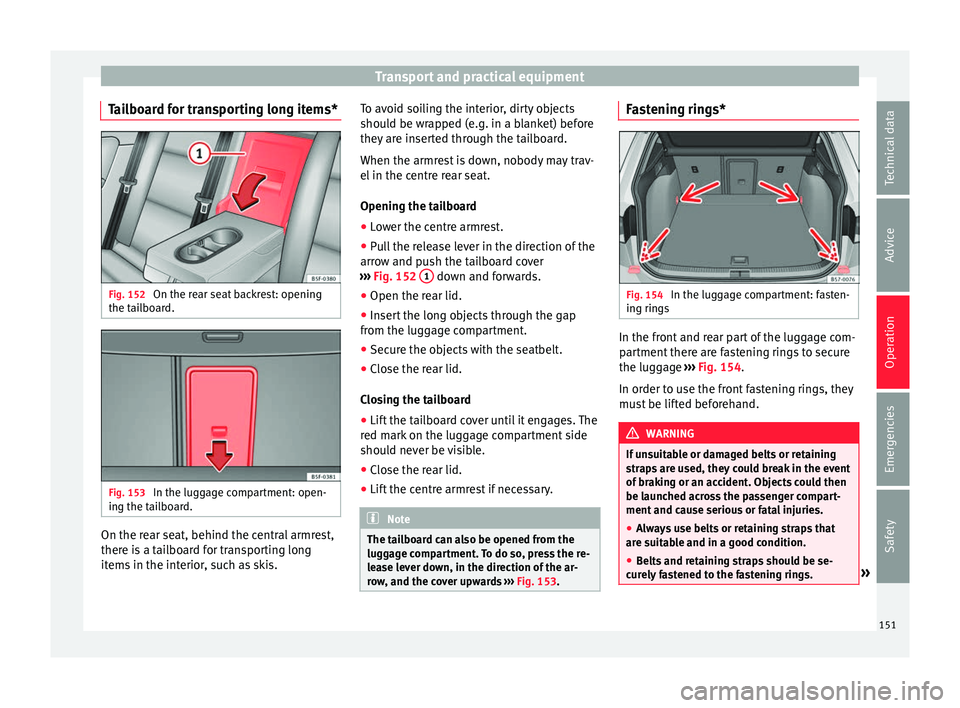
Tailboard for transporting long items* Fig. 152
On the rear seat backrest: opening
the t ai
lboard. Fig. 153
In the luggage compartment: open-
in g the t
ailboard. On the rear seat, behind the central armrest,
ther
e i
s a tailboard for transporting long
items in the interior, such as skis. To avoid soiling the interior, dirty objects
shoul
d be wrapped (e.g. in a blanket) before
they are inserted through the tailboard.
When the armrest is down, nobody may trav-
el in the centre rear seat.
Opening the tailboard
● Lower the centre armrest.
● Pull the release lever in the direction of the
arro
w and push the tailboard cover
››› Fig. 152 1 down and forwards.
● Open the rear lid.
● Insert the long objects through the gap
fr om the lug
gage compartment.
● Secure the objects with the seatbelt.
● Close the rear lid.
Clo
sing the tailboard
● Lift the tailboard cover until it engages. The
red m
ark on the luggage compartment side
should never be visible.
● Close the rear lid.
● Lift the centre armrest if necessary. Note
The tailboard can also be opened from the
lug g
age compartment. To do so, press the re-
lease lever down, in the direction of the ar-
row, and the cover upwards ››› Fig. 153. Fastening rings*
Fig. 154
In the luggage compartment: fasten-
in g rin
gs In the front and rear part of the luggage com-
p
ar
tment there are fastening rings to secure
the luggage ››› Fig. 154.
In order to use the front fastening rings, they
must be lifted beforehand. WARNING
If unsuitable or damaged belts or retaining
s tr
aps are used, they could break in the event
of braking or an accident. Objects could then
be launched across the passenger compart-
ment and cause serious or fatal injuries.
● Always use belts or retaining straps that
are s
uitable and in a good condition.
● Belts and retaining straps should be se-
cur
ely fastened to the fastening rings. » 151
Technical data
Advice
Operation
Emergencies
Safety
Page 154 of 328
Operation
●
Ob
jects in the luggage compartment that
are unsecured could move suddenly and
modify the handling of the vehicle.
● Secure all objects, little and large.
● Never exceed the maximum tensile load of
the fa
stening ring when securing objects.
● Never secure a child seat to the fastening
ring
s. Note
● The m ax
imum tensile load that the fasten-
ing rings can support is 3.5 kN.
● Belts and securing systems for the appro-
priat
e load can be obtained from specialised
dealerships. SEAT recommends visiting a
SEAT dealership for this.
● The fastening rings are rendered unusable
for
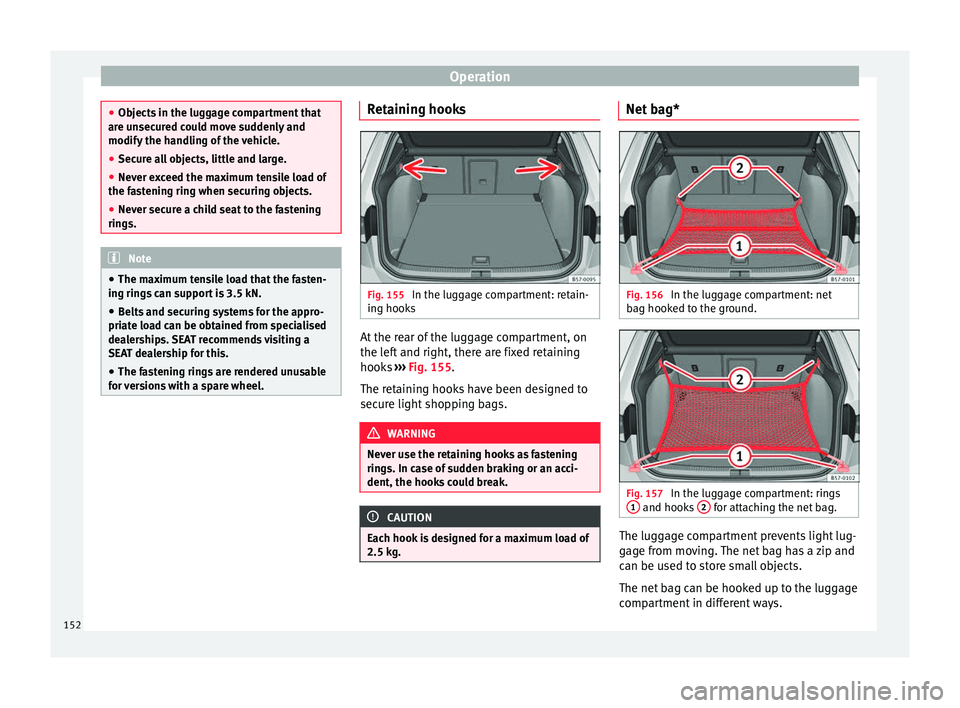
versions with a spare wheel. Retaining hooks
Fig. 155
In the luggage compartment: retain-
in g hook
s At the rear of the luggage compartment, on
the l
ef
t and right, there are fixed retaining
hooks ››› Fig. 155.
The retaining hooks have been designed to
secure light shopping bags. WARNING
Never use the retaining hooks as fastening
rin g
s. In case of sudden braking or an acci-
dent, the hooks could break. CAUTION
Each hook is designed for a maximum load of
2.5 k g. Net bag*
Fig. 156
In the luggage compartment: net
b ag hook
ed to the ground. Fig. 157
In the luggage compartment: rings
1 and hooks
2 for attaching the net bag.
The luggage compartment prevents light lug-
g
ag
e from moving. The net bag has a zip and
can be used to store small objects.
The net bag can be hooked up to the luggage
compartment in different ways.
152
Page 155 of 328
Transport and practical equipment
Hooking the net bag into the luggage com-
p ar
tment floor
● As applicable, lift the front fastening rings
››
› Fig. 156 2 .
● Secure the net hooks to the fastening rings
2
› ›› . The bag zip should be facing up-
w ar
ds.
● Secure the net hooks to the fastening rings
1 .
Hook the net
bag next to the load threshold
● Secure the short net hooks to the fastening
ring
s ››› Fig. 157 1
› ›› . The bag zip should
be f ac
ing upwards.
● Secure the straps in the bag hooks 2 .
R emo
ving the net bag
The hooked up net bag is taut ››› .
● Remove the hooks and the net bag straps
fr om the f
astening rings and from the bag
hooks.
● Store the net bag in the luggage compart-
ment. WARNING
To secure the elastic net bag on the fastening
rin g
s it must be stretched out. Once hooked
up it is taut. If the net bag is hooked up or un-
hooked incorrectly the hooks could cause in-
juries. ●
Alw
ays secure the net hooks properly so
that they do not suddenly release from the
fastening rings when hooking or unhooking
them.
● On hooking or unhooking them, protect
your ey
es and face in case the hooks are re-
leased suddenly.
● Always hook up the net bag hooks in the
des
cribed order. If a hook is unexpectedly re-
leased the risk of injury is increased. Luggage compartment variable floor
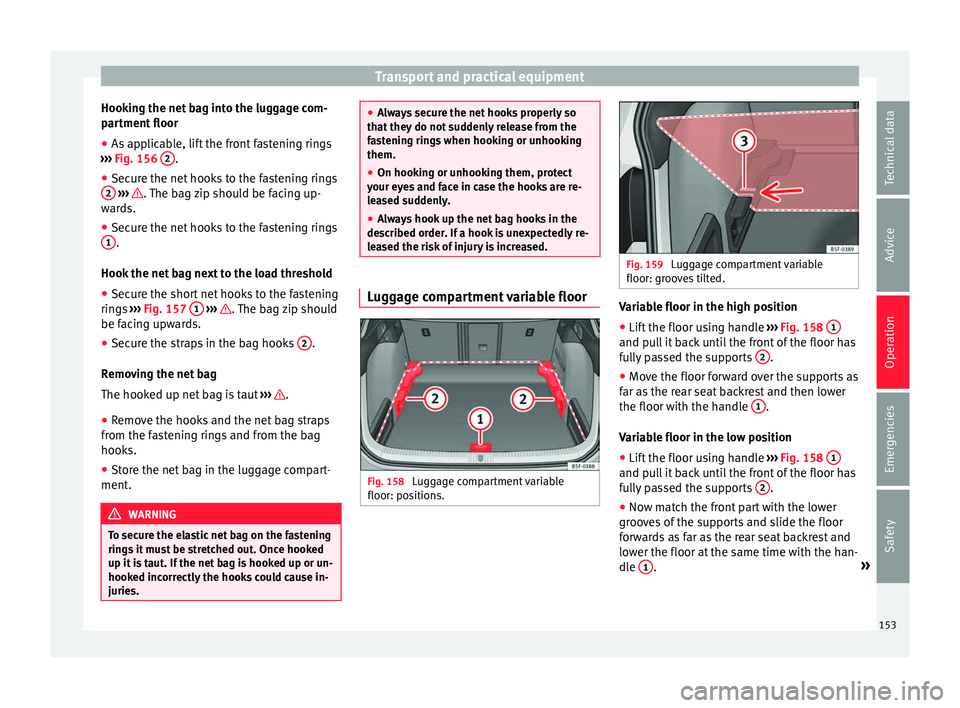
Fig. 158
Luggage compartment variable
floor: po s
itions. Fig. 159
Luggage compartment variable
floor: gr oo
ves tilted. Variable floor in the high position
● Lift the floor using handle ››
› Fig. 158 1 and pull it back until the front of the floor has
f
u
lly passed the supports 2 .
● Move the floor forward over the supports as
f ar a
s the rear seat backrest and then lower
the floor with the handle 1 .
V ari
able floor in the low position
● Lift the floor using handle ››
› Fig. 158 1 and pull it back until the front of the floor has
f
u
lly passed the supports 2 .
● Now match the front part with the lower
gr oo
ves of the supports and slide the floor
forwards as far as the rear seat backrest and
lower the floor at the same time with the han-
dle 1 .
»
153
Technical data
Advice
Operation
Emergencies
Safety
Page 156 of 328
Operation
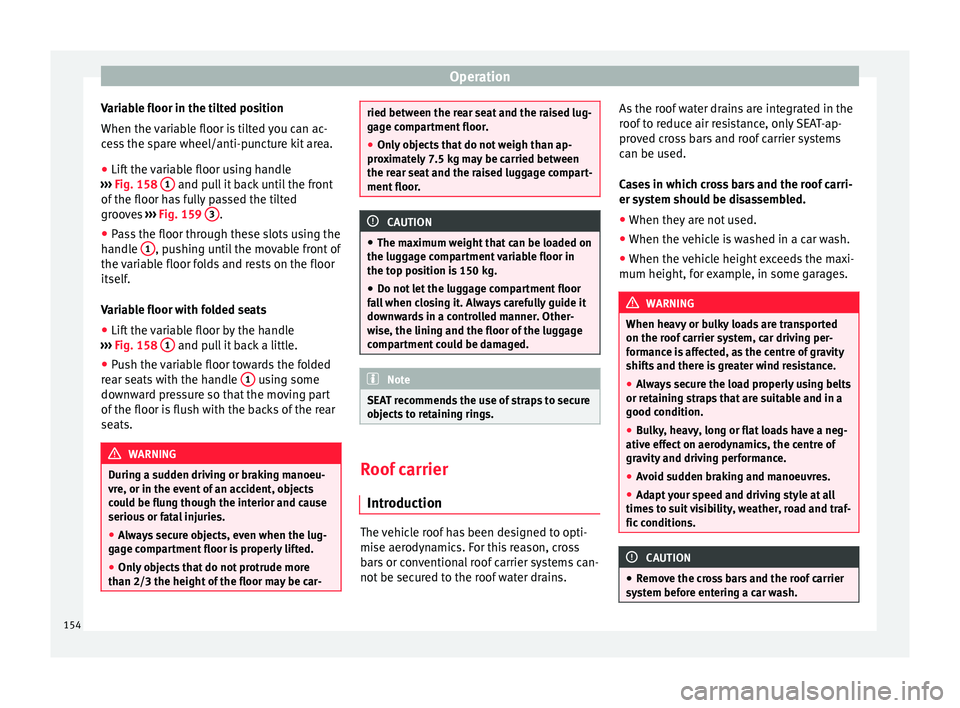
Variable floor in the tilted position
When the v
ariable floor is tilted you can ac-
cess the spare wheel/anti-puncture kit area.
● Lift the variable floor using handle
››
› Fig. 158 1 and pull it back until the front
of the floor h
as fully passed the tilted
grooves ››› Fig. 159 3 .
● Pass the floor through these slots using the
h andl
e 1 , pushing until the movable front of
the v
ariable floor folds and rests on the floor
itself.
Variable floor with folded seats
● Lift the variable floor by the handle
››
› Fig. 158 1 and pull it back a little.
● Push the variable floor towards the folded
r e
ar seats with the handle 1 using some
do wn
ward pressure so that the moving part
of the floor is flush with the backs of the rear
seats. WARNING
During a sudden driving or braking manoeu-
vr e, or in the ev
ent of an accident, objects
could be flung though the interior and cause
serious or fatal injuries.
● Always secure objects, even when the lug-
gag
e compartment floor is properly lifted.
● Only objects that do not protrude more
than 2/3 the height
of the floor may be car- ried between the rear seat and the raised lug-
g
ag
e compartment floor.
● Only objects that do not weigh than ap-
pro
ximately 7.5 kg may be carried between
the rear seat and the raised luggage compart-
ment floor. CAUTION
● The m ax
imum weight that can be loaded on
the luggage compartment variable floor in
the top position is 150 kg.
● Do not let the luggage compartment floor
fa
ll when closing it. Always carefully guide it
downwards in a controlled manner. Other-
wise, the lining and the floor of the luggage
compartment could be damaged. Note
SEAT recommends the use of straps to secure
o b
jects to retaining rings. Roof carrier
Intr oduction The vehicle roof has been designed to opti-
mi
se aer
odynamics. For this reason, cross
bars or conventional roof carrier systems can-
not be secured to the roof water drains. As the roof water drains are integrated in the
roof
to reduce air resistance, only SEAT-ap-
proved cross bars and roof carrier systems
can be used.
Cases in which cross bars and the roof carri-
er system should be disassembled.
● When they are not used.
● When the vehicle is washed in a car wash.
● When the vehicle height exceeds the maxi-
mum height, for e
xample, in some garages. WARNING
When heavy or bulky loads are transported
on the r oof
carrier system, car driving per-
formance is affected, as the centre of gravity
shifts and there is greater wind resistance.
● Always secure the load properly using belts
or ret
aining straps that are suitable and in a
good condition.
● Bulky, heavy, long or flat loads have a neg-
ative eff
ect on aerodynamics, the centre of
gravity and driving performance.
● Avoid sudden braking and manoeuvres.
● Adapt your speed and driving style at all
times
to suit visibility, weather, road and traf-
fic conditions. CAUTION
● Remo
ve the cross bars and the roof carrier
system before entering a car wash. 154