change wheel Seat Ateca 2017 Owner's Guide
[x] Cancel search | Manufacturer: SEAT, Model Year: 2017, Model line: Ateca, Model: Seat Ateca 2017Pages: 328, PDF Size: 6.36 MB
Page 210 of 328
Operation
Front assist
If the Fr
ont Assist notices that the driver is
not braking sufficiently in case of a collision
hazard, the system can increase braking ef-
fect and thus avert the collision when driving
at a speed of between approximately 4 km/h
(2.5 mph) and 250 km/h (156 mph). Front
assist only acts while the brake pedal is
pressed down hard. WARNING
The intelligent technology in the Front Assist
c annot
change the laws of physics. The driver
is always responsible for braking in time. If
the Front Assist issues a warning, then, de-
pending on the traffic circumstances, you
must brake immediately or dodge the obsta-
cle.
● Adapt your speed and safe distance to the
vehic
le in front of you at all times to suit visi-
bility, weather, road and traffic conditions.
● The Front Assist alone cannot avoid acci-
dents
and serious injuries.
● In complex driving situations, the Front As-
si
st may issue unnecessary warnings and in-
tervene unnecessarily in braking, such as in
traffic islands.
● If the operation of the Front Assist is im-
pair
ed, for example, by dirt or because the ra-
dar sensor has lost its settings, the system
may issue unnecessary warnings and inter-
vene inopportunely in the braking. ●
Front
Assist does not react to animals or ve-
hicles crossing your path or approaching
head-on down the same lane.
● The driver must always be ready to take
ov
er the control of the vehicle. Note
● When the Fr ont
Assist causes a braking,
the brake pedal is “harder”.
● Automatic interventions by the Front Assist
on the brak
es may be interrupted by pressing
the clutch, accelerator or moving the wheel.
● If the Front Assist does not work as descri-
bed in this
chapter (e.g. in intervenes several
times unnecessarily), switch it off. Have the
system checked by a specialised workshop.
SEAT recommends visiting a SEAT dealership. On-screen warning lamps and mes-
s
ag
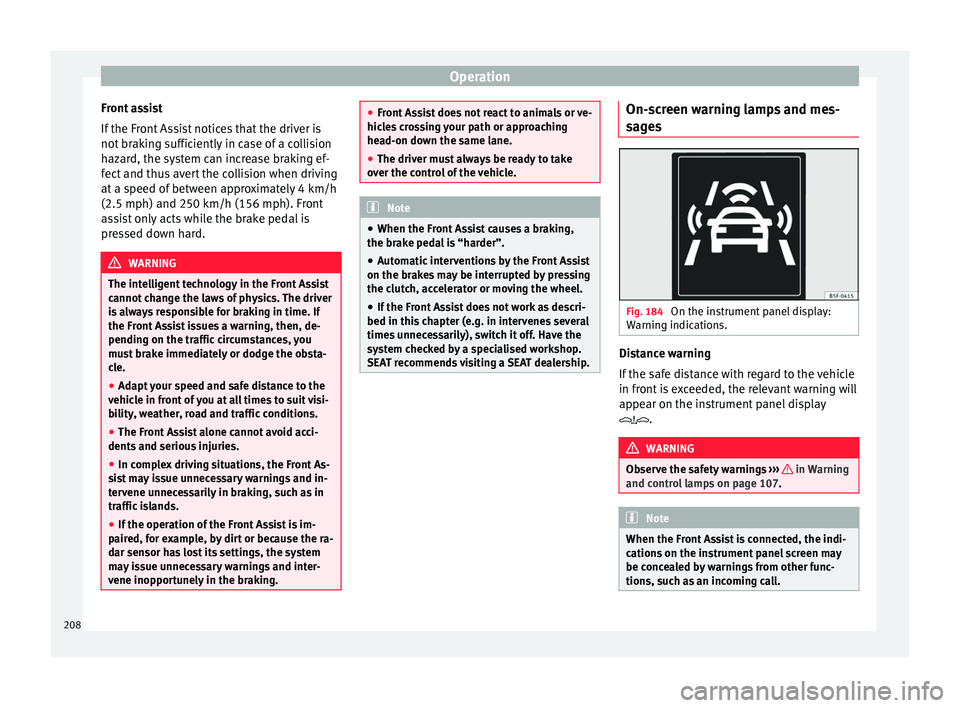
es Fig. 184
On the instrument panel display:
W arnin
g indications. Distance warning
If
the s
afe distance with regard to the vehicle
in front is exceeded, the relevant warning will
appear on the instrument panel display
. WARNING
Observe the safety warnings ››
› in Warning
and c ontr
ol lamps on page 107. Note
When the Front Assist is connected, the indi-
c ation
s on the instrument panel screen may
be concealed by warnings from other func-
tions, such as an incoming call. 208
Page 215 of 328
Driver assistance systems
The pedestrian monitoring system, including
the a dv
ance warning, is automatically con-
nected when the ignition is switched on
››› page 165.
SEAT recommends always having the pedes-
trian monitoring system connected. The ex-
ceptions set out for the Front Assist system
are equally valid for the pedestrian monitor-
ing system ››› page 210.
Switching the pedestrian monitoring system
on and off
With the ignition on, the pedestrian monitor-
ing system can be switched on and off as fol-
lows:
● Switch the system on and off in the info-
tainment
system using the button and
the Set
up and
Driv
er a
ssistance function but-
t on
s ›››
page 26.
When the pedestrian protection system is
switched off, the dash panel display shows a
message indicating this ››› Fig. 188 . The
pedestrian monitoring system is switched off
with the Front Assist function. WARNING
The technology in the pedestrian monitoring
sy s
tem cannot defy the laws of physics and
only works within the system's limits. The
driver is always responsible for braking in
time. If the pedestrian monitoring system is- sues a warning, brake the vehicle immediate-
ly
w
ith the brake pedal or swerve to avoid the
pedestrian, depending on traffic conditions.
● The pedestrian monitoring system alone
cannot
avoid accidents or serious injury.
● In complex driving situations, the pedes-
trian monit
oring system may issue unneces-
sary warnings and intervene unnecessarily in
braking, such as in main roads with turnings.
● If the operation of the system is impaired,
for e
xample, because the radar sensor and
camera are covered or have lost their set-
tings, the system may issue unnecessary
warnings and intervene inopportunely in the
braking.
● The driver must always be ready to take
ov
er the control of the vehicle. Note
● When the v
ehicle is braked via the pedes-
trian monitoring system, the brake pedal be-
comes stiffer.
● Automatic interventions by the pedestrian
monitorin
g system on the brakes may be in-
terrupted by pressing the accelerator or mov-
ing the wheel.
● If the pedestrian monitoring system does
not w
ork as described in this chapter (e.g. if
it intervening unnecessarily several times),
switch if off, contact a specialist workshop
immediately and request to have the system
checked. SEAT recommends visiting a SEAT
dealership for this. Lane Assist system*
Intr oduction WARNING
The intelligent technology in the Lane Assist
sy s
tem cannot change the limits imposed by
the laws of physics and by the very nature of
the system. Careless or uncontrolled use of
the Lane Assist system may cause accidents
and injury. The system is not a replacement
for driver awareness.
● Always adapt your speed and the distance
to the
vehicles ahead in line with visibility,
weather conditions, the condition of the road
and the traffic situation.
● Always keep your hands on the steering
wheel so it
can be turned at any time.
● The Lane Assist system does not detect all
ro
ad markings. The road surfaces, road struc-
tures or objects in poor condition can be in-
correctly detected as road markings under
certain circumstances by the Lane Assist sys-
tem. In such situations, switch the Lane As-
sist system off immediately.
● Please observe the indications on the in-
strument
panel and act as is necessary.
● Always pay attention to the vehicle's sur-
rou
ndings.
● When the area of vision of the camera be-
come
s dirty, covered or is damaged, the Lane
Assist system function can be affected. » 213
Technical data
Advice
Operation
Emergencies
Safety
Page 217 of 328
Driver assistance systems
The system is operational, the highligh-
t ed line A indicates that there was a
ri sk
of involuntarily crossing the lane
line and that the steering is being adjus-
ted to correct the angle ››› Fig. 190 C.
The two lines A light up simultaneously
when both l ane line
s are recognised and
the Lane Assist function is active
››› Fig. 190 D.
Control lamps
Blinks or lights up yellow: Lane Assist
active but not available.
The system can not accurately recognise the lane.
Please see page 216, the Lane Assist system is not
available (the control lamp is lit up yellow).
Blinks or lights up green:
Lane Assist system active and available.
WARNING
Observe the safety warnings ››
› in Warning
and c ontr
ol lamps on page 107. –
–
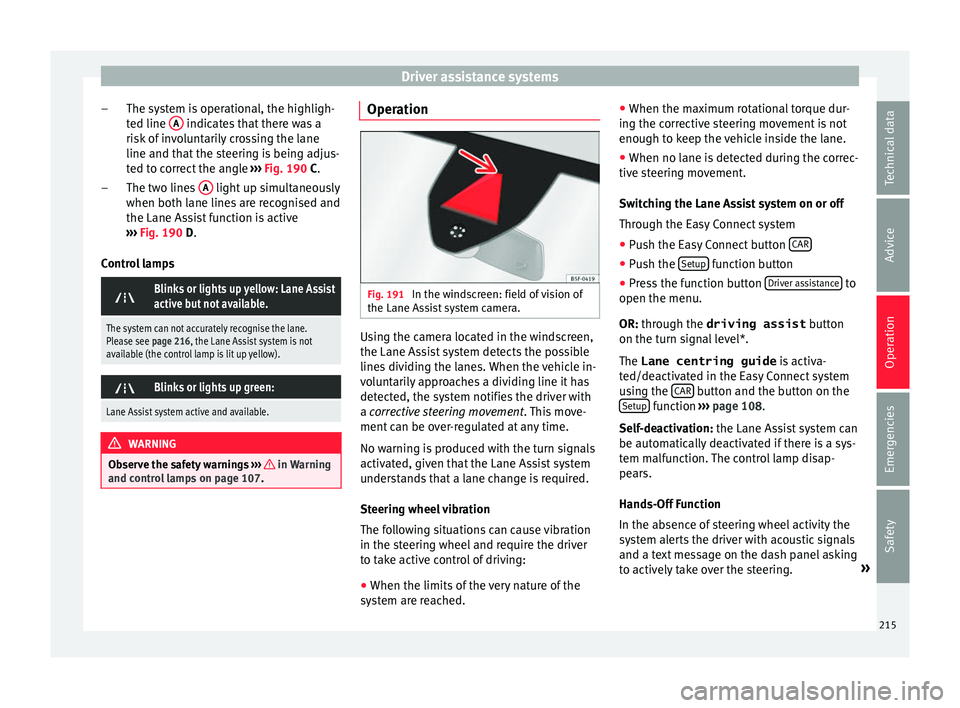
Operation Fig. 191
In the windscreen: field of vision of
the Lane As s
ist system camera. Using the camera located in the windscreen,
the Lane As
s
ist system detects the possible
lines dividing the lanes. When the vehicle in-
voluntarily approaches a dividing line it has
detected, the system notifies the driver with
a corrective steering movement . This move-
ment can be over-regulated at any time.
No warning is produced with the turn signals
activated, given that the Lane Assist system
understands that a lane change is required.
Steering wheel vibration
The following situations can cause vibration
in the steering wheel and require the driver
to take active control of driving:
● When the limits of the very nature of the
sys
tem are reached. ●
When the max
imum rotational torque dur-
ing the corrective steering movement is not
enough to keep the vehicle inside the lane.
● When no lane is detected during the correc-
tive s
teering movement.
Switching the Lane Assist system on or off
Through the Easy Connect system
● Push the Easy Connect button CAR ●
Push the Set
up function button
● Press the function button Driv
er a
ssistance to
open the menu.
OR: thr ough the driving assist
b
utton
on the turn signal level*.
The Lane centring guide is activa-
ted/deactivated in the Easy Connect system
using the CAR button and the button on the
Set up function
››
›
page 108.
Self-deactivation: the Lane Assist system can
be automatically deactivated if there is a sys-
tem malfunction. The control lamp disap-
pears.
Hands-Off Function
In the absence of steering wheel activity the
system alerts the driver with acoustic signals
and a text message on the dash panel asking
to actively take over the steering. »
215
Technical data
Advice
Operation
Emergencies
Safety
Page 236 of 328
Operation
Special Characteristics
The P ark
Assist system is subject to certain
limitations inherent to the system. For exam-
ple, it is therefore not possible to enter or exit
a parking space on sharp bends.
While entering or exiting a parking space, a
brief signal sounds to prompt the driver to
change between forward and reverse gears. If
this signal does not sound, the gear change
will be indicated when the continuous signal
sounds (object at 30 cm) in ParkPilot.
When the Park Assist system turns the steer-
ing wheel with the vehicle stationary, the in- strument panel also displays the symbol
.
Pre ss down the brake pedal so that the turn
takes place with the vehicle stationary and
the smallest possible number of manoeuvres
take place in the parking space.
Trailer mode
The Park Assist system cannot be switched
on if the factory-fitted towing bracket
››› page 255 is electrically connected to a
trailer. After changing a wheel
If, af
ter changing a wheel, the vehicle stops
entering and exiting parking spaces correctly,
the circumference of the new wheel may be
different and the system may need to adapt
to it. The adaptation is automatic and takes
place during driving. Making turns slowly, at
less than 20 km/h (12 mph) may contribute
to this adaptation process ››› in Introduc-
tion on p ag
e 232.
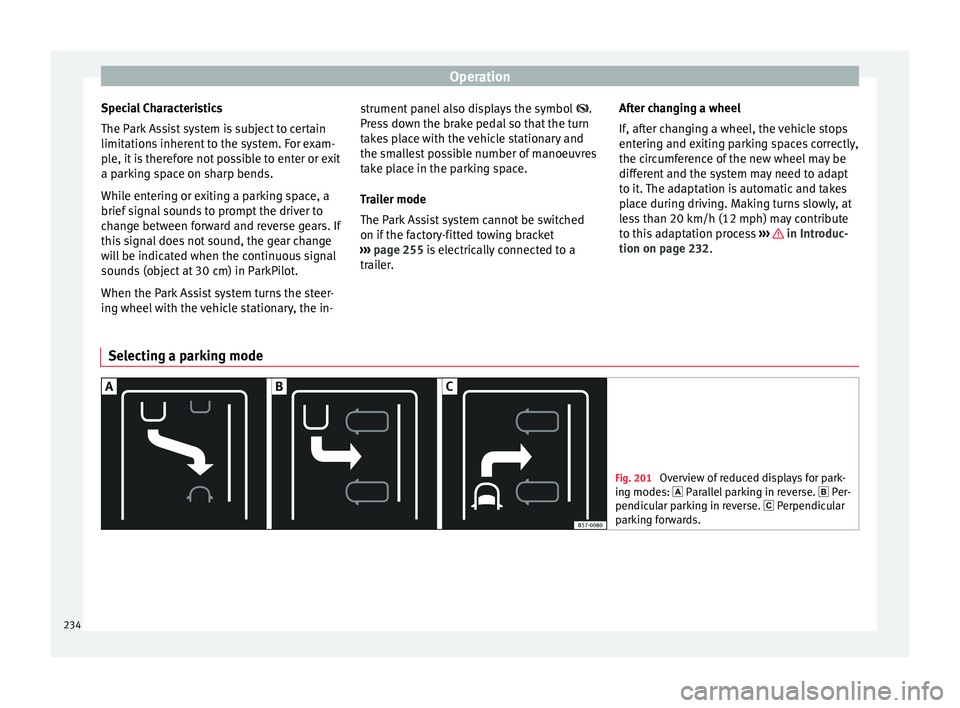
Selecting a parking mode Fig. 201
Overview of reduced displays for park-
in g mode
s: Parallel parking in reverse. Per-
pendicular parking in reverse. Perpendicular
parking forwards. 234
Page 237 of 328
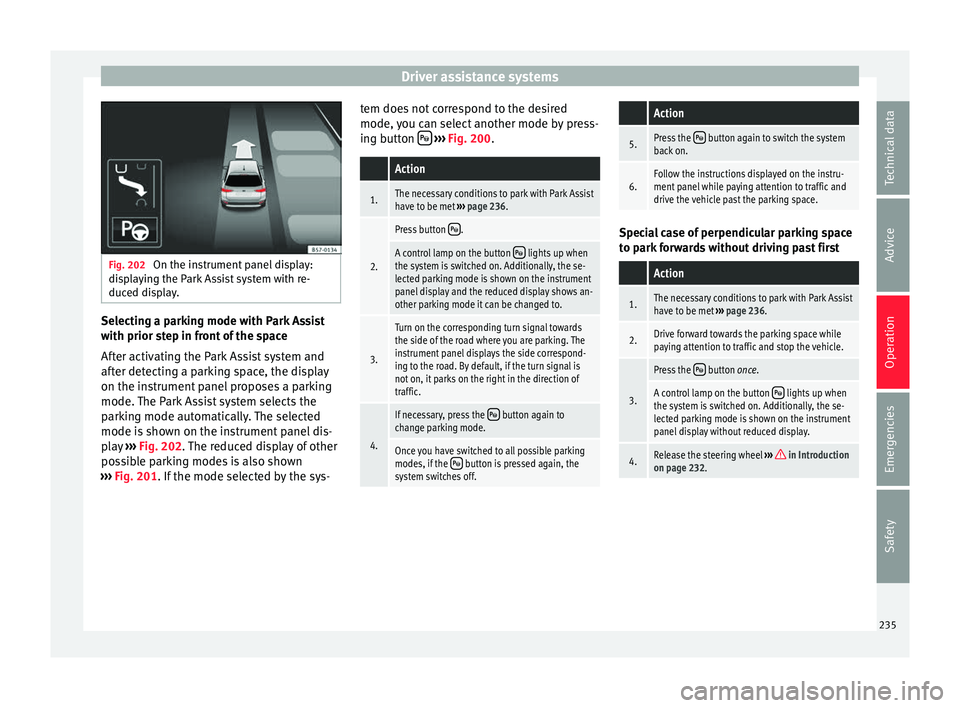
Driver assistance systems
Fig. 202
On the instrument panel display:
di s
playing the Park Assist system with re-
duced display. Selecting a parking mode with Park Assist
w
ith prior s
tep in front of the space
After activating the Park Assist system and
after detecting a parking space, the display
on the instrument panel proposes a parking
mode. The Park Assist system selects the
parking mode automatically. The selected
mode is shown on the instrument panel dis-
play ››› Fig. 202. The reduced display of other
possible parking modes is also shown
››› Fig. 201. If the mode selected by the sys- tem does not correspond to the desired
mode, y
ou can select another mode by press-
ing button
› ››
Fig. 200
.
Action
1.The necessary conditions to park with Park Assist
have to be met ››› page 236.
2.
Press button .
A control lamp on the button lights up when
the system is switched on. Additionally, the se-
lected parking mode is shown on the instrument
panel display and the reduced display shows an-
other parking mode it can be changed to.
3.
Turn on the corresponding turn signal towards
the side of the road where you are parking. The
instrument panel displays the side correspond-
ing to the road. By default, if the turn signal is
not on, it parks on the right in the direction of
traffic.
4.
If necessary, press the button again to
change parking mode.
Once you have switched to all possible parking
modes, if the button is pressed again, the
system switches off.
Action
5.Press the button again to switch the system
back on.
6.Follow the instructions displayed on the instru-
ment panel while paying attention to traffic and
drive the vehicle past the parking space. Special case of perpendicular parking space
t
o p
ark forwards without driving past first
Action
1.The necessary conditions to park with Park Assist
have to be met ››› page 236.
2.Drive forward towards the parking space while
paying attention to traffic and stop the vehicle.
3.
Press the button once.
A control lamp on the button lights up when
the system is switched on. Additionally, the se-
lected parking mode is shown on the instrument
panel display without reduced display.
4.Release the steering wheel ››› in Introduction
on page 232. 235
Technical data
Advice
Operation
Emergencies
Safety
Page 239 of 328
Driver assistance systemsFor parallel parking
spacesFor perpendicularparking spaces
Do not exceed approxi-
mately 40 km/h (25 mph)
when driving past the parking space.Do not exceed approxi-
mately 20 km/h (12 mph)
when driving past the parking space.
Keep a distance between 0.5 and 2.0 metres when driv- ing past the parking space.
Length of the space:
length of the vehicle + 0.8 metresWidth of the space: width
of the vehicle + 0.8 me- tres
Do not exceed approximately 7 km/h (4 mph) when
parking. Parking
Do the following:
1.The necessary conditions have to be met to park
with Park Assist
››› page 236 and the parking
mode must be selected ››› page 234.
2.
Look at the display on the instrument panel to
see if the space has been detected as “appropri-
ate” and if the correct position for parking has
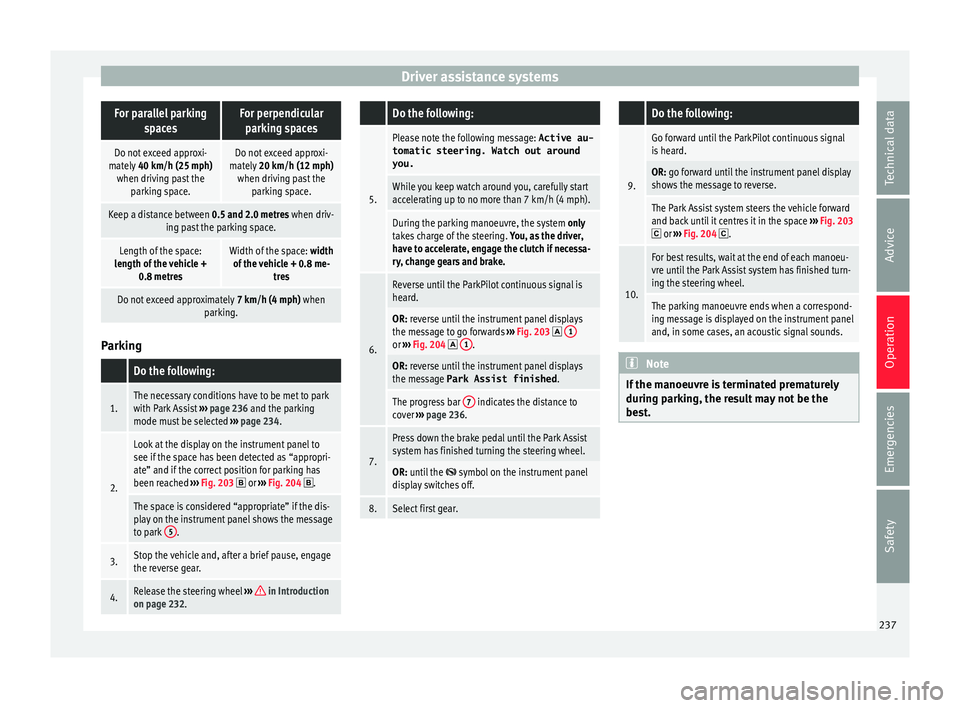
been reached ››› Fig. 203
or ››› Fig. 204 .
The space is considered “appropriate” if the dis-
play on the instrument panel shows the message
to park 5
.
3.Stop the vehicle and, after a brief pause, engage
the reverse gear.
4.Release the steering wheel
››› in Introduction
on page 232.
Do the following:
5.
Please note the following message: Active au-
tomatic steering. Watch out around
you.
While you keep watch around you, carefully start
accelerating up to no more than 7 km/h (4 mph).
During the parking manoeuvre, the system only
takes charge of the steering. You, as the driver,
have to accelerate, engage the clutch if necessa-
ry, change gears and brake.
6.
Reverse until the ParkPilot continuous signal is
heard.
OR: reverse until the instrument panel displays
the message to go forwards ››› Fig. 203 1or
››› Fig. 204 1.
OR: reverse until the instrument panel displays
the message Park Assist finished
.
The progress bar 7 indicates the distance to
cover ››› page 236.
7.
Press down the brake pedal until the Park Assist
system has finished turning the steering wheel.
OR: until the symbol on the instrument panel
display switches off.
8.Select first gear.
Do the following:
9.
Go forward until the ParkPilot continuous signal
is heard.
OR: go forward until the instrument panel display
shows the message to reverse.
The Park Assist system steers the vehicle forward
and back until it centres it in the space ››› Fig. 203
or ››› Fig. 204 .
10.
For best results, wait at the end of each manoeu-
vre until the Park Assist system has finished turn-
ing the steering wheel.
The parking manoeuvre ends when a correspond-
ing message is displayed on the instrument panel
and, in some cases, an acoustic signal sounds. Note
If the manoeuvre is terminated prematurely
durin g p
arking, the result may not be the
best. 237
Technical data
Advice
Operation
Emergencies
Safety
Page 240 of 328
Operation
Exiting a parking space with Park As-
s i
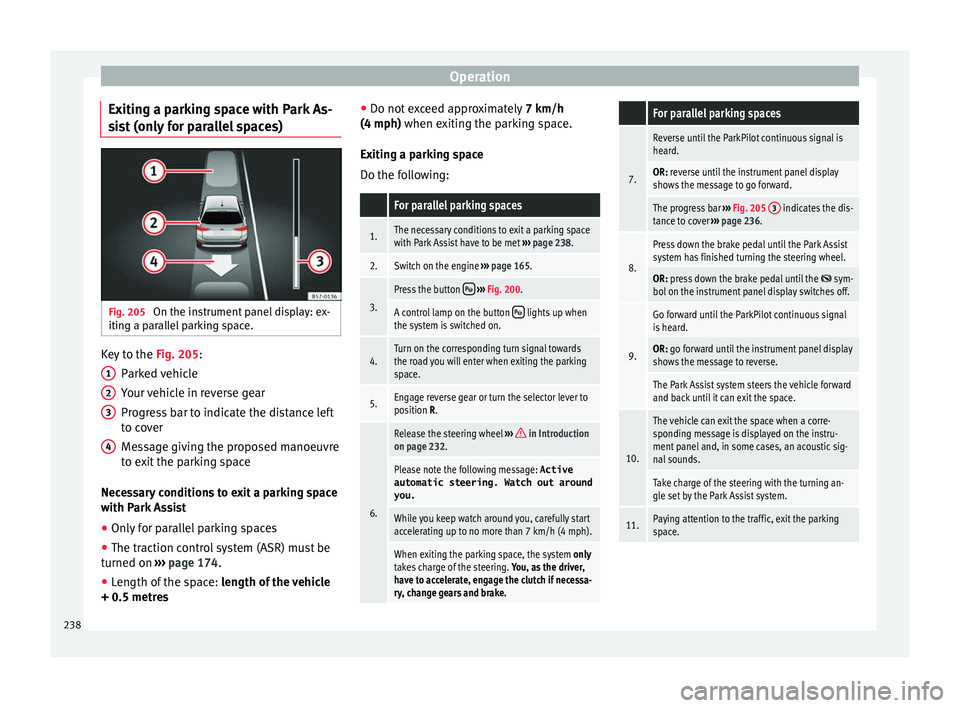
st (only for parallel spaces) Fig. 205
On the instrument panel display: ex-
itin g a p
arallel parking space. Key to the
Fig. 205:
P ark
ed vehicle
Your vehicle in reverse gear
Progress bar to indicate the distance left
to cover
Message giving the proposed manoeuvre
to exit the parking space
Necessary conditions to exit a parking space
with Park Assist
● Only for parallel parking spaces
● The traction control system (ASR) must be
turned on ›
›› page 174.
● Length of the space: len
gth of the vehicle
+ 0.5 metres 1 2
3
4 ●
Do not e
xceed approximately 7 km/h
(4 mph) when exiting the parking space.
Exiting a parking space
Do the following:
For parallel parking spaces
1.The necessary conditions to exit a parking space
with Park Assist have to be met ››› page 238.
2.Switch on the engine ››› page 165.
3.
Press the button ››› Fig. 200.
A control lamp on the button lights up when
the system is switched on.
4.Turn on the corresponding turn signal towards
the road you will enter when exiting the parking
space.
5.Engage reverse gear or turn the selector lever to
position R.
6.
Release the steering wheel ››› in Introduction
on page 232.
Please note the following message: Active
automatic steering. Watch out around
you.
While you keep watch around you, carefully start
accelerating up to no more than 7 km/h (4 mph).
When exiting the parking space, the system only
takes charge of the steering. You, as the driver,
have to accelerate, engage the clutch if necessa-
ry, change gears and brake.
For parallel parking spaces
7.
Reverse until the ParkPilot continuous signal is
heard.
OR: reverse until the instrument panel display
shows the message to go forward.
The progress bar ››› Fig. 205 3 indicates the dis-
tance to cover ››› page 236.
8.
Press down the brake pedal until the Park Assist
system has finished turning the steering wheel.
OR: press down the brake pedal until the sym-
bol on the instrument panel display switches off.
9.
Go forward until the ParkPilot continuous signal
is heard.
OR: go forward until the instrument panel display
shows the message to reverse.
The Park Assist system steers the vehicle forward
and back until it can exit the space.
10.
The vehicle can exit the space when a corre-
sponding message is displayed on the instru-
ment panel and, in some cases, an acoustic sig-
nal sounds.
Take charge of the steering with the turning an-
gle set by the Park Assist system.
11.Paying attention to the traffic, exit the parking
space. 238
Page 253 of 328
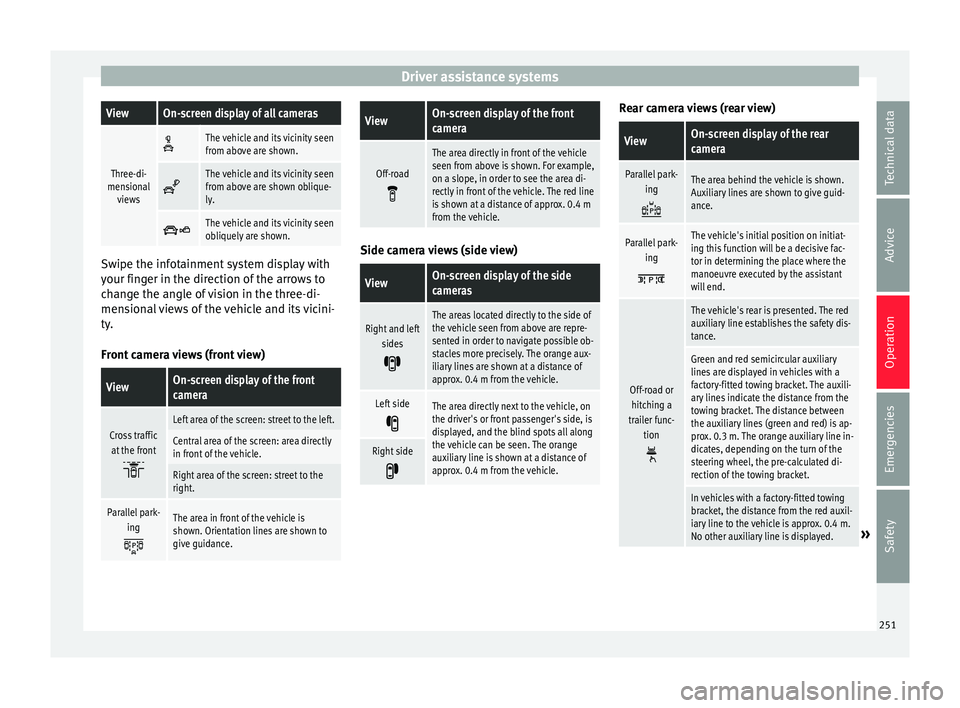
Driver assistance systemsViewOn-screen display of all cameras
Three-di-
mensional views
The vehicle and its vicinity seen
from above are shown.
The vehicle and its vicinity seen
from above are shown oblique-
ly.
The vehicle and its vicinity seen
obliquely are shown.
Swipe the infotainment system display with
y
our fin
ger in the direction of the arrows to
change the angle of vision in the three-di-
mensional views of the vehicle and its vicini-
ty.
Front camera views (front view)
ViewOn-screen display of the front
camera
Cross traffic at the front
Left area of the screen: street to the left.
Central area of the screen: area directly
in front of the vehicle.
Right area of the screen: street to the
right.
Parallel park- ing
The area in front of the vehicle is
shown. Orientation lines are shown to
give guidance.
ViewOn-screen display of the front
camera
Off-road
The area directly in front of the vehicle
seen from above is shown. For example,
on a slope, in order to see the area di-
rectly in front of the vehicle. The red line
is shown at a distance of approx. 0.4 m
from the vehicle. Side camera views (side view)
ViewOn-screen display of the side
cameras
Right and left
sides
The areas located directly to the side of
the vehicle seen from above are repre-
sented in order to navigate possible ob-
stacles more precisely. The orange aux-
iliary lines are shown at a distance of
approx. 0.4 m from the vehicle.
Left side
The area directly next to the vehicle, on
the driver's or front passenger's side, is
displayed, and the blind spots all along
the vehicle can be seen. The orange
auxiliary line is shown at a distance of
approx. 0.4 m from the vehicle.
Right side
Rear camera views (rear view)
ViewOn-screen display of the rear
camera
Parallel park-
ing
The area behind the vehicle is shown.
Auxiliary lines are shown to give guid-
ance.
Parallel park-ing
The vehicle's initial position on initiat-
ing this function will be a decisive fac-
tor in determining the place where the
manoeuvre executed by the assistant
will end.
Off-road orhitching a
trailer func- tion
The vehicle's rear is presented. The red
auxiliary line establishes the safety dis-
tance.
Green and red semicircular auxiliary
lines are displayed in vehicles with a
factory-fitted towing bracket. The auxili-
ary lines indicate the distance from the
towing bracket. The distance between
the auxiliary lines (green and red) is ap-
prox. 0.3 m. The orange auxiliary line in-
dicates, depending on the turn of the
steering wheel, the pre-calculated di-
rection of the towing bracket.
In vehicles with a factory-fitted towing
bracket, the distance from the red auxil-
iary line to the vehicle is approx. 0.4 m.
No other auxiliary line is displayed.
» 251
Technical data
Advice
Operation
Emergencies
Safety
Page 256 of 328
Operation
Parking and manoeuvring with the
r e
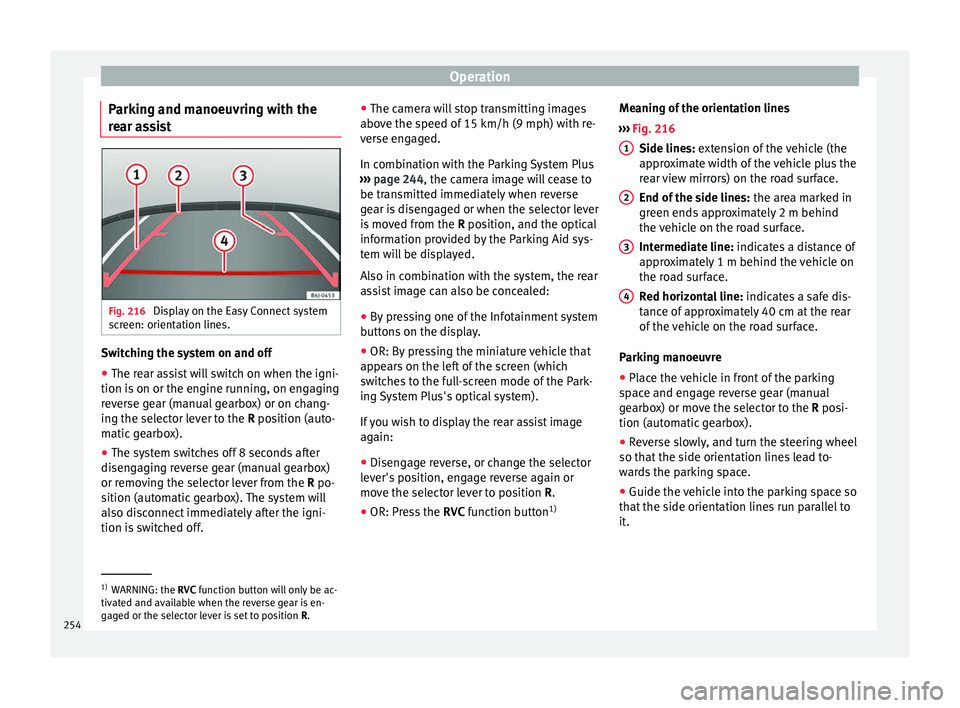
ar assist Fig. 216
Display on the Easy Connect system
s c
reen: orientation lines. Switching the system on and off
●
The rear assist will switch on when the igni-
tion i s
on or the engine running, on engaging
reverse gear (manual gearbox) or on chang-
ing the selector lever to the R position (auto-
matic gearbox).
● The system switches off 8 seconds after
disen
gaging reverse gear (manual gearbox)
or removing the selector lever from the R po-
sition (automatic gearbox). The system will
also disconnect immediately after the igni-
tion is switched off. ●
The camer
a will stop transmitting images
above the speed of 15 km/h (9 mph) with re-
verse engaged.
In combination with the Parking System Plus
››› page 244, the camera image will cease to
be transmitted immediately when reverse
gear is disengaged or when the selector lever
is moved from the R position, and the optical
information provided by the Parking Aid sys-
tem will be displayed.
Also in combination with the system, the rear
assist image can also be concealed:
● By pressing one of the Infotainment system
butt
ons on the display.
● OR: By pressing the miniature vehicle that
appe
ars on the left of the screen (which
switches to the full-screen mode of the Park-
ing System Plus's optical system).
If you wish to display the rear assist image
again:
● Disengage reverse, or change the selector
lev
er's position, engage reverse again or
move the selector lever to position R.
● OR: Press the RVC fu
nction button1)Meaning of the orientation lines
››
› Fig. 216
Side lines: extension of the vehicle (the
approximate width of the vehicle plus the
rear view mirrors) on the road surface.
End of the side lines: the area marked in
green ends approximately 2 m behind
the vehicle on the road surface.
Intermediate line: indicates a distance of
approximately 1 m behind the vehicle on
the road surface.
Red horizontal line: indicates a safe dis-
tance of approximately 40 cm at the rear
of the vehicle on the road surface.
Parking manoeuvre
● Place the vehicle in front of the parking
sp
ace and engage reverse gear (manual
gearbox) or move the selector to the R posi-
tion (automatic gearbox).
● Reverse slowly, and turn the steering wheel
so that
the side orientation lines lead to-
wards the parking space.
● Guide the vehicle into the parking space so
that
the side orientation lines run parallel to
it. 1
2
3
4
1)
WARNING: the RVC fu
nction button will only be ac-
tivated and available when the reverse gear is en-
gaged or the selector lever is set to position R.
254
Page 264 of 328
Operation
Driving with a trailer Adjusting the headlights
When t
o
wing a trailer, the front part of the ve-
hicle could lift up, and if the dipped beams
are on, this could dazzle other drivers. Use
the headlight range control to lower the cone
of light. If you do not have headlight range
control, have the headlights adjusted by a
specialised workshop.
Special characteristics of driving with a trail-
er
● If your trailer has an ov
errun brake, brake
gently at first and then rapidly. This will pre-
vent the jerking that can be caused by the
locking of trailer wheels.
● Due to the gross combination weight of the
to
wing vehicle and trailer, the braking dis-
tance increases.
● When going down a slope, go into lower
ge
ar (if using a manual gearbox or the Tip-
tronic automatic gearbox) to take advantage
of the braking power provided by the engine.
Otherwise, the braking system could over-
heat and even fail.
● The trailer weight, as well as the gross com-
bin
ation weight of the towing vehicle and
trailer, change the centre of gravity and the
properties of the vehicle.
● If the towing vehicle is empty and the trail-
er is
loaded, then the load distribution is in- correct. Under these conditions, drive slowly
and with e
xtra caution.
Hill starts with a trailer
Depending on the slope of the hill and the
combination weight of the towing vehicle
and trailer, the vehicle might start rolling
backwards slightly when you first start up.
For hill-starting with a trailer, do the follow-
ing:
● Press and hold the brake pedal.
● Press the butt
on to disconnect the elec-
tronic parking brake ››› page 170.
● If the vehicle is equipped with a manual
ge
arbox, push the clutch pedal all the way
down.
● Put the vehicle into first gear or turn the se-
lect
or lever to position D/S ››› page 176.
● Pull out the butt
on and hold it in that
position to stop the towing vehicle and trailer
with the electronic parking brake.
● Release the brake pedal.
● Start driving slowly. To do this, in the case
of a m
anual gearbox, slowly release the
clutch pedal.
● Do not release the butt
on until the en-
gine has sufficient force to start driving. WARNING
If a trailer is pulled incorrectly, this may lead
t o lo
ss of control of the vehicle and serious
injury.
● Driving with a trailer and transporting
heavy
or large objects will change the vehicle
handling and braking distances.
● Always drive cautiously and carefully.
Brak
e earlier than usual.
● Adapt your speed and driving style at all
times
to suit visibility, weather, road and traf-
fic conditions. Slow down, especially when
driving down hills or slopes.
● Accelerate with particular care and caution.
Av
oid sudden braking and manoeuvres.
● Take great care when overtaking. Reduce
speed immedi
ately if you notice that the trail-
er is swaying, however slightly.
● Never attempt to “straighten” the towing
vehic
le and trailer while accelerating.
● Take into account the speed limit for vehi-
cl
es with a trailer, as it could be lower than
for vehicles without a trailer. Stabilisation of the towing vehicle
and tr
ai
ler The stabilisation of the towing vehicle and
tr
ai
ler together is an additional function of
the electronic stability control (ESC).
262