ECO Seat Exeo ST 2013 MEDIA SYSTEM E
[x] Cancel search | Manufacturer: SEAT, Model Year: 2013, Model line: Exeo ST, Model: Seat Exeo ST 2013Pages: 167, PDF Size: 5.48 MB
Page 95 of 167
Mobile phone system*
94
– When the speech control system gives you the cue, say YES to
delete a recorded name which was previously stored in the
phone book for the speech control system. This is to confirm that
you wish to delete the entry.If the user answers NO, the system will respond: Cancel and the dialogue will
end.“Play phone book” Command
You can have the entries in the phone book for the speech
control system read out.– Switch on the speech control system ⇒ page 88.
– Say the command PLAY PHONE BOOK. The system will read out a
list of all recorded names included in the phone book for the
speech control system.
– To select the telephone number of a recorded name simply press the talk button while this recorded name is being read out.“Delete phone book” command
You can delete the entire phone book or just single recorded
entries (name tag).Deleting the entire phone book for the speech control system
– Switch on the speech control system ⇒ page 88.–Say the command
DELETE PHONE BOOK.
–Say YES, when the speech control system gives you the cue.
– When the speech control system gives you the cue, say YES again
to delete the entire phone book for the speech control system.
Deleting a single entry from the phone book for the speech control
system
– Switch on the speech control system ⇒page 88.
–Say the command DELETE PHONE BOOK.
–Say NO, when the speech control system gives you the cue. The
system will read out the entries included in the phone book for
the speech control system.
– Press the talk button while the recorded name which you wish to
delete is being read out.
–Say YES, when the speech control system gives you the cue. The
recorded name which was read out will be deleted.
You can continue to delete names from the phone book by pressing the talk
button as long as the entries are being read out.
media_systemE_EN.book Seite 94 Montag, 21. September 2009 1:48 13
Page 96 of 167
Mobile phone system*95
Operating
RADIO, MEDIA (audiovisual
systems)
NAME, TEL
NAV, INFO
CAR, SETUP
Speech recognition for some countriesStoring name tags in the phone book*
If your vehicle is equipped accordingly, you can assign name
tags to the entries from the SIM card or the mobile phone
directory.
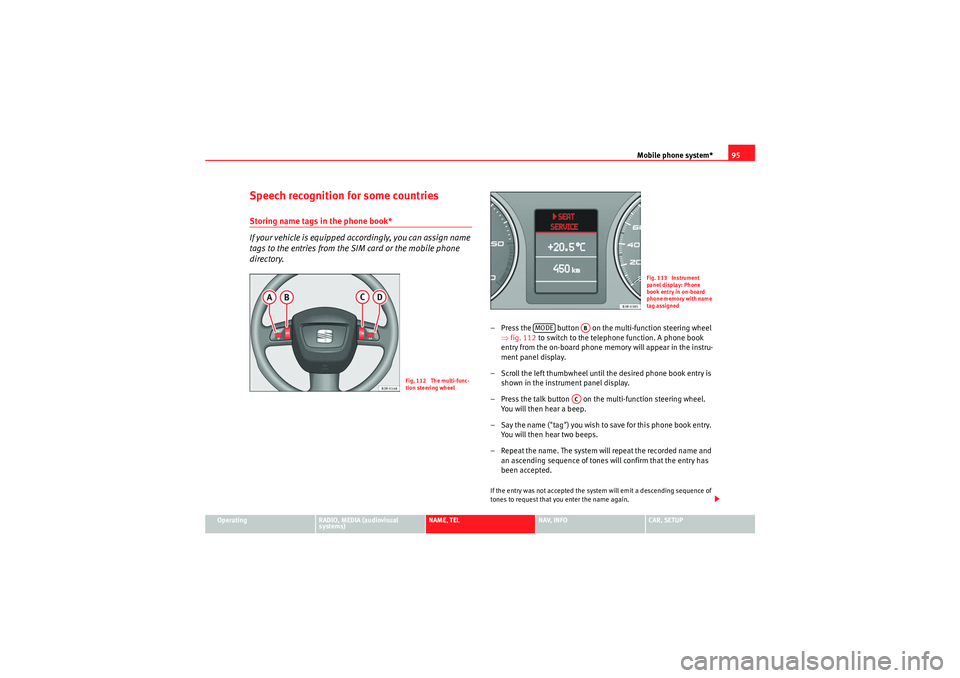
– Press the button on the multi-function steering wheel
⇒fig. 112 to switch to the telephone function. A phone book
entry from the on-board phone memory will appear in the instru-
ment panel display.
– Scroll the left thumbwheel until the desired phone book entry is shown in the instrument panel display.
– Press the talk button on the multi-function steering wheel. You will then hear a beep.
– Say the name ("tag") you wish to save for this phone book entry. You will then hear two beeps.
– Repeat the name. The system will repeat the recorded name and an ascending sequence of tones will confirm that the entry has
been accepted.If the entry was not accepted the system will emit a descending sequence of
tones to request that you enter the name again.
Fig. 112 The multi-func-
tion steering wheel
Fig. 113 Instrument
panel display: Phone
book entry in on-board
phone memory with name
tag assigned
MODE
AB
AC
media_systemE_EN.book Seite 95 Montag, 21. September 2009 1:48 13
Page 97 of 167
Mobile phone system*
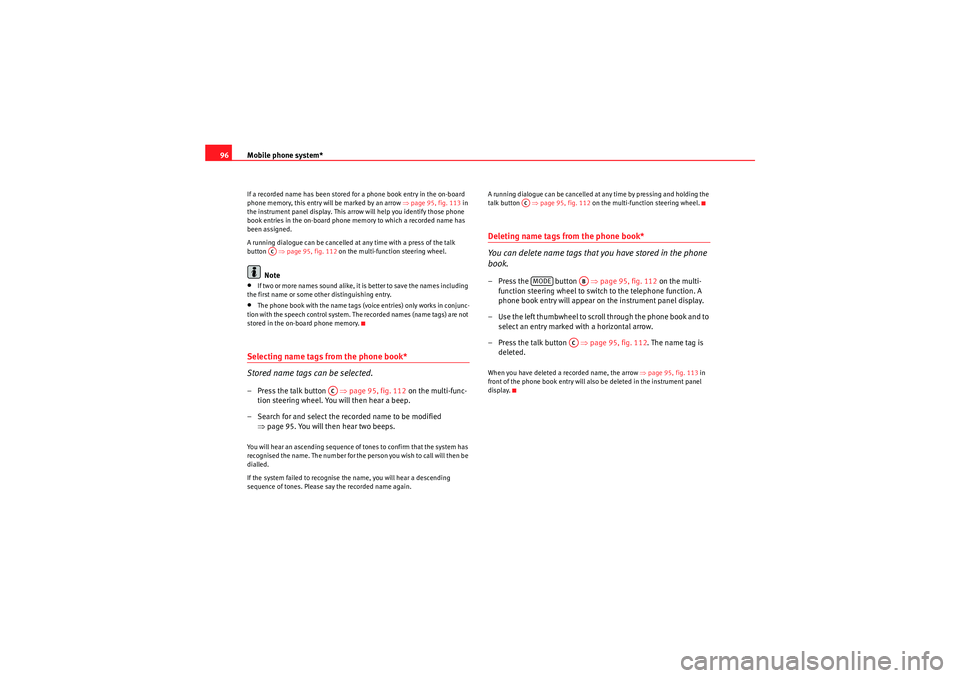
96If a recorded name has been stored for a phone book entry in the on-board
phone memory, this entry will be marked by an arrow ⇒ page 95, fig. 113 in
the instrument panel display. This arrow will help you identify those phone
book entries in the on-board phone memory to which a recorded name has
been assigned.
A running dialogue can be cancelled at any time with a press of the talk
button ⇒page 95, fig. 112 on the multi-function steering wheel.
Note
•If two or more names sound alike, it is better to save the names including
the first name or some other distinguishing entry.•The phone book with the name tags (voice entries) only works in conjunc-
tion with the speech control system. The recorded names (name tags) are not
stored in the on-board phone memory.Selecting name tags from the phone book*
Stored name tags can be selected.– Press the talk button ⇒page 95, fig. 112 on the multi-func-
tion steering wheel. You will then hear a beep.
– Search for and select the recorded name to be modified ⇒page 95. You will then hear two beeps.You will hear an ascending sequence of tones to confirm that the system has
recognised the name. The number for the person you wish to call will then be
dialled.
If the system failed to recognise the name, you will hear a descending
sequence of tones. Please say the recorded name again. A running dialogue can be cancelled at any time by pressing and holding the
talk button
⇒page 95, fig. 112 on the multi-function steering wheel.
Deleting name tags from the phone book*
You can delete name tags that you have stored in the phone
book.– Press the button ⇒page 95, fig. 112 on the multi-
function steering wheel to switch to the telephone function. A
phone book entry will appear on the instrument panel display.
– Use the left thumbwheel to scroll through the phone book and to select an entry marked with a horizontal arrow.
– Press the talk button ⇒page 95, fig. 112 . The name tag is
deleted.When you have deleted a recorded name, the arrow ⇒page 95, fig. 113 in
front of the phone book entry will also be deleted in the instrument panel
display.
AC
AC
ACMODE
AB
AC
media_systemE_EN.book Seite 96 Montag, 21. September 2009 1:48 13
Page 98 of 167
Navigation (NAV)*97
Operating
RADIO, MEDIA (audiovisual
systems)
NAME, TEL
NAV, INFO
CAR, SETUP
NAV, INFONavigation (NAV)*General safety precautionsThe driver is completely responsible for traffic safety even
when driving with the navigation system active.Be sure that you always have complete control of your vehicle in all traffic situ-
ations when using navigation system functions.
WARNING
•Today's driving conditions require the full attention of drivers. Please
see ⇒page 6, “Notes on road safety”.•Pay attention to traffic rules when driving. The route calculated by the
navigation system is a recommendation of how best to reach a destination.
If driving instructions run contrary to traffic laws, the traffic laws always
take precedence. Pay attention to traffic lights, no-stopping signs, lane
change restrictions, one-way streets, etc.Caution
The volume of the sound system should be set at a level that enables you to
hear acoustic signals from outside, such as police and fire brigade sirens.
Failure to do so may cause an accident.
IntroductionIntroductionThe SEAT navigation system can help you reach your destination without
spending a lot of time studying maps.
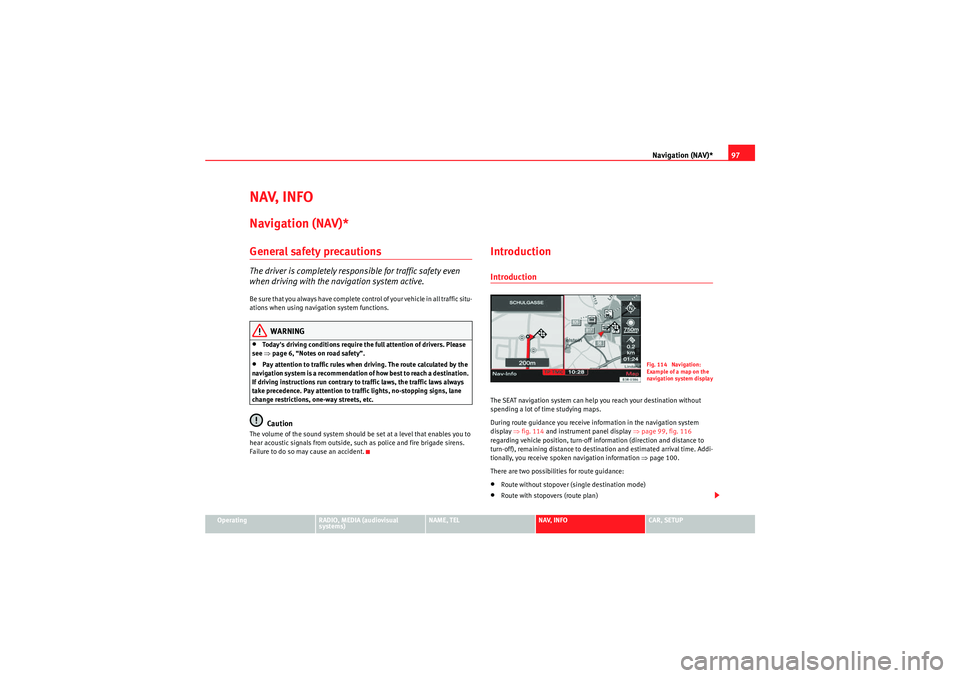
During route guidance you receive information in the navigation system
display ⇒fig. 114 and instrument panel display ⇒page 99, fig. 116
regarding vehicle position, turn-off information (direction and distance to
turn-off), remaining distance to destination and estimated arrival time. Addi-
tionally, you receive spoken navigation information ⇒ page 100.
There are two possibilities for route guidance:•Route without stopover (single destination mode)•Route with stopovers (route plan)
Fig. 114 Navigation:
Example of a map on the
navigation system displa
y
media_systemE_EN.book Seite 97 Montag, 21. September 2009 1:48 13
Page 100 of 167
Navigation (NAV)*99
Operating
RADIO, MEDIA (audiovisual
systems)
NAME, TEL
NAV, INFO
CAR, SETUP
– Wait until you reach one of the countries that is covered by both
DVDs. These countries serve as an overlap zone where you can
change the DVDs.
– Without stopping the route guidance, put the DVD for the country of your destination into the navigation drive once again
⇒page 23. Route guidance will be continued automatically.When navigating with two different DVDs, please note the following:•The destination flag will be displayed to indicate the direct line between
your starting point and your destination.•The system does not process the detailed navigation information on the
DVD which is not being used.•Some countries are covered by both DVDs. We recommend that you
change over the DVDs in good time before leaving this overlap zone.Note
•The packaging of the navigation DVD will indicate which countries are
covered by the DVD.•The traffic infrastructure is subject to changes. Therefore, the information
stored on the navigation DVD may not always correspond exactly to the roads
and other features that you encounter.•You can obtain navigation DVDs from your dealer. Your dealer will also be
able to provide information on updates which are available for the CDs.
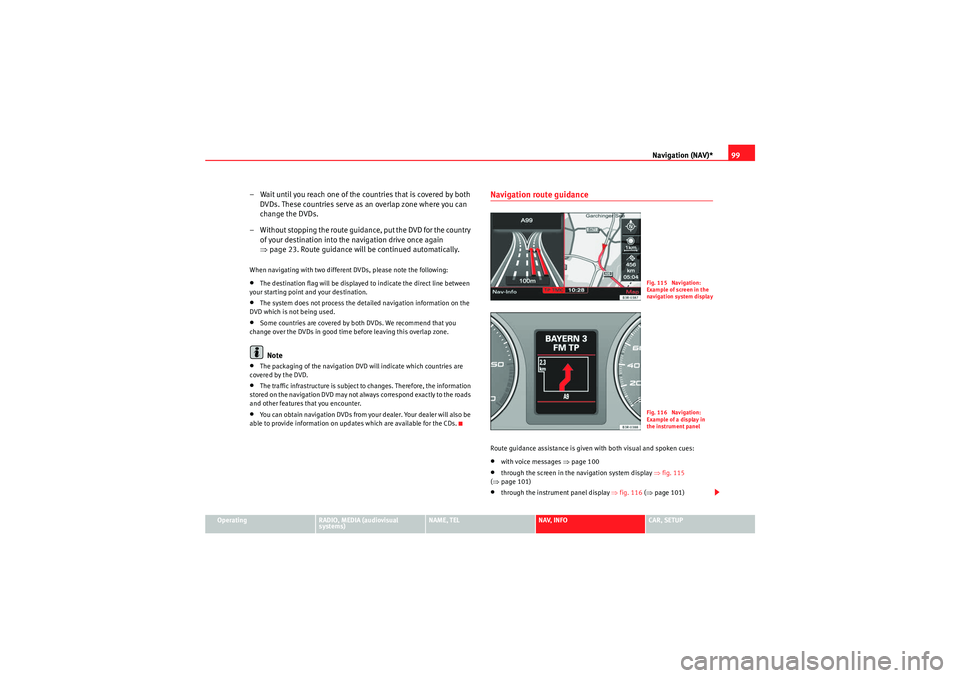
Navigation route guidanceRoute guidance assistance is given with both visual and spoken cues:•with voice messages ⇒page 100•through the screen in the navigation system display ⇒fig. 115
( ⇒ page 101)•through the instrument panel display ⇒fig. 116 (⇒ page 101)
Fig. 115 Navigation:
Example of screen in the
navigation system displa
y
Fig. 116 Navigation:
Example of a display in
the instrument panel
media_systemE_EN.book Seite 99 Montag, 21. September 2009 1:48 13
Page 101 of 167

Navigation (NAV)*
100
Note•If you do not follow the calculated route or if you leave the route, the
system will automatically calculate a new route plan based on your current
location.•You can also start a route guidance in demo mode ⇒page 139 for simu-
lation purposes.Navigation system voice guidanceRoute calculation is announced with a voice message. During this time, “The
route is being calculated” is shown on the navigation system display and
“CALC” is shown on the instrument panel display.
When route calculation is complete, guidance is given by spoken driving
instructions and symbols. Driving recommendations are always made with
eno ugh time to make a turn. An announcement is made in different stages in
preparation for a change of direction.
You can use the following options to repeat the last navigation voice
message:•Press the Nav-Info control button ⇒page 130 if you are not in the Nav-
Info submenu or•Press the right thumbwheel on the multi-function steering wheel*
⇒ page 12.
You can change the language for the voice messages if desired ⇒ page 154.Caution
If driving instructions run contrary to traffic laws, the traffic laws always take
precedence.
Note
•You can adjust the volume of the voice guidance prompts as they are
being announced using the on/off button ⇒page 9 on the navigation control
console or the right thumbwheel on the multi-function steering wheel*
⇒ page 12.•If the vehicle is in a location which cannot be read by the navigation
system (car park, garage), a voice message will inform you.Dynamic navigation
The dynamic navigation function calculates routes based on
the currently available TMC traffic messages.These TMC traffic messages are sent by TMC (Traffic Message Channel) radio
stations in addition to regular programming and are received and processed
by the navigation system. The reception of TMC traffic messages is free of
charge in Germany.
If the dynamic navigation function ⇒page 121 is activated, the system
constantly checks if relevant TMC messages are available for the set route. If
the navigation system then determines that a TMC traffic message is relevant
for the current route, the system will automatically calculate a new route plan
to the destination.
Note
•The quality of the dynamic navigation function depends largely on the
quality of the TMC traffic messages. Please note that the TMC messages sent
by the radio stations may not always be complete and correct.•For more information regarding TMC traffic messages, please refer to
⇒ page 141.
media_systemE_EN.book Seite 100 Montag, 21. September 2009 1:48 13
Page 115 of 167

Navigation (NAV)*
114The following information for individual routes can be displayed ⇒page 113,
fig. 133:
Route includes motorway sections
Calculated motorway kilometres/miles
Route includes toll road sections with indication of length of section
Route includes ferry connection(s)
Route includes motorrail section(s)
Route includes season-restricted roads
Route includes time-restricted roads
Estimated distance to destination
Estimated time of arrival at destination
Destination on the map
Possible route 1
Suggested route 2
Suggested route 3
Starting point highlighted (arrow)
Orientation
Map scale
Once you have entered a single destination in the system and started route
guidance, the route selection display will automatically appear.
In the route selection display the route which was calculated on the basis of
your criteria ⇒ page 121 is highlighted. For example: If you set fast in “Route
criteria”, the route with the shortest estimated time of arrival is highlighted
after switching automatically to the map display. You will also be offered a
second fastest route and a shortest route if they are available.
Should you not select one of the routes, the highlighted route will automati-
cally be set soon after you begin driving. During this time you can still decide
to select one of the other route options.
Note
The time required by the system for calculating the route plans depends on
the possible route options. Once the system has finished calculating the
routes they will be displayed on the map. The routes shown may overlap,
making it difficult to differentiate between them. In this case, please refer to
the mileage and estimated arrival time.Route plan information before starting route guidance– Press the rotary pushbutton to start the route guidance for the selected route with stopovers.When using the route with stopover mode the system will not calculate alter-
native routes. The route shown in the display corresponds to the selected
route criteria ⇒page 121.
The following information can be viewed before beginning route guidance
⇒ fig. 134 :
Route includes motorway sections
Calculated motorway kilometres/miles
A1A2A3A4A5A6A7A8A9A10A11A12A13A14A15A16
Fig. 134 Navigation
system: Example of route
map overview
A1A2
media_systemE_EN.book Seite 114 Montag, 21. September 2009 1:48 13
Page 117 of 167
Navigation (NAV)*
116
– In the main navigation menu ⇒ page 104, fig. 121, select the
top destination from the “Start route guidance” list.
– Select Start route guidance ⇒ page 112.If you have activated the Display as top destination function when making
entries in the directory ( ⇒page 117 or ⇒page 66) ⇒page 115, fig. 135 ,
they are listed in a destination entry menu ⇒page 104, fig. 121 under the
menu item “Start route guidance” ⇒page 118.
You can choose to have entries which are stored in the directory as top desti-
nations displayed with a “push pin” on the map ⇒ page 115, fig. 136; to
activate this function, call up the “Map contents” submenu and place a
checkmark
next to Top destinations ⇒ page 134.
"Memory" MenuLast destinations
The last entered destinations are stored and can be loaded
directly as a new destination.
–Press the Memory control button in the navigation menu.
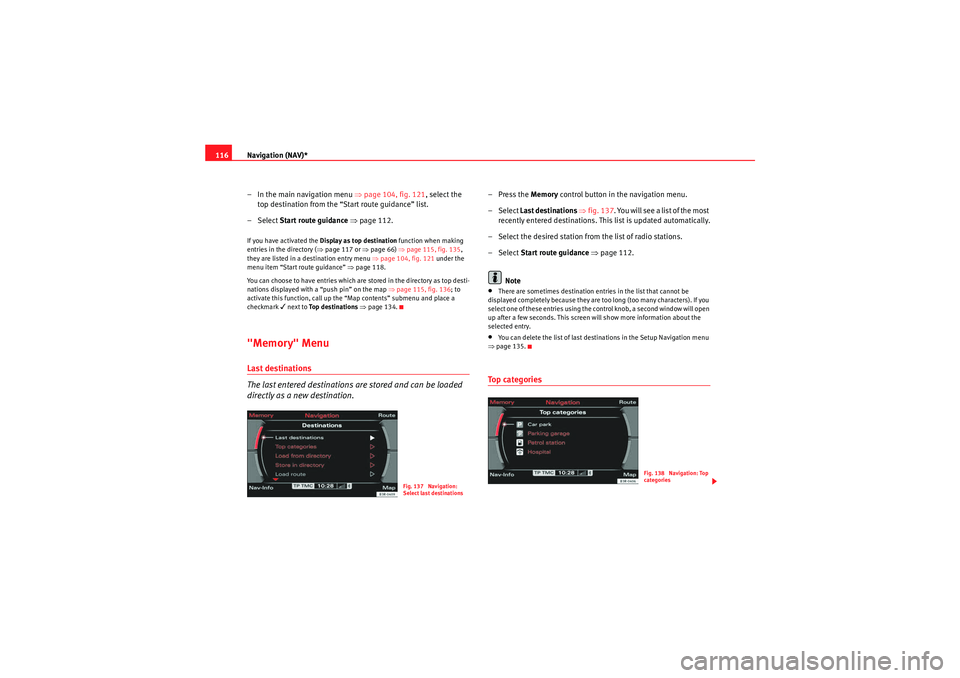
– Select Last destinations ⇒ fig. 137 . You will see a list of the most
recently entered destinations. This list is updated automatically.
– Select the desired station from the list of radio stations.
– Select Start route guidance ⇒ page 112.
Note•There are sometimes destination entries in the list that cannot be
displayed completely because they are too long (too many characters). If you
select one of these entries using the control knob, a second window will open
up after a few seconds. This screen will show more information about the
selected entry.•You can delete the list of last destinations in the Setup Navigation menu
⇒ page 135.To p c a te g o r i e s
Fig. 137 Navigation:
Select last destinations
Fig. 138 Navigation: Top
categories
media_systemE_EN.book Seite 116 Montag, 21. September 2009 1:48 13
Page 127 of 167
Navigation (NAV)*
126Map orientation
Inside side menu activation you can switch back and forth
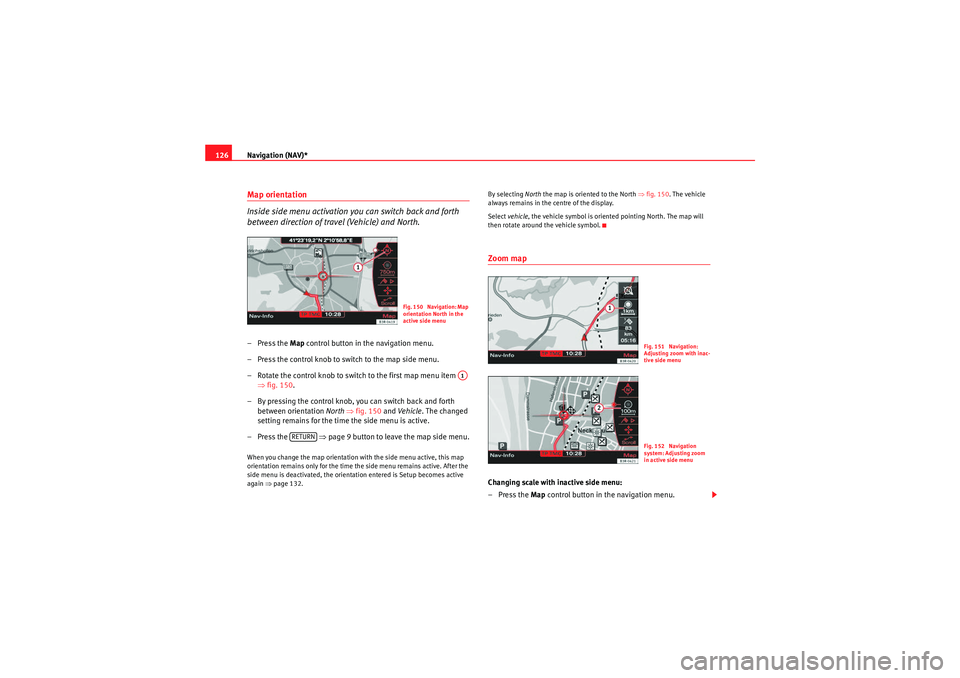
between direction of travel (Vehicle) and North.– Press the Map control button in the navigation menu.
– Press the control knob to switch to the map side menu.
– Rotate the control knob to switch to the first map menu item ⇒fig. 150 .
– By pressing the control knob, you can switch back and forth between orientation North ⇒ fig. 150 and Ve hicle . The changed
setting remains for the time the side menu is active.
– Press the ⇒page 9 button to leave the map side menu.When you change the map orientation with the side menu active, this map
orientation remains only for the time the side menu remains active. After the
side menu is deactivated, the orientation entered is Setup becomes active
again ⇒page 132. By selecting
North the map is oriented to the North ⇒ fig. 150. The vehicle
always remains in the centre of the display.
Select vehicle , the vehicle symbol is oriented pointing North. The map will
then rotate around the vehicle symbol.
Zoom mapChanging scale with inactive side menu:
–Press the Map control button in the navigation menu.
Fig. 150 Navigation: Map
orientation North in the
active side menu
A1
RETURN
Fig. 151 Navigation:
Adjusting zoom with inac-
tive side menuFig. 152 Navigation
system: Adjusting zoom
in active side menu
media_systemE_EN.book Seite 126 Montag, 21. September 2009 1:48 13
Page 128 of 167
Navigation (NAV)*127
Operating
RADIO, MEDIA (audiovisual
systems)
NAME, TEL
NAV, INFO
CAR, SETUP
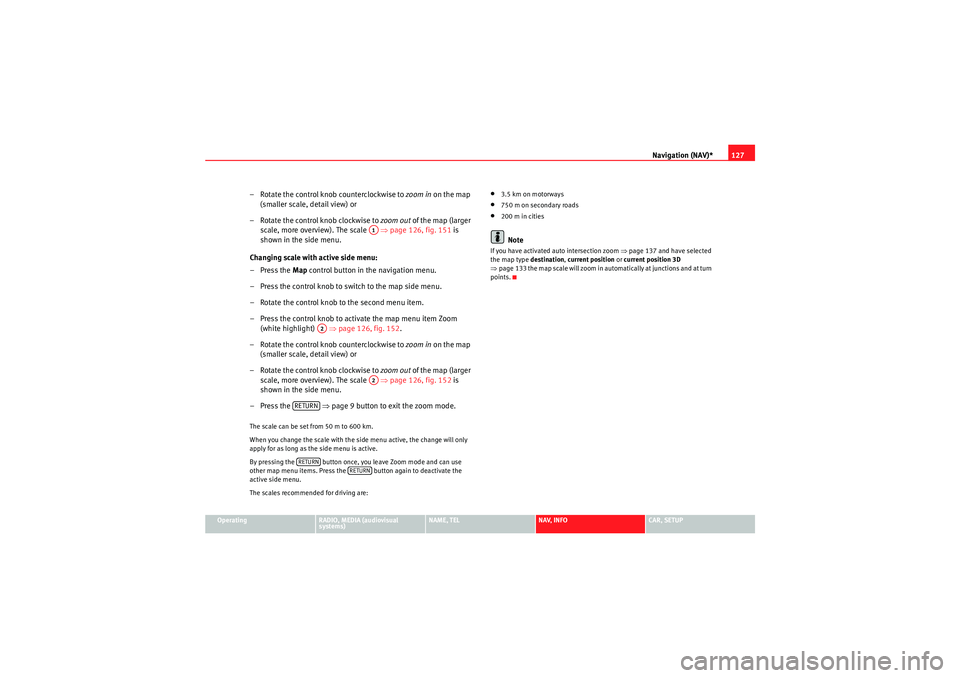
– Rotate the control knob counterclockwise to zoom in on the map
(smaller scale, detail view) or
– Rotate the control knob clockwise to zoom out of the map (larger
scale, more overview). The scale ⇒ page 126, fig. 151 is
shown in the side menu.
Changing scale with active side menu:
– Press the Map control button in the navigation menu.
– Press the control knob to switch to the map side menu.
– Rotate the control knob to the second menu item.
– Press the control knob to activate the map menu item Zoom (white highlight) ⇒page 126, fig. 152 .
– Rotate the control knob counterclockwise to zoom in on the map
(smaller scale, detail view) or
– Rotate the control knob clockwise to zoom out of the map (larger
scale, more overview). The scale ⇒ page 126, fig. 152 is
shown in the side menu.
– Press the ⇒page 9 button to exit the zoom mode.The scale can be set from 50 m to 600 km.
When you change the scale with the side menu active, the change will only
apply for as long as the side menu is active.
By pressing the button once, you leave Zoom mode and can use
other map menu items. Press the button again to deactivate the
active side menu.
The scales recommended for driving are:
•3.5 km on motorways•750 m on secondary roads•200 m in citiesNote
If you have activated auto intersection zoom ⇒page 137 and have selected
the map type destination, current position or current position 3D
⇒ page 133 the map scale will zoom in automatically at junctions and at turn
points.
A1
A2
A2
RETURNRETURN
RETURN
media_systemE_EN.book Seite 127 Montag, 21. September 2009 1:48 13