turn Seat Leon SC 2017 Owners Manual
[x] Cancel search | Manufacturer: SEAT, Model Year: 2017, Model line: Leon SC, Model: Seat Leon SC 2017Pages: 332, PDF Size: 7.25 MB
Page 224 of 332

Operation
Special driving situations Fig. 214
(A) Vehicle on a bend. (B) Motorcy-
c li
s
t ahead out of range of the radar sensor. Fig. 215
(C) Vehicle changing lanes. (D) One
v ehic
l
e turning and another stationary. The adaptive cruise control (ACC) has certain
ph
y
s
ical limitations inherent in the system.
For example, certain reactions of the ACC, in
certain circumstances, may be unexpected or
come late from the driver's point of view. So
pay attention in order to intervene if necessa-
ry.
For example, the following traffic situations
call for the utmost attention:
Starting driving after a stopping phase (only
vehicles with automatic gearbox)
After a stopping phase, the ACC may begin
driving automatically when the vehicle in
front drives off ››› .When the ACC halts the vehicle (e.g. traffic
j
am), the in
s
trument panel display shows the
ACC ready to start message. If the ve-
hicle ahead drives off again, the ACC will also
do so automatically.
If the vehicle ahead does not drive off again,
the vehicle can be kept indefinitely in the
ACC ready to start status by operating
the third lever repeatedly towards position 2
› ››
Fig. 211
or b
y pressing the brake pedal.
If the Press the brake message is shown
on the instrument panel, press the brake. If
you do not, an acoustic warning will be heard
and the ACC will switch to inactive mode
(Standby). At this point, the vehicle may be-
gin to move towards the stopped vehicle
ahead ››› .
Ov er
t
aking
When the turn signal lights up before the ve-
hicle begins an overtaking manoeuvre, the
ACC accelerates the vehicle automatically
and thus reduces the distance from the vehi-
cle in front.
When the vehicle enters the overtaking lane,
if the ACC does not detect another vehicle in
front, it accelerates until it reaches the pro-
grammed speed and maintains it.
System acceleration can be interrupted at
any time by pressing the brake or moving the
third lever backwards ››› page 218.
222
Page 225 of 332

Driver assistance systems
Driving through a bend
On ent erin
g or e
xiting bends, the radar sen-
sor may no longer determine the vehicle in
front or react to a vehicle in the adjacent lane
››› Fig. 214 A. In these situations the vehicle
may brake unnecessarily or fail to react to re-
act to the vehicle in front. In this case, the
driver has to intervene by accelerating or in-
terrupting the braking process by applying
the brake or pushing the third lever back-
wards ››› page 218.
Driving in tunnels
When driving through tunnels the radar sen-
sor may be limited. Switch off the ACC in tun-
nels.
Narrow or misaligned vehicles
The radar sensor can only detect narrow or
misaligned vehicles when they are within
range ››› Fig. 214 B. This applies particularly
to narrow vehicles such as motorbikes. In
these cases, you should brake as necessary.
Vehicles with special loads and accessories
Special loads and accessories of other vehi-
cles that jut out over the sides, backwards or
over the top may be out of the ACC's range.
Switch off the ACC when driving behind vehi-
cles with special loads and accessories or
when overtaking them. In these cases, you
should brake as necessary. Other vehicles changing lanes
Vehicl
es changing lanes a short distance
away from your own can only be detected
when they are within range of the sensors.
Consequently, the ACC will take longer to re-
act ››› Fig. 215 C. In these cases, you should
brake as necessary.
Stationary vehicles
The ACC does not detect stationary objects
while driving, such as traffic tails or damaged
vehicles.
If a vehicle detected by the ACC turns or
moves over and there is a stationary vehicle
in front of it, the ACC will not react to it
››› Fig. 215 D. In these cases, you should
brake as necessary.
Vehicles driving in the opposite direction
and vehicles crossing your path
The ACC does not react to vehicles approach-
ing from the opposite direction or vehicles
crossing your path.
Metal objects
Metal objects, e.g. rails on the road or sheets
used in road works, can confuse the radar
sensor and cause the ACC to react wrongly. Factors that may affect how the radar sensor
operate
s
If laser sensor operation is impaired, due to
heavy rain, spray, snow or mud, the ACC is
deactivated temporarily. The relevant text
message will appear in the dash panel dis-
play. If necessary, clean the radar sensor.
When the radar sensor begins to operate
properly again, the ACC will automatically be
available again. The message on the instru-
ment panel screen will switch off and the ACC
will be reactivated again.
ACC operation may be affected by a strong ra-
dar reverse reflection, for example in a closed
car park.
Trailer mode
When driving with trailer the ACC controls
less dynamically.
Overheated brakes
If the brakes overheat, for example after
abrupt braking or in long and steep slopes,
the ACC may be deactivated temporarily. The
relevant text message will appear in the dash
panel display. In this case, adaptive cruise
control cannot be activated.
Adaptive cruise control can be reactivated
once brake temperature has cooled suffi-
ciently. The message will disappear from the
instrument panel display. If the message ACC
not available remains on for quite a long »
223
Technical data
Advice
Operation
Emergencies
Safety
Page 226 of 332

Operation
time it means that there is a fault. Contact a
s pec
i
alised workshop. SEAT recommends vis-
iting a SEAT dealership. WARNING
If you do not heed the Press the brake
mes s
age, the vehicle may initiate an involun-
tary movement and could crash into the vehi-
cle ahead. In any event, before driving off,
check that the road is clear. The radar sensor
may not detect obstacles on the road. This
could cause an accident and serious injuries.
If necessary, apply the brake. Lane Assist system*
Intr oduction Fig. 216
In the windscreen: field of vision of
the Lane As s
i
st system camera. Using the camera located in the windscreen,
the Lane As
s
i
st system detects the possible
lines dividing the lanes. When the vehicle in-
voluntarily approaches a dividing line it has
detected, the system notifies the driver with
a corrective steering movement . The purpose
is not only to warn the driver, but also to
keep the vehicle inside the lane. This move-
ment can be over-regulated at any time.
No warning is produced with the turn signals
activated, given that the Lane Assist system
understands that a lane change is required. Indications on the display and lamps Fig. 217
On the instrument panel display: In-
dic ation on the Lane As
s
ist system display
(example 1). 224
Page 227 of 332

Driver assistance systems
Fig. 218
On the instrument panel display: In-
dic ation on the Lane As
s
ist system display
(example 2). Status display
The sy s
t
em is active, but not available,
either because the minimum speed has
not been reached or because the lane
lines are not recognised ››› Fig. 217 A.
The system is active and available, both
lane lines are recognised. The steering
angle is not being corrected at this mo-
ment ››› Fig. 217 B.
–
– The system is operational, the highligh-
ted line
A indicates that there was a
ri sk
of
involuntarily crossing the lane
line and that the steering is being adjus-
ted to correct the angle ››› Fig. 218 C.
The two highlighted lines A light up si-
mu lt
aneou
sly when both lane lines are
recognised and the Lane Assist function
is active ››› Fig. 218 D.
Control lamps
It lights up yellow: Lane Assist active
but not available.
The system can not accurately recognise the lane.
Please see page 226, the Lane Assist system is not
available (the control lamp is lit up yellow).
It lights up green
Lane Assist system active and available.
WARNING
Observe the safety warnings ›››
in Warning
and contr o
l lamps on page 119. Operating mode
Steering wheel vibration
The f
ol
lowing situations can cause vibration
in the steering wheel and require the driver
to take active control of driving: –
– ●
When the steerin
g angle assist value re-
quired to keep the vehicle in the lane is high-
er than the system’s maximum operating val-
ue.
● If the system ceases to display the lane
lines whi
le assisting with steering.
Switching the Lane Assist system on or off
Through the Easy Connect system
● Press the Easy Connect button ●
Press the S
ET
TINGS function button
● Press the function button Driv
er a
s
sistance to
open the menu.
OR: U s
in
g the Driving Assist button on
the turn signal lever* ›››
page 37.
Lane Assist with Lane Centring Guide
The Lane Centring Guide function is in-
tended to keep the vehicle in the centre of
the lane.
If the driver has a tendency to veer slightly off
centre in the lane, the system adapts to driv-
er preferences.
The Lane Centring Guide function is ac-
tivated/deactivated in the Easy Connect sys-
tem using the button and the
S
ET
TINGS function button
›
››
page 120. »
225
Technical data
Advice
Operation
Emergencies
Safety
Page 228 of 332
Operation
Self-deactivation: the Lane As s
i st system can
be automatically deactivated if there is a sys-
tem malfunction. The control lamp
disappears.
Hands-Off Function
● In the absence of steering wheel activity
the syst
em alerts the driver with acoustic sig-
nals and a text message on the dash panel
asking to actively take over the steering.
● If the driver does not react to this, the sys-
tem also al
erts the driver with a little shaking
motion through the brakes and, if the vehicle
has it, activates the Emergency Assist func-
tion ››› page 228.
● In vehicles without Emergency Assist, the
adaptiv
e lane guidance function will be disa-
bled after the corresponding warnings to the
driver.
The lane assist system is active but it is not
available (the control lamp is lit up yellow)
● When driving at speeds below 65 km/h (38
mph).
● When the Lane Assist system does not de-
tect the div
iding lines of the road. For exam-
ple, in the event warnings indicating road
works, and snow, dirt, moisture or reflec-
tions.
● When the radius of a curve is too small.
● When no road markings can be seen. ●
When the dist
ance to the next marking to
too great.
● When the system does not detect any clear
and active st
eering movement during a long
period of time.
● Temporarily, in the event of very dynamic
driving s
tyles.
● If a turn signal is activated.
● With the stability control system (ESC) in
Sport
mode or switched off.
Switching off the Lane Assist system in the
following situations
Due to the limits of the Lane Assist system,
switch it off in the following situations:
● When more attention is required of the
driver
● When drivin
g in a sporty style
● In unfavourable weather conditions
● On roads in poor condition
● In areas of road works WARNING
The intelligent technology in the Lane Assist
sys t
em cannot change the limits imposed by
the laws of physics and by the very nature of
the system. Careless or uncontrolled use of
the Lane Assist system may cause accidents
and injury. The system is not a replacement
for driver awareness. ●
Alw a
ys adapt your speed and the distance
to the vehicles ahead in line with visibility,
weather conditions, the condition of the road
and the traffic situation.
● Always keep your hands on the steering
wheel so it c
an be turned at any time.
● The Lane Assist system does not detect all
roa
d markings. The road surfaces, road struc-
tures or objects in poor condition can be in-
correctly detected as road markings under
certain circumstances by the Lane Assist sys-
tem. In such situations, switch the Lane As-
sist system off immediately.
● Please observe the indications on the in-
strument p
anel and act as is necessary.
● Always pay attention to the vehicle's sur-
roundin
gs.
● When the area of vision of the camera be-
comes
dirty, covered or is damaged, the Lane
Assist system function can be affected. CAUTION
In order to avoid influencing the operation of
the sys t
em, the following points must be tak-
en into account:
● Regularly clean the area of vision of the
camera and k
eep it in a clean state, without
snow or ice.
● Do not cover the area of vision of the cam-
era.
● Check
that the area of vision of the wind-
scr
een camera is not damaged. 226
Page 229 of 332

Driver assistance systems
Note
● The Lane Ass i
st system deactivates when
driving below 60 km/h (37 mph).
● The lane departure warning system has
been exc
lusively developed for driving on
paved roads only.
● If the Lane Assist system does not work as
desc
ribed in this chapter, do not use it and
contact a specialised workshop.
● Before starting a journey, verify that the
field of
vision of the camera is not covered
››› Fig. 216.
● Always keep the field of vision of the cam-
era cl
ean.
● If there is a fault in the system, have it
check
ed by a specialised workshop. Traffic Jam Assist
R el
at
ed video Fig. 219
Safety Description and operation
Traffic Jam Assist helps the driver keep the
car w
ithin its
lane and to move in convoy in
case of traffic congestion or slow traffic.
Traffic Jam Assist is an additional function of
Lane Assist ››› page 224 and combines Lane
Assist functions with Adaptive Cruise Control
(ACC) ››› page 214. Therefore, it is essential
that you read these two chapters carefully
and note the limitations of the systems and
the information about them.
Operation of Traffic Jam Assist
At speeds of below 60 km/h (40 mph), Traffic
Jam Assist can maintain a (temporary) dis-
tance preset by the driver with respect to the
vehicle ahead and help stay within the lane
››› .
T o do thi
s, the sy
stem automatically controls
the accelerator, brakes and steering, and
slows the vehicle, stopping it fully if neces-
sary, when faced with a vehicle in front that
has stopped. It automatically moves off again
when the vehicle ahead moves.
Traffic Jam Assist is designed only for use on
motorways and wide roads. Therefore, never
use it in city traffic. Technical requirements for using Traffic Jam
Assi
st
● Lane departure warning must
be activated:
button > SETTINGS > Driver as-
sistance > Lane departure warning
(Lane Assist) › ›
›
page 33.
● The Lane Centring Guide must be activated:
button > SETTINGS > Driver as-
sistance > Lane departure warning
(Lane Assist)
● Adaptive Cruise Control (ACC) must be con-
nect ed and activ
e ›
›› page 218.
● The speed must be below 60 km/h
(38 mph).
Traffic
Jam Assist is not active (the Lane As-
sist control light turns yellow)
● If any of the conditions mentioned on
page 227, T
echnical requirements for using
Traffic Jam Assist are no longer met.
● If any of the conditions required for opera-
tion of the Lane Ass
ist are not met
››› page 224.
● If any of the conditions necessary for the
adaptiv
e cruise control (ACC) to work are no
longer fulfilled ››› page 214.
Situations in which Traffic Jam Assist must
be switched off
Due to the limitations of the system, Traffic
Jam Assist must always be switched off in the
following situations: »
227
Technical data
Advice
Operation
Emergencies
Safety
Page 242 of 332
Operation
Automatic connection of Parking Aid
● Engage reverse gear or turn the selector
l ev
er t
o position R.
● OR: depending on the equipment, if the
ve-
hicle rolls back 1)
.
● OR: If the vehicle approaches an obstacle
that
is in its forwards path at a speed below
10 km/h (6 mph) ››› page 240, Automatic ac-
tivation. The obstacle is detected as of a dis-
tance of approx. 95 cm if the automatic con-
nection is activated in the infotainment sys-
tem. A reduced display is shown.
Automatic disconnection of Parking Aid
● Move the selector lever to position P.
● OR: accelerate to more than approx.
10 km/h (6 mph) for
ward.
Temporary suppression of sound in Parking
Aid
● Press the function b
utton.
Change from reduced view to full view
● Engage reverse gear or turn the selector
lever t
o position R. ●
OR: depending on the equipment, if the
ve-
hicle rolls back 1)
.
● OR: press the car icon in reduced view.
If nec
essary, switch to the rear-assist image
(Rear View Camera “RVC”)
● Engage reverse gear or turn the selector
lever t
o position R.
● OR: Press the RVC fu
nction button.
A short confirmation signal will be heard and
the button symbol will light up yellow when
the system is switched on. Automatic activation Fig. 227
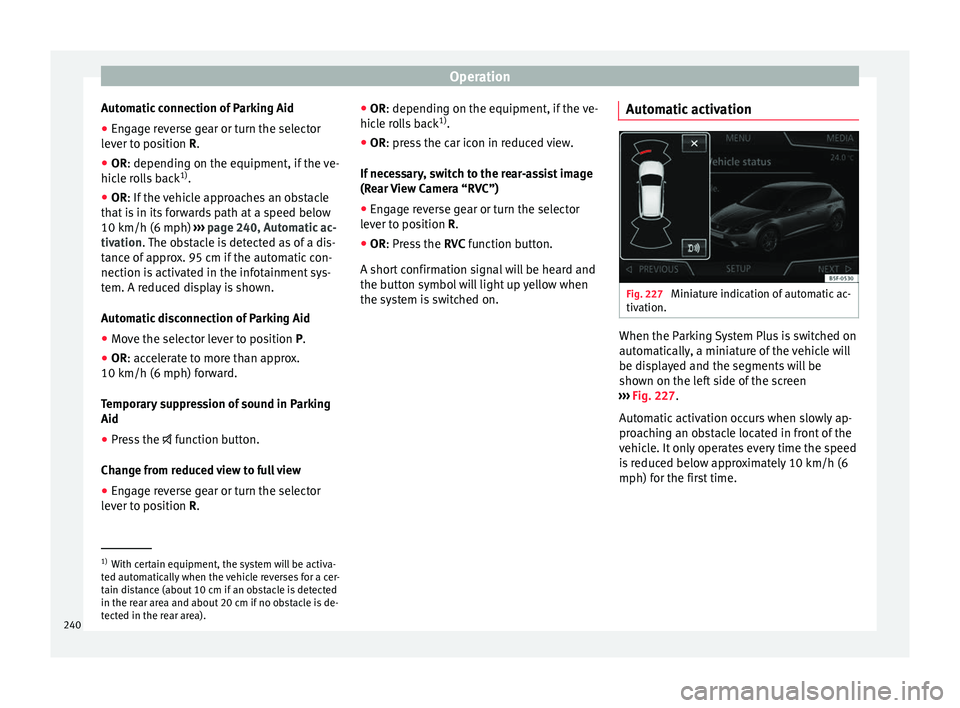
Miniature indication of automatic ac-
tiv ation. When the Parking System Plus is switched on
aut
om
atic
ally, a miniature of the vehicle will
be displayed and the segments will be
shown on the left side of the screen
››› Fig. 227.
Automatic activation occurs when slowly ap-
proaching an obstacle located in front of the
vehicle. It only operates every time the speed
is reduced below approximately 10 km/h (6
mph) for the first time. 1)
With certain equipment, the system will be activa-
ted aut om
atically when the vehicle reverses for a cer-
tain distance (about 10 cm if an obstacle is detected
in the rear area and about 20 cm if no obstacle is de-
tected in the rear area).
240
Page 244 of 332
Operation
Automatic activation
on
– activ
at
es the Automatic activa-
tion option ››› page 240.
off – deactivates the Automatic ac-
tivation option ››› page 240.
Front volume*
Volume in the front and rear area.
Front sound settings/sharpness*
Frequency (tone) of the sound in the front
area.
Rear volume*
Volume in the rear area.
Rear sound settings/sharpness*
Frequency (tone) of the sound in the rear
area.
Adjust volume
With the parking aid switched on, the active
audio/video source volume will be reduced
to the intensity of the selected setting.
Error messages When the Parking Aid is activated or when it
i
s
sw
itched on, if a message reporting a Park- ing aid error is displayed on the instrument
panel, there i
s a fault in the system.
If the fault doesn't disappear before discon-
necting the ignition, next time that parking
aid is engaged in reverse, it will not be indi-
cated.
Parking System Plus*
If there is a fault in the parking aid system a
message will appear on the instrument panel
indicating the error. In addition the key
LED will blink.
If there is a fault in a sensor, the symbol is
displayed on the Easy Connect display in
front of/behind the vehicle. If a rear sensor is
faulty, only the obstacles in the areas A and
B are displayed
››
›
Fig. 225. If a front sensor
is faulty, only the obstacles in the areas C and
D are displayed.
Hav e the f
au
lt corrected by a specialised
workshop without delay.
Towing bracket In vehicles equipped with a towing bracket
dev
ic
e fr
om the factory, when the trailer is
connected electrically, the Parking Aid rear
sensors will not be activated when reverse
gear is engaged, when the selector lever is
turned to position R or when the button is
pressed. Parking System Plus
The dist
ance to possible obstacles at the rear
of the vehicle will not be displayed on the
screen and nor will it be indicated by means
of audible sound signals.
The Easy Connect system screen will only dis-
play objects detected at the front, and the ve-
hicle's trajectory will be hidden.
Braking while manoeuvring function* 3 Only
valid with Parking System Plus
As
soon as an obstacle is detected while re-
versing, the braking while manoeuvring func-
tion activates the emergency braking. De-
pending on the equipment, the braking while
manoeuvring function can also activate
emergency braking while moving forwards.
The emergency braking function is used to
minimise collisions. Vehicle speed must not
be higher than 10 km/h.
The braked manoeuvre function is active or
inactive when the parking light is lit or off, re-
spectively. If an emergency braking is activa-
ted, the function will remain inactive until the
gear is changed.
The Parking System’s limitations apply.
The braking while manoeuvring function is
controlled in the Easy Connect system with
242
Page 246 of 332
Operation
Note
● It i s
important to take great care and pay
special attention if you are not yet familiar
with the system.
● Rear assist will not be available if the vehi-
cle's
rear lid is open. Instructions for use
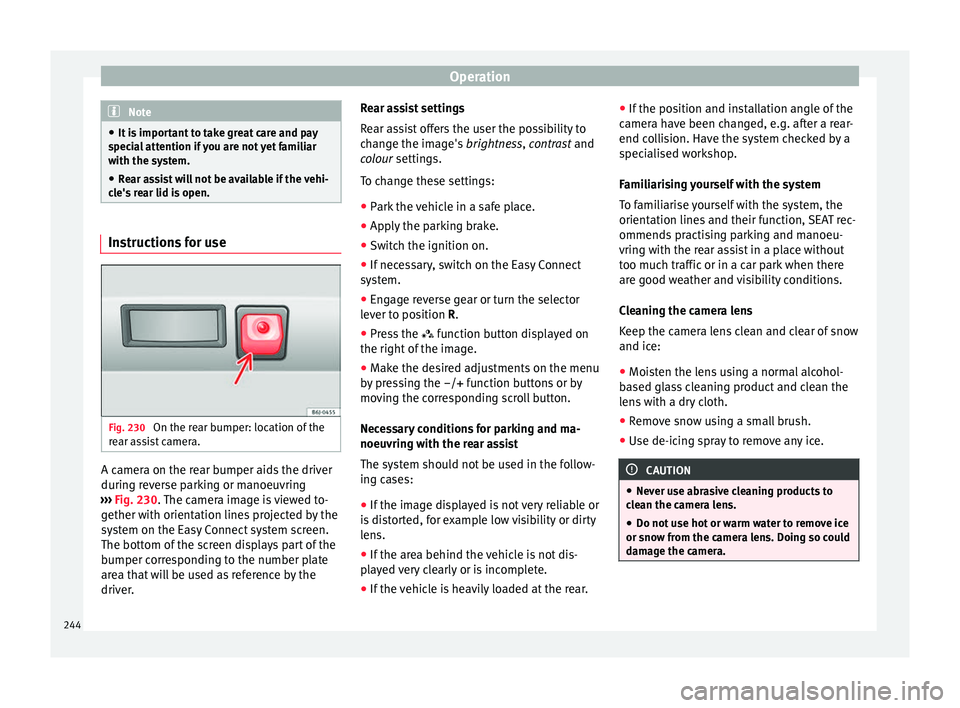
Fig. 230
On the rear bumper: location of the
r e
ar a
ssist camera. A camera on the rear bumper aids the driver
durin
g r
ev
erse parking or manoeuvring
››› Fig. 230. The camera image is viewed to-
gether with orientation lines projected by the
system on the Easy Connect system screen.
The bottom of the screen displays part of the
bumper corresponding to the number plate
area that will be used as reference by the
driver. Rear assist settings
Rear a
ssist offers the user the possibility to
change the image's brightness, contrast and
colour settings.
To change these settings:
● Park the vehicle in a safe place.
● Apply the parking brake.
● Switch the ignition on.
● If necessary, switch on the Easy Connect
syst
em.
● Engage reverse gear or turn the selector
lever t
o position R.
● Press the function b
utton displayed on
the right of the image.
● Make the desired adjustments on the menu
by pr
essing the –/+ function buttons or by
moving the corresponding scroll button.
Necessary conditions for parking and ma-
noeuvring with the rear assist
The system should not be used in the follow-
ing cases:
● If the image displayed is not very reliable or
is di
storted, for example low visibility or dirty
lens.
● If the area behind the vehicle is not dis-
pla
yed very clearly or is incomplete.
● If the vehicle is heavily loaded at the rear. ●
If the pos
ition and installation angle of the
camera have been changed, e.g. after a rear-
end collision. Have the system checked by a
specialised workshop.
Familiarising yourself with the system
To familiarise yourself with the system, the
orientation lines and their function, SEAT rec-
ommends practising parking and manoeu-
vring with the rear assist in a place without
too much traffic or in a car park when there
are good weather and visibility conditions.
Cleaning the camera lens
Keep the camera lens clean and clear of snow
and ice:
● Moisten the lens using a normal alcohol-
based gl
ass cleaning product and clean the
lens with a dry cloth.
● Remove snow using a small brush.
● Use de-icing spray to remove any ice. CAUTION
● Never u se abr
asive cleaning products to
clean the camera lens.
● Do not use hot or warm water to remove ice
or snow fr
om the camera lens. Doing so could
damage the camera. 244
Page 247 of 332

Driver assistance systems
Parking and manoeuvring with the
r e
ar a
ssist Fig. 231
Display on the Easy Connect system
s c
r
een: orientation lines. Switching the system on and off
●
The rear assist will switch on when the igni-
tion i s
on or the en
gine running, on engaging
reverse gear (manual gearbox) or on chang-
ing the selector lever to the R position (auto-
matic gearbox).
● The system switches off 8 seconds after
diseng
aging reverse gear (manual gearbox)
or removing the selector lever from the R po-
sition (automatic gearbox). The system will
also disconnect immediately after the igni-
tion is switched off. ●
The camera w
ill stop transmitting images
above the speed of 15 km/h (9 mph) with re-
verse engaged.
In combination with the Parking System Plus
››› page 237, the camera image will cease to
be transmitted immediately when reverse
gear is disengaged or when the selector lever
is moved from the R position, and the optical
information provided by the Parking Aid sys-
tem will be displayed.
Also in combination with the system, the rear
assist image can also be concealed:
● By pressing one of the Infotainment system
button
s on the display.
● OR: By pressing the miniature vehicle that
appe
ars on the left of the screen (which
switches to the full-screen mode of the Park-
ing System Plus's optical system).
If you wish to display the rear assist image
again:
● Disengage reverse, or change the selector
lever's
position, engage reverse again or
move the selector lever to position R.
● OR: Press the RVC fu
nction button1)Meaning of the orientation lines
›››
Fig. 231
Side lines: extension of the vehicle (the
approximate width of the vehicle plus the
rear view mirrors) on the road surface.
End of the side lines: the area marked in
green ends approximately 2 m behind
the vehicle on the road surface.
Intermediate line: indicates a distance of
approximately 1 m behind the vehicle on
the road surface.
Red horizontal line: indicates a safe dis-
tance of approximately 40 cm at the rear
of the vehicle on the road surface.
Parking manoeuvre
● Place the vehicle in front of the parking
spac
e and engage reverse gear (manual
gearbox) or move the selector to the R posi-
tion (automatic gearbox).
● Reverse slowly, and turn the steering wheel
so that the s
ide orientation lines lead to-
wards the parking space.
● Guide the vehicle into the parking space so
that the s
ide orientation lines run parallel to
it. 1
2
3
4
1)
WARNING: the RVC function b
utton will only be ac-
tivated and available when the reverse gear is en-
gaged or the selector lever is set to position R.
245
Technical data
Advice
Operation
Emergencies
Safety