wheel Seat Toledo 2012 Owner's Guide
[x] Cancel search | Manufacturer: SEAT, Model Year: 2012, Model line: Toledo, Model: Seat Toledo 2012Pages: 249, PDF Size: 3.6 MB
Page 99 of 249
98Lights and visibility
Parking lights*
Parking lights
– Switch the ignition off.
– Move the turn signal lever ⇒ Fig. 58 ⇒ page 97 up or down to
turn on the right or left-hand parking lights respectively.
Parking light on both sides
– Turn the light switch ⇒ Fig. 55 ⇒ page 94 to position and
engage the steering lock.
Note
● The parking lights only work when the ignition is switched on.
● The parking light will not come on automatically on switching the igni-
tion off if the left or right-hand turn signal is left on.
Front fog lights with CORNER function*
Front fog lights with CORNER function provide better lighting of the area
around the car when driving through a corner or parking, etc.
Front fog lights with CORNER function switch on depending on how far you
turn the steering wheel or whether or not the turn signals 1)
are switched on,
if the following conditions are met:
● The vehicle is stationary, the ignition is switched on or you are moving
at a speed less than 40 km/h (25 mph)
● The daytime driving light is switched off ●
The dipped beam is switched on
● The fog lights are switched off
● Reverse gear is not engaged
Hazard warning light switch
Fig. 59 Instrument pan-
el: switch for hazard
warning lights
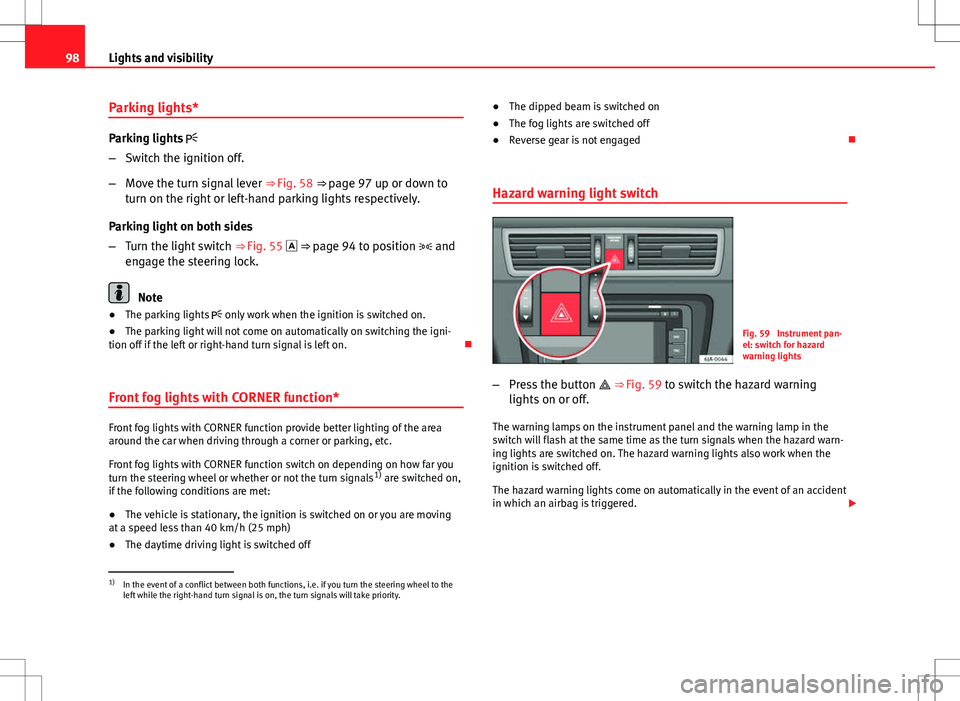
– Press the button ⇒ Fig. 59 to switch the hazard warning
lights on or off.
The warning lamps on the instrument panel and the warning lamp in the
switch will flash at the same time as the turn signals when the hazard warn-
ing lights are switched on. The hazard warning lights also work when the
ignition is switched off.
The hazard warning lights come on automatically in the event of an accident
in which an airbag is triggered.
1)
In the event of a conflict between both functions, i.e. if you turn the steering wheel to the
left while the right-hand turn signal is on, the turn signals will take priority.
Page 105 of 249
104Lights and visibility
Interval wipe
–Move the lever up to the stop 1
⇒ Fig. 66.
– Set the required interval wipe using the control A
.
Slow wipe
– Move the lever up to the stop 2
⇒ Fig. 66.
Continuous wipe
– Move the lever up to the stop 3
⇒ Fig. 66.
Automatic wash and wipe
– Pull the lever towards the steering wheel, position 5
⇒ Fig. 66,
and the windscreen washer and wipers are switched on.
– Release the lever. The washer will stop and the windscreen wip-
ers will keep running for 1–3 wipes (depending on the wind-
screen washer operating time).
Rear window wiper
– Press the lever forwards to the stop 6
⇒ Fig. 66 and the rear
window wiper will run every 6 seconds.
Automatic rear window wash wipe
– Press the lever forwards fully to position 7
⇒ Fig. 66 and the
rear window wiper and washer are switched on at the same
time.
– Release the lever. The rear window washer will stop and the rear
window wipers will keep running for 1–3 wipes (depending on
the jet operating time). When released, the lever remains in po-
sition 6
. Switching off the wipers
–
Move the lever to position 0
⇒ Fig. 66.
Headlight washer system
The headlight washers operate briefly if the dipped or main beam is on and
the lever is raised to position 5 ⇒ Fig. 66. The headlight washer system al-
so operates every ten windscreen wash cycles.
Clean off stubborn dirt (insects, etc.) from the headlights at regular inter-
vals, for instance when filling the fuel tank. Please observe the following in-
dications ⇒ page 167, Headlights.
To ensure the system works properly in winter, keep the nozzle holders free
of snow and remove any ice with a de-icer spray.
CAUTION
Never pull on the nozzle holders. Risk of damage to the system!
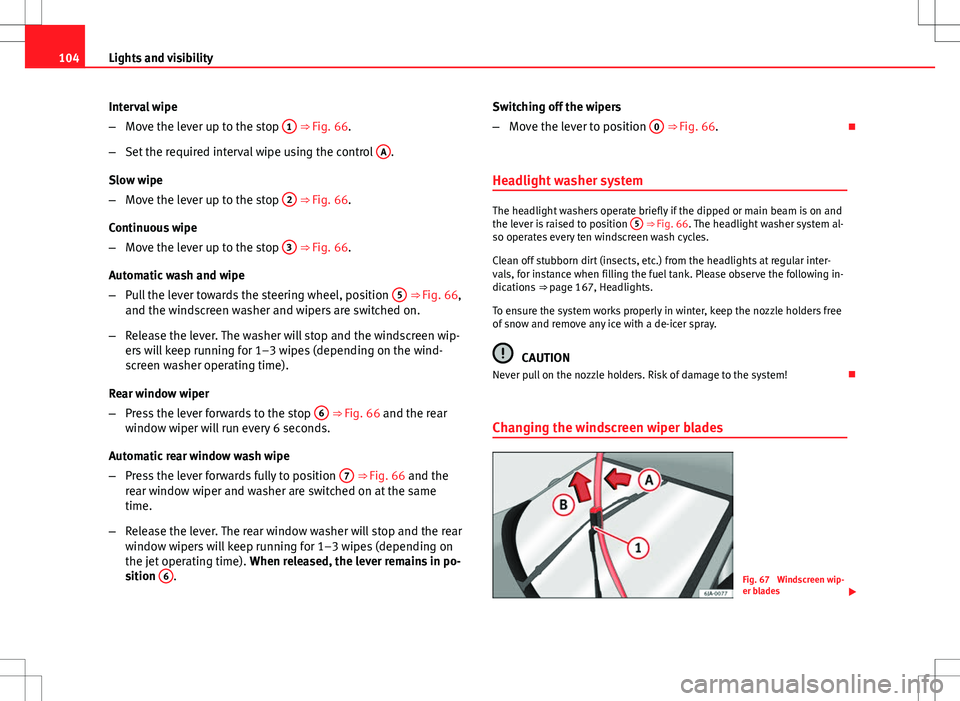
Changing the windscreen wiper blades
Fig. 67 Windscreen wip-
er blades
Page 108 of 249
107
Seats and storage
Seats and storage Front seats
Introduction
Set the driver seat in such a way that the pedals can be fully depressed with
your legs slightly bent.
Set the driver seat backrest in such a way that the upper point of the steer-
ing wheel can be reached with your arms slightly bent.
The correct seat position is very important for:
● Reaching all of the controls safely and quickly
● A relaxed low-fatigue posture
● maximum protection from the seat belts and airbag system
WARNING
● Adjust the driver seat only when the vehicle is stationary. Risk of ac-
cident!
● Be careful when adjusting the front seats! Careless and uncontrolled
adjustment can cause injuries.
● The backrests must not be reclined too far back while driving. This
could limit the effect of the seat belts and the airbag system. Risk of in-
jury!
● Never transport more that the permitted amount of people in your ve-
hicle.
WARNING (Continued)
● Every occupant in the vehicle must properly fasten and wear the seat
belt belonging to his or her seat. Children must be protected with an ap-
propriate child restraint system ⇒ page 45, Child safety.
● The front seats, head restraints and seat belts must always be adjus-
ted to the size of the vehicle occupant to provide you and your passen-
gers with the greatest possible protection.
● Your feet should remain in the footwell while the vehicle is moving;
never rest them on the dash panel, on the window or on the seat! This
also applies to passengers. An incorrect sitting position exposes you to
an increased risk of injury in case of a sudden braking or an accident. If
the airbag is triggered, you could sustain severe injuries due to an incor-
rect sitting position!
● It is important for the driver and front passenger to keep a distance of
at least 25 cm from the steering wheel and dash panel. Failure to respect
the minimum distance means that the airbag will not protect you. Risk of
fatal injury if triggered!
● No items must not be kept in the footwell, as they could block the
pedals in the event of a sudden braking manoeuvre or change of direc-
tion. You would no longer be able to brake, change gear or accelerate.
● Do not place any items on the front passenger seat other than those
allowed (e.g. child seat). Risk of accident!
Note
After a certain time, the backrest angle adjustment mechanism may gain a
certain amount of play.
Safety FirstOperating instructionsPractical TipsTechnical specifications
Page 122 of 249
121
Seats and storage
– The light will go out when the glove compartment is closed.
Glove compartment cooling*
Open or close the air outlet by turning the thumbwheel ⇒ Fig. 89.
If the air outlet is open and the air conditioning is on, the cooled air will be
released into the glove compartment.
If the air outlet is open and the air conditioning is off, outdoor air (not con-
ditioned) will be released into the glove compartment.
The air outlet should be closed if the air conditioning is being used in heat-
ing mode or where glove compartment cooling is not in use.
WARNING
For safety reasons, all storage compartments must be closed while the
vehicle is moving.
Note
A maximum 1 litre bottle can be stored in the glove compartment. Compartment for reflective vest
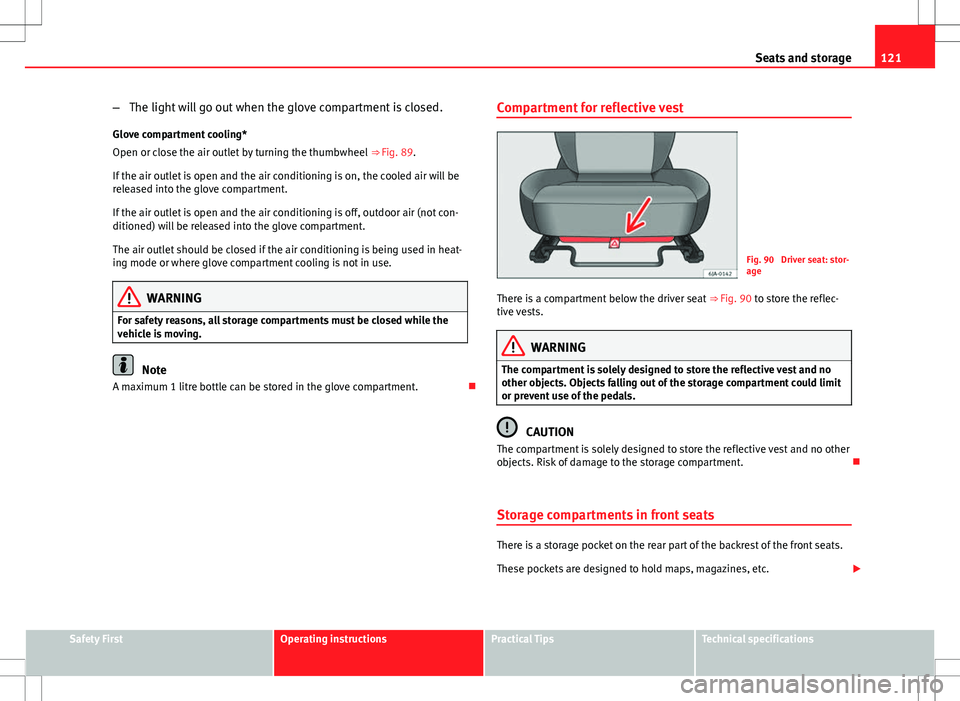
Fig. 90 Driver seat: stor-
age
There is a compartment below the driver seat ⇒ Fig. 90 to store the reflec-
tive vests.
WARNING
The compartment is solely designed to store the reflective vest and no
other objects. Objects falling out of the storage compartment could limit
or prevent use of the pedals.
CAUTION
The compartment is solely designed to store the reflective vest and no other
objects. Risk of damage to the storage compartment.
Storage compartments in front seats
There is a storage pocket on the rear part of the backrest of the front seats.
These pockets are designed to hold maps, magazines, etc.
Safety FirstOperating instructionsPractical TipsTechnical specifications
Page 137 of 249

136Driving
Driving
Starting and stopping the engine
Introduction
WARNING
● Never adjust the steering wheel while the vehicle is moving!
● Maintain at least 25 cm distance between the steering wheel and the
upper part of your body 1
⇒ Fig. 101
⇒ page 137. The airbag system
will not be able to give the required protection if the minimum distance is
not observed. This can cause a risk of fatal injury!
● For safety reasons, the steering wheel adjustment lever must always
be pushed securely against the steering column to prevent the steering
wheel from accidentally changing position while driving. Risk of acci-
dent!
● If the steering wheel is adjusted closer to your face, the protective ef-
fect of the driver airbag will be decreased in the event of an accident.
Check that the steering wheel is pointing towards the upper part of your
body.
● When driving, always hold the steering wheel with both hands on the
outside part at the 9 o'clock and 3 o'clock positions. Never hold the
steering wheel at the 12 o'clock position, or in any other manner (e.g. in
the centre of the steering wheel). In such cases, if the airbag is triggered,
you may sustain injuries to the arms, hands and head.
● When moving with the engine switched off, the ignition key must al-
ways remain in position 2
⇒ Fig. 102 ⇒
page 138 (ignition on). The
control lamps will light up in this position. Otherwise, the steering lock
could engage suddenly. Risk of accident!
WARNING (Continued)
● Do not remove the key from the ignition until the vehicle has come to
a standstill and is secure (e.g. the handbrake is engaged). Otherwise, the
steering lock could suddenly engage. Risk of accident!
● Always take the ignition key with you when you leave the vehicle.
This is particularly important if you leave children in the vehicle. Children
could start the engine, for example, with the subsequent risk of accident.
● Never leave the engine running in unventilated or closed rooms. The
exhaust gases contain carbon monoxide, an odourless and colourless
poisonous gas. Risk of fatal accidents! Carbon monoxide can cause peo-
ple to lose consciousness and can cause death.
● Never leave the vehicle unattended if the engine is running.
● Never switch the engine off until the vehicle is stationary. Risk of ac-
cident!
CAUTION
● Turning the steering wheel fully in either direction when the vehicle is
stationary and the engine in gear puts the power steering under great
stress. This could lead to noise. Never leave the steering wheel turned fully
in either direction for more than 15 seconds. Risk of damage to the power
steering system!
● The starter motor may only be used (key position 3
⇒ Fig. 102
⇒ page 138 in the ignition) if the engine is off. Using the starter motor
when the engine is running could cause damage.
● Immediately release the ignition key when the engine starts, otherwise
damage could be caused to the starter motor.
● When the engine is cold, you should avoid high engine speeds, driving
at full throttle and over-loading the engine before it reaches operating tem-
perature. Risk of engine damage!
Page 138 of 249

137
Driving
● Do not tow-start the engine. Risk of engine damage! In vehicles with a
catalytic converter, unburnt fuel could reach the catalytic converter and
catch fire in it. This would lead to a fault in the catalytic converter. Use the
battery from another vehicle for help in starting the engine ⇒ page 205,
Jump-starting.
● After the engine has been working hard for a long time, leave the engine
idling for about one minute before switching it off at the end of a journey.
This will stop the engine from overheating.
For the sake of the environment
Do not warm up the engine when the vehicle is stationary. If possible, move
off immediately after starting the engine. This will help the engine reach op-
erating temperature more quickly, reducing the quantity of emissions.
Note
● The engine can only be started with the original SEAT key.
● Loud running noises may be heard briefly after cold-starting the engine.
This is normal and is no cause for concern.
● After the engine has been stopped and the ignition switched off, the ra-
diator fan may continue running for around 10 minutes.
● If the engine still does not start after a second attempt, the fuel pump
fuse might have blown. Check the fuse and replace if necessary
⇒ page 211, Fuses in the dash panel or contact your Specialised Service.
● You should always engage the steering lock when you leave the vehicle.
This will hinder any attempts at theft. Adjusting the steering wheel position
Fig. 101 Adjustable steering wheel: lever beneath steering column/safe distance from
steering wheel
The steering wheel can be adjusted vertically and horizontally.
– First adjust the position of the driver seat ⇒ page 107, Front
seats.
– Pull down the leave located below the steering wheel
⇒ Fig. 101 .
– Adjust the steering wheel vertically or horizontally.
– Pull the lever upwards as far as it will go.
Power steering
The power steering allows you to turn the steering wheel more easily.
If the power steering fails or the engine is off (towing), it is still possible to
turn the vehicle's steering wheel fully. However, you need more strength to
steer the vehicle.
Safety FirstOperating instructionsPractical TipsTechnical specifications
Page 139 of 249

138Driving
Start-up lock security system (immobiliser)
There is an electronic chip in the key. The electronic immobiliser is deactiva-
ted when the key is inserted into the ignition. The electronic immobiliser is
automatically activated when the key is removed from the ignition.
The engine will not start if an unauthorised key is used.
The informative display indicates:
Immobiliser active!
Ignition lock
Fig. 102 Ignition key po-
sitions
Petrol engines 1
– Ignition switched off, engine stopped, steering can be locked
2
– Ignition switched on
3
– Starting Diesel engines
1
– Fuel supply stopped, ignition switched off, engine stopped,
steering can be locked
2
– Engine pre-heating, ignition switched on
3
– Starting
To engage the Steering lock without the key in the ignition, turn the steer-
ing wheel slightly until it engages
If the steering lock is engaged and it is difficult or impossible to turn the key
to position 2
, release the lock by turning the steering wheel slightly in
both directions.
Starting the engine
Vehicles with a diesel engine are equipped with a glow plug system. When
you switch on the ignition, the glow plug warning lamp will light up. The
engine can be started straight away when the lamp switches off.
Do not connect electrical appliances during preheating so as not the drain
the vehicle battery unnecessarily.
Starting the engine
● Move the gearbox lever into neutral or move the selector lever to posi-
tion P or N and pull firmly on the handbrake.
● Press the clutch pedal all the way down 2
⇒ Fig. 102 ⇒ page 138 and
start the engine 3 – without pressing the accelerator. Keep the clutch ped-
al pressed down until the engine starts.
● Release the ignition key as soon as the engine starts. The key returns to
position 2
.
Page 140 of 249

139
Driving
● If the engine does not start after 10 seconds, turn the key back to posi-
tion 1
. Repeat the action after 30 seconds.
● Release the handbrake before moving off.
Switching off the engine
Stop the engine by turning the ignition key to position 1 ⇒ Fig. 102
⇒ page 138.
Brakes and brake servo systems Introduction
WARNING
● The brake servo only works when the engine is running. Braking
when the engine is switched off requires more strength on the brake ped-
al. Risk of accident!
● Press down on the clutch pedal when stopping and braking with a
manual gearbox, petrol engine vehicle at low speed. Otherwise, the
brake servo might not work properly. Risk of accident!
● In the event of damage to the standard front spoiler or where a differ-
ent front spoiler, hubcaps, etc. are subsequently fitted, make sure the air
vent to the brakes on the front wheels is not blocked. Otherwise, braking
operations may be impaired. Risk of accident!
● Always fully release the handbrake. If it is only partially released, this
will cause overheating of the rear brakes, which can impair the function
of the brake system. Risk of accident!
WARNING (Continued)
● Never leave children unsupervised in the vehicle. They could release
the handbrake or move the gear lever. The vehicle could start moving.
Risk of accident!
● Insufficient fuel can cause the engine to run irregularly or to switch
off. Brake assist systems could be impaired. Risk of accident!
● Always adjust your driving style to suit visibility, the weather and
road and traffic conditions. The best vehicle safety offered by brake as-
sist systems must never encourage you to run greater risks. Risk of acci-
dent!
CAUTION
● Observe the information concerning new brake pads ⇒ page 154.
● Where braking is not necessary, do not wear down the brake pads by
pressing down gently on the brake pedal. This causes the brakes to over-
heat, increasing their wear and increasing braking distances.
● To ensure the brake assist systems work properly, all wheels must be fit-
ted with tyres approved by the manufacturer.
Note
● If you brake suddenly and the brake system control unit regards the sit-
uation as hazardous for the drivers behind you, the brake lights will begin
to flash automatically. After reducing speed to approx. 10 km/h (6 mph) or
stopping the vehicle, the brake lights will stop flashing and the hazard
warning lights will switch on. The hazard warning lights are automatically
switched off when you accelerate or restart the vehicle.
● On long, steep gradients, reduce your speed and change to a lower gear
(manual gearbox) or move the selector lever to a lower gear position (auto-
matic gearbox). This uses the force of the engine and the brakes do not suf-
fer as much. If you still have to brake, do so intermittently, pressing down
repeatedly on the brake pedal.
Safety FirstOperating instructionsPractical TipsTechnical specifications
Page 141 of 249
140Driving
● Vehicle modifications (e.g. to the engine, brakes, frame or a combina-
tion of wheels and tyres) could impair the brake assist systems
⇒ page 195, Accessories, modifications and spare parts.
● In the event of a fault in the ABS system, the ESC, ASR and EDL are
switched off automatically. A fault in the ABS is indicated by the
⇒ page 70 warning lamp.
Brakes
Wear
The rate of wear of the brake pads depends on the driving style and on the
way in which the vehicle is used. The brake pads will wear more quickly if
you use your vehicle frequently in urban traffic and short trips or drive in a
sporty style. Under these demanding conditions, visit your specialised serv-
ice, even before the scheduled service date, so that the thickness of the
brake pads can be measured.
Wet roads or road salt
If brakes are wet or frozen, or if you are driving on roads which have been
gritted with salt, braking power may set in later than normal. Dry the brakes
as soon as possible by braking repeatedly.
Corrosion
Long periods of inactivity and little use can lead to rust on the brake discs
and dirt on the brake pads. Where the brake system is subjected to light
stress or in the case of corrosion, clean the brake discs by braking fully sev-
eral times at a high speed.
Brake system fault
If you notice that the braking distance suddenly increases and the brake
pedal can be pressed down more fully, there may be a fault in the brake sys-
tem. Visit a specialised service immediately and adjust your driving style to
the extent of the damage and to limit the effect of the brakes. Low brake fluid level
Insufficient brake fluid could cause faults in the brake system. The brake flu-
id level is controlled electronically
⇒ page 66, Brake system .
Brake servo
The brake servo supplements the pressure you exert on the brake pedal.
The brake servo only works when the engine is running.
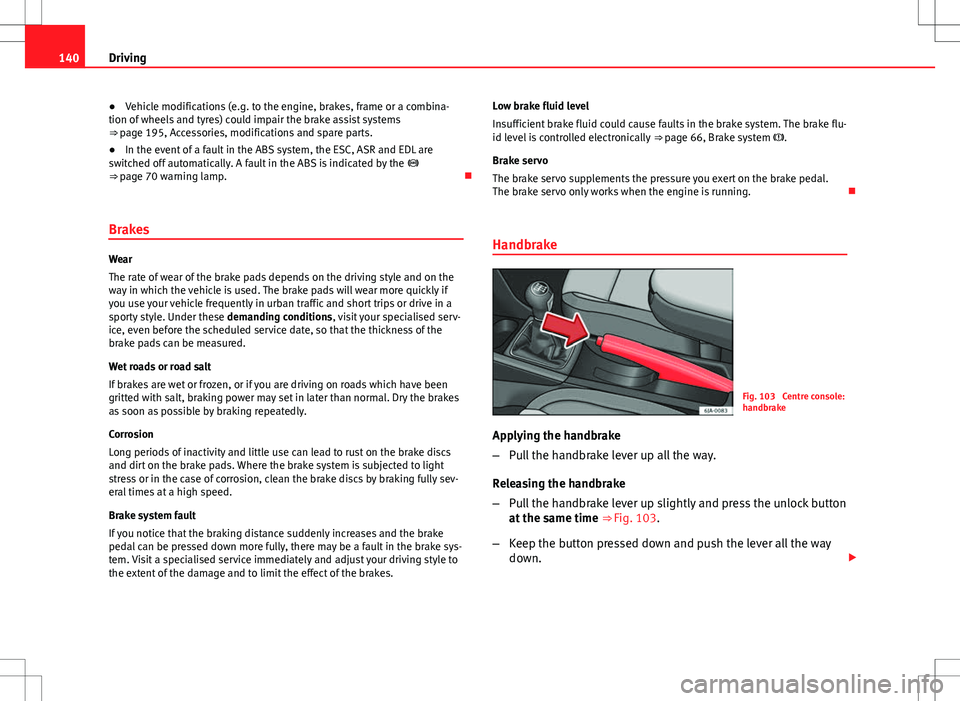
Handbrake
Fig. 103 Centre console:
handbrake
Applying the handbrake
– Pull the handbrake lever up all the way.
Releasing the handbrake
– Pull the handbrake lever up slightly and press the unlock button
at the same time ⇒ Fig. 103.
– Keep the button pressed down and push the lever all the way
down.
Page 142 of 249
141
Driving
The warning lamp lights up when the handbrake is applied with the ignition
on .
Stability system (ESC)
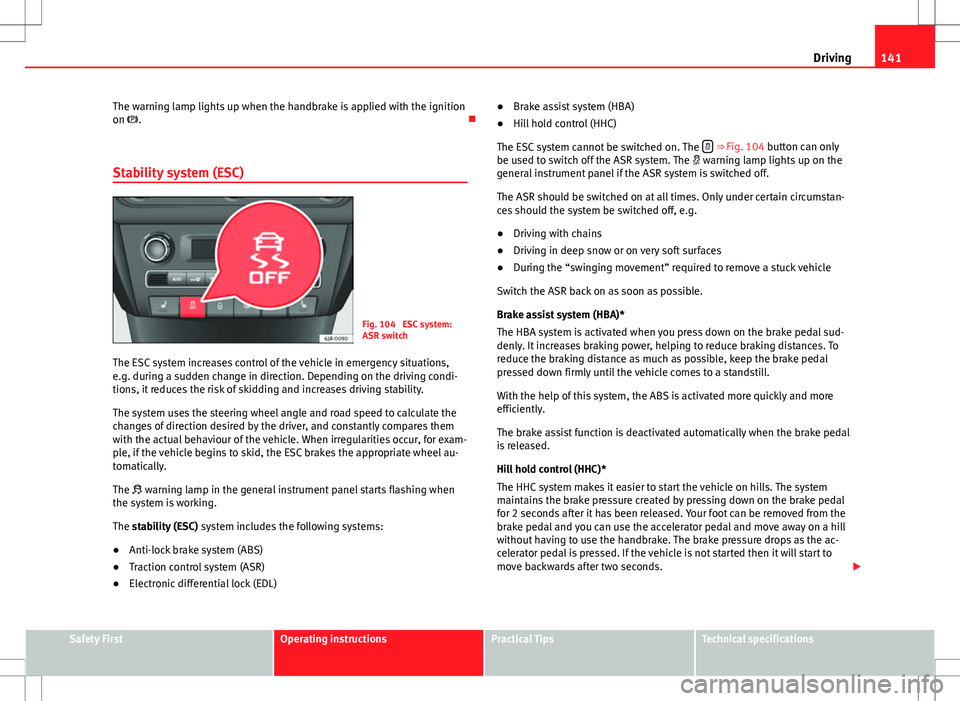
Fig. 104 ESC system:
ASR switch
The ESC system increases control of the vehicle in emergency situations,
e.g. during a sudden change in direction. Depending on the driving condi-
tions, it reduces the risk of skidding and increases driving stability.
The system uses the steering wheel angle and road speed to calculate the
changes of direction desired by the driver, and constantly compares them
with the actual behaviour of the vehicle. When irregularities occur, for exam-
ple, if the vehicle begins to skid, the ESC brakes the appropriate wheel au-
tomatically.
The warning lamp in the general instrument panel starts flashing when
the system is working.
The stability (ESC) system includes the following systems:
● Anti-lock brake system (ABS)
● Traction control system (ASR)
● Electronic differential lock (EDL) ●
Brake assist system (HBA)
● Hill hold control (HHC)
The ESC system cannot be switched on. The
⇒ Fig. 104 button can only
be used to switch off the ASR system. The warning lamp lights up on the
general instrument panel if the ASR system is switched off.
The ASR should be switched on at all times. Only under certain circumstan-
ces should the system be switched off, e.g.
● Driving with chains
● Driving in deep snow or on very soft surfaces
● During the “swinging movement” required to remove a stuck vehicle
Switch the ASR back on as soon as possible.
Brake assist system (HBA)*
The HBA system is activated when you press down on the brake pedal sud-
denly. It increases braking power, helping to reduce braking distances. To
reduce the braking distance as much as possible, keep the brake pedal
pressed down firmly until the vehicle comes to a standstill.
With the help of this system, the ABS is activated more quickly and more
efficiently.
The brake assist function is deactivated automatically when the brake pedal
is released.
Hill hold control (HHC)*
The HHC system makes it easier to start the vehicle on hills. The system
maintains the brake pressure created by pressing down on the brake pedal
for 2 seconds after it has been released. Your foot can be removed from the
brake pedal and you can use the accelerator pedal and move away on a hill
without having to use the handbrake. The brake pressure drops as the ac-
celerator pedal is pressed. If the vehicle is not started then it will start to
move backwards after two seconds.
Safety FirstOperating instructionsPractical TipsTechnical specifications