PAGE Seat Toledo 2014 Owner's Guide
[x] Cancel search | Manufacturer: SEAT, Model Year: 2014, Model line: Toledo, Model: Seat Toledo 2014Pages: 200, PDF Size: 4.37 MB
Page 33 of 200
Instruments and warning lamps
Rev counter The red part of the rev counter scale
1›››
Fig. 24 ››› page 30 marks the area where
the engine control unit begins to limit the en-
gine speed. The engine control unit is re-
sponsible for reducing the revs to a safe lim-
it.
Before the needle reaches the red zone
change up into a higher gear, or move the se-
lector lever of the automatic gearbox to D.
In order to drive at an optimum RPM, follow
the gear change indications ››› page 32. For the sake of the environment
Changing to higher gears in advance helps to
reduce fuel consumption and noise levels,
helps to protect the environment and benefits
both the useful life and the reliability of the
engine. Speedometer
Speed warning
An audible warning will be heard when 120
km/h (75 mph) is exceeded. If the speed falls
below this limit, the audible warning
switches off. Note
This function is only valid for certain coun-
tries. Coolant temperature gauge
The coolant temperature gauge
4
››› Fig. 24
››› page 30 only works when the ignition is
sw it
ched on.
Damage to the engine can be avoided by ob-
serving the indications regarding the temper-
ature zones.
Engine cold
If the needle is still on the left of the scale,
the engine has not yet reached operating
temperature. Avoid high engine speeds, hard
acceleration and subjecting the engine to
high loads.
Operating temperature zone
When the needle has reached the central part
of the scale, this means the engine has
reached operating temperature. Running the
engine at full throttle and the high tempera-
tures involved can cause the needle to be
positioned in the zone on the right. CAUTION
The additional headlights and other parts
placed in front of the fresh air inlets reduce
the effect of engine cooling. With high out-
side temperatures and engine speeds a risk
becomes present of the engine overheating.
››› page 35, Coolant level and temperature
Fuel gauge
The fuel gauge
7
›››
Fig. 24 ›
›
›
page 30 oper-
ates only when the ignition is switched on.
The fuel tank has a capacity of approx. 55 li-
tres. When the needle reaches the reserve
area, the ›››
page 37
warning symbol illu-
minates on the general instrument panel and
an audible warning can be heard. CAUTION
Never completely empty the tank! An irregu-
larity in the fuel supply system can cause ir-
regularities when the engine is running. Un-
burned fuel can reach the exhaust gas sys-
tem, which can cause deterioration of the cat-
alytic converter. Note
Some vehicles come fitted with the fuel
gauge on the general instrument panel. 31
Technical specifications
Advice
Operation
Safety
Page 34 of 200
Operation
Trip counter* Daily trip counter (trip)
The daily trip counter indicates the distance
that has been covered since the last time the
function was reset in 100 metre sections.
In order to reset the daily distance covered
keep the button
6
››› Fig. 24 ››› page 30
pressed down.
Odometer
The odometer indicates the total number of
kilometres (or mileage) that the vehicle has
covered until now.
Fault indication
In the event of a fault the word Error
will be
permanently displayed on the informative
display. Please take the vehicle to a special-
ised Technical Service to solve this fault. Note
In vehicles equipped with an informative dis-
play, if the indicator of the second speed in
mph or in kph are activated respectively, this
speed will be displayed in place of the odom-
eter. Digital clock
The clock is set using the buttons
5 to
6 ›››
Fig. 24 ››› p
age 30.
Select the indication you want to change with
button 5 and make the adjustment with but-
ton 6 .
In vehicles equipped with an informative dis-
play this can be reset from the menu, Time
››› page 44.
R ec
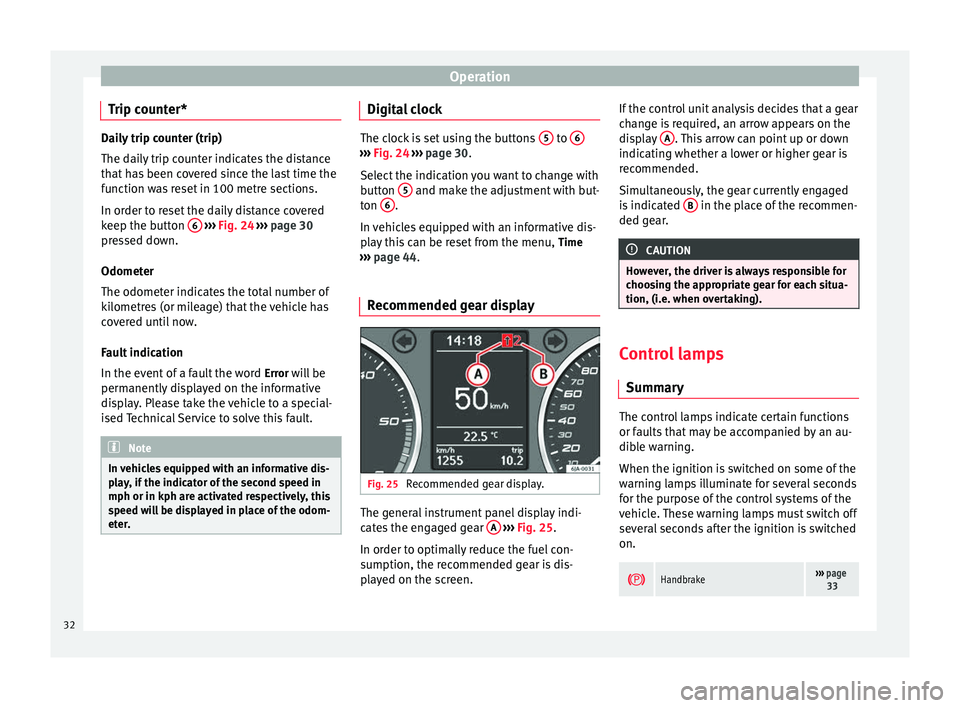
ommended gear display Fig. 25
Recommended gear display. The general instrument panel display indi-
cates the engaged gear
A
›››
Fig. 25 .
In or der t
o optimally reduce the fuel con-
sumption, the recommended gear is dis-
played on the screen. If the control unit analysis decides that a gear
change is required, an arrow appears on the
display
A . This arrow can point up or down
indicating whether a lower or higher gear is
recommended.
Simultaneously, the gear currently engaged
is indicated B in the place of the recommen-
ded gear. CAUTION
However, the driver is always responsible for
choosing the appropriate gear for each situa-
tion, (i.e. when overtaking). Control lamps
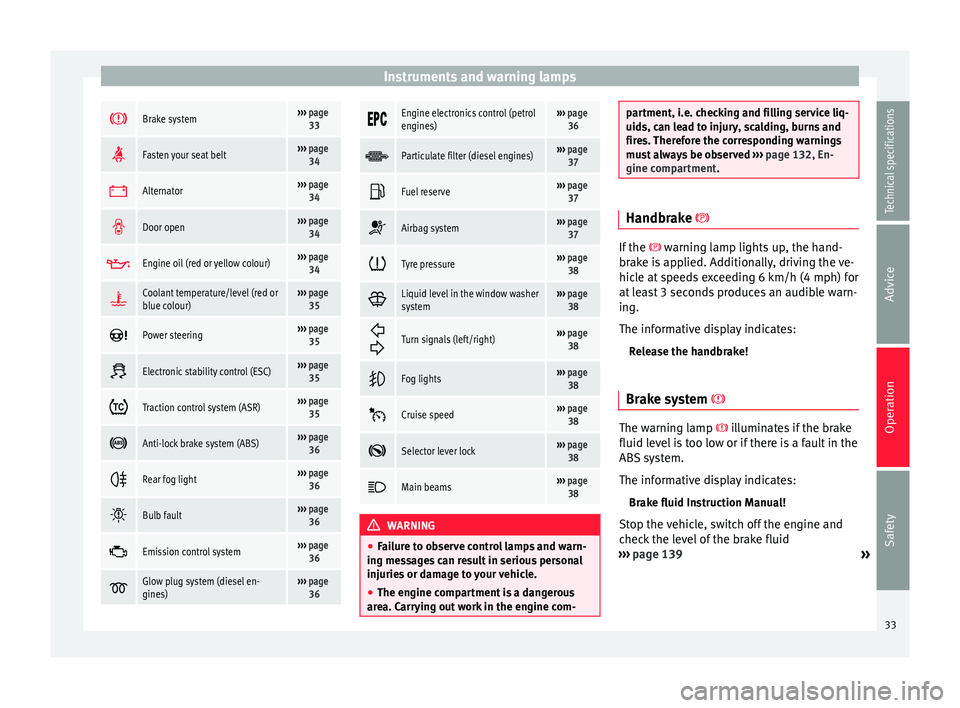
Summary The control lamps indicate certain functions
or faults that may be accompanied by an au-
dible warning.
When the ignition is switched on some of the
warning lamps illuminate for several seconds
for the purpose of the control systems of the
vehicle. These warning lamps must switch off
several seconds after the ignition is switched
on.
Handbrake›››
page
33 32
Page 35 of 200
Instruments and warning lamps
Brake system›››
page
33
Fasten your seat belt›››
page
34
Alternator›››
page
34
Door open›››
page
34
Engine oil (red or yellow colour)›››
page
34
Coolant temperature/level (red or
blue colour)›››
page
35
Power steering›››
page
35
Electronic stability control (ESC)›››
page
35
Traction control system (ASR)›››
page
35
Anti-lock brake system (ABS)›››
page
36
Rear fog light›››
page
36
Bulb fault›››
page
36
Emission control system›››
page
36
Glow plug system (diesel en-
gines)›››
page
36
Engine electronics control (petrol
engines)›››
page
36
Particulate filter (diesel engines)›››
page
37
Fuel reserve›››
page
37
Airbag system›››
page
37
Tyre pressure›››
page
38
Liquid level in the window washer
system›››
page
38
Turn signals (left/right)››› page
38
Fog lights›››
page
38
Cruise speed›››
page
38
Selector lever lock›››
page
38
Main beams›››
page
38 WARNING
● Failure to observe control lamps and warn-
ing messages can result in serious personal
injuries or damage to your vehicle.
● The engine compartment is a dangerous
area. Carrying out work in the engine com- partment, i.e. checking and filling service liq-
uids, can lead to injury, scalding, burns and
fires. Therefore the corresponding warnings
must always be observed
››› page 132, En-
gine compartment. Handbrake
If the
warning lamp lights up, the hand-
br ak
e is applied. Additionally, driving the ve-
hicle at speeds exceeding 6 km/h (4 mph) for
at least 3 seconds produces an audible warn-
ing.
The informative display indicates:
Release the handbrake!
Brake system The warning lamp
illuminates if the brake
fluid level is too low or if there is a fault in the
ABS system.
The informative display indicates:
Brake fluid Instruction Manual!
Stop the vehicle, switch off the engine and
check the level of the brake fluid
››› page 139
»
33
Technical specifications
Advice
Operation
Safety
Page 36 of 200
Operation
WARNING
● The following indications must be taken in-
to account when opening the engine com-
partment to check the brake fluid
››› page 132, Engine compartment.
● If the w
arning lamp illuminates together
with the warning lamp ››› p
age 36, Anti-
lock system (ABS) , , stop the vehicle!
Go t o a t
echnical service.
● A fault in the brake system or in the Anti-
lock brake system (ABS) can lead to longer
braking distances – Risk of accident! Fastening seat belts
After switching on the ignition, the warning
lamp illuminates to instruct the driver or
front passenger to fasten their seat belt. The
warning lamp switches off when the driver or
front passenger fastens their seat belt
››› page 11 .
A lt
ernator If the
control lamp is illuminated while the
engine is running, the battery is not charg-
ing.
Go to a technical service. Have the car's elec-
trical equipment inspected. CAUTION
Additionally, if the warning lamp lights up
whi l
e driving, the warning lamp also lights
up (cooling system fault). Stop the vehicle
and switch off the engine – Risk of engine
damage! Door open
If the control lamp,
lights up, one of the
doors, the rear lid or the bonnet is open.
Engine oil The control lamp
flashes red (oil pressure
low)
The informative display indicates:
Oil pressure. Switch off the engine! Instruc-
tion Manual!
Stop the vehicle, switch off the engine and
check the engine oil level ›››
page 136
If the symbol flashes although the oil level is
correct, do not drive on
. Do not
ev
en run
the engine at idle speed!
Go to a technical service.
The control lamp lights up yellow
(insufficient oil level)
The informative display indicates: Check the oil level!
Stop the vehicle, switch off the engine and
check the engine oil level ››› page 136
If the bonnet remains open for more than 30
seconds, the warning lamp switches off. If
the engine oil is not refilled, the warning
lamp illuminates again after 100 km (62
miles).
The control lamp flashes yellow (oil level
sensor f
aulty)
The informative display indicates:
Oil sensor. Workshop!
If the engine oil level sensor is faulty, The
warning lamp flashes various times after
the ignition is switched on and an audible
warning is given.
Go to a technical service.
34
Page 37 of 200

Instruments and warning lamps
Coolant level and temperature If the warning lamp
(blue) is lit up, the en-
gine h a
s not yet reached its operating tem-
perature 1)
. Avoid high engine speeds, hard
acceleration and subjecting the engine to
high loads.
If the warning lamp (red) is lit up or flash-
ing, the c
oolant temperature is too high or its
level is too low.
The informative display indicates:
Check coolant! Instruction Manual!
Stop the vehicle, switch off the engine, check
the coolant level ›››
page 138 and refill if
nec e
ssary ››› page 138.
If the c
oolant is situated in the prescribed
area, the high temperature may be due to a
fault in the cooling system fan. Check the ra-
diator fan fuse and replace it if necessary
››› page 165, Changing fuses in the engine
compartment
.
If the warning lamp (red) remains lit up,
despite both the coolant level and the radia-
tor fan fuse being in correct condition,
stop the vehicle!
Go to a technical service. WARNING
● Take care when opening the coolant reser-
voir. When the engine is warm or hot, the
system is pressurised – Danger of burns!
Wait for the engine to cool before opening
the cover.
● Do not touch the fan. The fan can switch on
automatically regardless of whether the igni-
tion is switched on. Power steering
If the
warning lamp is illuminated, there is
a fault in the power steering.
The power steering system functions with re-
duced power steering effect.
Go to a technical service.
Stability Control (ESC) If the control lamp
flashes, the ESC is
working.
If the warning lamp illuminates on igni-
tion, the ESC system may have switched off
due to technical reasons. Turn off the ignition
and turn it on again. Upon switching on the
ignition again, if the warning lamp has switched off, this means the ESC is function-
ing correctly again.
If the
warning lamp is illuminated there is
a f au
lt in the ESC.
The informative display indicates: Report No.: electronic stability control (ESC)
or Report No.: Traction control system (ASR)
Go to a technical service.
Further information ››› page 108, Stability
system (ESC). Note
If the battery is disconnected and connected
again, the yellow warning lamp lights up
when the ignition i s
switched on. This warn-
ing lamp must switch off after covering a
short distance. Traction control system (ASR)
If the control lamp
flashes, the ASR is
working.
If the
warning lamp illuminates on igni-
tion, the TCS system may have switched off
due to technical reasons. Turn off the ignition »1)
This does not apply to vehicles equipped with an
informative display. 35
Technical specifications
Advice
Operation
Safety
Page 38 of 200

Operation
and turn it on again. Upon switching on the
ignition again, if the warning lamp has
switched off, this means the TCS is function-
ing correctly again.
If the warning lamp remains illuminated,
there is a fault in the TCS.
The informative display indicates:
Report No.: Traction control system (ASR)
Go to a technical service.
Further information ››› page 109, Traction
control system (ASR) .
Anti-lock system (ABS) If the
warning lamp is illuminated, there is
a fault in the ABS.
The informative display indicates:
ABS fault
The brake system alone is operational in the
vehicle, without ABS.
Go to a technical service. WARNING
● If the warning lamp illuminates together
w ith the ›
›› page 33 warning lamp, ,
st
op the vehicle! Go to a technical service. ●
A fault in the Anti-lock brake system (ABS)
can lead to longer braking distances – Risk of
accident! Rear fog light
The control lamp
lights up when the rear
fog light is switched on ››› page 64.
Bulb fault The control lamp
lights up when there is a
fault in a bulb:
● for several seconds after switching on the
ignition,
● When connecting a faulty bulb
This is indicated on the informative display,
e.g.: Check the front right dipped beam headlight! Note
The rear side lights and number plate light
contain several bulbs. The control lamp
lights up only when there is a fault in all the
number plate bulbs or side light bulbs (of a
combined tail light). Therefore it is advisable
to regularly check the bulb operation. Emission control system
If the warning lamp
is lit up, there is a
fault in the emission system. The engine con-
trol unit allows driving to continue in an
emergency program.
Go to a technical service.
Preheating (diesel engines) When you switch on the ignition, the warning
lamp lights up. The engine can be started
straight away when the lamp switches off.
If the
warning lamp
does not illuminate or
if it
does not switch off , there is a fault in the
glow plug system.
If the warning lamp starts to flash
while
driving, there is a fault in the engine power
control electronic system. The engine control
unit allows driving to continue in an emer-
gency program.
Go to a technical service.
Engine management system
(petrol engines) If the
warning lamp is illuminated, there is
a fault in the engine management system.
The engine control unit allows driving to con-
tinue in an emergency program.
36
Page 40 of 200
Operation
If the front passenger airbag has been disa-
bled with the airbag switch located in the
storage compartment side:
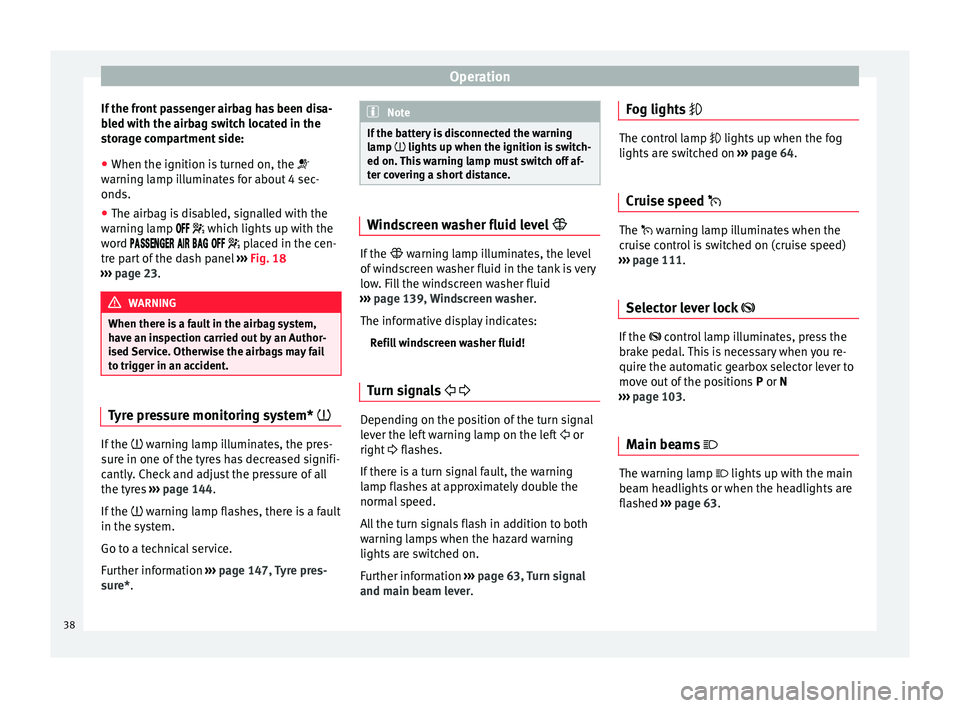
● When the ignition is turned on, the
warning lamp illuminates for about 4 sec-
onds.
● The airbag is disabled, signalled with the
warning lamp
which lights up with the
word placed in the cen-
tre part of the dash panel ››› Fig. 18
››› page 23. WARNING
When there is a fault in the airbag system,
have an inspection carried out by an Author-
ised Service. Otherwise the airbags may fail
to trigger in an accident. Tyre pressure monitoring system*
If the
warning lamp illuminates, the pres-
sure in one of the tyres has decreased signifi-
cantly. Check and adjust the pressure of all
the tyres ›››
page 144 .
If the
warning lamp flashes, there is a fault
in the system.
Go to a technical service.
Further information ›››
page 147, Tyre pres-
sure*
. Note
If the battery is disconnected the warning
lamp lights up when the ignition is switch-
ed on.
This warning lamp must switch off af-
ter covering a short distance. Windscreen washer fluid level
If the
warning lamp illuminates, the level
of w
indscreen washer fluid in the tank is very
low. Fill the windscreen washer fluid
››› page 139, Windscreen washer.
The informative display indicates: Refill windscreen washer fluid!
Turn signals Depending on the position of the turn signal
lever the left warning lamp on the left
or
right flashes.
If there is a turn signal fault, the warning
lamp flashes at approximately double the
normal speed.
All the turn signals flash in addition to both
warning lamps when the hazard warning
lights are switched on.
Further information ›››
page 63, Turn signal
and main beam lever. Fog lights
The control lamp
lights up when the fog
lights are switched on ››› page 64.
Cruise speed The warning lamp illuminates when the
cruise control is switched on (cruise speed)
››› page 111.
Sel ect
or lever lock If the
control lamp illuminates, press the
brake pedal. This is necessary when you re-
quire the automatic gearbox selector lever to
move out of the positions P or
N
›
›› page 103.
Main be
ams The warning lamp lights up with the main
beam headlights or when the headlights are
flashed
›››
page 63 .38
Page 41 of 200
Information system
Information system
Multi-function display* (on
board computer) Introduction The multifunction display can only be operat-
ed when the ignition is switched on. When
the ignition is switched on the last function
selected before it was switched off is dis-
played.
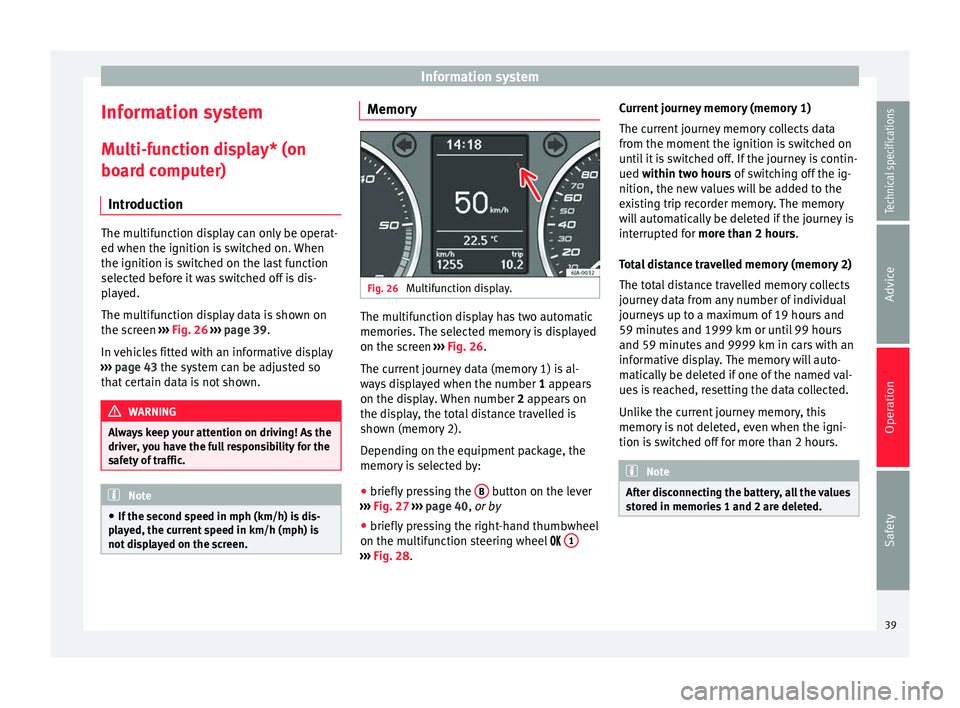
The multifunction display data is shown on
the screen
›››
Fig. 26 › › ›
page 39.
In vehicles fitted with an informative display
››› page 43 the system can be adjusted so
that
certain data is not shown. WARNING
Always keep your attention on driving! As the
driver, you have the full responsibility for the
safety of traffic. Note
● If the second speed in mph (km/h) is dis-
played, the current speed in km/h (mph) is
not displayed on the screen. Memory
Fig. 26
Multifunction display. The multifunction display has two automatic
memories. The selected memory is displayed
on the screen
››› Fig. 26 .
The c urr
ent journey data (memory 1) is al-
ways displayed when the number 1
appears
on the display. When number 2 appears on
the display, the total distance travelled is
shown (memory 2).
Depending on the equipment package, the
memory is selected by:
● briefly pressing the B button on the lever
››› Fig. 27 ›
›
›
page 40, or by
● briefly pressing the right-hand thumbwheel
on the multifunction steering wheel 1 ›››
Fig. 28 . C
urr
ent journey memory (memory 1)
The current journey memory collects data
from the moment the ignition is switched on
until it is switched off. If the journey is contin-
ued
within two hours of switching off the ig-
nition, the new values will be added to the
existing trip recorder memory. The memory
will automatically be deleted if the journey is
interrupted for
more than 2 hours.
Total distance travelled memory (memory 2)
The total distance travelled memory collects
journey data from any number of individual
journeys up to a maximum of 19 hours and
59 minutes and 1999 km or until 99 hours
and 59 minutes and 9999 km in cars with an
informative display. The memory will auto-
matically be deleted if one of the named val-
ues is reached, resetting the data collected.
Unlike the current journey memory, this
memory is not deleted, even when the igni-
tion is switched off for more than 2 hours. Note
After disconnecting the battery, all the values
stored in memories 1 and 2 are deleted. 39
Technical specifications
Advice
Operation
Safety
Page 42 of 200
Operation
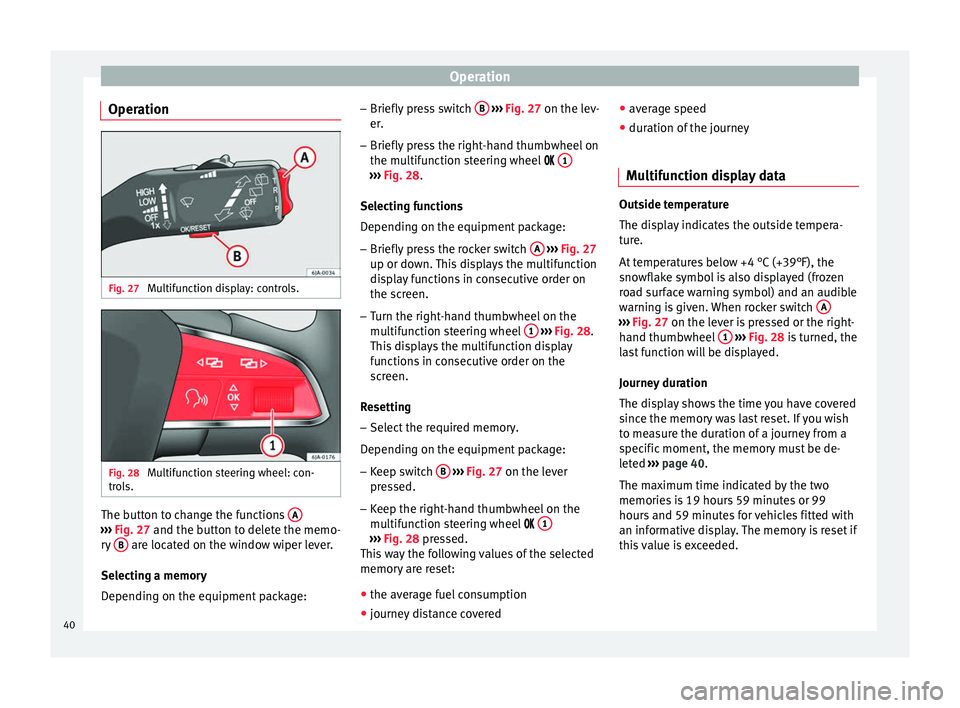
Operation Fig. 27
Multifunction display: controls. Fig. 28
Multifunction steering wheel: con-
trols. The button to change the functions
A›››
Fig. 27 and the button to delete the memo-
r y
B are located on the window wiper lever.
Selecting a memory
Depending on the equipment package: –
Briefly press switch B
››› Fig. 27 on the lev-
er .
– Briefly
press the right-hand thumbwheel on
the multifunction steering wheel 1 ›››
Fig. 28 .
Sel ectin
g functions
Depending on the equipment package:
– Briefly press the rocker switch A
››› Fig. 27
up or down. This displays the multifunction
display functions in consecutive order on
the screen.
– Turn the right-hand thumbwheel on the
multifunction steering wheel 1
››› Fig. 28.
This displays the multifunction display
functions in consecutive order on the
screen.
Resetting
– Select the required memory.
Depending on the equipment package: – Keep switch B
››› Fig. 27 on the lever
pr e
ssed.
– Keep the right-hand thumbwheel on the
multifunction steering wheel 1 ›››
Fig. 28 pressed.
Thi s
way the following values of the selected
memory are reset:
● the average fuel consumption
● journey distance covered ●
average speed
● duration of the journey
Multifunction display data Outside temperature
The display indicates the outside tempera-
ture.
At temperatures below +4 °C (+39°F), the
snowflake symbol is also displayed (frozen
road surface warning symbol) and an audible
warning is given. When rocker switch
A ›››
Fig. 27 on the lever is pressed or the right-
h and thumb
wheel 1
›››
Fig. 28 is turned, the
l a
st function will be displayed.
Journey duration
The display shows the time you have covered
since the memory was last reset. If you wish
to measure the duration of a journey from a
specific moment, the memory must be de-
leted ›››
page 40
.
The maximum time indicated by the two
memories is 19 hours 59 minutes or 99
hours and 59 minutes for vehicles fitted with
an informative display. The memory is reset if
this value is exceeded.
40
Page 43 of 200

Information system
Current fuel consumption
Current fuel consumption is indicated on the
display in litres/100 km (miles) 1)
. You can
adapt your driving style to the required con-
sumption with the assistance of this indica-
tor.
The consumption is displayed in litres per
hour while the vehicle is stopped or at idling
speed 2)
.
Average fuel consumption
The display shows the average fuel consump-
tion in litres/100 km 1)
calculated since the
memory was last reset ››› page 39.
If you wish to measure the average fuel con-
sumption for a specific period, the memory
must first be deleted ››› page 40. While driv-
ing the first 300 m after deleting the memory
this value is not shown on the display.
The value is updated regularly while the vehi-
cle is in motion.
Operating range
The approximate operating range is indicated
in kilometres (miles) on the display. It shows how far the vehicle can travel with the availa-
ble fuel using the same driving conditions as
a reference.
The operating range is calculated in sections
of 10 kilometres (miles). When the fuel
gauge enters the reserve zone, the operating
range is displayed in steps of 5 kilometres.
The operating range is calculated based on
the fuel consumption during the last 50 kilo-
metres (miles). The operating range increa-
ses when driving in a more economical man-
ner.
When the memory is reset (after disconnect-
ing the battery), the operating range is calcu-
lated with a 10 litres per 100 km consump-
tion and adjusts to represent the current driv-
ing style.
Distance
The display shows the distance you have cov-
ered since the memory was last reset
››› page 39 . If you wish to measure the dura-
tion of a j
ourney from a specific moment, the
memory must be deleted ››› page 40.
The maximum value for both memories is
1999 km (miles), or 9999 km (miles) in vehi- cles fitted with an informative display. The
memory is reset if this value is exceeded.
Average speed
The display shows the average speed in
km/h (mph) calculated from the last time the
memory was reset
››› page 39. If you wish to
mea
sure the average speed for a specific pe-
riod, the memory must first be deleted
››› page 40.
Whil
e driving the first 300 m after deleting
the memory, this value is not shown on the
display.
The value is updated regularly while the vehi-
cle is in motion.
Driving speed
The current driving speed, the same as indi-
cated on the speedometer, is shown on the
display 3
››› Fig. 24
›
›› p
age 30.
Oil temperature
If the oil temperature is lower than +50 °C
(+122 °F) or if a fault appears on the oil tem-
perature control, in place of the temperature
indication, the sign
– –.– is shown. »1)
The indication of consumption is given in kms
(miles)/litres in models for certain countries.
2) The indication of the consumption when the vehi-
cle is stationary is given in – –.– km/litre in models
for certain countries. 41
Technical specifications
Advice
Operation
Safety