lock Seat Toledo 2014 Owner's Guide
[x] Cancel search | Manufacturer: SEAT, Model Year: 2014, Model line: Toledo, Model: Seat Toledo 2014Pages: 200, PDF Size: 4.37 MB
Page 58 of 200

Operation
The Safe lock is re-activated on unlocking
and locking the vehicle again.
If the vehicle is locked and the Safe lock is
deactivated, the vehicle can be opened from
inside by pulling on the door handle. WARNING
Do not leave people or animals in locked ve-
hicles with Safe lock activated: the doors and
windows cannot then be opened from the in-
side. Doors locked in this manner could delay
assistance in an emergency. Risk of death! Note
● The anti-theft alarm switches on automati-
cally when the vehicle is locked, even if the
Safe lock is deactivated. The Vehicle interior
monitoring, however, is not activated.
● Given that the Safe function will be activa-
ted on locking the vehicle, CHECK DEADLOCK
will be shown on the general instrument pan-
el display. On vehicles equipped with an in-
formative display, Caution SAFE! On-board doc- umentation! Central locking button
Fig. 39
Central lock button. If the vehicle has not been locked from out-
side, it is possible to lock and unlock the
doors from inside by pressing the
››› Fig. 39
button, even without the key in the ignition.
Locking of all doors, the boot lid and the fuel
tank flap 1)
– Press the button ››› Fig. 39 . The warning
l amp
on the button will light up.
Unlocking of all doors, the boot lid and the
fuel tank cap 1)
– Press the button ››› Fig. 39. The warning
lamp
on the button will switch off. If the vehicle has been locked using the cen-
tral lock button.
● The rear boot lid cannot be unlocked from
the outside (security measure, e.g. when
stopped at an intersection).
● The doors can be unlocked individually by
pulling the handle.
● The vehicle doors cannot be locked if any
of the doors are open.
● In the event of an accident in which the air-
bags activate, doors locked from the inside
will be automatically unlocked for easier ac-
cess and assistance. WARNING
The central locking system remains operative
when the ignition is switched off. Never leave
children unattended in the vehicle, as doors
locked from the inside delay assistance in an
emergency. Risk of sustaining fatal injuries! Note
The handles and the central lock buttons will
not work if the Safe lock ››› page 55 is activa-
ted. 1)
Valid for vehicles with a keyless fuel tank cap.
56
Page 59 of 200

Opening and closing
Childproof locks Fig. 40
Activating the childproof lock. The childproof lock prevents the rear doors
from being opened from the inside. Doors
can only be opened from the outside.
The childproof lock is activated and deactiva-
ted using the ignition key.
Activating the childproof lock
– Turn the slot in the direction of the arrow
››› Fig. 40 (in the other direction on the
right -h
and door).
Deactivating the childproof lock
– Turn the slot in the opposite direction of
the arrow (in the other direction on the
right-hand door). Anti-theft alarm system*
General notes The anti-theft alarm system increases vehicle
protection from intruders. The system will ini-
tiate acoustic and optical warning signals
when your vehicle is tried to be forced.
Activating the alarm system
The anti-theft alarm switches on automatical-
ly when the vehicle is locked using the re-
mote control key or inserting the key in the
driver door. The alarm is activated around 30
seconds after the vehicle is locked.
Deactivating the alarm system
The anti-theft alarm system is deactivated
when the remote control unlock button is
pressed. If the vehicle is not opened within
30 seconds after emitting the radio frequen-
cy signal, the system will be reactivated.
If the vehicle is unlocked using by inserting
the key in the driver door, the ignition must
be switched on within 15 seconds. This deac-
tivates the alarm system. If, during these 15
seconds,
the vehicle is not started , the alarm
i
s triggered . When does the system trigger an alarm?
The following areas of the vehicle are moni-
tored:
● Bonnet
● Rear lid
● Doors
● Ignition
● Tilt angle ››› page 58, Vehicle interior
monitoring and tow-away protection system
● The interior ››› page 58, Vehicle interior
monitoring and tow-away protection system
● Drop in voltage in the car systems
● The factory-fitted towing bracket
The alarm is triggered immediately if one of
the battery cables is disconnected while the
alarm system is active.
How to turn OFF the alarm
To deactivate the alarm, press the unlock but-
ton on the remote control key or switch on
the ignition. Note
● The alarm horn power supply has a 5-year
useful life. Contact an Official Service for
more detailed information.
● To make sure that the anti-theft alarm is
fully operative when leaving the vehicle, » 57
Technical specifications
Advice
Operation
Safety
Page 60 of 200
Operation
check that all the doors and windows are
closed.
● Remote control and receiver unit coding
means that the remote control cannot be
used on other vehicles. Vehicle interior monitoring and tow-
away protection system
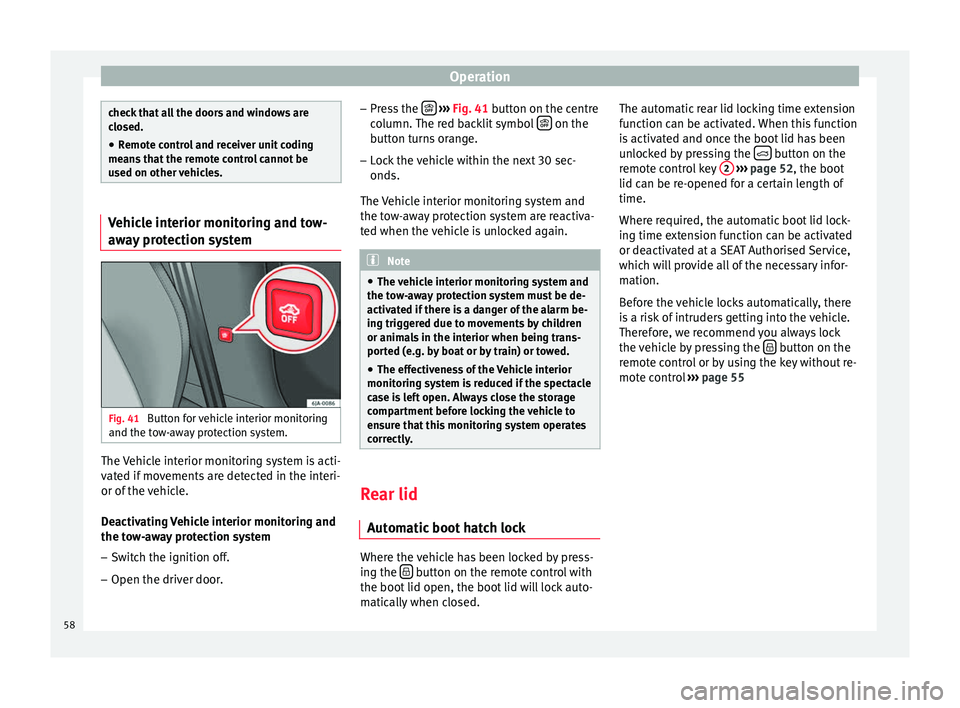
Fig. 41
Button for vehicle interior monitoring
and the tow-away protection system. The Vehicle interior monitoring system is acti-
vated if movements are detected in the interi-
or of the vehicle.
Deactivating Vehicle interior monitoring and
the tow-away protection system
– Switch the ignition off.
– Open the driver door. –
Press the
››› Fig. 41 button on the centre
column. The red backlit symbol on the
button turns orange.
– Lock the vehicle within the next 30 sec-
onds.
The Vehicle interior monitoring system and
the tow-away protection system are reactiva-
ted when the vehicle is unlocked again. Note
● The vehicle interior monitoring system and
the tow-away protection system must be de-
activated if there is a danger of the alarm be-
ing triggered due to movements by children
or animals in the interior when being trans-
ported (e.g. by boat or by train) or towed.
● The effectiveness of the Vehicle interior
monitoring system is reduced if the spectacle
case is left open. Always close the storage
compartment before locking the vehicle to
ensure that this monitoring system operates
correctly. Rear lid
Automatic boot hatch lock Where the vehicle has been locked by press-
ing the
button on the remote control with
the boot lid open, the boot lid will lock auto-
matically when closed. The automatic rear lid locking time extension
function can be activated. When this function
is activated and once the boot lid has been
unlocked by pressing the
button on the
remote control key 2
››› page 52, the boot
lid can be re-opened for a certain length of
time.
Where required, the automatic boot lid lock-
ing time extension function can be activated
or deactivated at a SEAT Authorised Service,
which will provide all of the necessary infor-
mation.
Before the vehicle locks automatically, there
is a risk of intruders getting into the vehicle.
Therefore, we recommend you always lock
the vehicle by pressing the button on the
remote control or by using the key without re-
mote control ››› page 55
58
Page 61 of 200

Opening and closing
Boot hatch Fig. 42
Rear lid: opening from the outside. Fig. 43
Close-up of the inside trim of the rear
lid: hand grip The rear lid opening system operates electri-
cally. It is activated by using the handle on
the boot lid. Opening the rear lid
– Pull on the release lever and lift the rear lid
››› Fig. 42 . The rear lid will automatically
open.
C lo
sing the rear lid
– Hold the rear lid by one of the two handles
on the interior lining and close it, pushing
slightly.
This system may or may not be operative, de-
pending on the situation of the vehicle.
If the rear lid is locked then it cannot be
opened, however if it is unlocked then the
opening system is operative and the rear lid
may be opened.
To lock/unlock, press the button or the
button 1 on the remote control key.
A warning appears on the instrument panel
display if the boot lid is open or not properly
closed.* An audible warning is also given if
the boot lid is opened while the vehicle is
moving faster than 6 km/h (4 mph)*. WARNING
● Always close the rear lid properly. Risk of
accident or injury.
● Do not close the rear lid by pushing it down
with your hand on the rear window. The glass
could smash. Risk of injury! ●
Ensure the rear lid is locked after closing it.
If not, it may open unexpectedly while driv-
ing.
● Never allow children to play in or around
the vehicle. A locked vehicle can be subjected
to extremely high and low temperatures, de-
pending on the time of year, thus causing se-
rious injuries/illness. It could even have fatal
consequences. Close and lock both the rear
lid and all the other doors when you are not
using the vehicle.
● Closing the rear lid without observing and
ensuring it is clear could cause serious injury
to you and to third parties. Make sure that no
one is in the path of the rear lid.
● Never drive with the rear lid open or half-
closed, exhaust gases may penetrate into the
interior of the vehicle. Danger of poisoning!
● If you only open the rear lid, do not leave
the key inside. The vehicle will not be opened
if the key is left inside. Note
● Once the rear lid is closed, its lock is en-
gaged and the alarm system is activated. On-
ly valid if the vehicle has been locked before
the rear lid is closed.
● The release catch located at the top of the
registration plate recess is deactivated on ac-
celerating or at speeds of over 5 km/h (3
mph). The catch is reactivated when the vehi-
cle comes to a standstill and a door is
opened. 59
Technical specifications
Advice
Operation
Safety
Page 62 of 200

Operation
Electric window opening and
closing Introduction WARNING
● When locking the vehicle from the outside,
make sure that nobody is inside the vehicle,
as the windows cannot be opened from the
inside in an emergency.
● For safety reasons, use safety button 5›››
Fig. 44 that deactivates the window
sw it
ches on the rear doors when children are
travelling in the rear seats. CAUTION
● Keep the windows clean to ensure the sys-
tem operates correctly.
● Defrost ››› page 125, Windows and exterior
mirrors any frozen windows before use. Oth-
er w
ise you run the risk of damaging the elec-
tric window riser mechanism.
● Always make sure all of the windows are
closed on leaving the locked vehicle. Note
● The vehicle heating and ventilation system
should be used to ventilate the interior while
driving. Leaving the windows open could al-
low dust and other dirt to enter the vehicle and cause unpleasant noises at certain
speeds.
● Do not leave the side windows open at high
speeds, as this will overly increase fuel con-
sumption. Using electric window switches
Fig. 44
Detail of the driver door: controls for
the windows. The electric window opening and closing sys-
tem only works when the ignition is switched
on.
Opening
– Press gently on the respective button on
the door to open the window. The process
will stop when the button is released.
– The driver door window can also be auto-
matically opened by pressing the button as far as it will go (fully open). Press the but-
ton again to immediately stop it.
Closing
– Press the respective button gently to close
the window. The process will stop when the
button is released.
Window control buttons Button for window in front left door
Button for window in front right door
Button for window in rear left door
Button for window in rear right door
Safety switch for deactivating the electric
window buttons in the rear doors
Safety button
Press the safety button 5
››› Fig. 44 to deac-
tiv at
e the controls on the rear doors. Pressing
the safety button 5 again will reactivate the
controls on the rear doors.
If the rear door controls are deactivated, the
warning lamp on the safety button 5 will
light up. Note
The electric window opening mechanism is
equipped with a thermostat switch. This may
overheat if the window is opened and closed
repeatedly. This causes the window to lock
temporarily. Once the thermostat switch has 1
2
3
4
5
60
Page 67 of 200

Lights and visibility
“Coming Home”/“Leaving Home”*
function This function makes it possible, under poor
visibility conditions, to automatically turn on
the lights for a brief period of time after the
vehicle has been parked or when approach-
ing the vehicle.
The function is automatically turned on if the
following conditions are met:
● The light switch is in position
››› page 63
.
● The v
isibility around the vehicle is reduced.
● The ignition is switched off.
To turn on this function, switch on the head-
light flasher prior to exiting the vehicle.
The light is adjusted according to the data re-
corded by the light sensor that is installed
between the windscreen and the inside rear
view mirror.
The function automatically turns on the side
lights and headlights, the lighting for the en-
try area on the exterior mirrors and the num-
ber plate light.
“Coming Home” function
The light is automatically switched on when
the driver door is opened (for 60 seconds af-
ter the ignition is switched off). The lights is switched off when all the doors
and the boot lid are closed.
If a door or the boot lid remains open, the
light will switch off after 60 seconds.
“Leaving Home” function
The light is automatically switched on when
the vehicle is unlocked using the remote con-
trol.
The light is switched off after 10 seconds or
when the vehicle is locked.
Hazard warning light switch Fig. 49
Instrument panel: switch for hazard
warning lights. –
Press the button ››› Fig. 49 to switch the
h az
ard warning lights on or off.
The warning lamps on the instrument panel
and the warning lamp on the switch will flash at the same time as the turn signals when
the hazard warning lights are switched on.
The hazard warning lights also work when
the ignition is switched off.
The hazard warning lights come on automati-
cally in the event of an accident in which an
airbag is triggered.
Note
Switch on the hazard warning lights to warn
other road users, for example:
● When reaching the tail end of a traffic jam
● if the vehicle has a technical fault or you
are involved in an emergency situation. Parking lights*
Parking lights
– Switch the ignition off.
– Move the turn signal lever ›››
Fig. 47
››› page 63 up or down to turn on the right
or l ef
t-hand parking lights respectively.
Parking light on both sides – Turn the light switch ›››
Fig. 45
››
› page 61 to position and eng age the
steering lock. »
65
Technical specifications
Advice
Operation
Safety
Page 68 of 200
Operation
Note
● The parking lights can only be activated
with the ignition disconnected.
● The parking light will not come on automat-
ically after switching off the ignition if the
left- or right-hand turn signal is left on. Adjusting the headlights
The light beam of the dipped beam lights is
asymmetric: the side of the road on which
you are driving is lit more intensely.
When a car that is manufactured in a country
that drives on the right travels to a country
that drives on the left (or vice versa), it is nor-
mally necessary to cover part of the headlight
bulbs with stickers or to change the adjust-
ment of the headlights to avoid dazzling oth-
er drivers.
In such cases, the regulations specify certain
light values that must be complied with for
designated points of the light distribution.
This is known as “Tourist light”.
The light distribution of the halogen and full-
LED headlights of the SEAT Toledo allows the
specific “tourist light” values to be met with-
out the need for stickers or changes in the
settings. Note
“Tourist light” is only allowed temporarily. If
you are planning a long stay in a country that
drives on the other side, you should take the
vehicle to an Authorised Technical Service to
change the headlights. Interior lights
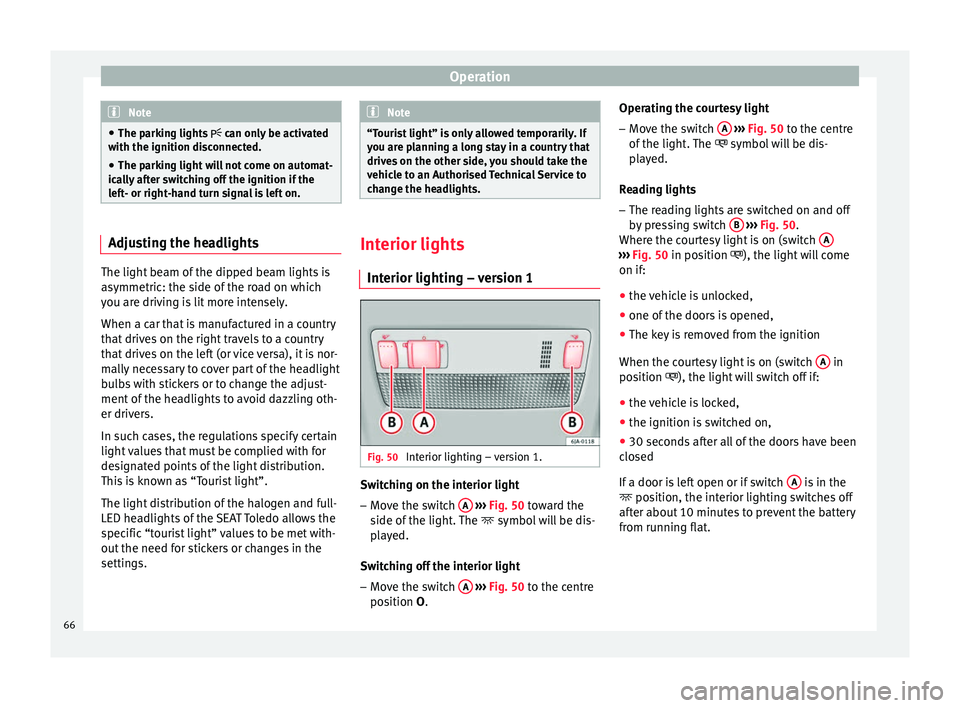
Interior lighting – version 1 Fig. 50
Interior lighting – version 1. Switching on the interior light
– Move the switch A
›››
Fig. 50 toward the
s ide of
the light. The symbol will be dis-
played.
Switching off the interior light – Move the switch A
›››
Fig. 50 to the centre
po s
ition O. Operating the courtesy light
–
Move the switch A
››› Fig. 50 to the centre
of the light
. The symbol will be dis-
played.
Reading lights
– The reading lights are switched on and off
by pressing switch B
››› Fig. 50 .
Wher e the c
ourtesy light is on (switch A ›››
Fig. 50 in position
), the light will come
on if:
● the
vehicle is unlocked,
● one of the doors is opened,
● The key is removed from the ignition
When the courtesy light is on (switch A in
position ), the light will switch off if:
● the vehicle is locked,
● the ignition is switched on,
● 30 seconds after all of the doors have been
closed
If a door is left open or if switch A is in the
position, the interior lighting switches off
after about 10 minutes to prevent the battery
from running flat.
66
Page 77 of 200

Seats and head restraints
Folding the rear backrest Fig. 63
Unlocking the backrest. Folding
– Before folding the rear seats, adjust the po-
sition of the front seats so that the rear
seats are not damaged. When the front
seats are adjusted to the rear position,
their head restraints should be removed
before folding the backrests on the rear
seats. Store the removed head restraints in such a way that they cannot be soiled or
damaged.
– Insert the seat belt latch plate into hole A ›››
Fig. 63 located on the corresponding
s ide of
the vehicle – safety position.
– Press the lock button B to unlock the
backrest and fold it forward.
Returning to the initial position
– Where the head restraint has been re-
moved, insert it into the backrest when par-
tially raised.
– Push the backrest backwards to its original
position until the lock button engages –
check that it is locked by pulling on the
backrest ››› .
– Make sure the red protruding part C is not
visible. WARNING
● Once the backrests have been lifted, the
seat belts and their buckles must be in their
initial position – ready for use.
● The backrests must be safely locked to en-
sure any items in the boot cannot move
around the interior of the vehicle in the event
of a sudden braking manoeuvre. Risk of inju-
ries!
● Make sure the rear backrests are correctly
locked. Only then will the three-point auto-
matic seat belt on the rear central seat work
correctly. CAUTION
Take care when handling the rear backrests
so as not to damage the seat belts. The seat
belt must never be left behind the lifted back-
rest. 75
Technical specifications
Advice
Operation
Safety
Page 84 of 200
Operation
●
Always stow objects in the luggage com-
partment and secure them on the fastening
rings.
● Use suitable straps to secure heavy ob-
jects.
● During sudden manoeuvres or accidents,
loose objects can be thrown forward, injuring
vehicle occupants or passers-by. This in-
creased risk of injury will be further increased
if a loose object is struck by an inflating air-
bag. If this happens, objects may shoot out-
ward like a missile. Risk of fatal injury.
● Please note that the centre of gravity may
shift when transporting heavy objects; this
may affect vehicle handling and lead to an ac-
cident. Therefore, it is essential to adjust
your speed and driving style accordingly, to
avoid accidents.
● Never exceed the allowed axle weights or
allowed maximum weight. If said weights are
exceeded, the driving characteristics of the
vehicle may change, leading to accidents, in-
juries and damage to the vehicle.
● Never leave your vehicle unattended, espe-
cially when the rear lid is open. Children
could climb into the luggage compartment,
closing the door behind them; they will be
trapped and run the risk of death.
● Never allow children to play in or around
the vehicle. Close and lock all the doors and
rear lid when you leave the vehicle. Before
you lock the vehicle, make sure that there are
no adults or children in the vehicle. Note
● Air circulation in the vehicle helps reduce
fogging of the windows. Used air escapes
through ventilation slits in the side trim of
the luggage compartment. Ensure that the
ventilation slots are never covered.
● Straps for securing the load to the fasten-
ing rings are commercially available. Fastening rings*
There can be four fastening rings in the lug-
gage compartment for fastening luggage and
other objects.
–
Always use suitable and undamaged straps
to secure luggage and other objects to the fastening rings ››› in Loading the lug-
gage compartment on page 81.
– Pull up the fastening rings to attach the
straps.
During a collision or an accident, even small
and light objects can build up so much ener-
gy that they can cause very severe injuries.
The amount of kinetic “energy” depends on
the speed of the vehicle and the weight of
the object. The most significant factor, how-
ever, is the speed of the vehicle.
Example: An object weighing 4.5 kg is lying
unsecured in the vehicle. During a frontal col-
lision at a speed of 50 km/h (31 mph), this object generates a force corresponding to 20
times its weight. That means that the effec-
tive weight of the object increases to approxi-
mately 90 kg. You can imagine the severity of
the injuries which might be sustained if this
“object” strikes an occupant as it flies
through the interior of the vehicle. This in-
creased risk of injury will be further increased
if a loose object is struck by an inflating air-
bag.
WARNING
● If pieces of baggage or other objects are se-
cured to the fastening rings with inappropri-
ate or damaged retaining cords, injuries
could result in the event of braking manoeu-
vres or accidents.
● Never secure a child seat on the fastening
rings. Luggage compartment
Introduction Please observe the following points to ensure
the vehicle handles well at all times:
– Distribute the load as evenly as possible.
– Place heavy objects as far forward in the
luggage compartment as possible.
– Secure luggage using the fastening rings or
retaining net ›››
page 83.
82
Page 91 of 200

Heating and air conditioning
Temperature selection – Turn rotary control A
››› Fig. 86 clockwise
t o inc
rease the temperature.
– Turn rotary control A anti-clockwise to re-
duce the temperature.
Blower selection
– Turn rotary control B
››› Fig. 86 to position
1 t o 4 t
o switch the blower on.
– Turn rotary control B to position 0 to
switch the blower off. –
Press button 1
››› in Air recirculation on
page 90 to close the fresh air vent.
Air di s
tribution selection
– Turn rotary control C
››› Fig. 86 to select
the air v
ents ››› page 88, Air vents you wish
to activate.
All controls, except control B
››› Fig. 86 , can
be set t
o any intermediate position.
Leave the blower activated at all times to pre-
vent the windows from misting over. Note
If the system is set so that all of the air is
used to defrost the windows, no air is sup-
plied to the footwell area. This could limit
heating comfort. Heating selection
Recommended settings for the different modes:
SettingsControl positionButton
1Air vents 4ABC
Windscreen and side window de-
frostClockwise as far as it will go3 Do not switch onOpen and direct towards the
side window
Windscreen and side window de-
frostRequired temperature2 or 3 / Do not switch onOpen and direct towards the
side window
Heat as quickly as possibleClockwise as far as it will go3 Switch on brieflyOpening
Mild heatingRequired temperature2 or 3
/ Do not switch onOpening
Fresh air mode - blowerAnti-clockwise as far as it
will goRequired position Do not switch onOpening»
89
Technical specifications
Advice
Operation
Safety