bonnet Seat Toledo 2014 Owner's manual
[x] Cancel search | Manufacturer: SEAT, Model Year: 2014, Model line: Toledo, Model: Seat Toledo 2014Pages: 200, PDF Size: 4.37 MB
Page 31 of 200
Controls and displays
Operation
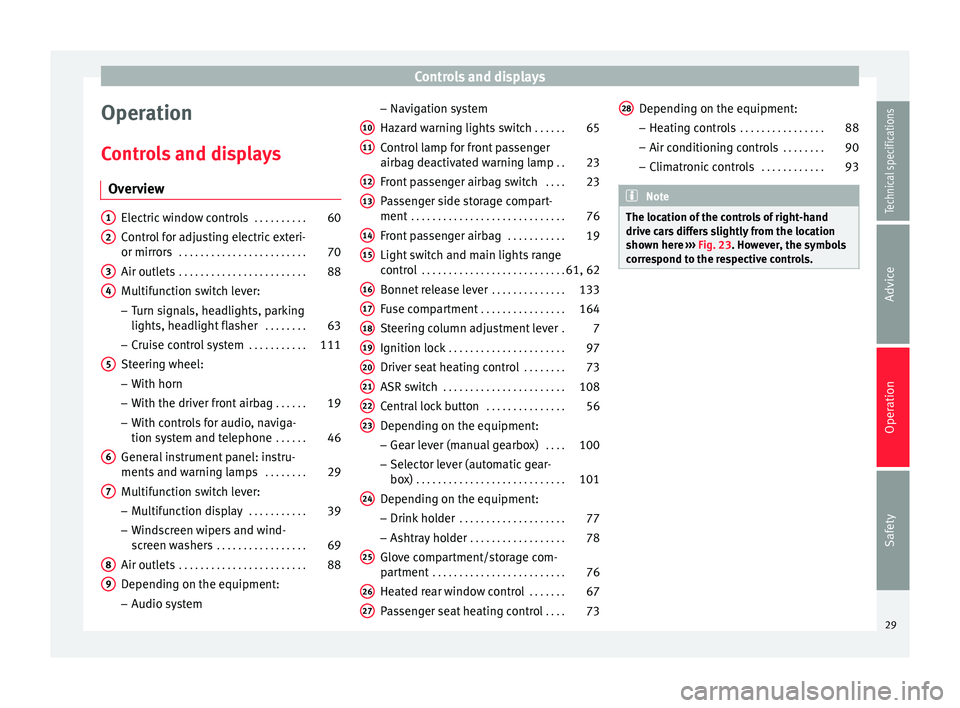
Controls and displays Overview Electric window controls
. . . . . . . . . .60
Control for adjusting electric exteri-
or mirrors . . . . . . . . . . . . . . . . . . . . . . . . 70
Air outlets . . . . . . . . . . . . . . . . . . . . . . . . 88
Multifunction switch lever:
– Turn signals, headlights, parking
lights, headlight flasher . . . . . . . .63
– Cruise control system . . . . . . . . . . .111
Steering wheel:
– With horn
– With the driver front airbag . . . . . .19
– With controls for audio, naviga-
tion system and telephone . . . . . .46
General instrument panel: instru-
ments and warning lamps . . . . . . . .29
Multifunction switch lever:
– Multifunction display . . . . . . . . . . .39
– Windscreen wipers and wind-
screen washers . . . . . . . . . . . . . . . . . 69
Air outlets . . . . . . . . . . . . . . . . . . . . . . . . 88
Depending on the equipment:
– Audio system
1 2
3
4
5
6
7
8
9 –
Navigation system
Hazard warning lights switch . . . . . .65
Control lamp for front passenger
airbag deactivated warning lamp . .23
Front passenger airbag switch . . . .23
Passenger side storage compart-
ment . . . . . . . . . . . . . . . . . . . . . . . . . . . . . 76
Front passenger airbag . . . . . . . . . . .19
Light switch and main lights range
control . . . . . . . . . . . . . . . . . . . . . . . . . . . 61, 62
Bonnet release lever . . . . . . . . . . . . . .133
Fuse compartment . . . . . . . . . . . . . . . . 164
Steering column adjustment lever .7
Ignition lock . . . . . . . . . . . . . . . . . . . . . . 97
Driver seat heating control . . . . . . . .73
ASR switch . . . . . . . . . . . . . . . . . . . . . . . 108
Central lock button . . . . . . . . . . . . . . .56
Depending on the equipment:
– Gear lever (manual gearbox) . . . .100
– Selector lever (automatic gear-
box) . . . . . . . . . . . . . . . . . . . . . . . . . . . . 101
Depending on the equipment:
– Drink holder . . . . . . . . . . . . . . . . . . . . 77
– Ashtray holder . . . . . . . . . . . . . . . . . . 78
Glove compartment/storage com-
partment . . . . . . . . . . . . . . . . . . . . . . . . . 76
Heated rear window control . . . . . . .67
Passenger seat heating control . . . .73
10 11
12
13
14
15
16
17
18
19
20
21
22
23
24
25
26
27 Depending on the equipment:
– Heating controls . . . . . . . . . . . . . . . . 88
– Air conditioning controls . . . . . . . .90
– Climatronic controls . . . . . . . . . . . .93 Note
The location of the controls of right-hand
drive cars differs slightly from the location
shown here ››› Fig. 23. However, the symbols
c orr
espond to the respective controls. 28
29
Technical specifications
Advice
Operation
Safety
Page 36 of 200
Operation
WARNING
● The following indications must be taken in-
to account when opening the engine com-
partment to check the brake fluid
››› page 132, Engine compartment.
● If the w
arning lamp illuminates together
with the warning lamp ››› p
age 36, Anti-
lock system (ABS) , , stop the vehicle!
Go t o a t
echnical service.
● A fault in the brake system or in the Anti-
lock brake system (ABS) can lead to longer
braking distances – Risk of accident! Fastening seat belts
After switching on the ignition, the warning
lamp illuminates to instruct the driver or
front passenger to fasten their seat belt. The
warning lamp switches off when the driver or
front passenger fastens their seat belt
››› page 11 .
A lt
ernator If the
control lamp is illuminated while the
engine is running, the battery is not charg-
ing.
Go to a technical service. Have the car's elec-
trical equipment inspected. CAUTION
Additionally, if the warning lamp lights up
whi l
e driving, the warning lamp also lights
up (cooling system fault). Stop the vehicle
and switch off the engine – Risk of engine
damage! Door open
If the control lamp,
lights up, one of the
doors, the rear lid or the bonnet is open.
Engine oil The control lamp
flashes red (oil pressure
low)
The informative display indicates:
Oil pressure. Switch off the engine! Instruc-
tion Manual!
Stop the vehicle, switch off the engine and
check the engine oil level ›››
page 136
If the symbol flashes although the oil level is
correct, do not drive on
. Do not
ev
en run
the engine at idle speed!
Go to a technical service.
The control lamp lights up yellow
(insufficient oil level)
The informative display indicates: Check the oil level!
Stop the vehicle, switch off the engine and
check the engine oil level ››› page 136
If the bonnet remains open for more than 30
seconds, the warning lamp switches off. If
the engine oil is not refilled, the warning
lamp illuminates again after 100 km (62
miles).
The control lamp flashes yellow (oil level
sensor f
aulty)
The informative display indicates:
Oil sensor. Workshop!
If the engine oil level sensor is faulty, The
warning lamp flashes various times after
the ignition is switched on and an audible
warning is given.
Go to a technical service.
34
Page 46 of 200
Operation
Settings You can make certain adjustments using the
informative display. The current values are
displayed directly in their respective places
above and below the line.
The following items can be selected:
■ Language
■ MFD data
■ Time
■ Winter tyres
■ Units
■ Second speed
■ Inspec. Service
■ Factory settings
■ Back
Select the option Back
to return to the superi-
or menu level.
Language
Here the language used to display the warn-
ing and information texts can be selected.
MFD data
Here certain data shown on the multifunction
display can be switched on or off. Time
In this menu you can set, the time, the dis-
play format (24 or 12 hours) and changes
from winter to summer time.
Winter tyres
The speed at which an audible warning is
given can be adjusted here. This function can
be used with winter tyres, whose maximum
permitted speed is lower than the maximum
speed of the vehicle.
When exceeding the maximum speed the fol-
lowing is shown on the display:
Winter tyres max speed … km/h … (mph)
Units
The units of measure for temperature, con-
sumption and journey distances can be set
here.
Second speed
The second speed can be activated/deactiva-
ted in mph or km/h respectively here.
Inspection Service
Here you can choose to display the kilome-
tres (miles) and days remaining until the next
service, and reset the service interval display. Factory settings
Select
Factory setting to reset the values of
the informative display to their factory set-
tings.
Door, rear lid or bonnet open indicator If at least one of the doors, rear lid or bonnet
is open, a symbol is shown on the informa-
tive display indicating that the door, rear lid
or bonnet concerned is
open.
An audib l
e warning is also given simultane-
ously if the vehicle is being driven at a speed
higher than 6 km/h (4 mph).
Auto-check system Vehicle status
When the ignition is switched on, some vehi-
cle functions such as the condition of its sys-
tems are continually checked.
The warning messages about eventual faults
in addition to other information is displayed
on the informative display. This information
is displayed together with the respective
symbols on the informative display or by
warning lamps that illuminate on the general
instrument panel
›››
page 32 .
The option, V
ehic
le status , appears in the
menu when at least one warning message is
44
Page 59 of 200

Opening and closing
Childproof locks Fig. 40
Activating the childproof lock. The childproof lock prevents the rear doors
from being opened from the inside. Doors
can only be opened from the outside.
The childproof lock is activated and deactiva-
ted using the ignition key.
Activating the childproof lock
– Turn the slot in the direction of the arrow
››› Fig. 40 (in the other direction on the
right -h
and door).
Deactivating the childproof lock
– Turn the slot in the opposite direction of
the arrow (in the other direction on the
right-hand door). Anti-theft alarm system*
General notes The anti-theft alarm system increases vehicle
protection from intruders. The system will ini-
tiate acoustic and optical warning signals
when your vehicle is tried to be forced.
Activating the alarm system
The anti-theft alarm switches on automatical-
ly when the vehicle is locked using the re-
mote control key or inserting the key in the
driver door. The alarm is activated around 30
seconds after the vehicle is locked.
Deactivating the alarm system
The anti-theft alarm system is deactivated
when the remote control unlock button is
pressed. If the vehicle is not opened within
30 seconds after emitting the radio frequen-
cy signal, the system will be reactivated.
If the vehicle is unlocked using by inserting
the key in the driver door, the ignition must
be switched on within 15 seconds. This deac-
tivates the alarm system. If, during these 15
seconds,
the vehicle is not started , the alarm
i
s triggered . When does the system trigger an alarm?
The following areas of the vehicle are moni-
tored:
● Bonnet
● Rear lid
● Doors
● Ignition
● Tilt angle ››› page 58, Vehicle interior
monitoring and tow-away protection system
● The interior ››› page 58, Vehicle interior
monitoring and tow-away protection system
● Drop in voltage in the car systems
● The factory-fitted towing bracket
The alarm is triggered immediately if one of
the battery cables is disconnected while the
alarm system is active.
How to turn OFF the alarm
To deactivate the alarm, press the unlock but-
ton on the remote control key or switch on
the ignition. Note
● The alarm horn power supply has a 5-year
useful life. Contact an Official Service for
more detailed information.
● To make sure that the anti-theft alarm is
fully operative when leaving the vehicle, » 57
Technical specifications
Advice
Operation
Safety
Page 71 of 200

Lights and visibility
●
Remove snow and ice from the wipers be-
fore starting your journey.
● Careless handling could lead to the wiper
arms damaging the windscreen.
● For safety reasons, the wiper blades should
be changed once or twice a year. They can be
purchased at a SEAT Authorised Service.
● The ignition cannot be switched on while
the windscreen wiper arms are in a raised po-
sition. Otherwise, the windscreen wipers
would return to their original position and
could damage the paintwork on the bonnet. Note
Keep the wipers clean. The wipers can be
soiled with remains of wax solutions from car
washes ››› page 124.
● On vehicles equipped with windscreen
washer jets, these are heated once the en-
gine is running. Handling windscreen wipers and
washers
Fig. 56
Window wiper lever. Short wipe
– Give the windscreen a brief wipe by moving
the lever down to position 4
››› Fig. 56 .
W ipe int
ervals/automatic wipe with rain
sensor*
– Push the lever up to position 1
››› Fig. 56 .
– With sw
itch A , adjust the wipe interval or
rain sensor sensitivity.
Switch A has 4 positions.
The rain sensor* is part of the intermittent
wipe function.
The rain sensor* controls the frequency of
the windscreen wiper intervals, depending
on the amount of rain. Slow wipe
–
Push the lever up to position 2
››› Fig. 56 .
C ontinuou
s wipe
– Push the lever up to position 3
››› Fig. 56 .
Aut om
atic windscreen wash and wipe
– Pull the lever towards the steering wheel,
position 5
››› Fig. 56 , and the windscreen
w a
sher and wipers are switched on.
– Release the lever. The washer will stop and
the windscreen wipers will keep running for
1-3 wipes (depending on the windscreen
washer operating time).
Rear window wiper*
– Press the lever forward to position 6 ›››
Fig. 56 and the rear window wiper will
ru n ev
ery 6 seconds.
Automatic rear window wash and wipe* – Press the lever fully forward to position 7 ›››
Fig. 56 and the rear window wiper and
w a
sher switch on at the same time.
– Release the lever. The rear window washer
will stop and the rear window wipers will
keep running for 1-3 wipes (depending on
the jet operating time). When released, the
lever remains in position 6 .
»
69
Technical specifications
Advice
Operation
Safety
Page 102 of 200

Operation
Manual gearbox Changing gears Fig. 91
Gear shift diagram of a 5- or 6-speed
manual gearbox When changing gear, always depress the
clutch pedal fully and keep it pressed down
to avoid excessive clutch wear.
In order to drive at an optimum RPM, follow
the gear change indications
››› page 32.
Engage reverse gear only when the vehicle is
stopped. On engaging reverse gear while the
engine is running, first wait a moment with
the clutch pedal pressed down fully to limit
gear shift noise.
The reverse lights switch on when the reverse
gear is selected and the ignition is on. WARNING
Never engage reverse gear when moving for-
ward. Risk of accident! Note
Do not rest your hand on the gear lever while
driving. The pressure of your hand could lead
to premature wear of the gear system. Automatic gearbox
Basic information The gearbox changes up and down automati-
cally. The gearbox can be set to
Tiptronic
mode. The gears can be changed manually in
this mode ›››
page 102 .
The en gine c
an only be started
in positions P
or N. If, on engaging the steering lock,
switching the ignition on/off or starting the
engine, the selector lever is not in these posi-
tions, the informative display will show Move
the selector lever to position P/N! , or P/N
is
shown on the general dash panel display.
At temperatures below -10 °C (14 °F), the en-
gine can only be started in position P.
Mov
e the selector lever to position P when
parking the vehicle on a flat surface. On a
slope, the handbrake should be firmly ap-
plied before moving the selector lever to the park position. This reduces the load on the
lock mechanism while making it easier to
move the selector lever from position P.
If, while the vehicle is moving, the selector
lever is accidentally moved to position
N, re-
le
ase the accelerator and wait for the engine
to idle before moving it back into position. WARNING
● Never press the accelerator when selecting
the automatic gearbox operating mode when
the vehicle is stationary. Risk of accident!
● Never move the selector lever to positions
R or P when driving. Risk of accident!
● If the vehicle is to be stopped with a gear
selected and the engine idling (e.g. waiting
or moving slowly at traffic lights), press down
on the brake pedal because the transmission
is not entirely interrupted when the engine is
idling and the vehicle will tend to start mov-
ing.
● Apply the handbrake firmly and put the se-
lector lever in position P before opening the
bonnet and working on the vehicle with the
engine running. Risk of accident! Strictly fol-
low the safety instructions ››› page 132, En-
gine compartment.
● When s t
opping on a slope (hill), try not to
stop the vehicle from moving by pressing the
“accelerator” with a gear selected. This could
overheat the clutch. If the clutch risks being
burnt due to this force, it would switch off 100
Page 115 of 200

Driver assistance systems
– Release the clutch pedal.
Automatic engine start up (Start phase)
– Press the clutch.
Switching the Start-Stop system on and off
The Start-Stop system can be switched on
and off by pressing the
››› Fig. 98 button.
The w arnin
g lamp in the button will light up
when the system is switched off.
If the vehicle is in Stop phase when the but-
ton is pressed, the engine will start immedi-
ately.
The Start-Stop system works under complex
driving conditions that are difficult to detect
without specialist technology. The set of nec-
essary conditions for the correct operating of
the Start-Stop system are indicated below.
Conditions for automatic engine shut down
(Stop phase)
● Selector lever in neutral.
● Clutch pedal not pressed.
● Driver with seat belt fastened.
● Driver door closed.
● The bonnet closed.
● Vehicle stationary.
● The factory-fitted towing bracket is not elec-
trically connected to a trailer. ●
Engine at operating temperature.
● Vehicle's battery sufficiently charged.
● Vehicle not on a very steep slope
● Engine speed below 1,200 rpm.
● Vehicle battery temperature is neither too
high nor too low.
● Sufficient brake system pressure.
● Difference between outside temperature
and set interior temperature not too great
● Vehicle speed since the last time the en-
gine started was above 3 km/h (2 mph).
● Particulate filter not being cleaned
››› page 37.
● Front
wheels not overly turned (steering
wheel turned less than three quarters of a
turn)
Conditions for engine start up (Start phase)
● Clutch pedal pressed.
● Max./min. temperature set.
● Windscreen defrost function switched on.
● High blower speed.
● Start-Stop button pressed.
Conditions for automatic engine start up
without driver involvement
● Vehicle moving at a speed of over 3 km/h
(2 mph). ●
Difference between outside temperature
and interior temperature is too great
● Vehicle's battery insufficiently charged.
● Insufficient brake system pressure.
If the driver seat belt is unfastened for more
than 30 seconds in Stop phase, the engine
must be started using the ignition key.
Please observe the messages on the general
instrument panel display.
Warnings on the instrument panel display
(valid for vehicles not fitted with an
informative display)FAULT: Start-StopFault in the Start-Stop sys-
tem
START-STOP IMPOSSIBLEEngine cannot be auto-
matically shut down
START-STOP ACTIVEAutomatic engine shut
down (Stop phase)
SWITCH OFF IGNITIONSwitch the ignition off
START MANUALLYStart the engine manually WARNING
● If the engine is switched off, neither the
brake servo nor the power steering will work.
● Do not move the vehicle when the engine is
switched off. » 113
Technical specifications
Advice
Operation
Safety
Page 125 of 200

Care and maintenance
●
The modification of the suspension of the
vehicle wheels, including the use of non-per-
mitted combinations of tyres and rims can al-
ter the operation of the airbag system and in-
crease the risk of serious or fatal injuries in
an accident.
● During all jobs on the airbag system, in ad-
dition to the removal and fitting of parts of
the system in the course of other repair jobs,
parts of the airbag system can be damaged.
Therefore in the event of an accident, this
may cause the airbags to activate incorrectly
or not activate at all. Care and cleaning
Introduction Regular and suitable care helps to
maintain
the useful life of your vehicle. This may also
be one of the requirements for upholding any
warranty claims in the event of corrosion or
paint defects.
We recommend you use cleaning products
from the SEAT Original Accessories pro-
gramme available in SEAT dealers. Please fol-
low the instructions for use on the packag-
ing. WARNING
● Cleaning products and other materials used
for car care can damage the health if mis-
used.
● Always keep car care materials in a safe
place out of the reach of children. Risk of poi-
soning!
● When washing the car during the winter
season: Moisture and ice on the brakes may
affect braking efficiency. Risk of accident!
● The ignition must always be switched off
when the car is washed. Risk of accident!
● Do not clean the underside of the car or in-
side the wheel arches without protecting your
hands and arms. You may cut yourself on
sharp metal parts!
● Perfumes and air fresheners inside the ve-
hicle may be harmful to health at high tem-
peratures in the interior. CAUTION
● Check the colour-fastness of your clothing
to avoid damaging or visibly staining the fab-
ric (leather), upholstery and fabric trim.
● Cleaning products containing solvents may
damage the material being cleaned.
● Do not wash the vehicle in direct sunlight.
Risk of damage to paintwork.
● If washing the vehicle with a hose in win-
ter, do not direct the jet of water directly at
the locks or at the door seals or bonnet. Risk
of freezing. ●
Do not use sponges for removing insects or
abrasive household sponges, etc. on painted
surfaces. Risk of damage to the painted sur-
face!
● Do not put stickers on the inner side of the
rear window in areas where heating elements
or the aerial are located. This could cause
damage and, in the case of the aerial, radio
and navigation system reception faults.
● Do not clean the inside of the window with
sharp objects or corrosive or acidic cleaning
products. Risk of damaging the heating ele-
ments or the aerial.
● Do not attach any fragrance or air freshener
to the dash panel. Risk of damage to the
dash panel!
● To avoid damaging the parking aid system
sensors, spray them only briefly at a mini-
mum distance of 10 cm when cleaning the ve-
hicle with a high-pressure or steam cleaner.
● Do not clean the roof panel with a brush.
Risk of damage to the panel surface! For the sake of the environment
● The packaging of the product used to care
for your vehicle is hazardous waste. It must
be disposed of according to current local law.
● Only wash the car in special wash bays.
» 123Technical specifications
Advice
Operation
Safety
Page 134 of 200

Advice
serious damage to the engine! Contact an au-
thorised SEAT dealer to clean the engine fuel
system.
● Water allowed to collect in the fuel filter
can cause engine faults.
● Your vehicle is not prepared for use of bio-
fuel (RME) and, therefore, this fuel must not
be used for refuelling or driving. The use of
biofuel (RME) could cause serious damage to
the engine or the fuel system. Engine compartment
Introduction Always be aware of the danger of injury and
scalding as well as the risk of accident or fire
when working in the engine compartment,
e.g. when checking and refilling fluids.
Therefore, always observe the warnings and
follow all general safety precautions. The en-
gine compartment is a dangerous area
.WARNING
● Never open the bonnet if you see steam,
smoke or coolant escaping from the engine
compartment. Risk of scalding! Wait until no
steam or coolant can be seen before opening
the bonnet.
● Switch off the engine and remove the key
from the ignition. ●
Engage neutral in vehicles with manual
gearbox and move the selector lever to posi-
tion P in vehicles with automatic gearbox.
● Apply the handbrake firmly.
● Wait for the engine to cool down.
● For safety reasons, the bonnet must always
be closed when the vehicle is moving. There-
fore, after closing the bonnet always check
that it is properly secured.
● Should you notice that the bonnet is not
safely secured when the vehicle is moving,
stop the vehicle immediately and close the
bonnet properly. Risk of accident!
● Keep children away from the engine com-
partment.
● Do not touch hot engine parts. Risk of
burns!
● Never spill fluids on hot engine compart-
ments. These fluids can cause a fire (e.g. anti-
freeze in coolant)!
● Take care not to cause short circuits in the
electrical system, especially when working
on the battery.
● Never touch the radiator fan when the en-
gine is hot. The fan may start running sud-
denly!
● Never cover the engine with additional in-
sulating materials such as a blanket. Risk of
fire!
● Do not unscrew the cap on the coolant ex-
pansion tank when the engine is hot. The
cooling system is under pressure! ●
Protect face, hands and arms from any hot
steam or hot coolant released by covering the
cap with a large, thick rag when opening the
expansion tank.
● Do not leave any objects, such as cloths or
tools, in the engine compartment.
● When working underneath the vehicle, se-
cure it so that it cannot roll away and support
it safely on suitable supports. The hydraulic
jack is not sufficient for this purpose. Risk of
injuries!
● If any tests have to be performed with the
engine running, there is an extra safety risk
from rotating parts, such as the drive belt, al-
ternator and radiator fan, etc., and from the
high-voltage ignition system. You should also
note the following:
– Never touch the electrical wiring of the
ignition system.
– Keep away from moving engine parts
when wearing jewellery, loose clothing or
long hair. Risk of fatal injuries! All jewel- lery must be removed, hair tied back and
close-fitting clothing worn.
● Observe the following additional warnings
if work on the fuel system or the electrical
system is necessary.
–Always disconnect the battery from the
on-board network.
– Do not smoke.
– Never work near naked flames.
– Always keep an approved fire extinguish-
er immediately available. 132
Page 135 of 200

Checking and refilling levels
CAUTION
● When topping up fluids, make sure the cor-
rect fluid is put into the correct filler opening.
Otherwise this can cause serious malfunc-
tions or engine damage!
● Never open the bonnet using the release
catch. Risk of damage! For the sake of the environment
Due to the environmentally-friendly disposal
of fluids, the equipment necessary and the
knowledge required, let an authorised SEAT
dealer change fluids during service inspec-
tions of the vehicle. Note
● Please contact an authorised SEAT dealer
with any doubts regarding fluids.
● Fluids of the correct specifications can be
acquired from the selection of SEAT Original
Accessories. Opening and closing the bonnet
Fig. 108
Unlocking the bonnet. Fig. 109
Locking the bonnet. Opening the bonnet
–
Open the front left door.
– Pull the lever 1
››› Fig. 108 under the dash
p anel
in the direction indicated by the ar-
row.
Before opening
the bonnet, make sure that
the windscreen wiper arms are not lifted »
133
Technical specifications
Advice
Operation
Safety