engine SKODA OCTAVIA 2013 3.G / (5E) User Guide
[x] Cancel search | Manufacturer: SKODA, Model Year: 2013, Model line: OCTAVIA, Model: SKODA OCTAVIA 2013 3.G / (5E)Pages: 287, PDF Size: 18.55 MB
Page 22 of 287
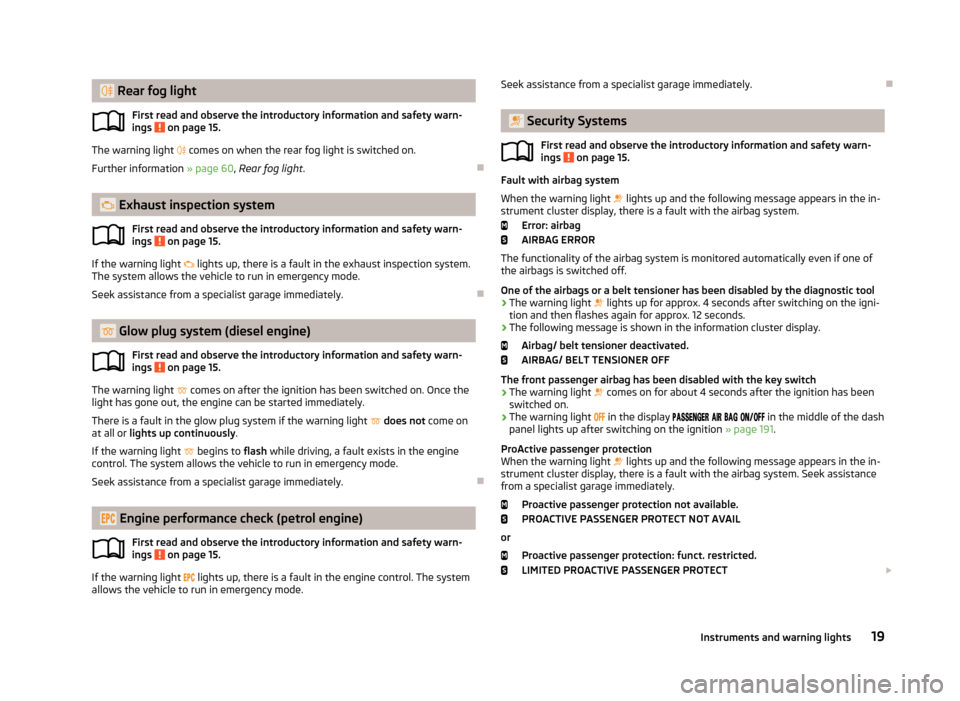
Rear fog lightFirst read and observe the introductory information and safety warn-
ings
on page 15.
The warning light comes on when the rear fog light is switched on.
Further information » page 60, Rear fog light .
Exhaust inspection system
First read and observe the introductory information and safety warn-
ings
on page 15.
If the warning light
lights up, there is a fault in the exhaust inspection system.
The system allows the vehicle to run in emergency mode.
Seek assistance from a specialist garage immediately.
Glow plug system (diesel engine)
First read and observe the introductory information and safety warn-ings
on page 15.
The warning light
comes on after the ignition has been switched on. Once the
light has gone out, the engine can be started immediately.
There is a fault in the glow plug system if the warning light
does not come on
at all or lights up continuously .
If the warning light
begins to flash while driving, a fault exists in the engine
control. The system allows the vehicle to run in emergency mode.
Seek assistance from a specialist garage immediately.
Engine performance check (petrol engine)
First read and observe the introductory information and safety warn-ings
on page 15.
If the warning light
lights up, there is a fault in the engine control. The system
allows the vehicle to run in emergency mode.
Seek assistance from a specialist garage immediately.
Security Systems
First read and observe the introductory information and safety warn-
ings
on page 15.
Fault with airbag system
When the warning light lights up and the following message appears in the in-
strument cluster display, there is a fault with the airbag system.
Error: airbag
AIRBAG ERROR
The functionality of the airbag system is monitored automatically even if one of
the airbags is switched off.
One of the airbags or a belt tensioner has been disabled by the diagnostic tool
› The warning light
lights up for approx. 4 seconds after switching on the igni-
tion and then flashes again for approx. 12 seconds.
› The following message is shown in the information cluster display.
Airbag/ belt tensioner deactivated.
AIRBAG/ BELT TENSIONER OFF
The front passenger airbag has been disabled with the key switch › The warning light
comes on for about 4 seconds after the ignition has been
switched on.
› The warning light
in the display
in the middle of the dash
panel lights up after switching on the ignition » page 191.
ProActive passenger protection When the warning light
lights up and the following message appears in the in-
strument cluster display, there is a fault with the airbag system. Seek assistance
from a specialist garage immediately.
Proactive passenger protection not available.PROACTIVE PASSENGER PROTECT NOT AVAIL
or Proactive passenger protection: funct. restricted.
LIMITED PROACTIVE PASSENGER PROTECT
19Instruments and warning lights
Page 24 of 287
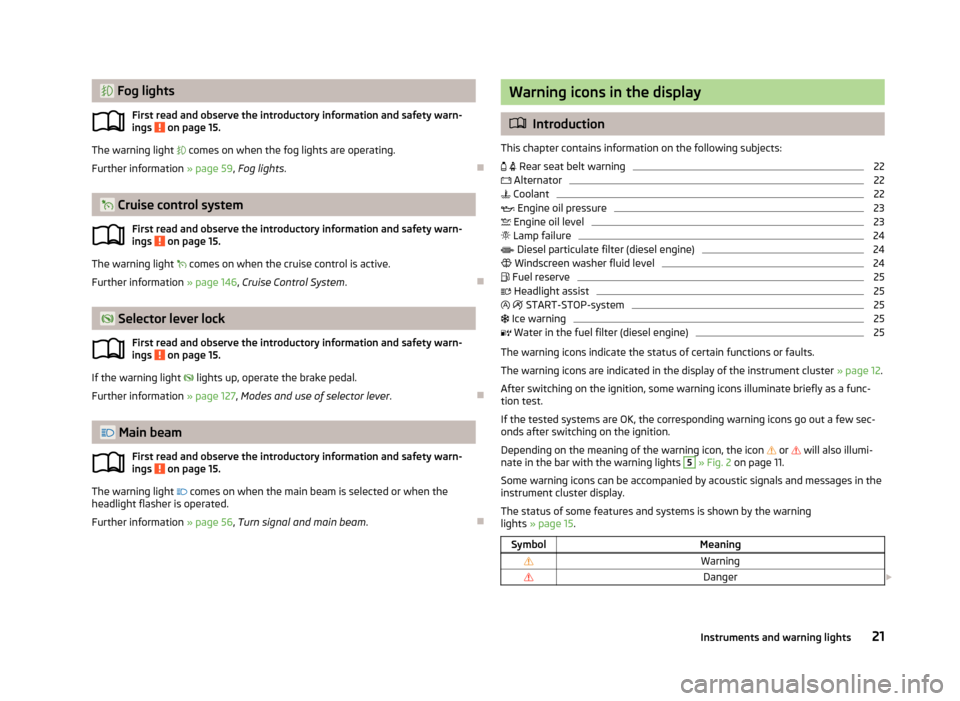
Fog lightsFirst read and observe the introductory information and safety warn-
ings
on page 15.
The warning light comes on when the fog lights are operating.
Further information » page 59, Fog lights .
Cruise control system
First read and observe the introductory information and safety warn-
ings
on page 15.
The warning light
comes on when the cruise control is active.
Further information » page 146, Cruise Control System .
Selector lever lock
First read and observe the introductory information and safety warn-
ings
on page 15.
If the warning light
lights up, operate the brake pedal.
Further information » page 127, Modes and use of selector lever .
Main beam
First read and observe the introductory information and safety warn-ings
on page 15.
The warning light
comes on when the main beam is selected or when the
headlight flasher is operated.
Further information » page 56, Turn signal and main beam .
Warning icons in the display
Introduction
This chapter contains information on the following subjects:
Rear seat belt warning
22
Alternator
22
Coolant
22
Engine oil pressure
23
Engine oil level
23
Lamp failure
24
Diesel particulate filter (diesel engine)
24
Windscreen washer fluid level
24
Fuel reserve
25
Headlight assist
25
START-STOP-system
25
Ice warning
25
Water in the fuel filter (diesel engine)
25
The warning icons indicate the status of certain functions or faults.
The warning icons are indicated in the display of the instrument cluster » page 12.
After switching on the ignition, some warning icons illuminate briefly as a func- tion test.
If the tested systems are OK, the corresponding warning icons go out a few sec-
onds after switching on the ignition.
Depending on the meaning of the warning icon, the icon
or
will also illumi-
nate in the bar with the warning lights
5
» Fig. 2 on page 11.
Some warning icons can be accompanied by acoustic signals and messages in the
instrument cluster display.
The status of some features and systems is shown by the warning
lights » page 15 .
SymbolMeaningWarningDanger 21Instruments and warning lights
Page 25 of 287
While the operational faults remain unrectified, the messages are always indica-
ted again. After they are displayed for the first time, the symbols or continue
to be indicated without any extra messages for the driver.
On vehicles with a colour MAXI DOT display some warning icons in the display are
in colour.WARNING■ Ignoring illuminated warning icons and related messages or instructions in
the display of the instrument cluster may lead to serious personal injury or
damage to the vehicle.■
If you have to stop for technical reasons, then park the vehicle at a safe dis-
tance from the traffic, switch off the engine and activate the hazard warning
light system » page 61. The warning triangle must be set up at the prescri-
bed distance - observe the national legal provisions when doing so.
■
The engine compartment of your car is a hazardous area. While working in
the engine compartment, be sure to observe the following warn-
ings » page 215 , Engine compartment .
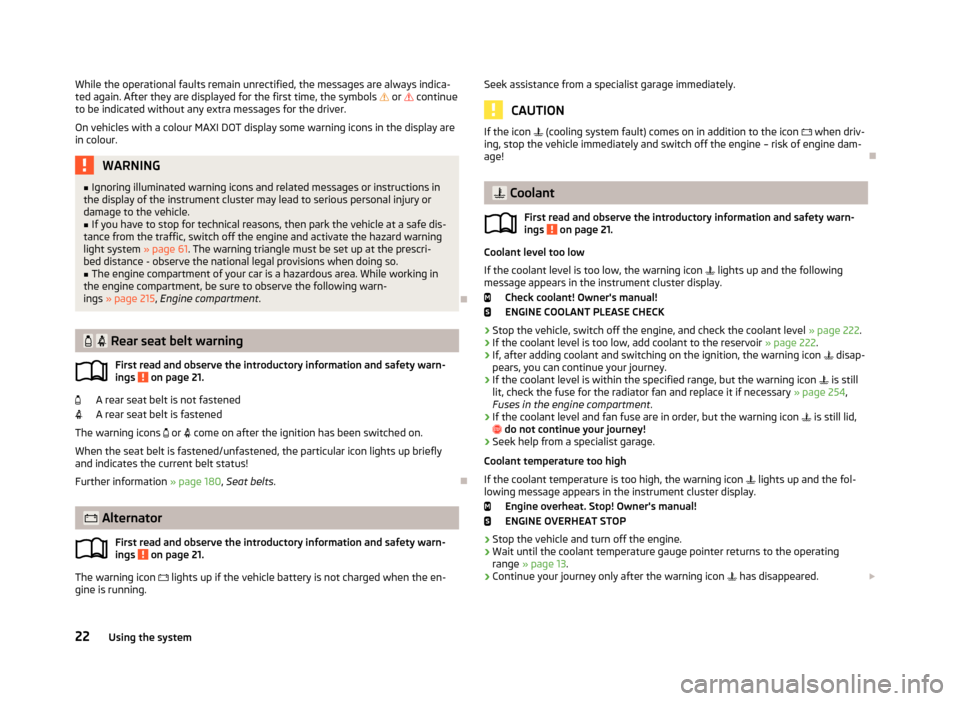
Rear seat belt warning
First read and observe the introductory information and safety warn-
ings
on page 21.
A rear seat belt is not fastened
A rear seat belt is fastened
The warning icons
or
come on after the ignition has been switched on.
When the seat belt is fastened/unfastened, the particular icon lights up briefly and indicates the current belt status!
Further information » page 180, Seat belts .
Alternator
First read and observe the introductory information and safety warn-
ings
on page 21.
The warning icon
lights up if the vehicle battery is not charged when the en-
gine is running.
Seek assistance from a specialist garage immediately.
CAUTION
If the icon (cooling system fault) comes on in addition to the icon when driv-
ing, stop the vehicle immediately and switch off the engine – risk of engine dam- age!
Coolant
First read and observe the introductory information and safety warn-ings
on page 21.
Coolant level too low
If the coolant level is too low, the warning icon
lights up and the following
message appears in the instrument cluster display.
Check coolant! Owner's manual!
ENGINE COOLANT PLEASE CHECK
› Stop the vehicle, switch off the engine, and check the coolant level
» page 222.
› If the coolant level is too low, add coolant to the reservoir
» page 222.
› If, after adding coolant and switching on the ignition, the warning icon
disap-
pears, you can continue your journey.
› If the coolant level is within the specified range, but the warning icon
is still
lit, check the fuse for the radiator fan and replace it if necessary » page 254,
Fuses in the engine compartment .
› If the coolant level and fan fuse are in order, but the warning icon
is still lid,
do not continue your journey!
› Seek help from a specialist garage.
Coolant temperature too high
If the coolant temperature is too high, the warning icon
lights up and the fol-
lowing message appears in the instrument cluster display.
Engine overheat. Stop! Owner's manual!
ENGINE OVERHEAT STOP
› Stop the vehicle and turn off the engine.
› Wait until the coolant temperature gauge pointer returns to the operating
range » page 13 .
› Continue your journey only after the warning icon
has disappeared.
22Using the system
Page 26 of 287
WARNING■If you have to stop for technical reasons, then park the vehicle at a safe dis-
tance from the traffic, switch off the engine and switch on the hazard warning lights » page 61 . The warning triangle must be set up at the prescribed dis-
tance - observe the national legal provisions when doing so.■
Carefully open the coolant expansion bottle. If the engine is hot, the cooling
system is pressurized – risk of scalding! It is therefore best to allow the engine
to cool down before removing the cap.
■
Do not touch the radiator fan. The radiator fan may switch itself on auto-
matically even if the ignition is off.
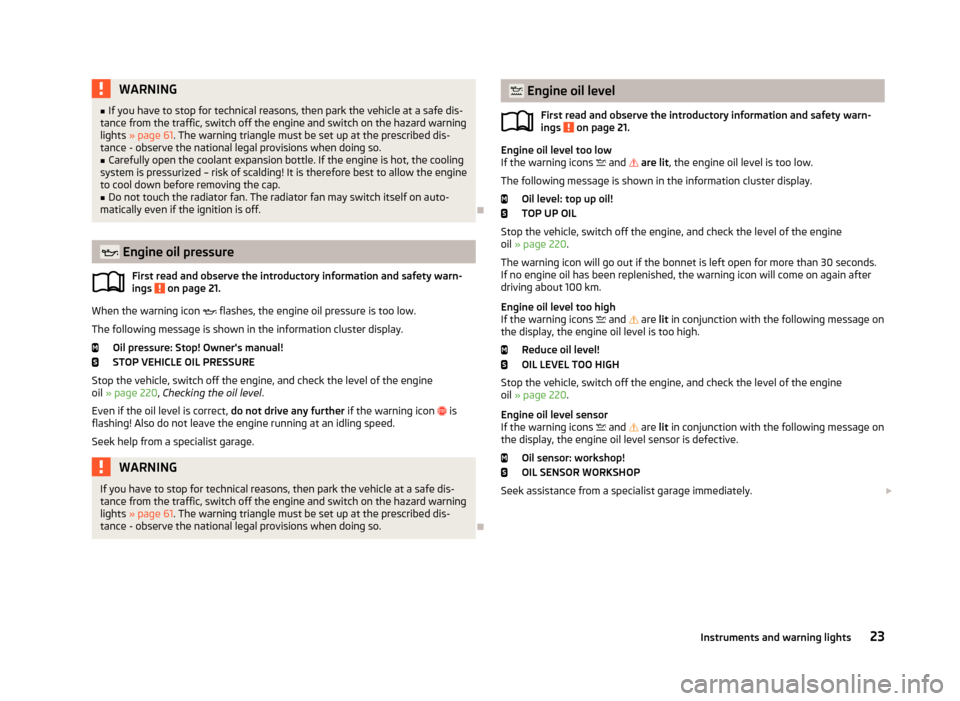
Engine oil pressure
First read and observe the introductory information and safety warn-
ings
on page 21.
When the warning icon
flashes, the engine oil pressure is too low.
The following message is shown in the information cluster display. Oil pressure: Stop! Owner's manual!
STOP VEHICLE OIL PRESSURE
Stop the vehicle, switch off the engine, and check the level of the engine
oil » page 220 , Checking the oil level .
Even if the oil level is correct, do not drive any further if the warning icon
is
flashing! Also do not leave the engine running at an idling speed.
Seek help from a specialist garage.
WARNINGIf you have to stop for technical reasons, then park the vehicle at a safe dis-
tance from the traffic, switch off the engine and switch on the hazard warning
lights » page 61 . The warning triangle must be set up at the prescribed dis-
tance - observe the national legal provisions when doing so.
Engine oil level
First read and observe the introductory information and safety warn-
ings
on page 21.
Engine oil level too low
If the warning icons and are lit , the engine oil level is too low.
The following message is shown in the information cluster display. Oil level: top up oil!
TOP UP OIL
Stop the vehicle, switch off the engine, and check the level of the engine
oil » page 220 .
The warning icon will go out if the bonnet is left open for more than 30 seconds.
If no engine oil has been replenished, the warning icon will come on again after
driving about 100 km.
Engine oil level too high
If the warning icons
and
are lit in conjunction with the following message on
the display, the engine oil level is too high.
Reduce oil level!
OIL LEVEL TOO HIGH
Stop the vehicle, switch off the engine, and check the level of the engine
oil » page 220 .
Engine oil level sensor
If the warning icons
and
are lit in conjunction with the following message on
the display, the engine oil level sensor is defective.
Oil sensor: workshop!
OIL SENSOR WORKSHOP
Seek assistance from a specialist garage immediately.
23Instruments and warning lights
Page 27 of 287
WARNING■Do not continue your journey if for some reason it is not possible to top up
the engine oil ! Switch off the engine and seek assistance from a specialist
garage.■
If you have to stop for technical reasons, then park the vehicle at a safe dis-
tance from the traffic, switch off the engine and switch on the hazard warning
lights » page 61 . The warning triangle must be set up at the prescribed dis-
tance - observe the national legal provisions when doing so.
Lamp failure
First read and observe the introductory information and safety warn-
ings
on page 21.
The warning icon
comes on if a bulb is faulty.
The following message is shown in the information cluster display, for example. Check right dipped headlight beam!
DIPPED HEADLIGHT CHECK RIGHT
Diesel particulate filter (diesel engine)
First read and observe the introductory information and safety warn-ings
on page 21.
The diesel particulate filter separates the soot particles from the exhaust. The
soot particles collect in the diesel particulate filter where they are burnt on a reg-
ular basis.
If the warning icon
illuminates, soot has accumulated in the diesel particulate
filter.
To clean the diesel particle filter, and where traffic conditions permit »
, drive
for at least 15 minutes or until the warning icon
goes out as follows.
› 4 or gear 5 engaged (automatic gearbox: Position D/S).
› Vehicle speed at least 70 km/h.
› Engine speed between 1800-2500 rpm.
If the filter is properly cleaned, the warning icon
goes out.
If the filter is not properly cleaned, the warning icon does not go out and the
warning icon begins to flash.
The following message is shown in the information cluster display. Diesel particulate filter: owner's manual!DIESEL PM FILTER OWNER MANUAL
Seek assistance from a specialist garage immediately.WARNING■ The diesel particle filter achieves very high temperatures. Therefore do not
park in areas where the hot filter can come into direct contact with dry grass
or other combustible materials – there is the risk of fire!■
Always adjust your speed to suit weather, road, region and traffic condi-
tions. The recommendations indicated by the warning light must not tempt
you to disregard the national regulations for road traffic.
CAUTION
■ As long as the warning icon lights up, you must take into account an in-
creased fuel consumption and in certain circumstances a power reduction of the
engine.■
Using diesel fuel with an increased sulphur content can considerably reduce the
life of the diesel particle filter. A ŠKODA partner will be able to tell you which
countries use diesel fuel with a high sulphur content.
Note
■ We encourage you to avoid constant short journeys. This will improve the com-
bustion process of the soot particles in the diesel particulate filter.■
If the engine is turned off during the filter cleaning process or shortly after-
wards, the cooling fan may turn on automatically for a few minutes.
Windscreen washer fluid level
First read and observe the introductory information and safety warn-ings
on page 21.
If the windscreen washer fluid level is too low, the warning icon comes on.
24Using the system
Page 28 of 287
The following message is shown in the information cluster display.Top up washer fluid!
WASHER FLUID PLEASE TOP UP
Top up with liquid » page 218, Windscreen washer system .
Fuel reserve
First read and observe the introductory information and safety warn-ings
on page 21.
If the warning icon comes on, there is a fuel reserve of under about 7 litres left.
The following message is shown in the information cluster display. Please refuel. Range: ... km
PLEASE REFUEL
An audible signal sounds as a warning signal.
Note
The text in the display goes out after refuelling and driving a short distance.
Headlight assist
First read and observe the introductory information and safety warn-ings
on page 21.
The warning icon
is lit when the headlight assist is activated.
Further information » page 58, Headlight assist .
START-STOP-system
First read and observe the introductory information and safety warn- ings
on page 21.
The warning icons
indicate the state of the START-STOP system.
Further information » page 158, START-STOP .
Ice warning
First read and observe the introductory information and safety warn-ings
on page 21.
The warning icon draws your attention to the risk of ice.
Further information » page 27, Outside temperature .
Water in the fuel filter (diesel engine)
First read and observe the introductory information and safety warn-ings
on page 21.
The fuel filter with water separator, filters out dirt and water from the fuel.
If too much water is present in the separator, the following information appears on the instrument cluster display.
MAXI DOT display.
The indicator symbol illuminates.
Water in fuel filter. Owner's manual!
Segment display WATER IN FUEL FILTER
CAUTION
Seek assistance from a specialist garage immediately.
25Instruments and warning lights
Page 31 of 287
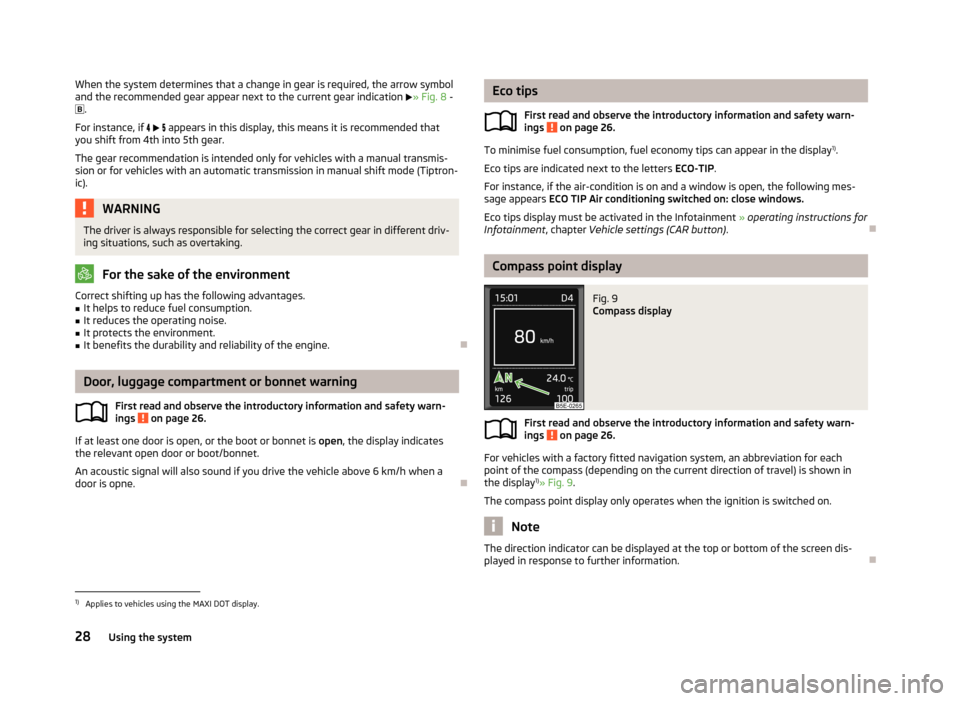
When the system determines that a change in gear is required, the arrow symboland the recommended gear appear next to the current gear indication » Fig. 8 -
.
For instance, if appears in this display, this means it is recommended that
you shift from 4th into 5th gear.
The gear recommendation is intended only for vehicles with a manual transmis-
sion or for vehicles with an automatic transmission in manual shift mode (Tiptron-
ic).WARNINGThe driver is always responsible for selecting the correct gear in different driv- ing situations, such as overtaking.
For the sake of the environment
Correct shifting up has the following advantages.■It helps to reduce fuel consumption.■
It reduces the operating noise.
■
It protects the environment.
■
It benefits the durability and reliability of the engine.
Door, luggage compartment or bonnet warning
First read and observe the introductory information and safety warn-ings
on page 26.
If at least one door is open, or the boot or bonnet is open, the display indicates
the relevant open door or boot/bonnet.
An acoustic signal will also sound if you drive the vehicle above 6 km/h when a
door is opne.
Eco tips
First read and observe the introductory information and safety warn-ings
on page 26.
To minimise fuel consumption, fuel economy tips can appear in the display 1)
.
Eco tips are indicated next to the letters ECO-TIP.
For instance, if the air-condition is on and a window is open, the following mes- sage appears ECO TIP Air conditioning switched on: close windows.
Eco tips display must be activated in the Infotainment » operating instructions for
Infotainment , chapter Vehicle settings (CAR button) .
Compass point display
Fig. 9
Compass display
First read and observe the introductory information and safety warn-
ings on page 26.
For vehicles with a factory fitted navigation system, an abbreviation for each
point of the compass (depending on the current direction of travel) is shown in the display 1)
» Fig. 9 .
The compass point display only operates when the ignition is switched on.
Note
The direction indicator can be displayed at the top or bottom of the screen dis-
played in response to further information.
1)
Applies to vehicles using the MAXI DOT display.
28Using the system
Page 33 of 287
Range
The range indicates the distance you can still drive with your vehicle based on the
level of fuel in the tank and the same style of driving as before.
The display is shown in steps of 10 km. After lighting up of the warning icon the
display is shown in steps of 5 km.
The fuel consumption over the last 50 km is used to calculate the range. The
range can increase if you drive in a more fuel-efficient manner.
Average fuel consumption
The average fuel consumption 1)
is calculated since the last time the memory was
erased.
If you wish to determine the average fuel consumption over a certain period of
time, you must set the memory at the start of the new measurement to zero » page 29 .
After erasing the memory, no fuel consumption data will appear for the first
100 m driven.
The indicated information is updated continuously while you are driving.
Current fuel consumption
You can use this information to adapt your driving style to the desired fuel con-
sumption 1)
.
The display appears in litres/hour if the vehicle is stationary or driving at a low
speed 2)
.
Oil temperature
If the engine oil temperature is in the range 80-110 °C, the engine operating tem-
perature is reached.
If the oil temperature is lower than 80 °C or above 110 °C, avoid high engine revs,
full throttle and high engine loads.
If the oil temperature is lower than 50 °C or if a fault in the system for checking the oil temperature is present,
are displayed instead of the oil temperature.
Warning against excessive speeds
Set the speed limit, for example, for the maximum permissible speed in
town » page 31 .Traffic sign recognition
The display can show up to three of the following traffic signs simultaneously.
› Speed limits (including additional signs).
› Overtaking prohibited.
Further information » page 166, Traffic sign recognition .
Current driving speed
The current speed displayed is identical to the display on the speedometer3
» Fig. 2 on page 11.
Average speed
The average speed since the memory was last erased is displayed in km/hour .
To determine the average speed over a certain period of time, set the memory to
zero at the start of the measurement » page 29.
After erasing the memory, no data will appear for the first 300 m driven. The indicated information is updated continuously while you are driving.
Distance travelled
The distance travelled since the memory was last erased is displayed.
If you want to measure the distance travelled from a particular moment in time on, at this moment, reset the memory by setting the button to zero » page 29.
The maximum distance indicated is 9999 km. The indicator is automatically set
back to zero if this period is exceeded.
Driving time
The time travelled since the memory was last erased is displayed.
If you want to measure the time travelled from a particular moment in time on, at this moment, reset the memory by setting the button to zero » page 29.
The maximum distance indicated is 99 hours and 59 minutes. The indicator is au- tomatically set back to zero if this period is exceeded.
Convenience consumers
There, the total consumption of all consumer comfort in l / h is displayed.
1)
The units for the displayed consumption are set in the Infotainment
» Bedienungsanleitung Infotain-
ment, chapter Device settings .
2)
On some models in certain countries, the display appears in --,- kilometres/litres if the vehicle is sta-
tionary.
30Using the system
Page 39 of 287
Vehicle keyFig. 11
Key: without/with remote control
First read and observe the introductory information and safety warn- ings
on page 35.
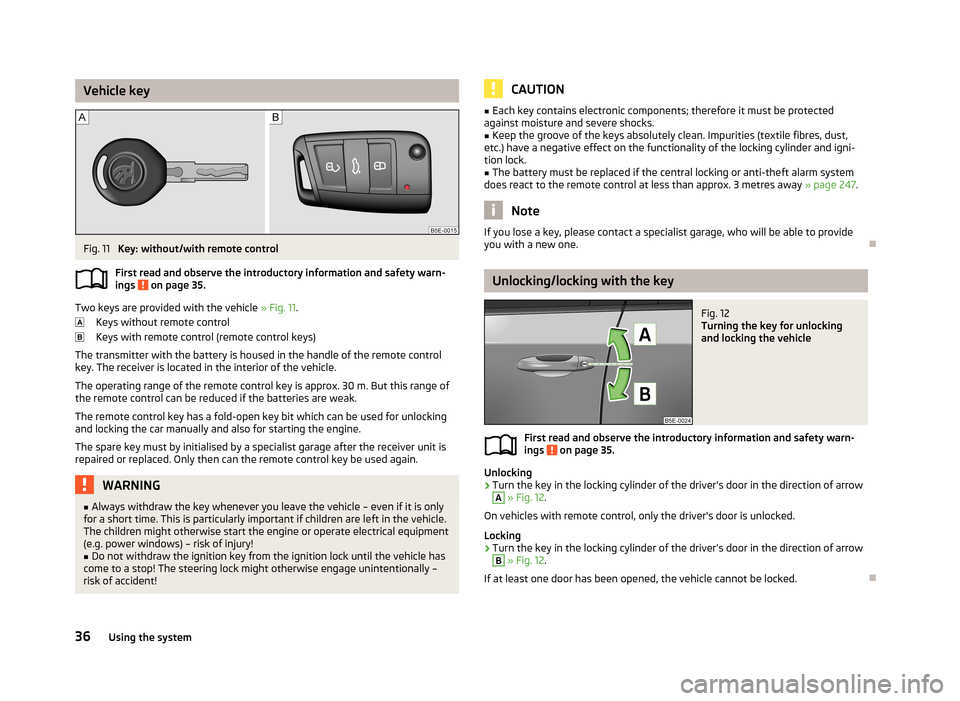
Two keys are provided with the vehicle » Fig. 11.
Keys without remote control
Keys with remote control (remote control keys)
The transmitter with the battery is housed in the handle of the remote control key. The receiver is located in the interior of the vehicle.
The operating range of the remote control key is approx. 30 m. But this range ofthe remote control can be reduced if the batteries are weak.
The remote control key has a fold-open key bit which can be used for unlocking
and locking the car manually and also for starting the engine.
The spare key must by initialised by a specialist garage after the receiver unit is repaired or replaced. Only then can the remote control key be used again.
WARNING■ Always withdraw the key whenever you leave the vehicle – even if it is only
for a short time. This is particularly important if children are left in the vehicle.
The children might otherwise start the engine or operate electrical equipment
(e.g. power windows) – risk of injury!■
Do not withdraw the ignition key from the ignition lock until the vehicle has
come to a stop! The steering lock might otherwise engage unintentionally – risk of accident!
CAUTION■ Each key contains electronic components; therefore it must be protected
against moisture and severe shocks.■
Keep the groove of the keys absolutely clean. Impurities (textile fibres, dust,
etc.) have a negative effect on the functionality of the locking cylinder and igni-
tion lock.
■
The battery must be replaced if the central locking or anti-theft alarm system
does react to the remote control at less than approx. 3 metres away » page 247.
Note
If you lose a key, please contact a specialist garage, who will be able to provide
you with a new one.
Unlocking/locking with the key
Fig. 12
Turning the key for unlocking
and locking the vehicle
First read and observe the introductory information and safety warn-
ings on page 35.
Unlocking
›
Turn the key in the locking cylinder of the driver's door in the direction of arrow
A
» Fig. 12 .
On vehicles with remote control, only the driver's door is unlocked.
Locking
›
Turn the key in the locking cylinder of the driver's door in the direction of arrow
B
» Fig. 12 .
If at least one door has been opened, the vehicle cannot be locked.
36Using the system
Page 62 of 287
Information message
The messages and information are indicated in the instrument cluster display. Fault: Light Assist
LIGHT ASSIST FAULT
Seek help from a specialist garage. Light Assist: clean the windscreen!
WINDSCREEN PLEASE CLEAN
Check for any obstacles on the windscreen in the viewing area of the camera.WARNINGHeadlight assist only functions as a support and does not relieve the driver of
his responsibility to check the headlights and light beam and, if necessary, to
switch on the lights depending on the light conditions. Manual operation may be required in the following situations.■
Poor visibility conditions, e.g. fog, heavy rain, thick snowfall.
■
The oncoming traffic is partially blocked on roads or motorways.
■
Passing poorly lit road users, e.g. cyclists.
■
Driving around “sharp” curves.
■
Driving on sharp slopes up/large inclines.
■
Driving through poorly-lit locations.
■
Driving over highly reflective surfaces.
■
The windscreen around the camera is dirty, iced up, misted up, or covered by
stickers.
■
Near the camera lens there is a light source, such as the screen of an exter-
nal navigation system.
CAUTION
Do not attach any stickers or similar objects to the windscreen to avoid impairing
the functions of the Assist system.Fog lightsFig. 32
Light switch
First read and observe the introductory information and safety warn-
ings on page 54.
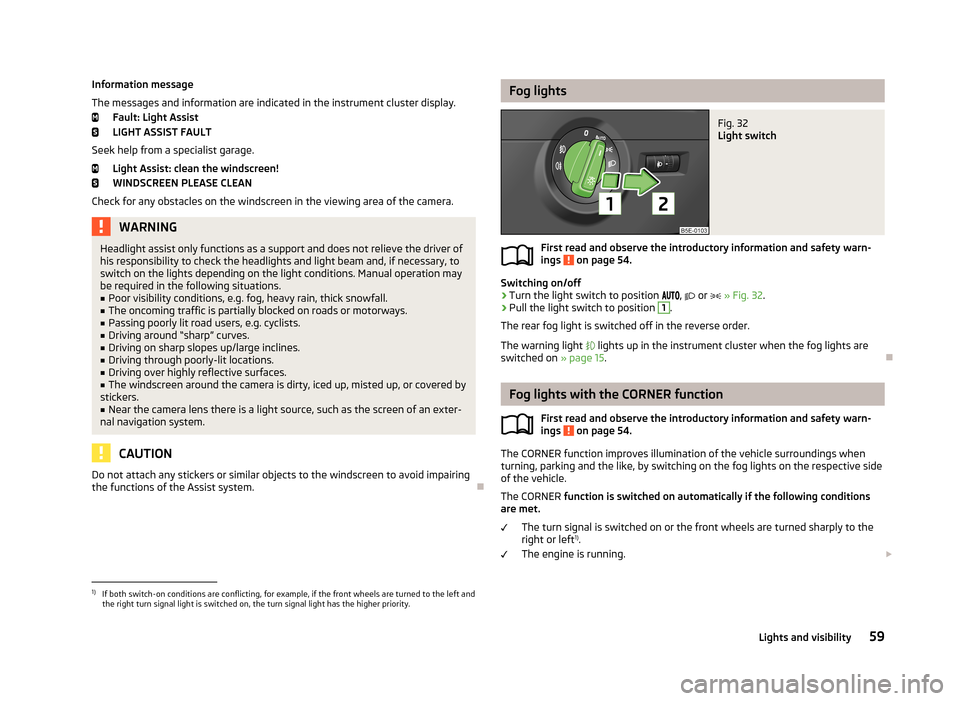
Switching on/off
›
Turn the light switch to position
,
or
» Fig. 32 .
›
Pull the light switch to position
1
.
The rear fog light is switched off in the reverse order.
The warning light
lights up in the instrument cluster when the fog lights are
switched on » page 15.
Fog lights with the CORNER function
First read and observe the introductory information and safety warn-ings
on page 54.
The CORNER function improves illumination of the vehicle surroundings when
turning, parking and the like, by switching on the fog lights on the respective side
of the vehicle.
The CORNER function is switched on automatically if the following conditions
are met.
The turn signal is switched on or the front wheels are turned sharply to the
right or left 1)
.
The engine is running.
1)
If both switch-on conditions are conflicting, for example, if the front wheels are turned to the left and
the right turn signal light is switched on, the turn signal light has the higher priority.
59Lights and visibility