fuel SMART FORTWO 2016 User Guide
[x] Cancel search | Manufacturer: SMART, Model Year: 2016, Model line: FORTWO, Model: SMART FORTWO 2016Pages: 214, PDF Size: 4.93 MB
Page 92 of 214
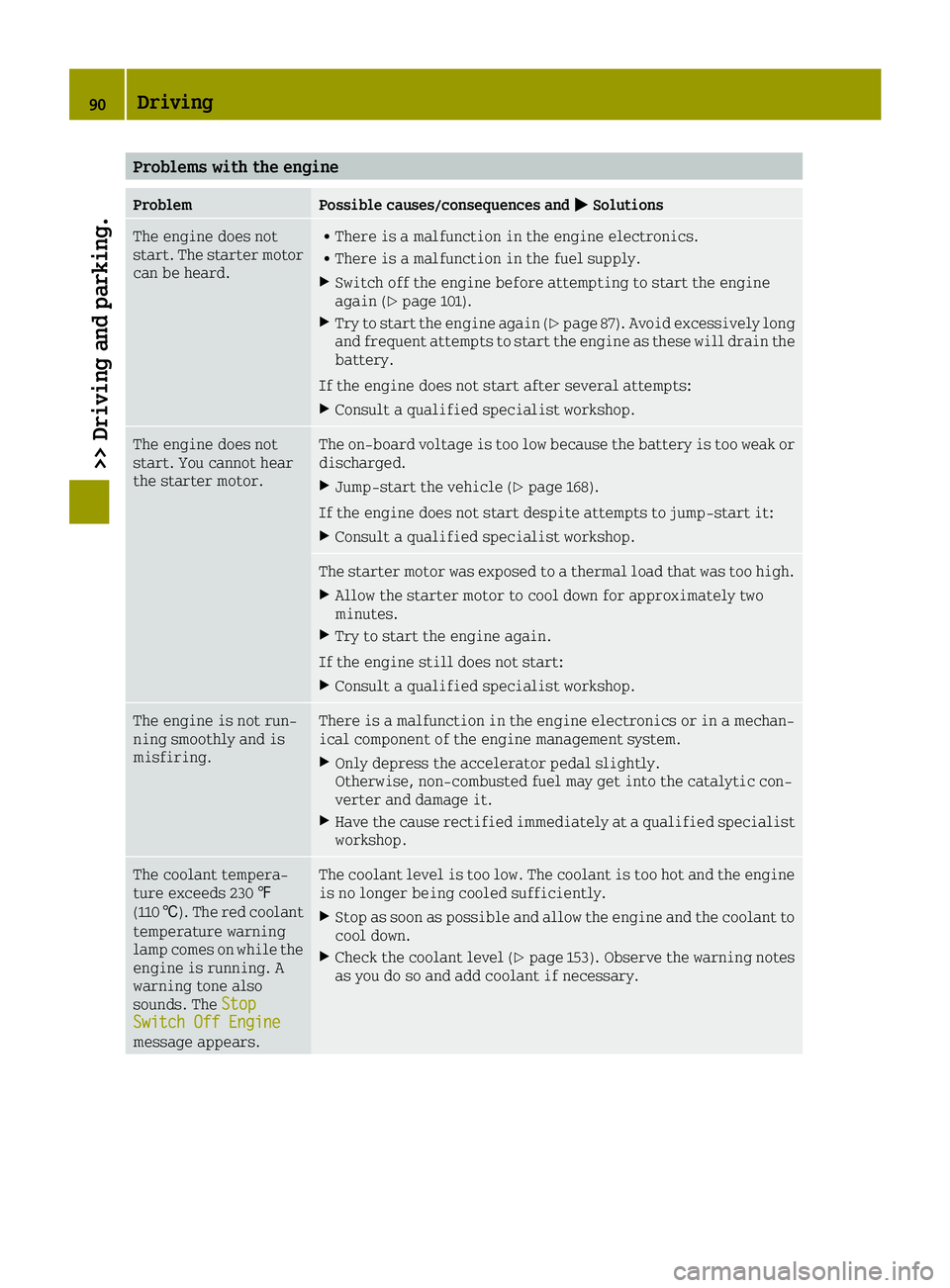
Problems with the engine
ProblemPossible causes/consequences and0050Solutions
The engine does not
start. The starter motor
can be heard.RThere is a malfunction in the engine electronics.
RThere is a malfunction in the fuel supply.
XSwitch off the engine before attempting to start the engine
again (Ypage 101).
XTry to start the engine again (Ypage 87). Avoid excessively long
and frequent attempts to start the engine as these will drain the
battery.
If the engine does not start after several attempts:
XConsult a qualified specialist workshop.
The engine does not
start. You cannot hear
the starter motor.The on-board voltage is too low because the battery is too weak or
discharged.
XJump-start the vehicle (Ypage 168).
If the engine does not start despite attempts to jump-start it:
XConsult a qualified specialist workshop.
The starter motor was exposed to a thermal load that was too high.
XAllow the starter motor to cool down for approximately two
minutes.
XTry to start the engine again.
If the engine still does not start:
XConsult a qualified specialist workshop.
The engine is not run-
ning smoothly and is
misfiring.There is a malfunction in the engine electronics or in a mechan-
ical component of the engine management system.
XOnly depress the accelerator pedal slightly.
Otherwise, non-combusted fuel may get into the catalytic con-
verter and damage it.
XHave the cause rectified immediately at a qualified specialist
workshop.
The coolant tempera-
ture exceeds 230 ‡
(110 †). The red coolant
temperature warning
lamp comes on while the
engine is running. A
warning tone also
sounds. The Stop
Switch Off Enginemessage appears.
The coolant level is too low. The coolant is too hot and the engine
is no longer being cooled sufficiently.
XStop as soon as possible and allow the engine and the coolant to
cool down.
XCheck the coolant level (Ypage 153). Observe the warning notes
as you do so and add coolant if necessary.
90Driving
>> Driving and parking.
Page 96 of 214
Kickdown
If you want maximum acceleration, use kick-
down:
XDepress the accelerator pedal beyond the
pressure point.
The automatic transmission shifts to a
lower gear depending on the engine speed.
XEase off the accelerator pedal once the
desired speed is reached.
The automatic transmission shifts back up.
Rocking the vehicle free
Shifting the transmission repeatedly
between gearsDand Rmay help to free the
vehicle if it has become stuck in slush or
snow.
XShift the selector lever alternately
between positions Dand R.
The vehicle's engine management system lim-
its the speed to a maximum of 5 mph (9 km/h)
when shifting back and forth.
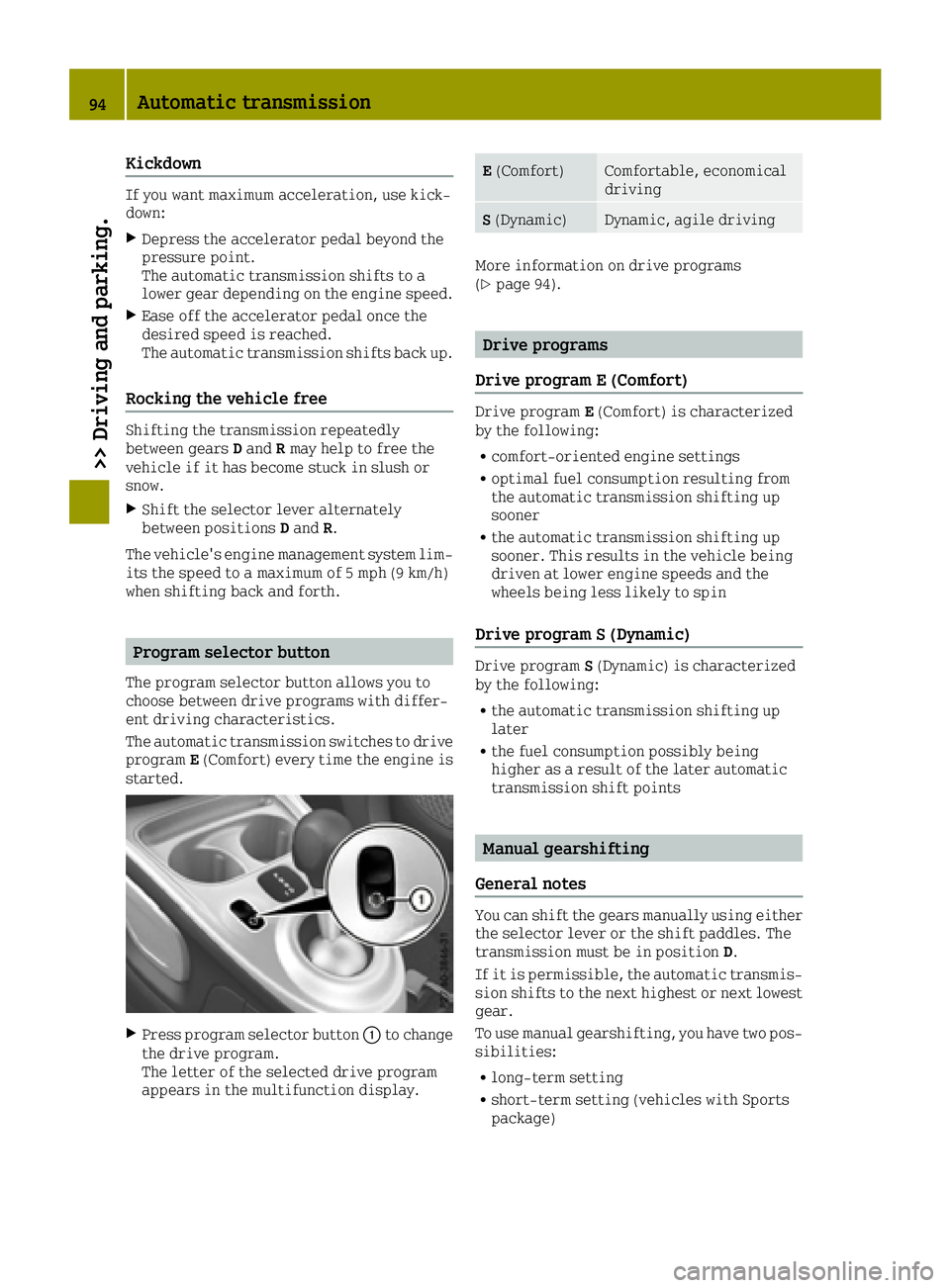
Program selector button
The program selector button allows you to
choose between drive programs with differ-
ent driving characteristics.
The automatic transmission switches to drive
program E(Comfort) every time the engine is
started.
XPress program selector button 0043to change
the drive program.
The letter of the selected drive program
appears in the multifunction display.
E (Comfort)Comfortable, economical
driving
S(Dynamic)Dynamic, agile driving
More information on drive programs
(Ypage 94).
Drive programs
Drive program E (Comfort)
Drive program E(Comfort) is characterized
by the following:
Rcomfort-oriented engine settings
Roptimal fuel consumption resulting from
the automatic transmission shifting up
sooner
Rthe automatic transmission shifting up
sooner. This results in the vehicle being
driven at lower engine speeds and the
wheels being less likely to spin
Drive program S (Dynamic)
Drive program S(Dynamic) is characterized
by the following:
Rthe automatic transmission shifting up
later
Rthe fuel consumption possibly being
higher as a result of the later automatic
transmission shift points
Manual gearshifting
General notes
You can shift the gears manually using either
the selector lever or the shift paddles. The
transmission must be in position D.
If it is permissible, the automatic transmis-
sion shifts to the next highest or next lowest
gear.
To use manual gearshifting, you have two pos-
sibilities:
Rlong-term setting
Rshort-term setting (vehicles with Sports
package)
94Automatic transmission
>> Driving and parking.
Page 99 of 214
Problems with the transmission
ProblemPossible causes/consequences and0050Solutions
The transmission has
problems shifting
gear.The transmission is losing oil.
XHave the transmission checked at a qualified specialist work-
shop immediately.
The acceleration abil-
ity is deteriorating.
The transmission no
longer shifts into all of
the gears.
Reverse gear can no
longer be engaged.The transmission is in emergency mode.
XStop the vehicle.
XShift the transmission to position P.
XSwitch off the engine.
XWait at least ten seconds before restarting the engine.
XShift the transmission to positionD.
XHave the transmission checked at a qualified specialist work-
shop immediately.
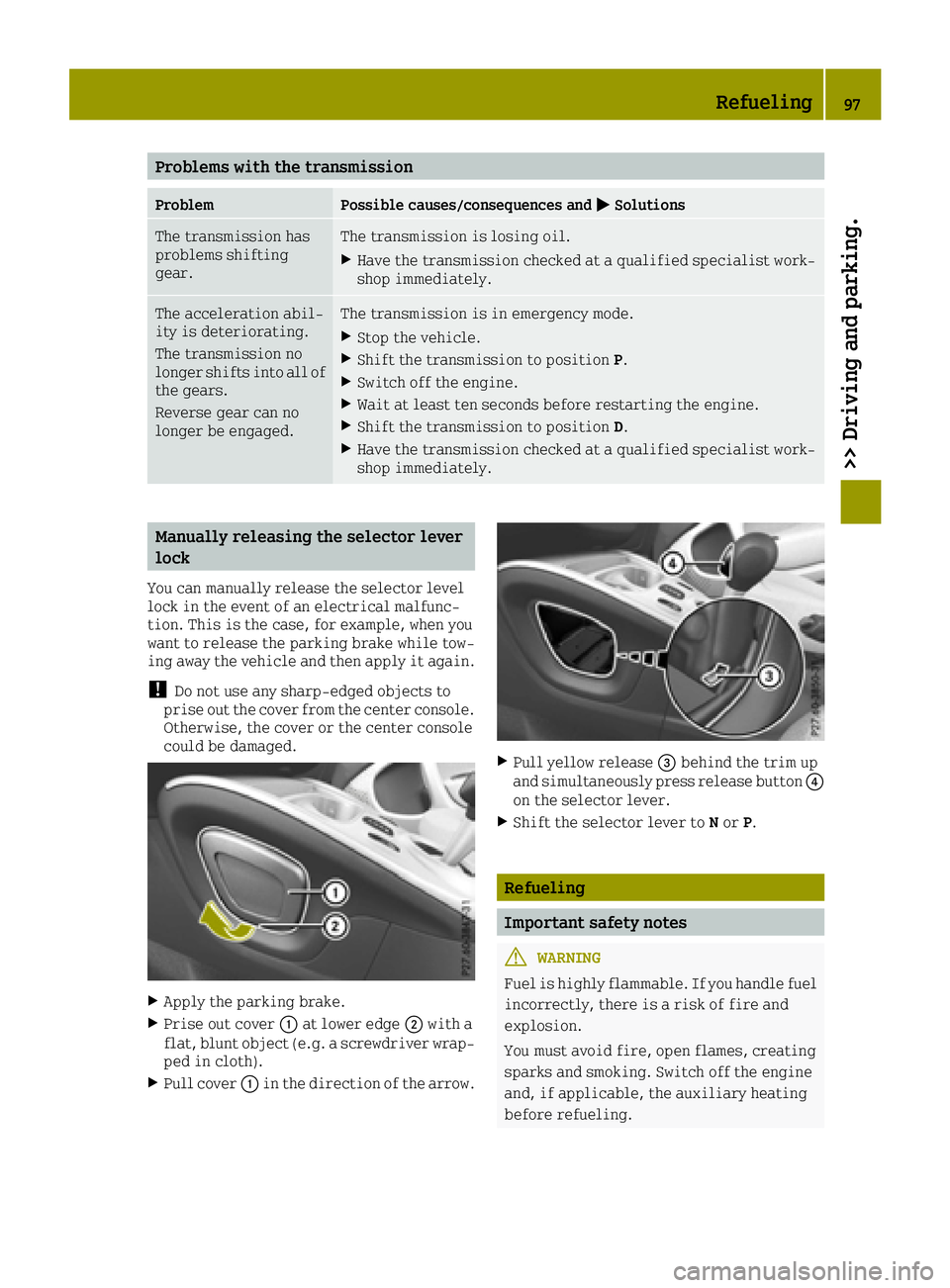
Manually releasing the selector lever
lock
You can manually release the selector level
lock in the event of an electrical malfunc-
tion. This is the case, for example, when you
want to release the parking brake while tow-
ing away the vehicle and then apply it again.
!Do not use any sharp-edged objects to
prise out the cover from the center console.
Otherwise, the cover or the center console
could be damaged.
XApply the parking brake.
XPrise out cover 0043at lower edge 0044with a
flat, blunt object (e.g. a screwdriver wrap-
ped in cloth).
XPull cover 0043in the direction of the arrow.
XPull yellow release 0087behind the trim up
and simultaneously press release button 0085
on the selector lever.
XShift the selector lever to Nor P.
Refueling
Important safety notes
GWARNING
Fuel is highly flammable. If you handle fuel
incorrectly, there is a risk of fire and
explosion.
You must avoid fire, open flames, creating
sparks and smoking. Switch off the engine
and, if applicable, the auxiliary heating
before refueling.
Refueling97
>> Driving and parking.
Z
Page 100 of 214
GWARNING
Fuel is poisonous and hazardous to health.
There is a risk of injury.
You must make sure that fuel does not come
into contact with your skin, eyes or cloth-
ing and that it is not swallowed. Do not
inhale fuel vapors. Keep fuel away from
children.
If you or others come into contact with fuel,
observe the following:
RWash away fuel from skin immediately
using soap and water.
RIf fuel comes into contact with your eyes,
immediately rinse them thoroughly with
clean water. Seek medical assistance
without delay.
RIf fuel is swallowed, seek medical assis-
tance without delay. Do not induce vom-
iting.
RImmediately change out of clothing
which has come into contact with fuel.
GWARNING
Electrostatic buildup can create sparks
and ignite fuel vapors. There is a risk of
fire and explosion.
Always touch the vehicle body before open-
ing the fuel filler flap or touching the fuel
pump nozzle. Any existing electrostatic
buildup is thereby discharged.
Do not get into the vehicle again during the
refueling process. Otherwise, electrostatic
charge could build up again.
!Do not use diesel to refuel vehicles with a
gasoline engine. Do not switch on the igni-
tion if you accidentally refuel with the
wrong fuel. Otherwise, the fuel will enter
the fuel system. Even small amounts of the
wrong fuel could result in damage to the
fuel system and the engine. Notify a quali- fied specialist workshop and have the fuel
tank and fuel lines drained completely.
!Overfilling the fuel tank could damage
the fuel system.
!Take care not to spill any fuel on painted
surfaces. You could otherwise damage the
paintwork.
!Use a filter when refueling from a fuel
can. Otherwise, the fuel lines and/or
injection system could be blocked by par-
ticles from the fuel can.
If you overfill the fuel tank, fuel could spray
out when the fuel pump nozzle is removed.
For further information on fuel and fuel qual-
ity (
Ypage 207).
Refueling
General information
The fuel filler flap is unlocked or locked
automatically when you lock or unlock the
vehicle with the key.
The position of the fuel filler cap is dis-
played 00B6in the instrument cluster. The
arrow next to the filling pump indicates the
side of the vehicle.
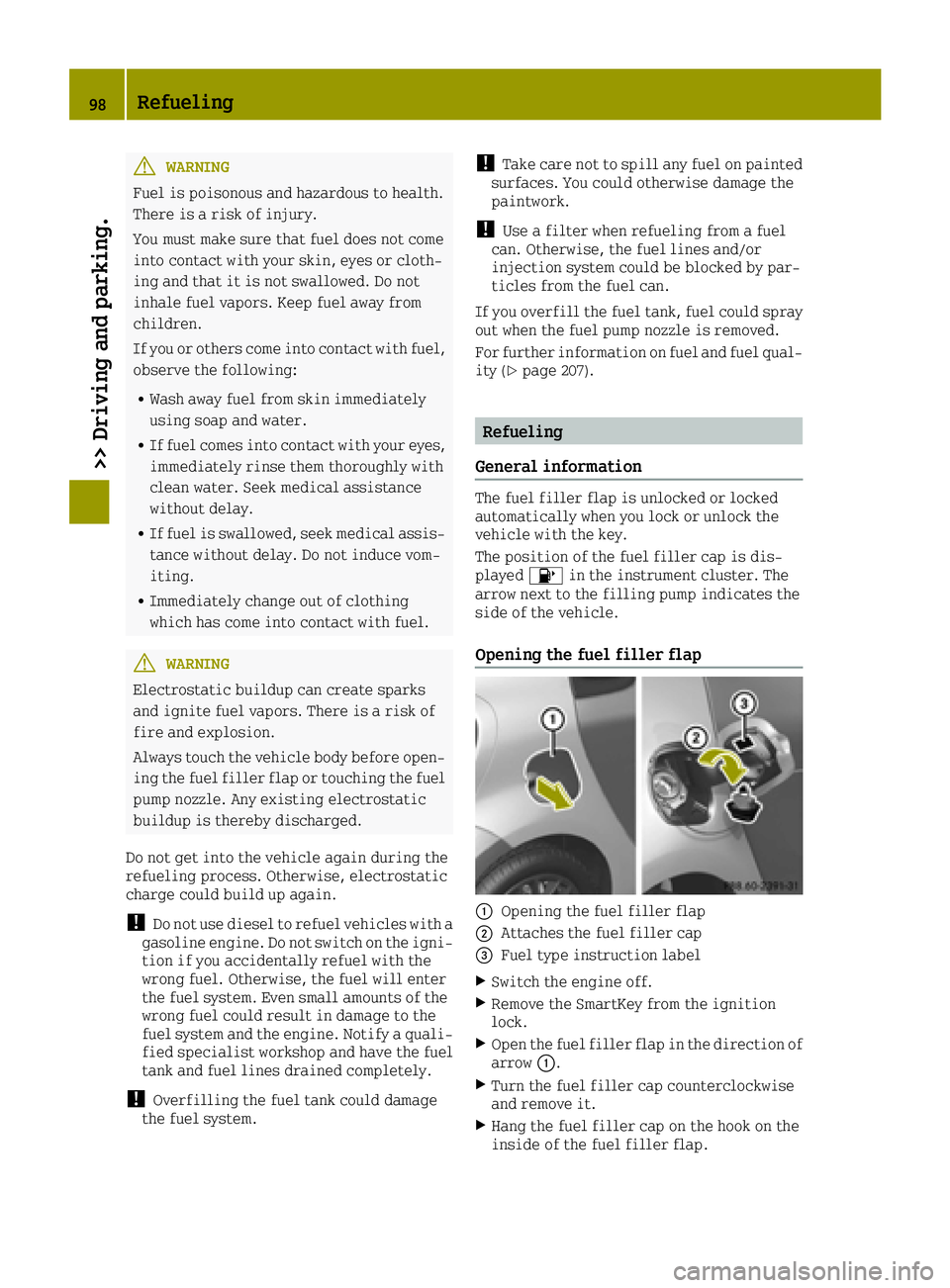
Opening the fuel filler flap
0043Opening the fuel filler flap
0044Attaches the fuel filler cap
0087Fuel type instruction label
XSwitch the engine off.
XRemove the SmartKey from the ignition
lock.
XOpen the fuel filler flap in the direction of
arrow 0043.
XTurn the fuel filler cap counterclockwise
and remove it.
XHang the fuel filler cap on the hook on the
inside of the fuel filler flap.
98Refueling
>> Driving and parking.
Page 101 of 214
XCompletely insert the filler neck of the
fuel pump nozzle into the tank, hook in
place and refuel.
XOnly fill the tank until the pump nozzle
switches off.
iDo not add any more fuel after the pump
stops filling for the first time. Otherwise,
fuel may leak out.
Closing the fuel filler flap
XReplace the cap on the filler neck and turn
clockwise until it engages audibly.
XClose the fuel filler flap.
iClose the fuel filler flap before locking
the vehicle.
iIf you are driving with the fuel filler cap
open, the 00B6reserve fuel warning lamp
flashes. A message appears in the multi-
function display (
Ypage 125).
In addition, the 00B9Check Engine warning
lamp may light up (
Ypage 136).
For further information on warning and
indicator lamps in the instrument cluster,
see (
Ypage 136).
Refueling99
>> Driving and parking.
Z
Page 102 of 214
Problems with fuel and fuel tank
ProblemPossible causes/consequences and0050Solutions
Fuel is leaking from the
vehicle.The fuel line or the fuel tank is faulty.
GWARNING
Risk of explosion or fire.
XTurn the key to position 0in the ignition lock and remove it
immediately (Ypage 87).
XDo not restart the engine under any circumstances.
XConsult a qualified specialist workshop.
The fuel filler flap
cannot be opened.The fuel filler flap is not unlocked.
XUnlock the vehicle (Ypage 51).
The SmartKey battery is discharged or nearly discharged.
XUnlock the vehicle using the key element in the emergency lock
(Ypage 55).
The fuel filler flap is unlocked, but the opening mechanism is
jammed.
XConsult a qualified specialist workshop.
Parking
Important safety notes
GWARNING
Flammable material such as leaves, grass or
twigs may ignite if they come into contact
with hot parts of the exhaust system or
exhaust gas flow. There is a risk of fire.
Park the vehicle so that no flammable mate- rials come into contact with parts of the
vehicle which are hot. Take particular care
not to park on dry grassland or harvested
grain fields.
GWARNING
If you leave children unsupervised in the
vehicle, they could set it in motion by, for example:
Rrelease the parking brake.
Rshift the automatic transmission out of
park position Por shift manual trans-
mission into neutral.
Rstart the engine.
In addition, they may operate vehicle
equipment and become trapped. There is a
risk of an accident and injury.
When leaving the vehicle, always take the
SmartKey with you and lock the vehicle.
Never leave children unsupervised in the
vehicle.
!Always secure the vehicle correctly
against rolling away. Otherwise, the vehi-
cle or its drivetrain could be damaged.
100Parking
>> Driving and parking.
Page 104 of 214
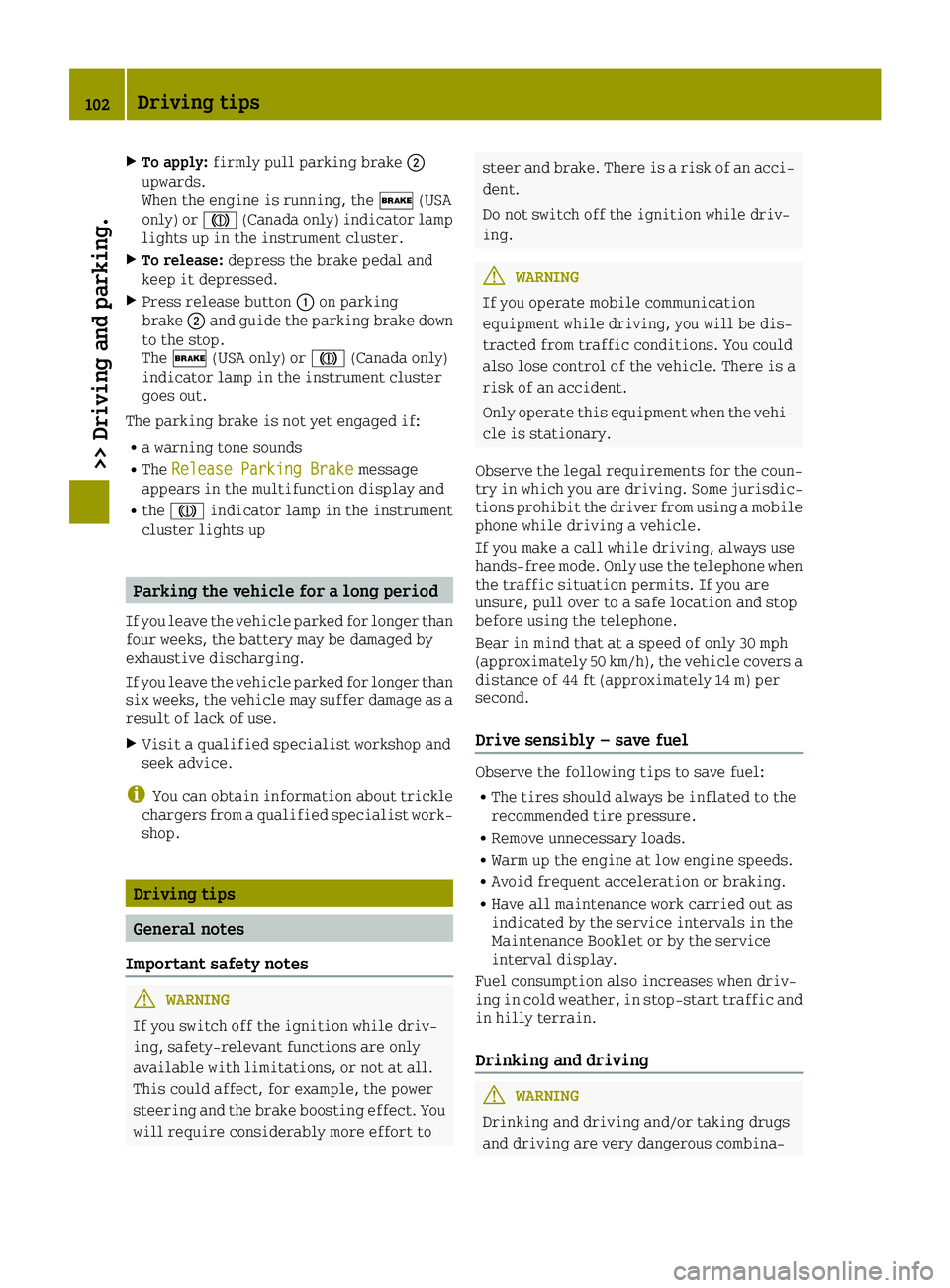
XTo apply:firmly pull parking brake 0044
upwards.
When the engine is running, the 0027(USA
only) or 004D(Canada only) indicator lamp
lights up in the instrument cluster.
XTo release: depress the brake pedal and
keep it depressed.
XPress release button 0043on parking
brake 0044and guide the parking brake down
to the stop.
The 0027 (USA only) or 004D(Canada only)
indicator lamp in the instrument cluster
goes out.
The parking brake is not yet engaged if:
Ra warning tone sounds
RThe Release Parking Brakemessage
appears in the multifunction display and
Rthe 004D indicator lamp in the instrument
cluster lights up
Parking the vehicle for a long period
If you leave the vehicle parked for longer than
four weeks, the battery may be damaged by
exhaustive discharging.
If you leave the vehicle parked for longer than
six weeks, the vehicle may suffer damage as a
result of lack of use.
XVisit a qualified specialist workshop and
seek advice.
iYou can obtain information about trickle
chargers from a qualified specialist work-
shop.
Driving tips
General notes
Important safety notes
GWARNING
If you switch off the ignition while driv-
ing, safety-relevant functions are only
available with limitations, or not at all.
This could affect, for example, the power
steering and the brake boosting effect. You will require considerably more effort to
steer and brake. There is a risk of an acci-dent.
Do not switch off the ignition while driv-
ing.
GWARNING
If you operate mobile communication
equipment while driving, you will be dis-
tracted from traffic conditions. You could
also lose control of the vehicle. There is a
risk of an accident.
Only operate this equipment when the vehi- cle is stationary.
Observe the legal requirements for the coun-
try in which you are driving. Some jurisdic-
tions prohibit the driver from using a mobile
phone while driving a vehicle.
If you make a call while driving, always use
hands-free mode. Only use the telephone when
the traffic situation permits. If you are
unsure, pull over to a safe location and stop
before using the telephone.
Bear in mind that at a speed of only 30 mph
(approximately 50 km/h), the vehicle covers a
distance of 44 ft (approximately 14 m) per
second.
Drive sensibly – save fuel
Observe the following tips to save fuel:
RThe tires should always be inflated to the
recommended tire pressure.
RRemove unnecessary loads.
RWarm up the engine at low engine speeds.
RAvoid frequent acceleration or braking.
RHave all maintenance work carried out as
indicated by the service intervals in the
Maintenance Booklet or by the service
interval display.
Fuel consumption also increases when driv-
ing in cold weather, in stop-start traffic and
in hilly terrain.
Drinking and driving
GWARNING
Drinking and driving and/or taking drugs
and driving are very dangerous combina-
102Driving tips
>> Driving and parking.
Page 112 of 214
Changes in the outside temperature are dis-
played after a short delay.
You can set the temperature unit of the out-
door temperature display (
Ypage 116).
Fuel gauge
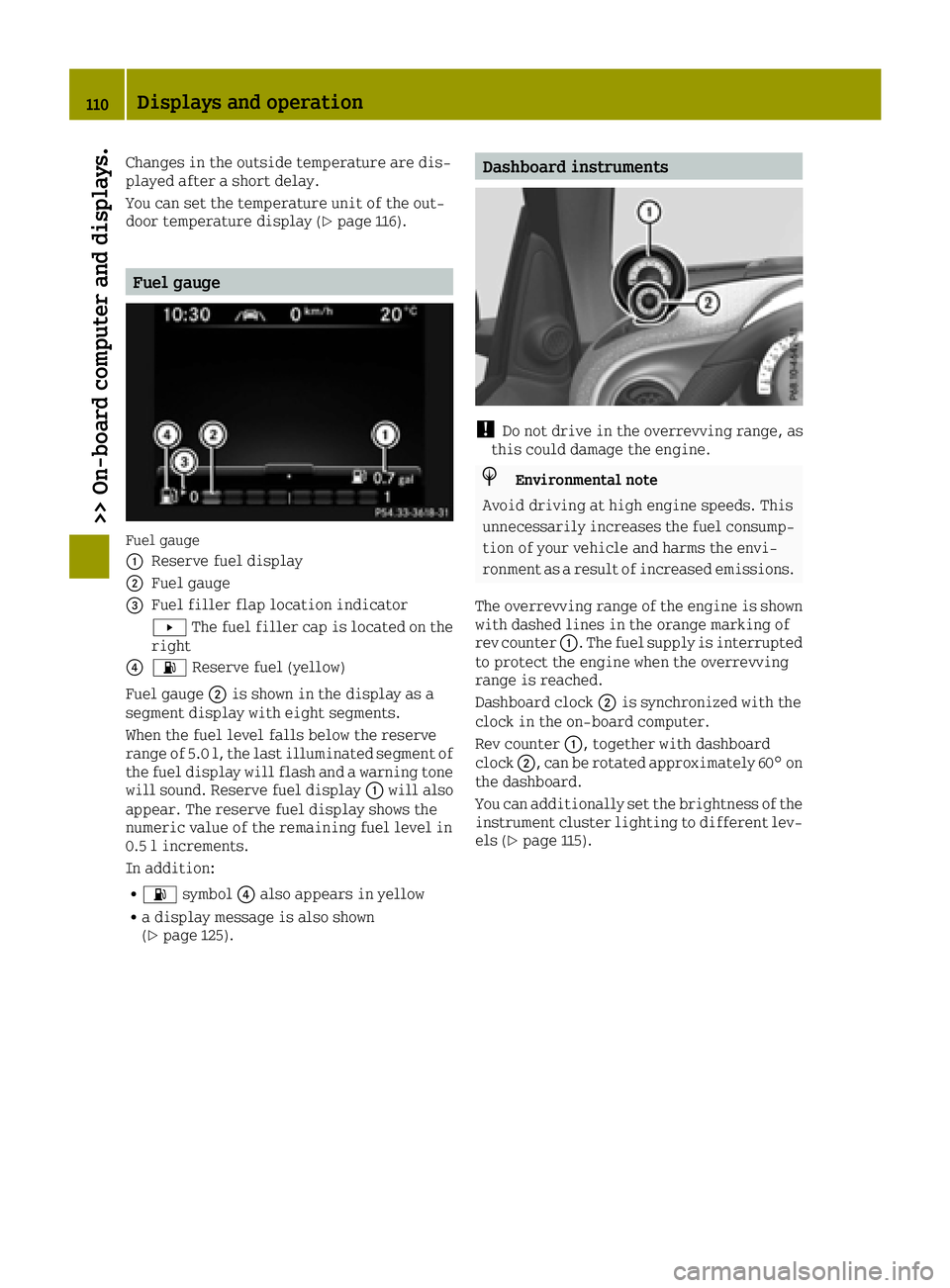
Fuel gauge
0043
Reserve fuel display
0044Fuel gauge
0087Fuel filler flap location indicator
0080The fuel filler cap is located on the
right
008500B4 Reserve fuel (yellow)
Fuel gauge 0044is shown in the display as a
segment display with eight segments.
When the fuel level falls below the reserve
range of 5.0 l, the last illuminated segment of
the fuel display will flash and a warning tone
will sound. Reserve fuel display 0043will also
appear. The reserve fuel display shows the
numeric value of the remaining fuel level in
0.5 l increments.
In addition:
R00B4 symbol 0085also appears in yellow
Ra display message is also shown
(Ypage 125).
Dashboard instruments
!Do not drive in the overrevving range, as
this could damage the engine.
HEnvironmental note
Avoid driving at high engine speeds. This
unnecessarily increases the fuel consump-
tion of your vehicle and harms the envi-
ronment as a result of increased emissions.
The overrevving range of the engine is shown with dashed lines in the orange marking of
rev counter 0043. The fuel supply is interrupted
to protect the engine when the overrevving
range is reached.
Dashboard clock 0044is synchronized with the
clock in the on-board computer.
Rev counter 0043, together with dashboard
clock 0044, can be rotated approximately 60° on
the dashboard.
You can additionally set the brightness of the
instrument cluster lighting to different lev-
els (
Ypage 115).
110Displays and operation
>> On-board computer and displays.
Page 113 of 214
Operating the on-board computer
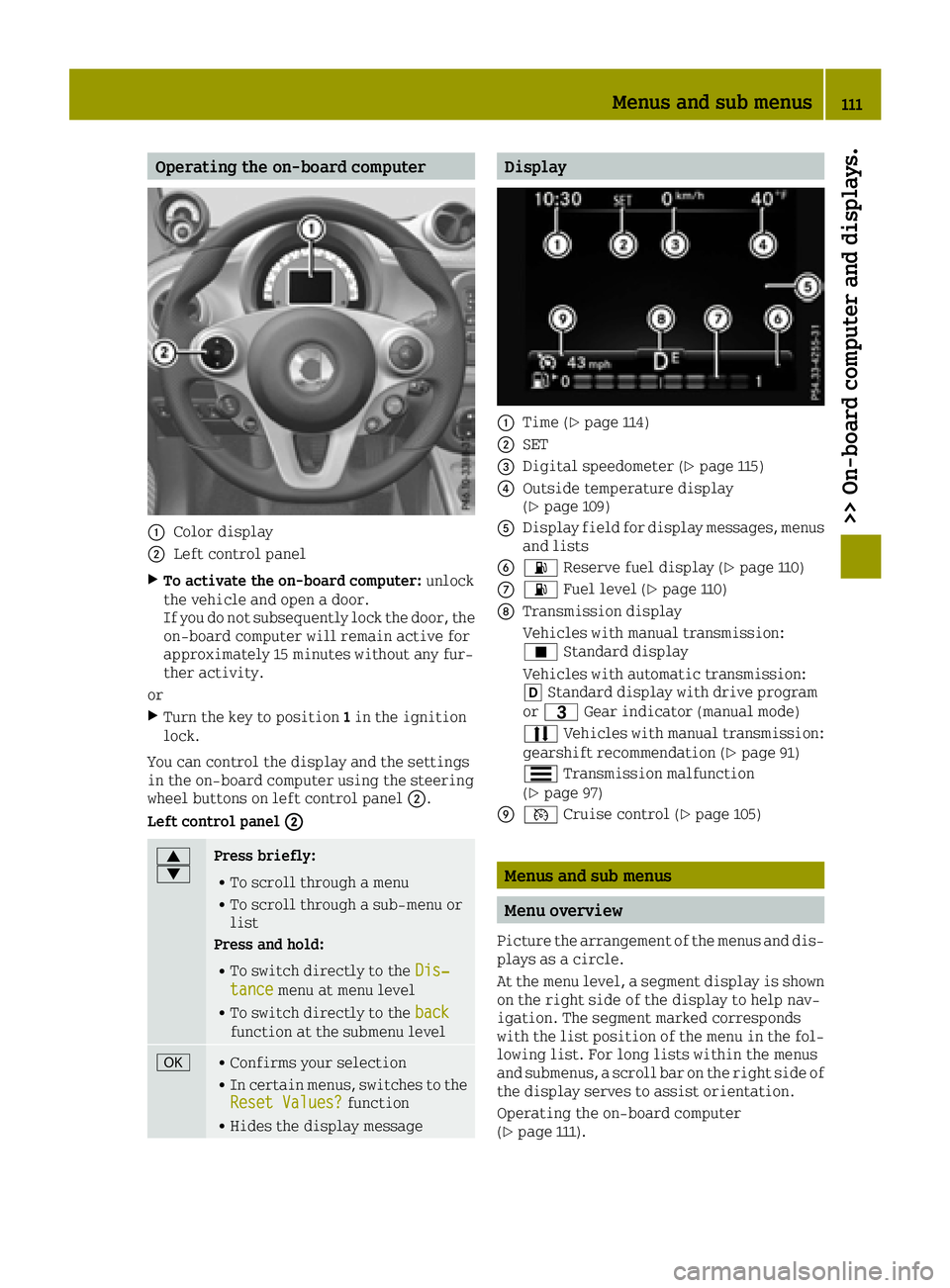
0043Color display
0044Left control panel
XTo activate the on-board computer:unlock
the vehicle and open a door.
If you do not subsequently lock the door, the
on-board computer will remain active for
approximately 15 minutes without any fur-
ther activity.
or
XTurn the key to position 1in the ignition
lock.
You can control the display and the settings
in the on-board computer using the steering
wheel buttons on left control panel 0044.
Left control panel 0044
0063
0064Press briefly:
RTo scroll through a menu
RTo scroll through a sub-menu or
list
Press and hold:
RTo switch directly to the Dis‐tancemenu at menu level
RTo switch directly to the backfunction at the submenu level
0076RConfirms your selection
RIn certain menus, switches to the
Reset Values?function
RHides the display message
Display
0043Time (Ypage 114)
0044SET
0087Digital speedometer (Ypage 115)
0085Outside temperature display
(Ypage 109)
0083Display field for display messages, menus
and lists
008400B4 Reserve fuel display (Ypage 110)
006B00B4Fuel level (Ypage 110)
006CTransmission display
Vehicles with manual transmission:
¿Standard display
Vehicles with automatic transmission:
005B Standard display with drive program
or 0040 Gear indicator (manual mode)
0078 Vehicles with manual transmission:
gearshift recommendation (
Ypage 91)
0079 Transmission malfunction
(
Ypage 97)
006D0085 Cruise control (Ypage 105)
Menus and sub menus
Menu overview
Picture the arrangement of the menus and dis-
plays as a circle.
At the menu level, a segment display is shown
on the right side of the display to help nav-
igation. The segment marked corresponds
with the list position of the menu in the fol-
lowing list. For long lists within the menus
and submenus, a scroll bar on the right side of
the display serves to assist orientation.
Operating the on-board computer
(
Ypage 111).
Menus and sub menus111
>> On-board computer and displays.
Z
Page 114 of 214
Depending on the vehicle equipment, you can
call up the following menus one after the
other:
RDistancemenu (Ypage 112)
Rfrom Starttrip computer menu
(Ypage 112)
Rfrom Resettrip computer menu
(Ypage 112)
RFuel consumptionmenu (Ypage 112)
RCoolant Temperaturemenu (Ypage 113)
RMessages and Servicemenu (Ypage 113)
RSettingsmenu (Ypage 114)
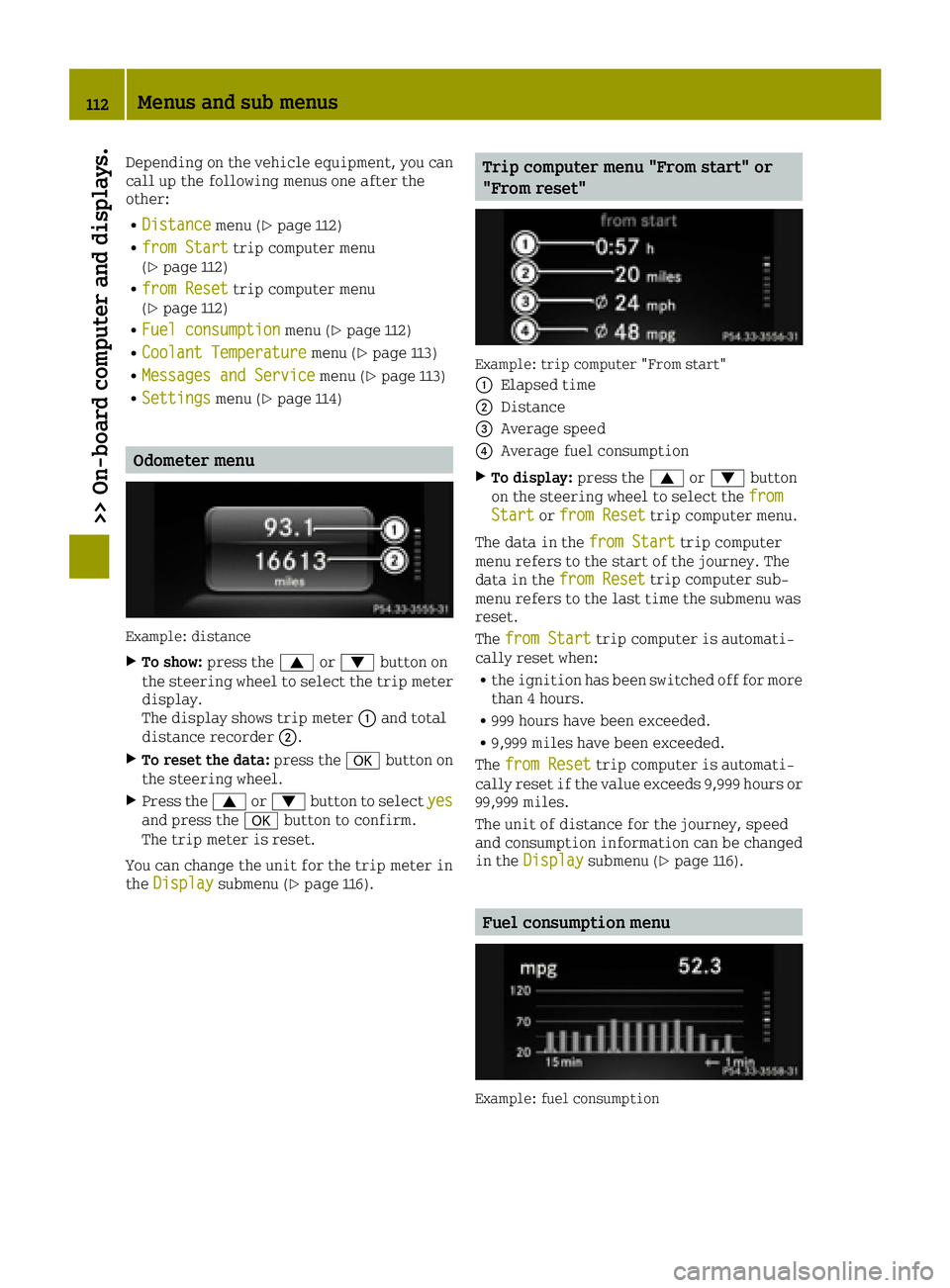
Odometer menu
Example: distance
XTo show: press the 0063or0064 button on
the steering wheel to select the trip meter display.
The display shows trip meter 0043and total
distance recorder 0044.
XTo reset the data:press the0076button on
the steering wheel.
XPress the 0063or0064 button to select yesand press the0076button to confirm.
The trip meter is reset.
You can change the unit for the trip meter in
the Display
submenu (Ypage 116).
Trip computer menu "From start" or
"From reset"
Example: trip computer "From start"
0043
Elapsed time
0044Distance
0087Average speed
0085Average fuel consumption
XTo display: press the0063or0064 button
on the steering wheel to select the from
Startorfrom Resettrip computer menu.
The data in the from Start
trip computer
menu refers to the start of the journey. The
data in the from Reset
trip computer sub-
menu refers to the last time the submenu was
reset.
The from Start
trip computer is automati-
cally reset when:
Rthe ignition has been switched off for more
than 4 hours.
R999 hours have been exceeded.
R9,999 miles have been exceeded.
The from Reset
trip computer is automati-
cally reset if the value exceeds 9,999 hours or 99,999 miles.
The unit of distance for the journey, speed
and consumption information can be changed
in the Display
submenu (Ypage 116).
Fuel consumption menu
Example: fuel consumption
112Menus and sub menus
>> On-board computer and displays.