fuel SMART FORTWO 2016 Owner's Manual
[x] Cancel search | Manufacturer: SMART, Model Year: 2016, Model line: FORTWO, Model: SMART FORTWO 2016Pages: 214, PDF Size: 4.93 MB
Page 115 of 214
XPress the0063or0064 button on the steer-
ing wheel to select the display of current
fuel consumption.
The display shows the fuel consumption over
the previous 15 minutes as a bar chart. The
display additionally shows the current fuel
consumption as a numeric value in the upper
right section of the display.
If you switch off the ignition, or change the
distance unit, the fuel consumption data is
deleted automatically.
You can change the distance unit in the Dis‐
playsubmenu (Ypage 116).
Coolant temperature menu
Under normal operating conditions and with
the specified coolant level, the coolant tem-
perature may rise to 230‡(110 †).
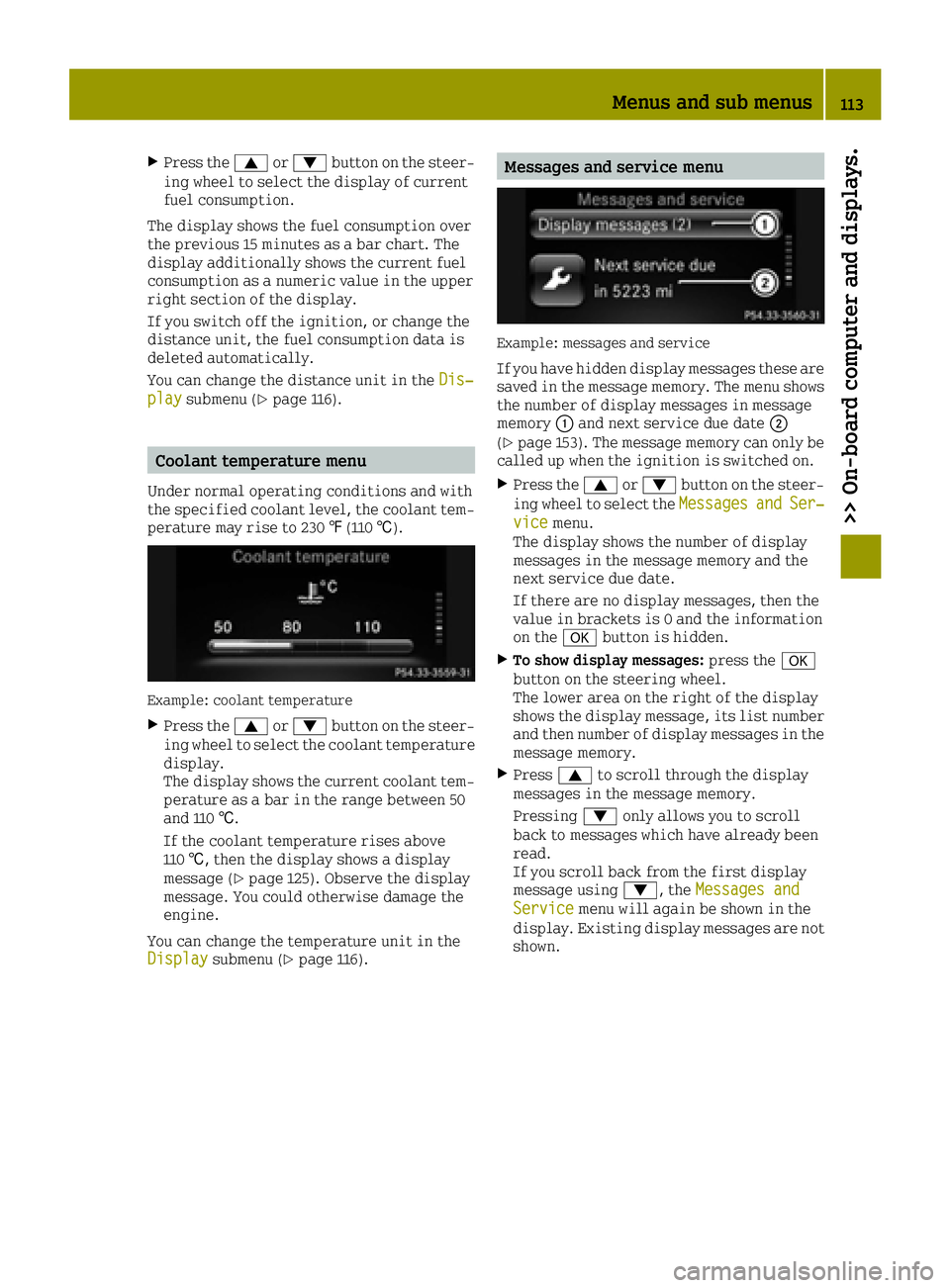
Example: coolant temperature
XPress the 0063or0064 button on the steer-
ing wheel to select the coolant temperature
display.
The display shows the current coolant tem-
perature as a bar in the range between 50
and 110 †.
If the coolant temperature rises above
110 †, then the display shows a display
message (
Ypage 125). Observe the display
message. You could otherwise damage the
engine.
You can change the temperature unit in the
Display
submenu (Ypage 116).
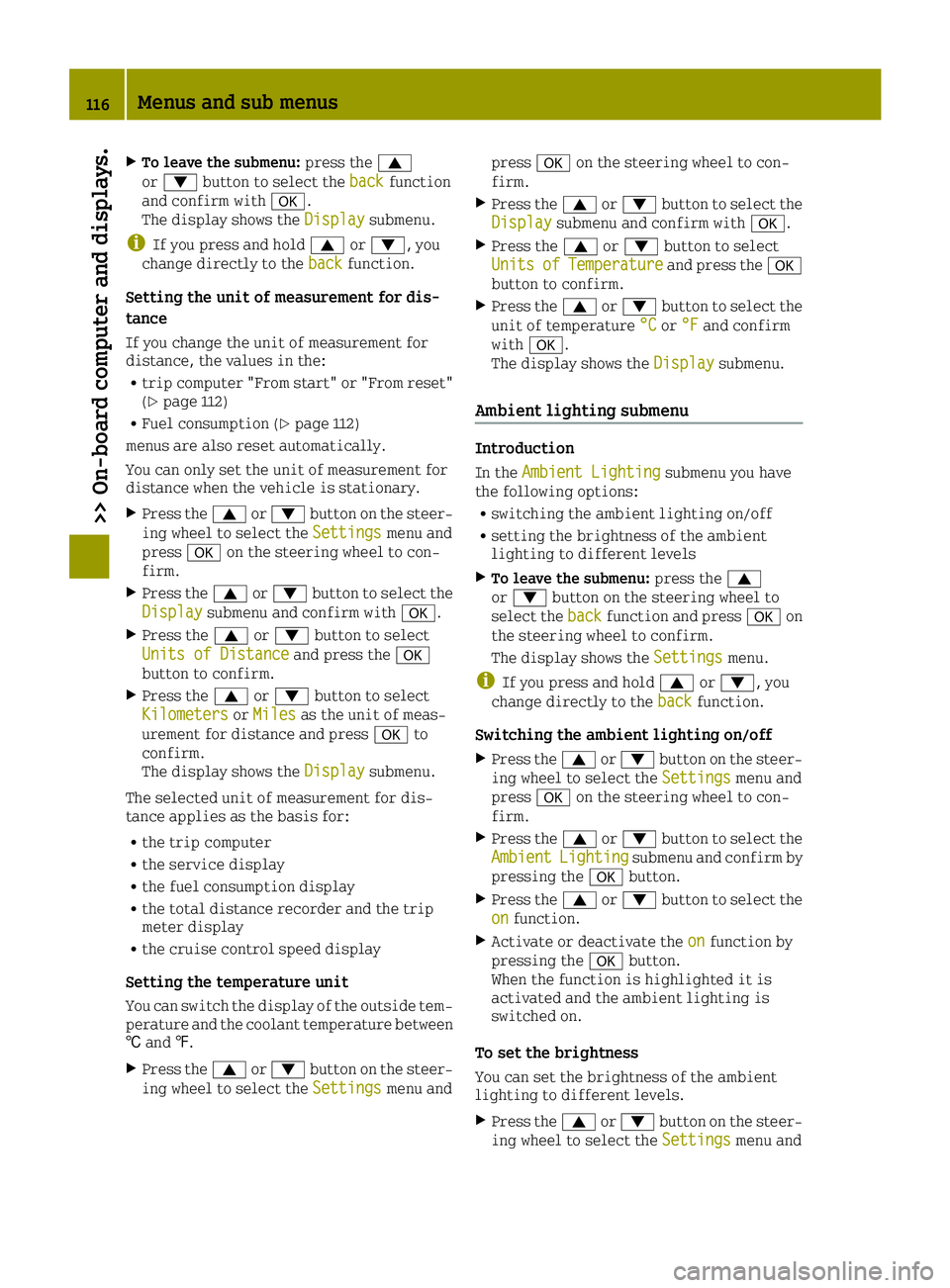
Messages and service menu
Example: messages and service
If you have hidden display messages these are
saved in the message memory. The menu shows
the number of display messages in message
memory 0043and next service due date 0044
(
Ypage 153). The message memory can only be
called up when the ignition is switched on.
XPress the 0063or0064 button on the steer-
ing wheel to select the MessagesandSer‐vicemenu.
The display shows the number of display
messages in the message memory and the
next service due date.
If there are no display messages, then the
value in brackets is 0 and the information
on the 0076button is hidden.
XTo show display messages: press the0076
button on the steering wheel.
The lower area on the right of the display
shows the display message, its list number
and then number of display messages in the
message memory.
XPress 0063to scroll through the display
messages in the message memory.
Pressing 0064only allows you to scroll
back to messages which have already been
read.
If you scroll back from the first display
message using 0064, theMessages and
Servicemenu will again be shown in the
display. Existing display messages are not
shown.
Menus and sub menus113
>> On-board computer and displays.
Z
Page 118 of 214
XTo leave the submenu:press the0063
or 0064 button to select the backfunction
and confirm with 0076.
The display shows the Display
submenu.
iIf you press and hold0063or0064, you
change directly to the backfunction.
Setting the unit of measurement for dis-
tance
If you change the unit of measurement for
distance, the values in the:
Rtrip computer "From start" or "From reset"
(Ypage 112)
RFuel consumption (Ypage 112)
menus are also reset automatically.
You can only set the unit of measurement for
distance when the vehicle is stationary.
XPress the 0063or0064 button on the steer-
ing wheel to select the Settingsmenu and
press 0076on the steering wheel to con-
firm.
XPress the 0063or0064 button to select the
Displaysubmenu and confirm with 0076.
XPress the0063or0064 button to select
Units of Distanceand press the 0076
button to confirm.
XPress the 0063or0064 button to select
Kilometersor Milesas the unit of meas-
urement for distance and press 0076to
confirm.
The display shows the Display
submenu.
The selected unit of measurement for dis-
tance applies as the basis for:
Rthe trip computer
Rthe service display
Rthe fuel consumption display
Rthe total distance recorder and the trip
meter display
Rthe cruise control speed display
Setting the temperature unit
You can switch the display of the outside tem-
perature and the coolant temperature between
† and ‡.
XPress the 0063or0064 button on the steer-
ing wheel to select the Settingsmenu andpress
0076on the steering wheel to con-
firm.
XPress the 0063or0064 button to select the
Displaysubmenu and confirm with 0076.
XPress the0063or0064 button to select
UnitsofTemperatureand press the 0076
button to confirm.
XPress the 0063or0064 button to select the
unit of temperature °Cor°Fand confirm
with 0076.
The display shows the Display
submenu.
Ambient lighting submenu
Introduction
In theAmbient Lightingsubmenu you have
the following options:
Rswitching the ambient lighting on/off
Rsetting the brightness of the ambient
lighting to different levels
XTo leave the submenu: press the0063
or 0064 button on the steering wheel to
select the back
function and press 0076on
the steering wheel to confirm.
The display shows the Settings
menu.
iIf you press and hold0063or0064, you
change directly to the backfunction.
Switching the ambient lighting on/off
XPress the0063or0064 button on the steer-
ing wheel to select the Settingsmenu and
press 0076on the steering wheel to con-
firm.
XPress the 0063or0064 button to select the
AmbientLightingsubmenu and confirm by
pressing the 0076button.
XPress the 0063or0064 button to select the
onfunction.
XActivate or deactivate the onfunction by
pressing the 0076button.
When the function is highlighted it is
activated and the ambient lighting is
switched on.
To set the brightness
You can set the brightness of the ambient
lighting to different levels.
XPress the 0063or0064 button on the steer-
ing wheel to select the Settingsmenu and
116Menus and sub menus
>> On-board computer and displays.
Page 126 of 214
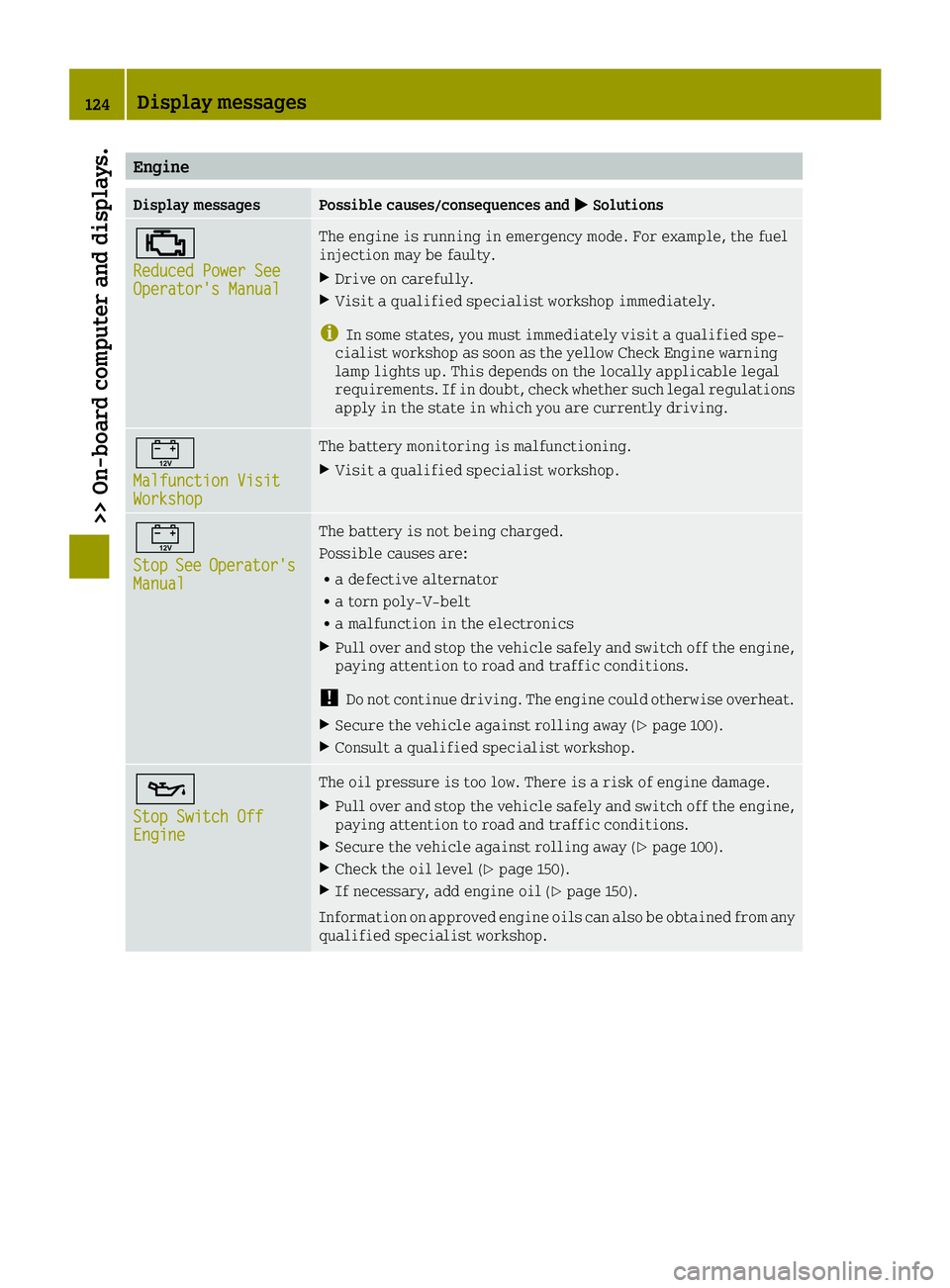
Engine
Display messagesPossible causes/consequences and0050Solutions
00B9
Reduced Power SeeOperator's Manual
The engine is running in emergency mode. For example, the fuel
injection may be faulty.
XDrive on carefully.
XVisit a qualified specialist workshop immediately.
iIn some states, you must immediately visit a qualified spe-
cialist workshop as soon as the yellow Check Engine warning
lamp lights up. This depends on the locally applicable legal
requirements. If in doubt, check whether such legal regulations
apply in the state in which you are currently driving.
00EF
Malfunction VisitWorkshop
The battery monitoring is malfunctioning.
XVisit a qualified specialist workshop.
00EF
StopSeeOperator'sManual
The battery is not being charged.
Possible causes are:
Ra defective alternator
Ra torn poly-V-belt
Ra malfunction in the electronics
XPull over and stop the vehicle safely and switch off the engine,
paying attention to road and traffic conditions.
!Do not continue driving. The engine could otherwise overheat.
XSecure the vehicle against rolling away (Ypage 100).
XConsult a qualified specialist workshop.
00B3
Stop Switch OffEngine
The oil pressure is too low. There is a risk of engine damage.
XPull over and stop the vehicle safely and switch off the engine,
paying attention to road and traffic conditions.
XSecure the vehicle against rolling away (Ypage 100).
XCheck the oil level (Ypage 150).
XIf necessary, add engine oil (Ypage 150).
Information on approved engine oils can also be obtained from any
qualified specialist workshop.
124Display messages
>> On-board computer and displays.
Page 127 of 214
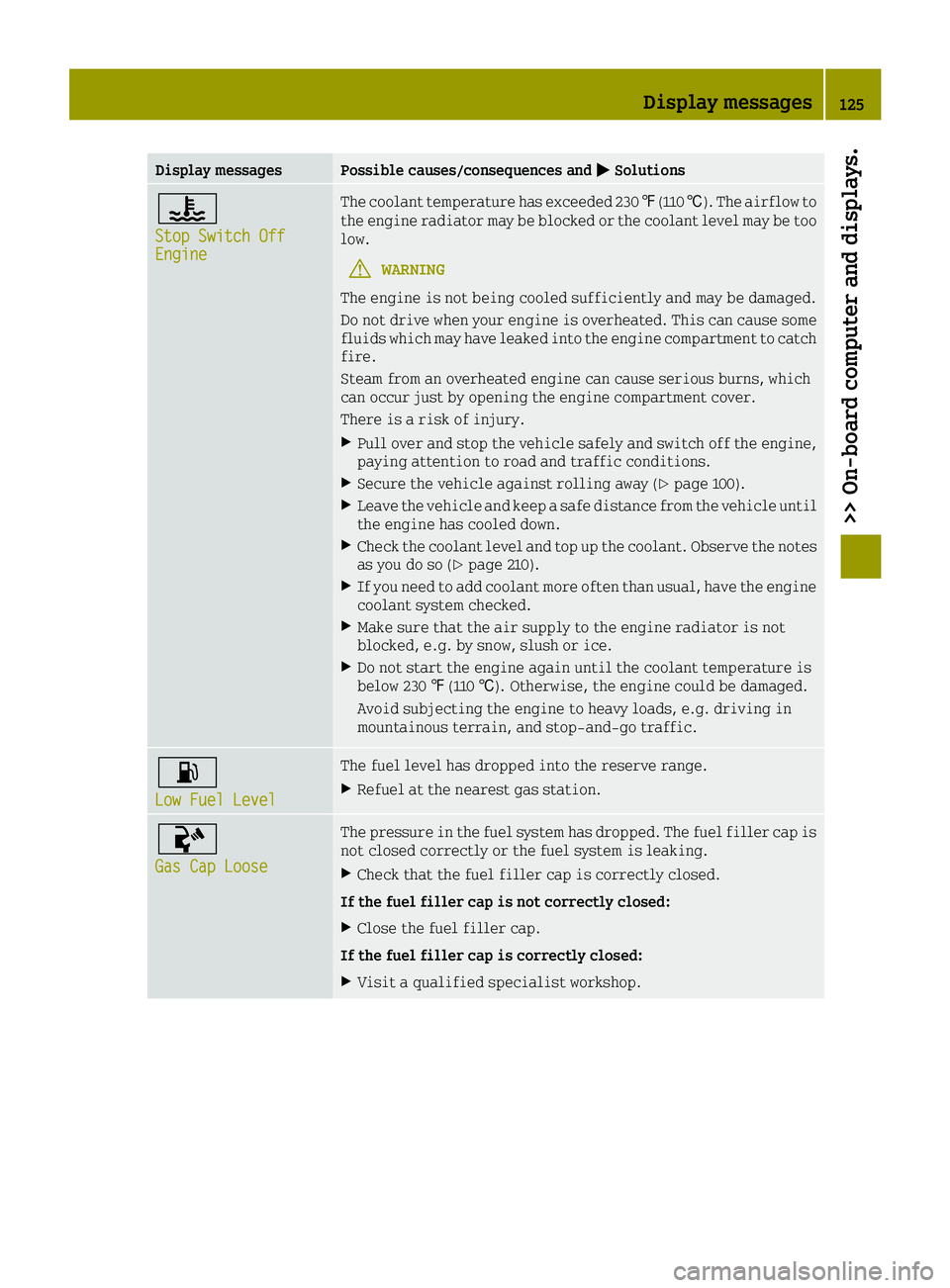
Display messagesPossible causes/consequences and0050Solutions
00AC
Stop Switch OffEngine
The coolant temperature has exceeded 230 ‡(110 †). The airflow to
the engine radiator may be blocked or the coolant level may be too
low.
GWARNING
The engine is not being cooled sufficiently and may be damaged.
Do not drive when your engine is overheated. This can cause some
fluids which may have leaked into the engine compartment to catch
fire.
Steam from an overheated engine can cause serious burns, which
can occur just by opening the engine compartment cover.
There is a risk of injury.
XPull over and stop the vehicle safely and switch off the engine,
paying attention to road and traffic conditions.
XSecure the vehicle against rolling away (Ypage 100).
XLeave the vehicle and keep a safe distance from the vehicle until
the engine has cooled down.
XCheck the coolant level and top up the coolant. Observe the notes
as you do so (Ypage 210).
XIf you need to add coolant more often than usual, have the engine coolant system checked.
XMake sure that the air supply to the engine radiator is not
blocked, e.g. by snow, slush or ice.
XDo not start the engine again until the coolant temperature is
below 230 ‡(110 †). Otherwise, the engine could be damaged.
Avoid subjecting the engine to heavy loads, e.g. driving in
mountainous terrain, and stop-and-go traffic.
00B4
Low Fuel Level
The fuel level has dropped into the reserve range.
XRefuel at the nearest gas station.
00AC
Gas Cap Loose
The pressure in the fuel system has dropped. The fuel filler cap is
not closed correctly or the fuel system is leaking.
XCheck that the fuel filler cap is correctly closed.
If the fuel filler cap is not correctly closed:
XClose the fuel filler cap.
If the fuel filler cap is correctly closed:
XVisit a qualified specialist workshop.
Display messages125
>> On-board computer and displays.
Z
Page 138 of 214
ProblemPossible causes/consequences and0050Solutions
^
The yellow distance
warning function warn-
ing lamp comes on
while the vehicle is
moving.The distance warning function is malfunctioning or temporarily
inoperative. Possible causes are:
Rthe smart logo in the radiator trim is dirty.
Rfunction is impaired due to heavy rain or snow.
Rthe radar sensor system is temporarily inoperative, e.g. due to
electromagnetic radiation emitted by nearby TV or radio sta-
tions or other sources of electromagnetic radiation.
Rthe system is outside the operating temperature range.
RThe on-board voltage is too low.
If the causes listed above no longer apply, the distance warning
function is operational again.
If the distance warning lamp continues to light up, the distance
warning function electronics are malfunctioning.
XVisit a qualified specialist workshop.
00BA
The red distance warn-
ing lamp lights up
while the vehicle is in
motion. A warning tone
also sounds.You are approaching a vehicle or a stationary obstacle in your line
of travel at too high a speed.
XBe prepared to brake immediately.
XPay careful attention to the traffic situation. You may have to
brake or take evasive action.
Further information on the distance warning function (
Ypage 48).
Engine
ProblemPossible causes/consequences and 0050Solutions
00B9
The yellow Check
Engine warning lamp
flashes while the
engine is running.The ignition system is malfunctioning. The engine is misfiring,
for example, which means the catalytic converter could become
damaged.
XVisit a qualified specialist workshop immediately.
iIn some states, you must immediately visit a qualified spe-
cialist workshop as soon as the yellow Check Engine warning
lamp lights up. This depends on the locally applicable legal
requirements. If in doubt, check whether such legal regulations
apply in the state in which you are currently driving.
00B9
The yellow Check
Engine warning lamp
lights up while the
engine is running. The
engine power output is
also reduced.The engine is running in emergency mode. This may lead to a mal-
functioning of the fuel injection system, for example.
XDrive on carefully.
XVisit a qualified specialist workshop immediately.
iIn some states, you must immediately visit a qualified spe-
cialist workshop as soon as the yellow Check Engine warning
lamp lights up. This depends on the locally applicable legal
requirements. If in doubt, check whether such legal regulations
apply in the state in which you are currently driving.
136Warning and indicator lamps in the instrument cluster
>> On-board computer and displays.
Page 139 of 214
ProblemPossible causes/consequences and0050Solutions
00B9
The yellow Check
Engine warning lamp
lights up while the
engine is running.There may be a malfunction, for example:
Rin the engine management
Rin the exhaust system
Rin the fuel system
Rwith the accelerator pedal sensor
XVisit a qualified specialist workshop immediately.
iIn some states, you must immediately visit a qualified spe-
cialist workshop as soon as the yellow Check Engine warning
lamp lights up. This depends on the locally applicable legal
requirements. If in doubt, check whether such legal regulations
apply in the state in which you are currently driving.
00EF
The red battery warning
lamp is lit while the
engine is running. A
warning tone also
sounds.The battery is not being charged.
Possible causes are:
Ra defective alternator
Rthe battery is faulty
Ra torn poly-V-belt
Ra malfunction in the electronics
XPull over and stop the vehicle safely and switch off the engine,
paying attention to road and traffic conditions.
!Do not continue driving. The engine could otherwise overheat.
XSecure the vehicle against rolling away (Ypage 100).
XConsult a qualified specialist workshop.
Warning and indicator lamps in the instrument cluster137
>> On-board computer and displays.
Z
Page 158 of 214
Do not use power washers with circular jet
nozzles to clean the vehicle. Have damaged
tires or chassis components replaced
immediately.
!Always maintain a distance of at least
11.8 in (30 cm) between the vehicle and the
power washer nozzle. Information about the
correct distance is available from the
equipment manufacturer.
Move the power washer nozzle around when
cleaning your vehicle.
Do not aim directly at any of the following:
Rtires
Rdoor gaps, roof gaps, joints, etc.
Relectrical components
Rbattery
Rconnectors
Rlights
Rseals
Rtrim
Rventilation slots
Damaged seals or electrical components
can lead to leaks or failures.
Cleaning the paintwork
!Do not affix:
Rstickers
Rfilms
Rmagnetic plates or similar items
to painted surfaces. You could otherwise
damage the paintwork.
XRemove dirt immediately, where possible,
while avoiding rubbing too hard.
XSoak insect remains with insect remover
and rinse off the treated areas afterwards.
XSoak bird droppings with water and rinse
off the treated areas afterwards.
XRemove coolant, brake fluid, tree resin,
oils, fuels and greases by rubbing gently
with a cloth soaked in petroleum ether or
lighter fluid.
XUse tar remover to remove tar stains.
XUse silicone remover to remove wax.
XUse a suitable touch-up stick, e.g. MB
Touch-Up Stick, to repair slight damage to
the paintwork quickly and provisionally. The following cannot always be completely
repaired:
Rscratches
Rcorrosive deposits
Rareas affected by corrosion
Rdamage caused by inadequate care
In such cases, visit a qualified specialist
workshop.
When water no longer forms beads on the paint surface, use the care product Paint Care,
which has been approved by smart. This is the
case approximately every three to five
months, depending on the climate conditions
and the care product used.
If the dirt has penetrated the paint surface or
if the paintwork has become dull, then the
paintwork should be cleaned. Use the care
product Paint Care, which has been approved
by smart to clean the paintwork.
Do not use these care products in the sun or on
the hood while the hood is hot.
Matte finish care
!Never polish the vehicle or the light alloy
wheels. Polishing causes the finish to
shine.
!The following may cause the paint to
become shiny and thus reduce the matte
effect:
Rstrong rubbing of the paintwork with
unsuitable materials
Rfrequent use of automatic car washes
Rwashing the vehicle in direct sunlight
!Never use paint cleaner, buffing or pol-
ishing products, or gloss preserver, e.g.
wax. These products are only suitable for
high-gloss surfaces. Their use on vehicles
with matte finish leads to considerable
surface damage (shiny, mottled areas).
Always have paintwork repairs carried out
at a qualified specialist workshop.
!Do not use wash programs with a hot wax
treatment under any circumstances.
Observe these notes if your vehicle has a
clear matte finish. This will help you to avoid
damage to the paintwork due to incorrect
treatment.
These notes also apply to light alloy wheels
with a clear matte finish.
156Care
>> Maintenance and care.
Page 170 of 214
Jump-starting
GWARNING
Battery acid is caustic. There is a risk of injury.
Avoid contact with skin, eyes or clothing. Do not inhale any battery gases. Do not lean over
the battery. Keep children away from batteries. Wash away battery acid immediately with
plenty of clean water and seek medical attention.
GWARNING
During charging and jump-starting, explosive gases can escape from the battery. There is a
risk of an explosion.
Particularly avoid fire, open flames, creating sparks and smoking. Ensure there is suffi-
cient ventilation while charging and jump-starting. Do not lean over a battery.
GWARNING
During the charging process, a battery produces hydrogen gas. If a short circuit occurs or
sparks are created, the hydrogen gas can ignite. There is a risk of an explosion.
RMake sure that the positive terminal of a connected battery does not come into contact with
vehicle parts.
RNever place metal objects or tools on a battery.
RIt is important that you observe the described order of the battery terminals when con-
necting and disconnecting a battery.
RWhen jump-starting, make sure that the battery poles with identical polarity are con-
nected.
RIt is particularly important to observe the described order when connecting and dis-
connecting the jumper cables.
RNever connect or disconnect the battery terminals while the engine is running.
GWARNING
A discharged battery can freeze at temperatures below freezing point. When jump-starting
the vehicle or charging the battery, gases can escape from the battery. There is a risk of an
explosion.
Allow the frozen battery to thaw out before charging it or jump-starting.
!Avoid repeated and lengthy starting attempts. Otherwise, the catalytic converter could be
damaged by the non-combusted fuel.
If, at low temperatures, the indicator lamps/warning lamps in the instrument cluster do not
light up, it is highly likely that the discharged battery has frozen. In this case you may neither
jump-start the vehicle nor charge the battery. The service life of a thawed-out battery may be
shorter. The starting characteristics can be impaired, particularly at low temperatures. Have
the thawed-out battery checked at a qualified specialist workshop.
168Jump-starting
>> Breakdown assistance.
Page 182 of 214
!Vehicles with steel wheels:if you mount
snow chains on steel wheels, you may dam-
age the hub caps. Remove the hub caps from
the relevant wheels before mounting the
snow chains.
smart recommends that you only use snow
chains that have been specially approved for
smart. For more information, please contact
the smart center or a qualified specialist
workshop.
Bear in mind that snow chains are designed
for a certain wheel size. If you mount tires
that are larger or smaller than the original
tires, you will require new snow chains of the
correct size.
If you intend to mount snow chains, please
bear the following points in mind:
RSnow chains may not be mounted on all
wheel/tire combinations. Permissible
wheel-tire combinations (
Ypage 200).
ROnly use snow chains when driving on roads
completely covered by snow. Remove the
snow chains as soon as possible when you
come to a road that is not snow-covered.
RLocal regulations may restrict the use of
snow chains. Observe the appropriate reg-
ulations if you wish to mount snow chains.
Rdo not exceed the maximum permissible
speed of 30 mph (50 km/h).
Tire pressure
Tire pressure specifications
GWARNING
Underinflated or overinflated tires pose
the following risks:
Rthe tires may burst, especially as the
load and vehicle speed increase.
Rthe tires may wear excessively and/or
unevenly, which may greatly impair tire
traction.
Rthe driving characteristics, as well as
steering and braking, may be greatly
impaired.
There is a risk of an accident.
Follow recommended tire inflation pres-
sures and check the pressure of all the tires including the spare wheel:
Rmonthly, at least
Rif the load changes
Rbefore beginning a long journey
Runder different operating conditions,
e.g. off-road driving
If necessary, correct the tire pressure.
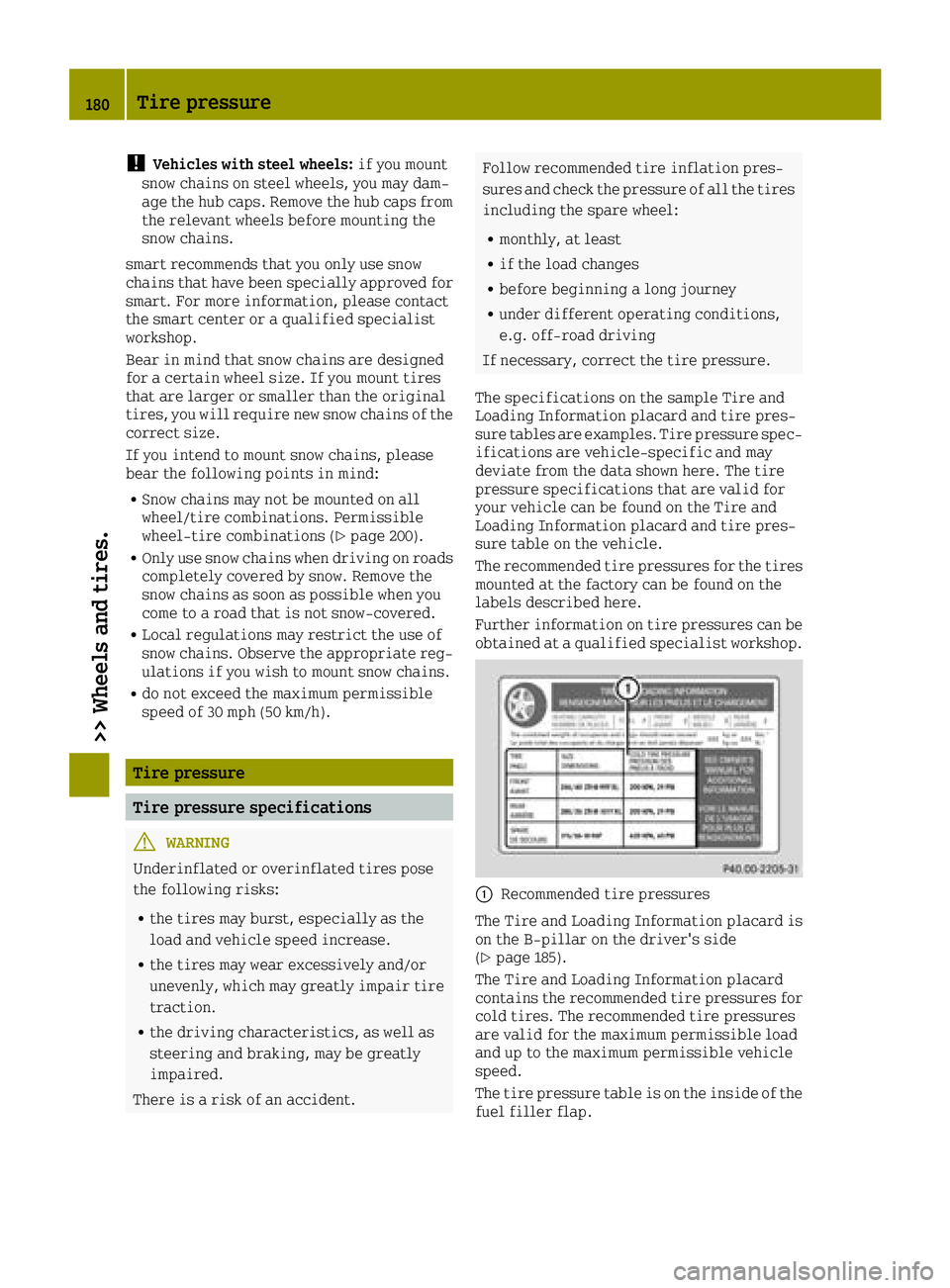
The specifications on the sample Tire and
Loading Information placard and tire pres-
sure tables are examples. Tire pressure spec-
ifications are vehicle-specific and may
deviate from the data shown here. The tire
pressure specifications that are valid for
your vehicle can be found on the Tire and
Loading Information placard and tire pres-
sure table on the vehicle.
The recommended tire pressures for the tires
mounted at the factory can be found on the
labels described here.
Further information on tire pressures can be
obtained at a qualified specialist workshop.
0043Recommended tire pressures
The Tire and Loading Information placard is
on the B-pillar on the driver's side
(
Ypage 185).
The Tire and Loading Information placard
contains the recommended tire pressures for
cold tires. The recommended tire pressures
are valid for the maximum permissible load
and up to the maximum permissible vehicle
speed.
The tire pressure table is on the inside of the
fuel filler flap.
180Tire pressure
>> Wheels and tires.
Page 184 of 214
Use a suitable pressure gauge to check the
tire pressure. The outer appearance of a tire
does not permit any reliable conclusion
about the tire pressure. On vehicles equip-
ped with the electronic tire pressure moni-
tor, the tire pressure can be checked in the
on-board computer.
The tire temperature and pressure increase
when the vehicle is in motion. This is
dependent on the driving speed and the load.
Therefore, you should only correct tire pres-
sures when the tires are cold.
The tires are cold:
Rif the vehicle has been parked with the
tires out of direct sunlight for at least
three hours and
Rif the vehicle has not been driven further
than 1 mile (1.6 km)
The tire temperature changes depending on
the outside temperature, the vehicle speed
and the tire load. If the tire temperature
changes by 18 ‡(10 †), the tire pressure
changes by approximately 10 kPa (0.1 bar/
1.5 psi). Take this into account when checking
the pressure of warm tires. Only correct the
tire pressure if it is too low for the current
operating conditions. If you check the tire
pressure when the tires are warm, the result-
ing value will be higher than if the tires were
cold. This is normal. Do not reduce the tire
pressure to the value specified for cold
tires. The tire pressure would otherwise be
too low.
Observe the recommended tire pressures for
cold tires:
Ron the Tire and Loading Information plac-
ard on the B-pillar on the driver's side
Rin the tire pressure table in the fuel filler
flap (Ypage 98).
Underinflated or overinflated tires
GWARNING
Tires with pressure that is too low can
overheat and burst as a consequence. In
addition, they also suffer from excessive
and/or irregular wear, which can severely
impair the braking properties and the
driving characteristics. There is a risk of an accident.
Avoid tire pressures that are too low in all
the tires, including the spare wheel.
Underinflated tires
Underinflated tires may:
Roverheat, leading to tire defects
Radversely affect handling
Rwear excessively and/or unevenly
Rhave an adverse effect on fuel consumption
GWARNING
Tires with excessively high pressure can
burst because they are damaged more easily by road debris, potholes etc. In addition,
they also suffer from irregular wear, which
can severely impair the braking properties
and the driving characteristics. There is a
risk of an accident.
Avoid tire pressures that are too high in all
the tires, including the spare wheel.
Overinflated tires
Overinflated tires may:
Rincrease the braking distance
Radversely affect handling
Rwear excessively and/or unevenly
Rhave an adverse effect on ride comfort
Rbe more susceptible to damage
Maximum tire pressures
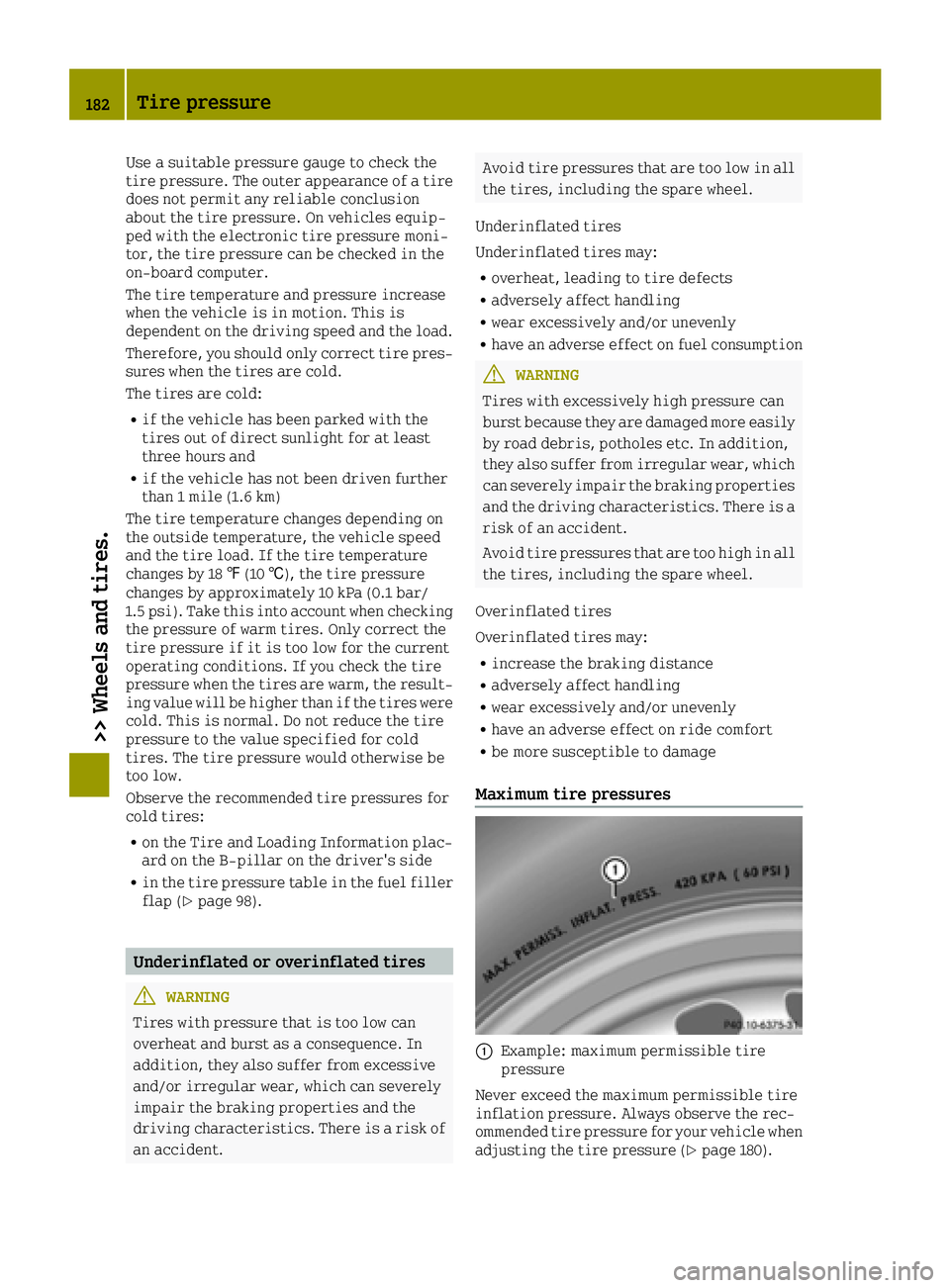
0043Example: maximum permissible tire
pressure
Never exceed the maximum permissible tire
inflation pressure. Always observe the rec-
ommended tire pressure for your vehicle when
adjusting the tire pressure (
Ypage 180).
182Tire pressure
>> Wheels and tires.