battery SUBARU SOLTERRA 2023 Repair Manual
[x] Cancel search | Manufacturer: SUBARU, Model Year: 2023, Model line: SOLTERRA, Model: SUBARU SOLTERRA 2023Pages: 628, PDF Size: 11.91 MB
Page 214 of 628
2144-5. Opening, closing the windows
Owners Manual_USA_M42C01_en
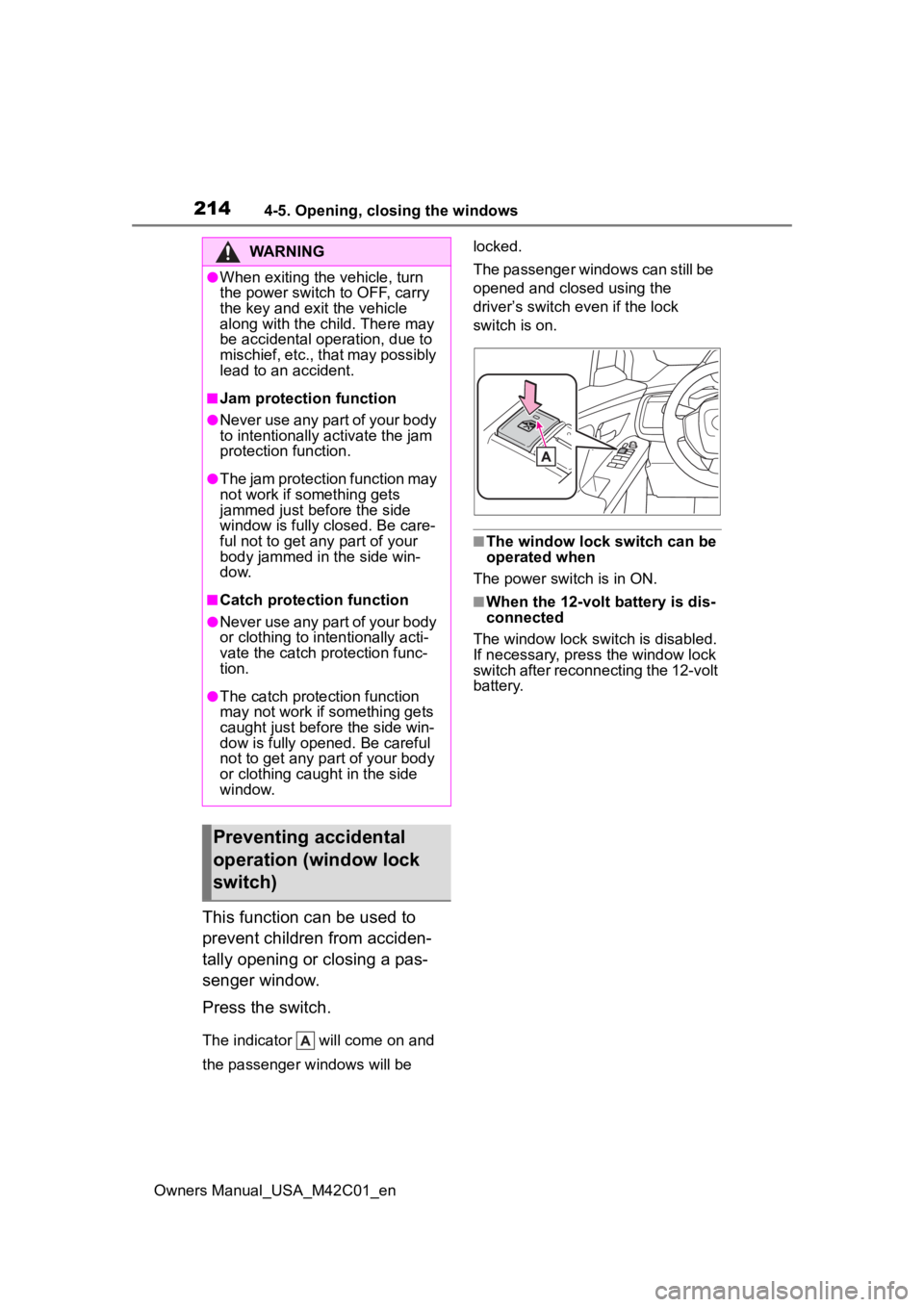
This function can be used to
prevent children from acciden-
tally opening or closing a pas-
senger window.
Press the switch.
The indicator will come on and
the passenger windows will be locked.
The passenger windows can still be
opened and closed using the
driver’s switch even if the lock
switch is on.
■The window lock switch can be
operated when
The power switch is in ON.
■When the 12-volt battery is dis-
connected
The window lock switch is disabled.
If necessary, press the window lock
switch after reconnecting the 12-volt
battery.
WARNING
●When exiting the vehicle, turn
the power switch to OFF, carry
the key and exit the vehicle
along with the child. There may
be accidental operation, due to
mischief, etc., that may possibly
lead to an accident.
■Jam protection function
●Never use any part of your body
to intentionally a ctivate the jam
protection function.
●The jam protection function may
not work if something gets
jammed just before the side
window is fully closed. Be care-
ful not to get any part of your
body jammed in the side win-
dow.
■Catch protection function
●Never use any part of your body
or clothing to intentionally acti-
vate the catch p rotection func-
tion.
●The catch protection function
may not work if something gets
caught just before the side win-
dow is fully opened. Be careful
not to get any part of your body
or clothing caught in the side
window.
Preventing accidental
operation (window lock
switch)
Page 224 of 628
2245-1. Before driving
Owners Manual_USA_M42C01_en
When the following unusual
NOTICE
■When driving the vehicle
●Do not depress t he accelerator
and brake pedals at the same
time during drivin g, as this may
restrain the EV system output.
●Do not use the accelerator
pedal or depress the accelera-
tor and brake pedals at the
same time to hold the vehicle on
a hill.
■Avoiding damage to vehicle
parts
●Do not turn the steering wheel
fully in either direction and hold
it there for an extended period
of time.
Doing so may damage the
power steering motor.
●When driving over bumps in the
road, drive as slowly as possible
to avoid damagi ng the wheels,
underside of the vehicle, etc.
■If you get a flat tire while driv-
ing
A flat or damaged tire may cause
the following situations. Hold the
steering wheel firmly and gradu-
ally depress the brake pedal to
slow down the vehicle.
●It may be difficult to control your
vehicle.
●The vehicle will make abnormal
sounds or vibrations.
●The vehicle will lean abnor-
mally.
Information on what to do in case
of a flat tire ( P.527)
■When encountering flooded
roads
Do not drive on a road that has
flooded after heavy rain, etc.
Doing so may cause the following
serious damage to the vehicle:
●Short in electrical components
●Traction battery caused by
water immersion
In the event that you drive on a
flooded road and the vehicle is
flooded, be sure to have your Toy-
ota dealer check the following:
●Brake function
●Changes in quantity and quality
of transmission fluid, etc.
●Lubricant condition for the bear-
ings and suspension joints
(where possible), and the func-
tion of all joints, bearings, etc.
●Components connected to the
traction battery.
If the shift control system is dam-
aged by flooding, it may not be
possible to shift the shift position
to P, or from P to other positions.
In this case, contact your Toyota
dealer.
■When parking the vehicle
Always set the parking brake, and
shift the shift position to P. Failure
to do so may cause the vehicle to
move or the vehicle may acceler-
ate suddenly if t he accelerator
pedal is accidentally depressed.
■When involved in a minor
accident
Damage to the traction battery or
battery peripheral components
could cause malfunctions. Even if
it is a minor accident, have the
vehicle inspected by your Toyota
dealer.
Sudden start restraint
control (Drive-Start Con-
trol [DSC])
Page 232 of 628
2325-2. Driving procedures
Owners Manual_USA_M42C01_enshown on the multi-information
display, read the message and fol-
low the instructions.
●If the door is unlocked with the
mechanical key, the EV system
cannot be started using the smart
key system. Refer to P.540 to start
the EV system. However, if the
electronic key is carried inside the
vehicle and the do
ors are locked
( P.170), the EV system can be
started.
■When the ambient temperature
is low, such as during winter
driving conditions
●When starting the EV system, the
flashing time of the “READY” indi-
cator may be long. Leave the
vehicle as it is until the “READY”
indicator is steady on, as steady
means the vehicle is able to move.
●When the traction battery is
extremely cold (below approxi-
mately -22°F [-30°C]) under the
influence of the outside tempera-
ture, it may not be possible to start
the EV system. In this case, try to
start the EV system again after the
temperature of the traction battery
increases due to the outside tem-
perature increase, etc.
■Sounds and vibrations specific
to an battery electric vehicle
P. 7 4
■If the 12-volt battery is dis-
charged
The EV system cannot be started
using the smart key system. Refer
to P.541 to restart the EV system.
■Electronic key battery depletion
P. 1 6 2
■Conditions affecting operation
P. 1 8 8
■Note for the entry function
P. 1 8 9
■If there is a malfunction in the
smart key system
If “Smart Key System Malfunction”
is displayed on the multi-information
display, the system may be malfunc-
tioning. Have the vehicle inspected
by your Toyota dealer immediately.
■If the “READY” indicator does
not come on
In the event that the “READY” indi-
cator does not come on even after
performing the proper procedures
for starting the vehicle, contact your
Toyota dealer immediately.
■If the EV system is malfunction-
ing
P. 8 0
■Electronic key battery
P.497
■Operation of the power switch
●If the switch is not pressed shortly
and firmly, the power switch mode
may not change or the EV system
may not start.
●If attempting to restart the EV sys-
tem immediately after turning the
power switch to OFF, the EV sys-
tem may not start in some cases.
After turning the power switch to
OFF, please wait a few seconds
before restarti ng the EV system.
■Customization
If the smart key system has been
deactivated in a customized setting,
refer to P.540.
WARNING
■When starting the EV system
Always start the EV system while
sitting in the driver’s seat. Do not
depress the accelerator pedal
while starting the EV system
under any circumstances.
Doing so may cause an accident
resulting in death o r serious injury.
Page 234 of 628
2345-2. Driving procedures
Owners Manual_USA_M42C01_en
Modes can be changed by
pressing the power switch with
the brake pedal released. (The
mode changes each time the
switch is pressed.)
WARNING
■Stopping the EV system in an
emergency
●If you want to stop the EV sys-
tem in an emergency while driv-
ing the vehicle, press and hold
the power switch for more than
2 seconds, or press it briefly 3
times or more in succession.
( P.505)
However, do not touch the
power switch while driving
except in an emergency. Turn-
ing the EV system off while driv-
ing will not cause a loss of
steering or braking control.
However, power assist for the
steering wheel may be lost mak-
ing it difficult to steer smoothly
before stopping the vehicle
depending on the remaining
charge in the 12-volt battery or
usage conditions. In this situa-
tion, you should pull over and
stop the vehicle as soon as it is
safe to do so.
●If the power switch is operated
while the vehicle is running, a
warning message will be shown
on the multi-info rmation display
and a buzzer sounds.
●When restarting the EV system
after an emergency shutdown,
press the power switch shortly
and firmly.
■When parking
Exhaust gases include harmful
carbon monoxide (CO), which is
colorless and odorless. Observe
the following precautions.
Failure to do so may cause
exhaust gases to enter the vehicle
and may lead to an accident
caused by light-headedness, or
may lead to death or a serious
health hazard.
●If the vehicle is in a poorly venti-
lated area or a closed area,
such as a garage, stop the EV
system.
●Do not leave the vehicle with
the EV system operating for a
long time. If such a situation
cannot be avoided, park the
vehicle in an open space and
ensure that exhaust fumes do
not enter the vehicle interior.
●Do not leave the EV system
operating in an area with snow
build-up, or where it is snowing.
If snowbanks build up around
the vehicle while the EV system
is operating, exhaust gases
may collect and enter the vehi-
cle.
Changing power switch
modes
Page 235 of 628
2355-2. Driving procedures
Owners Manual_USA_M42C01_en
5
Driving
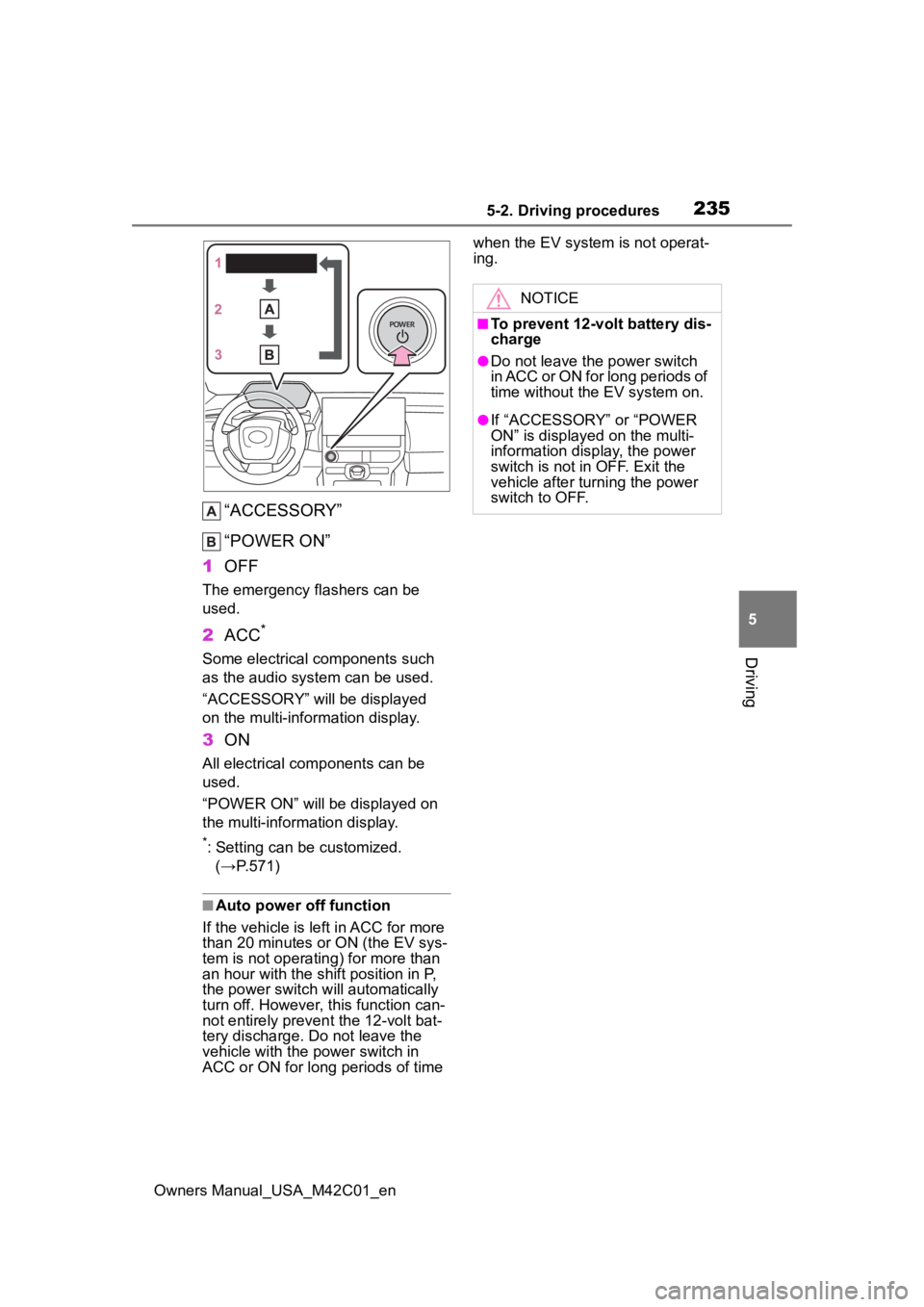
“ACCESSORY”
“POWER ON”
1 OFF
The emergency flashers can be
used.
2ACC*
Some electrical components such
as the audio system can be used.
“ACCESSORY” will be displayed
on the multi-information display.
3ON
All electrical com ponents can be
used.
“POWER ON” will be displayed on
the multi-information display.
*: Setting can be customized. (→P.571)
■Auto power off function
If the vehicle is le ft in ACC for more
than 20 minutes or ON (the EV sys-
tem is not operating) for more than
an hour with the shif t position in P,
the power switch will automatically
turn off. However, this function can-
not entirely prevent the 12-volt bat-
tery discharge. Do not leave the
vehicle with the power switch in
ACC or ON for long periods of time when the EV system is not operat-
ing.
NOTICE
■To prevent 12-volt battery dis-
charge
●Do not leave the power switch
in ACC or ON for long periods of
time without the EV system on.
●If “ACCESSORY” or “POWER
ON” is displayed on the multi-
information display, the power
switch is not in OFF. Exit the
vehicle after turning the power
switch to OFF.
Page 236 of 628
2365-2. Driving procedures
Owners Manual_USA_M42C01_en
■Restraining sudden start (Drive-
Start Control)
P. 2 2 4
■If a message about a shift oper-
ation is shown
To prevent the shift position from
being selected inco rrectly or the
vehicle from moving unexpectedly,
the shift position may be changed
automatically or operating the rotary
shifter may be required. In this case,
change the shift position following
the messages on the multi-informa-
tion display.
■After recharging/reconnecting
the 12-volt battery
P. 4 6 9
Transmission
Select the shift position
depending on your pur-
pose and situation.
Shift position purpose
and functions
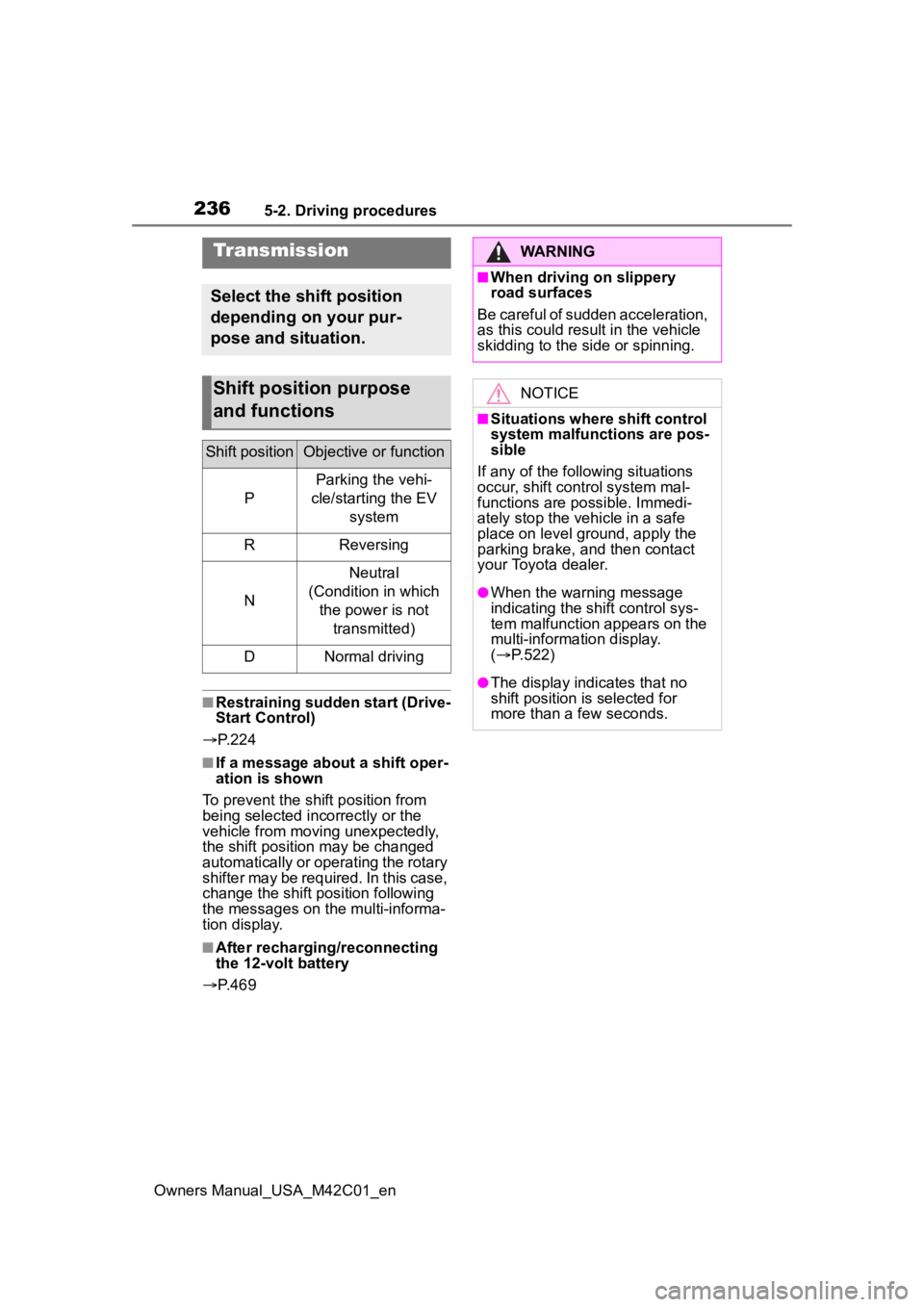
Shift positionObjective or function
P
Parking the vehi-
cle/starting the EV system
RReversing
N
Neutral
(Condition in which the power is not transmitted)
DNormal driving
WARNING
■When driving on slippery
road surfaces
Be careful of sudden acceleration,
as this could result in the vehicle
skidding to the side or spinning.
NOTICE
■Situations where shift control
system malfunctions are pos-
sible
If any of the follo wing situations
occur, shift control system mal-
functions are possible. Immedi-
ately stop the vehicle in a safe
place on level ground, apply the
parking brake, and then contact
your Toyota dealer.
●When the warning message
indicating the shift control sys-
tem malfunction appears on the
multi-information display.
( P.522)
●The display indicates that no
shift position is selected for
more than a few seconds.
Page 239 of 628
2395-2. Driving procedures
Owners Manual_USA_M42C01_en
5
Driving
■If the shift position cannot be
shifted from P
There is a possibility that the 12-volt
battery is discharged. Check the 12-
volt battery in this situation.
( P.541)
■Customization
Some functions can be customized.
( P.572)
By performing the following
operation, the shift position
can be held in N until the shift
position switches to P without
activating the automatic P
position selection function.
1 Operate the rotary shifter and
change the shift position to N
when the EV system is oper-
ating.
2 Return the rotary shifter to its
regular position.
3 Operate the rotary shifter to
N and hold it there until the
buzzer sounds.
4 Press the power switch within
5 seconds after the buzzer
sounds.
The EV system stops with the shift
position in N*
Make sure to check that the buzzer
sounds and “Holding N Push P
Switch When Done” is displayed on
the multi-information display.
In order to shift to a position
other than N, first press the P
WARNING
■For the rotary shifter
●Do not remove the rotary shifter
knob or use anything but a gen-
uine Toyota rotary shifter knob.
Also, do not hang anything on
the rotary shifter.
Doing so could prevent the
rotary shifter from returning to
position, causing unexpected
accidents to occur when the
vehicle is in motion.
●In order to prevent the shift
position from accidentally being
changed, do not touch the
rotary shifter when not using it.
■P position switch
●Do not press the P position
switch while the vehicle is mov-
ing.
If the P position switch is
pressed when driving at very
low speeds (for example,
directly before stopping the
vehicle), the vehicle may stop
suddenly when the shift position
switches to P, which could lead
to an accident.
●In order to prevent the shift
position from accidentally being
changed, do not touch the P
position switch when not using
it.
NOTICE
■When exiting the vehicle
(driver’s seat only)
Check that the shi ft position indi-
cator shows P and that the park-
ing brake indicator is illuminated
before opening the door and exit-
ing the vehicle.
Keeping the shift position
in N without activating the
automatic P position
selection function
Page 240 of 628
2405-2. Driving procedures
Owners Manual_USA_M42C01_en
position switch to change the
shift position to P.
If the automatic P position
switching operation selection
function is performed oper-
ated with the EV system
stopped, the automatic P
position selection function
may not operate.
Always perform the operation
with the EV system started.
*: To keep this state, do not operate
the power switch. If the power
switch is operated repeatedly, the
power switch will turn off after the
shift position has automatically
changed to P.
■“X-MODE”
P. 3 8 2
Acceleration/deceleration con-
trol can be performed only by
operating the accelerator pedal,
and the frequency of switching
to the brake pedal can be
greatly reduced. Since the
deceleration when the accelera-
tor pedal is released is stronger
than that of a conventional vehi-
cle, the vehicle can be deceler-
ated smoothly by slowly
releasing the pedal the acceler-
ator pedal without completely releasing it.
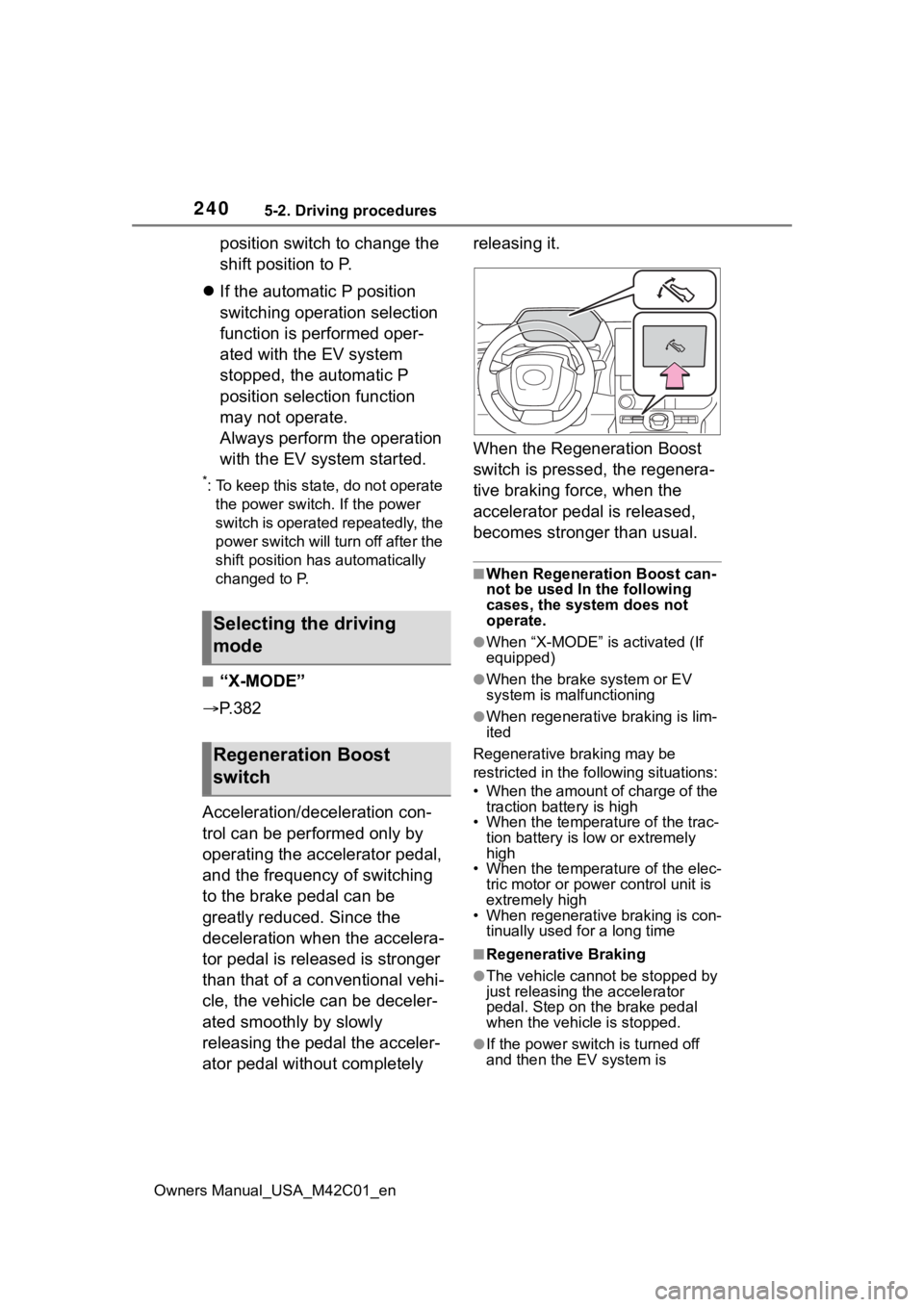
When the Regeneration Boost
switch is pressed, the regenera-
tive braking force, when the
accelerator pedal is released,
becomes stronger than usual.
■When Regeneration Boost can-
not be used In the following
cases, the system does not
operate.
●When “X-MODE” is activated (If
equipped)
●When the brake
system or EV
system is malfunctioning
●When regenerative braking is lim-
ited
Regenerative braking may be
restricted in the fo llowing situations:
• When the amount of charge of the traction battery is high
• When the temperature of the trac-
tion battery is low or extremely
high
• When the temperature of the elec-
tric motor or powe r control unit is
extremely high
• When regenerative braking is con- tinually used for a long time
■Regenerative Braking
●The vehicle cannot be stopped by
just releasing the accelerator
pedal. Step on the brake pedal
when the vehicle is stopped.
●If the power switch is turned off
and then the EV system is
Selecting the driving
mode
Regeneration Boost
switch
Page 249 of 628
2495-3. Operating the lights and wipers
Owners Manual_USA_M42C01_en
5
Driving
■Automatic light off system
●When the headlights are on: The
lights turn off 30 seconds after the
power switch is turned to ACC or
OFF and a door is opened and
closed. (The lights turn off immedi-
ately if on the key is
pressed after all the doors are
closed.)
●When only the tail lights are on:
The tail lights tu rn off automati-
cally if the power switch is turned
to ACC or OFF and the driver’s
door is opened.
To turn the lights on again, turn the
power switch to ON, or turn the light
switch to the or position
once and then back to or
position.
■Light reminder buzzer
A buzzer sounds when the power
switch is turned to ACC or OFF and
the driver’s door is opened while the
lights are turned on.
■Automatic headlight leveling
system
The level of the headlights is auto-
matically adjusted according to the
number of passengers and the load-
ing condition of the vehicle to
ensure that the headlights do not
interfere with other road users.
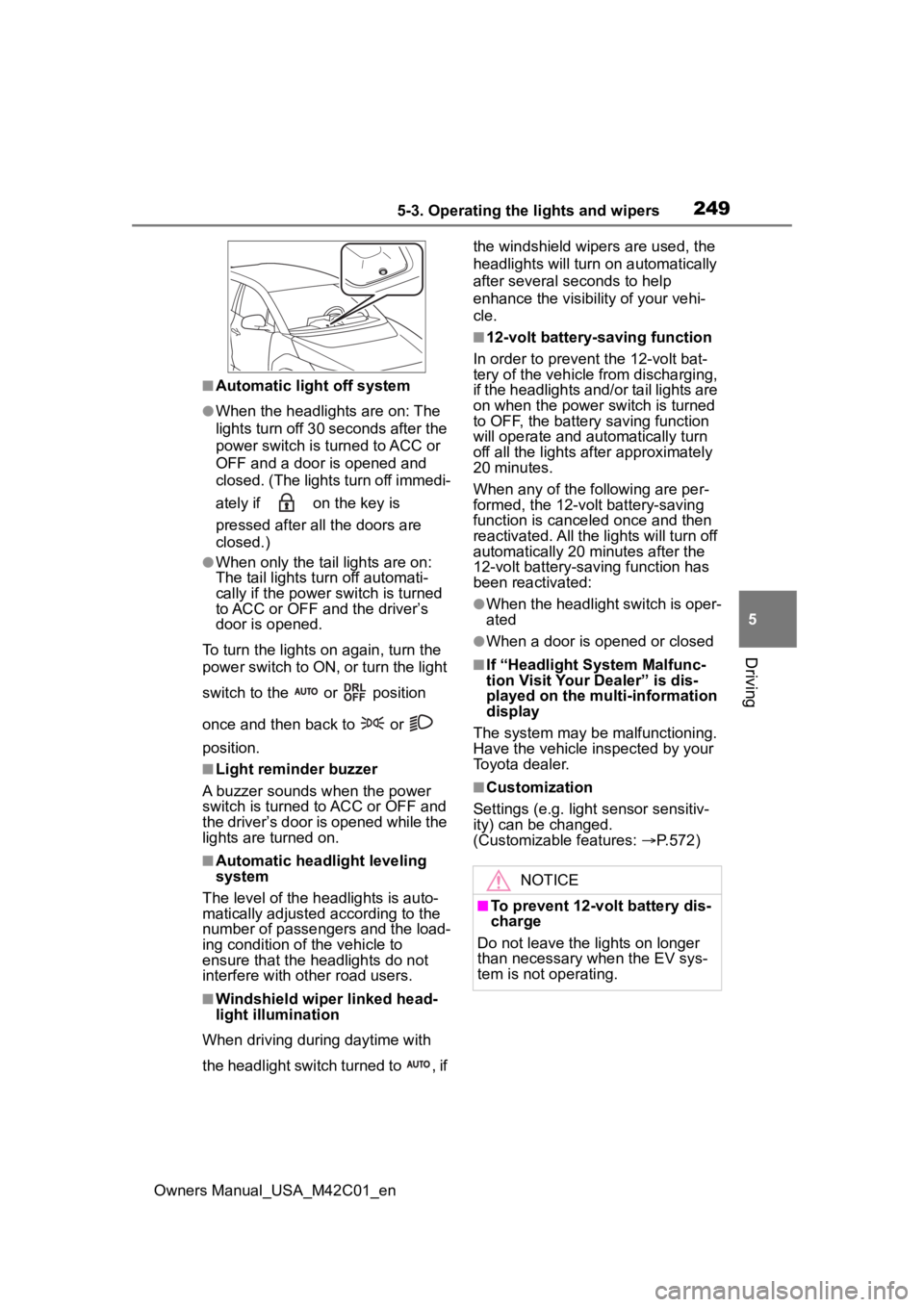
■Windshield wiper linked head-
light illumination
When driving during daytime with
the headlight switch turned to , if the windshield wipers are used, the
headlights will turn o
n automatically
after several seconds to help
enhance the visibility of your vehi-
cle.
■12-volt battery-saving function
In order to prevent the 12-volt bat-
tery of the vehicle from discharging,
if the headlights and/or tail lights are
on when the power switch is turned
to OFF, the battery saving function
will operate and au tomatically turn
off all the lights af ter approximately
20 minutes.
When any of the following are per-
formed, the 12-volt battery-saving
function is canceled once and then
reactivated. All the lights will turn off
automatically 20 minutes after the
12-volt battery-saving function has
been reactivated:
●When the headlight switch is oper-
ated
●When a door is opened or closed
■If “Headlight System Malfunc-
tion Visit Your Dealer” is dis-
played on the multi-information
display
The system may be malfunctioning.
Have the vehicle inspected by your
Toyota dealer.
■Customization
Settings (e.g. light sensor sensitiv-
ity) can be changed.
(Customizable features: P.572)
NOTICE
■To prevent 12-volt battery dis-
charge
Do not leave the lights on longer
than necessary when the EV sys-
tem is not operating.
Page 256 of 628
2565-3. Operating the lights and wipers
Owners Manual_USA_M42C01_ento higher, the wip
er may operate
once to indicate the change of
sensitivity.
●If the temperature of the raindrop
sensor is 194°F (90°C) or higher,
or 5°F (-15°C) or lower, the auto-
matic operation m ay not occur. In
this case, operate the wipers in
any mode other than “AUTO”.
■If no windshield washer fluid
sprays
Check that the wash er nozzles are
not blocked if there is washer fluid in
the windshield washer fluid reser-
v oi r.
WARNING
■Caution regarding the use of
windshield wipers in “AUTO”
mode (vehicles with rain-
sensing windshield wipers)
The windshield wipers may oper-
ate unexpectedly if the sensor is
touched or the windshield is sub-
ject to vibration in “AUTO” mode.
Take care that your fingers or any-
thing else does not become
caught in the windshield wipers.
■Caution regarding the use of
washer fluid
When it is cold, do not use the
washer fluid until the windshield
becomes warm. The fluid may
freeze on the windshield and
cause low visibility. This may lead
to an accident, resulting in death
or serious injury.
NOTICE
■When the washer fluid tank is
empty
Do not operate the switch continu-
ally as the washer fluid pump may
overheat.
■When a nozzle becomes
blocked
In this case, contact your Toyota
dealer.
Do not try to clear it with a pin or
other object. The nozzle will be
damaged.
■To prevent 12-volt battery dis-
charge
Do not leave the wipers on longer
than necessary when the EV sys-
tem is off.