light SUZUKI GRAND VITARA 2008 3.G Workshop Manual
[x] Cancel search | Manufacturer: SUZUKI, Model Year: 2008, Model line: GRAND VITARA, Model: SUZUKI GRAND VITARA 2008 3.GPages: 290, PDF Size: 4.99 MB
Page 119 of 290

4-44
INSTRUMENT PANEL
66J22-03E
XM MODE
Selecting a band
Press the XM button (1).
Each time the button is pressed, the band
changes in the following order.
66J129
Selecting a category
Press the seek up button (3) or the seek
down button (4). The category is changed.
Turning the category function on/off
Press and hold the category button (2) for
2 seconds or longer, and “CATEGORY
ON” appears on the display, the CAT indi-
cator (c) lights up and the CATEGORY
function is activated.
Press and hold the category button (2) for
2 seconds or longer again, and “CATE-
GORY OFF” appears on the display and
the CAT indicator turns off, indicating that
the CATEGORY function has been turned
off.
NOTE:
The first time you use the radio, turn the
category function on.Selecting a category
Press the seek up button (3) or seek down
button (4) to select a category.
Displaying the category
Press the category button (2) to have the
currently selected category appear on the
display.
Selecting a channel
Turn the manual tuning knob (5) to select a
channel.
NOTE:
When the category function is on, only
those channels included in the selected
category can be selected.
Selecting the item to be displayed
Press the display button (6).
Each time the button is pressed, the item
on display changes in the following order.
66J130
Preset memory
1) Select the desired station.
2) Select the preset button (7) to which
you want to store the station and pressand hold the button for 2 seconds or
longer.
Scan tuning
1) Press the scan button (8).
Stations are automatically searched for
in a sequential order, starting from the
station being currently received, and
scan tuning stops for 5 seconds at the
frequency where there is a station avail-
able.
2) Press the scan button (8) again to stop
scanning at the frequency currently
being received.
Satellite Radio ReceptionSatellite radio receives signals from two
satellites in orbit over the equator. There-
fore, satellite radio reception can be inter-
rupted when there are objects south of
your vehicle. To help compensate for this,
ground-based repeaters are placed in
major metropolitan areas, but depending
on the geographic situation (for example, if
mountains or buildings are on the south
side of your vehicle), you may experience
reception problems.
XM1 XM2
XM3
CH NUMBER CH NAME
NAME TITLE
Audio Systems:
Page 123 of 290
4-48
INSTRUMENT PANEL
66J22-03E
Repeat play
Press the repeat button (5).
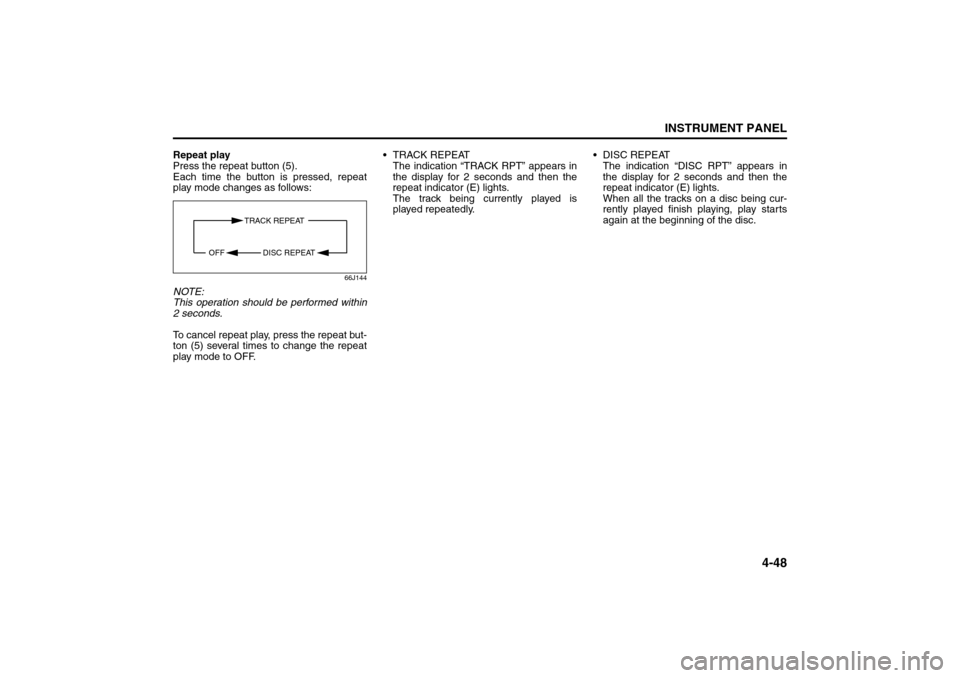
Each time the button is pressed, repeat
play mode changes as follows:
66J144
NOTE:
This operation should be performed within
2 seconds.
To cancel repeat play, press the repeat but-
ton (5) several times to change the repeat
play mode to OFF. TRACK REPEAT
The indication “TRACK RPT” appears in
the display for 2 seconds and then the
repeat indicator (E) lights.
The track being currently played is
played repeatedly. DISC REPEAT
The indication “DISC RPT” appears in
the display for 2 seconds and then the
repeat indicator (E) lights.
When all the tracks on a disc being cur-
rently played finish playing, play starts
again at the beginning of the disc.
TRACK REPEAT
DISC REPEAT OFF
Audio Systems:
Page 131 of 290
OTHER CONTROLS AND EQUIPMENT
5
66J22-03E
60G407
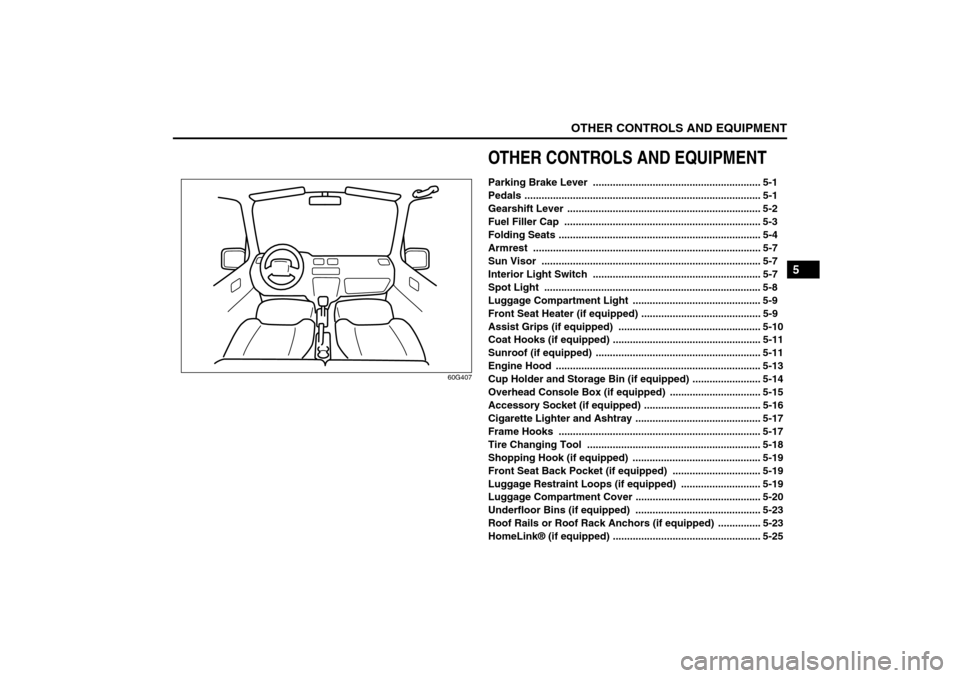
OTHER CONTROLS AND EQUIPMENTParking Brake Lever ........................................................... 5-1
Pedals ................................................................................... 5-1
Gearshift Lever .................................................................... 5-2
Fuel Filler Cap ..................................................................... 5-3
Folding Seats ....................................................................... 5-4
Armrest ................................................................................ 5-7
Sun Visor ............................................................................. 5-7
Interior Light Switch ........................................................... 5-7
Spot Light ............................................................................ 5-8
Luggage Compartment Light ............................................. 5-9
Front Seat Heater (if equipped) .......................................... 5-9
Assist Grips (if equipped) .................................................. 5-10
Coat Hooks (if equipped) .................................................... 5-11
Sunroof (if equipped) .......................................................... 5-11
Engine Hood ........................................................................ 5-13
Cup Holder and Storage Bin (if equipped) ........................ 5-14
Overhead Console Box (if equipped) ................................ 5-15
Accessory Socket (if equipped) ......................................... 5-16
Cigarette Lighter and Ashtray ............................................ 5-17
Frame Hooks ....................................................................... 5-17
Tire Changing Tool ............................................................. 5-18
Shopping Hook (if equipped) ............................................. 5-19
Front Seat Back Pocket (if equipped) ............................... 5-19
Luggage Restraint Loops (if equipped) ............................ 5-19
Luggage Compartment Cover ............................................ 5-20
Underfloor Bins (if equipped) ............................................ 5-23
Roof Rails or Roof Rack Anchors (if equipped) ............... 5-23
HomeLink® (if equipped) .................................................... 5-25
Page 132 of 290
5-1OTHER CONTROLS AND EQUIPMENT
66J22-03E
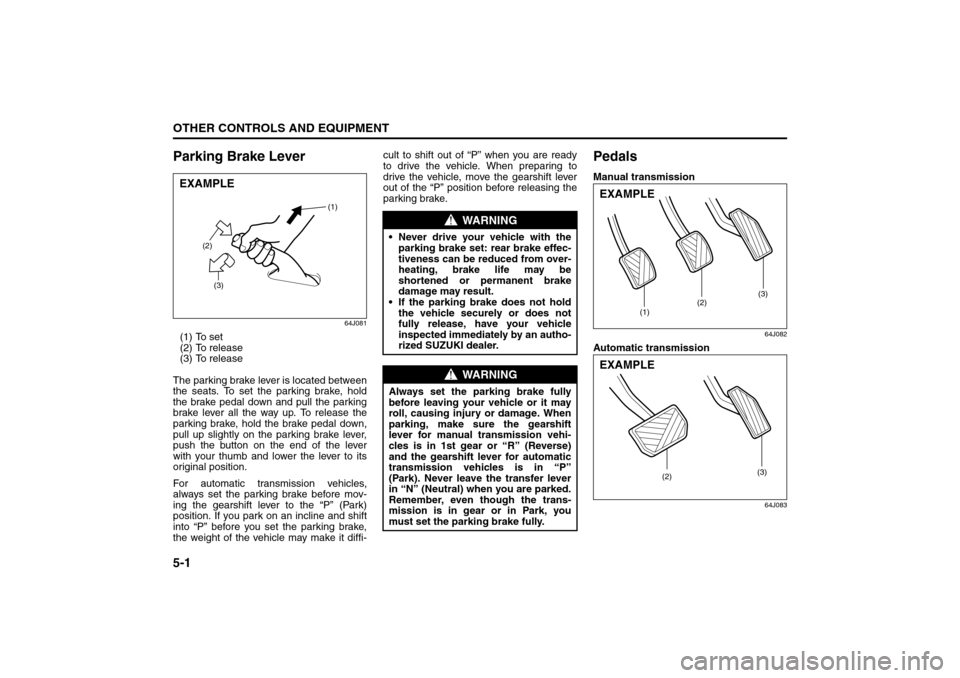
Parking Brake Lever
64J081
(1) To set
(2) To release
(3) To release
The parking brake lever is located between
the seats. To set the parking brake, hold
the brake pedal down and pull the parking
brake lever all the way up. To release the
parking brake, hold the brake pedal down,
pull up slightly on the parking brake lever,
push the button on the end of the lever
with your thumb and lower the lever to its
original position.
For automatic transmission vehicles,
always set the parking brake before mov-
ing the gearshift lever to the “P” (Park)
position. If you park on an incline and shift
into “P” before you set the parking brake,
the weight of the vehicle may make it diffi-cult to shift out of “P” when you are ready
to drive the vehicle. When preparing to
drive the vehicle, move the gearshift lever
out of the “P” position before releasing the
parking brake.
PedalsManual transmission
64J082
Automatic transmission
64J083
EXAMPLE
(2)
(3)(1)
WARNING
Never drive your vehicle with the
parking brake set: rear brake effec-
tiveness can be reduced from over-
heating, brake life may be
shortened or permanent brake
damage may result.
If the parking brake does not hold
the vehicle securely or does not
fully release, have your vehicle
inspected immediately by an autho-
rized SUZUKI dealer.
WARNING
Always set the parking brake fully
before leaving your vehicle or it may
roll, causing injury or damage. When
parking, make sure the gearshift
lever for manual transmission vehi-
cles is in 1st gear or “R” (Reverse)
and the gearshift lever for automatic
transmission vehicles is in “P”
(Park). Never leave the transfer lever
in “N” (Neutral) when you are parked.
Remember, even though the trans-
mission is in gear or in Park, you
must set the parking brake fully.
(1)(2)(3)
EXAMPLE
(2)(3)
EXAMPLE
Parking Brake Lever: 6
Pedals: 6
Page 138 of 290
5-7OTHER CONTROLS AND EQUIPMENT
66J22-03E
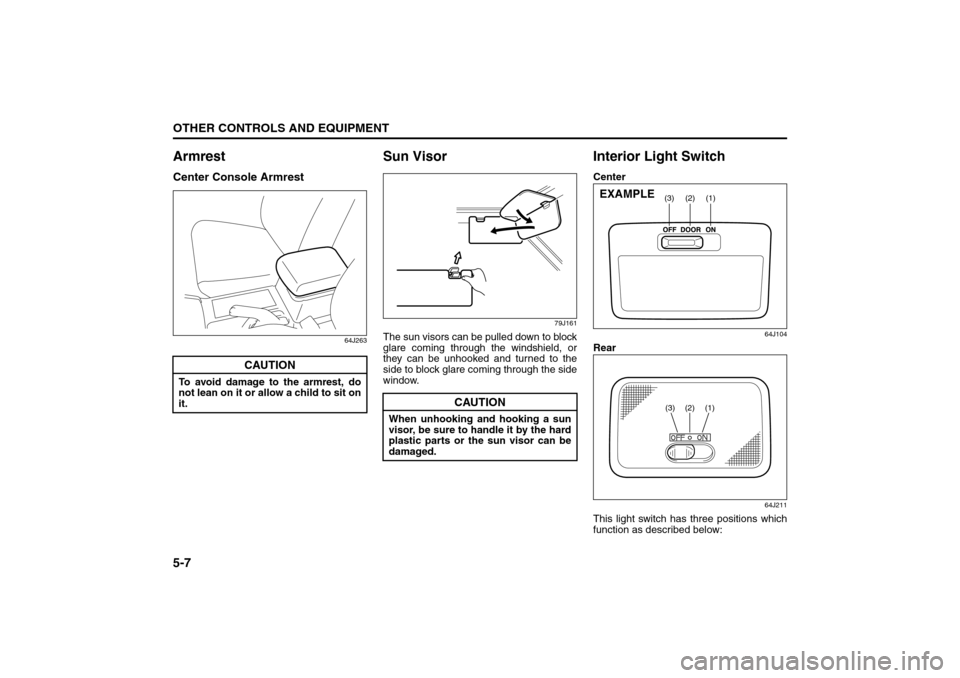
ArmrestCenter Console Armrest
64J263
Sun Visor
79J161
The sun visors can be pulled down to block
glare coming through the windshield, or
they can be unhooked and turned to the
side to block glare coming through the side
window.
Interior Light SwitchCenter
64J104
Rear
64J211
This light switch has three positions which
function as described below:
CAUTION
To avoid damage to the armrest, do
not lean on it or allow a child to sit on
it.
CAUTION
When unhooking and hooking a sun
visor, be sure to handle it by the hard
plastic parts or the sun visor can be
damaged.
(1)
(2)
(3)
EXAMPLE
(3)
(2)
(1)
Armrest: 14
Sun Visor: 5
Interior Light Switch: 7
Page 139 of 290
5-8
OTHER CONTROLS AND EQUIPMENT
66J22-03E
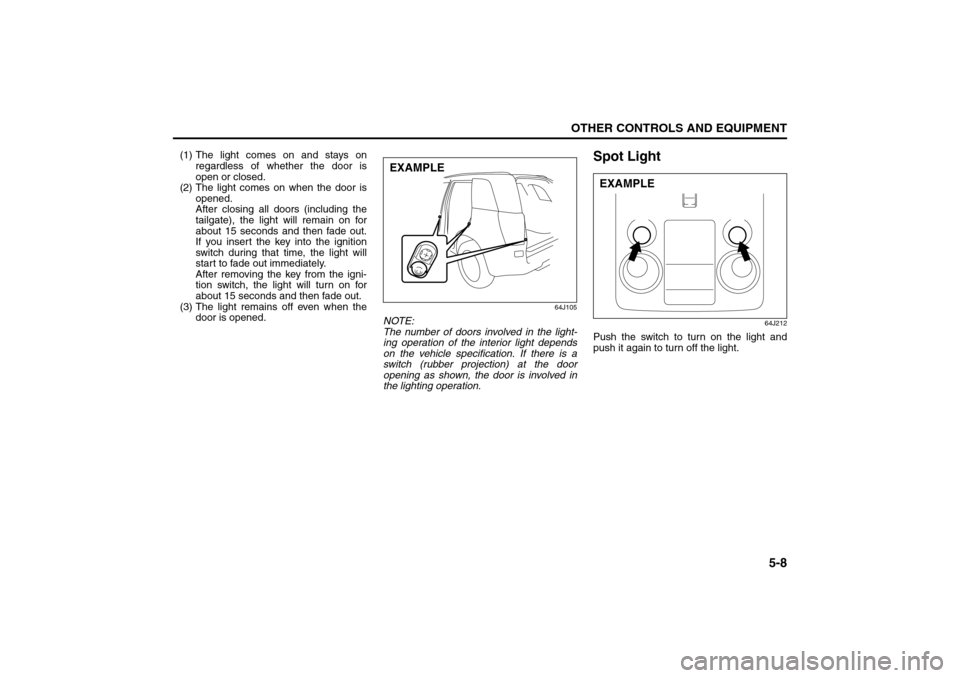
(1) The light comes on and stays on
regardless of whether the door is
open or closed.
(2) The light comes on when the door is
opened.
After closing all doors (including the
tailgate), the light will remain on for
about 15 seconds and then fade out.
If you insert the key into the ignition
switch during that time, the light will
start to fade out immediately.
After removing the key from the igni-
tion switch, the light will turn on for
about 15 seconds and then fade out.
(3) The light remains off even when the
door is opened.
64J105
NOTE:
The number of doors involved in the light-
ing operation of the interior light depends
on the vehicle specification. If there is a
switch (rubber projection) at the door
opening as shown, the door is involved in
the lighting operation.
Spot Light
64J212
Push the switch to turn on the light and
push it again to turn off the light.
EXAMPLE
EXAMPLE
Interior Light Switch: 7
Spot Light: 7
Page 140 of 290
5-9OTHER CONTROLS AND EQUIPMENT
66J22-03E
Luggage Compartment Light
66J047
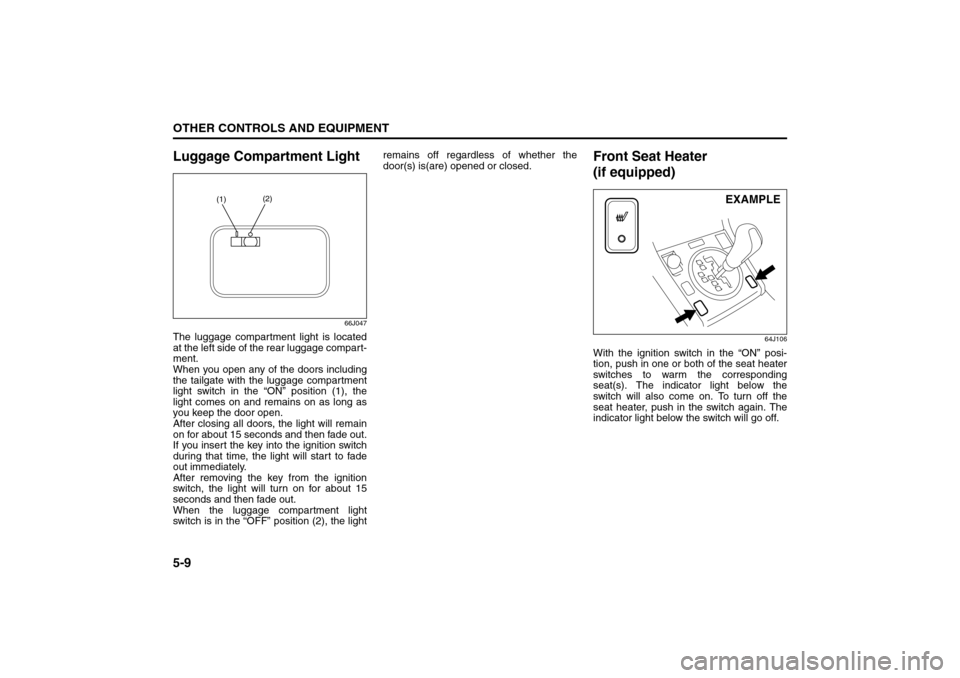
The luggage compartment light is located
at the left side of the rear luggage compart-
ment.
When you open any of the doors including
the tailgate with the luggage compartment
light switch in the “ON” position (1), the
light comes on and remains on as long as
you keep the door open.
After closing all doors, the light will remain
on for about 15 seconds and then fade out.
If you insert the key into the ignition switch
during that time, the light will start to fade
out immediately.
After removing the key from the ignition
switch, the light will turn on for about 15
seconds and then fade out.
When the luggage compartment light
switch is in the “OFF” position (2), the lightremains off regardless of whether the
door(s) is(are) opened or closed.
Front Seat Heater
(if equipped)
64J106
With the ignition switch in the “ON” posi-
tion, push in one or both of the seat heater
switches to warm the corresponding
seat(s). The indicator light below the
switch will also come on. To turn off the
seat heater, push in the switch again. The
indicator light below the switch will go off.
(1)(2)
EXAMPLE
Luggage Compartment Light: 7
Front Door Light:
Page 143 of 290
5-12
OTHER CONTROLS AND EQUIPMENT
66J22-03E
64J108
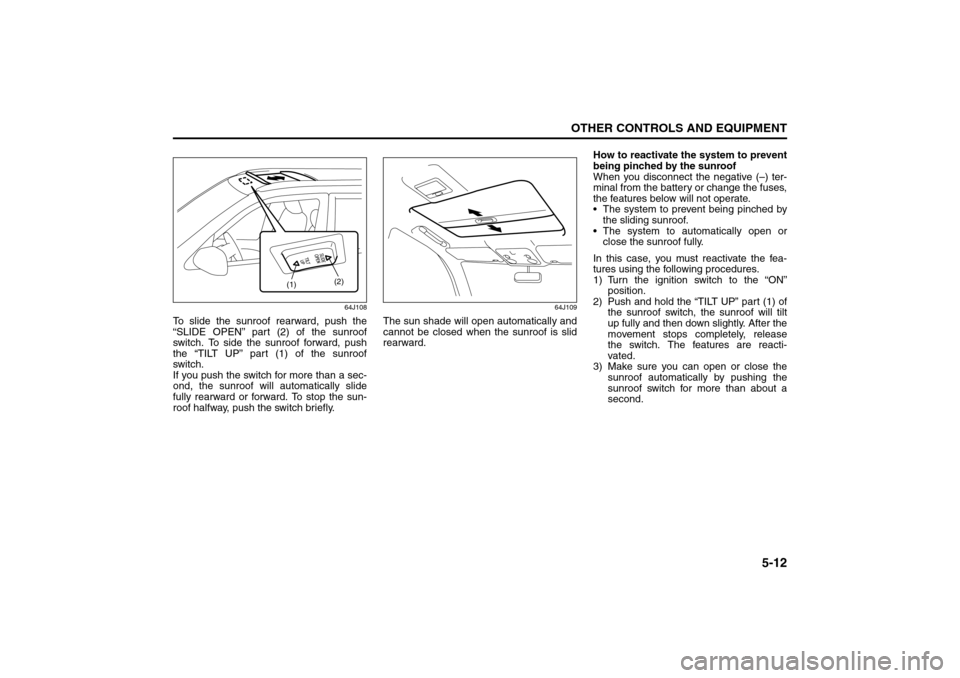
To slide the sunroof rearward, push the
“SLIDE OPEN” part (2) of the sunroof
switch. To side the sunroof forward, push
the “TILT UP” part (1) of the sunroof
switch.
If you push the switch for more than a sec-
ond, the sunroof will automatically slide
fully rearward or forward. To stop the sun-
roof halfway, push the switch briefly.
64J109
The sun shade will open automatically and
cannot be closed when the sunroof is slid
rearward.How to reactivate the system to prevent
being pinched by the sunroof
When you disconnect the negative (–) ter-
minal from the battery or change the fuses,
the features below will not operate.
The system to prevent being pinched by
the sliding sunroof.
The system to automatically open or
close the sunroof fully.
In this case, you must reactivate the fea-
tures using the following procedures.
1) Turn the ignition switch to the “ON”
position.
2) Push and hold the “TILT UP” part (1) of
the sunroof switch, the sunroof will tilt
up fully and then down slightly. After the
movement stops completely, release
the switch. The features are reacti-
vated.
3) Make sure you can open or close the
sunroof automatically by pushing the
sunroof switch for more than about a
second.
(1)(2)
Sunroof: 5, 8
Page 145 of 290
5-14
OTHER CONTROLS AND EQUIPMENT
66J22-03E
64J111
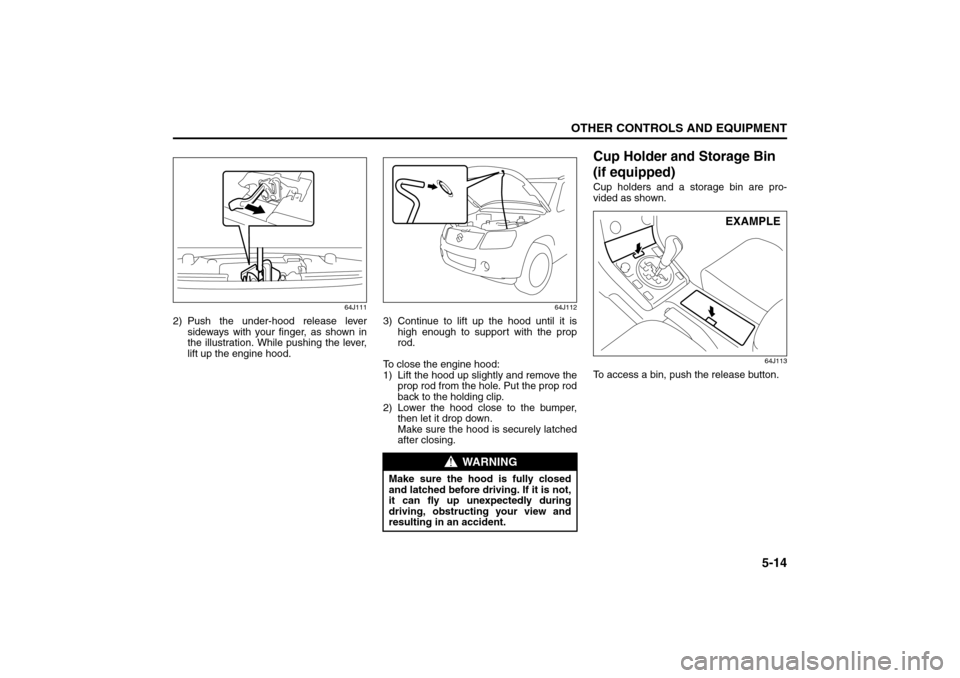
2) Push the under-hood release lever
sideways with your finger, as shown in
the illustration. While pushing the lever,
lift up the engine hood.
64J112
3) Continue to lift up the hood until it is
high enough to support with the prop
rod.
To close the engine hood:
1) Lift the hood up slightly and remove the
prop rod from the hole. Put the prop rod
back to the holding clip.
2) Lower the hood close to the bumper,
then let it drop down.
Make sure the hood is securely latched
after closing.
Cup Holder and Storage Bin
(if equipped)Cup holders and a storage bin are pro-
vided as shown.
64J113
To access a bin, push the release button.
WARNING
Make sure the hood is fully closed
and latched before driving. If it is not,
it can fly up unexpectedly during
driving, obstructing your view and
resulting in an accident.
EXAMPLE
Engine Hood: 5
Page 147 of 290
5-16
OTHER CONTROLS AND EQUIPMENT
66J22-03E
NOTE:
An aftermarket garage door opener can be
installed in the front side overhead console
box.
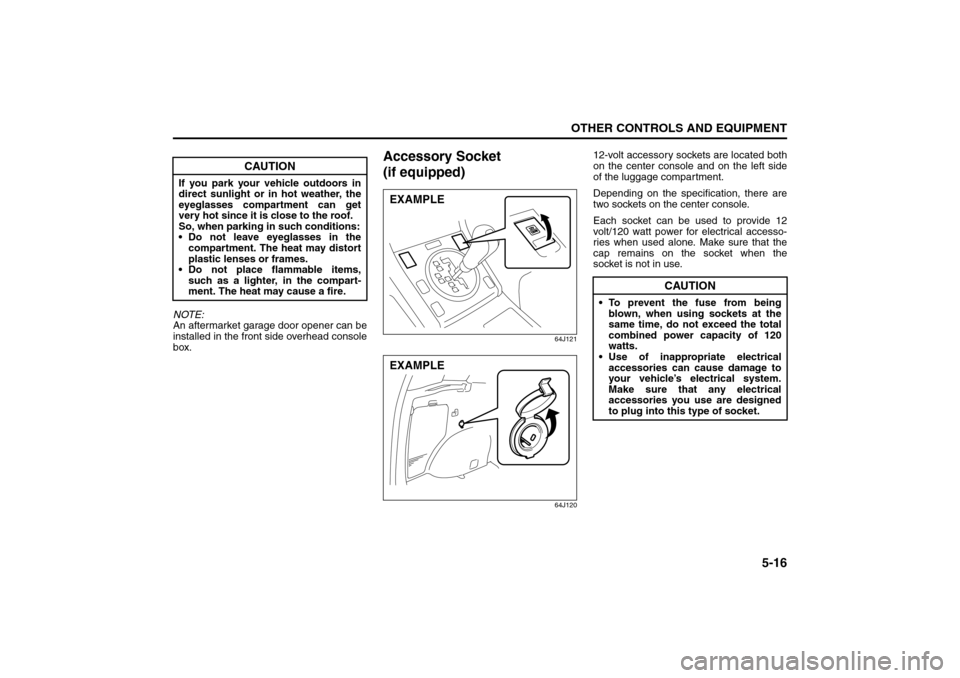
Accessory Socket
(if equipped)
64J121
64J120
12-volt accessory sockets are located both
on the center console and on the left side
of the luggage compartment.
Depending on the specification, there are
two sockets on the center console.
Each socket can be used to provide 12
volt/120 watt power for electrical accesso-
ries when used alone. Make sure that the
cap remains on the socket when the
socket is not in use.
CAUTION
If you park your vehicle outdoors in
direct sunlight or in hot weather, the
eyeglasses compartment can get
very hot since it is close to the roof.
So, when parking in such conditions:
Do not leave eyeglasses in the
compartment. The heat may distort
plastic lenses or frames.
Do not place flammable items,
such as a lighter, in the compart-
ment. The heat may cause a fire.
EXAMPLEEXAMPLE
CAUTION
To prevent the fuse from being
blown, when using sockets at the
same time, do not exceed the total
combined power capacity of 120
watts.
Use of inappropriate electrical
accessories can cause damage to
your vehicle’s electrical system.
Make sure that any electrical
accessories you use are designed
to plug into this type of socket.
Overhead Console Box:
Accessory Socket: 8