Speed SUZUKI IGNIS 2022 Workshop Manual
[x] Cancel search | Manufacturer: SUZUKI, Model Year: 2022, Model line: IGNIS, Model: SUZUKI IGNIS 2022Pages: 505, PDF Size: 8.36 MB
Page 212 of 505
3-59OPERATING YOUR VEHICLE
75RM4-01E
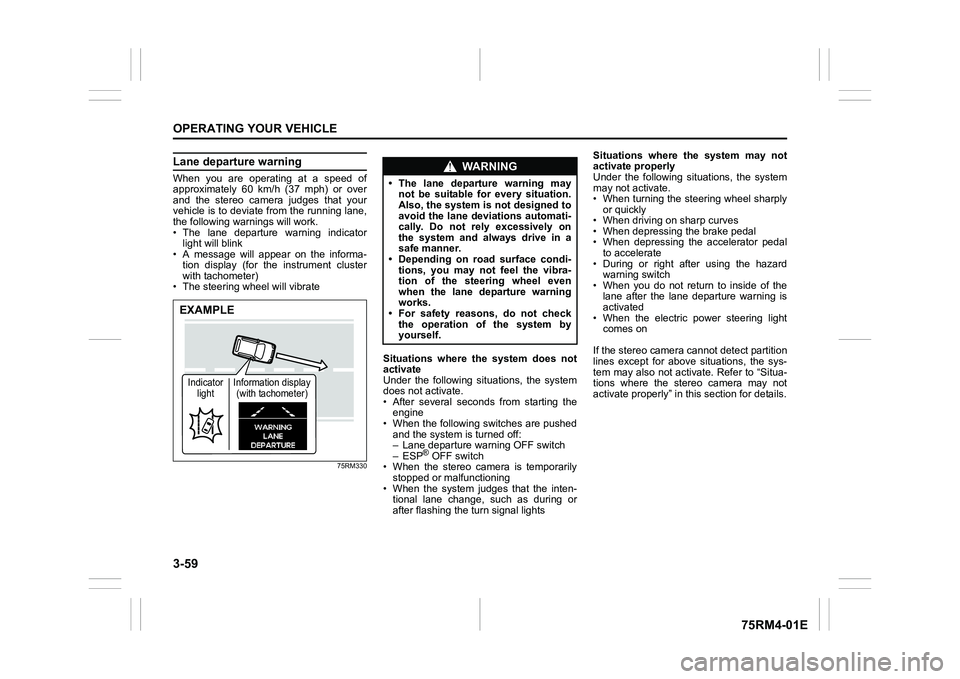
Lane departure warningWhen you are operating at a speed of
approximately 60 km/h (37 mph) or over
and the stereo camera judges that your
vehicle is to deviate from the running lane,
the following warnings will work.
• The lane departure warning indicatorlight will blink
• A message will appear on the informa-
tion display (for the instrument cluster
with tachometer)
• The steering wheel will vibrate
75RM330
Situations where the system does not
activate
Under the following situations, the system
does not activate.
• After several seconds from starting the engine
• When the following switches are pushed and the system is turned off:
– Lane departure warning OFF switch
– ESP
® OFF switch
• When the stereo camera is temporarily stopped or malfunctioning
• When the system judges that the inten- tional lane change, such as during or
after flashing the turn signal lights Situations where the system may not
activate properly
Under the following situations, the system
may not activate.
• When turning the steering wheel sharply
or quickly
• When driving on sharp curves
• When depressing the brake pedal
• When depressing the accelerator pedal to accelerate
• During or right after using the hazard warning switch
• When you do not return to inside of the lane after the lane departure warning is
activated
• When the electric power steering light comes on
If the stereo camera cannot detect partition
lines except for above situations, the sys-
tem may also not activ ate. Refer to “Situa-
tions where the stereo camera may not
activate properly” in this section for details.
EXAMPLEIndicator light Information display
(with tachometer)
WA R N I N G
• The lane departure warning may not be suitable for every situation.
Also, the system is not designed to
avoid the lane deviations automati-
cally. Do not rely excessively on
the system and always drive in a
safe manner.
• Depending on road surface condi-
tions, you may not feel the vibra-
tion of the steering wheel even
when the lane departure warning
works.
• For safety reasons, do not check
the operation of the system by
yourself.
Page 213 of 505
3-60
OPERATING YOUR VEHICLE
75RM4-01E
Situations where the system may acti-
vate by chance
Under the following situations, the system
may activate.
• When there is a shadow of guard rail
• When partition lines are drawn doubly
• When there is a liner paint on the road of a construction zone because the previ-
ous line has not been erased completely
• When there is repair marks on the road or a boundary between asphalt and
snow
• When there is tire marks on snow-cov- ered or wet road
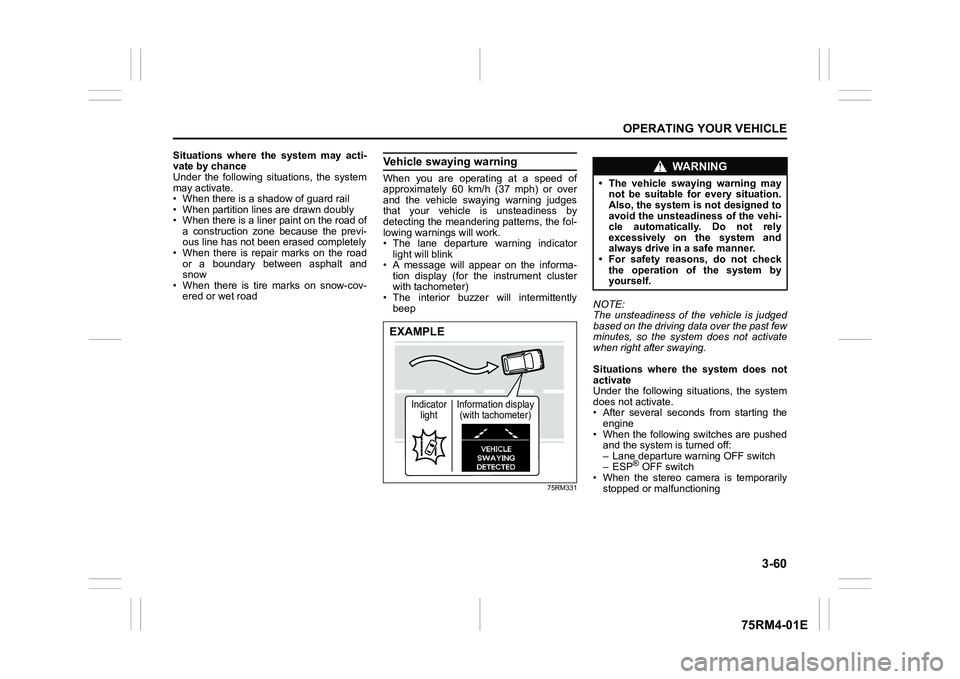
Vehicle swaying warningWhen you are operating at a speed of
approximately 60 km/h (37 mph) or over
and the vehicle swaying warning judges
that your vehicle is unsteadiness by
detecting the meandering patterns, the fol-
lowing warnings will work.
• The lane departure warning indicatorlight will blink
• A message will appear on the informa- tion display (for the instrument cluster
with tachometer)
• The interior buzzer will intermittently beep
75RM331
NOTE:
The unsteadiness of the vehicle is judged
based on the driving data over the past few
minutes, so the system does not activate
when right after swaying.
Situations where the system does not
activate
Under the following situations, the system
does not activate.
• After several seconds from starting the
engine
• When the following switches are pushed and the system is turned off:
– Lane departure warning OFF switch
– ESP
® OFF switch
• When the stereo camera is temporarily
stopped or malfunctioning
EXAMPLE
Indicator light Information display
(with tachometer)
WA R N I N G
• The vehicle swaying warning may not be suitable for every situation.
Also, the system is not designed to
avoid the unsteadiness of the vehi-
cle automatically. Do not rely
excessively on the system and
always drive in a safe manner.
• For safety reasons, do not check
the operation of the system by
yourself.
Page 214 of 505
3-61OPERATING YOUR VEHICLE
75RM4-01E
Situations where the system may not
activate properly
Under the following situations, the system
may not activate.
• When driving on continuous curves
• When the vehicle speed changes
extremely
• Right after lane changing
If the stereo camera cannot detect partition
lines except for above situations, the sys-
tem may also not activ ate. Refer to “Situa-
tions where the stereo camera may not
activate properly” in this section for details.
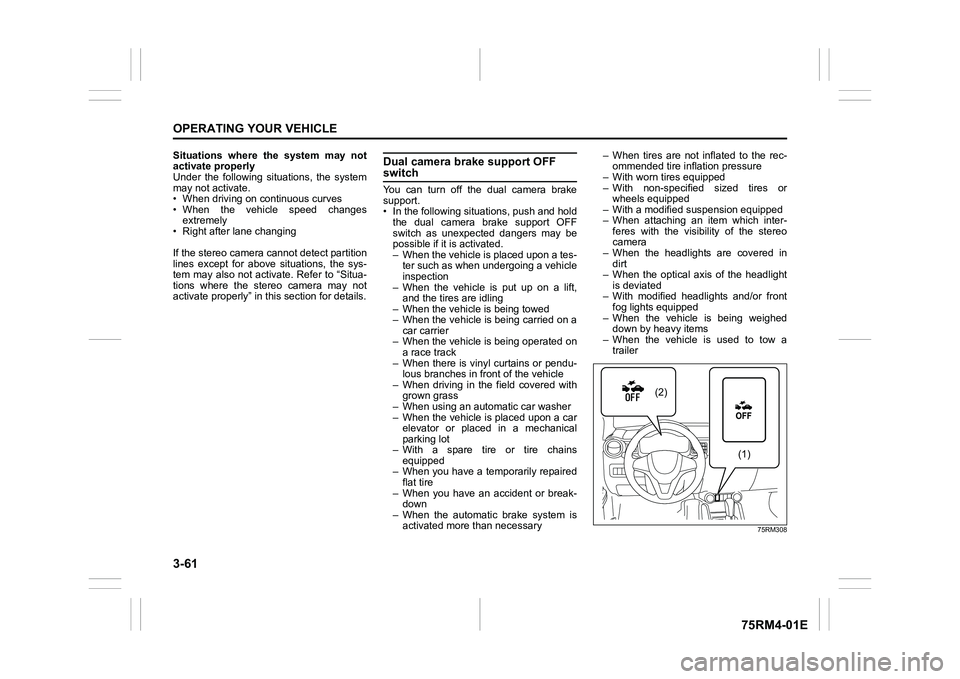
Dual camera brake support OFF switchYou can turn off the dual camera brake
support.
• In the following situations, push and hold the dual camera brake support OFF
switch as unexpected dangers may be
possible if it is activated.
– When the vehicle is placed upon a tes-ter such as when undergoing a vehicle
inspection
– When the vehicle is put up on a lift, and the tires are idling
– When the vehicle is being towed
– When the vehicle is being carried on a car carrier
– When the vehicle is being operated on
a race track
– When there is vinyl curtains or pendu- lous branches in front of the vehicle
– When driving in the field covered with grown grass
– When using an aut omatic car washer
– When the vehicle is placed upon a car elevator or placed in a mechanical
parking lot
– With a spare tire or tire chains equipped
– When you have a temporarily repaired
flat tire
– When you have an accident or break- down
– When the automatic brake system is activated more than necessary – When tires are not inflated to the rec-
ommended tire inflation pressure
– With worn tires equipped
– With non-specified sized tires or wheels equipped
– With a modified su spension equipped
– When attaching an item which inter- feres with the visibility of the stereo
camera
– When the headlights are covered in dirt
– When the optical axis of the headlight
is deviated
– With modified headlights and/or front fog lights equipped
– When the vehicle is being weighed down by heavy items
– When the vehicle is used to tow a trailer
75RM308
(2)
(1)
Page 221 of 505
3-68
OPERATING YOUR VEHICLE
75RM4-01E
72M20405
• When your vehicle is weighed down byheavy items in the luggage compartment
or rear seat
• When the tires are not inflated to the rec- ommended tire inflation pressure or the
tires are worn
• With tire chains or non-specified sized
tires equipped
• When you have a temporarily repaired flat tire
• With a modified suspension equipped
• When passing through the entrance or exit of the tunnel and the brightness is
changed extremely
• When driving without lighting the head- lights at night or in tunnels
• When driving on a steep slope or sharp curves
• When the optical axis of the headlight is
deviated
• With modified headlights and/or front fog lights equipped
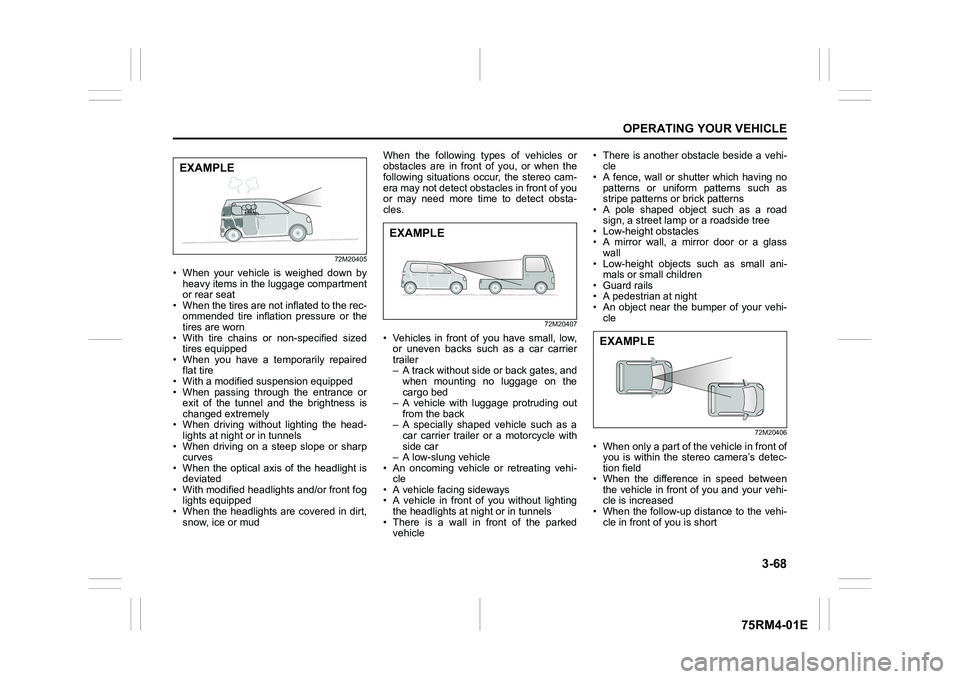
• When the headlights are covered in dirt, snow, ice or mud When the following types of vehicles or
obstacles are in front of you, or when the
following situations occur, the stereo cam-
era may not detect obstacles in front of you
or may need more time to detect obsta-
cles.
72M20407
• Vehicles in front of you have small, low,
or uneven backs such as a car carrier
trailer
– A track without side or back gates, andwhen mounting no luggage on the
cargo bed
– A vehicle with luggage protruding out
from the back
– A specially shaped vehicle such as a car carrier trailer or a motorcycle with
side car
– A low-slung vehicle
• An oncoming vehicle or retreating vehi-
cle
• A vehicle facing sideways
• A vehicle in front of you without lighting
the headlights at n ight or in tunnels
• There is a wall in front of the parked vehicle • There is another obstacle beside a vehi-
cle
• A fence, wall or shutter which having no
patterns or uniform patterns such as
stripe patterns or brick patterns
• A pole shaped object such as a road
sign, a street lamp or a roadside tree
• Low-height obstacles
• A mirror wall, a mirror door or a glass
wall
• Low-height objects such as small ani- mals or small children
• Guard rails
• A pedestrian at night
• An object near the bumper of your vehi- cle
72M20406
• When only a part of the vehicle in front ofyou is within the stereo camera’s detec-
tion field
• When the difference in speed between the vehicle in front of you and your vehi-
cle is increased
• When the follow-up distance to the vehi- cle in front of you is short
EXAMPLE
EXAMPLE
EXAMPLE
Page 224 of 505
3-71OPERATING YOUR VEHICLE
75RM4-01E
Emergency stop signal (ESS) (if equipped)ESS stands for Emergency Stop Signal.
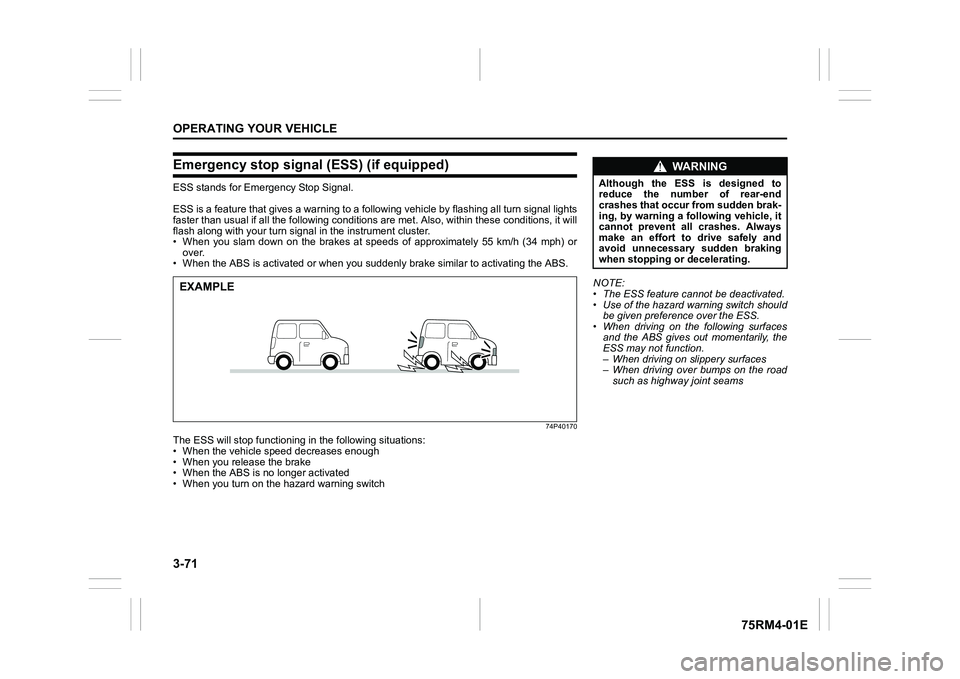
ESS is a feature that gives a war ning to a following vehicle by flashing all turn signal lights
faster than usual if all the following conditions are met. Also , within these conditions, it will
flash along with your turn signal in the instrument cluster.
• When you slam down on the brakes at speeds of approximately 55 km/h (34 mph) or
over.
• When the ABS is activated or when you suddenly brake similar to activating the ABS.
74P40170
The ESS will stop functioning in the following situations:
• When the vehicle speed decreases enough
• When you release the brake
• When the ABS is no longer activated
• When you turn on the hazard warning switchEXAMPLE
NOTE:
• The ESS feature cannot be deactivated.
• Use of the hazard warning switch should
be given preference over the ESS.
• When driving on the following surfaces and the ABS gives out momentarily, the
ESS may not function.
– When driving on slippery surfaces
– When driving over bumps on the road
such as highway joint seams
WA R N I N G
Although the ESS is designed to
reduce the number of rear-end
crashes that occur from sudden brak-
ing, by warning a following vehicle, it
cannot prevent all crashes. Always
make an effort to drive safely and
avoid unnecessary sudden braking
when stopping or decelerating.
Page 228 of 505
3-75OPERATING YOUR VEHICLE
75RM4-01E
If the rear view from the rearview cam-
era is not shown or there is a poor
image
• If the rear view from the rearview camerais not shown.
– Check that the ignition switch is in
“ON” position or the ignition mode is
ON.
– Check that the gearshift lever is
shifted to “R” position.
• If the image from the rearview camera is poor.
– Check that the camera lens is not dirty.
– Check that light from the sun or thebeam of the headlights from the vehi-
cle behind is not shining directly into
the lens.
If the rearview camera system is still not
working properly after checking the above,
have the system inspected by an autho-
rized SUZUKI dealer as soon as possible.
Braking
60G165S
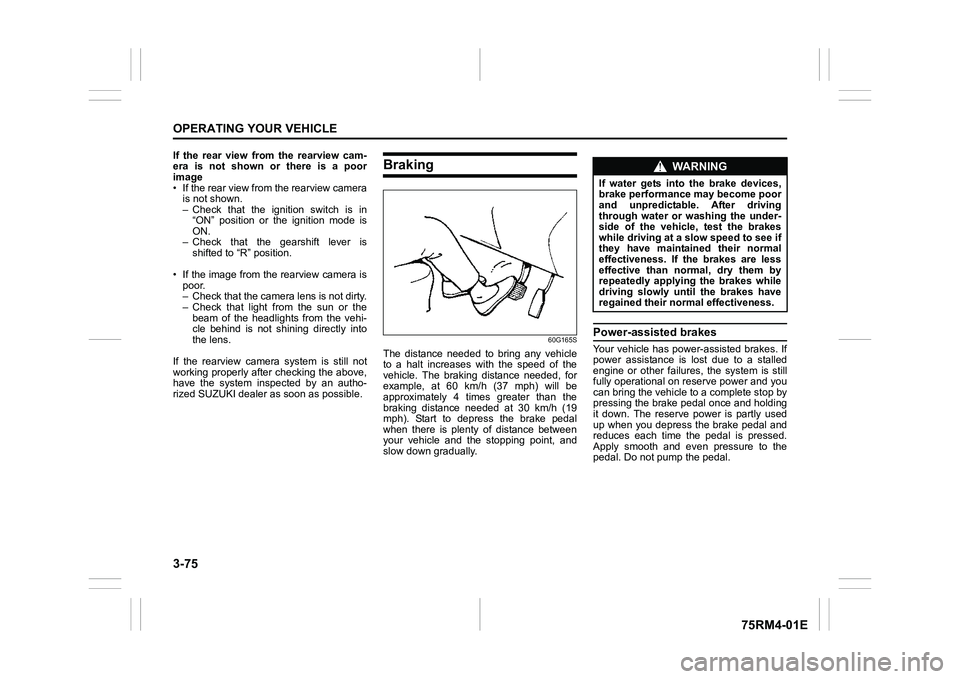
The distance needed to bring any vehicle
to a halt increases with the speed of the
vehicle. The braking distance needed, for
example, at 60 km/h (37 mph) will be
approximately 4 times greater than the
braking distance needed at 30 km/h (19
mph). Start to depress the brake pedal
when there is plenty of distance between
your vehicle and the stopping point, and
slow down gradually.
Power-assisted brakesYour vehicle has power-assisted brakes. If
power assistance is lo st due to a stalled
engine or other failure s, the system is still
fully operational on reserve power and you
can bring the vehicle to a complete stop by
pressing the brake pedal once and holding
it down. The reserve power is partly used
up when you depress the brake pedal and
reduces each time the pedal is pressed.
Apply smooth and even pressure to the
pedal. Do not pump the pedal.
WA R N I N G
If water gets into the brake devices,
brake performance may become poor
and unpredictable. After driving
through water or washing the under-
side of the vehicle, test the brakes
while driving at a slow speed to see if
they have maintained their normal
effectiveness. If the brakes are less
effective than normal, dry them by
repeatedly applying the brakes while
driving slowly until the brakes have
regained their normal effectiveness.
Page 229 of 505
3-76
OPERATING YOUR VEHICLE
75RM4-01E
Brake assist systemWhen you slam the brakes on, the brake
assist system determines it to be an emer-
gency stop and provides more powerful
braking for a driver who cannot hold down
the brake pedal firmly.
NOTE:
If you quickly and forcefully depress the
brakes, you may hear clicking sound by
the brake assist system operation. This is
normal and indicates that the brake assist
system is activated properly.
Anti-lock brake system (ABS)ABS will help you avoid skidding by elec-
tronically controlling braking pressure. It
will also help you maintain steering control
when braking on slippery surfaces or when
braking hard.
The ABS works automatically, so you do
not need any special braking technique.
Just push the brake pedal down without
pumping. The ABS will operate whenever
it senses that the wheels are locking up.
You may feel the brake pedal move a little
while the ABS is operating.
NOTE:
• The ABS will not work if vehicle speed is under about 9 km/h (6 mph).
• If the ABS system is activated, you may
hear a clunking noise and/or feel pulsat-
ing in the brake pedal. This is normal
and indicates that the brake fluid pres-
sure is being controlled properly.
• You may hear an operation sound when you start the engine or after the vehicle
begins to move. This means that the
above systems are in the self-check
mode. This sound does not indicate a
malfunction.
WA R N I N G
Even without reserve power in the
brake system, you can still stop the
vehicle by pressing the brake pedal
harder than normally required. How-
ever, the stopping distance may be
longer.
WA R N I N G
• On some types of loose surfaces (such as gravel, snow-covered
roads, etc.), the stopping distance
required for a vehicle with ABS
may be slightly greater than the
one required for a comparable vehi-
cle with a conventional brake sys-
tem. With a conventional brake
system, skidding tires are able to
plow the gravel or snow layer,
shortening the stopping distance.
ABS minimizes this resistance
effect. Allow for extra stopping dis-
tance when driving on loose sur-
faces.
• On regular paved roads, some driv-
ers may be able to obtain slightly
shorter stopping distances with
conventional brake systems than
with ABS.
• In both of the above conditions, ABS will still offer the advantage of
helping you maintain directional
control. However, remember that
ABS will not compensate for bad
road or weather conditions or poor
driver judgment. Use good judg-
ment and do not drive too fast.
Page 230 of 505
3-77OPERATING YOUR VEHICLE
75RM4-01E
54MN069
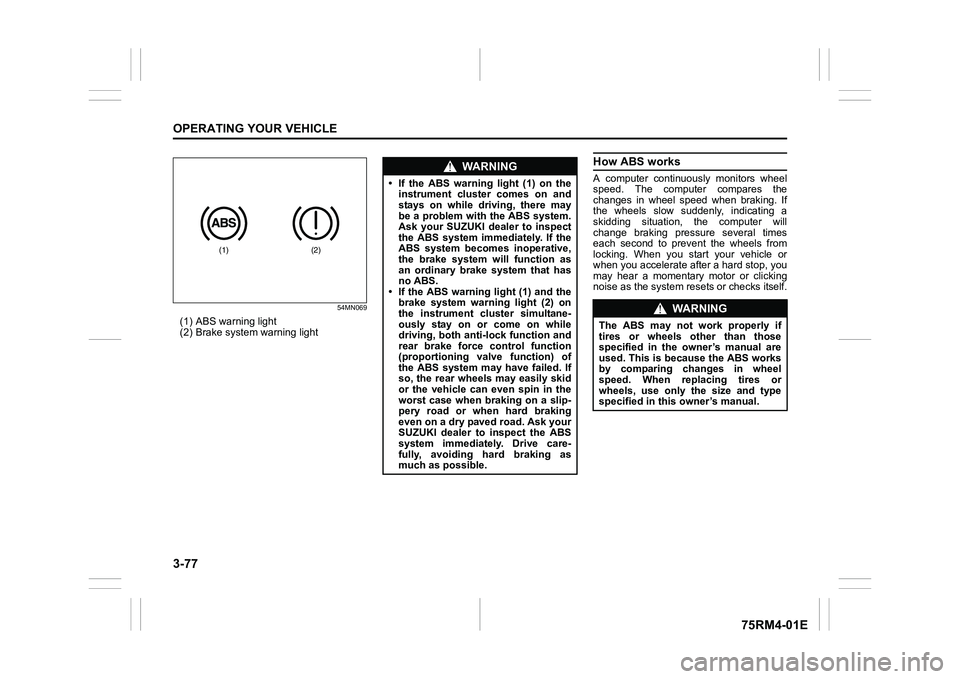
(1) ABS warning light
(2) Brake system warning light
How ABS worksA computer continuously monitors wheel
speed. The computer compares the
changes in wheel speed when braking. If
the wheels slow suddenly, indicating a
skidding situation, the computer will
change braking pressure several times
each second to prevent the wheels from
locking. When you start your vehicle or
when you accelerate after a hard stop, you
may hear a momentary motor or clicking
noise as the system resets or checks itself.
(1)
(2)
WA R N I N G
• If the ABS warning light (1) on theinstrument cluster comes on and
stays on while driving, there may
be a problem with the ABS system.
Ask your SUZUKI dealer to inspect
the ABS system immediately. If the
ABS system becomes inoperative,
the brake system will function as
an ordinary brake system that has
no ABS.
• If the ABS warning light (1) and the
brake system warning light (2) on
the instrument cluster simultane-
ously stay on or come on while
driving, both anti-lock function and
rear brake force control function
(proportioning valve function) of
the ABS system may have failed. If
so, the rear wheels may easily skid
or the vehicle can even spin in the
worst case when braking on a slip-
pery road or when hard braking
even on a dry paved road. Ask your
SUZUKI dealer to inspect the ABS
system immediately. Drive care-
fully, avoiding hard braking as
much as possible.
WA R N I N G
The ABS may not work properly if
tires or wheels other than those
specified in the owner’s manual are
used. This is because the ABS works
by comparing changes in wheel
speed. When replacing tires or
wheels, use only the size and type
specified in this owner’s manual.
Page 231 of 505
3-78
OPERATING YOUR VEHICLE
75RM4-01E
Electronic stability program (ESP
®) (if equipped)
ESP
® is a registered trademark of Daimler
AG.
The Electronic Stability Program (ESP
®)
helps to control the vehicle during corner-
ing if front wheels or rear wheels skid. It
also assists you in maintaining traction
while accelerating on loose or slippery
road surfaces. It does this by regulating
the engine’s output, and by selectively
applying the brakes. In addition, ESP®
helps to avoid skidding by controlling brak-
ing pressure. The ESP
® has the following three sys-
tems:
Stability control systemThe vehicle stability control system helps
provide integrated control of systems such
as anti-lock brakes, traction control, engine
control, etc. This system automatically
controls the brakes and engine to help pre-
vent the vehicle from skidding when cor-
nering on a slippery road surface or when
turning the steering wheel abruptly.Traction control systemThe traction control system automatically
helps prevent the spinning of wheels when
the vehicle is started or accelerated on
slippery road surfaces. The system oper-
ates only if it senses that some of the
wheels are spinning or beginning to lose
traction. When this happens, the system
operates the front or rear brakes and
reduces engine power to limit wheel spin.
Anti-lock brake system (ABS)ABS will help you avoid skidding by elec-
tronically controlling braking pressure. It
will also help you maintain steering control
when braking on slippery surfaces or when
braking hard. The ABS works automati-
cally, so you do not have to use any spe-
cial braking technique. Just push the brake
pedal down wit hout pumping. The ABS will
operate whenever it senses that wheels
are locking up. You may feel the brake
pedal pulsate while the ABS is operating.
(For more information on ABS, see “Brak-
ing” in this section.)
NOTE:
The ABS will not work if vehicle speed is
under about 9 km/h (6 mph).
WA R N I N G
The ESP
® cannot enhance the vehi-
cle’s driving stability in all situations
and does not control your vehicle’s
entire braking system. The ESP
® can-
not prevent accidents, including
those resulting from excessive speed
in turns, or hydroplaning. Only safe
and attentive drive can prevent acci-
dents. The capabilities of an ESP
®-
equipped vehicle must never be used
as a substitute for careful driving.
WA R N I N G
• The ESP
® may not work properly if
tires or wheels other than those
specified in the owner’s manual are
used. When replacing tires or
wheels, use only the size and type
specified in this owner’s manual.
• The ESP® may not work properly if
tires are not inflated to the recom-
mended tire inflation pressure.
• The ESP® may not work properly if
tires are fitted wi th tire chains.
(Continued)
Page 233 of 505
3-80
OPERATING YOUR VEHICLE
75RM4-01E
ESP
® OFF switch
75RM055
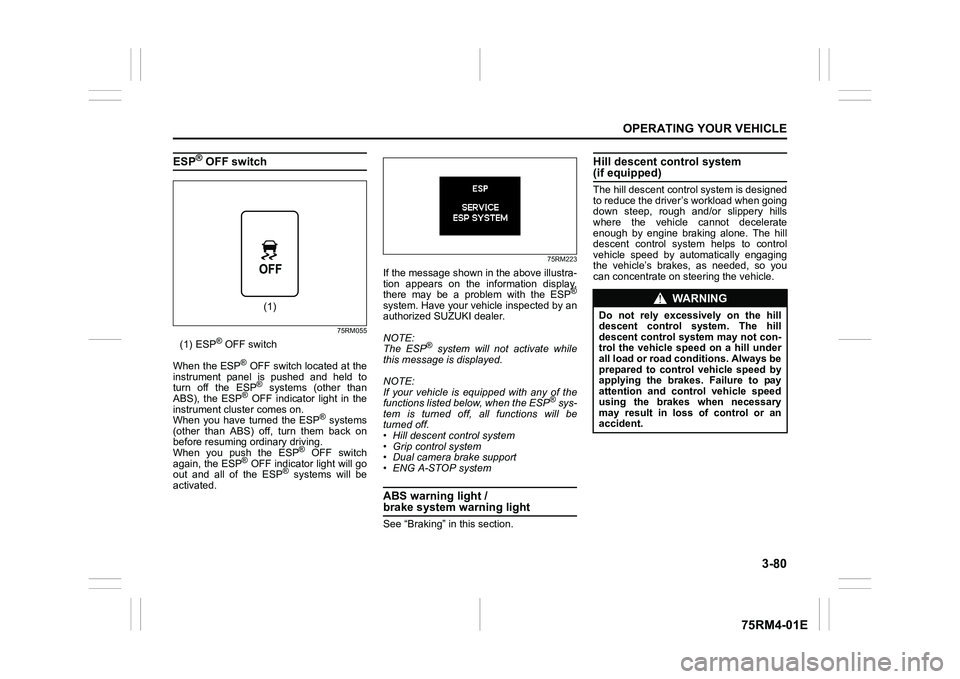
(1) ESP
® OFF switch
When the ESP
® OFF switch located at the
instrument panel is pushed and held to
turn off the ESP® systems (other than
ABS), the ESP
® OFF indicator light in the
instrument cluster comes on.
When you have turned the ESP
® systems
(other than ABS) off, turn them back on
before resuming ordinary driving.
When you push the ESP
® OFF switch
again, the ESP
® OFF indicator light will go
out and all of the ESP
® systems will be
activated.
75RM223
If the message shown in the above illustra-
tion appears on the information display,
there may be a problem with the ESP
®
system. Have your vehicle inspected by an
authorized SUZUKI dealer.
NOTE:
The ESP
® system will not activate while
this message is displayed.
NOTE:
If your vehicle is equipped with any of the
functions listed below, when the ESP
® sys-
tem is turned off, all functions will be
turned off.
• Hill descent control system
• Grip control system
• Dual camera brake support
• ENG A-STOP system
ABS warning light / brake system warning lightSee “Braking” in this section.
Hill descent control system (if equipped)The hill descent cont rol system is designed
to reduce the driver’s workload when going
down steep, rough and/or slippery hills
where the vehicle cannot decelerate
enough by engine braking alone. The hill
descent control system helps to control
vehicle speed by automatically engaging
the vehicle’s brakes, as needed, so you
can concentrate on steering the vehicle.
(1)
WA R N I N G
Do not rely excessively on the hill
descent control system. The hill
descent control system may not con-
trol the vehicle speed on a hill under
all load or road conditions. Always be
prepared to control vehicle speed by
applying the brakes. Failure to pay
attention and control vehicle speed
using the brakes when necessary
may result in loss of control or an
accident.