fuel TOYOTA 86 2017 User Guide
[x] Cancel search | Manufacturer: TOYOTA, Model Year: 2017, Model line: 86, Model: TOYOTA 86 2017Pages: 428, PDF Size: 5.25 MB
Page 60 of 428
601-5. Refueling
WARNING■ When refueling
Observe the following precautions to prevent fuel overflowing from the fuel
tank:
● Securely insert the fuel nozzle into the fuel filler neck
● Stop filling the tank after the fuel nozzle automatically clicks off
● Do not top off the fuel tank
● Observe other precautions that are posted at the service station.
● Turn the cap to the right until it clicks to ensure that it is fully tightened. If
the cap is not securely tightened, fuel spillage could occur in the event of
an accident, creating a fire hazard.
■ When replacing the fuel cap
Do not use anything but a genuine Toyota fuel tank cap designed for your
vehicle. Doing so may cause a fire or other incident which may result in
death or serious injury.
NOTICE■ Refueling
● Do not spill fuel during refueling.
Doing so may damage the vehicle, such as causing the emission control
system to operate abnormally or damaging fuel system components or the
vehicle's painted surface.
● Never add any cleaning agents to the fuel tank. The addition of a cleaning
agent may cause damage to the fuel system.
● Immediately put fuel in the tank whenever the low fuel warning light illumi-
nates. Engine misfires as a result of an empty tank could cause damage to
the engine.
Page 132 of 428
1322-1. Driving procedures
■ After the engine starts
In order to secure a rich exhaust sound when starting the vehicle and envi-
ronmental performance, air intake and exhaust sounds become loud and
vibrations may increase for a little while after the engine starts. This is not a
malfunction.
■ Operating your vehicle in a foreign country
Comply with the relevant vehicle registration laws and confirm the availability
of the correct fuel. ( → P. 357)
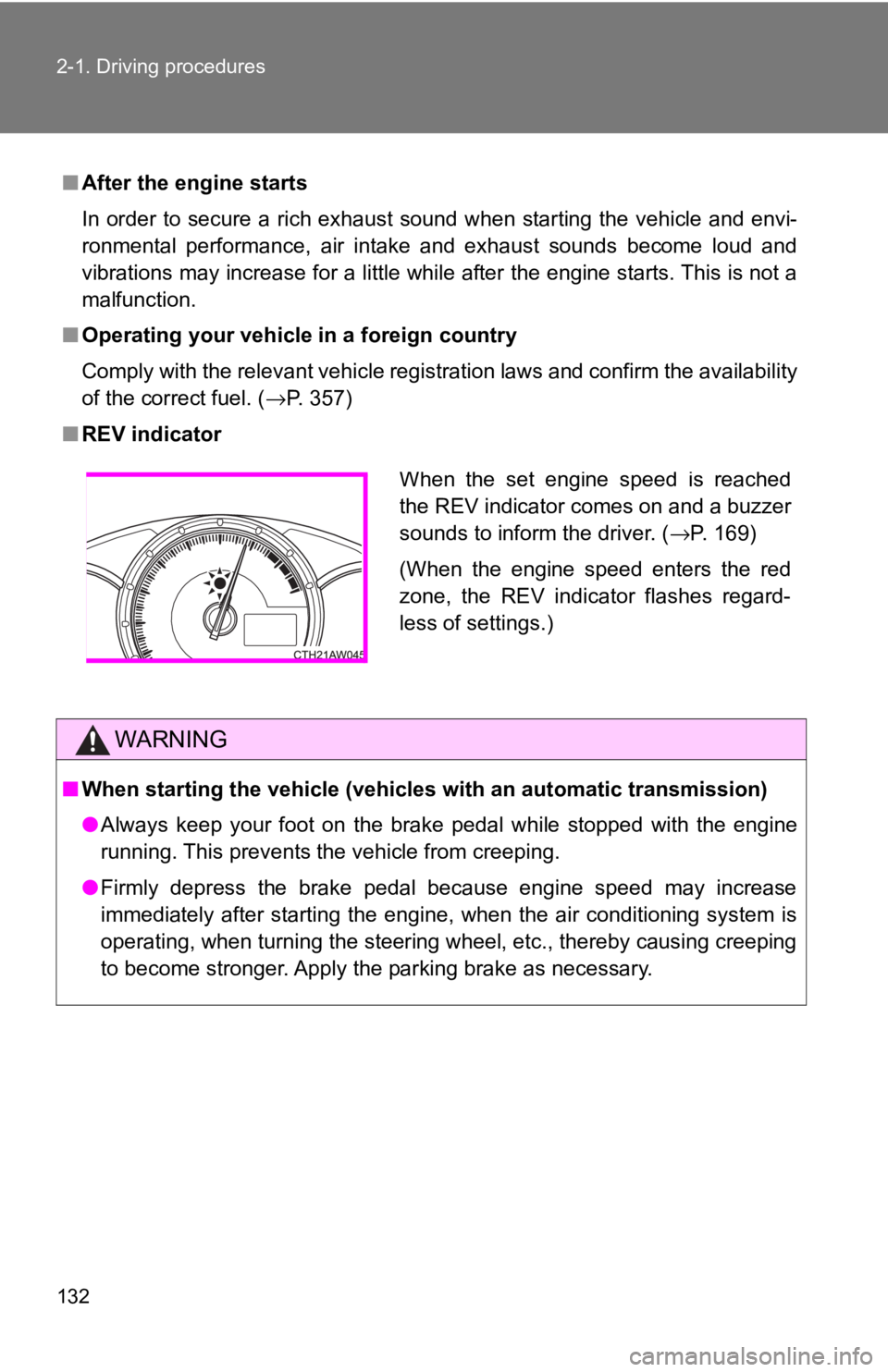
■ REV indicator
WARNING■ When starting the vehicle (vehicles with an automatic transmission)
● Always keep your foot on the brake pedal while stopped with the engine
running. This prevents the vehicle from creeping.
● Firmly depress the brake pedal because engine speed may increase
immediately after starting the engine, when the air conditioning system is
operating, when turning the steering wheel, etc., thereby causing creeping
to become stronger. Apply the parking brake as necessary. When the set engine speed is reached
the REV indicator comes on and a buzzer
sounds to inform the driver. ( → P. 169)
(When the engine speed enters the red
zone, the REV indicator flashes regard-
less of settings.)
Page 153 of 428
1532-1. Driving procedures
2
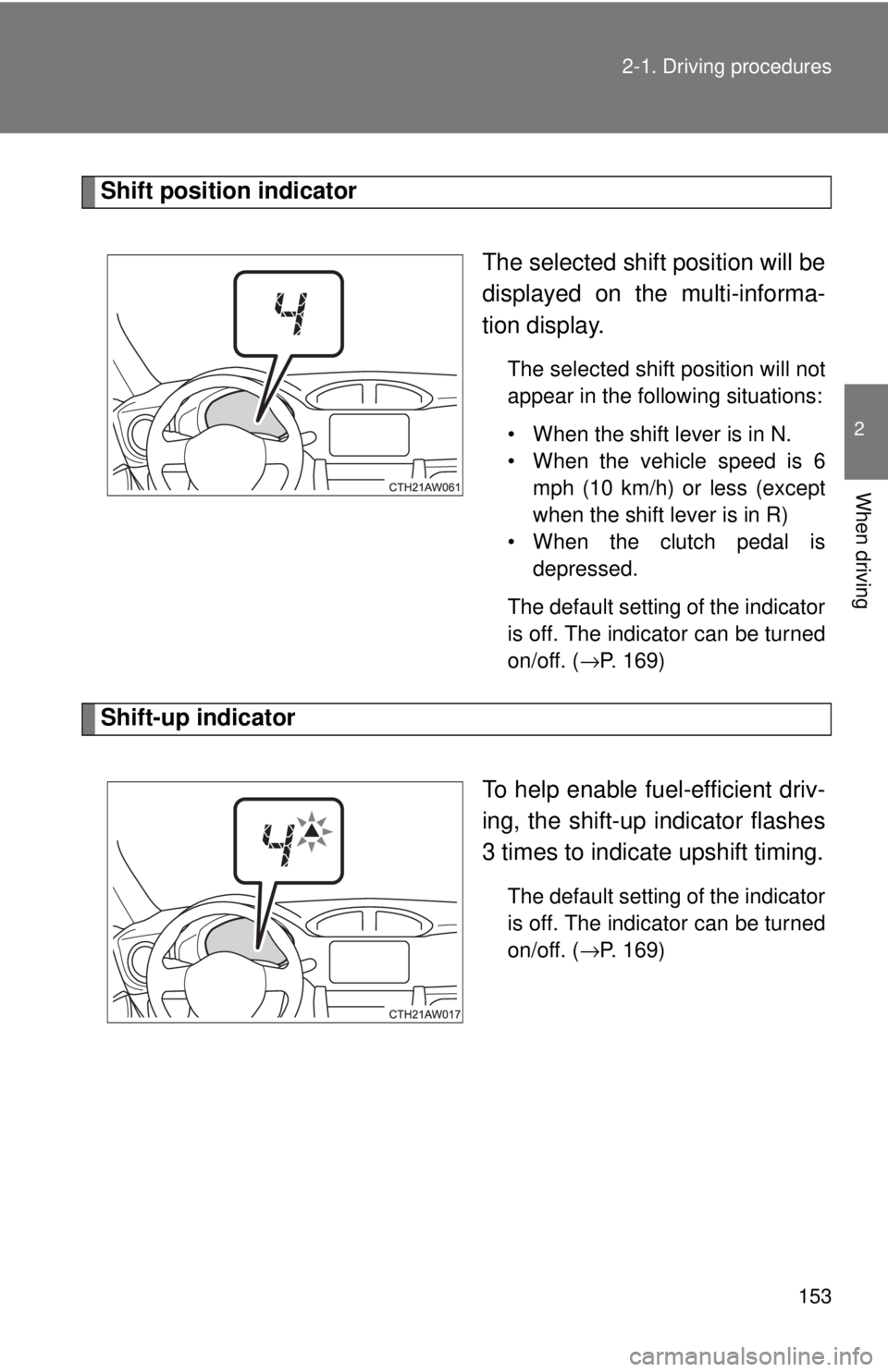
When driving Shift position indicator
The selected shift position will be
displayed on the multi-informa-
tion display. The selected shift position will not
appear in the following situations:
• When the shift lever is in N.
• When the vehicle speed is 6
mph (10 km/h) or less (except
when the shift lever is in R)
• When the clutch pedal is
depressed.
The default setting of the indicator
is off. The indicator can be turned
on/off. ( →P. 169)
Shift-up indicator
To help enable fuel-efficient driv-
ing, the shift-up indicator flashes
3 times to indicate upshift timing. The default setting of the indicator
is off. The indicator can be turned
on/off. ( →P. 169)
Page 158 of 428
1582-2. Instrument cluster
Gauges and meters
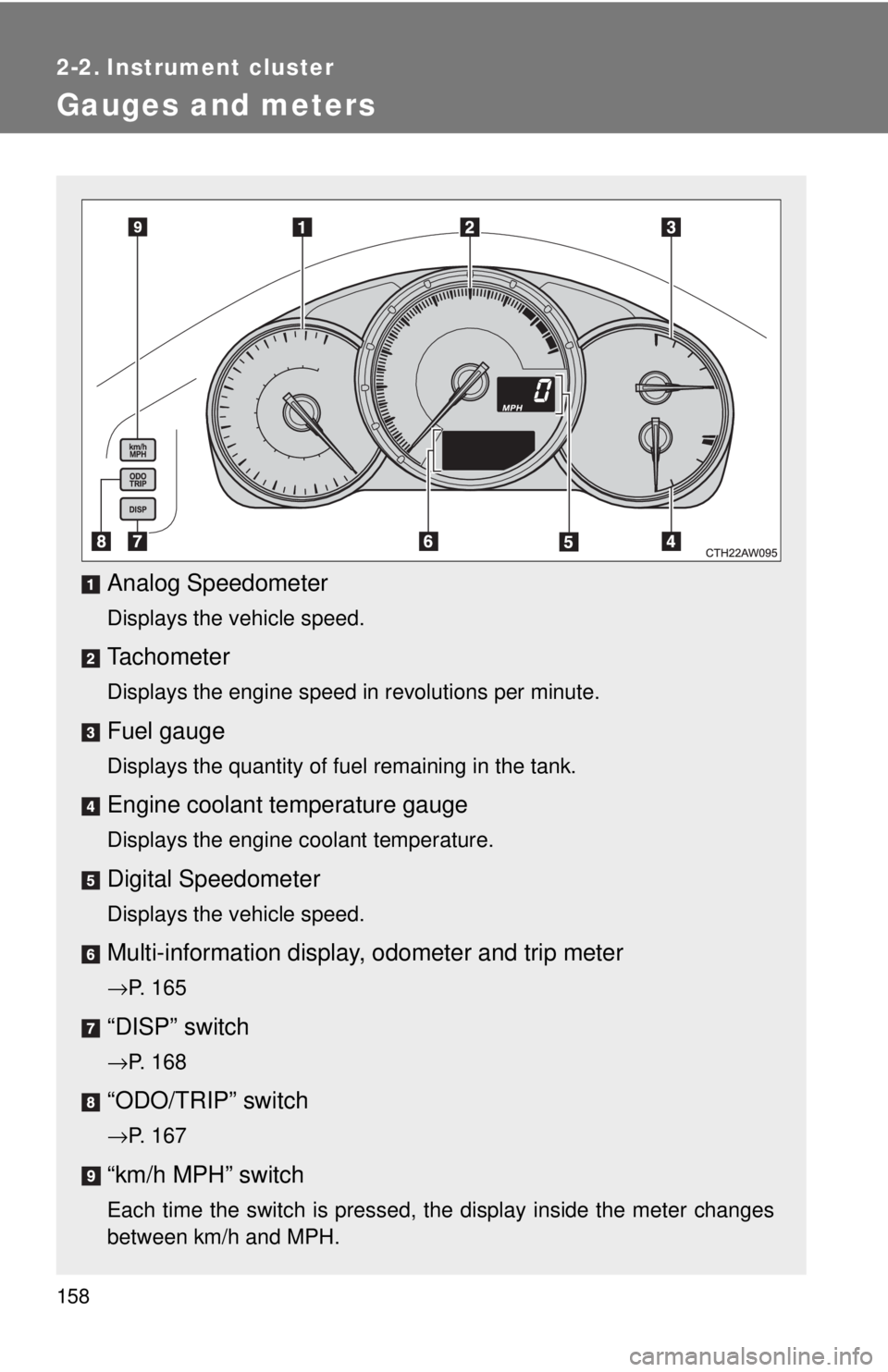
Analog Speedometer Displays the vehicle speed.
Tachometer Displays the engine speed in revolutions per minute.
Fuel gauge Displays the quantity of fuel remaining in the tank.
Engine coolant temperature gauge Displays the engine coolant temperature.
Digital Speedometer Displays the vehicle speed.
Multi-information display, odometer and trip meter→ P. 165
“DISP” switch
→ P. 168
“ODO/TRIP” switch
→ P. 167
“km/h MPH” switch
Each time the switch is pressed, the display inside the meter changes
between km/h and MPH.
Page 165 of 428
1652-2. Instrument cluster
2
When driving
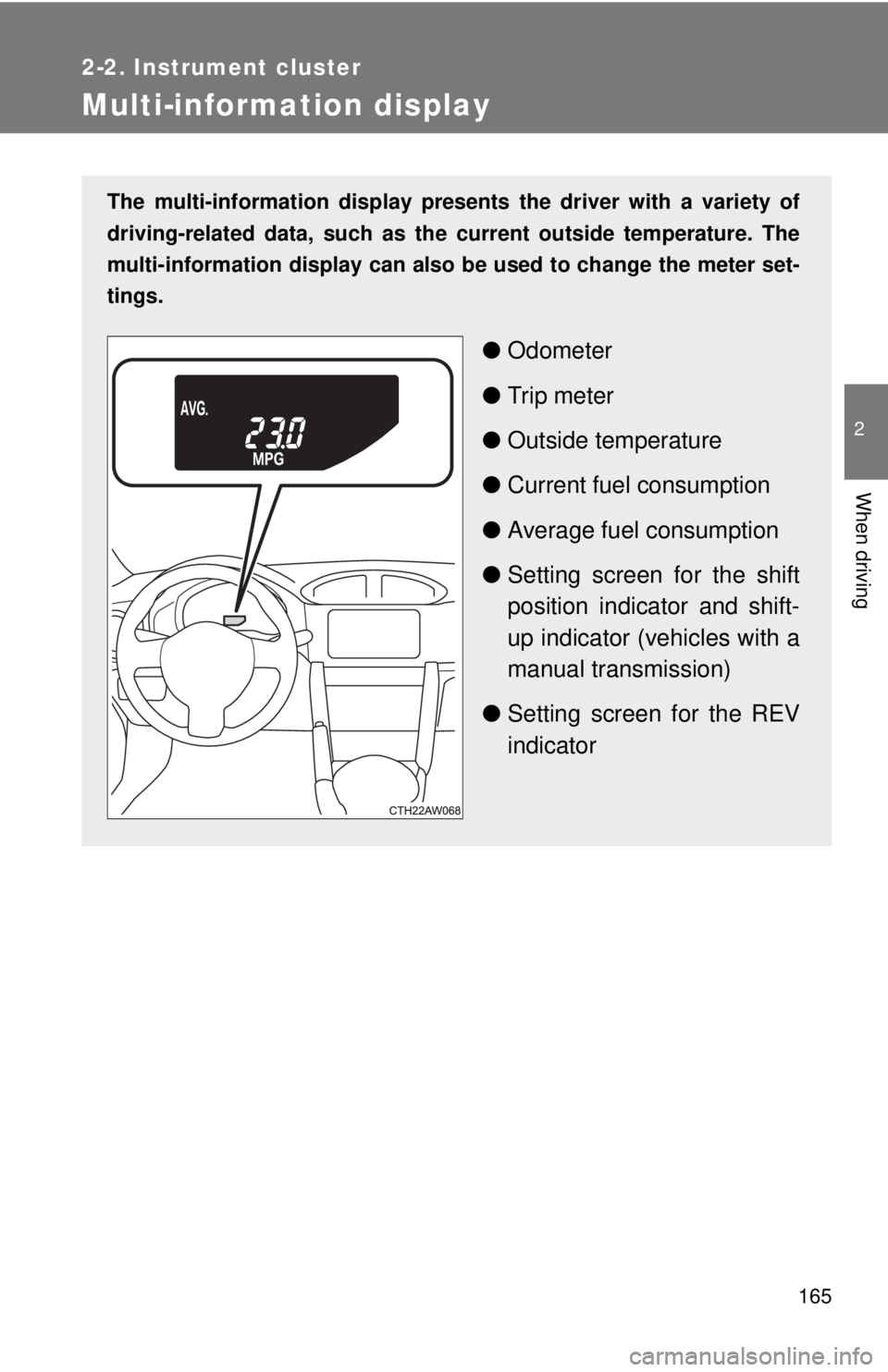
Multi-information display The multi-information display presen ts the driver with a variety of
driving-related data, such as the current outside temperature. The
multi-information display can also be used to change the meter set-
tings.
● Odometer
● Trip meter
● Outside temperature
● Current fuel consumption
● Average fuel consumption
● Setting screen for the shift
position indicator and shift-
up indicator (vehicles with a
manual transmission)
● Setting screen for the REV
indicator
Page 166 of 428
1662-2. Instrument cluster
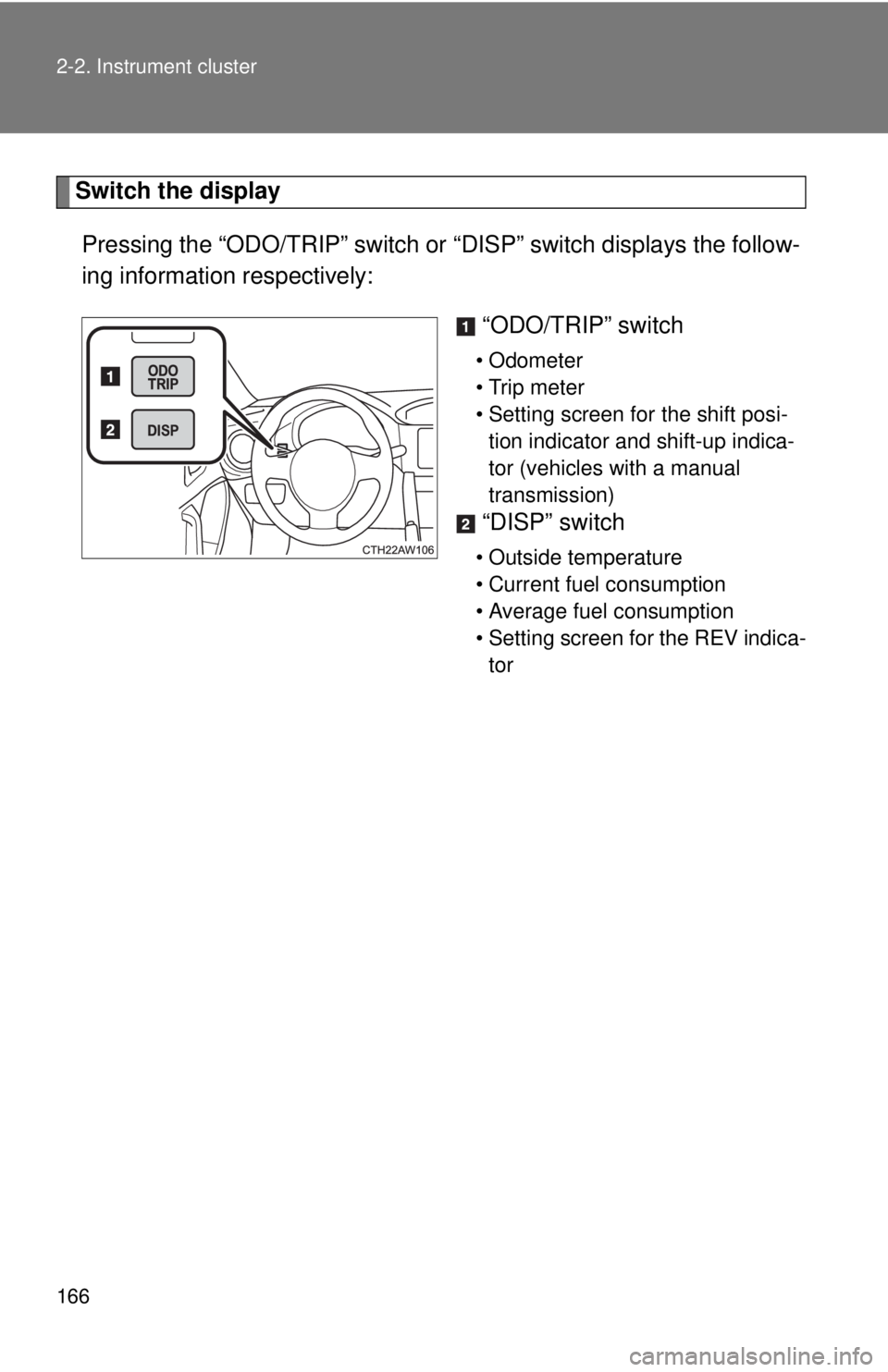
Switch the display
Pressing the “ODO/TRIP” switch or “DISP” switch displays the follow-
ing information respectively:
“ODO/TRIP” switch • Odometer
• Trip meter
• Setting screen for the shift posi-
tion indicator and shift-up indica-
tor (vehicles with a manual
transmission)
“DISP” switch • Outside temperature
• Current fuel consumption
• Average fuel consumption
• Setting screen for the REV indica-
tor
Page 168 of 428
1682-2. Instrument cluster
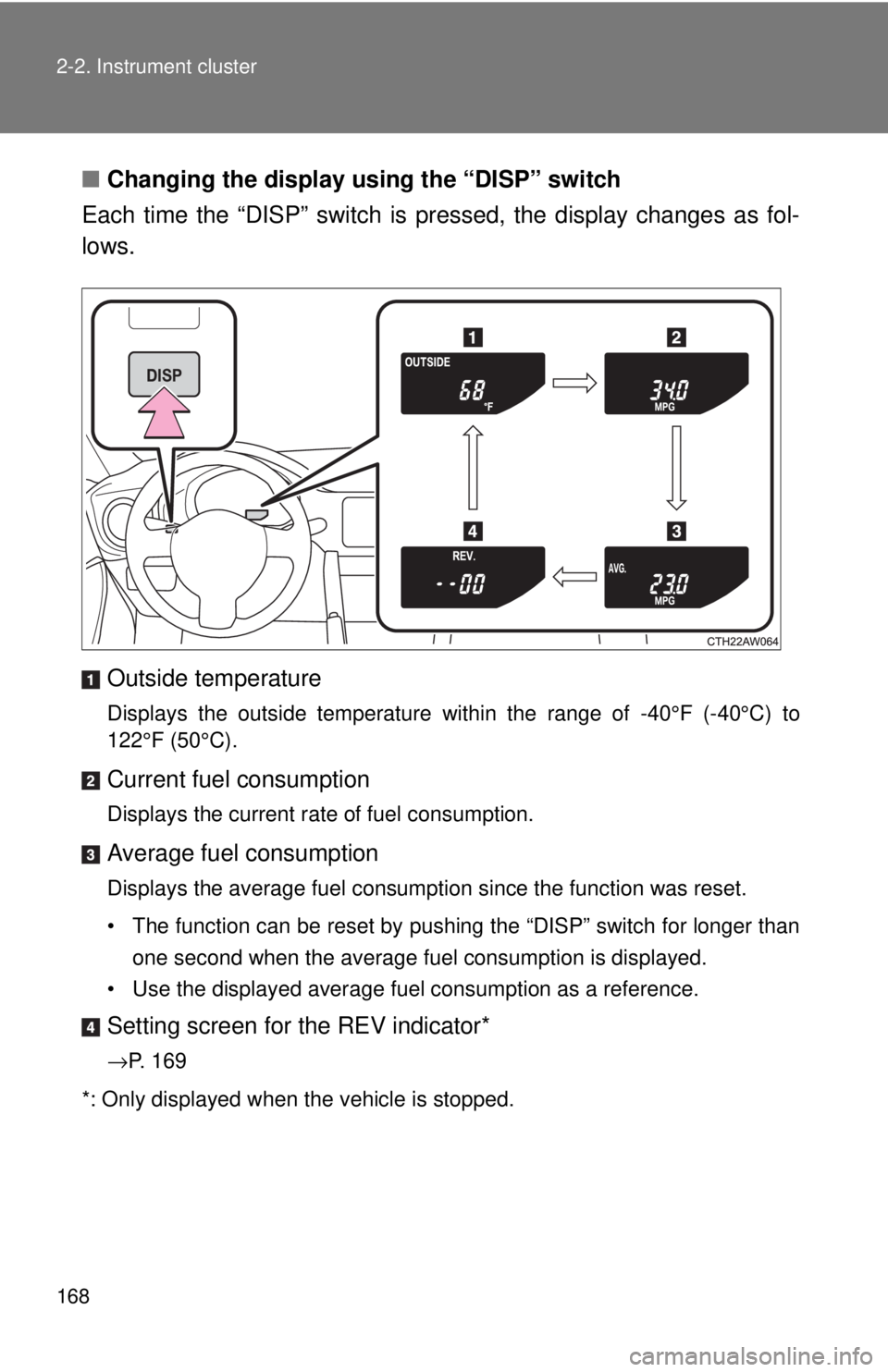
■ Changing the display using the “DISP” switch
Each time the “DISP” switch is pressed, the display changes as fol-
lows.
Outside temperature Displays the outside temperature within the range of -40°F (-40°C) to
122°F (50°C).
Current fuel consumption Displays the current rate of fuel consumption.
Average fuel consumption Displays the average fuel consumption since the function was reset.
• The function can be reset by pushing the “DISP” switch for longer than
one second when the average fuel consumption is displayed.
• Use the displayed average fuel consumption as a reference.
Setting screen for the REV indicator*
→ P. 169
*: Only displayed when the vehicle is stopped.
Page 173 of 428
1732-3. Operating the lights and windshield wipers
2
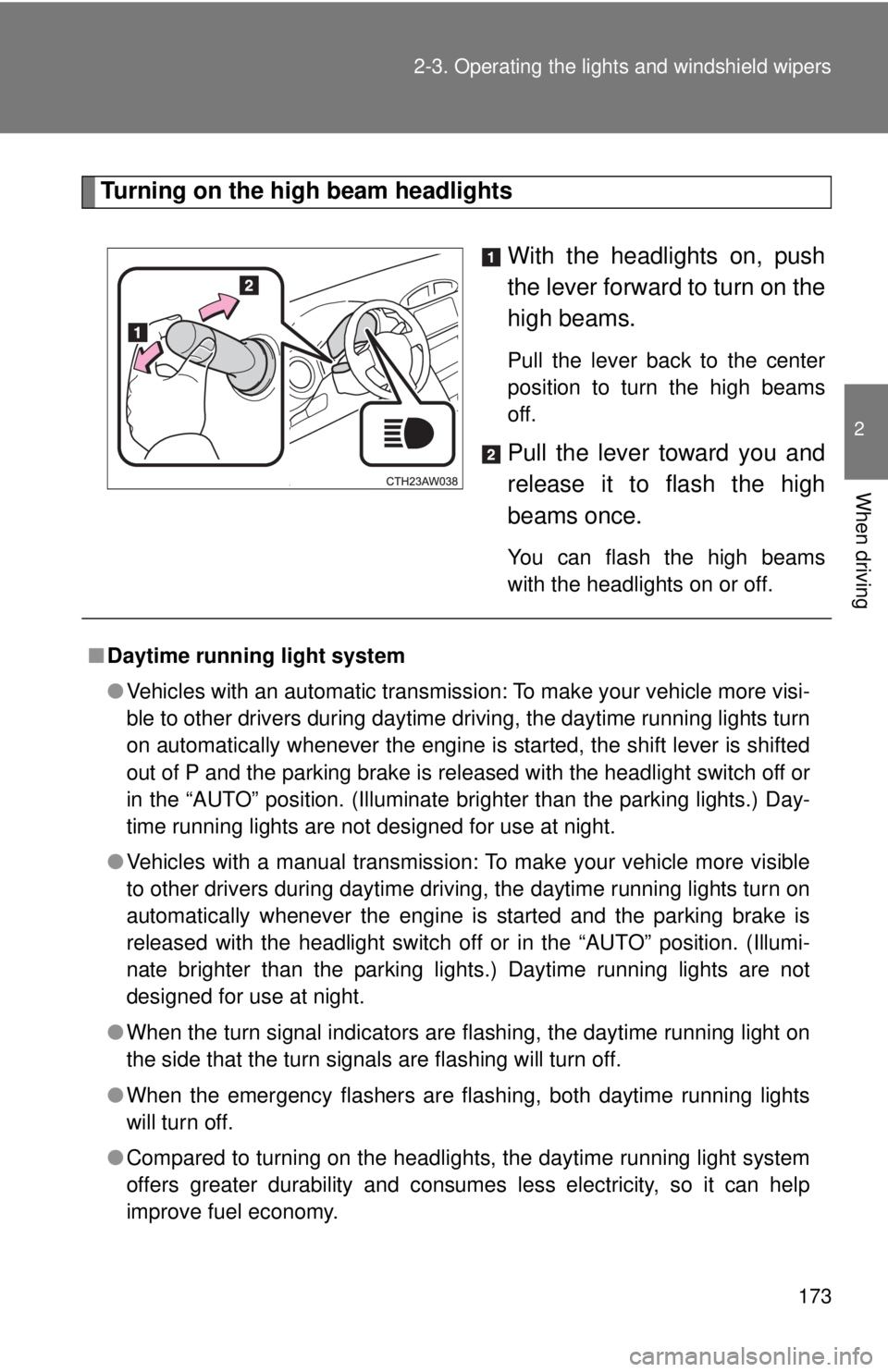
When driving Turning on the high beam headlights
With the headlights on, push
the lever forward to turn on the
high beams. Pull the lever back to the center
position to turn the high beams
off.
Pull the lever toward you and
release it to flash the high
beams once. You can flash the high beams
with the headlights on or off.
■ Daytime running light system
● Vehicles with an automatic transmission: To make your vehicle more visi-
ble to other drivers during daytime driving, the daytime running lights turn
on automatically whenever the engine is started, the shift lever is shifted
out of P and the parking brake is released with the headlight switch off or
in the “AUTO” position. (Illuminate brighter than the parking lights.) Day-
time running lights are not designed for use at night.
● Vehicles with a manual transmission: To make your vehicle more visible
to other drivers during daytime driving, the daytime running lights turn on
automatically whenever the engine is started and the parking brake is
released with the headlight switch off or in the “AUTO” position. (Illumi-
nate brighter than the parking lights.) Daytime running lights are not
designed for use at night.
● When the turn signal indicators are flashing, the daytime running light on
the side that the turn signals are flashing will turn off.
● When the emergency flashers are flashing, both daytime running lights
will turn off.
● Compared to turning on the headlights, the daytime running light system
offers greater durability and consumes less electricity, so it can help
improve fuel economy.
Page 195 of 428
195 2
When driving 2-5. Driving information
Cargo and luggage
Capacity and distribution
Cargo capacity depends on the to tal weight of the occupants.
(Cargo capacity) = (Total load capa city) - (Total weight of occupants)
Steps for Determining Correct Load Limit ⎯
(1)Locate the statement “The combined wei ght of occupants and
cargo should never exceed XXX kg or XXX lbs.” on your vehicle's
placard.
(2)Determine the combined weight of the driver and passengers that
will be riding in your vehicle.
(3)Subtract the combined weight of the driver and passengers from
XXX kg or XXX lbs.
(4)The resulting figure equals the av ailable amount of cargo and lug-
gage load capacity.
For example, if the “XXX” amount equals 1400 lbs. and there will
be five 150 lb passengers in your vehicle, the amount of available
cargo and luggage load capacity is 650 lbs. (1400 - 750 (5 × 150) =
650 lbs.)
(5)Determine the combined weight of luggage and cargo being
loaded on the vehicle. That weight may not safely exceed the avail-
able cargo and luggage load capacity calculated in Step 4.Take notice of the following information about storage precau-
tions, cargo capacity and load:
● Stow cargo and luggage in t he trunk whenever possible.
● Be sure all items are secured in place.
● To maintain vehicle balance while driving, position luggage
evenly within the luggage compartment.
● For better fuel economy, do no t carry unnecessary weight.
Page 237 of 428
2374-1. Maintenance and care
4
Maintenance and care ■ Automatic car washes
● Fold the mirrors before washing the vehicle. Start washing from the front
of the vehicle. Make sure to extend the mirrors before driving.
● Brushes used in automatic car washes may scratch the vehicle surface
and harm your vehicle’s paint.
■ High pressure car washes
● Do not allow the nozzles of the car wash to come within close proximity
of the windows.
● Before using the car wash, check that the fuel filler door on your vehicle
is closed properly.
■ Aluminum wheels
● Remove any dirt immediately by using a neutral detergent. Do not use
hard brushes or abrasive cleaners. Do not use strong or harsh chemical
cleaners. Use the same mild detergent and wax as used on the paint.
● Do not use detergent on the wheels when they are hot, for example after
driving for long distance in the hot weather.
● Wash detergent from the wheels immediately after use.
■ Parts containing resin such as the bumper
Do not scrub with abrasive cleaners.