brake TOYOTA 86 2017 Owner's Manual
[x] Cancel search | Manufacturer: TOYOTA, Model Year: 2017, Model line: 86, Model: TOYOTA 86 2017Pages: 428, PDF Size: 5.25 MB
Page 142 of 428
1422-1. Driving procedures
Engine (ignition) switch ■ Starting the engine
Vehicles with an au tomatic transmission
Check that the parking brake is set.
Check that the shift lever is set in P.
Firmly depress the brake pedal.
Turn the engine switch to the “START” position to start the
engine.
Vehicles with a manual transmission
Check that the parking brake is set.
Check that the shift lever is set in N.
Firmly depress the clutch pedal.
Turn the engine switch to the “START” position to start the
engine.
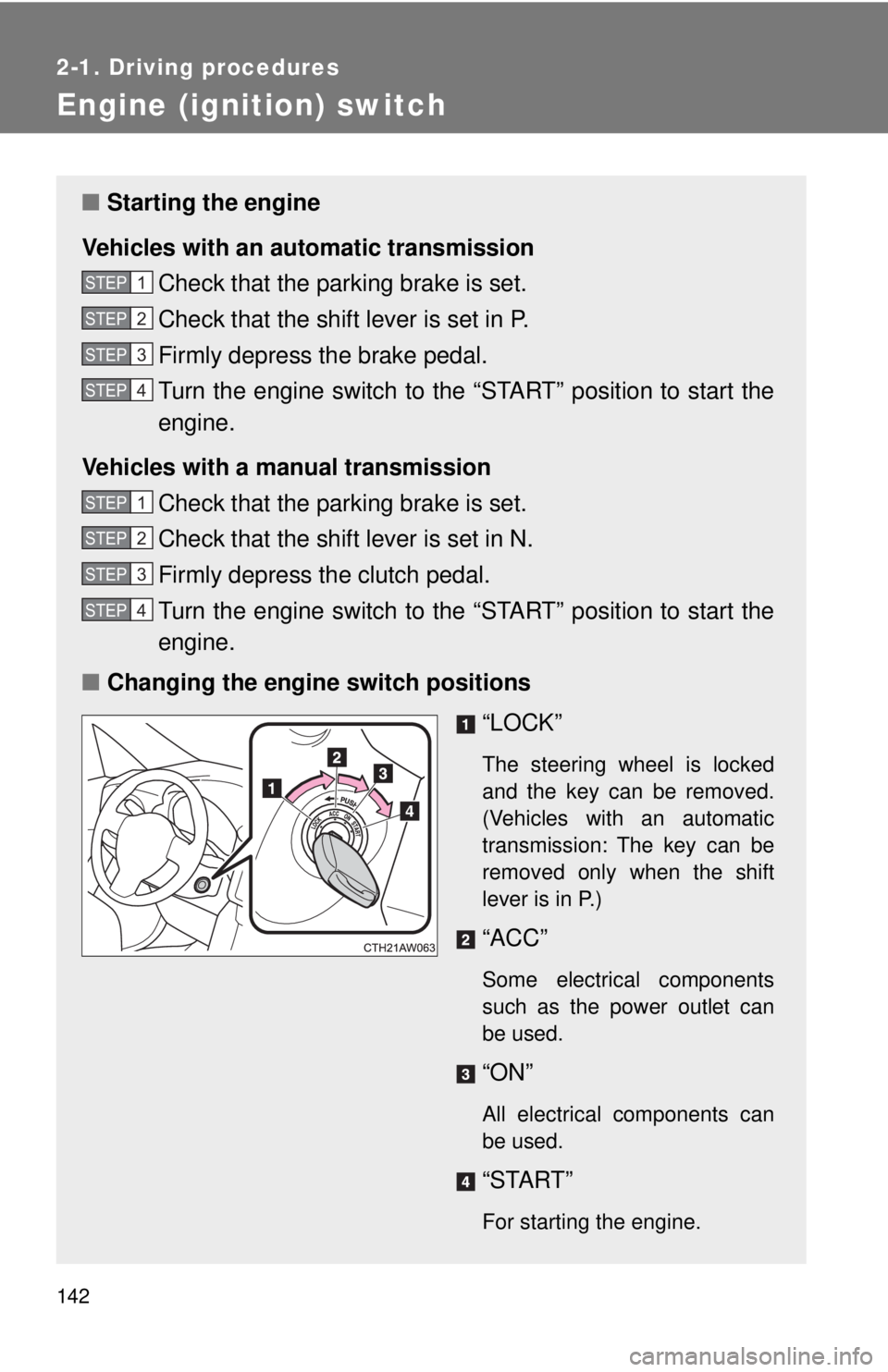
■ Changing the engine switch positions
“LOCK” The steering wheel is locked
and the key can be removed.
(Vehicles with an automatic
transmission: The key can be
removed only when the shift
lever is in P.)
“ACC” Some electrical components
such as the power outlet can
be used.
“ON”
All electrical components can
be used.
“START”
For starting the engine.STEP 1
STEP 2
STEP 3
STEP 4
STEP 1
STEP 2
STEP 3
STEP 4
Page 145 of 428
1452-1. Driving procedures
2
When driving
Automatic transmission ∗Select a shift position appropri ate for the driving conditions.
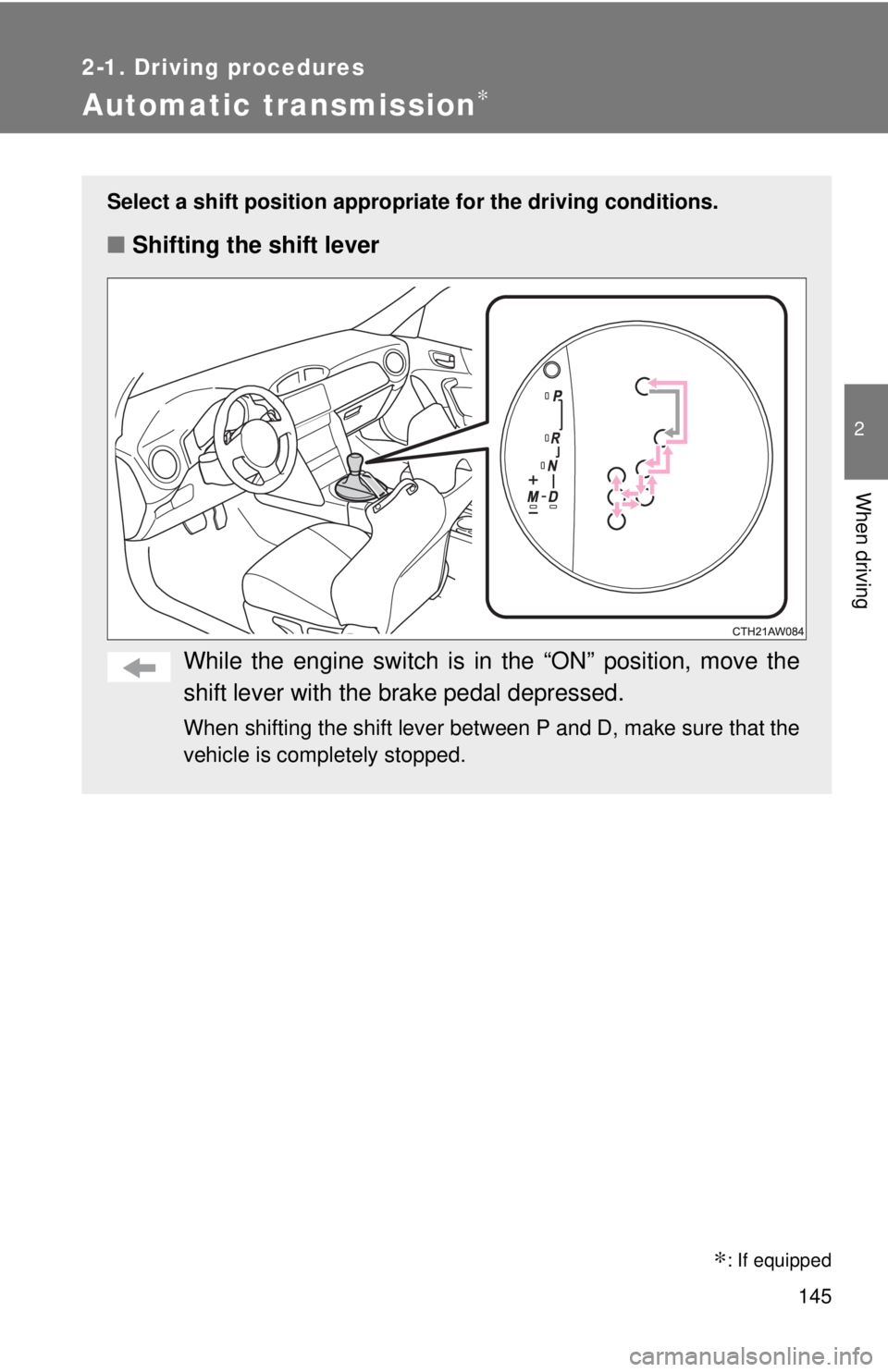
■ Shifting the shift lever
While the engine switch is in the “ON” position, move the
shift lever with the brake pedal depressed. When shifting the shift lever between P and D, make sure that the
vehicle is completely stopped.
∗ : If equipped
Page 149 of 428

1492-1. Driving procedures
2
When driving ■ When moving the shift lever out of P
If the shift lever is pushed sideways before the brake pedal is depressed,
shift lever operation may not be possible. Depress the brake pedal before
shifting the shift lever out of P.
■ Downshifting restrictions warning buzzer
If downshifting operations are performed at a vehicle speed by which down-
shifting is not possible (when downshifting will cause the engine speed to
enter the red zone), a buzzer will sound to warn the driver that downshifting
cannot be performed.
■ When driving with cruise control activated
Downshifting can be performed even when using cruise control. After down-
shifting, the set speed continues. ( → P. 148, 150)
■ Sport mode
● In sport mode, lower gears are used and gears change at a higher
engine speed.
● If sport mode is changed to while the shift lever is in the M position, the
“SPORT” indicator will come on but sport mode controls will not be car-
ried out. Shift the shift lever to the D position.
● Sport mode cannot be changed to when driving with cruise control acti-
vated.
■ Snow mode
To prevent slipping, 1 st
gear cannot be selected when in snow mode.
■ Sport mode and snow mode automatic deactivation
In the following situations, the driving mode is automatically deactivated:
● When the engine is turned off after dr iving in sport mode or snow mode.
● When cruise control is activated while driving in sport mode.
■ If the shift lever cannot be shifted from P
→ P. 339
Page 156 of 428
1562-1. Driving procedures
Parking brake
■ Usage in winter time
→ P. 200
NOTICE■ Before driving
Fully release the parking brake.
Driving the vehicle with the parking brake set will lead to brake components
overheating, which may affect braking performance and increase brake
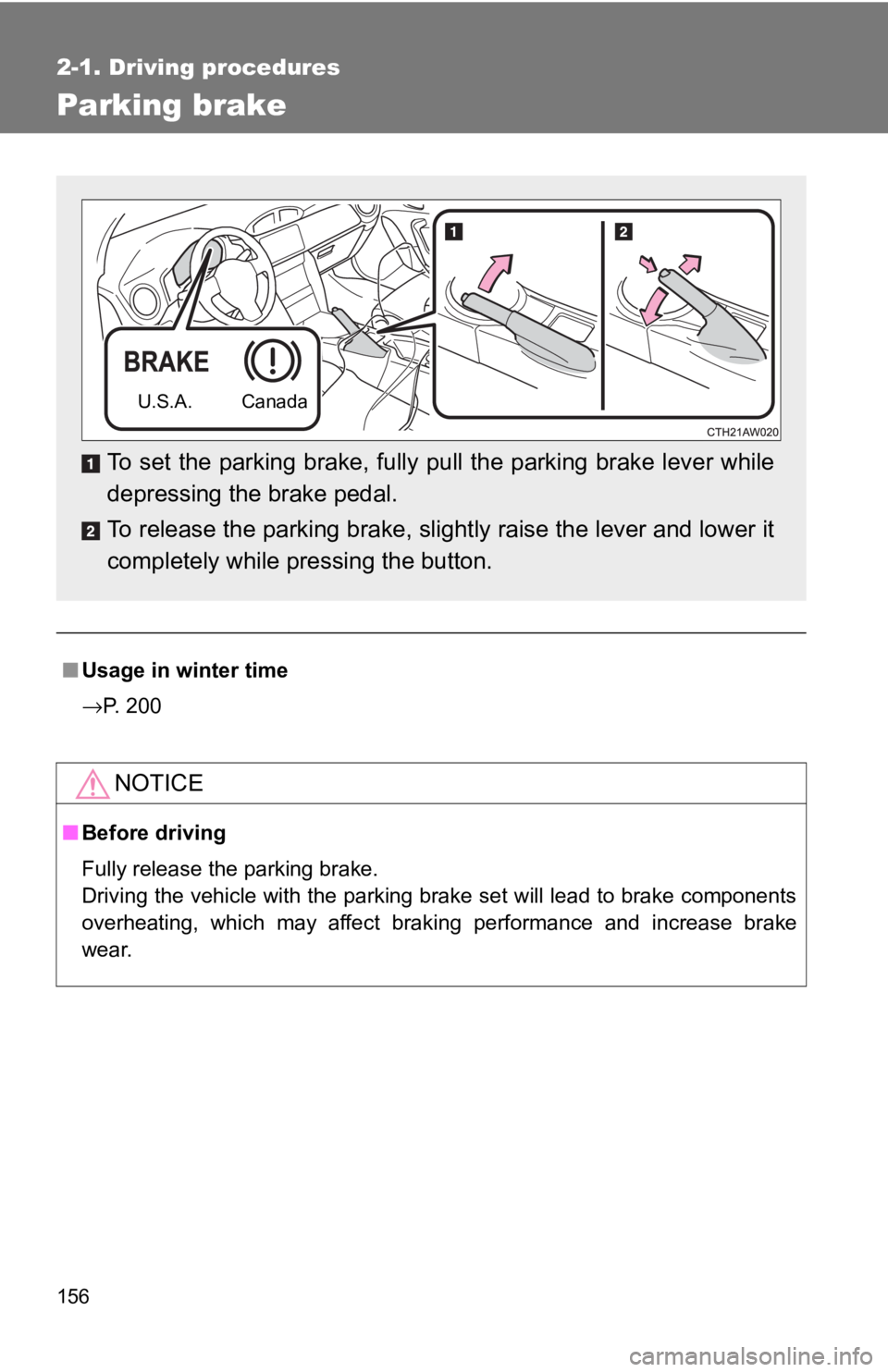
wear. To set the parking brake, fully pull the parking brake lever while
depressing the brake pedal.
To release the parking brake, sli ghtly raise the lever and lower it
completely while pressing the button. U.S.A. Canada
Page 173 of 428
1732-3. Operating the lights and windshield wipers
2
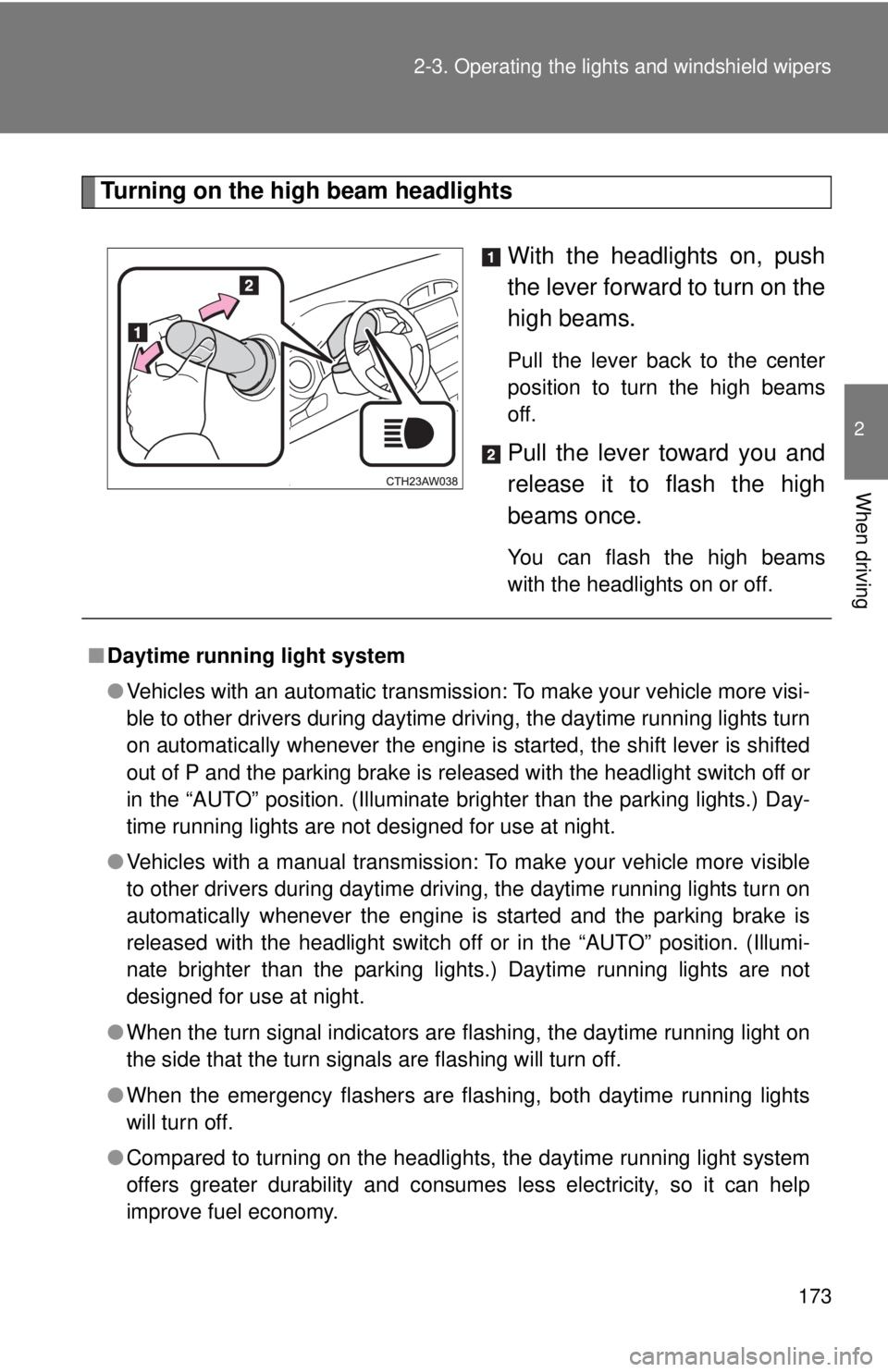
When driving Turning on the high beam headlights
With the headlights on, push
the lever forward to turn on the
high beams. Pull the lever back to the center
position to turn the high beams
off.
Pull the lever toward you and
release it to flash the high
beams once. You can flash the high beams
with the headlights on or off.
■ Daytime running light system
● Vehicles with an automatic transmission: To make your vehicle more visi-
ble to other drivers during daytime driving, the daytime running lights turn
on automatically whenever the engine is started, the shift lever is shifted
out of P and the parking brake is released with the headlight switch off or
in the “AUTO” position. (Illuminate brighter than the parking lights.) Day-
time running lights are not designed for use at night.
● Vehicles with a manual transmission: To make your vehicle more visible
to other drivers during daytime driving, the daytime running lights turn on
automatically whenever the engine is started and the parking brake is
released with the headlight switch off or in the “AUTO” position. (Illumi-
nate brighter than the parking lights.) Daytime running lights are not
designed for use at night.
● When the turn signal indicators are flashing, the daytime running light on
the side that the turn signals are flashing will turn off.
● When the emergency flashers are flashing, both daytime running lights
will turn off.
● Compared to turning on the headlights, the daytime running light system
offers greater durability and consumes less electricity, so it can help
improve fuel economy.
Page 181 of 428
1812-4. Using other driving systems
2
When driving
■ Cruise control can be set when
Vehicles with an automatic transmission
● The shift lever is in D or M and the vehicle is in the 2 nd
gear or higher.
● Vehicle speed is above approximately 25 mph (40 km/h).
Vehicles with a manual transmission
● The vehicle is in the 2 nd
gear or higher.
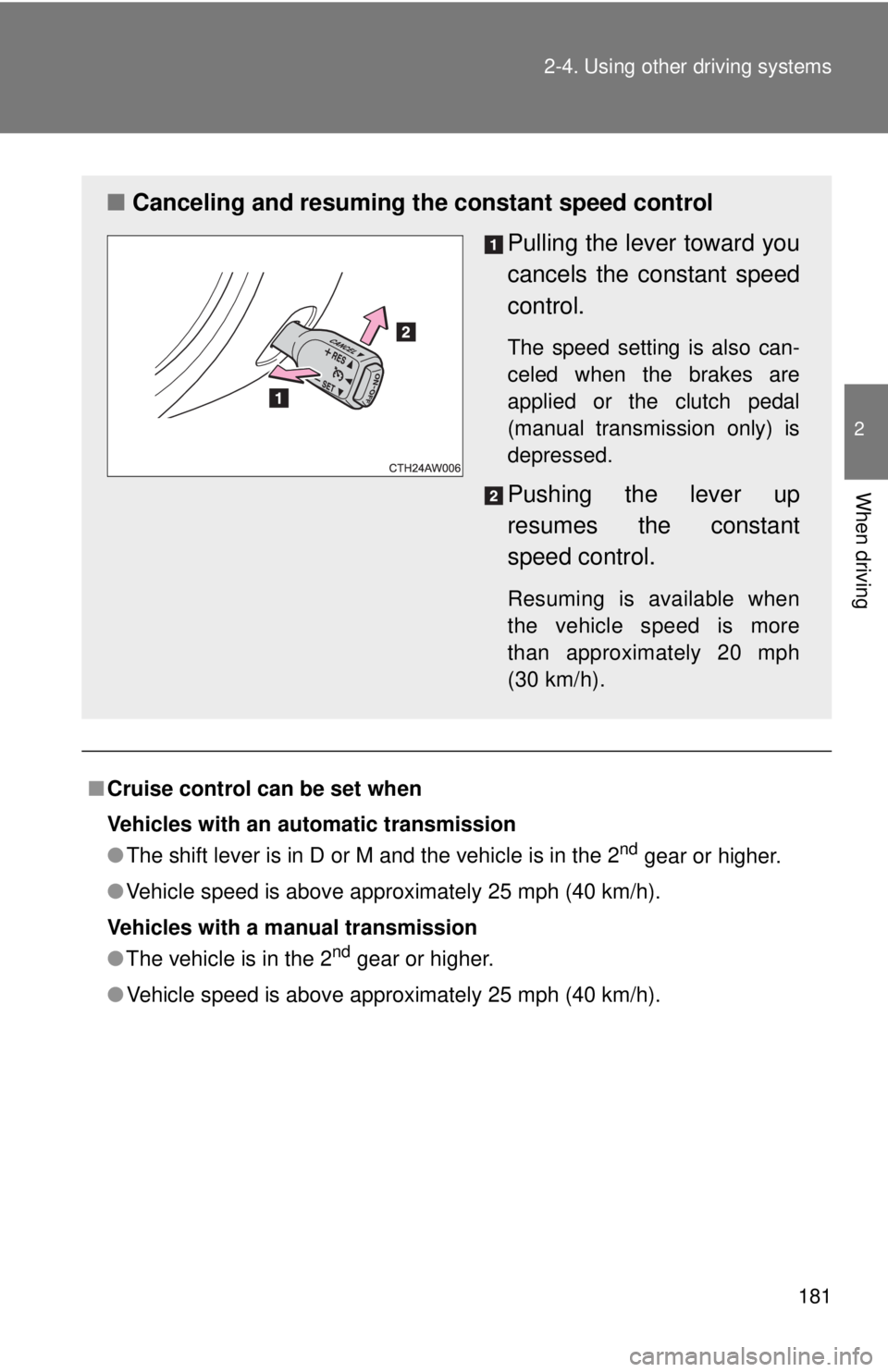
● Vehicle speed is above approximately 25 mph (40 km/h).■ Canceling and resuming the constant speed control
Pulling the lever toward you
cancels the c onstant speed
control. The speed setting is also can-
celed when the brakes are
applied or the clutch pedal
(manual transmission only) is
depressed.
Pushing the lever up
resumes the constant
speed control. Resuming is available when
the vehicle speed is more
than approximately 20 mph
(30 km/h).
Page 184 of 428
1842-4. Using other driving systems
Driving assist systems To help enhance driving safety a nd performance, the following sys-
tems operate automatically in res ponse to various driving situations.
Be aware, however, that these systems are supplementary and
should not be relied upon too h eavily when operating the vehicle.
■ ABS (Anti-lock Brake System) Helps to prevent wheel lock when the brakes are applied suddenly, or if
the brakes are applied while driving on a slippery road surface
■ Brake assist Generates an increased level of braking force after the brake pedal is
depressed when the system detects a panic stop situation
■ VSC (Vehicle Stability Control) Helps the driver to control skidding when swerving suddenly or turning
on slippery road surfaces
■ TRAC (Traction Control) Helps to maintain drive power and prevent the drive wheels from spin-
ning when starting the vehicle or accelerating on slippery roads.
The TRAC system is also equipped with the brake LSD function.
■ Hill-start assist control
→ P. 191
■ EPS (Electric Power Steering) Employs an electric motor to reduce the amount of effort needed to turn
the steering wheel
Page 185 of 428
1852-4. Using other driving systems
2
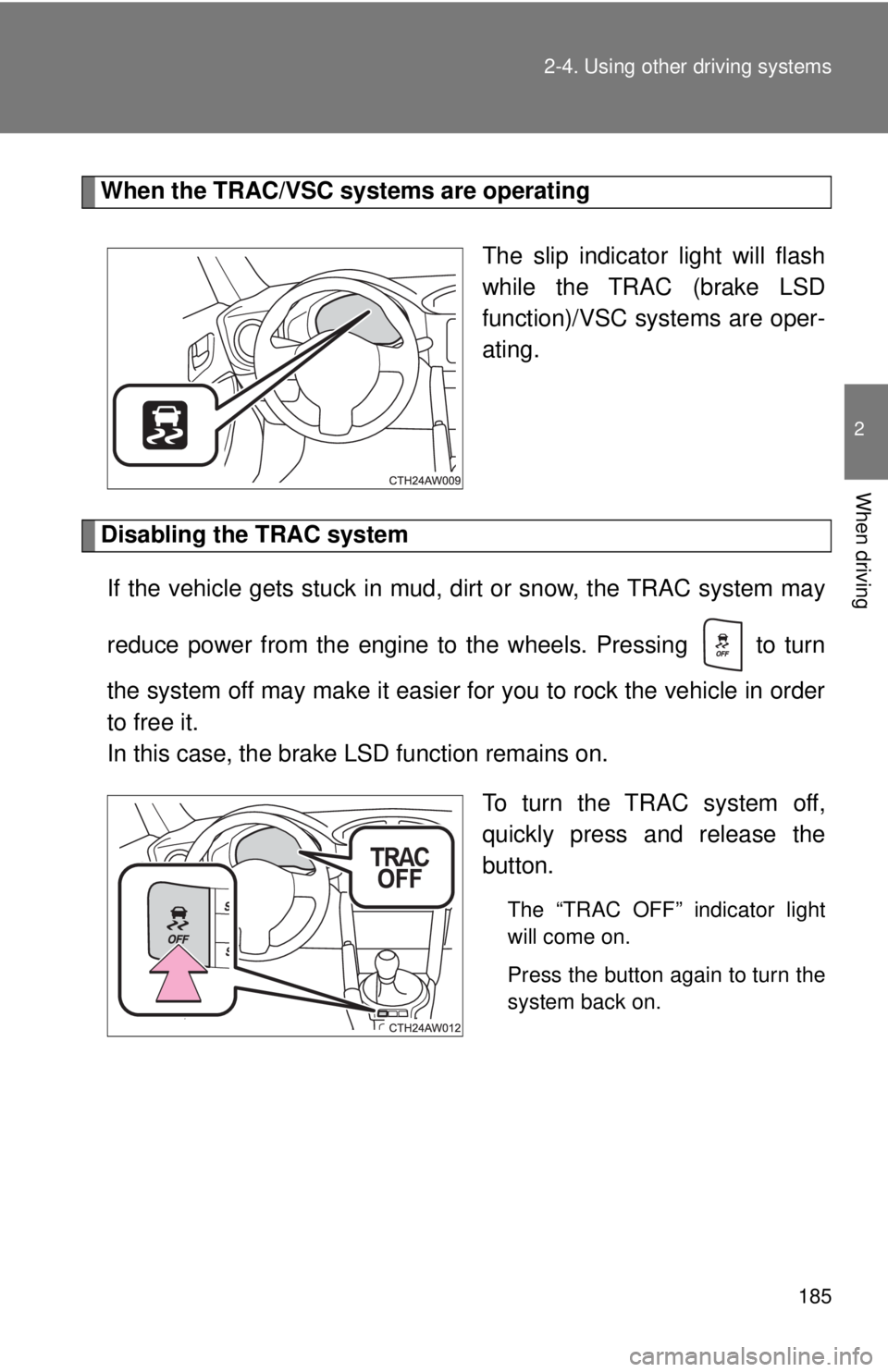
When driving When the TRAC/VSC systems are operating
The slip indicator light will flash
while the TRAC (brake LSD
function)/VSC systems are oper-
ating.
Disabling the TRAC system
If the vehicle gets stuck in mud, dirt or snow, the TRAC system may
reduce power from the engine to the wheels. Pressing to turn
the system off may make it easier for you to rock the vehicle in order
to free it.
In this case, the brake LSD function remains on.
To turn the TRAC system off,
quickly press and release the
button. The “TRAC OFF” indicator light
will come on.
Press the button again to turn the
system back on.
Page 186 of 428
1862-4. Using other driving systems
“TRACK” mode
Your vehicle is equipped with two types of control modes to accom-
modate various driving prefer ences. The control modes can be
selected with the “TRACK” switch. Normal mode allows secure and
smooth normal driving. When t he switch is pressed and held for 1
second or more, “TRACK” mode is activated. Contro l characteristics
such as the VSC and TRAC are adj usted to afford maneuverability
closer to what a driver may desire, while a sense of security is
retained.
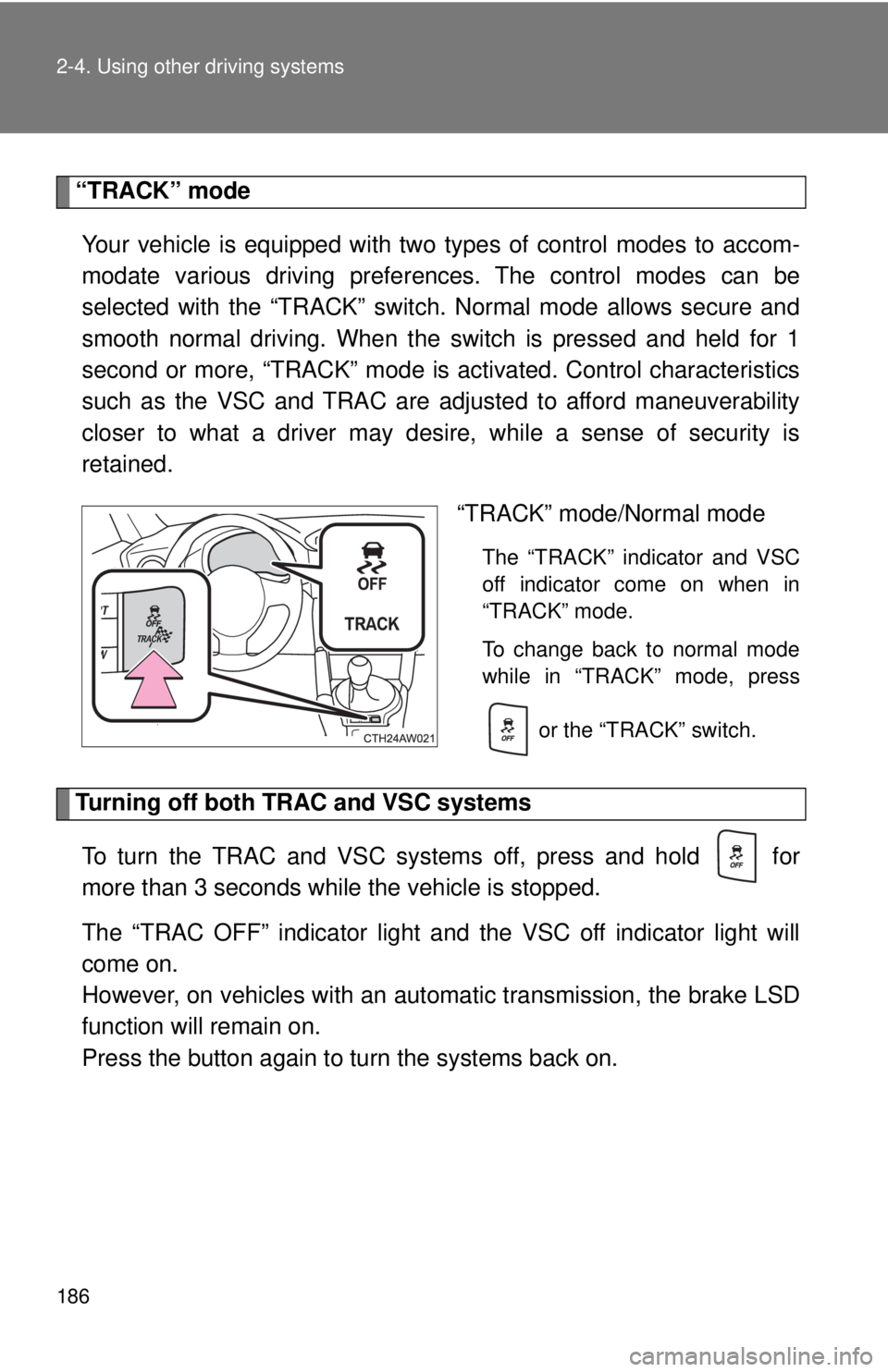
“TRACK” mode/Normal mode The “TRACK” indicator and VSC
off indicator come on when in
“TRACK” mode.
To change back to normal mode
while in “TRACK” mode, press
or the “TRACK” switch.
Turning off both TRAC and VSC systems
To turn the TRAC and VSC systems off, press and hold for
more than 3 seconds while the vehicle is stopped.
The “TRAC OFF” indicator light and the VSC off indicator light will
come on.
However, on vehicles with an aut omatic transmission, the brake LSD
function will remain on.
Press the button again to tu rn the systems back on.
Page 187 of 428
1872-4. Using other driving systems
2
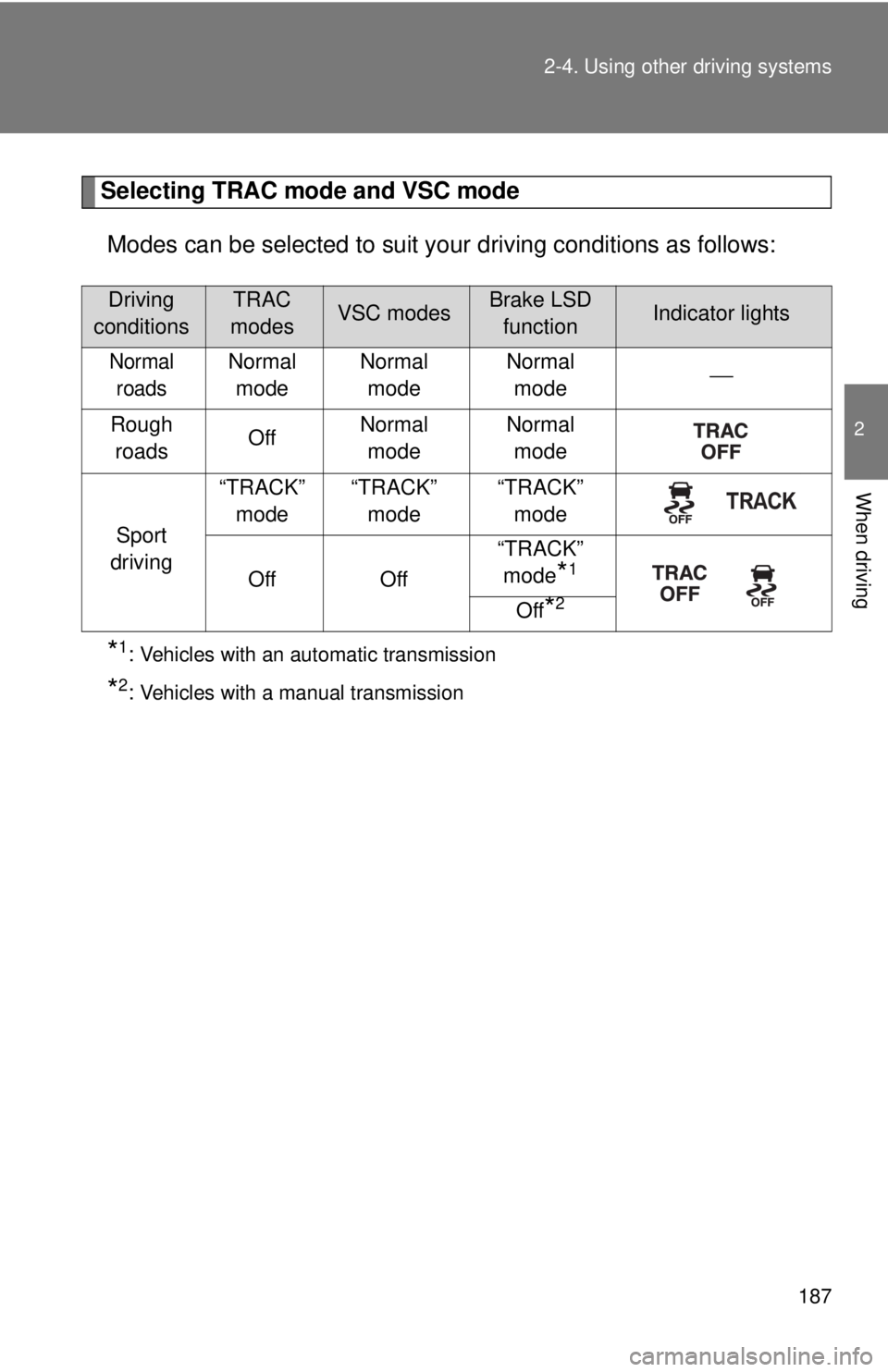
When driving Selecting TRAC mode and VSC mode
Modes can be selected to suit your driving conditions as follows:
* 1
: Vehicles with an automatic transmission
* 2
: Vehicles with a manual transmissionDriving
conditions TRAC
modes VSC modes Brake LSD
function Indicator lights
Normal
roads Normal
mode Normal
mode Normal
mode ⎯
Rough
roads Off Normal
mode Normal
mode
Sport
driving “TRACK”
mode “TRACK”
mode “TRACK”
mode
Off Off “TRACK”
mode
* 1
Off
* 2