warning TOYOTA AVENSIS 2015 Owners Manual
[x] Cancel search | Manufacturer: TOYOTA, Model Year: 2015, Model line: AVENSIS, Model: TOYOTA AVENSIS 2015Pages: 648, PDF Size: 39.64 MB
Page 581 of 648
5818-2. Steps to take in an emergency
AVENSIS_OM_OM20C20E_(EE)
8
When trouble arises
■When the seal is damaged
The seal needs to replace by any aut horized Toyota dealer or repairer, or
another duly qualified and equipped professional.
If the trunk/luggage compartment has flooded with water when the seal has
been broken or is missing (for example, if the vehicle has been left outside in
the rain with the trunk lid open or removed), the parking brake system will
need to be replaced.
■ Manual operation of the parking brake
The parking brake cannot be set manually.
WARNING
■ When releasing the parking brake manually
XVehicles without smart entry & start system
● Shift the shift lever to P (Multidrive) or 1 or R (manual transmission), turn
the engine switch to “LOCK” position and chock the tires.
Failure to do so may cause the vehicle to move, resulting in an accident.
● Turn the engine switch to “LOCK” position and check that the parking
brake indicator is off.
Failure to do so may cause the system to operate and turn the parking
brake release tool that is inserted, resulting in an injury.
XVehicles with smart entry & start system
● Shift the shift lever to P (Multidrive) or 1 or R (manual transmission), turn
the engine switch off and chock the tires.
Failure to do so may cause the vehicle to move, resulting in an accident.
● Turn the engine switch off and check that the parking brake indicator is off.
Failure to do so may cause the system to operate and turn the parking
brake release tool that is inserted, resulting in an injury.
NOTICE
■ When releasing the parking brake manually
●Be sure to turn the tool as far as it will go.
Stopping midway will cause switch operation to cancel and will cause the
parking brake system to fail.
● Use designated releasing tool only.
Using commercially available tool may damage the releasing hole and
unable to remove the hole.
AVENSIS_OM_OM20C20E_(EE).book Page 581 Thursday, January 29, 2015 1:47 PM
Page 588 of 648
5888-2. Steps to take in an emergency
AVENSIS_OM_OM20C20E_(EE)●
Vehicles with Stop & Start system:
Use a battery specified for use with the Stop & Start system and an equiva-
lent battery. If an unsupported battery is used, Stop & Start system functions
may be restricted to protect the battery.
Also, battery performance may decrease and the engine may not be able to
restart. Contact any authorized Toyota dealer or repairer, or another duly
qualified and equipped professional for details.
WARNING
■ Avoiding battery fires or explosions
Observe the following precautions to prevent accidentally igniting the flam-
mable gas that may be emitted from the battery.
● Make sure each jumper cable is connected to the correct terminal and that
it is not unintentionally in contact with any part other than the intended ter-
minal.
● Do not allow the + and - clamps of the jumper cables to come into contact
with each other.
● Do not smoke, use matches, cigarette lighters or allow open flame near
the battery.
■ Battery precautions
The battery contains poisonous and corrosive acidic electrolyte, while
related parts contain lead and lead compounds. Observe the following pre-
cautions when handling the battery.
●When working with the battery, always wear safety glasses and take care
not to allow any battery fluids (acid) to come into contact with skin, clothing
or the vehicle body.
● Do not lean over the battery.
● In the event that battery fluid comes into contact with the skin or eyes,
immediately wash the affected area with water and seek medical attention.
Place a wet sponge or cloth over the affected area until medical attention
can be received.
● Always wash your hands after handling the battery support, terminals, and
other battery-related parts.
● Do not allow children near the battery.
■ To prevent damage to the vehicle (vehicles with manual transmission)
Do not pull- or push-start the vehicl e, because the catalytic converter may
overheat and become a fire hazard.
AVENSIS_OM_OM20C20E_(EE).book Page 588 Thursday, January 29, 2015 1:47 PM
Page 591 of 648
5918-2. Steps to take in an emergency
AVENSIS_OM_OM20C20E_(EE)
8
When trouble arises
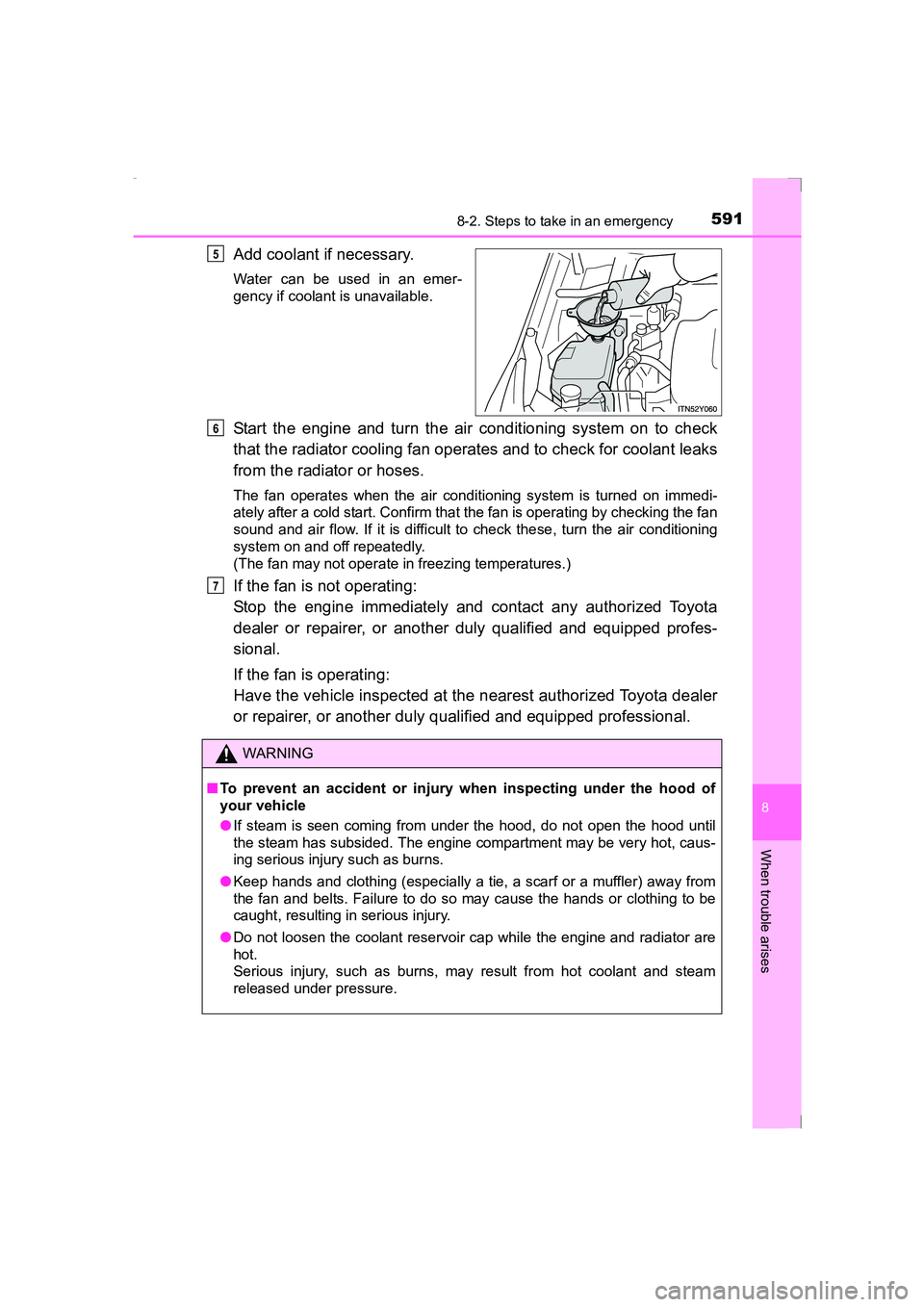
Add coolant if necessary.
Water can be used in an emer-
gency if coolant is unavailable.
Start the engine and turn the air conditioning system on to check
that the radiator cooling fan operates and to check for coolant leaks
from the radiator or hoses.
The fan operates when the air conditioning system is turned on immedi-
ately after a cold start. Confirm that the fan is operating by checking the fan
sound and air flow. If it is difficult to check these, turn the air conditioning
system on and off repeatedly.
(The fan may not operate in freezing temperatures.)
If the fan is not operating:
Stop the engine immediately and contact any authorized Toyota
dealer or repairer, or another duly qualified and equipped profes-
sional.
If the fan is operating:
Have the vehicle inspected at the nearest authorized Toyota dealer
or repairer, or another duly qualified and equipped professional.
5
WARNING
■ To prevent an accident or injury when inspecting under the hood of
your vehicle
●If steam is seen coming from under the hood, do not open the hood until
the steam has subsided. The engine compartment may be very hot, caus-
ing serious injury such as burns.
● Keep hands and clothing (especially a tie, a scarf or a muffler) away from
the fan and belts. Failure to do so may cause the hands or clothing to be
caught, resulting in serious injury.
● Do not loosen the coolant reservoir cap while the engine and radiator are
hot.
Serious injury, such as burns, may result from hot coolant and steam
released under pressure.
6
7
AVENSIS_OM_OM20C20E_(EE).book Page 591 Thursday, January 29, 2015 1:47 PM
Page 593 of 648
5938-2. Steps to take in an emergency
AVENSIS_OM_OM20C20E_(EE)
8
When trouble arises
If the vehicle becomes stuck
Stop the engine. Set the parking brake and shift the shift lever to P
(Multidrive) or N (manual transmission).
Remove the mud, snow or sand from around the stuck tire.
Place wood, stones or some other material to help provide traction
under the tires.
Restart the engine.
Shift the shift lever to the D or R (Multidrive), or 1 or R (manual
transmission) and release the parking brake. Then, while exercising
caution, depress the accelerator pedal.
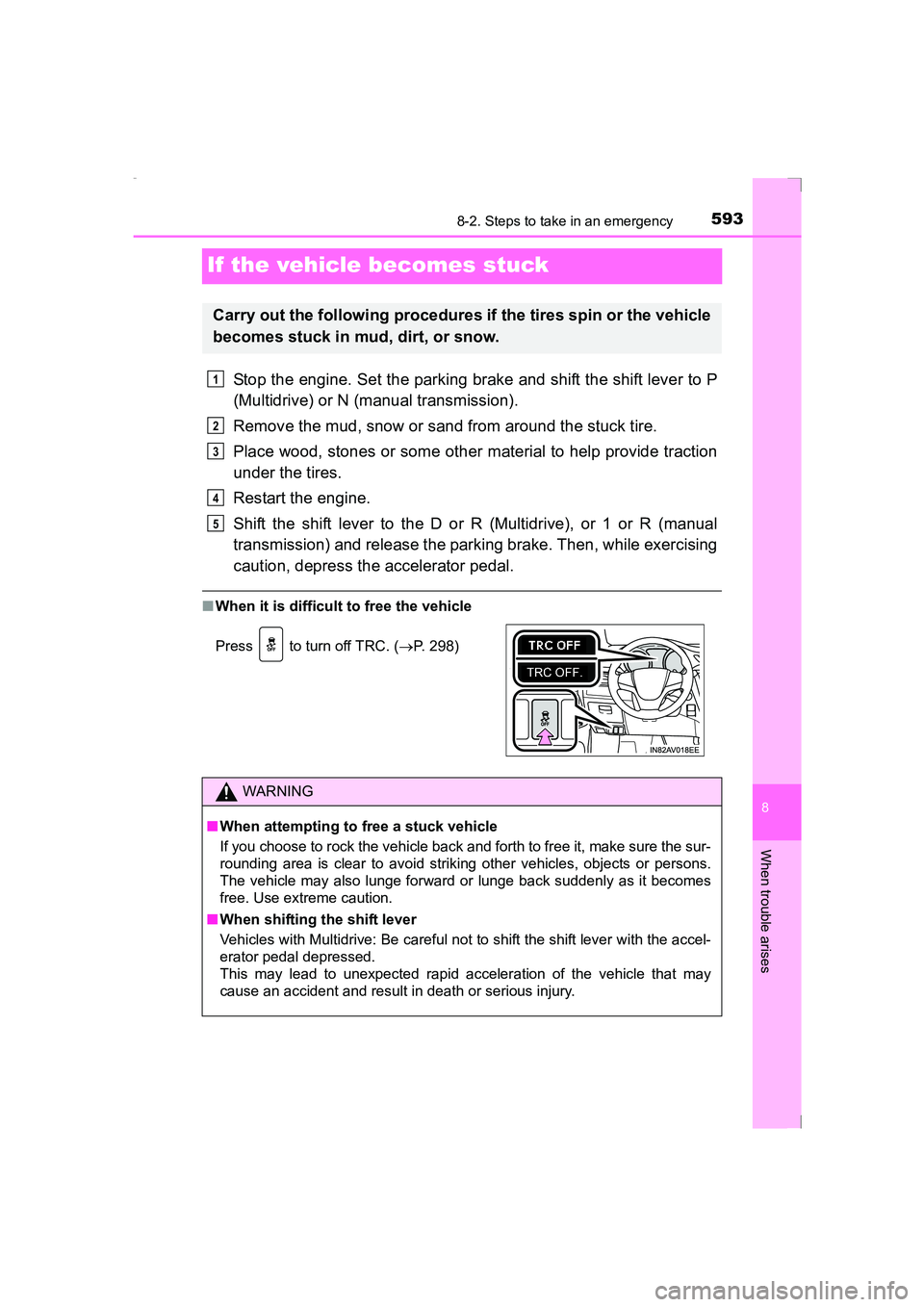
■When it is difficult to free the vehicle
Carry out the following procedures if the tires spin or the vehicle
becomes stuck in mud, dirt, or snow.
Press to turn off TRC. ( →P. 298)
WARNING
■ When attempting to free a stuck vehicle
If you choose to rock the vehicle back and forth to free it, make sure the sur-
rounding area is clear to avoid striking other vehicles, objects or persons.
The vehicle may also lunge forward or lunge back suddenly as it becomes
free. Use extreme caution.
■ When shifting the shift lever
Vehicles with Multidrive: Be careful not to shift the shift lever with the accel-
erator pedal depressed.
This may lead to unexpected rapid acceleration of the vehicle that may
cause an accident and result in death or serious injury.
1
2
3
4
5
AVENSIS_OM_OM20C20E_(EE).book Page 593 Thursday, January 29, 2015 1:47 PM
Page 624 of 648
6249-2. Customization
AVENSIS_OM_OM20C20E_(EE)
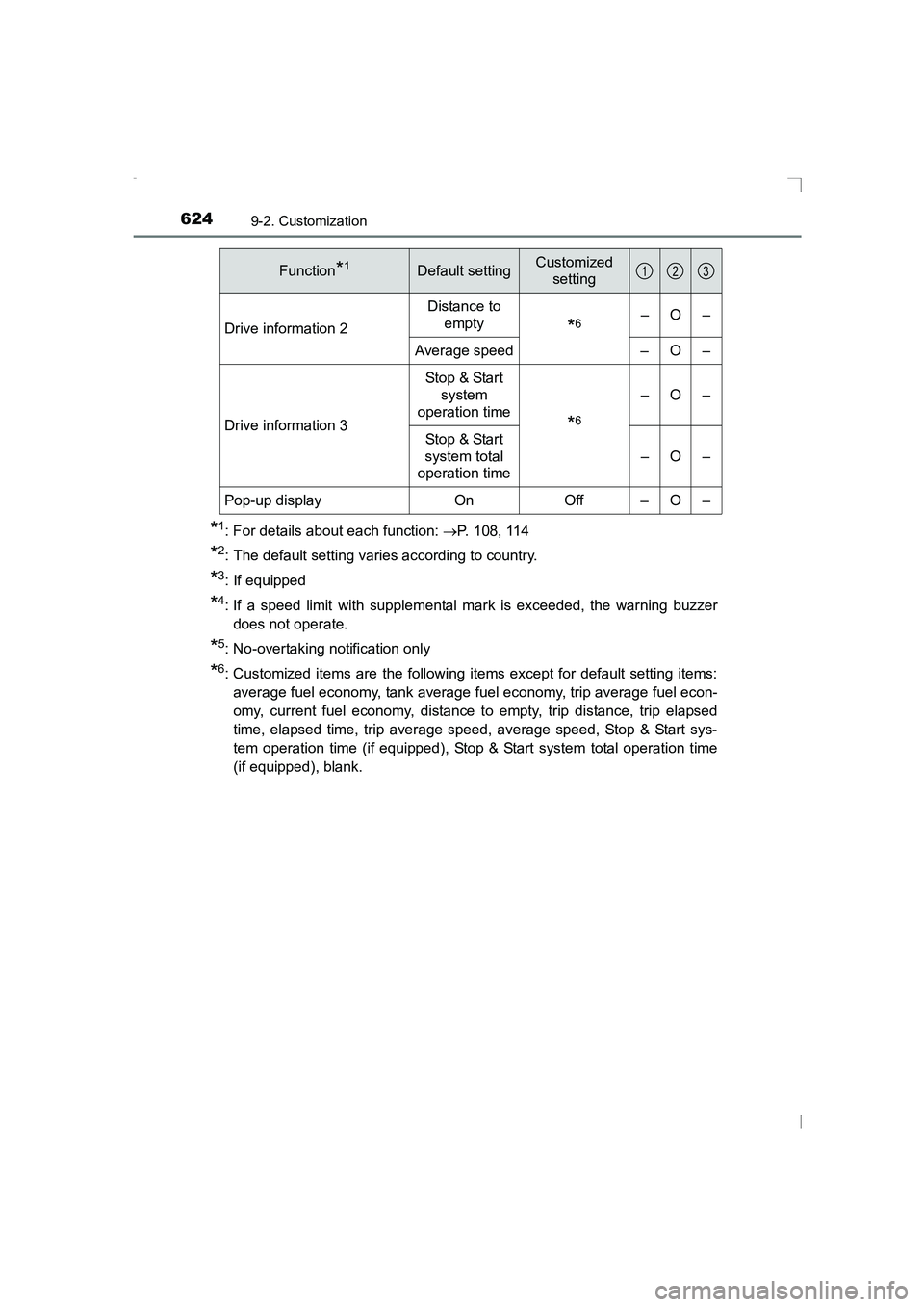
*1: For details about each function: →P. 108, 114
*2: The default setting varies according to country.
*3: If equipped
*4: If a speed limit with supplemental mark is exceeded, the warning buzzer
does not operate.
*5: No-overtaking notification only
*6: Customized items are the following items except for default setting items:average fuel economy, tank average fuel economy, trip average fuel econ-
omy, current fuel economy, distance to empty, trip distance, trip elapsed
time, elapsed time, trip average speed, average speed, Stop & Start sys-
tem operation time (if equipped), Stop & Start system total operation time
(if equipped), blank.
Drive information 2
Distance to
empty
*6–O–
Average speed – O –
Drive information 3 Stop & Start
system
operation time
*6
–O–
Stop & Start
system total
operation time –O–
Pop-up display On Off – O –
Function*1Default settingCustomized setting123
AVENSIS_OM_OM20C20E_(EE).book Page 624 Thursday, January 29, 2015 1:47 PM
Page 627 of 648
6279-2. Customization
AVENSIS_OM_OM20C20E_(EE)
9
Vehicle specifications
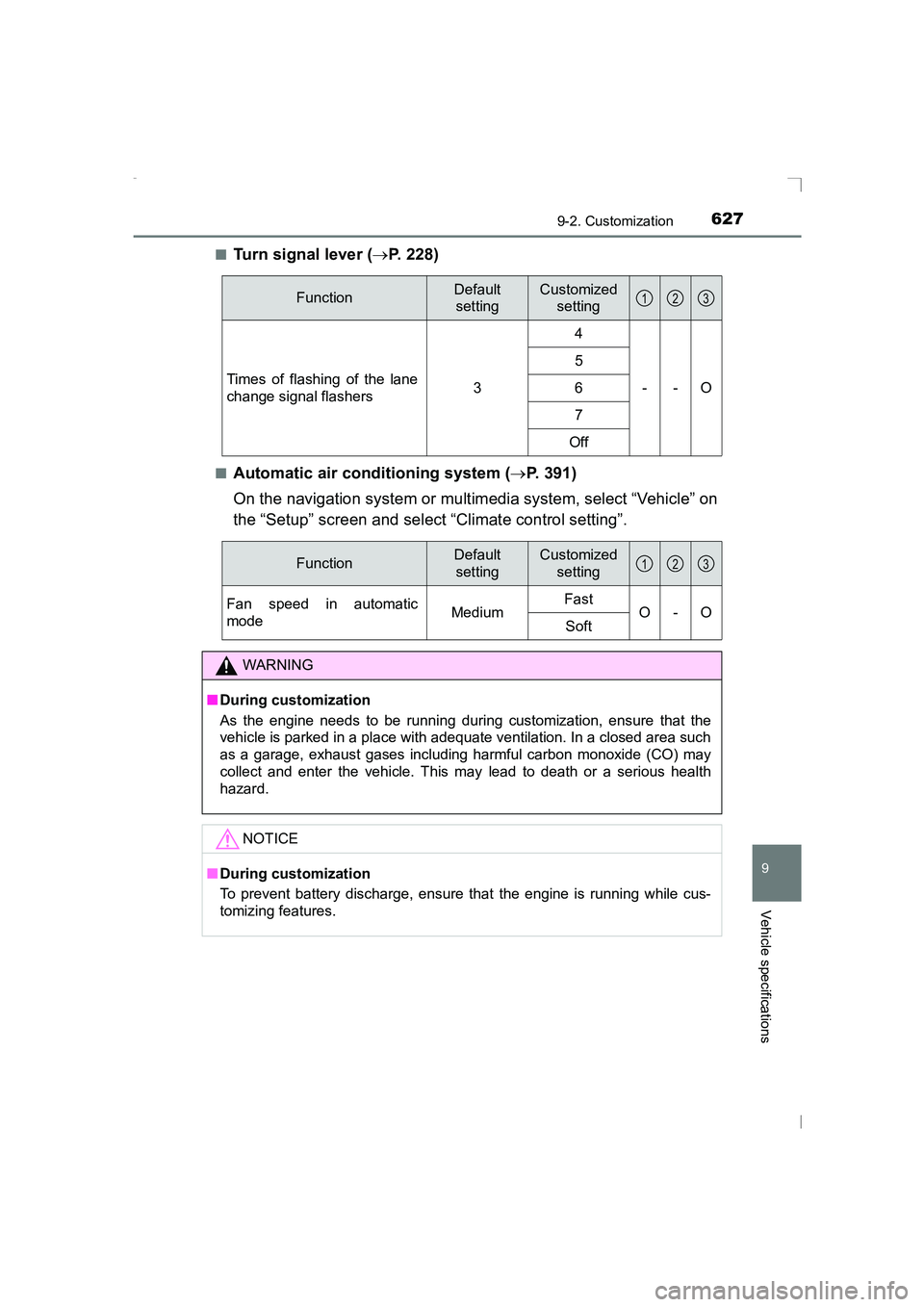
■Turn signal lever (→P. 228)
■Automatic air conditioning system ( →P. 391)
On the navigation system or multimedia system, select “Vehicle” on
the “Setup” screen and select “Climate control setting”.
FunctionDefault settingCustomized setting
Times of flashing of the lane
change signal flashers 34
--O
56
7
Off
123
FunctionDefault settingCustomized setting
Fan speed in automatic
mode MediumFast
O-O
Soft
WARNING
■ During customization
As the engine needs to be running during customization, ensure that the
vehicle is parked in a place with adequate ventilation. In a closed area such
as a garage, exhaust gases including harmful carbon monoxide (CO) may
collect and enter the vehicle. This may lead to death or a serious health
hazard.
NOTICE
■During customization
To prevent battery discharge, ensure that the engine is running while cus-
tomizing features.
123
AVENSIS_OM_OM20C20E_(EE).book Page 627 Thursday, January 29, 2015 1:47 PM
Page 632 of 648
632What to do if... (Troubleshooting)
AVENSIS_OM_OM20C20E_(EE)
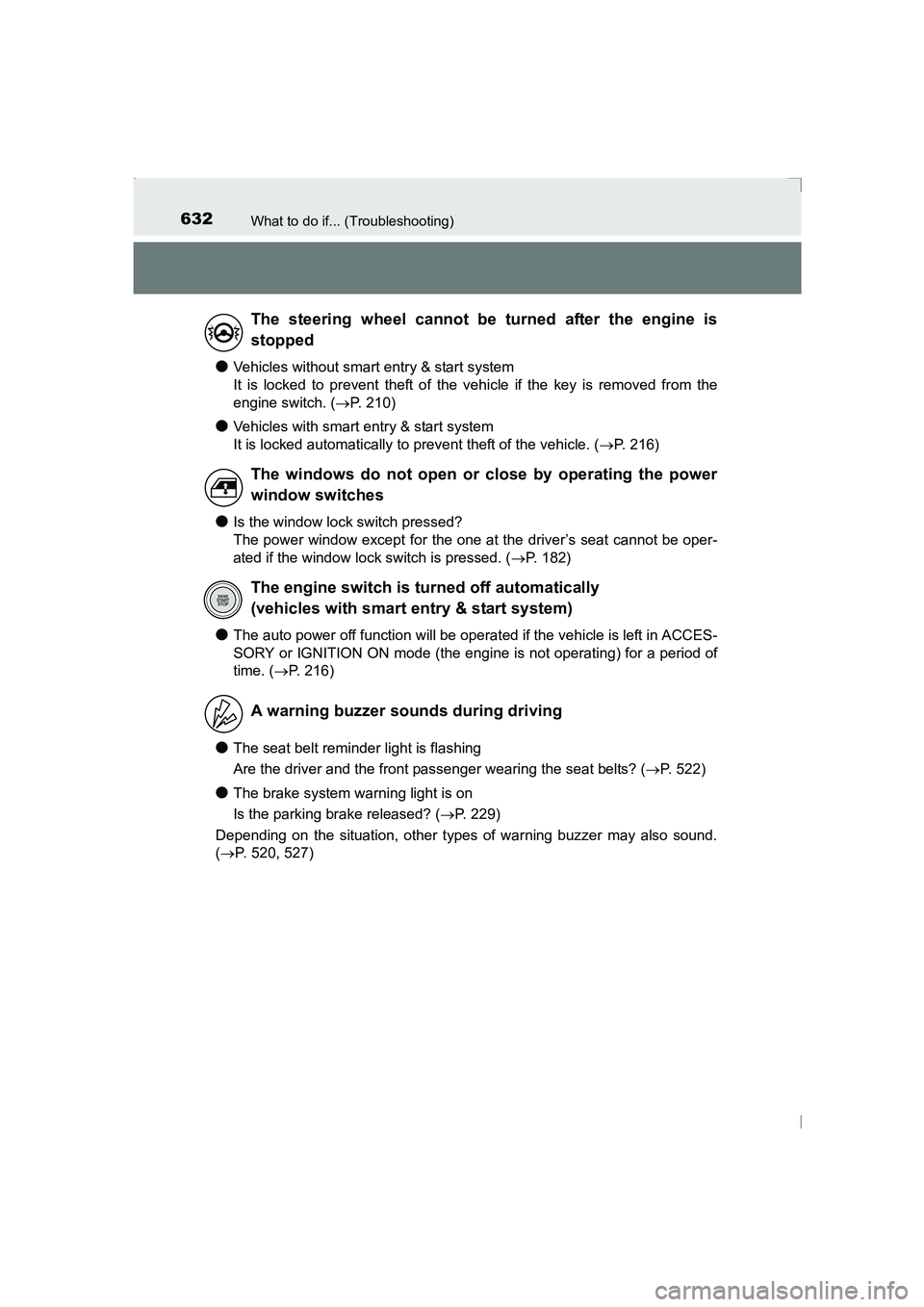
●Vehicles without smart entry & start system
It is locked to prevent theft of the vehicle if the key is removed from the
engine switch. (→P. 210)
●Vehicles with smart entry & start system
It is locked automatically to prevent theft of the vehicle. ( →P. 216)
●Is the window lock switch pressed?
The power window except for the one at the driver’s seat cannot be oper-
ated if the window lock switch is pressed. ( →P. 182)
●The auto power off function will be operated if the vehicle is left in ACCES-
SORY or IGNITION ON mode (the engine is not operating) for a period of
time. ( →P. 216)
●The seat belt reminder light is flashing
Are the driver and the front passenger wearing the seat belts? ( →P. 522)
●The brake system warning light is on
Is the parking brake released? ( →P. 229)
Depending on the situation, other types of warning buzzer may also sound.
( → P. 520, 527)
The steering wheel cannot be turned after the engine is
stopped
The windows do not open or close by operating the power
window switches
The engine switch is turned off automatically
(vehicles with smart entry & start system)
A warning buzzer sounds during driving
AVENSIS_OM_OM20C20E_(EE).book Page 632 Thursday, January 29, 2015 1:47 PM
Page 633 of 648
633What to do if... (Troubleshooting)
AVENSIS_OM_OM20C20E_(EE)
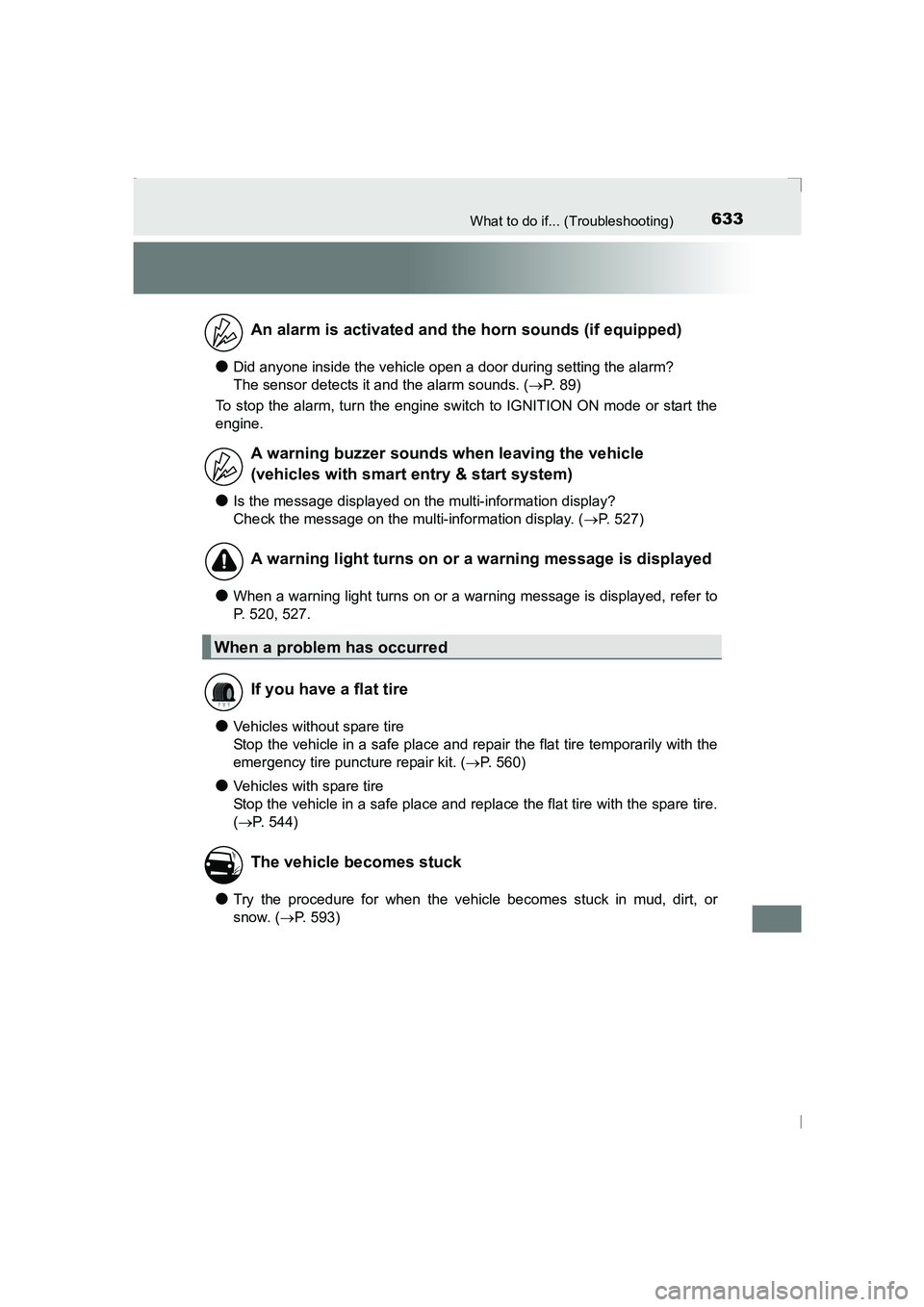
●Did anyone inside the vehicle open a door during setting the alarm?
The sensor detects it and the alarm sounds. (→P. 89)
To stop the alarm, turn the engine switch to IGNITION ON mode or start the
engine.
●Is the message displayed on the multi-information display?
Check the message on the multi-information display. ( →P. 527)
●When a warning light turns on or a warning message is displayed, refer to
P. 520, 527.
●Vehicles without spare tire
Stop the vehicle in a safe place and repair the flat tire temporarily with the
emergency tire puncture repair kit. ( →P. 560)
●Vehicles with spare tire
Stop the vehicle in a safe place and replace the flat tire with the spare tire.
(→ P. 544)
●Try the procedure for when the vehicle becomes stuck in mud, dirt, or
snow. ( →P. 593)
An alarm is activated and the horn sounds (if equipped)
A warning buzzer sounds when leaving the vehicle
(vehicles with smart entry & start system)
A warning light turns on or a warning message is displayed
When a problem has occurred
If you have a flat tire
The vehicle becomes stuck
AVENSIS_OM_OM20C20E_(EE).book Page 633 Thursday, January 29, 2015 1:47 PM
Page 634 of 648
634Alphabetical index
AVENSIS_OM_OM20C20E_(EE)
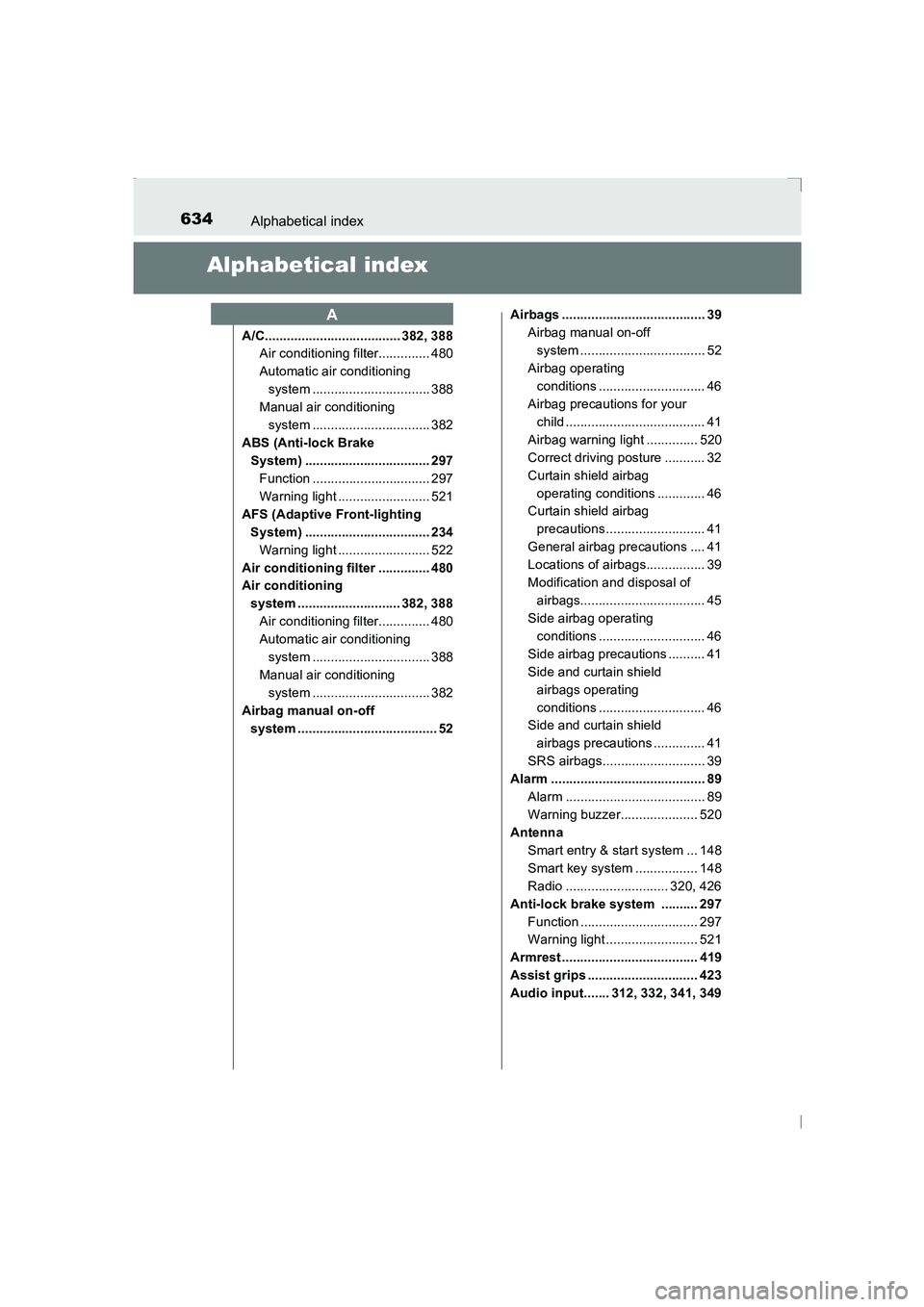
Alphabetical index
A/C..................................... 382, 388Air conditioning filter.............. 480
Automatic air conditioning
system ................................ 388
Manual air conditioning system ................................ 382
ABS (Anti-lock Brake System) .................................. 297
Function ................................ 297
Warning light ......................... 521
AFS (Adaptive Front-lighting System) .................................. 234Warning light ......................... 522
Air conditioning filter .............. 480
Air conditioning system ............................ 382, 388Air conditioning filter.............. 480
Automatic air conditioning system ................................ 388
Manual air conditioning system ................................ 382
Airbag manual on-off system ...................................... 52 Airbags ....................................... 39
Airbag manual on-off system .................................. 52
Airbag operating conditions ............................. 46
Airbag precautions for your child ...................................... 41
Airbag warning light .............. 520
Correct driving posture ........... 32
Curtain shield airbag operating conditions ............. 46
Curtain shield airbag
precautions........................... 41
General airbag precautions .... 41
Locations of airbags................ 39
Modification and disposal of airbags.................................. 45
Side airbag operating
conditions ............................. 46
Side airbag precautions .......... 41
Side and curtain shield airbags operating
conditions ............................. 46
Side and curtain shield
airbags precautions .............. 41
SRS airbags............................ 39
Alarm .......................................... 89 Alarm ...................................... 89
Warning buzzer..................... 520
Antenna
Smart entry & start system ... 148
Smart key system ................. 148
Radio ............................ 320, 426
Anti-lock brake system .......... 297 Function ................................ 297
Warning light ......................... 521
Armrest ..................................... 419
Assist grips .............................. 423
Audio input....... 312, 332, 341, 349
A
AVENSIS_OM_OM20C20E_(EE).book Page 634 Thursday, January 29, 2015 1:47 PM
Page 635 of 648
635Alphabetical index
AVENSIS_OM_OM20C20E_(EE)
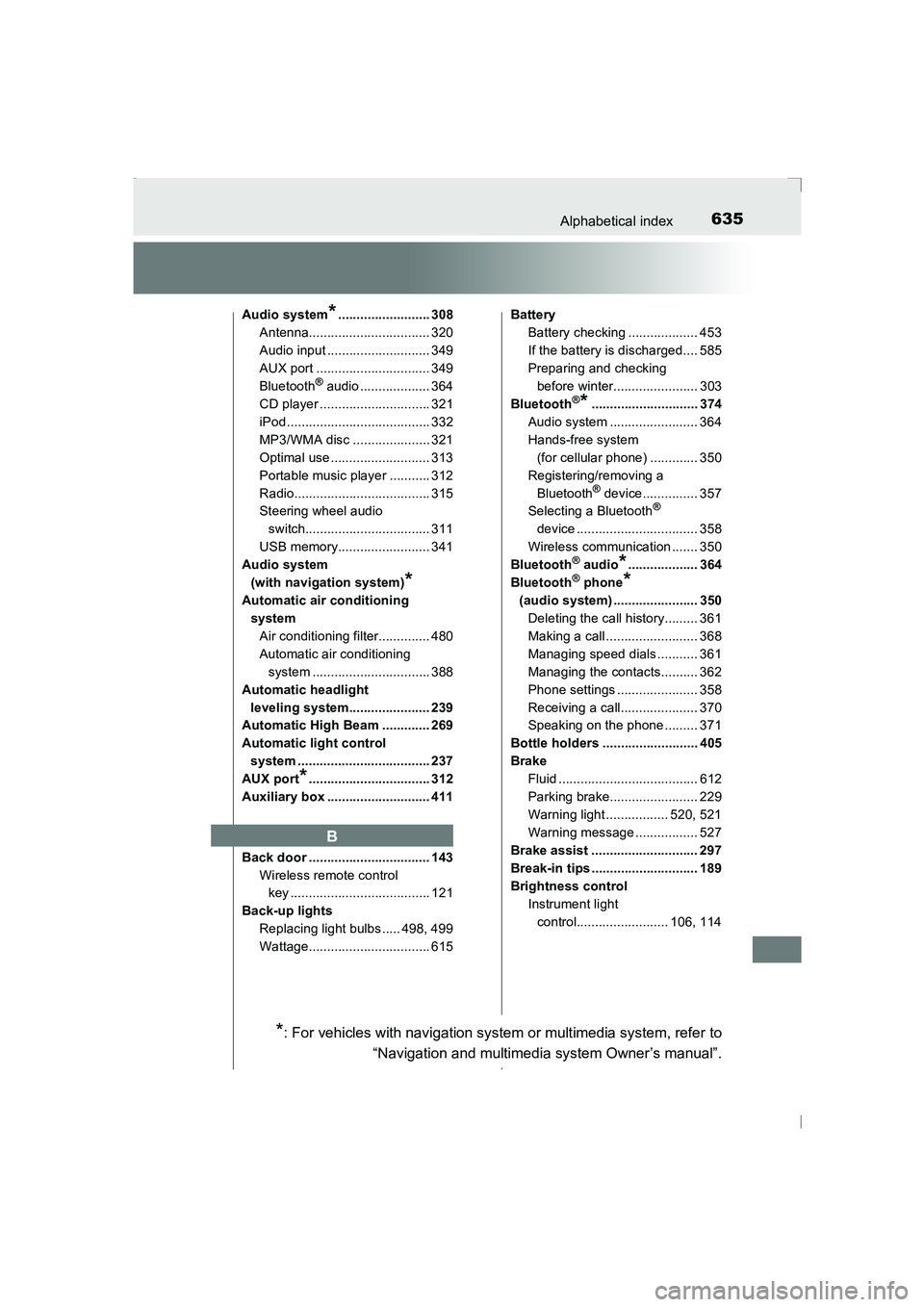
Audio system*......................... 308
Antenna................................. 320
Audio input ............................ 349
AUX port ............................... 349
Bluetooth
® audio ................... 364
CD player .............................. 321
iPod....................................... 332
MP3/WMA disc ..................... 321
Optimal use........................... 313
Portable music player ........... 312
Radio..................................... 315
Steering wheel audio switch.................................. 311
USB memory......................... 341
Audio system (with navigation system)
*
Automatic air conditioning system
Air conditioning filter.............. 480
Automatic air conditioning system ................................ 388
Automatic headlight leveling system...................... 239
Automatic High Beam ............. 269
Automatic light control
system .................................... 237
AUX port
*................................. 312
Auxiliary box ............................ 411
Back door ................................. 143 Wireless remote control key ...................................... 121
Back-up lights Replacing light bulbs ..... 498, 499
Wattage................................. 615 Battery
Battery checking ................... 453
If the battery is discharged.... 585
Preparing and checking before winter....................... 303
Bluetooth
®*............................. 374
Audio system ........................ 364
Hands-free system (for cellular phone) ............. 350
Registering/removing a Bluetooth
® device............... 357
Selecting a Bluetooth®
device ................................. 358
Wireless communication ....... 350
Bluetooth
® audio*................... 364
Bluetooth® phone*
(audio system) ....................... 350 Deleting the call history......... 361
Making a call ......................... 368
Managing speed dials ........... 361
Managing the contacts.......... 362
Phone settings ...................... 358
Receiving a call..................... 370
Speaking on the phone ......... 371
Bottle holders .......................... 405
Brake Fluid ...................................... 612
Parking brake........................ 229
Warning light ................. 520, 521
Warning message ................. 527
Brake assist ............................. 297
Break-in tips ............................. 189
Brightness control Instrument light control......................... 106, 114
B
*: For vehicles with navigation system or multimedia system, refer to
“Navigation and multimedia system Owner’s manual”.
AVENSIS_OM_OM20C20E_(EE).book Page 635 Thursday, January 29, 2015 1:47 PM