warning light TOYOTA AVENSIS 2015 Owner's Manual
[x] Cancel search | Manufacturer: TOYOTA, Model Year: 2015, Model line: AVENSIS, Model: TOYOTA AVENSIS 2015Pages: 648, PDF Size: 39.64 MB
Page 114 of 648
1142. Instrument cluster
AVENSIS_OM_OM20C20E_(EE)
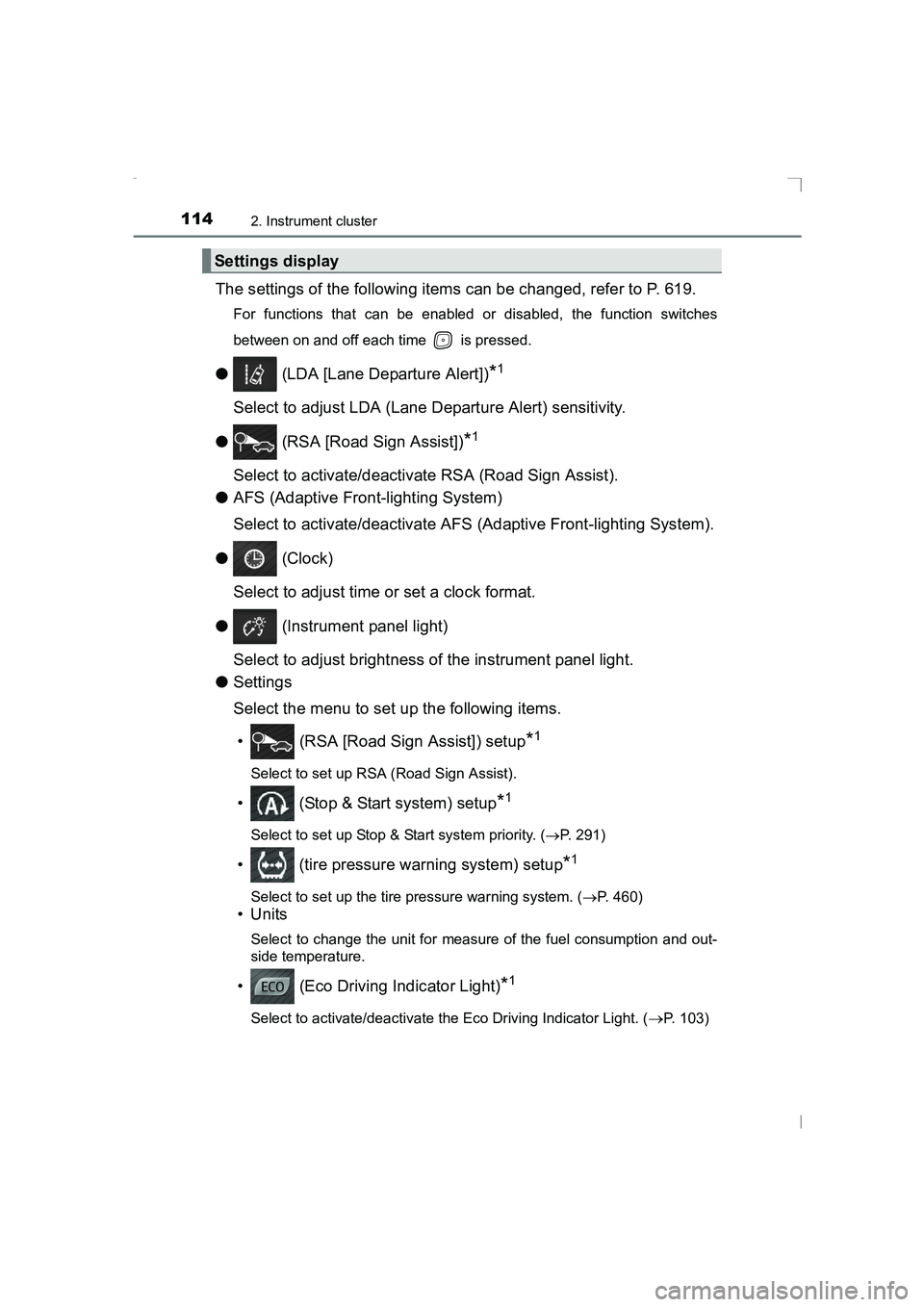
The settings of the following items can be changed, refer to P. 619.
For functions that can be enabled or disabled, the function switches
between on and off each time is pressed.
● (LDA [Lane Departure Alert])*1
Select to adjust LDA (Lane Departure Alert) sensitivity.
● (RSA [Road Sign Assist])
*1
Select to activate/deactivate RSA (Road Sign Assist).
● AFS (Adaptive Front-lighting System)
Select to activate/deactivate AFS (Adaptive Front-lighting System).
● (Clock)
Select to adjust time or set a clock format.
● (Instrument panel light)
Select to adjust brightness of the instrument panel light.
● Settings
Select the menu to set up the following items.
• (RSA [Road Sign Assist]) setup
*1
Select to set up RSA (Road Sign Assist).
• (Stop & Start system) setup*1
Select to set up Stop & Start system priority. ( →P. 291)
• (tire pressure warning system) setup*1
Select to set up the tire pressure warning system. ( →P. 460)
•Units
Select to change the unit for measure of the fuel consumption and out-
side temperature.
• (Eco Driving Indicator Light)*1
Select to activate/deactivate the Eco Driving Indicator Light. (→P. 103)
Settings display
AVENSIS_OM_OM20C20E_(EE).book Page 114 Thursday, January 29, 2015 1:47 PM
Page 115 of 648
1152. Instrument cluster
2
Instrument cluster
AVENSIS_OM_OM20C20E_(EE)
• Drive information 1 through 3
Select to select up to 2 items that will be displayed on a Drive informa-
tion screen, up to 3 Drive information screens can be set.
• Pop-up display
Select to set the pop-up displays*2, which may appear in some situa-
tions, on/off.
• Initialization
Registered or changed meter settings will be deleted or returned to their
default setting.
● Language
Select to change the language on the display.
*1: If equipped
*2: Stop & Start system operation time display (if equipped), route guidance
display of the navigation system-linked system (if equipped) and incom-
ing call display of the hands-free phone system (if equipped).
■ Pop-up display
In some situations, such as when a switch operation is performed, a pop-up
display will be temporarily display ed on the multi-information display.
The pop-up display function can be set on/off.
■ Setting display automatic cancelation
In the following situations, setting display in which the settings can be
changed through the meter control switch will automatically be turned off.
●If a warning message appears while the setting display is displayed
● When the vehicle begins to move while the setting display is displayed
■ Liquid crystal display
Small spots or light spots may appear on the display. This phenomenon is
characteristic of liquid crystal displays, and there is no problem continuing to
use the display.
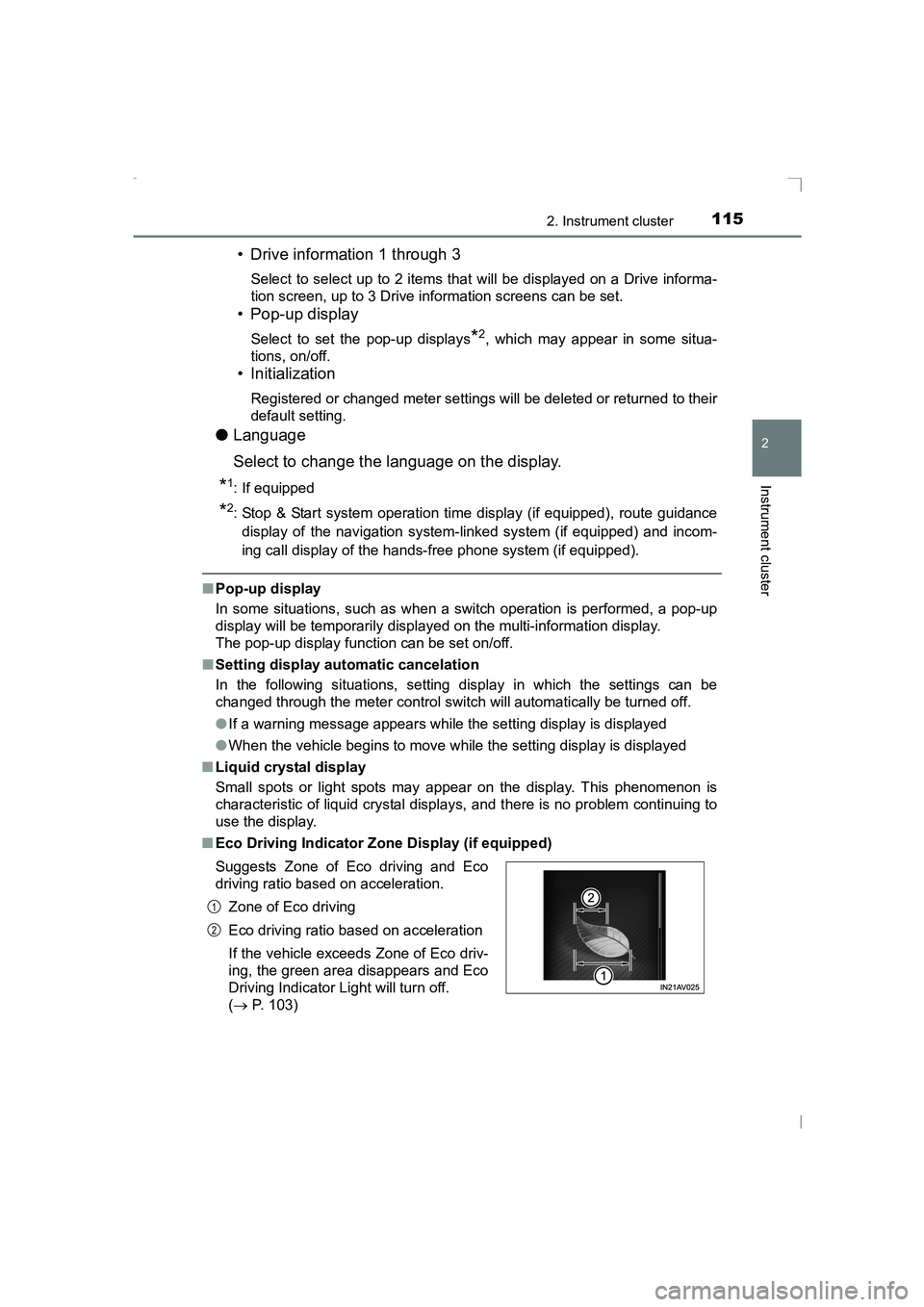
■ Eco Driving Indicator Zone Display (if equipped)
Suggests Zone of Eco driving and Eco
driving ratio based on acceleration.
Zone of Eco driving
Eco driving ratio based on acceleration
If the vehicle exceeds Zone of Eco driv-
ing, the green area disappears and Eco
Driving Indicator Light will turn off.
(→ P. 103)
1
2
AVENSIS_OM_OM20C20E_(EE).book Page 115 Thursday, January 29, 2015 1:47 PM
Page 142 of 648
1423-2. Opening, closing and locking the doors
AVENSIS_OM_OM20C20E_(EE)
WARNING
■ Using the trunk
Observe the following precautions.
Failure to do so may cause parts of the body to be caught, resulting in seri-
ous injury.
●Remove any heavy loads, such as snow and ice, from the trunk lid before
opening it. Failure to do so may cause the trunk lid to suddenly shut again
after it is opened.
● When opening or closing the trunk lid, thoroughly check to make sure the
surrounding area is safe.
● If anyone is in the vicinity, make sure they are safe and let them know that
the trunk is about to open or close.
● Use caution when opening or closing the trunk lid in windy weather as it
may move abruptly in strong wind.
● Do not attach any accessories other than genuine Toyota parts to the trunk
lid. Such additional weight on the tr unk lid may cause the lid to suddenly
shut again after it is opened.
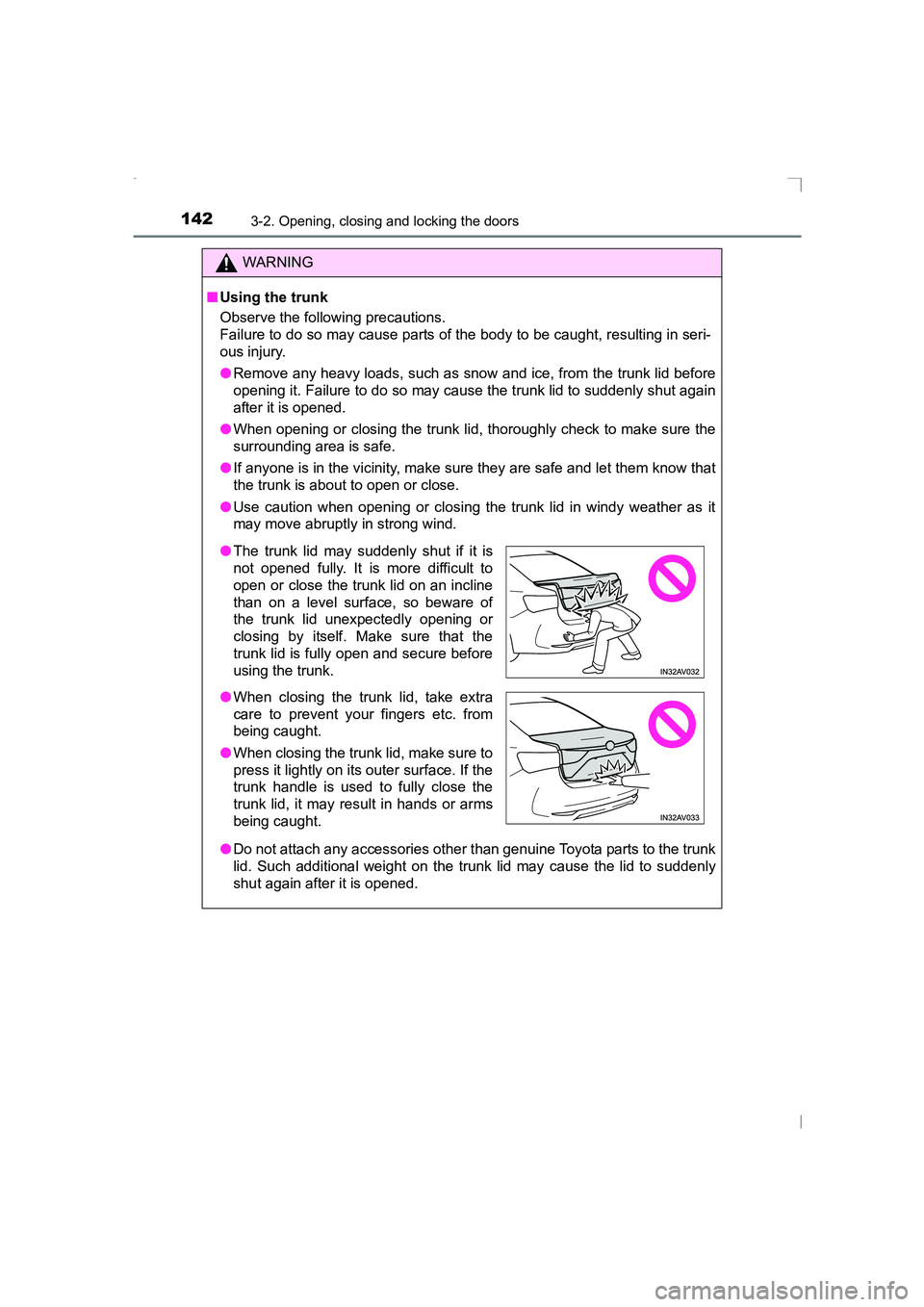
● The trunk lid may suddenly shut if it is
not opened fully. It is more difficult to
open or close the trunk lid on an incline
than on a level surface, so beware of
the trunk lid unexpectedly opening or
closing by itself. Make sure that the
trunk lid is fully open and secure before
using the trunk.
● When closing the trunk lid, take extra
care to prevent your fingers etc. from
being caught.
● When closing the trunk lid, make sure to
press it lightly on its outer surface. If the
trunk handle is used to fully close the
trunk lid, it may result in hands or arms
being caught.
AVENSIS_OM_OM20C20E_(EE).book Page 142 Thursday, January 29, 2015 1:47 PM
Page 146 of 648
1463-2. Opening, closing and locking the doors
AVENSIS_OM_OM20C20E_(EE)
WARNING
● Do not pull on the back door damper stay to close the back door, and do
not hang on the back door damper stay.
Doing so may cause hands to be caught or the back door damper stay to
break, causing an accident.
● If a bicycle carrier or similar heavy object is attached to the back door, it
may suddenly shut again after being opened, causing someone’s hands,
head or neck to be caught and injured. When installing an accessory part
to the back door, using a genuine Toyota part is recommended.
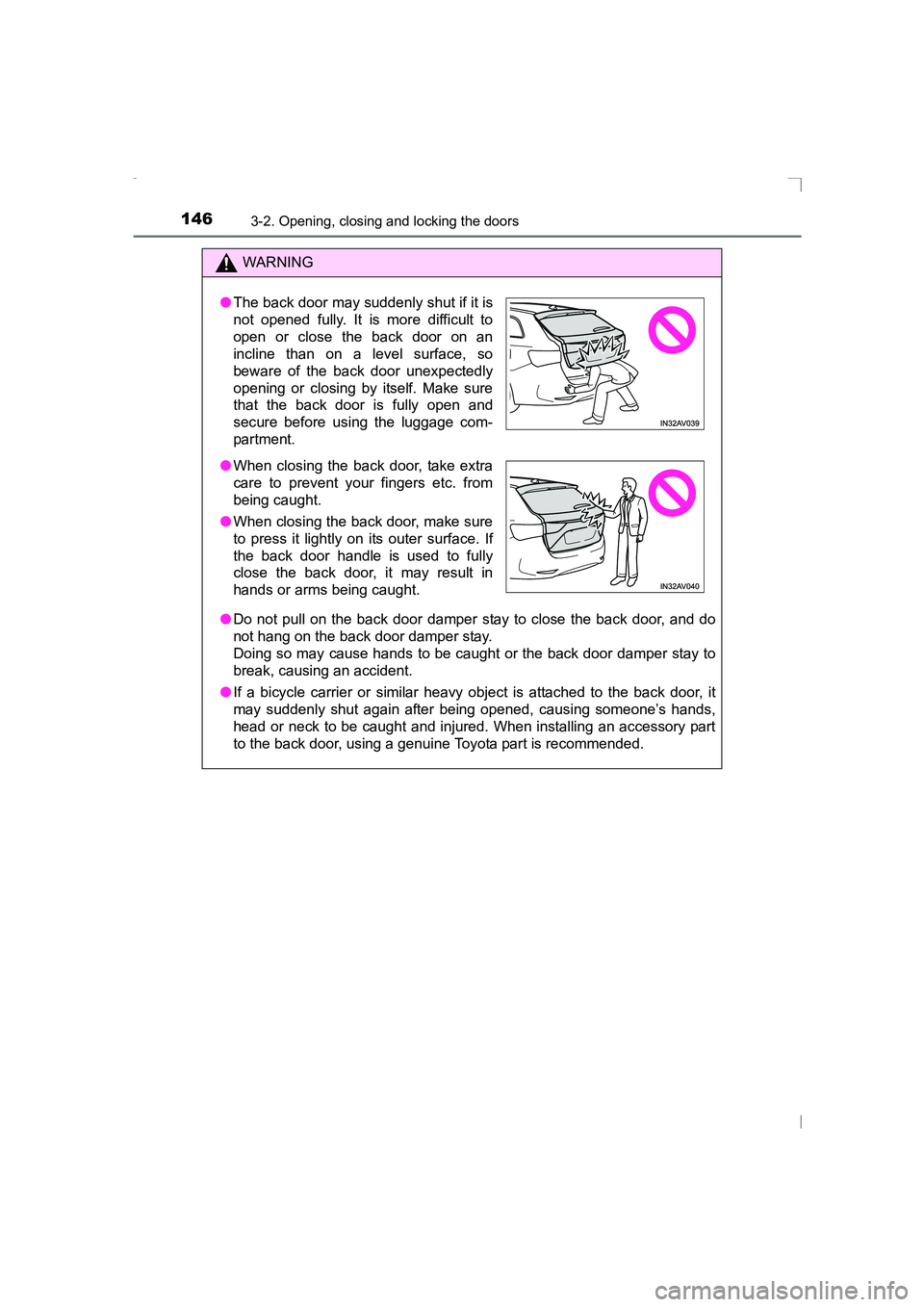
●The back door may suddenly shut if it is
not opened fully. It is more difficult to
open or close the back door on an
incline than on a level surface, so
beware of the back door unexpectedly
opening or closing by itself. Make sure
that the back door is fully open and
secure before using the luggage com-
partment.
● When closing the back door, take extra
care to prevent your fingers etc. from
being caught.
● When closing the back door, make sure
to press it lightly on its outer surface. If
the back door handle is used to fully
close the back door, it may result in
hands or arms being caught.
AVENSIS_OM_OM20C20E_(EE).book Page 146 Thursday, January 29, 2015 1:47 PM
Page 169 of 648
1693-3. Adjusting the seats
3
Operation of each component
AVENSIS_OM_OM20C20E_(EE)
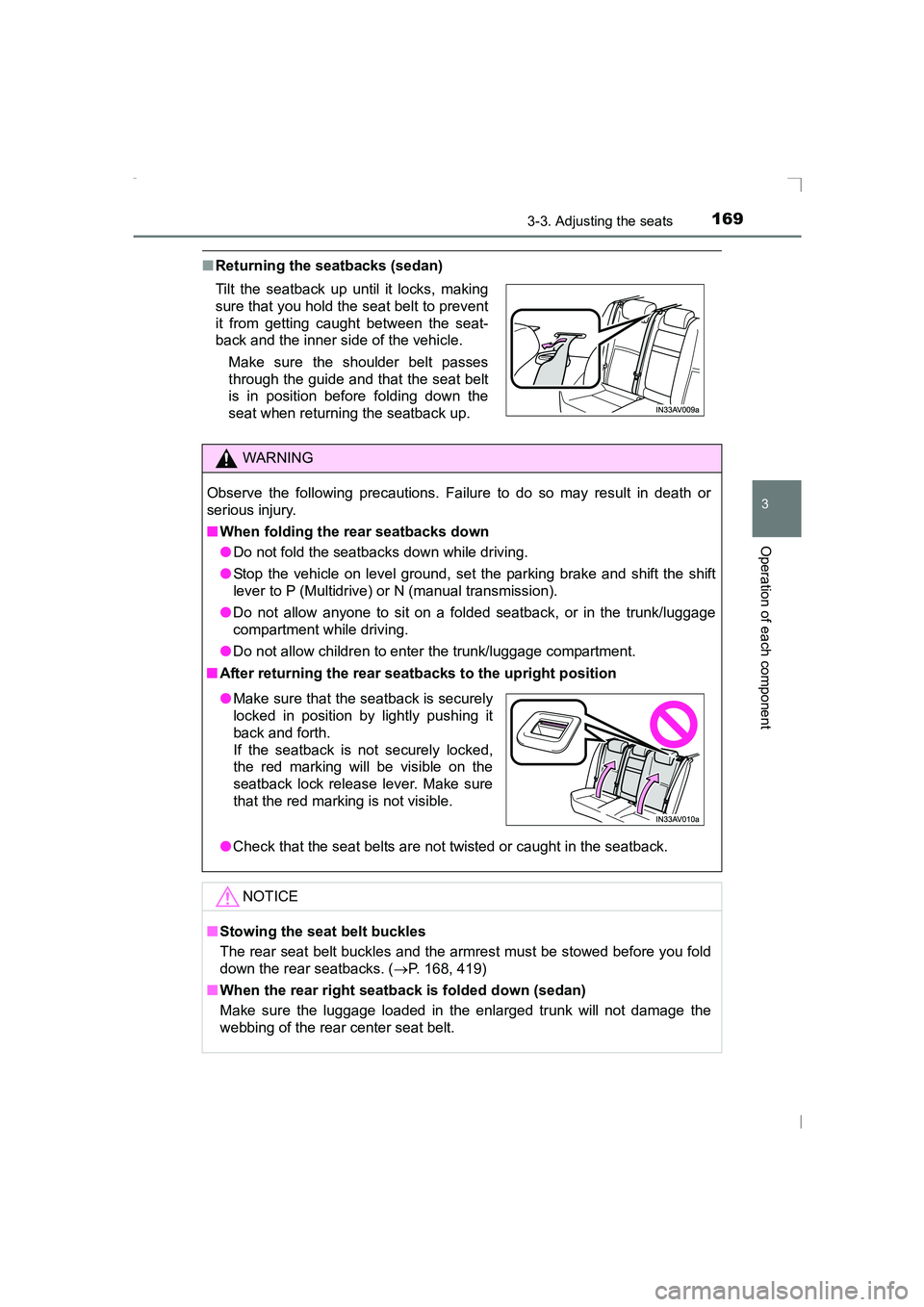
■Returning the seatbacks (sedan)
Tilt the seatback up until it locks, making
sure that you hold the seat belt to prevent
it from getting caught between the seat-
back and the inner side of the vehicle.
Make sure the shoulder belt passes
through the guide and that the seat belt
is in position before folding down the
seat when returning the seatback up.
WARNING
Observe the following precautions. Failure to do so may result in death or
serious injury.
■ When folding the rear seatbacks down
●Do not fold the seatbacks down while driving.
● Stop the vehicle on level ground, set the parking brake and shift the shift
lever to P (Multidrive) or N (manual transmission).
● Do not allow anyone to sit on a folded seatback, or in the trunk/luggage
compartment while driving.
● Do not allow children to enter the trunk/luggage compartment.
■ After returning the rear seatbacks to the upright position
●Check that the seat belts are not twisted or caught in the seatback.
NOTICE
■ Stowing the seat belt buckles
The rear seat belt buckles and the armrest must be stowed before you fold
down the rear seatbacks. ( →P. 168, 419)
■ When the rear right seatback is folded down (sedan)
Make sure the luggage loaded in the enlarged trunk will not damage the
webbing of the rear center seat belt.
● Make sure that the seatback is securely
locked in position by lightly pushing it
back and forth.
If the seatback is not securely locked,
the red marking will be visible on the
seatback lock release lever. Make sure
that the red marking is not visible.
AVENSIS_OM_OM20C20E_(EE).book Page 169 Thursday, January 29, 2015 1:47 PM
Page 171 of 648
1713-3. Adjusting the seats
3
Operation of each component
AVENSIS_OM_OM20C20E_(EE)■
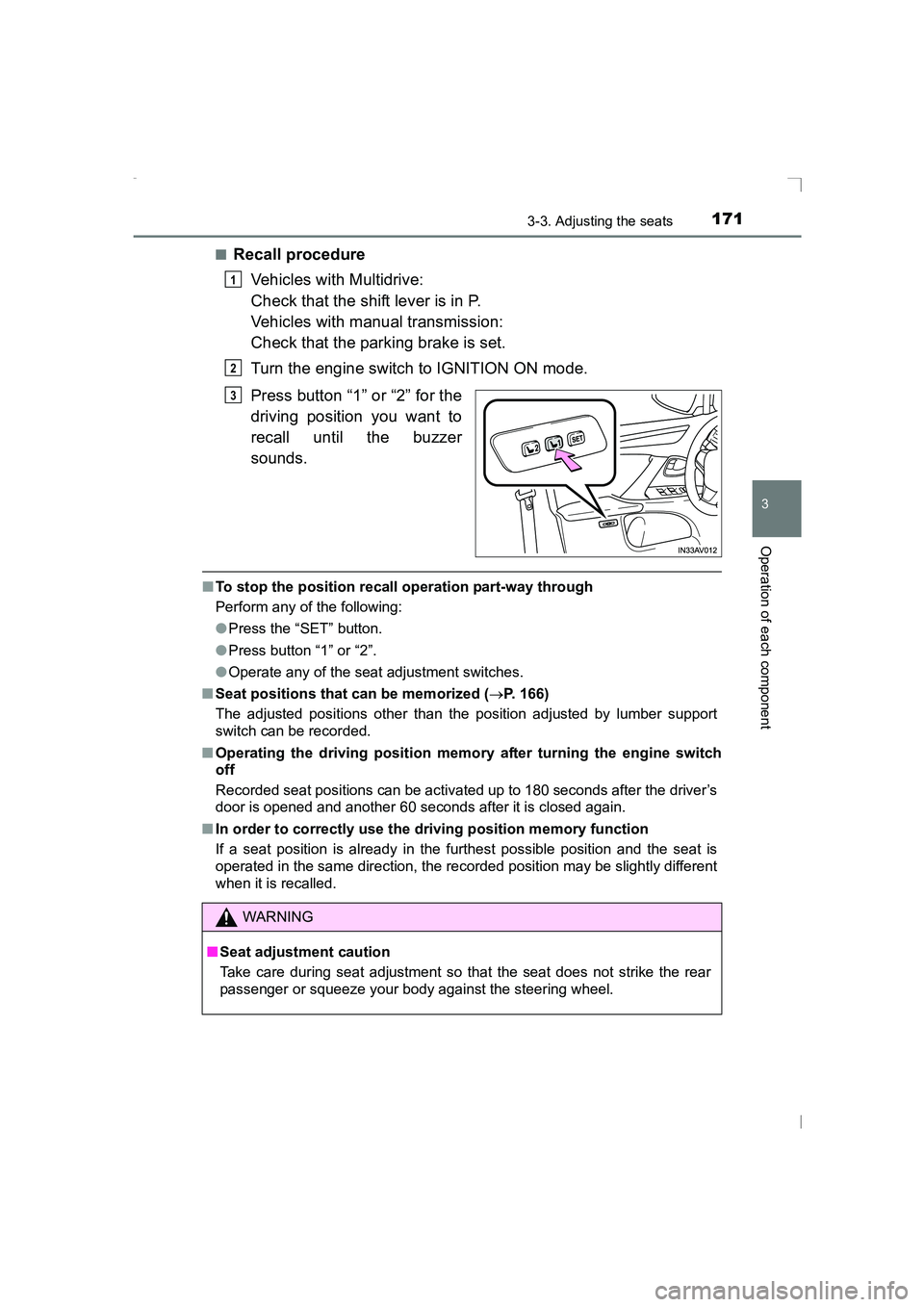
Recall procedure
Vehicles with Multidrive:
Check that the shift lever is in P.
Vehicles with manual transmission:
Check that the parking brake is set.
Turn the engine switch to IGNITION ON mode.
Press button “1” or “2” for the
driving position you want to
recall until the buzzer
sounds.
■To stop the position recall operation part-way through
Perform any of the following:
●Press the “SET” button.
● Press button “1” or “2”.
● Operate any of the seat adjustment switches.
■ Seat positions that can be memorized ( →P. 166)
The adjusted positions other than the position adjusted by lumber support
switch can be recorded.
■ Operating the driving position memory after turning the engine switch
off
Recorded seat positions can be activated up to 180 seconds after the driver’s
door is opened and another 60 seconds after it is closed again.
■ In order to correctly use the driving position memory function
If a seat position is already in the furthest possible position and the seat is
operated in the same direction, the recorded position may be slightly different
when it is recalled.
1
2
3
WARNING
■ Seat adjustment caution
Take care during seat adjustment so that the seat does not strike the rear
passenger or squeeze your body against the steering wheel.
AVENSIS_OM_OM20C20E_(EE).book Page 171 Thursday, January 29, 2015 1:47 PM
Page 184 of 648
1843-5. Opening and closing the windows
AVENSIS_OM_OM20C20E_(EE)If you release the switch while the window is moving, start again from the
beginning. If the window continues to close but then re-open slightly even
after performing the above procedure correctly, have the vehicle inspected by
any authorized Toyota dealer or re
pairer, or another duly qualified and
equipped professional.
WARNING
Observe the following precautions.
Failing to do so may result in death or serious injury.
■ When closing the windows
●The driver is responsible for all t he power window operations, including the
operation for the passengers. In order to prevent accidental operation,
especially by a child, do not let a child operate the power windows. It is
possible for children and other passengers to have body parts caught in
the power window. Also, when riding with a child, it is recommended to use
the window lock switch. ( →P. 182)
● Check to make sure that all passengers do not have any part of their body
in a position where it could be caught when a window is being operated.
● When exiting the vehicle, turn the engine switch to the “LOCK” position
(vehicles without smart entry & start system) or off (vehicles with smart
entry & start system), carry the key and exit the vehicle along with the
child. There may be accidental operation, due to mischief, etc., that may
possibly lead to an accident.
■ Jam protection function
●Never use any part of your body to intentionally activate the jam protection
function.
● The jam protection function may not work if something gets caught just
before the window fully closes.
AVENSIS_OM_OM20C20E_(EE).book Page 184 Thursday, January 29, 2015 1:47 PM
Page 191 of 648
1914-1. Before driving
4
Driving
AVENSIS_OM_OM20C20E_(EE)
WARNING
Observe the following precautions.
Failure to do so may result in death or serious injury.
■ When driving the vehicle
●Do not drive if you are unfamiliar with the location of the brake and accel-
erator pedals to avoid depressing the wrong pedal.
• Accidentally depressing the accelerator pedal instead of the brake
pedal will result in sudden acceleration that may lead to an accident.
• When backing up, you may twist your body around, leading to a diffi- culty in operating the pedals. Make sure to operate the pedals properly.
• Make sure to keep a correct driving posture even when moving the
vehicle only slightly. This allows you to depress the brake and accelera-
tor pedals properly.
• Depress the brake pedal using your right foot. Depressing the brake
pedal using your left foot may delay response in an emergency, result-
ing in an accident.
● Do not drive the vehicle over or st op the vehicle near flammable materials.
The exhaust system and exhaust gases can be extremely hot. These hot
parts may cause a fire if there is any flammable material nearby.
● During normal driving, do not turn off the engine. Turning the engine off
while driving will not cause loss of steering or braking control, but the
power assist to these systems will be lost. This will make it more difficult to
steer and brake, so you should pull over and stop the vehicle as soon as it
is safe to do so.
However, in the event of an emergency, such as if it becomes impossible
to stop the vehicle in the normal way: →P. 509
● Use engine braking (downshift) to maintain a safe speed when driving
down a steep hill.
Using the brakes continuously may cause the brakes to overheat and lose
effectiveness. ( →P. 220)
● Do not adjust the positions of the steering wheel, the seat, or the inside or
outside rear view mirrors while driving.
Doing so may result in a loss of vehicle control that can cause accidents.
● Always check that all passengers’ arms, heads or other parts of their body
are not outside the vehicle.
AVENSIS_OM_OM20C20E_(EE).book Page 191 Thursday, January 29, 2015 1:47 PM
Page 192 of 648
1924-1. Before driving
AVENSIS_OM_OM20C20E_(EE)
WARNING
Observe the following precautions.
Failure to do so may result in death or serious injury.
■ When driving on slippery road surfaces
●Sudden braking, acceleration and steering may cause tire slippage and
reduce your ability to control the vehicle, resulting in an accident.
● Sudden acceleration, engine braking due to shifting, or changes in engine
speed could cause the vehicle to skid, resulting in an accident.
● After driving through a puddle, lightly depress the brake pedal to make
sure that the brakes are functioning properly. Wet brake pads may prevent
the brakes from functioning properly. If the brakes on only one side are wet
and not functioning properly, steering control may be affected, resulting in
an accident.
■ When shifting the shift lever
●Vehicles with Multidrive: Do not let the vehicle roll backward while the shift
lever is in a driving position, or roll forward while the shift lever is in R.
Doing so may cause the engine to stall or lead to poor brake and steering
performance, resulting in an accident or damage to the vehicle.
● Vehicles with Multidrive: Do not shift the shift lever to P while the vehicle is
moving.
Doing so can damage the transmission and may result in a loss of vehicle
control.
● Do not shift the shift lever to R while the vehicle is moving forward.
Doing so can damage the transmission and may result in a loss of vehicle
control.
● Do not shift the shift lever to a driving position while the vehicle is moving
backward.
Doing so can damage the transmission and may result in a loss of vehicle
control.
● Moving the shift lever to N while the vehicle is moving will disengage the
engine from the transmission. Engine braking is not available when N is
selected.
● Vehicles with Multidrive: Be careful not to shift the shift lever with the
accelerator pedal depressed.
Shifting the shift lever to a gear other than P may lead to unexpected rapid
acceleration of the vehicle that may cause an accident.
AVENSIS_OM_OM20C20E_(EE).book Page 192 Thursday, January 29, 2015 1:47 PM
Page 194 of 648
1944-1. Before driving
AVENSIS_OM_OM20C20E_(EE)
WARNING
Observe the following precautions.
Failure to do so may result in death or serious injury.
■ When the vehicle is parked
●Do not leave glasses, cigarette lighters, spray cans, or soft drink cans in
the vehicle when it is in the sun.
Doing so may result in the following:
• Gas may leak from a cigarette lighter or spray can, and may lead to a
fire.
• The temperature inside the vehicle may cause the plastic lenses and plastic material of glasses to deform or crack.
• Soft drink cans may fracture, causing the contents to spray over the interior of the vehicle, and may also cause a short circuit in the vehicle’s
electrical components.
● Do not leave cigarette lighters in the vehicle. If a cigarette lighter is in a
place such as the glove box or on the floor, it may be lit accidentally when
luggage is loaded or the seat is adjusted, causing a fire.
● Do not attach adhesive discs to the windshield or windows. Do not place
containers such as air fresheners on the instrument panel or dashboard.
Adhesive discs or containers may act as lenses, causing a fire in the vehi-
cle.
● Do not leave a door or window open if the curved glass is coated with a
metallized film such as a silver-colored one. Reflected sunlight may cause
the glass to act as a lens, causing a fire.
● Always shift the shift lever to P (vehicles with Multidrive), apply the parking
brake, stop the engine and lock the vehicle.
Do not leave the vehicle unattended while the engine is running.
● Do not touch the exhaust pipe while the engine is running or immediately
after turning the engine off.
Doing so may cause burns.
AVENSIS_OM_OM20C20E_(EE).book Page 194 Thursday, January 29, 2015 1:47 PM