maintenance TOYOTA AYGO X 2022 Owners Manual (in English)
[x] Cancel search | Manufacturer: TOYOTA, Model Year: 2022, Model line: AYGO X, Model: TOYOTA AYGO X 2022Pages: 494, PDF Size: 92.53 MB
Page 3 of 494
1
6
5
4
3
2
7
8
Owner's Manual_Europe_M99V08_en
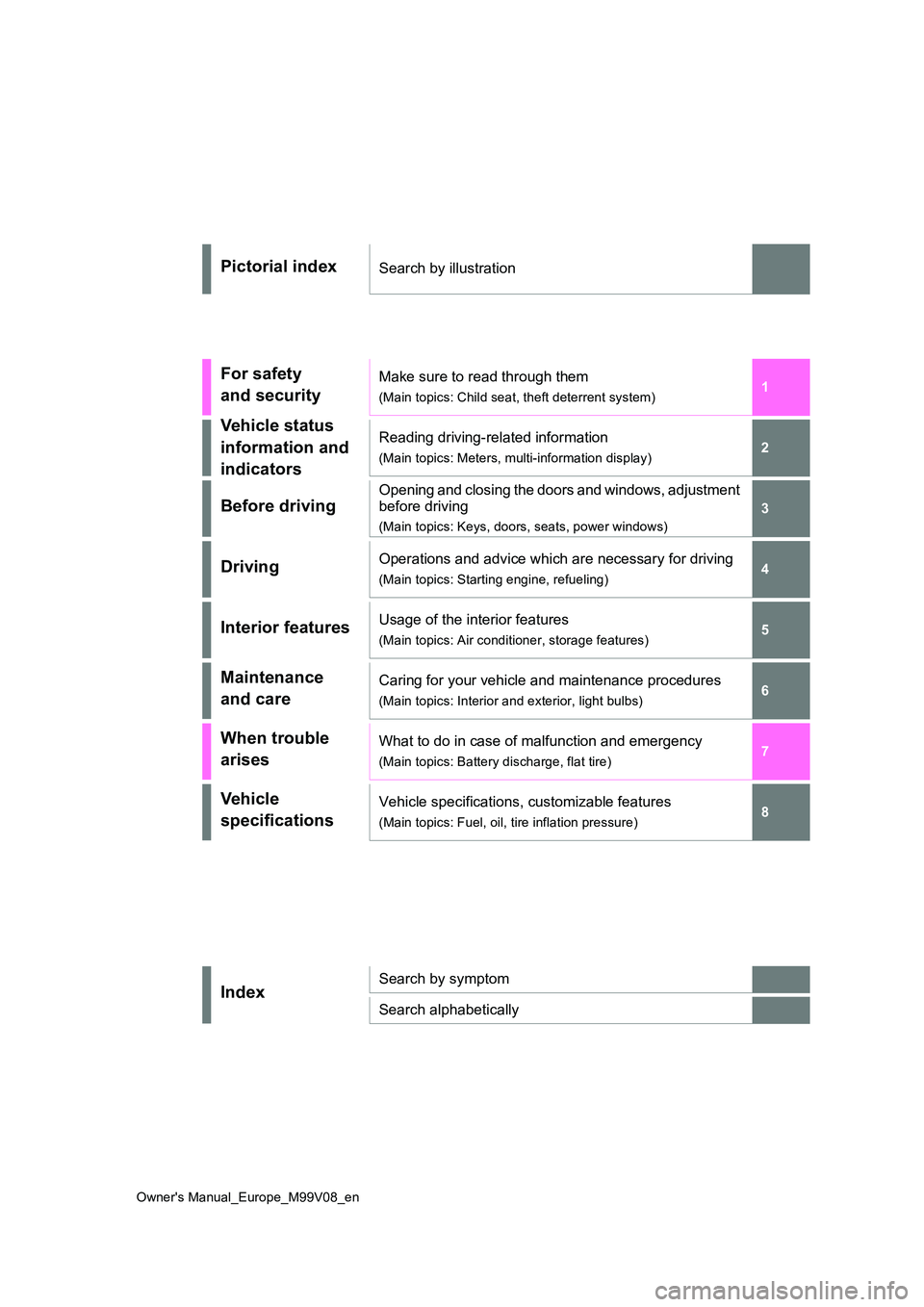
Pictorial indexSearch by illustration
For safety
and security
Make sure to read through them
(Main topics: Child seat, theft deterrent system)
Vehicle status
information and
indicators
Reading driving-related information
(Main topics: Meters, multi-information display)
Before driving
Opening and closing the doors and windows, adjustment
before driving
(Main topics: Keys, doors, seats, power windows)
DrivingOperations and advice which are necessary for driving
(Main topics: Starting engine, refueling)
Interior featuresUsage of the interior features
(Main topics: Air conditioner, storage features)
Maintenance
and care
Caring for your vehicle and maintenance procedures
(Main topics: Interior and exterior, light bulbs)
When trouble
arises
What to do in case of malfunction and emergency
(Main topics: Battery discharge, flat tire)
Vehicle
specifications
Vehicle specifications, customizable features
(Main topics: Fuel, oil, tire inflation pressure)
IndexSearch by symptom
Search alphabetically
Page 6 of 494
4
Owner's Manual_Europe_M99V08_en
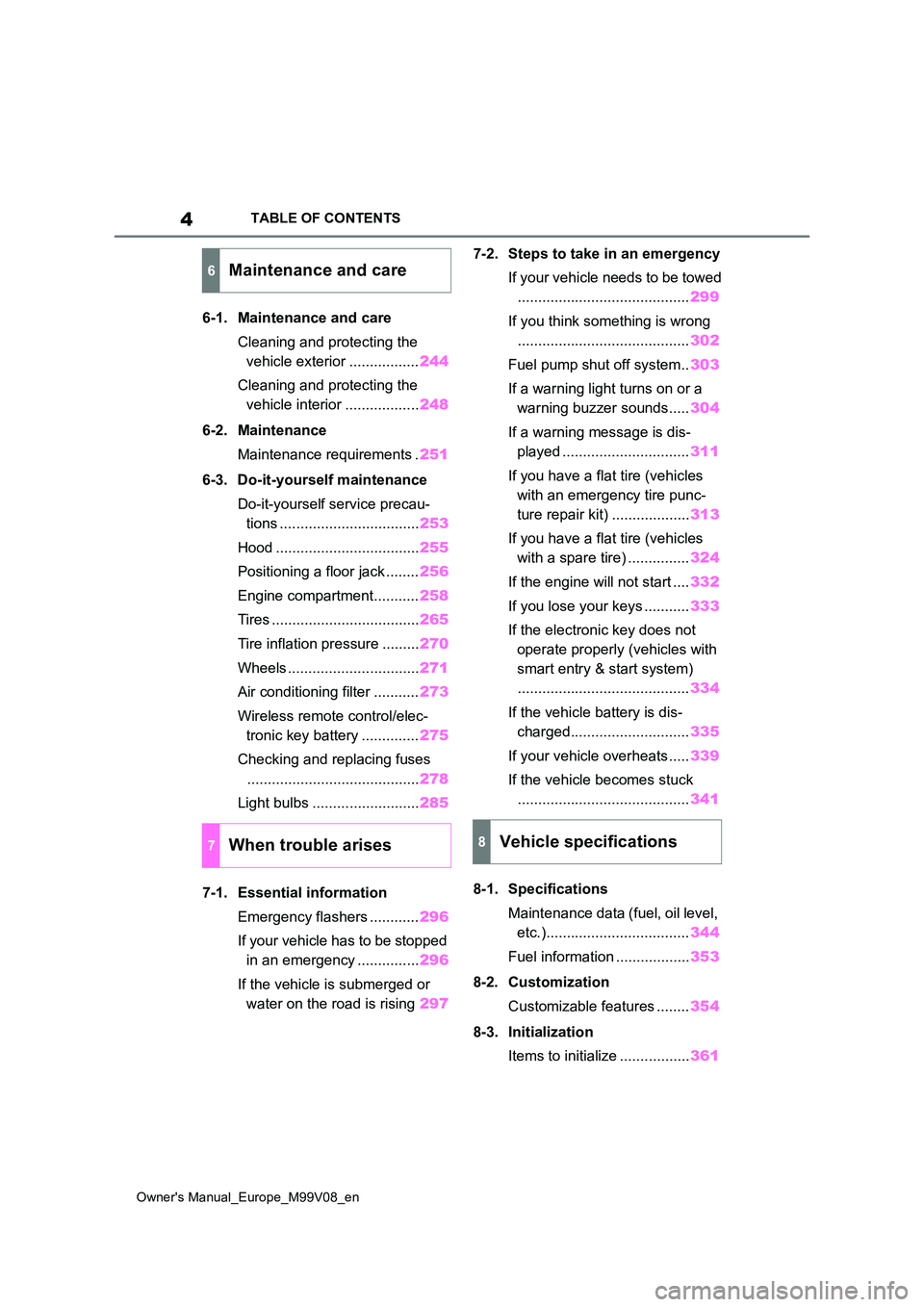
TABLE OF CONTENTS
6-1. Maintenance and care
Cleaning and protecting the
vehicle exterior ................. 244
Cleaning and protecting the
vehicle interior .................. 248
6-2. Maintenance
Maintenance requirements . 251
6-3. Do-it-yourself maintenance
Do-it-yourself service precau-
tions .................................. 253
Hood ................................... 255
Positioning a floor jack ........ 256
Engine compartment........... 258
Tires .................................... 265
Tire inflation pressure ......... 270
Wheels ................................ 271
Air conditioning filter ........... 273
Wireless remote control/elec-
tronic key battery .............. 275
Checking and replacing fuses
.......................................... 278
Light bulbs .......................... 285
7-1. Essential information
Emergency flashers ............ 296
If your vehicle has to be stopped
in an emergency ............... 296
If the vehicle is submerged or
water on the road is rising 297
7-2. Steps to take in an emergency
If your vehicle needs to be towed
.......................................... 299
If you think something is wrong
.......................................... 302
Fuel pump shut off system.. 303
If a warning light turns on or a
warning buzzer sounds..... 304
If a warning message is dis-
played ............................... 311
If you have a flat tire (vehicles
with an emergency tire punc-
ture repair kit) ................... 313
If you have a flat tire (vehicles
with a spare tire) ............... 324
If the engine will not start .... 332
If you lose your keys ........... 333
If the electronic key does not
operate properly (vehicles with
smart entry & start system)
.......................................... 334
If the vehicle battery is dis-
charged............................. 335
If your vehicle overheats ..... 339
If the vehicle becomes stuck
.......................................... 341
8-1. Specifications
Maintenance data (fuel, oil level,
etc.)................................... 344
Fuel information .................. 353
8-2. Customization
Customizable features ........ 354
8-3. Initialization
Items to initialize ................. 361
6Maintenance and care
7When trouble arises8Vehicle specifications
Page 68 of 494
66
Owner's Manual_Europe_M99V08_en
1-3. Emergency assistance
WARNING
• During an Emergency Call, the sys- tem makes repeated attempts to
connect to the eCall control center. However, if it cannot connect to the eCall control center due to poor
radio wave reception, the system may not be able to connect to the cellular network and the call may
finish without connecting. The red indicator light will blink for approxi-mately 30 seconds to indicate this
disconnection.
●If t he b at t er y ’s vo lt a g e d ec r ea se s o r
there is a disconnection, the system may not be able to connect to the eCall control center.
●The Emergency Call system might not work outside of EU area,
depending on the available infra- structure in the country.
■When the Emergency Call sys-tem is replaced with a new one
The Emergency Call system should
be registered. Contact any authorized Toyota retailer or Toyota authorized repairer, or any reliable repairer.
■For your safety
●Please drive safely.
The function of this system is to assist you in making the Emer-gency Call in case of accidents
such as traffic accidents or sudden medical emergencies, and it does not protect the driver or passengers
in any way. Please drive safely and fasten your seatbelts at all times for your safety.
●In case of an emergency, make lives the top priority.
●If you smell anything burning or other unusual smells, leave the
vehicle and evacuate to a safe area immediately.
●If the airbags deploy when the sys-tem is operating normally, the sys-tem makes emergency call. The
system also makes emergency call when the vehicle is struck from the r e a r o r r ol l s ov er, ev e n i f t h e a ir b a gs
do not deploy.
●For safety, do not make the Emer-
gency Call while driving. Making calls during driving may cause mishandling of the steering
wheel, which may lead to unex- pected accidents.Stop the vehicle and confirm the
safety of your surroundings before making the Emergency Call.
●When changing fuses, please use the specified fuses. Using other fuses may cause ignition or smoke
in the circuit and lead to a fire.
●Using the system while there is
smoke or an unusual smell may cause a fire. Stop using the system immediately and consult any autho-
rized Toyota retailer or Toyota authorized repairer, or any reliable repairer.
NOTICE
■To prevent damage
Do not pour any liquids onto the “SOS” button panel, etc. and do not
impact it.
■If the “SOS” button panel,
speaker or microphone malfunc- tions during an Emergency Call or manual maintenance check
It may not be possible to make Emer- gency Calls, confirm the system sta-tus, or communicate with the eCall
control center operator. If any of the above equipment is damaged, please consult any authorized Toyota retailer
or Toyota authorized repairer, or any reliable repairer.
Page 76 of 494
74
Owner's Manual_Europe_M99V08_en
1-4. Theft deterrent system
1-4.Theft de terre nt sys te m
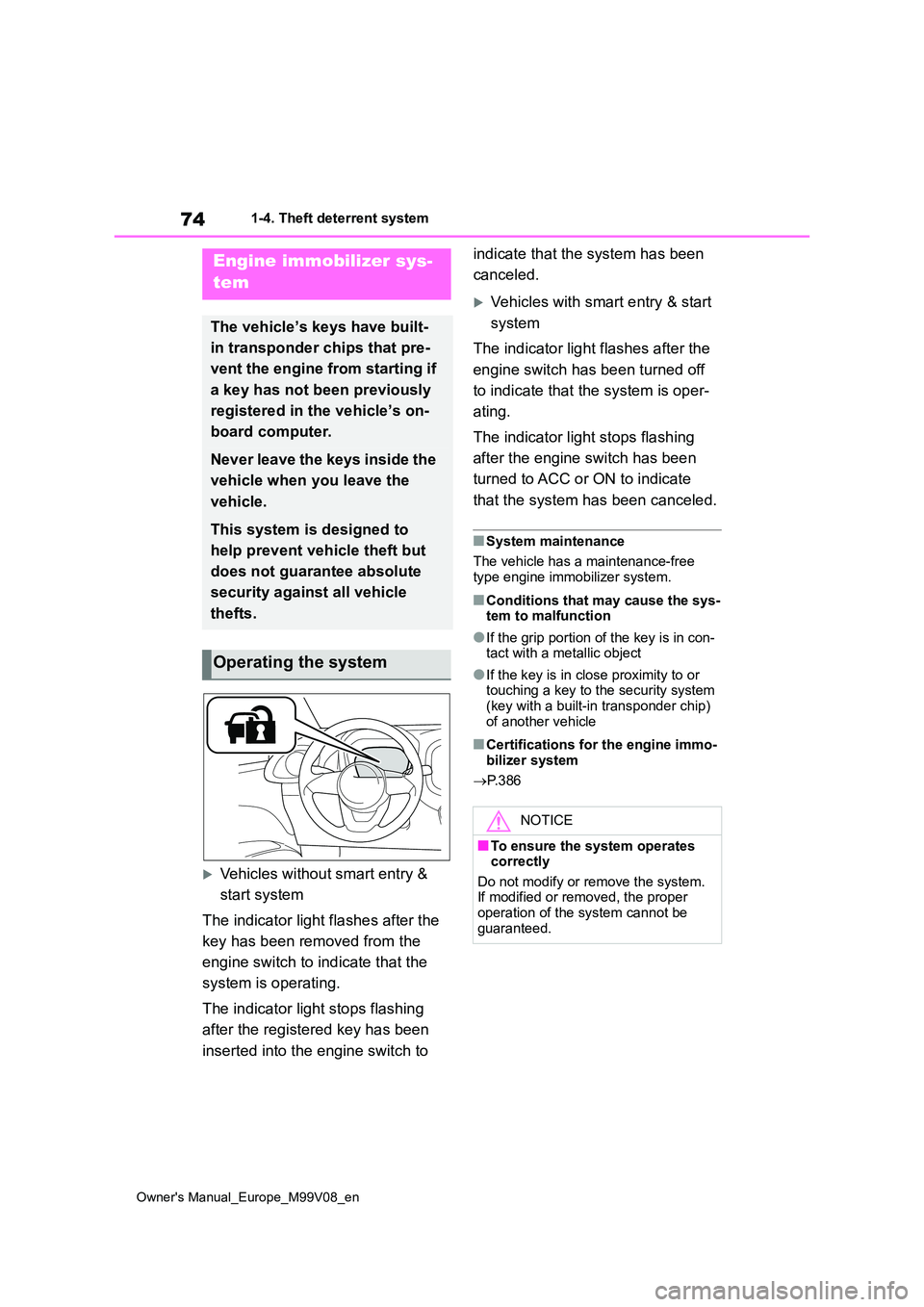
Vehicles without smart entry &
start system
The indicator light flashes after the
key has been removed from the
engine switch to indicate that the
system is operating.
The indicator light stops flashing
after the registered key has been
inserted into the engine switch to
indicate that the system has been
canceled.
Vehicles with smart entry & start
system
The indicator light flashes after the
engine switch has been turned off
to indicate that the system is oper-
ating.
The indicator light stops flashing
after the engine switch has been
turned to ACC or ON to indicate
that the system has been canceled.
■System maintenance
The vehicle has a maintenance-free
type engine immobilizer system.
■Conditions that may cause the sys- tem to malfunction
●If the grip portion of the key is in con-tact with a metallic object
●If the key is in close proximity to or touching a key to the security system (key with a built-in transponder chip)
of another vehicle
■Certifications for the engine immo- bilizer system
P. 3 8 6
Engine immobilizer sys-
tem
The vehicle’s keys have built-
in transponder chips that pre-
vent the engine from starting if
a key has not been previously
registered in the vehicle’s on-
board computer.
Never leave the keys inside the
vehicle when you leave the
vehicle.
This system is designed to
help prevent vehicle theft but
does not guarantee absolute
security against all vehicle
thefts.
Operating the system
NOTICE
■To ensure the system operates correctly
Do not modify or remove the system. If modified or removed, the proper operation of the system cannot be
guaranteed.
Page 83 of 494
81
2
Owner's Manual_Europe_M99V08_en
2-1. Instrument cluster
Vehicle status information and indicators
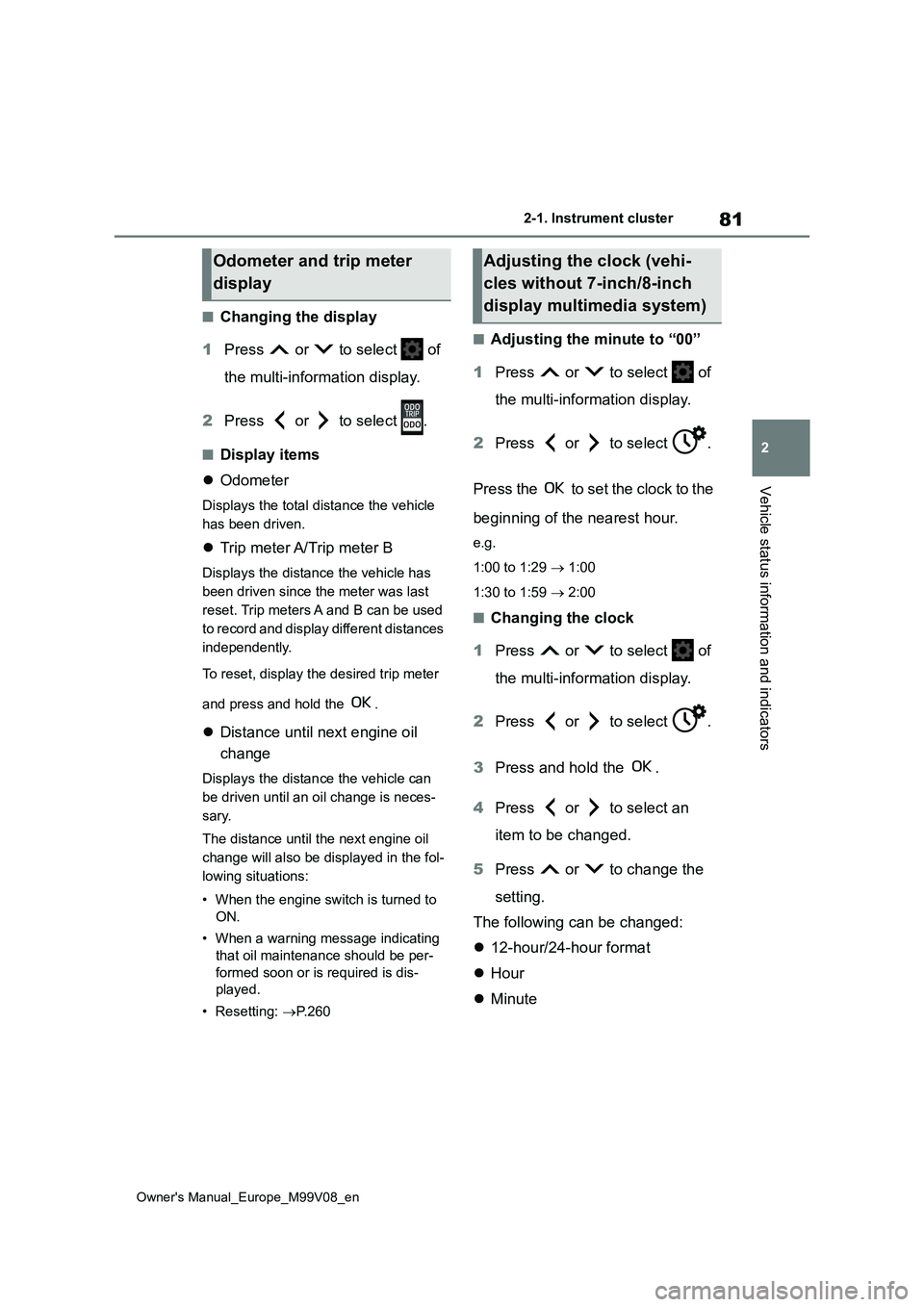
■Changing the display
1 Press or to select of
the multi-information display.
2 Press or to select .
■Display items
Odometer
Displays the total distance the vehicle
has been driven.
Trip meter A/Trip meter B
Displays the distance the vehicle has
been driven since the meter was last
reset. Trip meters A and B can be used
to record and display different distances
independently.
To reset, display the desired trip meter
and press and hold the .
Distance until next engine oil
change
Displays the distance the vehicle can
be driven until an oil change is neces-
sary.
The distance until the next engine oil
change will also be displayed in the fol-
lowing situations:
• When the engine switch is turned to
ON.
• When a warning message indicating
that oil maintenance should be per-
formed soon or is required is dis-
played.
• Resetting: P. 2 6 0
■Adjusting the minute to “00”
1 Press or to select of
the multi-information display.
2 Press or to select .
Press the to set the clock to the
beginning of the nearest hour.
e.g.
1:00 to 1:29 1:00
1:30 to 1:59 2:00
■Changing the clock
1 Press or to select of
the multi-information display.
2 Press or to select .
3 Press and hold the .
4 Press or to select an
item to be changed.
5 Press or to change the
setting.
The following can be changed:
12-hour/24-hour format
Hour
Minute
Odometer and trip meter
display
Adjusting the clock (vehi-
cles without 7-inch/8-inch
display multimedia system)
Page 212 of 494
210
Owner's Manual_Europe_M99V08_en
4-5. Using the driving support systems
and 3.
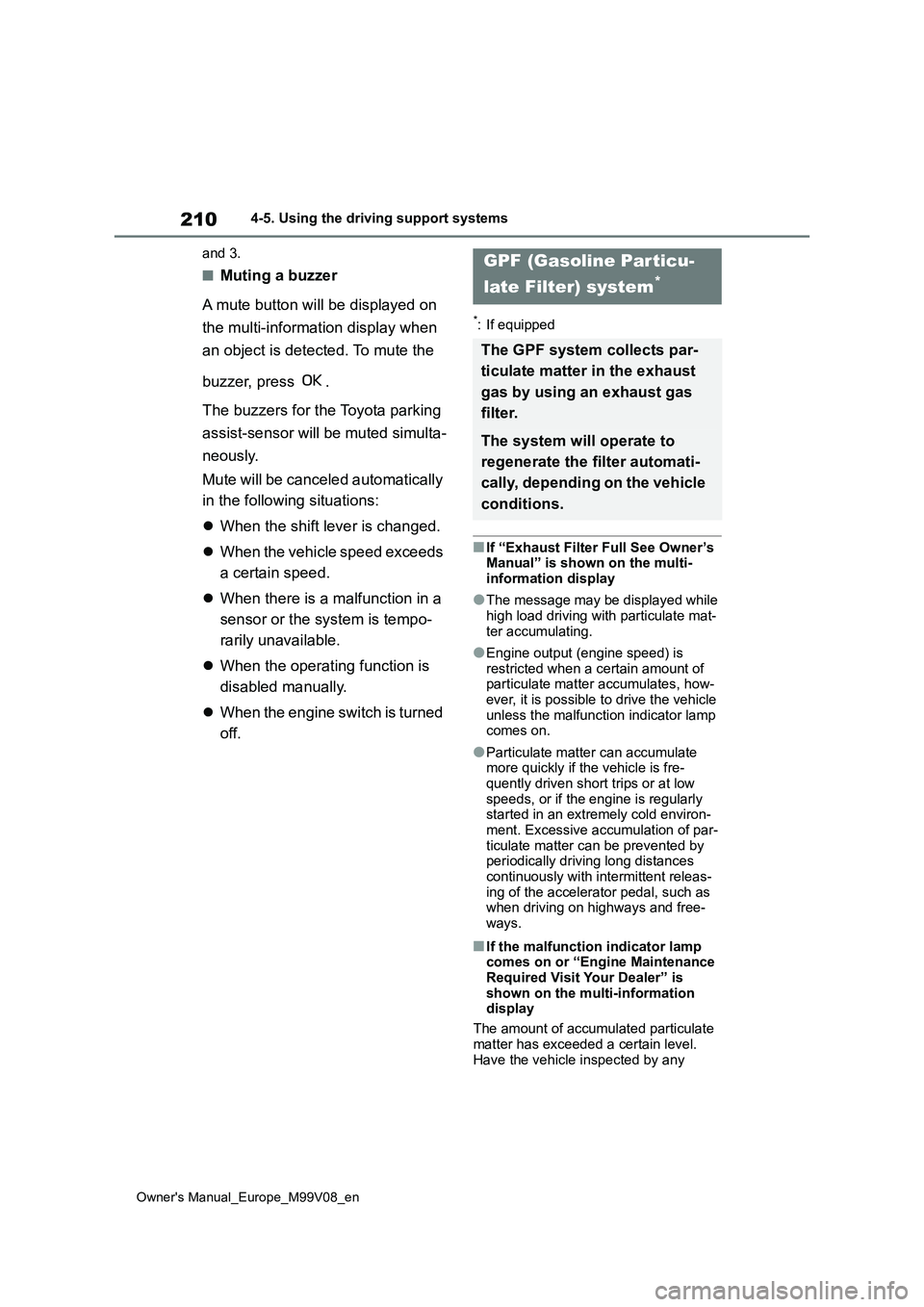
■Muting a buzzer
A mute button will be displayed on
the multi-information display when
an object is detected. To mute the
buzzer, press .
The buzzers for the Toyota parking
assist-sensor will be muted simulta-
neously.
Mute will be canceled automatically
in the following situations:
When the shift lever is changed.
When the vehicle speed exceeds
a certain speed.
When there is a malfunction in a
sensor or the system is tempo-
rarily unavailable.
When the operating function is
disabled manually.
When the engine switch is turned
off.
*: If equipped
■If “Exhaust Filter Full See Owner’s Manual” is shown on the multi-
information display
●The message may be displayed while
high load driving with particulate mat- ter accumulating.
●Engine output (engine speed) is restricted when a certain amount of particulate matter accumulates, how-
ever, it is possible to drive the vehicle unless the malfunction indicator lamp comes on.
●Particulate matter can accumulate more quickly if the vehicle is fre-
quently driven short trips or at low speeds, or if the engine is regularly started in an extremely cold environ-
ment. Excessive accumulation of par- ticulate matter can be prevented by periodically driving long distances
continuously with intermittent releas- ing of the accelerator pedal, such as when driving on highways and free-
ways.
■If the malfunction indicator lamp comes on or “Engine Maintenance Required Visit Your Dealer” is
shown on the multi-information display
The amount of accumulated particulate
matter has exceeded a certain level. Have the vehicle inspected by any
GPF (Gasoline Particu-
late Filter) system*
The GPF system collects par-
ticulate matter in the exhaust
gas by using an exhaust gas
filter.
The system will operate to
regenerate the filter automati-
cally, depending on the vehicle
conditions.
Page 245 of 494
6
243
Owner's Manual_Europe_M99V08_en
6
Maintenance and care
Maintenance and care
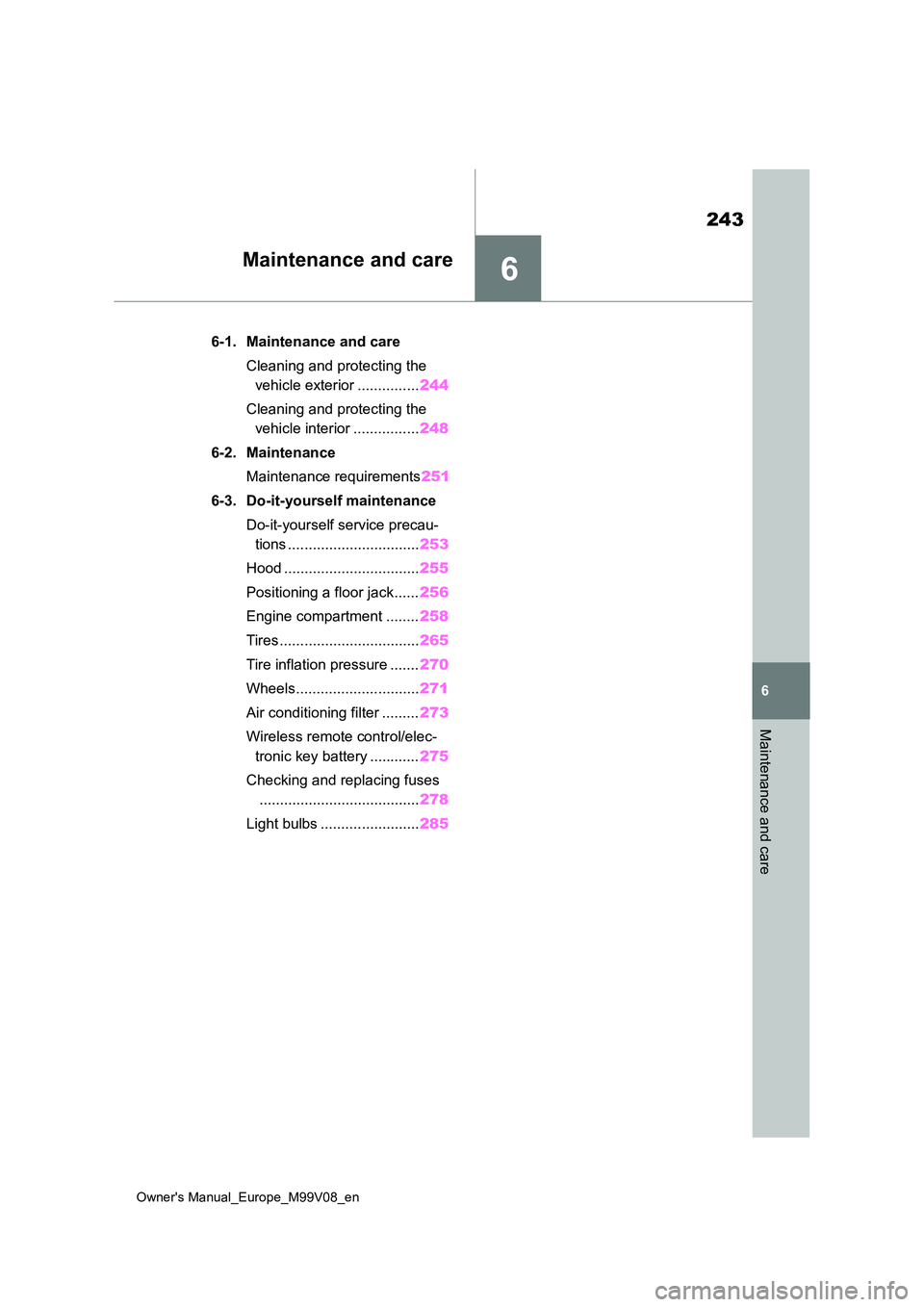
6-1. Maintenance and care
Cleaning and protecting the
vehicle exterior ............... 244
Cleaning and protecting the
vehicle interior ................ 248
6-2. Maintenance
Maintenance requirements 251
6-3. Do-it-yourself maintenance
Do-it-yourself service precau-
tions ................................ 253
Hood ................................. 255
Positioning a floor jack...... 256
Engine compartment ........ 258
Tires .................................. 265
Tire inflation pressure ....... 270
Wheels.............................. 271
Air conditioning filter ......... 273
Wireless remote control/elec-
tronic key battery ............ 275
Checking and replacing fuses
....................................... 278
Light bulbs ........................ 285
Page 246 of 494
244
Owner's Manual_Europe_M99V08_en
6-1. Maintenance and care
6-1.Mainte nance a nd care
Working from top to bottom, lib-
erally apply water to the vehicle
body, wheel wells and underside
of the vehicle to remove any dirt
and dust.
Wash the vehicle body using a
sponge or soft cloth, such as a
chamois.
For hard-to-remove marks, use
car wash soap and rinse thor-
oughly with water.
Wipe away any water.
Wax the vehicle when the water-
proof coating deteriorates.
If water does not bead on a clean sur-
face, apply wax when the vehicle body
is cool.
Vehicles with a canvas top:
Vacuuming of outer canvas before
washing is helpful in removing dust and
other foreign particles.
Follow the procedure shown below:
• Brush off any loose dirt and rinse off
with a hose.
• Using a sponge, wash with a mild
solution of soap (hand soap) in luke-
warm water.
• Rinse thoroughly to remove soap.
■Automatic car washes
●Vehicles with a canvas top: Do not use the automatic car washes.
●Before washing the vehicle:• Fold the mirrors.• Remove the pole antenna
Start washing from the front of the vehi-
cle. Extend the mirrors and pole
antenna before driving.
●Brushes used in automatic car washes may scratch the vehicle sur-
face, parts (wheel, etc.) and harm your vehicle’s paint.
■High pressure car washes
●Vehicles with a canvas top: Do not use the high pressure car washes.
●As water may enter the cabin, do not bring the nozzle tip near the gaps around the doors or perimeter of the
windows, or spray these areas contin- uously.
■When using a car wash (vehicles with smart entry & start system)
If the door handle becomes wet while the electronic key is within the effective range, the door may lock and unlock
repeatedly. In that case, follow the fol- lowing correction procedures to wash the vehicle:
●Place the key in a position 2 m (6 ft.)
or more separate from the vehicle while the vehicle is being washed. (Take care to ensure that the key is
not stolen.)
●Set the electronic key to battery-sav-
ing mode to disable the smart entry & start system. ( P.103)
■Wheels and wheel ornaments (vehi- cles without matte black painted
wheels)
●Remove any dirt immediately by using
a neutral detergent.
●Wash detergent off with water immedi-
ately after use.
●To protect the paint from damage,
Cleaning and protecting
the vehicle exterior
Perform cleaning in a manner
appropriate to each compo-
nent and its material.
Cleaning instructions
Page 247 of 494
245
6
Owner's Manual_Europe_M99V08_en
6-1. Maintenance and care
Maintenance and care
make sure to observe the following
precautions. • Do not use acidic, alkaline or abrasive detergent
• Do not use hard brushes • Do not use detergent on the wheels when they are hot, such as after driv-
ing or parking in hot weather
■Wheels and wheel ornaments (vehi- cles with matte black painted wheels)
As matte black painted wheels require different cleaning methods than conven-tional aluminum wheels, be sure to
observer the following. For details, con- sult any authorized Toyota retailer or Toyota authorized repairer, or any reli-
able repairer.
●Remove dirt using water. If the wheels
are excessively dirty, use a sponge or soft cloth dampened with a diluted neutral detergent to remove the dirt.
●When using detergent, make sure to rinse it off with water immediately.
Then use a soft cloth to wipe off the water.
●To prevent the matte black paint from being damaged, make sure to observe the following precautions:
• Do not scrub or polish the wheels using a brush or dry cloth.• Do not use any wheel coatings or
abrasive detergents. • When using an automatic car wash, disable/do not select the wheel brush
function (if such an option is avail- able).• Do not use a high pressure washer or
steam cleaner. • Do not use detergent on the wheels when they are hot, such as after driv-
ing or parking in hot weather.
■Brake pads and calipers
Rust may form if the vehicle is parked with wet brake pads or disc rotors, caus-
ing them to stick. Before parking the vehicle after it is washed, drive slowly and apply the brakes several times to
dry the parts.
■Bumpers
Do not scrub with abrasive cleaners.
■Plated portions (if equipped)
If dirt cannot be removed, clean the parts as follows:
●Use a soft cloth dampened with an approximately 5% solution of neutral
detergent and water to clean the dirt off.
●Wipe the surface with a dry, soft cloth to remove any remaining moisture.
●To remove oily deposits, use alcohol wet wipes or a similar product.
WARNING
■When washing the vehicle
Do not apply water to the inside of the engine compartment. Doing so may cause the electrical components, etc.
to catch fire.
■When cleaning the windshield
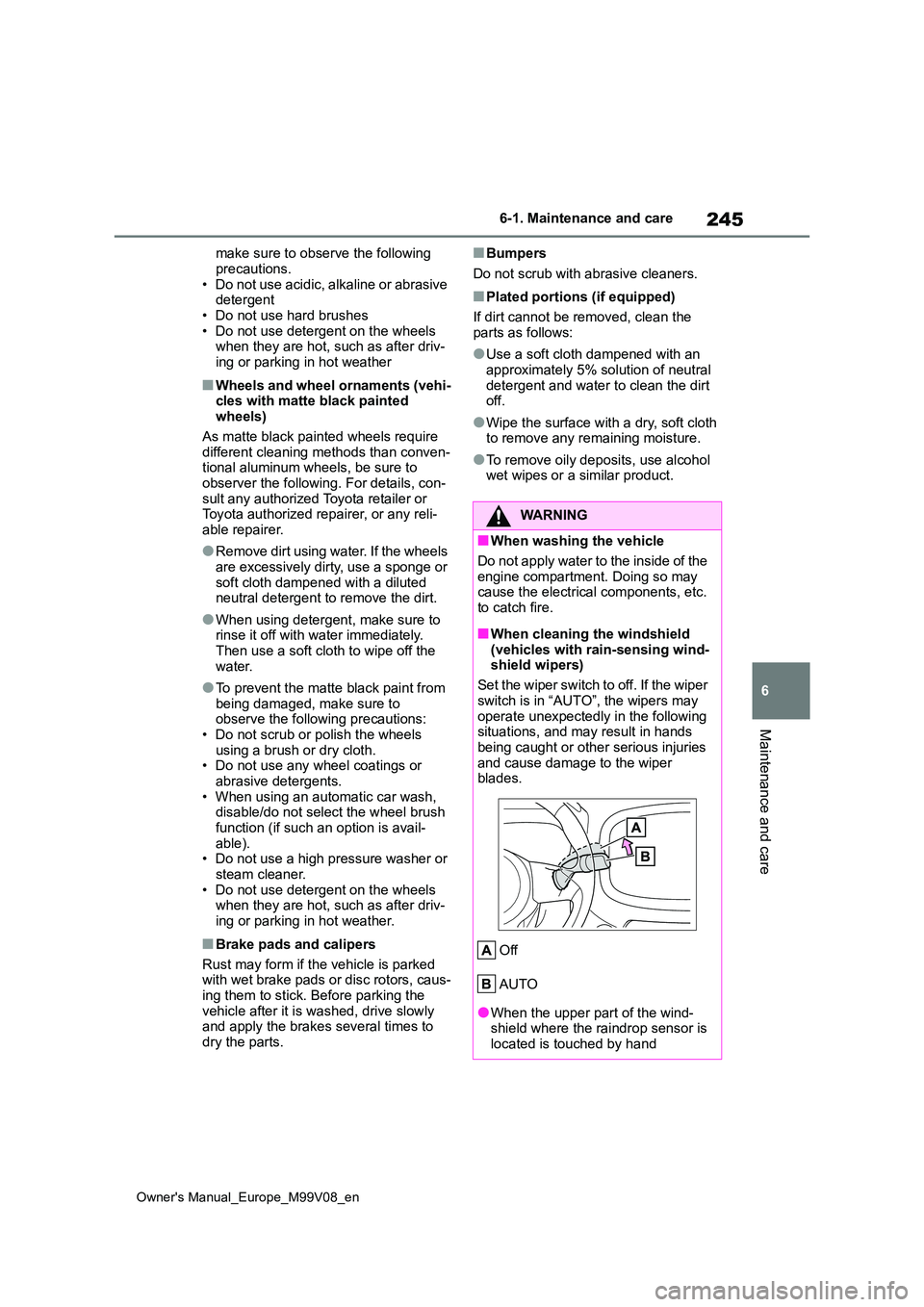
(vehicles with rain-sensing wind- shield wipers)
Set the wiper switch to off. If the wiper
switch is in “AUTO”, the wipers may operate unexpectedly in the following situations, and may result in hands
being caught or other serious injuries and cause damage to the wiper blades.
Off
AUTO
●When the upper part of the wind- shield where the raindrop sensor is located is touched by hand
Page 248 of 494
246
Owner's Manual_Europe_M99V08_en
6-1. Maintenance and care
WARNING
●When a wet rag or similar is held close to the raindrop sensor
●If something bumps against the windshield
●If you directly touch the raindrop sensor body or if something bumps
into the raindrop sensor
■Precautions regarding the
exhaust pipe
Exhaust gasses cause the exhaust pipe to become quite hot.
When washing the vehicle, be careful not to touch the pipe until it has cooled sufficiently, as touching a hot
exhaust pipe can cause burns.
NOTICE
■To prevent paint deterioration and corrosion on the body and
components (aluminum wheels, etc.)
●Wash the vehicle immediately in the
following cases:
• After driving near the sea coast
• After driving on salted roads
• If coal tar or tree sap is present on the paint surface
• If dead insects, insect droppings or bird droppings are present on the
paint surface
• After driving in an area contami-
nated with soot, oily smoke, mine dust, iron powder or chemical sub-stances
• If the vehicle becomes heavily soiled with dust or mud
• If liquids such as benzene and gas- oline are spilled on the paint sur-
face
●If the paint is chipped or scratched, have it repaired immediately.
●To prevent the wheels from corrod-ing, remove any dirt and store in a place with low humidity when stor-
ing the wheels.
■Cleaning the exterior lights
●Wash carefully. Do not use organic substances or scrub with a hard brush.
This may damage the surfaces of the lights.
●Do not apply wax to the surfaces of the lights.Wax may cause damage to the
lenses.
■Pole antenna installation and
removal precautions
●Before driving, ensure that the pole antenna is installed.
●When the pole antenna is removed, such as before entering an auto-
matic car wash, make sure to store it in a suitable place so as not to lose it. Also, before driving, make
sure to reinstall the pole antenna in its original position.
■To prevent damage to the wind-shield wiper arms
When lifting the wiper arms away
from the windshield, pull the driver side wiper arm upward first, and repeat for the passenger side. When
returning the wipers to their original position, do so from the passenger side first.
■When using an automatic car wash (vehicles with rain-sensing
windshield wipers)
Set the wiper switch to the off posi- tion. If the wiper switch is in “AUTO”,
the wipers may operate and the wiper blades may be damaged.