display TOYOTA C-HR 2019 (in English) Manual PDF
[x] Cancel search | Manufacturer: TOYOTA, Model Year: 2019, Model line: C-HR, Model: TOYOTA C-HR 2019Pages: 532, PDF Size: 10.35 MB
Page 371 of 532

3716-3. Do-it-yourself maintenance
6
Maintenance and care
C-HR_OM_USA_OM10569U■
The initialization operation
●Make sure to carry out initializ
ation after adjusting the tire inflation pres-
sure.
Also, make sure the tires are co ld before carrying out initialization or tire
inflation pressure adjustment.
●If you have accidentally turned the engine switch off during in itialization,
it is not necessary to press the reset swit ch again as initialization will
restart automatically when the en gine switch to the “ON” position (vehi-
cles without a smart key system) or IGNITION ON mode (vehicles with a
smart key system) for the next time.
●If you accidentally press the reset switch when initialization is not neces-
sary, adjust the tire inflation pressure to the specified level when the
tires are cold, and cond uct initialization again.
■Warning performance of the tire pressure warning system
The warning of the tire pressu re warning system will change in accor-
dance with driving conditions. F or this reason, the system may give a
warning even if the tire pressure does not reach a low enough l evel, or if
the pressure is higher than the pressure that was adjusted to w hen the
system was initialized.
■When initialization of the tire pressure warning system has fai led
Initialization can be completed i n a few minutes. However, in the following
cases, the settings have not been record ed and the system will not oper-
ate properly. If repeated attempts to record tire inflation pre ssure settings
are unsuccessful, have the vehicl e inspected by your Toyota dealer.
●When operating the initialization of the system, the tire pressure warning
light does not blink 3 times and the setting message does not a ppear on
the multi-information display.
●After driving for a certain period of time since the initializa tion has been
completed, the warning light comes on after blinking for 1 minute.
Page 407 of 532
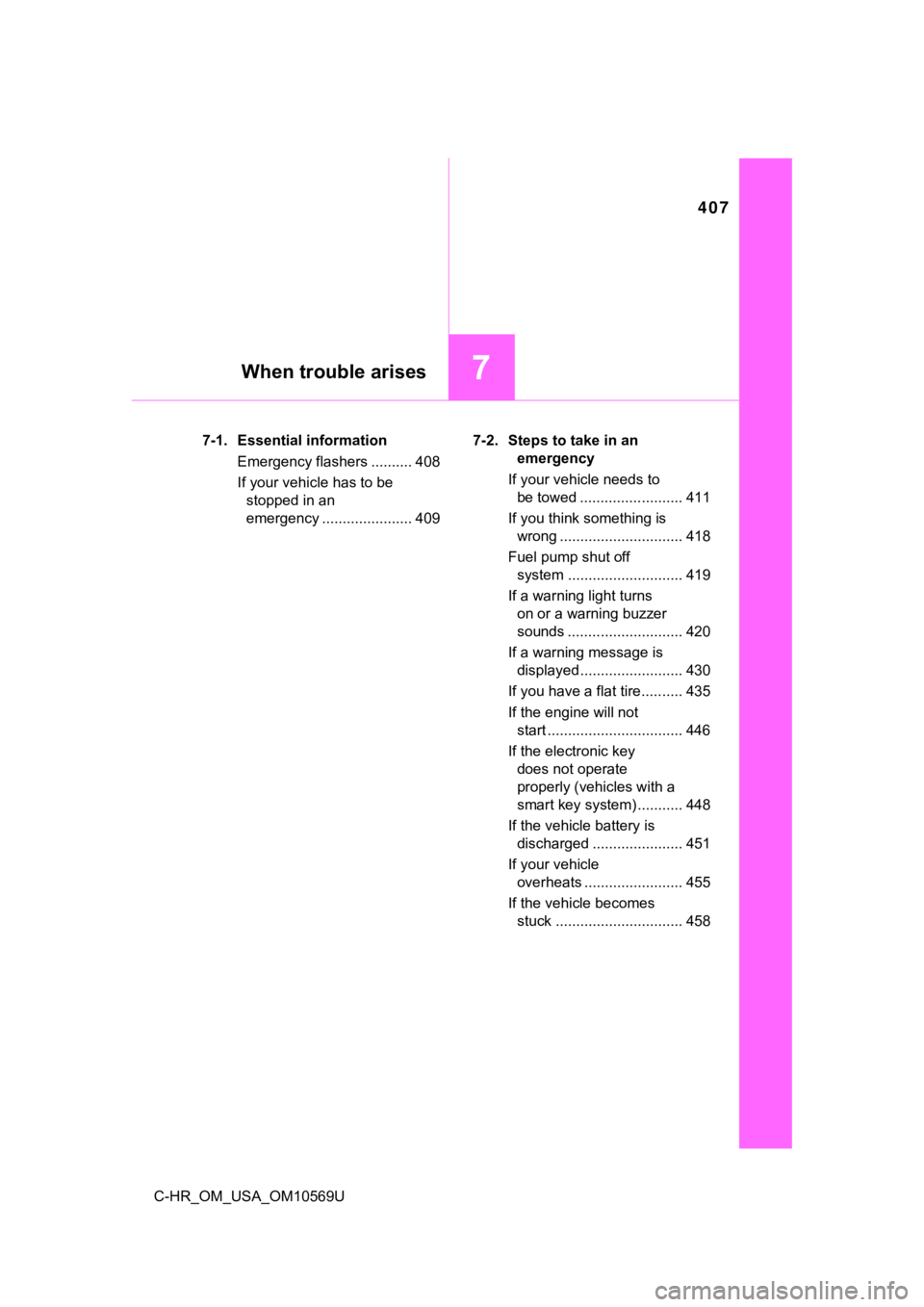
407
7When trouble arises
C-HR_OM_USA_OM10569U7-1. Essential information
Emergency flashers .......... 408
If your vehicle has to be stopped in an
emergency ...................... 409 7-2. Steps to take in an
emergency
If your vehicle needs to be towed ......................... 411
If you think something is wrong .............................. 418
Fuel pump shut off system ............................ 419
If a warning light turns on or a warning buzzer
sounds ............................ 420
If a warning message is displayed......................... 430
If you have a flat tire.......... 435
If the engine will not start ................................. 446
If the electronic key does not operate
properly (vehicles with a
smart key system) ........... 448
If the vehicle battery is discharged ...................... 451
If your vehicle overheats ........................ 455
If the vehicle becomes stuck ............................... 458
Page 422 of 532
4227-2. Steps to take in an emergency
C-HR_OM_USA_OM10569U
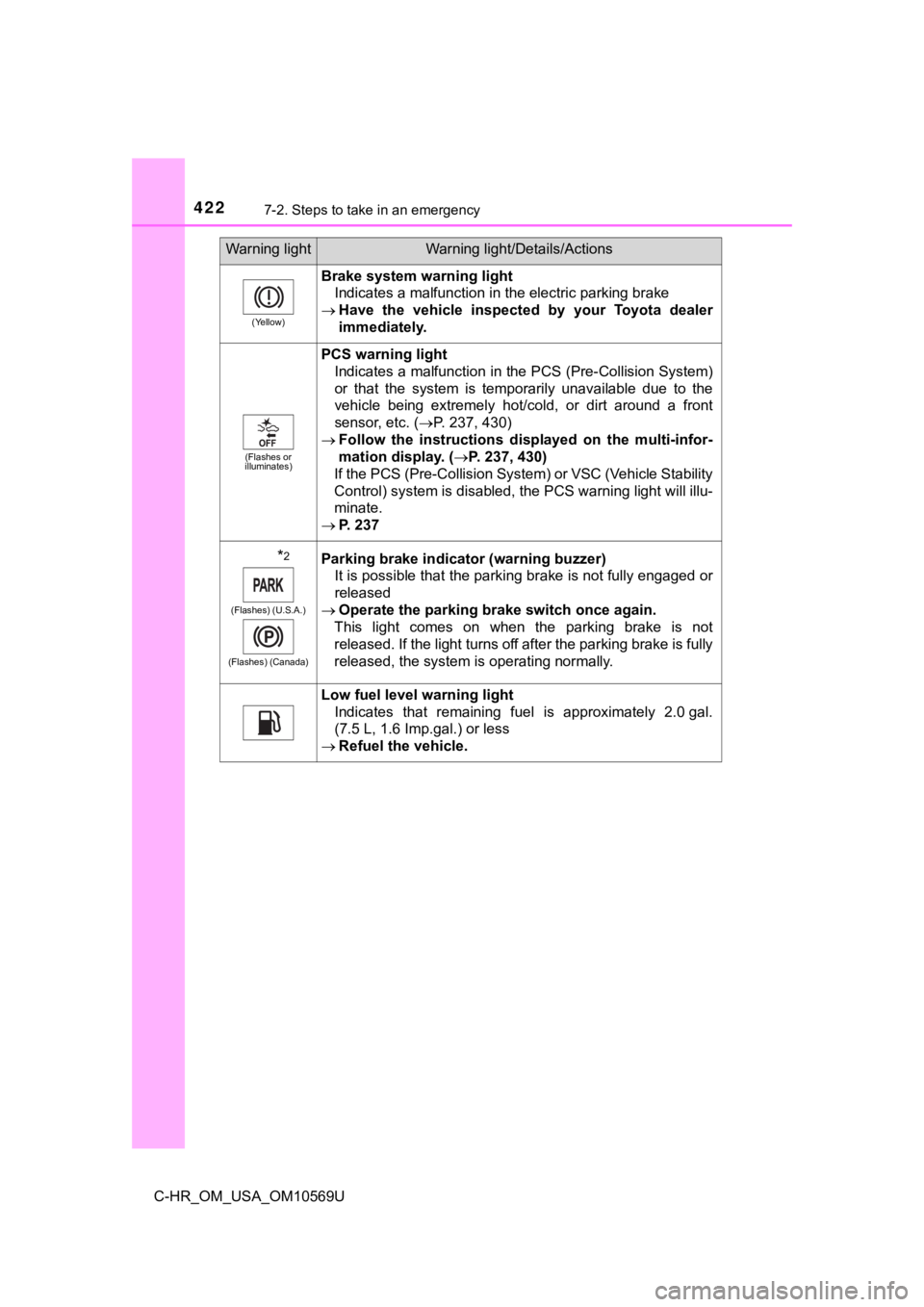
(Yellow)
Brake system warning lightIndicates a malfunction in the electric parking brake
Have the vehicle inspected by your Toyota dealer
immediately.
(Flashes or
illuminates)
PCS warning light
Indicates a malfunction in the PCS (Pre-Collision System)
or that the system is temporarily unavailable due to the
vehicle being extremely hot/cold, or dirt around a front
sensor, etc. ( P. 237, 430)
Follow the instructions dis played on the multi-infor-
mation display. ( P. 237, 430)
If the PCS (Pre-Collision System) or VSC (Vehicle Stability
Control) system is disabled, the PCS warning light will illu-
minate.
P. 237
*2
(Flashes) (U.S.A.)
(Flashes) (Canada)
Parking brake indicator (warning buzzer) It is possible that the parking brake is not fully engaged or
released
Operate the parking brake switch once again.
This light comes on when the parking brake is not
released. If the light turns off after the parking brake is ful ly
released, the system is operating normally.
Low fuel level warning light Indicates that remaining fuel is approximately 2.0 gal.
(7.5 L, 1.6 Imp.gal.) or less
Refuel the vehicle.
Warning lightWarning light/Details/Actions
Page 424 of 532
4247-2. Steps to take in an emergency
C-HR_OM_USA_OM10569U
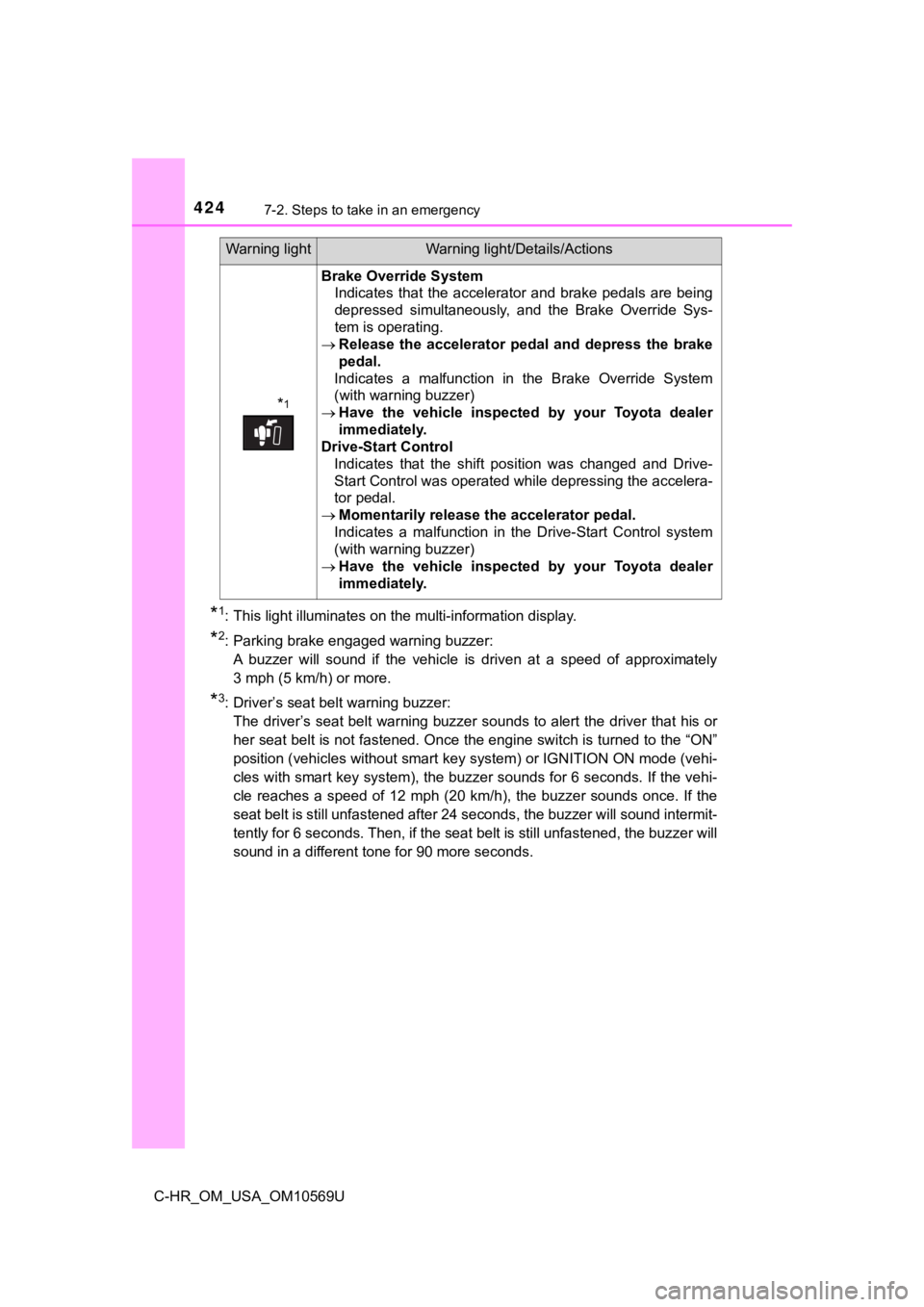
*1: This light illuminates on the multi-information display.
*2: Parking brake engaged warning buzzer:A buzzer will sound if the vehicle is driven at a speed of appr oximately
3 mph (5 km/h) or more.
*3: Driver’s seat belt warning buzzer: The driver’s seat belt warning buzzer sounds to alert the drive r that his or
her seat belt is not fastened. Once the engine switch is turned to the “ON”
position (vehicles without smart key system) or IGNITION ON mod e (vehi-
cles with smart key system), the buzzer sounds for 6 seconds. I f the vehi-
cle reaches a speed of 12 mph (20 km/h), the buzzer sounds once. If the
seat belt is still unfastened after 24 seconds, the buzzer will sound intermit-
tently for 6 seconds. Then, if the seat belt is still unfastene d, the buzzer will
sound in a different tone for 90 more seconds.
*1
Brake Override System Indicates that the accelerator and brake pedals are being
depressed simultaneously, and the Brake Override Sys-
tem is operating.
Release the accelerator pedal and depress the brake
pedal.
Indicates a malfunction in the Brake Override System
(with warning buzzer)
Have the vehicle inspected by your Toyota dealer
immediately.
Drive-Start Control Indicates that the shift position was changed and Drive-
Start Control was operated while depressing the accelera-
tor pedal.
Momentarily release the accelerator pedal.
Indicates a malfunction in the Drive-Start Control system
(with warning buzzer)
Have the vehicle inspected by your Toyota dealer
immediately.
Warning lightWarning light/Details/Actions
Page 430 of 532
4307-2. Steps to take in an emergency
C-HR_OM_USA_OM10569U
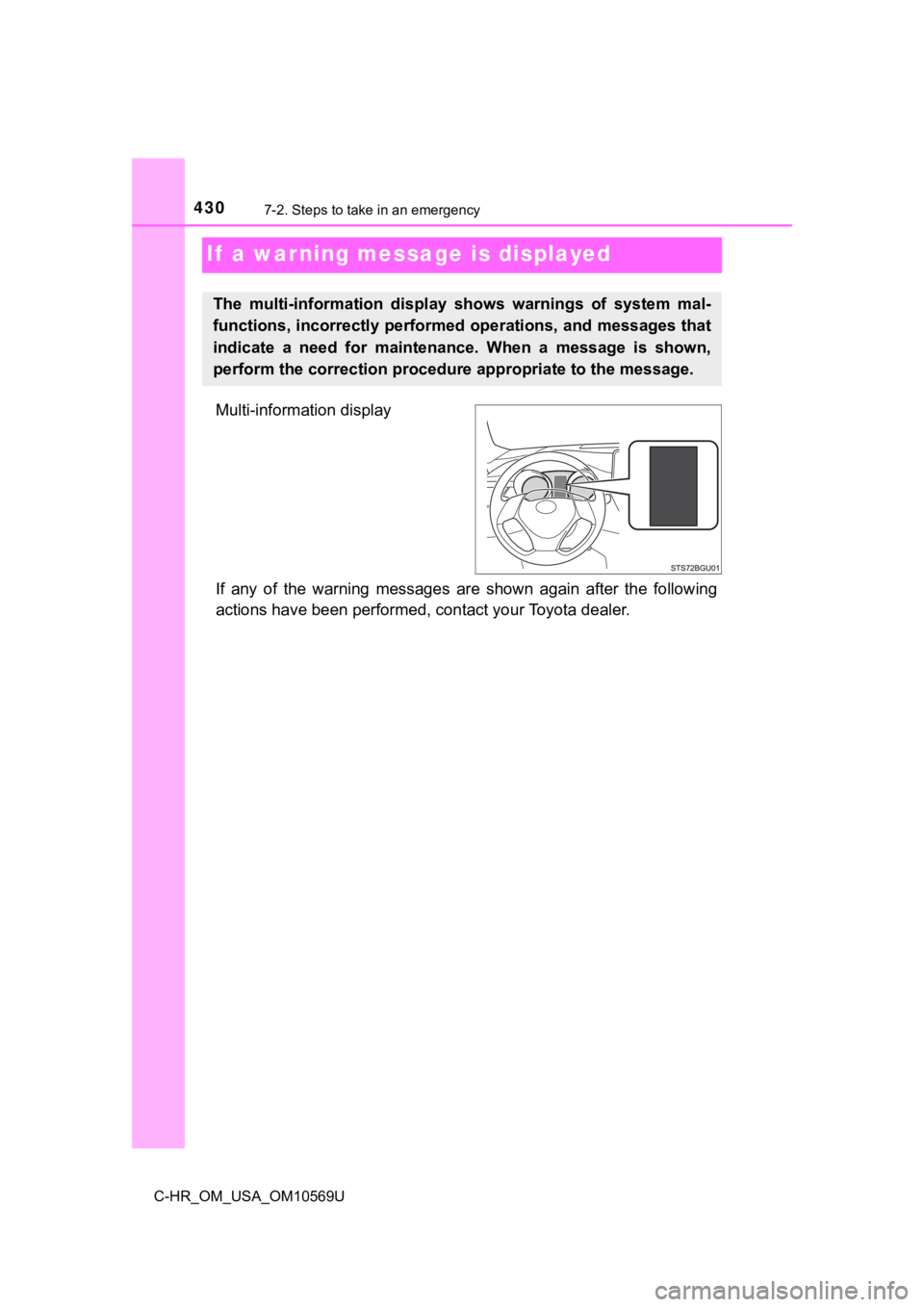
If a warning message is displayed
Multi-information display
If any of the warning messages are shown again after the following
actions have been performed, contact your Toyota dealer.
The multi-information display shows warnings of system mal-
functions, incorrectly performed operations, and messages that
indicate a need for maintena nce. When a message is shown,
perform the correction procedur e appropriate to the message.
Page 431 of 532
4317-2. Steps to take in an emergency
7
When trouble arises
C-HR_OM_USA_OM10569U
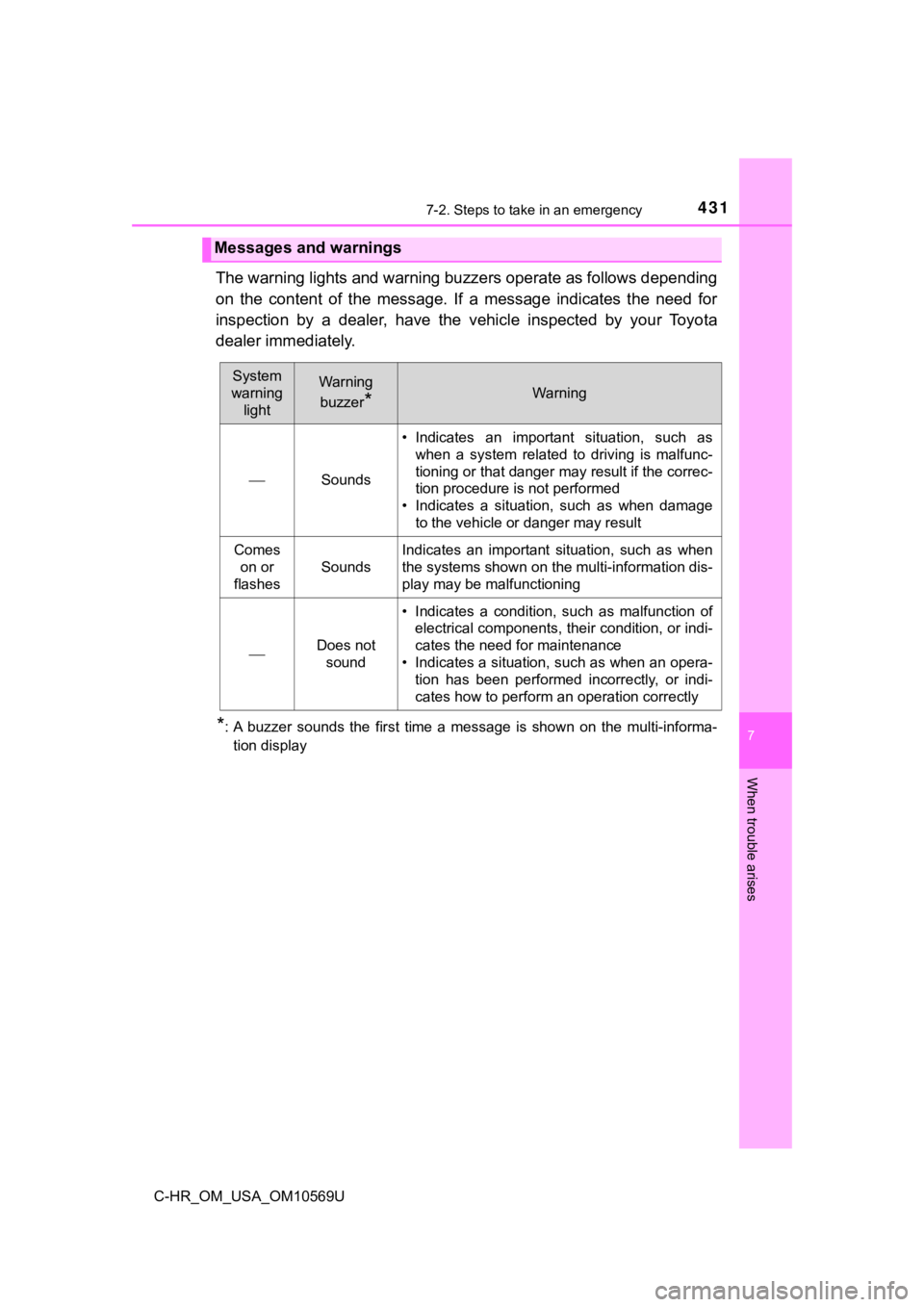
The warning lights and warning buzzers operate as follows depending
on the content of the message. If a message indicates the need for
inspection by a dealer, have the vehicle inspected by your Toyota
dealer immediately.
*: A buzzer sounds the first time a message is shown on the multi -informa-
tion display
Messages and warnings
System
warning lightWarning
buzzer
*Warning
Sounds • Indicates an important situation, such as
when a system related to driving is malfunc-
tioning or that danger may result if the correc-
tion procedure is not performed
• Indicates a situation, such as when damage
to the vehicle or danger may result
Comes on or
flashes
Sounds
Indicates an important situation, such as when
the systems shown on the multi-information dis-
play may be malfunctioning
Does not
sound
• Indicates a condition, such as malfunction of electrical components, their condition, or indi-
cates the need for maintenance
• Indicates a situation, such as when an opera- tion has been performed incorrectly, or indi-
cates how to perform an operation correctly
Page 432 of 532

4327-2. Steps to take in an emergency
C-HR_OM_USA_OM10569U
■Warning messages
The warning messages explained below may differ from the actual messages
according to operation conditions and vehicle specifications.
■ If “Visit Your Dealer” is shown
The system or part shown on the multi-information display is malfunctioning.
Have the vehicle inspected by your Toyota dealer.
■ If a message about an operation is shown
● If a message about an operation of the accelerator pedal or bra ke pedal is
shown
A warning message about an operation of the brake pedal may be shown
while the driving assist systems such as PCS (Pre-Collision Sys tem) or the
dynamic radar cruise control with full-speed range is operating . If a warning
message is shown, be sure to decelerate the vehicle or follow t he instruction
shown on the multi-information display.
● A warning message is shown when B rake Override System or Drive-Start
Control operates ( P. 158). Follow the instructions on the multi-informa-
tion display.
● If a message about an operation of the engine switch is shown
An instruction for operation of the engine switch is shown when the incorrect
procedure for starting the engine is performed or the engine switch is oper-
ated incorrectly. Follow the instructions shown on the multi -i nformation dis-
play to operate the engine switch again.
● If a message about a shift lever operation is shown
To prevent the shift lever from being operated incorrectly or t he vehicle from
moving unexpectedly, a message that requires shifting the shift lever may
be shown on the multi-information display. In that case, follow the instruction
of the message and shift the shift lever.
● If a message or image about an open/close state of a part or replenishment
of a consumable is shown
Confirm the part indicated by the multi-information display or a warning light,
and then perform the coping method such as closing the open doo r or
replenishing a consumable.
Page 434 of 532

4347-2. Steps to take in an emergency
C-HR_OM_USA_OM10569U■
If “A New Key has been Registered Contact Your Dealer for Detai ls” is
shown (vehicles with a smart key system)
This message will be displayed each time the driver's door is o pened when
the doors are unlocked from the outside for approximately one w eek after a
new electronic key has been registered.
If this message is displayed but you have not had a new electro nic key regis-
tered, ask your Toyota dealer to check if an unknown electronic key (other
than those in your possession) has been registered.
■ If “Front camera unavailable” or “Front camera vision blocked C lean and
demist windshield” is displayed.
The following systems may be suspended until the problem shown in the
message is resolved. ( P. 237, 422)
● PCS (Pre-Collision System)
● LDA (Lane Departure Alert with steering control)
● Dynamic radar cruise control with full-speed range
● Automatic High Beam
■ Warning buzzer
P. 427
Page 449 of 532
4497-2. Steps to take in an emergency
7
When trouble arises
C-HR_OM_USA_OM10569U
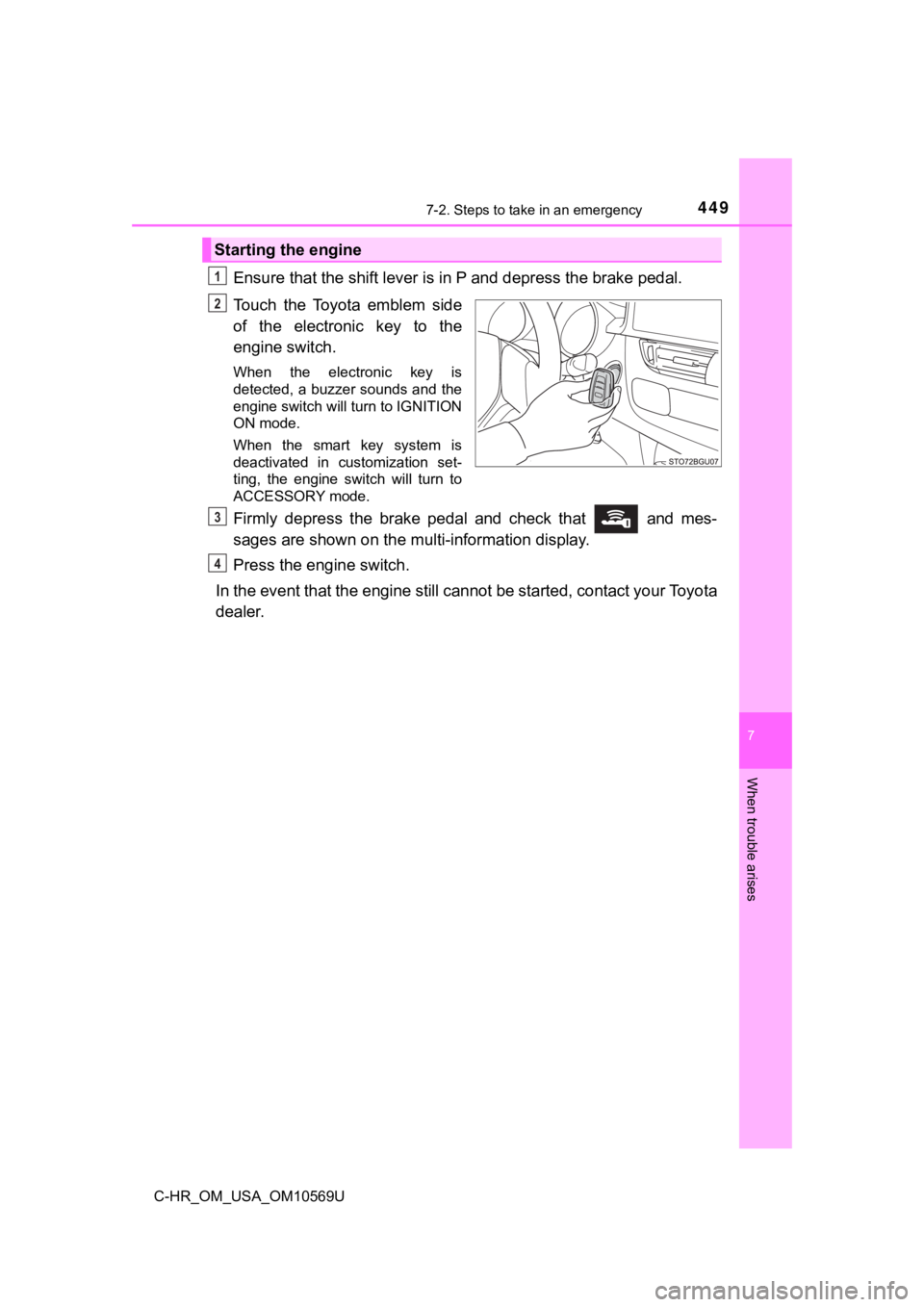
Ensure that the shift lever is in P and depress the brake pedal.
Touch the Toyota emblem side
of the electronic key to the
engine switch.
When the electronic key is
detected, a buzzer sounds and the
engine switch will turn to IGNITION
ON mode.
When the smart key system is
deactivated in customization set-
ting, the engine switch will turn to
ACCESSORY mode.
Firmly depress the brake pedal and check that and mes-
sages are shown on the multi-information display.
Press the engine switch.
In the event that the engine still cannot be started, contact your Toyota
dealer.
Starting the engine
1
2
3
4
Page 458 of 532
4587-2. Steps to take in an emergency
C-HR_OM_USA_OM10569U
If the vehicle becomes stuck
Stop the engine. Shift the shift lever to P, and set the parking brake.
Remove the mud, snow or sand from around the front wheels.
Place wood, stones or some other material under the front wheel s
to help provide traction.
Restart the engine.
Shift the shift lever to D or R and release the parking brake. Then,
while exercising caution, de press the accelerator pedal.
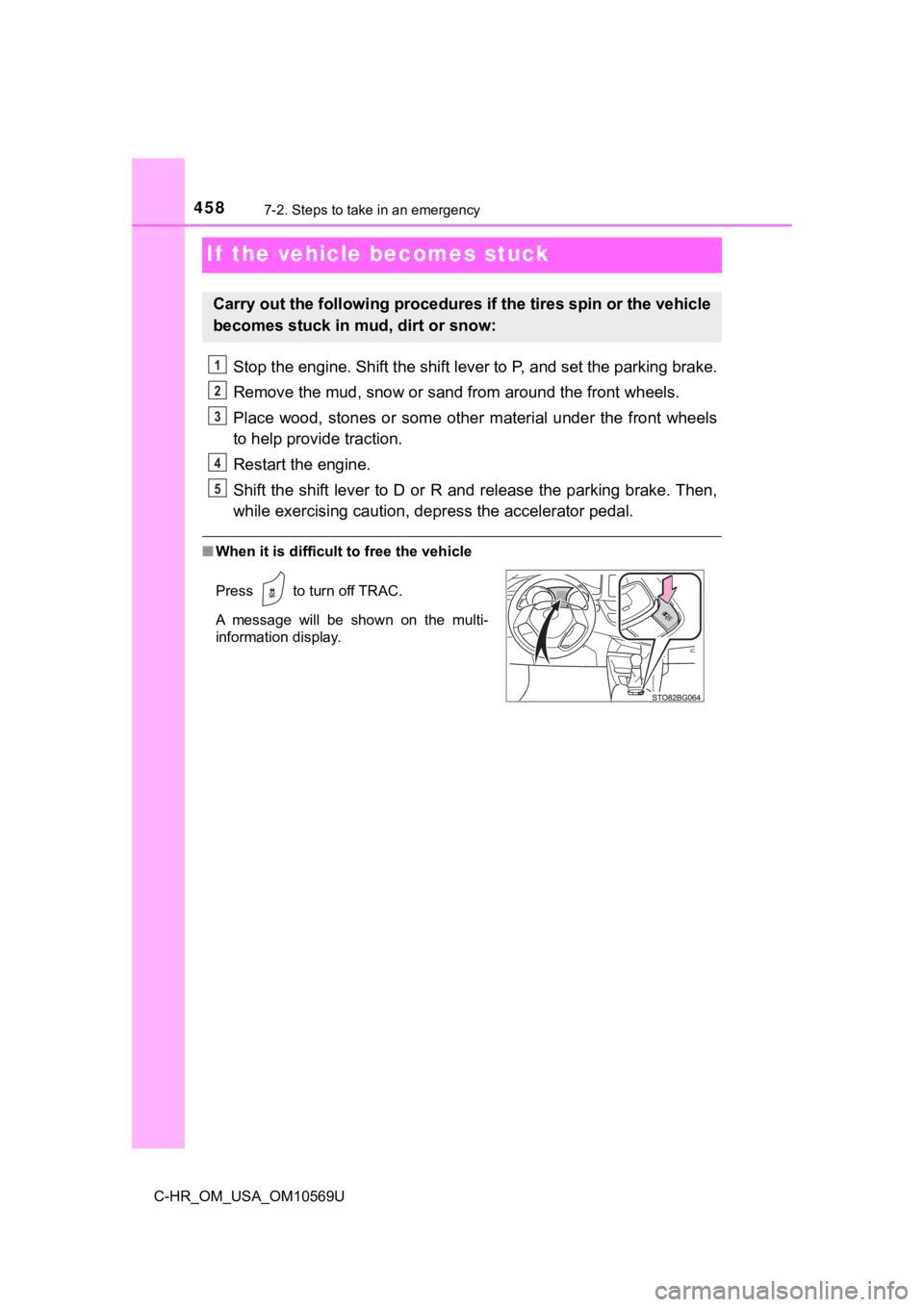
■When it is difficult to free the vehicle
Carry out the following procedures if the tires spin or the vehicle
becomes stuck in mud, dirt or snow:
Press to turn off TRAC.
A message will be shown on the multi-
information display.
1
2
3
4
5