display TOYOTA C-HR 2019 (in English) Repair Manual
[x] Cancel search | Manufacturer: TOYOTA, Model Year: 2019, Model line: C-HR, Model: TOYOTA C-HR 2019Pages: 532, PDF Size: 10.35 MB
Page 266 of 532

2664-5. Using the driving support systems
C-HR_OM_USA_OM10569U
Outside rear view mirror indicators
BSM function:
When a vehicle is detected in a blind spot of the outside rear view mirrors
or approaching rapidly from behind into a blind spot, the outsi de rear view
mirror indicator on the detected side will illuminate. If the t urn signal lever
is operated toward the detected side, the outside rear view mir ror indicator
will flash.
RCTA function:
When a vehicle approaching from the right or left at the rear o f the vehicle
is detected, both outside rear view mirror indicators will flas h.
Multi-information display
Turning the BSM function/RCTA function on/off. (P. 267)
The RCTA function is available when the BSM function is on.
RCTA buzzer (RCTA function only)
If a vehicle approaching from the right or left at the rear of the vehicle is
detected, a buzzer will sound. The buzzer also sounds for approximately
1 second immediately after the BSM function is operated to turn the sys-
tem on.
“BSM” indicator/“RCTA” indicator
When the BSM function/RCTA function is turned on, the indicator illumi-
nates.
Page 267 of 532
2674-5. Using the driving support systems
4
Driving
C-HR_OM_USA_OM10569U
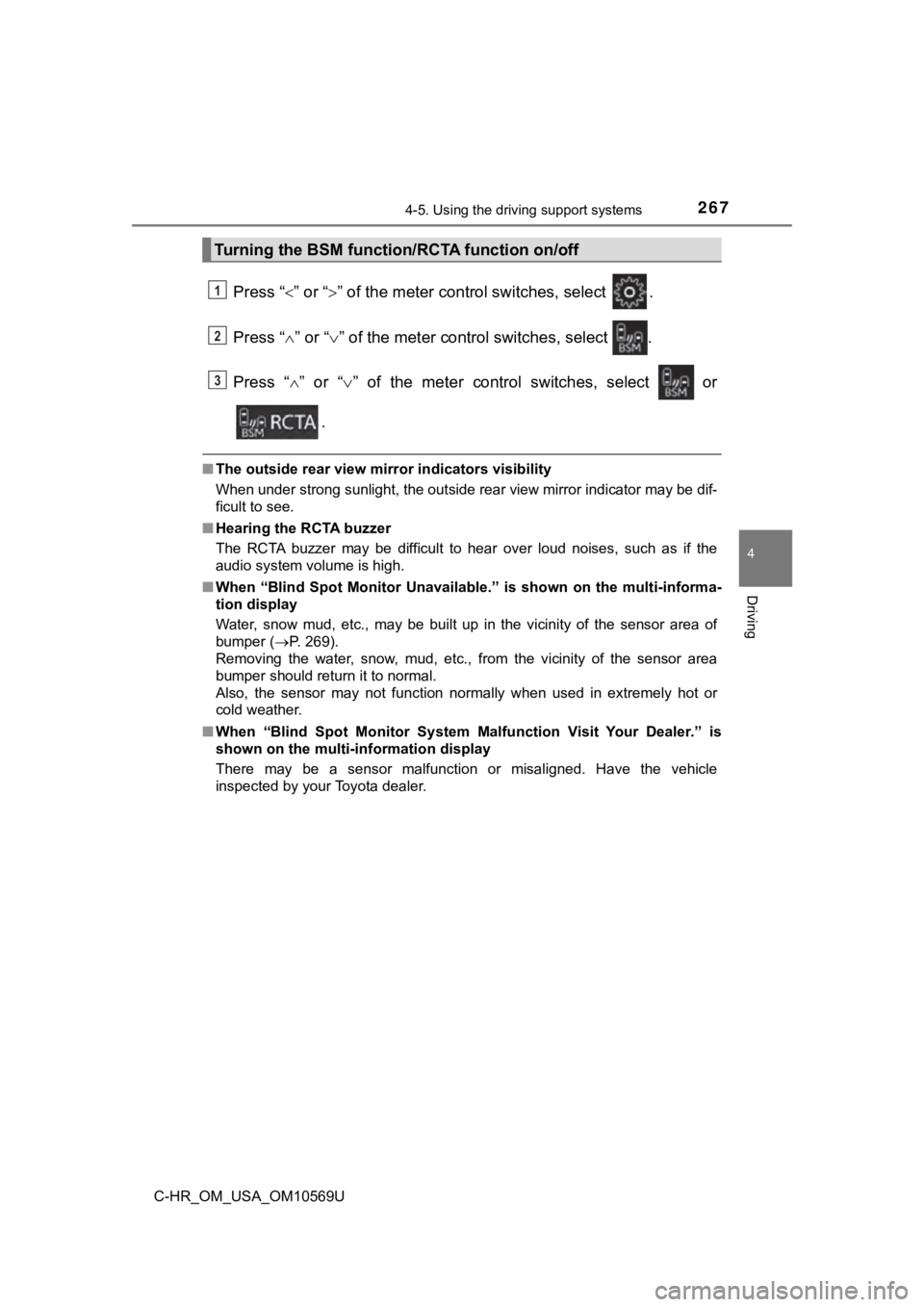
Press “” or “” of the meter control switches, select .
Press “ ” or “ ” of the meter control switches, select .
Press “ ” or “ ” of the meter control switches, select or
.
■ The outside rear view mirror indicators visibility
When under strong sunlight, the outside rear view mirror indica tor may be dif-
ficult to see.
■ Hearing the RCTA buzzer
The RCTA buzzer may be difficult to hear over loud noises, such as if the
audio system volume is high.
■ When “Blind Spot Monitor Unavaila ble.” is shown on the multi-informa-
tion display
Water, snow mud, etc., may be built up in the vicinity of the s ensor area of
bumper ( P. 269).
Removing the water, snow, mud, etc., from the vicinity of the s ensor area
bumper should return it to normal.
Also, the sensor may not function normally when used in extreme ly hot or
cold weather.
■ When “Blind Spot Monitor System M alfunction Visit Your Dealer.” is
shown on the multi-information display
There may be a sensor malfunction or misaligned. Have the vehicle
inspected by your Toyota dealer.
Turning the BSM function/RCTA function on/off
1
2
3
Page 269 of 532
2694-5. Using the driving support systems
4
Driving
C-HR_OM_USA_OM10569U
WARNING
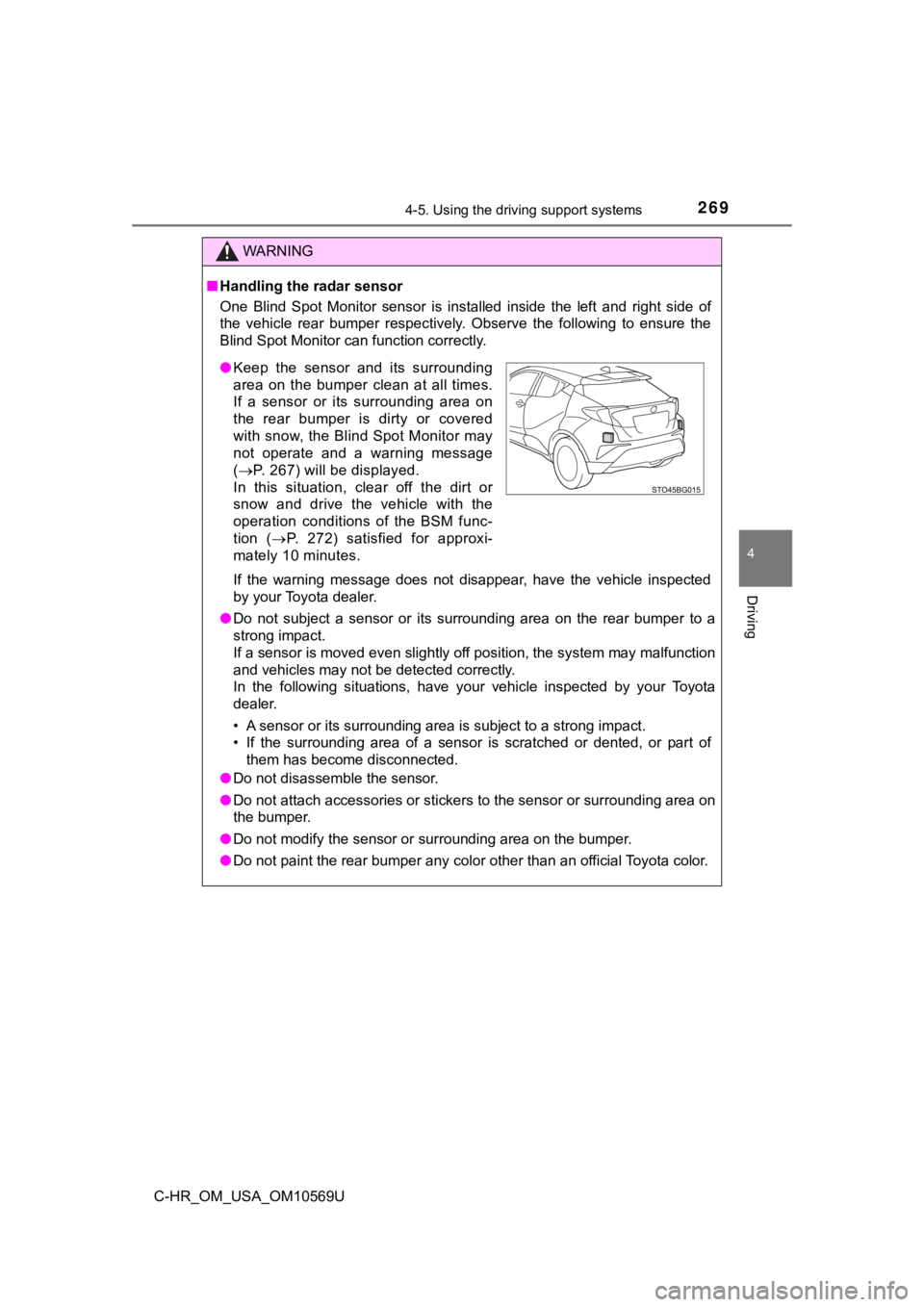
■Handling the radar sensor
One Blind Spot Monitor sensor is installed inside the left and right side of
the vehicle rear bumper respectively. Observe the following to ensure the
Blind Spot Monitor can function correctly.
If the warning message does not disappear, have the vehicle inspected
by your Toyota dealer.
● Do not subject a sensor or its surrounding area on the rear bum per to a
strong impact.
If a sensor is moved even slightly off position, the system may malfunction
and vehicles may not be detected correctly.
In the following situations, have your vehicle inspected by your Toyota
dealer.
• A sensor or its surrounding area is subject to a strong impact .
• If the surrounding area of a sensor is scratched or dented, or part of
them has become disconnected.
● Do not disassemble the sensor.
● Do not attach accessories or stickers to the sensor or surround ing area on
the bumper.
● Do not modify the sensor or surrounding area on the bumper.
● Do not paint the rear bumper any color other than an official Toyota color.
●Keep the sensor and its surrounding
area on the bumper clean at all times.
If a sensor or its surrounding area on
the rear bumper is dirty or covered
with snow, the Blind Spot Monitor may
not operate and a warning message
( P. 267) will be displayed.
In this situation, clear off the dirt or
snow and drive the vehicle with the
operation conditions of the BSM func-
tion ( P. 272) satisfied for approxi-
mately 10 minutes.
Page 281 of 532
2814-5. Using the driving support systems
4
Driving
C-HR_OM_USA_OM10569U
◆Hill-start assist control
Helps to reduce the backward movement of the vehicle when start-
ing on an uphill
◆EPS (Electric Power Steering)
Employs an electric motor to reduce the amount of effort needed to
turn the steering wheel.
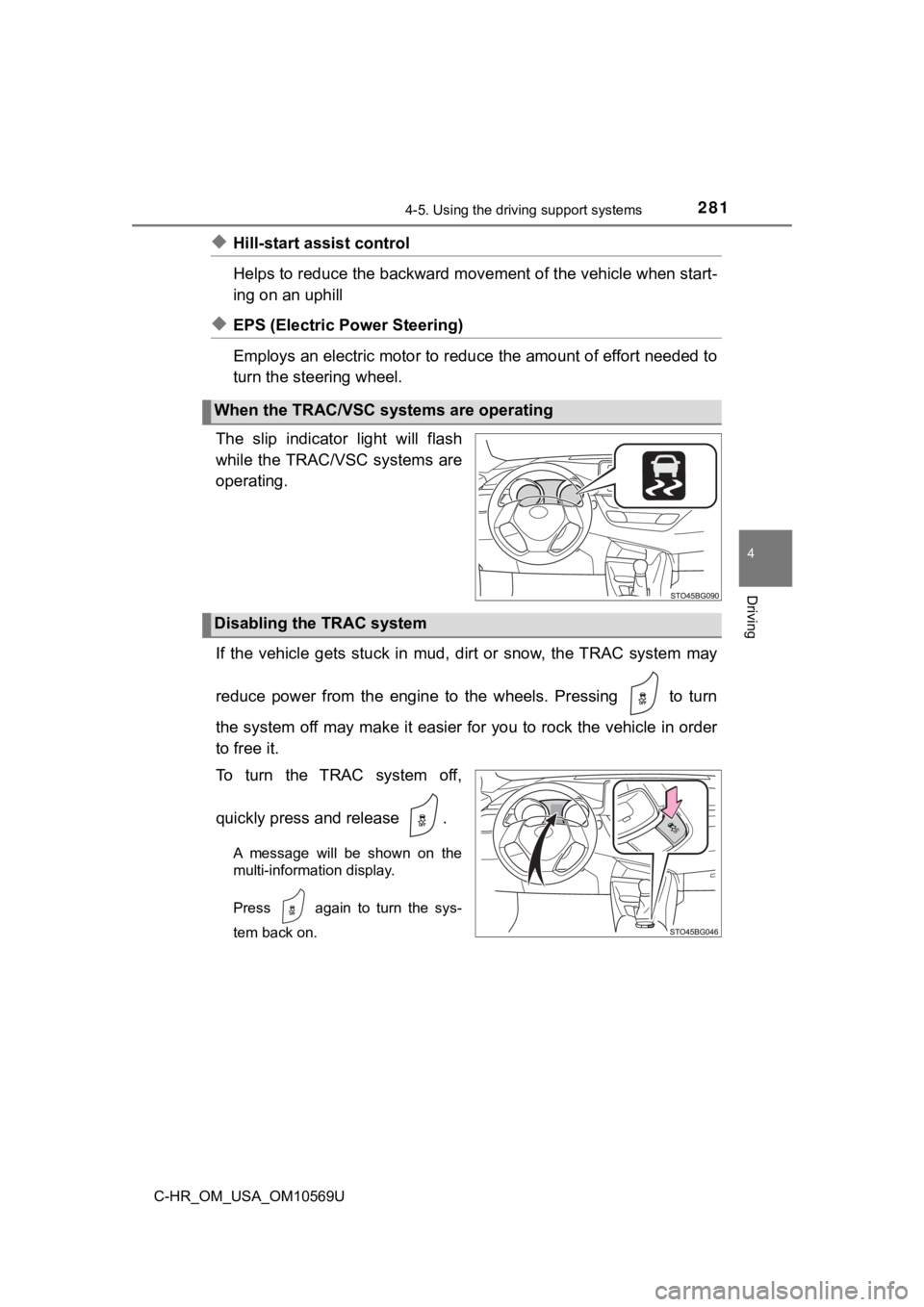
The slip indicator light will flash
while the TRAC/VSC systems are
operating.
If the vehicle gets stuck in mud, dirt or snow, the TRAC system may
reduce power from the engine to the wheels. Pressing to turn
the system off may make it easier for you to rock the vehicle i n order
to free it.
To turn the TRAC system off,
quickly press and release .
A message will be shown on the
multi-information display.
Press again to turn the sys-
tem back on.
When the TRAC/VSC systems are operating
Disabling the TRAC system
Page 282 of 532
2824-5. Using the driving support systems
C-HR_OM_USA_OM10569U
■Turning off both TRAC and VSC systems
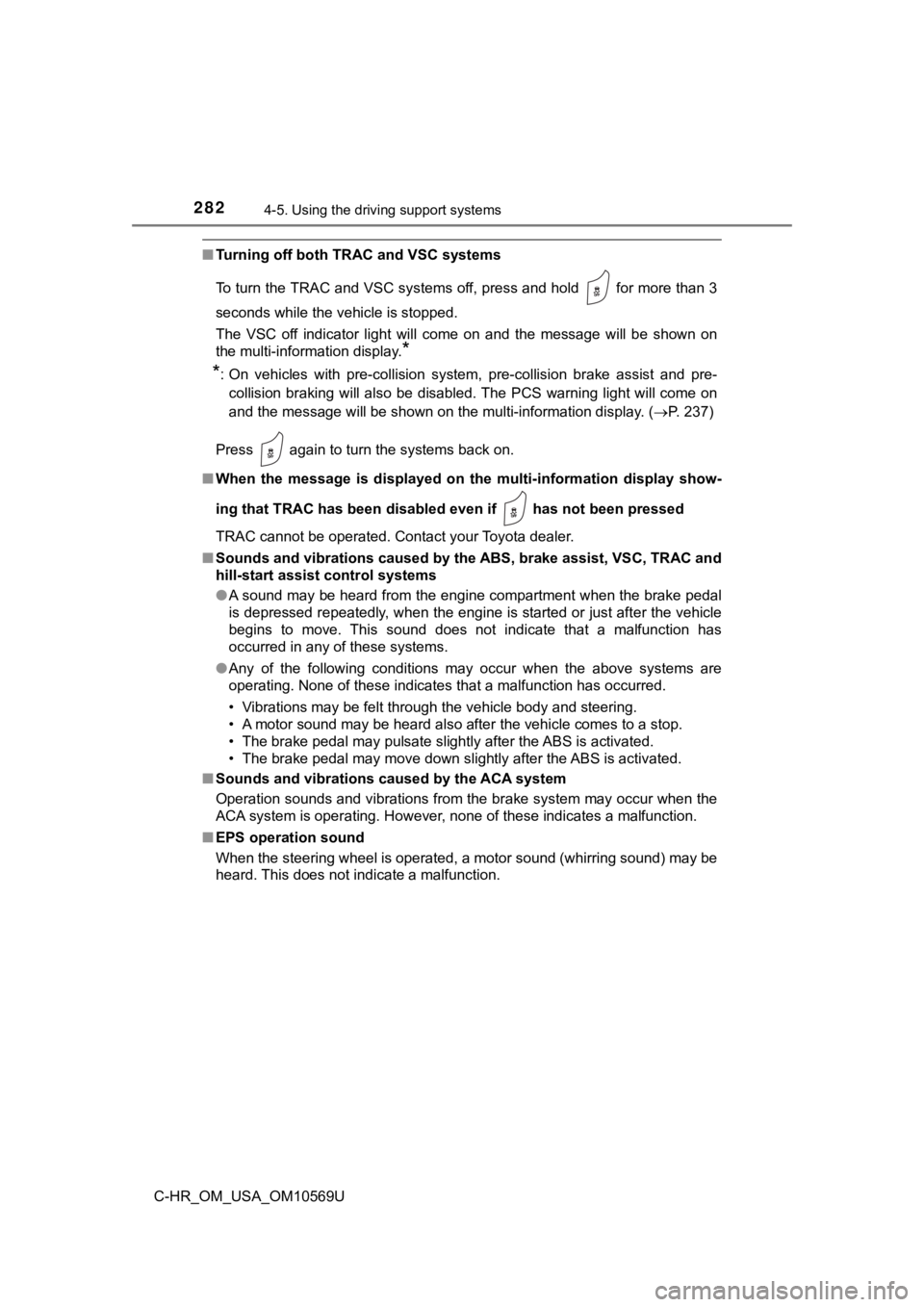
To turn the TRAC and VSC systems off, press and hold for more than 3
seconds while the vehicle is stopped.
The VSC off indicator light will come on and the message will b e shown on
the multi-information display.
*
*
: On vehicles with pre-collision system, pre-collision brake assist and pre-
collision braking will also be disabled. The PCS warning light will come on
and the message will be shown on the multi-information display. (P. 237)
Press again to turn the systems back on.
■ When the message is displayed on the multi-information display show-
ing that TRAC has been disab led even if has not been pressed
TRAC cannot be operated. Contact your Toyota dealer.
■ Sounds and vibrations caused by the ABS, brake assist, VSC, TRAC and
hill-start assist control systems
●A sound may be heard from the engine compartment when the brake pedal
is depressed repeatedly, when the engine is started or just aft er the vehicle
begins to move. This sound does not indicate that a malfunction has
occurred in any of these systems.
● Any of the following conditions may occur when the above system s are
operating. None of these indicates that a malfunction has occur red.
• Vibrations may be felt through the vehicle body and steering.
• A motor sound may be heard also after the vehicle comes to a s top.
• The brake pedal may pulsate slightly after the ABS is activate d.
• The brake pedal may move down sli ghtly after the ABS is activated.
■ Sounds and vibrations caused by the ACA system
Operation sounds and vibrations from the brake system may occur when the
ACA system is operating. However, none of these indicates a malfunction.
■ EPS operation sound
When the steering wheel is operated, a motor sound (whirring so und) may be
heard. This does not indicate a malfunction.
Page 316 of 532
3165-4. Using the other interior features
C-HR_OM_USA_OM10569U
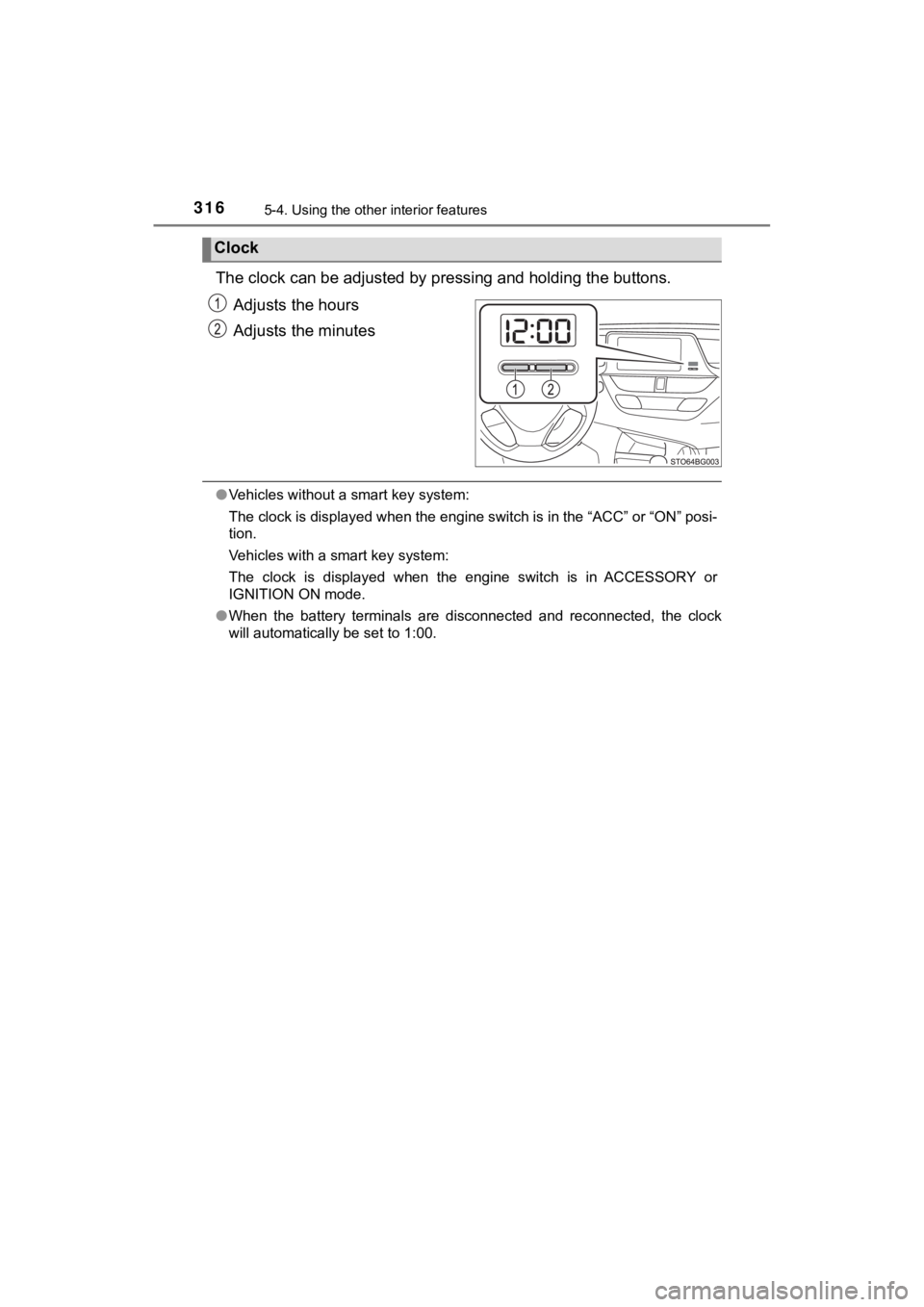
The clock can be adjusted by p ressing and holding the buttons.
Adjusts the hours
Adjusts the minutes
● Vehicles without a smart key system:
The clock is displayed when the engine switch is in the “ACC” o r “ON” posi-
tion.
Vehicles with a smart key system:
The clock is displayed when the engine switch is in ACCESSORY o r
IGNITION ON mode.
● When the battery terminals are disconnected and reconnected, th e clock
will automatically be set to 1:00.
Clock
Page 337 of 532
3376-2. Maintenance
6
Maintenance and care
C-HR_OM_USA_OM10569U
■Repair and replacement
It is recommended that genuine Toyota parts be used for repairs to ensure
performance of each system. If non-Toyota parts are used in rep lacement or if
a repair shop other than a Toyota dealer performs repairs, conf irm the war-
ranty coverage.
■ Resetting the message indicating ma intenance is required (U.S.A. only)
After the required maintenance is performed according to the ma intenance
schedule, please reset the message.
To reset the message, follow the procedure described below:
Switch the display to the trip meter “A” when the engine is running. ( P. 89)
Turn the engine switch off.
Vehicles without a smart key system:
While pressing the “TRIP” switch ( P. 89), turn the engine switch to the
“ON” position (do not start the engine because the reset mode w ill be can-
celed). Continue to press and hold the switch until the trip me ter displays
“00000”.
Vehicles with a smart key system:
While pressing the “TRIP” switch ( P. 89), turn the engine switch to the
IGNITION ON mode (do not start the engine because the reset mode will
be canceled). Continue to press and hold the switch until the t rip meter dis-
plays “00000”.
■ Allow inspection and repairs to be performed by a Toyota dealer
●Toyota technicians are well-trained specialists and are kept up to date with
the latest service information. They are well informed about th e operations
of all systems on your vehicle.
● Keep a copy of the repair order. It proves that the maintenance that has
been performed is under warranty coverage. If any problem should arise
while your vehicle is under warranty, your Toyota dealer will p romptly take
care of it.
1
2
3
Page 362 of 532
3626-3. Do-it-yourself maintenance
C-HR_OM_USA_OM10569U
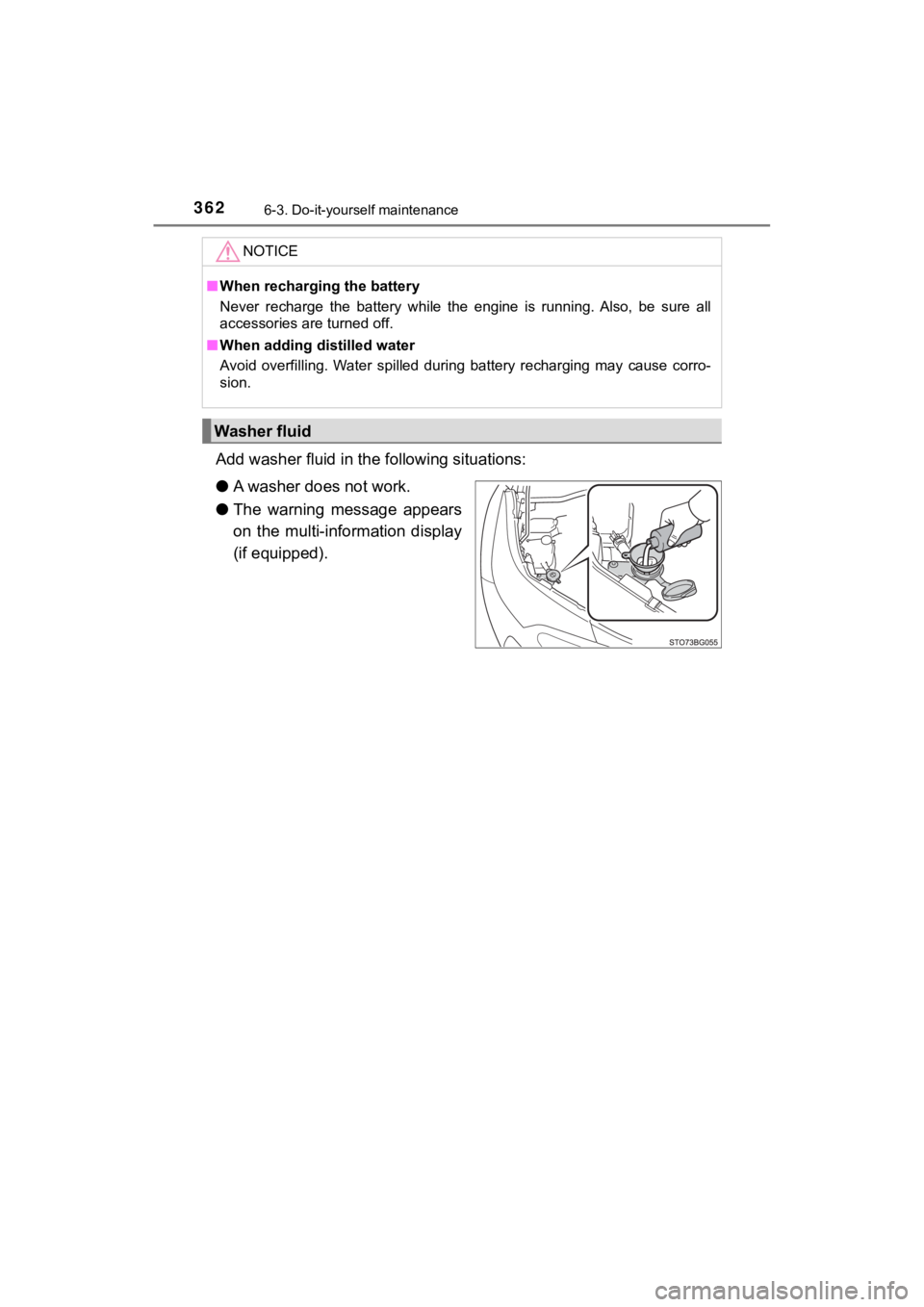
Add washer fluid in the following situations:
● A washer does not work.
● The warning message appears
on the multi-information display
(if equipped).
NOTICE
■When recharging the battery
Never recharge the battery while the engine is running. Also, b e sure all
accessories are turned off.
■ When adding distilled water
Avoid overfilling. Water spilled during battery recharging may cause corro-
sion.
Washer fluid
Page 367 of 532
3676-3. Do-it-yourself maintenance
6
Maintenance and care
C-HR_OM_USA_OM10569U■
How to initialize the tire pressure warning system
Park the vehicle in a safe plac e and turn the engine switch to the
“LOCK” position (vehicles with out a smart key system) or off
(vehicles with a sm art key system).
Initialization cannot be perfo rmed while the vehicle is moving.
Adjust the tire inflation pressure to the specified cold tire i nflation
pressure level. ( P. 468)
Make sure to adjust the tire pre ssure to the specified cold tire infla-
tion pressure level. The tire pressure warning system will oper ate
based on this pr essure level.
Turn the engine switch to the “ON” position (vehicles without a
smart key system) or IGNITION ON mode (vehicles with a smart
key system).
Press “” or “ ” of the meter control switch to select .
( P. 92)
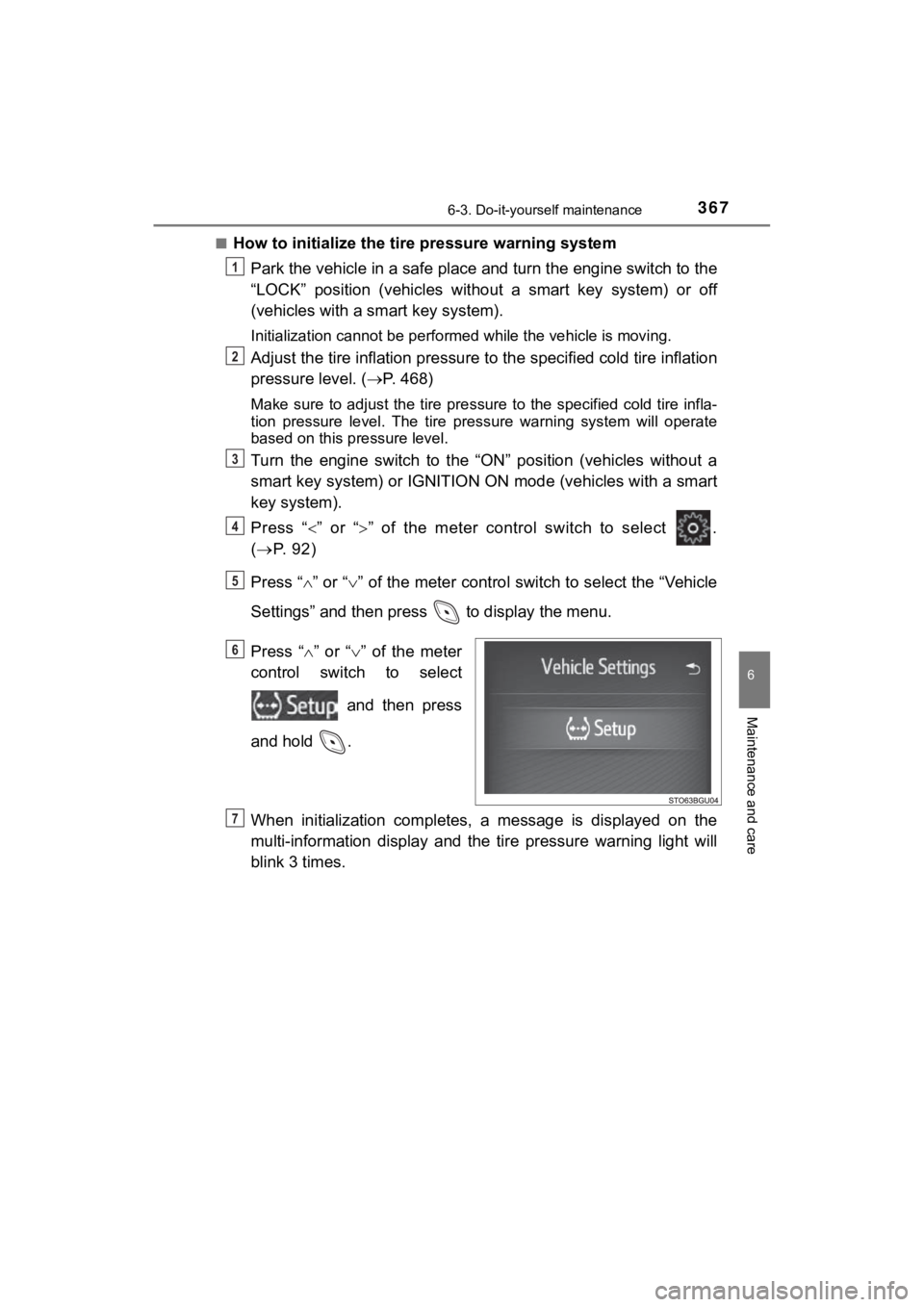
Press “ ” or “ ” of the meter control switch to select the “Vehicle
Settings” and then press to display the menu.
Press “ ” or “ ” of the meter
control switch to select
and then press
and hold .
When initialization completes, a message is displayed on the
multi-information display and the tire pressure warning light w ill
blink 3 times.
1
2
3
4
5
6
7
Page 370 of 532

3706-3. Do-it-yourself maintenance
C-HR_OM_USA_OM10569U■
Situations in which the tire pressure warning system may not op
er-
ate properly
●In the following cases, the tire pressure warning system may no t operate
properly.
• If non-genuine Toyota wheels are used.
• A tire has been replaced with a tire that is not an OE (Original Equip-
ment) tire.
• A tire has been replac ed with a tire that is not of the specif ied size.
• Tire chains, etc., are equipped.
• An auxiliary-supported ru n-flat tire is equipped.
• If a window tint that affects the radio wave signals is instal led.
• If there is a lot of snow or ice on the vehicle, particularly around the
wheels or wheel housings.
• If the tire inflation pressure is extremely higher than the sp ecified
level.
• If wheels without the tire pressure warning valves and transmi tters
are used.
• If the ID code on the tire pressure warning valves and transmi tters is
not registered in the tire pressure warning computer.
●Performance may be affected in the following situations.
• Near a TV tower, electric power plant, gas station, radio stat ion, large
display, airport or other facilit y that generates strong radio waves or
electrical noise.
• When carrying a portable radio, cellular phone, cordless phone or
other wireless communication device.
●When the vehicle is parked, the time taken for the warning to s tart or go
off could be extended.
●When tire inflation pressure declines rapidly for example when a tire has
burst, the warning may not function.