ignition TOYOTA C-HR 2021 Owners Manual (in English)
[x] Cancel search | Manufacturer: TOYOTA, Model Year: 2021, Model line: C-HR, Model: TOYOTA C-HR 2021Pages: 56, PDF Size: 6.27 MB
Page 4 of 56
2
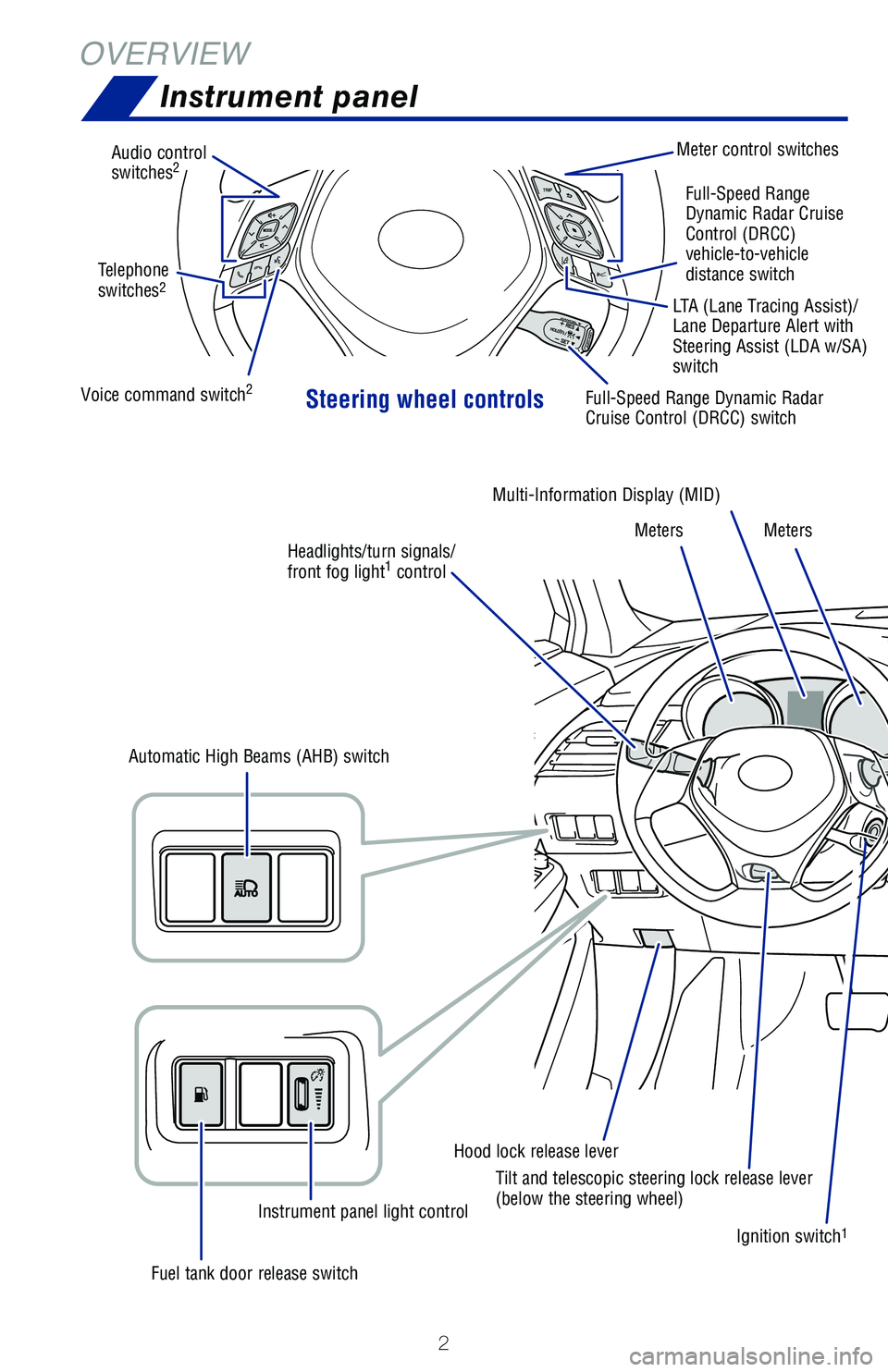
OVERVIEWInstrument panel
Steering wheel controls
Audio control
switches2Meter control switches
Voice command switch
2Full-Speed Range Dynamic Radar
Cruise Control (DRCC) switch
Ignition switch
1
Hood lock release leverMulti-Information Display (MID)
Meters Meters
Fuel tank door release switch Instrument panel light control
Automatic High Beams (AHB) switch
Tilt and telescopic steering lock release lever
(below the steering wheel)Full-Speed Range
Dynamic Radar Cruise
Control (DRCC)
vehicle-to-vehicle
distance switch
Telephone
switches
2LTA (Lane Tracing Assist)/
Lane Departure Alert with
Steering Assist (LDA w/SA)
switch
Headlights/turn signals/
front fog light
1 control
64380_Txt_MY21_C-HR.indd 27/21/20 10:32 AM
Page 9 of 56
7
OVERVIEW
FEATURES & OPERATIONS
TOYOTA SAFETY SENSE
SAFETY & EMERGENCY FEATURES
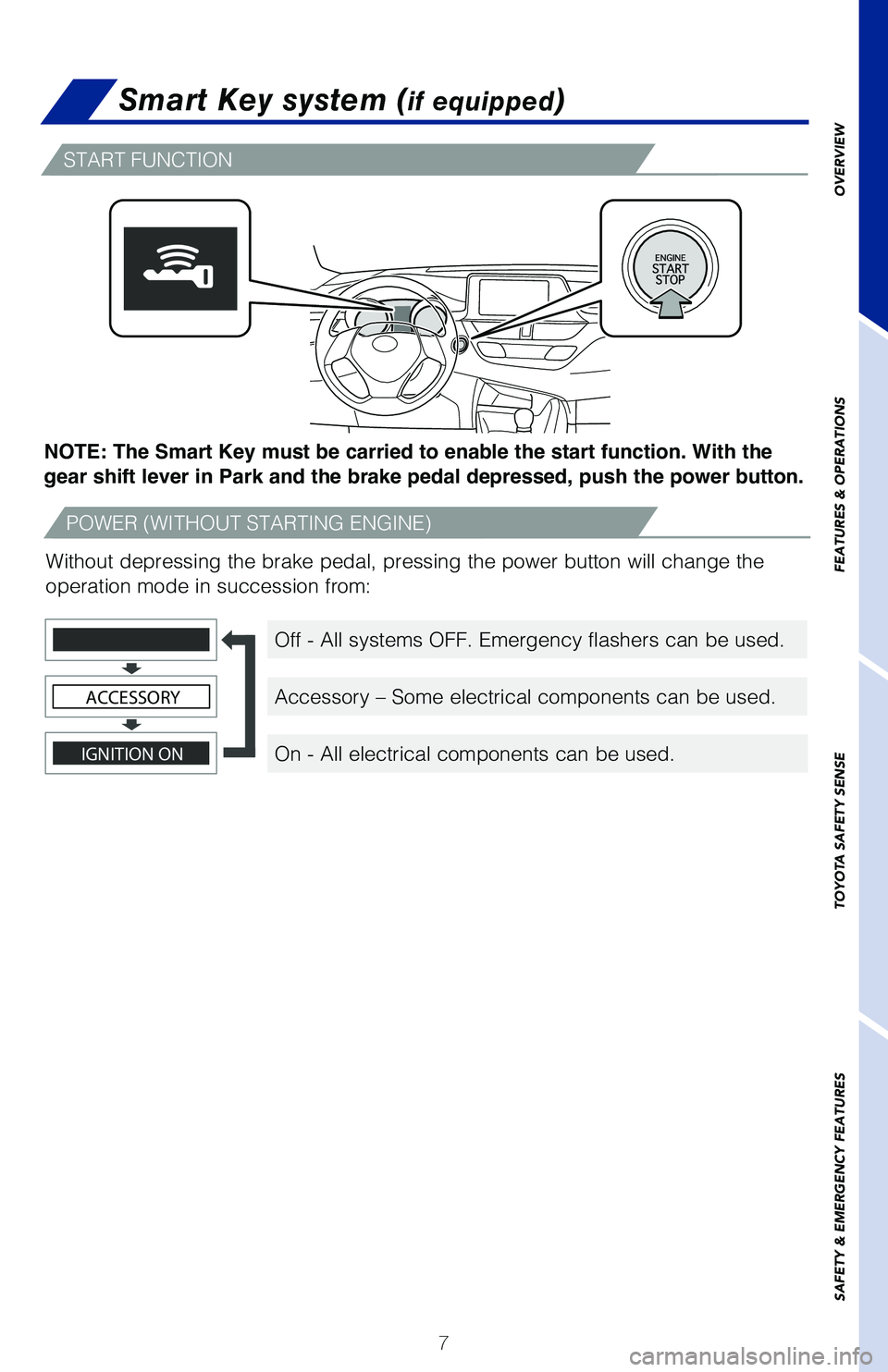
Smart Key system (if equipped)
START FUNCTION
POWER (WITHOUT STARTING ENGINE)
Off - All systems OFF. Emergency flashers can be used.
Accessory – Some electrical components can be used.
On - All electrical components can be used.
NOTE: The Smart Key must be carried to enable the start function. With the
gear shift lever in Park and the brake pedal depressed, push the power button.
Without depressing the brake pedal, pressing the power button will change the
operation mode in succession from:
IGNITION ON
ACCESSORY
64380_Txt_MY21_C-HR.indd 77/21/20 10:32 AM
Page 22 of 56
20
FEATURES & OPERATIONS
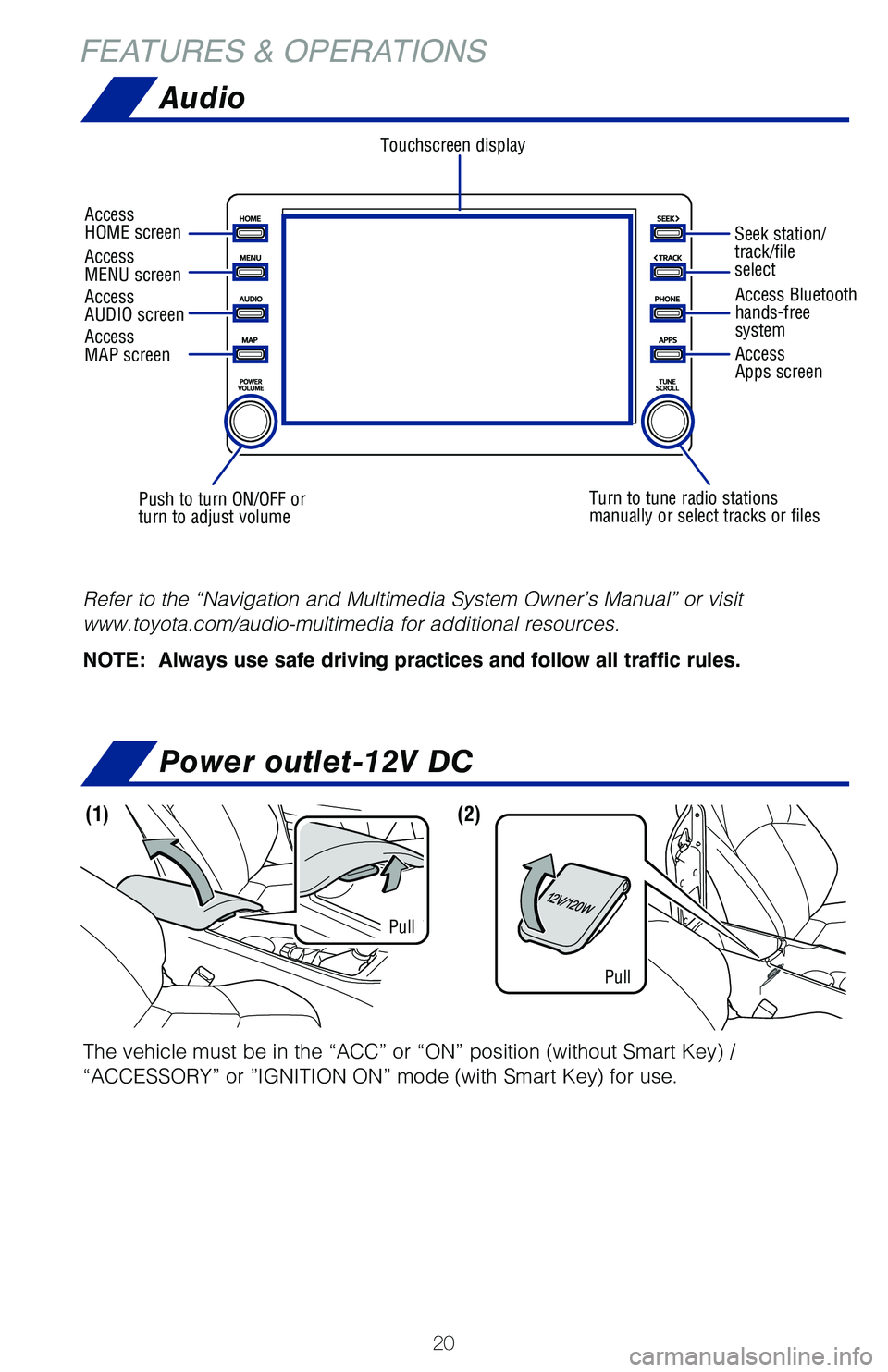
The vehicle must be in the “ACC” or “ON” position (without Smart Key) /
“ACCESSORY” or ”IGNITION ON” mode (with Smart Key) for use.
(1)(2)
Pull
Pull
Power outlet-12V DC
Audio
Refer to the “Navigation and Multimedia System Owner’s Manual” or visit
www.toyota.com/audio-multimedia for additional resources.
NOTE: Always use safe driving practices and follow all traffic rules.
Touchscreen display
Access
AUDIO screen
Push to turn ON/OFF or
turn to adjust volume Turn to tune radio stations
manually or select tracks or filesAccess Bluetooth
hands-free
system
Seek station/
track/file
select
Access
HOME screen
Access
MENU screen
Access
Apps screen
Access
MAP screen
64380_Txt_MY21_C-HR.indd 207/21/20 10:32 AM
Page 32 of 56
30
TOYOTA SAFETY SENSE™
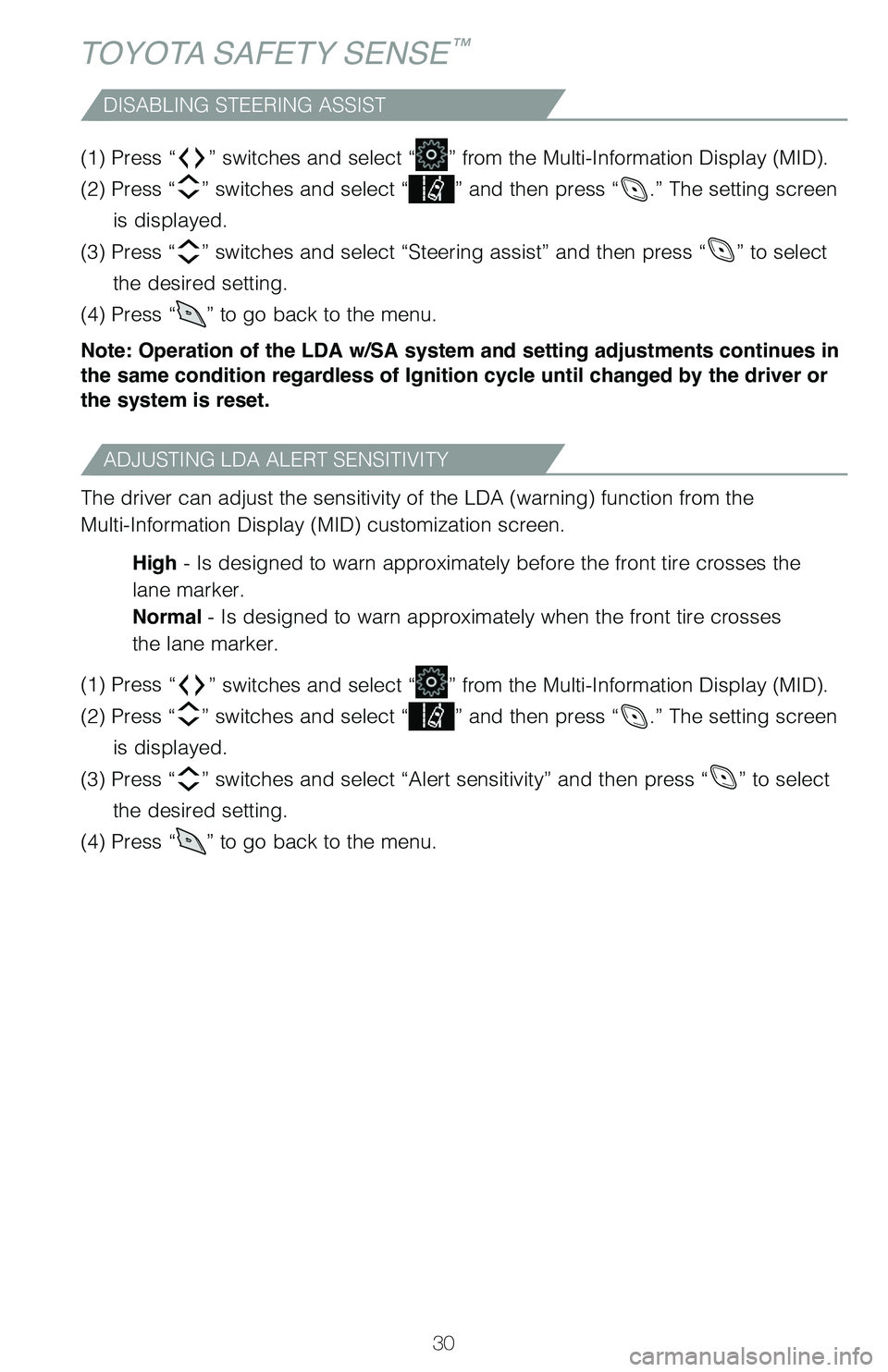
DISABLING STEERING ASSIST
(1) Press “” switches and select “” from the Multi-Information Display (MID).
(2) Press “
” switches and select “” and then press “.” The setting screen
is displayed.
(3) Press “
” switches and select “Steering assist” and then press “” to select
the desired setting.
(4) Press “
” to go back to the menu.
Note: Operation of the LDA w/SA system and setting adjustments continues in
the same condition regardless of Ignition cycle until changed by the driver or
the system is reset.
ADJUSTING LDA ALERT SENSITIVITY
The driver can adjust the sensitivity of the LDA (warning) function from the
Multi-Information Display (MID) customization screen.
High - Is designed to warn approximately before the front tire crosses the
lane marker.
Normal - Is designed to warn approximately when the front tire crosses
the lane marker.
(1) Press “
” switches and select “” from the Multi-Information Display (MID).
(2) Press “
” switches and select “” and then press “.” The setting screen
is displayed.
(3) Press “
” switches and select “Alert sensitivity” and then press “” to select
the desired setting.
(4) Press “
” to go back to the menu.
64380_Txt_MY21_C-HR.indd 307/21/20 10:32 AM
Page 33 of 56
31
OVERVIEW
FEATURES & OPERATIONS
TOYOTA SAFETY SENSE
SAFETY & EMERGENCY FEATURES
SWAY WARNING SYSTEM
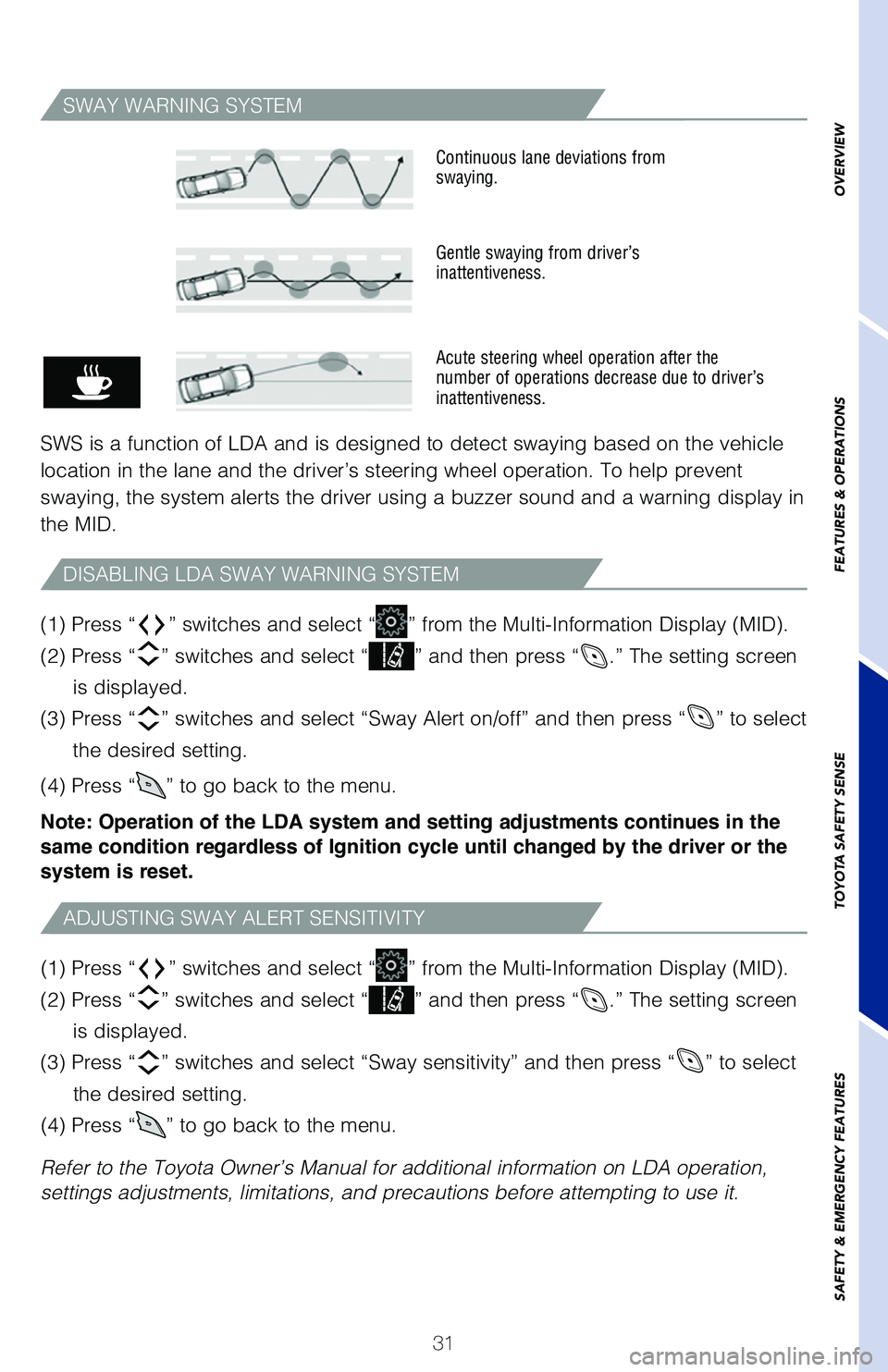
SWS is a function of LDA and is designed to detect swaying based on the vehicle
location in the lane and the driver’s steering wheel operation. To help prevent
swaying, the system alerts the driver using a buzzer sound and a warning display in
the MID.
Continuous lane deviations from
swaying.
Gentle swaying from driver’s
inattentiveness.
Acute steering wheel operation after the
number of operations decrease due to driver’s
inattentiveness.
(1) Press “” switches and select “” from the Multi-Information Display (MID).
(2) Press “
” switches and select “” and then press “.” The setting screen
is displayed.
(3) Press “
” switches and select “Sway sensitivity” and then press “” to select
the desired setting.
(4) Press “
” to go back to the menu.
Refer to the Toyota Owner’s Manual for additional information on LDA operation,
settings adjustments, limitations, and precautions before attempting to use it. (1) Press “
” switches and select “” from the Multi-Information Display (MID).
(2) Press “
” switches and select “” and then press “.” The setting screen
is displayed.
(3) Press “
” switches and select “Sway Alert on/off” and then press “” to select
the desired setting.
(4) Press “
” to go back to the menu.
Note: Operation of the LDA system and setting adjustments continues in the
same condition regardless of Ignition cycle until changed by the driver or the
system is reset.
ADJUSTING SWAY ALERT SENSITIVITY
DISABLING LDA SWAY WARNING SYSTEM
64380_Txt_MY21_C-HR.indd 317/21/20 10:32 AM
Page 36 of 56
34
TOYOTA SAFETY SENSE™
DISABLING STEERING ASSIST
(1) Press “” switches and select “” from the Multi-Information Display (MID).
(2) Press “
” switches and select “” and then press “.” The setting screen
is displayed.
(3) Press “
” switches and select “Steering assist” and then press “” to select
the desired setting.
(4) Press “
” to go back to the menu.
Note: Operation of the LTA w/SA system and setting adjustments continues in
the same condition regardless of Ignition cycle until changed by the driver or
the system is reset.
ADJUSTING LTA ALERT SENSITIVITY
The driver can adjust the sensitivity of the LTA (warning) function from the
Multi-Information Display (MID) customization screen.
High - Is designed to warn approximately before the front tire crosses the
lane marker.
Normal - Is designed to warn approximately when the front tire crosses
the lane marker.
(1) Press “
” switches and select “” from the Multi-Information Display (MID).
(2) Press “
” switches and select “” and then press “.” The setting screen
is displayed.
(3) Press “
” switches and select “Alert sensitivity” and then press “” to select
the desired setting.
(4) Press “
” to go back to the menu.
64380_Txt_MY21_C-HR.indd 347/21/20 10:32 AM
Page 37 of 56
35
OVERVIEW
FEATURES & OPERATIONS
TOYOTA SAFETY SENSE
SAFETY & EMERGENCY FEATURES
DISABLING LANE CENTERING FUNCTION
LANE CENTERING
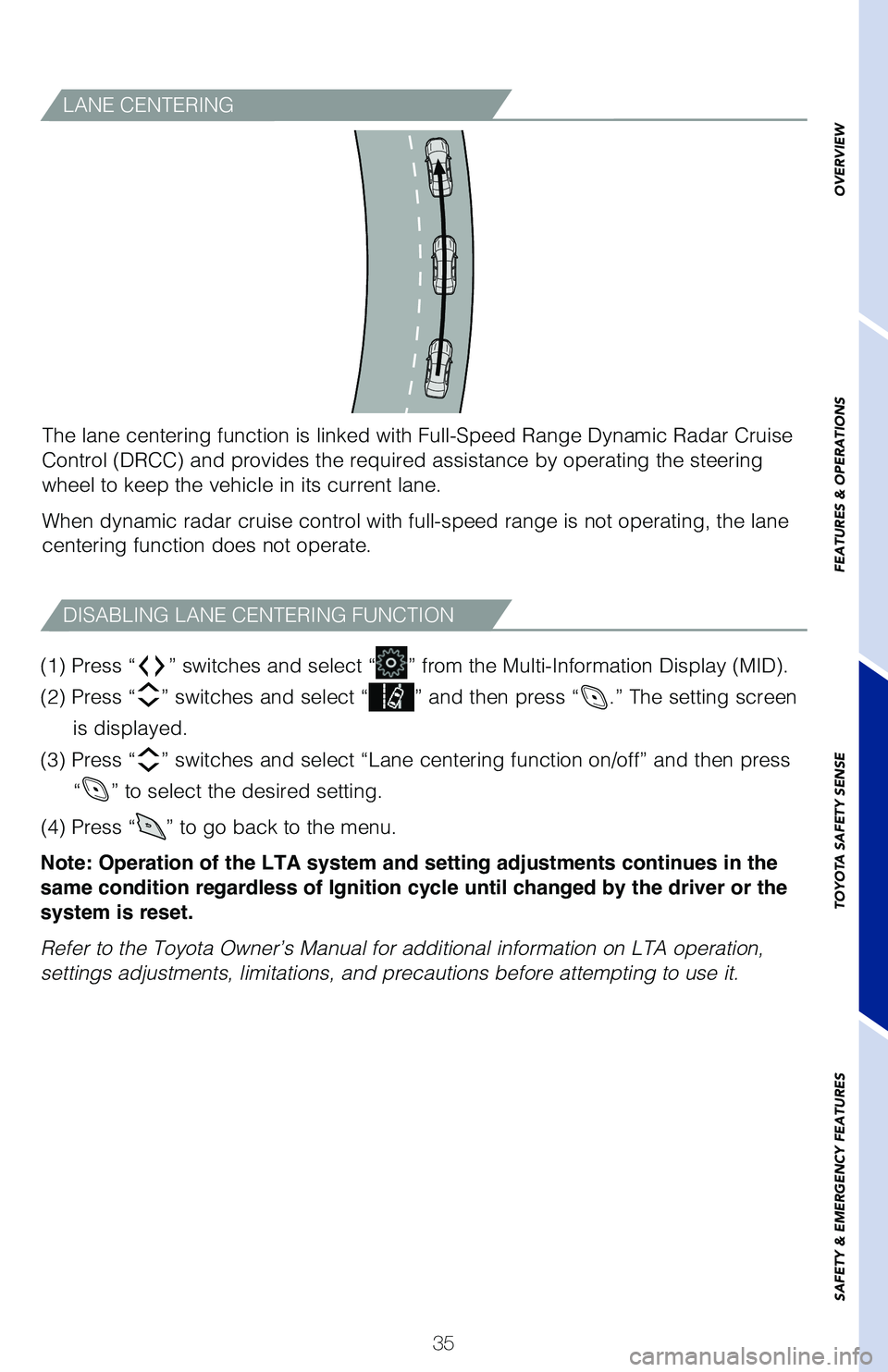
The lane centering function is linked with Full-Speed Range Dynamic Radar Cruise
Control (DRCC) and provides the required assistance by operating the steering
wheel to keep the vehicle in its current lane.
When dynamic radar cruise control with full-speed range is not operating, the lane
centering function does not operate.
(1) Press “
” switches and select “” from the Multi-Information Display (MID).
(2) Press “
” switches and select “” and then press “.” The setting screen
is displayed.
(3) Press “
” switches and select “Lane centering function on/off” and then press
“
” to select the desired setting.
(4) Press “
” to go back to the menu.
Note: Operation of the LTA system and setting adjustments continues in the
same condition regardless of Ignition cycle until changed by the driver or the
system is reset.
Refer to the Toyota Owner’s Manual for additional information on LTA operation,
settings adjustments, limitations, and precautions before attempting to use it.
64380_Txt_MY21_C-HR.indd 357/21/20 10:32 AM