oil TOYOTA CAMRY 2019 Owners Manual (in English)
[x] Cancel search | Manufacturer: TOYOTA, Model Year: 2019, Model line: CAMRY, Model: TOYOTA CAMRY 2019Pages: 612, PDF Size: 11.44 MB
Page 6 of 612

TABLE OF CONTENTS6
CAMRY_U7-1. Essential information
Emergency flashers .......... 486
If your vehicle has to be stopped in
an emergency ................. 487
7-2. Steps to take in an emergency
If your vehicle needs to be towed ..................... 489
If you think something is wrong........................... 495
Fuel pump shut off system............................. 496
If a warning light turns on or a warning
buzzer sounds................. 497
If a warning message is displayed ..................... 507
If you have a flat tire .......... 512
If the engine will not start ..................... 524
If the electronic key does not operate properly ........ 526
If the vehicle battery is discharged ................... 529
If your vehicle overheats ........................ 534
If the vehicle becomes stuck ................ 537 8-1. Specifications
Maintenance data (fuel, oil level, etc.) .......... 540
Fuel information ................. 551
Tire information.................. 554
8-2. Customization Customizable features ....... 567
8-3. Items to initialize Items to initialize ................ 575
Reporting safety defects for U.S. owners ........................ 578
Seat belt instructions for Canadian owners
(in French)................................ 579
SRS airbag instructions for Canadian owners
(in French)................................ 581
7When trouble arises8Vehicle specifications
9For owners
Page 15 of 612
15Pictorial index
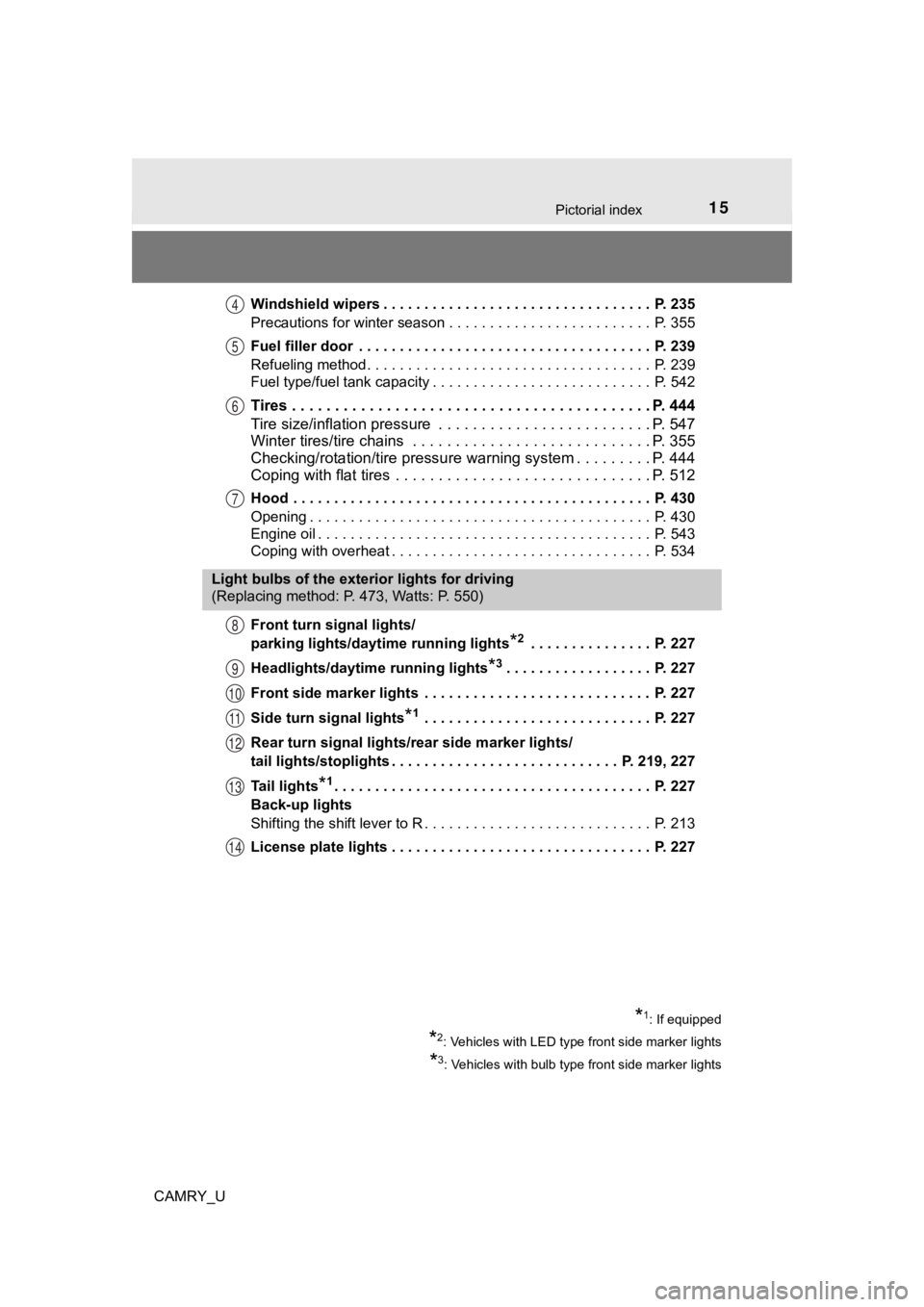
CAMRY_UWindshield wipers . . . . . . . . . . . . . . . . . . . . . . . . . . . . . . . . . P. 235
Precautions for winter season . . . . . . . . . . . . . . . . . . . . . . . . . P. 355
Fuel filler door . . . . . . . . . . . . . . . . . . . . . . . . . . . . . . . . . . . . P. 239
Refueling method . . . . . . . . . . . . . . . . . . . . . . . . . . . . . . . . . . . P. 239
Fuel type/fuel tank capacity . . . . . . . . . . . . . . . . . . . . . . . . . . . P. 542
Tires . . . . . . . . . . . . . . . . . . . . . . . . . . . . .
. . . . . . . . . . . . . P. 444
Tire size/inflation pressure . . . . . . . . . . . . . . . . . . . . . . . . . P. 547
Winter tires/tire chains . . . . . . . . . . . . . . . . . . . . . . . . . . . . P. 355
Checking/rotation/tire pressur e warning system . . . . . . . . .P. 444
Coping with flat tires . . . . . . . . . . . . . . . . . . . . . . . . . . . . . . P. 512
Hood . . . . . . . . . . . . . . . . . . . . . . . . . . . . . . . . . . . . . . . . . . . . P. 430
Opening . . . . . . . . . . . . . . . . . . . . . . . . . . . . . . . . . . . . . . . . . . P. 430
Engine oil . . . . . . . . . . . . . . . . . . . . . . . . . . . . . . . . . . . . . . . . . P. 543
Coping with overheat . . . . . . . . . . . . . . . . . . . . . . . . . . . . . . . . P. 534
Front turn signal lights/
parking lights/daytime running lights
*2 . . . . . . . . . . . . . . . P. 227
Headlights/daytime running lights
*3. . . . . . . . . . . . . . . . . . P. 227
Front side marker lights . . . . . . . . . . . . . . . . . . . . . . . . . . . . P. 227
Side turn signal lights
*1 . . . . . . . . . . . . . . . . . . . . . . . . . . . . P. 227
Rear turn signal lights/r ear side marker lights/
tail lights/stoplights . . . . . . . . . . . . . . . . . . . . . . . . . . . . P. 219, 227
Tail lights
*1. . . . . . . . . . . . . . . . . . . . . . . . . . . . . . . . . . . . . . . P. 227
Back-up lights
Shifting the shift lever to R . . . . . . . . . . . . . . . . . . . . . . . . . . . . P. 213
License plate lights . . . . . . . . . . . . . . . . . . . . . . . . . . . . . . . . P. 227
4
5
6
7
Light bulbs of the exterior lights for driving
(Replacing method: P. 473, Watts: P. 550)
8
9
10
11
12
13
14
*1: If equipped
*2: Vehicles with LED type front side marker lights
*3: Vehicles with bulb type front side marker lights
Page 159 of 612
1593-2. Opening, closing and locking the doors
3
Operation of each component
CAMRY_U■
Battery-saving function
The battery-saving function will be activated in order to preve nt the electronic
key battery and the vehicle battery from being discharged while the vehicle is
not in operation for a long time.
● In the following situations, the smart key system may take some time to
unlock the doors.
• The electronic key has been left in an area of approximately 6 ft. (2 m) of
the outside of the vehicle for 10 minutes or longer.
• The smart key system has not been used for 5 days or longer.
● If the smart key system has not been used for 14 days or longer , the doors
cannot be unlocked at any doors except the driver’s door. In th is case, take
hold of the driver’s door handle, or use the wireless remote co ntrol or the
mechanical key, to unlock the doors.
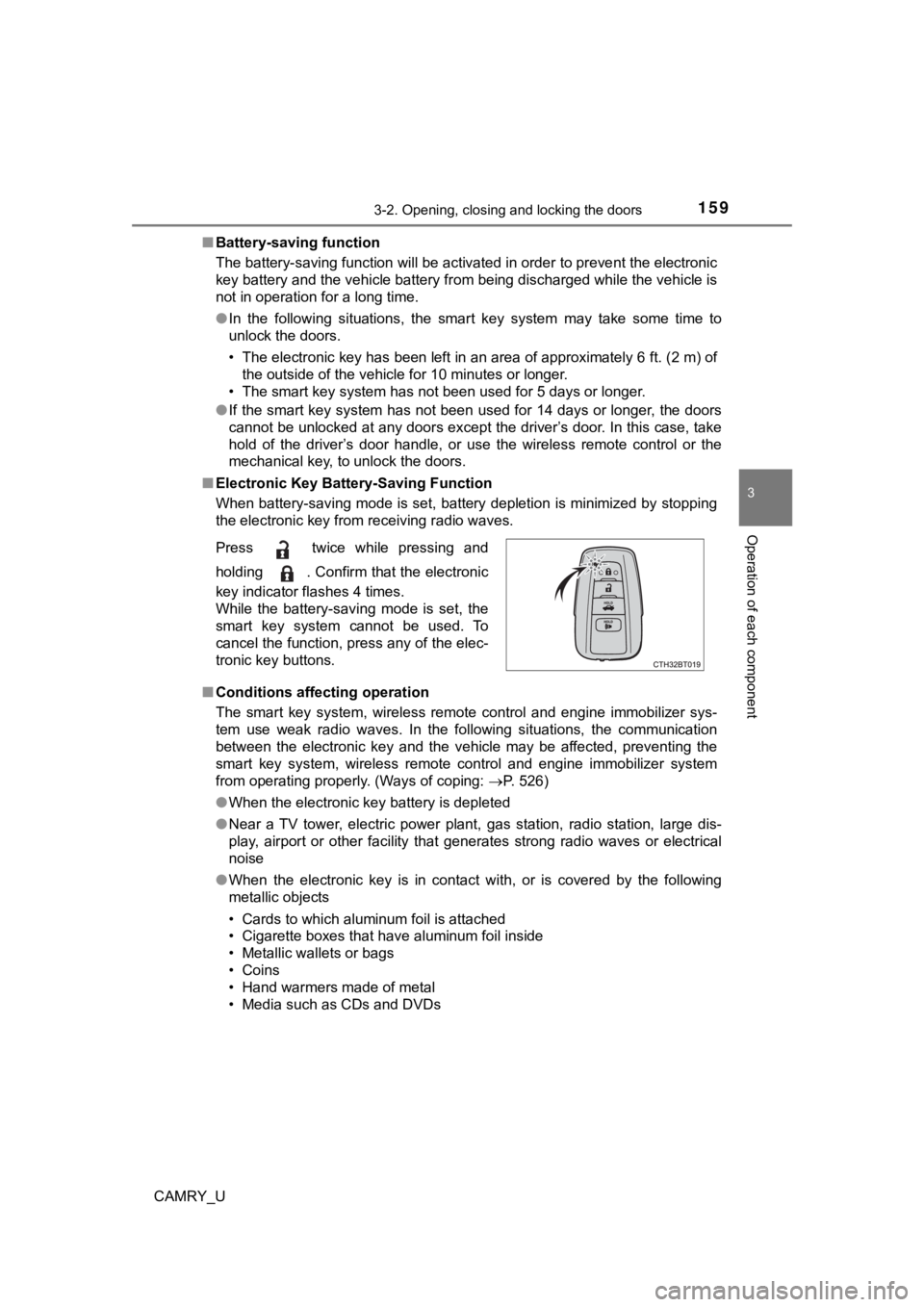
■ Electronic Key Battery-Saving Function
When battery-saving mode is set, battery depletion is minimized by stopping
the electronic key from receiving radio waves.
■ Conditions affecting operation
The smart key system, wireless remote control and engine immobi lizer sys-
tem use weak radio waves. In the following situations, the communication
between the electronic key and the vehicle may be affected, pre venting the
smart key system, wireless remote control and engine immobilizer system
from operating properly. (Ways of coping: P. 526)
● When the electronic key battery is depleted
● Near a TV tower, electric power plant, gas station, radio stati on, large dis-
play, airport or other facility that generates strong radio wav es or electrical
noise
● When the electronic key is in contact with, or is covered by the following
metallic objects
• Cards to which aluminum foil is attached
• Cigarette boxes that have aluminum foil inside
• Metallic wallets or bags
• Coins
• Hand warmers made of metal
• Media such as CDs and DVDs
Press twice while pressing and
holding . Confirm that the electronic
key indicator flashes 4 times.
While the battery-saving mode is set, the
smart key system cannot be used. To
cancel the function, press any of the elec-
tronic key buttons.
Page 199 of 612

1994-1. Before driving
4
Driving
CAMRY_U
NOTICE
■When driving the vehicle
● Do not depress the accelerator and brake pedals at the same tim e during
driving, as this may restrain driving torque.
● Do not use the accelerator pedal or depress the accelerator and brake
pedals at the same time to hold the vehicle on a hill.
■ When parking the vehicle
Always set the parking brake and shift the shift lever to P. Failure to do so
may cause the vehicle to move or the vehicle may accelerate sud denly if
the accelerator pedal is accidentally depressed.
■ Avoiding damage to vehicle parts
● Do not turn the steering wheel fully in either direction and ho ld it there for
an extended period of time.
Doing so may damage the power steering motor.
● When driving over bumps on the road, drive as slowly as possible to avoid
damaging the wheels, underside of the vehicle, etc.
■ If you get a flat tire while driving
A flat or damaged tire may cause the following situations. Hold the steering
wheel firmly and gradually depress the brake pedal to slow down the vehi-
cle.
● It may be difficult to control your vehicle.
● The vehicle will make abnormal sounds or vibrations.
● The vehicle will lean abnormally.
Information on what to do in case of a flat tire ( P. 512)
■ When encountering flooded roads
Do not drive on a road that has flooded after heavy rain etc. D oing so may
cause the following serious damage to the vehicle:
● Engine stalling
● Short in electrical components
● Engine damage caused by water immersion
In the event that you drive on a flooded road and the vehicle i s flooded, be
sure to have your Toyota dealer check the following:
● Brake function
● Changes in quantity and quality of oil and fluid used for the e ngine, tran-
saxle, etc.
● Lubricant condition for the bearings and suspension joints (whe re possi-
ble), and the function of all joints, bearings, etc.
Page 247 of 612
2474-5. Using the driving support systems
4
Driving
CAMRY_U
WARNING
■To avoid malfunction of the camera sensor
Observe the following precautions.
Otherwise, the camera sensor may not operate properly, possibly leading to
an accident resulting in death or serious injury.
● Keep the windshield clean at all times.
• If the windshield is dirty or covered with an oily film, water droplets,
snow, etc., clear the windshield.
• If a glass coating agent is applied to the windshield, it will still be neces-
sary to use the windshield wipers to remove water droplets, etc . from
the area of the windshield in front of the camera sensor.
• If the inner side of the windshield where the camera sensor is installed
is dirty, contact your Toyota dealer.
● If the part of the windshield in front of the camera sensor is fogged up or
covered with condensation or ice, use the windshield defogger t o remove
the fog, condensation or ice. ( P. 361, 367)
● If water droplets cannot be properly removed from the area of t he wind-
shield in front of the camera sensor by the windshield wipers, replace the
wiper insert or wiper blade.
If the wiper inserts or wiper blades need to be replaced, contact your Toy-
ota dealer.
● Do not attach window tinting to the windshield.
● Replace the windshield if it is damaged or cracked.
If the windshield needs to be replaced, contact your Toyota dea ler.
● Do not get the camera sensor wet.
● Do not allow bright lights to shine into the camera sensor.
● Do not dirty or damage the camera sensor.
When cleaning the inside of the windshield, do not allow glass cleaner to
contact the lens. Also, do not touch the lens.
If the lens is dirty or damaged, contact your Toyota dealer.
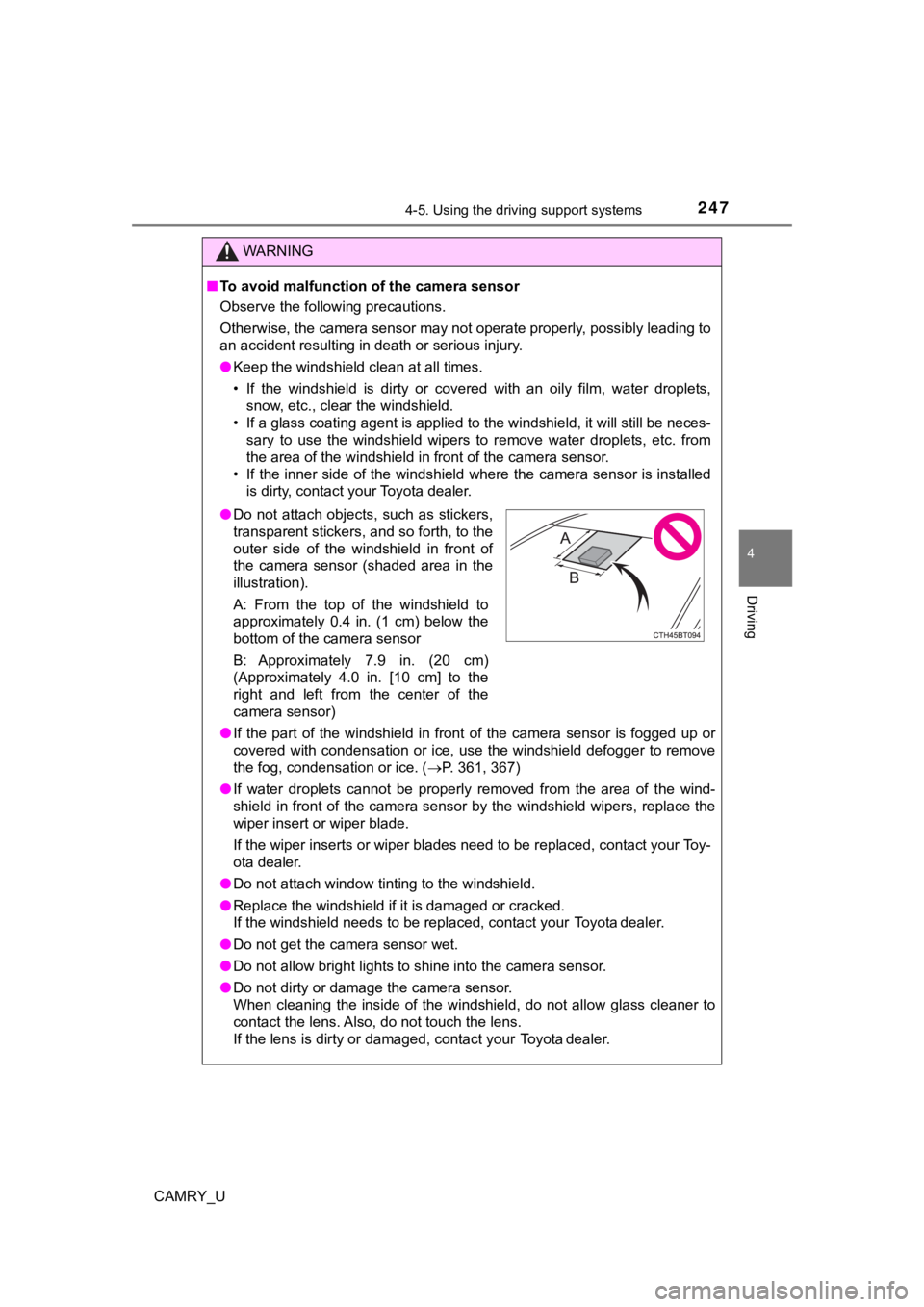
● Do not attach objects, such as stickers,
transparent stickers, and so forth, to the
outer side of the windshield in front of
the camera sensor (shaded area in the
illustration).
A: From the top of the windshield to
approximately 0.4 in. (1 cm) below the
bottom of the camera sensor
B: Approximately 7.9 in. (20 cm)
(Approximately 4.0 in. [10 cm] to the
right and left from the center of the
camera sensor)
Page 355 of 612
355
4
Driving
CAMRY_U
4-6. Driving tips
●Use fluids that are appropriate t o the prevailing outside tempera-
tures. • Engine oil
• Engine coolant
• Washer fluid
● Have a service technician inspec t the condition of the battery.
● Have the vehicle fitted with four snow tires or purchase a set of tire
chains for the front tires.
*
Ensure that all tires are the same size and brand, and that cha ins match
the size of the tires.
*: Tire chains cannot be mounted on vehicles with 18 and 19-inch tires.
Perform the following according to the driving conditions:
● Do not try to forcibly open a window or move a wiper that is fr ozen.
Pour warm water over the frozen area to melt the ice. Wipe away
the water immediately to p revent it from freezing.
● To ensure proper operation of the climate control system fan,
remove any snow that has accumulated on the air inlet vents in
front of the windshield.
● Check for and remove any excess ic e or snow that may have accu-
mulated on the exterior lights, vehicle’s roof, chassis, around the
tires or on the brakes.
● Remove any snow or mud from the bottom of your shoes before
getting in the vehicle.
Winter driving tips
Carry out the necessary preparations and inspections before
driving the vehicle in winter. Always drive the vehicle in a ma n-
ner appropriate to the prevailing weather conditions.
Preparation for winter
Before driving the vehicle
Page 402 of 612

4025-4. Other interior features
CAMRY_U
NOTICE
■Conditions in which the wireless charger may not operate correctly
In the following situations, the wireless charger may not opera te correctly:
● When a portable device is fully charged
● When there is a foreign object between the charging area and po rtable
device
● When a portable device becomes hot while charging
● When a portable device is placed on the wireless area with its charging
surface facing up
● When a portable device is not centered on the charging area
● When the vehicle is near a TV tower, electric power plant, gas station,
radio station, large display, airport or other facility that ge nerates strong
radio waves or electrical noise
● When the portable device is in contact with, or is covered by a ny of the fol-
lowing metallic objects:
• Cards to which aluminum foil is attached
• Cigarette boxes that have aluminum foil inside
• Metallic wallets or bags
• Coins
• Metal hand warmers
• Media such as CDs and DVDs
● When wireless keys (that emit radio waves) other than those of your vehi-
cle are being used nearby.
If in situations other than above the wireless charger does not operate prop-
erly or the operation indicator light is blinking, the wireless charger may be
malfunctioning. Contact your Toyota dealer.
■ To prevent failure or damage to data
● Do not bring magnetic cards, such as a credit card, or magnetic recording
media, close to the wireless charger while charging. Otherwise, data may
be erased due to the influence of magnetism.
Additionally, do not bring precision instruments such as wrist watches,
close to the wireless charger, as such objects may malfunction.
● Do not leave portable devices in the cabin. The temperature ins ide the
cabin may become high when parked in the sun, and cause damage to the
device.
■ To prevent battery discharge
Do not use the wireless charger for a long period of time with the engine
stopped.
Page 414 of 612
414
CAMRY_U
6-1. Maintenance and care
●Working from top to bottom, liberally apply water to the vehicl e
body, wheel wells and underside of the vehicle to remove any di rt
and dust.
● Wash the vehicle body using a sponge or soft cloth, such as a
chamois.
● For hard-to-remove marks, use car wash soap and rinse thoroughl y
with water.
● Wipe away any water.
● Wax the vehicle when the wate rproof coating deteriorates.
If water does not bead on a clean surface, apply wax when the vehicle
body is cool.
■Automatic car washes
●Fold the mirrors before washing the vehicle. Start washing from the front of
the vehicle. Make sure to extend the mirrors before driving.
● Brushes used in automatic car washes may scratch the vehicle su rface and
harm your vehicle's paint.
● Vehicles with a rear spoiler: In certain automatic car washes, the rear spoiler
may interfere with machine operation. This may prevent the vehicle from
being cleaned properly or result in damage to the rear spoiler.
■ High pressure car washes
●Do not allow the nozzles of the car wash to come within close p roximity of
the windows.
● Before using the car wash, check that the fuel filler door on y our vehicle is
closed properly.
Cleaning and prot ecting the vehicle
exterior
Perform the following to protect the vehicle and maintain it in
prime condition:
Page 416 of 612

4166-1. Maintenance and care
CAMRY_U
NOTICE
■To prevent paint deterioration an d corrosion on the body and compo-
nents (aluminum wheels, etc.)
● Wash the vehicle immediately in the following cases:
• After driving near the sea coast
• After driving on salted roads
• If coal tar or tree sap is present on the paint surface
• If dead insects, insect droppings or bird droppings are presen t on the
paint surface
• After driving in an area contaminated with soot, oily smoke, mine dust, iron powder or chemical substances
• If the vehicle becomes heavily soiled with dust or mud
• If liquids such as benzene and gasoline are spilled on the pai nt surface
● If the paint is chipped or scratched, have it repaired immediat ely.
● To prevent the wheels from corroding, remove any dirt and store in a place
with low humidity when storing the wheels.
■ Cleaning the exterior lights
● Wash carefully. Do not use organic substances or scrub with a h ard brush.
This may damage the surfaces of the lights.
● Do not apply wax to the surfaces of the lights.
Wax may cause damage to the lenses.
■ When using a high pressure car wash
Do not bring the nozzle tip close to boots (rubber or resin man ufactured
cover), connectors or the following parts. The parts may be damaged if they
come into contact with high-pressure water.
• Traction related parts
• Steering parts
• Suspension parts
• Brake parts
Page 422 of 612

4226-2. Maintenance
CAMRY_U
WARNING
■If your vehicle is no t properly maintained
Improper maintenance could result in serious damage to the vehi cle and
possible death or serious injury.
■ Important health and safety information
● Engine exhaust, some of its constituents, and a wide variety of automobile
components contain or emit chemicals known to the State of California to
cause cancer and birth defects and other reproductive harm. Wor k in a
well ventilated area.
● Oils, fuels and fluids contained in vehicles as well as waste produced by
component wear contain or emit chemicals known to the State of
California to cause cancer and birth defects or other reproduct ive harm.
Avoid exposure and wash any affected area immediately.
● Battery posts, terminals and related accessories contain lead a nd lead
compounds which are known to cause brain damage. Wash your hand s
after handling. ( P. 440)