wheel TOYOTA CAMRY HYBRID 2019 (in English) Workshop Manual
[x] Cancel search | Manufacturer: TOYOTA, Model Year: 2019, Model line: CAMRY HYBRID, Model: TOYOTA CAMRY HYBRID 2019Pages: 592, PDF Size: 10.78 MB
Page 394 of 592
3946-1. Maintenance and care
●Working from top to bottom, liberally apply water to the vehicl e
body, wheel wells and underside of the vehicle to remove any di rt
and dust.
● Wash the vehicle body using a sponge or soft cloth, such as a
chamois.
● For hard-to-remove marks, use car wash soap and rinse thoroughl y
with water.
● Wipe away any water.
● Wax the vehicle when the wate rproof coating deteriorates.
If water does not bead on a clean surface, apply wax when the v ehicle
body is cool.
■ Automatic car washes
●Fold the mirrors before washing the vehicle. Start washing from the front of
the vehicle. Make sure to extend the mirrors before driving.
● Brushes used in automatic car washes may scratch the vehicle su rface and
harm your vehicle's paint.
● Vehicles with a rear spoiler: In certain automatic car washes, the rear spoiler
may interfere with machine operation. This may prevent the vehicle from
being cleaned properly or result in damage to the rear spoiler.
■ High pressure car washes
●Do not allow the nozzles of the car wash to come within close p roximity of
the windows.
● Before using the car wash, check that the fuel filler door on y our vehicle is
closed properly.
Cleaning and prot ecting the vehicle
exterior
Perform the following to protect the vehicle and maintain it in
prime condition:
Page 395 of 592

3956-1. Maintenance and care
6
Maintenance and care
■When using a car wash
If the door handle becomes wet while the electronic key is within the effective
range, the door may lock and unlock repeatedly. In that case, f ollow the fol-
lowing correction procedures to wash the vehicle:
● Place the key in a position 6 ft. (2 m) or more separate from t he vehicle
while the vehicle is being washed. (Take care to ensure that th e key is not
stolen.)
● Set the electronic key to battery-saving mode to disable the sm art key sys-
tem. ( P. 168)
■ Aluminum wheels (if equipped)
●Remove any dirt immediately by using a neutral detergent.
● Wash detergent off with water immediately after use.
● To protect the paint from damage, make sure to observe the following pre-
cautions.
• Do not use acidic, alkaline or abrasive detergent
• Do not use hard brushes
• Do not use detergent on the wheels when they are hot, such as after driv-
ing or parking in hot weather
■ Bumpers
Do not scrub with abrasive cleaners.
WARNING
■When washing the vehicle
Do not apply water to the inside of the engine compartment. Doing so may
cause the electrical components, etc. to catch fire.
■ Precautions regarding the exhaust pipes
Exhaust gasses cause the exhaust pipes to become quite hot.
When washing the vehicle, be careful not to touch the pipes unt il it has
cooled sufficiently, as touching a hot exhaust pipes can cause burns.
■ Precaution regarding the rear bumper with Blind Spot Monitor (i f
equipped)
If the paint of the rear bumper is chipped or scratched, the sy stem may mal-
function. If this occurs, avoid using the system and consult yo ur Toyota
dealer.
Page 396 of 592

3966-1. Maintenance and care
NOTICE
■To prevent paint deterioration an d corrosion on the body and compo-
nents (aluminum wheels, etc.)
● Wash the vehicle immediately in the following cases:
• After driving near the sea coast
• After driving on salted roads
• If coal tar or tree sap is present on the paint surface
• If dead insects, insect droppings or bird droppings are presen t on the
paint surface
• After driving in an area contaminated with soot, oily smoke, mine dust,
iron powder or chemical substances
• If the vehicle becomes heavily soiled with dust or mud
• If liquids such as benzene and gasoline are spilled on the paint surface
● If the paint is chipped or scratched, have it repaired immediat ely.
● To prevent the wheels from corroding, remove any dirt and store in a place
with low humidity when storing the wheels.
■ Cleaning the exterior lights
● Wash carefully. Do not use organic substances or scrub with a h ard brush.
This may damage the surfaces of the lights.
● Do not apply wax to the surfaces of the lights.
Wax may cause damage to the lenses.
■ When using a high pressure car wash
● Do not bring the nozzle tip close to boots (rubber or resin man ufactured
cover), connectors or the following parts. The parts may be dam aged if
they come into contact with high-pressure water.
• Traction related parts
• Steering parts
• Suspension parts
• Brake parts
● Do not wash the underside of the vehicle using a high-pressure car
washer.
Page 399 of 592

3996-1. Maintenance and care
6
Maintenance and care
NOTICE
■Cleaning detergents
● Do not use the following types of detergent, as they may discol or the vehi-
cle interior or cause streaks or damage to painted surfaces:
• Areas other than the seats and steering wheel: Organic substan ces
such as benzene or gasoline, alkaline or acidic solutions, dye, and
bleach
• Seats: Alkaline or acidic solutions, such as thinner, benzene, and alco-
hol
• Steering wheel: Organic substances, such as thinner, and clean er that
contains alcohol
● Do not use polish wax or polish cleaner. The instrument panel’s or other
interior part’s painted surface may be damaged.
■ Preventing damage to leather surfaces
Observe the following precautions to avoid damage to and deterioration of
leather surfaces:
● Remove any dust or dirt from leather surfaces immediately.
● Do not expose the vehicle to direct sunlight for extended perio ds of time.
Park the vehicle in the shade, especially during summer.
● Do not place items made of vinyl, plastic, or containing wax on the uphol-
stery, as they may stick to the leather surface if the vehicle interior heats
up significantly.
■ Water on the floor
Do not wash the vehicle floor with water.
Vehicle systems such as the audio system may be damaged if wate r comes
into contact with electrical components such as the audio syste m above or
under the floor of the vehicle. Water may also cause the body to rust.
■ When cleaning the inside of the windshield
Do not allow glass cleaner to contact the lens. Also, do not to uch the lens.
( P. 250)
■ Cleaning the inside of the rear window
● Do not use glass cleaner to clean the rear window, as this may cause
damage to the rear window defogger heater wires or antenna. Use a cloth
dampened with lukewarm water to gently wipe the window clean. Wipe the
window in strokes running parallel to the heater wires or antenna.
● Be careful not to scratch or damage the heater wires or antenna .
Page 401 of 592

4016-2. Maintenance
6
Maintenance and care
■Repair and replacement
It is recommended that genuine Toyota parts be used for repairs to ensure
performance of each system. If non-Toyota parts are used in rep lacement or if
a repair shop other than a Toyota dealer performs repairs, conf irm the war-
ranty coverage.
■ Resetting the message indicating maintenance is required
After the required maintenance is preformed according to the ma intenance
schedule, please reset the message.
To reset the message, perform the following procedure:
Select (4.2-inch display) or (7-inch display) on the multi-in formation
display using the meter control switches on the steering wheel.
( P. 111, 125)
4.2-inch display: Select “Vehicle Settings” and then press .
7-inch display: Select and then press and hold .
Select “Scheduled Maintenance” and then press .
Select “Yes” and then press .
A message will be displayed on the multi-information display wh en the
reset procedure has been completed.
■ Allow inspection and repairs to b e performed by a Toyota dealer
● Toyota technicians are well-trained specialists and are kept up to date with
the latest service information. They are well informed about th e operations
of all systems on your vehicle.
● Keep a copy of the repair order. It proves that the maintenance that has
been performed is under warranty coverage. If any problem should arise
while your vehicle is under warranty, your Toyota dealer will p romptly take
care of it.
1
2
3
4
5
Page 405 of 592
4056-2. Maintenance
6
Maintenance and care
Seat belts
• Do the seat belts operatesmoothly?
• The seat belts should not be dam- aged.
Seats• Do the seat controls operate prop-erly?
Steering wheel
• Does the steering wheel rotatesmoothly?
• Does the steering wheel have the correct amount of free play?
• There should not be any strange
sounds coming from the steering
wheel.
Vehicle exterior
ItemsCheck points
ItemsCheck points
Doors/trunk• Do the doors/trunk operatesmoothly?
Engine hood• Does the engine hood lock systemwork properly?
Fluid leaks
• There should not be any signs offluid leakage after the vehicle has
been parked.
Tires
• Is the tire inflation pressure cor-rect?
• The tires should not be dam-
aged or excessively worn.
• Have the tires been rotated according to the maintenance
schedule?
• The wheel nuts should not be loose.
Windshield wipers
• The wiper blades should not show
any signs of cracking, splitting,
wear, contamination or deforma-
tion.
• The wiper blades should clear the windshield without streaking or
skipping.
Page 426 of 592

4266-3. Do-it-yourself maintenance
◆Installing tire pressure warning valves and transmitters
When replacing the tires or wheels, the tire pressure warning v alve
and transmitters must be install ed to the wheels which will be
installed to the vehicle.
When new tire pressure warning valve and transmitters are
installed, new ID codes must be registered in the tire pressure
warning computer and the tire pressure warning system must be
initialized. ( P. 428)
◆Initializing the tire pressure warning system
■The tire pressure warning system must be initialized in the fol-
lowing circumstances:
● When the tire inflation pressure is changed such as when chang-
ing traveling speed or load weight.
● When the tire inflation pressure is changed such as when the ti re
size is changed.
● When rotating the tires.
● Vehicles with a tire inflation pr essure display function: After per-
forming the transmitter ID code registration procedure. ( P. 4 2 8 )
When the tire pressure warning sy stem is initialized, the current tire
inflation pressure is set as the benchmark pressure.
■How to initialize the tire pressure warning system
Park the vehicle in a safe place and stop the hybrid system for 20
minutes or more.
The initialization procedure cannot be started while the vehicle is
moving.
Adjust the tire inflation pressure to the specified cold tire i nflation
pressure level. ( P. 528)
Make sure to adjust the tire pre ssure to the specified cold tire infla-
tion pressure level. The tire pressure warning system will oper ate
based on this pr essure level.
Start the hybrid system. ( P. 2 1 0 )
Select (4.2-inch display) or (7-inch display) on the multi-
information display using the meter control switches on the ste er-
ing wheel. ( P. 111, 125).
4.2-inch display: Select “Vehi cle Settings” and then press .
7-inch display: Select and then press and hold .
Select “TPWS” and then press .
1
2
3
4
5
6
Page 428 of 592

4286-3. Do-it-yourself maintenance
◆Registering ID codes
Vehicles without a tire inflation pressure display function
Every tire pressure warning valve and transmitter has a unique ID
code. In addition to the set of tire pressure warning system se nsor
ID codes initially registered to the vehicle, a second set of ID codes
can be registered.
A second set of tire pressure warning system sensor ID codes ca n
be registered at your Toyota dealer. When 2 sets of ID codes ha ve
been registered, either ID code set can be selected.
Vehicles with a tire inflation pressure display function
Every tire pressure warning valve and transmitter has a unique ID
code. When replacing a tire pressure warning valve and transmit ter,
it is necessary to reg ister the ID codes.
The ID codes can be registered on (4.2-inch display) or (7-
inch display) of the multi-information display.
■Changing the available set of ID codes (vehicles without a tire
inflation pressure display function)
When 2 sets of ID codes are reg istered, the corresponding ID code
set for the installed wheels can be selected on (4.2-inch disp lay)
or (7-inch display) of the multi-information display. It is no t nec-
essary to reregister the ID codes each time the wheels are
changed.
For information regarding changing the registered ID codes for an
ID code set, contact your Toyota dealer.
■How to register the ID codes (vehicles with a tire inflation pr es-
sure display function)
Park the vehicle in a safe place, wait for approximately 20 min -
utes, and then start t he hybrid system. (P. 210)
Select (4.2-inch display) or (7-inch display) on the multi-
information display using the meter control switches on the ste er-
ing wheel. ( P. 111, 125)
4.2-inch display: Select “Vehi cle Settings” and then press .
7-inch display: Select and then press and hold .
Select “TPWS” and then press .
1
2
3
4
Page 429 of 592
4296-3. Do-it-yourself maintenance
6
Maintenance and care
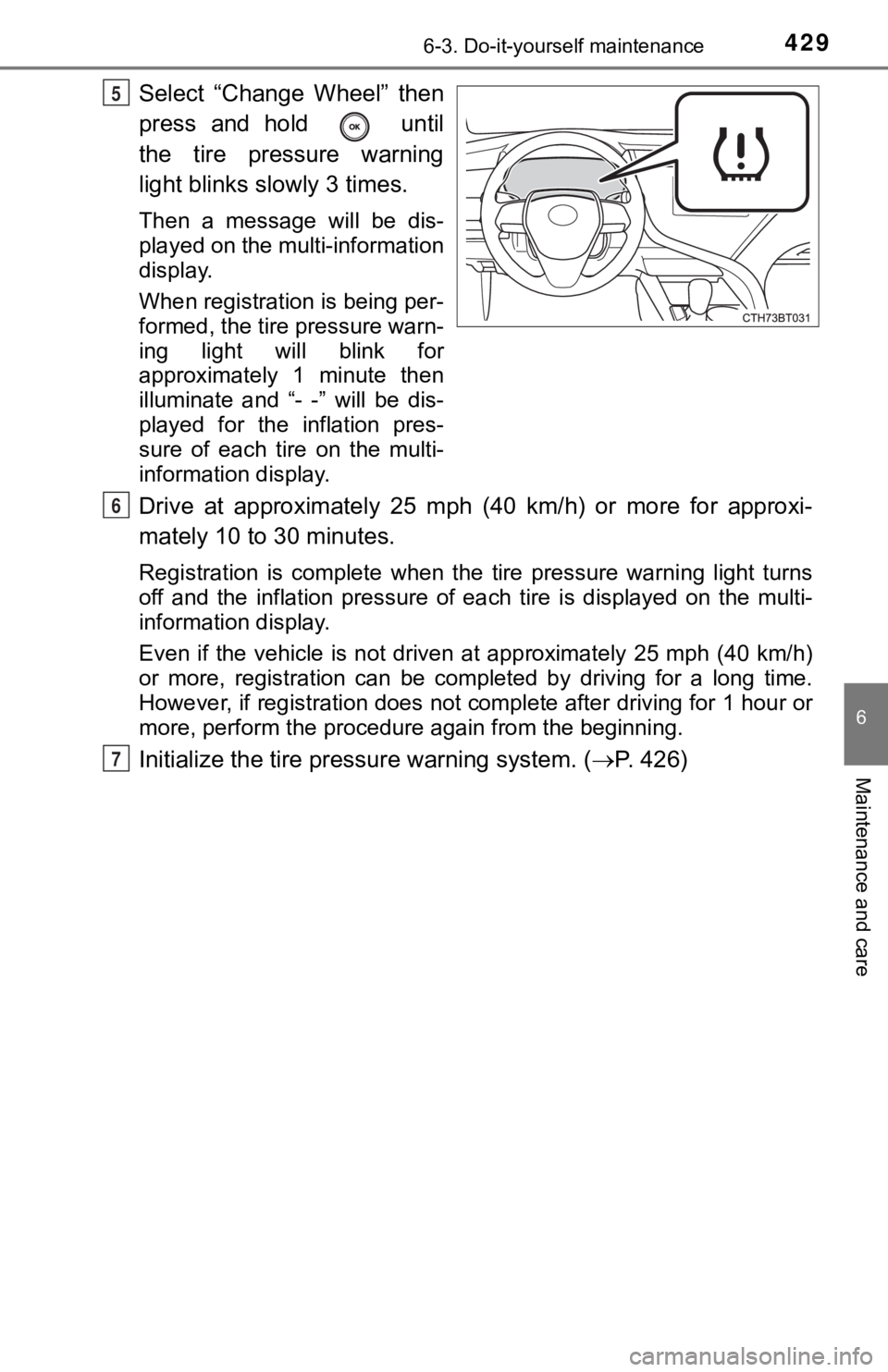
Select “Change Wheel” then
press and hold until
the tire pressure warning
light blinks slowly 3 times.
Then a message will be dis-
played on the multi-information
display.
When registration is being per-
formed, the tire pressure warn-
ing light will blink for
approximately 1 minute then
illuminate and “- -” will be dis-
played for the inflation pres-
sure of each tire on the multi-
information display.
Drive at approximately 25 mph (40 km/h) or more for approxi-
mately 10 to 30 minutes.
Registration is complete when the tire pressure warning light turns
off and the inflation pressure of each tire is displayed on the multi-
information display.
Even if the vehicle is not driven at approximately 25 mph (40 k m/h)
or more, registration can be completed by driving for a long ti me.
However, if registration does not complete after driving for 1 hour or
more, perform t he procedure again from the beginning.
Initialize the tire pressure warning system. ( P. 426)
5
6
7
Page 430 of 592

4306-3. Do-it-yourself maintenance
■When to replace your vehicle’s tires
Tires should be replaced if:
●The treadwear indicators are showing on a tire.
●You have tire damage such as cuts, splits, cracks deep enough t o
expose the fabric, and bulges indicating internal damage
●A tire goes flat repeatedly or c annot be properly repaired due to the size
or location of a cut or other damage
If you are not sure, consult with your Toyota dealer.
■Replacing tires and wheels
If the ID codes of the tire pressure warning valve and transmit ters are not
registered, the tire pressure warning system will not work properly. In this
case, after driving for about 20 minutes, the tire pressure warning light will
blink for approximately 1 minute and then illuminate to indicat e a system
malfunction.
■Tire life
Any tire over 6 years old must be checked by a qualified techni cian even
if it has seldom or never been u sed or damage is not obvious.
■Routine tire inflation pressure checks
The tire pressure warning system does not replace routine tire inflation
pressure checks. Make sure to chec k tire inflation pressure as part of
your routine of daily vehicle checks.
■Low profile tires (vehicl es with 18-inch wheels)
Generally, low profile tires will wear more rapidly and tire gr ip perfor-
mance will be reduced on snowy and /or icy roads when compared to
standard tires. Be sure to use snow tires on snowy and/or icy r oads and
drive carefully at a speed approp riate for road and weather conditions.
■Maximum load of tire
Check that the maximum load of t he replacement tire is greater than 1/2
of the Gross Axle Weight Ratings (GAWR) of either the front axl e or the
rear axle, whichever is greater.
For the GAWR, see the Certification
Label. For the maximum load of the tire,
see the load limit at maximum cold tire
inflation pressure mentioned on the
sidewall of the tire. ( P. 5 3 4 )