speed TOYOTA COROLLA 2019 (in English) Owner's Guide
[x] Cancel search | Manufacturer: TOYOTA, Model Year: 2019, Model line: COROLLA, Model: TOYOTA COROLLA 2019Pages: 608, PDF Size: 10.15 MB
Page 202 of 608
2024-3. Operating the lights and wipers
COROLLA_TMMMS_TMMC_U
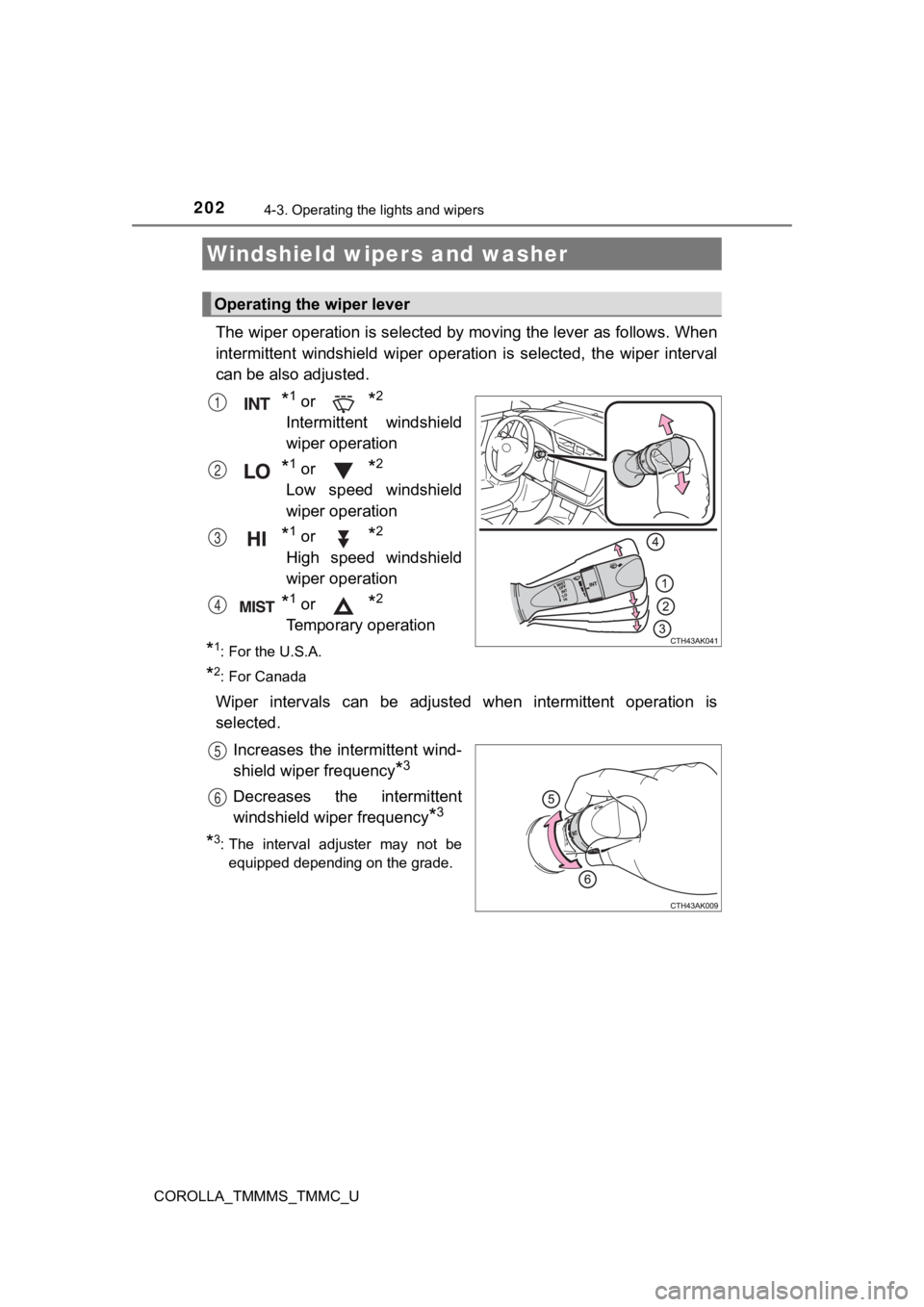
The wiper operation is selected by moving the lever as follows. When
intermittent windshield wiper operation is selected, the wiper interval
can be also adjusted.
*1 or *2
Intermittent windshield
wiper operation
*1 or *2
Low speed windshield
wiper operation
*1 or *2
High speed windshield
wiper operation
*1 or *2
Temporary operation
*1: For the U.S.A.
*2: For Canada
Wiper intervals can be adjusted when intermittent operation is
selected.
Increases the intermittent wind-
shield wiper frequency
*3
Decreases the intermittent
windshield wiper frequency
*3
*3: The interval adjuster may not beequipped depending on the grade.
Windshield wipers and washer
Operating the wiper lever
1
2
3
4
5
6
Page 208 of 608

2084-5. Using the driving support systems
COROLLA_TMMMS_TMMC_U
The pre-collision system is equipped with a sophisticated compu ter
that will record certain data, such as: • Accelerator status
• Brake status
• Vehicle speed
• Operation status of the pre-collision system functions
• Information (such as the dist ance and relative speed between y our
vehicle and the vehicle ahead or other objects)
• Images from the camera sensor (available only when the pre-col li-
sion braking function or the pre-collision brake assist functio n was
operating)
The pre-collision system does no t record conversations, sounds or
images of the inside of the vehicle.
● Data usage
Toyota may use the data recorded in this computer to diagnose
malfunctions, conduct research and development, and improve
quality.
Toyota will not disclose the recorded data to a third party exc ept:
• With the consent of the vehicle owner or with the consent of t he
lessee if the vehicle is leased
• In response to an official request by the police, a court of l aw or a
government agency
• For use by Toyota in a lawsuit
• For research purposes where the data is not tied to a specific vehicle or vehicle owner
● Recorded images can be erased using a specialized device.
The image recording function can be disabled. However, if the f unc-
tion is disabled, data from when the pre-collision system opera tes
will not be available.
Vehicle data recording
Page 214 of 608
2144-5. Using the driving support systems
COROLLA_TMMMS_TMMC_U
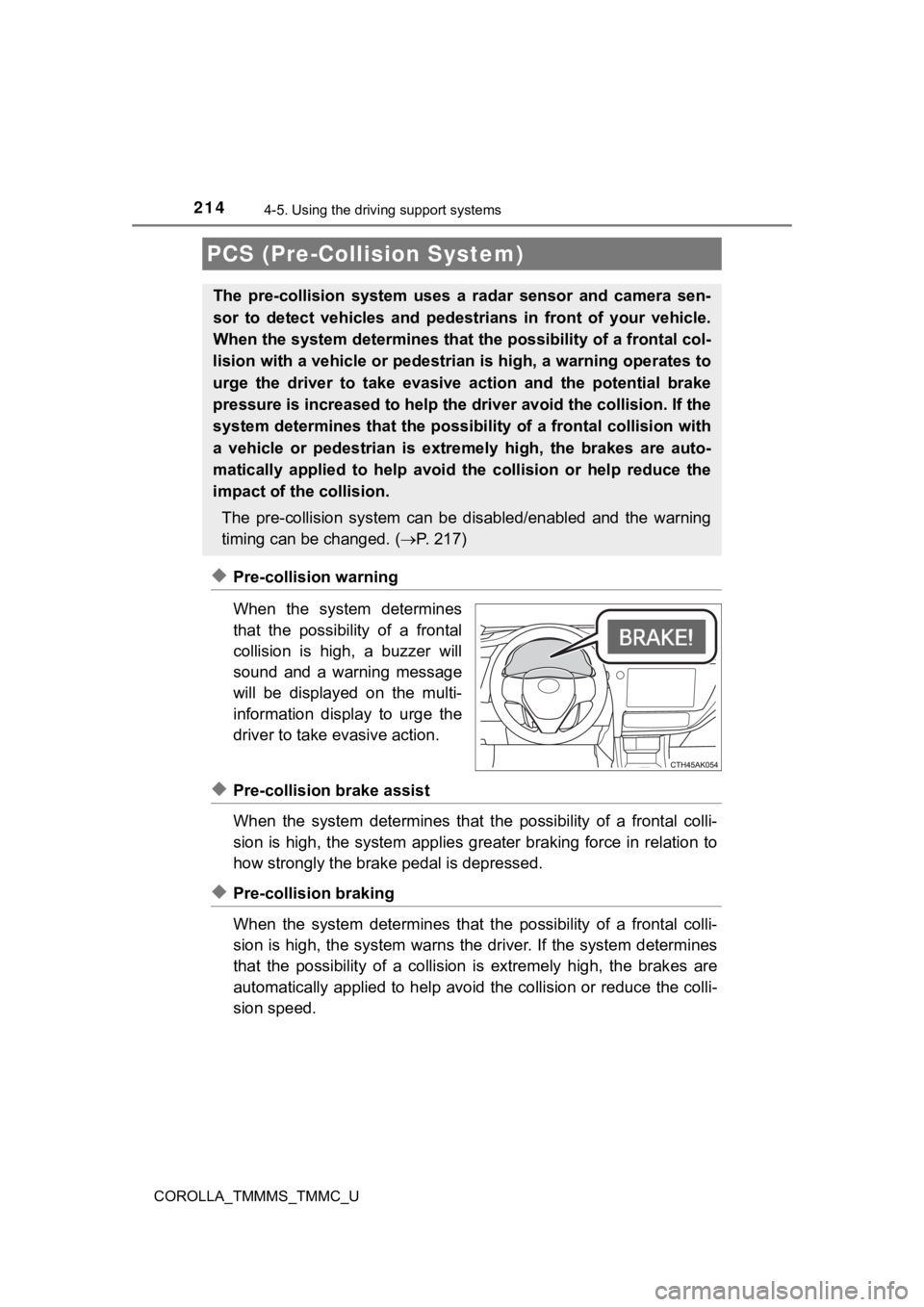
◆Pre-collision warning
When the system determines
that the possibility of a frontal
collision is high, a buzzer will
sound and a warning message
will be displayed on the multi-
information display to urge the
driver to take evasive action.
◆Pre-collision brake assist
When the system determines that the possibility of a frontal colli-
sion is high, the system applies greater braking force in relat ion to
how strongly the brak e pedal is depressed.
◆Pre-collision braking
When the system determines that the possibility of a frontal colli-
sion is high, the system warns the driver. If the system determ ines
that the possibility of a colli sion is extremely high, the brak es are
automatically applied to help avoid the collision or reduce the colli-
sion speed.
PCS (Pre-Collision System)
The pre-collision system uses a radar sensor and camera sen-
sor to detect vehicles and pedest rians in front of your vehicle.
When the system determines that t he possibility of a frontal col-
lision with a vehicle or pedest rian is high, a warning operates to
urge the driver to take evasive action and the potential brake
pressure is increased to help the driver avoid the collision. If the
system determines that the possi bility of a frontal collision with
a vehicle or pedestrian is extremely high, the brakes are auto-
matically applied to help avoid the collision or help reduce th e
impact of the collision.
The pre-collision system can b e disabled/enabled and the warnin g
timing can be changed. ( P. 2 1 7 )
Page 216 of 608

2164-5. Using the driving support systems
COROLLA_TMMMS_TMMC_U
WARNING
■When to disable the pre-collision system
In the following situations, disable the system, as it may not operate prop-
erly, possibly leading to an accident resulting in death or ser ious injury:
● When the vehicle is being towed
● When your vehicle is towing another vehicle
● When transporting the vehicle via truck, boat, train or similar means of
transportation
● When the vehicle is raised on a lift with the engine running an d the tires
are allowed to rotate freely
● When inspecting the vehicle using a drum tester such as a chass is dyna-
mometer or speedometer tester, or when using an on vehicle whee l bal-
ancer
● When a strong impact is applied to the front bumper or front gr ille, due to
an accident or other reasons
● If the vehicle cannot be driven in a stable manner, such as when the vehi-
cle has been in an accident or is malfunctioning
● When the vehicle is driven in a sporty manner or off-road
● When the tires are not properly inflated
● When the tires are very worn
● When tires of a size other than specified are installed
● When tire chains are installed
● When a compact spare tire or an emergency tire puncture repair kit is used
● If equipment (snow plow, etc.) that may obstruct the radar sens or or cam-
era sensor is temporarily installed to the vehicle
Page 218 of 608

2184-5. Using the driving support systems
COROLLA_TMMMS_TMMC_U
■Operational conditions
The pre-collision system is enabled and the system determines that the pos-
sibility of a frontal collision with a vehicle or pedestrian is high.
Each function is operational at the following speeds:
● Pre-collision warning:
• Vehicle speed is between approximately 7 and 110 mph (10 and 1 80 km/h).
(For detecting a pedestrian, vehicle speed is between approxima tely 7 and
50 mph [10 and 80 km/h].)
• The relative speed between your vehicle and the vehicle or ped estrian
ahead is approximately 7 mph (10 km/h) or more.
● Pre-collision brake assist:
• Vehicle speed is between approximately 20 and 110 mph (30 and 180 km/h).
(For detecting a pedestrian, vehicle speed is between approxima tely 20 and
50 mph [30 and 80 km/h].)
• The relative speed between your vehicle and the vehicle or ped estrian
ahead is approximately 20 mph (30 km/h) or more.
● Pre-collision braking:
• Vehicle speed is between approximately 7 and 110 mph (10 and 1 80
km/h). (For detecting a pedestrian, vehicle speed is between ap proxi-
mately 7 and 50 mph [10 and 80 km/h].)
• The relative speed between your vehicle and the vehicle or ped estrian
ahead is approximately 7 mph (10 km/h) or more.
The system may not operate in the following situations:
● If a battery terminal has been disconnected and reconnected and then the
vehicle has not been driven for a certain amount of time
● If the shift lever is in R
● If VSC is disabled (only the pre-collision warning function wil l be opera-
tional)
Page 223 of 608
2234-5. Using the driving support systems
4
Driving
COROLLA_TMMMS_TMMC_U• When driving in inclement weather such as heavy rain, fog, snow or a
sandstorm
• When the vehicle is hit by water, snow, dust, etc. from a vehicle ahead
• When driving through steam or smoke
• When driving in a place where the surrounding brightness changes sud- denly, such as at the entrance or exit of a tunnel
• When a very bright light, such as the sun or the headlights of oncoming
traffic, shines directly into the camera sensor
• When the surrounding area is dim, such as at dawn or dusk, or while at
night or in a tunnel
• After the engine has started the vehicle has not been driven for a certain amount of time
• While making a left/right turn and for a few seconds after mak ing a left/
right turn
• While driving on a curve and for a few seconds after driving o n a curve
• If your vehicle is skidding
• If the wheels are misaligned
• If a wiper blade is blocking the camera sensor
• The vehicle is wobbling.
• The vehicle is being driven at extremely high speeds.
• When driving on a hill
• If the radar sensor or camera sensor is misaligned
● In some situations such as the following, sufficient braking fo rce may not be
obtained, preventing the system from performing properly:
• If the braking functions cannot operate to their full extent, such as when
the brake parts are extremely cold, extremely hot, or wet
• If the vehicle is not properly maintained (brakes or tires are excessively
worn, improper tire inflation pressure, etc.)
• When the vehicle is being driven on a gravel road or other sli ppery sur-
face
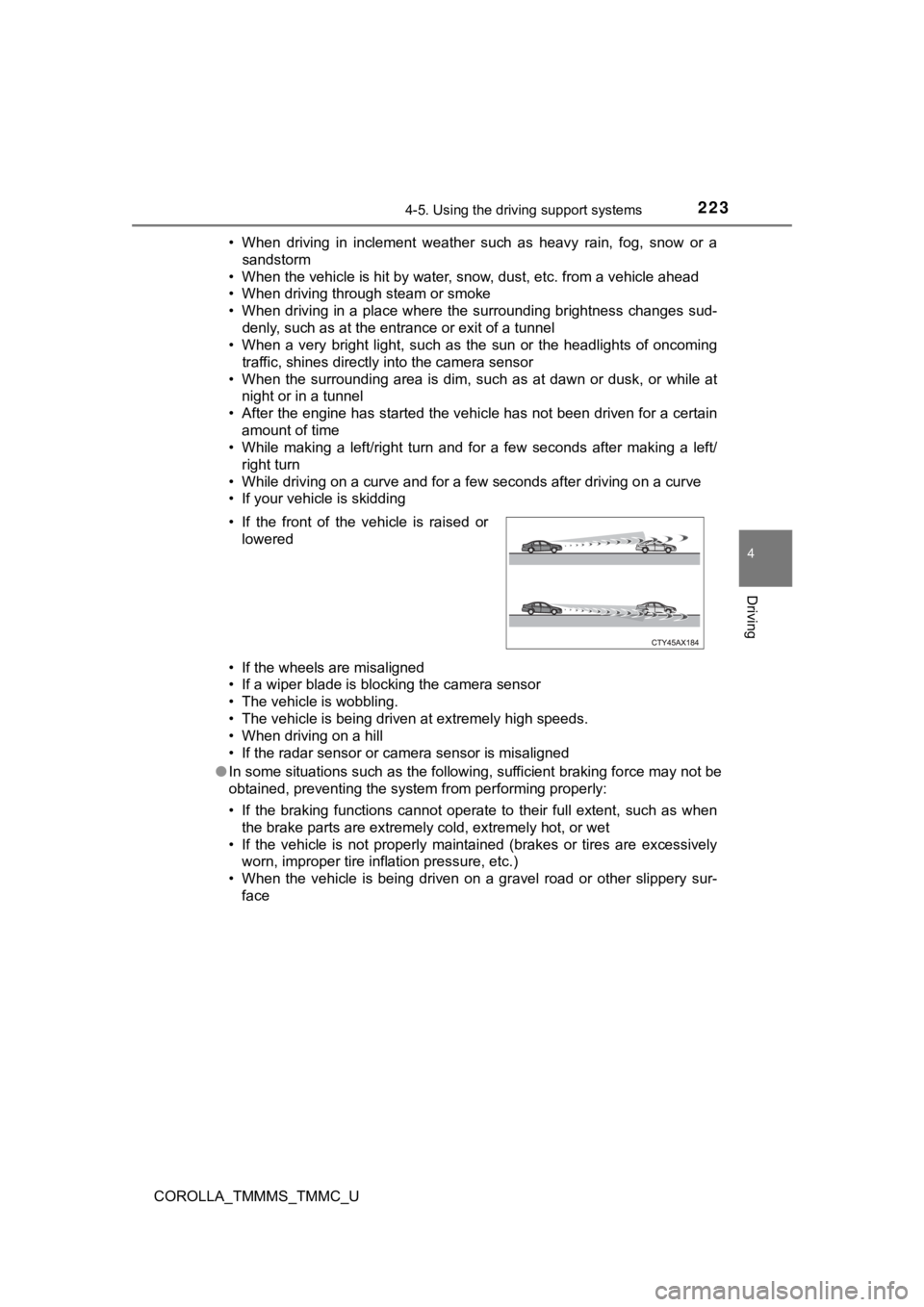
• If the front of the vehicle is raised or
lowered
Page 224 of 608

2244-5. Using the driving support systems
COROLLA_TMMMS_TMMC_U●
Some pedestrians such as the following may not be detected by t he radar
sensor and camera sensor, preventing the system from operating properly:
• Pedestrians shorter than approximately 3.2 ft. (1 m) or taller than approx-
imately 6.5 ft. (2 m)
• Pedestrians wearing oversized clothing (a rain coat, long skir t, etc.), mak-
ing their silhouette obscure
• Pedestrians who are carrying large baggage, holding an umbrella, etc.,
hiding part of their body
• Pedestrians who are bending forward or squatting
• Pedestrians who are pushing a stroller, wheelchair, bicycle or other vehi-
cle
• Groups of pedestrians which are close together
• Pedestrians who are wearing white and look extremely bright
• Pedestrians in the dark, such as at night or while in a tunnel
• Pedestrians whose clothing appears to be nearly the same color or
brightness as their surroundings
• Pedestrians near walls, fences, guardrails, or large objects
• Pedestrians who are on a metal object (manhole cover, steel plate, etc.) on the road
• Pedestrians who are walking fast
• Pedestrians who are changing speed abruptly
• Pedestrians running out from behind a vehicle or a large objec t
• Pedestrians who are extremely close to the side of the vehicle (outside rear view mirror, etc.)
Page 231 of 608

2314-5. Using the driving support systems
4
Driving
COROLLA_TMMMS_TMMC_U
■Operation conditions of each function
●Lane departure alert function
This function operates when all of the following conditions are met.
• LDA is turned on.
• Vehicle speed is approximately 32 mph (50 km/h) or more.
• System recognizes white (yellow) lines.
• Width of traffic lane is approximately 9.8 ft. (3 m) or more.
• Turn signal lever is not operated.
• Vehicle is driven on a straight road or around a gentle curve with a radius
of more than approximately 492 ft. (150 m).
• No system malfunctions are detected. ( P. 480)
● Steering control function
This function operates when all of the following conditions are met in addi-
tion to the operation conditions for the lane departure alert function.
• Setting for the steering control function is set to on. ( P. 90)
• Vehicle is not accelerated or decelerated by a certain amount or more.
• Steering wheel is not operated with a steering force level suitable for
changing lanes.
• ABS, VSC, TRAC and PCS are not operating.
• TRAC or VSC is not turned off.
● Vehicle sway warning function
This function operates when all of the following conditions are met.
• Setting for the vehicle sway warning function is set to on. ( P. 90)
• Vehicle speed is approximately 32 mph (50 km/h) or more.
• Width of traffic lane is approximately 9.8 ft. (3 m) or more.
• No system malfunctions are detected. ( P. 480)
■ Temporary cancellation of functions
When the operation conditions are no longer met, a function may be tempo-
rarily canceled. However, when the operation conditions are met again, oper-
ation of the function is automatically restored. ( P. 231)
■ Steering control function
Depending on the vehicle speed, lane departure situation, road conditions,
etc., the driver may not feel the function is operating or the function may not
operate at all.
■ Lane departure alert function
The warning buzzer may be difficult to hear due to external noi se, audio play-
back, etc.
Page 235 of 608
2354-5. Using the driving support systems
4
Driving
COROLLA_TMMMS_TMMC_U
In vehicle-to-vehicle distance control mode, the vehicle automatically
accelerates and decelerates to match the speed changes of the p re-
ceding vehicle even if the accelerator pedal is not depressed. In con-
stant speed control mode, t he vehicle runs at a fixed speed.
Use the dynamic radar cruise c ontrol on freeways and highways.
● Vehicle-to-vehicle distance control mode ( P. 238)
● Constant speed c ontrol mode (P. 243)
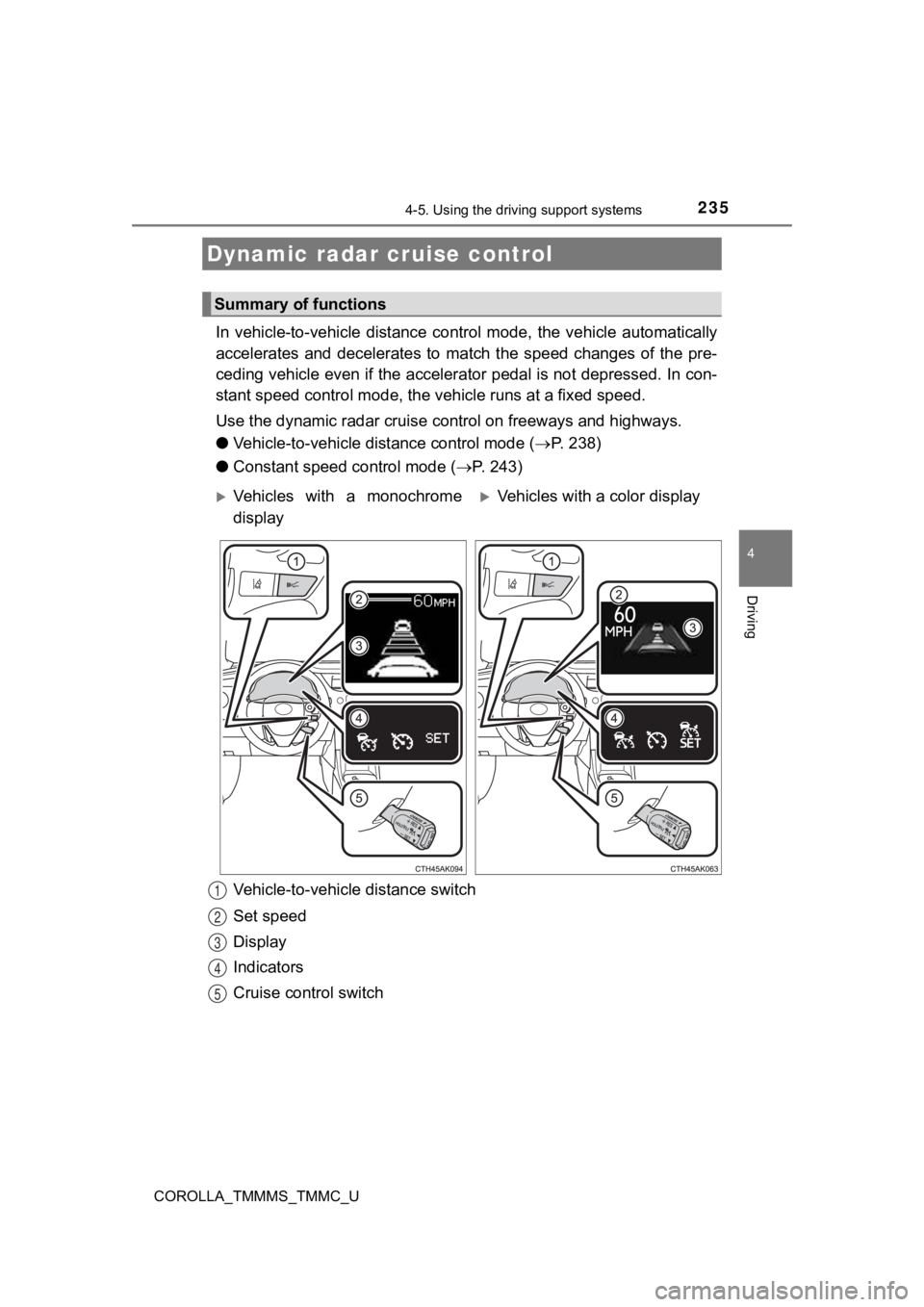
Vehicle-to-vehicle distance switch
Set speed
Display
Indicators
Cruise control switch
Dynamic radar cruise control
Summary of functions
Vehicles with a monochrome
displayVehicles with a color display
1
2
3
4
5
Page 236 of 608

2364-5. Using the driving support systems
COROLLA_TMMMS_TMMC_U
WARNING
■Before using dynamic r adar cruise control
Driving safely is the sole responsibility of the driver. Do not rely solely on the
system, and drive safely by always paying careful attention to your sur-
roundings.
The dynamic radar cruise control provides driving assistance to reduce the
driver's burden. However, there are limitations to the assistan ce provided.
Set the speed appropriately depending on the speed limit, traff ic flow, road
conditions, weather conditions, etc. The driver is responsible for checking
the set speed.
Even when the system is functioning normally, the condition of the preced-
ing vehicle as detected by the system may differ from the condi tion
observed by the driver. Therefore, the driver must always remai n alert,
assess the danger of each situation and drive safely. Relying o n this system
or assuming the system ensures safety while driving can lead to an acci-
dent, resulting in death or serious injury.
■ Cautions regarding the driving assist systems
Observe the following precautions, as there are limitations to the assistance
provided by the system.
Failure to do so may cause an accident resulting in death or se rious injury.
● Assisting the driver to measure following distance
The dynamic radar cruise control is only intended to help the d river in
determining the following distance between the driver’s own veh icle and a
designated vehicle traveling ahead. It is not a mechanism that allows care-
less or inattentive driving, and it is not a system that can as sist the driver in
low-visibility conditions. It is still necessary for driver to pay close attention
to the vehicle’s surroundings.
● Assisting the driver to judge proper following distance
The dynamic radar cruise control determines whether the followi ng dis-
tance between the driver’s own vehicle and a designated vehicle traveling
ahead is within a set range. It is not capable of making any ot her type of
judgement. Therefore, it is absolutely necessary for the driver to remain
vigilant and to determine whether or not there is a possibility of danger in
any given situation.
● Assisting the driver to operate the vehicle
The dynamic radar cruise control has limited capability to prev ent or avoid
a collision with a vehicle traveling ahead. Therefore, if there is ever any
danger, the driver must take immediate and direct control of th e vehicle
and act appropriately in order to ensure the safety of all invo lved.
■ To avoid inadvertent dynamic r adar cruise control activation
Switch the dynamic radar cruise control off using the “ON-OFF” button
when not in use.