change time TOYOTA COROLLA 2023 User Guide
[x] Cancel search | Manufacturer: TOYOTA, Model Year: 2023, Model line: COROLLA, Model: TOYOTA COROLLA 2023Pages: 468, PDF Size: 14.4 MB
Page 155 of 468
1554-2. Driving procedures
4
Driving
3ON ( “ON” position)
All electrical com ponents can be
used.
4 START ( “START” position)
For starting the engine.
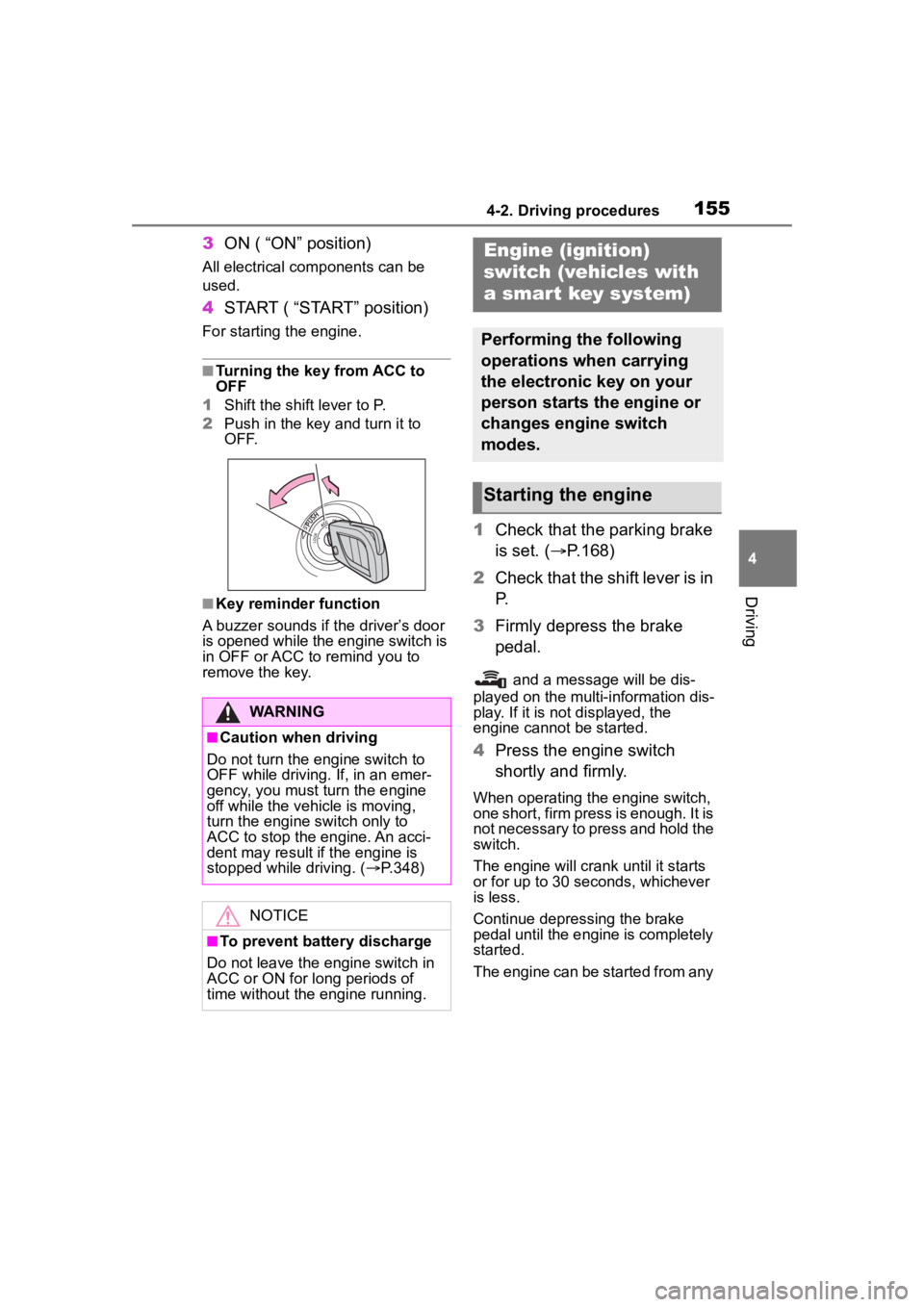
■Turning the key from ACC to
OFF
1 Shift the shift lever to P.
2 Push in the key and turn it to
OFF.
■Key reminder function
A buzzer sounds if the driver’s door
is opened while the engine switch is
in OFF or ACC to r emind you to
remove the key.
1 Check that the parking brake
is set. ( P.168)
2 Check that the shift lever is in
P.
3 Firmly depress the brake
pedal.
and a message will be dis-
played on the multi-information dis-
play. If it is not displayed, the
engine cannot be started.
4 Press the engine switch
shortly and firmly.
When operating the engine switch,
one short, firm press is enough. It is
not necessary to press and hold the
switch.
The engine will crank until it starts
or for up to 30 seconds, whichever
is less.
Continue depressing the brake
pedal until the engine is completely
started.
The engine can be started from any
WARNING
■Caution when driving
Do not turn the engine switch to
OFF while driving. If, in an emer-
gency, you must turn the engine
off while the vehicle is moving,
turn the engine switch only to
ACC to stop the engine. An acci-
dent may result i f the engine is
stopped while driving. ( P.348)
NOTICE
■To prevent battery discharge
Do not leave the engine switch in
ACC or ON for long periods of
time without the engine running.
Engine (ignition)
switch (vehicles with
a smar t key system)
Performing the following
operations when carrying
the electronic key on your
person starts the engine or
changes engine switch
modes.
Starting the engine
Page 158 of 468
1584-2. Driving procedures
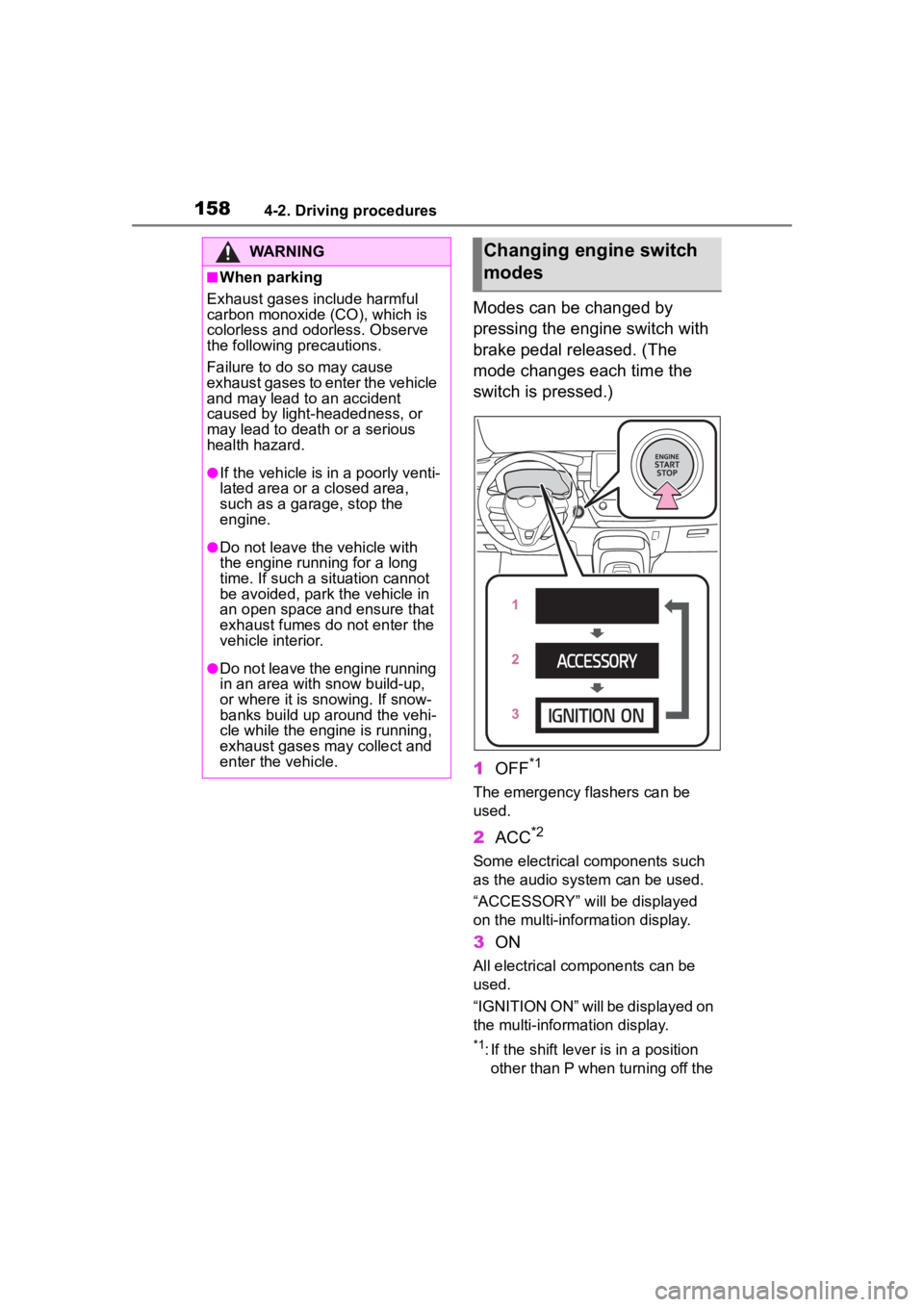
Modes can be changed by
pressing the engine switch with
brake pedal released. (The
mode changes each time the
switch is pressed.)
1OFF
*1
The emergency flashers can be
used.
2ACC*2
Some electrical components such
as the audio sys tem can be used.
“ACCESSORY” will be displayed
on the multi-information display.
3 ON
All electrical components can be
used.
“IGNITION ON” will be displayed on
the multi-information display.
*1: If the shift lever is in a position
other than P when turning off the
WARNING
■When parking
Exhaust gases include harmful
carbon monoxide (CO), which is
colorless and odorless. Observe
the following precautions.
Failure to do so may cause
exhaust gases to enter the vehicle
and may lead to an accident
caused by light-headedness, or
may lead to death or a serious
health hazard.
●If the vehicle is in a poorly venti-
lated area or a closed area,
such as a garage, stop the
engine.
●Do not leave the vehicle with
the engine running for a long
time. If such a situation cannot
be avoided, park the vehicle in
an open space and ensure that
exhaust fumes do not enter the
vehicle interior.
●Do not leave the engine running
in an area with snow build-up,
or where it is snowing. If snow-
banks build up around the vehi-
cle while the engine is running,
exhaust gases may collect and
enter the vehicle.
Changing engine switch
modes
Page 165 of 468
1654-2. Driving procedures
4
Driving
range higher than the current
range.
Changing the shift range allows
restriction of the highest gear,
preventing unnecessary upshift-
ing and enabling the level of
engine braking force to be
selected.
1Upshifting
2 Downshifting
The selected shift range, from D1 to
D10, will be dis played on the
multi-information display.
■Gear step functions
●You can choose from 10 levels of
engine braking force.
●A lower gear s tep will provide
greater engine braking force than
a higher gear step, and the engine
speed will also increase.
■Deactivation of temporary
10-speed Sport Sequential
Shiftmatic mode
In the following situations, tempo-
rary 10-speed Sport Sequential
Shiftmatic mode will be deactivated:
●When the vehicle is stopped
●If the accelerator pedal is
depressed continuously for more
than a certain amount of time
while in one gear range
●If the accelerator pedal is
depressed abruptly and heavily
●When the shift lever is shifted to a
position other than D
●W h en th e “+ ” p ad dle sh ift sw itch is
operated for a certain amount of
time continuously
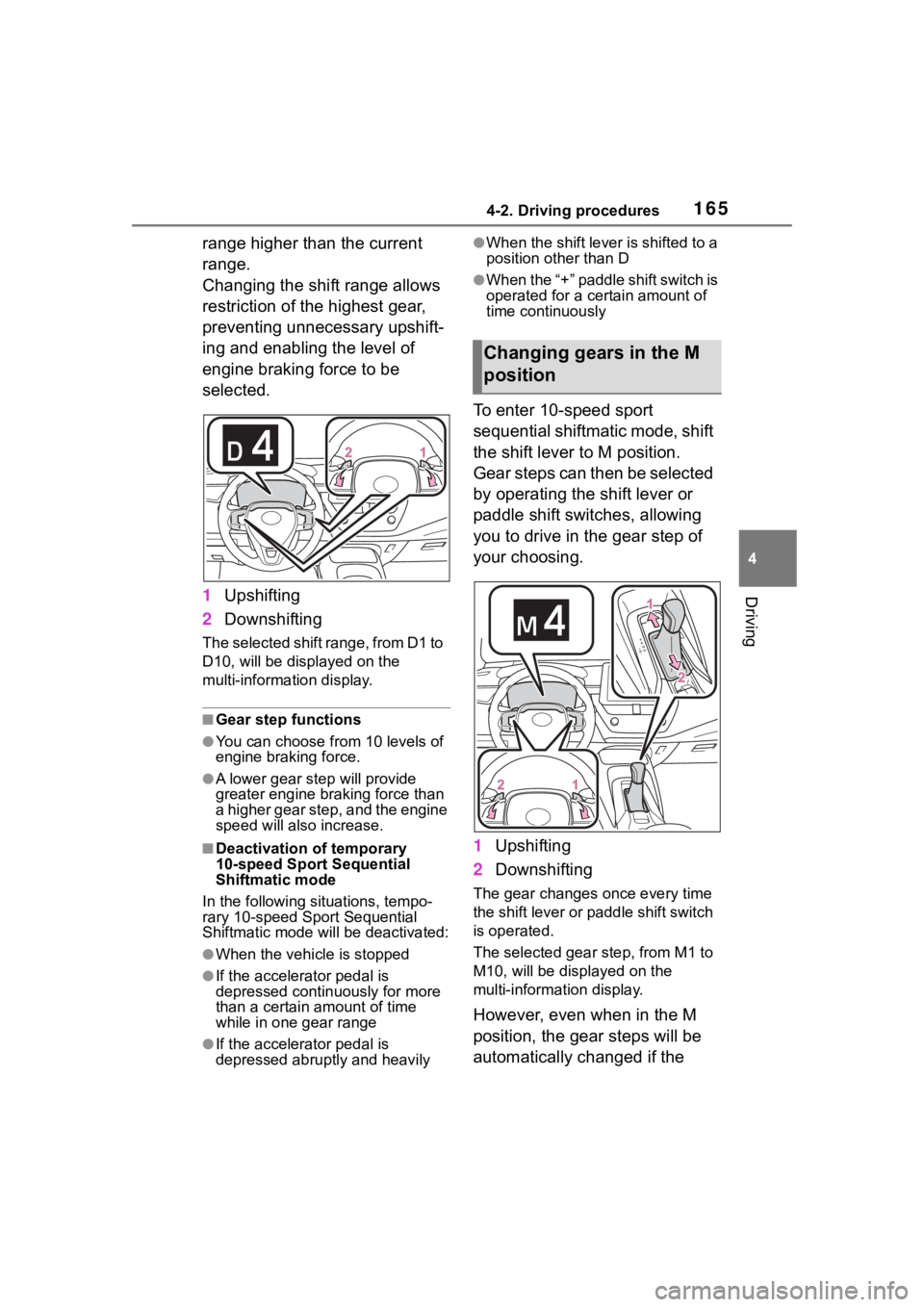
To enter 10-speed sport
sequential shiftmatic mode, shift
the shift lever to M position.
Gear steps can then be selected
by operating the shift lever or
paddle shift switches, allowing
you to drive in the gear step of
your choosing.
1Upshifting
2 Downshifting
The gear changes once every time
the shift lever or paddle shift switch
is operated.
The selected gear step, from M1 to
M10, will be dis played on the
multi-information display.
However, even when in the M
position, the gear steps will be
automatically changed if the
Changing gears in the M
position
Page 167 of 468
1674-2. Driving procedures
4
Driving
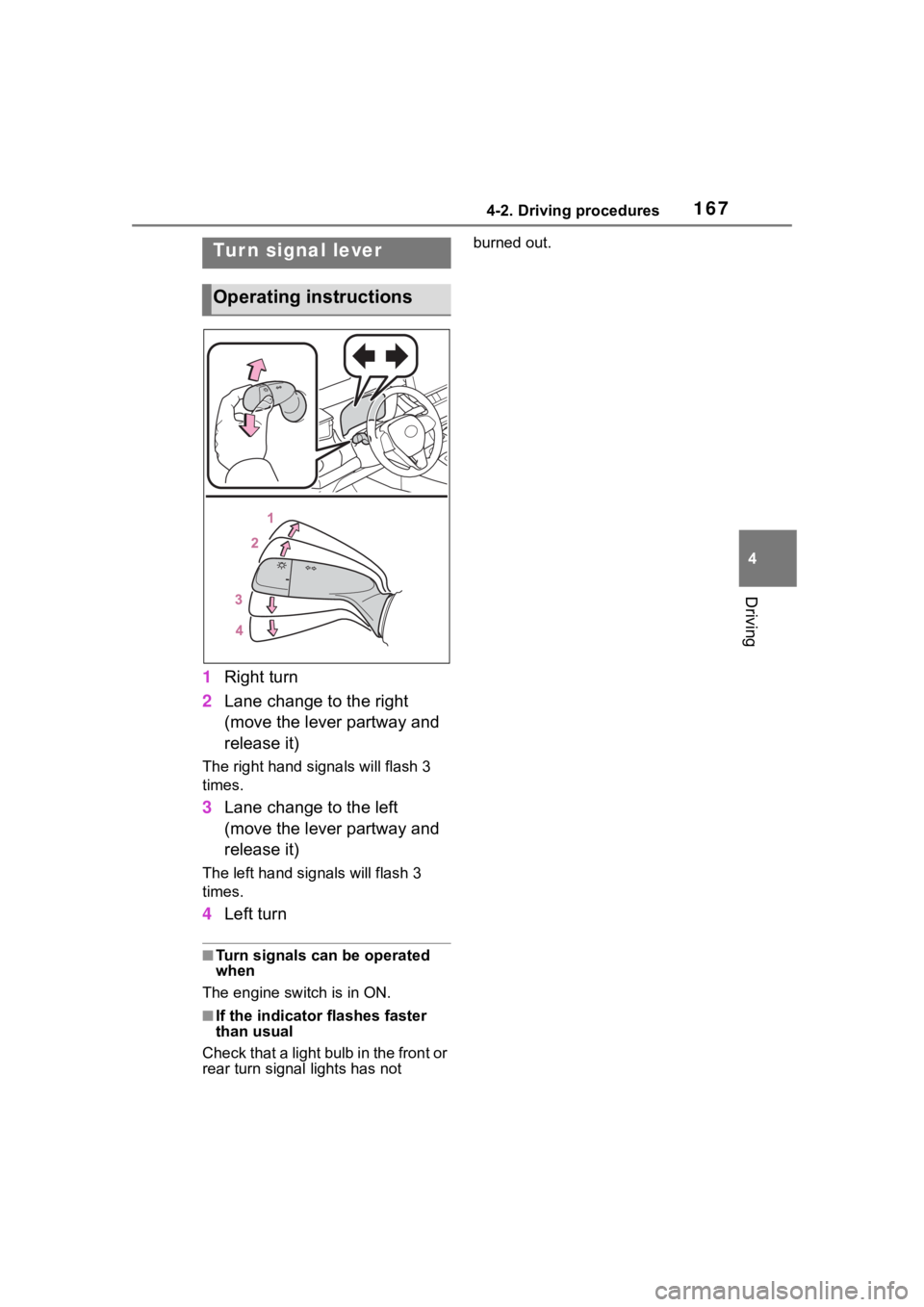
1Right turn
2 Lane change to the right
(move the lever partway and
release it)
The right hand signals will flash 3
times.
3Lane change to the left
(move the lever partway and
release it)
The left hand signals will flash 3
times.
4Left turn
■Turn signals can be operated
when
The engine switch is in ON.
■If the indicator flashes faster
than usual
Check that a light bulb in the front or
rear turn signal lights has not burned out.
Tur n signal lever
Operating instructions
Page 177 of 468
1774-3. Operating the lights and wipers
4
Driving
roundings. This may cause the
low beams to remain on or the
high beams to flash or dazzle
pedestrians or vehicles ahead. In
such a case, it is necessary to
manually change between the
high beams and low beams.
• When there are lights similar to headlights or tail li ghts in the sur-
rounding area
• When headlights or tail lights of vehicles ahead are turned off,
dirty, changing color, or not aimed
properly
• When the headlights are repeat-
edly changing between the high
beams and low beams.
• When use of the high beams is
inappropriate or when the high
beams may be flashing or daz-
zling pedestrians or other drivers.
• When the vehicle is used in an area in which vehicles travel on
the opposite side of the road of
the country for wh ich the vehicle
was designed, for example using
a vehicle designed for right-hand
traffic in a left-hand traffic area, or
vice versa
• When it is necessary to disable
the system: P. 1 8 4
• Situations in which the sensors may not operate properly: P. 1 8 8
■Temporarily reducing front
camera sensitivity (for the
U.S.A.)
The sensitivity o f the front camera
can be temporarily reduced.
1 Turn the engine switch off with
the following conditions met.
• The headlight switch is in the
or position.
• The headlight switch lever is in the low beam position.
• The automatic High Beam switch is on.
2 Press the engine switch to ON.
3 Within 60 seconds after perform-
ing step 2, push the headlight
switch lever to the high beam
position then pull it to the original position quickly 10 times, then
leave the lever in its original posi-
tion.
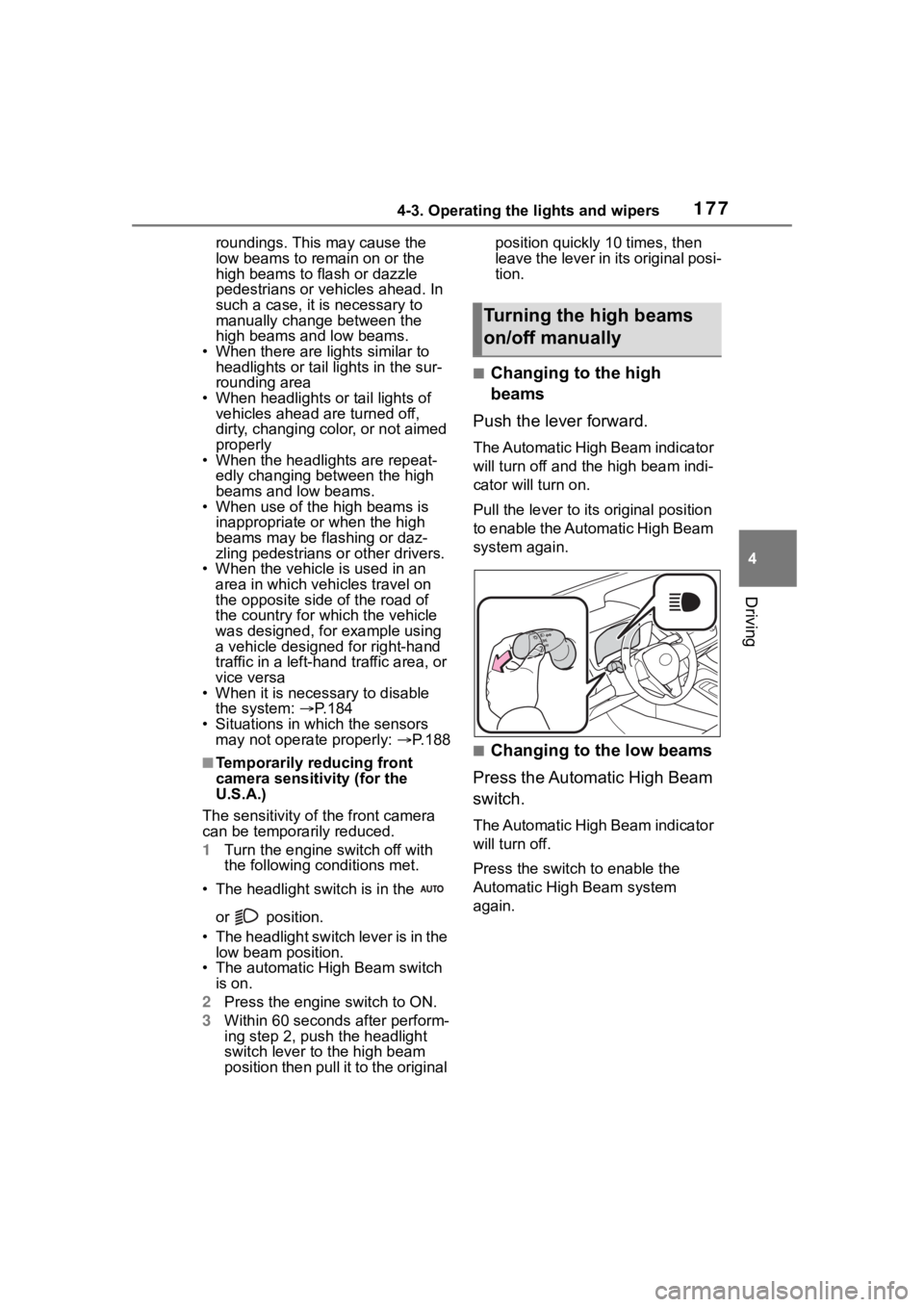
■Changing to the high
beams
Push the lever forward.
The Automatic High Beam indicator
will turn off and the high beam indi-
cator will turn on.
Pull the lever to its original position
to enable the Automatic High Beam
system again.
■Changing to the low beams
Press the Automatic High Beam
switch.
The Automatic High Beam indicator
will turn off.
Press the switch to enable the
Automatic High Beam system
again.
Turning the high beams
on/off manually
Page 201 of 468
2014-5. Using the driving support systems
4
Driving
The pre-collision setting can
be changed on the customize
settings. ( P.412)
When the pre-collision warn-
ing timing is changed, the
emergency steering assist
(excluding the active steering
function) timing will also be
changed.
When "Later" is selected, the
emergency steering assist
(excluding the active steering
function) will not operate in
most cases.
When the dynamic radar
cruise control is operating, the
pre-collision warning will
operate at the “Earlier” timing,
regardless of the user setting.
When driving on a road with
clear lane lines with the
dynamic radar cruise control
operating, lane lines and pre-
ceding and surrounding vehi-
cles are detected using the
front camera and radar sen-
sor, and the steering wheel is
operated to maintain the vehi-
cle’s lane position.
Use the this function only on high-
ways and expressways.
If the dynamic radar cruise control
is not operating, the function will not
operate.
In situations where the lane lines
are difficult to see or are not visible,
such as when in a traffic jam, sup-
port will be provided using the path
of preceding and surrounding vehi-
cles.
If the system determines that the
steering wheel has not been oper-
ated for a certain amount of time or
the steering wheel is not being
firmly gripped, the driver will be
alerted via a display and this func-
tion will be temporarily canceled.
If the steering wheel is firmly
gripped, the func tion will begin
operating again.
LTA (Lane Tracing
Assist)
LTA functions
Page 203 of 468
2034-5. Using the driving support systems
4
Driving
the following conditions are met:
●The LTA system detects lane lines
or the path of preceding or sur-
rounding vehicles (except when
the preceding vehicle is small,
such as a motorcycle).
●The dynamic radar cruise control
is operating.
●The lane width is approximately
10 to 13 ft. (3 to 4 m).
●The turn signal le ver is not being
operated.
●The vehicle is not being driven
around a sharp curve.
●The vehicle is not accelerating or
decelerating more than a certain
amount.
●The steering wheel is not being
turned with a large force.
●The hands off steering wheel
warning ( P.203) is not operat-
ing.
●The vehicle is being driven in the
center of a lane.
■Temporary cancelation of func-
tions
●When the operating conditions are
no longer met, a function may be
temporarily canceled. However,
when the operation conditions are
met again, operation of the func-
tion will automatically be restored.
( P.202)
●If the operating conditions of a
function are no longer met while
the function is operating, a buzzer
may sound to indicate that the
function has been temporarily
canceled.
●The steering assist operation of
the function can be overridden by
the steering wheel operation of
the driver.
■Lane departure warning func-
tion when the LTA is operating
●Even if the LDA warning method is
changed to vibration of the steer-
ing wheel, if the vehicle deviates from the lane while the LTA is
operating, the warning buzzer will
sound to aler
t the driver.
●If steering wheel operation equiv-
alent to that necessary for a lane
change is detected, the system
will determine the vehicle is not
deviating from the lane and the
warning will not operate.
■Hands off steering wheel warn-
ing operation
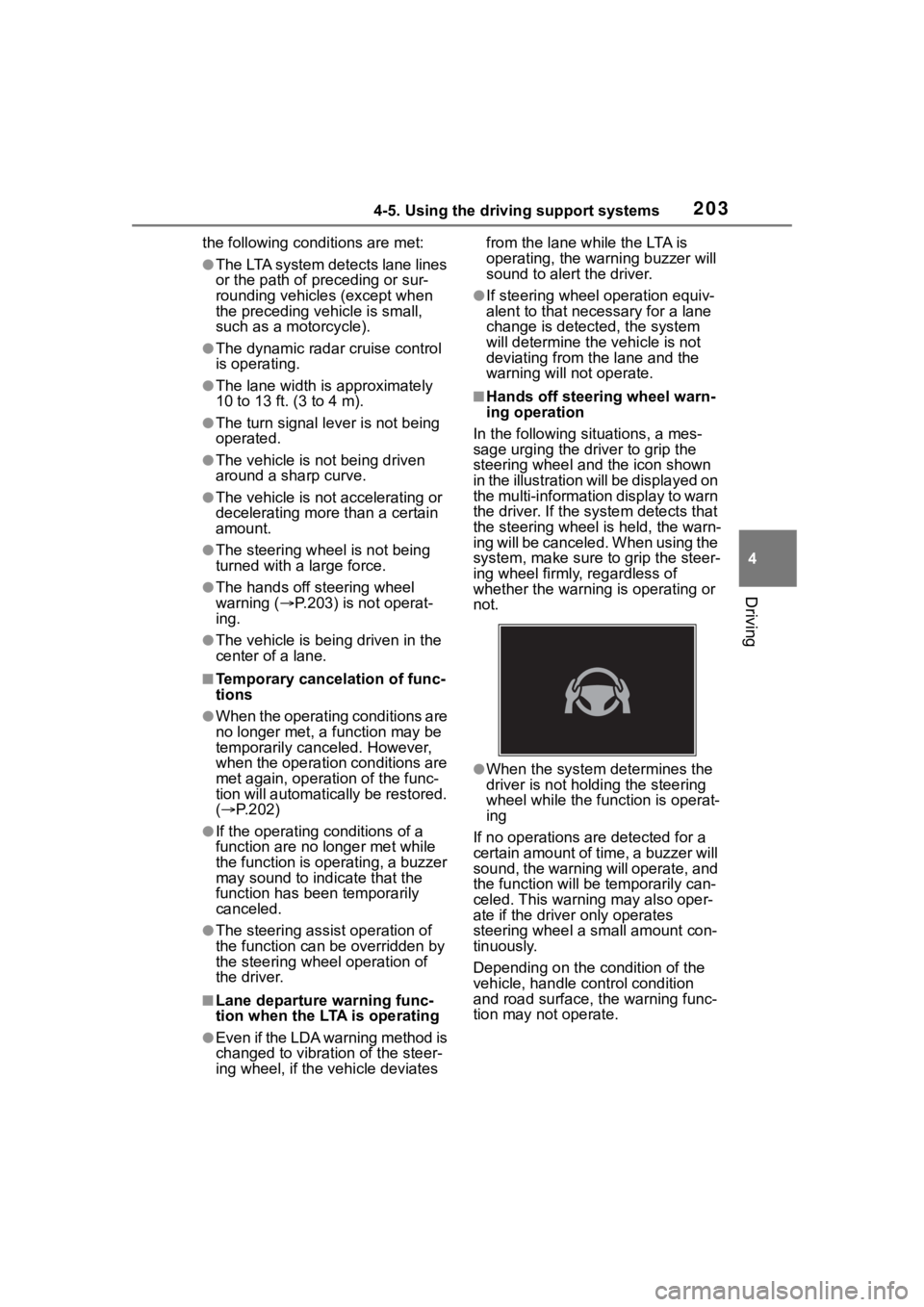
In the following si tuations, a mes-
sage urging the driver to grip the
steering wheel and the icon shown
in the illustration will be displayed on
the multi-information display to warn
the driver. If the system detects that
the steering wheel is held, the warn-
ing will be canceled. When using the
system, make sure to grip the steer-
ing wheel firmly, regardless of
whether the warning is operating or
not.
●When the system determines the
driver is not hold ing the steering
wheel while the function is operat-
ing
If no operations are detected for a
certain amount of time, a buzzer will
sound, the warning will operate, and
the function will be temporarily can-
celed. This warnin g may also oper-
ate if the driver only operates
steering wheel a small amount con-
tinuously.
Depending on the condition of the
vehicle, handle control condition
and road surface, t he warning func-
tion may not operate.
Page 204 of 468
2044-5. Using the driving support systems
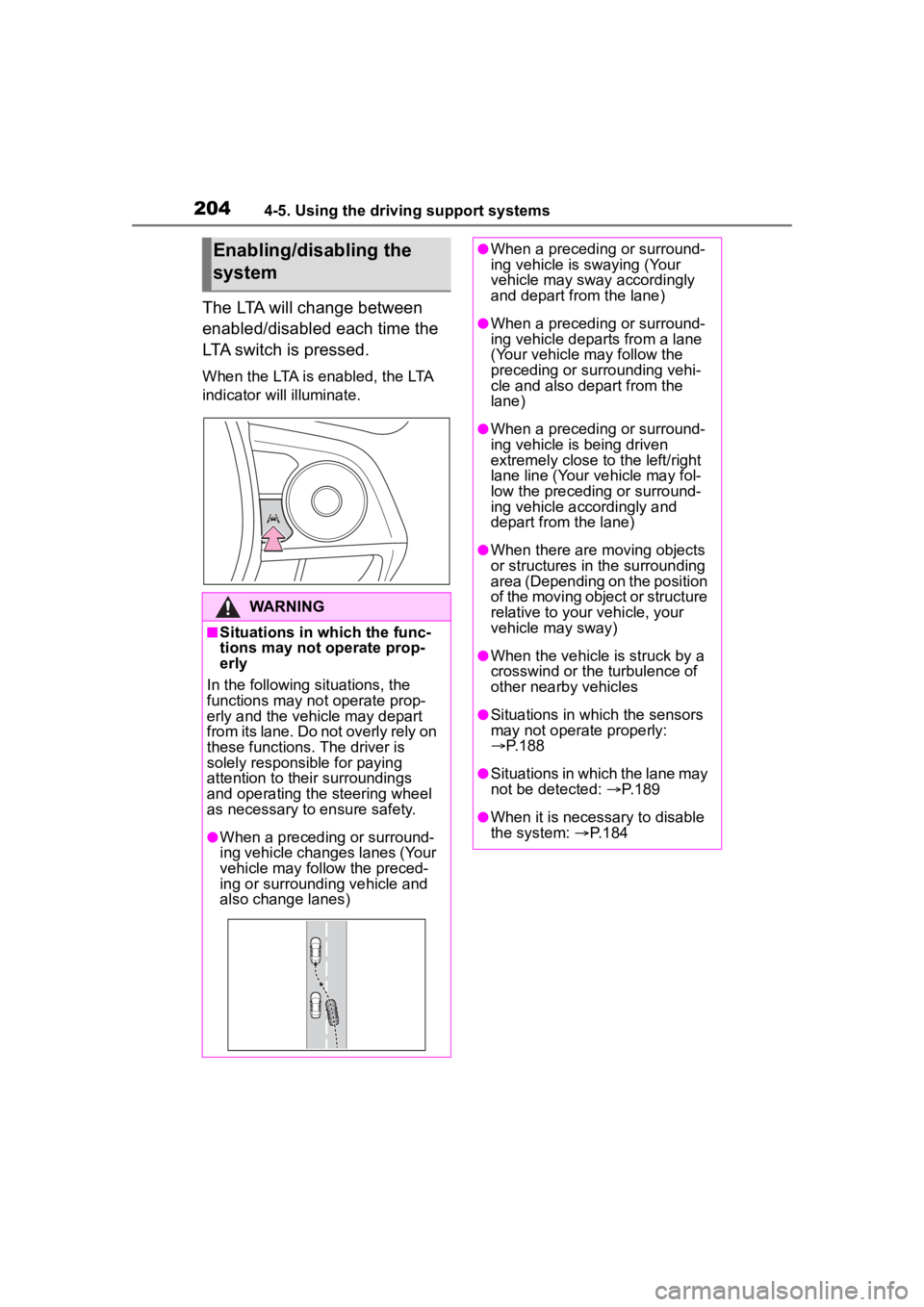
The LTA will change between
enabled/disabled each time the
LTA switch is pressed.
When the LTA is enabled, the LTA
indicator will illuminate.
Enabling/disabling the
system
WARNING
■Situations in which the func-
tions may not operate prop-
erly
In the following situations, the
functions may not operate prop-
erly and the vehicle may depart
from its lane. Do not overly rely on
these functions. The driver is
solely responsible for paying
attention to their surroundings
and operating the steering wheel
as necessary to ensure safety.
●When a preceding or surround-
ing vehicle changes lanes (Your
vehicle may follow the preced-
ing or surrounding vehicle and
also change lanes)
●When a preceding or surround-
ing vehicle is swaying (Your
vehicle may sway accordingly
and depart from the lane)
●When a preceding or surround-
ing vehicle departs from a lane
(Your vehicle may follow the
preceding or surrounding vehi-
cle and also depart from the
lane)
●When a preceding or surround-
ing vehicle is being driven
extremely close to the left/right
lane line (Your vehicle may fol-
low the preceding or surround-
ing vehicle accordingly and
depart from the lane)
●When there are moving objects
or structures in the surrounding
area (Depending on the position
of the moving object or structure
relative to your vehicle, your
vehicle may sway)
●When the vehicle is struck by a
crosswind or the turbulence of
other nearby vehicles
●Situations in which the sensors
may not operate properly:
P.188
●Situations in which the lane may
not be detected: P.189
●When it is necessary to disable
the system: P.184
Page 209 of 468
2094-5. Using the driving support systems
4
Driving
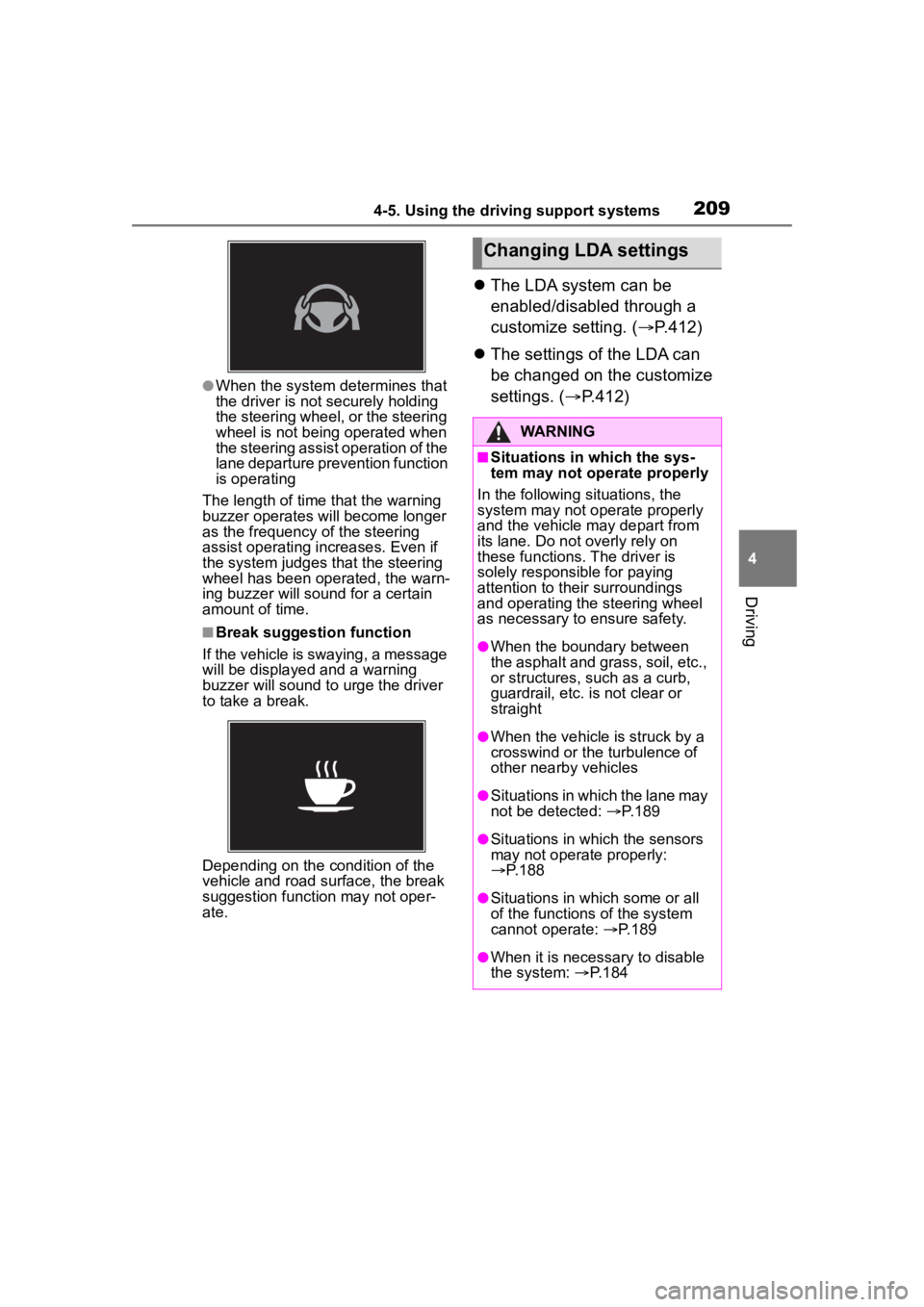
●When the system determines that
the driver is not securely holding
the steering wheel, or the steering
wheel is not being operated when
the steering assist operation of the
lane departure prevention function
is operating
The length of time that the warning
buzzer operates will become longer
as the frequency o f the steering
assist operating i ncreases. Even if
the system judges that the steering
wheel has been operated, the warn-
ing buzzer will sound for a certain
amount of time.
■Break suggestion function
If the vehicle is swaying, a message
will be displayed and a warning
buzzer will sound to u rge the driver
to take a break.
Depending on the condition of the
vehicle and road surface, the break
suggestion functi on may not oper-
ate.
The LDA system can be
enabled/disabled through a
customize setting. ( P.412)
The settings of the LDA can
be changed on the customize
settings. ( P.412)
Changing LDA settings
WARNING
■Situations in which the sys-
tem may not ope rate properly
In the following situations, the
system may not operate properly
and the vehicle may depart from
its lane. Do not overly rely on
these functions. The driver is
solely responsible for paying
attention to their surroundings
and operating the steering wheel
as necessary to ensure safety.
●When the boundary between
the asphalt and grass, soil, etc.,
or structures, such as a curb,
guardrail, etc. is not clear or
straight
●When the vehicle is struck by a
crosswind or the turbulence of
other nearby vehicles
●Situations in which the lane may
not be detected: P.189
●Situations in which the sensors
may not operate properly:
P.188
●Situations in which some or all
of the functions of the system
cannot operate: P.189
●When it is necessary to disable
the system: P.184
Page 214 of 468
2144-5. Using the driving support systems
WARNING
●When a detectable object is
approaching your vehicle
●When your vehicle or a detect-
able object is wandering
●When the movement of a
detectable object changes
(change in direction, sudden
acceleration or deceleration,
etc.)
●When suddenly approaching a
detectable object
●When a preceding vehicle or
motorcycle is not directly in front
of your vehicle
●When there is a structure above
a detectable object
●When part of a detectable
object is hidden by another
object (large luggage, umbrella,
guardrail, etc.)
●When multiple detectable
objects are overlapping
●When a bright light, such as the
sun or headlights of another
vehicle, is reflecting off of the
detectable object
●When the detectable object is
white and looks extremely bright
●When the color or brightness of
the detectable object causes it
to blend in with its surroundings
●When a detectable object cuts
in front of or emerges from
beside a vehicle
●When approaching a vehicle
ahead which is perpendicular or
at an angle to the vehicle, or is
facing the vehicle
●If a parked vehicle is perpendic-
ular or at an angle to the vehicle
●When a bicycle is a child sized
bicycle, is carrying a large load,
is carrying an extra passenger,
or has an unusual shape (bicy-
cles equipped with a child seat,
tandem bicycles, etc.)
●When a pedestrian or bicyclist is
shorter than app roximately 3.2
ft. (1 m) or talle r than approxi-
mately 6.5 ft. (2 m)
●When the silhouette of a pedes-
trian or bicyclist is unclear (such
as when they are wearing a
raincoat, long skirt, etc.)
●When a pedestrian or bicyclist is
bending forward or squatting
●When a pedestrian or bicyclist is
moving at high speed
●When a pedestrian is pushing a
stroller, wheelchair, bicycle or
other vehicle
●When a detectable object
blends in with the surrounding
area, such as when it is dim (at
dawn or dusk) or dark (at night,
in a tunnel, etc.)
●When the lane width is 13.1 ft.
(4 m) or more
●When the lane width is 8.2 ft.
(2.5 m) or less
●When the vehicle has not been
driven for a certain amount of
time after the engine was
started
●While turning left or right or a
few seconds after turning left or
right
●While changing lanes or a few
seconds after changing lanes
●When entering a curve, driving
around a curve and a few sec-
onds after driving around a
curve