change time TOYOTA COROLLA HATCHBACK 2022 (in English) Owner's Manual
[x] Cancel search | Manufacturer: TOYOTA, Model Year: 2022, Model line: COROLLA HATCHBACK, Model: TOYOTA COROLLA HATCHBACK 2022Pages: 758, PDF Size: 155.26 MB
Page 228 of 758
2264-5. Using the driving support systems
■Enabling/disabling the pre-col-
lision system
The pre-collisio n system can be
enabled/disabled on ( P.577)
of the multi-information display.
The system is auto matically enabled
each time the engine switch is turned to
ON.
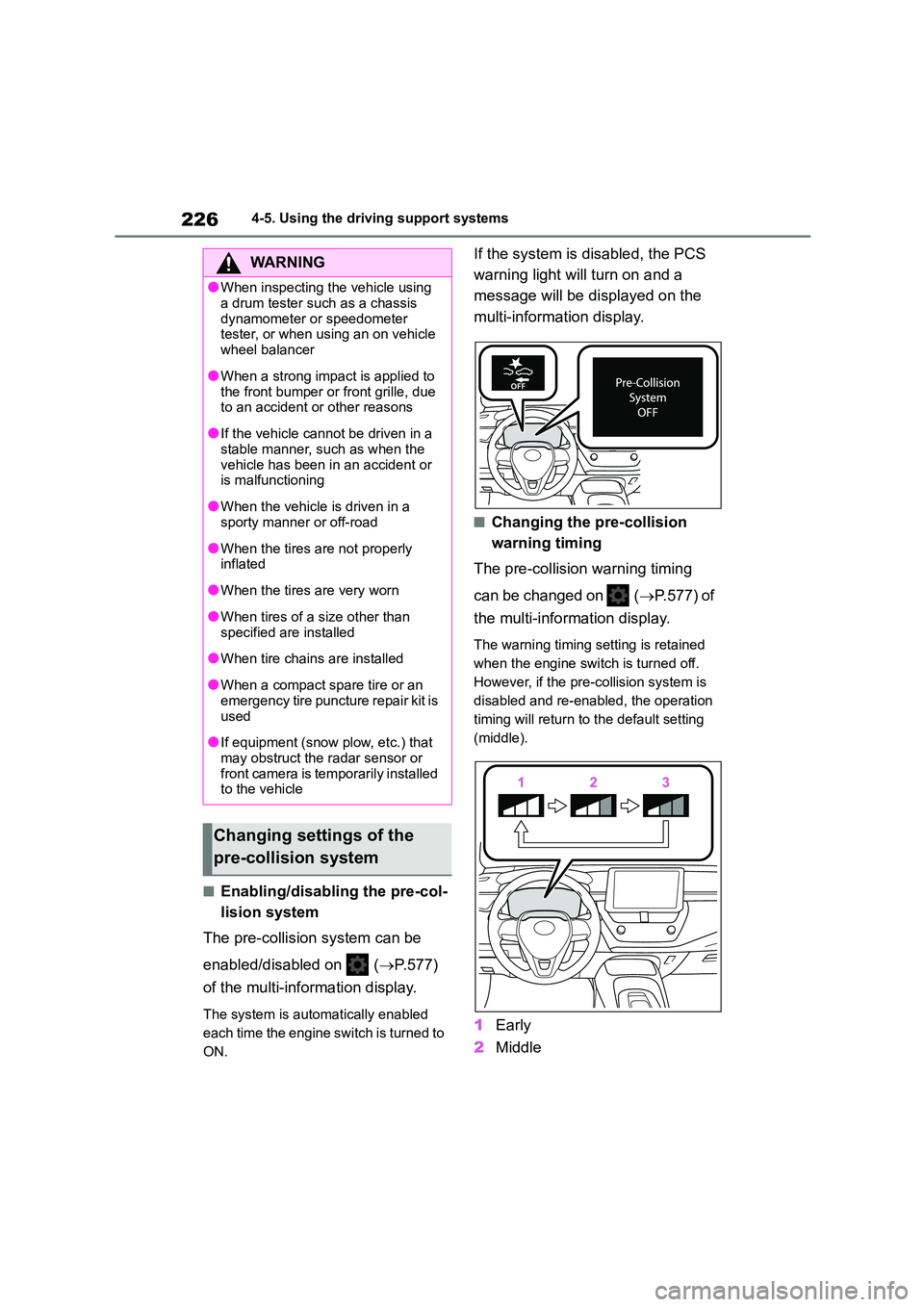
If the system is disabled, the PCS
warning light will turn on and a
message will be di splayed on the
multi-information display.
■Changing the pre-collision
warning timing
The pre-collision warning timing
can be changed on ( P.577) of
the multi-information display.
The warning timing setting is retained
when the engine switch is turned off.
However, if the pr e-collision system is
disabled and re-enabled, the operation
timing will return to the default setting
(middle).
1 Early
2 Middle
WA R N I N G
●When inspecting the vehicle using
a drum tester such as a chassis
dynamometer or speedometer tester, or when using an on vehicle
wheel balancer
●When a strong impact is applied to
the front bumper or front grille, due
to an accident or other reasons
●If the vehicle cannot be driven in a
stable manner, such as when the
vehicle has been in an accident or is malfunctioning
●When the vehicle is driven in a sporty manner or off-road
●When the tires are not properly inflated
●When the tires are very worn
●When tires of a size other than
specified are installed
●When tire chains are installed
●When a compact spare tire or an
emergency tire puncture repair kit is
used
●If equipment (snow plow, etc.) that
may obstruct the radar sensor or front camera is temporarily installed
to the vehicle
Changing settings of the
pre-collision system
Page 232 of 758
2304-5. Using the driving support systems
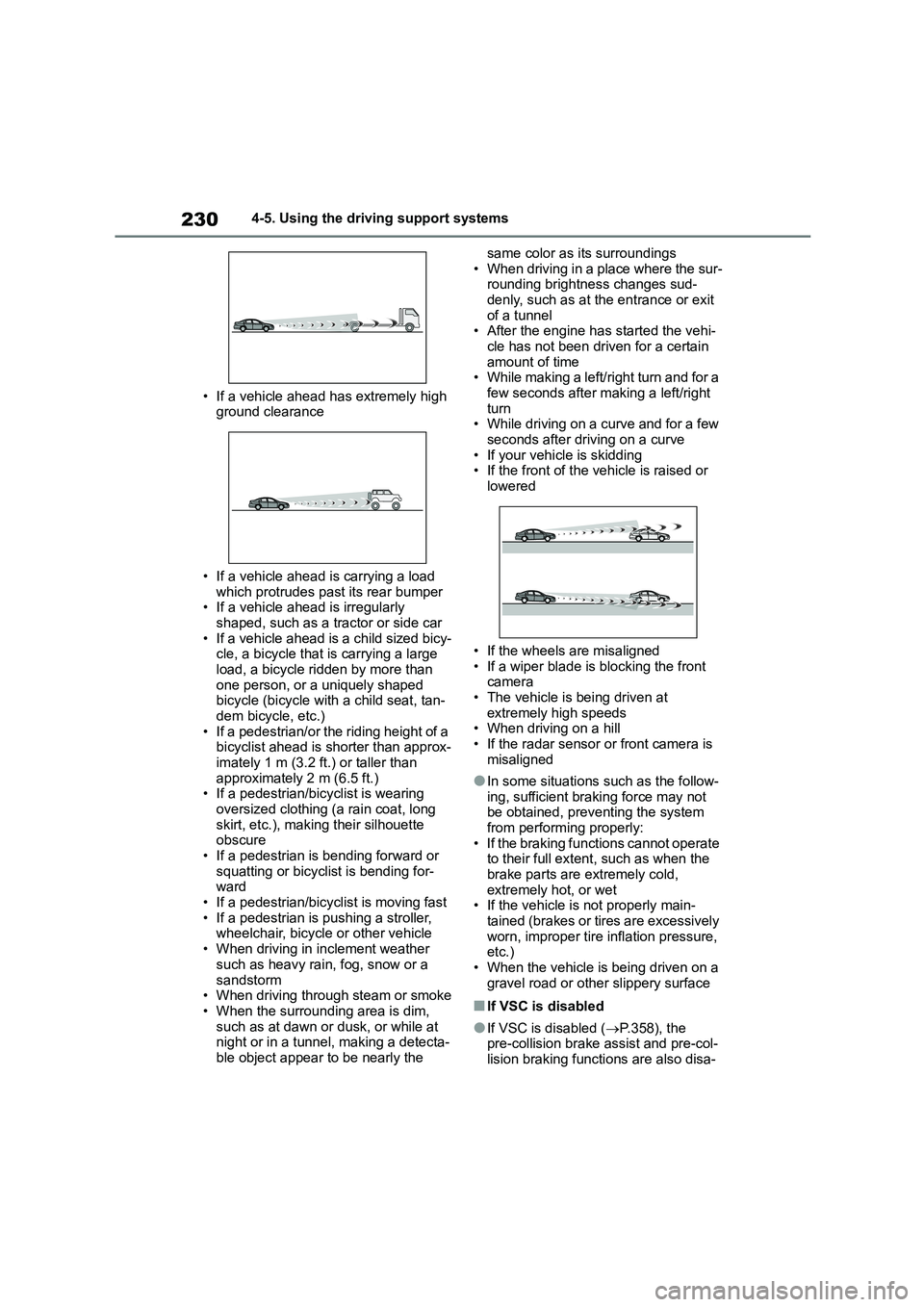
• If a vehicle ahead has extremely high
ground clearance
• If a vehicle ahead is carrying a load
which protrudes past its rear bumper • If a vehicle ahead is irregularly
shaped, such as a tractor or side car
• If a vehicle ahead is a child sized bicy- cle, a bicycle that is carrying a large
load, a bicycle ridden by more than
one person, or a uniquely shaped bicycle (bicycle with a child seat, tan-
dem bicycle, etc.)
• If a pedestrian/or the riding height of a bicyclist ahead is shorter than approx-
imately 1 m (3.2 ft.) or taller than
approximately 2 m (6.5 ft.) • If a pedestrian/bicyclist is wearing
oversized clothing (a rain coat, long
skirt, etc.), making their silhouette obscure
• If a pedestrian is bending forward or
squatting or bicyclist is bending for- ward
• If a pedestrian/bicyclist is moving fast
• If a pedestrian is pushing a stroller, wheelchair, bicycle or other vehicle
• When driving in inclement weather
such as heavy rain, fog, snow or a
sandstorm • When driving through steam or smoke
• When the surrounding area is dim,
such as at dawn or dusk, or while at night or in a tunnel, making a detecta-
ble object appear to be nearly the
same color as its surroundings
• When driving in a place where the sur- rounding brightness changes sud-
denly, such as at the entrance or exit
of a tunnel • After the engine has started the vehi-
cle has not been driven for a certain
amount of time • While making a left/right turn and for a
few seconds after making a left/right
turn • While driving on a curve and for a few
seconds after driving on a curve
• If your vehicle is skidding • If the front of the vehicle is raised or
lowered
• If the wheels are misaligned
• If a wiper blade is blocking the front
camera • The vehicle is being driven at
extremely high speeds
• When driving on a hill • If the radar sensor or front camera is
misaligned
●In some situations such as the follow-
ing, sufficient braking force may not
be obtained, prev enting the system from performing properly:
• If the braking functions cannot operate
to their full extent, such as when the brake parts are extremely cold,
extremely hot, or wet
• If the vehicle is not properly main- tained (brakes or ti res are excessively
worn, improper tire inflation pressure,
etc.)
• When the vehicle is being driven on a gravel road or other slippery surface
■If VSC is disabled
●If VSC is disabled ( P.358), the pre-collision brake assist and pre-col-
lision braking functions are also disa-
Page 242 of 758
2404-5. Using the driving support systems
on the steering wheel when using this
system, regardless of warnings.
●When the system determines that the
driver is driving without holding the steering wheel whil e the system is
operating
If the driver continues to keep their
hands off of the steering wheel, the
buzzer sounds, the driver is warned and the function is temporarily canceled.
This warning also operates in the same
way when the driver continuously oper- ates the steering wheel only a small
amount.
●When the system determines that the
vehicle may not turn and instead
depart from its lane while driving around a curve
Depending on the vehicle condition and road conditions, the warning may not
operate. Also, if the system determines
that the vehicle is driving around a curve, warnings will occur earlier than
during straight-lane driving.
●When the system determines that the
driver is driving without holding the
steering wheel while the steering wheel assist of the steering assist
function is operating.
If the driver continues to keep their
hands off of the steering wheel and the
steering wheel assist is operating, the buzzer sounds and the driver is warned.
Each time the buzzer sounds, the con-
tinuing time of the buzzer becomes
longer.
■Vehicle sway warning function
When the system dete rmines that the
vehicle is swaying while the vehicle
sway warning function is operating, a
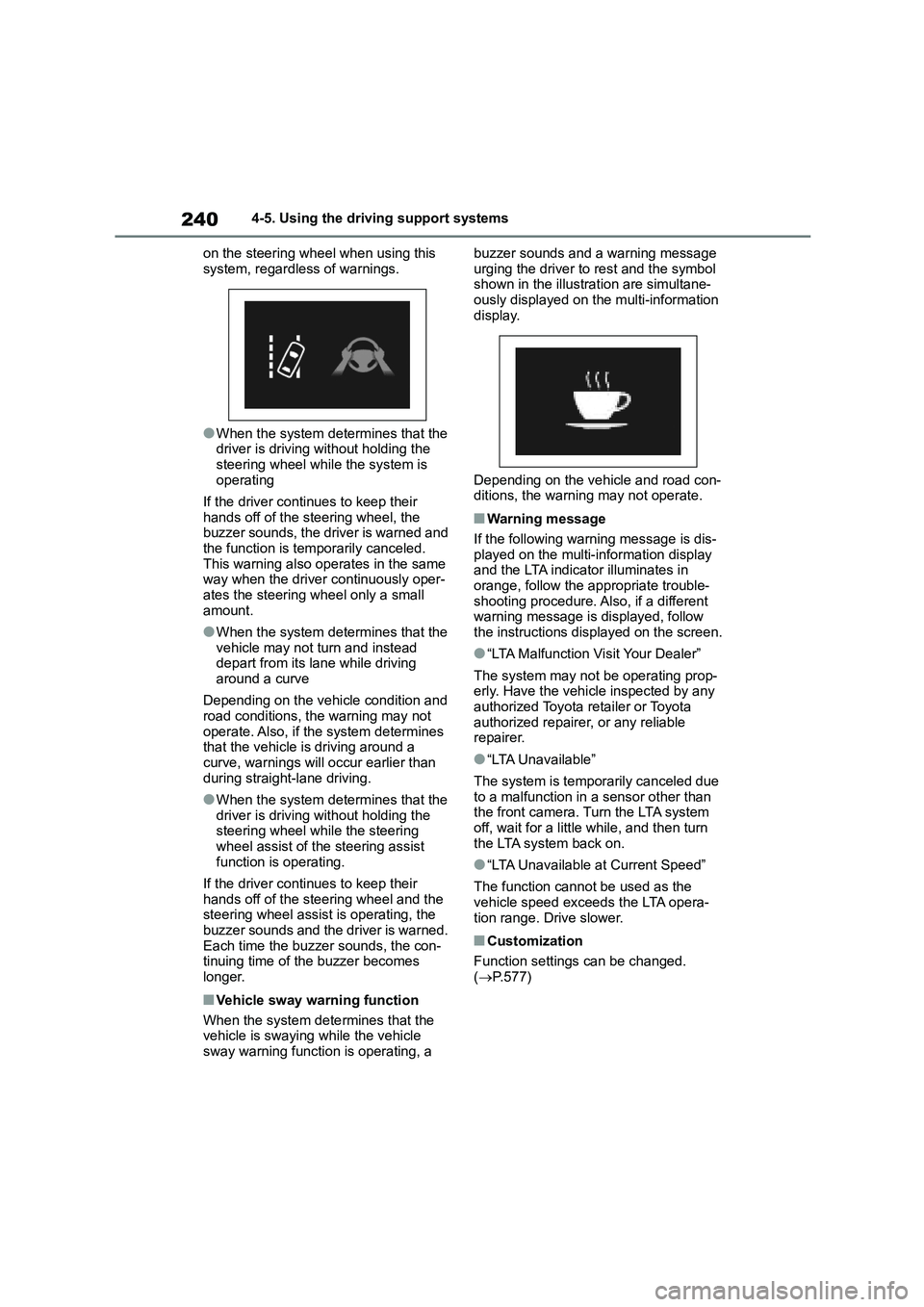
buzzer sounds and a warning message
urging the driver to rest and the symbol shown in the illustration are simultane-
ously displayed on the multi-information
display.
Depending on the vehicle and road con-
ditions, the warning may not operate.
■Warning message
If the following warning message is dis-
played on the multi-information display
and the LTA indicator illuminates in orange, follow the appropriate trouble-
shooting procedure. Also, if a different
warning message is displayed, follow the instructions displayed on the screen.
●“LTA Malfunction Visit Your Dealer”
The system may not be operating prop-
erly. Have the vehicle inspected by any authorized Toyota retailer or Toyota
authorized repairer, or any reliable
repairer.
●“LTA Unavailable”
The system is temporarily canceled due
to a malfunction in a sensor other than
the front camera. Turn the LTA system off, wait for a little while, and then turn
the LTA system back on.
●“LTA Unavailable at Current Speed”
The function cannot be used as the vehicle speed exceeds the LTA opera-
tion range. Drive slower.
■Customization
Function settings can be changed.
( P.577)
Page 254 of 758
2524-5. Using the driving support systems
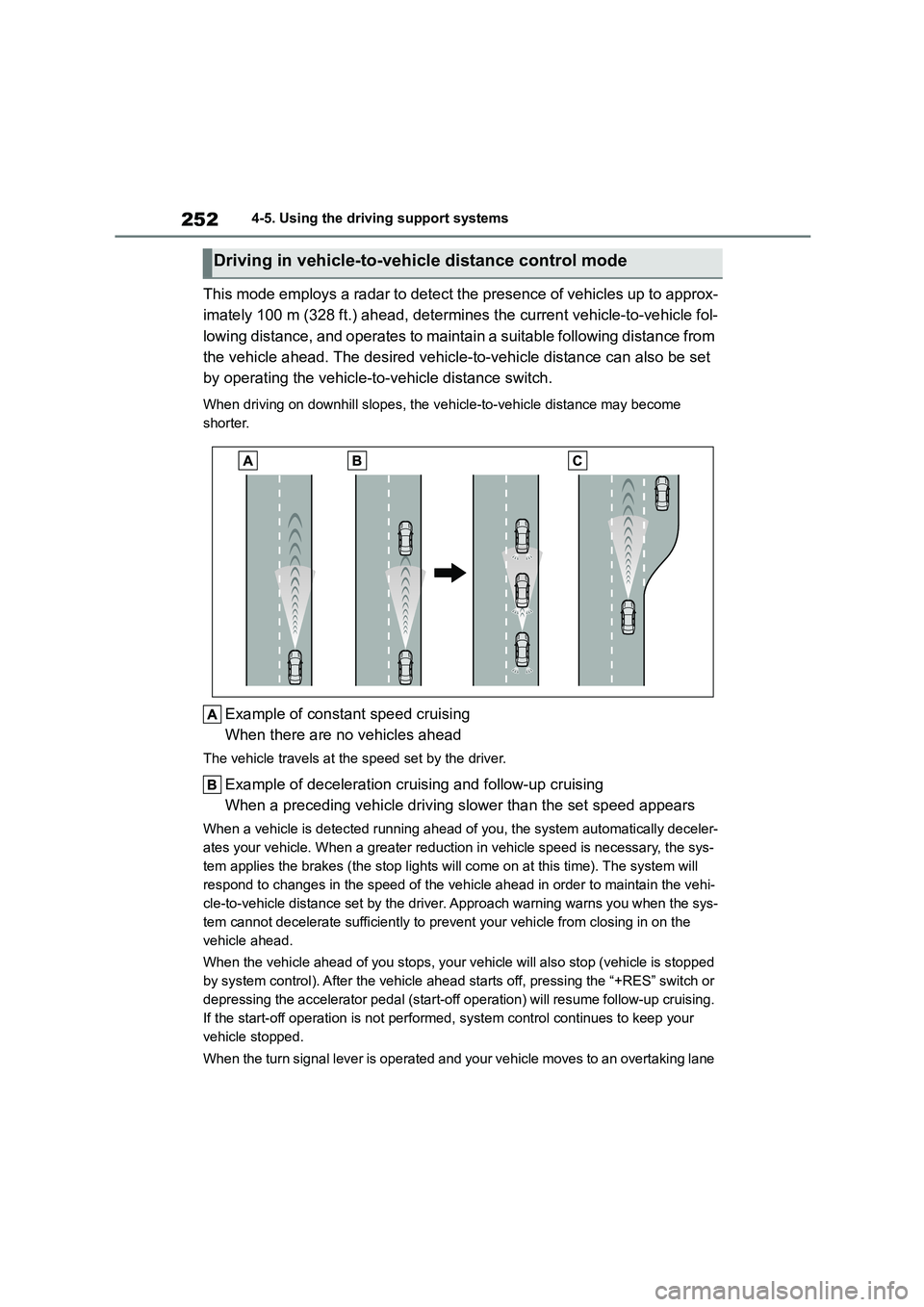
This mode employs a radar to detect the presence of vehicles up to approx-
imately 100 m (328 ft.) ahead, determines the current vehicle-to-vehicle fol-
lowing distance, and operates to maintain a suitable following distance from
the vehicle ahead. The desired vehicle-to-vehicle distance can also be set
by operating the vehicle-to -vehicle distance switch.
When driving on downhill slopes, the vehicle-to-vehicle distance may become
shorter.
Example of const ant speed cruising
When there are no vehicles ahead
The vehicle travels at the speed set by the driver.
Example of deceleration cruising and follow-up cruising
When a preceding vehicle driving slower than the set speed appears
When a vehicle is de tected running ahead of you, the system automatically deceler-
ates your vehicle. When a greater reduction in vehicle speed is necessary, the sys-
tem applies the brakes (the stop lights will come on at this time). The system will
respond to changes in the speed of the vehicle ahead in order to maintain the vehi-
cle-to-vehicle distance set by the driver. Approach warning warns you when the sys-
tem cannot decelerate sufficiently to prevent your vehicle from closing in on the
vehicle ahead.
When the vehicle ahead of you stops, your vehicle will also stop (vehicle is stopped
by system control). After the vehicle ahead starts off, pressing the “+RES” switch or
depressing the accelerator pedal (start-off operation) will resume follow-up cruising.
If the start-off operation is not performed, system control continues to keep your
vehicle stopped.
When the turn signal lever is operated and your vehicle moves to an overtaking lane
Driving in vehicle-to-vehicle distance control mode
Page 256 of 758
2544-5. Using the driving support systems
desired set speed is displayed.
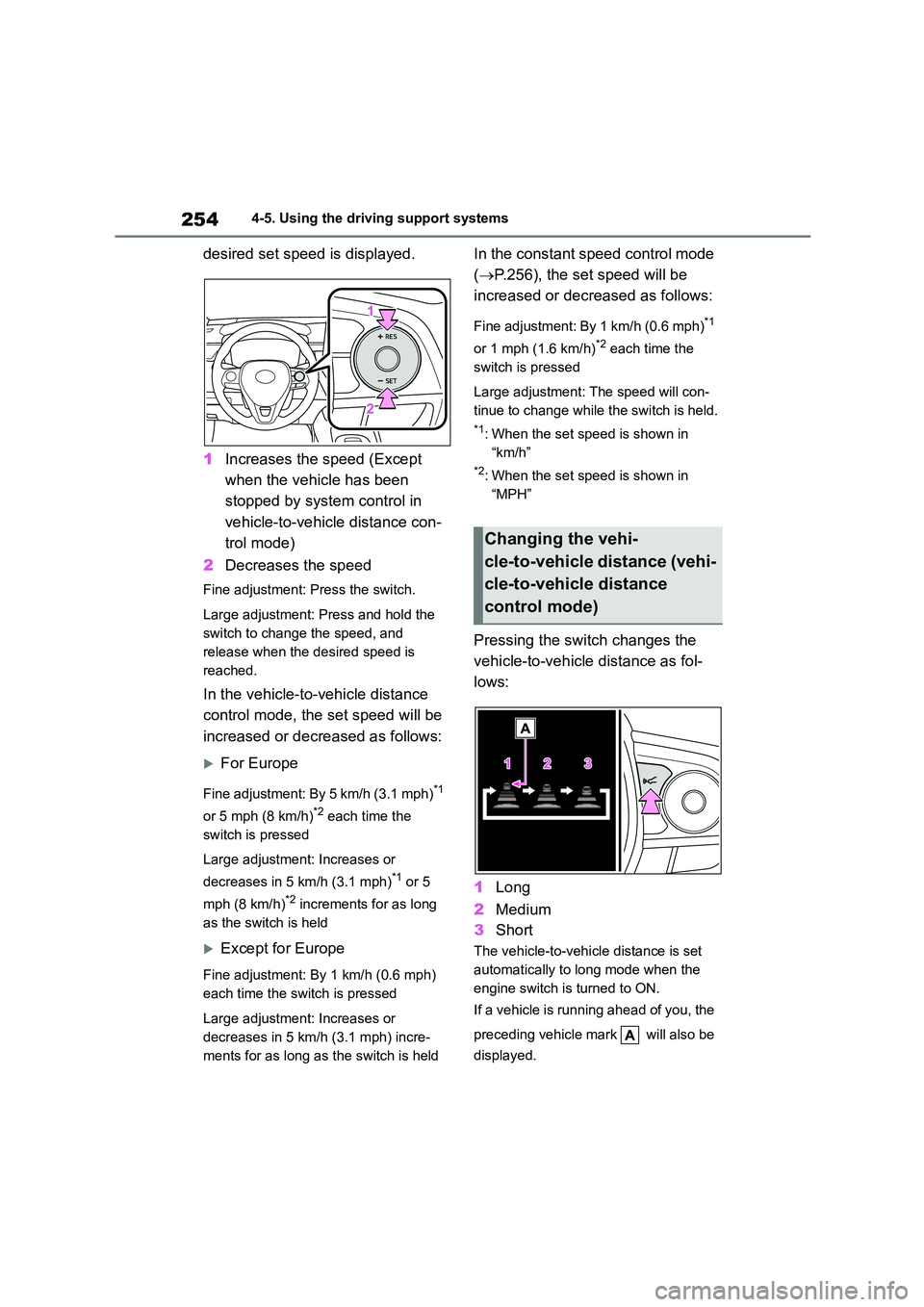
1 Increases the speed (Except
when the vehicle has been
stopped by system control in
vehicle-to-vehicle distance con-
trol mode)
2 Decreases the speed
Fine adjustment: Press the switch.
Large adjustment: Press and hold the
switch to change the speed, and
release when the desired speed is
reached.
In the vehicle-to-vehicle distance
control mode, the set speed will be
increased or decreased as follows:
For Europe
Fine adjustment: By 5 km/h (3.1 mph)*1
or 5 mph (8 km/h)*2 each time the
switch is pressed
Large adjustment: Increases or
decreases in 5 km/h (3.1 mph)*1 or 5
mph (8 km/h)*2 increments for as long
as the switch is held
Except for Europe
Fine adjustment: By 1 km/h (0.6 mph)
each time the sw itch is pressed
Large adjustment: Increases or
decreases in 5 km/h (3.1 mph) incre-
ments for as long as the switch is held
In the constant speed control mode
( P.256), the set speed will be
increased or decreased as follows:
Fine adjustment: By 1 km/h (0.6 mph)*1
or 1 mph (1.6 km/h)*2 each time the
switch is pressed
Large adjustment: The speed will con-
tinue to change while the switch is held.
*1: When the set speed is shown in
“km/h”
*2: When the set speed is shown in
“MPH”
Pressing the switch changes the
vehicle-to-vehicle distance as fol-
lows:
1 Long
2 Medium
3 Short
The vehicle-to-vehicle distance is set
automatically to long mode when the
engine switch is turned to ON.
If a vehicle is running ahead of you, the
preceding vehicle mark will also be
displayed.
Changing the vehi-
cle-to-vehicle distance (vehi-
cle-to-vehicle distance
control mode)
Page 260 of 758
2584-5. Using the driving support systems
■When the vehicle stops while fol-
low-up cruising
●Pressing the “+RES” switch while the
vehicle ahead stops will resume fol- low-up cruising if the vehicle ahead
starts off within approximately 3 sec-
onds after the switch is pressed.
●If the vehicle ahead starts off within 3
seconds after your vehicle stops, fol- low-up cruising will be resumed.
■Automatic cancelation of vehi-
cle-to-vehicle distance control
mode
Vehicle-to-vehicle distance control mode
is automatically canceled in the follow-
ing situations.
●VSC is activated.
●TRC is activated for a period of time.
●When the VSC or TRC system is turned off.
●The sensor cannot detect correctly because it is covered in some way.
●Pre-collision braking is activated.
●The parking brake is operated.
●The vehicle is stopped by system con-
trol on a steep incline.
●The following are detected when the
vehicle has been st opped by system
control: • The driver is not wearing a seat belt.
• The driver’s door is opened.
• The vehicle has been stopped for about 3 minutes
If vehicle-to-vehicle distance control
mode is automatically canceled for any reasons other than the above, there
may be a malfunction in the system.
Contact any authorized Toyota retailer
or Toyota authorized repairer, or any reli- able repairer.
■Automatic cancelation of constant
speed control mode
Constant speed control mode is auto- matically canceled in the following situa-
tions:
●Actual vehicle speed is more than
approximately 16 km/h (10 mph)
below the set vehicle speed.
●Actual vehicle speed falls below
approximately 30 km/h (20 mph).
●VSC is activated.
●TRC is activated for a period of time.
●When the VSC or TRC system is turned off.
●Pre-collision braking is activated.
If constant speed control mode is auto-
matically canceled for any reasons other
than the above, there may be a malfunc- tion in the system. Contact any author-
ized Toyota retailer or Toyota authorized
repairer, or any reliable repairer.
■The Dynamic Radar Cruise Control with Road Sign Assist may not
operate properly when
As the Dynamic Radar Cruise Control with Road Sign Assist may not operate
properly in conditions in which RSA may
not operate or detect correctly ( P.279), when using this function,
make sure to check the speed limit sign
displayed.
In the following situations, the set speed
may not be changed to the recognized
speed limit by pressing and holding the “+RES”/“-SET” switch.
●If speed limit information is not availa-ble
●When the recognized speed limit is the same as the set speed
●When the recognized speed limit is outside of the speed range that the
dynamic radar cruise control system
can operate
■Brake operation
A brake operation sound may be heard and the brake pedal response may
change, but these are not malfunctions.
■Warning messages and buzzers for
dynamic radar cruise control with full-speed range
Warning messages and buzzers are
used to indicate a system malfunction or
Page 265 of 758
263
4
4-5. Using the driving support systems
Driving
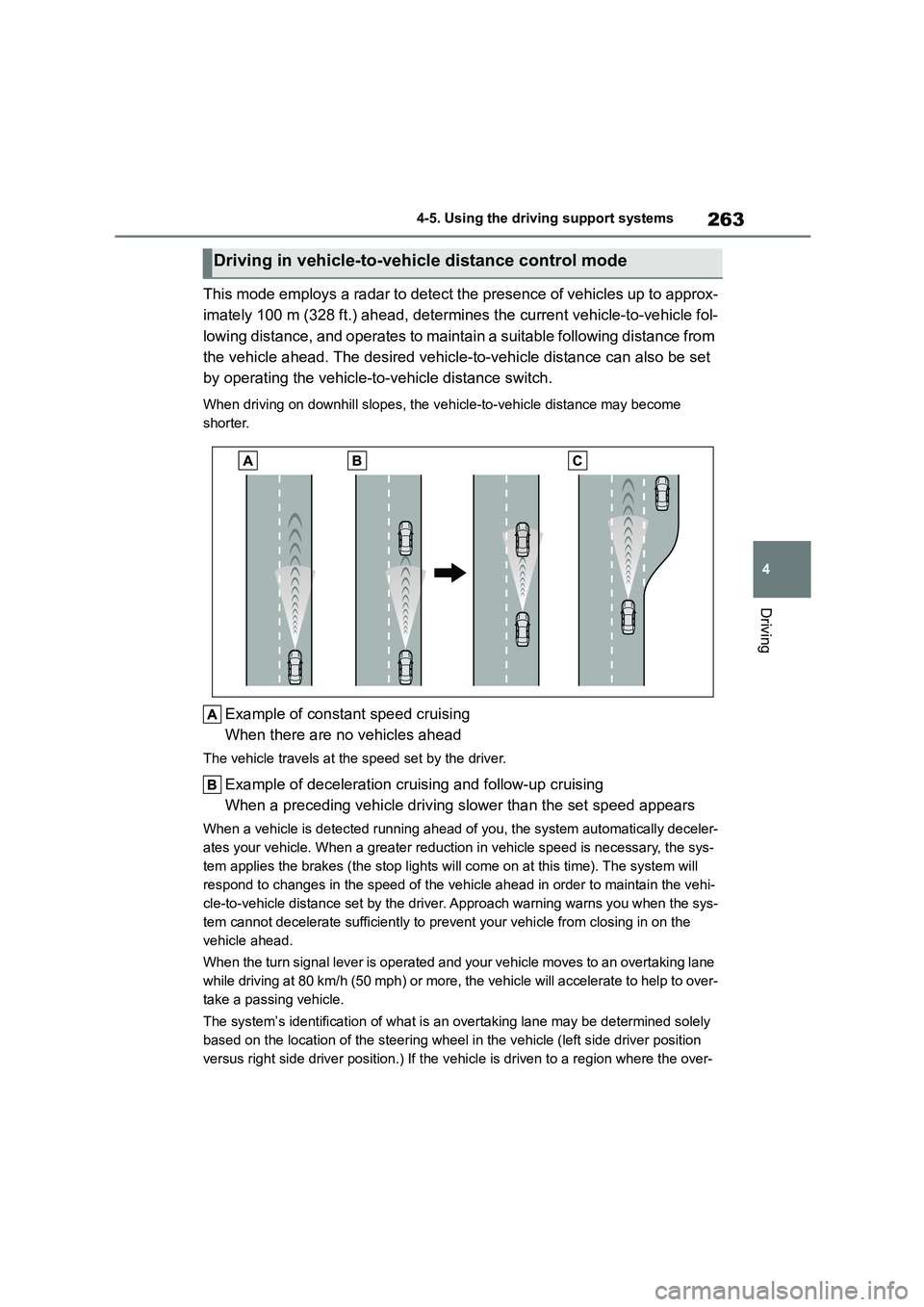
This mode employs a radar to detect the presence of vehicles up to approx-
imately 100 m (328 ft.) ahead, determines the current vehicle-to-vehicle fol-
lowing distance, and operates to maintain a suitable following distance from
the vehicle ahead. The desired vehicle-to-vehicle distance can also be set
by operating the vehicle-to -vehicle distance switch.
When driving on downhill slopes, the vehicle-to-vehicle distance may become
shorter.
Example of const ant speed cruising
When there are no vehicles ahead
The vehicle travels at the speed set by the driver.
Example of deceleration cruising and follow-up cruising
When a preceding vehicle driving slower than the set speed appears
When a vehicle is de tected running ahead of you, the system automatically deceler-
ates your vehicle. When a greater reduction in vehicle speed is necessary, the sys-
tem applies the brakes (the stop lights will come on at this time). The system will
respond to changes in the speed of the vehicle ahead in order to maintain the vehi-
cle-to-vehicle distance set by the driver. Approach warning warns you when the sys-
tem cannot decelerate sufficiently to prevent your vehicle from closing in on the
vehicle ahead.
When the turn signal lever is operated and your vehicle moves to an overtaking lane
while driving at 80 km/h (50 mph) or more, the vehicle will accelerate to help to over-
take a passing vehicle.
The system’s identificat ion of what is an overtaking lane may be determined solely
based on the location of the steering wheel in the vehicle (left side driver position
versus right side driver position.) If the v ehicle is driven to a region where the over-
Driving in vehicle-to-vehicle distance control mode
Page 267 of 758
265
4
4-5. Using the driving support systems
Driving
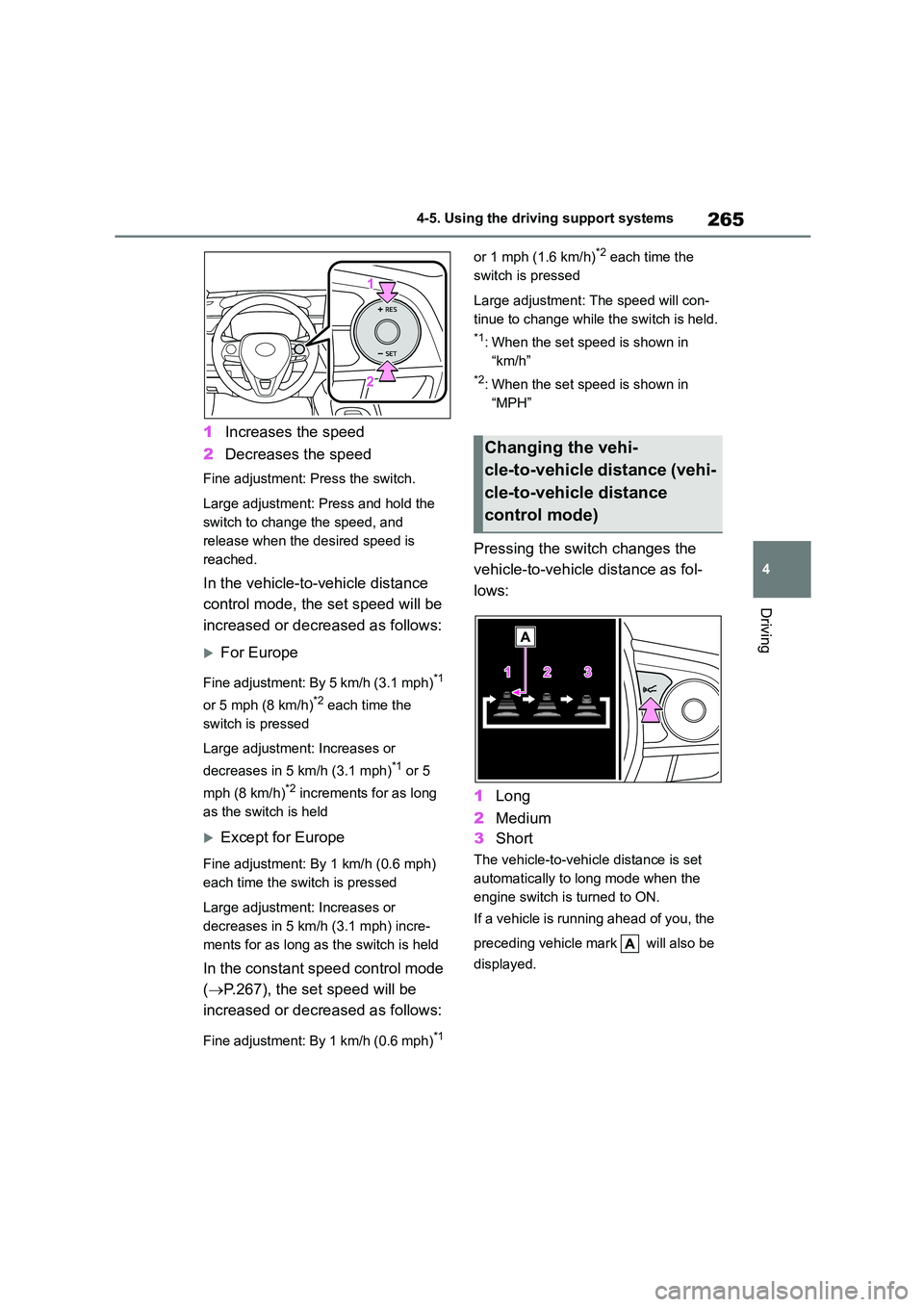
1 Increases the speed
2 Decreases the speed
Fine adjustment: Press the switch.
Large adjustment: Press and hold the
switch to change the speed, and
release when the desired speed is
reached.
In the vehicle-to-vehicle distance
control mode, the set speed will be
increased or decreased as follows:
For Europe
Fine adjustment: By 5 km/h (3.1 mph)*1
or 5 mph (8 km/h)*2 each time the
switch is pressed
Large adjustment: Increases or
decreases in 5 km/h (3.1 mph)*1 or 5
mph (8 km/h)*2 increments for as long
as the switch is held
Except for Europe
Fine adjustment: By 1 km/h (0.6 mph)
each time the sw itch is pressed
Large adjustment: Increases or
decreases in 5 km/h (3.1 mph) incre-
ments for as long as the switch is held
In the constant speed control mode
( P.267), the set speed will be
increased or decreased as follows:
Fine adjustment: By 1 km/h (0.6 mph)*1
or 1 mph (1.6 km/h)*2 each time the
switch is pressed
Large adjustment: The speed will con-
tinue to change while the switch is held.
*1: When the set speed is shown in
“km/h”
*2: When the set speed is shown in
“MPH”
Pressing the switch changes the
vehicle-to-vehicle distance as fol-
lows:
1 Long
2 Medium
3 Short
The vehicle-to-vehicle distance is set
automatically to long mode when the
engine switch is turned to ON.
If a vehicle is running ahead of you, the
preceding vehicle mark will also be
displayed.
Changing the vehi-
cle-to-vehicle distance (vehi-
cle-to-vehicle distance
control mode)
Page 271 of 758
269
4
4-5. Using the driving support systems
Driving
■Automatic cancelation of constant
speed control mode
Constant speed control mode is auto-
matically canceled in the following situa-
tions:
●Actual vehicle speed is more than
approximately 16 km/h (10 mph) below the set vehicle speed.
●Actual vehicle speed falls below approximately 30 km/h (20 mph).
●VSC is activated.
●TRC is activated for a period of time.
●When the VSC or TRC system is
turned off.
●Pre-collision braking is activated.
●When the shift lever is in N or the clutch pedal is depressed for a certain
amount of time or more.
If constant speed control mode is auto- matically canceled for any reasons other
than the above, there may be a malfunc-
tion in the system. Contact any author- ized Toyota retailer or Toyota authorized
repairer, or any reliable repairer.
■The Dynamic Radar Cruise Control
with Road Sign Assist may not operate properly when
As the Dynamic Radar Cruise Control
with Road Sign Assist may not operate properly in conditions in which RSA may
not operate or detect correctly
( P.279), when using this function, make sure to check the speed limit sign
displayed.
In the following situations, the set speed may not be changed to the recognized
speed limit by pressing and holding the
“+RES”/“-SET” switch.
●If speed limit information is not availa-
ble
●When the recognized speed limit is
the same as the set speed
●When the recognized speed limit is
outside of the speed range that the
dynamic radar cruise control system can operate
■Brake operation
A brake operation sound may be heard and the brake pedal response may
change, but these are not malfunctions.
■Warning messages and buzzers for
dynamic radar cruise control
Warning messages and buzzers are
used to indicate a system malfunction or
to inform the driver of the need for cau- tion while driving. If a warning message
is shown on the multi-information dis-
play, read the message and follow the instructions. ( P.222, 520)
■When the sensor may not be cor-
rectly detecting the vehicle ahead
In the case of the following and depend- ing on the conditions, operate the brake
pedal when deceleration of the system
is insufficient or operate the accelerator pedal when acceleration is required.
As the sensor may not be able to cor-
rectly detect these types of vehicles, the approach warning ( P.266) may not be
activated.
●Vehicles that cut in suddenly
●Vehicles traveling at low speeds
●Vehicles that are not moving in the
same lane
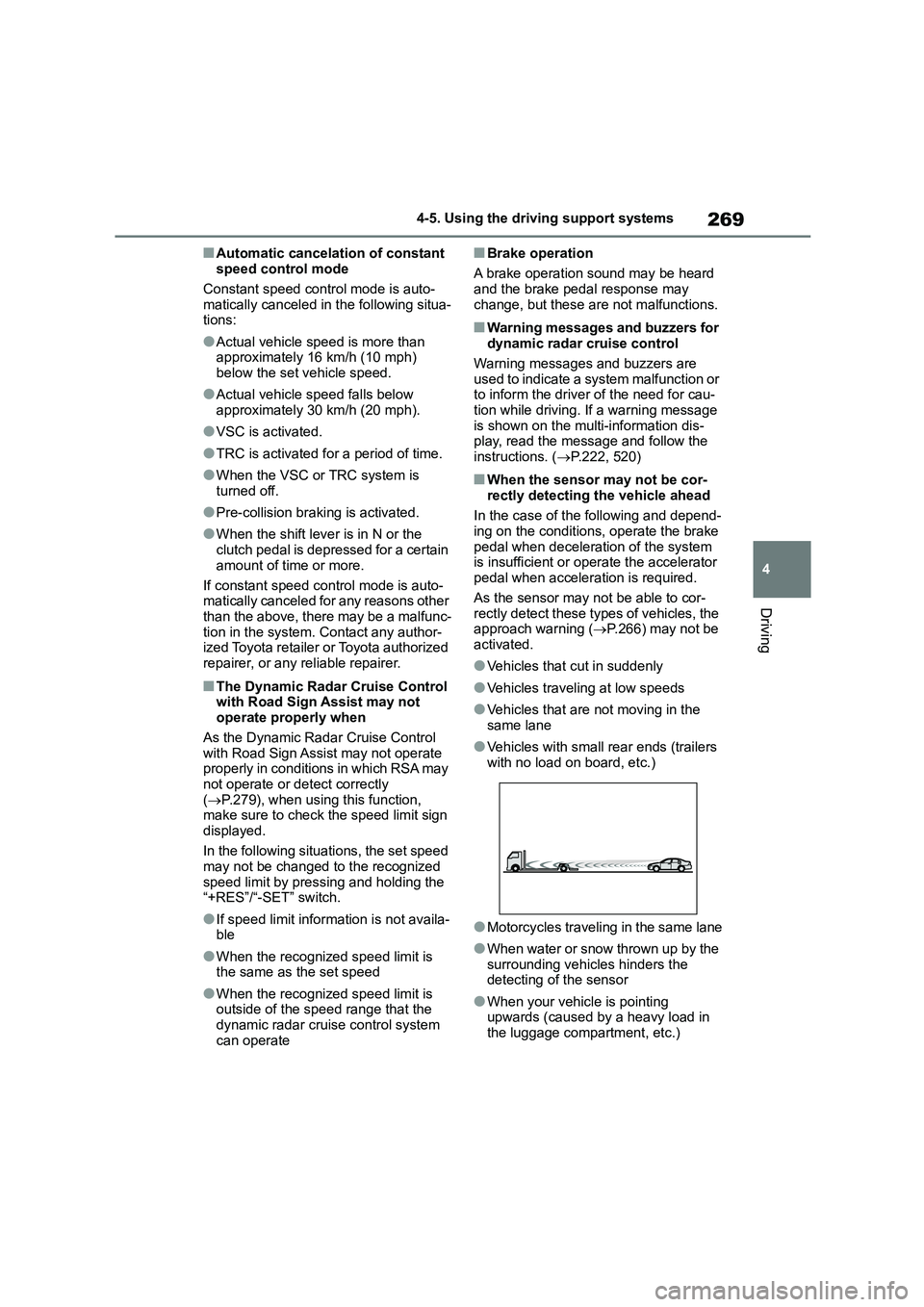
●Vehicles with small rear ends (trailers
with no load on board, etc.)
●Motorcycles traveling in the same lane
●When water or snow thrown up by the surrounding vehicles hinders the
detecting of the sensor
●When your vehicle is pointing
upwards (caused by a heavy load in
the luggage compartment, etc.)
Page 276 of 758
2744-5. Using the driving support systems
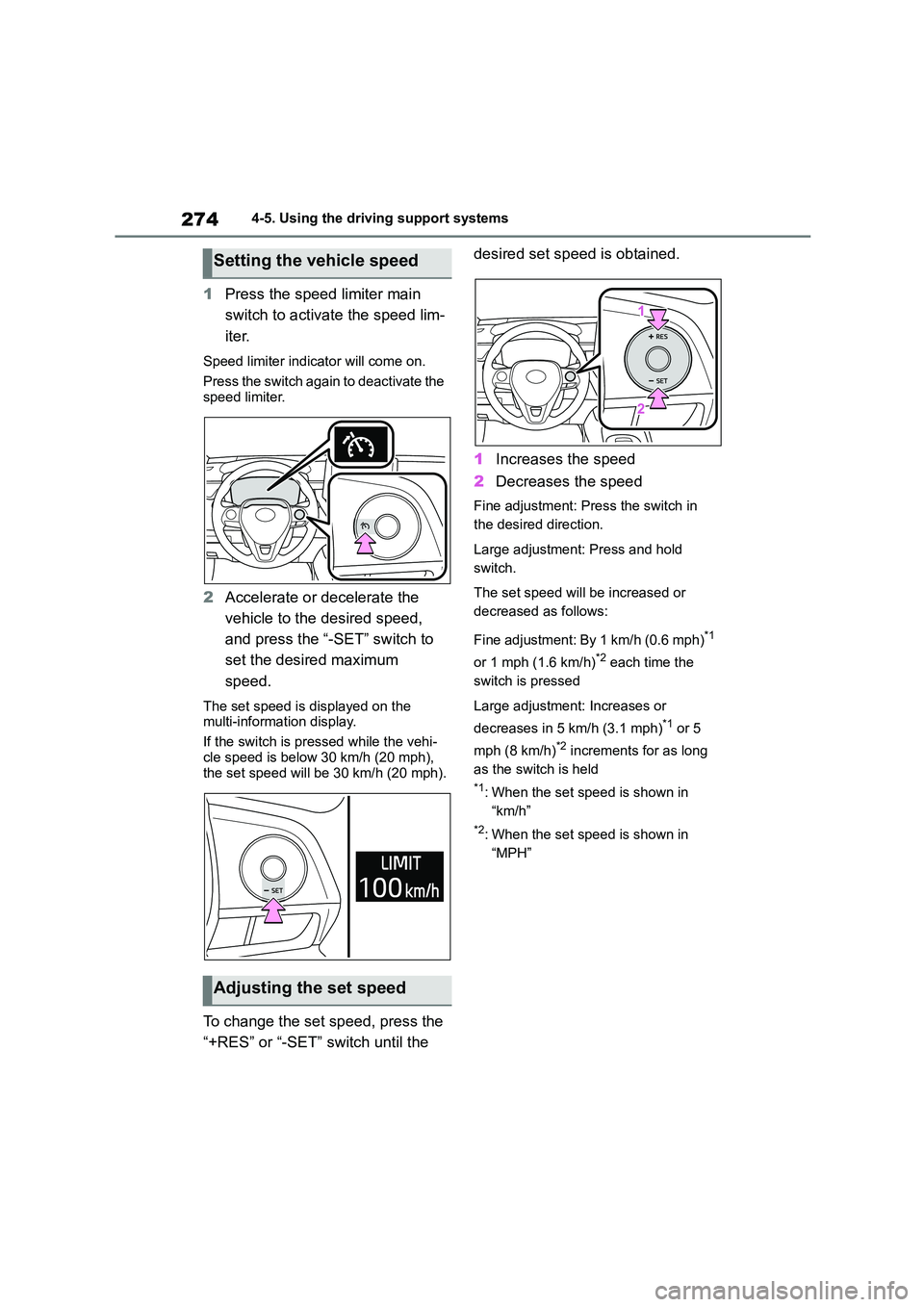
1Press the speed limiter main
switch to activate the speed lim-
iter.
Speed limiter indicator will come on.
Press the switch again to deactivate the
speed limiter.
2 Accelerate or decelerate the
vehicle to the desired speed,
and press the “-SET” switch to
set the desired maximum
speed.
The set speed is displayed on the
multi-information display.
If the switch is pressed while the vehi-
cle speed is below 30 km/h (20 mph),
the set speed will be 30 km/h (20 mph).
To change the set speed, press the
“+RES” or “-SET” switch until the
desired set speed is obtained.
1 Increases the speed
2 Decreases the speed
Fine adjustment: Press the switch in
the desired direction.
Large adjustment: Press and hold
switch.
The set speed will be increased or
decreased as follows:
Fine adjustment: By 1 km/h (0.6 mph)*1
or 1 mph (1.6 km/h)*2 each time the
switch is pressed
Large adjustment: Increases or
decreases in 5 km/h (3.1 mph)*1 or 5
mph (8 km/h)*2 increments for as long
as the switch is held
*1: When the set speed is shown in
“km/h”
*2: When the set speed is shown in
“MPH”
Setting the vehicle speed
Adjusting the set speed