light TOYOTA COROLLA HATCHBACK 2022 (in English) Owner's Manual
[x] Cancel search | Manufacturer: TOYOTA, Model Year: 2022, Model line: COROLLA HATCHBACK, Model: TOYOTA COROLLA HATCHBACK 2022Pages: 758, PDF Size: 155.26 MB
Page 47 of 758
45
1
1-1. For safe use
For safety and security
Exhaust gas precautions
Harmful substance to the
human body is included in
exhaust gases if inhaled.
WA R N I N G
Exhaust gases include harmful car-
bon monoxide (CO), which is color-
less and odorless. Observe the following precautions.
Failure to do so may cause exhaust
gases enter the vehicle and may lead to an accident caused by
light-headedness, or may lead to
death or a serious health hazard.
■Important points while driving
●Keep the back door closed.
●If you smell exhaust gases in the
vehicle even when the back door is closed, open the windows and have
the vehicle inspected at any author-
ized Toyota retailer or Toyota authorized repairer, or any reliable
repairer as soon as possible.
■When parking
●If the vehicle is in a poorly venti-
lated area or a closed area, such as a garage, stop the engine.
●Do not leave the vehicle with the engine on for a long time.
If such a situation cannot be
avoided, park the vehicle in an open space and ensure that
exhaust fumes do not enter the
vehicle interior.
●Do not leave the engine running in
an area with snow build-up, or where it is snowing. If snowbanks
build up around the vehicle while
the engine is running, exhaust gases may collect and enter the
vehicle.
■Exhaust pipe
The exhaust system needs to be
checked periodically. If there is a hole
or crack caused by corrosion, dam- age to a joint or abnormal exhaust
noise, be sure to have the vehicle
inspected and repaired by any author- ized Toyota retailer or Toyota author-
ized repairer, or any reliable repairer.
Page 48 of 758
461-2. Child safety
1-2.Child safety
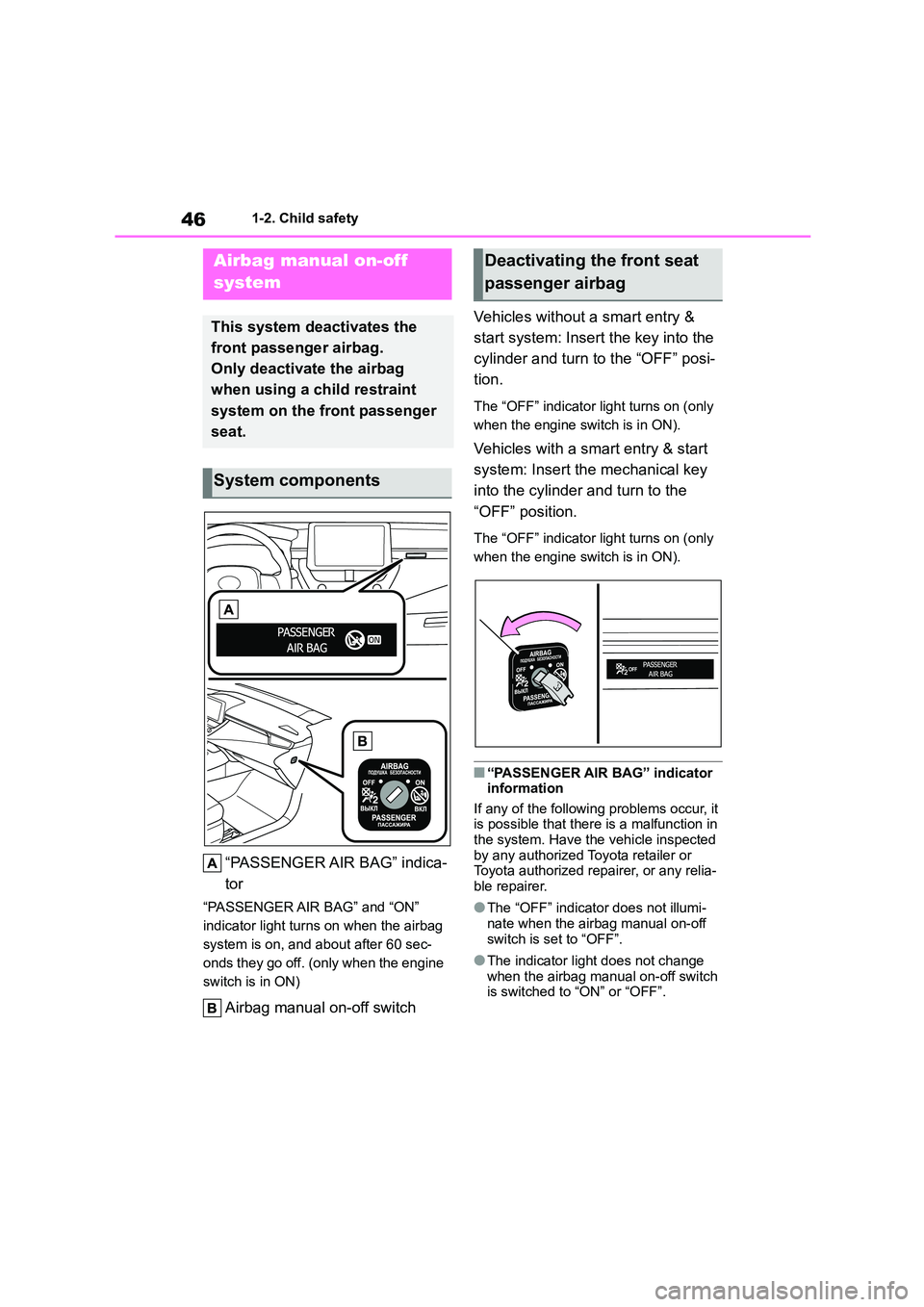
“PASSENGER AIR BAG” indica-
tor
“PASSENGER AIR BAG” and “ON”
indicator light turns on when the airbag
system is on, and about after 60 sec-
onds they go off. (only when the engine
switch is in ON)
Airbag manual on-off switch
Vehicles without a smart entry &
start system: Insert the key into the
cylinder and turn to the “OFF” posi-
tion.
The “OFF” indicator light turns on (only
when the engine switch is in ON).
Vehicles with a smart entry & start
system: Insert the mechanical key
into the cylinder and turn to the
“OFF” position.
The “OFF” indicator light turns on (only
when the engine switch is in ON).
■“PASSENGER AIR BAG” indicator information
If any of the following problems occur, it
is possible that there is a malfunction in the system. Have the vehicle inspected
by any authorized Toyota retailer or
Toyota authorized repairer, or any relia- ble repairer.
●The “OFF” indicator does not illumi-
nate when the airbag manual on-off switch is set to “OFF”.
●The indicator light does not change when the airbag manual on-off switch
is switched to “ON” or “OFF”.
Airbag manual on-off
system
This system deactivates the
front passenger airbag.
Only deactivate the airbag
when using a child restraint
system on the front passenger
seat.
System components
Deactivating the front seat
passenger airbag
Page 71 of 758
69
1
1-3. Emergency assistance
For safety and security
1-3.Emergency assistance
*1: If equipped
*2: Operates within the eCall coverage.
The system name differs depending
on the country.
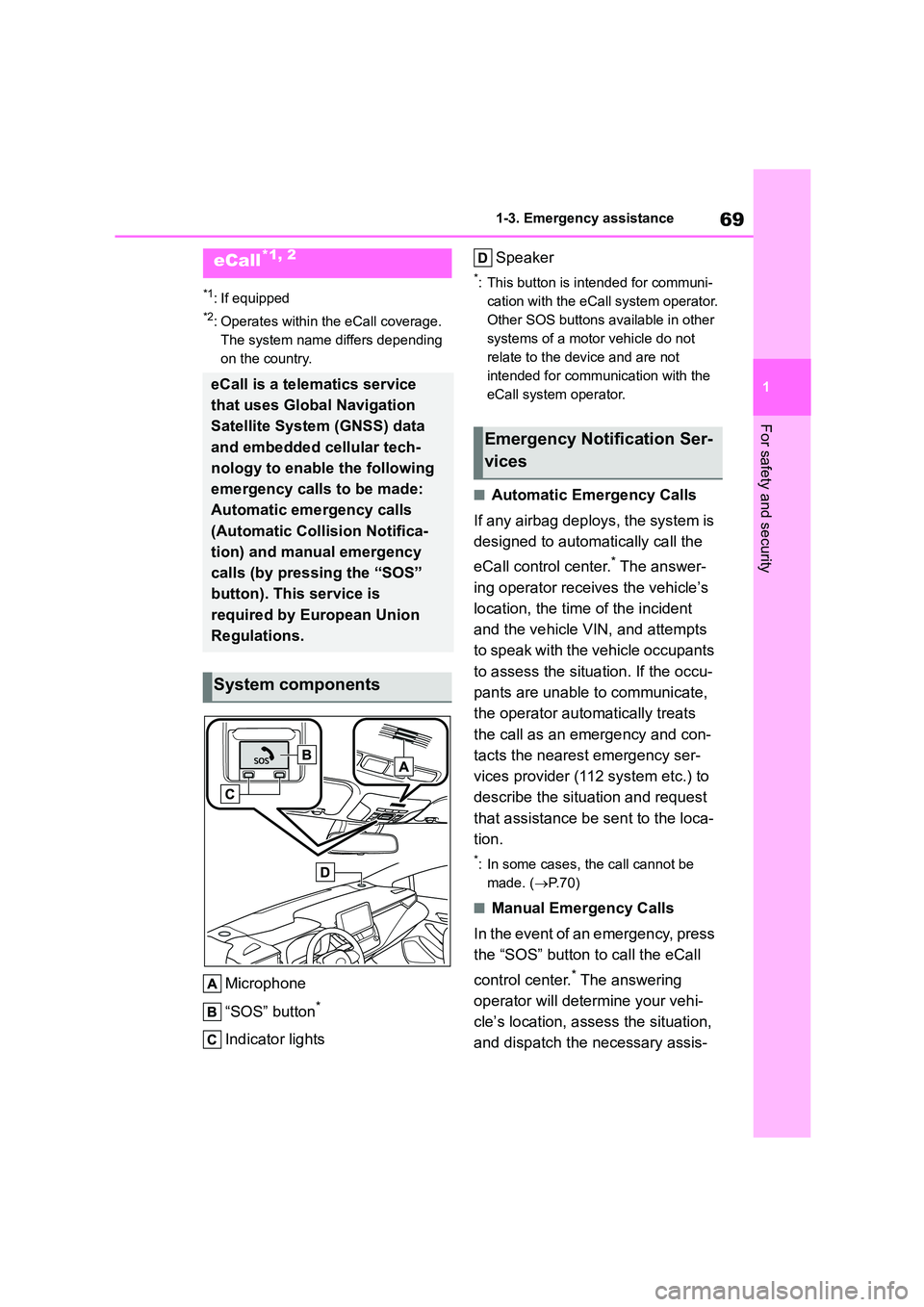
Microphone
“SOS” button*
Indicator lights
Speaker
*: This button is intended for communi-
cation with the eCall system operator.
Other SOS buttons available in other
systems of a motor vehicle do not
relate to the device and are not
intended for communication with the
eCall system operator.
■Automatic Emergency Calls
If any airbag deploys, the system is
designed to automatically call the
eCall control center.* The answer-
ing operator receives the vehicle’s
location, the time of the incident
and the vehicle VIN, and attempts
to speak with the vehicle occupants
to assess the situation. If the occu-
pants are unable to communicate,
the operator automatically treats
the call as an emergency and con-
tacts the nearest emergency ser-
vices provider (112 system etc.) to
describe the situation and request
that assistance be sent to the loca-
tion.
*: In some cases, th e call cannot be
made. ( P.70)
■Manual Emergency Calls
In the event of an emergency, press
the “SOS” button to call the eCall
control center.* The answering
operator will dete rmine your vehi-
cle’s location, assess the situation,
and dispatch the necessary assis-
eCall*1, 2
eCall is a telematics service
that uses Global Navigation
Satellite System (GNSS) data
and embedded cellular tech-
nology to enable the following
emergency calls to be made:
Automatic emergency calls
(Automatic Collision Notifica-
tion) and manual emergency
calls (by pressing the “SOS”
button). This service is
required by European Union
Regulations.
System components
Emergency Notification Ser-
vices
Page 72 of 758
701-3. Emergency assistance
tance required.
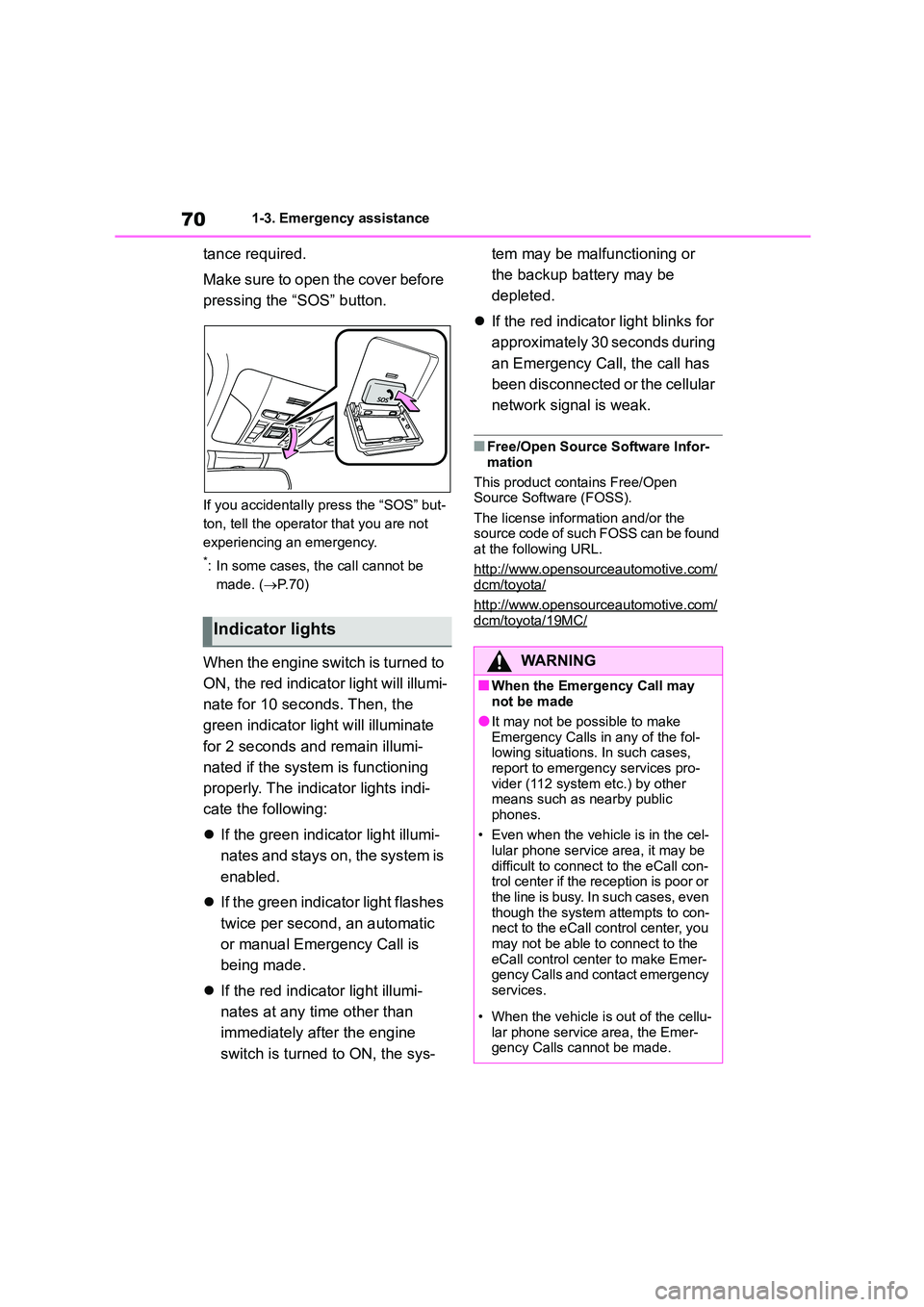
Make sure to open the cover before
pressing the “SOS” button.
If you accidentally press the “SOS” but-
ton, tell the operator that you are not
experiencing an emergency.
*: In some cases, the call cannot be
made. ( P. 7 0 )
When the engine switch is turned to
ON, the red indicato r light will illumi-
nate for 10 seconds. Then, the
green indicator light will illuminate
for 2 seconds and remain illumi-
nated if the system is functioning
properly. The indicator lights indi-
cate the following:
If the green indicator light illumi-
nates and stays on, the system is
enabled.
If the green indicator light flashes
twice per second, an automatic
or manual Emergency Call is
being made.
If the red indicator light illumi-
nates at any time other than
immediately after the engine
switch is turned to ON, the sys-
tem may be malfunctioning or
the backup battery may be
depleted.
If the red indicator light blinks for
approximately 30 seconds during
an Emergency Call, the call has
been disconnected or the cellular
network signal is weak.
■Free/Open Source Software Infor-
mation
This product contains Free/Open
Source Software (FOSS).
The license information and/or the source code of such FOSS can be found
at the following URL.
http://www.opensourceautomotive.com/dcm/toyota/
http://www.opensourceautomotive.com/
dcm/toyota/19MC/Indicator lights
WA R N I N G
■When the Emergency Call may not be made
●It may not be possible to make
Emergency Calls in any of the fol- lowing situations. In such cases,
report to emergency services pro-
vider (112 system etc.) by other means such as nearby public
phones.
• Even when the vehicle is in the cel- lular phone service area, it may be
difficult to connect to the eCall con-
trol center if the reception is poor or the line is busy. In such cases, even
though the system attempts to con-
nect to the eCall control center, you may not be able to connect to the
eCall control center to make Emer-
gency Calls and contact emergency services.
• When the vehicle is out of the cellu-
lar phone service area, the Emer- gency Calls cannot be made.
Page 73 of 758
71
1
1-3. Emergency assistance
For safety and security
WA R N I N G
• When any related equipment (such
as the “SOS” button panel, indicator
lights, microphone, speaker, DCM, antenna, or any wires connecting
the equipment) is malfunctioning,
damaged or broken, the Emer- gency Call cannot be made.
• During an Emergency Call, the sys-
tem makes repeated attempts to connect to the eCall control center.
However, if it cannot connect to the
eCall control center due to poor radio wave reception, the system
may not be able to connect to the
cellular network and the call may finish without connecting. The red
indicator light will blink for approxi-
mately 30 seconds to indicate this disconnection.
●If the battery’s voltage decreases or there is a disconnection, the system
may not be able to connect to the
eCall control center.
■When the Emergency Call sys-
tem is replaced with a new one
The Emergency Call system should
be registered. Contact any authorized
Toyota retailer or Toyota authorized repairer, or any reliable repairer.
■For your safety
●Please drive safely.
The function of this system is to
assist you in making the Emer- gency Call in case of accidents
such as traffic accidents or sudden
medical emergencies, and it does not protect the driver or passengers
in any way. Please drive safely and
fasten your seatbelts at all times for your safety.
●In case of an emergency, make lives the top priority.
●If you smell anything burning or other unusual smells, leave the
vehicle and evacuate to a safe area
immediately.
●If the airbags deploy when the sys-
tem is operating normally, the sys- tem makes emergency call. The
system also makes emergency call
when the vehicle is struck from the rear or rolls over, even if the airbags
do not deploy.
●For safety, do not make the Emer-
gency Call while driving.
Making calls during driving may cause mishandling of the steering
wheel, which may lead to unex-
pected accidents. Stop the vehicle and confirm the
safety of your surroundings before
making the Emergency Call.
●When changing fuses, please use
the specified fuses. Using other fuses may cause ignition or smoke
in the circuit and lead to a fire.
●Using the system while there is
smoke or an unusual smell may
cause a fire. Stop using the system immediately and consult any
authorized Toyota retailer or Toyota
authorized repairer, or any reliable repairer.
NOTICE
■To prevent damage
Do not pour any liquids onto the
“SOS” button panel, etc. and do not impact it.
Page 76 of 758
741-3. Emergency assistance
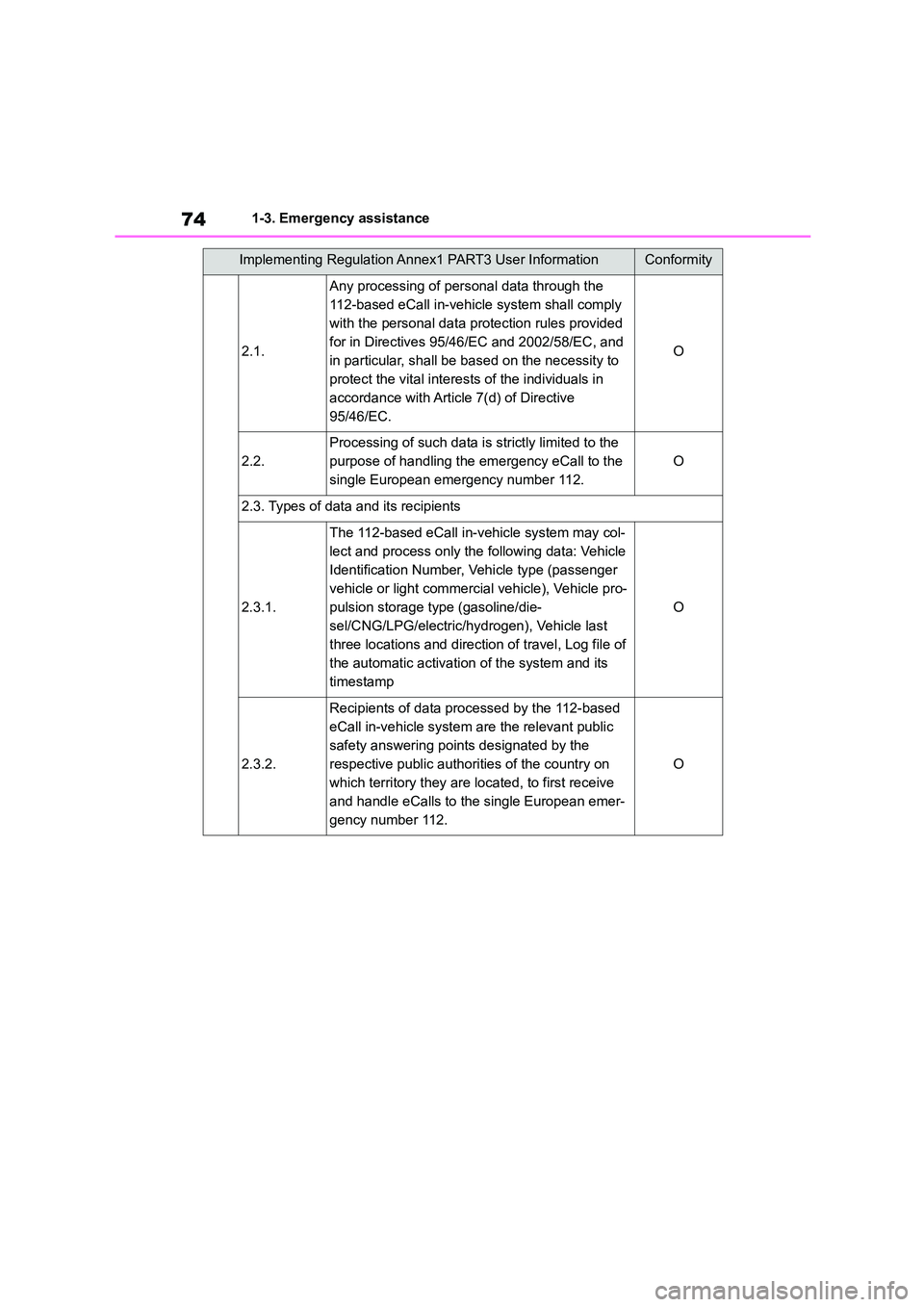
2.1.
Any processing of personal data through the
112-based eCall in-vehicle system shall comply
with the personal data protection rules provided
for in Directives 95/46/EC and 2002/58/EC, and
in particular, shall be based on the necessity to
protect the vital interests of the individuals in
accordance with Article 7(d) of Directive
95/46/EC.
O
2.2.
Processing of such data is strictly limited to the
purpose of handling the emergency eCall to the
single European emergency number 112.
O
2.3. Types of data and its recipients
2.3.1.
The 112-based eCall in-v ehicle system may col-
lect and process only the following data: Vehicle
Identification Number, Vehicle type (passenger
vehicle or light commercia l vehicle), Vehicle pro-
pulsion storage type (gasoline/die-
sel/CNG/LPG/electric/hydr ogen), Vehicle last
three locations and direction of travel, Log file of
the automatic activation of the system and its
timestamp
O
2.3.2.
Recipients of data processed by the 112-based
eCall in-vehicle system are the relevant public
safety answering points designated by the
respective public authorities of the country on
which territory they are located, to first receive
and handle eCalls to the single European emer-
gency number 112.
O
Implementing Regulation Annex1 PART3 User InformationConformity
Page 81 of 758
79
1
1-4. Theft deterrent system
For safety and security
1-4.Theft deterrent system
Vehicles without a smart entry &
start system
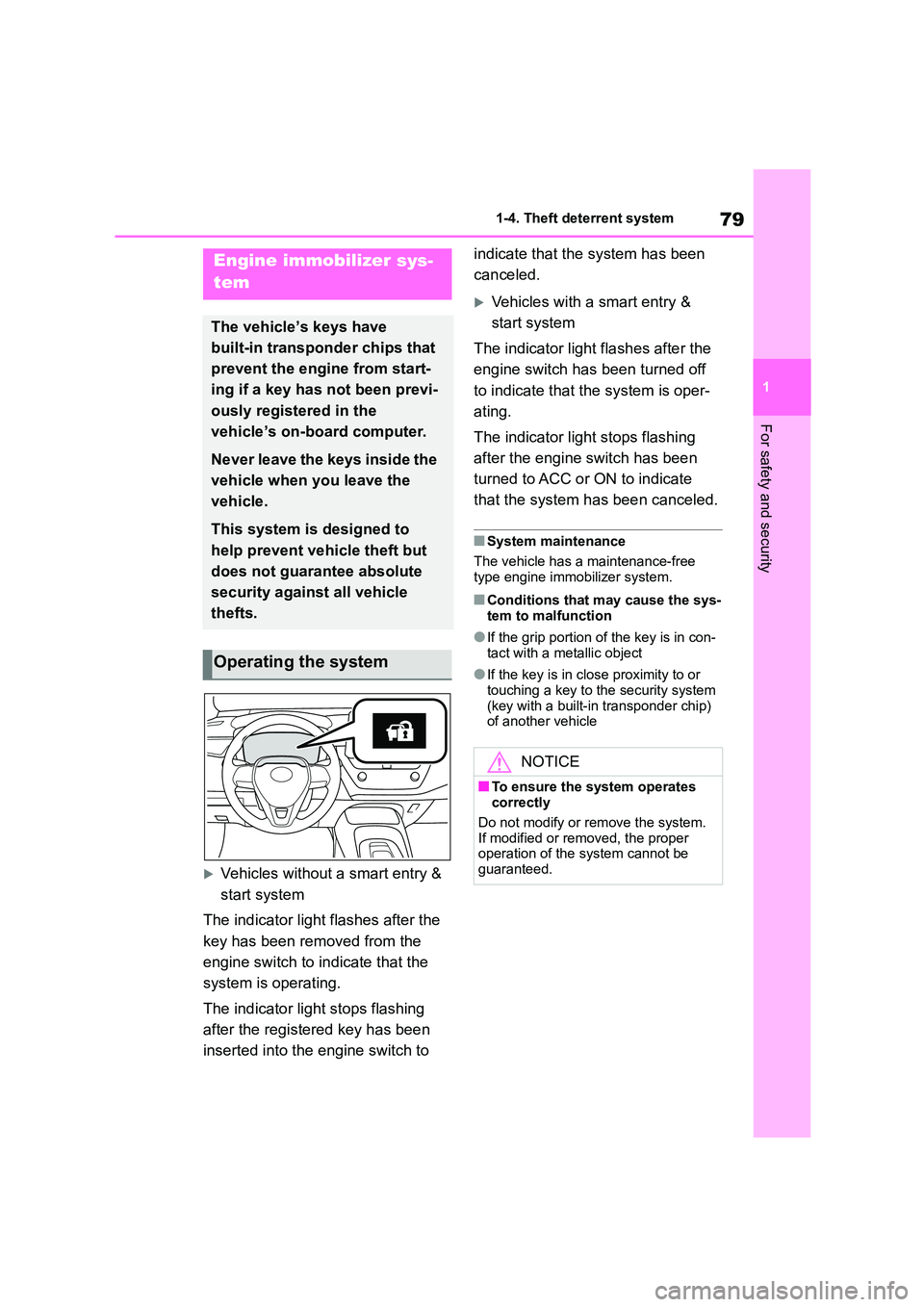
The indicator light flashes after the
key has been removed from the
engine switch to indicate that the
system is operating.
The indicator light stops flashing
after the registered key has been
inserted into the engine switch to
indicate that the system has been
canceled.
Vehicles with a smart entry &
start system
The indicator light flashes after the
engine switch has been turned off
to indicate that the system is oper-
ating.
The indicator light stops flashing
after the engine switch has been
turned to ACC or ON to indicate
that the system has been canceled.
■System maintenance
The vehicle has a maintenance-free
type engine immobilizer system.
■Conditions that may cause the sys-
tem to malfunction
●If the grip portion of the key is in con-
tact with a metallic object
●If the key is in close proximity to or
touching a key to the security system (key with a built-in transponder chip)
of another vehicle
Engine immobilizer sys-
tem
The vehicle’s keys have
built-in transponder chips that
prevent the engine from start-
ing if a key has not been previ-
ously registered in the
vehicle’s on-board computer.
Never leave the keys inside the
vehicle when you leave the
vehicle.
This system is designed to
help prevent vehicle theft but
does not guarantee absolute
security against all vehicle
thefts.
Operating the system
NOTICE
■To ensure the system operates
correctly
Do not modify or remove the system.
If modified or removed, the proper
operation of the system cannot be guaranteed.
Page 83 of 758
81
1
1-4. Theft deterrent system
For safety and security
*: If equipped
■Items to check before locking
the vehicle
To prevent unexpected triggering of
the alarm and vehicle theft, make
sure of the following:
Nobody is in the vehicle.
The windows and panoramic
moon roof (if equipped) are
closed before the alarm is set.
No valuables or other personal
items are left in the vehicle.
■Setting
Close the door and hood, and lock
all the doors using the entry func-
tion (if equipped) or wireless
remote control. The system will set
automatically after 30 seconds.
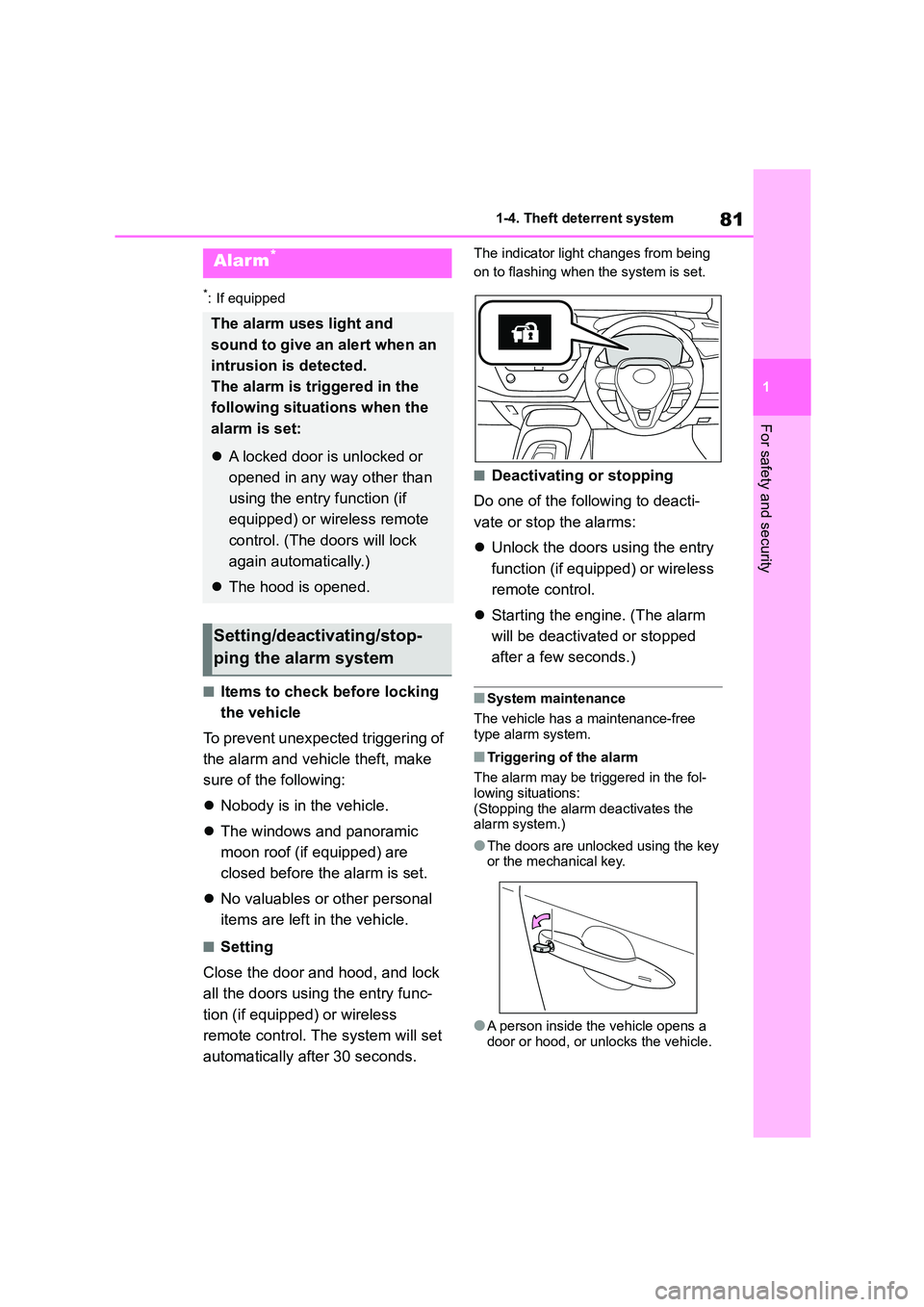
The indicator light changes from being
on to flashing when the system is set.
■Deactivating or stopping
Do one of the following to deacti-
vate or stop the alarms:
Unlock the doors using the entry
function (if equipped) or wireless
remote control.
Starting the engine. (The alarm
will be deactiva ted or stopped
after a few seconds.)
■System maintenance
The vehicle has a maintenance-free
type alarm system.
■Triggering of the alarm
The alarm may be triggered in the fol- lowing situations:
(Stopping the alarm deactivates the
alarm system.)
●The doors are unlocked using the key
or the mechanical key.
●A person inside the vehicle opens a
door or hood, or unlocks the vehicle.
Alarm*
The alarm uses light and
sound to give an alert when an
intrusion is detected.
The alarm is triggered in the
following situations when the
alarm is set:
A locked door is unlocked or
opened in any way other than
using the entry function (if
equipped) or wireless remote
control. (The doors will lock
again automatically.)
The hood is opened.
Setting/deactivating/stop-
ping the alarm system
Page 85 of 758
2
83
2
Vehicle status information and indicators
Vehicle status information
and indicators
.2-1. Instrument cluster
Warning lights and indicators
......................................... 84
Gauges and meters (4.2-inch
display) ............................. 89
Gauges and meters (7-inch
display) ............................. 93
Multi-information display ..... 99
Head-up display................ 106
Fuel consumption information
....................................... 110
Page 86 of 758
842-1. Instrument cluster
2-1.Instrument cluster
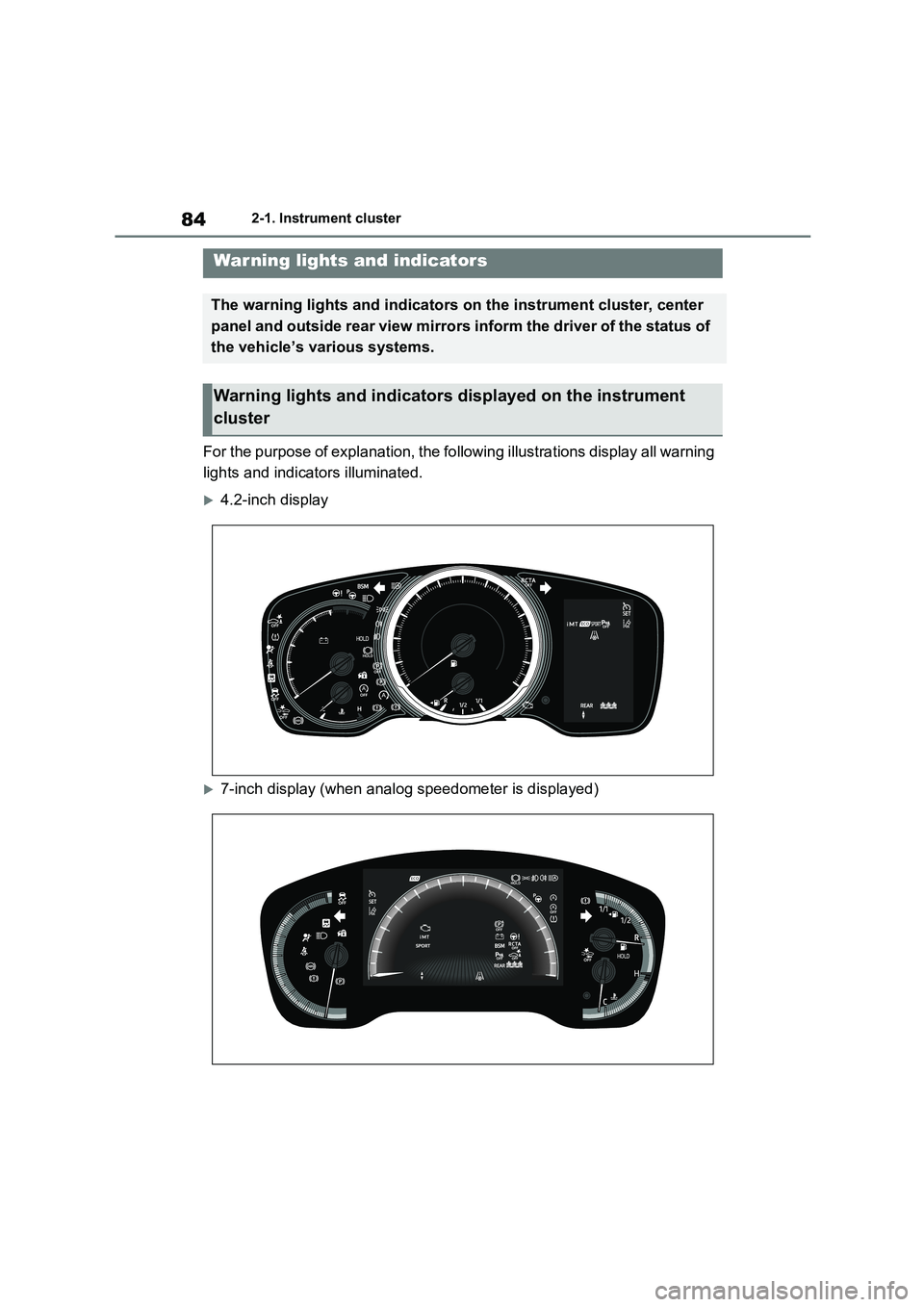
For the purpose of explanation, the following illustrations display all warning
lights and indicators illuminated.
4.2-inch display
7-inch display (when analog speedometer is displayed)
War ning lights and indicators
The warning lights and indicators on the instrument cluster, center
panel and outside rear view mirrors inform the driver of the status of
the vehicle’s various systems.
Warning lights and indicators displayed on the instrument
cluster