audio TOYOTA COROLLA HYBRID 2021 Owners Manual (in English)
[x] Cancel search | Manufacturer: TOYOTA, Model Year: 2021, Model line: COROLLA HYBRID, Model: TOYOTA COROLLA HYBRID 2021Pages: 584, PDF Size: 19.59 MB
Page 1 of 584
1
2
3
4
5
6
7
8
9
9
10
COROLLA HV_U
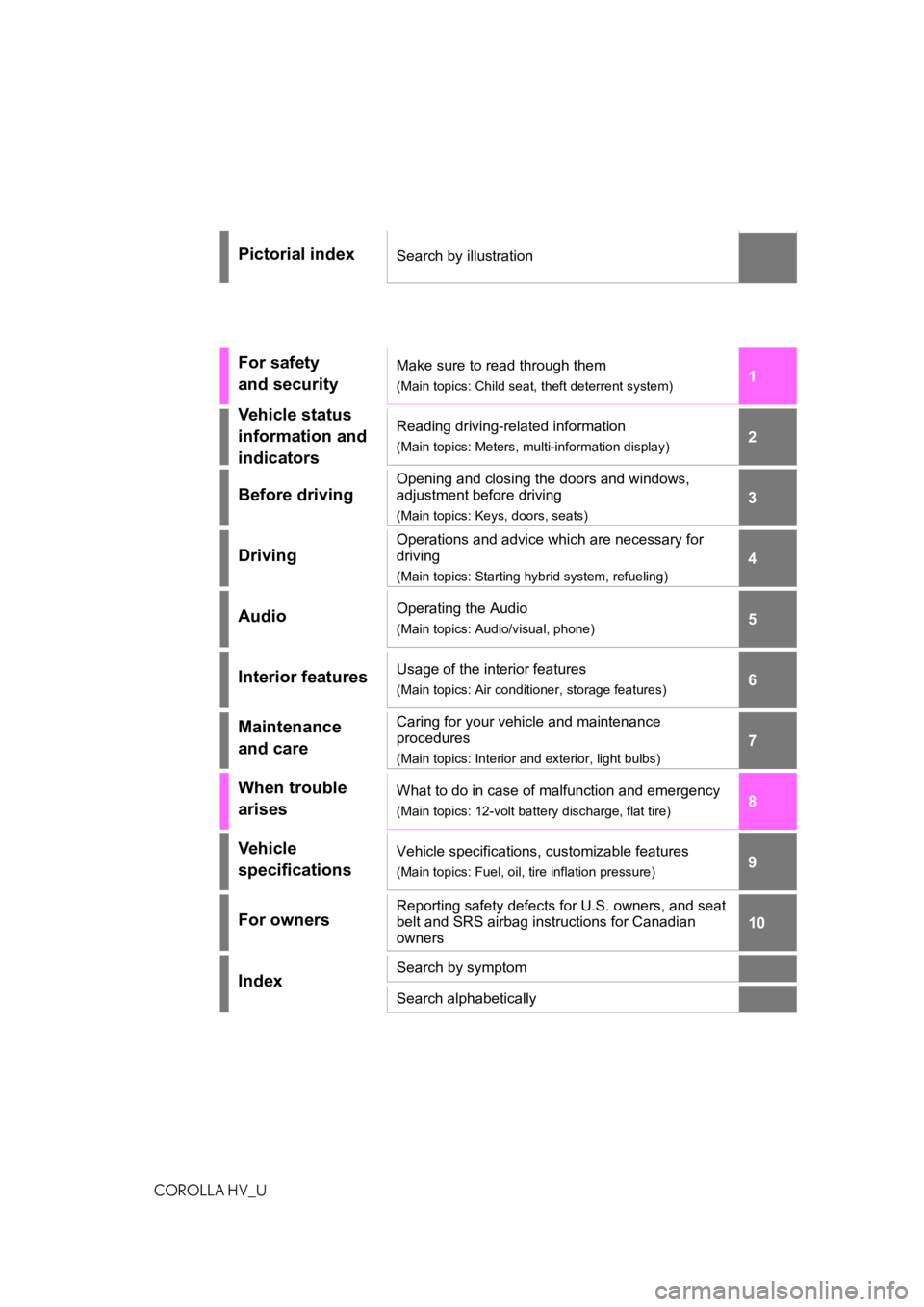
Pictorial indexSearch by illustration
For safety
and securityMake sure to read through them
(Main topics: Child seat, theft deterrent system)
Vehicle status
information and
indicatorsReading driving-related information
(Main topics: Meters, multi-information display)
Before driving
Opening and closing the doors and windows,
adjustment before driving
(Main topics: Keys, doors, seats)
Driving
Operations and advice which are necessary for
driving
(Main topics: Starting hybrid system, refueling)
AudioOperating the Audio
(Main topics: Audio/visual, phone)
Interior featuresUsage of the interior features
(Main topics: Air conditioner, storage features)
Maintenance
and careCaring for your vehicle and maintenance
procedures
(Main topics: Interior and exterior, light bulbs)
When trouble
arisesWhat to do in case of malfunction and emergency
(Main topics: 12-volt battery discharge, flat tire)
Vehicle
specificationsVehicle specifications, customizable features
(Main topics: Fuel, oil, tire inflation pressure)
For ownersReporting safety defects for U.S. owners, and seat
belt and SRS airbag instructions for Canadian
owners
IndexSearch by symptom
Search alphabetically
Page 3 of 584
3TABLE OF CONTENTS
COROLLA HV_U
1
2
3
4
5
6
7
8
9
10
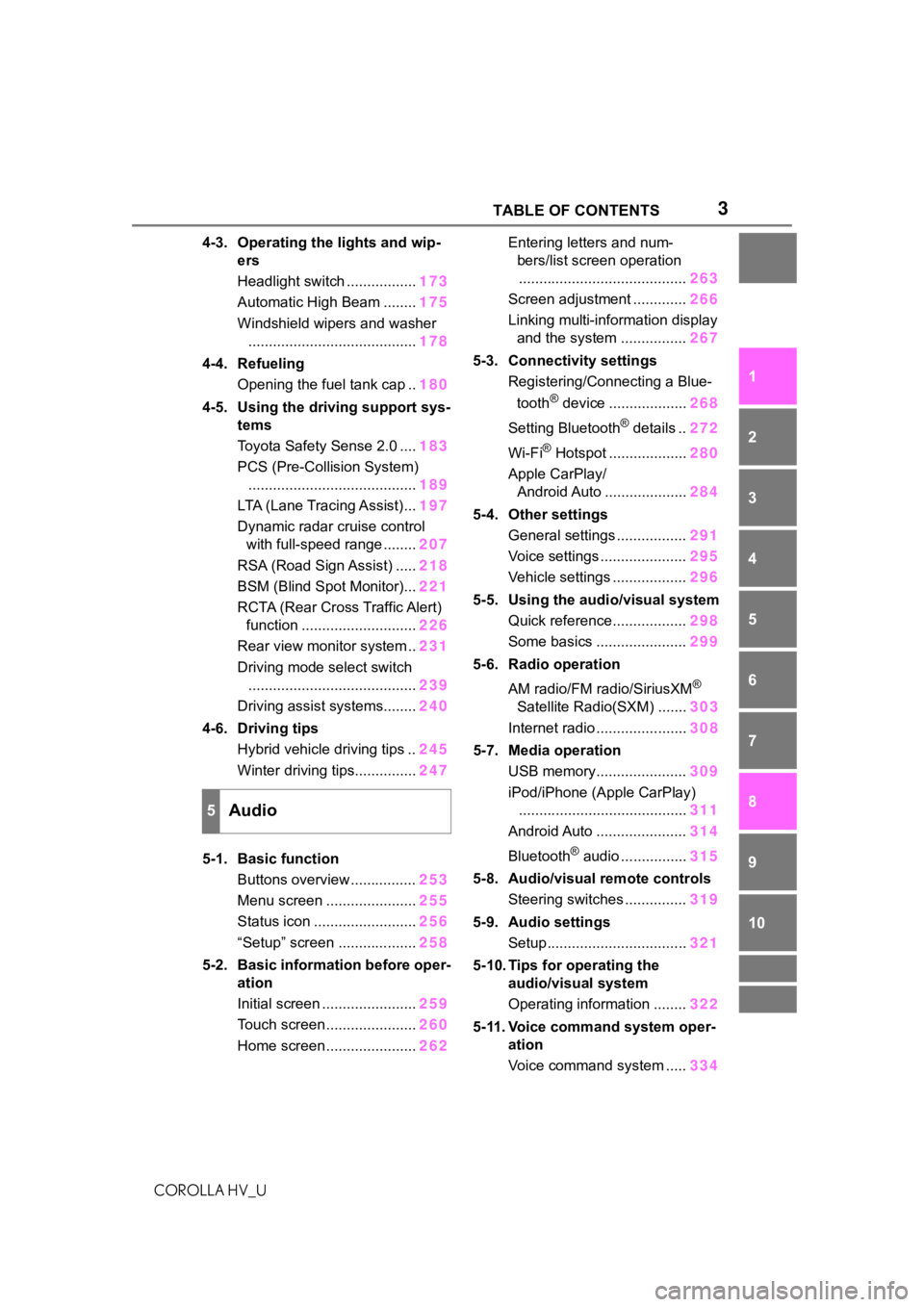
4-3. Operating the lights and wip- ers
Headlight switch ................. 173
Automatic High Beam ........ 175
Windshield wipers and washer ......................................... 178
4-4. Refueling Opening the fuel tank cap .. 180
4-5. Using the driving support sys- tems
Toyota Safety Sense 2.0 .... 183
PCS (Pre-Collision System) ......................................... 189
LTA (Lane Tracing Assist)... 197
Dynamic radar cruise control with full-speed range ........ 207
RSA (Road Sign Assist) ..... 218
BSM (Blind Spot Monitor)... 221
RCTA (Rear Cross Traffic Alert) function ............................ 226
Rear view monitor system .. 231
Driving mode select switch ......................................... 239
Driving assist systems........ 240
4-6. Driving tips Hybrid vehicle driving tips .. 245
Winter driving tips............... 247
5-1. Basic function Buttons overview ................ 253
Menu screen ...................... 255
Status icon ......................... 256
“Setup” screen ................... 258
5-2. Basic information before oper- ation
Initial screen ....................... 259
Touch screen ...................... 260
Home screen ...................... 262Entering letters and num-
bers/list screen operation......................................... 263
Screen adjustment ............. 266
Linking multi-information display and the system ................ 267
5-3. Connectivity settings Registering/Connecting a Blue-
tooth
® device ................... 268
Setting Bluetooth
® details .. 272
Wi-Fi
® Hotspot ................... 280
Apple CarPlay/ Android Auto .................... 284
5-4. Other settings General settings ................. 291
Voice settings ..................... 295
Vehicle settings .................. 296
5-5. Using the audio/visual system Quick reference.................. 298
Some basics ...................... 299
5-6. Radio operation
AM radio/FM radio/SiriusXM
®
Satellite Radio(SXM) ....... 303
Internet radio ...................... 308
5-7. Media operation USB memory...................... 309
iPod/iPhone (Apple CarPlay) ......................................... 311
Android Auto ...................... 314
Bluetooth
® audio ................ 315
5-8. Audio/visual remote controls Steering switches ............... 319
5-9. Audio settings Setup.................................. 321
5-10. Tips for operating the audio/visual system
Operating information ........ 322
5-11. Voice command system oper- ation
Voice command system ..... 334
5Audio
Page 16 of 584
16Pictorial index
COROLLA HV_U
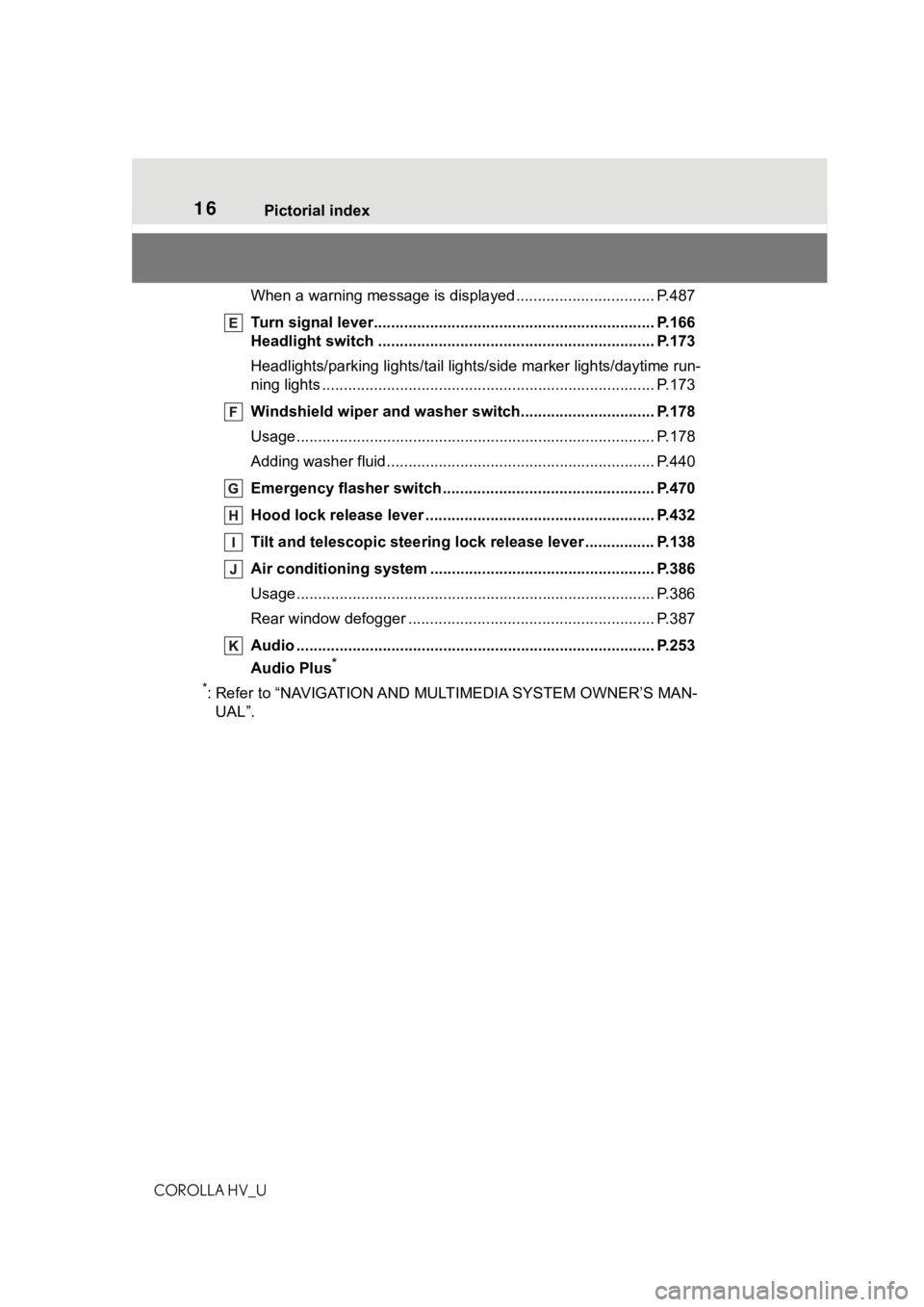
When a warning message is displayed ............................ .... P.487
Turn signal lever.............................................. ................... P.166
Headlight switch ............................................... ................. P.173
Headlights/parking lights/tail lig hts/side marker lights/daytime run-
ning lights .................................................... ......................... P.173
Windshield wiper and washer switch............................... P.178
Usage................................................................................... P.178
Adding washer fluid .............................................................. P.440
Emergency flasher switch ....................................... .......... P.470
Hood lock release lever ........................................ ............. P.432
Tilt and telescopic steering lock release lever ................P. 1 3 8
Air conditioning system ............................. ....................... P.386
Usage................................................................................... P.386
Rear window defogger ........................................... .............. P.387
Audio .......................................................... ......................... P.253
Audio Plus
*
*
: Refer to “NAVIGATION AND MU LTIMEDIA SYSTEM OWNER’S MAN-
UAL”.
Page 18 of 584
18Pictorial index
COROLLA HV_U
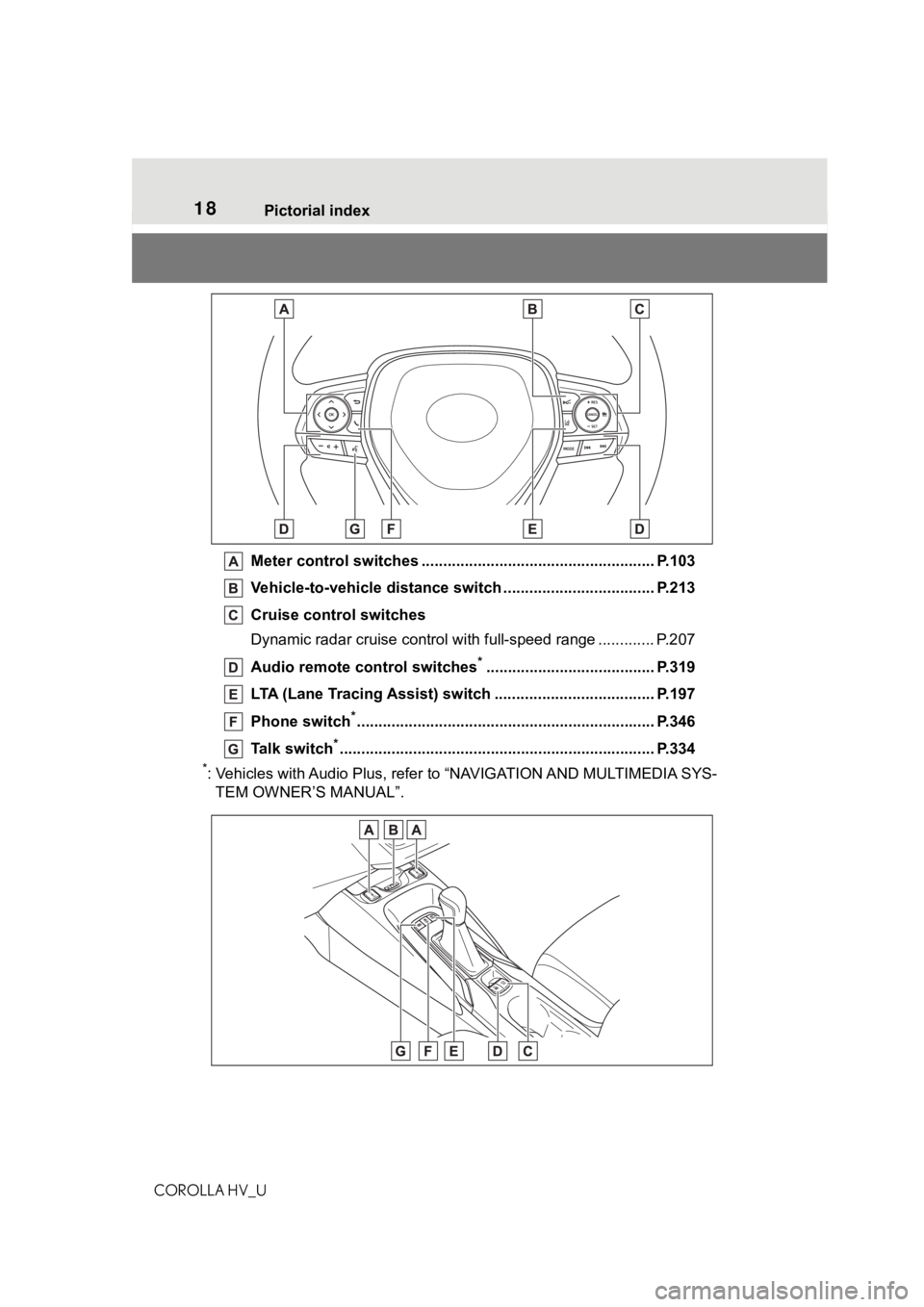
Meter control switches .. .................................................... P.103
Vehicle-to-vehicle distance switch ................................... P.213
Cruise control switches
Dynamic radar cruise control with full-speed range ............. P. 2 0 7
Audio remote control switches
*....................................... P.319
LTA (Lane Tracing Assist) switch ............................... ...... P.197
Phone switch
*............................................................... ...... P.346
Talk switch
*............................................................... .......... P.334
*: Vehicles with Audio Plus, refer to “NAVIGATION AND MULTIMEDIA SYS-
TEM OWNER’S MANUAL”.
Page 101 of 584
1012-1. Instrument cluster
COROLLA HV_U
2
Vehicle status information and indicators
different distances independently.
To reset, display the desired trip
meter and press and hold the dis-
play change button.
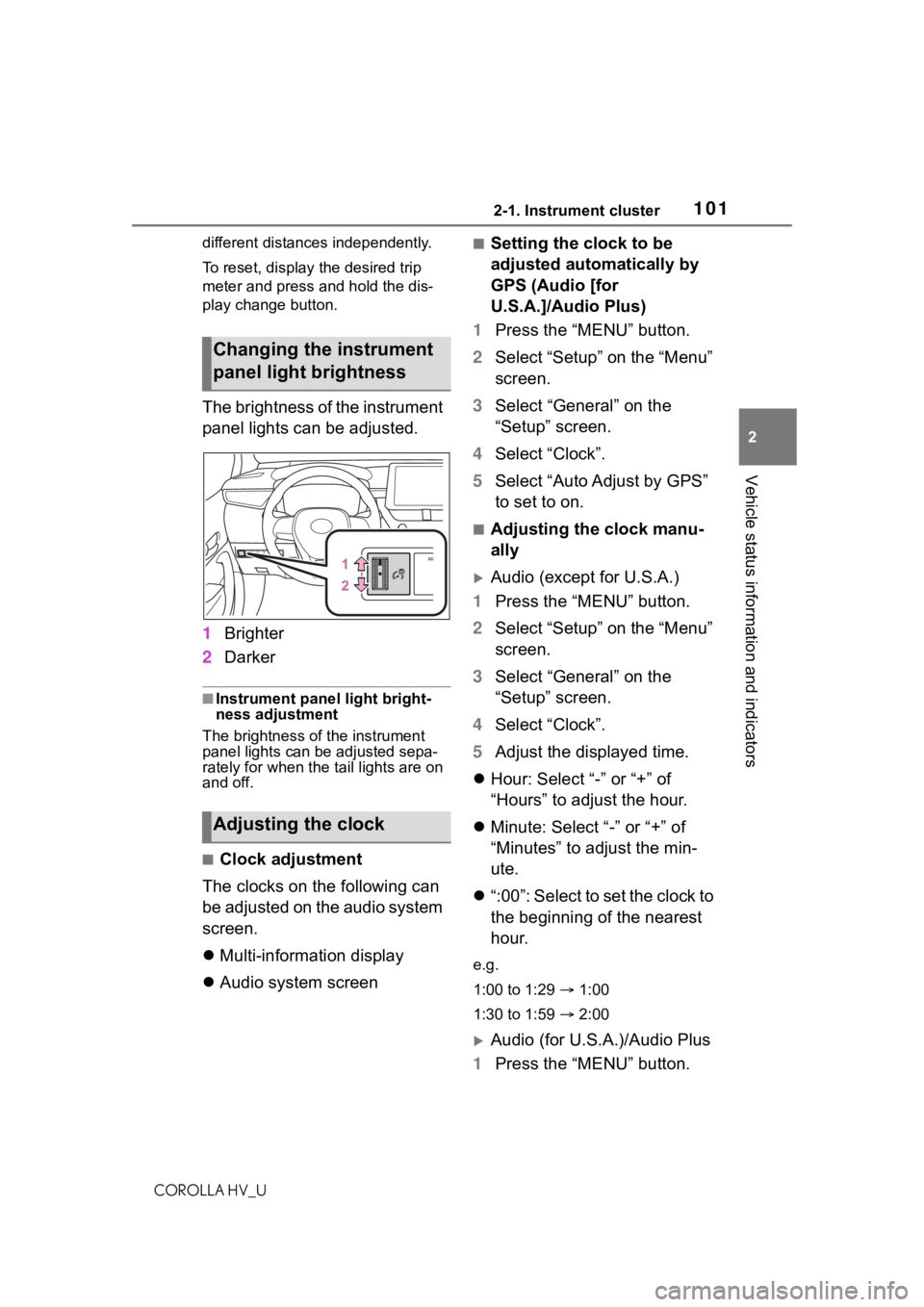
The brightness of the instrument
panel lights can be adjusted.
1 Brighter
2 Darker
■Instrument panel light bright-
ness adjustment
The brightness of the instrument
panel lights can be adjusted sepa-
rately for when the tail lights are on
and off.
■Clock adjustment
The clocks on the following can
be adjusted on the audio system
screen.
Multi-information display
Audio system screen
■Setting the clock to be
adjusted automatically by
GPS (Audio [for
U.S.A.]/Audio Plus)
1 Press the “MENU” button.
2 Select “Setup” on the “Menu”
screen.
3 Select “General” on the
“Setup” screen.
4 Select “Clock”.
5 Select “Auto Adjust by GPS”
to set to on.
■Adjusting the clock manu-
ally
Audio (except for U.S.A.)
1 Press the “MENU” button.
2 Select “Setup” on the “Menu”
screen.
3 Select “General” on the
“Setup” screen.
4 Select “Clock”.
5 Adjust the displayed time.
Hour: Select “-” or “+” of
“Hours” to adjust the hour.
Minute: Select “-” or “+” of
“Minutes” to adjust the min-
ute.
“:00”: Select to set the clock to
the beginning of the nearest
hour.
e.g.
1:00 to 1:29 1:00
1:30 to 1:59 2:00
Audio (for U.S.A.)/Audio Plus
1 Press the “MENU” button.
Changing the instrument
panel light brightness
Adjusting the clock
Page 102 of 584
1022-1. Instrument cluster
COROLLA HV_U
2Select “Setup” on the “Menu”
screen.
3 Select “General” on the
“Setup” screen.
4 Select “Clock”.
5 Select “Auto Adjust by GPS”
to set to off.
6 Adjust the displayed time.
Hour: Select “-” or “+” of
“Hours” to adjust the hour.
Minute: Select “-” or “+” of
“Minutes” to adjust the min-
ute.
“:00”: Select to set the clock to
the beginning of the nearest
hour.
e.g.
1:00 to 1:29 1:00
1:30 to 1:59 2:00
■Setting the time zone
(Audio [for U.S.A.]/Audio
Plus)
1 Press the “MENU” button.
2 Select “Setup” on the “Menu”
screen.
3 Select “General” on the
“Setup” screen.
4 Select “Clock”.
5 Select “Time Zone”.
Select the desired time zone.
■Setting daylight saving time
(Audio [for U.S.A.]/Audio
Plus)
1 Press the “MENU” button. 2
Select “Setup” on the “Menu”
screen.
3 Select “General” on the
“Setup” screen.
4 Select “Clock”.
5 Select “Daylight Saving
Time” then on/off.
■Changing the clock
between 12-hour/24-hour
format
1 Press the “MENU” button.
2 Select “Setup” on the “Menu”
screen.
3 Select “General” on the
“Setup” screen.
4 Select “Clock”.
5 Select “24-Hour Time For-
mat” and then on/off.
When set to off, the clock is dis-
played in 12 hour time format.
■Clock settings screen (Audio
[for U.S.A.]/Audio Plus)
If “Clock : 00” is displayed when
is selected on the multi-information
display, the system may be malfunc-
tioning. Have the vehicle inspected
by your Toyota dealer.
Page 103 of 584
1032-1. Instrument cluster
COROLLA HV_U
2
Vehicle status information and indicators
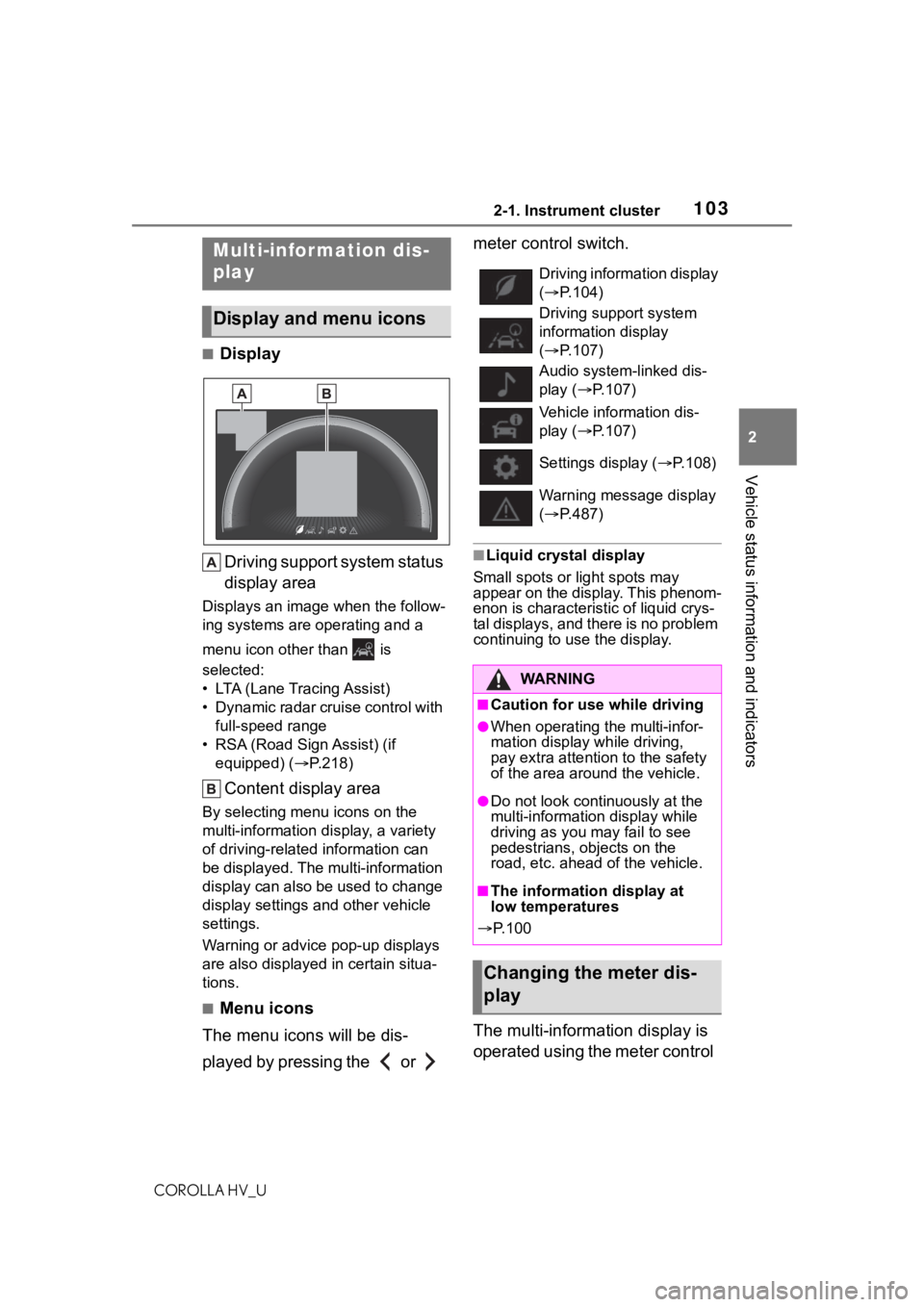
■Display Driving support system status
display area
Displays an image when the follow-
ing systems are operating and a
menu icon other than is
selected:
• LTA (Lane Tracing Assist)
• Dynamic radar cruise control with full-speed range
• RSA (Road Sign Assist) (if equipped) ( P.218)
Content display area
By selecting menu icons on the
multi-information di splay, a variety
of driving-related information can
be displayed. The multi-information
display can also be used to change
display settings and other vehicle
settings.
Warning or advice pop-up displays
are also displayed in certain situa-
tions.
■Menu icons
The menu icons will be dis-
played by pressing the or meter control switch.
■Liquid crystal display
Small spots or light spots may
appear on the display. This phenom-
enon is characteristic of liquid crys-
tal displays, and there is no problem
continuing to use the display.
The multi-information display is
operated using the meter control
Multi-infor mation dis-
play
Display and menu icons
Driving information display
( P.104)
Driving support system
information display
( P.107)
Audio system-linked dis-
play ( P.107)
Vehicle information dis-
play ( P.107)
Settings display ( P.108)
Warning message display
( P.487)
WA R N I N G
■Caution for use while driving
●When operating the multi-infor-
mation display while driving,
pay extra attention to the safety
of the area around the vehicle.
●Do not look continuously at the
multi-informatio n display while
driving as you may fail to see
pedestrians, objects on the
road, etc. ahead of the vehicle.
■The information display at
low temperatures
P. 1 0 0
Changing the meter dis-
play
Page 107 of 584
1072-1. Instrument cluster
COROLLA HV_U
2
Vehicle status information and indicators
■Driving support system
information
Select to display the operational
status of the following systems:
LTA (Lane Tracing Assist)
( P.197)
Dynamic radar cruise control
with full-speed range
( P.207)
Select to enable selection of an
audio source or track on the
meter using the meter control
switches.
This menu icon can be set to be
displayed/not displayed in .
■Display items
Drive information
Energy monitor ( P.109)
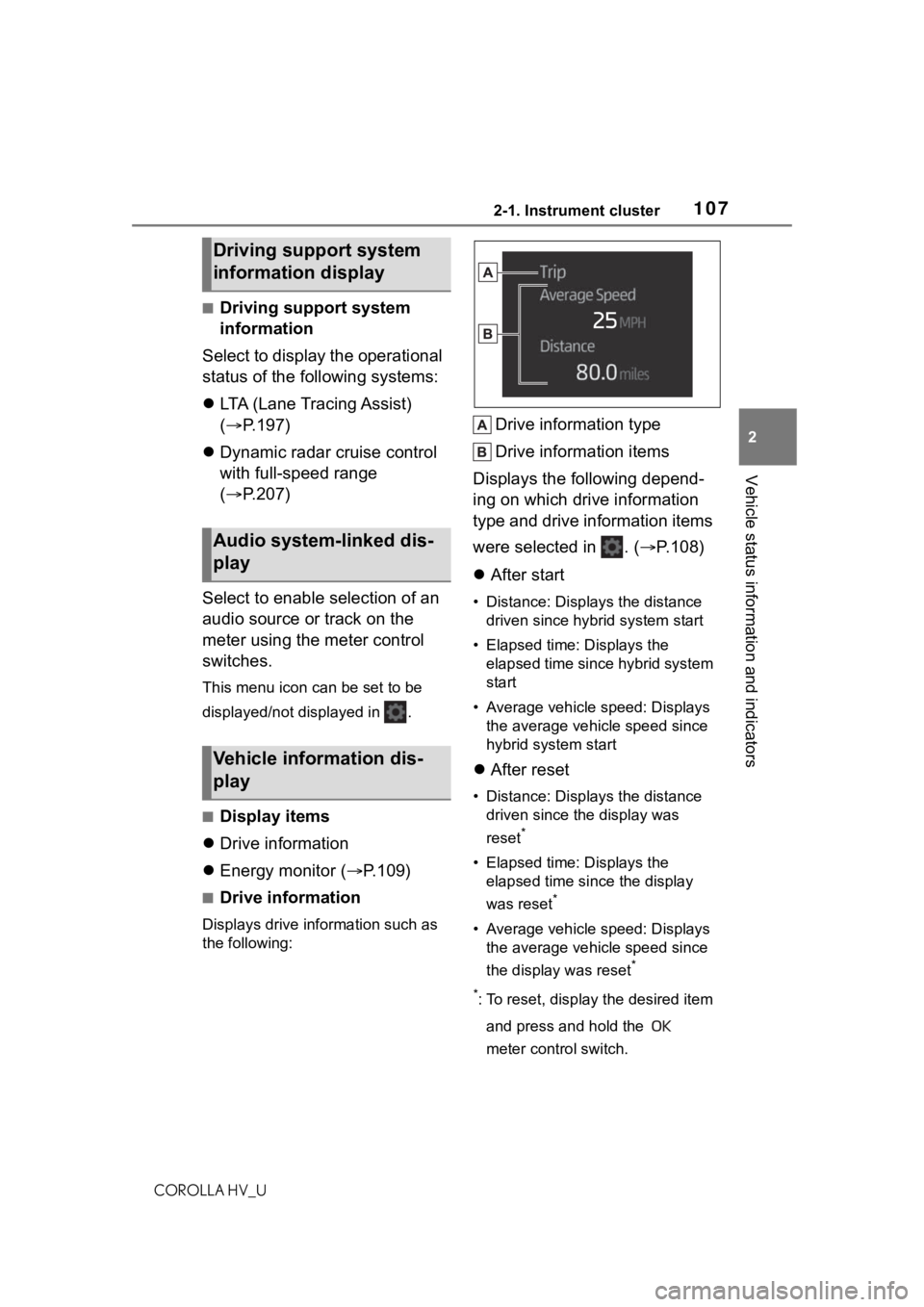
■Drive information
Displays drive information such as
the following:
Drive information type
Drive information items
Displays the following depend-
ing on which drive information
type and drive information items
were selected in . ( P.108)
After start
• Distance: Displays the distance
driven since hybrid system start
• Elapsed time: Displays the elapsed time since hybrid system
start
• Average vehicle speed: Displays the average vehicle speed since
hybrid system start
After reset
• Distance: Displays the distance
driven since the display was
reset
*
• Elapsed time: Displays the elapsed time since the display
was reset
*
• Average vehicle speed: Displays the average vehicle speed since
the display was reset
*
*
: To reset, display the desired item and press and hold the
meter control switch.
Driving support system
information display
Audio system-linked dis-
play
Vehicle information dis-
play
Page 108 of 584
1082-1. Instrument cluster
COROLLA HV_U
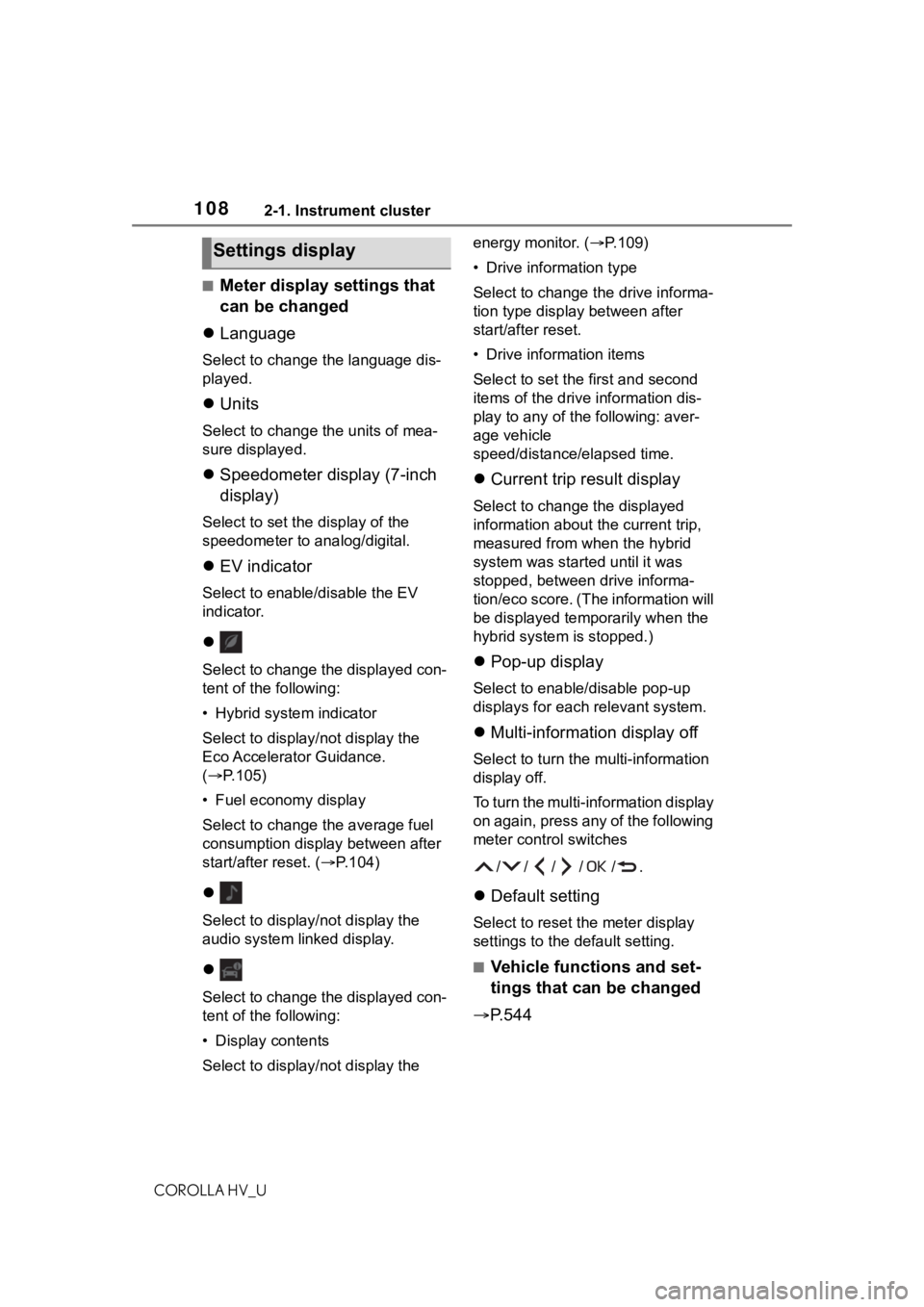
■Meter display settings that
can be changed
Language
Select to change the language dis-
played.
Units
Select to change t he units of mea-
sure displayed.
Speedometer display (7-inch
display)
Select to set the display of the
speedometer to analog/digital.
EV indicator
Select to enable/disable the EV
indicator.
Select to change the displayed con-
tent of the following:
• Hybrid system indicator
Select to display/not display the
Eco Accelerator Guidance.
( P.105)
• Fuel economy display
Select to change the average fuel
consumption display between after
start/after reset. ( P.104)
Select to display/not display the
audio system linked display.
Select to change the displayed con-
tent of the following:
• Display contents
Select to display/not display the energy monitor. (P.109)
• Drive information type
Select to change the drive informa-
tion type display between after
start/after reset.
• Drive information items
Select to set the
first and second
items of the drive information dis-
play to any of the following: aver-
age vehicle
speed/distance/elapsed time.
Current trip result display
Select to change the displayed
information about t he current trip,
measured from when the hybrid
system was start ed until it was
stopped, between drive informa-
tion/eco score. (The information will
be displayed temporarily when the
hybrid system is stopped.)
Pop-up display
Select to enable/disable pop-up
displays for each relevant system.
Multi-information display off
Select to turn the multi-information
display off.
To turn the multi-information display
on again, press any of the following
meter control switches
//// /.
Default setting
Select to reset the meter display
settings to the default setting.
■Vehicle functions and set-
tings that can be changed
P.544
Settings display
Page 109 of 584
1092-1. Instrument cluster
COROLLA HV_U
2
Vehicle status information and indicators
■Suspension of the settings dis-
play
●Some settings cannot be changed
while driving. When changing set-
tings, park the vehicle in a safe
place.
●If a warning message is displayed,
operation of the settings display
will be suspended.
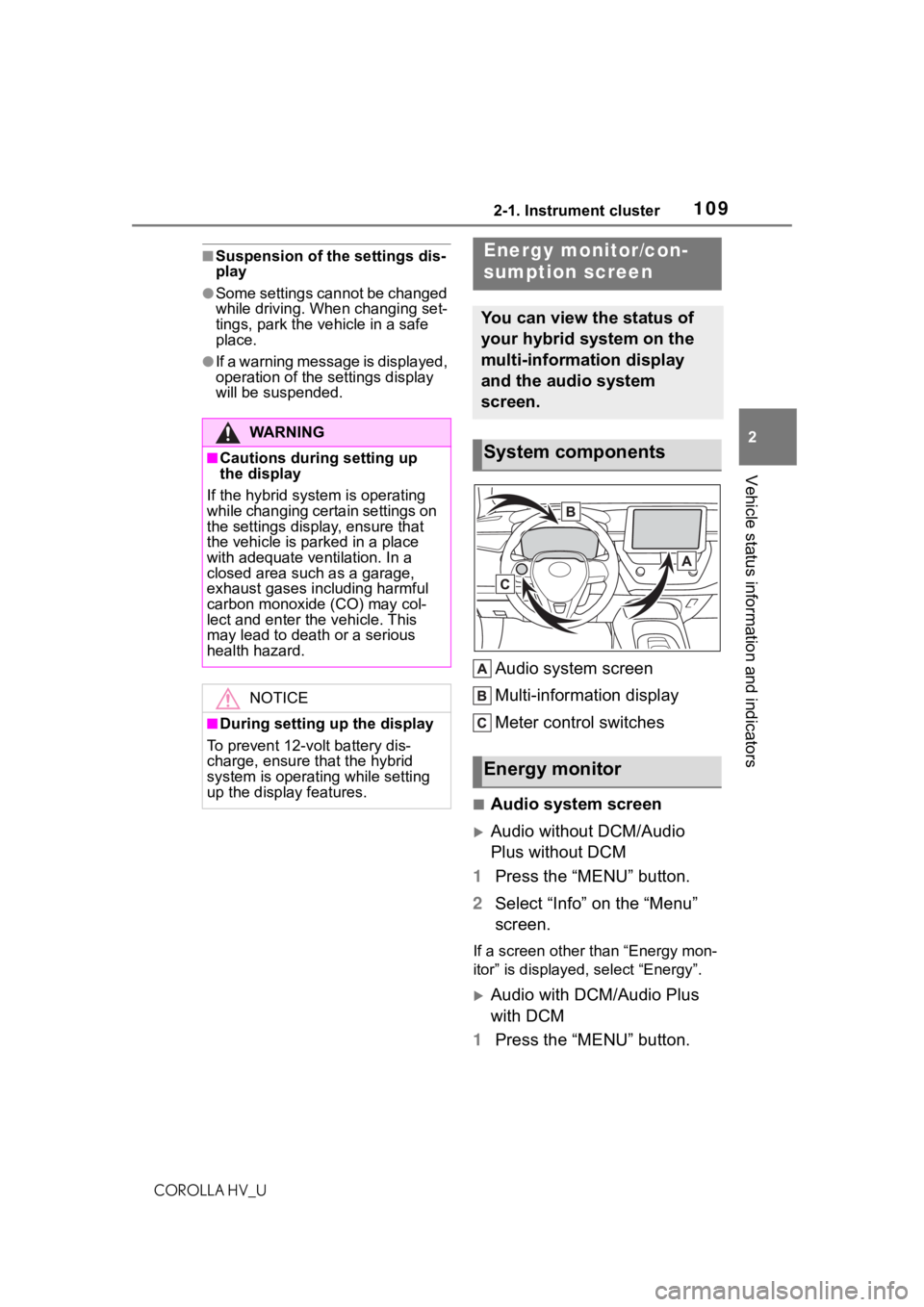
Audio system screen
Multi-information display
Meter control switches
■Audio system screen
Audio without DCM/Audio
Plus without DCM
1 Press the “MENU” button.
2 Select “Info” on the “Menu”
screen.
If a screen other than “Energy mon-
itor” is displayed, select “Energy”.
Audio with DCM/Audio Plus
with DCM
1 Press the “MENU” button.
WA R N I N G
■Cautions during setting up
the display
If the hybrid system is operating
while changing certain settings on
the settings display, ensure that
the vehicle is parked in a place
with adequate ventilation. In a
closed area such as a garage,
exhaust gases including harmful
carbon monoxide (CO) may col-
lect and enter the vehicle. This
may lead to death or a serious
health hazard.
NOTICE
■During setting up the display
To prevent 12-volt battery dis-
charge, ensure t hat the hybrid
system is operating while setting
up the display features.
Energy monitor/con-
sumption screen
You can view the status of
your hybrid system on the
multi-information display
and the audio system
screen.
System components
Energy monitor