change time TOYOTA HILUX 2015 Owners Manual (in English)
[x] Cancel search | Manufacturer: TOYOTA, Model Year: 2015, Model line: HILUX, Model: TOYOTA HILUX 2015Pages: 540, PDF Size: 34.99 MB
Page 8 of 540
8
HILUX_OM_OM0K219E_(EE)
For your infor mation
Please note that this manual applies to all models and all equipment, includ-
ing options. Therefore, you may find some explanations for equipment not
installed on your vehicle.
All specifications provided in this manual are current at the time of printing.
However, because of the Toyota policy of continual product improvement, we
reserve the right to make changes at any time without notice.
Depending on specifications, the vehicle shown in the illustrations may differ
from your vehicle in terms of equipment.
Both genuine Toyota and a wide variety of other spare parts and accessories
for Toyota vehicles are currently available on the market. Should it be deter-
mined that any of the genuine Toyota parts or accessories supplied with the
vehicle need to be replaced, Toyota recommends that genuine Toyota parts
or accessories, be used to replace them. Other parts or accessories of
matching quality can also be used. Toyota cannot accept any liability or guar-
antee spare parts and accessories which are not genuine Toyota products,
nor for replacement or installation involving such parts. In addition, damage
or performance problems resulting from the use of non-genuine Toyota spare
parts or accessories may not be covered under warranty.
Main Owner’s Manual
Accessories, spare parts and modification of your Toyota
HILUX_OM_OM0K219E_(EE).book Page 8 Wednesday, May 14, 2014 3 :06 PM
Page 109 of 540
1092. Instrument cluster
2
Instrument cluster
HILUX_OM_OM0K219E_(EE)
■Outside temperature display
In the following situations, the correct outside temperature may not be dis-
played, or the display may take longer than normal to change:
●When the vehicle is stopped, or moving at low speeds (less than 20 km/h
[12 mph])
● When the outside temperature has changed suddenly (at the entrance/exit
of a garage, tunnel, etc.)
■ When “--” is displayed
The system may be malfunctioning. Take your vehicle to any authorized
Toyota dealer or repairer, or another duly qualified and equipped professional.
■ When disconnecting and reconnecting battery terminals
The following information data and settings will be reset:
●Average fuel consumption
● Average vehicle speed
● Elapsed time
CAUTION
■Cautions during setting up the display
As the engine needs to be operating during setting up the display, ensure
that the vehicle is parked in a place with adequate ventilation. In a closed
area such as a garage, exhaust gases including harmful carbon monoxide
(CO) may collect and enter the vehicle. This may lead to death or a serious
health hazard.
NOTICE
■The information display at low temperatures
Allow the interior of the vehicle to warm up before using the liquid crystal
information display. At extremely low temperatures, the information display
monitor may respond slowly, and display changes may be delayed.
■
During setting up the display
To prevent battery discharge, ensure that the engine is operating while set-
ting up the display features.
HILUX_OM_OM0K219E_(EE).book Page 109 Wednesday, May 14, 2014 3:06 PM
Page 199 of 540
1994-3. Operating the lights and wipers
4
Driving
HILUX_OM_OM0K219E_(EE)■
Guide to dial settings
■
Daytime running light system (if equipped)
To make your vehicle more visible to other drivers, the headlights turn on
automatically whenever the engine is started. The daytime running light sys-
tem is not designed for use at night.
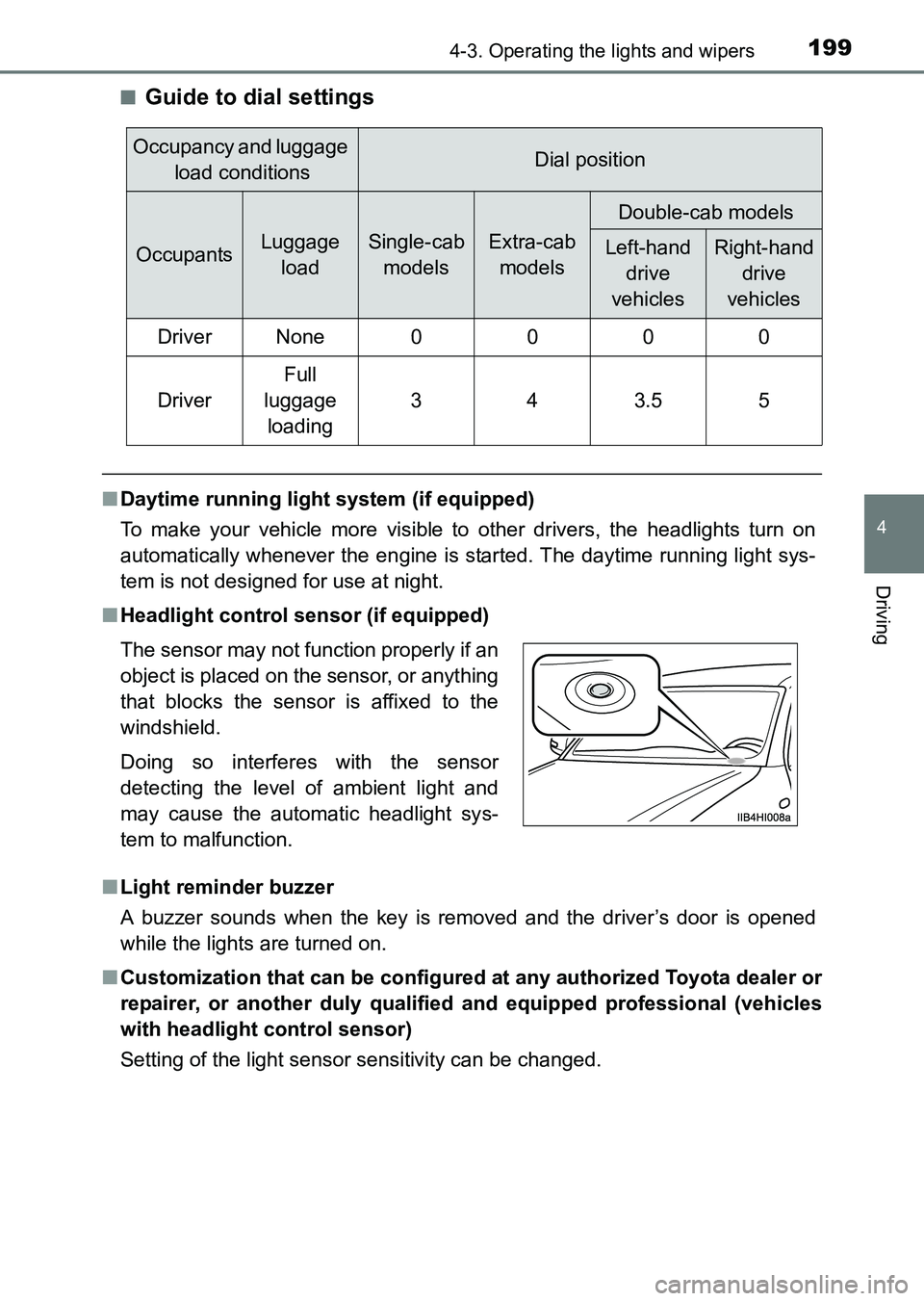
■ Headlight control sensor (if equipped)
■ Light reminder buzzer
A buzzer sounds when the key is removed and the driver’s door is opened
while the lights are turned on.
■ Customization that can be configured at any authorized Toyota dealer or
repairer, or another duly qualified and equipped professional (vehicles
with headlight control sensor)
Setting of the light sensor sensitivity can be changed.
Occupancy and luggage load conditionsDial position
OccupantsLuggage loadSingle-cab modelsExtra-cab models
Double-cab models
Left-hand drive
vehiclesRight-hand drive
vehicles
Driver None 0 0 0 0
Driver
Full
luggage loading
343.55
The sensor may not function properly if an
object is placed on the sensor, or anything
that blocks the sensor is affixed to the
windshield.
Doing so interferes with the sensor
detecting the level of ambient light and
may cause the automatic headlight sys-
tem to malfunction.
HILUX_OM_OM0K219E_(EE).book Page 199 Wednesday, May 14, 2014 3:06 PM
Page 215 of 540
2154-5. Using the driving support systems
4
Driving
HILUX_OM_OM0K219E_(EE)
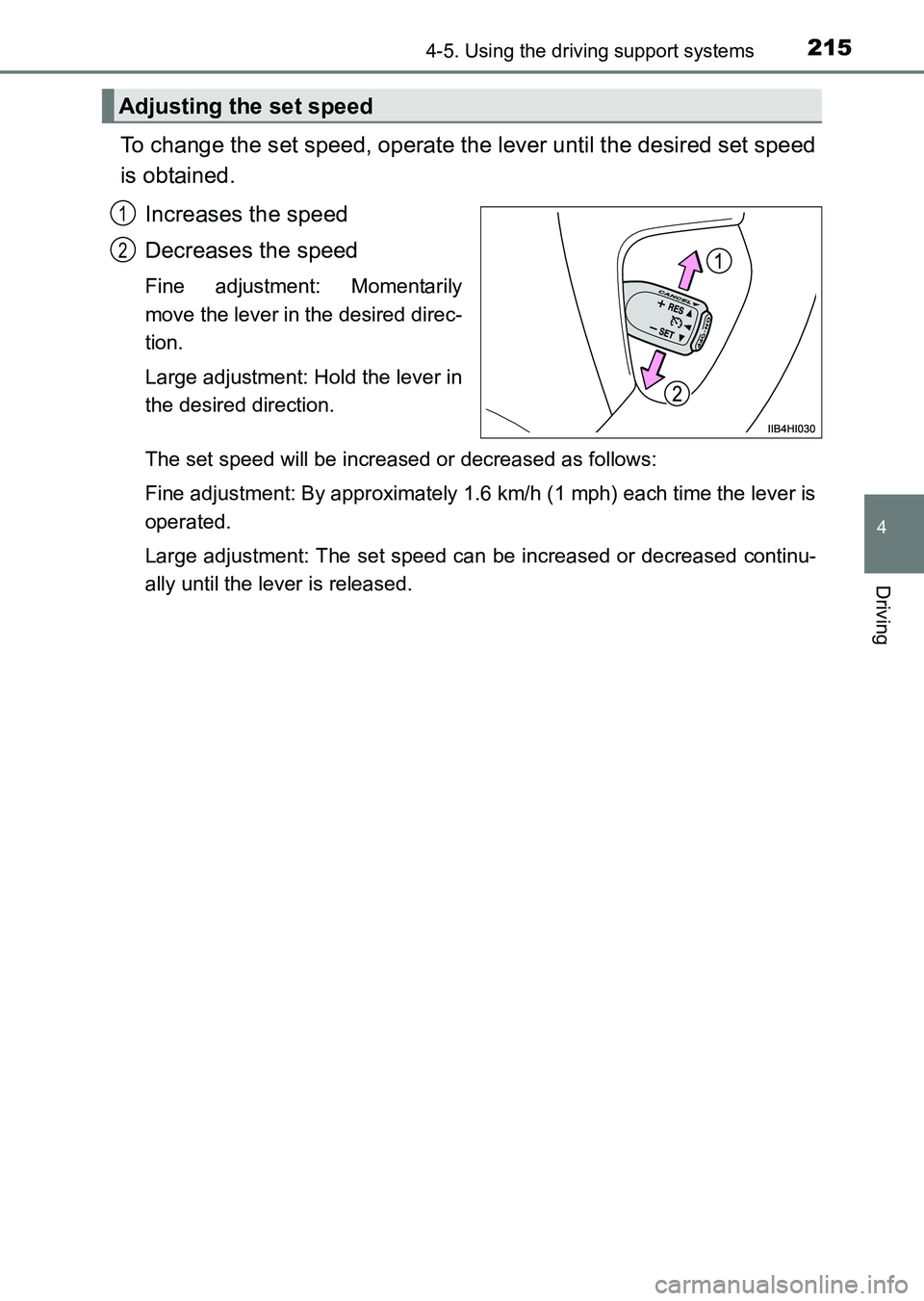
To change the set speed, operate the lever until the desired set speed
is obtained.Increases the speed
Decreases the speed
Fine adjustment: Momentarily
move the lever in the desired direc-
tion.
Large adjustment: Hold the lever in
the desired direction.
The set speed will be increased or decreased as follows:
Fine adjustment: By approximately 1.6 km/h (1 mph) each time the lever is
operated.
Large adjustment: The set speed can be increased or decreased continu-
ally until the lever is released.
Adjusting the set speed
1
2
HILUX_OM_OM0K219E_(EE).book Page 215 Wednesday, May 14, 2014 3:06 PM
Page 261 of 540
2615-1. Using the air conditioning system and defogger
5
Interior features
HILUX_OM_OM0K219E_(EE)
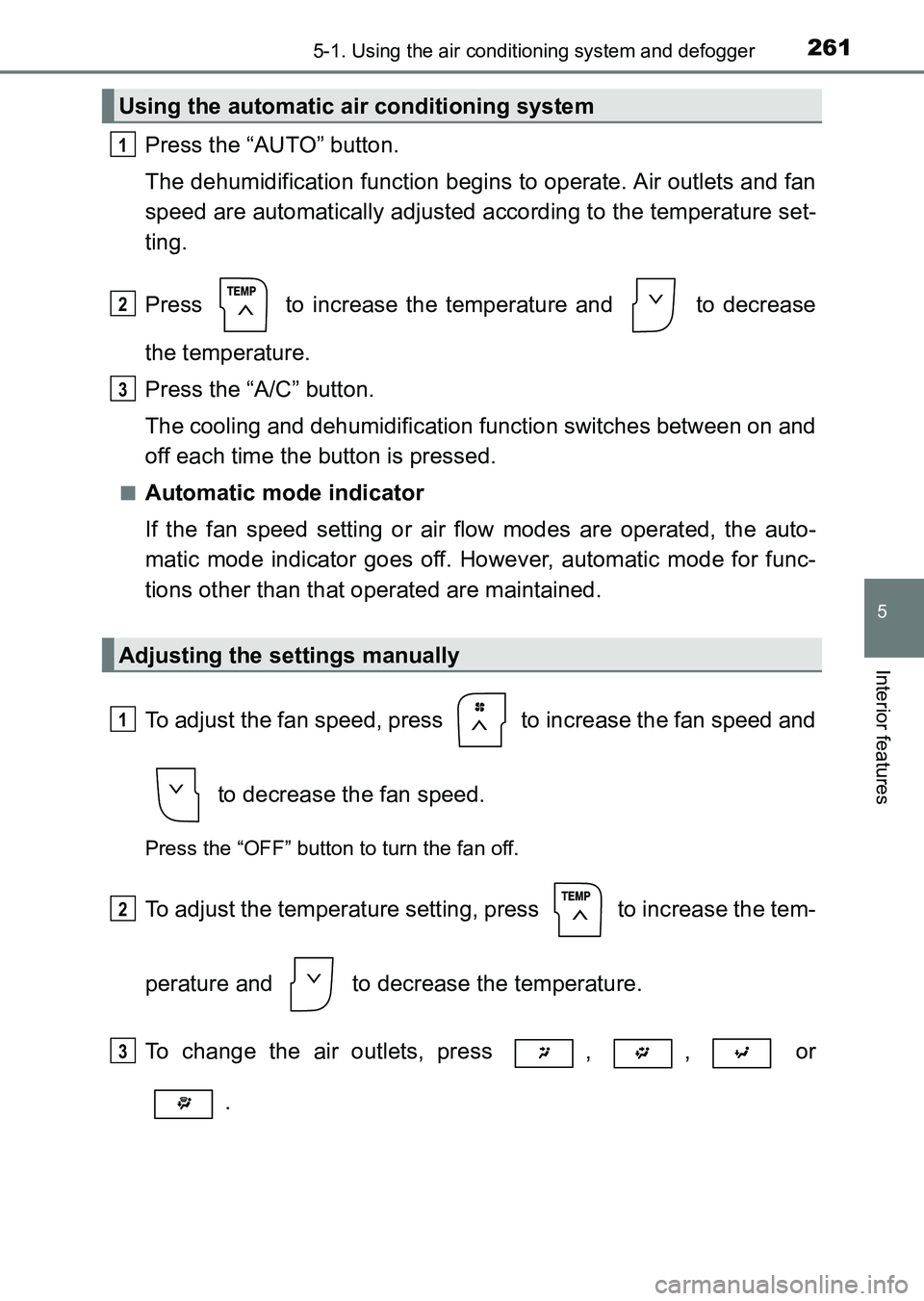
Press the “AUTO” button.
The dehumidification function begins to operate. Air outlets and fan
speed are automatically adjusted according to the temperature set-
ting.
Press to increase the temperature and to decrease
the temperature.
Press the “A/C” button.
The cooling and dehumidification function switches between on and
off each time the button is pressed.
■Automatic mode indicator
If the fan speed setting or air flow modes are operated, the auto-
matic mode indicator goes off. However, automatic mode for func-
tions other than that operated are maintained.
To adjust the fan speed, press to increase the fan speed and to decrease the fan speed.
Press the “OFF” button to turn the fan off.
To adjust the temperature setting, press to increase the tem-
perature and to decrease the temperature.
To change the air outlets, press , , or .
Using the automatic air conditioning system
Adjusting the settings manually
1
2
3
1
2
3
HILUX_OM_OM0K219E_(EE).book Page 261 Wednesday, May 14, 2014 3:06 PM
Page 282 of 540
2825-2. Using the audio system
HILUX_OM_OM0K219E_(EE)■
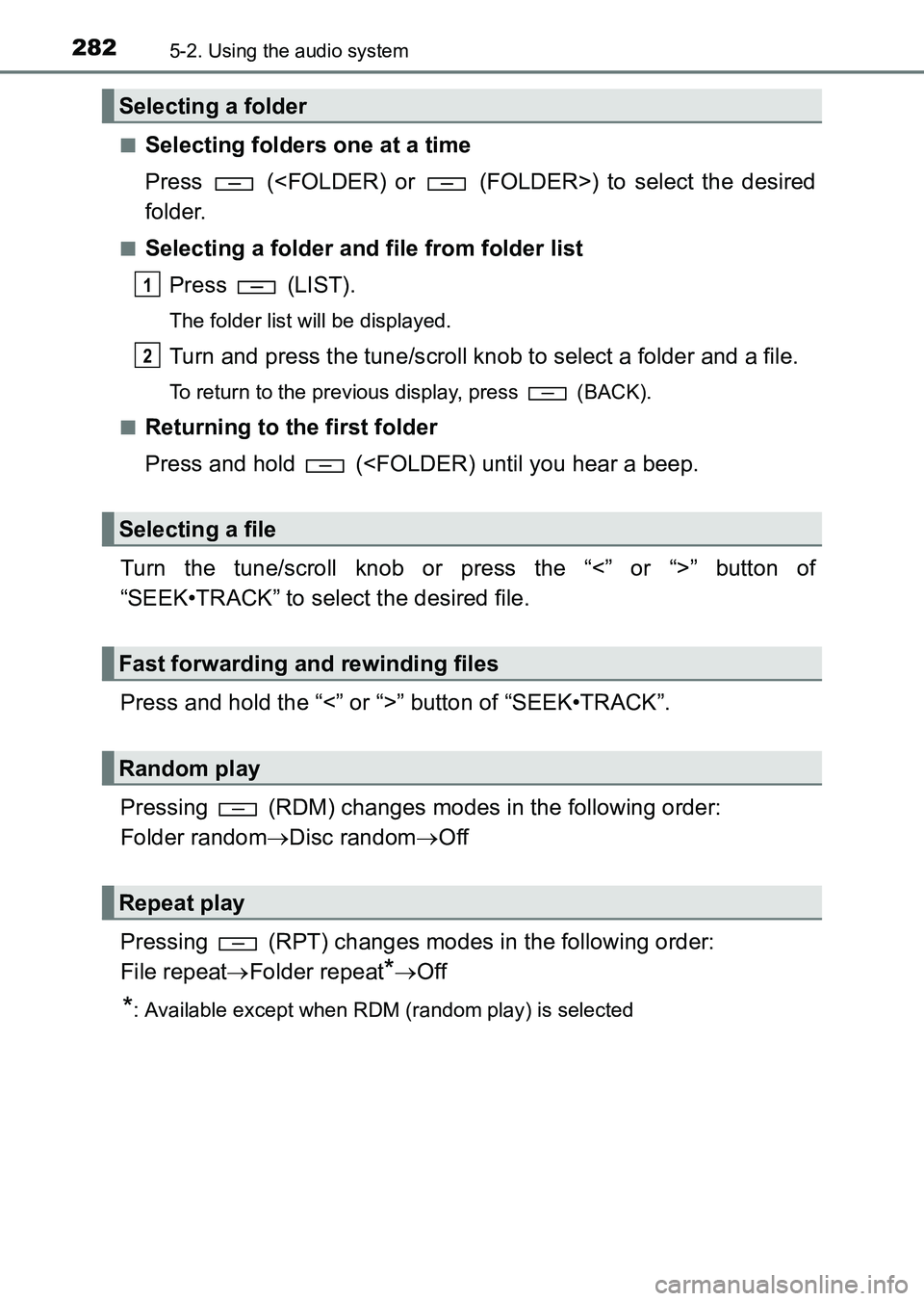
Selecting folders one at a time
Press (
folder.
■Selecting a folder and file from folder list
Press (LIST).
The folder list will be displayed.
Turn and press the tune/scroll knob to select a folder and a file.
To return to the previous display, press (BACK).
■
Returning to the first folder
Press and hold (
“SEEK•TRACK” to select the desired file.
Press and hold the “<” or “>” button of “SEEK•TRACK”.
Pressing (RDM) changes modes in the following order:
Folder random →Disc random →Off
Pressing (RPT) changes modes in the following order:
File repeat →Folder repeat
*→Off
*: Available except when RDM (random play) is selected
Selecting a folder
Selecting a file
Fast forwarding and rewinding files
Random play
Repeat play
1
2
HILUX_OM_OM0K219E_(EE).book Page 282 Wednesday, May 14, 2014 3:06 PM
Page 385 of 540
3856-3. Do-it-yourself maintenance
6
Maintenance and care
HILUX_OM_OM0K219E_(EE)
■Engine oil consumption
A certain amount of engine oil will be consumed while driving. In the following
situations, oil consumption may increase, and engine oil may need to be
refilled in between oil maintenance intervals.
●When the engine is new, for example directly after purchasing the vehicle or
after replacing the engine
● If low quality oil or oil of an inappropriate viscosity is used
● When driving at high engine speeds or with a heavy load, when towing, or
when driving while accelerating or decelerating frequently
● When leaving the engine idling for a long time, or when driving frequently
through heavy traffic
■ After changing the engine oil (diesel engine except for KUN25L-PRMDH
model
*)
The engine oil maintenance data should be reset. Perform the following pro-
cedures:
Switch the display to the trip meter A ( →P. 102) when the engine switch is
in the “ON” position.
Turn the engine switch to the “LOCK” position.
While pressing the odometer/trip meter display change button ( →P. 102),
turn the engine switch to the “ON” position (do not start the engine because
reset mode will be canceled). Continue to press and hold the button for
more than one second after the trip meter displays “000000”.
*: The model code is indicated on the manufacturer’s label or plate. (→ P. 494)
1
2
3
HILUX_OM_OM0K219E_(EE).book Page 385 Wednesday, May 14, 2014 3:06 PM