climate control TOYOTA iQ EV 2013 Owners Manual (in English)
[x] Cancel search | Manufacturer: TOYOTA, Model Year: 2013, Model line: iQ EV, Model: TOYOTA iQ EV 2013Pages: 444, PDF Size: 7.34 MB
Page 3 of 444

3
9 8
7
6
5
4
3
10
1
2
5-1. Before drivingDriving the vehicle ............. 150
Cargo and luggage............ 159
Vehicle load limits ............. 162
Trailer towing..................... 163
Dinghy towing.................... 164
5-2. Driving procedures Power (ignition) switch ...... 165
Transmission ..................... 171
Turn signal lever................ 173
Parking brake .................... 174
Horn .................................. 175
5-3. Operating the lights and wipers
Headlight switch ................ 176
Windshield wipers and washer ..................... 178
Rear window wiper and washer ..................... 180
5-4. How to charge Normal charging ................ 181
Quick charging .................. 195
Timer charging (normal charging only) ................. 202
5-5. Using the driving support systems
Driving assist systems....... 210
Hill-start assist control ....... 213
5-6. Driving tips Winter driving tips.............. 215 6-1. Using the air conditioning
system and defogger
Air conditioning system...... 220
Remote Climate Control System for EV ................. 228
Rear window defogger....... 232
HWD (Heated Windshield Defroster) ...... 233
6-2. Using the interior lights Interior lights list................. 234• Interior light ................... 234
6-3. Using the storage features List of storage features ...... 236• Cup holders ................... 237
• Bottle holders ................ 237
Luggage compartment features ........................... 239
6-4. Other interior features Sun visors and vanity mirrors ............ 241
Outside temperature display ............................. 242
Power outlet....................... 243
Seat heaters ...................... 244
Assist grips ........................ 246
5Driving6Interior features
Page 15 of 444

15Pictorial index
Multi-information display . . . . . . . . . . . . . . . . . . . . . . . . . . . P. 108
Display contents. . . . . . . . . . . . . . . . . . . . . . . . . . . . . . . . . . . . P. 108
Settings change . . . . . . . . . . . . . . . . . . . . . . . . . . . . . . . . . . . . P. 112
When the warning messages are displayed . . . . . . . . . . . . . . P. 344
Parking brake lever . . . . . . . . . . . . . . . . . . . . . . . . . . . . . . . . P. 174
Applying/releasing . . . . . . . . . . . . . . . . . . . . . . . . . . . . . . . . . . P. 174
Precautions against winter season . . . . . . . . . . . . . . . . . . . . . P. 216
Warning buzzer/message . . . . . . . . . . . . . . . . . . . . . . . . P. 335, 349
Turn signal lever . . . . . . . . . . . . . . . . . . . . . . . . . . . . . . . . . . P. 173
Headlight switch . . . . . . . . . . . . . . . . . . . . . . . . . . . . . . . . . . P. 176
Headlights/parking lights/tail lights . . . . . . . . . . . . . . . . . . . . . . P. 176
Wiper and washer switch . . . . . . . . . . . . . . . . . . . . . . . P. 178, 180
Usage (front) . . . . . . . . . . . . . . . . . . . . . . . . . . . . . . . . . . . . . . P. 178
Usage (rear) . . . . . . . . . . . . . . . . . . . . . . . . . . . . . . . . . . . . . . . P. 180
Adding washer fluid . . . . . . . . . . . . . . . . . . . . . . . . . . . . . . . . . P. 283
Emergency flasher switch . . . . . . . . . . . . . . . . . . . . . . . . . . P. 328
Hood lock release lever. . . . . . . . . . . . . . . . . . . . . . . . . . . . . P. 264
Tilt steering control lever . . . . . . . . . . . . . . . . . . . . . . . . . . . P. 143
Air conditioning system . . . . . . . . . . . . . . . . . . . . . . . . . . . . P. 220
Usage . . . . . . . . . . . . . . . . . . . . . . . . . . . . . . . . . . . . . . . . . . . P. 221
Remote Climate Control System for EV
*1. . . . . . . . . . . . . . . . P. 228
Navigation system
*2
*1: Referred to below as “Remote Climate Control”.
*2: Refer to the “Navigation System Owner’s Manual”.
4
5
6
7
8
9
10
11
12
Page 70 of 444
702-1. Electric vehicle
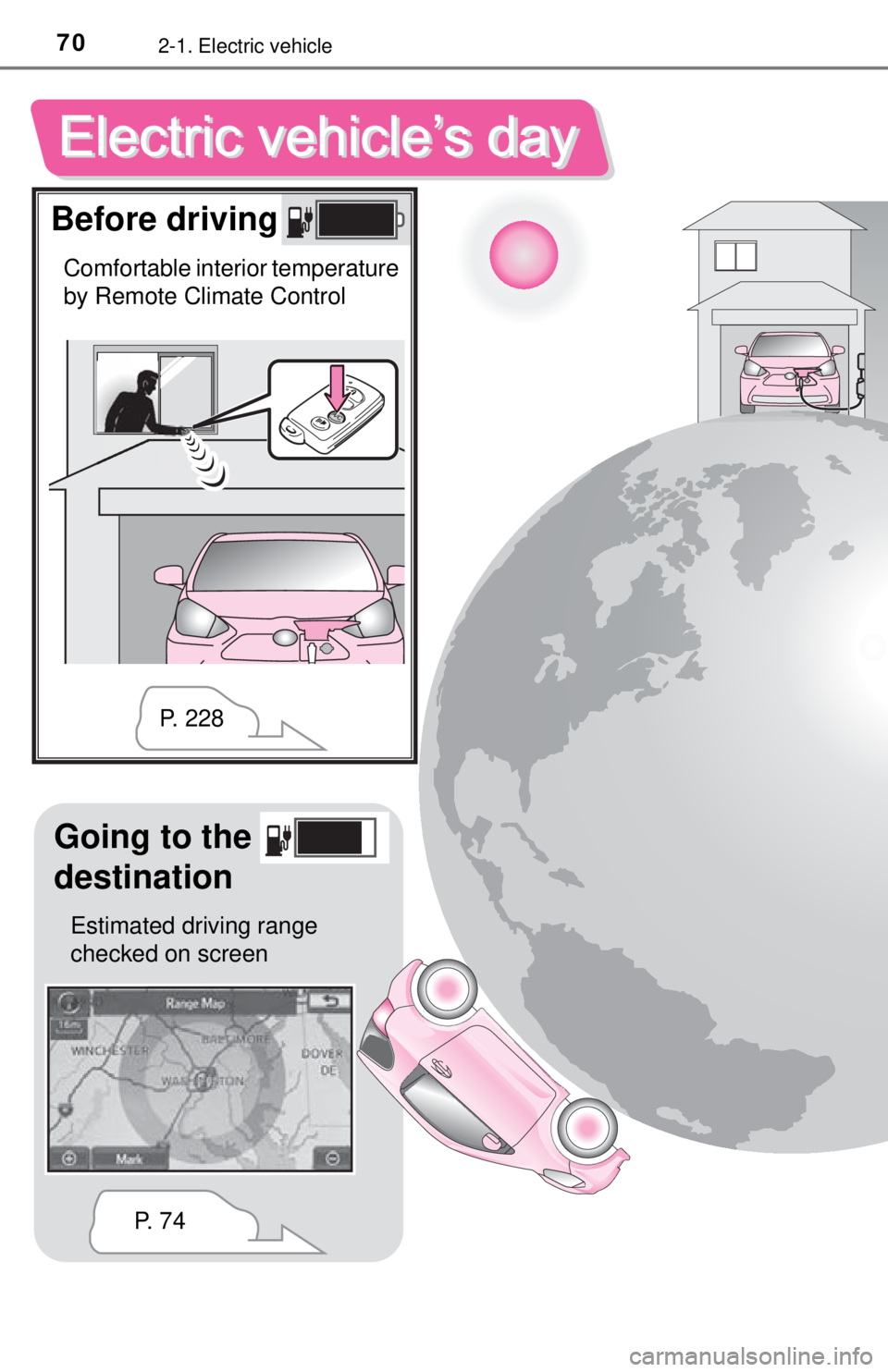
Before driving
Comfortable interior temperature
by Remote Climate Control
Going to the
destination
Estimated driving range
checked on screenP. 7 4P. 2 2 8
Page 71 of 444
712-1. Electric vehicle
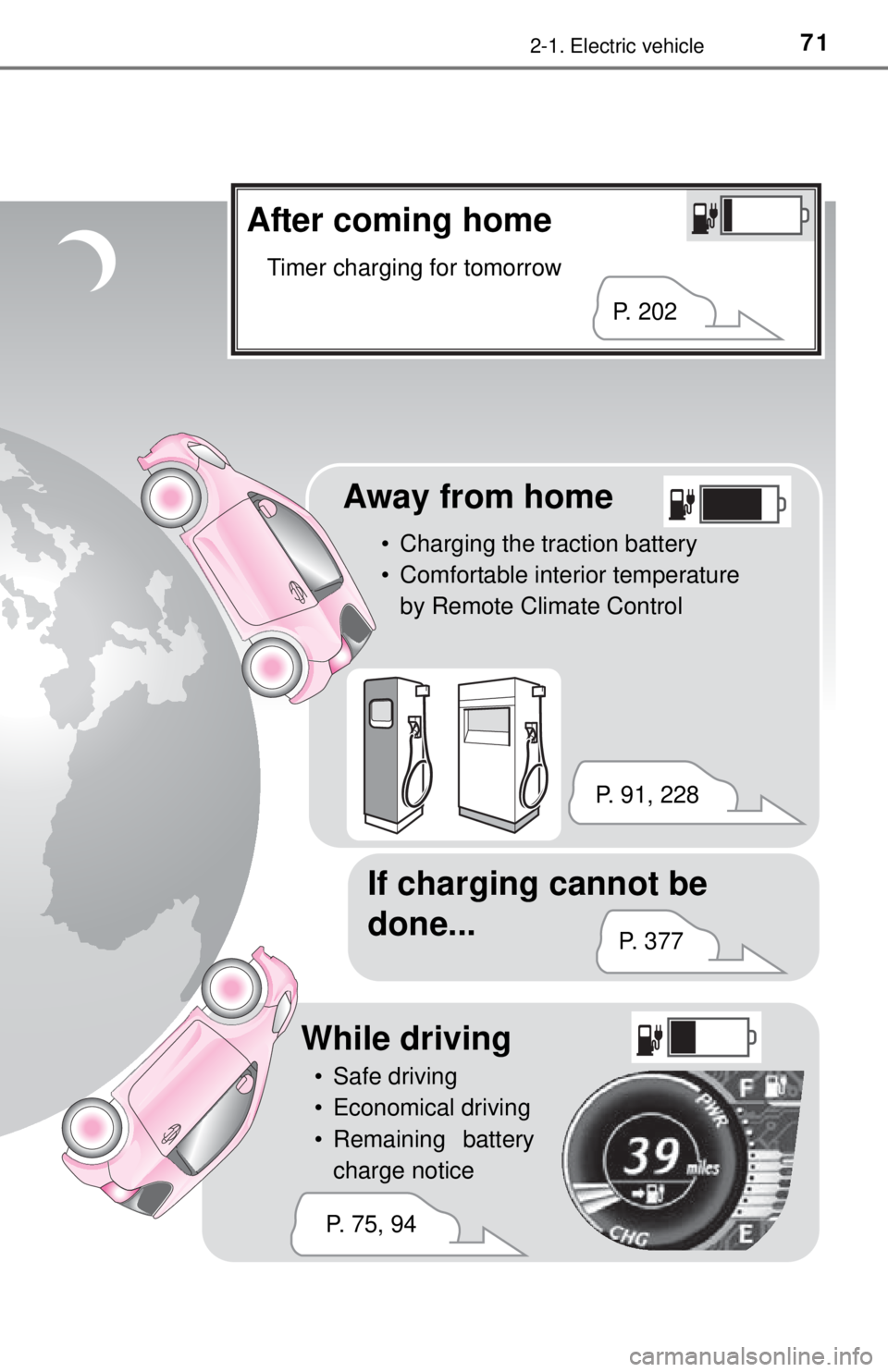
After coming home
Timer charging for tomorrow
Away from home
• Charging the traction battery
• Comfortable interior temperature by Remote Climate Control
If charging cannot be
done...
P. 202
P. 91, 228 P. 3 7 7
While driving
• Safe driving
• Economical driving
• Remaining batterycharge notice
P. 75, 94
Page 97 of 444

972-3. Driving the EV (Electric Vehicle)
2
EV system
■Air conditioning on/off
●Switch the air conditioning off when it is not needed. Doing so
can help control excessive elec tricity and power consumption.
In summer:
In high temperatures, use the re circulated air mode. Doing so will
help to reduce the burden on the air conditioning and reduce
power consumption as well.
In winter:
Excessive or unnecessary heating should be avoided. The use of
the seat heater ( P. 244) is effective to avoid excessive power
consumption.
● For efficiency, use the Remote Climate Control before departing
while the charging cable is connected. ( P. 228)
■Checking tire inflation pressure
Make sure to check the tire infl ation pressure frequently. Improper
tire inflation pressure can cause poor power consumption.
Also, as snow tires can cause large amounts of friction, their use on
dry roads will lead to p oor power consumption. Use tires that are
appropriate for the season.
■Luggage
Carrying heavy luggage can require excessive energy. Avoid leav-
ing unnecessary luggage in the vehicle.
Page 118 of 444
1184-1. Key information
Keys
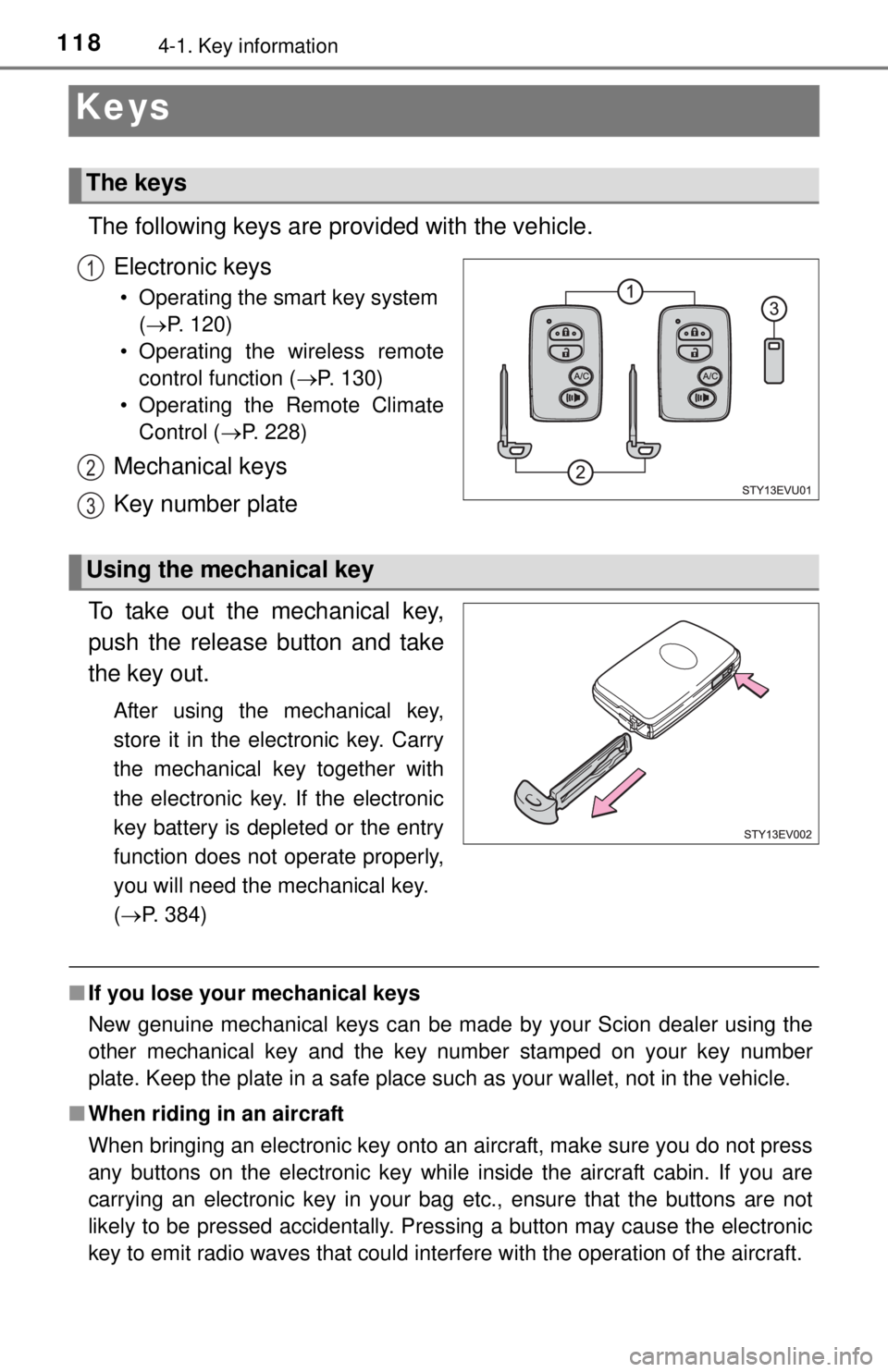
The following keys are provided with the vehicle.Electronic keys
• Operating the smart key system (P. 120)
• Operating the wireless remote control function ( P. 130)
• Operating the Remote Climate Control ( P. 228)
Mechanical keys
Key number plate
To take out the mechanical key,
push the release button and take
the key out.
After using the mechanical key,
store it in the electronic key. Carry
the mechanical key together with
the electronic key. If the electronic
key battery is depleted or the entry
function does not operate properly,
you will need the mechanical key.
( P. 384)
■ If you lose your mechanical keys
New genuine mechanical keys can be made by your Scion dealer using the
other mechanical key and the key number stamped on your key number
plate. Keep the plate in a safe place such as your wallet, not in the vehicle.
■ When riding in an aircraft
When bringing an electronic key onto an aircraft, make sure you do not press
any buttons on the electronic key while inside the aircraft cabin. If you are
carrying an electronic key in your bag etc., ensure that the buttons are not
likely to be pressed accidentally. Pressing a button may cause the electronic
key to emit radio waves that could interfere with the operation of the aircraft.
The keys
1
2
3
Using the mechanical key
Page 130 of 444
1304-2. Opening, closing and locking the doors
Wireless remote control
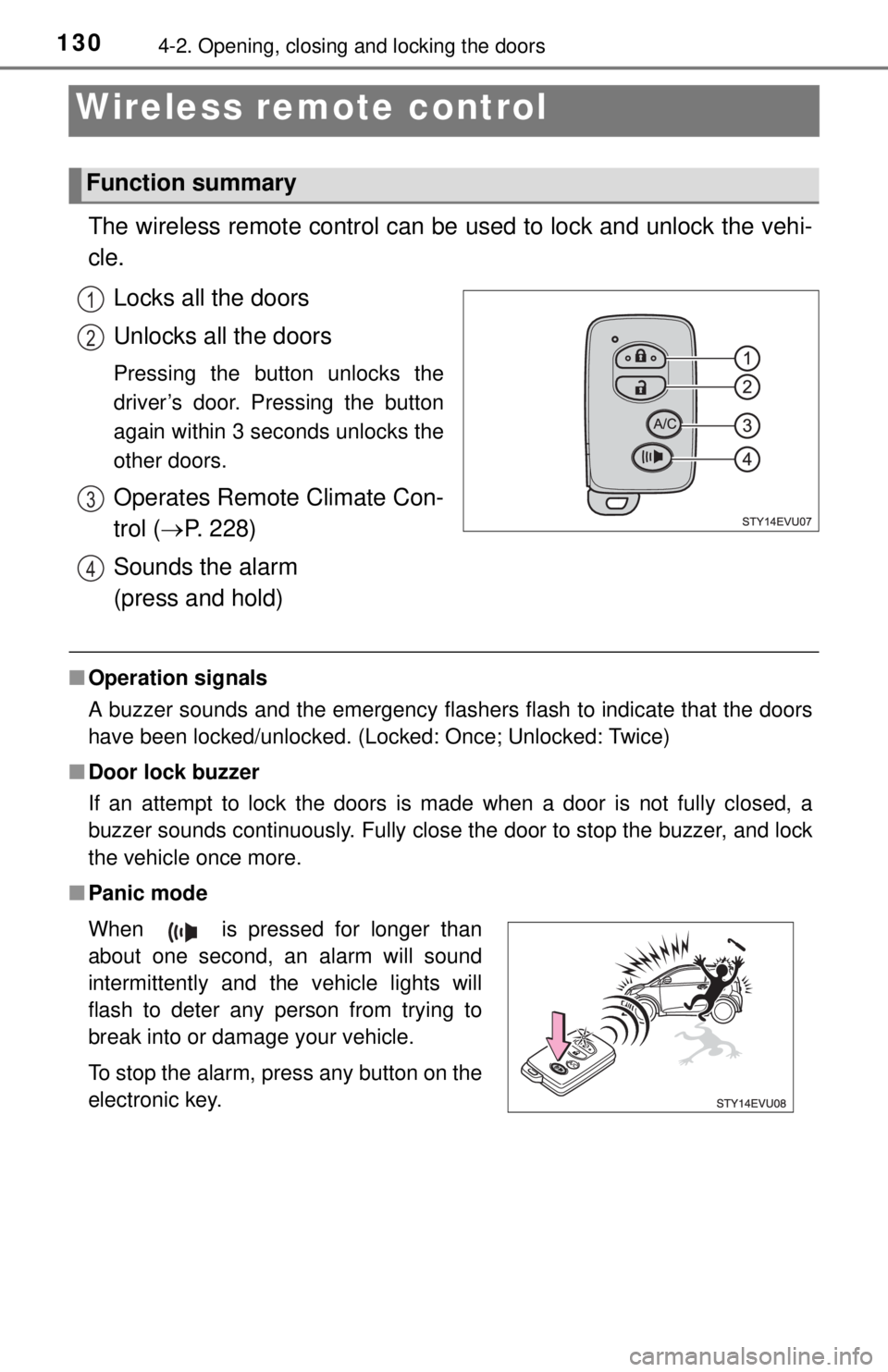
The wireless remote control can be used to lock and unlock the vehi-
cle.
Locks all the doors
Unlocks all the doors
Pressing the button unlocks the
driver’s door. Pressing the button
again within 3 seconds unlocks the
other doors.
Operates Remote Climate Con-
trol ( P. 228)
Sounds the alarm
(press and hold)
■ Operation signals
A buzzer sounds and the emergency flashers flash to indicate that the doors
have been locked/unlocked. (Locked: Once; Unlocked: Twice)
■ Door lock buzzer
If an attempt to lock the doors is made when a door is not fully closed, a
buzzer sounds continuously. Fully close the door to stop the buzzer, and lock
the vehicle once more.
■ Panic mode
Function summary
1
2
3
4
When is pressed for longer than
about one second, an alarm will sound
intermittently and the vehicle lights will
flash to deter any person from trying to
break into or damage your vehicle.
To stop the alarm, press any button on the
electronic key.
Page 187 of 444

1875-4. How to charge
5
Driving
■Charging messages
The first time the power switch
is turned to ON mode after
charging is completed
*, a mes-
sage detailing the results of the
charging will be displayed.
Also, if an operation which can-
not be carried out is attempted
during charging, a warning
message will be displayed.
If a message appears, perform
the operation required by the
message. ( P. 355)
If charging fails to finish suc-
cessfully, a message will remain
on the multi-information display.
To change the display, turn the
“DISP” knob.
*: The message may not be dis- played if the Remote Climate
Control ( P. 228) has been
used.
Page 189 of 444

1895-4. How to charge
5
Driving
■If two charging connectors are used at the same time
Normal charging and quick charging cannot be conducted simultaneously.
If the two connectors have been connected to the vehicle, the battery will only
be charged through either one of the char ging modes that has started first.
However, the battery will not be recharged with the other method even after
the first mode is complete. To start the other mode, disconnect the charging
connector and then perform the charging operation again.
■ Charging indicator
●The charging indicator illuminates if the Remote Climate Control ( P. 228)
is used during charging or while the charging cable is connected.
● If a system malfunction occurs during charging or when the Remote Climate
Control is in use, the indicator will flash for approximately 10 seconds and
then turn off.
A warning message will appear on the multi-information display when the
power switch will be turned to ON mode next time. Follow the instructions in
the message. ( P. 355)
■ When the outside temperature is low or high
The level shown on the SOC (State of Charge) gauge ( P. 105) may drop
slightly when the power switch is tu rned to ON mode, even if charging has
been completed and the traction battery is fully charged. However, this does
not indicate a malfunction.
Page 199 of 444

1995-4. How to charge
5
Driving
■Safety functions
●The EV system will not start while the charging cable is connected to the
vehicle, even if the power switch is operated.
● If the charging cable is connected while the “READY” indicator is illumi-
nated, the EV system will stop automatically and driving will not be possible.
● When the charging cable is connected to the vehicle, the shift lever cannot
be shifted from P.
If the shift lock override button is pushed and the shift the shift lever in a
position other than P, charging is suspended.
■ If the traction battery becomes low
P. 7 5
■ Remaining charging time
P. 188
■ Quick charge
●Charging will stop in the following situations.
• When battery charging is completed.
• When 60 minutes have elapsed from when charging starts.
• When the time reaches the set finish time on the quick charger.
● If the power switch is turned to ACCESSORY or ON mode while the battery
is being charged, charging will continue. If the power switch is turned to ON
mode, the switch will automatically turn off after the completion of charging.
● If charging is stopped while the battery is being charged, pressing the start
switch provided on the quick charger will resume charging.
● The Remote Climate Control cannot be used.
● If the traction battery’s remaining charge is close to full, charging will not
start.
● The electrical components such as audio system can be used during charg-
ing.
● Depending on radio wave conditions, interference may be heard on the
radio.
■ If two charging connectors are used at the same time
P. 189
■ When the outside temperature is low or high
P. 189
■ Charging time may increase
P. 190