steering TOYOTA LAND CRUISER 2012 Manual Online
[x] Cancel search | Manufacturer: TOYOTA, Model Year: 2012, Model line: LAND CRUISER, Model: TOYOTA LAND CRUISER 2012Pages: 692, PDF Size: 29.3 MB
Page 334 of 692
334
L/C200_EE (OM60G38E)
3-1. Using the air conditioning
system and defogger
Front air conditioning
system ............................ 336
Rear air conditioning
system ............................ 350
Heater idle up switch ........ 354
Power heater .................... 355
Rear window and
outside rear view mirror
defoggers........................ 356
Windshield wiper de-icer... 358
3-2. Using the audio system
Audio system types........... 360
Using the radio.................. 362
Using the CD player.......... 366
Playing back MP3 and
WMA discs...................... 373
Operating an iPod ............. 380
Operating
a USB memory ............... 388
Optimal use of
the audio system ............ 396
Using the AUX port ........... 398
Using the steering
switches .......................... 399
Page 335 of 692
3Interior features
335
L/C200_EE (OM60G38E)
3-3. Using the Bluetooth® audio
system
Bluetooth
® audio
system ............................ 402
Using the Bluetooth
®
audio system .................. 407
Operating a Bluetooth
®
enabled portable
player .............................. 410
Setting up a Bluetooth
®
enabled portable
player .............................. 413
Bluetooth
® audio
system setup .................. 417
3-4. Using the hands-free system
(for cellular phone)
Hands-free system
(for cellular phone).......... 418
Using the hands-free
system ............................ 423
Making a phone call.......... 430
Setting a cellular phone .... 434
Security and
system setup .................. 438
Using the phone book....... 442
3-5. Using the interior lights
Interior lights list................ 448
• Interior lights ................... 449
• Personal lights ................ 4503-6. Using the storage features
List of storage features ..... 452
• Glove box ....................... 453
• Console box.................... 454
• Overhead console .......... 455
• Cup holders .................... 456
• Bottle holders.................. 458
• Card holder ..................... 460
• Auxiliary box ................... 460
3-7. Other interior features
Cool box............................ 461
Sun visors ......................... 463
Vanity mirror ..................... 464
Clock ................................. 465
Outside temperature
display ............................ 466
Ashtray.............................. 468
Cigarette lighter ................ 470
Power outlet ...................... 471
Heated steering wheel ...... 474
Seat heaters and
ventilators ....................... 476
Armrest ............................. 480
Assist grip ......................... 481
Floor mats ......................... 482
Luggage compartment
features........................... 484
Page 360 of 692
360
L/C200_EE (OM60G38E)
3-2. Using the audio system
Audio system types
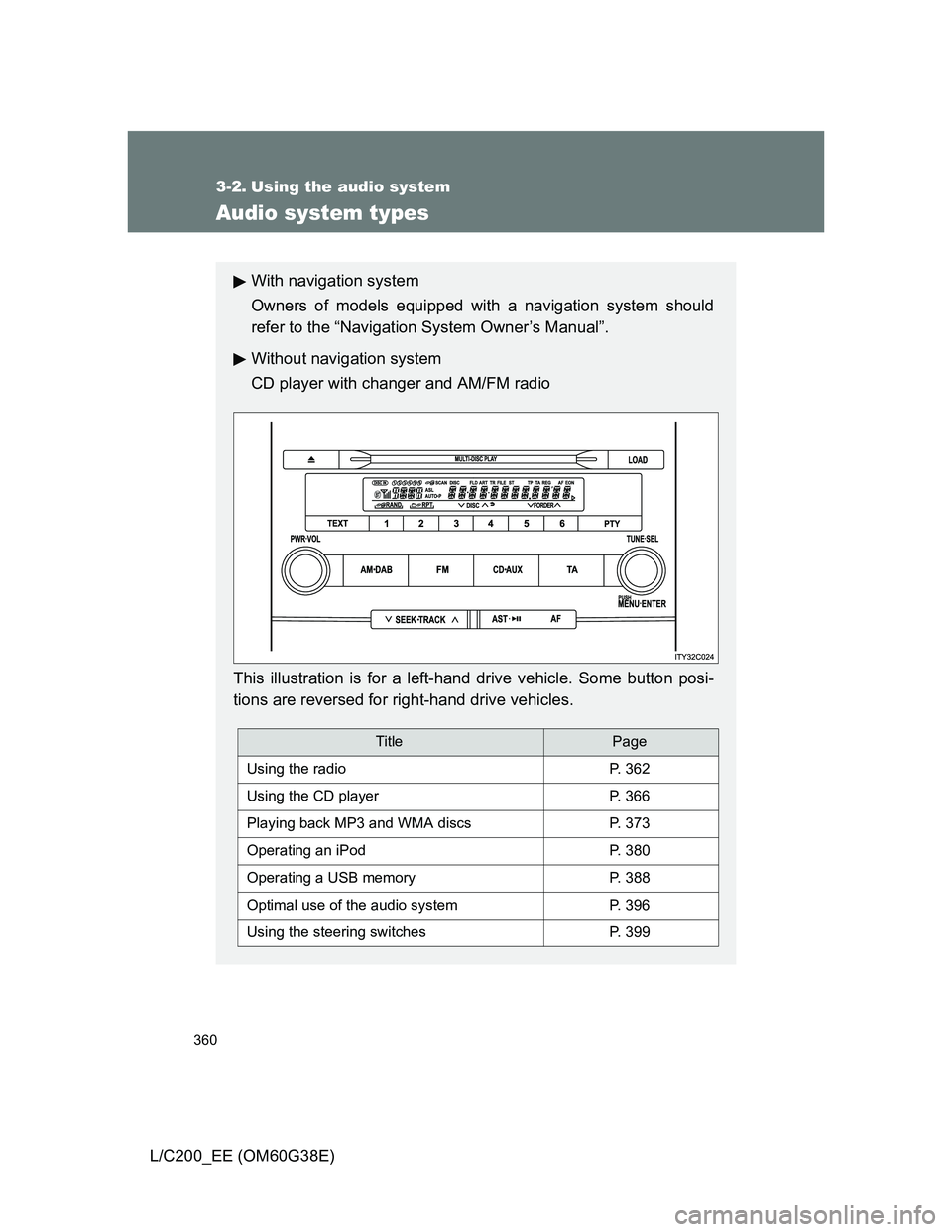
With navigation system
Owners of models equipped with a navigation system should
refer to the “Navigation System Owner’s Manual”.
Without navigation system
CD player with changer and AM/FM radio
This illustration is for a left-hand drive vehicle. Some button posi-
tions are reversed for right-hand drive vehicles.
TitlePage
Using the radioP. 362
Using the CD playerP. 366
Playing back MP3 and WMA discsP. 373
Operating an iPodP. 380
Operating a USB memoryP. 388
Optimal use of the audio systemP. 396
Using the steering switchesP. 399
Page 399 of 692
399
3-2. Using the audio system
3
Interior features
L/C200_EE (OM60G38E)
Using the steering switches
: If equipped
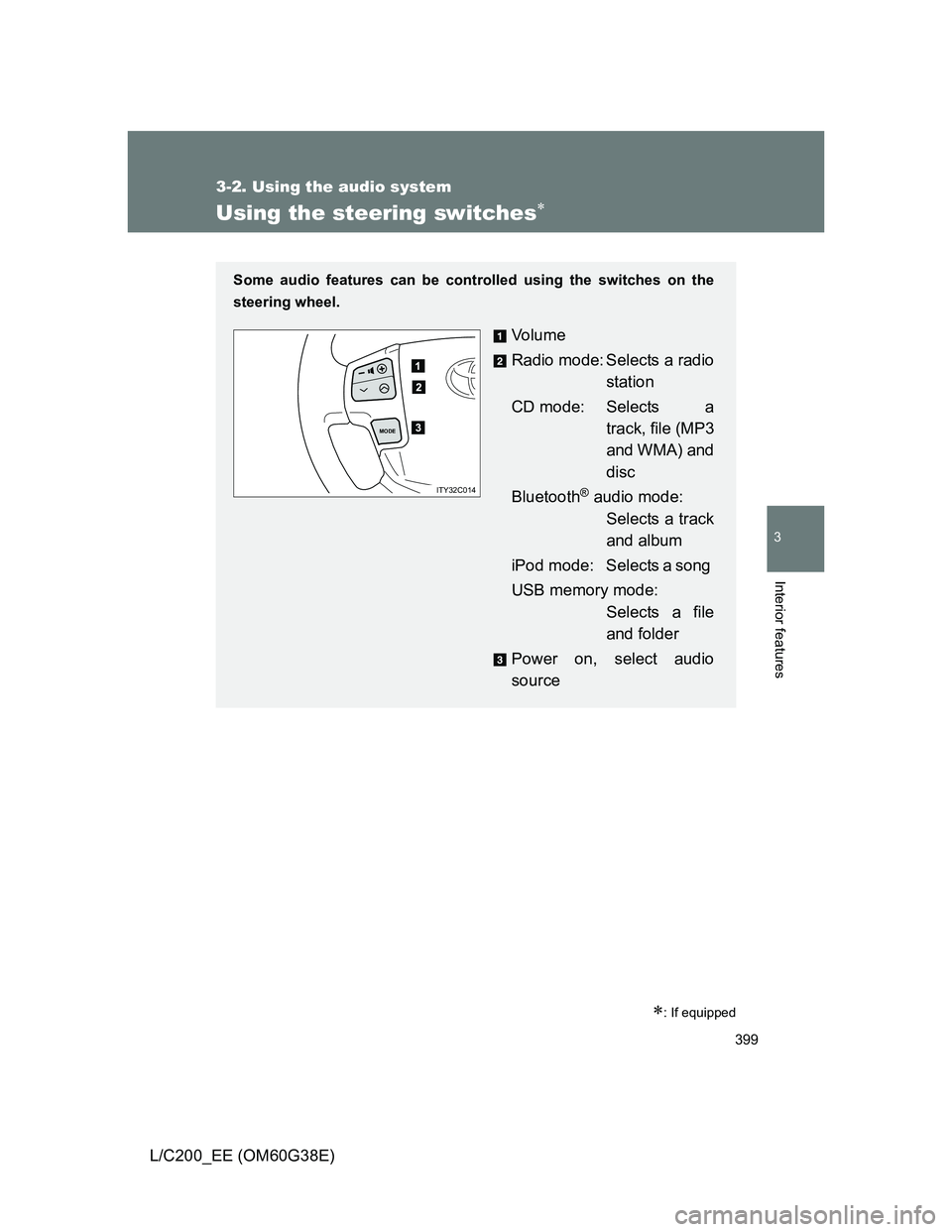
Some audio features can be controlled using the switches on the
steering wheel.
Vo l u m e
Radio mode: Selects a radio
station
CD mode: Selects a
track, file (MP3
and WMA) and
disc
Bluetooth
® audio mode:
Selects a track
and album
iPod mode: Selects a song
USB memory mode:
Selects a file
and folder
Power on, select audio
source
MODE
ITY32C014
Page 401 of 692
401 3-2. Using the audio system
3
Interior features
L/C200_EE (OM60G38E)
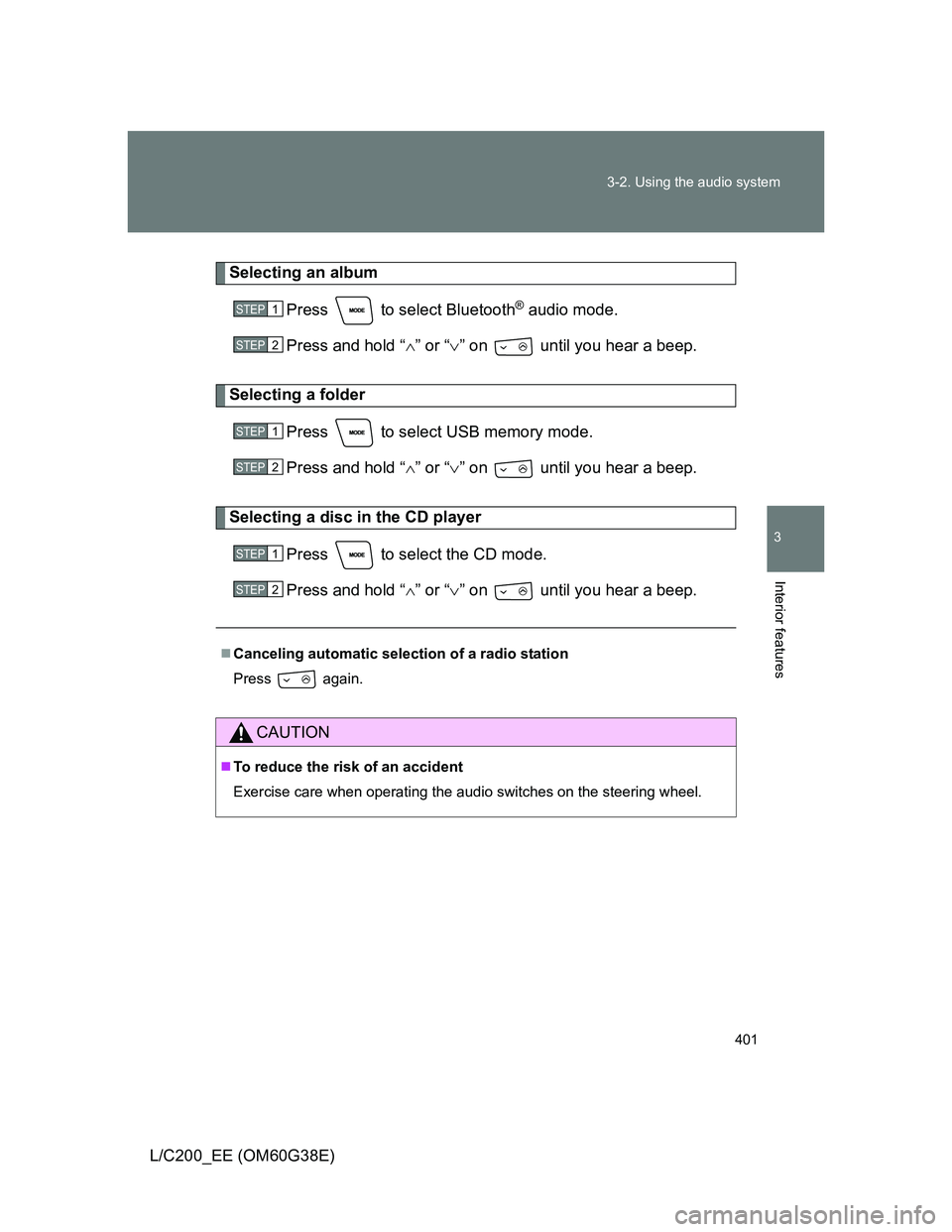
Selecting an album
Press to select Bluetooth
® audio mode.
Press and hold “” or “” on until you hear a beep.
Selecting a folder
Press to select USB memory mode.
Press and hold “” or “” on until you hear a beep.
Selecting a disc in the CD player
Press to select the CD mode.
Press and hold “” or “” on until you hear a beep.
Canceling automatic selection of a radio station
Press again.
CAUTION
To reduce the risk of an accident
Exercise care when operating the audio switches on the steering wheel.
STEP1
STEP2
STEP1
STEP2
STEP1
STEP2
Page 412 of 692
412 3-3. Using the Bluetooth
® audio system
L/C200_EE (OM60G38E)
Switching the display
Press .
Each time the button is pressed, the display changes in the following
order: Elapsed time Album title Track title Artist name
Using the steering wheel audio switches
P. 399
Bluetooth® audio system functions
Depending on the portable player that is connected to the system, certain
functions may not be available.
Display
P. 369
Error messages
“Memory Error”: This indicates a problem in the system.
Page 424 of 692
424 3-4. Using the hands-free system (for cellular phone)
L/C200_EE (OM60G38E)
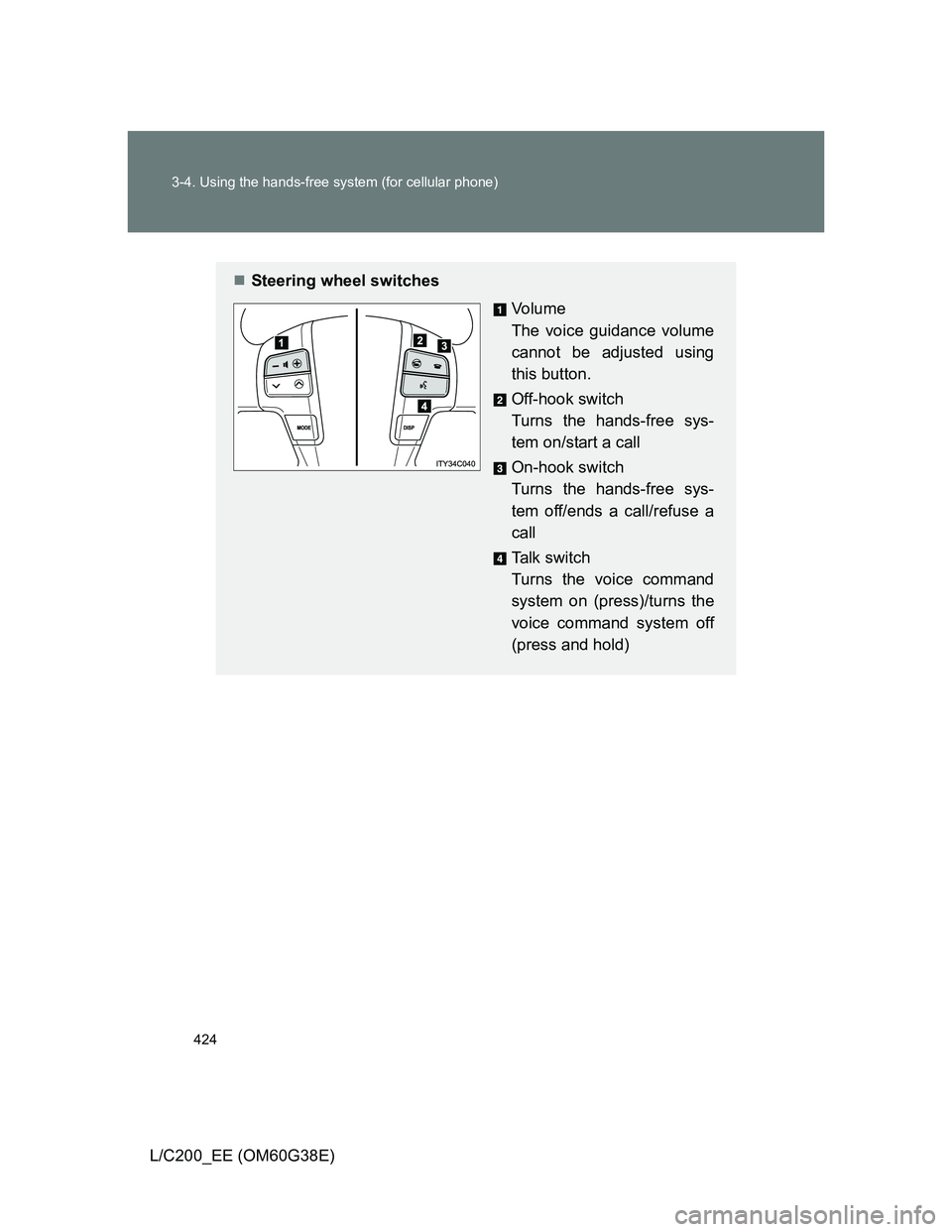
Steering wheel switches
Vo l u m e
The voice guidance volume
cannot be adjusted using
this button.
Off-hook switch
Turns the hands-free sys-
tem on/start a call
On-hook switch
Turns the hands-free sys-
tem off/ends a call/refuse a
call
Talk switch
Turns the voice command
system on (press)/turns the
voice command system off
(press and hold)
Page 474 of 692
474
3-7. Other interior features
L/C200_EE (OM60G38E)
Heated steering wheel
: If equipped
The heated steering wheel can be used when
The “ENGINE START STOP” switch is in IGNITION ON mode.
Timer
The heated steering wheel will automatically turn off after about 30 minutes.
If the indicator light flashes
Press the switch to turn the heated steering wheel off and then press the
switch again. If the indicator light still flashes, a malfunction may be occur-
ring. Turn the heated steering wheel off and have the vehicle inspected by
any authorized Toyota dealer or repairer, or another duly qualified and
equipped professional.
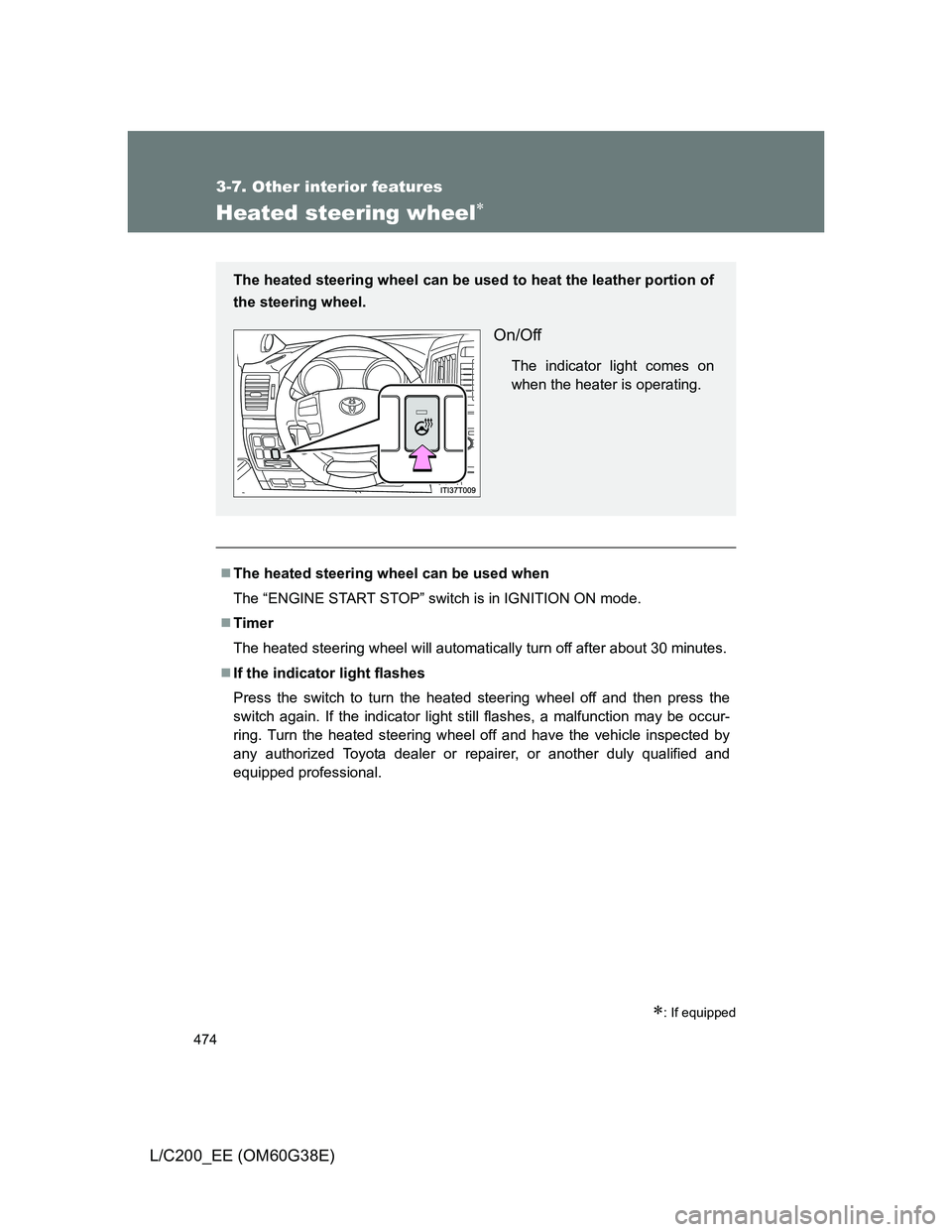
The heated steering wheel can be used to heat the leather portion of
the steering wheel.
On/Off
The indicator light comes on
when the heater is operating.
Page 475 of 692
475 3-7. Other interior features
3
Interior features
L/C200_EE (OM60G38E)
CAUTION
Burns
Only appropriately qualified and capable non-impaired persons should
operate the vehicle. However, care should be taken to prevent injury if
anyone in the following categories comes into contact with the steering
wheel when the heated steering wheel is on:
• Babies, small children, the elderly, the sick and the disabled
• Persons with sensitive skin
• Persons who are fatigued
• Persons who have taken alcohol or drugs that induce sleep (sleeping
drugs, cold remedies, etc.)
Do not use the heated steering wheel more than necessary. Doing so may
cause minor burns or overheating.
NOTICE
To prevent battery discharge
Turn the switch off when the engine is not running.
Page 538 of 692
538 4-3. Do-it-yourself maintenance
L/C200_EE (OM60G38E)
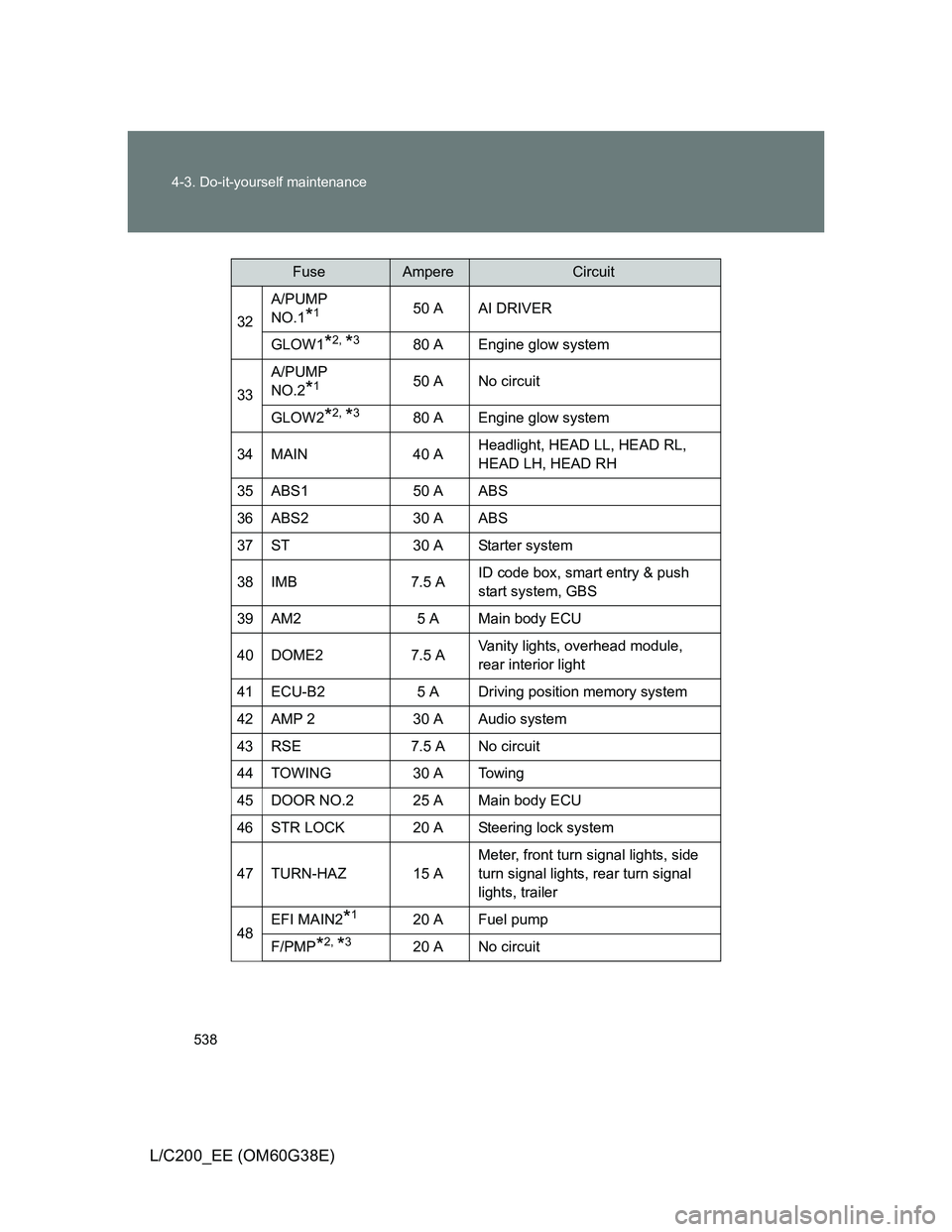
32A/PUMP
NO.1*150 A AI DRIVER
GLOW1
*2, *380 A Engine glow system
33A/PUMP
NO.2
*150 A No circuit
GLOW2
*2, *380 A Engine glow system
34 MAIN 40 AHeadlight, HEAD LL, HEAD RL,
HEAD LH, HEAD RH
35 ABS1 50 A ABS
36 ABS2 30 A ABS
37 ST 30 A Starter system
38 IMB 7.5 AID code box, smart entry & push
start system, GBS
39 AM2 5 A Main body ECU
40 DOME2 7.5 AVanity lights, overhead module,
rear interior light
41 ECU-B2 5 A Driving position memory system
42 AMP 2 30 A Audio system
43 RSE 7.5 A No circuit
44 TOWING 30 A Towing
45 DOOR NO.2 25 A Main body ECU
46 STR LOCK 20 A Steering lock system
47 TURN-HAZ 15 AMeter, front turn signal lights, side
turn signal lights, rear turn signal
lights, trailer
48EFI MAIN2*120 A Fuel pump
F/PMP*2, *320 A No circuit
FuseAmpereCircuit