light TOYOTA MIRAI 2022 Owners Manual
[x] Cancel search | Manufacturer: TOYOTA, Model Year: 2022, Model line: MIRAI, Model: TOYOTA MIRAI 2022Pages: 556, PDF Size: 17.34 MB
Page 286 of 556
2865-5. Using the driving support systems
Owners Manual_USA_M62084_en
■Operating conditions
Assistance will begin when all of the
following condit ions are met:
●The brake pedal is depressed
●The vehicle is stopped
●The driver’s seat belt is fastened
●The steering wheel is not being
operated
●The accelerator pedal is not
depressed
●All of the doors and the trunk are
closed
●The outside rear view mirrors are
not folded
●The parking brake is not engaged
●The dynamic radar cruise control
with full-speed range is not oper-
ating
●ABS, VSC, TRAC, PCS and
PKSB are not operating
●Not on a steep slope
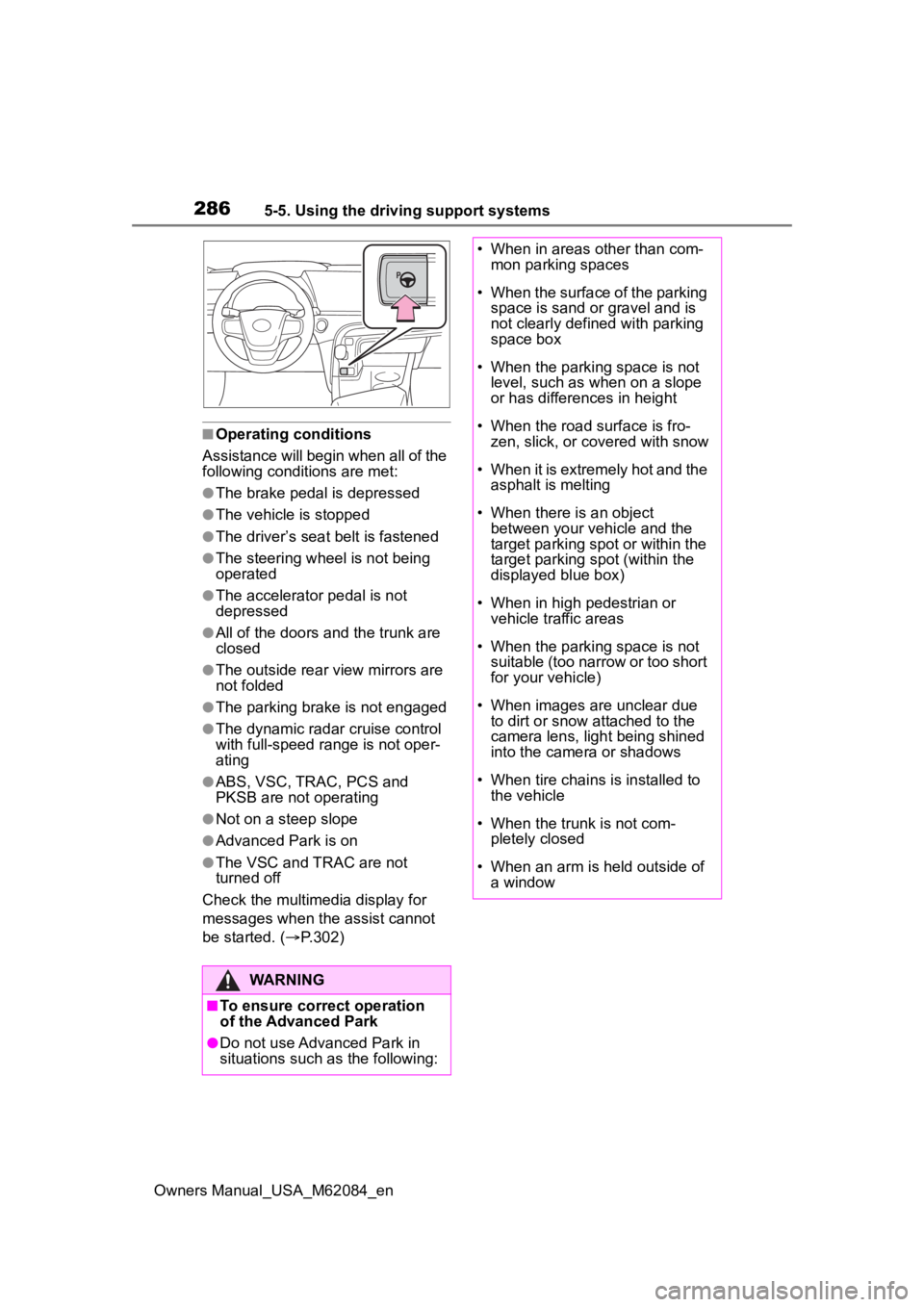
●Advanced Park is on
●The VSC and TRAC are not
turned off
Check the multimedia display for
messages when the assist cannot
be started. ( P.302)
WARNING
■To ensure correct operation
of the Advanced Park
●Do not use Advanced Park in
situations such as the following:
• When in areas other than com-
mon parking spaces
• When the surface of the parking space is sand or gravel and is
not clearly defined with parking
space box
• When the parking space is not level, such as when on a slope
or has differences in height
• When the road surface is fro- zen, slick, or covered with snow
• When it is extremely hot and the asphalt is melting
• When there is an object between your vehicle and the
target parking spot or within the
target parking spot (within the
displayed blue box)
• When in high pedestrian or vehicle traffic areas
• When the parking space is not suitable (too narrow or too short
for your vehicle)
• When images are unclear due to dirt or snow attached to the
camera lens, light being shined
into the camera or shadows
• When tire chains is installed to the vehicle
• When the trunk is not com- pletely closed
• When an arm is h eld outside of
a window
Page 294 of 556
2945-5. Using the driving support systems
Owners Manual_USA_M62084_enposition to change the direction of
travel of the vehicle. At this time,
assist will be suspended. However,
if the “Start” butt
on is selected,
assist will resume and the vehicle
will move in the direction corre-
sponding to the selected shift posi-
tion.
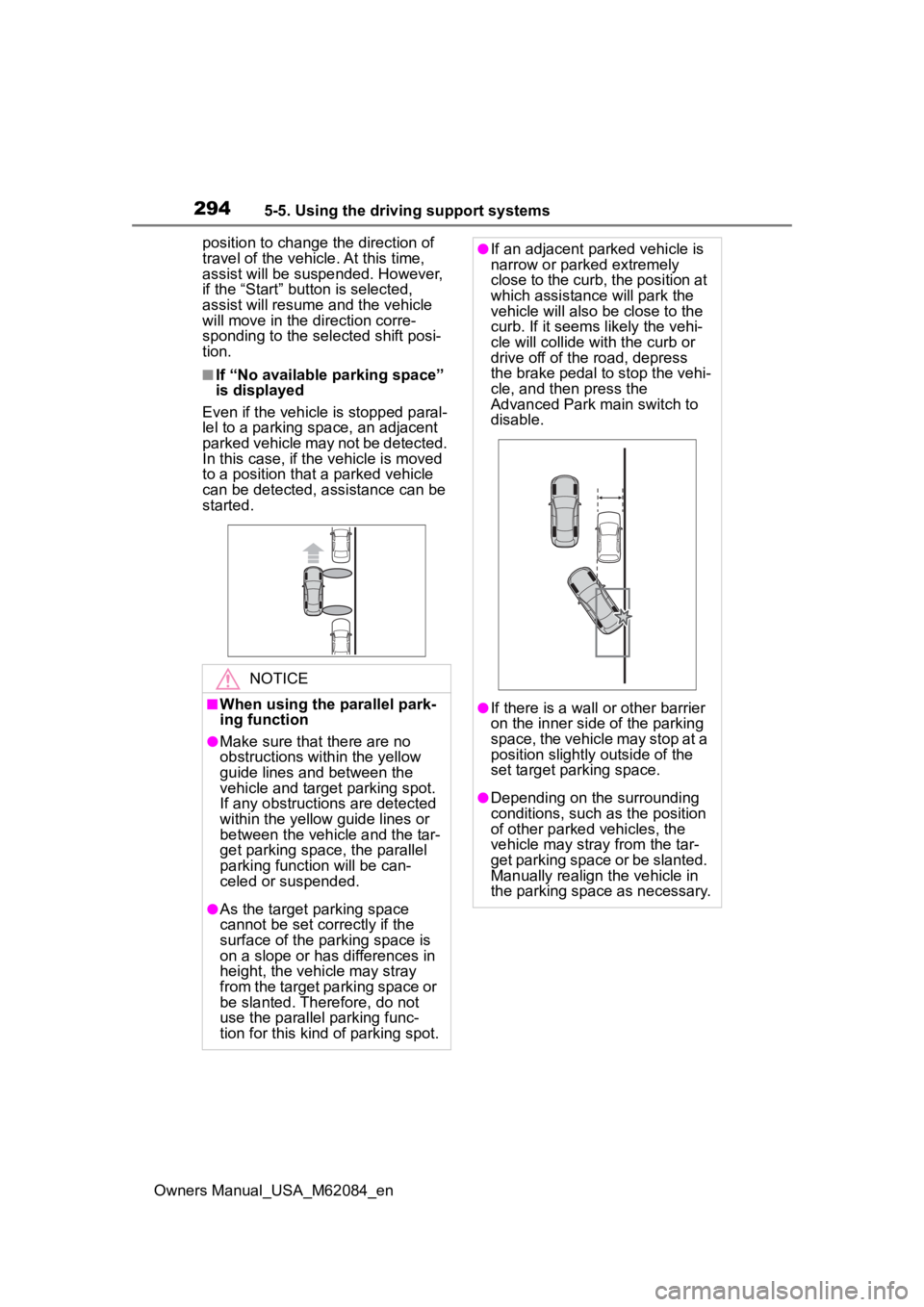
■If “No available parking space”
is displayed
Even if the vehicle is stopped paral-
lel to a parking space, an adjacent
parked vehicle may not be detected.
In this case, if the vehicle is moved
to a position that a parked vehicle
can be detected, assistance can be
started.
NOTICE
■When using the parallel park-
ing function
●Make sure that there are no
obstructions within the yellow
guide lines and between the
vehicle and target parking spot.
If any obstructions are detected
within the yellow guide lines or
between the vehicle and the tar-
get parking space, the parallel
parking function will be can-
celed or suspended.
●As the target parking space
cannot be set correctly if the
surface of the parking space is
on a slope or has differences in
height, the vehicle may stray
from the target parking space or
be slanted. Therefore, do not
use the parallel parking func-
tion for this kind of parking spot.
●If an adjacent parked vehicle is
narrow or parked extremely
close to the curb, the position at
which assistance will park the
vehicle will also be close to the
curb. If it seems likely the vehi-
cle will collide with the curb or
drive off of the road, depress
the brake pedal to stop the vehi-
cle, and then press the
Advanced Park main switch to
disable.
●If there is a wall or other barrier
on the inner side of the parking
space, the vehicle may stop at a
position slightly outside of the
set target par king space.
●Depending on the surrounding
conditions, such as the position
of other parked vehicles, the
vehicle may stray from the tar-
get parking space or be slanted.
Manually realign the vehicle in
the parking space as necessary.
Page 301 of 556
3015-5. Using the driving support systems
Owners Manual_USA_M62084_en
5
Driving
NOTICE
• When it is raining or snowing
• During night (if the surrounding area is not sufficiently illumi-
nated)
●In situations such as the follow-
ing, it may not be possible to
register a parking space.
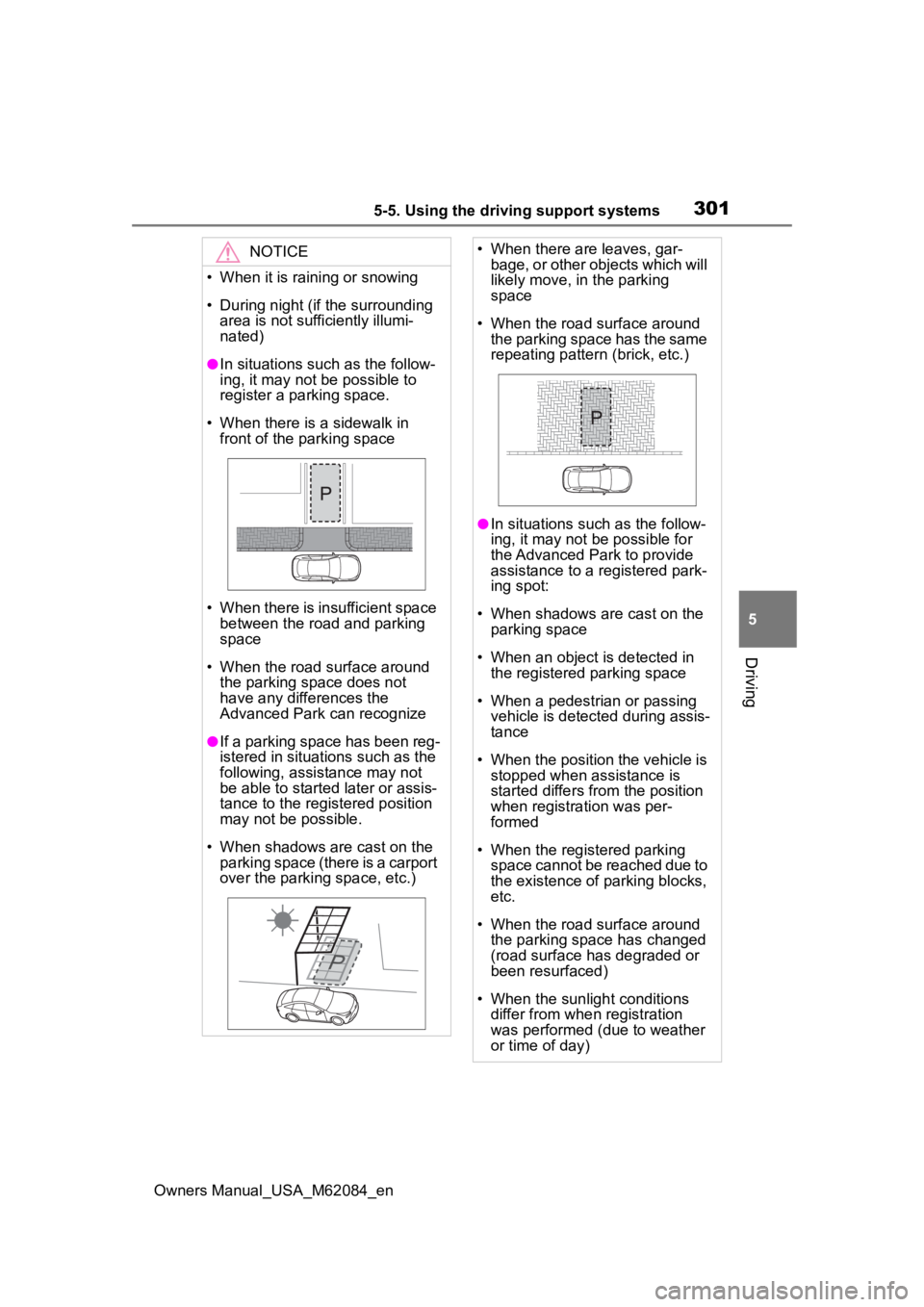
• When there is a sidewalk in front of the parking space
• When there is insufficient space between the road and parking
space
• When the road surface around the parking space does not
have any differences the
Advanced Park can recognize
●If a parking space has been reg-
istered in situations such as the
following, assistance may not
be able to started later or assis-
tance to the registered position
may not be possible.
• When shadows are cast on the parking space (there is a carport
over the parking space, etc.)
• When there are leaves, gar- bage, or other objects which will
likely move, in the parking
space
• When the road surface around the parking space has the same
repeating pattern (brick, etc.)
●In situations such as the follow-
ing, it may not be possible for
the Advanced Park to provide
assistance to a registered park-
ing spot:
• When shadows are cast on the parking space
• When an object is detected in the registered parking space
• When a pedestrian or passing vehicle is detected during assis-
tance
• When the position the vehicle is stopped when assistance is
started differs from the position
when registration was per-
formed
• When the registered parking space cannot be reached due to
the existence of parking blocks,
etc.
• When the road surface around the parking space has changed
(road surface has degraded or
been resurfaced)
• When the sunlight conditions differ from when registration
was performed (due to weather
or time of day)
Page 302 of 556
3025-5. Using the driving support systems
Owners Manual_USA_M62084_en
The following messages will be
displayed on the multimedia dis-
play in the following cases when
the Advanced Park cannot oper-ate, or operation is canceled or
suspended. Perform the appro-
priate corrective action accord-
ing to the message displayed.
■When the Advanced Park
cannot operate
NOTICE
• When a bright light is shined on
the parking space
• When a light is temporarily shined on the parking space
(lights of another vehicle, secu-
rity light, etc.)
• When a camera lens is dirty or covered with water droplets
If assistance is ended during reg-
istration, perform registration
again.
●When registering a parking
space to the memory function, if
the road surface cannot be
detected “No available parking
space to registe r” will be dis-
played.
●When using the memory func-
tion, make sure to stop immedi-
ately in front of the stop
position. Otherwise the parking
space may not be able to be
detected correctly and assis-
tance may not be provided to
the point that the vehicle is fully
parked.
●Do not use the memory function
if a camera has been subjected
to a strong impact or images of
the panoramic view monitor are
misaligned.
●If a camera has been replaced,
as the installation angle of the
camera will have changed, it will
be necessary to register parking
spaces of the memory function.
Displayed messages
MessageCondition/Correc-
tive Action
“Advanced
Park mal-
function. Visit
your dealer.”
The Advanced Park
may be malfunction-
ing
Turn the power
switch off and then
start the fuel cell
system again. If the
message is dis-
played again, have
the vehicle
inspected by your
Toyota dealer.
“Parking
brake is
applied”
The Advanced Park
main switch was
pressed with the
parking brake
engaged
Release the park-
ing brake and then
press the Advanced
Park main switch
again.
“Remove dirt
from camera”
A camera lens is
covered with ice,
snow, mud, etc.
(Camera being dis-
played on the multi-
media display)
Remove the ice,
snow, mud, etc.
Page 316 of 556
3165-5. Using the driving support systems
Owners Manual_USA_M62084_en
road surfaces by controlling the
brakes, fuel cell system output,
steering assist.
■The Secondary Collision
Brake
When the SRS airbag sensor
detects a collision and the sys-
tem operates, the brakes and
brake lights are automatically
controlled to reduce the vehicle
speed and help reduce the pos-
sibility of further damage due to
a secondary collision.
■When the TRAC/VSC/ABS sys-
tems are operating
The slip indicator light will flash
while the TRAC/VSC/ABS systems
are operating.
■Disabling the TRAC system
If the vehicle gets stuck in mud, dirt
or snow, the TRAC system may
reduce power from the fuel cell sys-
tem to the wheels. Pressing to
turn the system off may make it eas-
ier for you to rock the vehicle in
order to free it.
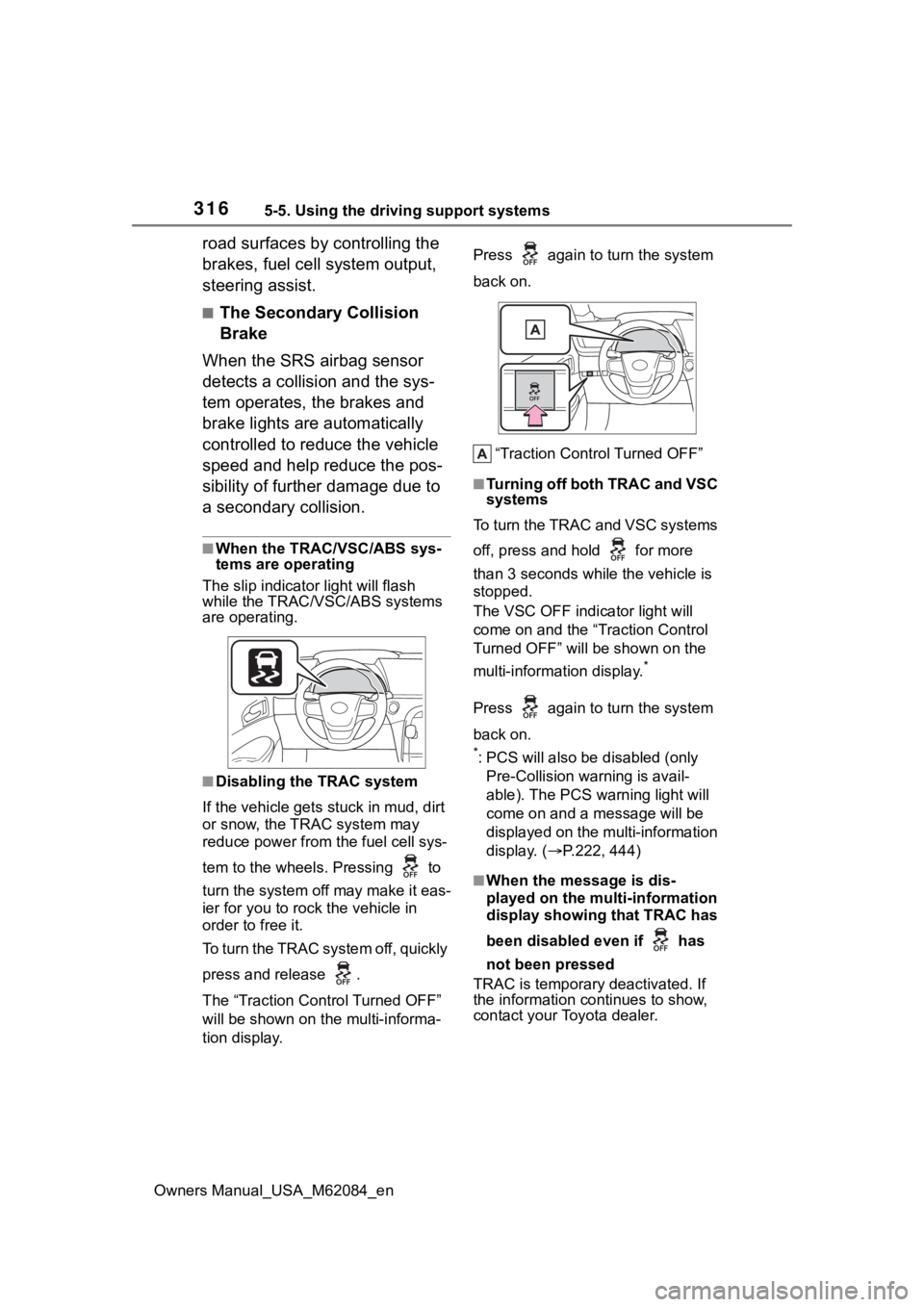
To turn the TRAC system off, quickly
press and release .
The “Traction Control Turned OFF”
will be shown on the multi-informa-
tion display. Press again to
turn the system
back on.
“Traction Control Turned OFF”
■Turning off both TRAC and VSC
systems
To turn the TRAC and VSC systems
off, press and hold for more
than 3 seconds while the vehicle is
stopped.
The VSC OFF indicator light will
come on and the “Traction Control
Turned OFF” will be shown on the
multi-information display.
*
Press again to turn the system
back on.
*: PCS will also be disabled (only
Pre-Collision warning is avail-
able). The PCS warning light will
come on and a message will be
displayed on the multi-information
display. ( P.222, 444)
■When the message is dis-
played on the multi-information
display showing that TRAC has
been disabled even if has
not been pressed
TRAC is temporary deactivated. If
the information continues to show,
contact your Toyota dealer.
Page 317 of 556
3175-5. Using the driving support systems
Owners Manual_USA_M62084_en
5
Driving
■Operating conditions of hill-
start assist control
When the following five conditions
are met, the hill-start assist control
will operate:
●The shift position is in a position
other than P or N (when stating off
forward/backward on an upward
incline)
●The vehicle is stopped
●The accelerator pedal is not
depressed
●The parking brake is not engaged
●Power switch is turned to ON
■Automatic system cancelation
of hill-start as sist control
The hill-start assis t control will turn
off in any of the following situations:
●Shift the shift position to P or N
●The accelerator pedal is
depressed
●The parking brake is engaged
●2 seconds at maximum elapsed
after the brake pedal is released
●Power switch is turned to OFF
■Sounds and vibrations caused
by the ABS, brake assist, VSC,
TRAC and hill-start assist con-
trol systems
●A sound may be heard from the
fuel cell unit compartment when
the brake pedal is depressed
repeatedly, when the fuel cell sys-
tem is started or just after the vehi-
cle begins to move. This sound
does not indicate that a malfunc-
tion has occurred in any of these
systems.
●Any of the following conditions
may occur when t he above sys-
tems are operating. None of these
indicates that a malfunction has
occurred.
• Vibrations may be felt through the vehicle body and steering.
• A motor sound may be heard also
after the vehicle comes to a stop. • The brake pedal
may pulsate
slightly after the ABS is activated.
• The brake pedal may move down
slightly after the ABS is activated.
■ECB operating sound
ECB operating sound may be heard
in the following cases, but it does
not indicate that a malfunction has
occurred.
●Operating sound heard from the
fuel cell unit compartment when
the brake pedal is operated.
●Motor sound of the brake system
heard from the f ront part of the
vehicle when the driver’s door is
opened.
●Operating sound heard from the
fuel cell unit compartment when
one or two minutes passed after
the stop of the fuel cell system.
■Active Cornering Assist opera-
tion sounds and vibrations
When the Active Cornering Assist is
operated, operation sounds and
vibrations may be generated from
the brake system, but this is not a
malfunction.
■EPS operation sound
When the steering wheel is oper-
ated, a motor sound (whirring
sound) may be heard. This does not
indicate a malfunction.
■Automatic reactivation of TRAC
and VSC systems
After turning th e TRAC and VSC
systems off, the systems will be
automatically re-enabled in the fol-
lowing situations:
●When the power switch is turned
off
●If only the TRAC sy stem is turned
off, the TRAC will turn on when
vehicle speed increases
If both the TRAC and VSC sys-
tems are turned of f, automatic re-
enabling will not occur when vehi-
cle speed increases.
Page 319 of 556
3195-5. Using the driving support systems
Owners Manual_USA_M62084_en
5
Driving
WARNING
●When Active Cornering Assist
frequently operates, Active Cor-
nering Assist may temporarily
stop operating to ensure proper
operation of the brakes, TRAC
and VSC.
■Hill-start assist control does
not operate effectively when
●Do not overly rely on hill-start
assist control. Hill-start assist
control may not operate effec-
tively on steep inclines and
roads covered with ice.
●Unlike the parking brake, hill-
start assist control is not
intended to hold the vehicle sta-
tionary for an extended period
of time. Do not attempt to use
hill-start assist control to hold
the vehicle on an incline, as
doing so may lead to an acci-
dent.
■When the TRAC/ABS/VSC is
activated
The slip indicator light flashes.
Always drive carefully. Reckless
driving may cause an accident.
Exercise particular care when the
indicator light flashes.
■When the TRAC/VSC systems
are turned off
Be especially careful and drive at
a speed appropriate to the road
conditions. As these are the sys-
tems to help ensure vehicle stabil-
ity and driving force, do not turn
the TRAC/VSC systems off
unless necessary.
■Secondary Collision Brake
Do not rely solely upon the Sec-
ondary Collision Brake. This sys-
tem is designed to help reduce
the possibility of further damage
due to a secondary collision, how-
ever, that effect changes accord-
ing to various conditions. Overly
relying on the system may result
in death or serious injury.
■Replacing tires
Make sure that all tires are of the
specified size, brand, tread pat-
tern and total load capacity. In
addition, make sure that the tires
are inflated to the recommended
tire inflation p ressure level.
The ABS, TRAC and VSC sys-
tems will not functi on correctly if
different tires are installed on the
vehicle.
Contact your Toyota dealer for fur-
ther information when replacing
tires or wheels.
■Handling of tires and the sus-
pension
Using tires with any kind of prob-
lem or modifying the suspension
will affect the driving assist sys-
tems, and may cause a system to
malfunction.
Page 321 of 556
3215-6. Driving tips
Owners Manual_USA_M62084_en
5
Driving
is frozen. Pour warm water
over the frozen area to melt
the ice. Wipe away the water
immediately to prevent it from
freezing.
To ensure proper operation of
the climate control system
fan, remove any snow that
has accumulated on the air
inlet vents in front of the wind-
shield.
Check for and remove any
excess ice or snow that may
have accumulated on the
exterior lights, vehicle’s roof,
chassis, around the tires or on
the brakes.
Remove any snow or mud
from the bottom of your shoes
before getting in the vehicle.
Accelerate the vehicle slowly,
keep a safe distance between
you and the vehicle ahead, and
drive at a reduced speed suit-
able to road conditions.
Park the vehicle and shift the
shift position to P without setting
the parking brake. The parking
brake may freeze up, preventing
it from being released. If the
vehicle is parked without setting
the parking brake, make sure to
block the wheels. Failure to do so may be danger-
ous because it may cause the
vehicle to move unexpectedly,
possibly leading to an accident.
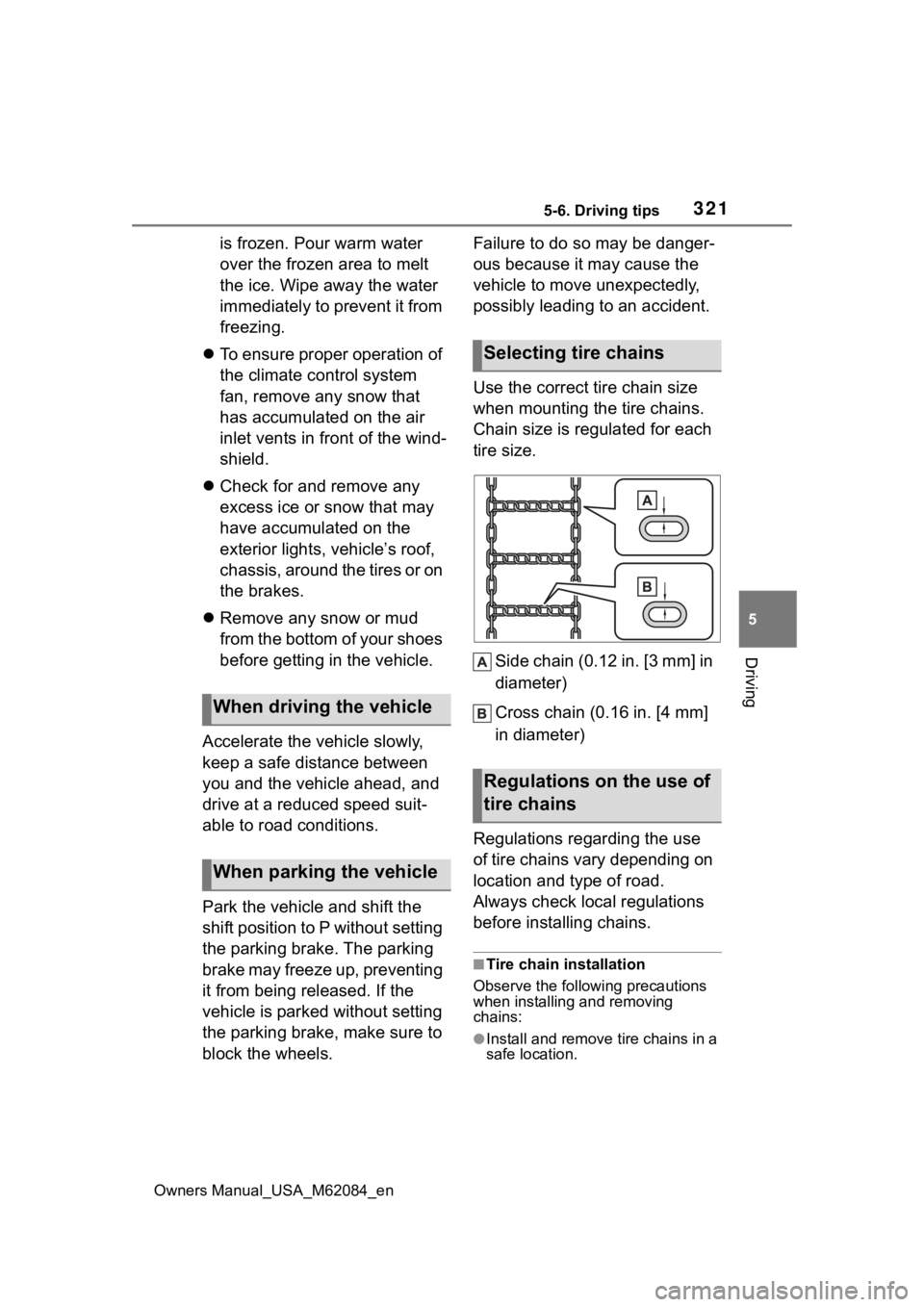
Use the correct tire chain size
when mounting the tire chains.
Chain size is regulated for each
tire size.
Side chain (0.12 in. [3 mm] in
diameter)
Cross chain (0.16 in. [4 mm]
in diameter)
Regulations regarding the use
of tire chains vary depending on
location and type of road.
Always check local regulations
before installing chains.
■Tire chain installation
Observe the followi ng precautions
when installing and removing
chains:
●Install and remove tire chains in a
safe location.
When driving the vehicle
When parking the vehicle
Selecting tire chains
Regulations on the use of
tire chains
Page 323 of 556
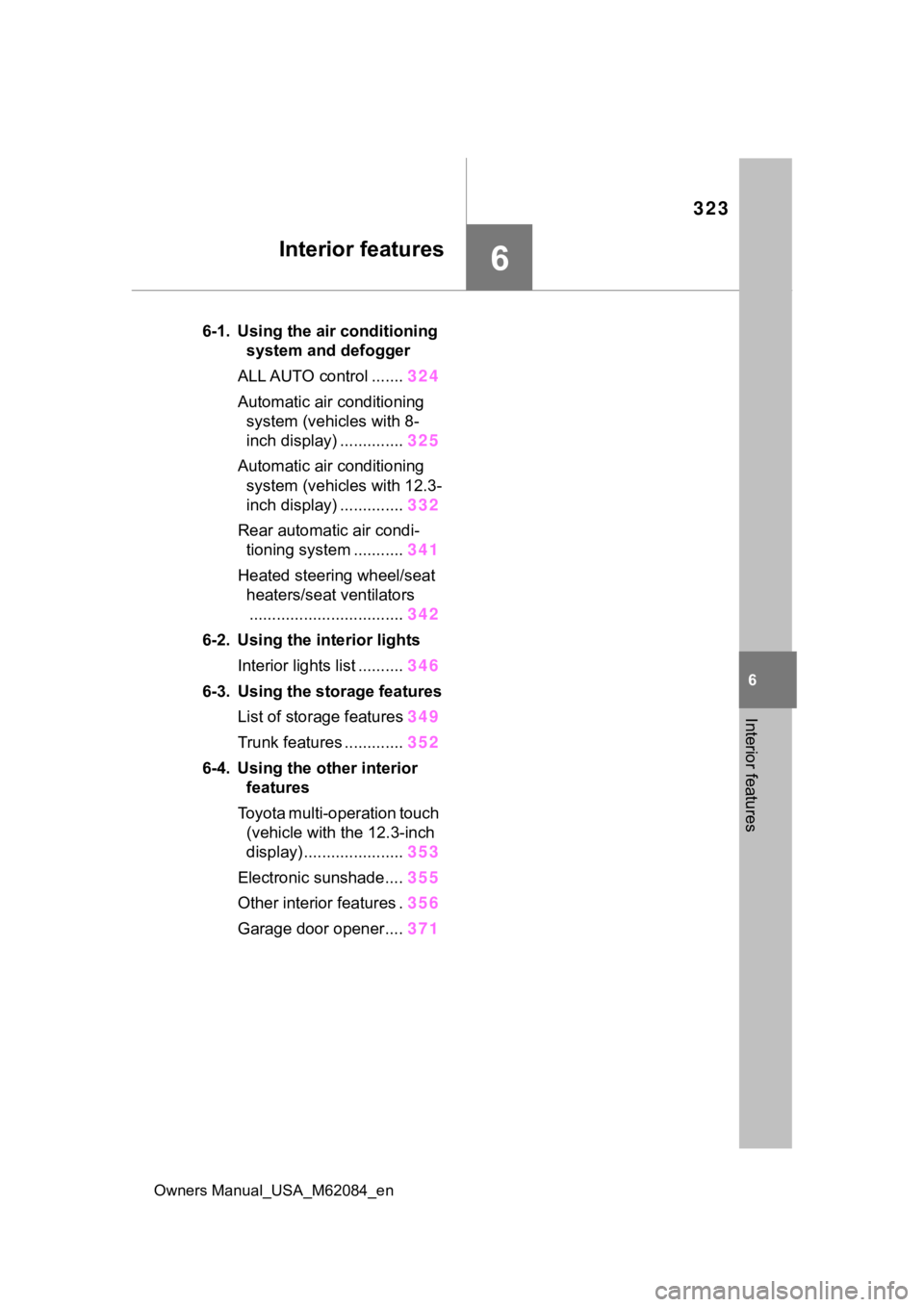
323
Owners Manual_USA_M62084_en
6
6
Interior features
Interior features
6-1. Using the air conditioning system and defogger
ALL AUTO control ....... 324
Automatic air conditioning system (vehicles with 8-
inch display) .............. 325
Automatic air conditioning system (vehicles with 12.3-
inch display) .............. 332
Rear automatic air condi- tioning system ........... 341
Heated steering wheel/seat heaters/seat ventilators.................................. 342
6-2. Using the interior lights Interior lights list .......... 346
6-3. Using the storage features List of storage features 349
Trunk features ............. 352
6-4. Using the other interior features
Toyota multi-operation touch (vehicle with the 12.3-inch
display) ...................... 353
Electronic sunshade.... 355
Other interior features . 356
Garage door opener.... 371
Page 346 of 556

3466-2. Using the interior lights
Owners Manual_USA_M62084_en
6-2.Using the interior lights
Door trim ornament lights (P.347) (if equipped)
Rear personal lights ( P.347)
Inside door handle lights ( P.347) (if equipped)
Front personal lights ( P.347)
Shift lever lights (if equipped)
Interior lights ( P.347)
Outer foot lights (if equipped)
Front footwell lights (if equipped)
Instrument panel ornament lights ( P.347) (if equipped)
Cup holder lights ( P.347)
Rear footwell lights (if equipped)
Door courtesy lights
Interior lights list
Location of the i nterior lights