lock TOYOTA MIRAI 2022 Workshop Manual
[x] Cancel search | Manufacturer: TOYOTA, Model Year: 2022, Model line: MIRAI, Model: TOYOTA MIRAI 2022Pages: 556, PDF Size: 17.34 MB
Page 157 of 556
1574-5. Opening, closing the windows
Owners Manual_USA_M62084_en
4
Before driving
5 Release the power window
switch for a m oment, resume
pushing the switch in the one-
touch opening direction, and
hold it there for a pproximately 4
seconds or more.
6 Pull and hold the power window
switch in the one-touch closing
direction again. After the side
window is completely closed,
continue holding the switch for a
further 1 second or more.
If you release the switch while the
window is moving, start again from
the beginning.
If the window reverses and cannot
be fully closed or opened, have the
vehicle inspected by your Toyota
dealer.
■Door lock linked window opera-
tion
●The power windows can be
opened and closed using the
mechanical key.
* ( P.469)
●The power windows can be
opened using the wireless remote
control.
* ( P.121)
*: These settings must be custom-
ized at your Toyota dealer.
■Power windows open warning
buzzer
A buzzer sounds and a message is
shown on the multi -information dis-
play in the instrument cluster when
the power switch is turned off and
the driver’s door is opened with the
power windows open.
■Customization
Some functions can be customized.
( P.498)
WARNING
Observe the following precau-
tions.
Failure to do so m ay result in
death or serious injury.
■Closing the windows
●The driver is responsible for all
the power window operations,
including the operation for the
passengers. In order to prevent
accidental operation, especially
by a child, do not let a child
operate the power windows. It is
possible for children and other
passengers to have body parts
caught in the power window.
Also, when ridin g with a child, it
is recommended to use the win-
dow lock switch. ( P.158)
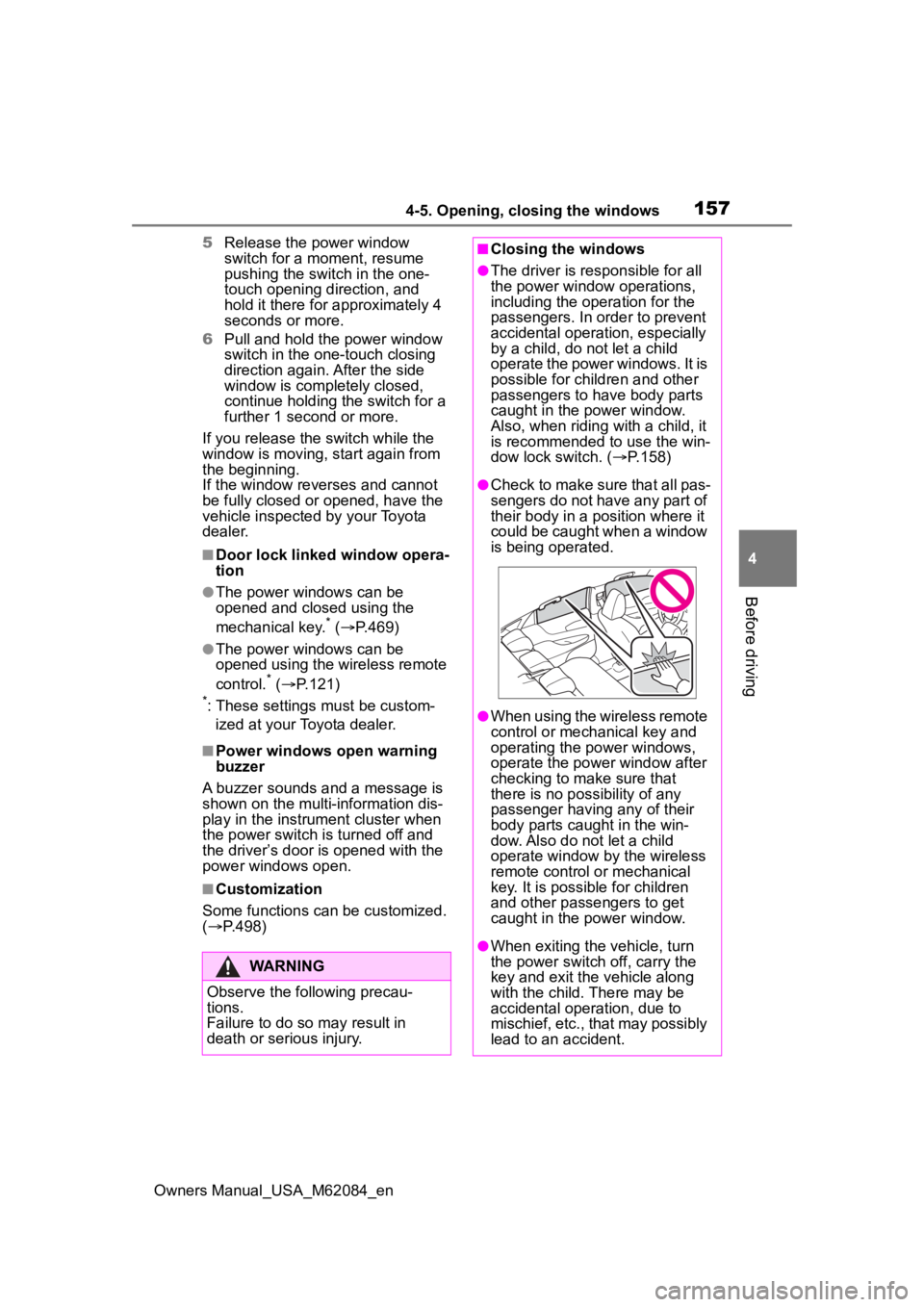
●Check to make sure that all pas-
sengers do not have any part of
their body in a position where it
could be caught when a window
is being operated.
●When using the wireless remote
control or mechanical key and
operating the power windows,
operate the power window after
checking to make sure that
there is no possibility of any
passenger having any of their
body parts caug ht in the win-
dow. Also do not let a child
operate window by the wireless
remote control or mechanical
key. It is possib le for children
and other passengers to get
caught in the power window.
●When exiting the vehicle, turn
the power switch off, carry the
key and exit the vehicle along
with the child. There may be
accidental operation, due to
mischief, etc., that may possibly
lead to an accident.
Page 158 of 556
1584-5. Opening, closing the windows
Owners Manual_USA_M62084_en
This function can be used to
prevent children from acciden-
tally opening or closing a pas-
senger window.
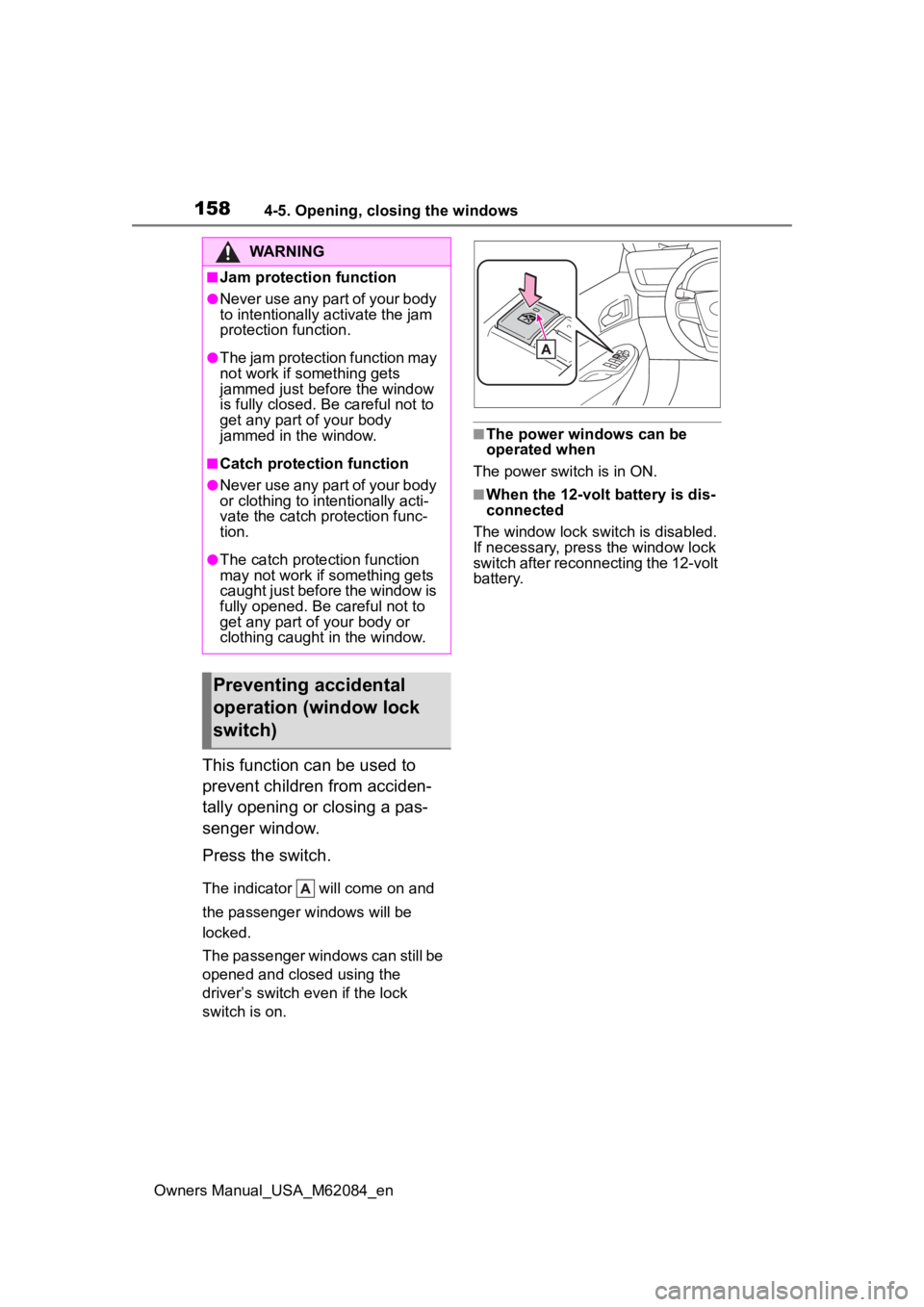
Press the switch.
The indicator will come on and
the passenger windows will be
locked.
The passenger windows can still be
opened and closed using the
driver’s switch even if the lock
switch is on.
■The power windows can be
operated when
The power switch is in ON.
■When the 12-volt battery is dis-
connected
The window lock switch is disabled.
If necessary, press the window lock
switch after reconnecting the 12-volt
battery.
WARNING
■Jam protection function
●Never use any part of your body
to intentionally a ctivate the jam
protection function.
●The jam protection function may
not work if something gets
jammed just before the window
is fully closed. Be careful not to
get any part of your body
jammed in the window.
■Catch protection function
●Never use any part of your body
or clothing to intentionally acti-
vate the catch p rotection func-
tion.
●The catch protection function
may not work if something gets
caught just before the window is
fully opened. Be careful not to
get any part of your body or
clothing caught in the window.
Preventing accidental
operation (window lock
switch)
Page 161 of 556
1615-1. Before driving
Owners Manual_USA_M62084_en
5
Driving
5-1.Before driving
■Starting the fuel cell system
P. 1 7 2
■Driving
1 With the brake pedal
depressed, shift the shift
position to D.
Check that the shift position indica-
tor shows D.
2If the parking brake is set,
release the parking brake.
( P.183)
If the parking brake is in automatic
mode, the parking brake is release
automatically when shifting the shift
lever to any position other than P.
( P.184)
3 Gradually release the brake
pedal and gently depress the
accelerator pedal to acceler-
ate the vehicle.
■Stopping
1 Depress the brake pedal.
2 If necessary, set the parking
brake.
If the vehicle is to be stopped for an
extended period of time, shift the
shift position to P. ( P.178)
■Parking the vehicle
1 Depress the brake pedal to
stop the vehicle completely. 2
If the parking brake is
released, set the parking
brake. ( P.183)
3 Shift the shift position to P.
( P.178)
Check that the shif t position indica-
tor shows P and the parking brake
indicator is illuminated.
4 Press the power switch to
stop the fuel cell system.
5 Slowly release the brake
pedal.
6 Lock the door, making sure
that you have the electronic
key on your person.
If parking on a hill, block the wheels
as needed.
■Starting off on a steep
uphill
1 Firmly depress the brake
pedal and shift the shift posi-
tion to D.
The hill-start assist control will be
activated.
2Set the parking brake.
( P.183)
3 Release the brake pedal and
gently depress the accelera-
tor pedal to accelerate the
vehicle.
4 Release the parking brake.
( P.183)
■For fuel-efficient driving
Keep in mind that fuel cell vehicles
are similar to conventional vehicles,
and it is necessary to refrain from
activities such as sudden accelera-
tion. ( P. 8 9 )
Driving the vehicle
The following procedures
should be observed to
ensure safe driving:
Driving procedure
Page 165 of 556
1655-1. Before driving
Owners Manual_USA_M62084_en
5
Driving
WARNING
●If the vehicle is stopped on an
incline, in order to prevent acci-
dents caused by the vehicle roll-
ing forward or backward, always
depress the brake pedal and
securely apply the parking
brake as needed.
■When the vehicle is parked
●Do not leave glasses, cigarette
lighters, spray cans, or soft
drink cans in the vehicle when it
is in the sun.
Doing so may result in the fol-
lowing:
• Gas may leak from a cigarette lighter or spray can, and may
lead to a fire.
• The temperature inside the vehicle may cause the plastic
lenses and plastic material of
glasses to deform or crack.
• Soft drink cans may fracture, causing the contents to spray
over the interior of the vehicle,
and may also caus e a short cir-
cuit in the vehicle’s electrical
components.
●Do not leave cigarette lighters in
the vehicle. If a cigarette lighter
is in a place such as the glove
box or on the floor, it may be lit
accidentally when luggage is
loaded or the seat is adjusted,
causing a fire.
●Do not attach adhesive discs to
the windshield or windows. Do
not place containers such as air
fresheners on the instrument
panel or dashboard. Adhesive
discs or containers may act as
lenses, causing a fire in the
vehicle.
●Do not leave a door or window
open if the curved glass is
coated with a metallized film
such as a silver-colored one.
Reflected sunlight may cause
the glass to act a s a lens, caus-
ing a fire.
●Always apply the parking brake,
shift the shift position to P, stop
the fuel cell system and lock the
vehicle.
Do not leave the vehicle unat-
tended while the “READY” indi-
cator is illuminated.
If the vehicle is parked with the
shift position in P but the park-
ing brake is not set, the vehicle
may start to move, possibly
leading to an accident.
■When taking a nap in the vehi-
cle
Always turn the fuel cell system
off. Otherwise, if you accidentally
move the shift lever or depress
the accelerator pedal, causing the
vehicle to unintentionally move,
which can lead to an accident,
resulting in death o r serious injury.
■When braking
●When the brakes are wet, drive
more cautiously.
Braking distance increases
when the brakes are wet, and
this may cause one side of the
vehicle to brake d ifferently than
the other side. Also, the parking
brake may not securely hold the
vehicle.
●If the electronically controlled
brake system does not operate,
do not follow other vehicles
closely and avoid hills or sharp
turns that require braking.
In this case, braking is still pos-
sible, but the brake pedal
should be depressed more
firmly than usual. Also, the brak-
ing distance will increase. Have
your brakes fixed immediately.
Page 169 of 556
1695-1. Before driving
Owners Manual_USA_M62084_en
5
Driving
WARNING
■Things that must not be car-
ried in the trunk
The following things may cause a
fire if loaded in the trunk:
●Receptacles co ntaining gaso-
line
●Aerosol cans
■Storage precautions
Observe the following precau-
tions.
Failure to do so m ay prevent the
pedals from being depressed
properly, may block the driver’s
vision, or may result in items hit-
ting the driver or passengers, pos-
sibly causing an accident.
●Stow cargo and luggage in the
trunk whenever possible.
●Do not place cargo or luggage
in or on the following locations.
• At the feet of the driver
• On the front passenger or rear seats (when stacking items)
• On the package tray
• On the instrument panel
• On the dashboard
●Secure all items in the occupant
compartment.
■Capacity and distribution
●Do not exceed the maximum
axle weight rating or the total
vehicle weight rating.
●Even if the tota l load of occu-
pant’s weight and the cargo
load is less than the total load
capacity, do not apply the load
unevenly. Improper loading may
cause deteriorat ion of steering
or braking control which may
cause death or serious injury.
NOTICE
■Roof film (vehicles with elec-
tronic sunshade)
Do not attach a roof carrier on the
roof film. It may damage the film
surface.
Page 173 of 556
1735-2. Driving procedures
Owners Manual_USA_M62084_en
5
Driving
Shutdown Due to Freezing Stop in
a Safe Place See Owner’s Man-
ual” may be displayed in the multi-
information display.
The fuel cell system is frozen and
cannot be started. Contact your Toy-
ota dealer.
●The power output will be tempo-
rarily limited until the fuel cell sys-
tem reaches full operating
temperature.
●When the traction battery is
extremely cold (below approxi-
mately -22˚F [-3 0˚C]) under the
influence of outsi de temperature,
it may not be poss ible to start the
fuel cell system. In this case, try to
start the fuel ce ll system again
after the temperat ure of the trac-
tion battery increases due to the
outside temperature increase etc.
■If the fuel cell system does not
start
●The immobilizer system may not
have been deactivated. ( P. 6 9 )
Contact your Toyota dealer.
●If a message related to start-up is
shown on the multi-information
display, read the message and fol-
low the instructions.
●Check that the fuel door is closed.
When the fuel doo r is open, the
fuel cell system cannot be started.
Close the fuel door before starting
the system. ( P.205)
■Sounds and vibrations specific
to a fuel cell vehicle
P. 7 5
■If the 12-volt battery is dis-
charged
The fuel cell system cannot be
started using the smart key system.
Refer to P.471to res tart the fuel cell
system.
■Electronic key battery depletion
P. 1 1 8
■Conditions affecting operation
P.132
■Notes for the entry function
P.132
■If “Smart Key System Malfunc-
tion See Owner’s Manual” is
displayed on the multi-informa-
tion display
The system may be malfunctioning.
Have the vehicle inspected by your
Toyota dealer immediately.
■Steering lock function
●After turning the power switch off
and opening and closing the
doors, the steeri ng wheel will be
locked due to the steering lock
function. Operating the power
switch again automatically can-
cels the steering lock.
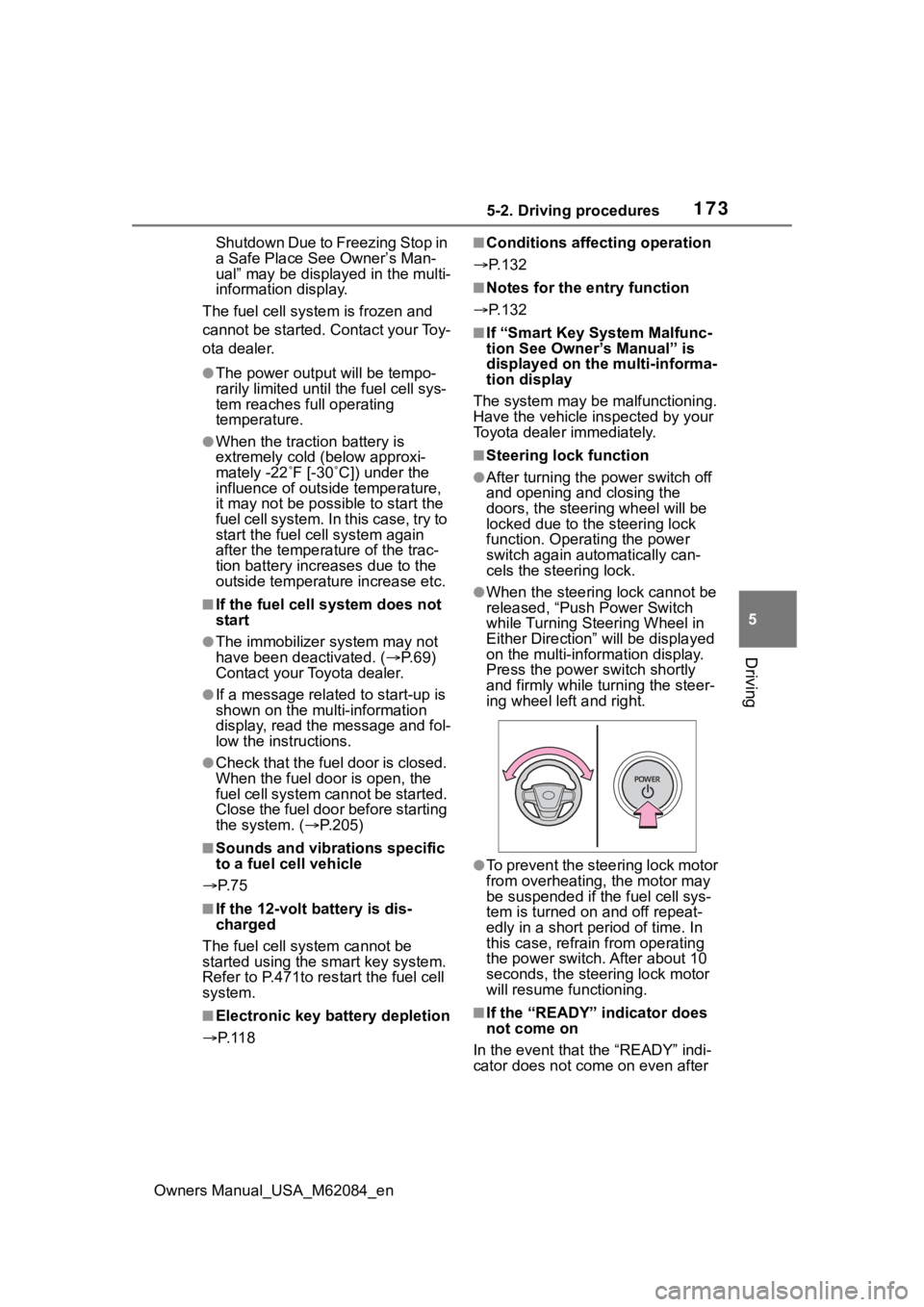
●When the steering lock cannot be
released, “Push Power Switch
while Turning Steering Wheel in
Either Direction” will be displayed
on the multi-information display.
Press the power switch shortly
and firmly while turning the steer-
ing wheel left and right.
●To prevent the steering lock motor
from overheating , the motor may
be suspended if the fuel cell sys-
tem is turned on and off repeat-
edly in a short period of time. In
this case, refrain from operating
the power switch. After about 10
seconds, the steering lock motor
will resume functioning.
■If the “READY” indicator does
not come on
In the event that the “READY” indi-
cator does not come on even after
Page 174 of 556
1745-2. Driving procedures
Owners Manual_USA_M62084_enperforming the proper procedures
for starting the vehicle, contact your
Toyota dealer immediately.
■If the fuel cell system is mal-
functioning
P. 4 5 1
■Electronic key battery
P. 4 2 3
■Operation of the power switch
●If the switch is not pressed shortly
and firmly, the power switch mode
may not change or the fuel cell
system may not start.
●If attempting to restart the fuel cell
system immediately after turning
the power switch off, the fuel cell
system may not start in some
cases. After turn ing the power
switch off, please wait a few sec-
onds before restarting the fuel cell
system.
■Customization
If the smart key system has been
deactivated in a customized setting,
refer to P.468.1 Stop the vehicle completely.
2 Set the parking brake.
( P.183)
3 Press the P position switch.
( P.178)
Check that the shif t position indica-
tor shows P and the parking brake
indicator is illuminated.
4 Press the power switch.
The fuel cell system will stop, and
the meter disp lay will be extin-
guished (the shift position indicator
will be extinguished a few seconds
after the meter display).
5 Release the brake pedal and
check that “ACCESSORY” or
“IGNITION ON” is not shown
on the meter.
■Stopping the fuel cell system in
cold temperatures
●When the power switch is pressed
and the fuel cell system is stopped
WARNING
■When starting the fuel cell
system
Always start the fuel cell system
while sitting in the driver’s seat.
Do not depress the accelerator
pedal while starting the fuel cell
system under any circumstances.
Doing so may cause an accident
resulting in death or serious injury.
■Caution while driving
If fuel cell system failure occurs
while the vehicle is moving, do not
lock or open the doors until the
vehicle reaches a safe and com-
plete stop. The steering lock func-
tion will activate and this may lead
to an accident, resulting in death
or serious injury.
NOTICE
■When starting the fuel cell
system
If the fuel cell system becomes
difficult to start, have your vehicle
checked by your Toyota dealer
immediately.
■Symptoms indicating a mal-
function with the power
switch
If the power switch seems to be
operating somewhat differently
than usual, such as the switch
sticking slightly, there may be a
malfunction. Contact your Toyota
dealer immediately.
Stopping the fuel cell sys-
tem
Page 175 of 556

1755-2. Driving procedures
Owners Manual_USA_M62084_en
5
Driving
during cold temperatures, the time
for water purge from the tailpipe
may be longer than usual to pre-
vent liquid in the fuel cell stack
from freezing.
●If the “FCV System Purge in Prog-
ress Purge will Stop Automati-
cally” is displayed in the multi-
information displa y, however it is
no problem to exit the vehicle.
●The water purge time may also be
long if the system is stopped
before fuel cell system warm-up is
completed.
●It is normal to hear hissing and
other sounds during purge.
( P. 7 5 )
●It is not a problem to do refueling
operations while the system is
purging.
The purging process is carried out
automatically after several min-
utes and a white mist may be
emitted, however this is not a mal-
function.
■Parking the vehicle during cold
weather
●Water may automa tically purge
from the tailpipe, even when the
fuel cell system is off, in order to
prevent liquid in the fuel cell stack,
hydrogen pipelines, etc., from
freezing. Also, water vapor may
be purged, but this is not malfunc-
tion.
●It is normal to hear hissing and
other sounds during purge.
( P. 7 5 )
■Automatic fuel cell system shut
off feature
●The vehicle is equipped with a
feature that automatically shuts off
the fuel cell system when the shift
position is in P with the fuel cell
system operating for an extended
period.
●The fuel cell syst em will automati-
cally shut off after approximately 1
hour if it has been left running
while the shift position is in P.
●The timer for the automatic fuel
cell system shut off feature will
reset if the brake pedal is
depressed or if the shift position is
in a position other than P.
●After the vehicle is parked, if the
door is locked with the door lock
switch ( P.124) from the inside or
the mechanical k ey from the out-
side, the automatic fuel cell sys-
tem shut off f eature will be
disabled. The timer for the auto-
matic fuel cell system shut off fea-
ture will be re-e nabled if the
driver’s door is opened.
■When the shift control system
malfunctions
When attempting to turn the power
switch off while t here is a malfunc-
tion in the shift control system, the
power switch mo de may change to
ACC. In this case, ACC may be
turned off by applying the parking
brake and pressing the power
switch again.
If there is a malfunction in the sys-
tem, have the vehicle inspected by
your Toyota dealer immediately.
■Automatic P position selection
function
P.180
■Water release (H2O switch)
P.189
Page 184 of 556
1845-2. Driving procedures
Owners Manual_USA_M62084_enPull and hold the parking brake
switch if an emergency occurs and
it is necessary to operate the park-
ing brake while driving.
2
Push the switch to release
the parking brake
• Operate the parking brake switch
while depressing the brake pedal.
• Using the parking brake auto- matic release function, the park-
ing brake can be released by
depressing the accelerator pedal.
When using this function, slowly
depress the accelerator pedal.
Make sure that t he parking brake
indicator light turn off.
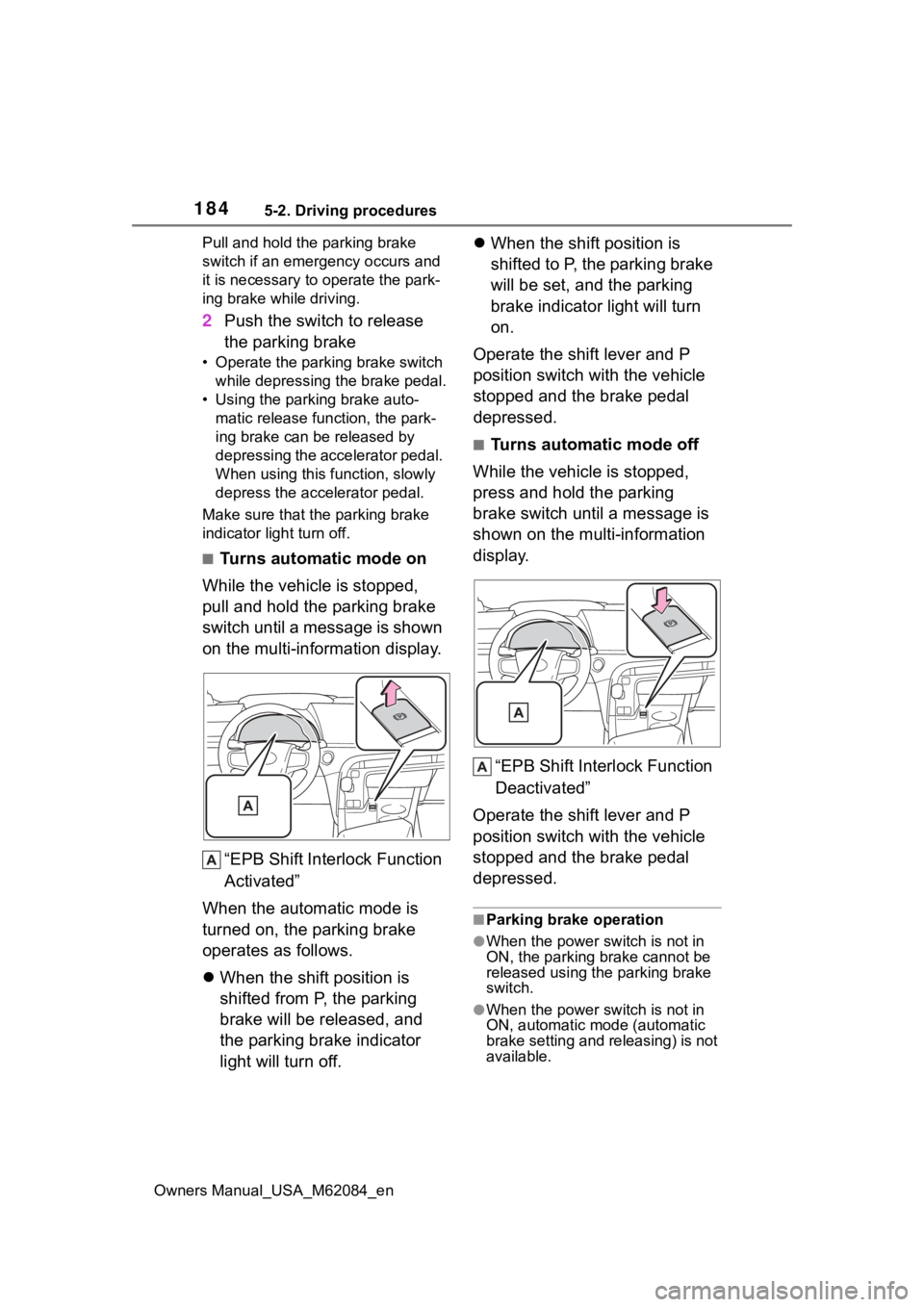
■Turns automatic mode on
While the vehicle is stopped,
pull and hold the parking brake
switch until a message is shown
on the multi-information display.
“EPB Shift Inte rlock Function
Activated”
When the automatic mode is
turned on, the parking brake
operates as follows.
When the shift position is
shifted from P, the parking
brake will be released, and
the parking brake indicator
light will turn off.
When the shift position is
shifted to P, the parking brake
will be set, and the parking
brake indicator light will turn
on.
Operate the shift lever and P
position switch with the vehicle
stopped and the brake pedal
depressed.
■Turns automatic mode off
While the vehicle is stopped,
press and hold the parking
brake switch until a message is
shown on the multi-information
display.
“EPB Shift Interlock Function
Deactivated”
Operate the shift lever and P
position switch with the vehicle
stopped and the brake pedal
depressed.
■Parking brake operation
●When the power switch is not in
ON, the parking brake cannot be
released using the parking brake
switch.
●When the power switch is not in
ON, automatic mode (automatic
brake setting and releasing) is not
available.
Page 192 of 556
1925-3. Operating the lights and wipers
Owners Manual_USA_M62084_en
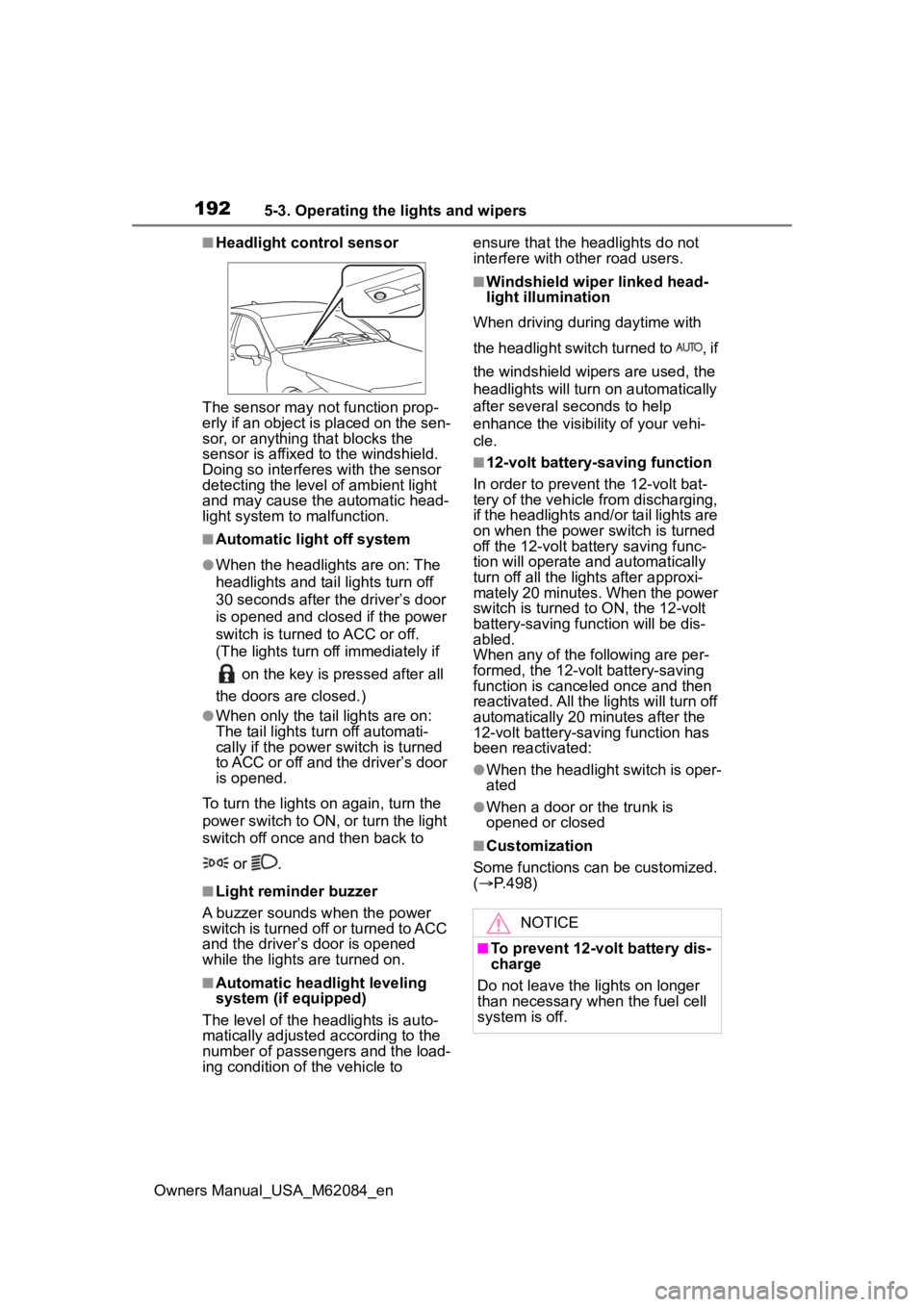
■Headlight control sensor
The sensor may not function prop-
erly if an object is placed on the sen-
sor, or anything that blocks the
sensor is affixed to the windshield.
Doing so interfere s with the sensor
detecting the level of ambient light
and may cause the automatic head-
light system to malfunction.
■Automatic light off system
●When the headlights are on: The
headlights and tail lights turn off
30 seconds after the driver’s door
is opened and clos ed if the power
switch is turned to ACC or off.
(The lights turn off immediately if
on the key is pressed after all
the doors are closed.)
●When only the tail lights are on:
The tail lights tu rn off automati-
cally if the power switch is turned
to ACC or off and the driver’s door
is opened.
To turn the lights on again, turn the
power switch to ON, or turn the light
switch off once and then back to
or .
■Light reminder buzzer
A buzzer sounds when the power
switch is turned off or turned to ACC
and the driver’s door is opened
while the lights are turned on.
■Automatic headlight leveling
system (if equipped)
The level of the headlights is auto-
matically adjusted according to the
number of passengers and the load-
ing condition of the vehicle to ensure that the headlights do not
interfere with other road users.
■Windshield wiper linked head-
light illumination
When driving during daytime with
the headlight switch turned to , if
the windshield wipers are used, the
headlights will turn o n automatically
after several seconds to help
enhance the visibility of your vehi-
cle.
■12-volt battery-saving function
In order to prevent the 12-volt bat-
tery of the vehicle from discharging,
if the headlights and/or tail lights are
on when the power switch is turned
off the 12-volt battery saving func-
tion will operate and automatically
turn off all the lig hts after approxi-
mately 20 minutes. When the power
switch is turned to ON, the 12-volt
battery-saving function will be dis-
abled.
When any of the following are per-
formed, the 12-volt battery-saving
function is canceled once and then
reactivated. All the lights will turn off
automatically 20 minutes after the
12-volt battery-saving function has
been reactivated:
●When the headlight switch is oper-
ated
●When a door or the trunk is
opened or closed
■Customization
Some functions can be customized.
( P.498)
NOTICE
■To prevent 12-volt battery dis-
charge
Do not leave the lights on longer
than necessary when the fuel cell
system is off.