ECO mode TOYOTA MIRAI 2023 Owner's Manual
[x] Cancel search | Manufacturer: TOYOTA, Model Year: 2023, Model line: MIRAI, Model: TOYOTA MIRAI 2023Pages: 572, PDF Size: 17.71 MB
Page 155 of 572
1554-4. Adjusting the steering wheel and mirrors
Owners Manual_USA_M62064_en
4
Before driving
■Cleaning the mirror surface
If the mirror surface is dirty, the
image on the display may be dif-
ficult to see.
Clean the mirror surface gently
using a soft dry cloth.
■Cleaning the camera
If the camera lens is dirty or cov-
ered with foreign matter, such as
water droplets, snow, mud, etc.,
the displayed image may not be
clear. In this case, rinse the
camera lens with a large quan-
tity of water and then wipe it
clean with a soft cloth damp- ened with water.
Dirt on the camera lens can be
cleaned by operating the dedi-
cated camera cleaning washer.
(
P.204)
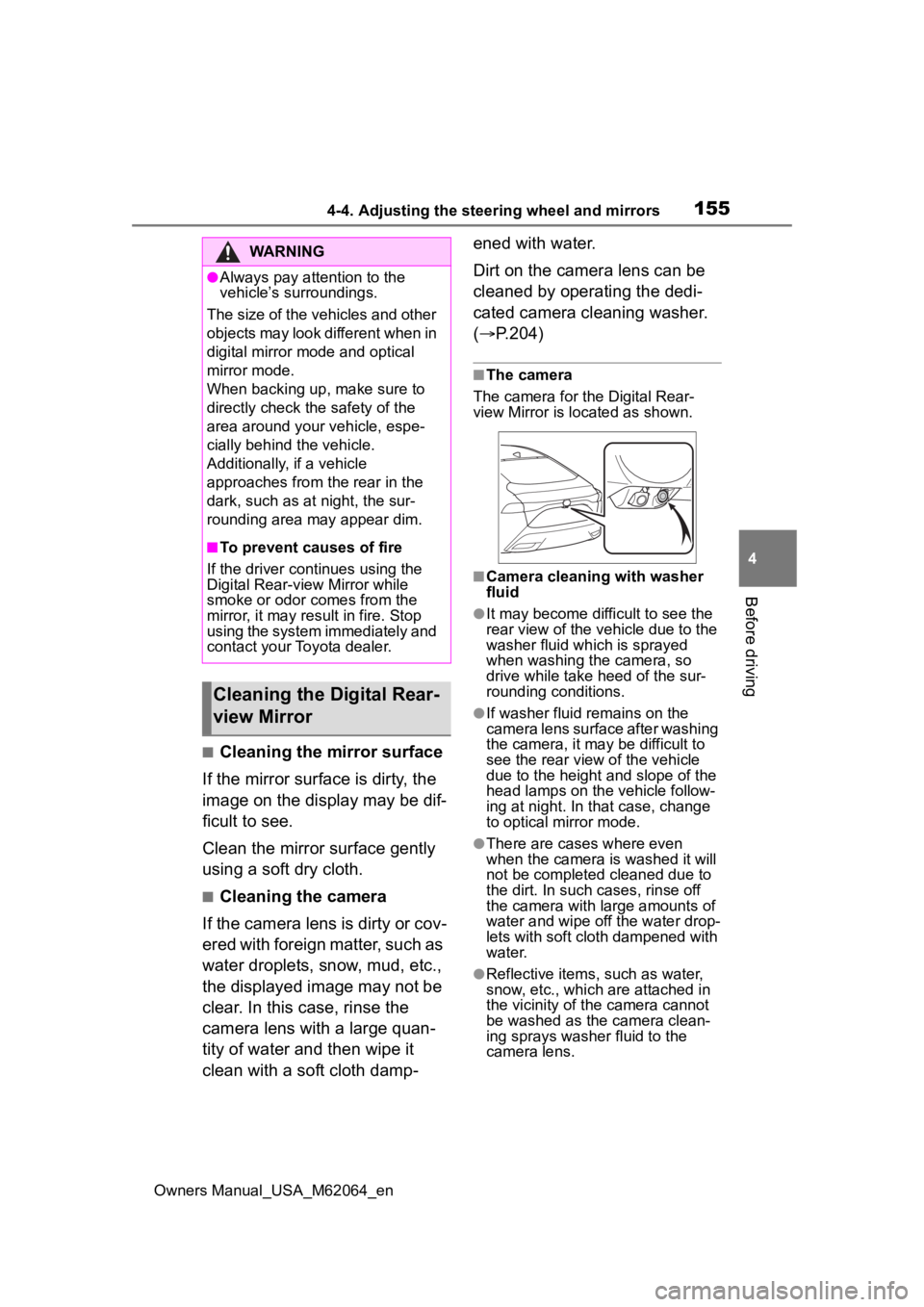
■The camera
The camera for the Digital Rear-
view Mirror is located as shown.
■Camera cleaning with washer
fluid
●It may become difficult to see the
rear view of the vehicle due to the
washer fluid which is sprayed
when washing the camera, so
drive while take heed of the sur-
rounding conditions.
●If washer fluid remains on the
camera lens surface after washing
the camera, it may be difficult to
see the rear view of the vehicle
due to the height a nd slope of the
head lamps on the vehicle follow-
ing at night. In that case, change
to optical mirror mode.
●There are cases where even
when the camera is washed it will
not be completed cleaned due to
the dirt. In such cases, rinse off
the camera with large amounts of
water and wipe off the water drop-
lets with soft cloth dampened with
water.
●Reflective items, such as water,
snow, etc., which are attached in
the vicinity of the camera cannot
be washed as the camera clean-
ing sprays washer fluid to the
camera lens.
WARNING
●Always pay attention to the
vehicle’s surroundings.
The size of the vehicles and other
objects may look different when in
digital mirror mode and optical
mirror mode.
When backing up, make sure to
directly check the safety of the
area around your vehicle, espe-
cially behind the vehicle.
Additionally, if a vehicle
approaches from the rear in the
dark, such as at night, the sur-
rounding area may appear dim.
■To prevent causes of fire
If the driver continues using the
Digital Rear-view Mirror while
smoke or odor comes from the
mirror, it may res ult in fire. Stop
using the system immediately and
contact your Toyota dealer.
Cleaning the D igital Rear-
view Mirror
Page 159 of 572
1594-4. Adjusting the steering wheel and mirrors
Owners Manual_USA_M62064_en
4
Before driving
is displayed.
The Digital Rear-view Mirror
is extremely hot.
(The display will gradually
become more dim. If the
temperature continues to
increase, the Digital Rear-
view Mirror will turn off.)
Reducing the cabin
temperature is recom-
mended to reduce the
temperature of the mir-
ror.
( will disappear
when the mirror
becomes cool.)
If does not disap-
pear even though the
mirror is cool, have the
vehicle inspected by
your Toyota dealer.
The lever cannot be
operated properly.The lever may be malfunc-
tioning.
Change to optical mirror
mode and have the
vehicle inspected by
your Toyota dealer.
(To change to optical
mirror mode, press and
hold the menu button
for approximately 10
seconds.)
SymptomLikely causeSolution
Page 161 of 572
1614-4. Adjusting the steering wheel and mirrors
Owners Manual_USA_M62064_en
4
Before driving
view mirror defoggers. ( P.335,
342)
■Automatic adjustment of the
mirror angle (if equipped)
A desired mirror face angle can be
entered to memory and recalled
automatically by the driving position
memory. ( P.142)
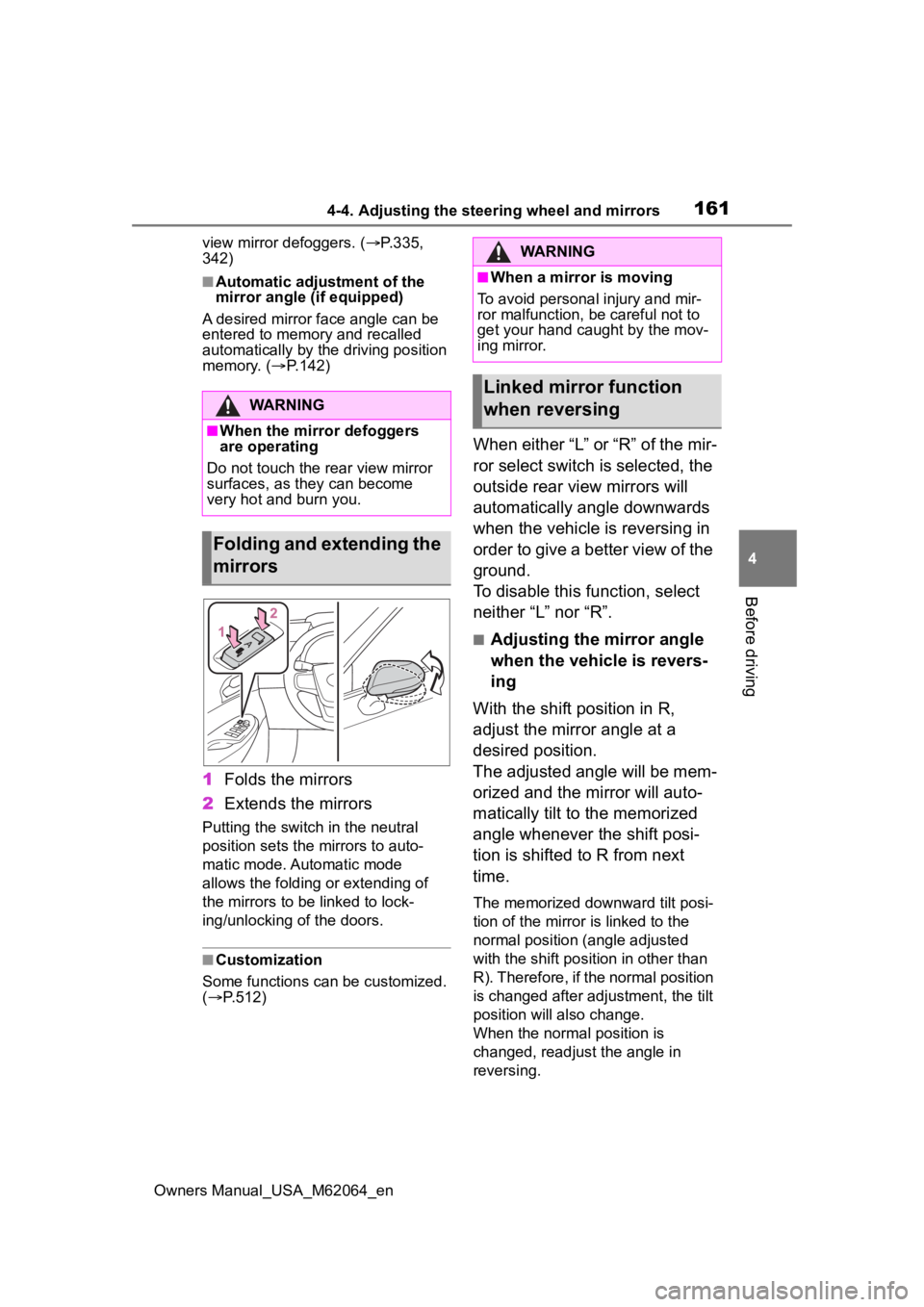
1Folds the mirrors
2 Extends the mirrors
Putting the switch in the neutral
position sets the mirrors to auto-
matic mode. Automatic mode
allows the folding or extending of
the mirrors to be linked to lock-
ing/unlocking of the doors.
■Customization
Some functions can be customized.
( P.512)
When either “L” or “R” of the mir-
ror select switch is selected, the
outside rear view mirrors will
automatically angle downwards
when the vehicle is reversing in
order to give a better view of the
ground.
To disable this function, select
neither “L” nor “R”.
■Adjusting the mirror angle
when the vehicle is revers-
ing
With the shift position in R,
adjust the mirror angle at a
desired position.
The adjusted angle will be mem-
orized and the mirror will auto-
matically tilt to the memorized
angle whenever the shift posi-
tion is shifted to R from next
time.
The memorized downward tilt posi-
tion of the mirror is linked to the
normal position (angle adjusted
with the shift posit ion in other than
R). Therefore, if the normal position
is changed after adjustment, the tilt
position will also change.
When the normal position is
changed, readjust the angle in
reversing.
WARNING
■When the mirror defoggers
are operating
Do not touch the rear view mirror
surfaces, as they can become
very hot and burn you.
Folding and extending the
mirrors
WARNING
■When a mirror is moving
To avoid personal injury and mir-
ror malfunction, be careful not to
get your hand caught by the mov-
ing mirror.
Linked mirror function
when reversing
Page 183 of 572
1835-2. Driving procedures
Owners Manual_USA_M62064_en
5
Driving
( P. 7 7 )
■Automatic fuel cell system shut
off feature
●The vehicle is equipped with a
feature that automatically shuts off
the fuel cell system when the shift
position is in P with the fuel cell
system operating for an extended
period.
●The fuel cell system will automati-
cally shut off after approximately 1
hour if it has been left running
while the shift position is in P.
●The timer for the automatic fuel
cell system shut off feature will
reset if the brake pedal is
depressed or if the shift position is
in a position other than P.
●After the vehicle is parked, if the
door is locked with the door lock
switch ( P.130) from the inside or
the mechanical key from the out-
side, the automat ic fuel cell sys-
tem shut off feature will be
disabled. The tim er for the auto-
matic fuel cell system shut off fea-
ture will be re- enabled if the
driver’s door is opened.
■When the shift c ontrol system
malfunctions
When attempting to turn the power
switch off while there is a malfunc-
tion in the shift control system, the
power switch mode may change to
ACC. In this cas e, ACC may be
turned off by applying the parking
brake and pressing the power
switch again.
If there is a malfunction in the sys-
tem, have the vehicle inspected by
your Toyota dealer immediately.
■Automatic P position selection
function
P. 1 8 7
■Water release (H2O switch)
P. 1 9 6
Modes can be changed by
pressing the power switch with
the brake pedal released. (The
mode changes each time the
switch is pressed.)
WARNING
■Stopping the fuel cell system
in an emergency
●If you want to stop the fuel cell
system in an emergency while
driving the vehicle, press and
hold the power s witch for more
than 2 seconds, or press it
briefly 3 times or more in suc-
cession. ( P.446)
However, do not touch the
power switch while driving
except in an emergency. Turn-
ing the fuel cell system off while
driving will not cause loss of
steering or braking control, how-
ever, power assist to the steer-
ing will be lost. This will make it
more difficult to steer smoothly,
so you should pull over and stop
the vehicle as soon as it is safe
to do so.
●If the power switch is operated
while the vehicle is running, a
warning message will be shown
on the multi-information display
and a buzzer sounds.
●When restarting the fuel cell
system after an emergency
shutdown, press the power
switch.
Changing power switch
modes
Page 185 of 572
1855-2. Driving procedures
Owners Manual_USA_M62064_en
5
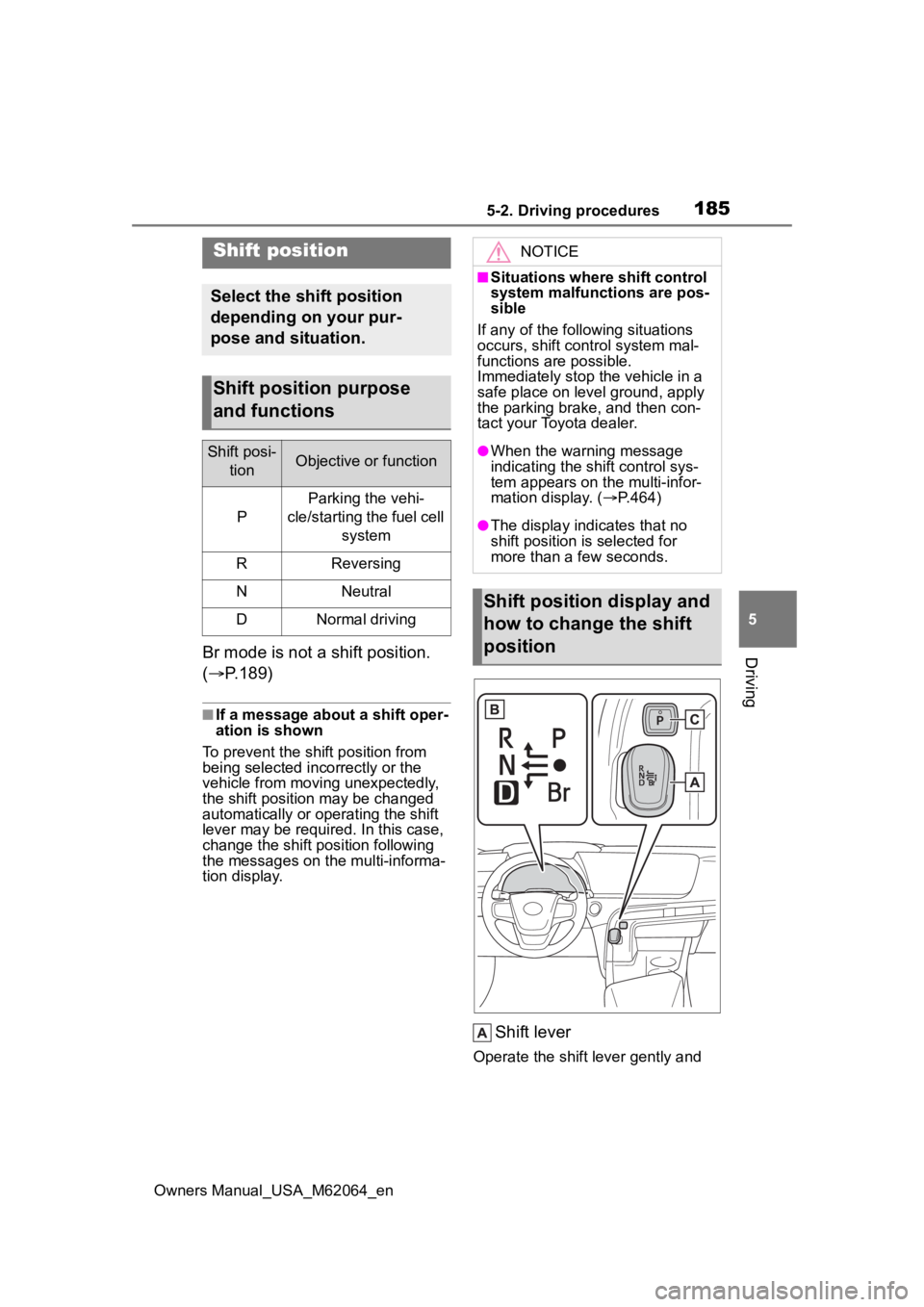
DrivingBr mode is not a shift position.
( P.189)
■If a message about a shift oper-
ation is shown
To prevent the shift position from
being selected inco rrectly or the
vehicle from moving unexpectedly,
the shift position may be changed
automatically or operating the shift
lever may be requi red. In this case,
change the shift position following
the messages on the multi-informa-
tion display.
Shift lever
Operate the shift lever gently and
Shift position
Select the shift position
depending on your pur-
pose and situation.
Shift position purpose
and functions
Shift posi-
tionObjective or function
P
Parking the vehi-
cle/starting the fuel cell system
RReversing
NNeutral
DNormal driving
NOTICE
■Situations where shift control
system malfunctions are pos-
sible
If any of the follo wing situations
occurs, shift control system mal-
functions are possible.
Immediately stop t he vehicle in a
safe place on level ground, apply
the parking brake, and then con-
tact your Toyota dealer.
●When the warning message
indicating the shift control sys-
tem appears on the multi-infor-
mation display. ( P.464)
●The display indicates that no
shift position is selected for
more than a few seconds.
Shift position display and
how to change the shift
position
Page 192 of 572
1925-2. Driving procedures
Owners Manual_USA_M62064_en
When the shift position is
shifted to P, the parking brake
will be set, and the parking
brake indicator light will turn
on.
Operate the shift lever and P
position switch with the vehicle
stopped and the brake pedal
depressed.
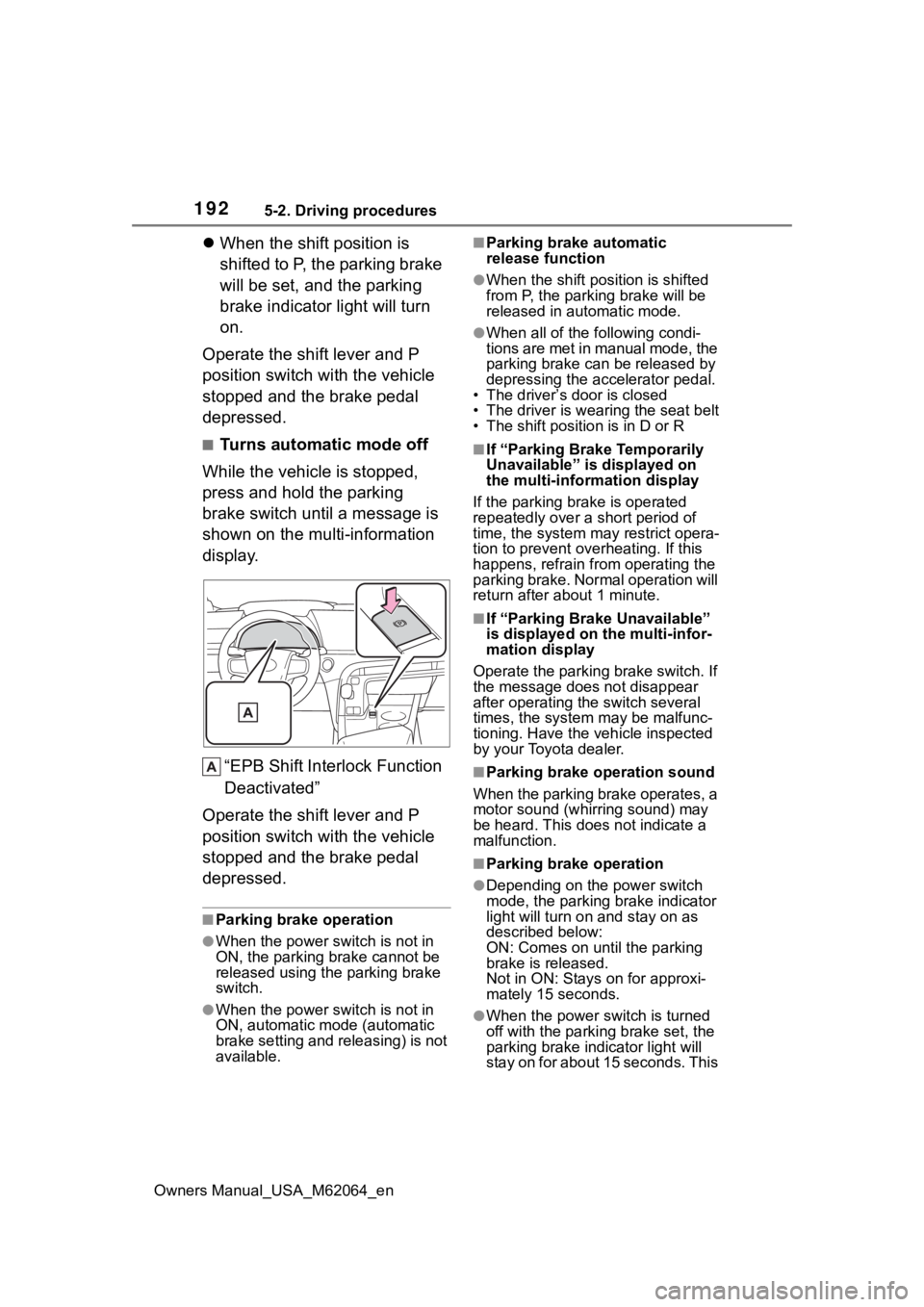
■Turns automatic mode off
While the vehicle is stopped,
press and hold the parking
brake switch until a message is
shown on the multi-information
display.
“EPB Shift Inte rlock Function
Deactivated”
Operate the shift lever and P
position switch with the vehicle
stopped and the brake pedal
depressed.
■Parking brake operation
●When the power s witch is not in
ON, the parking brake cannot be
released using the parking brake
switch.
●When the power s witch is not in
ON, automatic mode (automatic
brake setting and releasing) is not
available.
■Parking brake automatic
release function
●When the shift position is shifted
from P, the parking brake will be
released in automatic mode.
●When all of the f ollowing condi-
tions are met in manual mode, the
parking brake can be released by
depressing the accelerator pedal.
• The driver’s door is closed
• The driver is wearing the seat belt
• The shift position is in D or R
■If “Parking Brake Temporarily
Unavailable” is displayed on
the multi-info rmation display
If the parking brake is operated
repeatedly over a short period of
time, the system may restrict opera-
tion to prevent ove rheating. If this
happens, refrain from operating the
parking brake. Normal operation will
return after about 1 minute.
■If “Parking Brake Unavailable”
is displayed on the multi-infor-
mation display
Operate the parking brake switch. If
the message does not disappear
after operating the switch several
times, the system may be malfunc-
tioning. Have the vehicle inspected
by your Toyota dealer.
■Parking brake operation sound
When the parking brake operates, a
motor sound (whirr ing sound) may
be heard. This does not indicate a
malfunction.
■Parking brake operation
●Depending on the power switch
mode, the parking brake indicator
light will turn on and stay on as
described below:
ON: Comes on until the parking
brake is released.
Not in ON: Stays on for approxi-
mately 15 seconds.
●When the power switch is turned
off with the parking brake set, the
parking brake i ndicator light will
stay on for about 15 seconds. This
Page 196 of 572
1965-2. Driving procedures
Owners Manual_USA_M62064_en
*: If equipped
■Customization
Some functions can be customized.
( P.519)
■Operating conditions
When the driving mode select
switch is not in Eco drive mode.
■Temporary cancelation of the
ASC system functions
The ASC system may be temporar-
ily canceled depending on the driv-
ing conditions, such as when the
tires slip due to sudden accelera-
tion.
The tones may not sound if the driv-
ing mode is switched continuously
in short time periods.
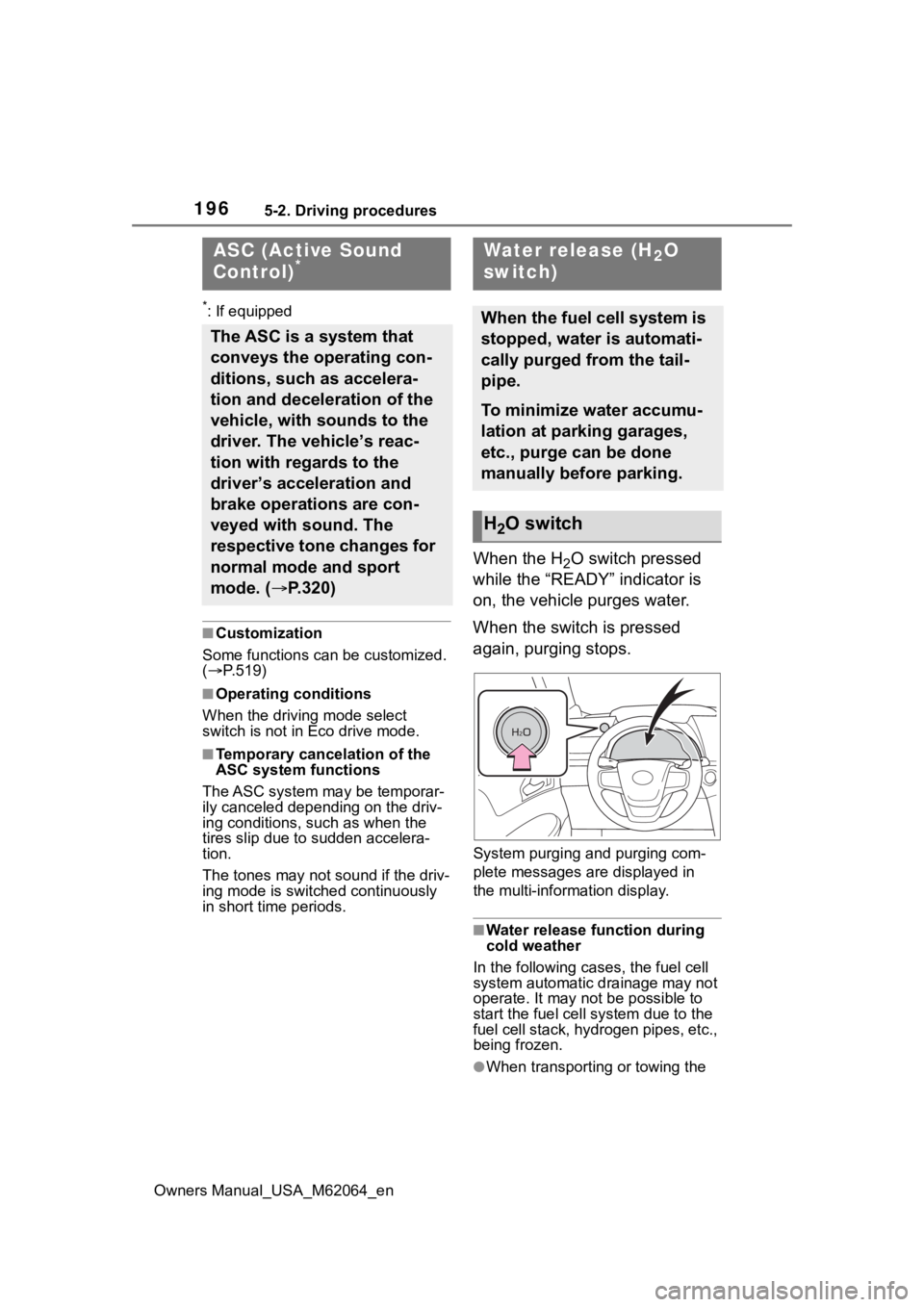
When the H2O switch pressed
while the “READY” indicator is
on, the vehicle purges water.
When the switch is pressed
again, purging stops.
System purging and purging com-
plete messages are displayed in
the multi-information display.
■Water release function during
cold weather
In the following cases, the fuel cell
system automatic drainage may not
operate. It may not be possible to
start the fuel cell system due to the
fuel cell stack, hyd rogen pipes, etc.,
being frozen.
●When transporting or towing the
ASC (Active Sound
Control)*
The ASC is a system that
conveys the operating con-
ditions, such as accelera-
tion and deceleration of the
vehicle, with sounds to the
driver. The vehicle’s reac-
tion with regards to the
driver’s acceleration and
brake operations are con-
veyed with sound. The
respective tone changes for
normal mode and sport
mode. ( P.320)
Water release (H2O
switch)
When the fuel cell system is
stopped, water is automati-
cally purged from the tail-
pipe.
To minimize water accumu-
lation at parking garages,
etc., purge can be done
manually before parking.
H2O switch
Page 198 of 572
1985-3. Operating the lights and wipers
Owners Manual_USA_M62064_en
5-3.Operating the lights and wipers
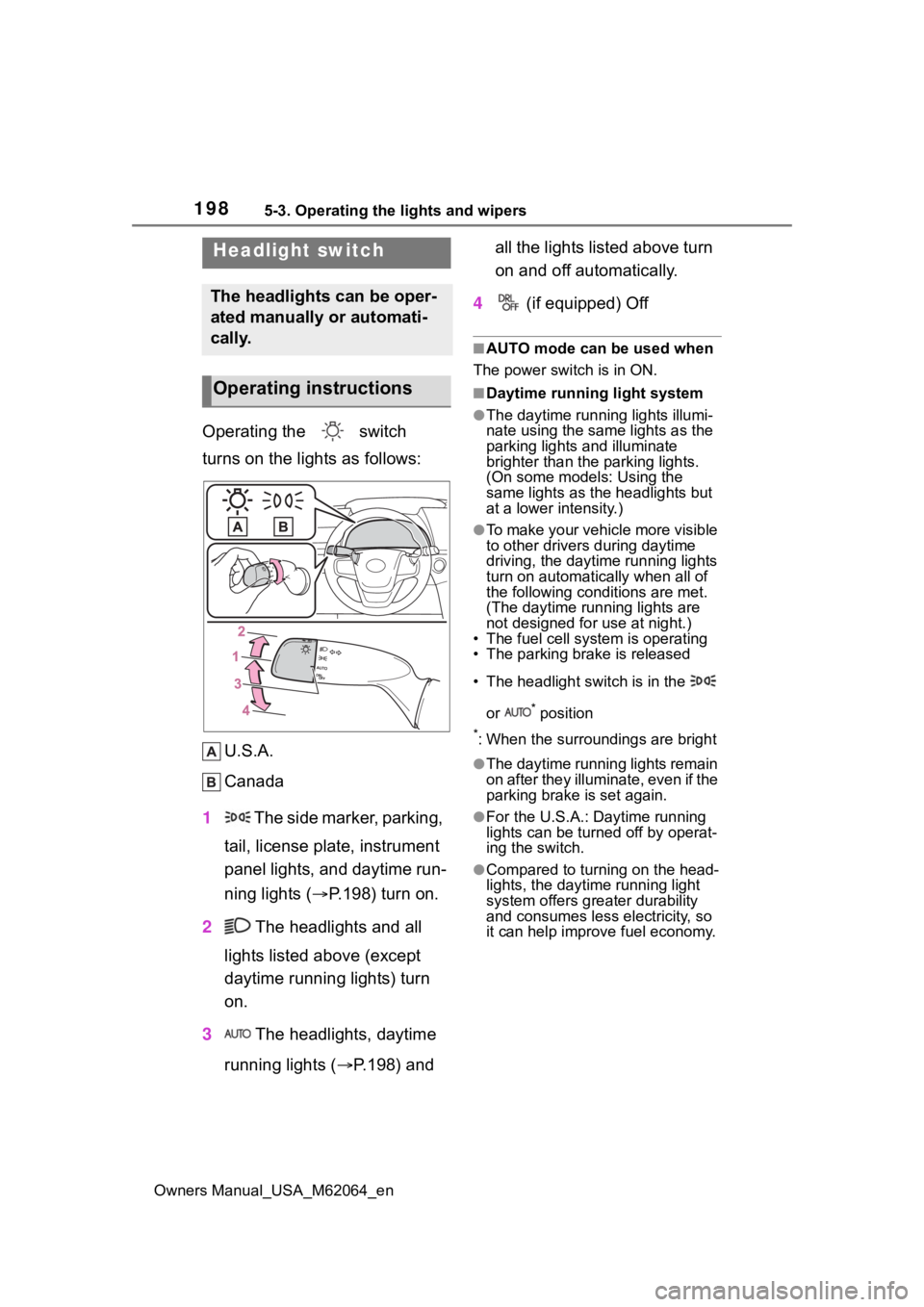
Operating the switch
turns on the lights as follows:U.S.A.
Canada
1 The side marker, parking,
tail, license plate, instrument
panel lights, and daytime run-
ning lights ( P.198) turn on.
2 The headlights and all
lights listed above (except
daytime running lights) turn
on.
3 The headlights, daytime
running lights ( P.198) and all the lights listed above turn
on and off automatically.
4 (if equipped) Off
■AUTO mode can be used when
The power switch is in ON.
■Daytime running light system
●The daytime runn ing lights illumi-
nate using the same lights as the
parking lights and illuminate
brighter than the parking lights.
(On some models: Using the
same lights as the headlights but
at a lower intensity.)
●To make your vehicle more visible
to other drivers during daytime
driving, the daytime running lights
turn on automatically when all of
the following conditions are met.
(The daytime running lights are
not designed for use at night.)
• The fuel cell system is operating
• The parking brake is released
• The headlight switch is in the
or
* position
*: When the surroundings are bright
●The daytime running lights remain
on after they illuminate, even if the
parking brake is set again.
●For the U.S.A.: Daytime running
lights can be turned off by operat-
ing the switch.
●Compared to turning on the head-
lights, the daytime running light
system offers greater durability
and consumes less electricity, so
it can help improve fuel economy.
Headlight switch
The headlights can be oper-
ated manually or automati-
cally.
Operating instructions
Page 207 of 572
2075-3. Operating the lights and wipers
Owners Manual_USA_M62064_en
5
Driving
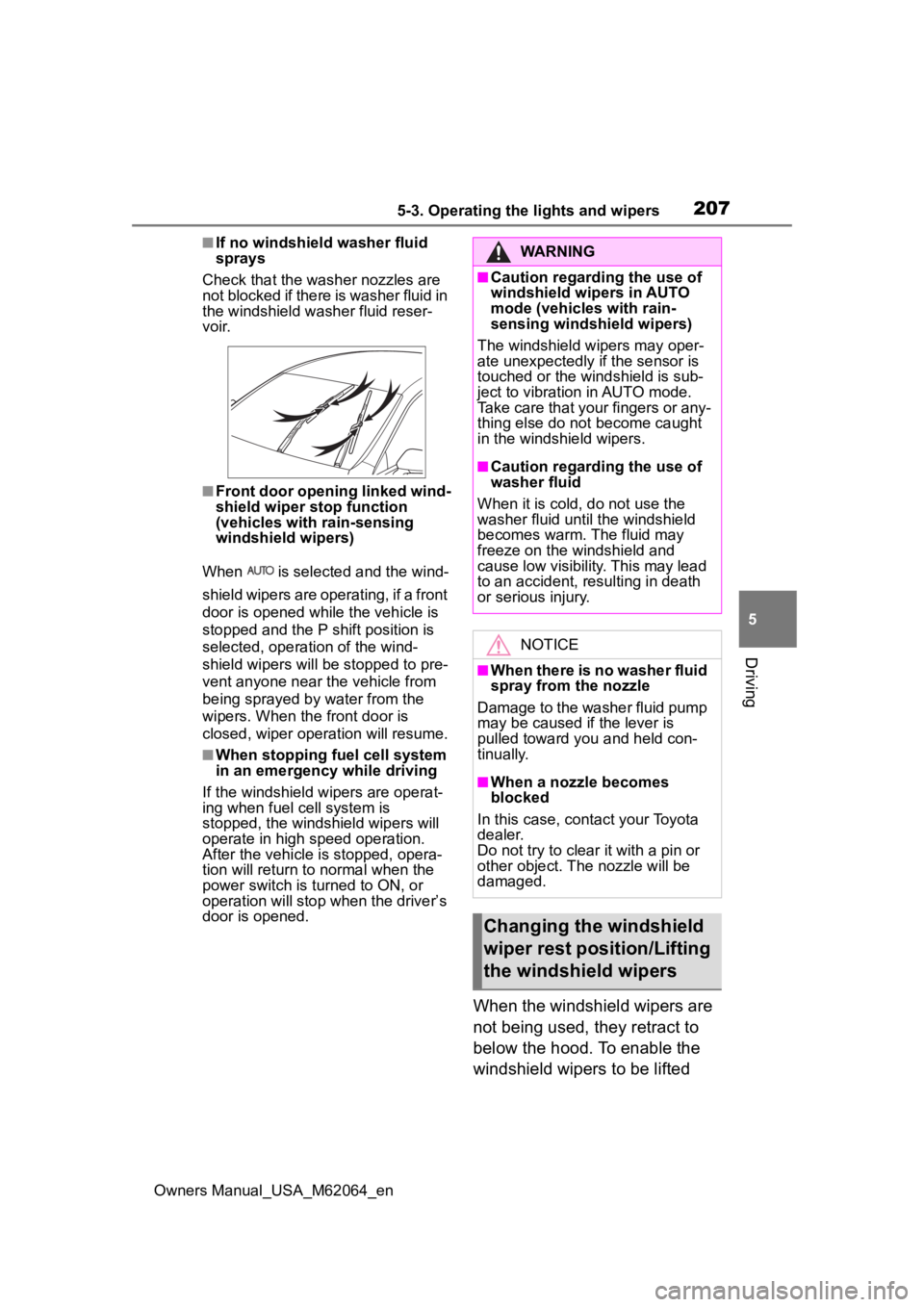
■If no windshield washer fluid
sprays
Check that the wash er nozzles are
not blocked if there is washer fluid in
the windshield washer fluid reser-
v oi r.
■Front door opening linked wind-
shield wiper stop function
(vehicles with rain-sensing
windshield wipers)
When is selected and the wind-
shield wipers are operating, if a front
door is opened while the vehicle is
stopped and the P shift position is
selected, operation of the wind-
shield wipers will be stopped to pre-
vent anyone near the vehicle from
being sprayed by water from the
wipers. When the front door is
closed, wiper operation will resume.
■When stopping fuel cell system
in an emergency while driving
If the windshield wipers are operat-
ing when fuel cell system is
stopped, the windshield wipers will
operate in high speed operation.
After the vehicle is stopped, opera-
tion will return to normal when the
power switch is turned to ON, or
operation will stop w hen the driver’s
door is opened.
When the windshield wipers are
not being used, they retract to
below the hood. To enable the
windshield wipers to be lifted
WARNING
■Caution regarding the use of
windshield wipers in AUTO
mode (vehicles with rain-
sensing windshield wipers)
The windshield wipers may oper-
ate unexpectedly if the sensor is
touched or the windshield is sub-
ject to vibration in AUTO mode.
Take care that your fingers or any-
thing else do not become caught
in the windshield wipers.
■Caution regarding the use of
washer fluid
When it is cold, do not use the
washer fluid unt il the windshield
becomes warm. The fluid may
freeze on the windshield and
cause low visibility. This may lead
to an accident, resulting in death
or serious injury.
NOTICE
■When there is no washer fluid
spray from the nozzle
Damage to the washer fluid pump
may be caused if the lever is
pulled toward you and held con-
tinually.
■When a nozzle becomes
blocked
In this case, contact your Toyota
dealer.
Do not try to clear it with a pin or
other object. The nozzle will be
damaged.
Changing the windshield
wiper rest position/Lifting
the windshield wipers
Page 247 of 572
2475-5. Using the driving support systems
Owners Manual_USA_M62064_en
5
Driving
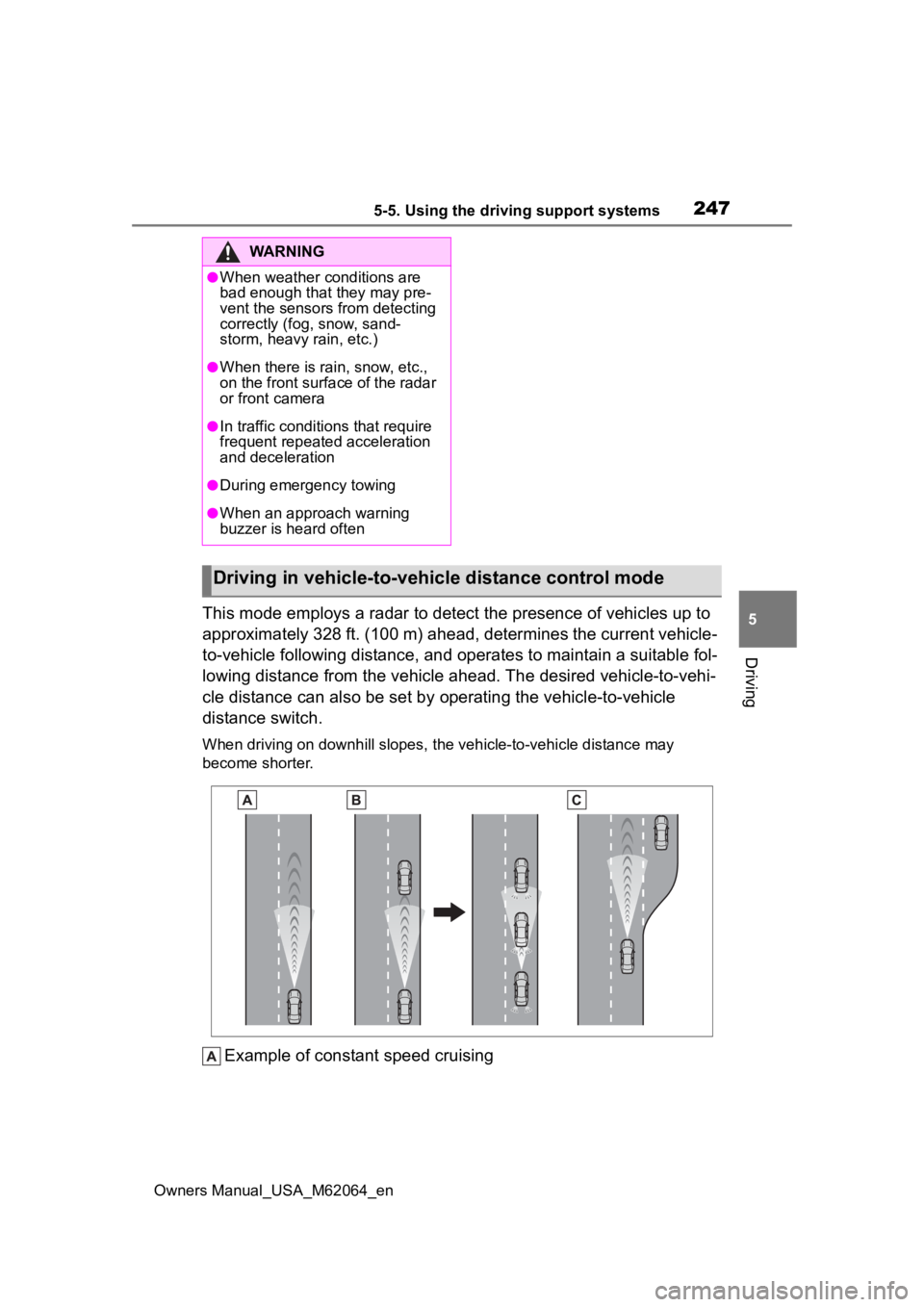
This mode employs a radar to detect the presence of vehicles up to
approximately 328 ft. (100 m) ahead, determines the current veh icle-
to-vehicle following distance, and operates to maintain a suitable fol-
lowing distance from the vehicle ahead. The desired vehicle-to- vehi-
cle distance can also be set by operating the vehicle-to-vehicle
distance switch.
When driving on downhill slopes, the vehicle-to-vehicle distanc e may
become shorter.
Example of constant speed cruising
WARNING
●When weather conditions are
bad enough that they may pre-
vent the sensors from detecting
correctly (fog, snow, sand-
storm, heavy rain, etc.)
●When there is rain, snow, etc.,
on the front surface of the radar
or front camera
●In traffic conditions that require
frequent repeated acceleration
and deceleration
●During emergency towing
●When an approach warning
buzzer is heard often
Driving in vehicle-to-vehicle distance control mode