ESP TOYOTA MIRAI 2023 Service Manual
[x] Cancel search | Manufacturer: TOYOTA, Model Year: 2023, Model line: MIRAI, Model: TOYOTA MIRAI 2023Pages: 572, PDF Size: 17.71 MB
Page 277 of 572
2775-5. Using the driving support systems
Owners Manual_USA_M62064_en
5
Driving
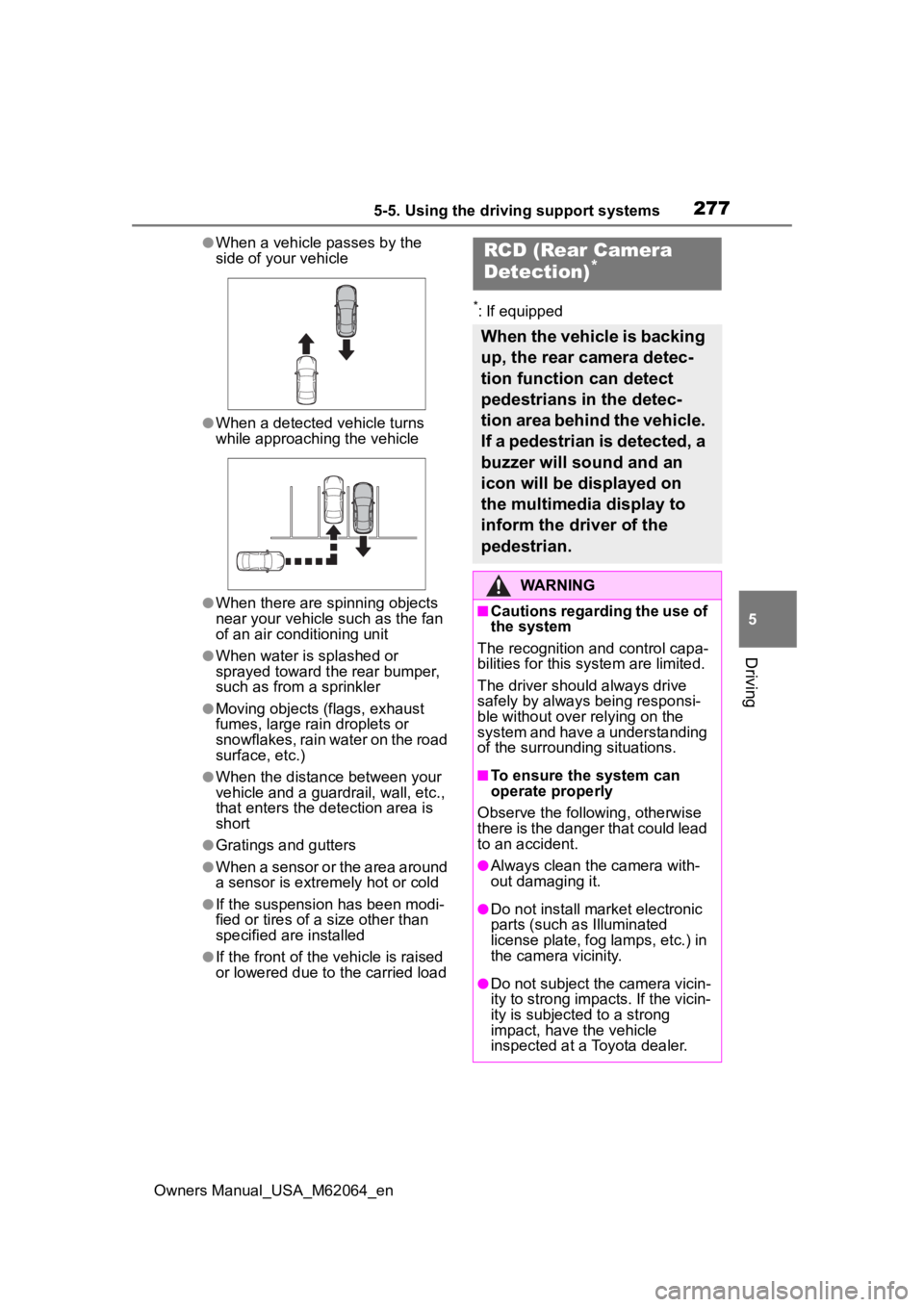
●When a vehicle passes by the
side of your vehicle
●When a detected vehicle turns
while approaching the vehicle
●When there are spinning objects
near your vehicle such as the fan
of an air conditioning unit
●When water is splashed or
sprayed toward t he rear bumper,
such as from a sprinkler
●Moving objects (flags, exhaust
fumes, large rain droplets or
snowflakes, rain water on the road
surface, etc.)
●When the distance between your
vehicle and a guardrail, wall, etc.,
that enters the detection area is
short
●Gratings and gutters
●When a sensor or the area around
a sensor is extremely hot or cold
●If the suspension has been modi-
fied or tires of a size other than
specified are installed
●If the front of the vehicle is raised
or lowered due to the carried load
*: If equipped
RCD (Rear Camera
Detection)*
When the vehicle is backing
up, the rear camera detec-
tion function can detect
pedestrians in the detec-
tion area behind the vehicle.
If a pedestrian is detected, a
buzzer will sound and an
icon will be displayed on
the multimedia display to
inform the driver of the
pedestrian.
WARNING
■Cautions regarding the use of
the system
The recognition and control capa-
bilities for this system are limited.
The driver should always drive
safely by always being responsi-
ble without over relying on the
system and have a understanding
of the surrounding situations.
■To ensure the system can
operate properly
Observe the following, otherwise
there is the danger that could lead
to an accident.
●Always clean the camera with-
out damaging it.
●Do not install market electronic
parts (such as Illuminated
license plate, fog lamps, etc.) in
the camera vicinity.
●Do not subject the camera vicin-
ity to strong impacts. If the vicin-
ity is subjected to a strong
impact, have the vehicle
inspected at a Toyota dealer.
Page 282 of 572
2825-5. Using the driving support systems
Owners Manual_USA_M62064_en
■Parking Support Brake
function (moving vehicles
rear of the vehicle)
P.290
■Parking Support Brake
function (pedestrians rear
of the vehicle)
P.291
*: If equipped
WARNING
■Cautions regarding the use of
the system
Do not overly rely on the system,
as doing so may lead to an acci-
dent.
Always drive while checking the
safety of the surroundings of the
vehicle.
Depending on the vehicle and
road conditions, weather, etc., the
system may not operate.
The detection capa bilities of sen-
sors and radars are limited.
Always drive while checking the
safety of the surroundings of the
vehicle.
●The driver is solely responsible
for safe driving. Always drive
carefully, taking care to observe
your surroundings. The Parking
Support Brake system is
designed to provide support to
lessen the severity of collisions.
However, it may not operate in
some situations.
●The Parking Support Brake sys-
tem is not designed to stop the
vehicle completely. Additionally,
even if the system has stopped
the vehicle, it is necessary to
depress the brake pedal imme-
diately as brake control will be
canceled after approximately 2
seconds.
●It is extremely dangerous to
check the system operations by
intentionally driving the vehicle
into the direction of a wall, etc.
Never attempt such actions.
■When to disable the Parking
Support Brake
In the following situations, disable
the Parking Suppor t Brake as the
system may opera te even though
there is no possibility of a colli-
sion.
●When inspecting the vehicle
using a chassis roller, chassis
dynamo or free roller
●When loading the vehicle onto a
boat, truck or other transport
vessel
●If the suspension has been
modified or tires of a size other
than specified are installed
●If the front of the vehicle is
raised or lowered due to the
carried load
●When equipment that may
obstruct a sensor is installed,
such as a towing eyelet, bumper
protector (an additional trim
strip, etc.), bicycle carrier, or
snow plow
●When using automatic car
washing devices
●If the vehicle cannot be driven in
a stable manner, such as when
the vehicle has been in an acci-
dent or is malfunctioning
●When the vehicle is driven in a
sporty manner or off-road
●When the tires are not properly
inflated
●When the tires are very worn
Page 294 of 572
2945-5. Using the driving support systems
Owners Manual_USA_M62064_en
■Perpendicular parking (for-
ward/reverse) function
Assistance is provided from the
position the vehicle is stopped
near the target parking space
until the vehicle is in the parking
space. ( P.301)
■Perpendicular exiting (for-
ward/reverse) function
Assistance is provided from the
parked position until the vehicle
is in a position where you can
easily exit from the parking
space. ( P.304)
■Parallel parking function
Assistance is provided from the
position the vehicle is stopped
near the target parking space
until the vehicle is in the parking
space. ( P.306)
■Parallel exiting function
Assistance is provided from the
parked position until the vehicle
is in a position where you can
easily exit from the parking
space. ( P.309)
■Memory function
Assistance is provided until the
vehicle is guided into a previ-
ously registered parking space.
( P.311)
FunctionsWARNING
■Cautions regarding the use of
the system
The recognition and control capa-
bilities for this system are limited.
The driver should always drive
safety by always being responsi-
ble without over relying on the
system and have a understanding
of the surrounding situations.
●As with a normal vehicle, take
care to observe your surround-
ings while the vehicle is moving.
●Always pay attention to the
vehicle’s surroundings while the
system is operating and
depress the brake pedal as nec-
essary to slow or stop the vehi-
cle.
●When parking, make sure that
the vehicle can be parked in the
target parking space before
beginning operation.
●Depending on the condition of
the road surface or the vehicle,
the distance between the vehi-
cle and a parking space, etc., it
may not be possible to detect a
parking space or the system
may not be able to provide
assistance to the point the vehi-
cle is fully parked.
●This system will guide the vehi-
cle to appropriate positions for
changing the direction of travel,
however, if you feel that the
vehicle is approaching too close
to an adjacent parked vehicle at
any time, depress the brake
pedal and change the shift posi-
tion. However, if this is per-
formed, the number of times the
vehicle changes direction may
increase, and the vehicle may
be parked at an angle.
Page 295 of 572
2955-5. Using the driving support systems
Owners Manual_USA_M62064_en
5
Driving
WARNING
●As following objects may not be
detected, make sure to check
the safety of the area around
your vehicle and depress the
brake pedal to stop the vehicle if
it may collide with an object.
• Wires, fences, ropes, etc.
• Cotton, snow and other materi- als that absorb sound waves
• Sharply-angled objects
• Low objects (curb stones, park- ing blocks, etc.)
• Tall objects with upper sections projecting outwards in the direc-
tion of your vehicle
●Even if there is an object in the
target parking space, it may not
be detected and assistance
may be performed.
●While the system is operating, if
it is likely that your vehicle will
collide with a nearby vehicle,
parking block, object, or person,
depress the brake pedal to stop
the vehicle and press the
Advanced Park main switch to
disable the system.
●Never use only the multimedia
display to view the area behind
the vehicle. The image dis-
played may differ than the
actual situation. Using only the
screen when backing up may
lead to an accident, such as a
collision with another vehicle.
When backing up, make sure to
look directly or use the mirrors
to check the safety of the area
around your vehicle, especially
behind the vehicle.
●When the ambient temperature
is extremely low, the screen
may appear dark or the dis-
played image may become
unclear. Also, as moving objects
may appear distorted or may
not be able to be seen on the
screen, make sure to directly
check the safety of the area
around your vehicle.
●In the following situations, while
the vehicle is stopped and held
by Advanced Park, it may be
canceled and th e vehicle may
start moving. Immediately
depress the brake pedal. Fail-
ure to do so may lead to an
accident.
• When the driver’s door is opened
• When operations instructed by the system are not performed
within a certain amount of time
• When the brake pedal is depressed and th e vehicle is
stopped for a certain amount of
time
• When the system malfunctions
●As the steering wheel will turn
while this system i s operating,
pay attention to the following.
• Be careful so that a necktie, scarf, or arm d oes not get
caught. Keep your upper body
away from the steering wheel.
Also, keep children away from
the steering wheel.
• Long fingernails may be caught and when the steering wheel is
rotating, leading to injury.
• In an emergency, depress the brake pedal to stop the vehicle,
and then press the Advanced
Park main switch to disable the
system.
Page 319 of 572
3195-5. Using the driving support systems
Owners Manual_USA_M62064_en
5
Driving
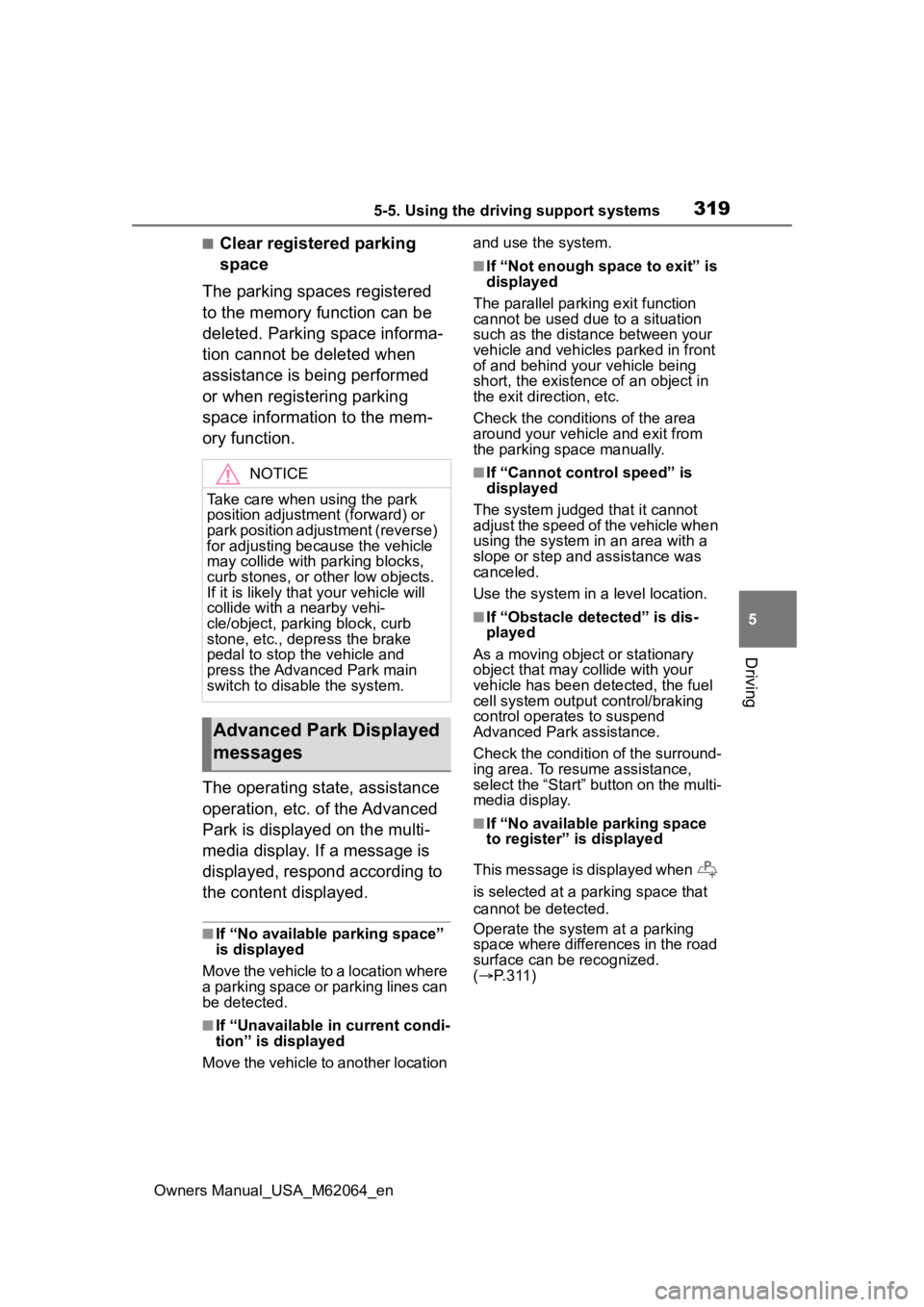
■Clear registered parking
space
The parking spaces registered
to the memory function can be
deleted. Parking space informa-
tion cannot be deleted when
assistance is being performed
or when registering parking
space information to the mem-
ory function.
The operating state, assistance
operation, etc. of the Advanced
Park is displayed on the multi-
media display. If a message is
displayed, respond according to
the content displayed.
■If “No available parking space”
is displayed
Move the vehicle to a location where
a parking space or parking lines can
be detected.
■If “Unavailable in current condi-
tion” is displayed
Move the vehicle to another location and use the system.
■If “Not enough space to exit” is
displayed
The parallel parking exit function
cannot be used due to a situation
such as the distance between your
vehicle and vehicles parked in front
of and behind your vehicle being
short, the existence of an object in
the exit direction, etc.
Check the conditions of the area
around your vehicle and exit from
the parking space manually.
■If “Cannot control speed” is
displayed
The system judged that it cannot
adjust the speed of the vehicle when
using the system in an area with a
slope or step and assistance was
canceled.
Use the system in a level location.
■If “Obstacle detected” is dis-
played
As a moving object or stationary
object that may collide with your
vehicle has been detected, the fuel
cell system output control/braking
control operates to suspend
Advanced Park assistance.
Check the condition of the surround-
ing area. To resume assistance,
select the “Start” button on the multi-
media display.
■If “No available parking space
to register” is displayed
This message is displayed when
is selected at a parking space that
cannot be detected.
Operate the system at a parking
space where differences in the road
surface can be recognized.
( P. 3 1 1 )
NOTICE
Take care when using the park
position adjustment (forward) or
park position adjustment (reverse)
for adjusting because the vehicle
may collide with pa rking blocks,
curb stones, or other low objects.
If it is likely that your vehicle will
collide with a nearby vehi-
cle/object, parking block, curb
stone, etc., depress the brake
pedal to stop the vehicle and
press the Advanced Park main
switch to disable the system.
Advanced Park Displayed
messages
Page 320 of 572
3205-5. Using the driving support systems
Owners Manual_USA_M62064_en
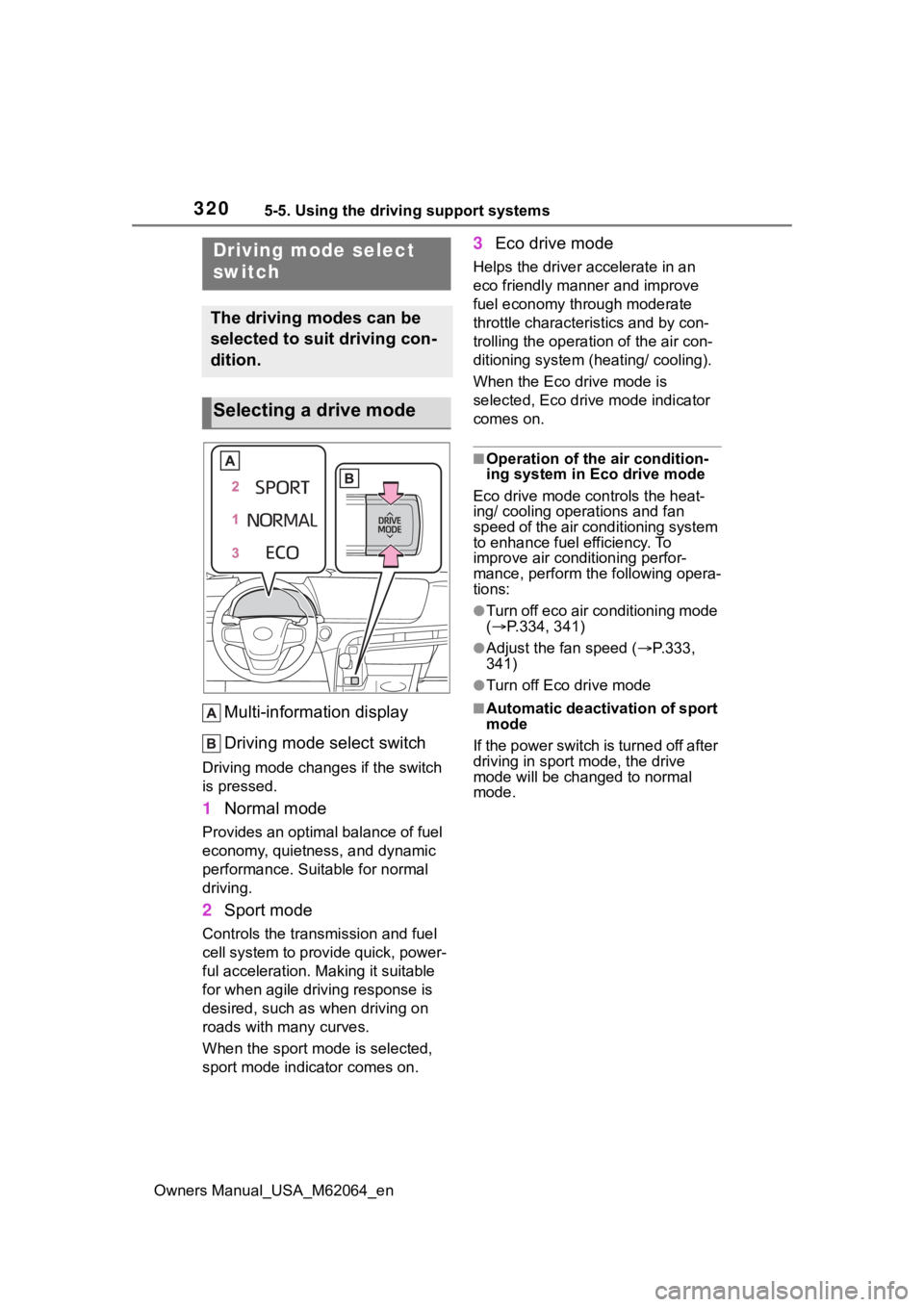
Multi-information display
Driving mode select switch
Driving mode changes if the switch
is pressed.
1 Normal mode
Provides an optimal balance of fuel
economy, quietness, and dynamic
performance. Suitable for normal
driving.
2Sport mode
Controls the transmission and fuel
cell system to provide quick, power-
ful acceleration. Making it suitable
for when agile dri ving response is
desired, such as when driving on
roads with many curves.
When the sport mod e is selected,
sport mode indicator comes on.
3 Eco drive mode
Helps the driver accelerate in an
eco friendly mann er and improve
fuel economy through moderate
throttle characteristics and by con-
trolling the operation of the air con-
ditioning system (heating/ cooling).
When the Eco drive mode is
selected, Eco drive mode indicator
comes on.
■Operation of the air condition-
ing system in Eco drive mode
Eco drive mode con trols the heat-
ing/ cooling operations and fan
speed of the air conditioning system
to enhance fuel efficiency. To
improve air conditioning perfor-
mance, perform the following opera-
tions:
●Turn off eco air conditioning mode
( P.334, 341)
●Adjust the fan speed ( P.333,
341)
●Turn off Eco drive mode
■Automatic deactivation of sport
mode
If the power switch is turned off after
driving in sport mode, the drive
mode will be change d to normal
mode.
Driving mode select
switch
The driving modes can be
selected to suit driving con-
dition.
Selecting a drive mode
Page 322 of 572
3225-5. Using the driving support systems
Owners Manual_USA_M62064_en
■ECB (Electronically Con-
trolled Brake System)
The electronically controlled
system generates braking force
corresponding to the brake
operation
■ABS (Anti-lock Brake Sys-
tem)
Helps to prevent wheel lock
when the brakes are applied
suddenly, or if the brakes are
applied while driving on a slip-
pery road surface
■Brake assist
Generates an increased level of
braking force after the brake
pedal is depressed when the
system detects a panic stop sit-
uation
■VSC (Vehicle Stability Con-
trol)
Helps the driver to control skid-
ding when swerving suddenly or
turning on slippery road sur-
faces.
■TRAC (Traction Control)
Helps to maintain drive power
and prevent the drive wheels
from spinning when starting the
vehicle or accelerating on slip-
pery roads
■Active Cornering Assist
(ACA)
Helps to prevent the vehicle
from drifting to the outer side by
performing inner wheel brake
control when attempting to
accelerate while turning
■Hill-start assist control
Helps to reduce the backward
movement of the vehicle when
starting on an uphill
■EPS (Electric Power Steer-
ing)
Employs an electric motor to
reduce the amount of effort
needed to turn the steering
wheel.
■VDIM (Vehicle Dynamics
Integrated Management)
Provides integrated control of
the ABS, brake assist, TRAC,
VSC, hill-start assist control and
EPS systems
Helps to maintain vehicle stabil-
ity when swerving on slippery
Driving assist systems
To keep driving safety and
performance, the following
systems operate automati-
cally in response to various
driving situations. Be
aware, however, that these
systems are supplementary
and should not be relied
upon too heavily when oper-
ating the vehicle.
Summary of the driving
assist systems
Page 325 of 572
3255-5. Using the driving support systems
Owners Manual_USA_M62064_en
5
Driving
■Operating conditions of Active
Cornering Assist
The system operates when the fol-
lowing occurs.
●TRAC/VSC can operate
●The driver is at tempting to accel-
erate while turning
●The system detects that the vehi-
cle is drifting to the outer side
●The brake pedal is released
■Reduced effectiveness of the
EPS system
The effectiveness of the EPS sys-
tem is reduced to prevent the sys-
tem from overheating when there is
frequent steering input over an
extended period of time. The steer-
ing wheel may feel heavy as a
result. Should this occur, refrain
from excessive steering input or
stop the vehicle and turn the fuel
cell system off. The EPS system
should return to normal within 10
minutes.
■Secondary Collision Brake
operating conditions
The system operates when the SRS
airbag sensor detects a collision
while the vehicle is in motion. How-
ever, the system does not operate in
any of the following situations.
●When driving at a low speed
●Components are damaged
■Secondary Collision Brake
automatic cancelation
The system is automatically can-
celed in any of th e following situa-
tions.
●The vehicle speed has decreased
to a certain speed
●A certain amount o f time elapses
during operation
●The accelerator pedal is
depressed a large amount
WARNING
■The ABS does not operate
effectively when
●The limits of tire gripping perfor-
mance have been exceeded
(such as excessively worn tires
on a snow covered road).
●The vehicle hydroplanes while
driving at high speed on wet or
slick roads.
■Stopping distance when the
ABS is operating may exceed
that of normal conditions
The ABS is not designed to
shorten the vehicle’s stopping dis-
tance. Always maintain a safe dis-
tance from the veh icle in front of
you, especially in the following sit-
uations:
●When driving on dirt, gravel or
snow-covered roads
●When driving with tire chains
●When driving over bumps in the
road
●When driving over roads with
potholes or uneven surfaces
■TRAC/VSC may not operate
effectively when
Directional control and power may
not be achievable while driving on
slippery road surfaces, even if the
TRAC/VSC system is operating.
Drive the vehicle carefully in con-
ditions where stability and power
may be lost.
■Active Cornering Assist does
not operate effectively when
●Do not overly rely on Active
Cornering Assist. Active Corner-
ing Assist may not operate
effectively when accelerating
down slopes or driving on slip-
pery road surfaces.
Page 326 of 572
3265-5. Using the driving support systems
Owners Manual_USA_M62064_en
WARNING
●When Active Cornering Assist
frequently operates, Active Cor-
nering Assist may temporarily
stop operating to ensure proper
operation of the brakes, TRAC
and VSC.
■Hill-start assist control does
not operate effectively when
●Do not overly rely on hill-start
assist control. Hill-start assist
control may not operate effec-
tively on steep inclines and
roads covered with ice.
●Unlike the parking brake, hill-
start assist control is not
intended to hold the vehicle sta-
tionary for an extended period
of time. Do not attempt to use
hill-start assist control to hold
the vehicle on an incline, as
doing so may lead to an acci-
dent.
■When the TRAC/ABS/VSC is
activated
The slip indicator light flashes.
Always drive carefully. Reckless
driving may cause an accident.
Exercise particular care when the
indicator light flashes.
■When the TRAC/VSC systems
are turned off
Be especially careful and drive at
a speed appropriate to the road
conditions. As these are the sys-
tems to help ensure vehicle stabil-
ity and driving force, do not turn
the TRAC/VSC systems off
unless necessary.
■Secondary Collision Brake
Do not rely solely upon the Sec-
ondary Collision Brake. This sys-
tem is designed to help reduce
the possibility of further damage
due to a secondary collision, how-
ever, that effect changes accord-
ing to various conditions. Overly
relying on the system may result
in death or serious injury.
■Replacing tires
Make sure that all tires are of the
specified size, brand, tread pat-
tern and total load capacity. In
addition, make sure that the tires
are inflated to the recommended
tire inflation p ressure level.
The ABS, TRAC and VSC sys-
tems will not functi on correctly if
different tires are installed on the
vehicle.
Contact your Toyota dealer for fur-
ther information when replacing
tires or wheels.
■Handling of tires and the sus-
pension
Using tires with any kind of prob-
lem or modifying the suspension
will affect the driving assist sys-
tems, and may cause a system to
malfunction.
Page 343 of 572
3436-1. Using the air conditioning system and defogger
Owners Manual_USA_M62064_en
6
Interior features
humidity sensor detects fog on the
windshield and controls the air con-
ditioning system to prevent fog.
■Outside/recirculated air mode
●Setting to the r ecirculated air
mode temporarily is recom-
mended in preventing dirty air
from entering the vehicle interior
and helping to c ool the vehicle
when the outside air temperature
is high.
●Outside/recirculated air mode may
automatically switch depending on
the temperature setting or the
inside temperature.
■When the outside temperature
falls to nearly 32°F (0°C)
The dehumidification function may
not operate even when “A/C” switch
is selected.
■Operation of the air condition-
ing system in Eco drive mode
●In Eco drive mode, the air condi-
tioning system is controlled as fol-
lows to prioritize fuel efficiency:
• Fuel cell system and compressor
operation controlled to restrict
heating/cooling capacity
• Fan speed restr icted when auto-
matic mode is selected
●To improve air co nditioning perfor-
mance, perform the following
operations:
• Adjust the fan speed
• Turn off Eco drive mode ( P.320)
• Turn off Eco air conditioning mode
●When the driving mode is set to
Eco drive mode, the Eco air condi-
tioning mode will be turned on
automatically. Even in this case,
the Eco air conditioning mode can
be turned off by s electing the Eco
air conditioning mode switch.
■When cleaning the air condi-
tioning control panel
Touch switches may respond when
cleaning. Turn the power switch to
OFF before proceeding with clean-
ing.
■Ventilation and air conditioning
odors
●To let fresh air in, set the air condi-
tioning system to the outside air
mode.
●During use, various odors from
inside and outside the vehicle may
enter into and accumulate in the
air conditioning system. This may
then cause odor to be emitted
from the vents.
●In order to suppr ess odors that
occur when the air conditioning
system starts, the air flow mode
may change to blow air to the feet
or air may stop blowing for a short
period of time immediately after
the air conditioning system is
started in automatic mode.
●When parking, the system auto-
matically switches to outside air
mode to encourage better air cir-
culation throughout the vehicle,
helping to reduce odors that occur
when starting the vehicle.
■Air conditioning filter
P.432
■Air conditioning system refrig-
erant
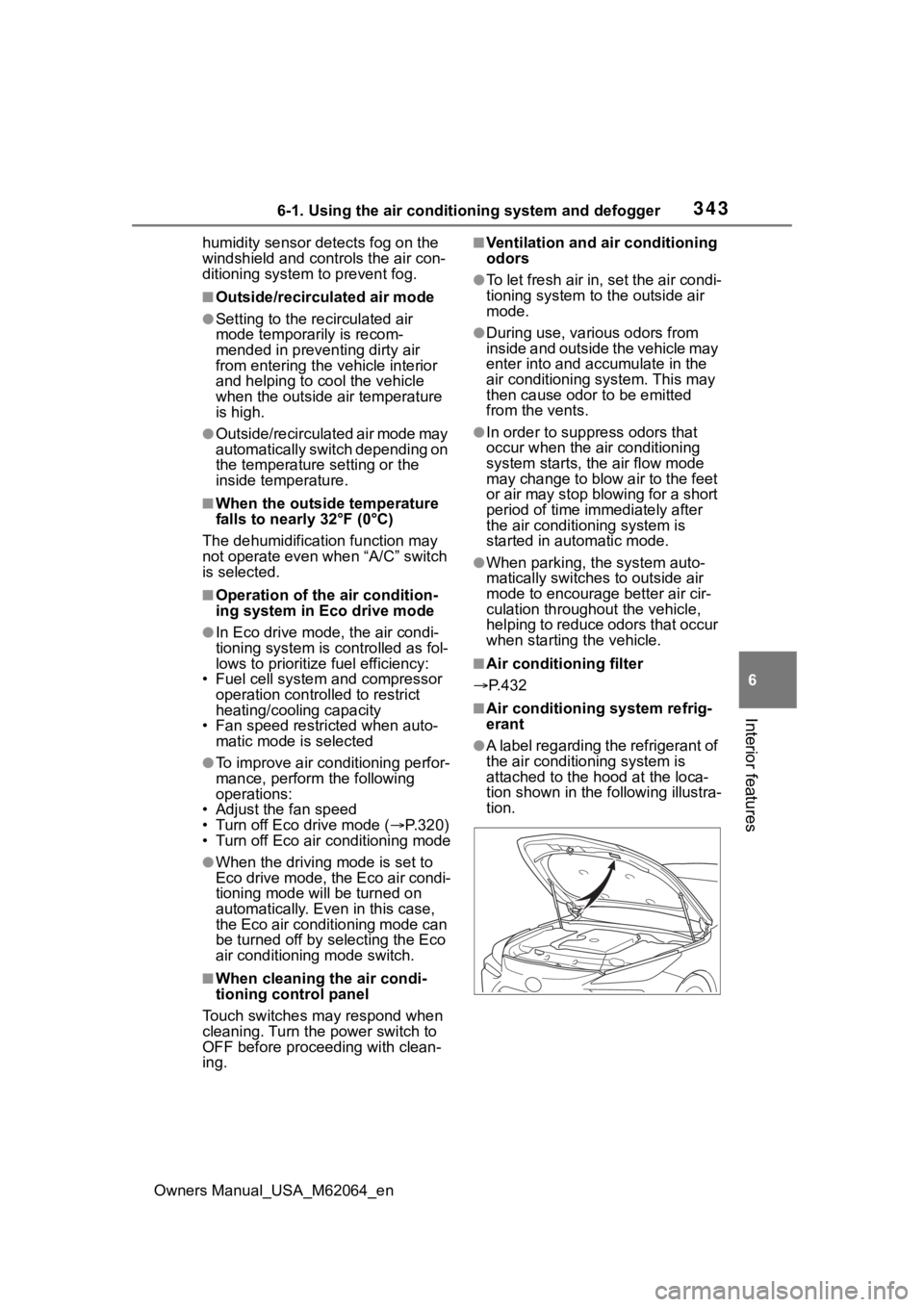
●A label regarding the refrigerant of
the air conditioning system is
attached to the h ood at the loca-
tion shown in the following illustra-
tion.