ESP TOYOTA MIRAI 2023 Owner's Manual
[x] Cancel search | Manufacturer: TOYOTA, Model Year: 2023, Model line: MIRAI, Model: TOYOTA MIRAI 2023Pages: 572, PDF Size: 17.71 MB
Page 153 of 572
1534-4. Adjusting the steering wheel and mirrors
Owners Manual_USA_M62064_en
4
Before driving
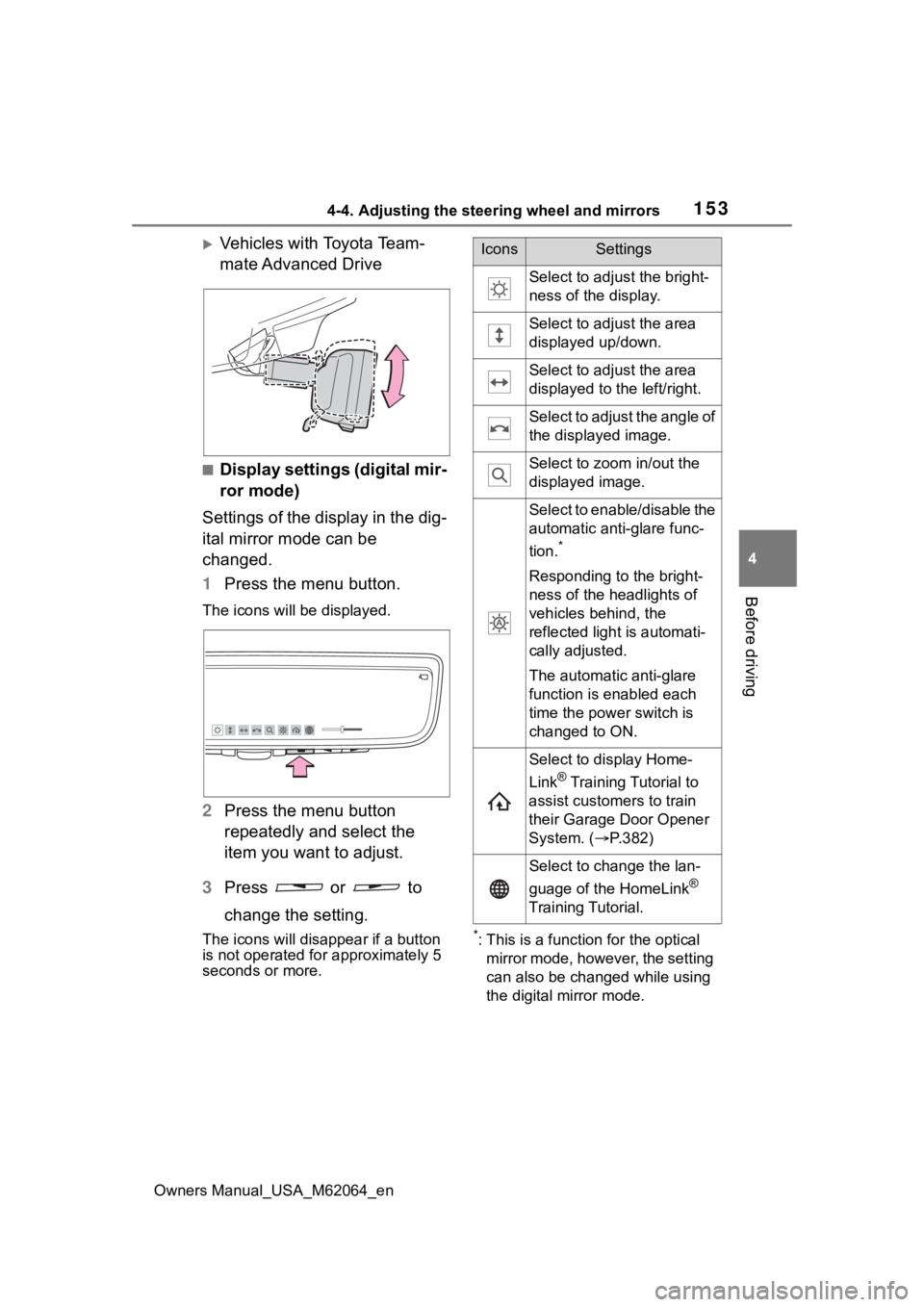
Vehicles with Toyota Team-
mate Advanced Drive
■Display settings (digital mir-
ror mode)
Settings of the display in the dig-
ital mirror mode can be
changed.
1 Press the menu button.
The icons will be displayed.
2Press the menu button
repeatedly and select the
item you want to adjust.
3 Press or to
change the setting.
The icons will disapp ear if a button
is not operated fo r approximately 5
seconds or more.*: This is a functi on for the optical
mirror mode, however, the setting
can also be changed while using
the digital mirror mode.
IconsSettings
Select to adjust the bright-
ness of the display.
Select to adjust the area
displayed up/down.
Select to adjust the area
displayed to the left/right.
Select to adjust the angle of
the displayed image.
Select to zoom in/out the
displayed image.
Select to enable/disable the
automatic anti-glare func-
tion.
*
Responding to the bright-
ness of the headlights of
vehicles behind, the
reflected light is automati-
cally adjusted.
The automatic anti-glare
function is enabled each
time the power switch is
changed to ON.
Select to display Home-
Link
® Training Tutorial to
assist customers to train
their Garage Door Opener
System. ( P.382)
Select to change the lan-
guage of the HomeLink
®
Training Tutorial.
Page 155 of 572
1554-4. Adjusting the steering wheel and mirrors
Owners Manual_USA_M62064_en
4
Before driving
■Cleaning the mirror surface
If the mirror surface is dirty, the
image on the display may be dif-
ficult to see.
Clean the mirror surface gently
using a soft dry cloth.
■Cleaning the camera
If the camera lens is dirty or cov-
ered with foreign matter, such as
water droplets, snow, mud, etc.,
the displayed image may not be
clear. In this case, rinse the
camera lens with a large quan-
tity of water and then wipe it
clean with a soft cloth damp- ened with water.
Dirt on the camera lens can be
cleaned by operating the dedi-
cated camera cleaning washer.
(
P.204)
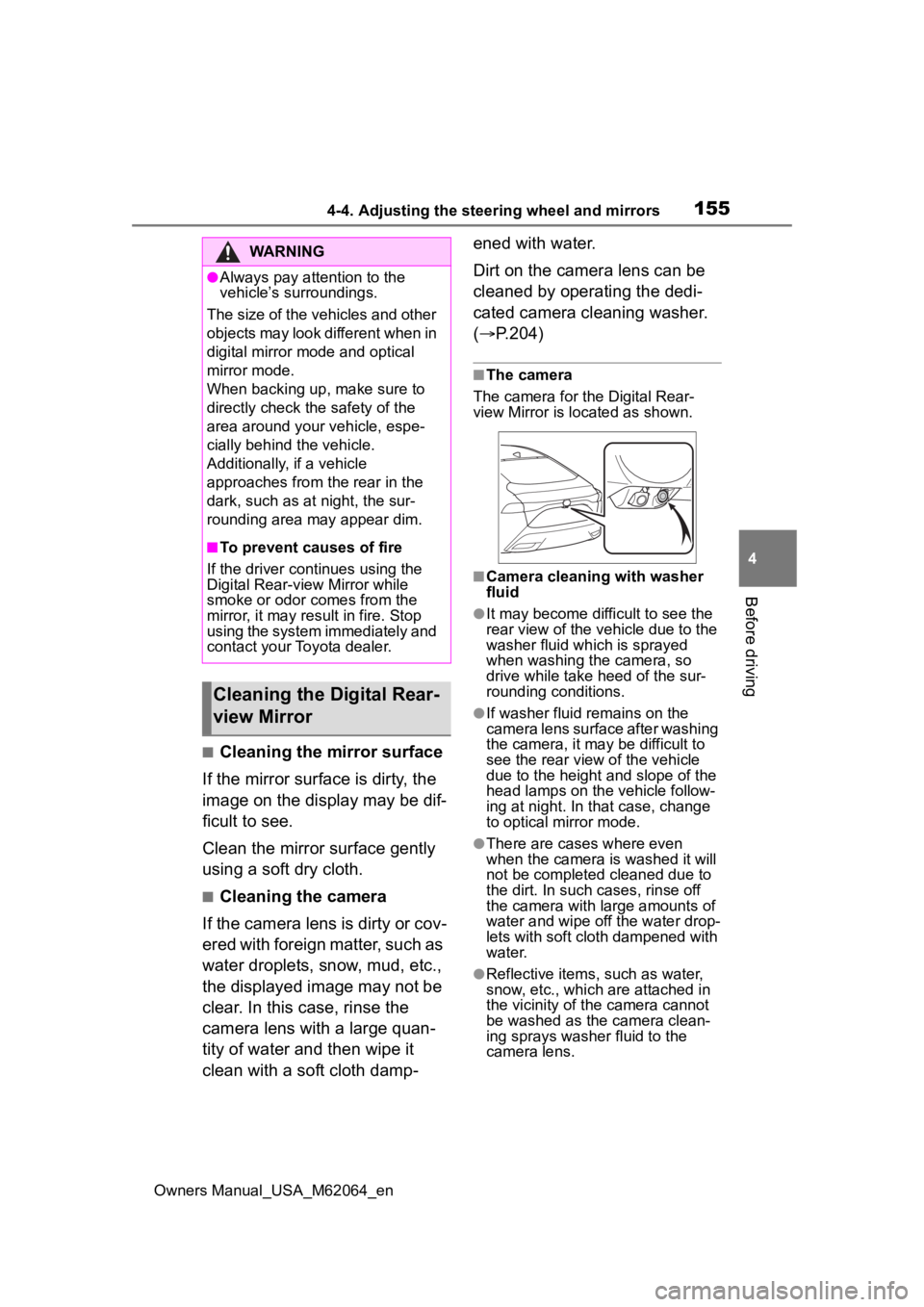
■The camera
The camera for the Digital Rear-
view Mirror is located as shown.
■Camera cleaning with washer
fluid
●It may become difficult to see the
rear view of the vehicle due to the
washer fluid which is sprayed
when washing the camera, so
drive while take heed of the sur-
rounding conditions.
●If washer fluid remains on the
camera lens surface after washing
the camera, it may be difficult to
see the rear view of the vehicle
due to the height a nd slope of the
head lamps on the vehicle follow-
ing at night. In that case, change
to optical mirror mode.
●There are cases where even
when the camera is washed it will
not be completed cleaned due to
the dirt. In such cases, rinse off
the camera with large amounts of
water and wipe off the water drop-
lets with soft cloth dampened with
water.
●Reflective items, such as water,
snow, etc., which are attached in
the vicinity of the camera cannot
be washed as the camera clean-
ing sprays washer fluid to the
camera lens.
WARNING
●Always pay attention to the
vehicle’s surroundings.
The size of the vehicles and other
objects may look different when in
digital mirror mode and optical
mirror mode.
When backing up, make sure to
directly check the safety of the
area around your vehicle, espe-
cially behind the vehicle.
Additionally, if a vehicle
approaches from the rear in the
dark, such as at night, the sur-
rounding area may appear dim.
■To prevent causes of fire
If the driver continues using the
Digital Rear-view Mirror while
smoke or odor comes from the
mirror, it may res ult in fire. Stop
using the system immediately and
contact your Toyota dealer.
Cleaning the D igital Rear-
view Mirror
Page 163 of 572
1634-5. Opening, closing the windows
Owners Manual_USA_M62064_en
4
Before driving
5 Release the power window
switch for a m oment, resume
pushing the switch in the one-
touch opening direction, and
hold it there for a pproximately 4
seconds or more.
6 Pull and hold the power window
switch in the one-touch closing
direction again. After the side
window is completely closed,
continue holding the switch for a
further 1 second or more.
If you release the switch while the
window is moving, start again from
the beginning.
If the window reverses and cannot
be fully closed or opened, have the
vehicle inspected by your Toyota
dealer.
■Door lock linked window opera-
tion
●The power windows can be
opened and closed using the
mechanical key.
* ( P.483)
●The power windows can be
opened using the wireless remote
control.
* ( P.127)
*: These settings must be custom-
ized at your Toyota dealer.
■Power windows open warning
buzzer
A buzzer sounds and a message is
shown on the multi -information dis-
play in the instrument cluster when
the power switch is turned off and
the driver’s door is opened with the
power windows open.
■Customization
Some functions can be customized.
( P.512)
WARNING
Observe the following precau-
tions.
Failure to do so m ay result in
death or serious injury.
■Closing the windows
●The driver is responsible for all
the power window operations,
including the operation for the
passengers. In order to prevent
accidental operation, especially
by a child, do not let a child
operate the power windows. It is
possible for children and other
passengers to have body parts
caught in the power window.
Also, when ridin g with a child, it
is recommended to use the win-
dow lock switch. ( P.164)
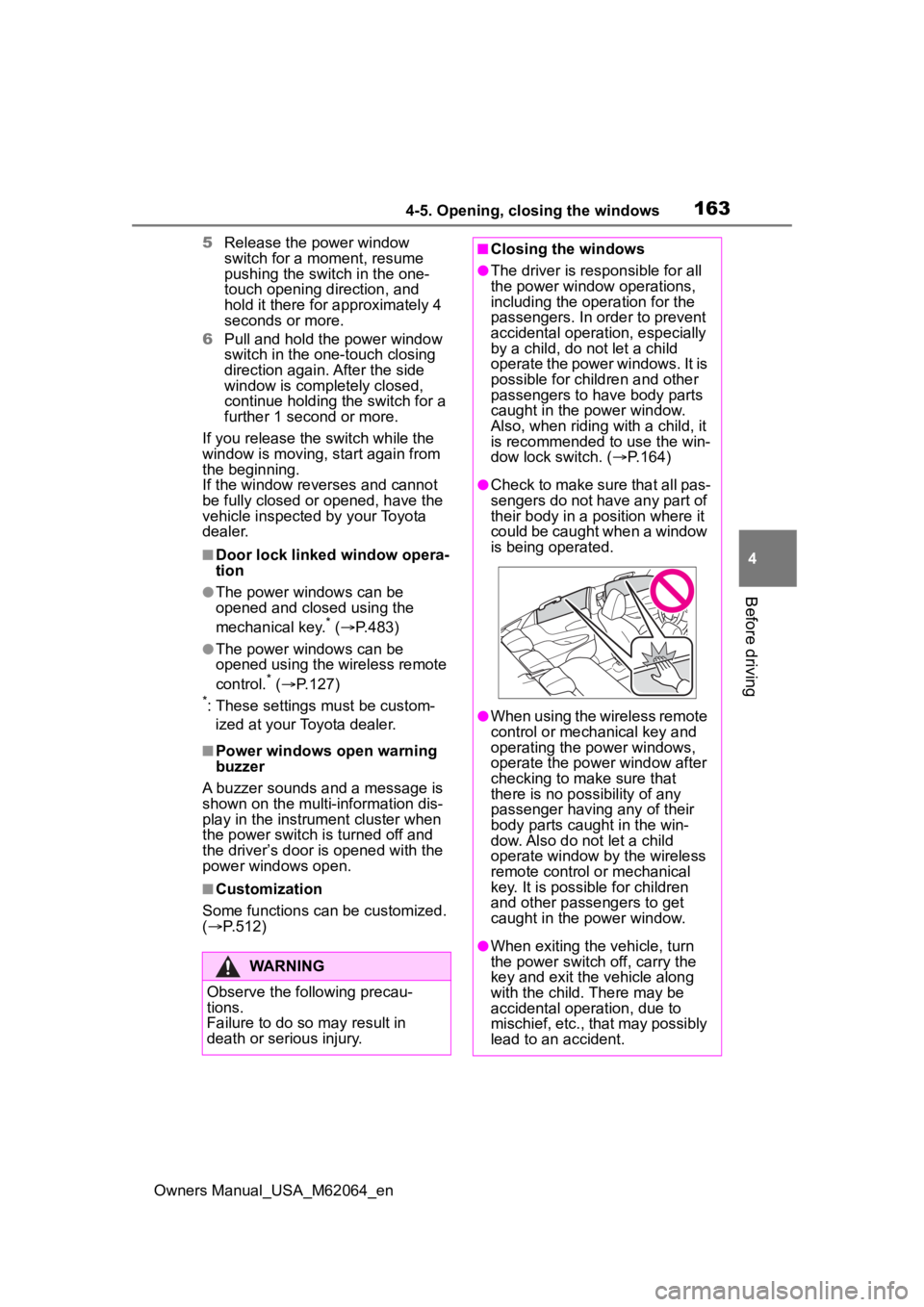
●Check to make sure that all pas-
sengers do not have any part of
their body in a position where it
could be caught when a window
is being operated.
●When using the wireless remote
control or mechanical key and
operating the power windows,
operate the power window after
checking to make sure that
there is no possibility of any
passenger having any of their
body parts caug ht in the win-
dow. Also do not let a child
operate window by the wireless
remote control or mechanical
key. It is possib le for children
and other passengers to get
caught in the power window.
●When exiting the vehicle, turn
the power switch off, carry the
key and exit the vehicle along
with the child. There may be
accidental operation, due to
mischief, etc., that may possibly
lead to an accident.
Page 170 of 572
1705-1. Before driving
Owners Manual_USA_M62064_enup, and the
road will be slippery.
●Drive carefully whe n it starts to
rain, because the road surface will
be especially slippery.
●Refrain from high speeds when
driving on an expressway in the
rain, because there may be a
layer of water between the tires
and the road surface, preventing
the steering and brakes from
operating properly.
■ECO Accelerator Guidance
( P.108)
Eco-friendly driving may be
achieved more easily by staying
within the zone of Eco acceleration.
Also, by staying w ithin the zone of
Eco acceleration, i t will be easier to
obtain a good Eco score.
●When starting off:
Gradually depress the accelerator
pedal to stay withi n the zone of Eco
acceleration and accelerate to the
desired speed. By refraining from
excessive acceleration, a good eco
start score will be obtained.
●When driving:
After accelerating to the desired
speed, release the accelerator
pedal and drive at a stable speed
while staying within the zone of Eco
acceleration. By staying within the
zone of Eco acceleration, a good
eco cruise score will be obtained.
●When stopping:
By starting to release the accelera-
tor pedal early before decelerating,
a good eco stop score will be
obtained.
■Restraining the fuel cell system
output (Brake Override System)
●When the accelerator and brake
pedals are depressed at the same
time, the fuel cell system output
may be restrained.
●A warning message is displayed
on the multi-information display
while the system is operating.
■Breaking in your new Toyota
To extend the life of the vehicle,
observing the following precautions
is recommended:
●For the first 186 miles (300 km):
Avoid sudden stops.
●For the first 621 miles (1000 km):
• Do not drive at extremely high speeds.
• Avoid sudden acceleration.
• Do not drive continuously in low
gears.
• Do not drive at a constant speed
for extended periods.
■Drum-in-disc type parking
brake system
Your vehicle has a drum-in-disc type
parking brake system. This type of
brake system needs bedding-down
of the brake shoes periodically or
whenever the par king brake shoes
and/or drum are replaced. Have
your Toyota dealer perform the bed-
ding down operation.
■Operating your v ehicle in a for-
eign country
Comply with the relevant vehicle
registration laws and confirm the
availability of the correct fuel.
( P.497)
WARNING
Observe the following precau-
tions.
Failure to do so may result in
death or serious injury.
■When starting the vehicle
Always keep your foot on the
brake pedal while stopped with
the “READY” indica tor is illumi-
nated. This prevents the vehicle
from creeping.
Page 171 of 572
1715-1. Before driving
Owners Manual_USA_M62064_en
5
Driving
WARNING
■When driving the vehicle
●Do not drive if y ou are unfamil-
iar with the location of the brake
and accelerator pedals to avoid
depressing the wrong pedal.
• Accidentally depressing the accelerator pedal instead of the
brake pedal will result in sudden
acceleration that may lead to an
accident.
• When backing up, you may twist your body around, leading to dif-
ficulty in operating the pedals.
Make sure to operate the pedals
properly.
• Make sure to keep a correct driving posture even when mov-
ing the vehicle only slightly. This
allows you to depress the brake
and accelerator pedals properly.
• Depress the brake pedal using your right foot. Depressing the
brake pedal using your left foot
may delay respon se in an emer-
gency, resulting in an accident.
●The driver should pay extra
attention to pedes trians as this
vehicle is powered only by an
electric motor (traction motor).
As there is no engine noise, the
pedestrians may misjudge the
vehicle’s movement. Even with
the acoustic vehicle alerting
system activate, d rive with care
as pedestrians in the vicinity
may still not notice the vehicle if
the surrounding area is noisy.
●During normal driving, do not
turn off the fuel cell system.
Turning the fuel cell system off
while driving will not cause loss
of steering or braking control,
however, power assist to the
steering will be lost. This will
make it more difficult to steer
smoothly, so you should pull
over and stop the vehicle as
soon as it is safe to do so.
In the event of a n emergency,
such as if it becomes impossible
to stop the vehicle in the normal
way: P. 4 4 6
●Using the brakes continuously
may cause the brakes to over-
heat and lose effectiveness
when driving down a steep hill.
●Do not adjust the positions of
the steering wheel, the seat, or
the inside or outside rear view
mirrors while driving.
Doing so may result in a loss of
vehicle control.
●Always check that all passen-
gers’ arms, heads or other parts
of their body are not outside the
vehicle.
●Do not drive in excess of the
speed limit. Even if the legal
speed limit permits it, do not
drive over 85 mph (140 km/h)
unless your vehicle has high-
speed capability tires. Driving
over 85 mph (140 km/h) may
result in tire fa ilure, loss of con-
trol and possible injury. Be sure
to consult a tire dealer to deter-
mine whether the tires on your
vehicle are high-speed capabil-
ity tires or not before driving at
such speeds.
■When driving on slippery
road surfaces
●Sudden braking, acceleration
and steering may cause tire
slippage and reduce your ability
to control the vehicle.
Page 196 of 572
1965-2. Driving procedures
Owners Manual_USA_M62064_en
*: If equipped
■Customization
Some functions can be customized.
( P.519)
■Operating conditions
When the driving mode select
switch is not in Eco drive mode.
■Temporary cancelation of the
ASC system functions
The ASC system may be temporar-
ily canceled depending on the driv-
ing conditions, such as when the
tires slip due to sudden accelera-
tion.
The tones may not sound if the driv-
ing mode is switched continuously
in short time periods.
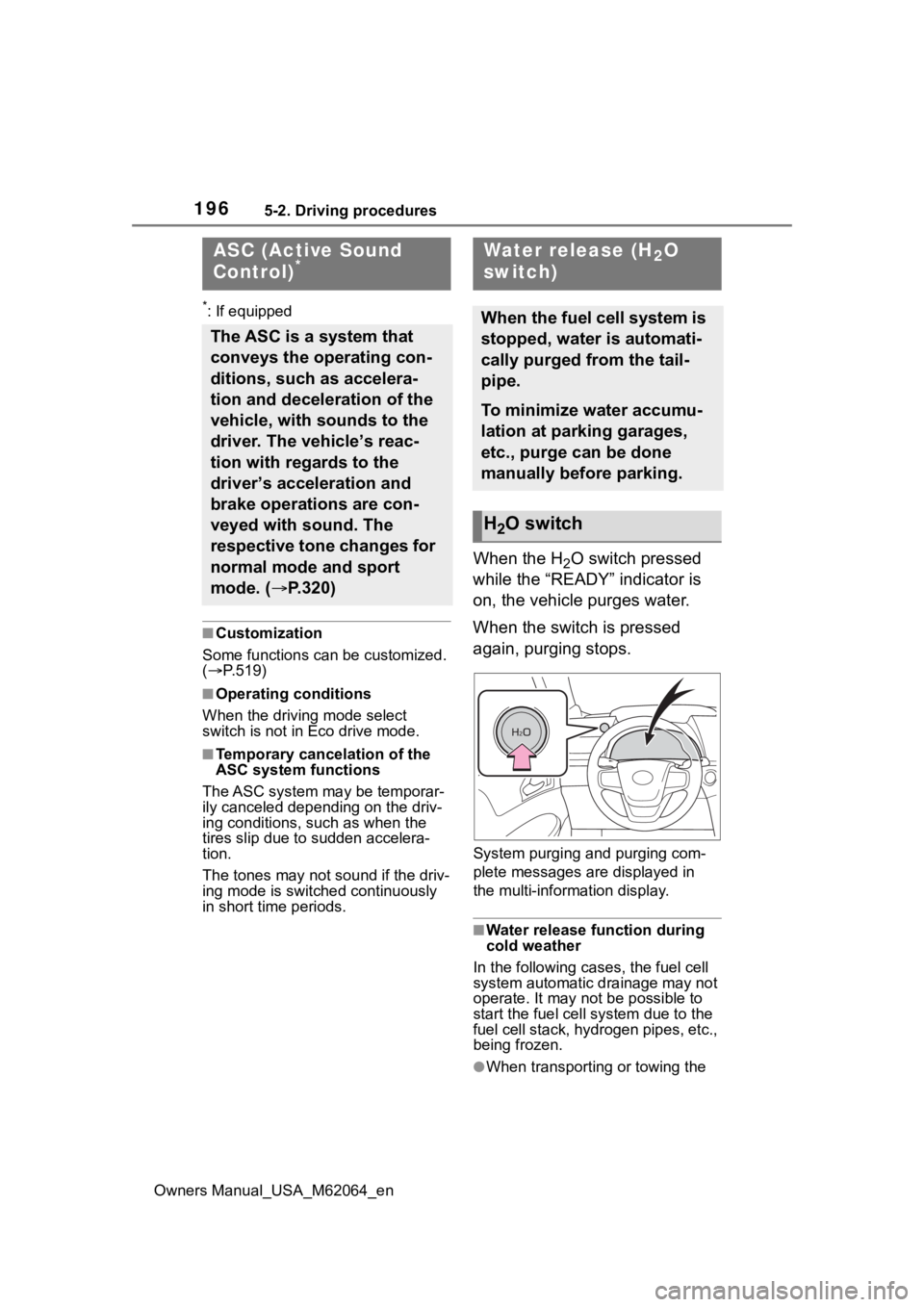
When the H2O switch pressed
while the “READY” indicator is
on, the vehicle purges water.
When the switch is pressed
again, purging stops.
System purging and purging com-
plete messages are displayed in
the multi-information display.
■Water release function during
cold weather
In the following cases, the fuel cell
system automatic drainage may not
operate. It may not be possible to
start the fuel cell system due to the
fuel cell stack, hyd rogen pipes, etc.,
being frozen.
●When transporting or towing the
ASC (Active Sound
Control)*
The ASC is a system that
conveys the operating con-
ditions, such as accelera-
tion and deceleration of the
vehicle, with sounds to the
driver. The vehicle’s reac-
tion with regards to the
driver’s acceleration and
brake operations are con-
veyed with sound. The
respective tone changes for
normal mode and sport
mode. ( P.320)
Water release (H2O
switch)
When the fuel cell system is
stopped, water is automati-
cally purged from the tail-
pipe.
To minimize water accumu-
lation at parking garages,
etc., purge can be done
manually before parking.
H2O switch
Page 214 of 572
2145-5. Using the driving support systems
Owners Manual_USA_M62064_en
5-5.Using the driving support systems
*: Vehicles with Toyota Teammate Advanced Drive, re fer to “Toyota
Teammate Advanced Drive
OWNER’S MANUAL”.
■PCS (Pre-Collision System)
P.219
■LTA (Lane Tracing Assist)
P.230
■AHB (Automatic High
Beam)
P.200
■RSA (Road Sign Assist)*
P.241
*: If equipped
■Dynamic radar cruise con-
trol with full-speed range
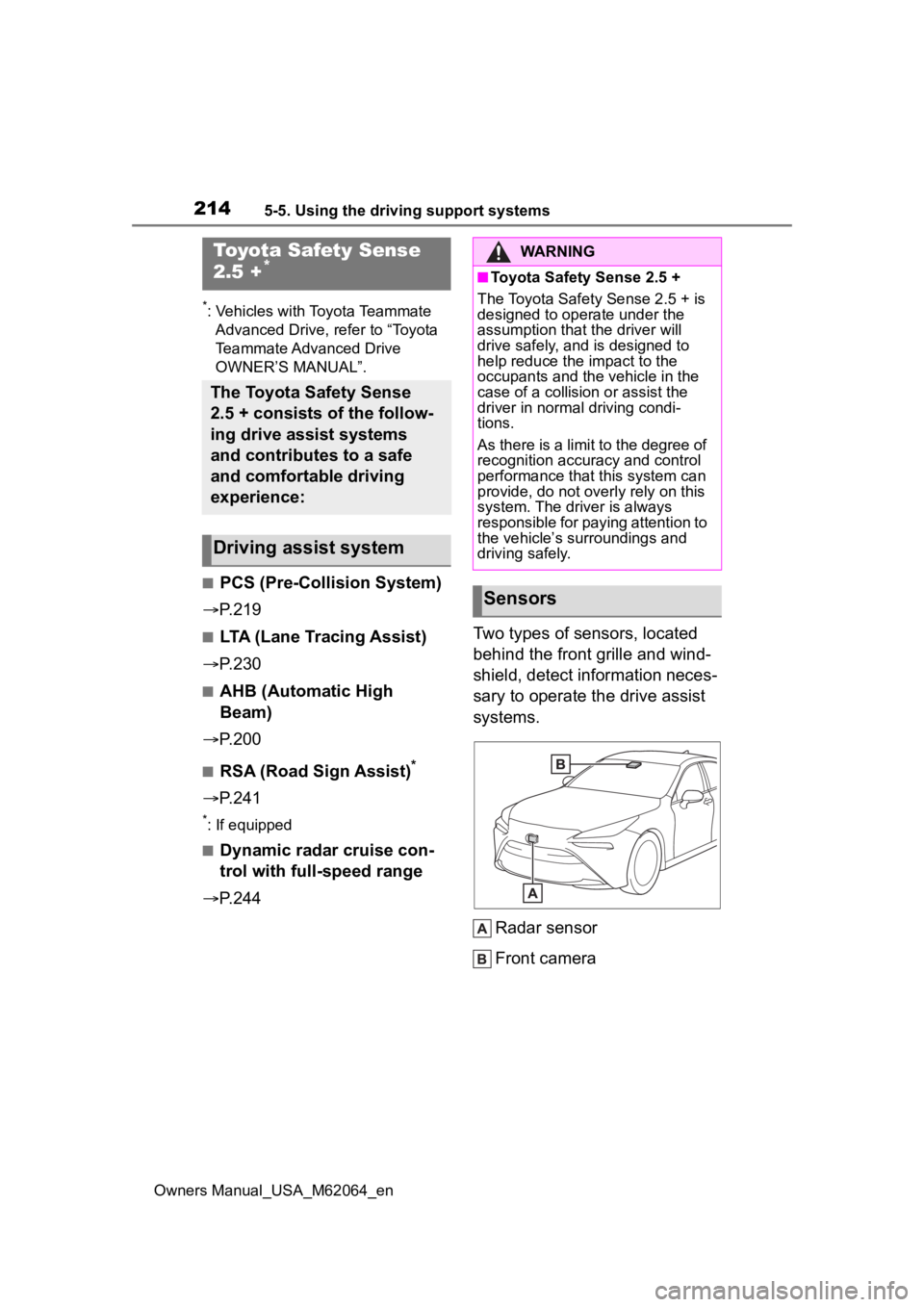
P.244 Two types of sensors, located
behind the front grille and wind-
shield, detect information neces-
sary to operate the drive assist
systems.
Radar sensor
Front camera
Toyota Safety Sense
2.5 +*
The Toyota Safety Sense
2.5 + consists of the follow-
ing drive assist systems
and contributes to a safe
and comfortable driving
experience:
Driving assist system
WARNING
■Toyota Safety Sense 2.5 +
The Toyota Safety Sense 2.5 + is
designed to operate under the
assumption that the driver will
drive safely, and is designed to
help reduce the impact to the
occupants and the vehicle in the
case of a collision or assist the
driver in normal driving condi-
tions.
As there is a limit to the degree of
recognition accuracy and control
performance that this system can
provide, do not overly rely on this
system. The driver is always
responsible for paying attention to
the vehicle’s su rroundings and
driving safely.
Sensors
Page 220 of 572
2205-5. Using the driving support systems
Owners Manual_USA_M62064_en
reduce the impact of the colli-
sion.
■Emergency steering assist
If the system determines that
the possibility of a frontal colli-
sion is high and that there is suf-
ficient space for the vehicle to
be steered into within its lane,
and the driver has begun eva-
sive maneuver or steering,
emergency steering assist will
assist the steering movements
to help enhance the vehicle sta-
bility and for lane departure pre-
vention. During operation, the
indicator will illuminate in green.
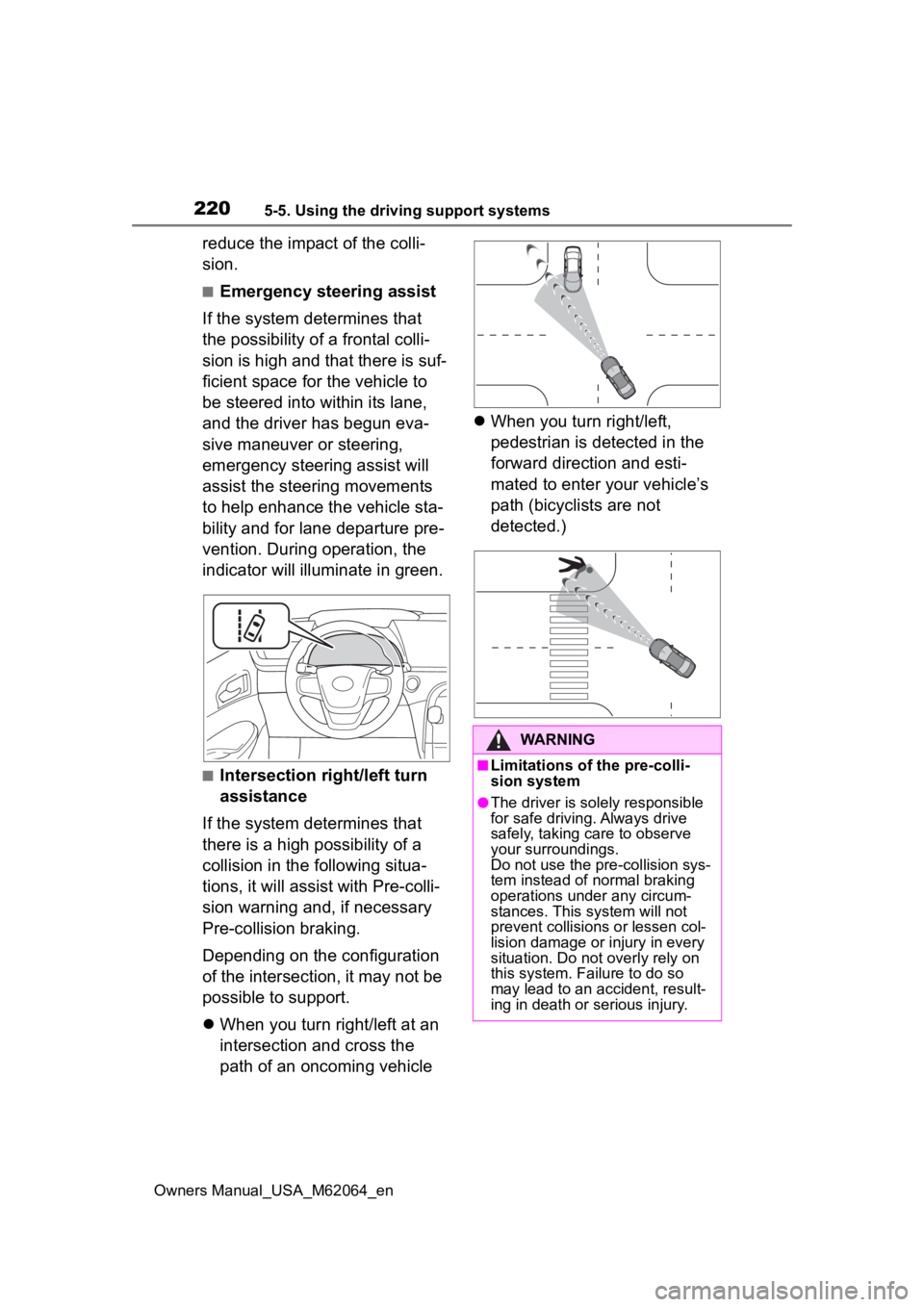
■Intersection right/left turn
assistance
If the system determines that
there is a high possibility of a
collision in the following situa-
tions, it will assist with Pre-colli-
sion warning and, if necessary
Pre-collision braking.
Depending on the configuration
of the intersection, it may not be
possible to support.
When you turn right/left at an
intersection and cross the
path of an oncoming vehicle
When you turn right/left,
pedestrian is detected in the
forward direction and esti-
mated to enter your vehicle’s
path (bicyclists are not
detected.)
WARNING
■Limitations of the pre-colli-
sion system
●The driver is solely responsible
for safe driving. Always drive
safely, taking care to observe
your surroundings.
Do not use the pre-collision sys-
tem instead of normal braking
operations under any circum-
stances. This system will not
prevent collisions or lessen col-
lision damage or injury in every
situation. Do not overly rely on
this system. Failure to do so
may lead to an accident, result-
ing in death or serious injury.
Page 231 of 572
2315-5. Using the driving support systems
Owners Manual_USA_M62064_en
5
Driving
WARNING
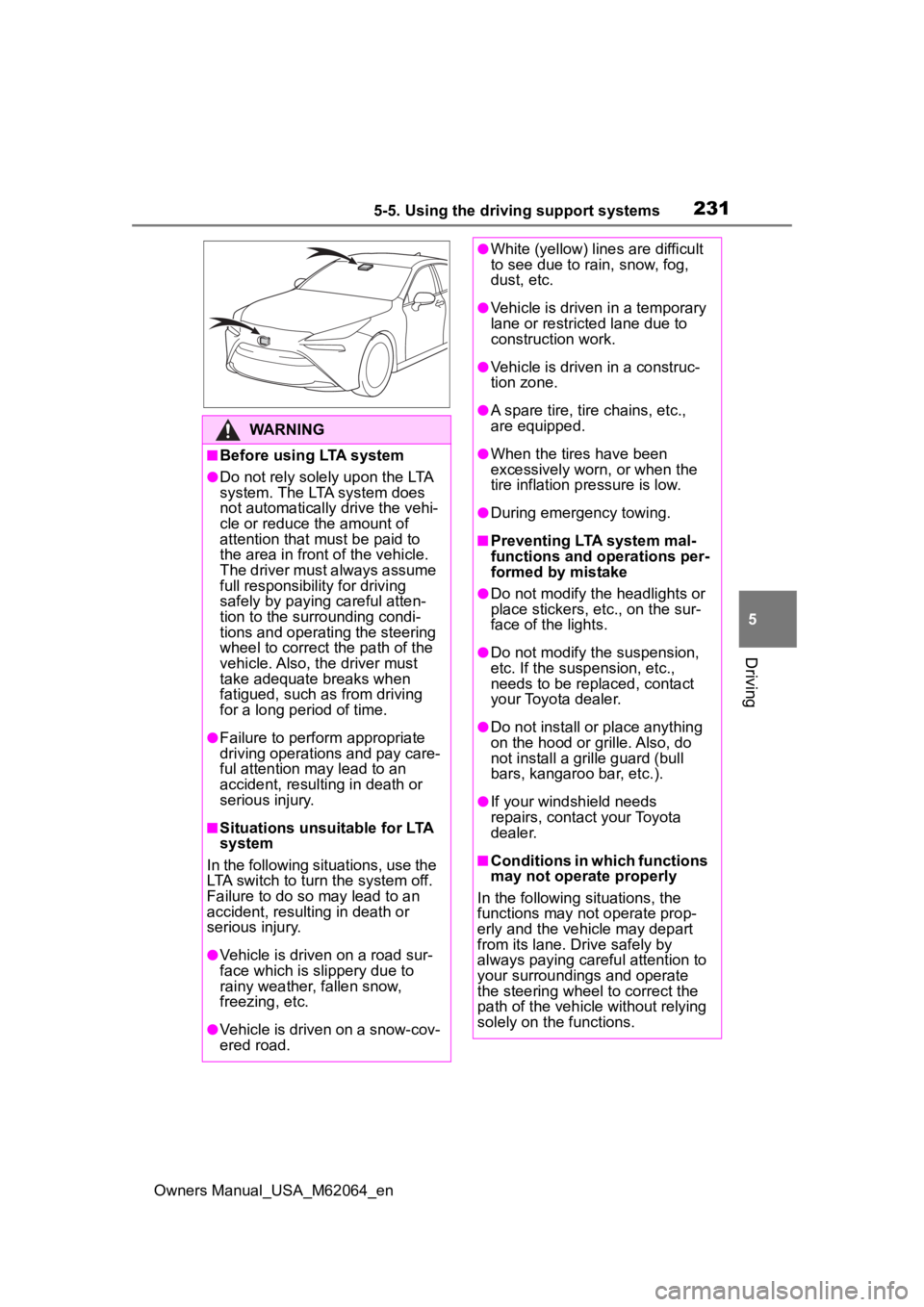
■Before using LTA system
●Do not rely solely upon the LTA
system. The LTA system does
not automatically drive the vehi-
cle or reduce the amount of
attention that must be paid to
the area in front of the vehicle.
The driver must always assume
full responsibility for driving
safely by paying careful atten-
tion to the surrounding condi-
tions and operating the steering
wheel to correct the path of the
vehicle. Also, the driver must
take adequate breaks when
fatigued, such as from driving
for a long period of time.
●Failure to perform appropriate
driving operations and pay care-
ful attention may lead to an
accident, resulting in death or
serious injury.
■Situations unsuitable for LTA
system
In the following situations, use the
LTA switch to turn the system off.
Failure to do so may lead to an
accident, resulting in death or
serious injury.
●Vehicle is driven on a road sur-
face which is slippery due to
rainy weather, fallen snow,
freezing, etc.
●Vehicle is driven on a snow-cov-
ered road.
●White (yellow) lines are difficult
to see due to rain, snow, fog,
dust, etc.
●Vehicle is driven in a temporary
lane or restricted lane due to
construction work.
●Vehicle is driven in a construc-
tion zone.
●A spare tire, tire chains, etc.,
are equipped.
●When the tires have been
excessively worn, or when the
tire inflation p ressure is low.
●During emergency towing.
■Preventing LTA system mal-
functions and operations per-
formed by mistake
●Do not modify the headlights or
place stickers, etc., on the sur-
face of the lights.
●Do not modify the suspension,
etc. If the suspension, etc.,
needs to be replaced, contact
your Toyota dealer.
●Do not install or place anything
on the hood or grille. Also, do
not install a gr ille guard (bull
bars, kangaroo bar, etc.).
●If your windshield needs
repairs, contact your Toyota
dealer.
■Conditions in which functions
may not operate properly
In the following situations, the
functions may not operate prop-
erly and the vehicle may depart
from its lane. Drive safely by
always paying careful attention to
your surroundings and operate
the steering wheel to correct the
path of the vehicle without relying
solely on the functions.
Page 245 of 572
2455-5. Using the driving support systems
Owners Manual_USA_M62064_en
5
Driving
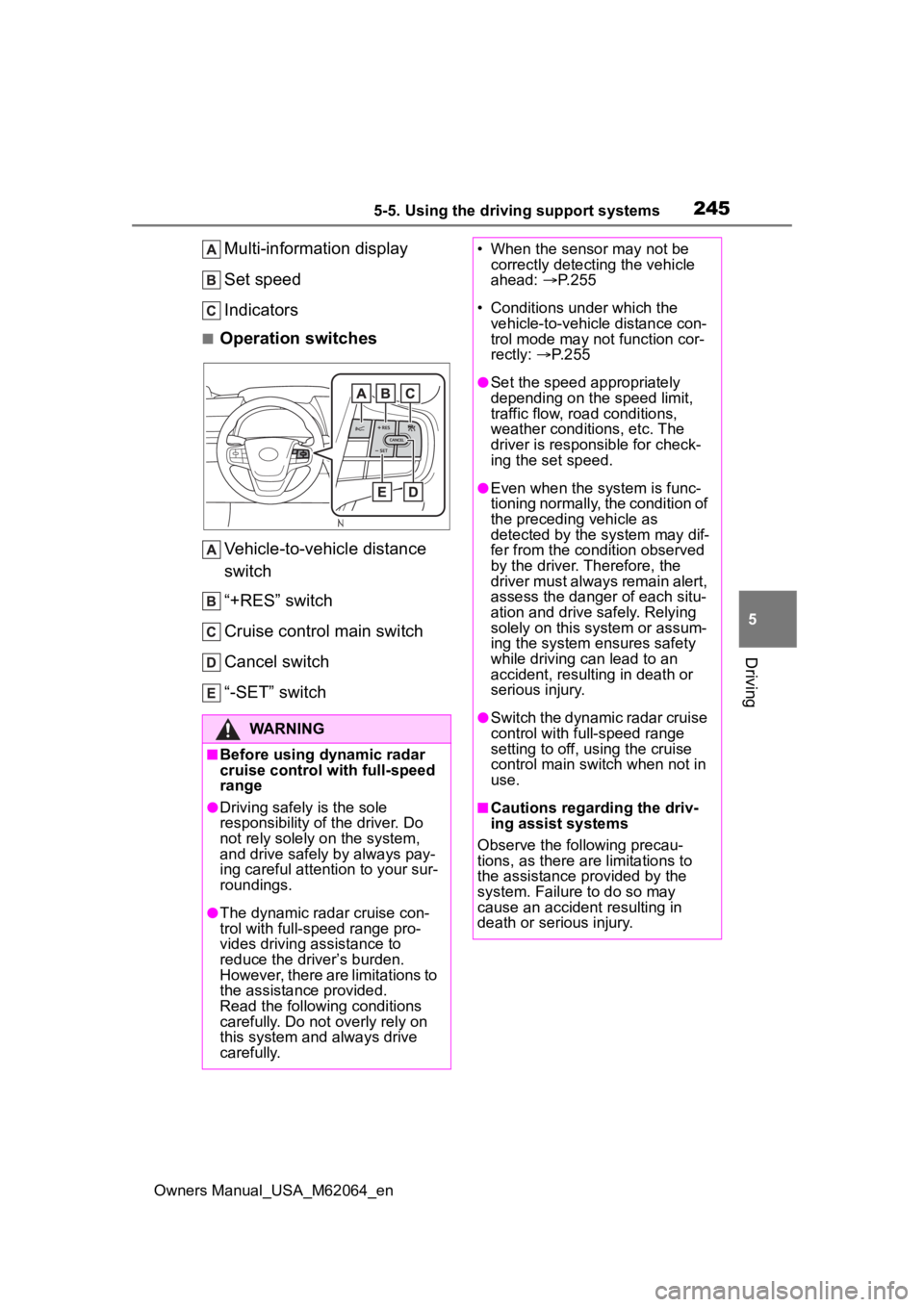
Multi-information display
Set speed
Indicators
■Operation switches Vehicle-to-vehicle distance
switch
“+RES” switch
Cruise control main switch
Cancel switch
“-SET” switch
WARNING
■Before using dynamic radar
cruise control with full-speed
range
●Driving safely is the sole
responsibility of the driver. Do
not rely solely o n the system,
and drive safely by always pay-
ing careful attention to your sur-
roundings.
●The dynamic radar cruise con-
trol with full-speed range pro-
vides driving assistance to
reduce the driver’s burden.
However, there are limitations to
the assistance provided.
Read the following conditions
carefully. Do not overly rely on
this system and always drive
carefully.
• When the sensor may not be correctly detecting the vehicle
ahead: P. 2 5 5
• Conditions under which the vehicle-to-vehicle distance con-
trol mode may not function cor-
rectly: P. 2 5 5
●Set the speed appropriately
depending on the speed limit,
traffic flow, road conditions,
weather conditions, etc. The
driver is responsible for check-
ing the set speed.
●Even when the system is func-
tioning normally, the condition of
the preceding vehicle as
detected by the system may dif-
fer from the condition observed
by the driver. Therefore, the
driver must always remain alert,
assess the danger of each situ-
ation and drive safely. Relying
solely on this system or assum-
ing the system ensures safety
while driving can lead to an
accident, resulting in death or
serious injury.
●Switch the dynamic radar cruise
control with full-speed range
setting to off, using the cruise
control main switch when not in
use.
■Cautions regarding the driv-
ing assist systems
Observe the following precau-
tions, as there ar e limitations to
the assistance provided by the
system. Failure to do so may
cause an accident resulting in
death or serious injury.