warning TOYOTA MIRAI 2023 Repair Manual
[x] Cancel search | Manufacturer: TOYOTA, Model Year: 2023, Model line: MIRAI, Model: TOYOTA MIRAI 2023Pages: 572, PDF Size: 17.71 MB
Page 112 of 572
1123-1. Instrument cluster
Owners Manual_USA_M62064_en
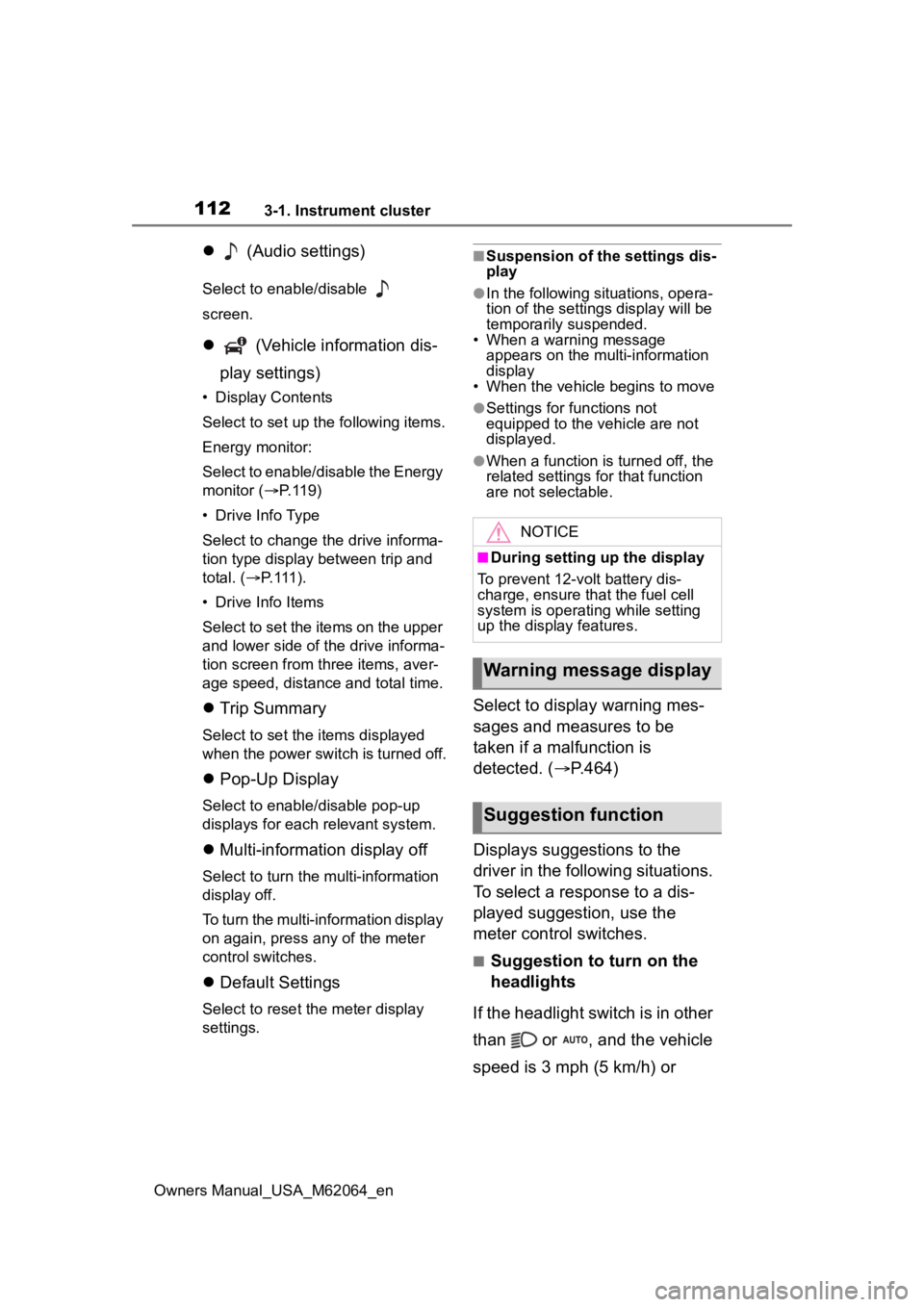
(Audio settings)
Select to enable/disable
screen.
(Vehicle information dis-
play settings)
• Display Contents
Select to set up the following items.
Energy monitor:
Select to enable/disable the Energy
monitor ( P.119)
• Drive Info Type
Select to change the drive informa-
tion type display between trip and
total. ( P. 111 ) .
• Drive Info Items
Select to set the items on the upper
and lower side of the drive informa-
tion screen from three items, aver-
age speed, distance and total time.
Trip Summary
Select to set the i tems displayed
when the power switch is turned off.
Pop-Up Display
Select to enable/disable pop-up
displays for each relevant system.
Multi-information display off
Select to turn the m ulti-information
display off.
To turn the multi-in formation display
on again, press any of the meter
control switches.
Default Settings
Select to reset the meter display
settings.
■Suspension of the settings dis-
play
●In the following situations, opera-
tion of the settings display will be
temporarily suspended.
• When a warning message appears on the multi-information
display
• When the vehicle begins to move
●Settings for functions not
equipped to the vehicle are not
displayed.
●When a function is turned off, the
related settings for that function
are not selectable.
Select to display warning mes-
sages and measures to be
taken if a malfunction is
detected. ( P.464)
Displays suggestions to the
driver in the following situations.
To select a response to a dis-
played suggestion, use the
meter control switches.
■Suggestion to turn on the
headlights
If the headlight switch is in other
than or , and the vehicle
speed is 3 mph (5 km/h) or
NOTICE
■During setting up the display
To prevent 12-volt battery dis-
charge, ensure that the fuel cell
system is operating while setting
up the display features.
Warning message display
Suggestion function
Page 115 of 572
1153-1. Instrument cluster
Owners Manual_USA_M62064_en
3
Vehicle status information and indicators
Displays the following items:
• Speedometer
• Shift position ( P.185)
• Br mode (P.185)
Fuel cell System Indicator display area ( P.118)
■Displayed items when using
Advanced Drive (if equipped)
When using Advanced Drive, the
displayed items and their location
will differ. Refer to “Toyota Team-
mate Advanced Drive OWNER’S
MANUAL” at Toyota.com for details.
■Head-up display will operate
when
The power swit ch is in ON.
■When using the head-up dis-
play
The head-up display may seem
dark or hard to see when viewed
through sunglasses, especially
polarized sunglasses. Adjust the
brightness of the head-up display or
remove your sunglasses.
■Street name display
Only street names which are
included in the map data will be dis-
played.
■Outside temperature display
●When the ambient temperature is
approximately 37°F (3°C) or
lower, the low outside temperature
indicator will flash for approxi-
mately 10 seconds and the out-
side temperature display will turn
off. In this case, the display will be
displayed again when the outside
temperature becomes approxi-
mately 41°F (5°C) or higher.
●In the following si tuations, the cor-
rect outside tempe rature may not
be displayed, or the display may
take longer than normal to
change:
• When stopped, or driving at low speeds (less than 12 mph [20
km/h]) • When the outside temperature
has changed suddenly (at the
entrance/exit of a garage, tunnel,
etc.)
●When “--” or “E” is displayed, the
system may be malfunctioning.
Take your vehicle to your Toyota
dealer.
WARNING
■When using the head-up dis-
play
●Check that the position and
brightness of the head-up dis-
play image does not interfere
with safe driving. Incorrect
adjustment of the image’s posi-
tion or brightness may obstruct
the driver’s view and lead to an
accident, resulting in death or
serious injury.
●Do not continuously look at the
head-up display while driving as
you may fail to see pedestrians,
objects on the road, etc., ahead
of the vehicle.
Page 117 of 572
1173-1. Instrument cluster
Owners Manual_USA_M62064_en
3
Vehicle status information and indicators
■Head-up display automatic
position adjustment (if
equipped)
If the display position is recorded
into memory, the head-up display
will be automatically adjusted to the
desired position. ( P.142)
■When the 12-volt battery is dis-
connected
The customize settings of the head-
up display will be reset.
Displays the operational status
of the following systems:
LTA (Lane Tracing Assist)
( P.230)
Dynamic radar cruise control
with full-speed range
( P.244)
Details of content displayed on the
head-up display may differ from
that displayed on the multi-informa-
tion display. For details, refer to the
explanation of each system.
Pop-up displays for the following
systems will be displayed when
necessary.
■Driving support systems
Displays a warning/sugges-
tion/advice message or the
operating state of a relevant
system.
PCS (Pre-Colli sion System)
( P.219)
FCTA (Front Cross Traffic
Alert)
* (if equipped)
Parking Support Brake func-
tion (static objects front and
rear of the vehicle/static
objects around the vehicle [if
equipped]) ( P.286)
Brake Override System
( P.170)
Drive-Start Control ( P.175)
Details of content displayed on the
head-up display may differ from
that displayed on the multi-informa-
tion display. For details, refer to the
explanation of each system.
*: Refer to “Toyota Teammate Advanced Drive OWNER’S MAN-
UAL”.
■/ icons
These icons are linked to the
multi-information display
: Master warning icon
Displayed when a warning mes-
sage is displayed on the multi-infor-
mation display. ( P.464)
: Information icon
Displayed when a suggestion pop-
up display ( P.112) or advice pop-
up display is displayed on the multi-
NOTICE
■When changing the settings
of the head-up display
To prevent 12-volt battery dis-
charge, ensure that the fuel cell
system is operating while the
changing the settings of the head-
up display.
Driving support system
display area
Pop-up display
Page 118 of 572
1183-1. Instrument cluster
Owners Manual_USA_M62064_eninformation display.
■Warning message
Some warning messages are
displayed when necessary,
according to certain conditions.
Details of content displayed on the
head-up display may differ from
that displayed on the multi-informa-
tion display.
■Audio system operation
status
Displayed when an audio
remote control switch on the
steering wheel is operated.
■Hands-free system status
Displayed when the hands-free
system is operated.
■When a pop-up display is dis-
played
When a pop-up display is displayed,
a current display may no longer be
displayed. In this case, the display
will return after the pop-up display
disappears.
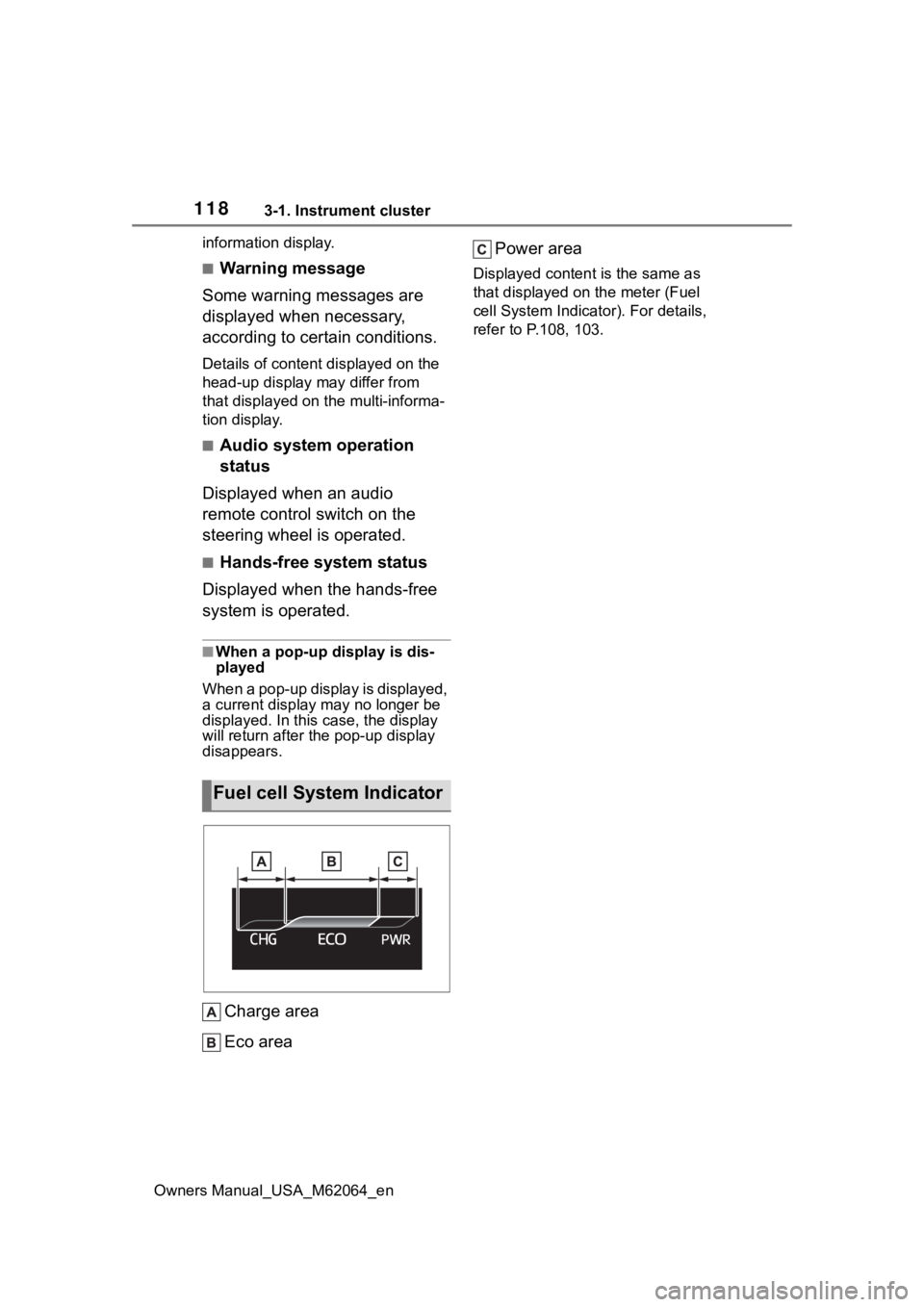
Charge area
Eco area Power area
Displayed content is the same as
that displayed on
the meter (Fuel
cell System Indicator). For details,
refer to P .108, 103.
Fuel cell System Indicator
Page 128 of 572
1284-2. Opening, closing and locking the doors and trunk
Owners Manual_USA_M62064_enTo prevent unintended triggering of
the alarm, unlock
the doors using
the wireless remote control and
open and close a door once after
the settings have been changed. (If
a door is not opened within 60 sec-
onds after is pressed, the doors
will be locked again and the alarm
will automatically be set.)
In a case that the alarm is triggered,
immediately stop the alarm. ( P. 7 1 )
■Impact detection door lock
release system
In the event that t he vehicle is sub-
ject to a strong impact, all the doors
are unlocked. Depending on the
force of the impact or the type of
accident, however, the system may
not operate.
■Operation signals
A buzzer sounds and the emer-
gency flashers flash to indicate that
the doors have been locked/unlocked. (Locked: once;
Unlocked: twice)
A buzzer sounds to indicate that the
windows are operating.
■Security feature
If a door is not opened within
approximately 60 s econds after the
vehicle is unlocked, the security fea-
ture automatically locks the vehicle
again.
■When the doors cannot be
locked by the lock sensor on
the surface of the door handle
When the doors cannot be locked
even if the lock se nsor on the sur-
face of the door handle is touched
by a finger, touch the lock sensor
with the palm.
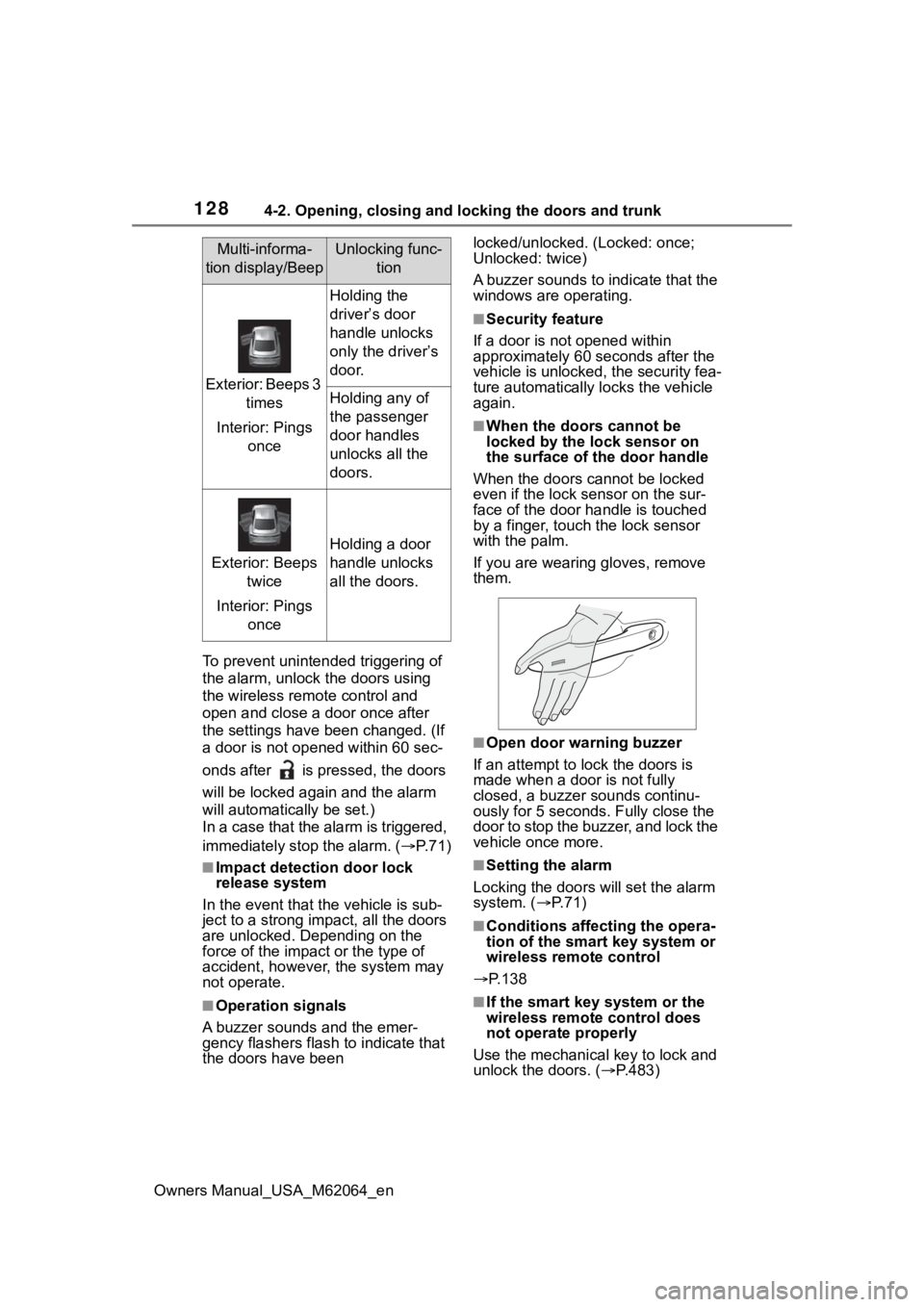
If you are wearing gloves, remove
them.
■Open door warning buzzer
If an attempt to lock the doors is
made when a door is not fully
closed, a buzzer sounds continu-
ously for 5 seconds. Fully close the
door to stop the buzzer, and lock the
vehicle once more.
■Setting the alarm
Locking the doors will set the alarm
system. ( P. 7 1 )
■Conditions affecting the opera-
tion of the smart key system or
wireless remote control
P.138
■If the smart key system or the
wireless remote control does
not operate properly
Use the mechanical key to lock and
unlock the doors. ( P.483)
Multi-informa-
tion display/BeepUnlocking func- tion
Exterior: Beeps 3 times
Interior: Pings once
Holding the
driver’s door
handle unlocks
only the driver’s
door.
Holding any of
the passenger
door handles
unlocks all the
doors.
Exterior: Beeps twice
Interior: Pings once
Holding a door
handle unlocks
all the doors.
Page 129 of 572
1294-2. Opening, closing and locking the doors and trunk
Owners Manual_USA_M62064_en
4
Before driving
Replace the key battery with a new
one if it is depleted. ( P.436)
■If the 12-volt battery is dis-
charged
The doors cannot be locked and
unlocked using the smart key sys-
tem or wireless remote control. Lock
or unlock the doors using the
mechanical key. ( P.483)
■Rear seat reminder function
●In order to remind you not to for-
get luggage, etc., in the rear seat,
when the power switch is turned to
OFF after any of the following con-
ditions are met, a buzzer will
sound and a message will be dis-
played on the multi-information
display for approximately 6 sec-
onds.
• The fuel cell system is started within 10 minutes after opening
and closing a rear door.
• A rear door has been opened and closed after the fuel cell system
was started.
However, if a rear door is opened
and then closed within approxi-
mately 2 seconds , the rear seat
reminder function may not operate.
●The rear seat reminder function
determines that luggage, etc., has
been placed in a rear seat based
on opening and closing of a rear
door. Therefore, depending on the
situation, the rear seat reminder
function may not operate and you
may still forget luggage, etc., in
the rear seat, or it may operate
unnecessarily.
●The rear seat reminder function
can be enabled/disabled.
( P.512)
■Customization
Some functions can be customized.
( P.512)
WARNING
■To prevent an accident
Observe the following precautions
while driving the vehicle.
Failure to do so may result in a
door opening and an occupant
falling out of the vehi cle, resulting
in death or serious injury.
●Ensure that all doors are prop-
erly closed and locked.
●Do not pull the inside handle of
the doors while driving.
Be especially careful for the front
doors, as the doors may be
opened even if the inside lock but-
tons are in locked position.
●Set the rear door child-protector
locks when children are seated
in the rear seats.
■When opening or closing a
door
Check the surroundings of the
vehicle such as wh ether the vehi-
cle is on an incline, whether there
is enough space for a door to
open and whether a strong wind
is blowing. When opening or clos-
ing the door, hold the door handle
tightly to prepare for any unpre-
dictable movement.
Page 130 of 572
1304-2. Opening, closing and locking the doors and trunk
Owners Manual_USA_M62064_en
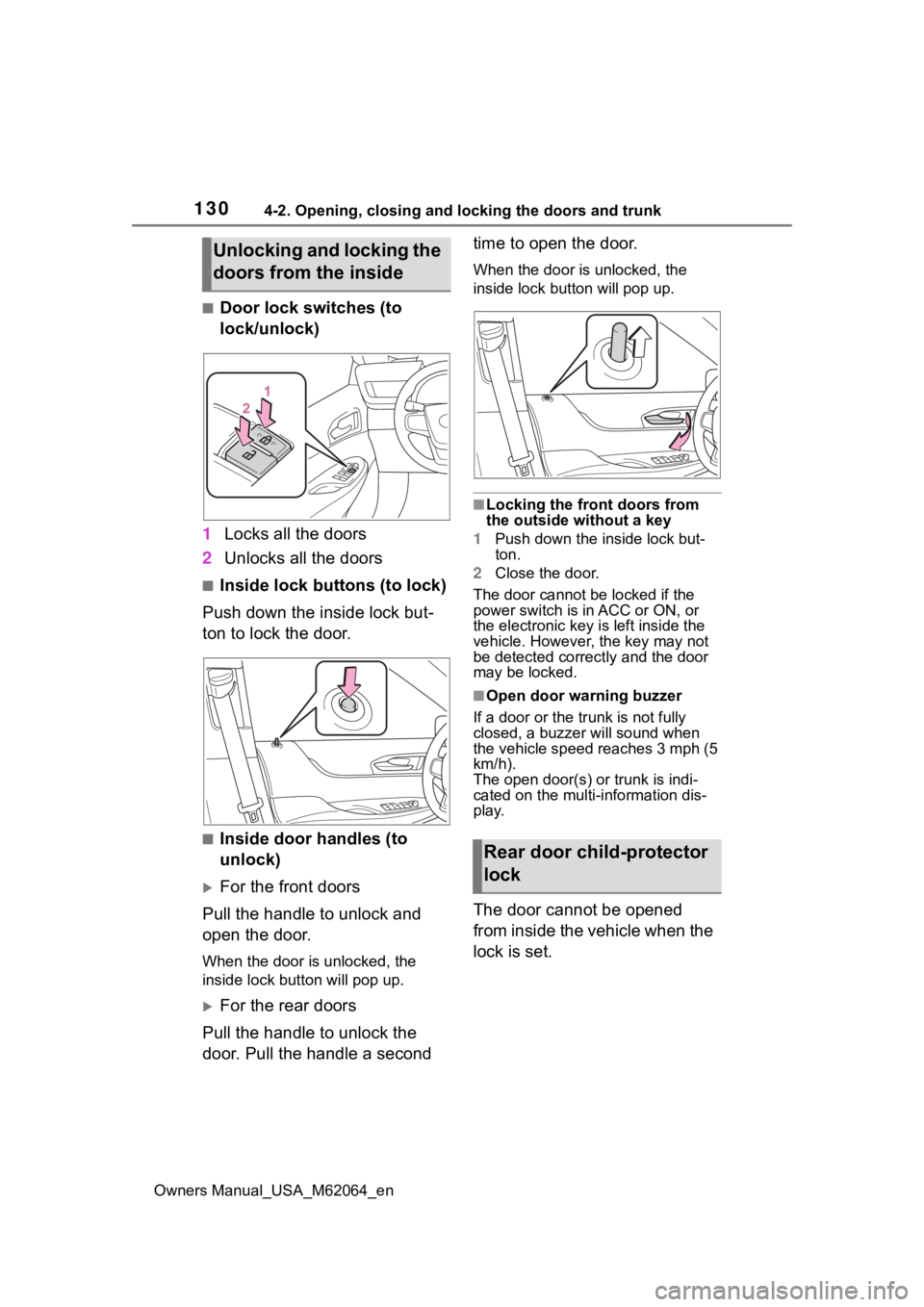
■Door lock switches (to
lock/unlock)
1 Locks all the doors
2 Unlocks all the doors
■Inside lock buttons (to lock)
Push down the inside lock but-
ton to lock the door.
■Inside door handles (to
unlock)
For the front doors
Pull the handle to unlock and
open the door.
When the door is unlocked, the
inside lock button will pop up.
For the rear doors
Pull the handle to unlock the
door. Pull the handle a second time to open the door.
When the door is unlocked, the
inside lock butt
on will pop up.
■Locking the front doors from
the outside without a key
1 Push down the inside lock but-
ton.
2 Close the door.
The door cannot be locked if the
power switch is in ACC or ON, or
the electronic key is left inside the
vehicle. However, the key may not
be detected correctly and the door
may be locked.
■Open door warning buzzer
If a door or the tr unk is not fully
closed, a buzzer will sound when
the vehicle speed reaches 3 mph (5
km/h).
The open door(s) or trunk is indi-
cated on the multi-information dis-
play.
The door cannot be opened
from inside the vehicle when the
lock is set.
Unlocking and locking the
doors from the inside
Rear door child-protector
lock
Page 132 of 572
1324-2. Opening, closing and locking the doors and trunk
Owners Manual_USA_M62064_en
Tr unk
The trunk can be opened
using the trunk opener
switch, entry function or
wireless remote control.
WARNING
Observe the following precau-
tions.
Failure to do so may result in
death or serious injury.
■Before driving
●Make sure that the trunk lid is
fully closed. If the trunk lid is not
fully closed, it may open unex-
pectedly while driving and hit
near-by objects or luggage in
the trunk may be thrown out,
causing an accident.
●Do not allow child ren to play in
the trunk.
If a child is accidentally locked
in the trunk, they could suffer
from heat exhaustion, suffoca-
tion or other injuries.
●Do not allow a child to open or
close the trunk lid.
Doing so may cause the trunk
lid to open unexpectedly, or
cause the child’s hands, head,
or neck to be caught by the
closing trunk lid.
■Important points while driving
Never let anyone sit in the trunk.
In the event of sudden braking or
a collision, they are susceptible to
death or serious injury.
■Using the trunk
Observe the following precau-
tions.
Failure to do so may cause parts
of the body to be caught, resulting
in serious injury.
●Remove any heavy loads, such
as snow and ice, from the trunk
lid before openin g it. Failure to
do so may cause the trunk lid to
suddenly shut again after it is
opened.
●When opening or closing the
trunk lid, thoroughly check to
make sure the surrounding area
is safe.
●If anyone is in the vicinity, make
sure they are safe and let them
know that the trunk is about to
open or close.
●Use caution when opening or
closing the trunk lid in windy
weather as it may move
abruptly in strong wind.
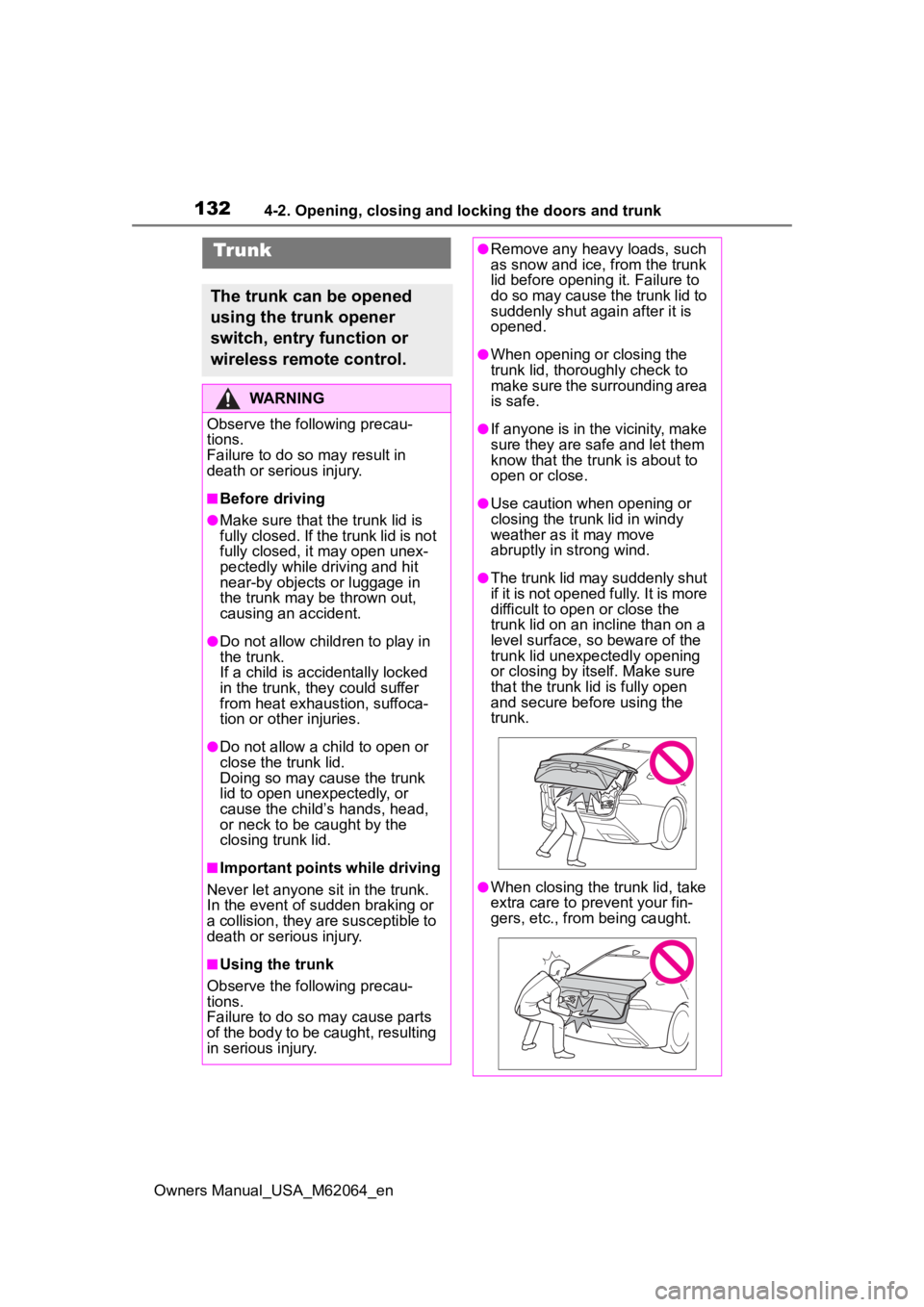
●The trunk lid may suddenly shut
if it is not opened fully. It is more
difficult to ope n or close the
trunk lid on an incline than on a
level surface, so beware of the
trunk lid unexpectedly opening
or closing by itself. Make sure
that the trunk lid is fully open
and secure before using the
trunk.
●When closing the trunk lid, take
extra care to pre vent your fin-
gers, etc., from being caught.
Page 133 of 572
1334-2. Opening, closing and locking the doors and trunk
Owners Manual_USA_M62064_en
4
Before driving
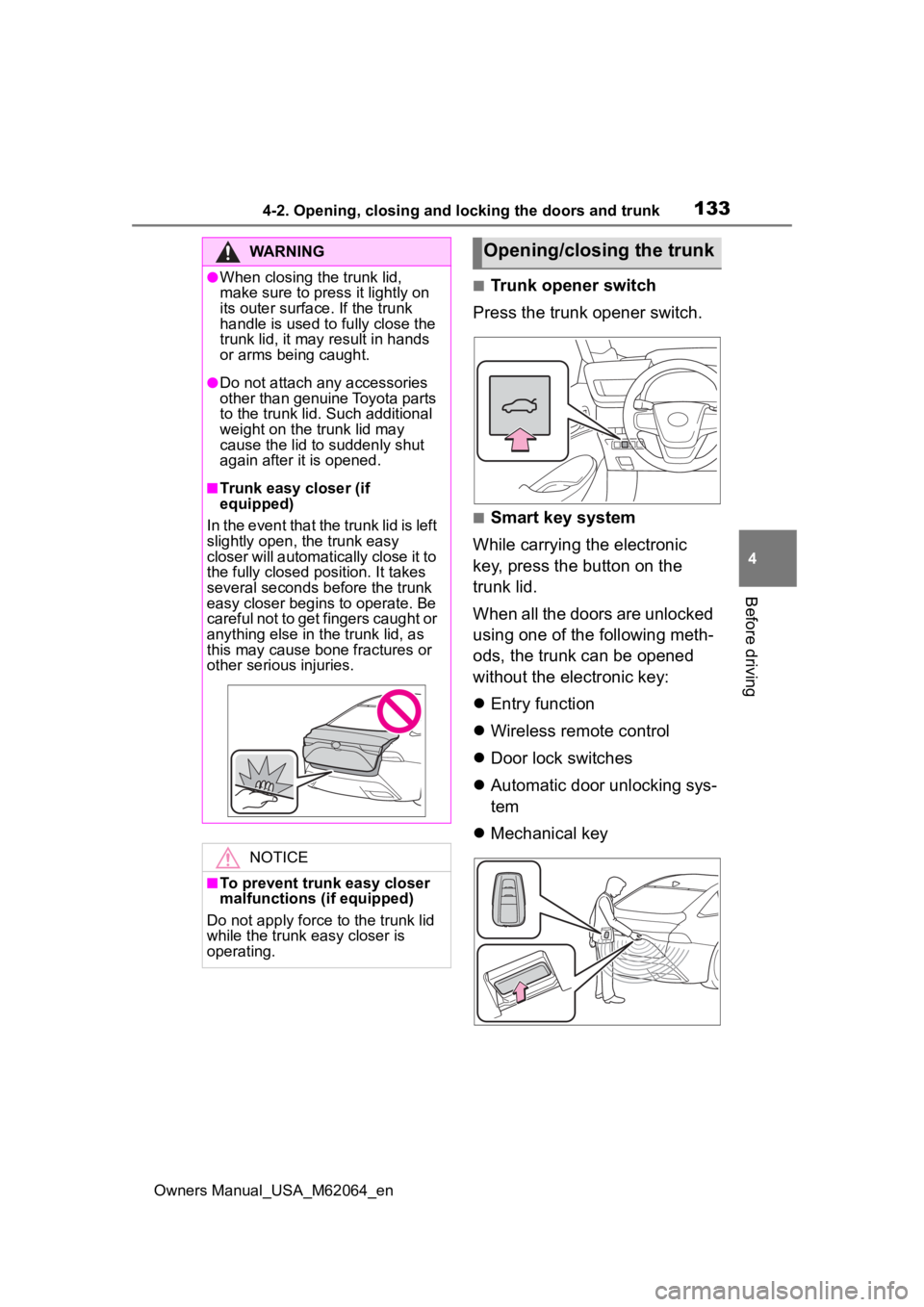
■Trunk opener switch
Press the trunk opener switch.
■Smart key system
While carrying the electronic
key, press the button on the
trunk lid.
When all the doors are unlocked
using one of the following meth-
ods, the trunk can be opened
without the electronic key:
Entry function
Wireless remote control
Door lock switches
Automatic door unlocking sys-
tem
Mechanical key
WARNING
●When closing the trunk lid,
make sure to press it lightly on
its outer surface. If the trunk
handle is used to fully close the
trunk lid, it may result in hands
or arms being caught.
●Do not attach any accessories
other than genuine Toyota parts
to the trunk lid . Such additional
weight on the trunk lid may
cause the lid to suddenly shut
again after it is opened.
■Trunk easy closer (if
equipped)
In the event that the trunk lid is left
slightly open , the trunk easy
closer will automatically close it to
the fully closed po sition. It takes
several seconds before the trunk
easy closer begins to operate. Be
careful not to get fingers caught or
anything else in the trunk lid, as
this may cause bone fractures or
other serious injuries.
NOTICE
■To prevent trunk easy closer
malfunctions ( if equipped)
Do not apply force to the trunk lid
while the trunk easy closer is
operating.
Opening/closing the trunk
Page 135 of 572
1354-2. Opening, closing and locking the doors and trunk
Owners Manual_USA_M62064_en
4
Before driving
■Using the mechanical key
The trunk can be also opened using
the mechanical key. ( P.483)
■If the smart key system or the
wireless remote control does
not operate properly
Use the mechanical key to unlock
the trunk. ( P.483)
Replace the key battery with a new
one if it is depleted.
■Open door warning buzzer
P. 1 3 0
■Customization
Some functions can be customized.
( P.512)
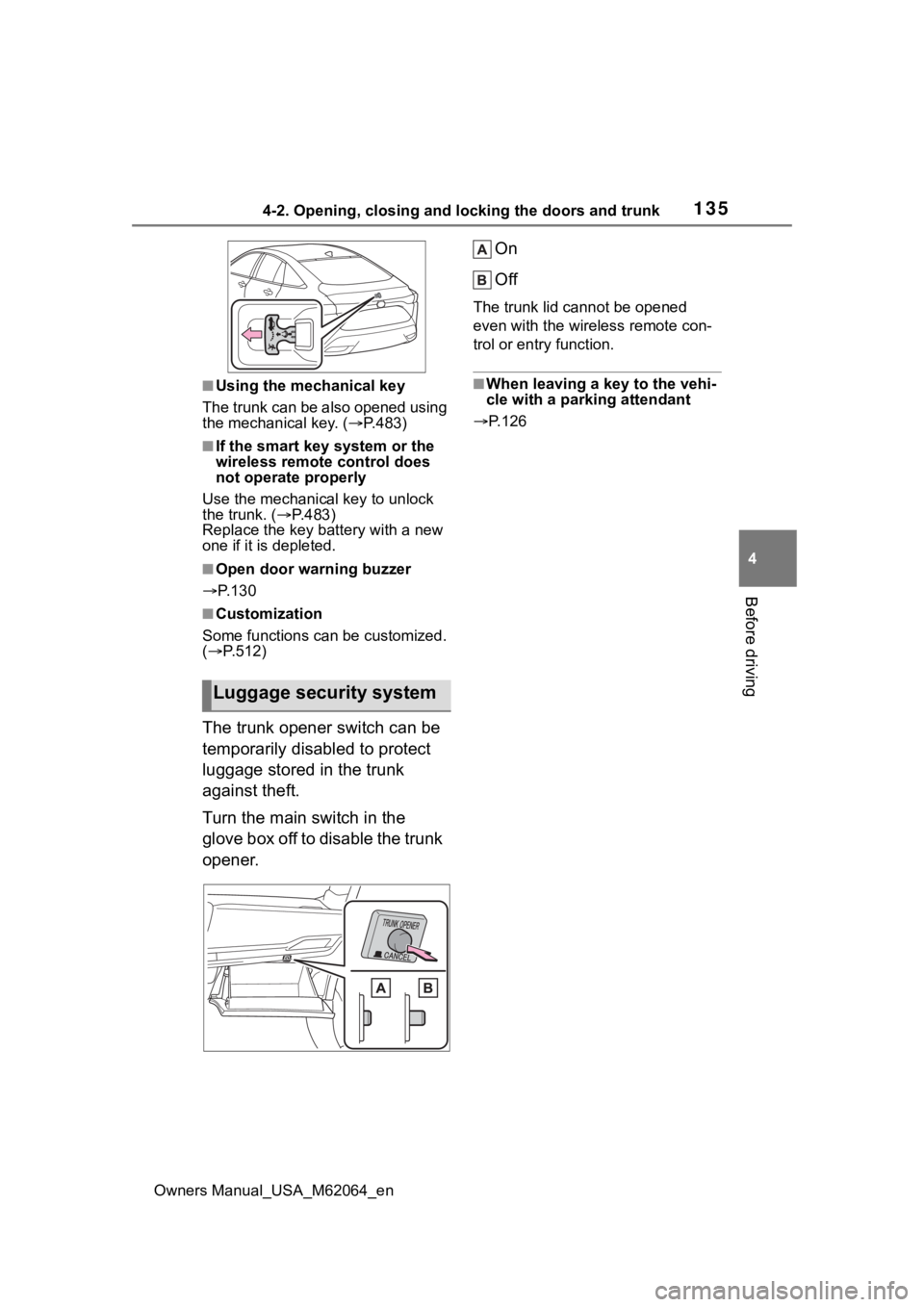
The trunk opener switch can be
temporarily disabled to protect
luggage stored in the trunk
against theft.
Turn the main switch in the
glove box off to disable the trunk
opener. On
Off
The trunk lid cannot be opened
even with the wireless remote con-
trol or entry function.
■When leaving a key to the vehi-
cle with a parking attendant
P.126
Luggage security system