display TOYOTA PRIUS C 2020 Service Manual
[x] Cancel search | Manufacturer: TOYOTA, Model Year: 2020, Model line: PRIUS C, Model: TOYOTA PRIUS C 2020Pages: 600, PDF Size: 12.02 MB
Page 240 of 600
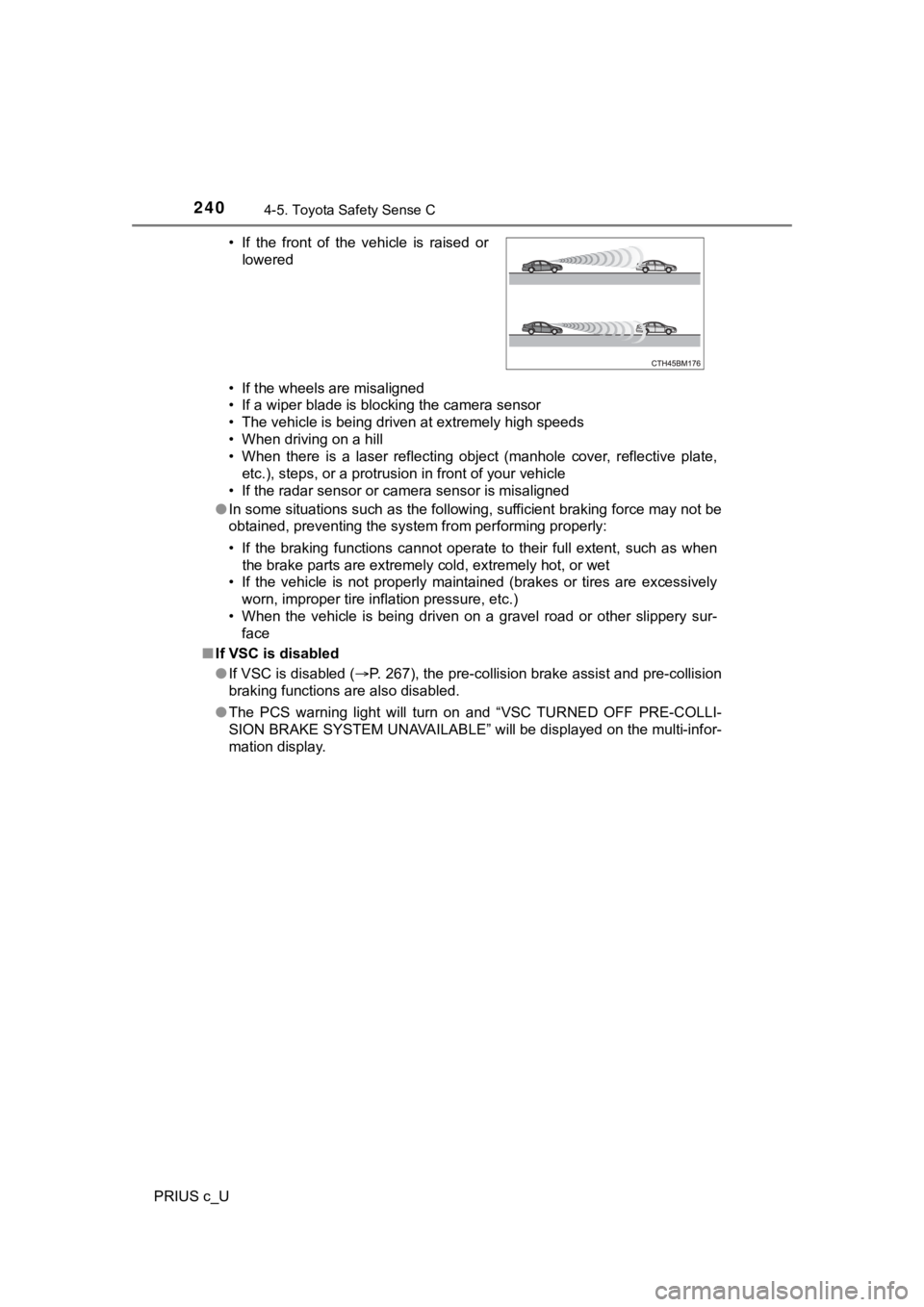
2404-5. Toyota Safety Sense C
PRIUS c_U• If the wheels are misaligned
• If a wiper blade is blocking the camera sensor
• The vehicle is being driven at extremely high speeds
• When driving on a hill
• When there is a laser reflecting object (manhole cover, reflec
tive plate,
etc.), steps, or a protrusion in front of your vehicle
• If the radar sensor or camera sensor is misaligned
● In some situations such as the following, sufficient braking fo rce may not be
obtained, preventing the system from performing properly:
• If the braking functions cannot operate to their full extent, such as when
the brake parts are extremely cold, extremely hot, or wet
• If the vehicle is not properly maintained (brakes or tires are excessively
worn, improper tire inflation pressure, etc.)
• When the vehicle is being driven on a gravel road or other sli ppery sur-
face
■ If VSC is disabled
●If VSC is disabled ( P. 267), the pre-collision brake assist and pre-collision
braking functions are also disabled.
● The PCS warning light will turn on and “VSC TURNED OFF PRE-COLL I-
SION BRAKE SYSTEM UNAVAILABLE” will be displayed on the multi-i nfor-
mation display. • If the front of the vehicle is raised or
lowered
Page 241 of 600
2414-5. Toyota Safety Sense C
4
Driving
PRIUS c_U
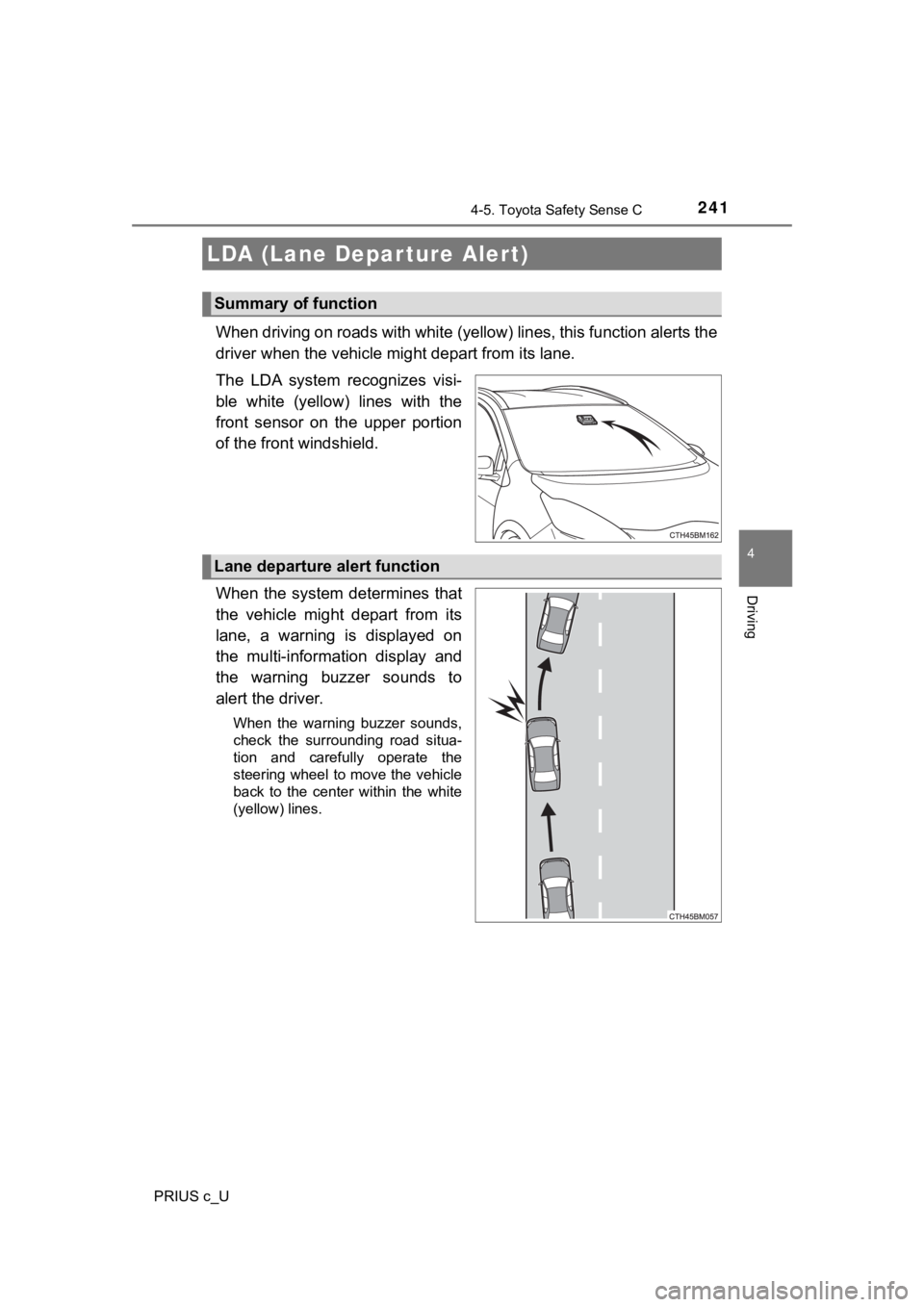
When driving on roads with white (yellow) lines, this function alerts the
driver when the vehicle mi ght depart from its lane.
The LDA system recognizes visi-
ble white (yellow) lines with the
front sensor on the upper portion
of the front windshield.
When the system determines that
the vehicle might depart from its
lane, a warning is displayed on
the multi-information display and
the warning buzzer sounds to
alert the driver.
When the warning buzzer sounds,
check the surrounding road situa-
tion and carefully operate the
steering wheel to move the vehicle
back to the center within the white
(yellow) lines.
LDA (Lane Depar ture Alert)
Summary of function
Lane departure alert function
Page 243 of 600
2434-5. Toyota Safety Sense C
4
Driving
PRIUS c_U
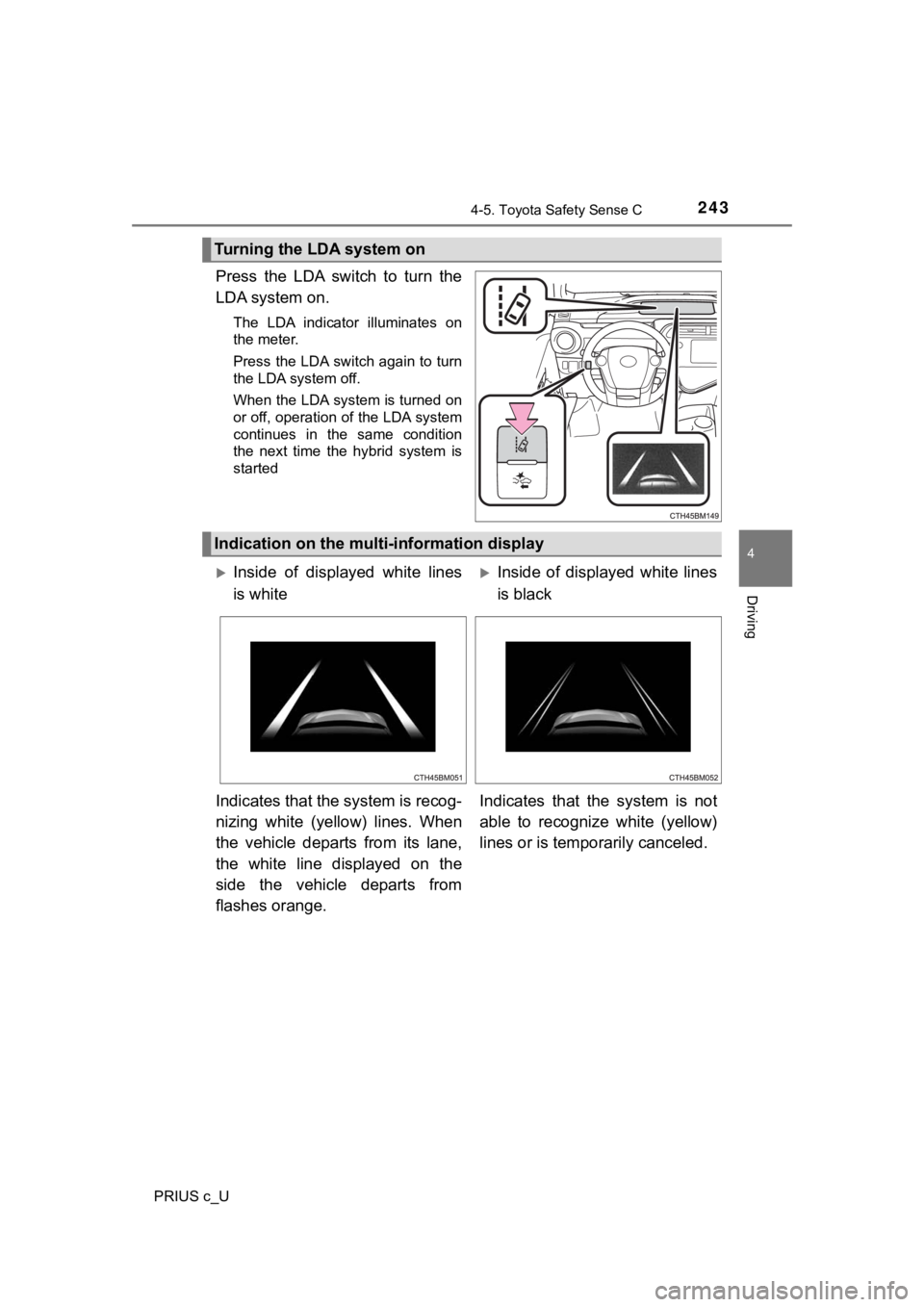
Press the LDA switch to turn the
LDA system on.
The LDA indicator illuminates on
the meter.
Press the LDA switch again to turn
the LDA system off.
When the LDA system is turned on
or off, operation of the LDA system
continues in the same condition
the next time the hybrid system is
started
Turning the LDA system on
Indication on the multi-information display
Inside of displayed white lines
is whiteInside of displayed white lines
is black
Indicates that the system is recog-
nizing white (yellow) lines. When
the vehicle departs from its lane,
the white line displayed on the
side the vehicle departs from
flashes orange. Indicates that the system is not
able to recognize white (yellow)
lines or is tempo
rarily canceled.
Page 253 of 600
2534-6. Using the driving support systems
4
Driving
PRIUS c_U
■Cruise control can be set when
●The shift lever is in D.
● Vehicle speed is above approximately 25 mph (40 km/h).
■ Accelerating after setting the vehicle speed
●The vehicle can be accelerated normally. After acceleration, th e set speed
resumes.
● Even without canceling the cruise control, the set speed can be increased
by first accelerating the vehicle to the desired speed and then pushing the
lever down to set the new speed.
■ Automatic cruise co ntrol cancelation
Cruise control will stop maintaining the vehicle speed in any o f the following
situations.
● Actual vehicle speed falls more than approximately 10 mph (16 k m/h) below
the preset vehicle speed.
At this time, the memorized set speed is not retained.
● Actual vehicle speed is below approximately 25 mph (40 km/h).
● VSC is activated.
● TRAC is activated for a period of time.
● When the VSC or TRAC system is turned off.
■ If the warning message for the cruise control is shown on the m ulti-
information display
P. 490
Page 255 of 600
2554-6. Using the driving support systems
4
Driving
PRIUS c_U
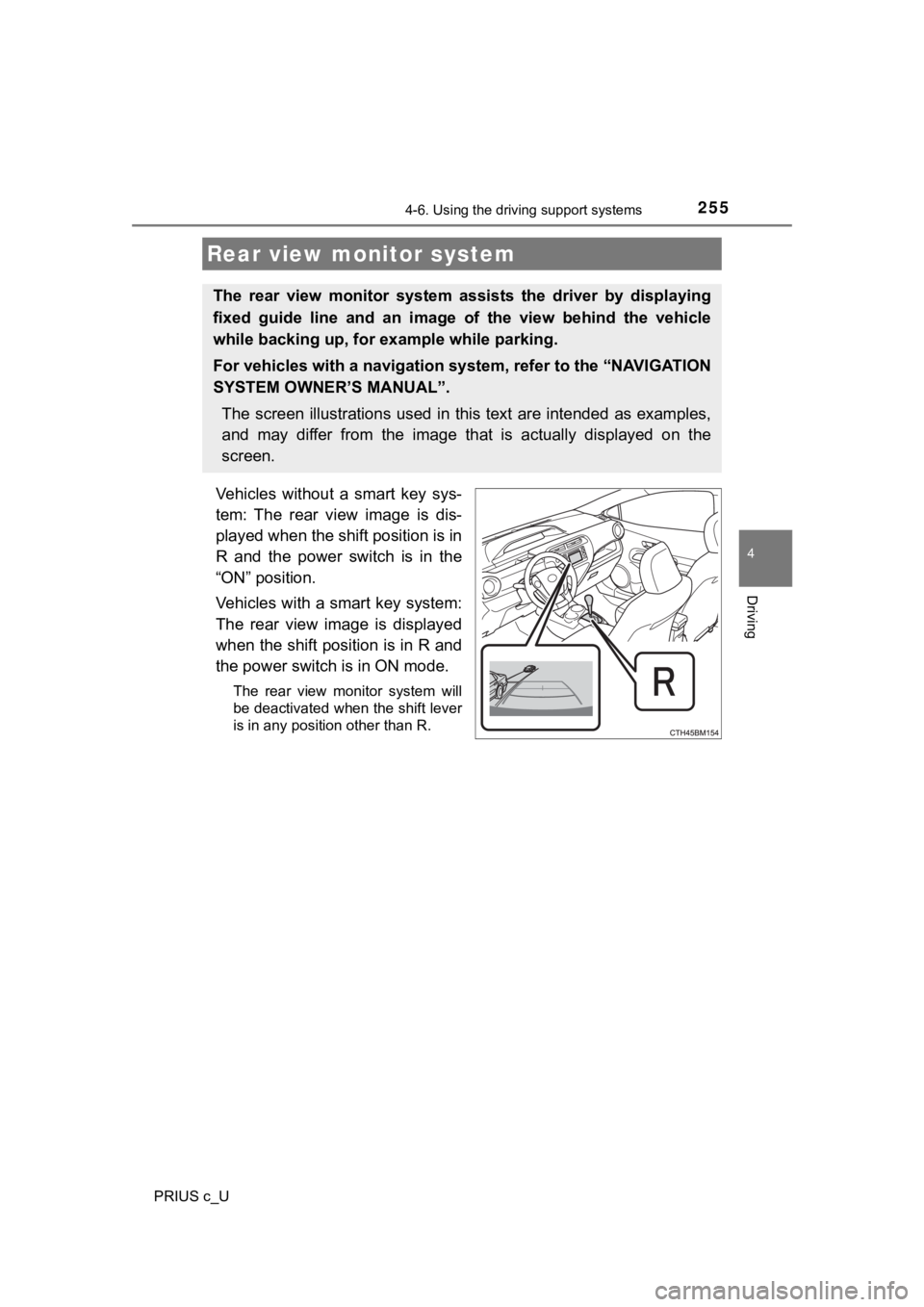
Vehicles without a smart key sys-
tem: The rear view image is dis-
played when the shift position is in
R and the power switch is in the
“ON” position.
Vehicles with a smart key system:
The rear view image is displayed
when the shift position is in R and
the power switch is in ON mode.
The rear view monitor system will
be deactivated when the shift lever
is in any position other than R.
Rear view monitor system
The rear view monitor system assists the driver by displaying
fixed guide line and an image o f the view behind the vehicle
while backing up, for example while parking.
For vehicles with a navigation system, refer to the “NAVIGATION
SYSTEM OWNER’S MANUAL”.
The screen illustrations used in this text are intended as exam ples,
and may differ from the image th at is actually displayed on the
screen.
Page 256 of 600
2564-6. Using the driving support systems
PRIUS c_U■
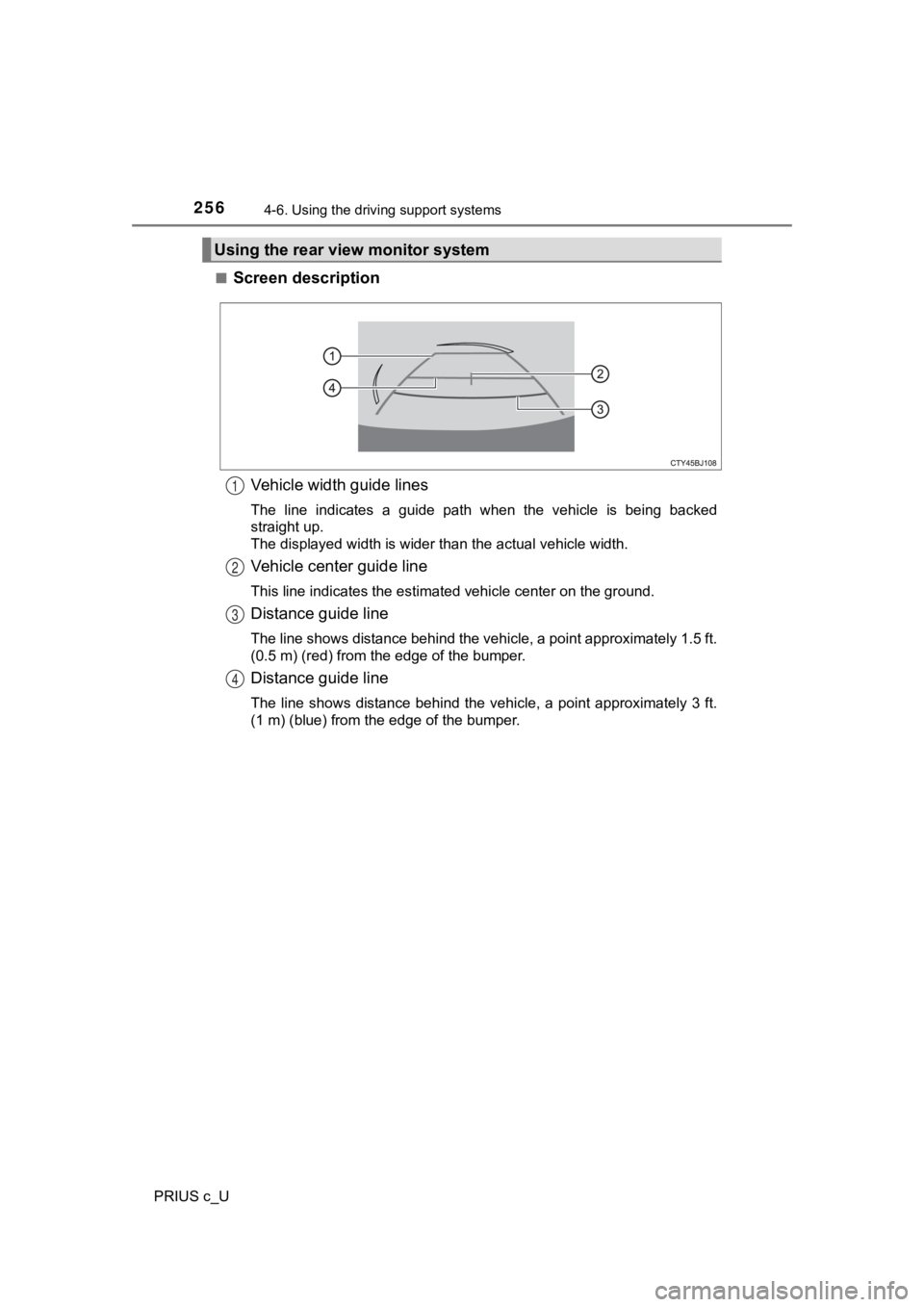
Screen description
Vehicle width guide lines
The line indicates a guide path when the vehicle is being backe d
straight up.
The displayed width is wider than the actual vehicle width.
Vehicle center guide line
This line indicates the estimated vehicle center on the ground.
Distance guide line
The line shows distance behind the vehicle, a point approximate ly 1.5 ft.
(0.5 m) (red) from the edge of the bumper.
Distance guide line
The line shows distance behind the vehicle, a point approximate ly 3 ft.
(1 m) (blue) from the edge of the bumper.
Using the rear view monitor system
1
2
3
4
Page 257 of 600
2574-6. Using the driving support systems
4
Driving
PRIUS c_U■
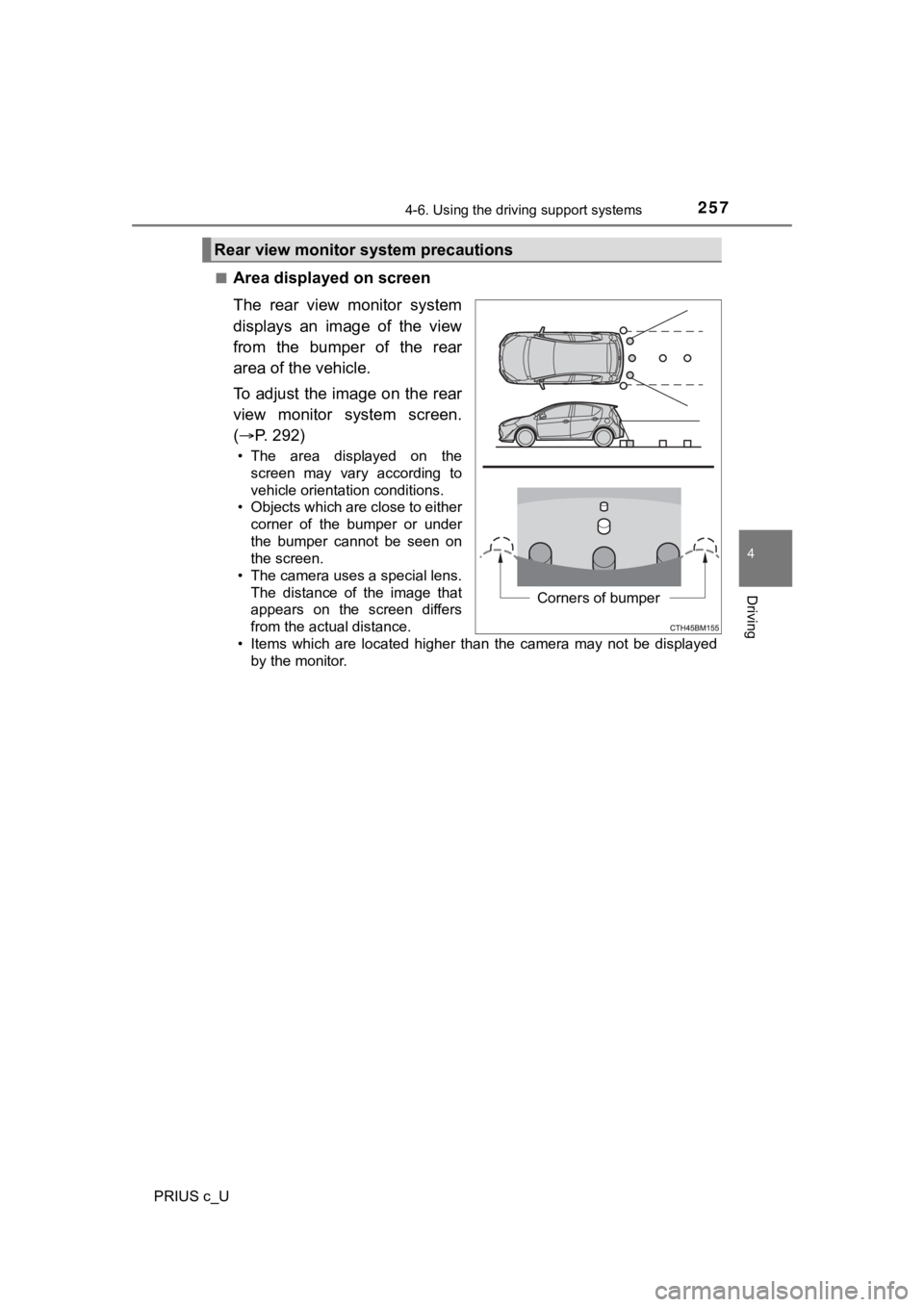
Area displayed on screen
The rear view monitor system
displays an image of the view
from the bumper of the rear
area of the vehicle.
To adjust the image on the rear
view monitor system screen.
(
P. 292)
• The area displayed on the
screen may vary according to
vehicle orientation conditions.
• Objects which are close to either corner of the bumper or under
the bumper cannot be seen on
the screen.
• The camera uses a special lens.
The distance of the image that
appears on the screen differs
from the actual distance.
• Items which are located higher than the camera may not be disp layed
by the monitor.
Rear view monitor system precautions
Corners of bumper
Page 260 of 600
2604-6. Using the driving support systems
PRIUS c_U
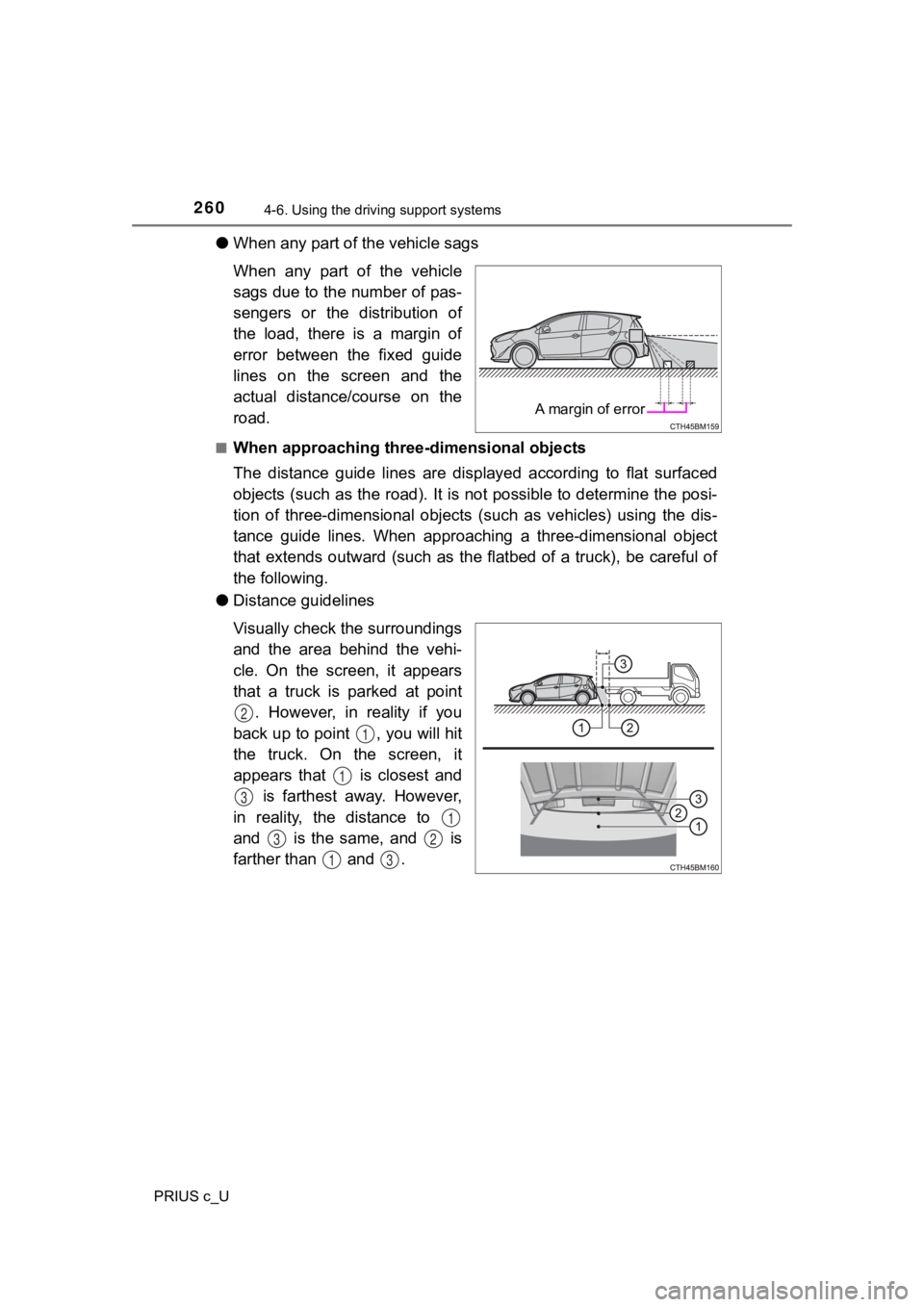
●When any part of the vehicle sags
When any part of the vehicle
sags due to the number of pas-
sengers or the distribution of
the load, there is a margin of
error between the fixed guide
lines on the screen and the
actual distance/course on the
road.
■When approaching thre e-dimensional objects
The distance guide lines are displayed according to flat surfac ed
objects (such as the road). It i s not possible to determine the posi-
tion of three-dimensional objects (such as vehicles) using the dis-
tance guide lines. When approaching a three-dimensional object
that extends outward (such as t he flatbed of a truck), be careful of
the following.
● Distance guidelines
Visually check the surroundings
and the area behind the vehi-
cle. On the screen, it appears
that a truck is parked at point
. However, in reality if you
back up to point , you will hit
the truck. On the screen, it
appears that is closest and is farthest away. However,
in reality, the distance to
and is the same, and is
farther than and .
A margin of error
2
1
1
3
1
32
13
Page 263 of 600
2634-6. Using the driving support systems
4
Driving
PRIUS c_U
WARNING
■When using the rear view monitor system
The rear view monitor system is a supplemental device intended to assist
the driver when backing up. When backing up, be sure to visually check all
around the vehicle both directly and using the mirrors before p roceeding. If
you do not, you may hit another vehicle, and could possibly cau se an acci-
dent.
Pay attention to the following precautions when using the rear view monitor
system.
● Never depend on the rear view monitor system entirely when back ing up.
The image and the position of the guide lines displayed on the screen may
differ from the actual state.
Use caution, just as you would when backing up any vehicle.
● Be sure to back up slowly, depressing the brake pedal to contro l vehicle
speed.
● The instructions given are only guidelines.
When and how much to turn the steering wheel will vary accordin g to traf-
fic conditions, road surface conditions, vehicle condition, etc . when park-
ing. It is necessary to be fully aware of this before using the rear view
monitor system.
● When parking, be sure to check that the parking space will acco mmodate
your vehicle before maneuvering into it.
● Do not use the rear view monitor system in the following cases:
• On icy or slick road surfaces, or in snow
• When using tire chains or the compact spare tire
• When the back door is not closed completely
• On roads that are not flat or straight, such as curves or slop es.
● In low temperatures, the screen may darken or the image may bec ome
faint. The image could distort when the vehicle is moving, or y ou may
become unable to see the image on the screen. Be sure to visual ly check
all around the vehicle both directly and using the mirrors befo re proceed-
ing.
● If the tire sizes are changed, the position of the fixed guide lines displayed
on the screen may change.
● The camera uses a special lens. The distances between objects a nd
pedestrians that appear in the image displayed on the screen will differ
from the actual distances. ( P. 258)
Page 266 of 600
2664-6. Using the driving support systems
PRIUS c_U
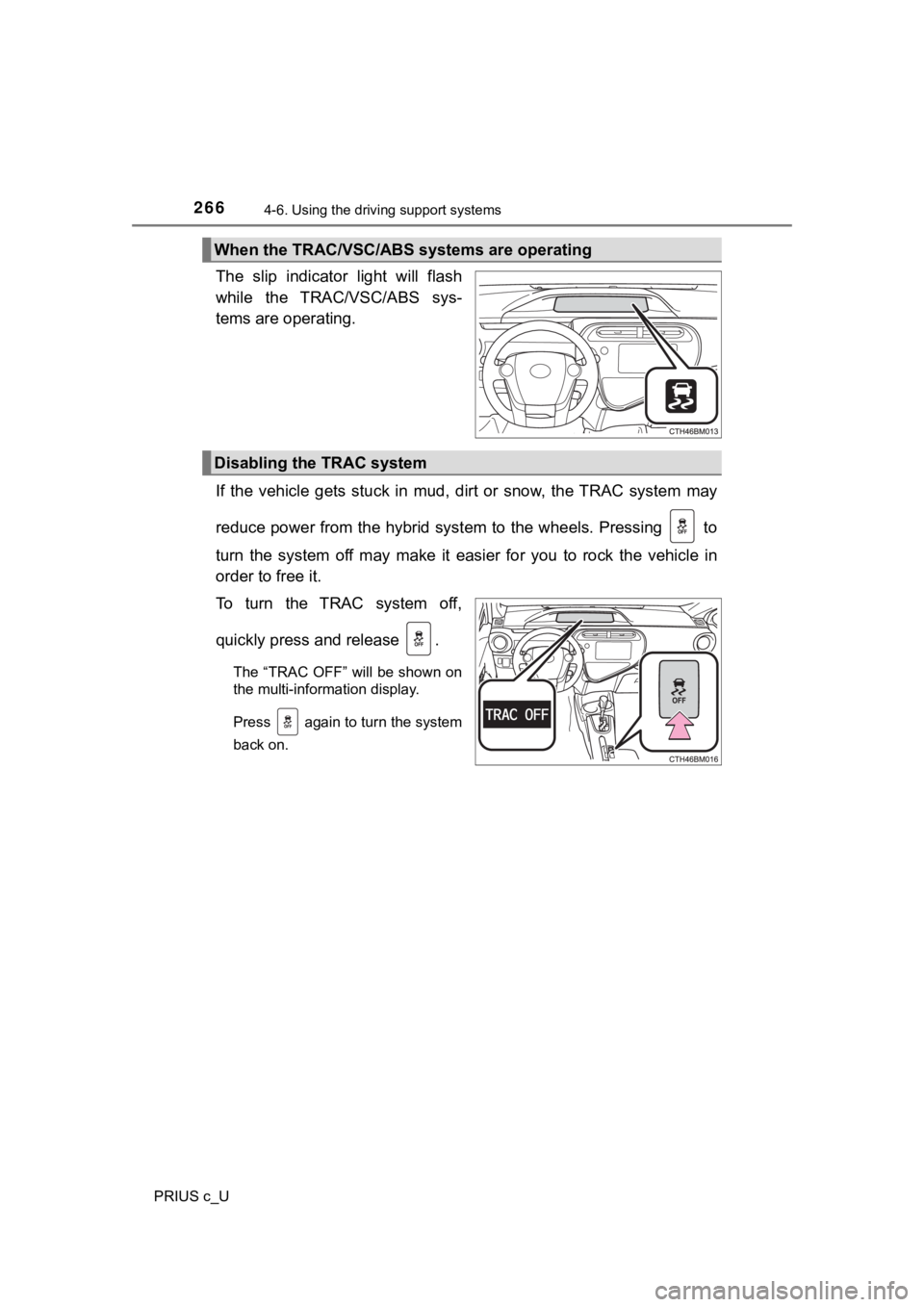
The slip indicator light will flash
while the TRAC/VSC/ABS sys-
tems are operating.
If the vehicle gets stuck in mud, dirt or snow, the TRAC system may
reduce power from the hybrid syst em to the wheels. Pressing to
turn the system off may make it easier for you to rock the vehicle in
order to free it.
To turn the TRAC system off,
quickly press and release .
The “TRAC OFF” will be shown on
the multi-information display.
Press again to turn the system
back on.
When the TRAC/VSC/ABS systems are operating
Disabling the TRAC system