brake TOYOTA PRIUS PRIME 2021 (in English) User Guide
[x] Cancel search | Manufacturer: TOYOTA, Model Year: 2021, Model line: PRIUS PRIME, Model: TOYOTA PRIUS PRIME 2021Pages: 808, PDF Size: 74.05 MB
Page 142 of 808
142
PRIUS PRIME_OM_OM47D71U_(U)
2-2. Charging
Before charging, always check the following items.
●The parking brake is applied. (P. 352)
●The headlights are switched off or set to AUTO, and lights such as
the emergency flashers and interior lights etc. are switched off.
If these light switches are turned ON, then these features will consume
electricity, and charging time will increase.
●The power switch is off. (P. 3 3 8 )
Before charging, make sure that each part of the charging cable is in
good condition. (P. 120)
■Safety functions
●The hybrid system will not start while the charging cable is attached to the
vehicle, even if the power switch is operated.
●If the charging cable is connected while the “READY” indicator is illumi-
nated, the hybrid system will stop automatically and driving will not be possi-
ble.
●When the charging cable is connected to the vehicle, the shift position can-
not be changed from P to another position.
■During charging
The followings occur, however, it does not indicate a malfunction.
●The charging starting time may differ depending on the state of the vehicle.
●During charging, the sound of the fan may be heard from the onboard trac-
tion battery charger cooling air intake vents. (P. 145)
●During and after charging, the rear seat and its surrounding area in which
<0057004b004800030052005100450052004400550047000300570055004400460057004c005200510003004500440057005700480055005c00030046004b00440055004a004800550003004c00560003004c0051005600570044004f004f00480047000300
500044005c0003004a004800570003005a0044005500500011[
Confirm the following before charging
Inspecting the charging cable
Page 202 of 808
202
PRIUS PRIME_OM_OM47D71U_(U)
3. Instrument cluster
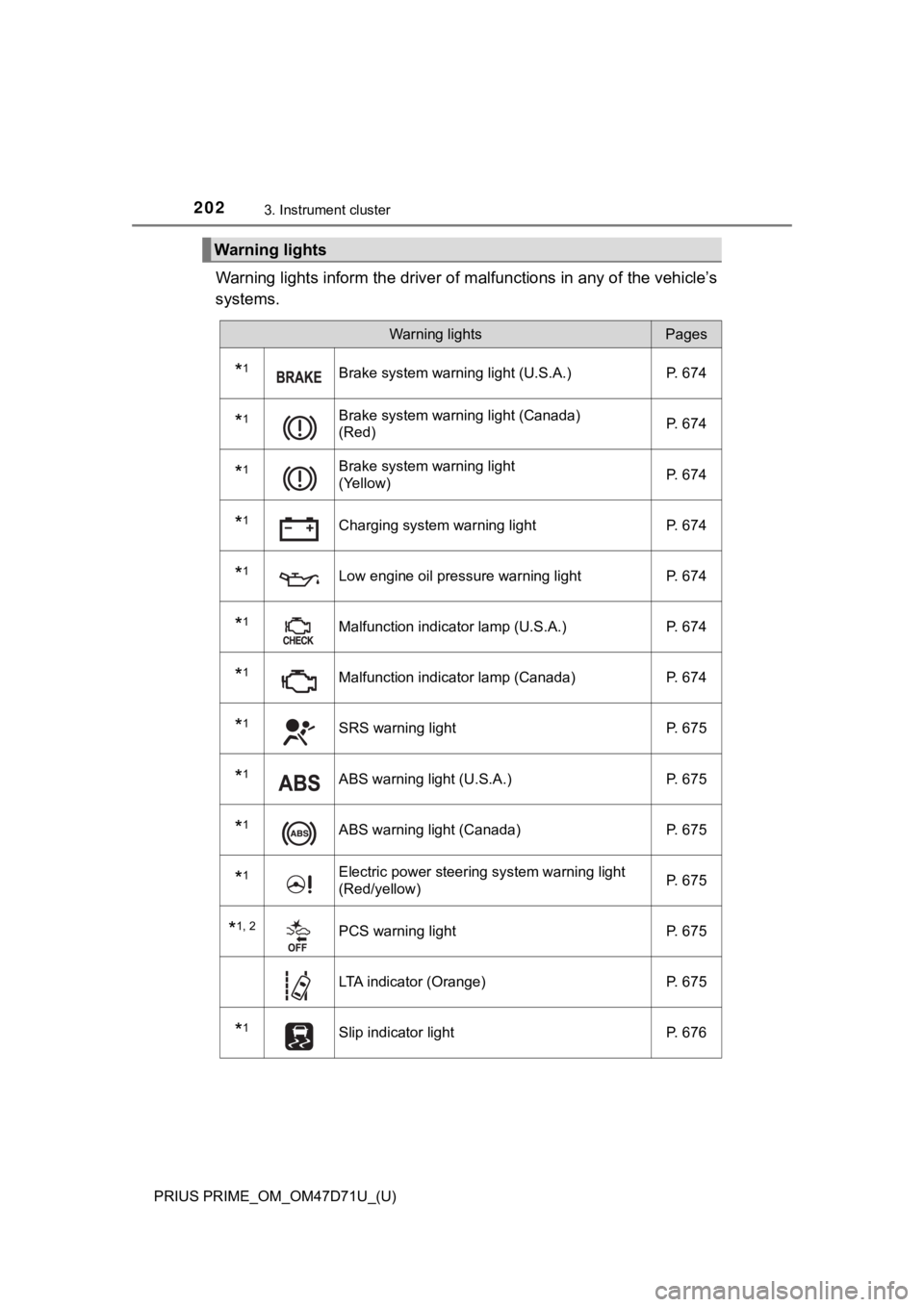
Warning lights inform the driver of malfunctions in any of the vehicle’s
systems.
Warning lights
Warning lightsPages
*1Brake system warning light (U.S.A.) P. 674
*1Brake system warning light (Canada)
(Red)P. 674
*1Brake system warning light
(Yellow)P. 674
*1Charging system warning light P. 674
*1Low engine oil pressure warning light P. 674
*1Malfunction indicator lamp (U.S.A.) P. 674
*1Malfunction indicator lamp (Canada) P. 674
*1SRS warning light P. 675
*1ABS warning light (U.S.A.) P. 675
*1ABS warning light (Canada) P. 675
*1Electric power steering system warning light
(Red/yellow)P. 675
*1, 2PCS warning light P. 675
LTA indicator (Orange) P. 675
*1Slip indicator light P. 676
Page 204 of 808
204
PRIUS PRIME_OM_OM47D71U_(U)
3. Instrument cluster
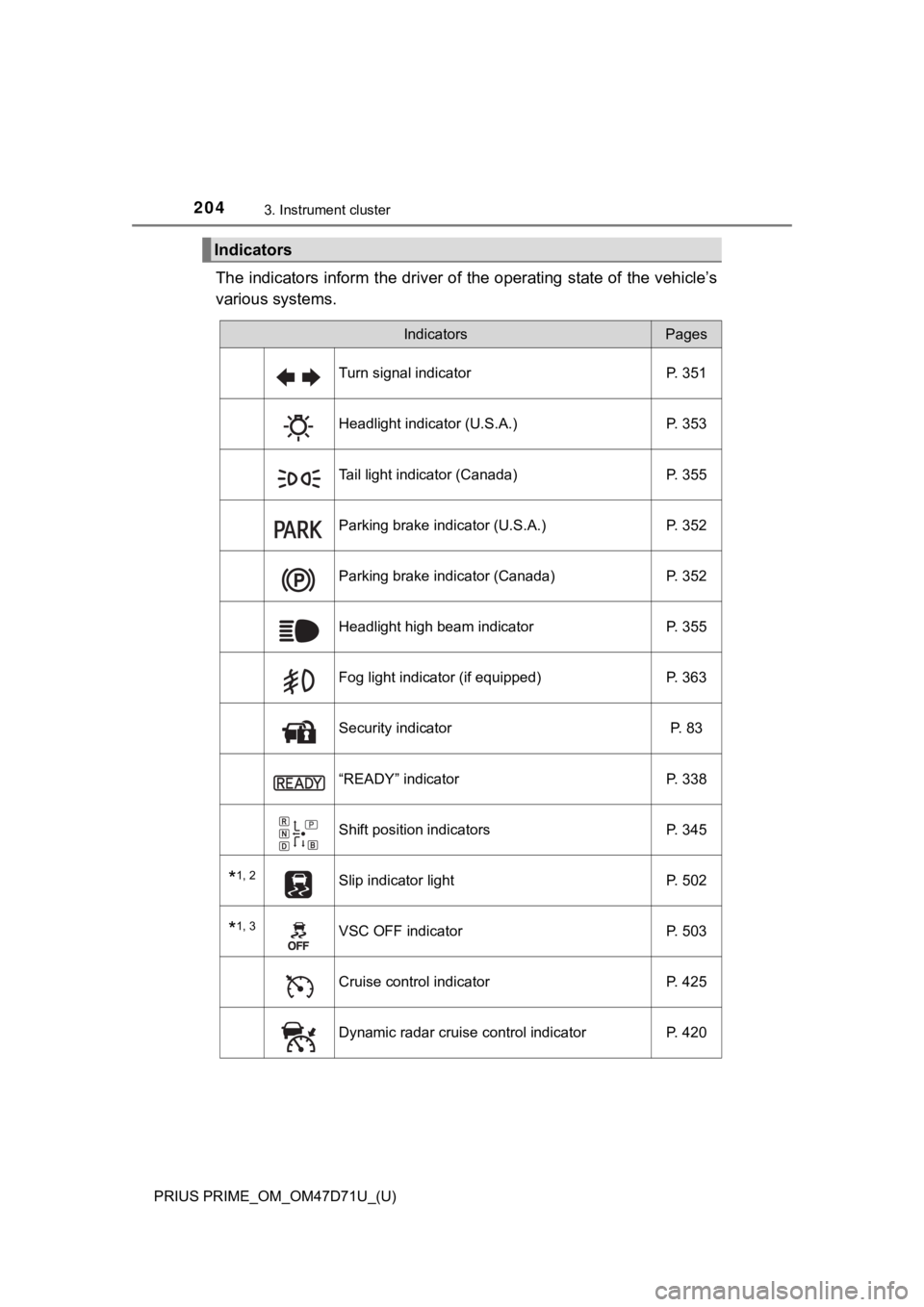
The indicators inform the driver of the operating state of the vehicle’s
various systems.
Indicators
IndicatorsPages
Turn signal indicator P. 351
Headlight indicator (U.S.A.) P. 353
Tail light indicator (Canada) P. 355
Parking brake indicator (U.S.A.) P. 352
Parking brake indicator (Canada) P. 352
Headlight high beam indicator P. 355
Fog light indicator (if equipped) P. 363
Security indicator P. 83
“READY” indicator P. 338
Shift position indicators P. 345
*1, 2Slip indicator light P. 502
*1, 3VSC OFF indicator P. 503
Cruise control indicator P. 425
Dynamic radar cruise control indicator P. 420
Page 207 of 808
PRIUS PRIME_OM_OM47D71U_(U)
2073. Instrument cluster
3
Instrument cluster
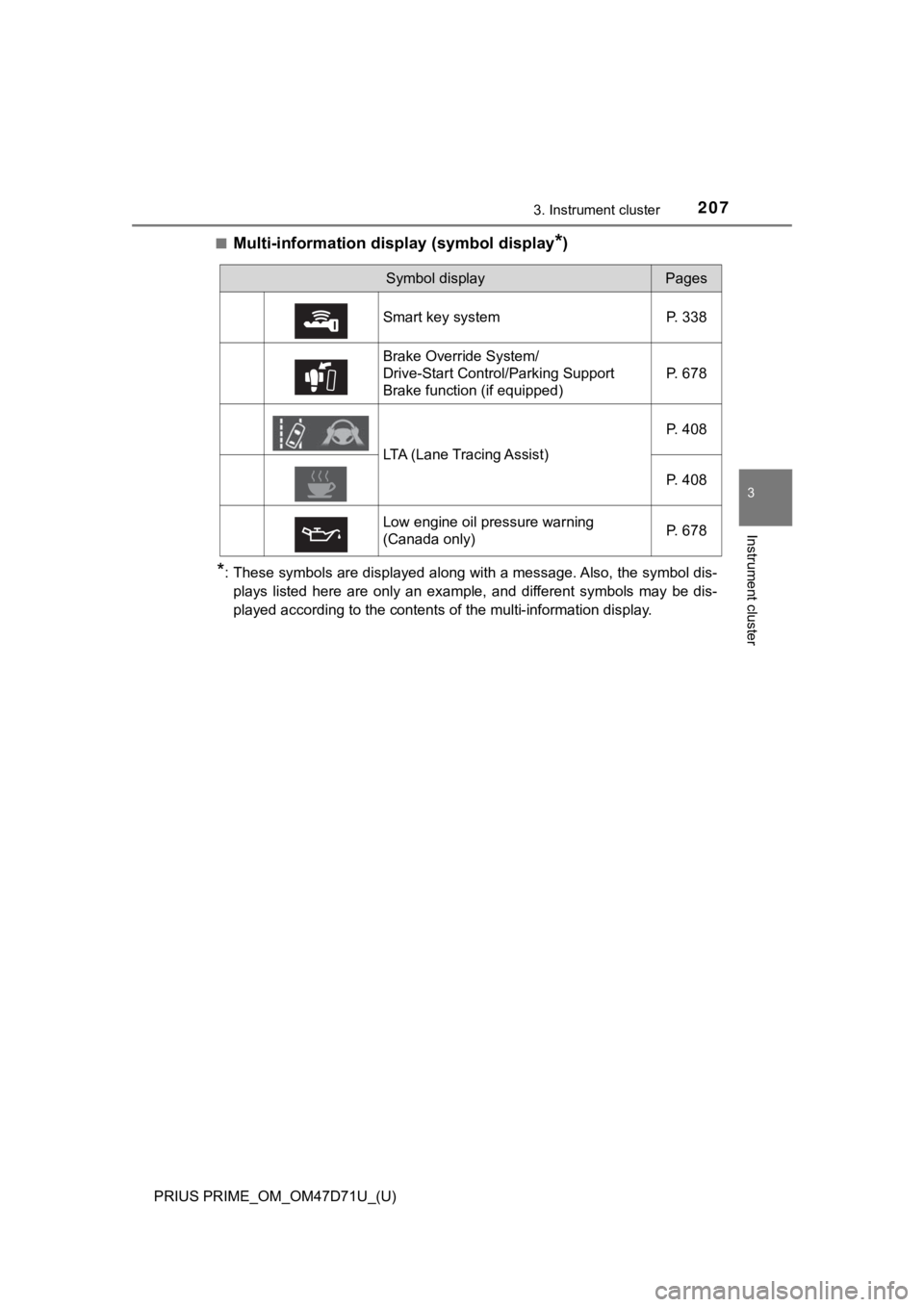
■Multi-information display (symbol display*)
*: These symbols are displayed along with a message. Also, the symbol dis-
plays listed here are only an example, and different symbols may be dis-
played according to the contents of the multi-information display.
Symbol displayPages
Smart key system P. 338
Brake Override System/
Drive-Start Control/Parking Support
Brake function (if equipped)P. 678
LTA (Lane Tracing Assist)P. 408
P. 408
Low engine oil pressure warning
(Canada only)P. 678
Page 247 of 808
PRIUS PRIME_OM_OM47D71U_(U)
2473. Instrument cluster
3
Instrument cluster
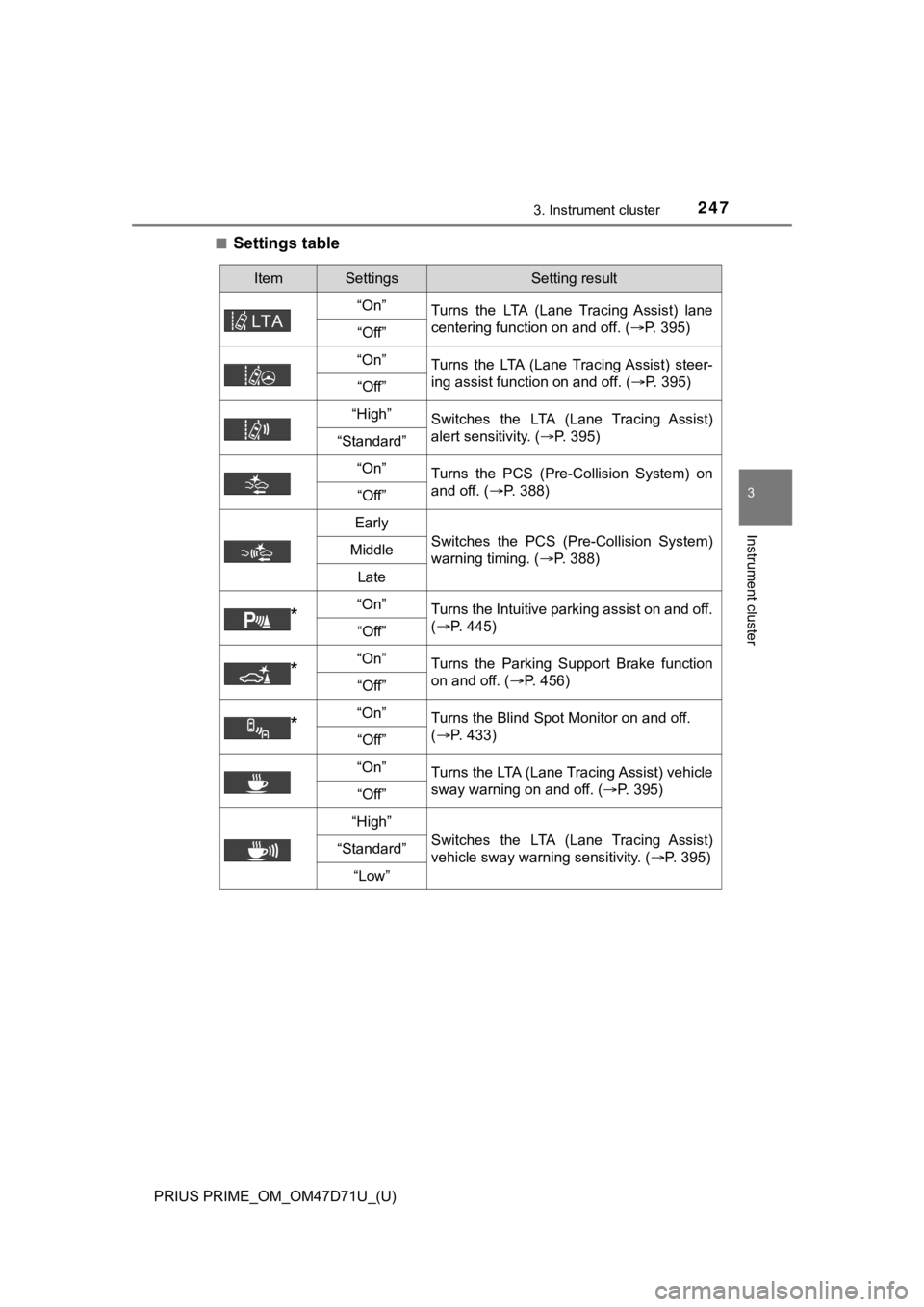
■Settings table
ItemSettingsSetting result
“On”
Turns the LTA (Lane Tracing Assist) lane
centering function on and off. (P. 395)
“Off”
“On”
Turns the LTA (Lane Tracing Assist) steer-
ing assist function on and off. (P. 395)
“Off”
“High”Switches the LTA (Lane Tracing Assist)
alert sensitivity. (P. 395)
“Standard”
“On”
Turns the PCS (Pre-Collision System) on
and off. (P. 388)
“Off”
Early
Switches the PCS (Pre-Collision System)
warning timing. (P. 388)Middle
Late
*“On”Turns the Intuitive parking assist on and off.
(P. 445)
“Off”
*“On”Turns the Parking Support Brake function
on and off. (P. 456)
“Off”
*“On”Turns the Blind Spot Monitor on and off.
(P. 433)
“Off”
“On”
Turns the LTA (Lane Tracing Assist) vehicle
sway warning on and off. (P. 395)
“Off”
“High”
Switches the LTA (Lane Tracing Assist)
vehicle sway warning sensitivity. (P. 395)“Standard”
“Low”
Page 257 of 808
PRIUS PRIME_OM_OM47D71U_(U)
2573. Instrument cluster
3
Instrument cluster
■Insert displays of the driving support systems
Insert displays are linked with the operation of the following sys-
tems and used to show some of the information shown on the multi-
information display on the head-up display.
*: If equipped
■
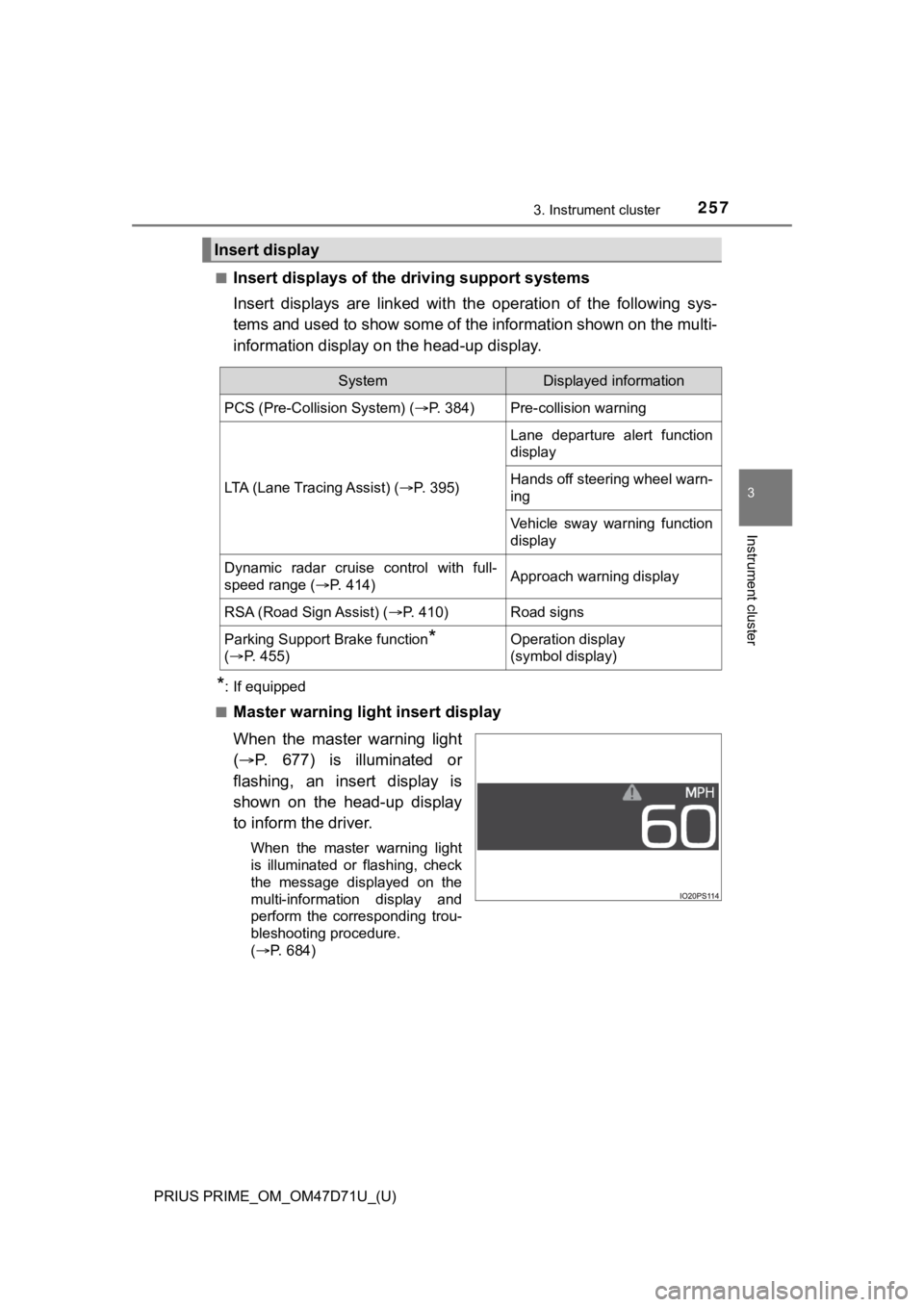
Master warning light insert display
When the master warning light
(P. 677) is illuminated or
flashing, an insert display is
shown on the head-up display
to inform the driver.
When the master warning light
is illuminated or flashing, check
the message displayed on the
multi-information display and
perform the corresponding trou-
bleshooting procedure.
(P. 684)
Insert display
SystemDisplayed information
PCS (Pre-Collision System) (P. 384)Pre-collision warning
LTA (Lane Tracing Assist) (P. 3 9 5 )
Lane departure alert function
display
Hands off steering wheel warn-
ing
Vehicle sway warning function
display
Dynamic radar cruise control with full-
speed range (P. 414)Approach warning display
RSA (Road Sign Assist) (P. 410)Road signs
Parking Support Brake function*
(P. 4 5 5 )Operation display
(symbol display)
Page 303 of 808
303
PRIUS PRIME_OM_OM47D71U_(U)
4-3. Adjusting the seats
4
Operation of each component
Rear seats
Park the vehicle in a safe place.
Apply the parking brake firmly (P. 352) and shift the shift position to P.
(P. 346)
Adjust the position of the front seat and the angle of the seatback.
(
P. 3 0 1 )
Depending on the position of the front seat, if the seatback is folded back-
ward, it may interfere with the operation of the rear seat.
Lift up and push down the head restraints of the rear outboard
seats, and lower the head restraint of the rear center seat.
(
P. 3 0 5 )
Stow the armrest of the rear seat if it is pulled out. (
P. 566)
<0037004b004c0056000300560057004800530003004c00560003005100520057000300510048004600480056005600440055005c0003005a004b004800510003005200530048005500440057004c0051004a00030057004b00480003004f00480049005700
030056004c0047004800030056004800440057000300520051[ly.
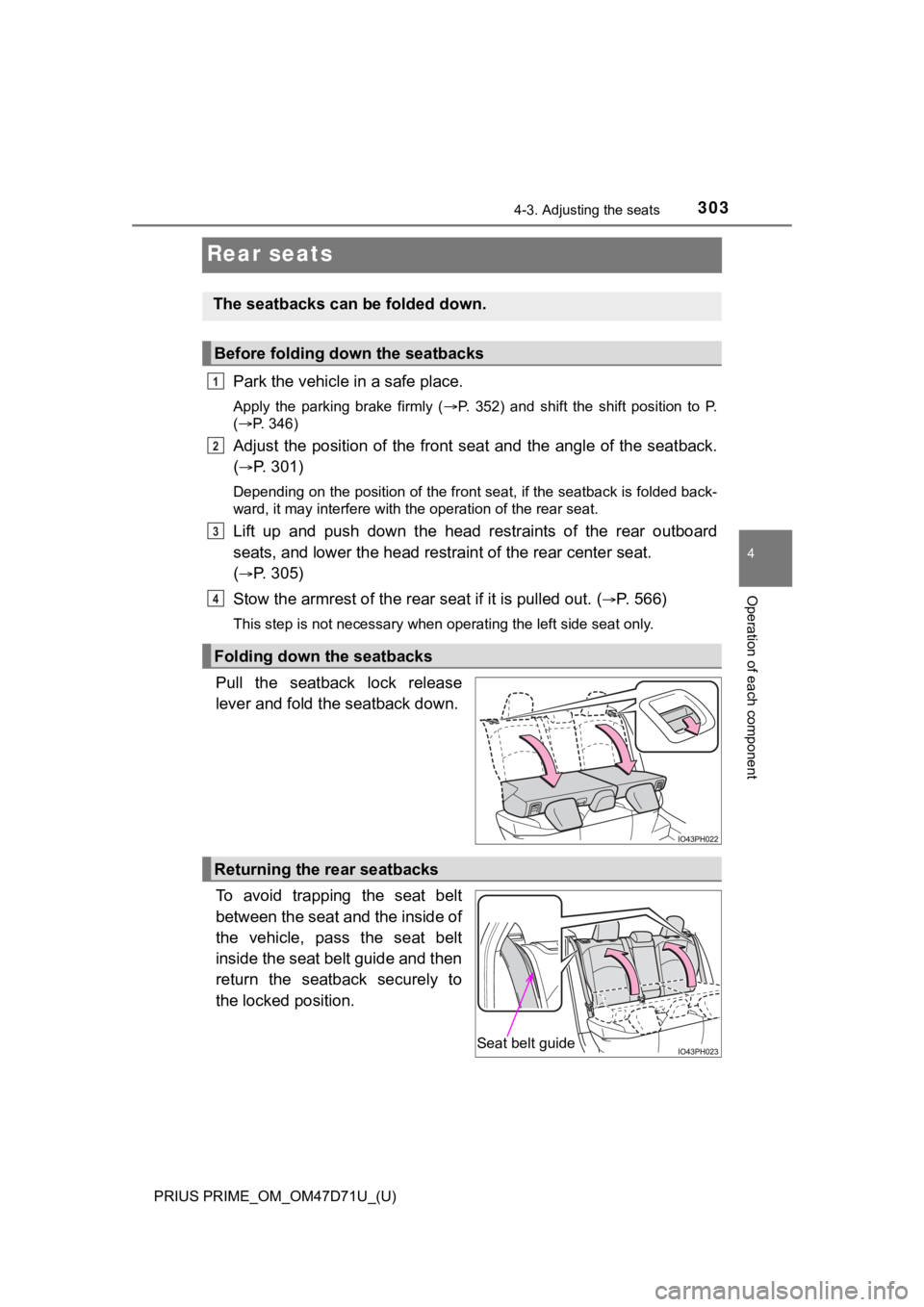
Pull the seatback lock release
lever and fold the seatback down.
To avoid trapping the seat belt
between the seat and the inside of
the vehicle, pass the seat belt
inside the seat belt guide and then
return the seatback securely to
the locked position.
The seatbacks can be folded down.
Before folding down the seatbacks
Folding down the seatbacks
1
2
3
4
Returning the rear seatbacks
Seat belt guide
Page 304 of 808
304
PRIUS PRIME_OM_OM47D71U_(U)
4-3. Adjusting the seats
WARNING
■When folding the seatbacks down
Observe the following precautions. Failure to do so may result in death or
serious injury.
●Do not fold the seatbacks down while driving.
●Stop the vehicle on level ground, apply the parking brake firmly and shift
the shift position to P.
●Do not allow anyone to sit on a folded seatback or in the luggage compart-
ment while driving.
●Do not allow children to enter the luggage compartment.
●Do not operate the rear seat if it is occupied.
●Be careful not to get feet or hands caught in the moving parts or joints of
the seats during operation.
●Do not allow children to operate the seat.
■After returning the seatback to the upright position
Observe the following precautions. Failure to do so may result in death or
serious injury.
●Check that the seat belts are not twisted or caught in the seatback.
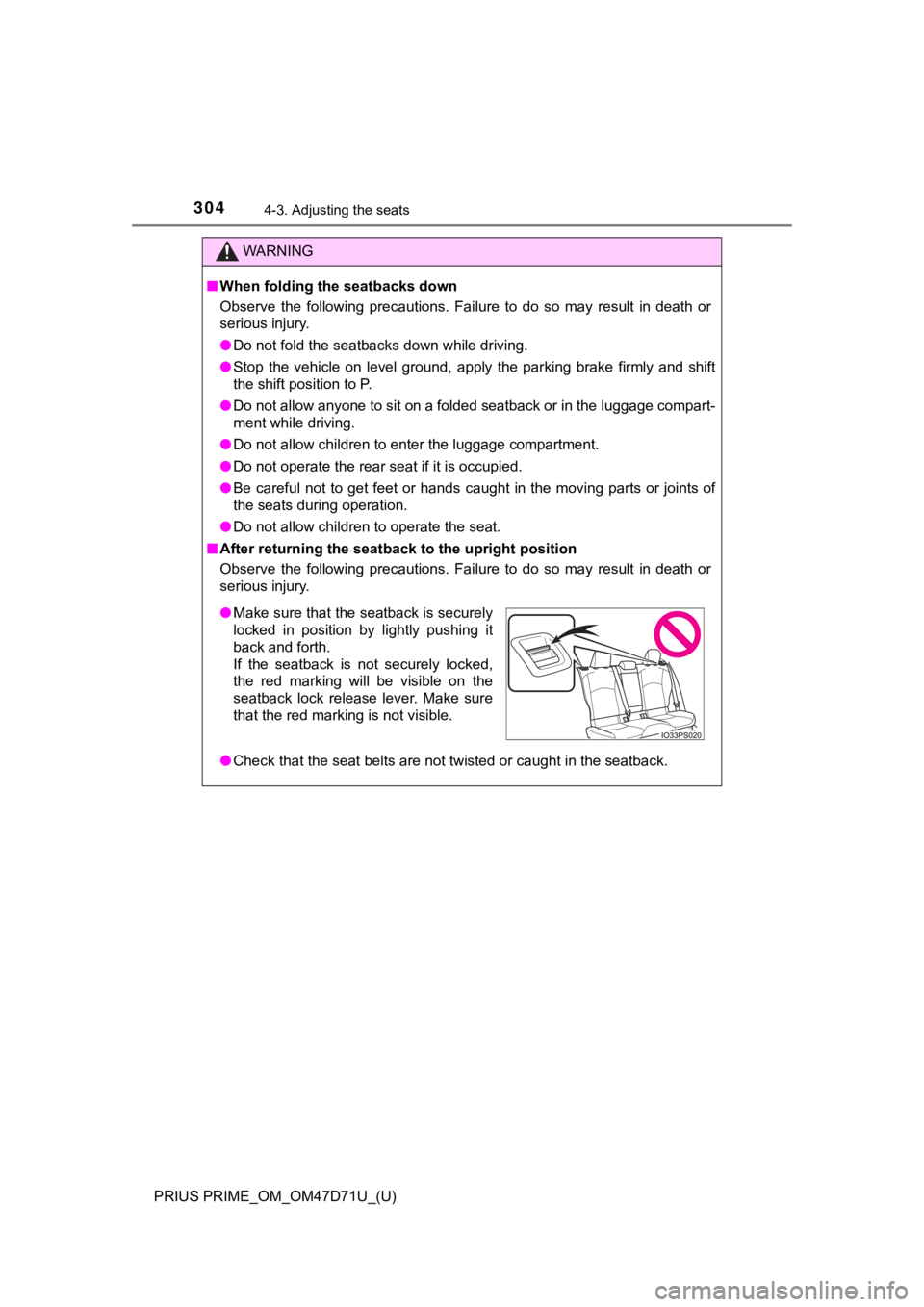
●Make sure that the seatback is securely
locked in position by lightly pushing it
back and forth.
If the seatback is not securely locked,
the red marking will be visible on the
seatback lock release lever. Make sure
that the red marking is not visible.
Page 319 of 808
319
PRIUS PRIME_OM_OM47D71U_(U)
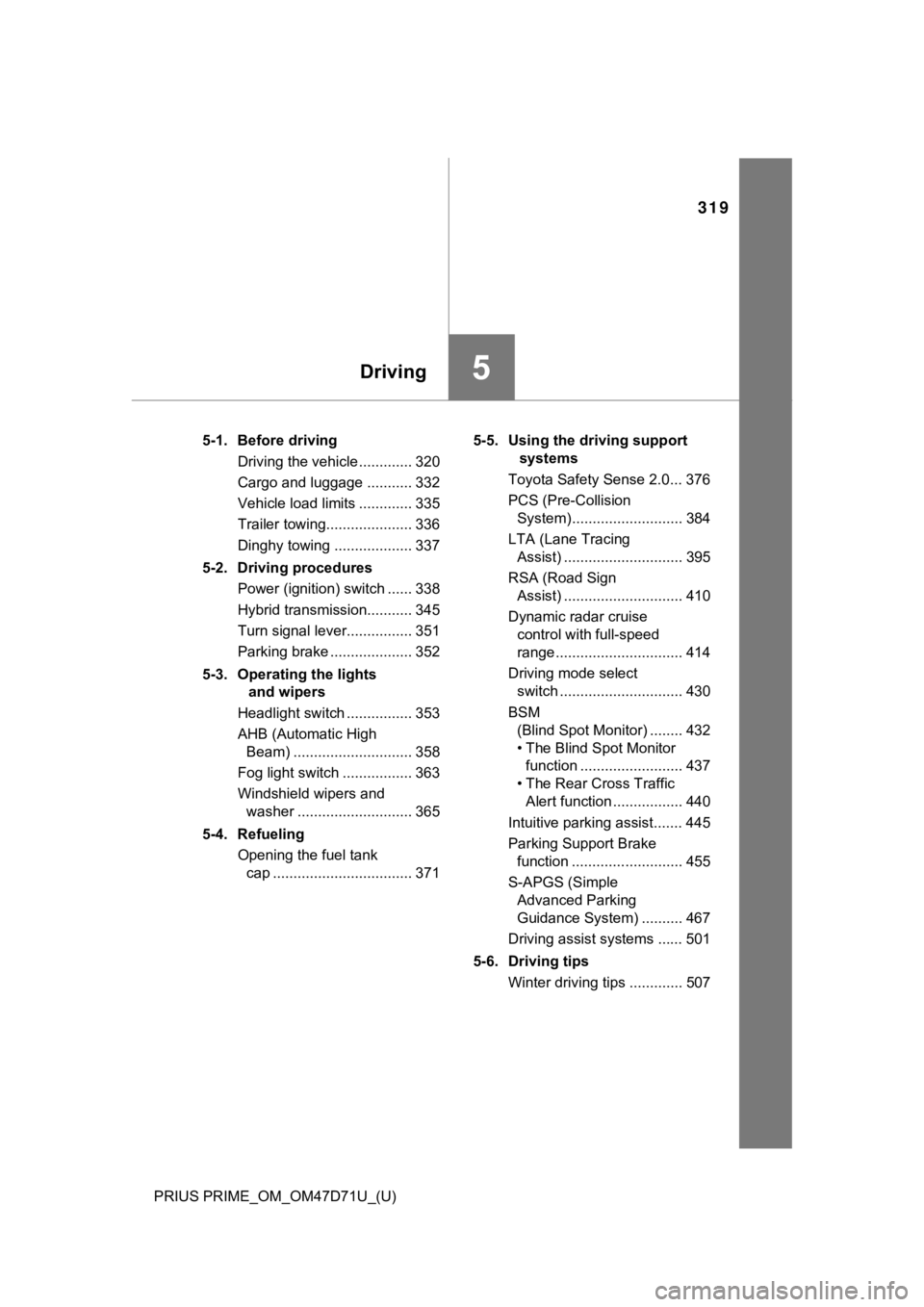
5Driving
5-1. Before driving
Driving the vehicle ............. 320
Cargo and luggage ........... 332
Vehicle load limits ............. 335
Trailer towing..................... 336
Dinghy towing ................... 337
5-2. Driving procedures
Power (ignition) switch ...... 338
Hybrid transmission........... 345
Turn signal lever................ 351
Parking brake .................... 352
5-3. Operating the lights
and wipers
Headlight switch ................ 353
AHB (Automatic High
Beam) ............................. 358
Fog light switch ................. 363
Windshield wipers and
washer ............................ 365
5-4. Refueling
Opening the fuel tank
cap .................................. 3715-5. Using the driving support
systems
Toyota Safety Sense 2.0... 376
PCS (Pre-Collision
System)........................... 384
LTA (Lane Tracing
Assist) ............................. 395
RSA (Road Sign
Assist) ............................. 410
Dynamic radar cruise
control with full-speed
range............................... 414
Driving mode select
switch .............................. 430
BSM
(Blind Spot Monitor) ........ 432
• The Blind Spot Monitor
function ......................... 437
• The Rear Cross Traffic
Alert function ................. 440
Intuitive parking assist....... 445
Parking Support Brake
function ........................... 455
S-APGS (Simple
Advanced Parking
Guidance System) .......... 467
Driving assist systems ...... 501
5-6. Driving tips
Winter driving tips ............. 507
Page 320 of 808
320
PRIUS PRIME_OM_OM47D71U_(U)
5-1. Before driving
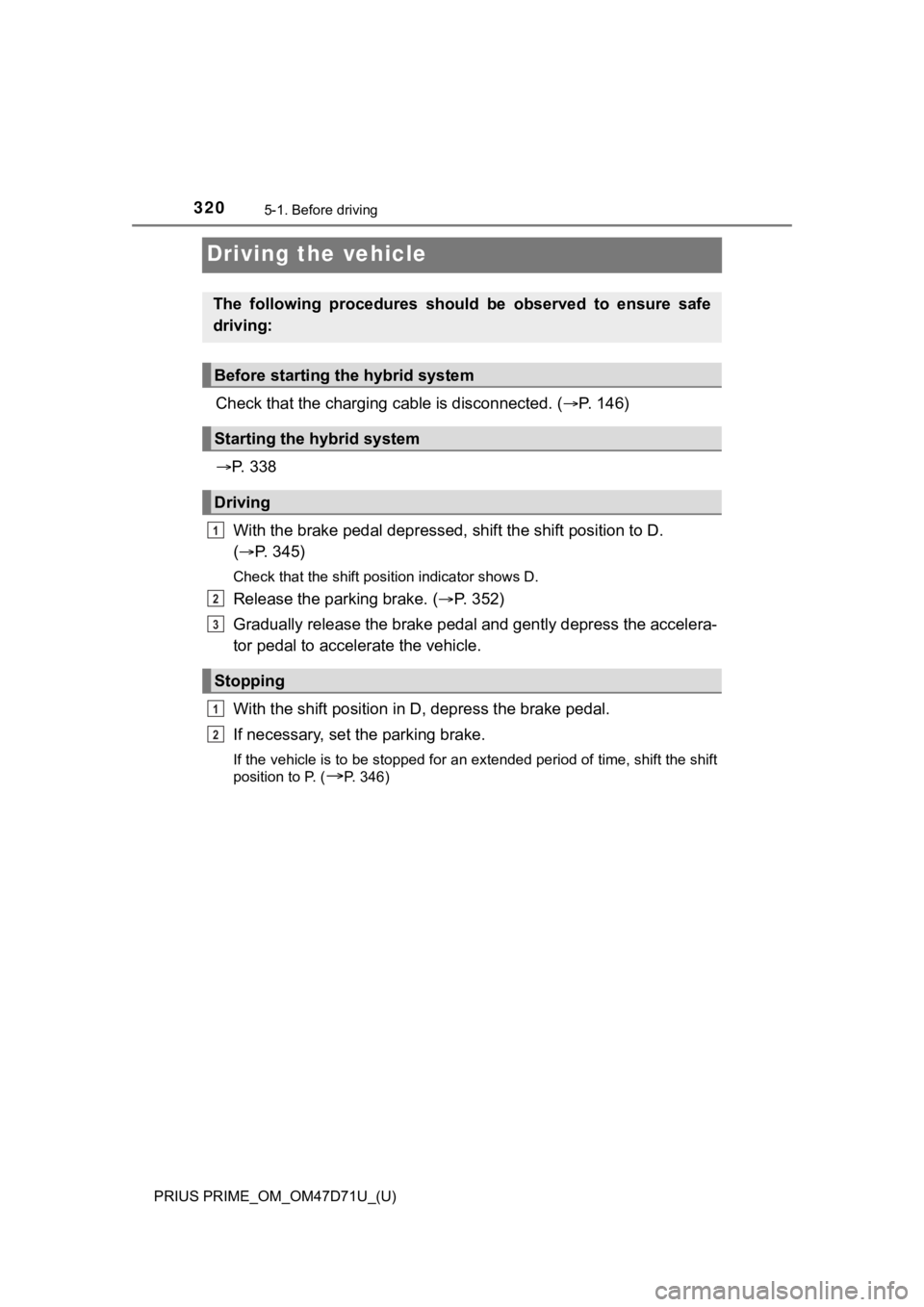
Driving the vehicle
Check that the charging cable is disconnected. (P. 1 4 6 )
P. 3 3 8
With the brake pedal depressed, shift the shift position to D.
(P. 345)
Check that the shift position indicator shows D.
Release the parking brake. (P. 3 5 2 )
Gradually release the brake pedal and gently depress the accelera-
tor pedal to accelerate the vehicle.
With the shift position in D, depress the brake pedal.
If necessary, set the parking brake.
If the vehicle is to be stopped for an extended period of time, shift the shift
position to P. (
P. 346)
The following procedures should be observed to ensure safe
driving:
Before starting the hybrid system
Starting the hybrid system
Driving
Stopping
1
2
3
1
2