brake TOYOTA PRIUS PRIME 2021 (in English) Service Manual
[x] Cancel search | Manufacturer: TOYOTA, Model Year: 2021, Model line: PRIUS PRIME, Model: TOYOTA PRIUS PRIME 2021Pages: 808, PDF Size: 74.05 MB
Page 384 of 808
384
PRIUS PRIME_OM_OM47D71U_(U)
5-5. Using the driving support systems
PCS (Pre-Collision System)
The system can detect the following:
●Vehicles
●Bicyclists
●Pedestrians
The pre-collision system uses a radar sensor and front camera
to detect objects (P. 384) in front of the vehicle. When the sys-
tem determines that the possibility of a frontal collision with an
object is high, a warning operates to urge the driver to take eva-
sive action and the potential brake pressure is increased to help
the driver avoid the collision. If the system determines that the
possibility of a frontal collision with an object is extremely high,
the brakes are automatically applied to help avoid the collision
or help reduce the impact of the collision.
The pre-collision system can be disabled/enabled and the warning
timing can be changed. (P. 3 8 8 )
Detectable objects
Page 385 of 808
PRIUS PRIME_OM_OM47D71U_(U)
3855-5. Using the driving support systems
5
Driving
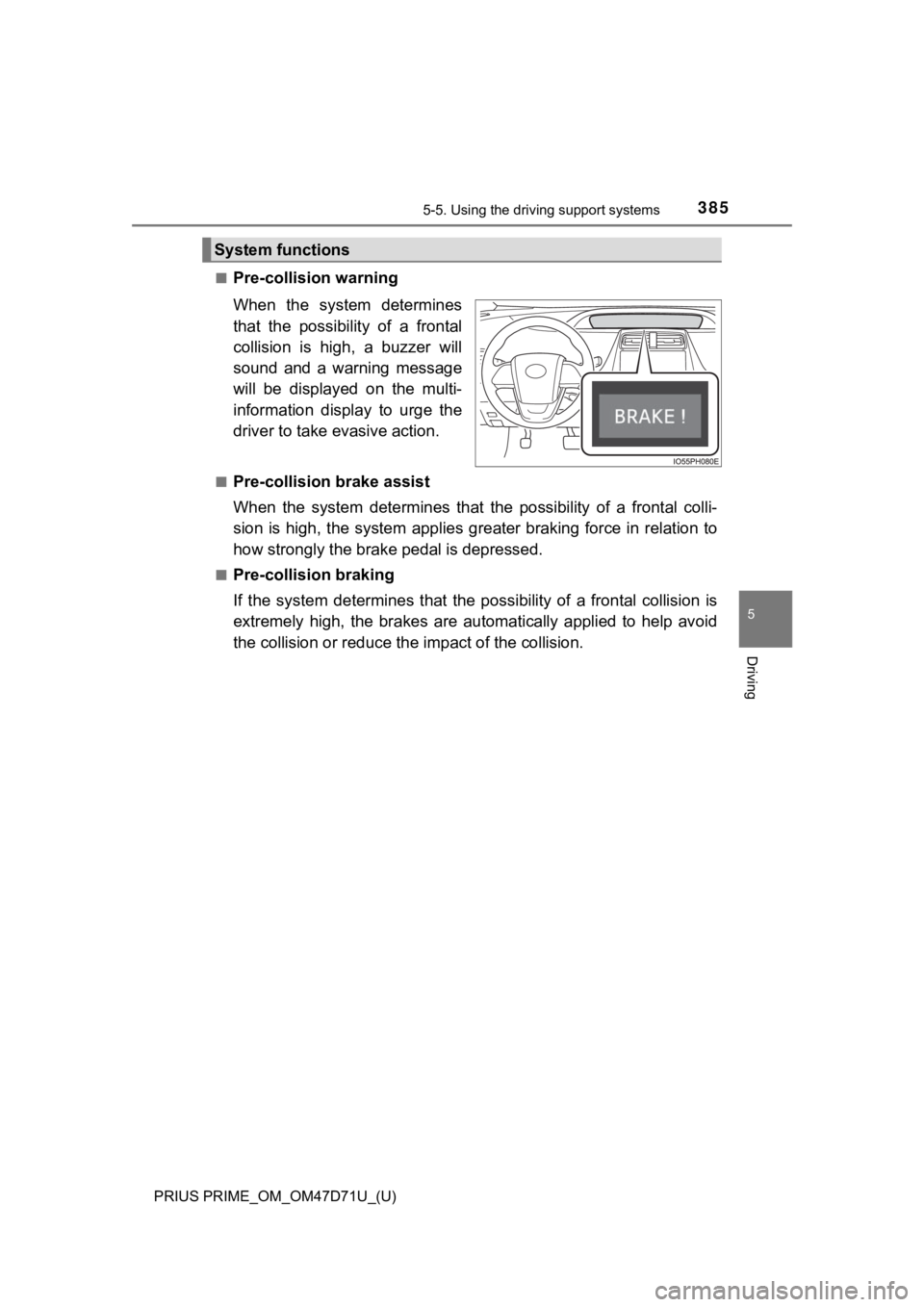
■Pre-collision warning
When the system determines
that the possibility of a frontal
collision is high, a buzzer will
sound and a warning message
will be displayed on the multi-
information display to urge the
driver to take evasive action.
■Pre-collision brake assist
When the system determines that the possibility of a frontal colli-
sion is high, the system applies greater braking force in relation to
how strongly the brake pedal is depressed.
■Pre-collision braking
If the system determines that the possibility of a frontal collision is
extremely high, the brakes are automatically applied to help avoid
the collision or reduce the impact of the collision.
System functions
Page 386 of 808
386
PRIUS PRIME_OM_OM47D71U_(U)
5-5. Using the driving support systems
WARNING
■Limitations of the pre-collision system
●The driver is solely responsible for safe driving. Always drive safely, taking
care to observe your surroundings.
Do not use the pre-collision system instead of normal braking operations
under any circumstances. This system will not prevent collisions or lessen
collision damage or injury in every situation. Do not overly rely on this sys-
tem. Failure to do so may lead to an accident, resulting in death or serious
injury.
●Although this system is designed to help avoid a collision or help reduce
the impact of the collision, its effectiveness may change according to vari-
ous conditions, therefore the system may not always be able to achieve
the same level of performance.
Read the following conditions carefully. Do not overly rely on this system
and always drive carefully.
• Conditions under which the system may operate even if there is no pos-
sibility of a collision: P. 390
• Conditions under which the system may not operate properly: P. 392
●Do not attempt to test the operation of the pre-collision system yourself.
Depending on the objects used for testing (dummies, cardboard objects
imitating detectable objects, etc.), the system may not operate properly,
possibly leading to an accident.
■Pre-collision braking
●When the pre-collision braking function is operating, a large amount of
braking force will be applied.
●If the vehicle is stopped by the operation of the pre-collision braking func-
tion, the pre-collision braking function operation will be canceled after
approximately 2 seconds. Depress the brake pedal as necessary.
●The pre-collision braking function may not operate if certain operations are
performed by the driver. If the accelerator pedal is being depressed
strongly or the steering wheel is being turned, the system may determine
that the driver is taking evasive action and possibly prevent the pre-colli-
sion braking function from operating.
●In some situations, while the pre-collision braking function is operating,
operation of the function may be canceled if the accelerator pedal is
depressed strongly or the steering wheel is turned and the system deter-
mines that the driver is taking evasive action.
●If the brake pedal is being depressed, the system may determine that the
driver is taking evasive action and possibly delay the operation timing of
the pre-collision braking function.
Page 389 of 808
PRIUS PRIME_OM_OM47D71U_(U)
3895-5. Using the driving support systems
5
Driving
■Operational conditions
The pre-collision system is enabled and the system determines that the pos-
<0056004c0045004c004f004c0057005c000300520049000300440003004900550052005100570044004f000300460052004f004f004c0056004c005200510003005a004c0057004b0003004400030047004800570048004600570048004700030052004500
4d0048004600570003004c00560003004b004c004a004b0011[
Each function is operational at the following speed
●Pre-collision warning
●Pre-collision brake assist
●Pre-collision braking
The system may not operate in the following situations:
●If a 12-volt battery terminal has been disconnected and reconnected and
then the vehicle has not been driven for a certain amount of time
●If the shift position is in R
●When the VSC OFF indicator is illuminated (only the pre-collision warning
function will be operational)
Detectable objectsVehicle speedRelative speed between
your vehicle and object
VehiclesApprox. 7 to 110 mph
(10 to 180 km/h)Approx. 7 to 110 mph
(10 to 180 km/h)
Bicyclists and pedestri-
ansApprox. 7 to 50 mph
(10 to 80 km/h)Approx. 7 to 50 mph
(10 to 80 km/h)
Detectable objectsVehicle speedRelative speed between
your vehicle and object
VehiclesApprox. 20 to 110 mph
(30 to 180 km/h)Approx. 20 to 110 mph
(30 to 180 km/h)
Bicyclists and pedestri-
ansApprox. 20 to 50 mph
(30 to 80 km/h)Approx. 20 to 50 mph
(30 to 80 km/h)
Detectable objectsVehicle speedRelative speed between
your vehicle and object
VehiclesApprox. 7 to 110 mph
(10 to 180 km/h)Approx. 7 to 110 mph
(10 to 180 km/h)
Bicyclists and pedestri-
ansApprox. 7 to 50 mph
(10 to 80 km/h)Approx. 7 to 50 mph
(10 to 80 km/h)
Page 394 of 808
394
PRIUS PRIME_OM_OM47D71U_(U)
5-5. Using the driving support systems
• If the wheels are misaligned
• If a wiper blade is blocking the front camera
• The vehicle is being driven at extremely high speeds
• When driving on a hill
• If the radar sensor or front camera is misaligned
●In some situations such as the following, sufficient braking force may not be
obtained, preventing the system from performing properly:
• If the braking functions cannot operate to their full extent, such as when
the brake parts are extremely cold, extremely hot, or wet
• If the vehicle is not properly maintained (brakes or tires are excessively
worn, improper tire inflation pressure, etc.)
• When the vehicle is being driven on a gravel road or other slippery sur-
face
■If VSC is disabled
●If VSC is disabled (P. 503), the pre-collision brake assist and pre-collision
braking functions are also disabled.
●The PCS warning light will turn on and “VSC Turned Off Pre-Collision Brake
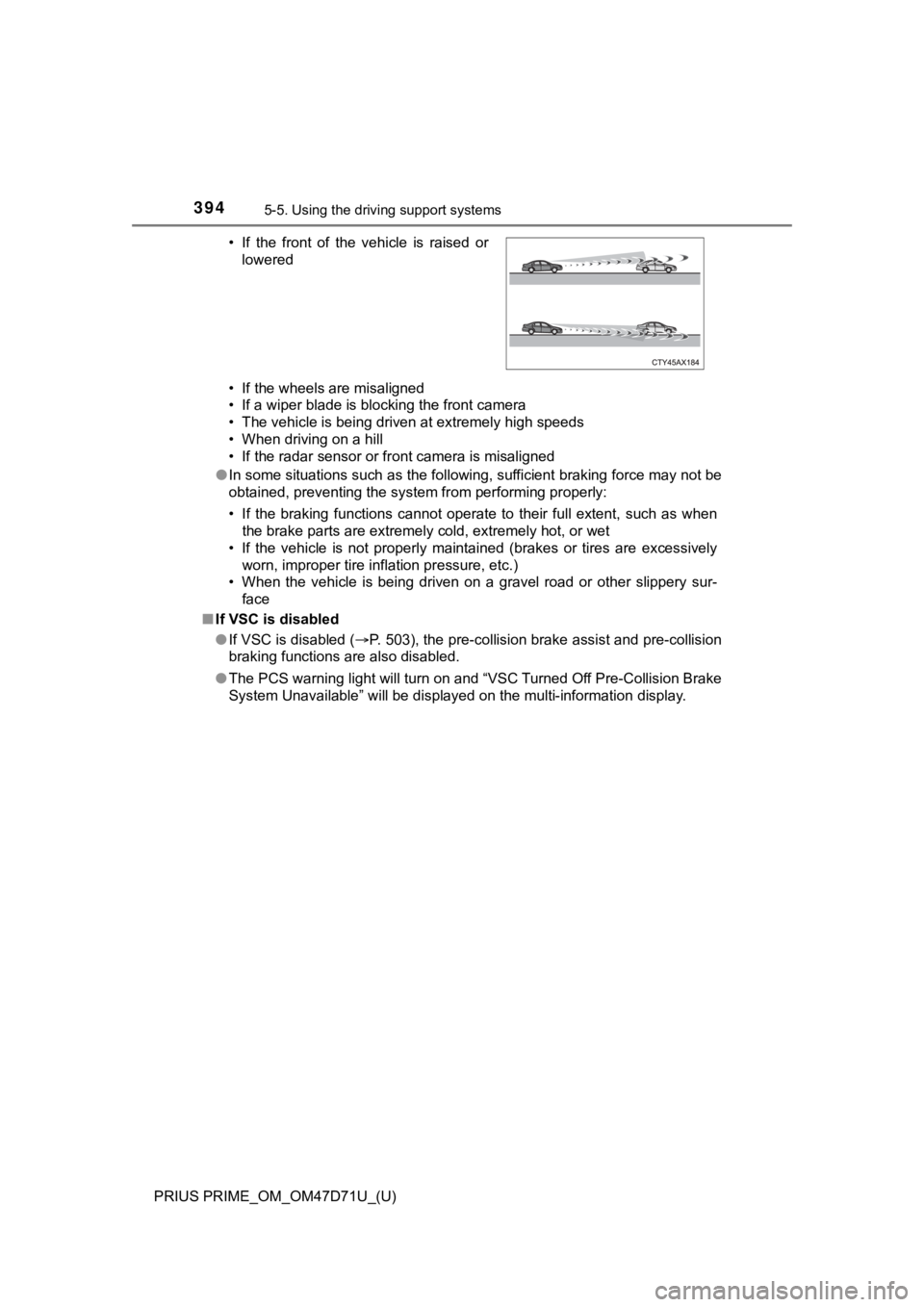
System Unavailable” will be displayed on the multi-information display. • If the front of the vehicle is raised or
lowered
Page 419 of 808

PRIUS PRIME_OM_OM47D71U_(U)
4195-5. Using the driving support systems
5
Driving
Example of constant speed cruising
When there are no vehicles ahead
The vehicle travels at the speed set by the driver.
Example of deceleration cruising and follow-up cruising
When a preceding vehicle driving slower than the set speed
appears
When a vehicle is detected running ahead of you, the system automatically
decelerates your vehicle. When a greater reduction in vehicle speed is
necessary, the system applies the brakes (the stop lights will come on at
this time). The system will respond to changes in the speed of the vehicle
ahead in order to maintain the vehicle-to-vehicle distance set by the driver.
Approach warning warns you when the system cannot decelerate suffi-
ciently to prevent your vehicle from closing in on the vehicle ahead.
When the vehicle ahead of you stops, your vehicle will also stop (vehicle is
stopped by system control). After the vehicle ahead starts off, pushing the
cruise control lever up or depressing the accelerator pedal (start-off opera-
tion) will resume follow-up cruising. If the start-off operation is not per-
formed, system control continues to keep your vehicle stopped.
When the turn signal lever is operated and your vehicle moves to an over-
taking lane while driving at 50 mph (80 km/h) or more, the vehicle will
accelerate to help to overtake a passing vehicle.
The system’s identification of what is an overtaking lane may be deter-
mined solely based on the location of the steering wheel in the vehicle (left
side driver position versus right side driver position.) If the vehicle is driven
to a region where the overtaking lane is on a different side from where the
vehicle is normally driven, the vehicle may accelerate when the turn signal
lever is operated in the opposite direction to the overtaking lane (e.g., if the
driver normally operates the vehicle in a region where the overtaking lane
is to the right but then drives to a region where the overtaking lane is to the
<004f004800490057000f00030057004b0048000300590048004b004c0046004f0048000300500044005c00030044004600460048004f004800550044005700480003005a004b0048005100030057004b004800030055004c004a004b005700030057005800
55005100030056004c004a00510044004f0003004c00560003[activated).
Example of acceleration
When there are no longer any preceding vehicles driving slower
than the set speed
The system accelerates until the set speed is reached. The system then
returns to constant speed cruising.
1
2
3
Page 423 of 808
PRIUS PRIME_OM_OM47D71U_(U)
4235-5. Using the driving support systems
5
Driving
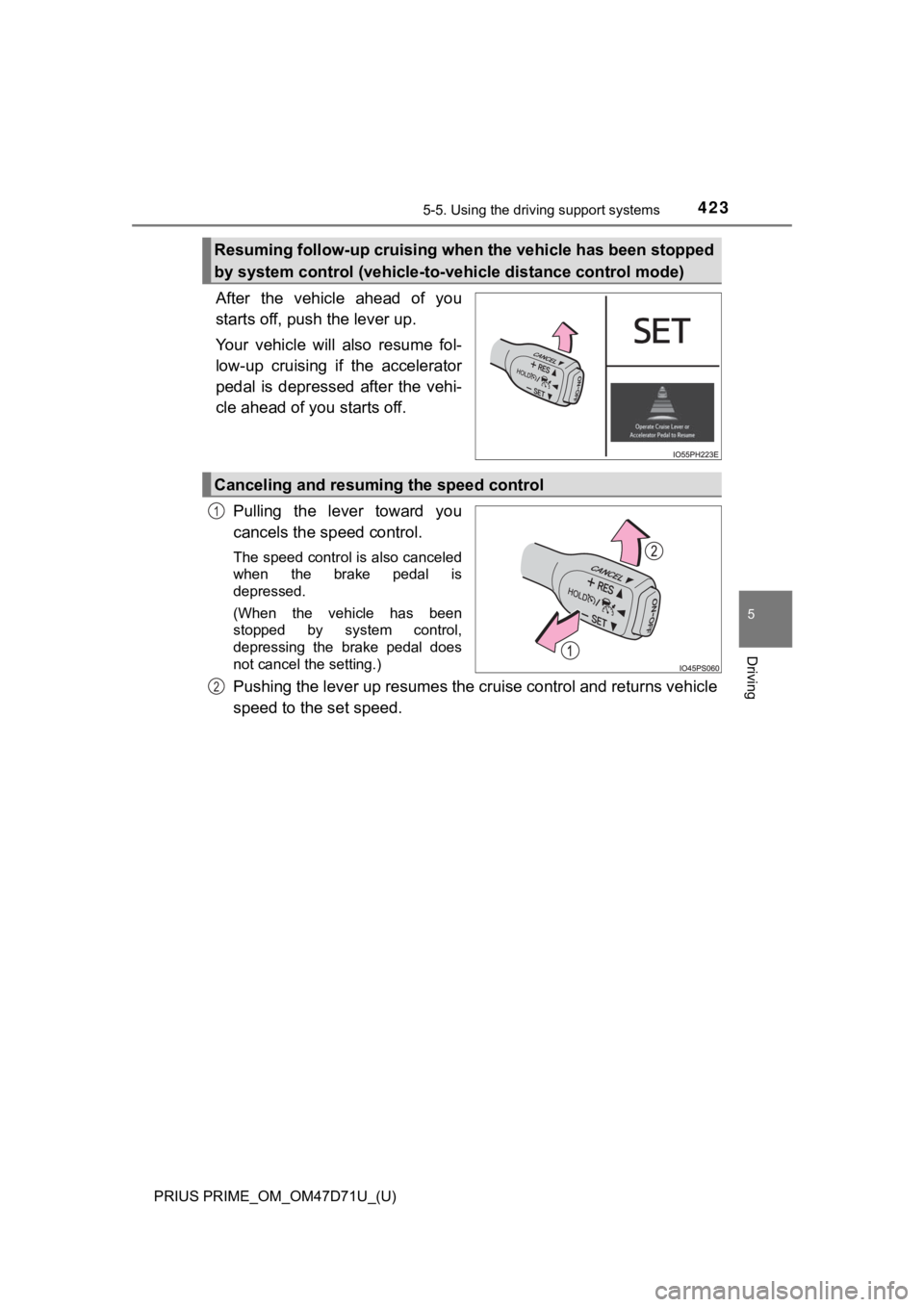
After the vehicle ahead of you
starts off, push the lever up.
Your vehicle will also resume fol-
low-up cruising if the accelerator
pedal is depressed after the vehi-
cle ahead of you starts off.
Pulling the lever toward you
cancels the speed control.
The speed control is also canceled
when the brake pedal is
depressed.
(When the vehicle has been
stopped by system control,
depressing the brake pedal does
not cancel the setting.)
Pushing the lever up resumes the cruise control and returns vehicle
speed to the set speed.
Resuming follow-up cruising when the vehicle has been stopped
by system control (vehicle-to-vehicle distance control mode)
Canceling and resuming the speed control
1
2
Page 424 of 808
424
PRIUS PRIME_OM_OM47D71U_(U)
5-5. Using the driving support systems
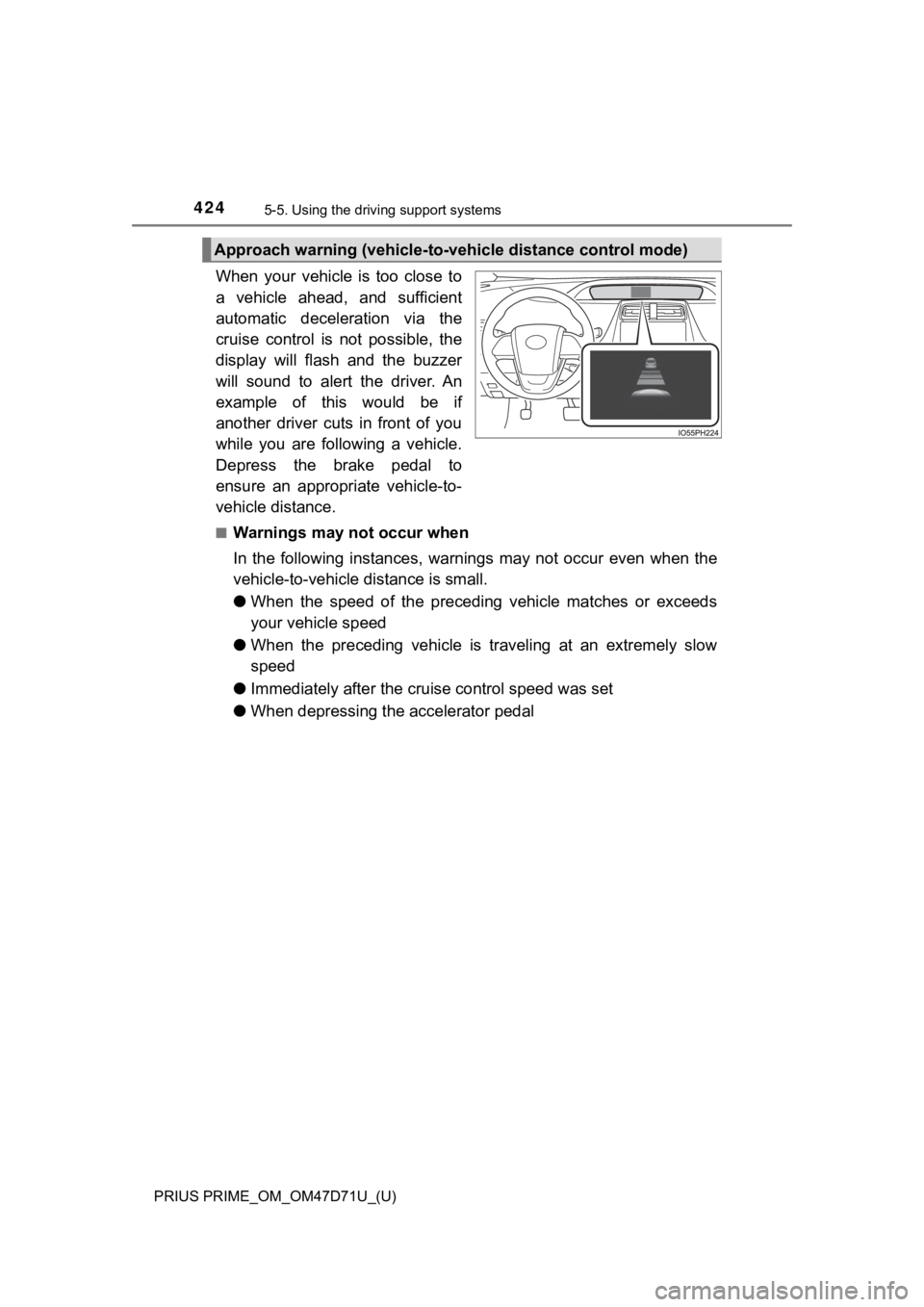
When your vehicle is too close to
a vehicle ahead, and sufficient
automatic deceleration via the
cruise control is not possible, the
display will flash and the buzzer
will sound to alert the driver. An
example of this would be if
another driver cuts in front of you
while you are following a vehicle.
Depress the brake pedal to
ensure an appropriate vehicle-to-
vehicle distance.
■Warnings may not occur when
In the following instances, warnings may not occur even when the
vehicle-to-vehicle distance is small.
●When the speed of the preceding vehicle matches or exceeds
your vehicle speed
●When the preceding vehicle is traveling at an extremely slow
speed
●Immediately after the cruise control speed was set
●When depressing the accelerator pedal
Approach warning (vehicle-to-vehicle distance control mode)
Page 426 of 808
426
PRIUS PRIME_OM_OM47D71U_(U)
5-5. Using the driving support systems
■Dynamic radar cruise control with full-speed range can be set when
●The shift position is in D.
●The desired set speed can be set when the vehicle speed is approximately
20 mph (30 km/h) or more.
(However, when the vehicle speed is set while driving at below approxi-
mately 20 mph [30 km/h], the set speed will be set to approximately 20 mph
[30 km/h].)
■Accelerating after setting the vehicle speed
The vehicle can accelerate by operating the accelerator pedal. After acceler-
ating, the set speed resumes. However, during vehicle-to-vehicle distance
control mode, the vehicle speed may decrease below the set speed in order
to maintain the distance to the preceding vehicle.
■When the vehicle stops while follow-up cruising
●Pushing the lever up while the vehicle ahead stops will resume follow-up
cruising if the vehicle ahead starts off within approximately 3 seconds after
the lever is pushed up.
●If the vehicle ahead starts off within 3 seconds after your vehicle stops, fol-
low-up cruising will be resumed.
■Automatic cancelation of vehicle-to-vehicle distance control mode
Vehicle-to-vehicle distance control mode is automatically canceled in the fol-
lowing situations.
●VSC is activated.
●TRAC is activated for a period of time.
●When the VSC or TRAC system is turned off.
●The sensor cannot detect correctly because it is covered in some way.
●Pre-collision braking is activated.
●The parking brake is operated.
●The vehicle is stopped by system control on a steep incline.
●The following are detected when the vehicle has been stopped by system
control:
• The driver is not wearing a seat belt.
• The driver’s door is opened.
• The vehicle has been stopped for about 3 minutes.
<002c005100030057004b004c005600030056004c0057005800440057004c00520051000f00030057004b004800030056004b004c004900570003005300520056004c0057004c00520051000300500044005c00030044005800570052005000440057004c00
460044004f004f005c00030056005a004c00570046004b0003[to P. (P. 348
If vehicle-to-vehicle distance control mode is automatically canceled for any
reasons other than the above, there may be a malfunction in the system.
Contact your Toyota dealer.
Page 427 of 808
PRIUS PRIME_OM_OM47D71U_(U)
4275-5. Using the driving support systems
5
Driving
■Automatic cancelation of constant speed control mode
Constant speed control mode is automatically canceled in the following situa-
tions:
●Actual vehicle speed is more than approximately 10 mph (16 km/h) below
the set vehicle speed.
●Actual vehicle speed falls below approximately 20 mph (30 km/h).
●VSC is activated.
●TRAC is activated for a period of time.
●When the VSC or TRAC system is turned off.
●Pre-collision braking is activated.
If constant speed control mode is automatically canceled for any reasons
other than the above, there may be a malfunction in the system. Contact your
Toyota dealer.
■Brake operation
A brake operation sound may be heard and the brake pedal response may
change, but these are not malfunctions.
■Warning messages and buzzers for dynamic radar cruise control with
full-speed range
Warning messages and buzzers are used to indicate a system malfunction or
to inform the driver of the need for caution while driving. If a warning message
is shown on the multi-information display, read the message and follow the
instructions. (P. 382, 684)