display TOYOTA PRIUS PRIME 2023 User Guide
[x] Cancel search | Manufacturer: TOYOTA, Model Year: 2023, Model line: PRIUS PRIME, Model: TOYOTA PRIUS PRIME 2023Pages: 680, PDF Size: 14.97 MB
Page 90 of 680
902-1. Plug-in hybrid system
Carrying heavy luggage will lead
to poor fuel economy. Avoid car-
rying unnecessary luggage.
Installing a large roof rack will
also cause poor fuel economy.
Since the gasoline engine starts
up and cuts out automatically,
warming up is not necessary.The value displayed on the SOC
(State of Charge) gauge
(P.155) is estimated from the
following information.
The amount of hybrid battery
(traction battery) charge cur-
rently remaining
The electricity consumption
(the estimated distance that
EV driving is possible per unit
of electrical energy) based on
the recorded value
Past air conditioning system
electricity consumption
amount
The electricity consumption var-
ies depending on how the vehi-
cle is driven. The vehicle
Luggage
Warming up before driv-
ing
EV driving range
The EV driving range dis-
played on the meter shows
the reference distance that
EV driving (driving using
only the electric motor) is
possible, and the actual dis-
tance that can be driven
may differ from that dis-
played.
Even if the EV driving range is
displayed, EV driving may be
canceled and both gasoline
engine and electric motor are
used depending on the situa-
tion. ( P.79)
Displayed value
Page 91 of 680
912-1. Plug-in hybrid system
2
Plug-in hybrid system
automatically records the elec-
tricity consumption when being
charged and uses the electricity
consumption for estimating the
EV driving range. Therefore, the
EV driving range displayed
when the hybrid battery (traction
battery) is fully charged may dif-
fer from the previous EV driving
range depending on how the
vehicle was driven.
The EV driving range may
change significantly with each
charging until the electricity con-
sumption based on the recorded
value is stable (for approxi-
mately the first month or two).
However, this does not indicate
a malfunction.
When the air conditioning sys-
tem is turned on, the EV driving
range (with using the air condi-
tioning system) is estimated
based on the past air condition-
ing electricity consumption
amount considering that the
electricity consumption may
become higher.
The distance that EV driving is
possible varies significantly
depending on how the vehicle is
driven, road conditions, the
weather, the outside tempera-
ture, usage conditions of electri-
cal components and the number of occupants.
The distance that EV driving is
possible can be extended if the
following is performed:
■When starting off, depress
the accelerator pedal
smoothly to accelerate
As a guide, accelerate up to
approximately 12mph (20 km/h)
in the first 5 seconds.
Electrical and fuel efficiency can
be improved just by using the
ECO Accelerator Guidance dis-
played on the multi-information
display and taking care to start
off gently. ( P.163)
When the driving mode is set to
Eco drive mode, depressing the
accelerator pedal generates
smooth torque that makes it easier
to operate the accelerator gently.
At the same time, the air condition-
ing control is switched to eco air
conditioning mode ( P.437) to
reduce the strength of the air condi-
tioning operation.
■Maintain sufficient vehicle-
to-vehicle distance and do
not accelerate or decelerate
unnecessarily
Try to maintain a fixed speed
while driving. Driving at a short
vehicle-to-vehicle distance will
result in repeating wasteful
acceleration and deceleration,
which will worsen the electrical
and fuel efficiency.
Tips for extending the EV
driving range
Page 93 of 680
932-1. Plug-in hybrid system
2
Plug-in hybrid system
affects electrical and fuel effi-
ciency. Remove any exterior
accessories such as a roof lug-
gage carrier when they are not
being used.
The running resistance of snow
tires is high and they will worsen
electrical and fuel efficiency.
Replace them with standard
tires as soon as they are no lon-
ger needed.
■Know your vehicle’s electri-
cal and fuel efficiency
If you know your vehicle’s daily
electrical and fuel efficiency, you
will understand the benefits of
Eco drive.
Use the Power Consump-
tion/Fuel Economy, ECO Accel-
erator Guidance/“Eco Score”
and other data displayed on the
multi-information display.
The following indicate that
charging has been carried out
properly.
The charging indicator of the
charging port turns off
“Charging Complete” is dis-
played on the multi-informa-
tion display when a door is
opened with the power switch
off ( P.112)
Regardless of the type of power
source or whether the charging schedule function is used,
charging is completed if the
above can be confirmed.
Charging-related messages:
P.143
Display when charging is
completed
Page 103 of 680
1032-2. Charging
2
Plug-in hybrid system
If the door is unlocked and the
AC charging connector is
locked, you can unlock it by
doing the following:
When using the smart key
system, lock the door once
and then unlock it again.
( P.185)
When using the wireless
remote control, press the
unlock button to unlock the
door. ( P.185)
■Changing the AC charging
connector lock settings
The method for locking and
unlocking can be changed on
the multi-information display or
Multimedia Display.
The charging connector lock
settings cannot be changed
when the AC charging cable is
connected to the vehicle.
The settings cannot be changed
when the power switch is in
ACC.
Multi-information display
operation
1 Press or of the meter
control switches to select .
2 Press or of the meter
control switches to select
“ Vehicle Settings”, and
then press and hold .
3 Press or of the meter
control switches to select “Charging Settings”, and then
press .
The “Charging Settings” screen will
be displayed.
4
Press or of the meter
control switches to select
“Connector Lock”, and then
press .
The “Connector Lock” screen will
be displayed.
Multimedia Display operation
1 Touch on the main menu.
2 Touch “Vehicle customize”
on the sub menu.
3 Touch “Charging”.
4 Touch “Connector lock”.
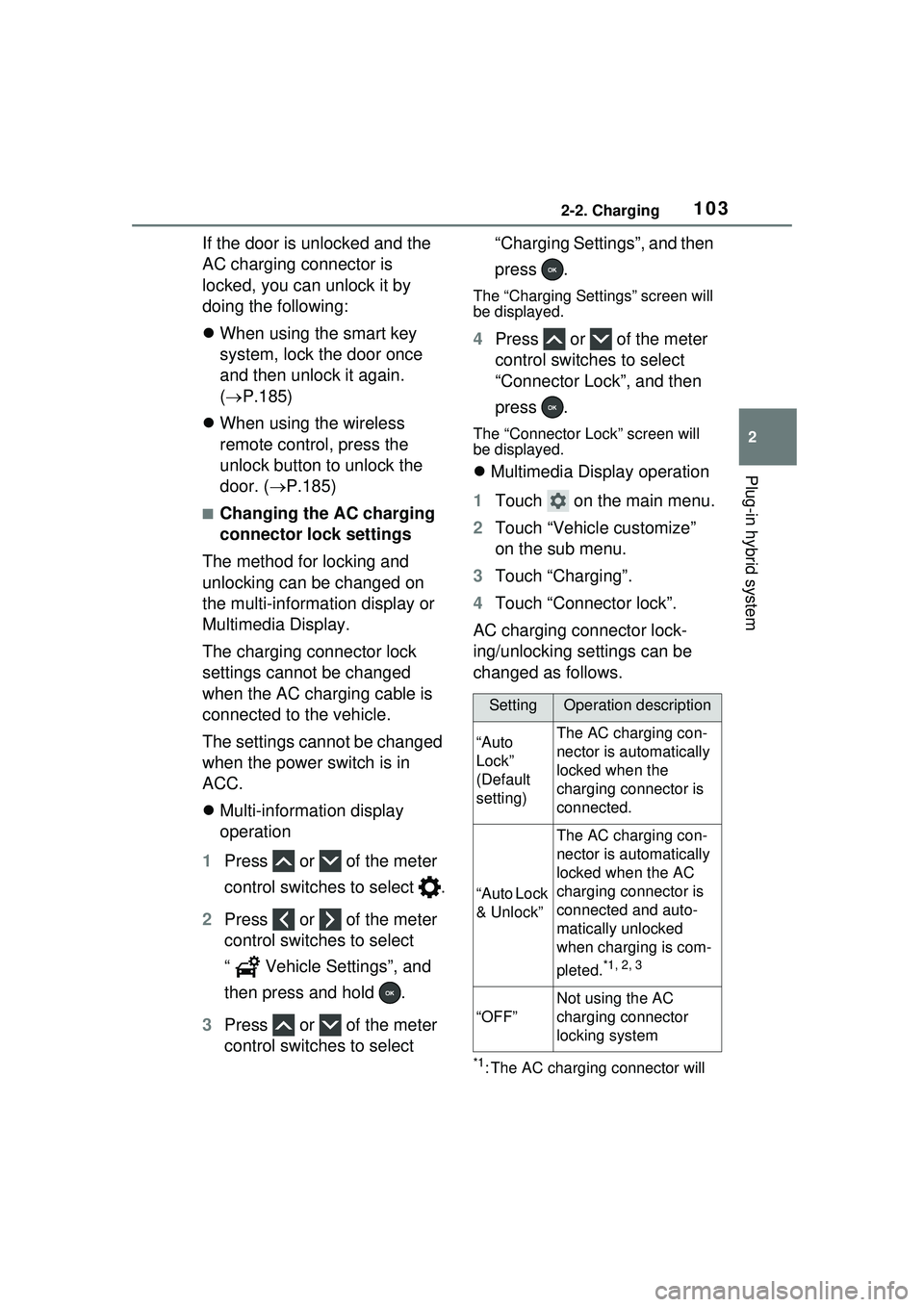
AC charging connector lock-
ing/unlocking settings can be
changed as follows.
*1: The AC charging connector will
SettingOperation description
“Auto
Lock”
(Default
setting)The AC charging con-
nector is automatically
locked when the
charging connector is
connected.
“Auto Lock
& Unlock”
The AC charging con-
nector is automatically
locked when the AC
charging connector is
connected and auto-
matically unlocked
when charging is com-
pleted.
*1, 2, 3
“OFF”
Not using the AC
charging connector
locking system
Page 108 of 680
1082-2. Charging
■AC charging (P.116)
This is a charging method used
when charging from an AC out-
let with the AC charging cable or
charging that use an AC char-
ger.
By setting charging schedule, it is
also possible to charge at the
desired date and time. ( P.123)
■Using the hybrid battery
(traction battery) charge
mode ( P.75)
The plug-in hybrid system can
be switched to hybrid battery
(traction battery) charge mode
to charge the hybrid battery
(traction battery) using electricity
generated by gasoline engine
operation.
The maximum charge amount in
the hybrid battery (traction battery)
charge mode is approximately 80%
of the fully charged capacity for the
charging from an external power
source.
■Solar charging system (if
equipped) ( P.136)
In certain conditions, when the vehicle is parked, the hybrid bat-
tery (traction battery) can be
charged by using electricity gen-
erated by the solar panel
equipped to the roof of the vehi-
cle.
This vehicle is equipped with
several functions that are linked
with charging.
■“My Room Mode” (
P.134)
When the AC charging cable is
connected to the vehicle, electri-
cal components such as the air
conditioning system or audio
system can be used using the
external power source
*.
*: The power of the hybrid battery (traction battery) may be used
depending on the situation.
■“Battery Heater”
When the outside temperature
is low and the AC charging
cable is connected to the vehi-
cle, this function automatically
warms the hybrid battery (trac-
tion battery) until it reaches or
exceeds a certain temperature.
“Battery Heater” will operate
when the “Battery Heater” of the
“Charging Settings” on the multi-
information display is on.
( P.169)
By setting charging schedule,
“Battery Heater” operates
according to the charging
Charging methods
The following methods can
be used to charge the
hybrid battery (traction bat-
tery).
Types of charging meth-
odsCharging-linked functions
Page 109 of 680
1092-2. Charging
2
Plug-in hybrid system
start time. (P.123)
■Hybrid battery (traction bat-
tery) warming control
(Alaska and Canada only)
This control operates after the
AC charging cable remains con-
nected to the vehicle for 3 days
and “Battery Heater” automati-
cally stops. It automatically insu-
lates the hybrid battery (traction
battery) in extremely low tem-
peratures.
This control stops 31 days
after the AC charging cable is
connected, even if it is still
connected to the vehicle.
When this control operates,
charging schedule settings
are ignored and charging
starts.
■“Battery Cooler”
When the hybrid battery (trac-
tion battery) is hot and the AC
charging cable is connected to
the vehicle, this function cools
the hybrid battery (traction bat-
tery) before charging is carried
out.
“Battery Cooler” will operate
when the “Battery Cooler” of
the “Charging Settings” on the
multi-information display is
on. ( P.169)
When the charging voltage is
120 V, the function does not
operate.
■Traction battery heating and
cooling system (“Battery
Heater” and “Battery Cooler”)
●The system operates when the
hybrid battery (traction battery) is
below or above a certain tempera-
ture.
●The system may operate when
charging is not being performed.
●When the charging schedule is
used ( P.123), this function will
operate according to the charging
schedule.
■“Battery Heater”
●When “Battery Heater” is operat-
ing, the charging indicator illumi-
nates.
●When the AC charging cable is
removed from the vehicle or
remains connected to the vehicle
for approximately 3 days, the sys-
tem automatically stops.
●When “Battery Heater” is operat-
ing during charging, the charging
time may be longer than normal.
●When the shift position is changed
to any position other than P while
“Battery Heater” is operating, the
hybrid battery (traction battery)
heating operation stops.
●“Battery Heater” may operate
even when the hybrid battery
(traction battery) is fully charged
depending on the temperature of
the hybrid battery (traction bat-
tery).
• The remaining charge of the hybrid battery (traction battery)
decreases when “Battery Heater”
operates. The charging operation
may start again to charge the
hybrid battery (traction battery).
• “Charging Stopped Due to Pulled Charging Connector” may be
shown when the charging connec-
tor is removed while recharging.
( P.143)
Page 111 of 680

1112-2. Charging
2
Plug-in hybrid system
*: When using the hybrid battery (traction battery) charge mode
while parked, make sure that no
flammable objects are near the
vehicle and the vehicle is parked
in a well-ventilated area. ( P.76)
■While parking (vehicles
with solar charging system)
Solar charging is performed to
charge the hybrid battery (trac-
tion battery) when the neces-
sary conditions such as parking
are met. ( P.136)
■After returning home
In order to drive the next time,
charge the hybrid battery (trac-
tion battery).
Settings the charging schedule
allows you to charge the hybrid bat-
tery (traction battery) at the desired
time such as late at night or early in
the morning. Furthermore, the
charging schedule can be set to automatically charge the hybrid bat-
tery (traction battery) every day or
at the same time on certain days.
(
P.123)
Vehicles with solar charging sys-
tem: When the hybrid battery (trac-
tion battery) is fully charged,
charging the battery via the solar
charging system is not performed.
If you are not planning on driving
the vehicle for a few days, refrain-
ing from charging the vehicle until
right before you plan on using it will
allow the solar charging system to
be used effectively.
Information related to charging
is displayed and can be checked
on the multi-information display.
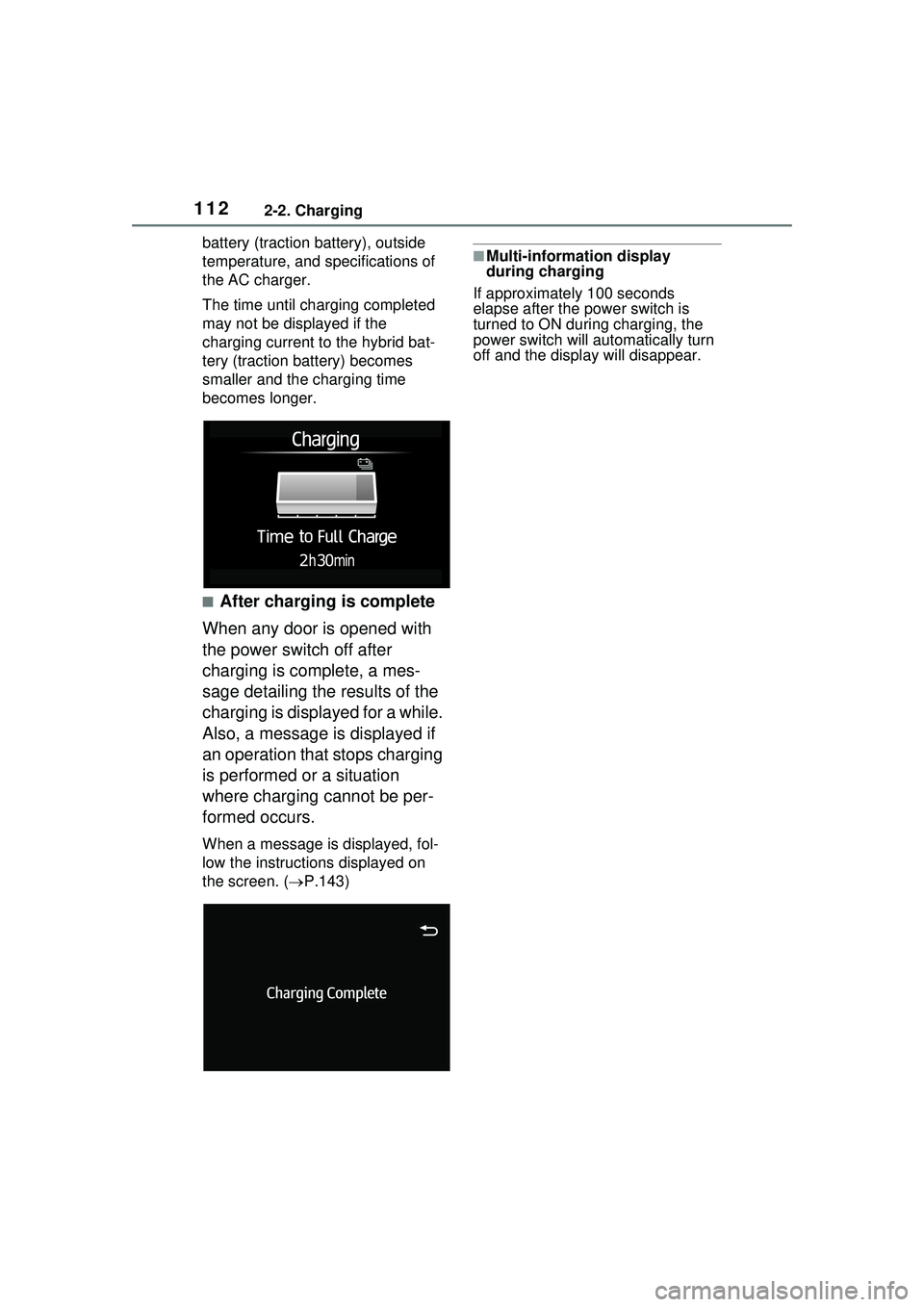
■While charging
When any door is opened during
charging with the power switch
off, the current charging condi-
tion and approximate time
remaining until charging is com-
plete are displayed for a certain
period of time.
The actual charging time may differ
depending on conditions such as
the remaining capacity of the hybrid
Checking information
related to charging
Page 112 of 680
1122-2. Charging
battery (traction battery), outside
temperature, and specifications of
the AC charger.
The time until charging completed
may not be displayed if the
charging current to the hybrid bat-
tery (traction battery) becomes
smaller and the charging time
becomes longer.
■After charging is complete
When any door is opened with
the power switch off after
charging is complete, a mes-
sage detailing the results of the
charging is displayed for a while.
Also, a message is displayed if
an operation that stops charging
is performed or a situation
where charging cannot be per-
formed occurs.
When a message is displayed, fol-
low the instructions displayed on
the screen. ( P.143)
■Multi-information display
during charging
If approximately 100 seconds
elapse after the power switch is
turned to ON during charging, the
power switch will automatically turn
off and the display will disappear.
Page 114 of 680
1142-2. Charging
Also, if the hybrid battery (traction
battery) capacity reduces, the dis-
tance that can be driven in EV mode
or AUTO EV/HV mode decreases.
However, vehicle performance does
not significantly become worse.
■When the remaining charge of
the hybrid battery (traction bat-
tery) is low after charging
In the following situations, the
remaining charge of the hybrid bat-
tery (traction battery) after charging
completes may be less than normal
in order to protect the system (the
EV driving range after the hybrid
battery [traction battery] is fully
charged may be shorter).
*
●Charging is carried out when the
outside temperature is low or high.
●Charging is carried out immedi-
ately after high-load driving or in
extreme heat.
When none of the above situations
apply and there is a drastic drop in
the remaining charge of the hybrid
battery (traction battery) after
charging completes, have the vehi-
cle inspected by your Toyota dealer.
*: When this occurs, even if the remaining charge display of the
hybrid battery (traction battery)
shows that it is fully charged, the
remaining charge rapidly
decreases faster than normal.
■When the charging amount sent
to the hybrid battery (traction
battery) decreases
When the amount of power supplied
by the charger is low or operation of
the “Battery Heater”, etc., reduces
the charging power sent to the
hybrid battery (traction battery), the
charging amount sent to the hybrid
battery (traction battery) may
decrease.
■Certification
This device complies with Part 15 of
the FCC Rules. Operation is subject to the following two conditions:
(1) this device may not cause harm-
ful interference, and
(2) this device must accept any
interference received, including
interference that may cause unde-
sired operation.
■Charging time may increase
In the following si tuations, charging
time may become longer than nor-
mal:
●In very hot or very cold tempera-
tures.
●When the hybrid battery (traction
battery) becomes hot, such as
immediately after high-load driv-
ing.
●The vehicle is consuming a lot of
electricity, for example, when the
headlights are on etc.
●When using “My Room Mode”.
( P.134)
●There is a power outage during
charging.
●There is an interruption in the
electrical supply.
●There is a drop in the voltage of
external power source.
●The charge in the 12-volt battery
is low, for example due to the
vehicle being left unused for a
long period of time.
●When the upper limit of charging
current is changed in the charging
current setting of the vehicle.
( P.119)
●When the “Battery Heater” oper-
ates. ( P.108)
●When the “Battery Cooler” is oper-
ated before charging. ( P.109)
●When the plug generates heat
due to a loose outlet connection
etc.
●When the temperature of
charging-related parts is high.
Page 119 of 680
1192-2. Charging
2
Plug-in hybrid system
registered and charging cannot be
performed. To cancel charging
using the charging schedule and
start charging, perform any of the
following procedures.
●Turn “Charge Now” on (P.128,
132)
●While the charging indicator is
flashing, remove and reconnect
the charging connector immedi-
ately
■When the charging connector
cannot be inserted into the AC
charging inlet
P.104
■Safety function
If the latch release button is
pressed, charging will not begin
even if the AC charging cable is
connected.
Also, charging will be stopped if the
latch release button is pressed and
held for several seconds during
charging. When restarting charging,
reinsert the charging connector after
pulling it out, and check that the
charging indicator of the charging
port illuminates.
■Charging time may increase
P.114
■While charging
When the power switch is turned to
ON and the energy monitor is dis-
played on the Multimedia Display,
the charging connector is displayed
on the energy monitor and the flow
of electricity during charging is dis-
played ( P.173).
■When your circuit breaker trips
during charging
The upper limit of the charging cur-
rent can be changed on the multi-
information display or Multimedia
Display.
The maximum charging current is
limited to less than or equal to the
selected current.
*
If the breaker still trips while
charging, even after changing the
upper limit of the charging current,
check if the connected power
source meets the specified charging
conditions. ( P.106)
*: Restricting the charging current
will lengthen the charging time.
●Setting operations on multi-infor-
mation display
For detail regarding the multi-infor-
mation display, refer to P.161.
1 Press or of the meter
control switches to select .
2 Press or of the meter
control switches to select “
Vehicle Settings”, and then press
and hold .
3 Press or of the meter
control switches to select
“Charging Settings”, and then
press .
The “Charging Settings” screen will
be displayed.
4 Press or of the meter
control switches to select
“Charging Current”, and then
press .
The “Charging Current” screen will
be displayed.
5 Press or of the meter
control switches to select “8A”,
and then press .
●Setting operations on Multimedia
Display
For detail regardin g the Multimedia
Display, refer to “MULTIMEDIA
OWNER’S MANUAL”.
1 Touch on the main menu.