display TOYOTA PRIUS PRIME 2023 Owner's Guide
[x] Cancel search | Manufacturer: TOYOTA, Model Year: 2023, Model line: PRIUS PRIME, Model: TOYOTA PRIUS PRIME 2023Pages: 680, PDF Size: 14.97 MB
Page 134 of 680
1342-2. Charging
1Connect the AC charging
cable to the vehicle and start
charging
2 Turn the power switch on
during charging
The setting screen of “My Room
Mode” is displayed automatically on
the multi-information display.
3Press or of the meter
control switches, select
“Yes”, and then press .
“My Room Mode” starts and sys-
tems such as the air conditioning
system and audio system can be
used inside the vehicle.
When not using “My Room Mode”,
select “No”, and then press .
To stop “My Room Mode”, turn
the power switch off.
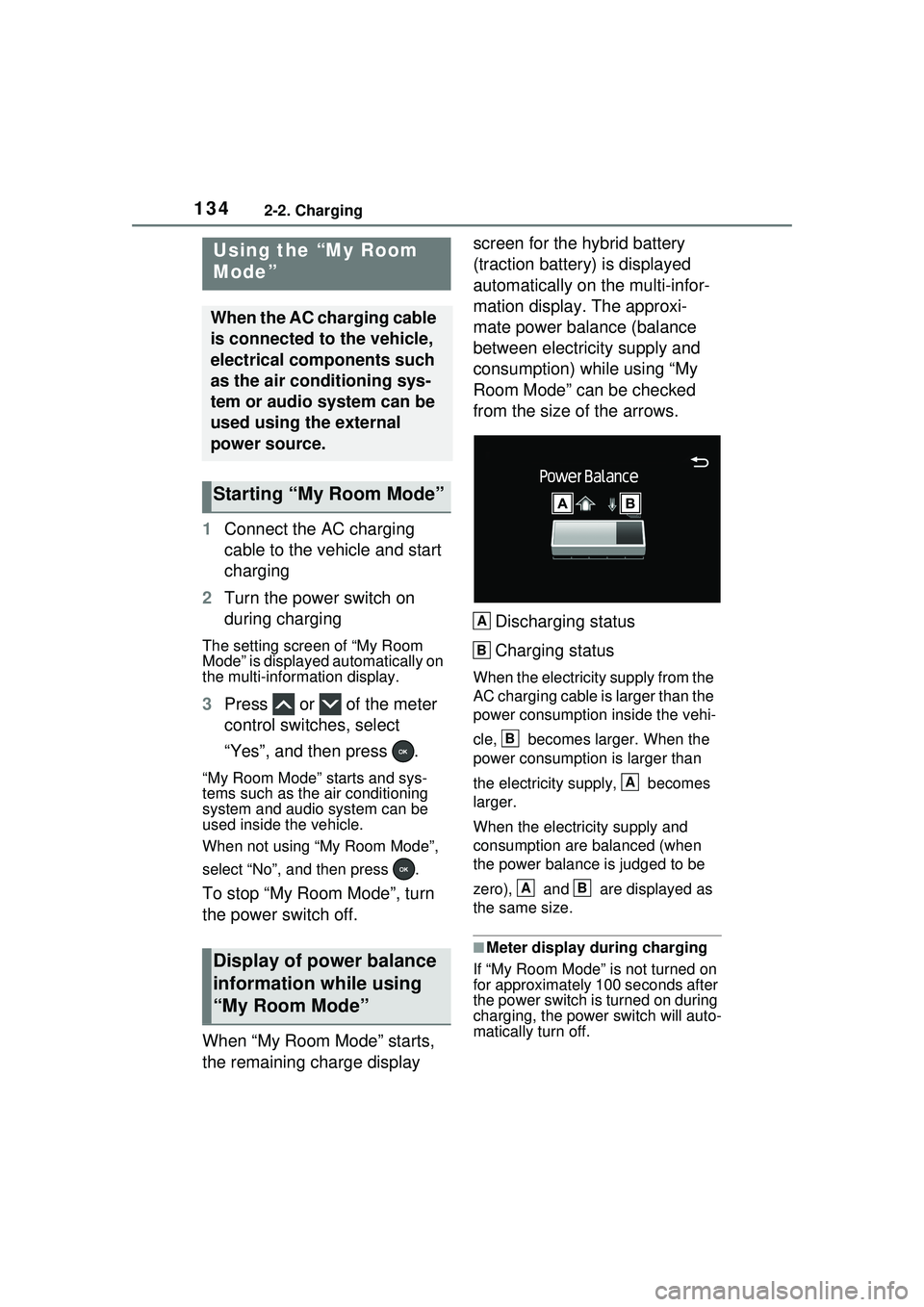
When “My Room Mode” starts,
the remaining charge display screen for the hybrid battery
(traction battery) is displayed
automatically on the multi-infor-
mation display. The approxi-
mate power balance (balance
between electricity supply and
consumption) while using “My
Room Mode” can be checked
from the size of the arrows.
Discharging status
Charging status
When the electricity supply from the
AC charging cable is larger than the
power consumption inside the vehi-
cle, becomes larger. When the
power consumption is larger than
the electricity supply, becomes
larger.
When the electricity supply and
consumption are balanced (when
the power balance is judged to be
zero), and are displayed as
the same size.
■Meter display during charging
If “My Room Mode” is not turned on
for approximately 100 seconds after
the power switch is turned on during
charging, the power switch will auto-
matically turn off.
Using the “My Room
Mode”
When the AC charging cable
is connected to the vehicle,
electrical components such
as the air conditioning sys-
tem or audio system can be
used using the external
power source.
Starting “My Room Mode”
Display of power balance
information while using
“My Room Mode”
A
B
B
A
AB
Page 135 of 680
1352-2. Charging
2
Plug-in hybrid system
■While using “My Room Mode”
Any of the following may occur.
●When the remaining charge of the
hybrid battery (traction battery)
reaches the lower limit, the air
conditioning system automatically
turns off.
In this situation, the air conditioning
system cannot be used until the
remaining charge of the hybrid bat-
tery (traction battery) increases.
Turn the power switch off and use
“My Room Mode” after the remain-
ing charge of the hybrid battery
(traction battery) is restored.
●When the outside temperature is
low, the heater output may be lim-
ited due to the air conditioning
system operation being restricted.
●Warning lights and indicators such
as electric power steering system
warning light (yellow) and mal-
function indicator lamp may turn
on, but this is not a malfunction.
Also, when the headlight switch is
in the AUTO position (if equipped)
and the surrounding area is dark,
the headlights are turned on.
( P.269)
■When a charging schedule is
registered
When “My Room Mode” starts while
the charging schedule is on
standby, charging schedules are
ignored and charging starts.
■When “My Room Mode” is used
while the hybrid battery (trac-
tion battery) is fully charged
When the power switch is turned on
while the hybrid battery (traction
battery) is fully charged and the
charging connector that supplies
power is connected, “Charging Port
Lid is Open” is displayed on the
multi-information di splay. In this
case, press on the meter control switches to display the setting
screen of “My Room Mode”, and
then select “My Room Mode”.
When “My Room Mode” is used
while the hybrid
battery (traction
battery) is fully charged, the electric
power of the hybrid battery (traction
battery) may be consumed. In this
case, charging may be performed
again.
■When a message related to “My
Room Mode” is displayed
When a message is displayed on
the multi-information display while
using or attempti ng to start “My
Room Mode”, take the following cor-
rection procedures.
●“Traction battery is too low for “My
Room Mode””
There is insufficient remaining
charge in the hybrid battery (traction
battery) for starting “My Room
Mode”.
Wait until the charge of the hybrid
battery (traction battery) increases,
then start “My Room Mode”.
●““My Room Mode” has stopped
due to low traction battery”
The remaining charge in the hybrid
battery (traction ba ttery) is insuffi-
cient.
Stop using “My Room Mode” and
charge the hybrid battery (traction
battery).
●““My Room Mode ” will stop when
traction battery is too low Reduce
power usage to continue using
“My Room Mode””
The power consumption inside the
vehicle is greater than the power
being charged to the hybrid battery
(traction battery), and the remaining
charge of the hybrid battery (traction
battery) is low.
*
• “My Room Mode” will end unless
Page 136 of 680
1362-2. Charging
the power consumption inside the
vehicle is improved.
• To continue using “My Room
Mode”, turn off the power of sys-
tems such as the air conditioning
system and audio system to
increase the remaining charge of
the hybrid battery (traction bat-
tery).
*: The power balance status during
“My Room Mode” can be checked
from the remaining charge dis-
play screen for the hybrid battery
(traction battery) displayed on the
multi-informat ion display.
( P.134)
*: If equipped
This system generates solar
power with the solar panel
equipped to the roof of the vehi-
cle (solar roof).
The hybrid battery (traction
battery) is charged while park-
ing.
The electrical consumption of
the hybrid battery (traction
battery) is reduced during
WARNING
■Cautions for using “My Room
Mode”
Make sure to ob serve the follow-
ing precautions.
Failure to do so may result in seri-
ous health problems or even
death.
●Do not leave children, people
who need assistance, or pets
inside the vehicle. The system
may turn off automatically and
the interior temperature may
become high or low, resulting in
heat stroke, dehydration or
hypothermia. Devices such as
the wipers can also be used,
which may lead to mistaken
operation and an accident.
●Check the safety around the
vehicle carefully before use.
Solar charging sys-
tem*
A system that provides
power to the hybrid battery
(traction battery) and auxil-
iary systems by performing
solar charging via the large
solar panel (solar roof)
equipped on the vehicle
roof.
Even when a parking lot does
not have charging equipment
and in the event of a disaster,
it is possible to charge
* the
hybrid battery (traction bat-
tery) without any special oper-
ations as long as sunlight is
available.
*: The charging amount via the solar charging system differs
depending on conditions, such
as season and weather.
Solar charging system
operation
Page 137 of 680
1372-2. Charging
2
Plug-in hybrid system
driving.
The electrical consumption of
the hybrid battery (traction
battery) is suppressed
increasing EV driving dis-
tance by supplementing
power consumption for the
auxiliary systems using solar
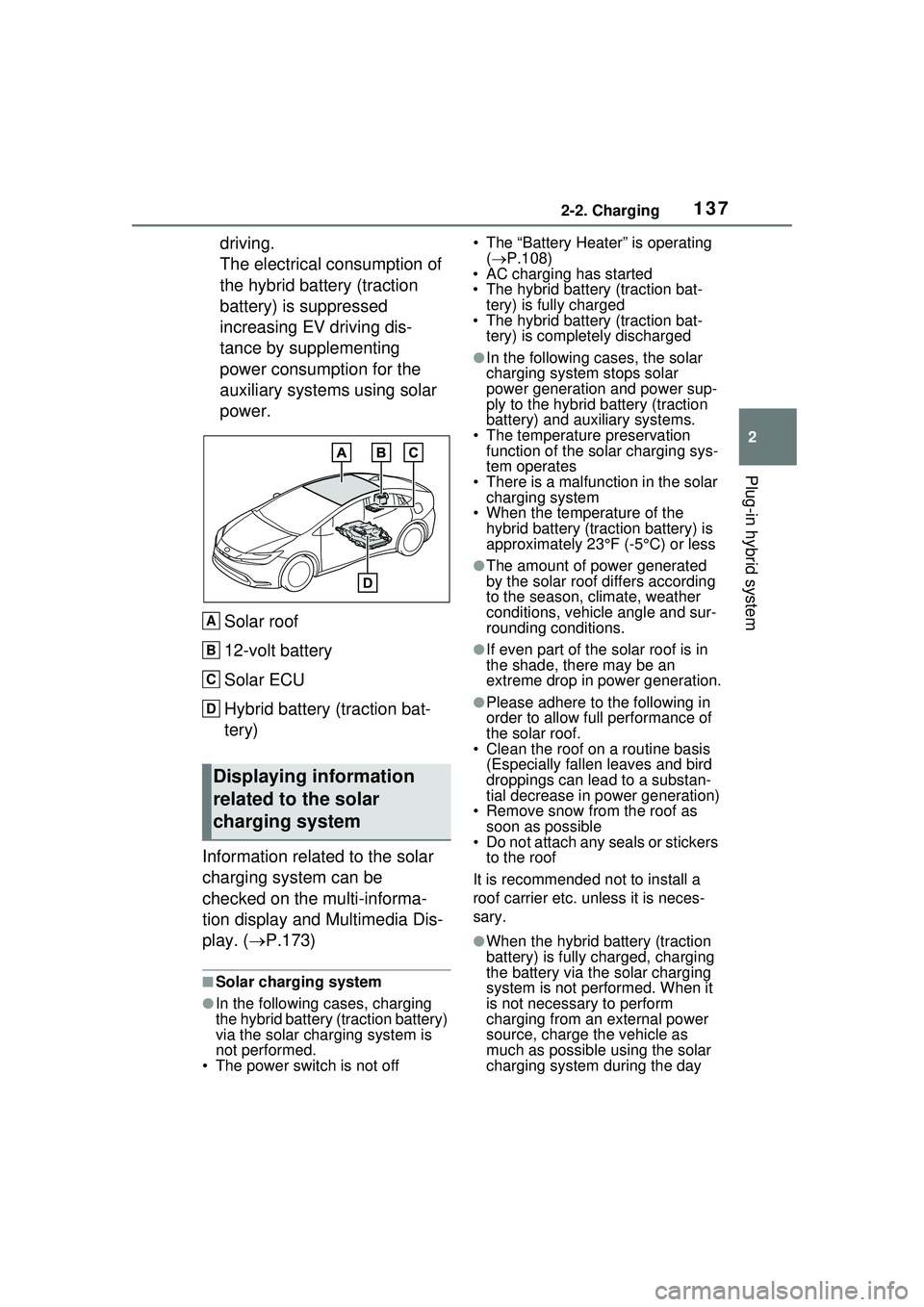
power.Solar roof
12-volt battery
Solar ECU
Hybrid battery (traction bat-
tery)
Information related to the solar
charging system can be
checked on the multi-informa-
tion display and Multimedia Dis-
play. ( P.173)
■Solar charging system
●In the following cases, charging
the hybrid battery (traction battery)
via the solar charging system is
not performed.
• The power switch is not off • The “Battery Heater” is operating
( P.108)
• AC charging has started
• The hybrid battery (traction bat-
tery) is fully charged
• The hybrid battery (traction bat-
tery) is completely discharged
●In the following cases, the solar
charging system stops solar
power generation and power sup-
ply to the hybrid battery (traction
battery) and auxiliary systems.
• The temperature preservation function of the solar charging sys-
tem operates
• There is a malfun ction in the solar
charging system
• When the temperature of the hybrid battery (traction battery) is
approximately 23°F (-5°C) or less
●The amount of power generated
by the solar roof differs according
to the season, climate, weather
conditions, vehicle angle and sur-
rounding conditions.
●If even part of the solar roof is in
the shade, there may be an
extreme drop in power generation.
●Please adhere to the following in
order to allow full performance of
the solar roof.
• Clean the roof on a routine basis
(Especially fallen leaves and bird
droppings can lead to a substan-
tial decrease in power generation)
• Remove snow from the roof as soon as possible
• Do not attach any seals or stickers
to the roof
It is recommended not to install a
roof carrier etc. unless it is neces-
sary.
●When the hybrid battery (traction
battery) is fully charged, charging
the battery via the solar charging
system is not performed. When it
is not necessary to perform
charging from an external power
source, charge the vehicle as
much as possible using the solar
charging system during the day
Displaying information
related to the solar
charging system
A
B
C
D
Page 139 of 680
1392-2. Charging
2
Plug-in hybrid system
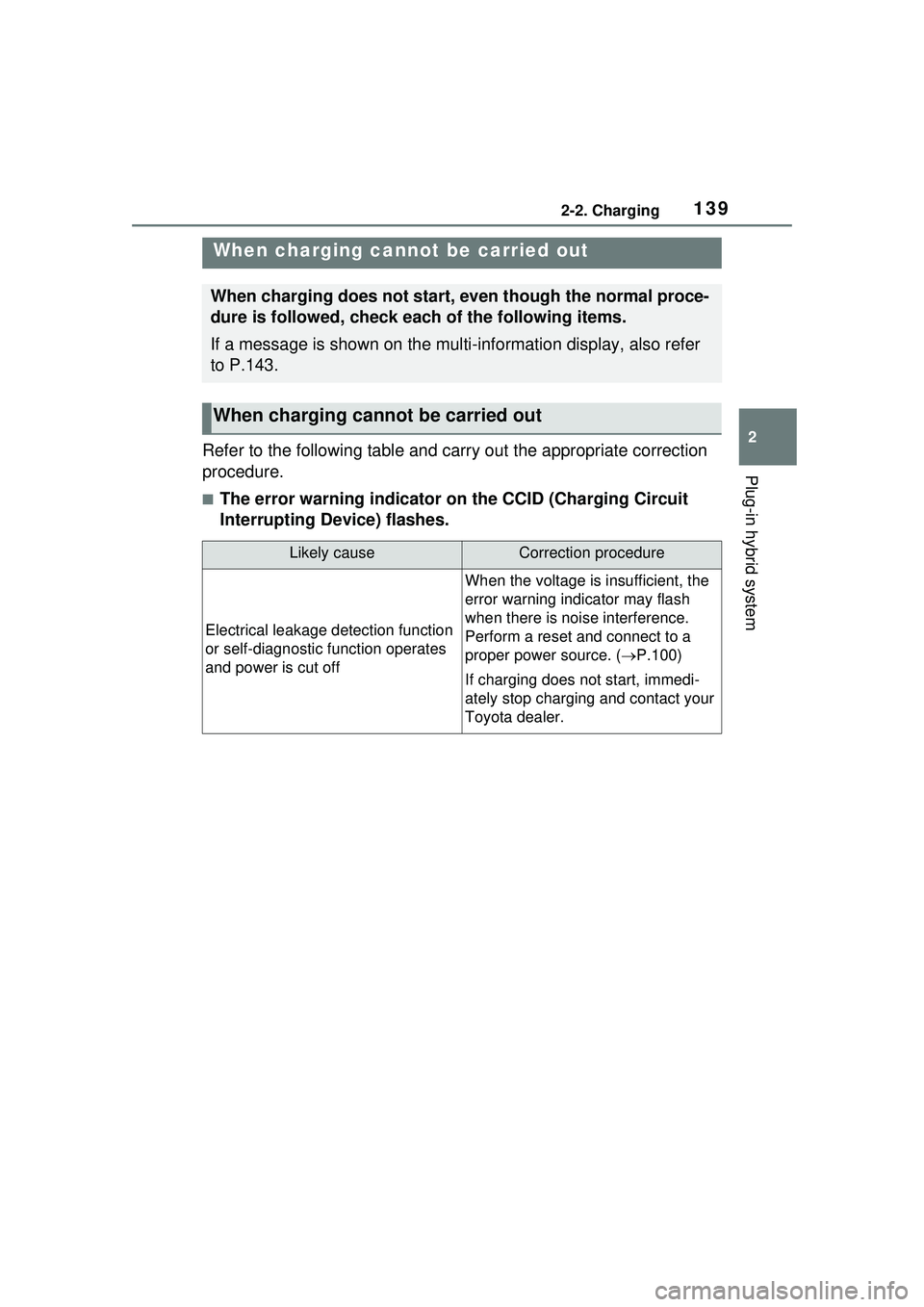
Refer to the following table and carry out the appropriate correction
procedure.
■The error warning indicator on the CCID (Charging Circuit
Interrupting Device) flashes.
When charging cannot be carried out
When charging does not start, even though the normal proce-
dure is followed, check each of the following items.
If a message is shown on the multi-information display, also refer
to P.143.
When charging cannot be carried out
Likely causeCorrection procedure
Electrical leakage detection function
or self-diagnostic function operates
and power is cut off
When the voltage is insufficient, the
error warning indicator may flash
when there is noise interference.
Perform a reset and connect to a
proper power source. (P.100)
If charging does not start, immedi-
ately stop charging and contact your
Toyota dealer.
Page 141 of 680
1412-2. Charging
2
Plug-in hybrid system
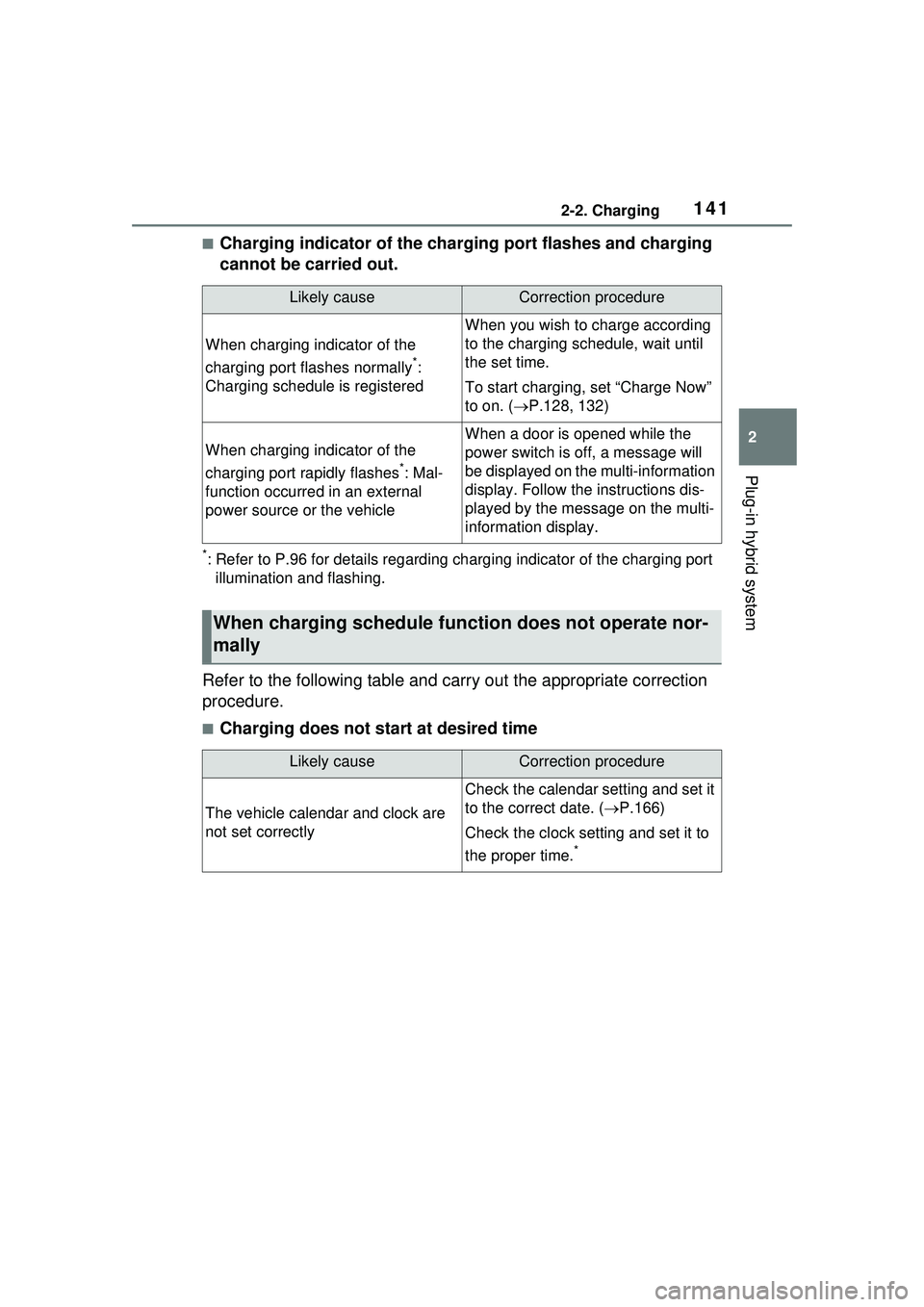
■Charging indicator of the charging port flashes and charging
cannot be carried out.
*: Refer to P.96 for details regarding charging indicator of the charging port illumination and flashing.
Refer to the following table and carry out the appropriate correction
procedure.
■Charging does not start at desired time
Likely causeCorrection procedure
When charging indicator of the
charging port flashes normally
*:
Charging schedule is registered
When you wish to charge according
to the charging schedule, wait until
the set time.
To start charging, set “Charge Now”
to on. ( P.128, 132)
When charging indicator of the
charging port rapidly flashes
*: Mal-
function occurred in an external
power source or the vehicle
When a door is opened while the
power switch is off, a message will
be displayed on th e multi-information
display. Follow the instructions dis-
played by the message on the multi-
information display.
When charging schedule func tion does not operate nor-
mally
Likely causeCorrection procedure
The vehicle calendar and clock are
not set correctly
Check the calendar setting and set it
to the correct date. ( P.166)
Check the clock setting and set it to
the proper time.
*
Page 143 of 680
1432-2. Charging
2
Plug-in hybrid system
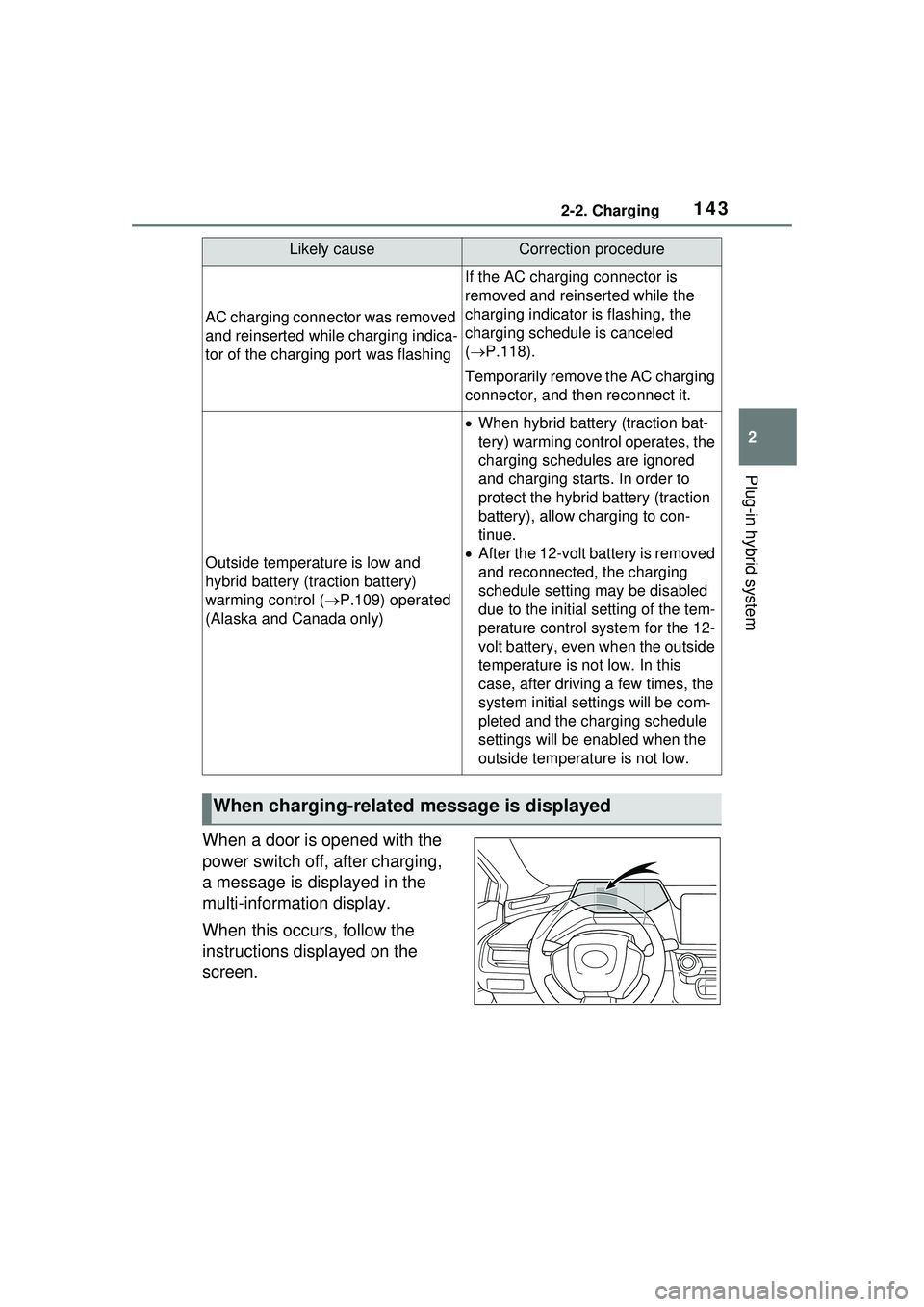
When a door is opened with the
power switch off, after charging,
a message is displayed in the
multi-information display.
When this occurs, follow the
instructions displayed on the
screen.
AC charging connector was removed
and reinserted while charging indica-
tor of the charging port was flashing
If the AC charging connector is
removed and reinserted while the
charging indicator is flashing, the
charging schedule is canceled
( P.118).
Temporarily remove the AC charging
connector, and then reconnect it.
Outside temperature is low and
hybrid battery (traction battery)
warming control ( P.109) operated
(Alaska and Canada only)
When hybrid battery (traction bat-
tery) warming control operates, the
charging schedules are ignored
and charging starts. In order to
protect the hybrid battery (traction
battery), allow charging to con-
tinue.
After the 12-volt battery is removed
and reconnected, the charging
schedule setting may be disabled
due to the initial setting of the tem-
perature control system for the 12-
volt battery, even when the outside
temperature is not low. In this
case, after driving a few times, the
system initial settings will be com-
pleted and the charging schedule
settings will be enabled when the
outside temperature is not low.
When charging-related message is displayed
Likely causeCorrection procedure
Page 149 of 680
149
3
3
Vehicle status information and indicators
Vehicle status informa-tion and indicators
3-1. Instrument cluster
Warning lights and indica-tors ............................ 150
Gauges and meters .... 155
Multi-information display .................................. 161
Energy monitor/consump- tion screen/solar charging
information screen (if
equipped) .................. 173
Page 150 of 680
1503-1. Instrument cluster
3-1.Instrument cluster
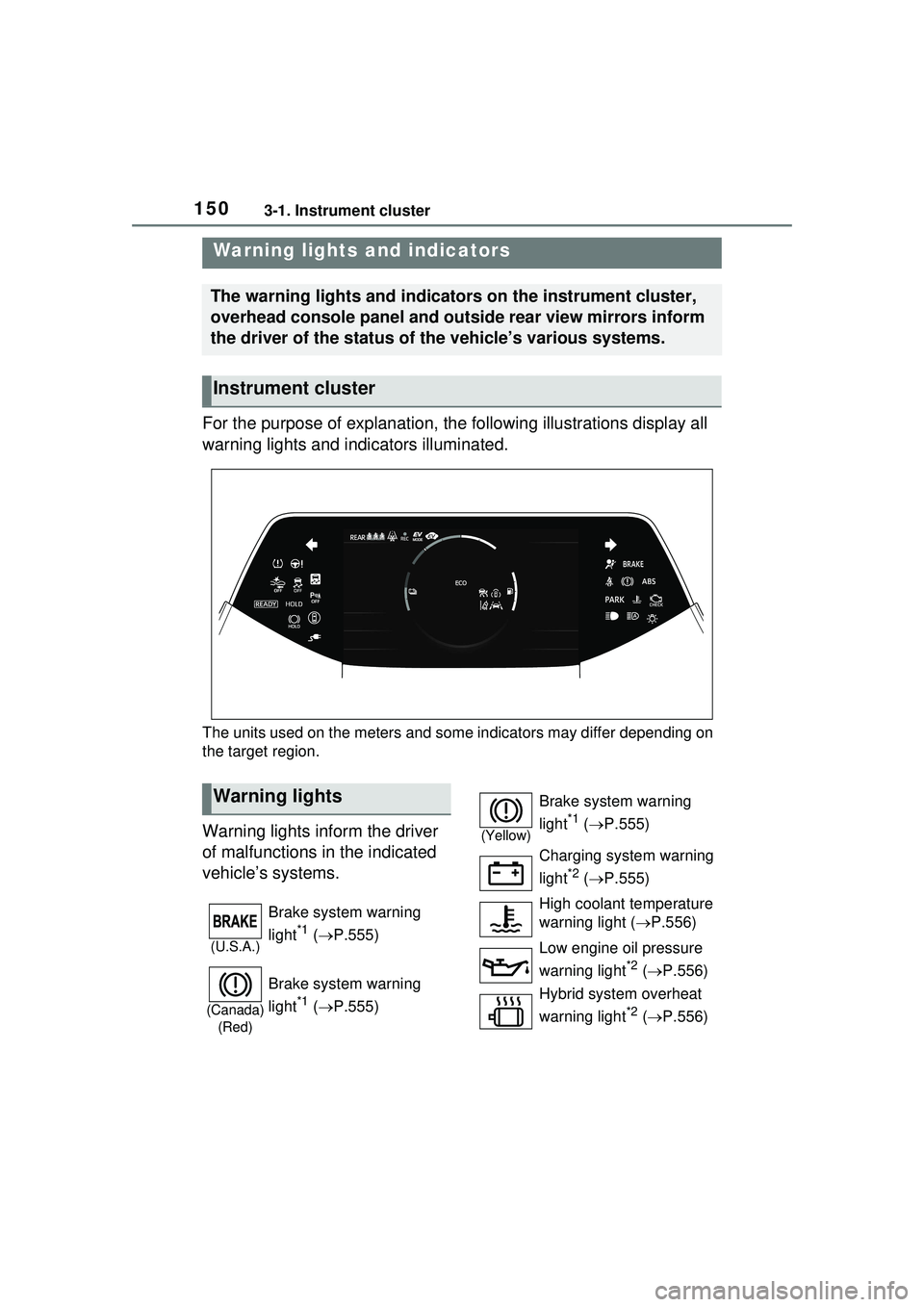
For the purpose of explanation, the following illustrations display all
warning lights and indicators illuminated.
The units used on the meters and some indicators may differ depending on
the target region.
Warning lights inform the driver
of malfunctions in the indicated
vehicle’s systems.
Warning lights and indicators
The warning lights and indicators on the instrument cluster,
overhead console panel and outside rear view mirrors inform
the driver of the status of the vehicle’s various systems.
Instrument cluster
Warning lights
(U.S.A.)
Brake system warning
light
*1 ( P.555)
(Canada)
(Red)
Brake system warning
light
*1 ( P.555)
(Yellow)
Brake system warning
light
*1 ( P.555)
Charging system warning
light
*2 ( P.555)
High coolant temperature
warning light ( P.556)
Low engine oil pressure
warning light
*2 ( P.556)
Hybrid system overheat
warning light
*2 ( P.556)
Page 151 of 680
1513-1. Instrument cluster
3
Vehicle status information and indicators
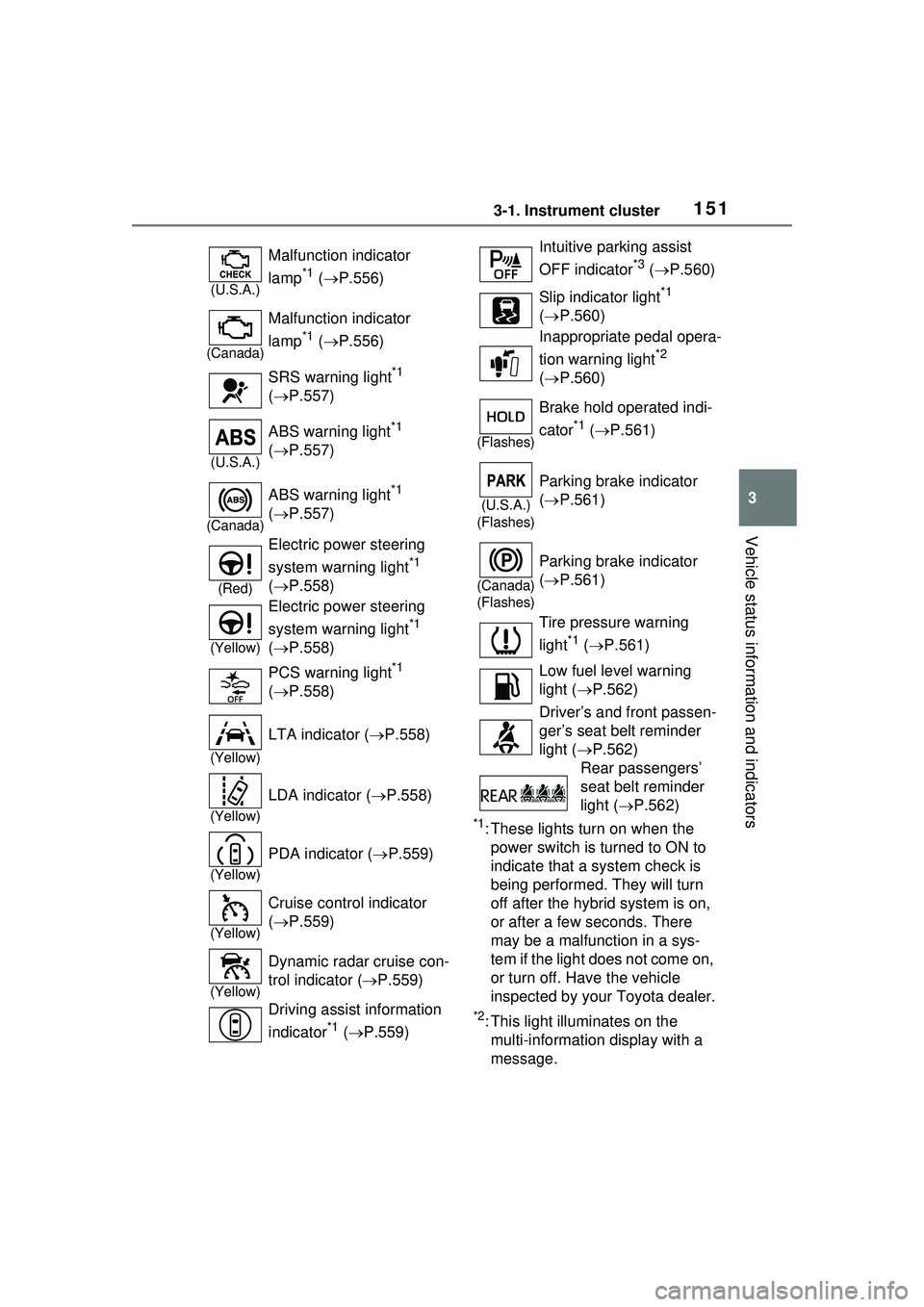
*1: These lights turn on when the power switch is turned to ON to
indicate that a system check is
being performed. They will turn
off after the hybrid system is on,
or after a few seconds. There
may be a malfunction in a sys-
tem if the light does not come on,
or turn off. Have the vehicle
inspected by your Toyota dealer.
*2: This light illuminates on the multi-informatio n display with a
message.
(U.S.A.)
Malfunction indicator
lamp
*1 ( P.556)
(Canada)
Malfunction indicator
lamp
*1 ( P.556)
SRS warning light
*1
( P.557)
(U.S.A.)
ABS warning light*1
( P.557)
(Canada)
ABS warning light*1
( P.557)
(Red)
Electric power steering
system warning light
*1
( P.558)
(Yellow)
Electric power steering
system warning light
*1
( P.558)
PCS warning light
*1
( P.558)
(Yellow)
LTA indicator ( P.558)
(Yellow)
LDA indicator ( P.558)
(Yellow)
PDA indicator ( P.559)
(Yellow)
Cruise control indicator
( P.559)
(Yellow)
Dynamic radar cruise con-
trol indicator ( P.559)
Driving assist information
indicator
*1 ( P.559)
Intuitive parking assist
OFF indicator
*3 ( P.560)
Slip indicator light
*1
( P.560)
Inappropriate pedal opera-
tion warning light
*2
( P.560)
(Flashes)
Brake hold operated indi-
cator
*1 ( P.561)
(U.S.A.)
(Flashes)
Parking brake indicator
( P.561)
(Canada)
(Flashes)
Parking brake indicator
( P.561)
Tire pressure warning
light
*1 ( P.561)
Low fuel level warning
light ( P.562)
Driver’s and front passen-
ger’s seat belt reminder
light ( P.562)
Rear passengers’
seat belt reminder
light ( P.562)