Camera TOYOTA PRIUS PRIME 2023 Workshop Manual
[x] Cancel search | Manufacturer: TOYOTA, Model Year: 2023, Model line: PRIUS PRIME, Model: TOYOTA PRIUS PRIME 2023Pages: 680, PDF Size: 14.97 MB
Page 403 of 680
4035-5. Using the driving support systems
5
Driving
the edge of the front or rear bumper
to the target stopping position (yel-
low)
*1 and approximately 1 ft. (0.3
m) (red) from the vehicle.
Moving object warning icon
Emergency support brake
control operation display
“BRAKE!” is displayed.
Intuitive parking assist dis-
play
P.363
Rear camera washer switch*2
(if equipped)
Press shortly:
The rear camera washer operates
for a certain period of time.
Press and hold:
The rear camera washer operates
while the rear camera washer
switch remains pressed.
*1: The yellow lateral line is not dis- played when the target stopping
position is approximately 8.2 ft.
(2.5 m) or more away from the
vehicle.
*2: Refer to “Panoramic view moni-tor” of “Parking assist system” in
the “MULTIMEDIA OWNER’S
MANUAL”.
■Intuitive parking assist pop-up
display
Regardless of whether the intuitive
parking assist is off or on ( P.364),
if an object is de tected by the intui-
tive parking assist when the
Advanced Park is operating, the
intuitive parking assist pop up dis-
play will automatically be displayed
over the guidance display.
■Brake control operation when
Advanced Park is operating
While the Advanced Park is operat-
ing, if the system determines that
the possibility of collision with
detected moving or stationary object
is high, the hybrid system output
restriction control and brake control
will operate.
If brake control operates, Advanced
Park operation will be suspended
and a message will be displayed on
the multi-information display.
■Buzzer
Depending on surrounding sounds
or sounds from other systems, it
may be difficult to hear the buzzer of
this system.
■If a black screen is displayed on
the Multimedia Display when
the Advanced Park is operating
The system is being affected by
radio waves or may be malfunction-
ing. If a radio antenna is installed
near a camera, move it to a location
as far from the cameras as possible.
If a radio antenna is not installed
near a camera, and the screen does
not return to normal after turning the
power switch off and then starting
the hybrid system again, have the
vehicle inspected by your Toyota
dealer.
The perpendicular parking (for-
ward/reverse) function can be
used if the target parking space
can be detected when the vehi-
cle is stopped close and perpen-
dicular to the center of the
parking space. Also, depending
on the condition of the parking
space, etc., if it is necessary to
change the direction of travel of
C
D
E
F
Perpendicular parking
(forward/reverse) function
Page 417 of 680
4175-5. Using the driving support systems
5
Driving
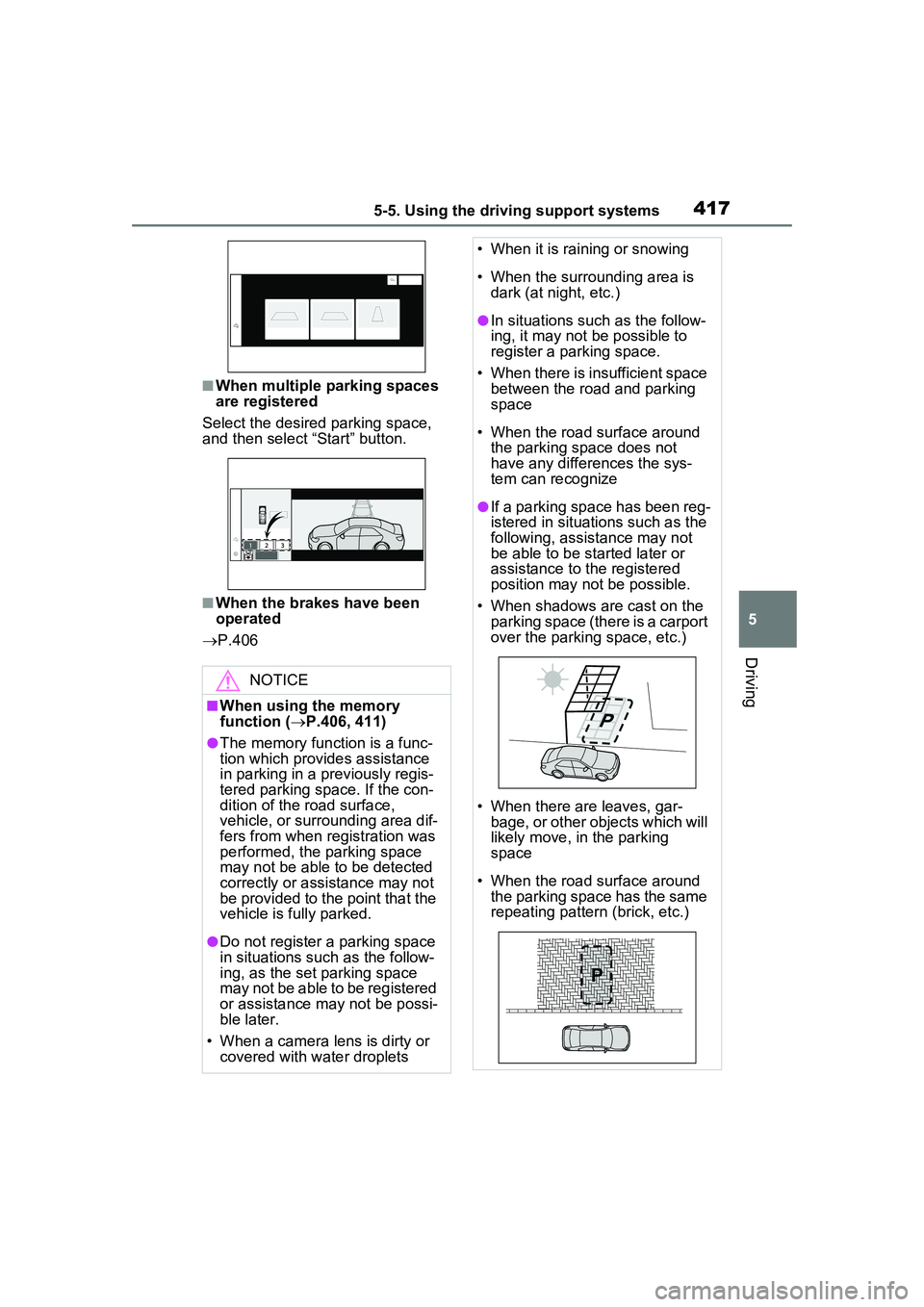
■When multiple parking spaces
are registered
Select the desired parking space,
and then select “Start” button.
■When the brakes have been
operated
P.406
NOTICE
■When using the memory
function ( P.406, 411)
●The memory function is a func-
tion which provides assistance
in parking in a previously regis-
tered parking space. If the con-
dition of the road surface,
vehicle, or surrounding area dif-
fers from when registration was
performed, the parking space
may not be able to be detected
correctly or assistance may not
be provided to the point that the
vehicle is fully parked.
●Do not register a parking space
in situations such as the follow-
ing, as the set parking space
may not be able to be registered
or assistance may not be possi-
ble later.
• When a camera lens is dirty or covered with water droplets
• When it is raining or snowing
• When the surrounding area is dark (at night, etc.)
●In situations such as the follow-
ing, it may not be possible to
register a parking space.
• When there is insufficient space between the road and parking
space
• When the road surface around the parking space does not
have any differences the sys-
tem can recognize
●If a parking space has been reg-
istered in situations such as the
following, assistance may not
be able to be started later or
assistance to the registered
position may not be possible.
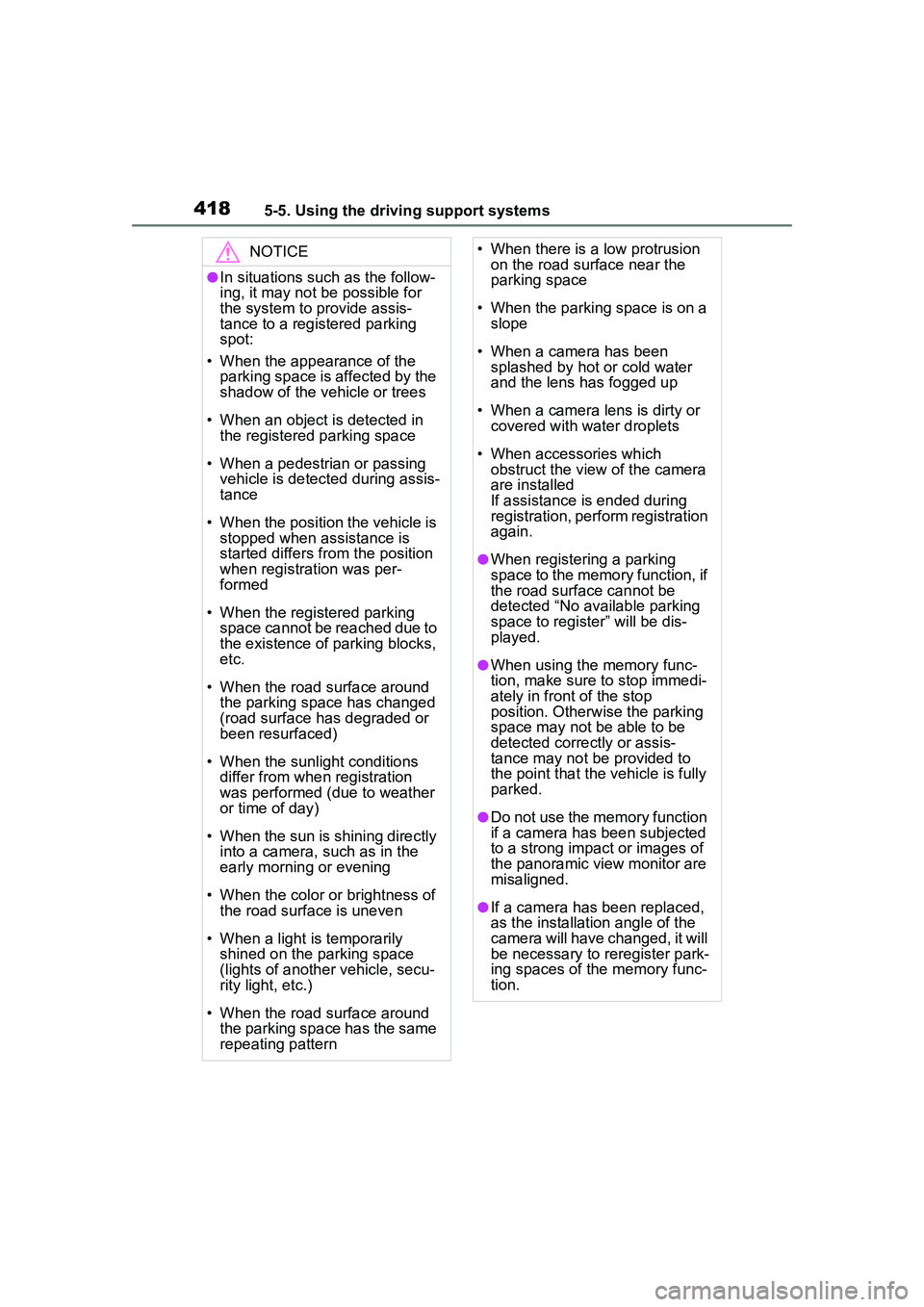
• When shadows are cast on the parking space (there is a carport
over the parking space, etc.)
• When there are leaves, gar- bage, or other objects which will
likely move, in the parking
space
• When the road surface around the parking space has the same
repeating pattern (brick, etc.)
Page 418 of 680
4185-5. Using the driving support systems
NOTICE
●In situations such as the follow-
ing, it may not be possible for
the system to provide assis-
tance to a registered parking
spot:
• When the appearance of the parking space is affected by the
shadow of the vehicle or trees
• When an object is detected in the registered parking space
• When a pedestrian or passing vehicle is detected during assis-
tance
• When the position the vehicle is stopped when assistance is
started differs from the position
when registration was per-
formed
• When the registered parking space cannot be reached due to
the existence of parking blocks,
etc.
• When the road surface around the parking space has changed
(road surface has degraded or
been resurfaced)
• When the sunlight conditions differ from when registration
was performed (due to weather
or time of day)
• When the sun is shining directly into a camera, such as in the
early morning or evening
• When the color or brightness of the road surface is uneven
• When a light is temporarily shined on the parking space
(lights of another vehicle, secu-
rity light, etc.)
• When the road surface around the parking space has the same
repeating pattern
• When there is a low protrusion on the road surface near the
parking space
• When the parking space is on a slope
• When a camera has been splashed by hot or cold water
and the lens has fogged up
• When a camera lens is dirty or covered with water droplets
• When accessories which obstruct the view of the camera
are installed
If assistance is ended during
registration, perform registration
again.
●When registering a parking
space to the memory function, if
the road surface cannot be
detected “No available parking
space to register” will be dis-
played.
●When using the memory func-
tion, make sure to stop immedi-
ately in front of the stop
position. Otherwise the parking
space may not be able to be
detected correctly or assis-
tance may not be provided to
the point that the vehicle is fully
parked.
●Do not use the memory function
if a camera has been subjected
to a strong impact or images of
the panoramic view monitor are
misaligned.
●If a camera has been replaced,
as the installation angle of the
camera will have c hanged, it will
be necessary to reregister park-
ing spaces of the memory func-
tion.
Page 419 of 680
4195-5. Using the driving support systems
5
Driving
■Assistance will be can-
celed when
In situations such as the follow-
ing, Advanced Park operation
will be canceled. Firmly hold the
steering wheel and depress the
brake pedal to stop the vehicle.
As system operation has been
canceled, begin the operation
again or continue parking manu-
ally, using the steering wheel.
The Advanced Park main
switch is pushed
The shift position has been
changed to P
The parking brake is engaged
A door or the back door is
opened
The driver’s seat belt is unfas-
tened
The outside rear view mirrors
are folded
The TRAC or VSC is turned
off
The TRAC, VSC or ABS oper-
ates
The power switch is pressed
The system determines assis-
tance cannot be continued in
the current parking environ-
ment
The system malfunctions
While the vehicle was stopped, “Cancel” was
selected on the Multimedia
Display■Assistance will be sus-
pended when
In situations such as the follow-
ing, Advanced Park operation
will be suspended.
Assistance can be started again
by following the directions dis-
played on the Multimedia Dis-
play.
Also, when assistance is sus-
pended, if the shift position is
changed twice with the brake
pedal depressed, assistance will
be canceled in that shift posi-
tion. However, if assistance is
suspended by changing the shift
position, assistance will be can-
celed if the shift position is
changed once.
The steering wheel is oper-
ated
The accelerator pedal is
depressed
The shift position has been
changed
A moving object or stationary
object that may collide with
your vehicle has been
detected, resulting in the
operation of the hybrid system
output control/braking control.
Camera switch is pressed
Advanced Park cancel-
ation/suspension
Page 420 of 680
4205-5. Using the driving support systems
Select on the Multimedia
Display, and then select
“Advanced Park”.
■“Speed Profile”
The vehicle speed for when
assistance is performed can be
set.
This setting cannot be changed
when registering a parking
space to the memory function.
■“Obstacle detection range”
The distance from which obsta-
cles will be avoided while assis-
tance is being performed can be
set.
■“Preferred parking method”
The preferred parking direction
displayed when at a parking
space which perpendicular (for-
ward/reverse) or parallel parking
is possible can be set.
■“Preferred parking direc-
tion”
The preferred parking direction
displayed when it is possible to
pull perpendicular forward or
reverse into a parking space can
be selected.
■“Preferred exit direction
(perpendicular)”
The preferred exit direction dis-
played when it is possible to pull
forward or reverse to the left or right out of a parking space can
be selected.
■“Preferred exit direction
(parallel)”
The preferred exit direction dis-
played when it is possible to exit
to the left or right from a parallel
parking space can be selected.
■“Camera view when park-
ing”
The display angle of the camera
image when using the perpen-
dicular parking (for-
ward/reverse) function or
parallel parking function can be
set.
■“Camera view when exit-
ing”
The display angle of the camera
image when using the perpen-
dicular exiting (forward/reverse)
function or parallel parking exit
function can be set.
■“Parking path adjustment”
The course for when parking
assistance is operating can be
adjusted inward or outward.
If the tires are worn, the path of
vehicle may be offset from the
center of the parking space. In
this case, use this setting to
adjust the parking course.
■“Road width adjustment”
When parking assistance is
started, the amount of lateral
movement while the vehicle is
moving forward can be
Changing the Advanced
Park settings
Page 464 of 680
4646-4. Using the other interior features
placed outside the charge area
●The vehicle is in an area where
strong electrical waves or noise
are emitted, such as near a televi-
sion tower, power plant, gasoline
station, broadcasting station, large
display, airport, etc.
●The electronic key is not inside the
vehicle
●Any of the following objects that is
0.08 in. (2 mm) or thicker is stuck
or installed between the charging
side of the smartphone and the
charge area.
• Thick cases or covers
• A case or cover attached with an
uneven or tilted surface, so that
the charging side is not flat
• Thick decorations
• Accessories, such as finger rings, straps, etc.
●When there is a gap between the
charging side of the smartphone
and the charge area due to a pro-
trusion such as a camera on the
charging side of the smartphone.
●When the smartphone is in con-
tact with, or is covered by any of
the following metallic objects:
• A card that has metal on it, such as aluminum foil, etc.
• A pack of cigarettes that includes aluminum foil
• A wallet or bag that is made of
metal
• Coins
• A heating pad
• CDs, DVDs or other media
• A metal accessory
• A case or cover made of metal
• A flip type case with a magnet on the charging side of the smart-
phone
●Electric wave type wireless
remote controls are being used
nearby
●2 or more smartphones are placed
on the wireless charger at the
same time
●When using a smartphone model
with an internal charging coil that is not located near the center of
the smartphone
If charging is abnormal or the opera-
tion indicator light continues to flash
for any other reason, the wireless
charger may be malfunctioning.
Contact your Toyota dealer.
■If the smartphone OS has been
updated
If the smartphone OS has been
updated to a newer version, its
charging specifications may have
changed significantly. For details,
check the information on the manu-
facturer’s website.
■Trademark information
iPhone is a trademark of Apple Inc.,
registered in the U.S. and other
countries.
WARNING
■Caution while driving
When charging a smartphone, for
safety reasons, the driver should
not operate the main part of the
smartphone while driving.
■Caution regarding interfer-
ence with electronic devices
People with implantable cardiac
pacemakers, cardiac resynchroni-
zation therapy-pacemakers or
implantable cardio verters, as well
as any other electrical medical
device, should consult their physi-
cian about the usage of the wire-
less charger.
■To prevent malfunctions or
burns
Observe the following precau-
tions. Failure to do so may result
in a equipment failure and dam-
age, catch fire, burns due to over-
heat or electric shock.
●This product is specialized for
use with smartphones and can-
not charge other devices.
Page 489 of 680
4897-1. Maintenance and care
7
Maintenance and care
NOTICE
■To prevent paint deterioration
and corrosion on the body
and components (aluminum
wheels, etc.)
●Wash the vehicle immediately in
the following cases:
• After driving near the sea coast
• After driving on salted roads
• If coal tar or tree sap is present on the paint surface
• If dead insects, insect droppings or bird droppings are present on
the paint surface
• After driving in an area contami- nated with soot, oily smoke,
mine dust, iron powder or chem-
ical substances
• If the vehicle becomes heavily soiled with dust or mud
• If liquids such as benzene and gasoline are spilled on the paint
surface
●If the paint is chipped or
scratched, have it repaired
immediately.
●To prevent the wheels from cor-
roding, remove any dirt and
store in a place with low humid-
ity when storing the wheels.
■To prevent damage to the
windshield wiper arms
When lifting the wiper arms away
from the windshield pull the driver
side wiper arm upward first, and
repeat for the passenger’s side.
When returning the wipers to their
original position, do so from the
passenger’s side first.
■Cleaning the exterior lights
●Wash carefully. Do not use
organic substances or scrub
with a hard brush.
This may damage the surfaces
of the lights.
●Do not apply wax to the sur-
faces of the lights.
Wax may cause damage to the
lenses.
■Cleaning the radiator grille
Observe the following precautions
to avoid damage to the radiator
grille surface.
●Do not use a hard brush. Use a
soft cloth or sponge to wipe.
●Remove any dirt by using a
neutral detergent. Do not use
waxes or alcohols (e.g. glass
cleaner).
●Wash detergent off with water
after washing the vehicle.
■When using an automatic car
wash
Set the wiper switch to off posi-
tion.
If the wiper switch is in “AUTO”,
the wipers may operate and the
wiper blades may be damaged.
■When using a high pressure
car wash
●When washing the vehicle, do
not spray the camera or its sur-
rounding area directly with a
high pressure washer. Shock
applied from high pressure
water may cause the device to
not operate normally.
●Do not spray water directly on
the radar which is equipped
behind the emblem. Otherwise
it may cause the device to be
damaged.
Page 538 of 680
5387-3. Do-it-yourself maintenance
■If the electronic key battery is
depleted
The following symptoms may occur:
●The smart key system and wire-
less remote control will not func-
tion properly.
●The operational range will be
reduced.
Prepare the following before
replacing the battery:
Flathead screwdriver
Small flathead screwdriver
Lithium battery CR2450
■Use a CR2450 lithium battery
●Batteries can be purchased at
your Toyota dealer, local electrical
appliance shops or camera stores.
●Replace only with the same or
equivalent type recommended by
the manufacturer.
●Dispose of used batteries accord-
ing to the local laws.
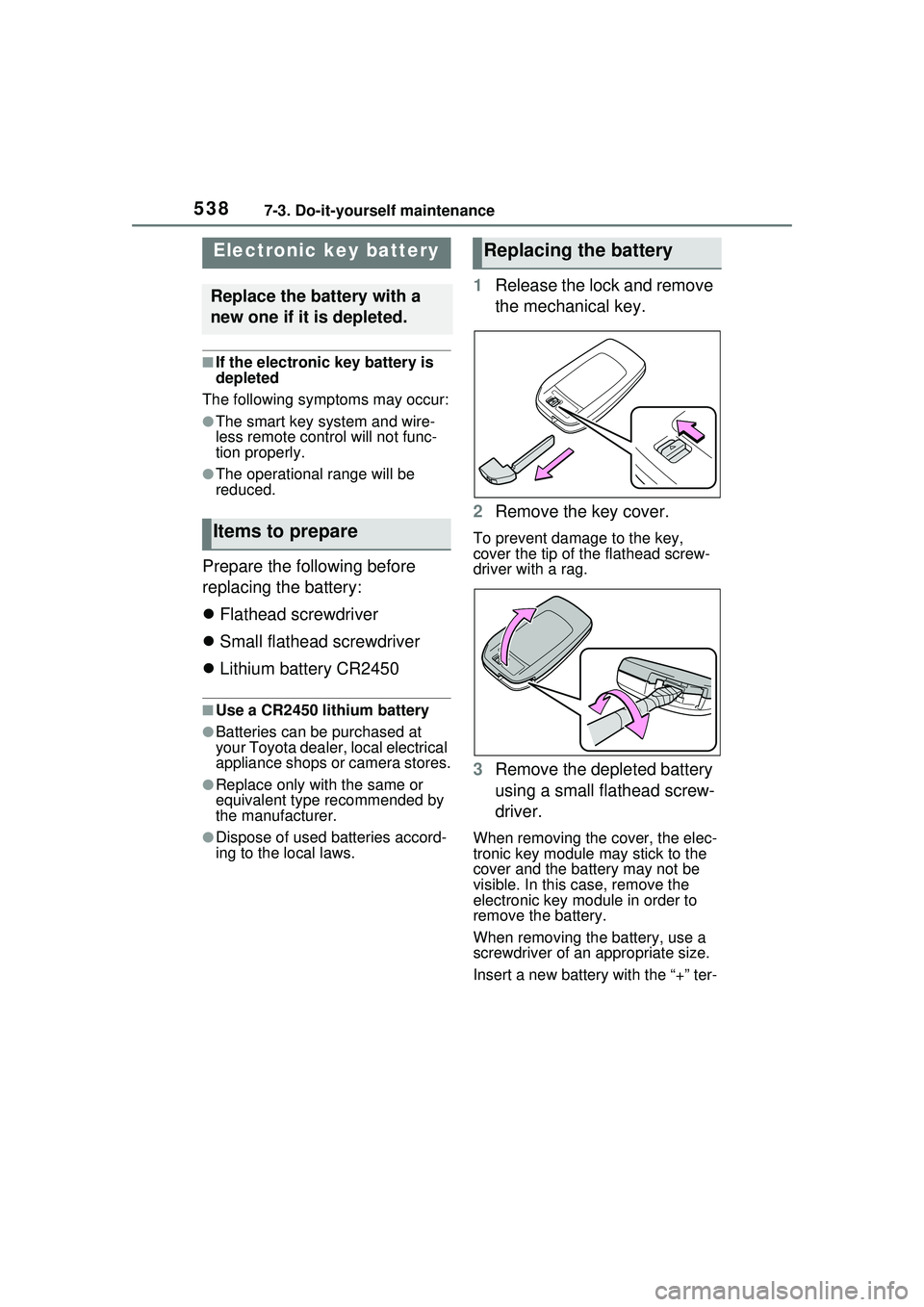
1 Release the lock and remove
the mechanical key.
2 Remove the key cover.
To prevent damage to the key,
cover the tip of the flathead screw-
driver with a rag.
3Remove the depleted battery
using a small flathead screw-
driver.
When removing the cover, the elec-
tronic key module may stick to the
cover and the battery may not be
visible. In this case, remove the
electronic key module in order to
remove the battery.
When removing the battery, use a
screwdriver of an appropriate size.
Insert a new battery with the “+” ter-
Electronic key battery
Replace the battery with a
new one if it is depleted.
Items to prepare
Replacing the battery
Page 559 of 680
5598-2. Steps to take in an emergency
8
When trouble arises
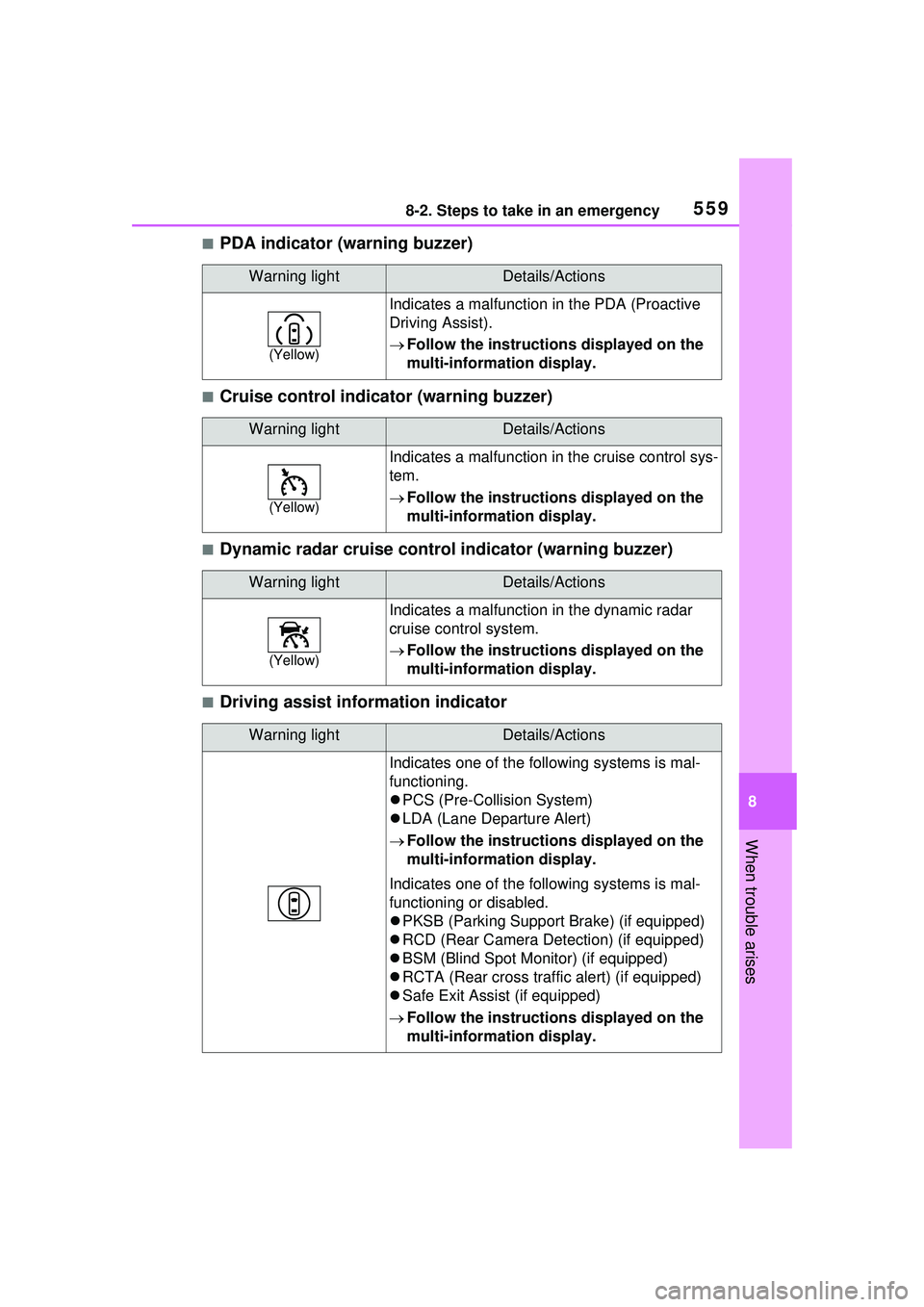
■PDA indicator (warning buzzer)
■Cruise control indicator (warning buzzer)
■Dynamic radar cruise control indicator (warning buzzer)
■Driving assist information indicator
Warning lightDetails/Actions
(Yellow)
Indicates a malfunction in the PDA (Proactive
Driving Assist).
Follow the instructions displayed on the
multi-information display.
Warning lightDetails/Actions
(Yellow)
Indicates a malfunction in the cruise control sys-
tem.
Follow the instructions displayed on the
multi-information display.
Warning lightDetails/Actions
(Yellow)
Indicates a malfunction in the dynamic radar
cruise control system.
Follow the instructions displayed on the
multi-information display.
Warning lightDetails/Actions
Indicates one of the following systems is mal-
functioning.
PCS (Pre-Collision System)
LDA (Lane Departure Alert)
Follow the instructions displayed on the
multi-information display.
Indicates one of the following systems is mal-
functioning or disabled.
PKSB (Parking Support Br ake) (if equipped)
RCD (Rear Camera Detection) (if equipped)
BSM (Blind Spot Monitor) (if equipped)
RCTA (Rear cross traffic alert) (if equipped)
Safe Exit Assist (if equipped)
Follow the instructions displayed on the
multi-information display.
Page 569 of 680
5698-2. Steps to take in an emergency
8
When trouble arises
shift position is in N, shift the shift
position to P when the vehicle is
stopped.
■If “Hybrid System Overheated
Output Power Reduced” is
shown
The message may be shown when
driving under severe operating con-
ditions. (For example, when driving
up a long steep hill or driving up a
steep hill in reverse.)
Coping method: P.595
■If “Traction battery needs to be
protected. Shift into P to
restart.” is shown
This message is displayed when the
hybrid battery (traction battery)
charge has become extremely low
because the shift position has been
left in N for a certain amount of time.
When operating the vehicle, shift to
P and restart the hybrid system.
■If “Shift is in N Release Acceler-
ator Before Shifting” is shown
Message is displayed when the
accelerator pedal has been
depressed and the shift position is in
N. Release the accelerator pedal
and shift the shift position to D or R.
■If “Press brake when vehicle is
stopped Hybrid system may
overheat” is shown
Message is displayed when the
accelerator pedal is depressed to
maintain the vehicle position when
stopped on a upward slope, etc.
If this continues, the hybrid system
may overheat.
Release the accelerator pedal and
depress the brake pedal.
■If “Shift System Malfunction
Shifting Unavailable Drive to a
Safe Place and Stop” or “Shift
System Malfunction Driving
Unavailable” is displayed
There is a malfunction in the shift
control system. Have the vehicle
inspected by your Toyota dealer immediately.
■If “Auto Power OFF to Conserve
Battery” is shown
Power was turned off due to the
automatic power off function.
Next time when starting the hybrid
system, operate the hybrid system
for approximately 5 minutes to
recharge the 12-volt battery.
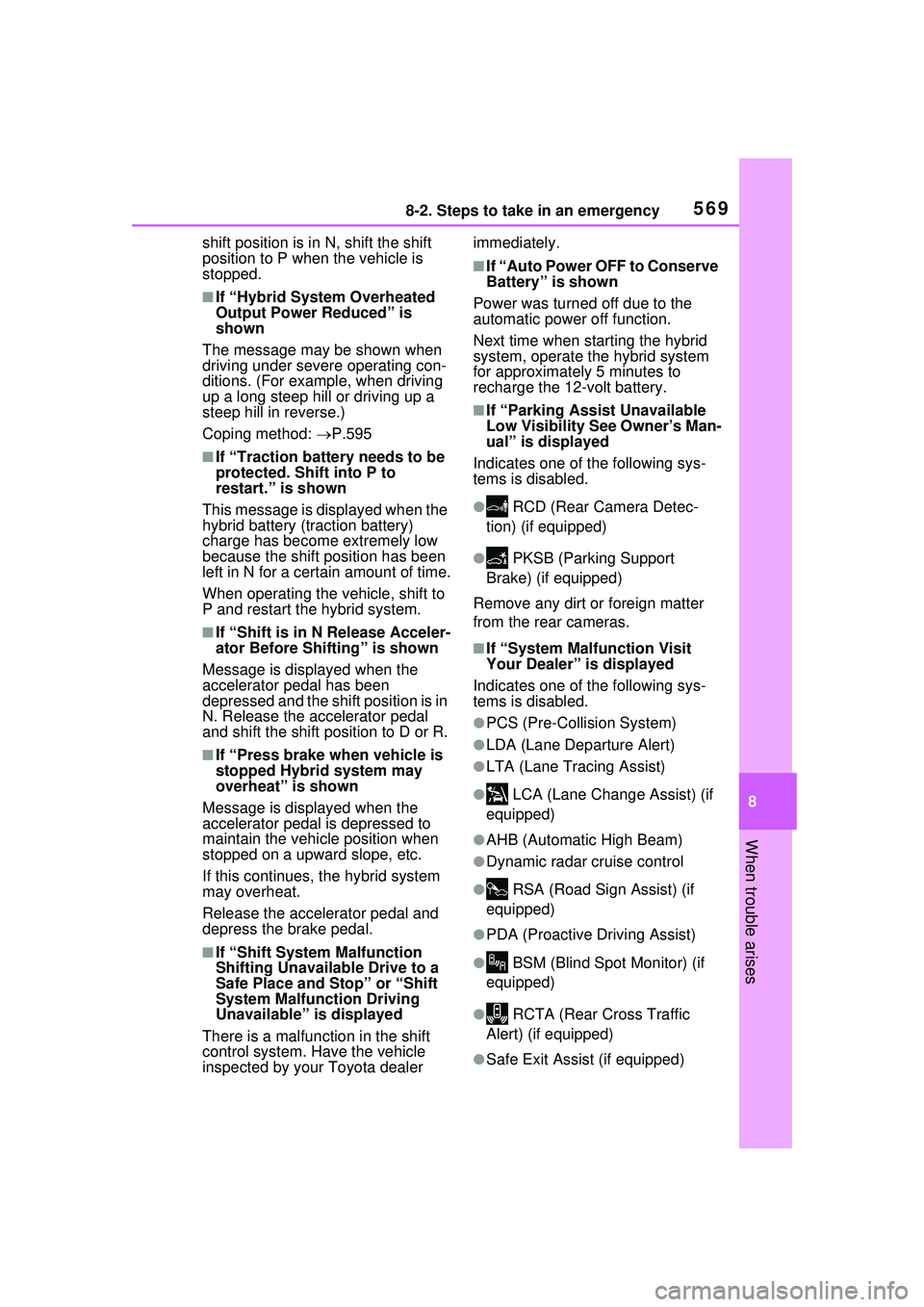
■If “Parking Assist Unavailable
Low Visibility See Owner’s Man-
ual” is displayed
Indicates one of the following sys-
tems is disabled.
● RCD (Rear Camera Detec-
tion) (if equipped)
● PKSB (Parking Support
Brake) (if equipped)
Remove any dirt or foreign matter
from the rear cameras.
■If “System Malfunction Visit
Your Dealer” is displayed
Indicates one of the following sys-
tems is disabled.
●PCS (Pre-Collision System)
●LDA (Lane Departure Alert)
●LTA (Lane Tracing Assist)
● LCA (Lane Change Assist) (if
equipped)
●AHB (Automatic High Beam)
●Dynamic radar cruise control
● RSA (Road Sign Assist) (if
equipped)
●PDA (Proactive Driving Assist)
● BSM (Blind Spot Monitor) (if
equipped)
● RCTA (Rear Cross Traffic
Alert) (if equipped)
●Safe Exit Assist (if equipped)