ESP TOYOTA PRIUS PRIME 2023 Repair Manual
[x] Cancel search | Manufacturer: TOYOTA, Model Year: 2023, Model line: PRIUS PRIME, Model: TOYOTA PRIUS PRIME 2023Pages: 680, PDF Size: 14.97 MB
Page 424 of 680
4245-5. Using the driving support systems
■ECB (Electronically Con-
trolled Brake System)
The electronically controlled
system generates braking force
corresponding to the brake
operation
■ABS (Anti-lock Brake Sys-
tem)
Helps to prevent wheel lock
when the brakes are applied
suddenly, or if the brakes are
applied while driving on a slip-
pery road surface
■Brake assist
Generates an increased level of
braking force after the brake
pedal is depressed when the
system detects a panic stop sit-
uation
■VSC (Vehicle Stability Con-
trol)
Helps the driver to control skid-
ding when swerving suddenly or
turning on slippery road sur-
faces.
■Enhanced VSC (Enhanced
Vehicle Stability Control)
Provides cooperative control of
the ABS, TRAC, VSC and EPS.
Helps to maintain directional
stability when swerving on slip-
pery road surfaces by con-
trolling steering performance.
■TRAC (Traction Control)
Helps to maintain drive power
and prevent the drive wheels
from spinning when starting the
vehicle or accelerating on slip-
pery roads
■Active Cornering Assist
(ACA)
Helps to prevent the vehicle
from drifting to the outer side by
performing inner wheel brake
control when attempting to
accelerate while turning
■Hill-start assist control
Helps to reduce the backward
movement of the vehicle when
starting on an uphill
■EPS (Electric Power Steer-
ing)
Employs an electric motor to
reduce the amount of effort
needed to turn the steering
Driving assist systems
To keep driving safety and
performance, the following
systems operate automati-
cally in response to various
driving situations. Be
aware, however, that these
systems are supplementary
and should not be relied
upon too heavily when oper-
ating the vehicle.
Summary of the driving
assist systems
Page 427 of 680
4275-5. Using the driving support systems
5
Driving
■Secondary Collision Brake
operating conditions
The system operates when the SRS
airbag sensor detects a collision
while the vehicle is in motion.
However, the system does not oper-
ate when the components are dam-
aged.
■Secondary Collision Brake
automatic cancellation
The system is automatically can-
celed in any of the following situa-
tions.
●The vehicle speed drops to
approximately 0 mph (0 km/h).
●A certain amount of time elapses
during operation
●The accelerator pedal is
depressed a large amount
WARNING
■The ABS does not operate
effectively when
●The limits of tire gripping perfor-
mance have been exceeded
(such as excessively worn tires
on a snow-covered road).
●The vehicle hydroplanes while
driving at high speed on wet or
slick roads.
■Stopping distance when the
ABS is operating may exceed
that of normal conditions
The ABS is not designed to
shorten the vehicle’s stopping dis-
tance. Always maintain a safe dis-
tance from the vehicle in front of
you, especially in the following sit-
uations:
●When driving on dirt, gravel or
snow-covered roads
●When driving with tire chains
●When driving over bumps in the
road
●When driving over roads with
potholes or uneven surfaces
■TRAC/VSC may not operate
effectively when
Directional control and power may
not be achievable while driving on
slippery road surfaces, even if the
TRAC/VSC system is operating.
Drive the vehicle carefully in con-
ditions where stability and power
may be lost.
■Active Cornering Assist does
not operate effectively when
●Do not overly rely on Active
Cornering Assist. Active Corner-
ing Assist may not operate
effectively when accelerating
down slopes or driving on slip-
pery road surfaces.
●When Active Cornering Assist
frequently operates, Active Cor-
nering Assist may temporarily
stop operating to ensure proper
operation of the brakes, TRAC
and VSC.
■Hill-start assist control does
not operate effectively when
●Do not overly rely on hill-start
assist control. Hill-start assist
control may not operate effec-
tively on steep inclines and
roads covered with ice.
●Unlike the parking brake, hill-
start assist control is not
intended to hold the vehicle sta-
tionary for an extended period
of time. Do not attempt to use
hill-start assist control to hold
the vehicle on an incline, as
doing so may lead to an acci-
dent.
Page 428 of 680
4285-5. Using the driving support systems
WARNING
■When the TRAC/ABS/VSC is
activated
The slip indicator light flashes.
Always drive care fully. Reckless
driving may cause an accident.
Exercise particular care when the
indicator light flashes.
■When the TRAC/VSC systems
are turned off
Be especially careful and drive at
a speed appropriate to the road
conditions. As these are the sys-
tems to help ensure vehicle stabil-
ity and driving force, do not turn
the TRAC/VSC systems off
unless necessary.
■Replacing tires
Make sure that all tires are of the
specified size, brand, tread pat-
tern and total load capacity. In
addition, make sure that the tires
are inflated to the recommended
tire inflation pressure level.
The ABS, TRAC and VSC sys-
tems will not function correctly if
different tires are installed on the
vehicle.
Contact your Toyota dealer for
further information when replacing
tires or wheels.
■Handling of tires and the sus-
pension
Using tires with any kind of prob-
lem or modifying the suspension
will affect the driv ing assist sys-
tems, and may cause a system to
malfunction.
■Secondary Collision Brake
Do not rely solely upon the Sec-
ondary Collision Brake. This sys-
tem is designed to help reduce
the possibility of further damage
due to a secondary collision, how-
ever, that effect changes accord-
ing to various conditions. Overly
relying on the system may result
in death or serious injury.
Page 447 of 680
4476-2. Using the interior lights
6
Interior features
depending on the force of the
impact and conditions of the colli-
sion.)
■Customization
Some functions can be customized.
(Customizable features: P.618)
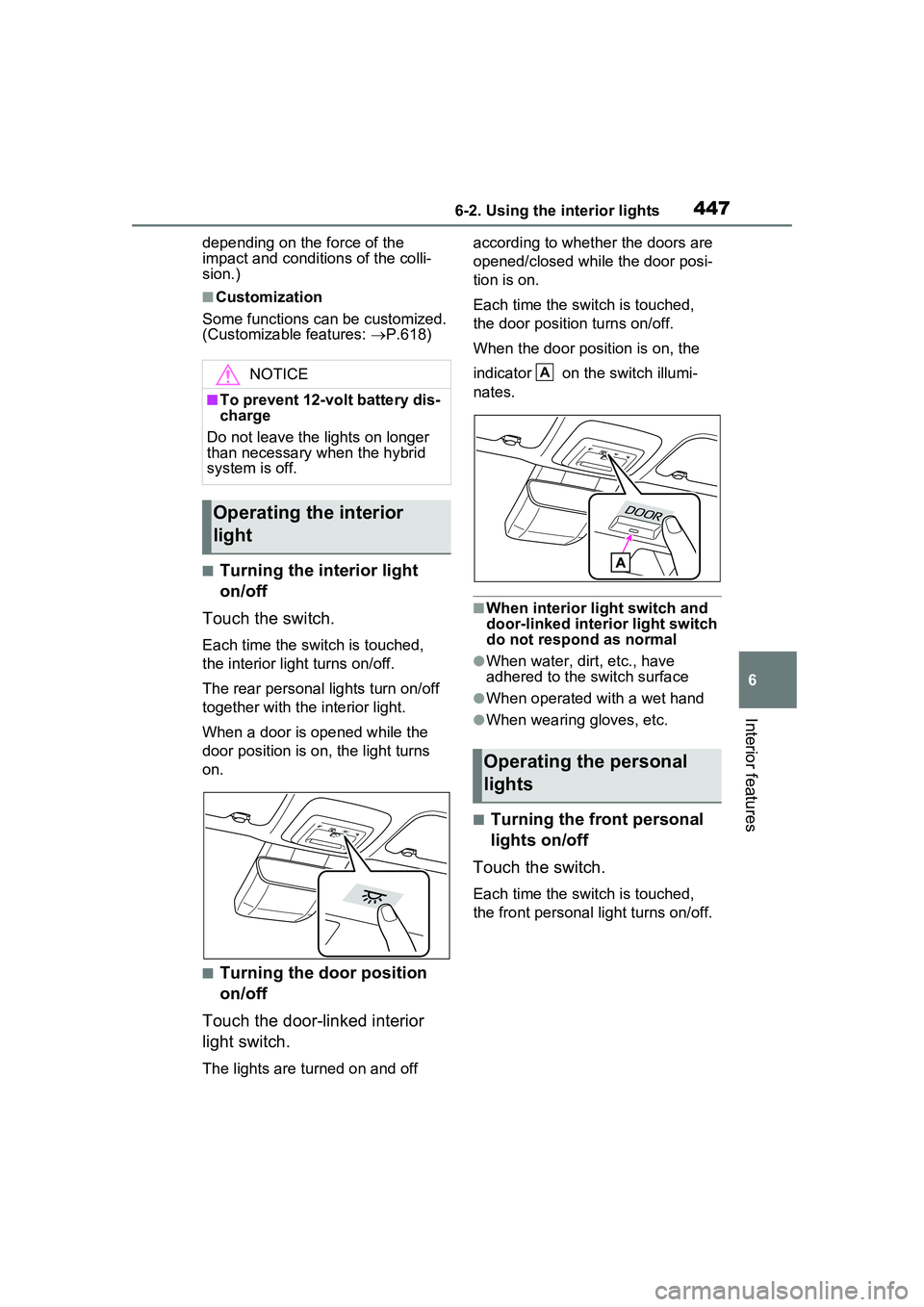
■Turning the interior light
on/off
Touch the switch.
Each time the switch is touched,
the interior light turns on/off.
The rear personal lights turn on/off
together with the interior light.
When a door is opened while the
door position is on, the light turns
on.
■Turning the door position
on/off
Touch the door-linked interior
light switch.
The lights are turned on and off according to whether the doors are
opened/closed while the door posi-
tion is on.
Each time the switch is touched,
the door position turns on/off.
When the door position is on, the
indicator on the switch illumi-
nates.
■When interior light switch and
door-linked interior light switch
do not respond as normal
●When water, dirt, etc., have
adhered to the switch surface
●When operated with a wet hand
●When wearing gloves, etc.
■Turning the front personal
lights on/off
Touch the switch.
Each time the switch is touched,
the front personal light turns on/off.
NOTICE
■To prevent 12-volt battery dis-
charge
Do not leave the lights on longer
than necessary when the hybrid
system is off.
Operating the interior
light
Operating the personal
lights
A
Page 448 of 680
4486-2. Using the interior lights
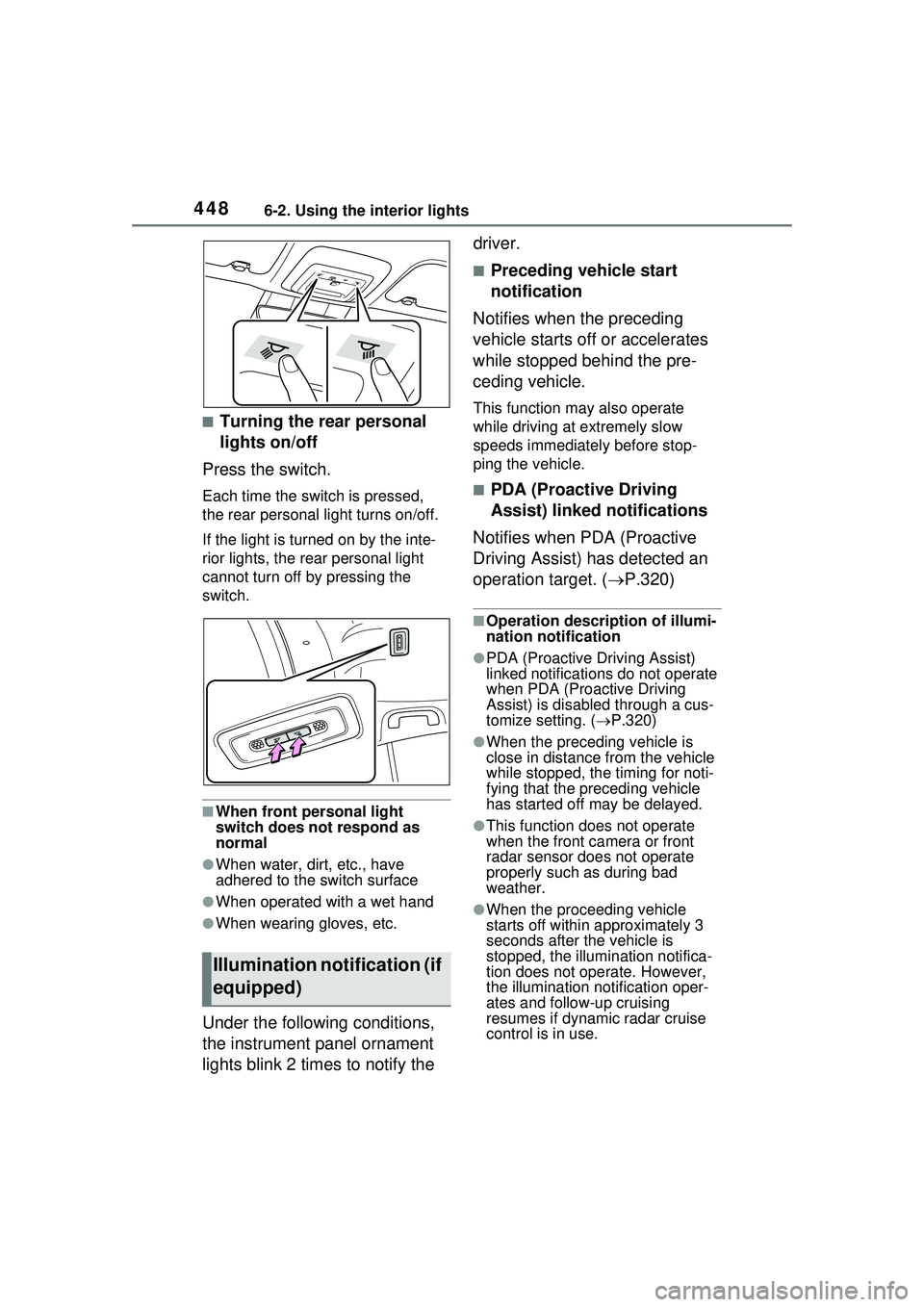
■Turning the rear personal
lights on/off
Press the switch.
Each time the switch is pressed,
the rear personal light turns on/off.
If the light is turned on by the inte-
rior lights, the rear personal light
cannot turn off by pressing the
switch.
■When front personal light
switch does not respond as
normal
●When water, dirt, etc., have
adhered to the switch surface
●When operated with a wet hand
●When wearing gloves, etc.
Under the following conditions,
the instrument panel ornament
lights blink 2 times to notify the driver.
■Preceding vehicle start
notification
Notifies when the preceding
vehicle starts off or accelerates
while stopped behind the pre-
ceding vehicle.
This function may also operate
while driving at extremely slow
speeds immediately before stop-
ping the vehicle.
■PDA (Proactive Driving
Assist) linked notifications
Notifies when PDA (Proactive
Driving Assist) has detected an
operation target. ( P.320)
■Operation description of illumi-
nation notification
●PDA (Proactive Driving Assist)
linked notifications do not operate
when PDA (Proactive Driving
Assist) is disabled through a cus-
tomize setting. (P.320)
●When the preceding vehicle is
close in distance from the vehicle
while stopped, the timing for noti-
fying that the preceding vehicle
has started off may be delayed.
●This function does not operate
when the front ca mera or front
radar sensor does not operate
properly such as during bad
weather.
●When the proceeding vehicle
starts off within approximately 3
seconds after the vehicle is
stopped, the illumi nation notifica-
tion does not operate. However,
the illumination notification oper-
ates and follow-up cruising
resumes if dynamic radar cruise
control is in use.
Illumination notification (if
equipped)
Page 465 of 680
4656-4. Using the other interior features
6
Interior features
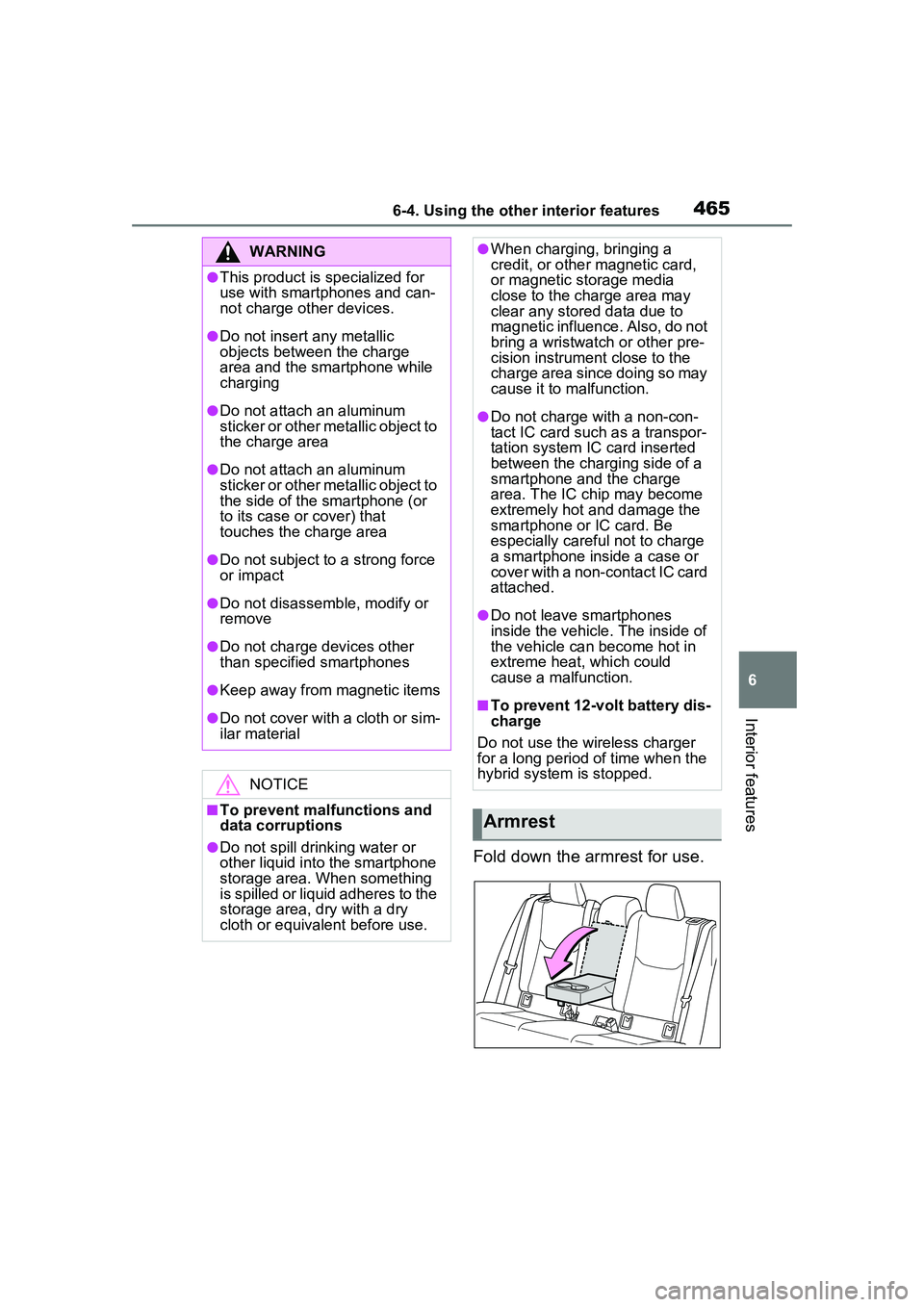
Fold down the armrest for use.
WARNING
●This product is specialized for
use with smartphones and can-
not charge other devices.
●Do not insert any metallic
objects between the charge
area and the smartphone while
charging
●Do not attach an aluminum
sticker or other metallic object to
the charge area
●Do not attach an aluminum
sticker or other metallic object to
the side of the smartphone (or
to its case or cover) that
touches the charge area
●Do not subject to a strong force
or impact
●Do not disassemble, modify or
remove
●Do not charge devices other
than specified smartphones
●Keep away from magnetic items
●Do not cover with a cloth or sim-
ilar material
NOTICE
■To prevent malfunctions and
data corruptions
●Do not spill drin king water or
other liquid into the smartphone
storage area. When something
is spilled or liquid adheres to the
storage area, dry with a dry
cloth or equivalent before use.
●When charging, bringing a
credit, or other magnetic card,
or magnetic storage media
close to the charge area may
clear any stored data due to
magnetic influence. Also, do not
bring a wristwatch or other pre-
cision instrument close to the
charge area since doing so may
cause it to malfunction.
●Do not charge with a non-con-
tact IC card such as a transpor-
tation system IC card inserted
between the charging side of a
smartphone and the charge
area. The IC chip may become
extremely hot and damage the
smartphone or IC card. Be
especially careful not to charge
a smartphone inside a case or
cover with a non-contact IC card
attached.
●Do not leave smartphones
inside the vehicle. The inside of
the vehicle can become hot in
extreme heat, which could
cause a malfunction.
■To prevent 12-volt battery dis-
charge
Do not use the wireless charger
for a long period of time when the
hybrid system is stopped.
Armrest
Page 470 of 680
4706-4. Using the other interior features
WARNING
●If the plug of a device fits
loosely in a power outlet, even
though it is fully inserted,
replace the power outlet. For
information on replacement,
contact your Toyota dealer.
■Devices to be connected
●Make sure to read any instruc-
tion manual which came with a
device and observe any warn-
ings on the device.
●Do not connect a device to a
power outlet if the device is mal-
functioning or its plug is dam-
aged.
●Otherwise, the device may be
further malfunctioning, espe-
cially when the outside tem-
perature is high or low.
●Devices requiring to be installed
on a level place may not oper-
ate properly.
●Do not use devices, other than
waterproof devices, in a place
where water, such as rain, is
splashed over or where it is
humid.
●Do not use a device that has
been or likely to have been
merged in water or absorbed
water within.
●Do not connect a medical
device, as depending on the
vehicle condition, the power
supply function may be tempo-
rarily stopped.
■When the power outlets are
used while the vehicle is
parked or stopped
●The power outlets are designed
to be connected to electric
devices, such as lighting
devices. Do not use them as a
generator that supplies power to
a house, etc. Also, when they
are to be used on an emer-
gency power supply device for
homes, such as an exclusive
device having connection to an
external power source, or a
device whose power supply cir-
cuit for external power source is
separate from electric wiring of
power companies, consult with
the manufacturer or a retailer of
the device.
●When using a power outlet,
make sure to securely engage
the parking brake and shift the
shift position to P. Otherwise,
the vehicle may move, possibly
leading to an accident.
●When using a power outlet, do
not move away from the vehicle.
●Do not perform power supply
during weather when lightning
may occur. Stop supplying
power if lightning is observed
during power supply.
●Do not use the power outlets if
the vehicle has a vehicle cover
installed.
●Do not use a power outlet when
the vehicle is parked on a
slanted place or a slope. When
a power outlet is being used, do
not move the vehicle or cause it
to be inclined.
●Observe the following precau-
tions when a connected cord is
to be brought outside the vehi-
cle:
Page 471 of 680
4716-4. Using the other interior features
6
Interior features
WARNING
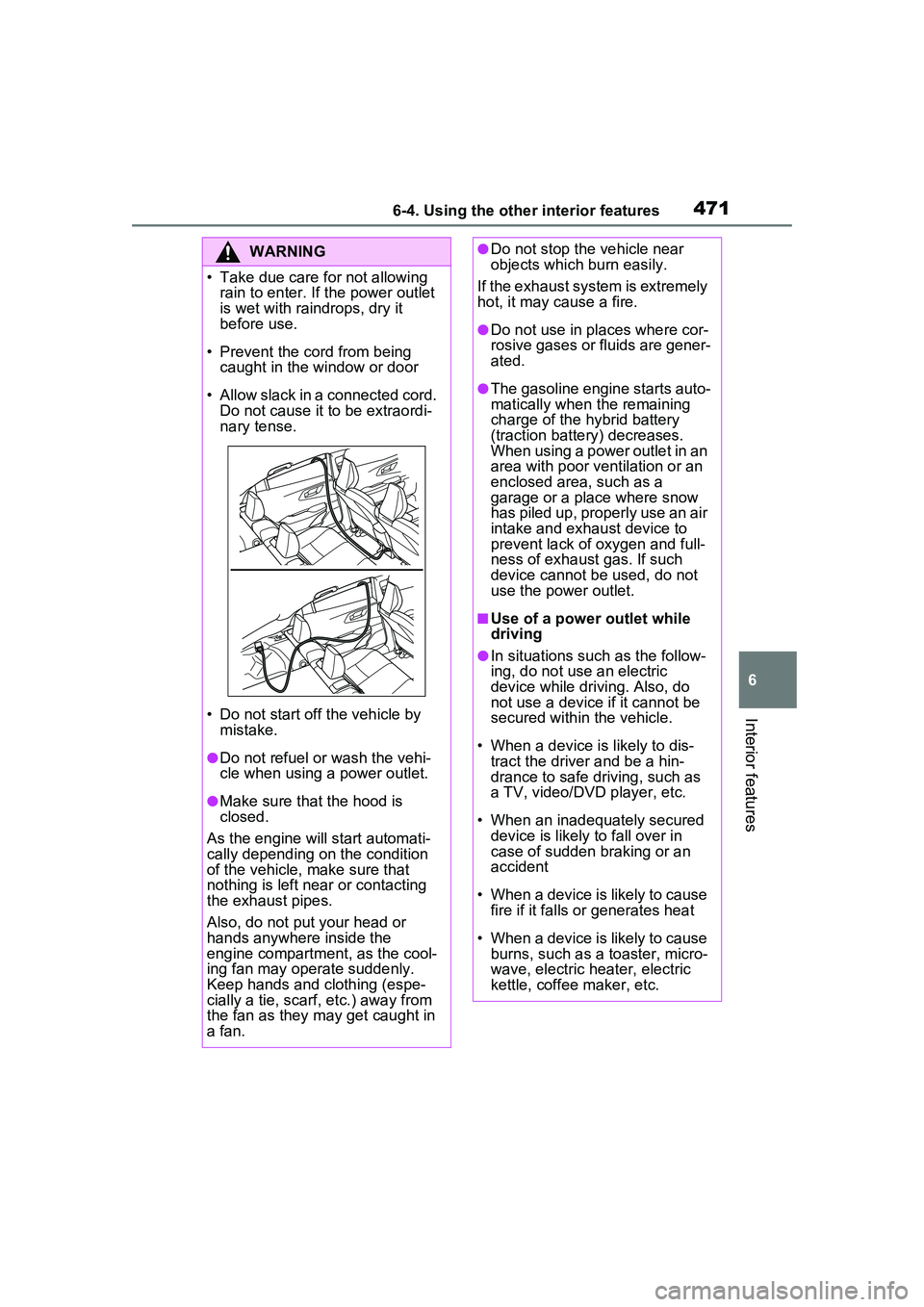
• Take due care for not allowing rain to enter. If the power outlet
is wet with raindrops, dry it
before use.
• Prevent the cord from being caught in the window or door
• Allow slack in a connected cord. Do not cause it to be extraordi-
nary tense.
• Do not start off the vehicle by mistake.
●Do not refuel or wash the vehi-
cle when using a power outlet.
●Make sure that the hood is
closed.
As the engine will start automati-
cally depending on the condition
of the vehicle, make sure that
nothing is left near or contacting
the exhaust pipes.
Also, do not put your head or
hands anywhere inside the
engine compartment, as the cool-
ing fan may operate suddenly.
Keep hands and clothing (espe-
cially a tie, scarf, etc.) away from
the fan as they may get caught in
a fan.
●Do not stop the vehicle near
objects which burn easily.
If the exhaust system is extremely
hot, it may cause a fire.
●Do not use in places where cor-
rosive gases or fluids are gener-
ated.
●The gasoline engine starts auto-
matically when the remaining
charge of the hybrid battery
(traction battery) decreases.
When using a power outlet in an
area with poor ventilation or an
enclosed area, such as a
garage or a place where snow
has piled up, properly use an air
intake and exhaust device to
prevent lack of oxygen and full-
ness of exhaust gas. If such
device cannot be used, do not
use the power outlet.
■Use of a power outlet while
driving
●In situations such as the follow-
ing, do not use an electric
device while driving. Also, do
not use a device if it cannot be
secured within the vehicle.
• When a device is likely to dis- tract the driver and be a hin-
drance to safe driving, such as
a TV, video/DVD player, etc.
• When an inadequately secured device is likely to fall over in
case of sudden braking or an
accident
• When a device is likely to cause fire if it falls or generates heat
• When a device is likely to cause burns, such as a toaster, micro-
wave, electric heater, electric
kettle, coffee maker, etc.
Page 475 of 680
4756-4. Using the other interior features
6
Interior features
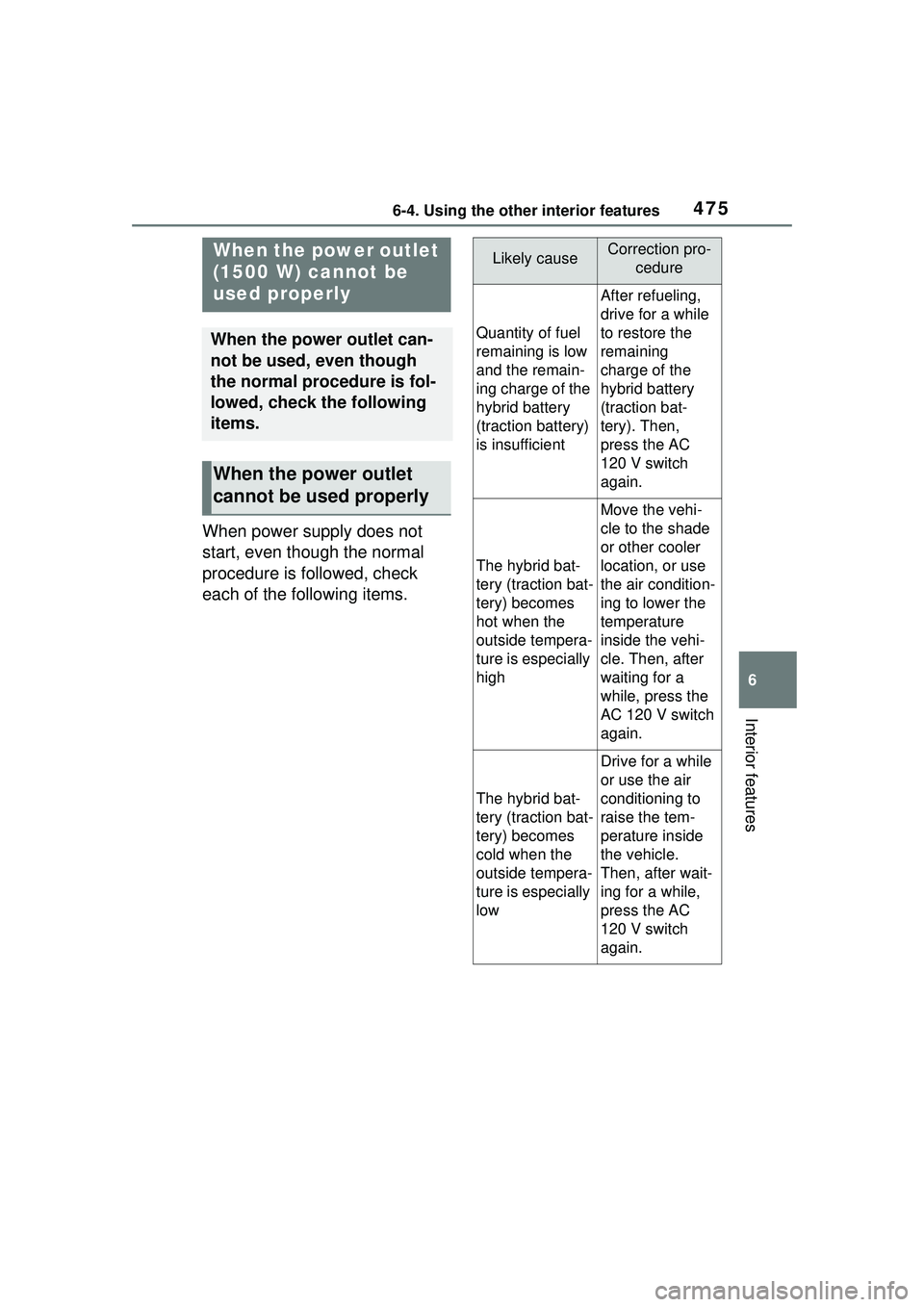
When power supply does not
start, even though the normal
procedure is followed, check
each of the following items.
When the power outlet
(1500 W) cannot be
used properly
When the power outlet can-
not be used, even though
the normal procedure is fol-
lowed, check the following
items.
When the power outlet
cannot be used properly
Likely causeCorrection pro-cedure
Quantity of fuel
remaining is low
and the remain-
ing charge of the
hybrid battery
(traction battery)
is insufficient
After refueling,
drive for a while
to restore the
remaining
charge of the
hybrid battery
(traction bat-
tery). Then,
press the AC
120 V switch
again.
The hybrid bat-
tery (traction bat-
tery) becomes
hot when the
outside tempera-
ture is especially
high
Move the vehi-
cle to the shade
or other cooler
location, or use
the air condition-
ing to lower the
temperature
inside the vehi-
cle. Then, after
waiting for a
while, press the
AC 120 V switch
again.
The hybrid bat-
tery (traction bat-
tery) becomes
cold when the
outside tempera-
ture is especially
low
Drive for a while
or use the air
conditioning to
raise the tem-
perature inside
the vehicle.
Then, after wait-
ing for a while,
press the AC
120 V switch
again.
Page 491 of 680
4917-1. Maintenance and care
7
Maintenance and care
damage to the UV protective coat-
ing, observe the following:
●If the windows are dirty, gently
wipe them with a cloth soaked in
water or lukewarm water as soon
as possible.
●If the windows are very dirty, do
not open and close them repeat-
edly.
WARNING
■Water in the vehicle
●Do not splash or spill liquid in
the vehicle, such as on the floor,
on the rear seats or in the lug-
gage compartment.
Doing so may cause the hybrid
battery, electrical components,
etc. to malfunction or catch fire.
●Do not get any of the SRS com-
ponents or wiring in the vehicle
interior wet.
( P.36)
An electrical malfunction may
cause the airbags to deploy or
not function properly, resulting
in death or serious injury.
●Do not let the wireless charger
( P.458) get wet. Failure to do
so may cause the charger to
become hot and cause burns or
could cause electric shock
resulting in death or serious
injury.
■Cleaning the interior (espe-
cially instrument panel)
Do not use polish wax or polish
cleaner. The instrument panel
may reflect off the windshield,
obstructing the driver’s view and
leading to an accident, resulting in
death or serious injury.
NOTICE
■Cleaning detergents
●Do not use the following types
of detergent, as they may dis-
color the vehicle interior or
cause streaks or damage to
painted surfaces:
• Non-seat portions: Organic sub- stances such as benzene or
gasoline, alkaline or acidic solu-
tions, dye, and bleach
• Seats: Alkaline or acidic solu- tions, such as thinner, benzene,
and alcohol
●Do not use polish wax or polish
cleaner. The instrument panel’s
or other interior part’s painted
surface may be damaged.
■Preventing damage to leather
surfaces
Observe the following precautions
to avoid damage to and deteriora-
tion of leather surfaces:
●Remove any dust or dirt from
leather surfaces immediately.
●Do not expose the vehicle to
direct sunlight for extended peri-
ods of time. Park the vehicle in
the shade, especially during
summer.
●Do not place items made of
vinyl, plastic, or containing wax
on the upholstery, as they may
stick to the leather surface if the
vehicle interior heats up signifi-
cantly.
■Water on the floor
Do not wash the vehicle floor with
water.
Vehicle systems such as the
audio system may be damaged if
water comes into contact with
electrical components such as the
audio system above or under the
floor of the vehicle. Water may
also cause the body to rust.