ignition TOYOTA PROACE 2017 Owners Manual
[x] Cancel search | Manufacturer: TOYOTA, Model Year: 2017, Model line: PROACE, Model: TOYOTA PROACE 2017Pages: 516, PDF Size: 91.65 MB
Page 323 of 516
323
For optimum service life of the battery, it is essential to maintain an adequate state of charge.In some circumstances it may be necessary to charge the battery:- if you use your vehicle essentially for short journeys,- if the vehicle is to be taken off the road for several weeks.Contact an authorized Toyota dealer or repairer, or another duly qualified and equipped professional.
Charging the battery using
a battery charger
F Switch off the ignition.F Switch off all electrical consumers (audio system, lighting, wipers, ...).
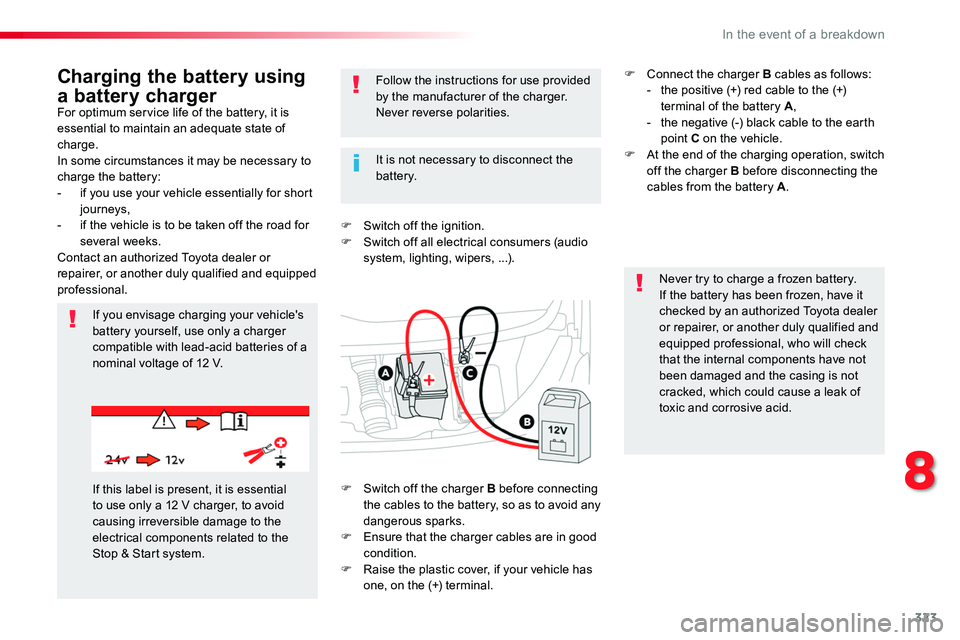
If you envisage charging your vehicle's battery yourself, use only a charger compatible with lead-acid batteries of a nominal voltage of 12 V.
Follow the instructions for use provided by the manufacturer of the charger.Never reverse polarities.
Never try to charge a frozen battery.If the battery has been frozen, have it checked by an authorized Toyota dealer or repairer, or another duly qualified and equipped professional, who will check that the internal components have not been damaged and the casing is not cracked, which could cause a leak of toxic and corrosive acid.
If this label is present, it is essential to use only a 12 V charger, to avoid causing irreversible damage to the electrical components related to the Stop & Start system.
It is not necessary to disconnect the battery.
F Switch off the charger B before connecting the cables to the battery, so as to avoid any dangerous sparks.F Ensure that the charger cables are in good condition.F Raise the plastic cover, if your vehicle has one, on the (+) terminal.
F Connect the charger B cables as follows:- the positive (+) red cable to the (+) terminal of the battery A,- the negative (-) black cable to the earth point C on the vehicle.F At the end of the charging operation, switch off the charger B before disconnecting the cables from the battery A.
8
In the event of a breakdown
Page 324 of 516
324
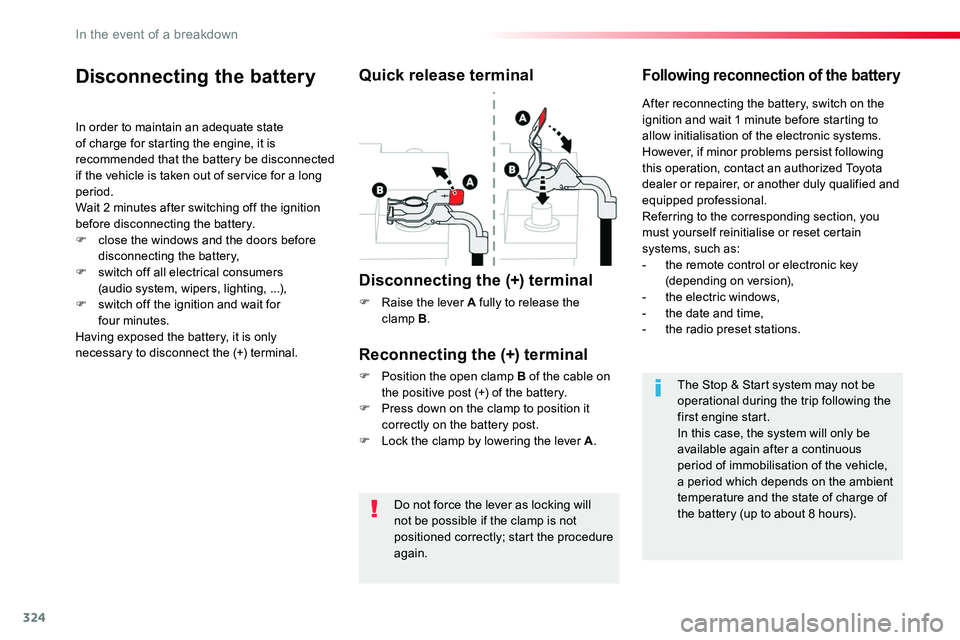
Do not force the lever as locking will not be possible if the clamp is not
positioned correctly; start the procedure again.
Disconnecting the battery
In order to maintain an adequate state of charge for starting the engine, it is recommended that the battery be disconnected if the vehicle is taken out of service for a long period.Wait 2 minutes after switching off the ignition before disconnecting the battery.F close the windows and the doors before disconnecting the battery,F switch off all electrical consumers (audio system, wipers, lighting, ...),F switch off the ignition and wait for four minutes.Having exposed the battery, it is only necessary to disconnect the (+) terminal.
Quick release terminal
Disconnecting the (+) terminal
F Raise the lever A fully to release the clamp B.
Following reconnection of the battery
Reconnecting the (+) terminal
F Position the open clamp B of the cable on the positive post (+) of the battery.F Press down on the clamp to position it correctly on the battery post.F Lock the clamp by lowering the lever A.
After reconnecting the battery, switch on the ignition and wait 1 minute before starting to allow initialisation of the electronic systems.However, if minor problems persist following this operation, contact an authorized Toyota dealer or repairer, or another duly qualified and equipped professional.Referring to the corresponding section, you must yourself reinitialise or reset certain systems, such as:- the remote control or electronic key (depending on version),- the electric windows,- the date and time,- the radio preset stations.
The Stop & Start system may not be operational during the trip following the first engine start.In this case, the system will only be available again after a continuous period of immobilisation of the vehicle, a period which depends on the ambient temperature and the state of charge of the battery (up to about 8 hours).
In the event of a breakdown
Page 327 of 516
327
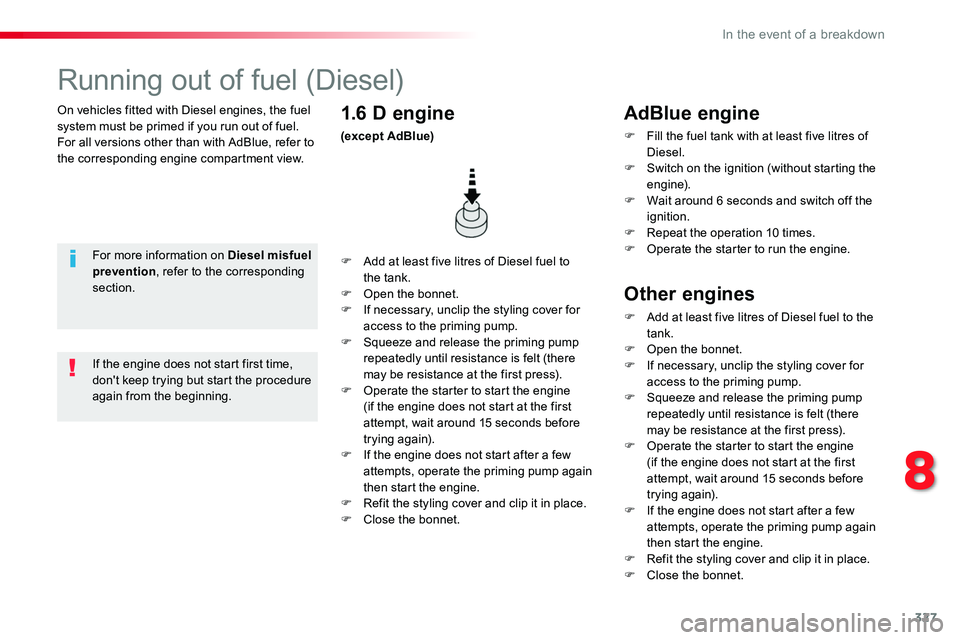
On vehicles fitted with Diesel engines, the fuel system must be primed if you run out of fuel.For all versions other than with AdBlue, refer to the corresponding engine compartment view.
Running out of fuel (Diesel)
For more information on Diesel misfuel prevention, refer to the corresponding section.
F Add at least five litres of Diesel fuel to the tank.F Open the bonnet.F If necessary, unclip the styling cover for access to the priming pump.F Squeeze and release the priming pump repeatedly until resistance is felt (there may be resistance at the first press).F Operate the starter to start the engine (if the engine does not start at the first attempt, wait around 15 seconds before trying again).F If the engine does not start after a few attempts, operate the priming pump again then start the engine.F Refit the styling cover and clip it in place.F Close the bonnet.
1.6 D engine
(except AdBlue)
If the engine does not start first time, don't keep trying but start the procedure again from the beginning.
AdBlue engine
F Fill the fuel tank with at least five litres of Diesel.F Switch on the ignition (without starting the engine).F Wait around 6 seconds and switch off the ignition.F Repeat the operation 10 times.F Operate the starter to run the engine.
Other engines
F Add at least five litres of Diesel fuel to the tank.F Open the bonnet.F If necessary, unclip the styling cover for access to the priming pump.F Squeeze and release the priming pump repeatedly until resistance is felt (there
may be resistance at the first press).F Operate the starter to start the engine (if the engine does not start at the first attempt, wait around 15 seconds before trying again).F If the engine does not start after a few attempts, operate the priming pump again then start the engine.F Refit the styling cover and clip it in place.F Close the bonnet.
8
In the event of a breakdown
Page 339 of 516
339
Localised Assistance Call
For technical reasons, particularly to improve the quality of Telematic services to customers, the manufacturer reserves the right to
carry out updates to the vehicle's on-board telematic system.
The fault with the system does not prevent the vehicle being driven.
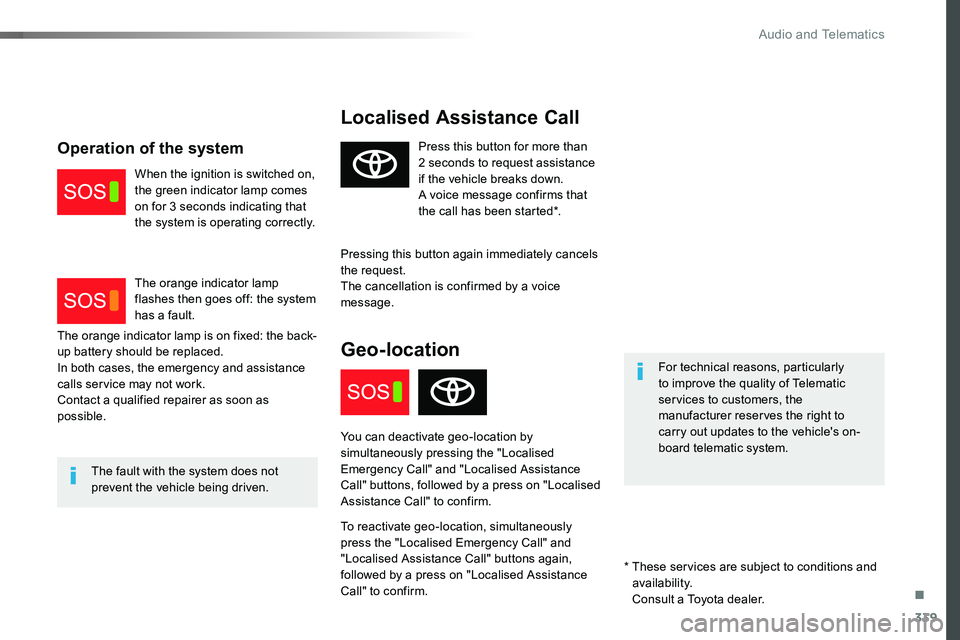
Press this button for more than 2 seconds to request assistance if the vehicle breaks down.A voice message confirms that the call has been started*.
Pressing this button again immediately cancels the request.The cancellation is confirmed by a voice message.
Geo-location
You can deactivate geo-location by simultaneously pressing the "Localised Emergency Call" and "Localised Assistance Call" buttons, followed by a press on "Localised Assistance Call" to confirm.
To reactivate geo-location, simultaneously press the "Localised Emergency Call" and "Localised Assistance Call" buttons again, followed by a press on "Localised Assistance Call" to confirm.
The orange indicator lamp is on fixed: the back-up battery should be replaced.In both cases, the emergency and assistance calls service may not work.Contact a qualified repairer as soon as possible.
Operation of the system
When the ignition is switched on, the green indicator lamp comes on for 3 seconds indicating that the system is operating correctly.
The orange indicator lamp flashes then goes off: the system has a fault.
* These services are subject to conditions and availability.
Consult a Toyota dealer.
.
Audio and Telematics
Page 341 of 516
341
Toyota Pro Touch with navigation system
GPS satellite navigation - Connectivity - Multimedia audio - Bluetooth® telephone
ContentsFirst steps 342
Steering mounted controls 344
Menus 345
Voice commands 346
Navigation 352
Connected navigation 368
Connectivity 378
Radio Media 388
Telephone 400
Settings 412
Frequently asked questions 422
The system is protected in such a way that it will only operate in your vehicle.As a safety measure and because it requires sustained attention by the driver, the pairing of a Bluetooth mobile telephone with the Bluetooth hands-free system of your audio system must be done with the vehicle stationary and the ignition on.The display of the energy economy mode message signals that a change to standby is imminent. For more information on the Energy economy mode refer to the corresponding section.
.
Audio and Telematics
Page 342 of 516
342
FM/87.5 MHz
87.5MHz 12:13
23 °C 87.5 MHz
First steps
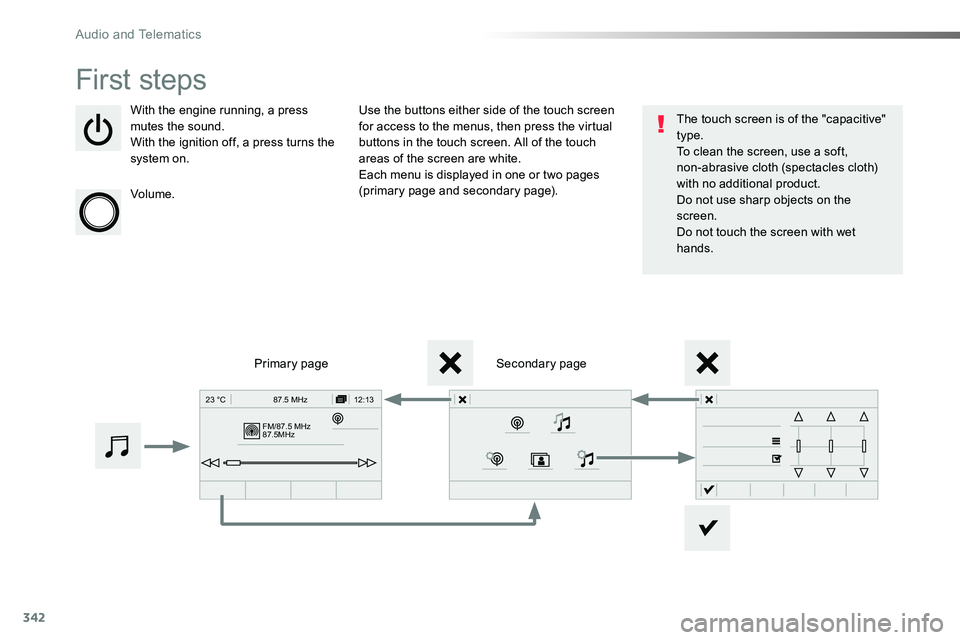
With the engine running, a press mutes the sound.With the ignition off, a press turns the system on.
Volume.
Use the buttons either side of the touch screen for access to the menus, then press the virtual buttons in the touch screen. All of the touch areas of the screen are white.Each menu is displayed in one or two pages (primary page and secondary page).
Secondary pagePrimary page
The touch screen is of the "capacitive" type.To clean the screen, use a soft, non-abrasive cloth (spectacles cloth) with no additional product.Do not use sharp objects on the screen.Do not touch the screen with wet hands.
Audio and Telematics
Page 380 of 516
380
1
Bluetooth® connection
Procedure from the systemConnection sharing
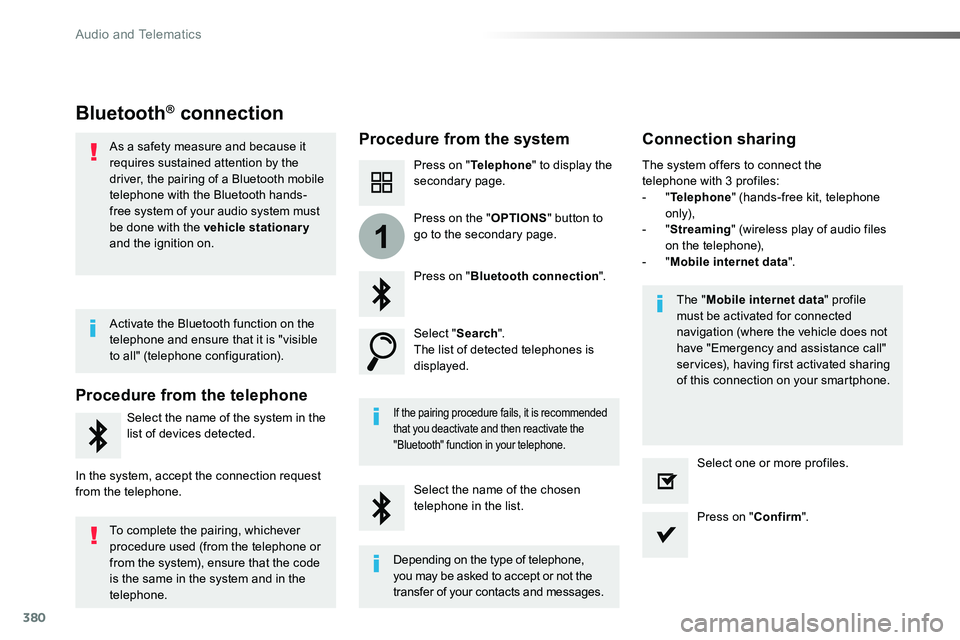
Press on "Telephone" to display the secondary page.
Press on "Bluetooth connection".
Select "Search".The list of detected telephones is displayed.
If the pairing procedure fails, it is recommended that you deactivate and then reactivate the
"Bluetooth" function in your telephone.
The "Mobile internet data" profile must be activated for connected navigation (where the vehicle does not have "Emergency and assistance call" services), having first activated sharing of this connection on your smartphone.
The system offers to connect the telephone with 3 profiles:- "Telephone" (hands-free kit, telephone only),- "Streaming" (wireless play of audio files on the telephone),- "Mobile internet data".
Select the name of the chosen telephone in the list.Press on "Confirm".
Select one or more profiles.
Press on the "OPTIONS" button to go to the secondary page.
As a safety measure and because it requires sustained attention by the driver, the pairing of a Bluetooth mobile telephone with the Bluetooth hands-free system of your audio system must
be done with the vehicle stationary and the ignition on.
Procedure from the telephone
Select the name of the system in the
list of devices detected.
In the system, accept the connection request from the telephone.
Activate the Bluetooth function on the telephone and ensure that it is "visible to all" (telephone configuration).
To complete the pairing, whichever procedure used (from the telephone or from the system), ensure that the code is the same in the system and in the
telephone.
Depending on the type of telephone, you may be asked to accept or not the
transfer of your contacts and messages.
Audio and Telematics
Page 398 of 516
398
Media
USB playerSelecting the source
Select "Source".
Press Radio Media to display the primary page.
The system builds playlists (in temporary memory), an operation which can take from a few seconds to several minutes at the first connection.
Reduce the number of non-music files and the number of folders to reduce the waiting time.The playlists are updated every time the ignition is switched off or connection of a USB memory stick. The lists are memorised: if they are not modified, the subsequent loading time will be shorter.
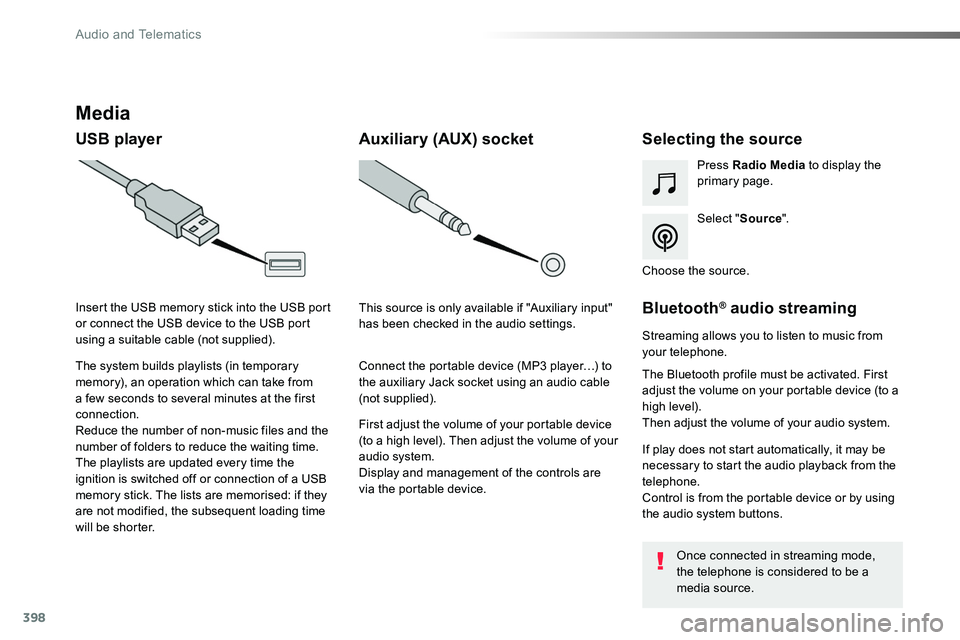
Insert the USB memory stick into the USB port or connect the USB device to the USB port using a suitable cable (not supplied).
Auxiliary (AUX) socket
First adjust the volume of your portable device (to a high level). Then adjust the volume of your audio system.Display and management of the controls are via the portable device.
This source is only available if "Auxiliary input" has been checked in the audio settings.
Connect the portable device (MP3 player…) to the auxiliary Jack socket using an audio cable (not supplied).
Choose the source.
Bluetooth® audio streaming
Streaming allows you to listen to music from your telephone.
The Bluetooth profile must be activated. First adjust the volume on your portable device (to a high level).Then adjust the volume of your audio system.
If play does not start automatically, it may be necessary to start the audio playback from the telephone.Control is from the portable device or by using the audio system buttons.
Once connected in streaming mode, the telephone is considered to be a media source.
Audio and Telematics
Page 406 of 516
406
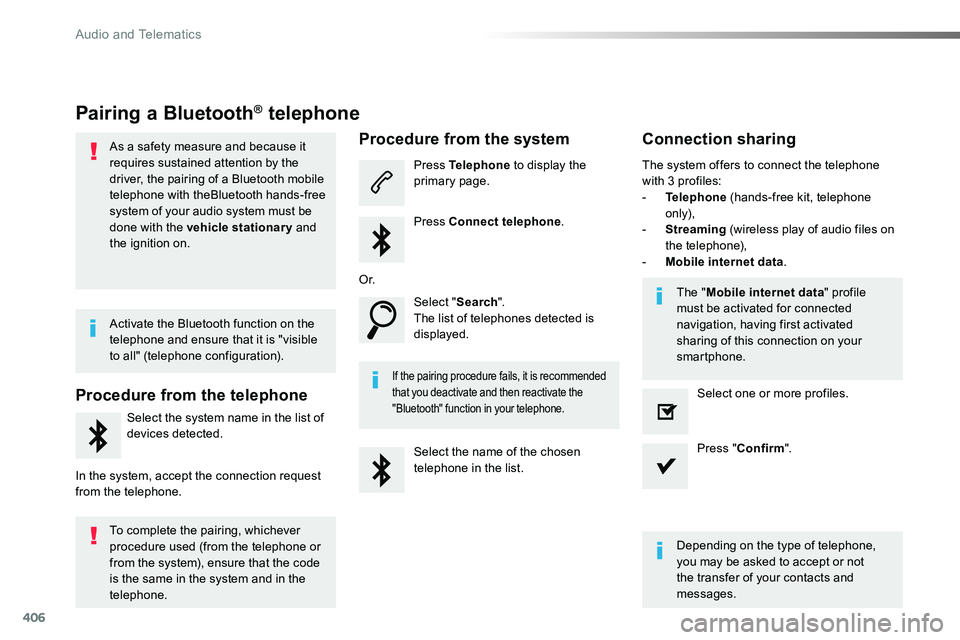
Pairing a Bluetooth® telephone
As a safety measure and because it requires sustained attention by the driver, the pairing of a Bluetooth mobile telephone with theBluetooth hands-free system of your audio system must be
done with the vehicle stationary and the ignition on.
Procedure from the telephone
Select the system name in the list of
devices detected.
In the system, accept the connection request from the telephone.
Procedure from the system
Press Telephone to display the primary page.
Press Connect telephone.
Select "Search".The list of telephones detected is displayed.
If the pairing procedure fails, it is recommended that you deactivate and then reactivate the "Bluetooth" function in your telephone.
The system offers to connect the telephone with 3 profiles:- Telephone (hands-free kit, telephone only),- Streaming (wireless play of audio files on the telephone),- Mobile internet data.
Depending on the type of telephone, you may be asked to accept or not the transfer of your contacts and messages.
Select the name of the chosen telephone in the list.
Press "Confirm".
Select one or more profiles.
O r.
Activate the Bluetooth function on the telephone and ensure that it is "visible to all" (telephone configuration).
To complete the pairing, whichever procedure used (from the telephone or from the system), ensure that the code is the same in the system and in the
telephone.
The "Mobile internet data" profile must be activated for connected navigation, having first activated sharing of this connection on your smartphone.
Connection sharing
Audio and Telematics
Page 407 of 516
407
1
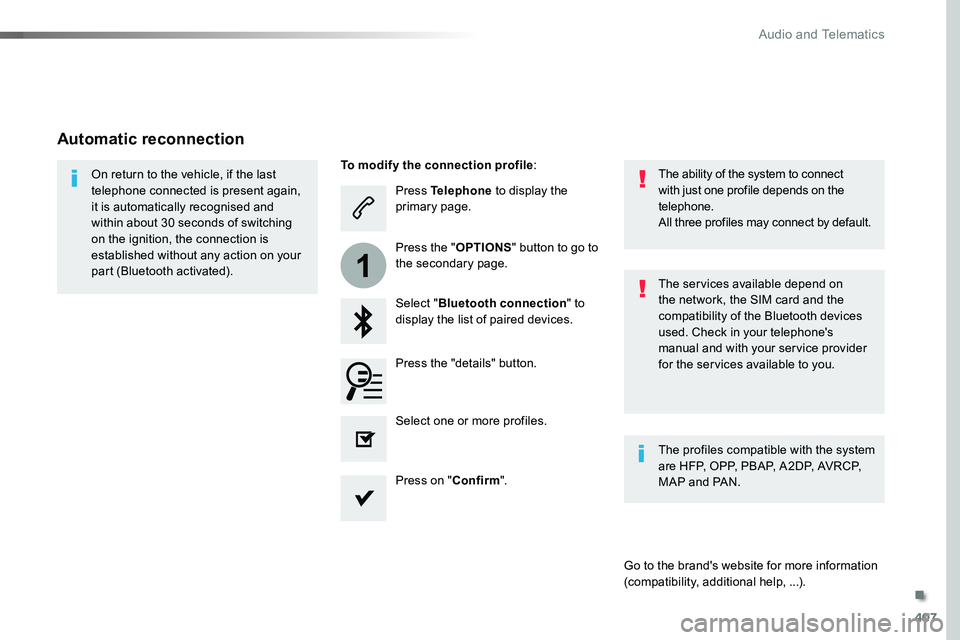
Press Telephone to display the primary page.
Select "Bluetooth connection" to display the list of paired devices.
On return to the vehicle, if the last telephone connected is present again, it is automatically recognised and within about 30 seconds of switching on the ignition, the connection is established without any action on your part (Bluetooth activated).The services available depend on the network, the SIM card and the compatibility of the Bluetooth devices used. Check in your telephone's manual and with your service provider for the services available to you.
The ability of the system to connect with just one profile depends on the telephone.All three profiles may connect by default.
Go to the brand's website for more information (compatibility, additional help, ...).
To modify the connection profile:
Automatic reconnection
Press the "details" button.
Press the "OPTIONS" button to go to the secondary page.
Press on "Confirm".
Select one or more profiles.
The profiles compatible with the system are HFP, OPP, PBAP, A2DP, AVRCP, MAP and PAN.
.
Audio and Telematics