USB TOYOTA PROACE CITY VERSO 2020 Owner's Manual
[x] Cancel search | Manufacturer: TOYOTA, Model Year: 2020, Model line: PROACE CITY VERSO, Model: TOYOTA PROACE CITY VERSO 2020Pages: 272, PDF Size: 58.6 MB
Page 215 of 272
215
TOYOTA Connect Radio
11
Press this button to set the time zone.
Select the display format for the time (12h/24h).Activate or deactivate summer time (+1 hour).Activate or deactivate GPS synchronisation (UTC).Press the back arrow to save the settings.
NOTIC E
The system may not automatically manage the change between winter and summer time (depending on the country of sale).
Setting the date
Press Settings to display the main page.
Press "Configuration" to access the secondary page.Press "Date and time".
Select "Date".Press this button to set the date.
Press the back arrow to save the date.
Select the display format for the date.
Press the back arrow again to confirm.
NOTIC E
Time and date setting is only available if "GPS Synchronisation:" is deactivated.
Frequently asked
questions
The following information groups together the answers to the most frequently asked questions concerning the system.
Radio
The reception quality of the tuned radio station gradually deteriorates or the station presets are not working (no sound, 87.5 MHz is displayed, etc.).The vehicle is too far from the selected station’s transmitter, or no transmitter is present in the geographical area.► Activate the "RDS" function in the upper bar to enable the system to check whether there is a more powerful transmitter in the geographical area.The environment (hills, buildings, tunnels, basement car parks, etc.) is blocking reception, including in RDS mode.This is a perfectly normal phenomenon, and is not indicative of an audio system malfunction.
The aerial is missing or has been damaged (for example while entering a car wash or underground car park).► Have the aerial checked by a dealer.I cannot find some radio stations in the list of received stations.The name of the radio station changes.The station is no longer received or its name has changed in the list.► Press the round arrow on the "List" tab on the "Radio" page.Some radio stations send other information in place of their name (the title of the song for example).The system interprets these details as the station name.► Press the round arrow on the "List" tab on the "Radio" page.
Media
Playback of my USB memory stick starts only after a very long wait (around 2 to 3 minutes).Some files supplied with the memory stick may
greatly slow down access to reading the memory stick (multiplication by 10 of the cataloguing time).► Delete the files supplied with the memory stick and limit the number of sub-folders in the file structure on the memory stick. Some characters in information about the currently playing media are not displayed correctly.
Page 216 of 272
216
The audio system is unable to process certain types of character.► Use standard characters to name tracks and folders.Playback of streaming files does not start.The connected device does not automatically launch playback.► Start playback from the device.Track names and playing times are not displayed on the audio streaming screen.The Bluetooth profile does not allow the transfer of this information.
Telephone
I cannot connect my Bluetooth telephone.The telephone's Bluetooth function may be switched off or the telephone may not be visible.► Check that the telephone has Bluetooth switched on.► Check in the telephone settings that it is "visible to all".The Bluetooth telephone is not compatible with the system.
► Check the compatibility of the telephone on the Brand's website (services).Android Auto and CarPlay do not work.Android Auto and CarPlay may not activate if the USB cables are of poor quality.► Use genuine USB cables to ensure compatibility.The volume of the telephone connected in Bluetooth mode is inaudible.
The volume depends on both the system and the telephone.► Increase the volume of the audio system, to maximum if required, and increase the volume of the telephone if necessary.Ambient noise affects the quality of the telephone call.► Reduce ambient noise (close windows, reduce ventilation, slow down, etc.).The contacts are not listed in alphabetical order.Some telephones offer display options. Depending on the settings chosen, contacts can be transferred in a specific order.► Modify the telephone directory display settings.
Settings
When the treble and bass settings are changed, the ambience is deselected.When the ambience is changed, the treble and bass settings are reset.Selecting an ambience imposes the treble and
bass settings, and vice versa.► Modify the treble and bass or ambience settings to obtain the desired musical ambience.When the balance settings are changed, the distribution is deselected.When the distribution setting is changed, the balance settings are deselected.Selecting a distribution setting imposes the balance settings, and vice versa.
► Modify the balance setting or the distribution setting to obtain the desired sound quality.There is a difference in sound quality between audio sources.To allow for optimal listening quality, the sound settings can be tailored to different audio sources, which can generate audible differences when changing source.► Check that the sound settings are appropriate to the sources listened to. Adjust the sound functions to the middle position.When the engine is off, the system switches off after several minutes of use.When the engine is switched off, the system's operating time depends on the state of charge of the battery.The switch-off is normal: the system automatically goes into energy economy mode and switches off to maintain an adequate charge in the battery.► Start the vehicle’s engine to increase the charge of the battery.
Page 218 of 272
218
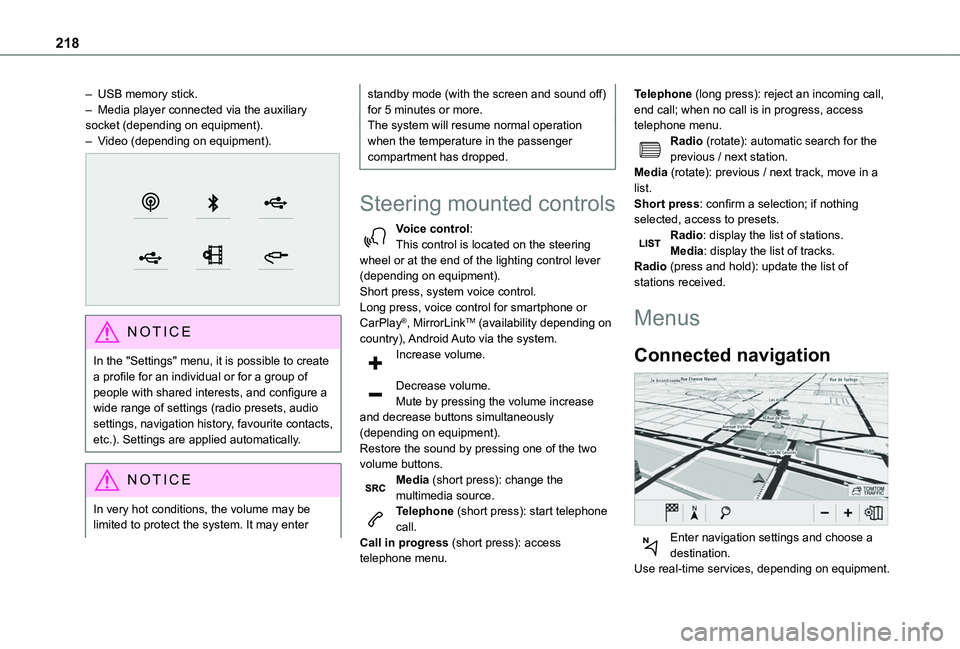
– USB memory stick.– Media player connected via the auxiliary socket (depending on equipment).– Video (depending on equipment).
NOTIC E
In the "Settings" menu, it is possible to create a profile for an individual or for a group of people with shared interests, and configure a wide range of settings (radio presets, audio settings, navigation history, favourite contacts, etc.). Settings are applied automatically.
NOTIC E
In very hot conditions, the volume may be limited to protect the system. It may enter
standby mode (with the screen and sound off) for 5 minutes or more.The system will resume normal operation when the temperature in the passenger compartment has dropped.
Steering mounted controls
Voice control:This control is located on the steering wheel or at the end of the lighting control lever (depending on equipment).Short press, system voice control.Long press, voice control for smartphone or CarPlay®, MirrorLinkTM (availability depending on country), Android Auto via the system.Increase volume.
Decrease volume.Mute by pressing the volume increase and decrease buttons simultaneously (depending on equipment).
Restore the sound by pressing one of the two volume buttons.Media (short press): change the multimedia source.Telephone (short press): start telephone call.Call in progress (short press): access telephone menu.
Telephone (long press): reject an incoming call, end call; when no call is in progress, access telephone menu.Radio (rotate): automatic search for the previous / next station.Media (rotate): previous / next track, move in a list.Short press: confirm a selection; if nothing selected, access to presets.Radio: display the list of stations.Media: display the list of tracks.Radio (press and hold): update the list of stations received.
Menus
Connected navigation
Enter navigation settings and choose a
destination.Use real-time services, depending on equipment.
Page 222 of 272
222
NOTIC E
Depending on the country, give destination (address) instructions in the language configured for the system.
"Radio Media" voice
commands
Voice commands
Turn on source radio - Streaming Bluetooth - …Help messages
You can select an audio source by saying "turn on source" followed by the device name. For example, "turn on source, Streaming Bluetooth", or "turn on source, radio". Use the command "play" to specify the type of music you'd like to hear. You can choose between "song", "artist", or "album". Just say something like "play artist,
Madonna", "play song, Hey Jude", or "play album, Thriller". Voice commands
Tune to channel BBC Radio 2Tune to 98.5 FMTune to preset number five
* This function is available only if the telephone connected to the system supports downloadi\
ng of contacts and recent calls and the corresponding download has been performed.
Help messages
You can pick a radio station by saying "tune to" and the station name or frequency. For example "tune to channel Talksport" or "tune to 98.5 FM". To listen to a preset radio station, say for example "tune to preset number five". Voice commands
What's playing?Help messages
To choose what you'd like to play, start by saying "play" and then the item. For example, say "play song Hey Jude", "play line 3" or "select line 2". You can undo your last action and start over by saying "undo", or say "cancel" to cancel the current action.Voice commands
Play song Hey JudePlay artist MadonnaPlay album Thriller
Help messages
I'm not sure what you'd like to play. Please say "play" and then a song title, an album title, or an artist name. For example, say "play song Hey Jude", "play artist Madonna" or "play album Thriller". To select a line number from the
display, say "select line two". To move around a displayed list, you can say "next page" or "previous page". You can undo your last action and start over by saying "undo", or say "cancel" to cancel the current action.
N OTIC E
Media voice commands are available only with a USB connection.
"Telephone" voice
commands
NOTIC E
If there is no telephone connected by Bluetooth, a voice message announces: "Please first connect a telephone", and the voice session is closed.
Voice commands
Call David Miller*Call voicemail*Display calls*Help messages
Page 226 of 272
226
A marker is displayed in the middle of the screen, with the "Latitude" and "Longitude" coordinates.Choose the type of coordinates:DMS for: Degrees, Minutes, Seconds.DD for: Degrees, Decimals.Press this button to start guided navigation.OrPress this button to save the displayed address.ORPress this button to enter the "Latitude" value using the virtual keypad.AndPress this button to enter the "Longitude" value using the virtual keypad.
TMC (Traffic Message
Channel)
Available in some countries.TMC (Traffic Message Channel) messages
are based on a European standard for traffic information broadcasting via the RDS system on FM radio, sending traffic information in real time. The TMC information is then displayed on a GPS Navigation system map and taken into account straight away when routes are calculated, to avoid accidents, traffic jams and closed roads.
NOTIC E
Danger zone alerts may or may not be displayed, depending on the applicable legislation and subscription to the corresponding service.
Connected navigation
Connected navigation
connection
Depending on version, vehicle trim level and subscription to online services and options.
Network connection provided by the
user
NOTIC E
For the list of suitable smartphones, visit the Brand's national website.
Activate and enter settings for sharing the smartphone connection.
NOTIC E
As processes and standards are constantly changing, we recommend you update the
smartphone operating system as well as the date and time on the smartphone and system, to ensure that the communication process between the smartphone and the system functions correctly.
USB connectionConnect the USB cable.The smartphone charges when connected by the USB cable.Bluetooth connectionActivate the Bluetooth function on the telephone and ensure that it is visible to all (see the "Connect-App" section).Wi-Fi connectionSelect a Wi-Fi network detected by the system and connect to it.
NOTIC E
This function is only available if it has been activated either via the "Notifications" or via the "Applications" menu.
Press "Notifications".
Select Wi-Fi to activate it.
ORPress Connect-App to display the main page.Press the "OPTIONS" button to access the secondary page.
Page 227 of 272
227
TOYOTA Connect Nav
12
Select "Wi-Fi network connection".
Select the "Secured", "Not secured" or "Stored” tab.Select a network.
Using the virtual keypad, enter the Wi-Fi network "Key” and "Password".Press "OK" to establish a connection between the smartphone and the vehicle’s system.
NOTIC E
Usage restrictions:– With CarPlay®, connection sharing is only available with a Wi-Fi connection.– With MirrorLinkTM, connection sharing is only available with a USB connection.The quality of services depends on the quality of the network connection.
Authorize sending
information
Press Settings to display the main page.
Press the "OPTIONS" button to access the secondary page.Select "System configuration".
Select the "Private mode” tab.
ORPress "Notifications".
Press "Private mode".
THENActivate or deactivate:
– "No sharing (data, vehicle position)".– “Only data sharing"– "Sharing data and vehicle position"
Settings specific to
connected navigation
Press Navigation to display the main page.Press the "MENU" button to access the secondary page.Select "Settings".
Select the "Map” tab.
Activate or deactivate:– "Allow declaration of danger zones".– "Guidance to final destination on foot".These settings must be configured for each profile.Press “OK” to confirm your selection.
Select the "Alerts” tab.
Activate or deactivate:
– "Advise of car park nearby".– "Filling station alert".– “Risk areas alert" then press the warning icon (triangle) to configure alerts.– "Give an audible warning".– "Advise proximity of POI 1".– "Advise proximity of POI 2".Press “OK” to confirm your selection.
NOTIC E
The "Notifications", in the upper bar, can be accessed at any time.
NOTIC E
Danger zone alerts may or may not be displayed, depending on the applicable legislation and subscription to the corresponding service.
When "TOMTOM TRAFFIC” appears, the services are available.
NOTIC E
The services offered with connected navigation are as follows.A Connected Services pack:– Weather,
Page 229 of 272
229
TOYOTA Connect Nav
12
Applications
USB ports
Depending on equipment, for more information on the USB ports compatible with CarPlay®, MirrorLinkTM or Android Auto applications, refer to the "Ease of use and comfort" section.
NOTIC E
For the list of suitable smartphones, visit the Brand's national website.
NOTIC E
Synchronising a smartphone enables users to display applications that support the smartphone’s MirrorLinkCarPlay®, TM or Android Auto technology on the vehicle’s screen. For CarPlay® technology, the CarPlay® function must first be activated on the smartphone.In all cases, the smartphone must be unlocked, to enable the communication process between the smartphone and the system to function.As principles and standards are constantly changing, we recommend keeping the smartphone's operating system up-to-
date, together with the date and time on the smartphone and the system.
Connectivity
Press Applications to display the main page.Press "Connectivity" to access the CarPlay®, MirrorLinkTM or Android Auto functions.
CarPlay® smartphone
connection
Connect a USB cable. The smartphone charges when connected by a USB cable.Press "Telephone" to display the CarPlay® interface.OrConnect a USB cable. The smartphone charges when connected by a USB cable.From the system, press "Applications" to display the main page.Press "Connectivity" to access the "CarPlay®” function.Press "CarPlay" to display the CarPlay® interface.
NOTIC E
On connecting the USB cable, the CarPlay® function deactivates the system's Bluetooth® mode.
NOTIC E
When the USB cable is disconnected and the ignition is switched off then back on, the
system will not automatically switch to Radio Media mode; the source must be changed manually.
MirrorLinkTM smartphone
connection
NOTIC E
The "MirrorLinkTM" function requires a compatible smartphone and compatible applications.You can check that your telephone is compatible on the Brand's website (services).
When connecting a smartphone to the system, we recommend enabling Bluetooth® on the smartphone.Connect a USB cable. The smartphone charges when connected by a USB cable.From the system, press "Applications" to display the main page.Press "Connectivity" to access the "MirrorLinkTM” function.Press "MirrorLinkTM" to start the application in the system.Depending on the smartphone, it may be necessary to activate the "MirrorLinkTM" function.During the procedure, several screen pages relating to certain features are displayed.
Page 230 of 272
230
Accept to start and complete the connection.Once the connection is established, a page is displayed, showing the applications already downloaded to the smartphone that are compatible with MirrorLinkTM technology.Access to the different audio sources remains available in the margin of the MirrorLinkTM display, using the touch buttons located in the upper bar.Access to the menus for the system is possible at any time using the dedicated buttons.
NOTIC E
There may be a pause before applications become available, depending on the quality of the network.
Android Auto smartphone
connection
NOTIC E
Install the "Android Auto" application on the smartphone via "Google Play".The "Android Auto" function requires the use of a compatible smartphone and applications.
Connect a USB cable. The smartphone
charges when connected by a USB cable.From the system, press "Applications" to display the main page.
Press "Connectivity" to access the "Android Auto” function.Press "Android Auto" to start the application in the system.During the procedure, several screen pages relating to certain features are displayed.Accept to start and complete the connection.Access to the different audio sources remains available in the margin of the Android Auto display, using the touch buttons located in the upper bar.Access to the menus for the system is possible at any time using the dedicated buttons.
NOTIC E
In Android Auto mode, the function that displays rolling menus by briefly pressing the screen with three fingers is disabled.
NOTIC E
There may be a pause before applications become available, depending on the quality of the network.
Car Apps
Press Applications to display the main page.Press "Car Apps" to display the applications home page.
Internet Browser
Press Applications to display the main page.Press "Connectivity" to access the "Connected Apps” function.Press "Connected Apps" to display the browser home page.Select the country of residence.
Press "OK" to save and start the browser.
NOTIC E
Connection to the internet is via one of the network connections provided by the vehicle or the user.
Bluetooth connection®
WARNI NG
The services available depend on the network, the SIM card and the compatibility of the Bluetooth devices used. Consult the smartphone user guide and the service provider to check which services are available.
Page 232 of 272
232
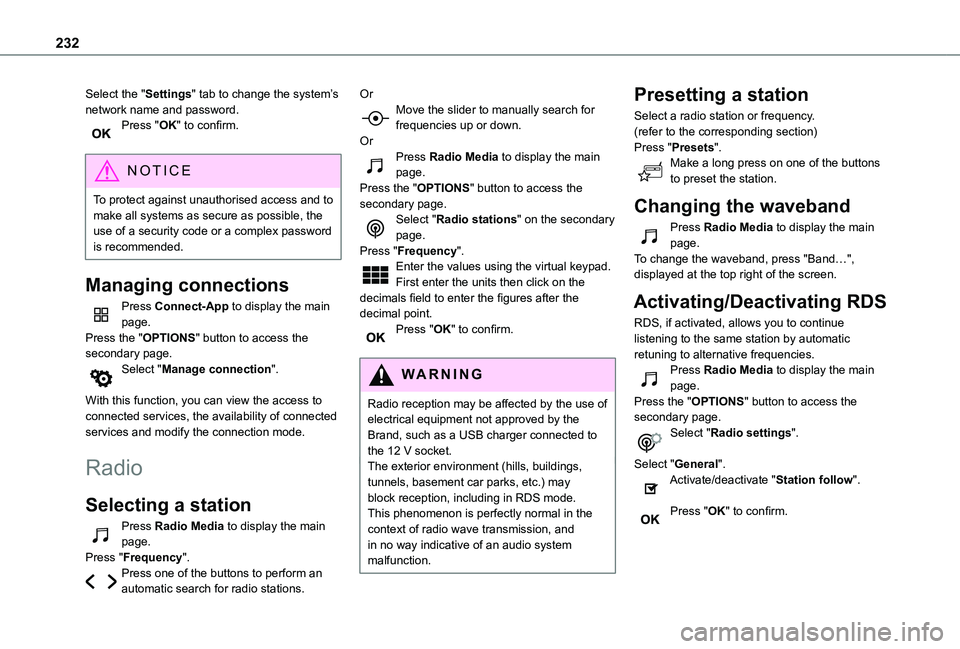
Select the "Settings" tab to change the system’s network name and password.Press "OK" to confirm.
NOTIC E
To protect against unauthorised access and to make all systems as secure as possible, the use of a security code or a complex password
is recommended.
Managing connections
Press Connect-App to display the main page.Press the "OPTIONS" button to access the secondary page.Select "Manage connection".
With this function, you can view the access to connected services, the availability of connected services and modify the connection mode.
Radio
Selecting a station
Press Radio Media to display the main page.Press "Frequency".Press one of the buttons to perform an automatic search for radio stations.
OrMove the slider to manually search for frequencies up or down.OrPress Radio Media to display the main page.Press the "OPTIONS" button to access the secondary page.Select "Radio stations" on the secondary page.Press "Frequency".Enter the values using the virtual keypad.First enter the units then click on the decimals field to enter the figures after the decimal point.Press "OK" to confirm.
WARNI NG
Radio reception may be affected by the use of electrical equipment not approved by the Brand, such as a USB charger connected to the 12 V socket.The exterior environment (hills, buildings, tunnels, basement car parks, etc.) may block reception, including in RDS mode. This phenomenon is perfectly normal in the context of radio wave transmission, and in no way indicative of an audio system malfunction.
Presetting a station
Select a radio station or frequency.(refer to the corresponding section)Press "Presets".Make a long press on one of the buttons to preset the station.
Changing the waveband
Press Radio Media to display the main page.To change the waveband, press "Band…", displayed at the top right of the screen.
Activating/Deactivating RDS
RDS, if activated, allows you to continue listening to the same station by automatic retuning to alternative frequencies.Press Radio Media to display the main page.Press the "OPTIONS" button to access the secondary page.Select "Radio settings".
Select "General".Activate/deactivate "Station follow".
Press "OK" to confirm.
Page 234 of 272
234
Media
USB port
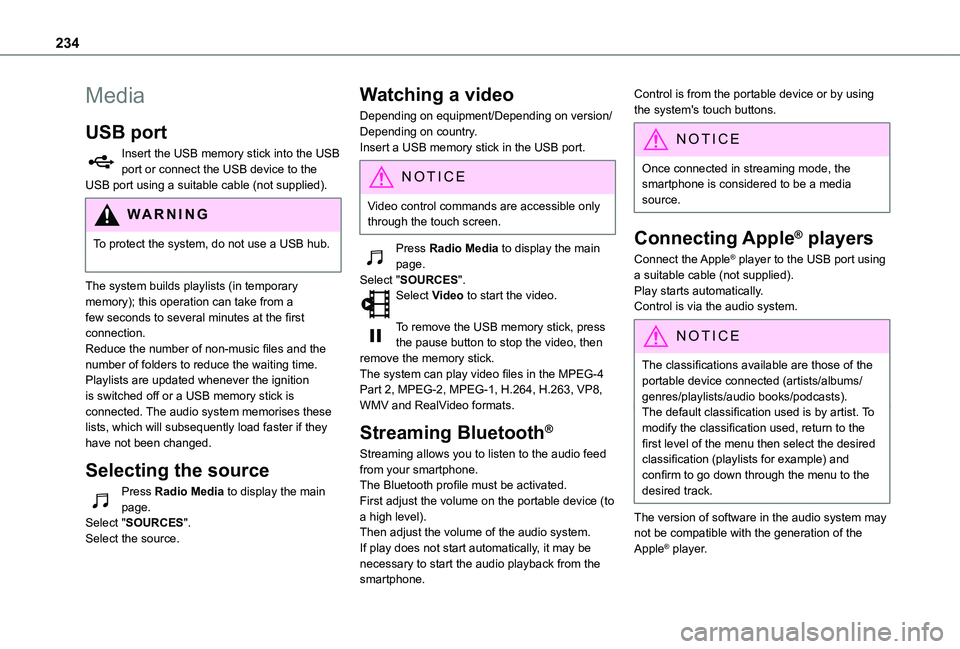
Insert the USB memory stick into the USB port or connect the USB device to the USB port using a suitable cable (not supplied).
WARNI NG
To protect the system, do not use a USB hub.
The system builds playlists (in temporary memory); this operation can take from a few seconds to several minutes at the first connection.Reduce the number of non-music files and the number of folders to reduce the waiting time.Playlists are updated whenever the ignition is switched off or a USB memory stick is connected. The audio system memorises these lists, which will subsequently load faster if they have not been changed.
Selecting the source
Press Radio Media to display the main page.Select "SOURCES".Select the source.
Watching a video
Depending on equipment/Depending on version/Depending on country.Insert a USB memory stick in the USB port.
NOTIC E
Video control commands are accessible only through the touch screen.
Press Radio Media to display the main page.Select "SOURCES".Select Video to start the video.
To remove the USB memory stick, press the pause button to stop the video, then remove the memory stick.The system can play video files in the MPEG-4 Part 2, MPEG-2, MPEG-1, H.264, H.263, VP8, WMV and RealVideo formats.
Streaming Bluetooth®
Streaming allows you to listen to the audio feed from your smartphone.The Bluetooth profile must be activated.First adjust the volume on the portable device (to a high level).Then adjust the volume of the audio system.If play does not start automatically, it may be necessary to start the audio playback from the smartphone.
Control is from the portable device or by using the system's touch buttons.
NOTIC E
Once connected in streaming mode, the smartphone is considered to be a media source.
Connecting Apple® players
Connect the Apple® player to the USB port using a suitable cable (not supplied).Play starts automatically.Control is via the audio system.
NOTIC E
The classifications available are those of the portable device connected (artists/albums/genres/playlists/audio books/podcasts).The default classification used is by artist. To modify the classification used, return to the first level of the menu then select the desired classification (playlists for example) and confirm to go down through the menu to the desired track.
The version of software in the audio system may not be compatible with the generation of the
Apple® player.