display TOYOTA RAV4 2006 Service Owner's Guide
[x] Cancel search | Manufacturer: TOYOTA, Model Year: 2006, Model line: RAV4, Model: TOYOTA RAV4 2006Pages: 2000, PDF Size: 45.84 MB
Page 571 of 2000

2GR-FE ENGINE CONTROL SYSTEM – SFI SYSTEMES–47
ES
KNOCK FB VAL Feedback value of knocking -
ACCEL POS #1Absolute Accelerator Pedal Position (APP)
No.1-
ACCEL POS #2 Absolute APP No. 2 -
THROTTLE POS Throttle sensor positioning -
THROTTLE POS Throttle position -
THROTTLE POS #2 Throttle sensor positioning #2 -
THROTTLE MOT Throttle motor -
O2S B1 S2
O2S B2 S2Heated oxygen sensor outputPerforming INJ VOL or A/F CONTROL
function of ACTIVE TEST enables technician
to check output voltage of sensor
AFS B1 S1
AFS B2 S1A/F sensor outputPerforming INJ VOL or A/F CONTROL
function of ACTIVE TEST enables technician
to check output voltage of sensor
TOTAL FT #1
TOTAL FT #2Total fuel trim -
SHORT FT #1
SHORT FT #2Short-term fuel trimShort-term fuel compensation used to
maintain air-fuel ratio at stoichiometric air-fuel
ratio
LONG FT #1
LONG FT #2Long-term fuel trimOverall fuel compensation carried out in long-
term to compensate a continual deviation of
short-term fuel trim from central valve
O2FT B1 S2
O2FT B2 S2Fuel trim at heated oxygen sensor -
AF FT B1 S1
AF FT B2 S1Fuel trim at A/F sensor-
AFS B1 S1
AFS B2 S1A/F sensor current-
CAT TEMP B1S1
CAT TEMP B2S1Estimated catalyst temperature (sensor 1)-
CAT TEMP B1S2
CAT TEMP B2S2Estimated catalyst temperature (sensor 2)-
S O2S B1S2
S O2S B2S2Sub heated oxygen sensor impedance
(sensor 2)-
INI COOL TEMP Engine coolant temperature at engine start -
INI INTAKE TEMP Intake air temperature at engine start -
INJ VOL Injection volume -
STARTER SIG Starter switch (STSW) signal -
PS SW Power steering signal -
PS SIGNAL Power steering signal (history)Signal status usually ON until ignition switch
turned OFF
CTP SW Closed throttle position switch -
A/C SIGNAL A/C signal -
PNP SW (NSW) Park/Neutral Position (PNP) switch signal -
ELECT LOAD SIG Electrical load signal -
STOP LIGHT SW Stop light switch -
BATTERY VOLTAGE Battery voltage -
ATM PRESSURE Atmosphere pressure -
FUEL PMP SP CTL Fuel pump speed control status -
ACIS VSVVSV for Acoustic Control Induction System
(ACIS)-
EVAP (Purge) VSV EVAP Purge VSV -
FUEL PUMP/SPD Fuel pump/speed status -LABEL
(Intelligent Tester Display)Measurement Item Diagnostic Note
Page 572 of 2000

ES–482GR-FE ENGINE CONTROL SYSTEM – SFI SYSTEM
ES
VVT CTRL B1
VVT CTRL B2VVT control status-
VA C U U M P U M PKey-off EVAP system leak detection pump
status(see page ES-369)
EVAP VENT VAL Key-off EVAP system vent valve status -
FAN MOTOR Electric fan motor -
AICV VSV VSV for Air Intake Control System (AICS) -
TC/TE1 TC and CG (TE1) terminals of DLC3 -
FC IDL Fuel cut idleON: when throttle valve fully closed and
engine speed over 3,500 rpm
FC TAU Fuel cut during very light loadFuel cut being performed under very light load
to prevent engine combustion from becoming
incomplete
IGNITION Ignition counter -
CYL #1 Cylinder #1 misfire Only displayed during idling
CYL #2 Cylinder #2 misfire Only displayed during idling
CYL #3 Cylinder #3 misfire Only displayed during idling
CYL #4 Cylinder #4 misfire Only displayed during idling
CYL #5 Cylinder #5 misfire Only displayed during idling
CYL #6 Cylinder #6 misfire Only displayed during idling
CYL ALL All cylinders misfire Only displayed during idling
MISFIRE RPM Engine speed when misfire occurred -
MISFIRE LOAD Engine load when misfire occurred -
MISFIRE MARGIN Margin to detect engine misfire -
ENG RUN TIME Accumulated engine running time -
TIME DTC CLEAR Cumulative time after DTC cleared -
DIST DTC CLEAR Accumulated distance from DTC cleared -
WU CYC DTC CLEAR Warm-up cycle after DTC cleared -LABEL
(Intelligent Tester Display)Measurement Item Diagnostic Note
Page 967 of 2000
U140F AUTOMATIC TRANSAXLE – AUTOMATIC TRANSAXLE SYSTEMAX–33
AX
DIAGNOSIS SYSTEM
1. DESCRIPTION
(a) When troubleshooting On-Board Diagnostic (OBD
II) vehicles, the vehicle must be connected to the
OBD II scan tool (complying with SAE J1987).
Various data output from the vehicle's ECM can
then be read.
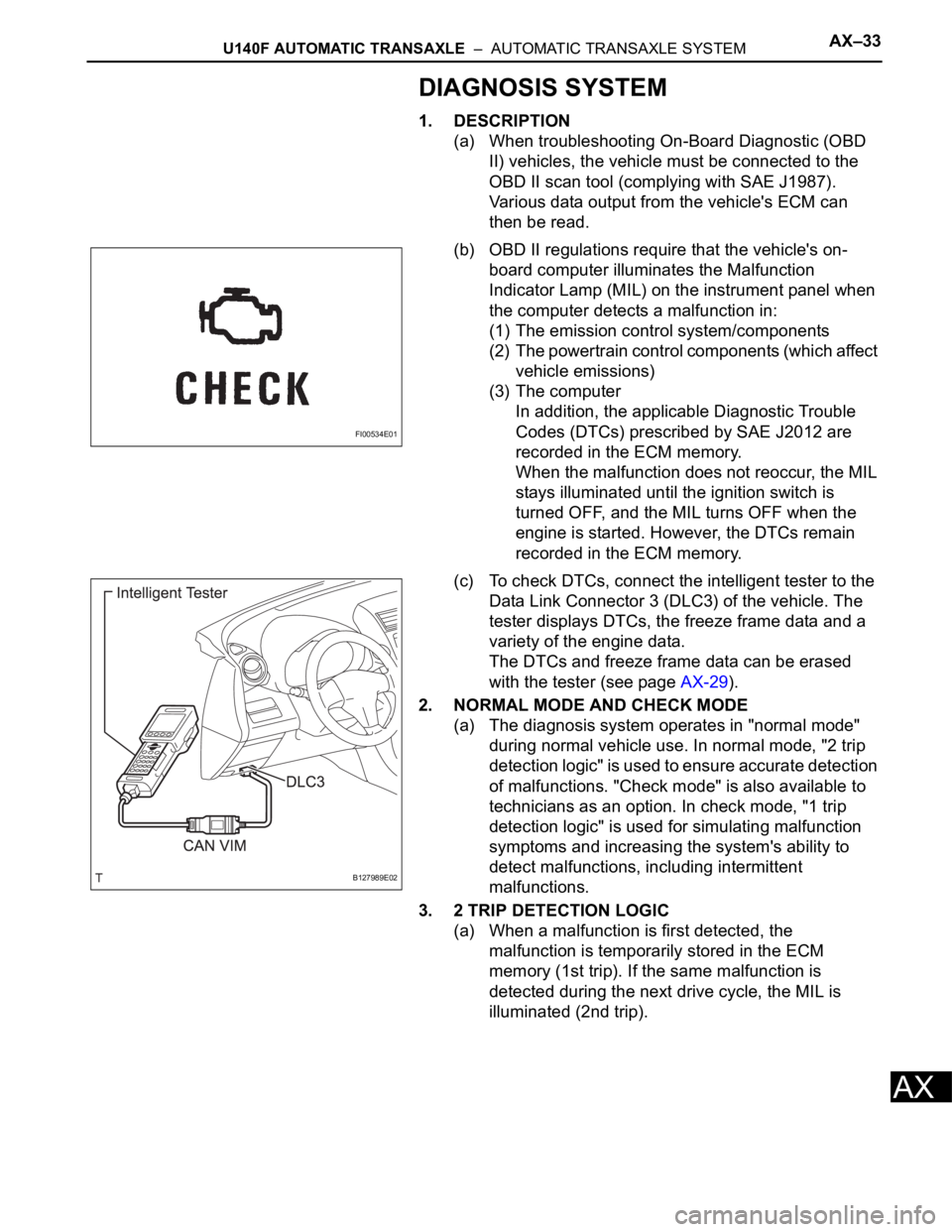
(b) OBD II regulations require that the vehicle's on-
board computer illuminates the Malfunction
Indicator Lamp (MIL) on the instrument panel when
the computer detects a malfunction in:
(1) The emission control system/components
(2) The powertrain control components (which affect
vehicle emissions)
(3) The computer
In addition, the applicable Diagnostic Trouble
Codes (DTCs) prescribed by SAE J2012 are
recorded in the ECM memory.
When the malfunction does not reoccur, the MIL
stays illuminated until the ignition switch is
turned OFF, and the MIL turns OFF when the
engine is started. However, the DTCs remain
recorded in the ECM memory.
(c) To check DTCs, connect the intelligent tester to the
Data Link Connector 3 (DLC3) of the vehicle. The
tester displays DTCs, the freeze frame data and a
variety of the engine data.
The DTCs and freeze frame data can be erased
with the tester (see page AX-29).
2. NORMAL MODE AND CHECK MODE
(a) The diagnosis system operates in "normal mode"
during normal vehicle use. In normal mode, "2 trip
detection logic" is used to ensure accurate detection
of malfunctions. "Check mode" is also available to
technicians as an option. In check mode, "1 trip
detection logic" is used for simulating malfunction
symptoms and increasing the system's ability to
detect malfunctions, including intermittent
malfunctions.
3. 2 TRIP DETECTION LOGIC
(a) When a malfunction is first detected, the
malfunction is temporarily stored in the ECM
memory (1st trip). If the same malfunction is
detected during the next drive cycle, the MIL is
illuminated (2nd trip).
FI00534E01
B127989E02
Page 968 of 2000
AX–34U140F AUTOMATIC TRANSAXLE – AUTOMATIC TRANSAXLE SYSTEM
AX
4. FREEZE FRAME DATA
(a) Freeze frame data records the engine conditions
(fuel system, calculated load, engine coolant
temperature, fuel trim, engine speed, vehicle speed,
etc.) when a malfunction is detected. When
troubleshooting, freeze frame data can help
determine if the vehicle was running or stopped, if
the engine was warmed up or not, if the air-fuel ratio
was lean or rich, and other data from the time the
malfunction occurred.
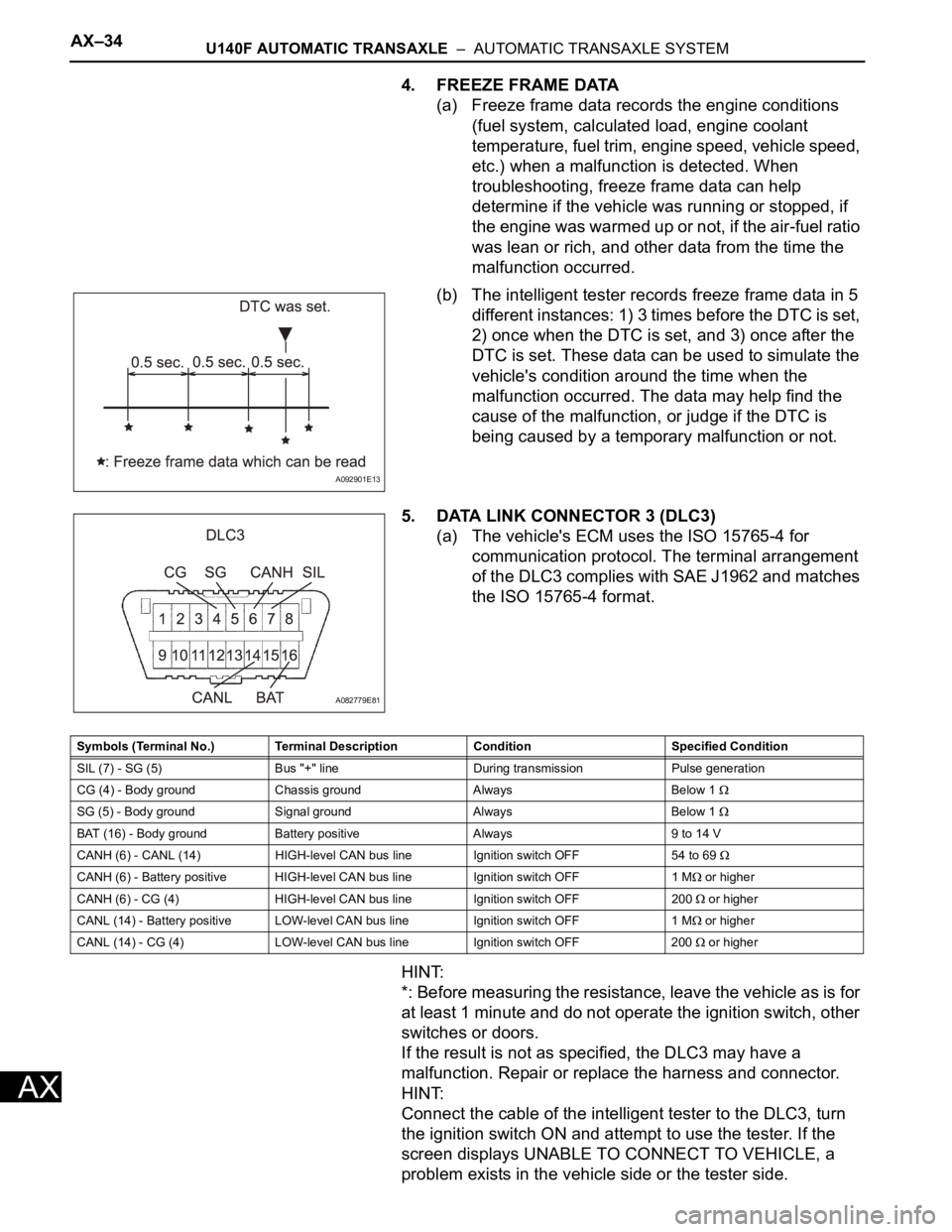
(b) The intelligent tester records freeze frame data in 5
different instances: 1) 3 times before the DTC is set,
2) once when the DTC is set, and 3) once after the
DTC is set. These data can be used to simulate the
vehicle's condition around the time when the
malfunction occurred. The data may help find the
cause of the malfunction, or judge if the DTC is
being caused by a temporary malfunction or not.
5. DATA LINK CONNECTOR 3 (DLC3)
(a) The vehicle's ECM uses the ISO 15765-4 for
communication protocol. The terminal arrangement
of the DLC3 complies with SAE J1962 and matches
the ISO 15765-4 format.
HINT:
*: Before measuring the resistance, leave the vehicle as is for
at least 1 minute and do not operate the ignition switch, other
switches or doors.
If the result is not as specified, the DLC3 may have a
malfunction. Repair or replace the harness and connector.
HINT:
Connect the cable of the intelligent tester to the DLC3, turn
the ignition switch ON and attempt to use the tester. If the
screen displays UNABLE TO CONNECT TO VEHICLE, a
problem exists in the vehicle side or the tester side.
A092901E13
A082779E81
Symbols (Terminal No.) Terminal Description Condition Specified Condition
SIL (7) - SG (5) Bus "+" line During transmission Pulse generation
CG (4) - Body ground Chassis ground Always Below 1
SG (5) - Body ground Signal ground Always Below 1
BAT (16) - Body ground Battery positive Always 9 to 14 V
CANH (6) - CANL (14) HIGH-level CAN bus line Ignition switch OFF 54 to 69
CANH (6) - Battery positive HIGH-level CAN bus line Ignition switch OFF 1 M or higher
CANH (6) - CG (4) HIGH-level CAN bus line Ignition switch OFF 200
or higher
CANL (14) - Battery positive LOW-level CAN bus line Ignition switch OFF 1 M
or higher
CANL (14) - CG (4) LOW-level CAN bus line Ignition switch OFF 200
or higher
Page 969 of 2000
U140F AUTOMATIC TRANSAXLE – AUTOMATIC TRANSAXLE SYSTEMAX–35
AX
If communication is normal when the tester is connected to
another vehicle, inspect the DLC3 on the original vehicle.
If communication is still not possible when the tester is
connected to another vehicle, the problem is probably in the
tester itself. Consult the Service Department listed in the
tester's instruction manual.
6. CHECK MIL
(a) Check that the MIL illuminates when turning the
ignition switch ON.
If the MIL does not illuminate, there is a problem in
the MIL circuit (see page ES-386).
(b) When the engine is started, the MIL should turn off.
7. ALL READINESS
(a) For this vehicle, using the intelligent tester allows
readiness codes corresponding to all DTCs to be
read. When the diagnosis (normal or
malfunctioning) has been completed, readiness
codes are set. Enter the following menus:
ENHANCED OBD II / MONITOR STATUS.
DTC CHECK / CLEAR
1. CHECK DTC
(a) DTCs which are stored in the ECM can be displayed
with the intelligent tester.
The intelligent tester can display pending DTCs and
current DTCs. Some DTCs are not stored unless a
malfunction is detected in consecutive driving
cycles. When a malfunction is detected in only one
driving cycle, it is stored as a pending DTC.
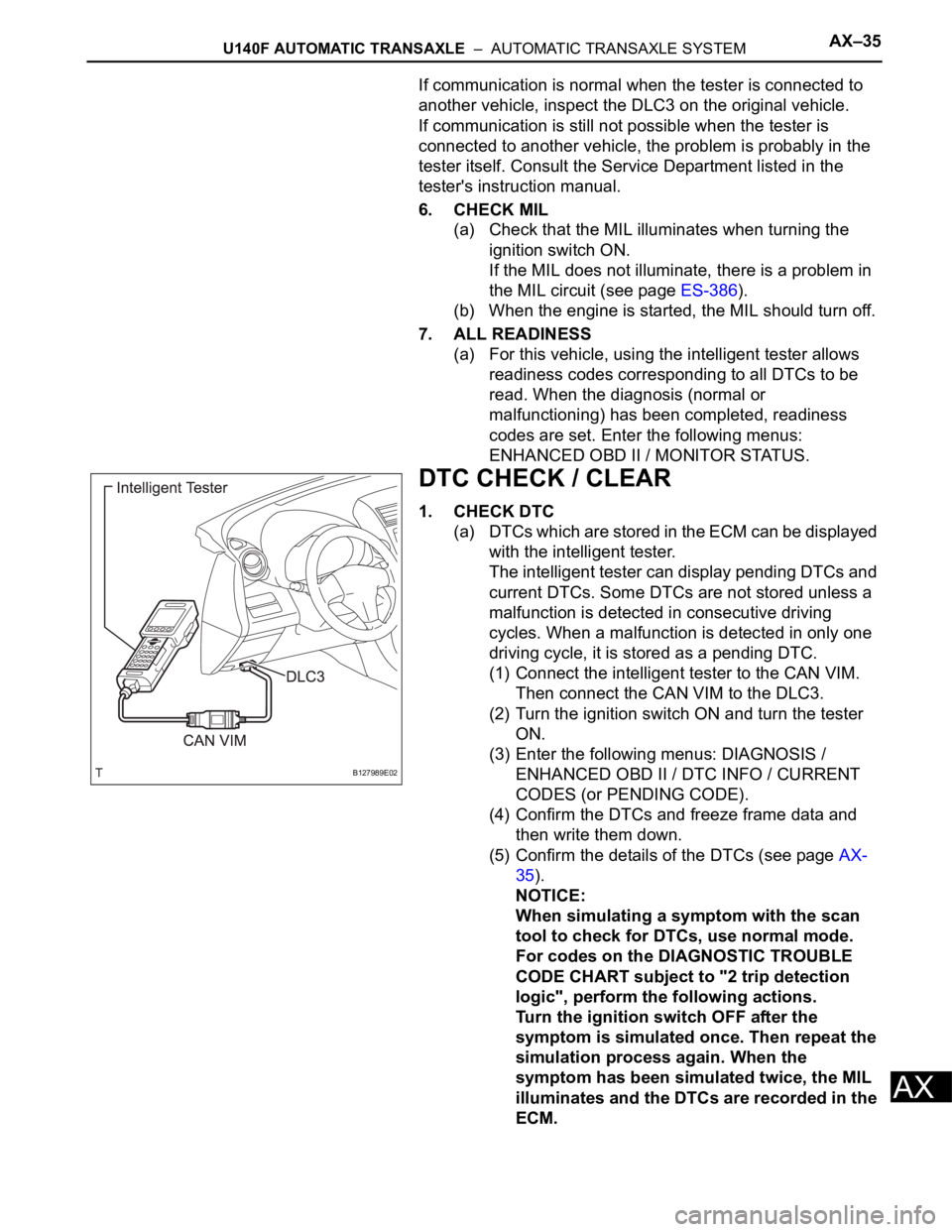
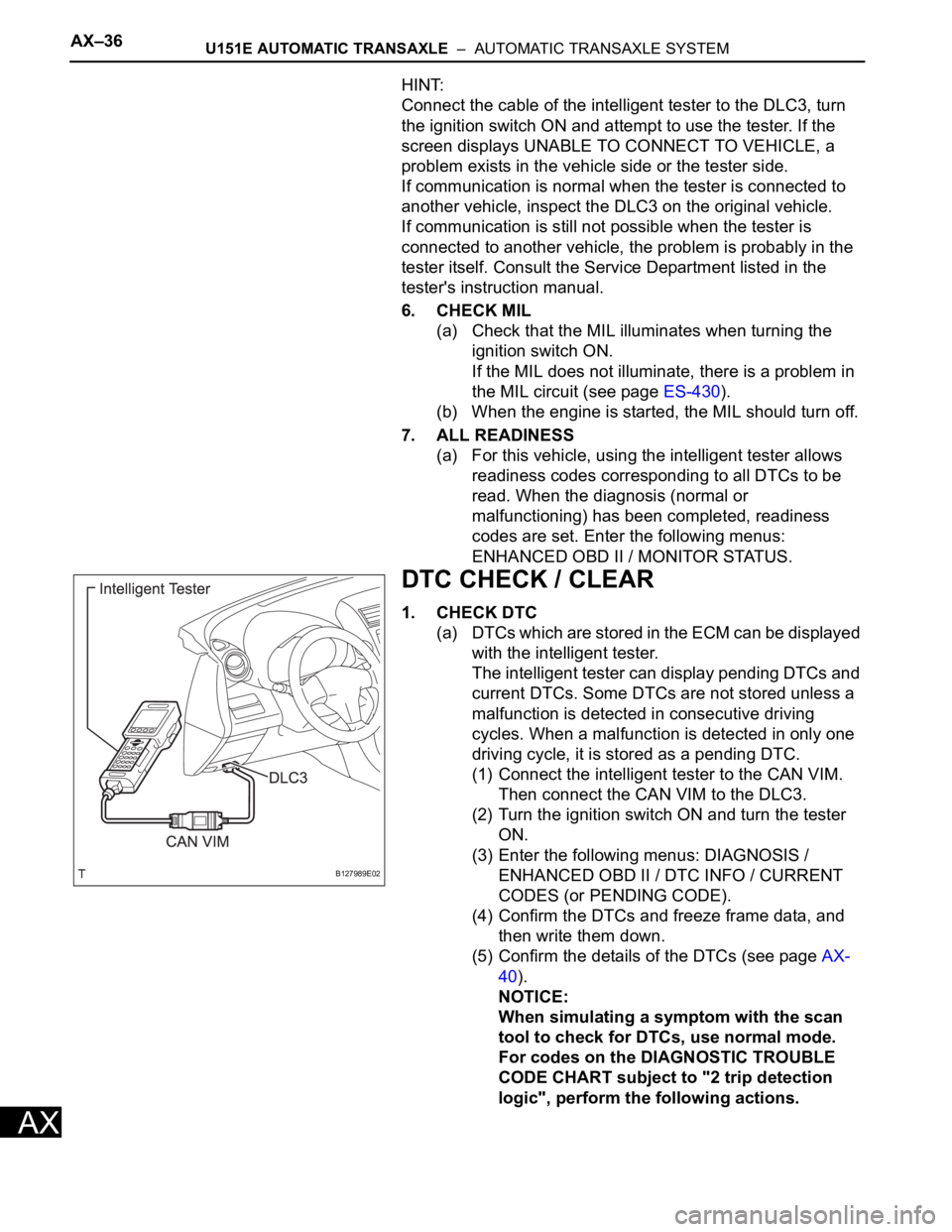
(1) Connect the intelligent tester to the CAN VIM.
Then connect the CAN VIM to the DLC3.
(2) Turn the ignition switch ON and turn the tester
ON.
(3) Enter the following menus: DIAGNOSIS /
ENHANCED OBD II / DTC INFO / CURRENT
CODES (or PENDING CODE).
(4) Confirm the DTCs and freeze frame data and
then write them down.
(5) Confirm the details of the DTCs (see page AX-
35).
NOTICE:
When simulating a symptom with the scan
tool to check for DTCs, use normal mode.
For codes on the DIAGNOSTIC TROUBLE
CODE CHART subject to "2 trip detection
logic", perform the following actions.
Turn the ignition switch OFF after the
symptom is simulated once. Then repeat the
simulation process again. When the
symptom has been simulated twice, the MIL
illuminates and the DTCs are recorded in the
ECM.
B127989E02
Page 1050 of 2000
AX–34U151E AUTOMATIC TRANSAXLE – AUTOMATIC TRANSAXLE SYSTEM
AX
DIAGNOSIS SYSTEM
1. DESCRIPTION
(a) When troubleshooting On-Board Diagnostic (OBD
II) vehicles, the vehicle must be connected to the
OBD II scan tool (complying with SAE J1987).
Various data output from the vehicle's ECM can
then be read.
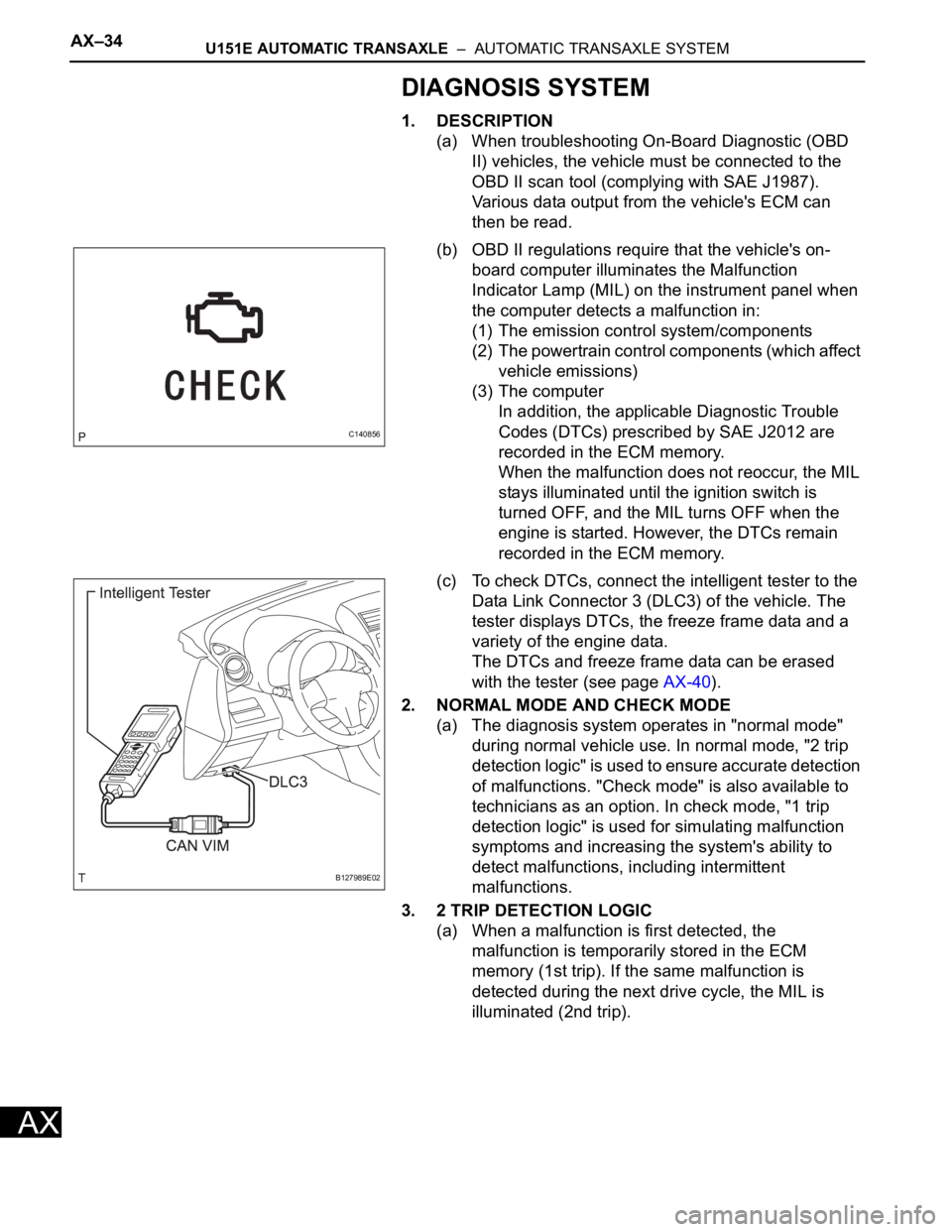
(b) OBD II regulations require that the vehicle's on-
board computer illuminates the Malfunction
Indicator Lamp (MIL) on the instrument panel when
the computer detects a malfunction in:
(1) The emission control system/components
(2) The powertrain control components (which affect
vehicle emissions)
(3) The computer
In addition, the applicable Diagnostic Trouble
Codes (DTCs) prescribed by SAE J2012 are
recorded in the ECM memory.
When the malfunction does not reoccur, the MIL
stays illuminated until the ignition switch is
turned OFF, and the MIL turns OFF when the
engine is started. However, the DTCs remain
recorded in the ECM memory.
(c) To check DTCs, connect the intelligent tester to the
Data Link Connector 3 (DLC3) of the vehicle. The
tester displays DTCs, the freeze frame data and a
variety of the engine data.
The DTCs and freeze frame data can be erased
with the tester (see page AX-40).
2. NORMAL MODE AND CHECK MODE
(a) The diagnosis system operates in "normal mode"
during normal vehicle use. In normal mode, "2 trip
detection logic" is used to ensure accurate detection
of malfunctions. "Check mode" is also available to
technicians as an option. In check mode, "1 trip
detection logic" is used for simulating malfunction
symptoms and increasing the system's ability to
detect malfunctions, including intermittent
malfunctions.
3. 2 TRIP DETECTION LOGIC
(a) When a malfunction is first detected, the
malfunction is temporarily stored in the ECM
memory (1st trip). If the same malfunction is
detected during the next drive cycle, the MIL is
illuminated (2nd trip).
C140856
B127989E02
Page 1052 of 2000
AX–36U151E AUTOMATIC TRANSAXLE – AUTOMATIC TRANSAXLE SYSTEM
AX
HINT:
Connect the cable of the intelligent tester to the DLC3, turn
the ignition switch ON and attempt to use the tester. If the
screen displays UNABLE TO CONNECT TO VEHICLE, a
problem exists in the vehicle side or the tester side.
If communication is normal when the tester is connected to
another vehicle, inspect the DLC3 on the original vehicle.
If communication is still not possible when the tester is
connected to another vehicle, the problem is probably in the
tester itself. Consult the Service Department listed in the
tester's instruction manual.
6. CHECK MIL
(a) Check that the MIL illuminates when turning the
ignition switch ON.
If the MIL does not illuminate, there is a problem in
the MIL circuit (see page ES-430).
(b) When the engine is started, the MIL should turn off.
7. ALL READINESS
(a) For this vehicle, using the intelligent tester allows
readiness codes corresponding to all DTCs to be
read. When the diagnosis (normal or
malfunctioning) has been completed, readiness
codes are set. Enter the following menus:
ENHANCED OBD II / MONITOR STATUS.
DTC CHECK / CLEAR
1. CHECK DTC
(a) DTCs which are stored in the ECM can be displayed
with the intelligent tester.
The intelligent tester can display pending DTCs and
current DTCs. Some DTCs are not stored unless a
malfunction is detected in consecutive driving
cycles. When a malfunction is detected in only one
driving cycle, it is stored as a pending DTC.
(1) Connect the intelligent tester to the CAN VIM.
Then connect the CAN VIM to the DLC3.
(2) Turn the ignition switch ON and turn the tester
ON.
(3) Enter the following menus: DIAGNOSIS /
ENHANCED OBD II / DTC INFO / CURRENT
CODES (or PENDING CODE).
(4) Confirm the DTCs and freeze frame data, and
then write them down.
(5) Confirm the details of the DTCs (see page AX-
40).
NOTICE:
When simulating a symptom with the scan
tool to check for DTCs, use normal mode.
For codes on the DIAGNOSTIC TROUBLE
CODE CHART subject to "2 trip detection
logic", perform the following actions.
B127989E02
Page 1153 of 2000
AX–34U151F AUTOMATIC TRANSAXLE – AUTOMATIC TRANSAXLE SYSTEM
AX
DIAGNOSIS SYSTEM
1. DESCRIPTION
(a) When troubleshooting On-Board Diagnostic (OBD
II) vehicles, the vehicle must be connected to the
OBD II scan tool (complying with SAE J1987).
Various data output from the vehicle's ECM can
then be read.
(b) OBD II regulations require that the vehicle's on-
board computer illuminates the Malfunction
Indicator Lamp (MIL) on the instrument panel when
the computer detects a malfunction in:
(1) The emission control system/components
(2) The powertrain control components (which affect
vehicle emissions)
(3) The computer
In addition, the applicable Diagnostic Trouble
Codes (DTCs) prescribed by SAE J2012 are
recorded in the ECM memory.
When the malfunction does not reoccur, the MIL
stays illuminated until the ignition switch is
turned OFF, and the MIL turns OFF when the
engine is started. However, the DTCs remain
recorded in the ECM memory.
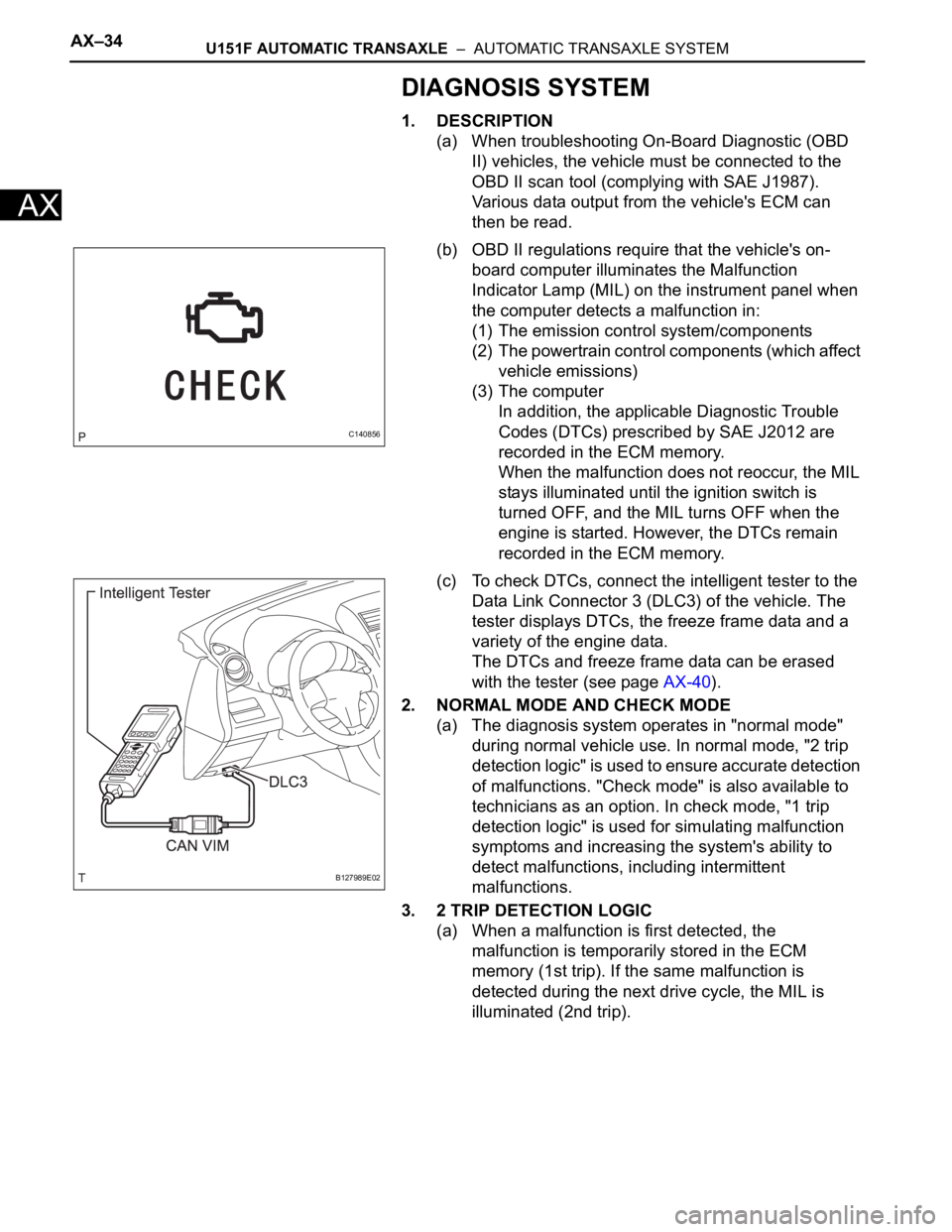
(c) To check DTCs, connect the intelligent tester to the
Data Link Connector 3 (DLC3) of the vehicle. The
tester displays DTCs, the freeze frame data and a
variety of the engine data.
The DTCs and freeze frame data can be erased
with the tester (see page AX-40).
2. NORMAL MODE AND CHECK MODE
(a) The diagnosis system operates in "normal mode"
during normal vehicle use. In normal mode, "2 trip
detection logic" is used to ensure accurate detection
of malfunctions. "Check mode" is also available to
technicians as an option. In check mode, "1 trip
detection logic" is used for simulating malfunction
symptoms and increasing the system's ability to
detect malfunctions, including intermittent
malfunctions.
3. 2 TRIP DETECTION LOGIC
(a) When a malfunction is first detected, the
malfunction is temporarily stored in the ECM
memory (1st trip). If the same malfunction is
detected during the next drive cycle, the MIL is
illuminated (2nd trip).
C140856
B127989E02
Page 1155 of 2000
AX–36U151F AUTOMATIC TRANSAXLE – AUTOMATIC TRANSAXLE SYSTEM
AX
HINT:
Connect the cable of the intelligent tester to the DLC3, turn
the ignition switch ON and attempt to use the tester. If the
screen displays UNABLE TO CONNECT TO VEHICLE, a
problem exists in the vehicle side or the tester side.
If communication is normal when the tester is connected to
another vehicle, inspect the DLC3 on the original vehicle.
If communication is still not possible when the tester is
connected to another vehicle, the problem is probably in the
tester itself. Consult the Service Department listed in the
tester's instruction manual.
6. CHECK MIL
(a) Check that the MIL illuminates when turning the
ignition switch ON.
If the MIL does not illuminate, there is a problem in
the MIL circuit (see page ES-430).
(b) When the engine is started, the MIL should turn off.
7. ALL READINESS
(a) For this vehicle, using the intelligent tester allows
readiness codes corresponding to all DTCs to be
read. When the diagnosis (normal or
malfunctioning) has been completed, readiness
codes are set. Enter the following menus:
ENHANCED OBD II / MONITOR STATUS.
DTC CHECK / CLEAR
1. CHECK DTC
(a) DTCs which are stored in the ECM can be displayed
with the intelligent tester.
The intelligent tester can display pending DTCs and
current DTCs. Some DTCs are not stored unless a
malfunction is detected in consecutive driving
cycles. When a malfunction is detected in only one
driving cycle, it is stored as a pending DTC.
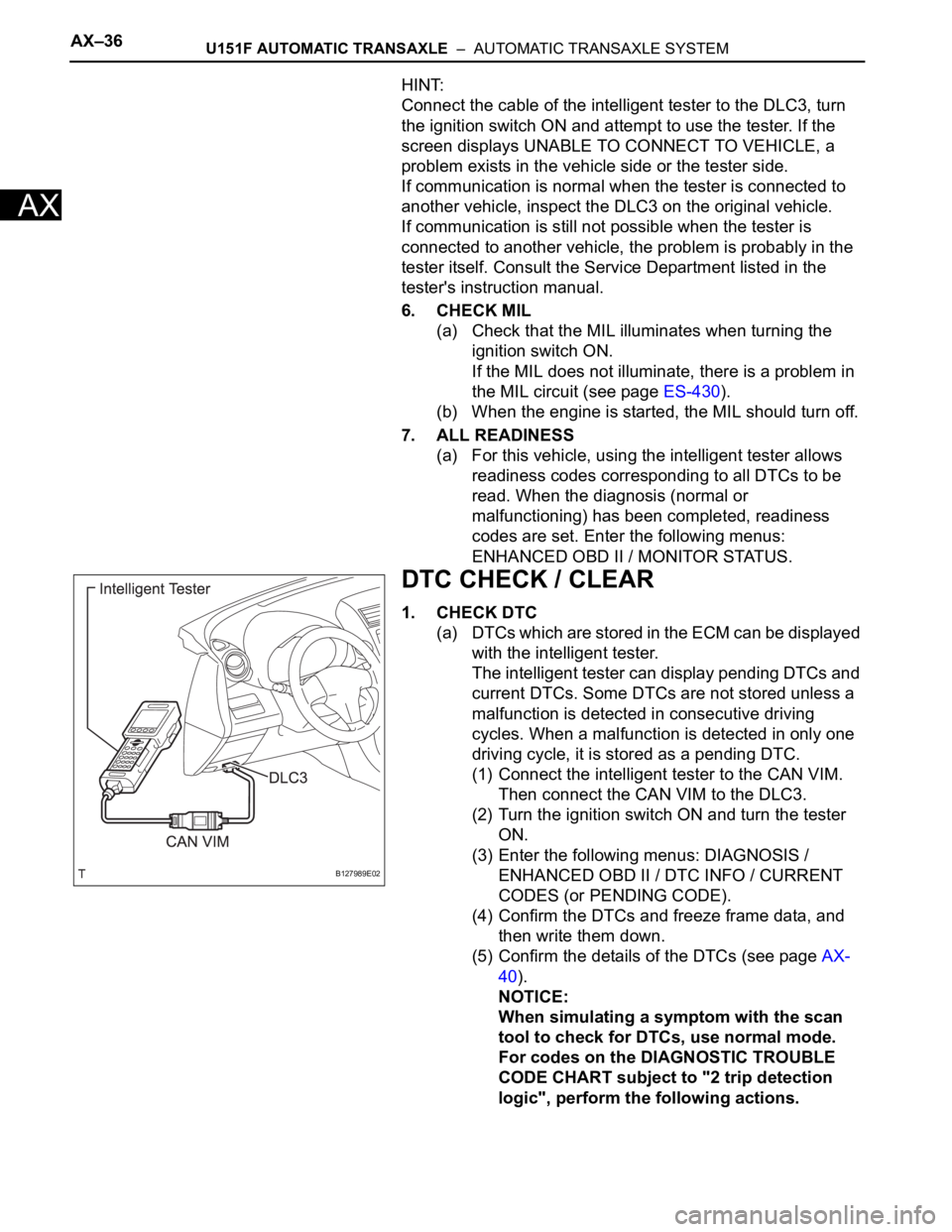
(1) Connect the intelligent tester to the CAN VIM.
Then connect the CAN VIM to the DLC3.
(2) Turn the ignition switch ON and turn the tester
ON.
(3) Enter the following menus: DIAGNOSIS /
ENHANCED OBD II / DTC INFO / CURRENT
CODES (or PENDING CODE).
(4) Confirm the DTCs and freeze frame data, and
then write them down.
(5) Confirm the details of the DTCs (see page AX-
40).
NOTICE:
When simulating a symptom with the scan
tool to check for DTCs, use normal mode.
For codes on the DIAGNOSTIC TROUBLE
CODE CHART subject to "2 trip detection
logic", perform the following actions.
B127989E02
Page 1257 of 2000
U241E AUTOMATIC TRANSAXLE – AUTOMATIC TRANSAXLE SYSTEMAX–33
AX
DIAGNOSIS SYSTEM
1. DESCRIPTION
(a) When troubleshooting On-Board Diagnostic (OBD
II) vehicles, the vehicle must be connected to the
OBD II scan tool (complying with SAE J1987).
Various data output from the vehicle's ECM can
then be read.
(b) OBD II regulations require that the vehicle's on-
board computer illuminates the Malfunction
Indicator Lamp (MIL) on the instrument panel when
the computer detects a malfunction in:
(1) The emission control system/components
(2) The powertrain control components (which affect
vehicle emissions)
(3) The computer
In addition, the applicable Diagnostic Trouble
Codes (DTCs) prescribed by SAE J2012 are
recorded in the ECM memory.
When the malfunction does not reoccur, the MIL
stays illuminated until the ignition switch is
turned OFF, and the MIL turns OFF when the
engine is started. However, the DTCs remain
recorded in the ECM memory.
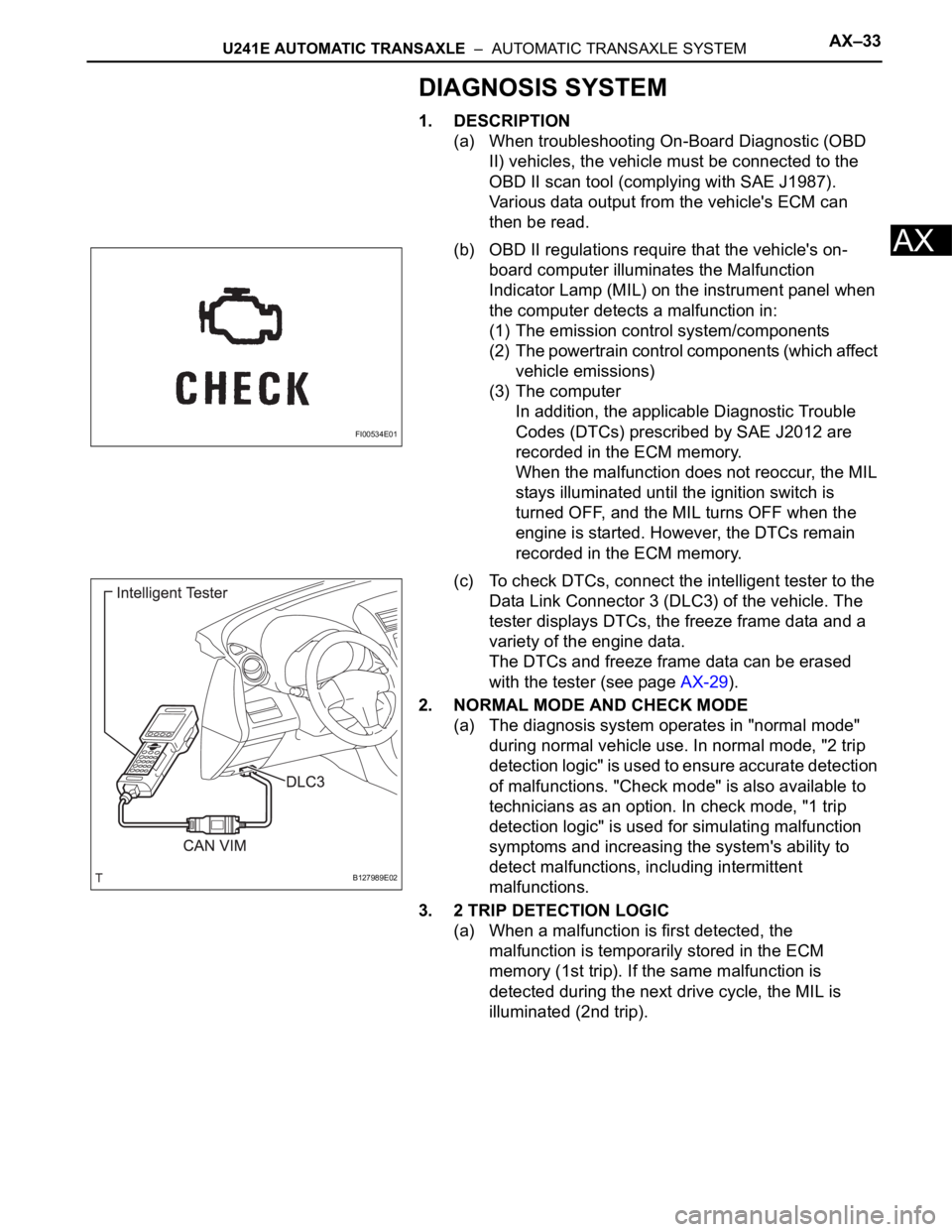
(c) To check DTCs, connect the intelligent tester to the
Data Link Connector 3 (DLC3) of the vehicle. The
tester displays DTCs, the freeze frame data and a
variety of the engine data.
The DTCs and freeze frame data can be erased
with the tester (see page AX-29).
2. NORMAL MODE AND CHECK MODE
(a) The diagnosis system operates in "normal mode"
during normal vehicle use. In normal mode, "2 trip
detection logic" is used to ensure accurate detection
of malfunctions. "Check mode" is also available to
technicians as an option. In check mode, "1 trip
detection logic" is used for simulating malfunction
symptoms and increasing the system's ability to
detect malfunctions, including intermittent
malfunctions.
3. 2 TRIP DETECTION LOGIC
(a) When a malfunction is first detected, the
malfunction is temporarily stored in the ECM
memory (1st trip). If the same malfunction is
detected during the next drive cycle, the MIL is
illuminated (2nd trip).
FI00534E01
B127989E02