window TOYOTA RAV4 2020 (in English) Owner's Guide
[x] Cancel search | Manufacturer: TOYOTA, Model Year: 2020, Model line: RAV4, Model: TOYOTA RAV4 2020Pages: 736, PDF Size: 30.79 MB
Page 163 of 736
1633-5. Opening, closing the windows and moon roof
3
Before driving
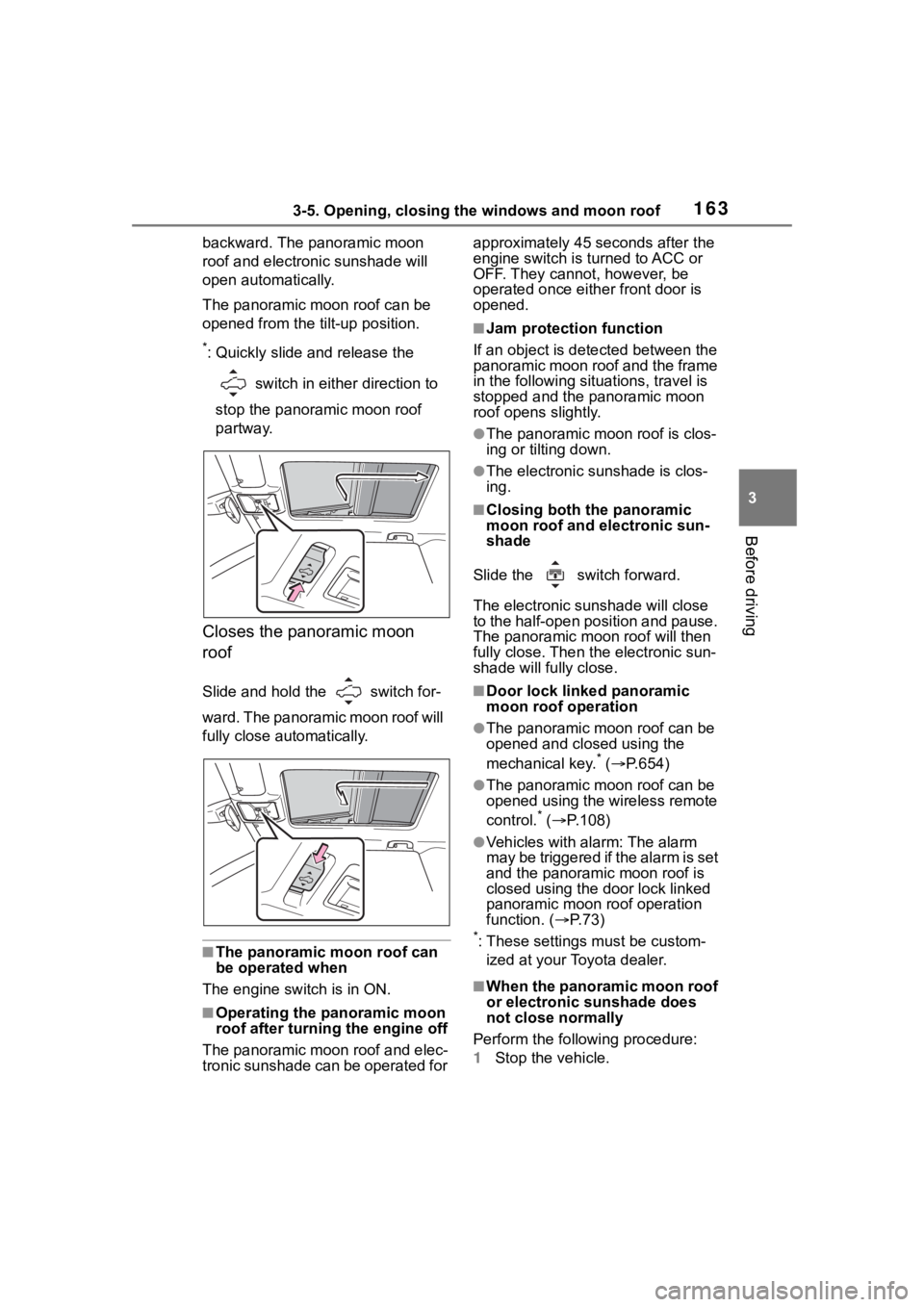
backward. The panoramic moon
roof and electronic sunshade will
open automatically.
The panoramic moon roof can be
opened from the tilt-up position.
*: Quickly slide and release the
switch in either direction to
stop the panoramic moon roof
partway.
Closes the panoramic moon
roof
Slide and hold the switch for-
ward. The panora mic moon roof will
fully close automatically.
■The panoramic moon roof can
be operated when
The engine switch is in ON.
■Operating the panoramic moon
roof after turning the engine off
The panoramic moon roof and elec-
tronic sunshade can be operated for approximately 45 s
econds after the
engine switch is turned to ACC or
OFF. They cannot, however, be
operated once eithe r front door is
opened.
■Jam protection function
If an object is dete cted between the
panoramic moon roof and the frame
in the following situations, travel is
stopped and the panoramic moon
roof opens slightly.
●The panoramic moon roof is clos-
ing or tilting down.
●The electronic sunshade is clos-
ing.
■Closing both the panoramic
moon roof and electronic sun-
shade
Slide the switch forward.
The electronic sunshade will close
to the half-open position and pause.
The panoramic moo n roof will then
fully close. Then the electronic sun-
shade will fully close.
■Door lock linked panoramic
moon roof operation
●The panoramic moon roof can be
opened and closed using the
mechanical key.
* ( P.654)
●The panoramic moon roof can be
opened using the wireless remote
control.
* ( P.108)
●Vehicles with alarm: The alarm
may be triggered if the alarm is set
and the panoramic moon roof is
closed using the door lock linked
panoramic moon roof operation
function. ( P. 7 3 )
*: These settings must be custom-
ized at your Toyota dealer.
■When the panoramic moon roof
or electronic sunshade does
not close normally
Perform the following procedure:
1 Stop the vehicle.
Page 164 of 736
1643-5. Opening, closing the windows and moon roof
2Turn the engine switch to ON.
3 Slide and hold the switch
or switch forward. Continue
sliding and holding the switch for
approximately 10 seconds after
the panoramic moon roof or elec-
tronic sunshade closes and
reopens. The panoramic moon
roof and electronic sunshade will
start to close.
*
4Check that the panoramic moon
roof and electronic sunshade are
fully closed and release the
switch.
*: If the switch is released at the
incorrect time, the procedure will
have to be performed again from
the beginning.
If the panoramic moon roof or elec-
tronic sunshade does not fully close
even after performing the above
procedure correctly, have the vehi-
cle inspected by your Toyota dealer.
■Panoramic moon roof open
reminder function
A buzzer sounds and a message is
shown on the multi -information dis-
play when the engine switch is
turned to OFF and the driver’s door
is opened with the panoramic moon
roof open.
■Customization
Settings (e.g. linked door lock oper-
ation) can be changed. (Customiz-
able features: P.693)
WA R N I N G
Observe the following precau-
tions.
Failure to do so m ay result in
death or serious injury.
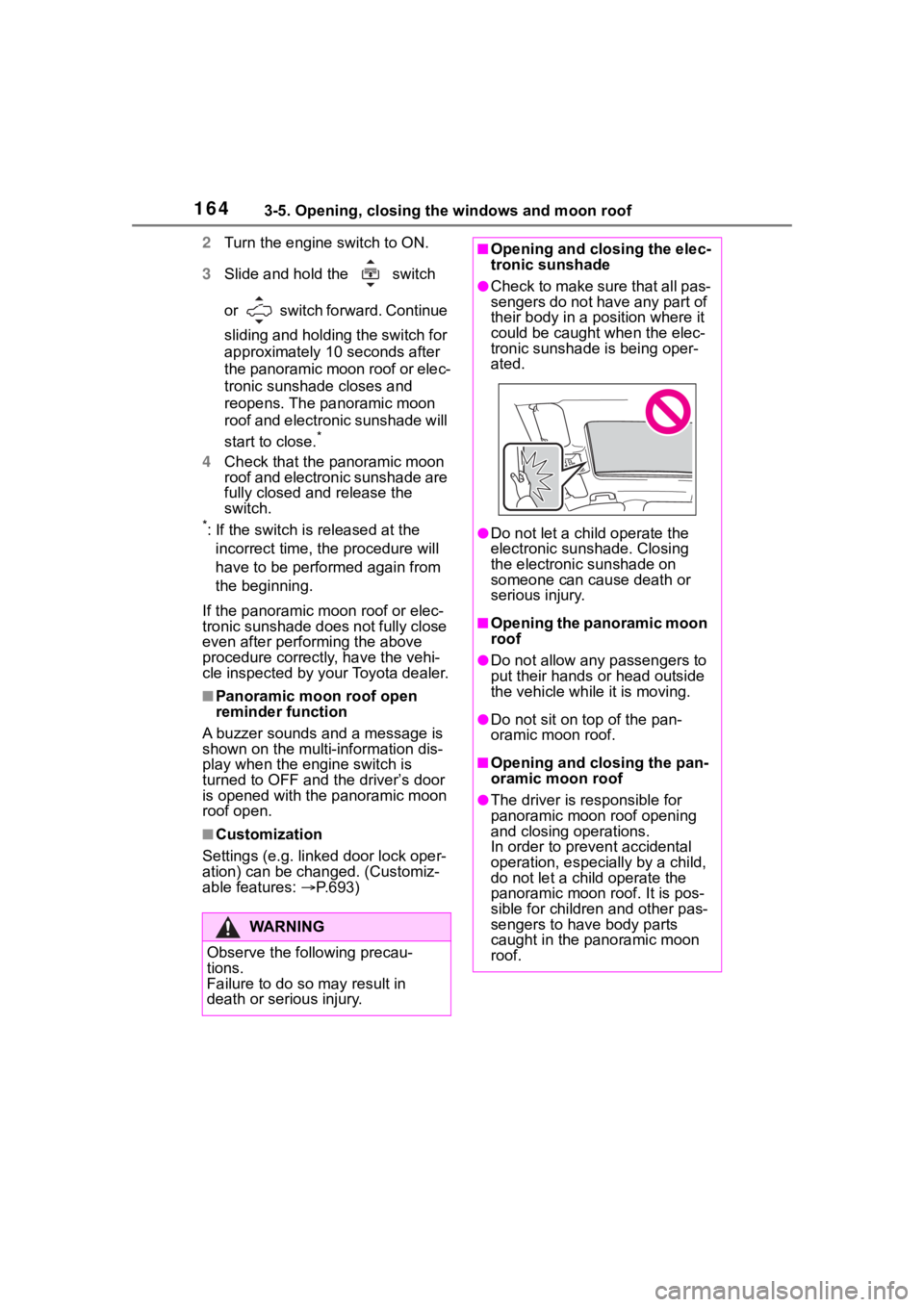
■Opening and closing the elec-
tronic sunshade
●Check to make sure that all pas-
sengers do not have any part of
their body in a pos ition where it
could be caught when the elec-
tronic sunshade is being oper-
ated.
●Do not let a ch ild operate the
electronic sunshade. Closing
the electronic sunshade on
someone can cau se death or
serious injury.
■Opening the panoramic moon
roof
●Do not allow any passengers to
put their hands or head outside
the vehicle while it is moving.
●Do not sit on top of the pan-
oramic moon roof.
■Opening and closing the pan-
oramic moon roof
●The driver is responsible for
panoramic moon roof opening
and closing operations.
In order to prevent accidental
operation, especially by a child,
do not let a child operate the
panoramic moon roof. It is pos-
sible for children and other pas-
sengers to have body parts
caught in the panoramic moon
roof.
Page 165 of 736
1653-5. Opening, closing the windows and moon roof
3
Before driving
WA R N I N G
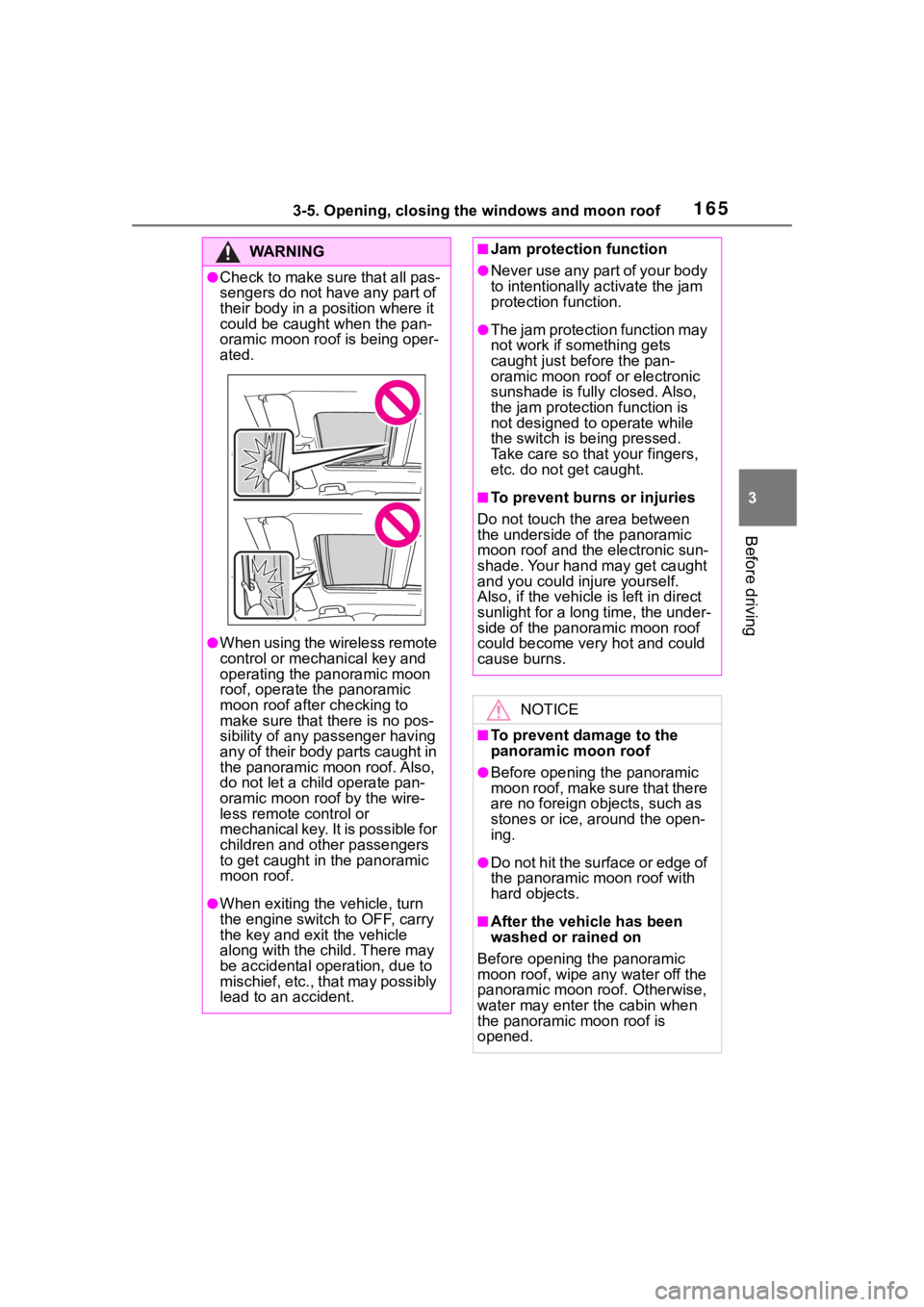
●Check to make sure that all pas-
sengers do not have any part of
their body in a position where it
could be caught when the pan-
oramic moon roof is being oper-
ated.
●When using the wireless remote
control or mechanical key and
operating the panoramic moon
roof, operate the panoramic
moon roof after checking to
make sure that t here is no pos-
sibility of any passenger having
any of their body parts caught in
the panoramic moon roof. Also,
do not let a child operate pan-
oramic moon roof by the wire-
less remote control or
mechanical key. It is possible for
children and othe r passengers
to get caught in the panoramic
moon roof.
●When exiting the vehicle, turn
the engine switch to OFF, carry
the key and exit the vehicle
along with the child. There may
be accidental operation, due to
mischief, etc., that may possibly
lead to an accident.
■Jam protection function
●Never use any part of your body
to intentionally activate the jam
protection function.
●The jam protection function may
not work if something gets
caught just before the pan-
oramic moon roof or electronic
sunshade is fully closed. Also,
the jam protection function is
not designed to operate while
the switch is being pressed.
Take care so that your fingers,
etc. do not get caught.
■To prevent burns or injuries
Do not touch the area between
the underside of the panoramic
moon roof and the electronic sun-
shade. Your hand may get caught
and you could injure yourself.
Also, if the vehicle is left in direct
sunlight for a long time, the under-
side of the panoramic moon roof
could become very hot and could
cause burns.
NOTICE
■To prevent damage to the
panoramic moon roof
●Before opening the panoramic
moon roof, make sure that there
are no foreign objects, such as
stones or ice, around the open-
ing.
●Do not hit the surface or edge of
the panoramic moon roof with
hard objects.
■After the vehicle has been
washed or rained on
Before opening the panoramic
moon roof, wipe any water off the
panoramic moon roof. Otherwise,
water may enter the cabin when
the panoramic moon roof is
opened.
Page 166 of 736

1663-5. Opening, closing the windows and moon roof
Page 167 of 736
167
4
4
Driving
Driving
4-1. Before drivingDriving the vehicle....... 169
Cargo and luggage ..... 175
Vehicle load limits ....... 178
Trailer towing............... 179
Dinghy towing ............. 191
4-2. Driving procedures Engine (ignition) switch (vehicles without smart key
system)...................... 193
Engine (ignition) switch (vehicles with smart key
system)...................... 194
Automatic transmission 199
Turn signal lever.......... 202
Parking brake .............. 203
Brake Hold .................. 206
4-3. Operating the lights and wipers
Headlight switch .......... 209
AHB (Automatic High Beam)........................ 212
Fog light switch ........... 215
Windshield wipers and washer....................... 215
Rear window wiper and washer....................... 218
4-4. Refueling Opening the fuel tank cap.................................. 2204-5. Using the dr
iving support
systems
Toyota Safety Sense 2.0 .................................. 223
PCS (Pre-Collision System) .................................. 229
LTA (Lane Tracing Assist) .................................. 237
RSA (Road Sign Assist) .................................. 247
Dynamic radar cruise con- trol with full-speed range
.................................. 250
BSM (Blind Spot Monitor) .................................. 260
Intuitive parking assist . 270
PKSB (Parking Support Brake) ........................ 277
Parking Support Brake func- tion (static objects) .... 282
Parking Support Brake func- tion (rear-crossing vehi-
cles) ........................... 288
Rear view monitor system .................................. 292
Toyota parking assist moni- tor .............................. 300
Panoramic view monitor .................................. 313
Stop & Start system .... 345
Driving mode select switch .................................. 351
Page 169 of 736
1694-1. Before driving
4
Driving
4-1.Before driving
■Starting the engine
P.193, 194
■Driving
1 With the brake pedal
depressed, shift the shift
lever to D. ( P.199)
2 Release the parking brake.
( P.203)
If the parking brake is in automatic
mode, the parking brake is
released automatically when shift-
ing the shift lever to any position
other than P. ( P.204)
3 Gradually release the brake
pedal and gently depress the
accelerator pedal to acceler-
ate the vehicle.
■Stopping
1 With the shift lever in D,
depress the brake pedal.
2 If necessary, set the parking
brake. ( P.203)
If the vehicle is to be stopped for an
extended period of time, shift the
shift lever to P. ( P.199)
■Parking the vehicle
1 With the shift lever in D,
depress the brake pedal. 2
Set the parking brake
( P.203), and shift the shift
lever to P ( P.199).
3 Turn the engine switch to
OFF to stop the engine.
4 Lock the door, making sure
that you have the key on your
person.
If parking on a hill, block the wheels
as needed.
■Starting off on a steep
uphill
1 With the brake pedal
depressed, shift the shift
lever to D. ( P.199)
2 Pull the parking brake switch
and parking brake is set man-
ually. ( P.203)
3 Release the brake pedal and
gently depress the accelera-
tor pedal to accelerate the
vehicle.
Parking brake automatic release
function ( P.205)
■When starting off on a uphill
The hill-start assist control will acti-
vate. ( P.360)
■Driving in the rain
●Drive carefully whe n it is raining,
because visibility will be reduced,
the windows may become fogged-
up, and the road could be slippery.
●Drive carefully whe n it starts to
rain, as the road surface could be
especially slippery.
●Refrain from hig h speeds when
driving on an expressway in the
rain, because there may be a
layer of water between the tires
and the road surface, preventing
Driving the vehicle
The following procedures
should be observed to
ensure safe driving:
Driving procedure
Page 173 of 736
1734-1. Before driving
4
Driving
WA R N I N G
●If the vehicle is stopped on an
incline, in order to prevent acci-
dents caused by the vehicle roll-
ing forward or backward, always
depress the brake pedal and
securely apply the parking
brake as needed.
●Avoid revving or racing the
engine.
Running the engine at high
speed while the vehicle is
stopped may cause the exhaust
system to overheat, which could
result in a fire if combustible
material is nearby.
■When the vehicle is parked
●Do not leave glasses, cigarette
lighters, spray cans, or soft
drink cans in the vehicle when it
is in the sun.
Doing so may result in the fol-
lowing:
• Gas may leak from a cigarette lighter or spray can, and may
lead to a fire.
• The temperature inside the vehicle may cause the plastic
lenses and plastic material of
glasses to deform or crack.
• Soft drink cans may fracture, causing the contents to spray
over the interior of the vehicle,
and may also caus e a short cir-
cuit in the vehicle’s electrical
components.
●Do not leave cigarette lighters in
the vehicle. If a cigarette lighter
is in a place such as the glove
box or on the floor, it may be lit
accidentally when luggage is
loaded or the seat is adjusted,
causing a fire.
●Do not attach adhesive discs to
the windshield or windows. Do
not place containers such as air
fresheners on the instrument
panel or dashboard. Adhesive
discs or containers may act as
lenses, causing a fire in the
vehicle.
●Do not leave a door or window
open if the curved glass is
coated with a metallized film
such as a silver-colored one.
Reflected sunlight may cause
the glass to act a s a lens, caus-
ing a fire.
●Always apply the parking brake,
shift the shift lever to P, stop the
engine and loc k the vehicle.
Do not leave the vehicle unat-
tended while the engine is run-
ning.
If the vehicle is parked with the
shift lever in P but the parking
brake is not set, the vehicle may
start to move, possibly leading
to an accident.
●Do not touch the exhaust pipes
while the engine is running or
immediately after turning the
engine off.
Doing so may cause burns.
■When taking a nap in the vehi-
cle
Always turn the engine off. Other-
wise, if you accidentally move the
shift lever or depress the acceler-
ator pedal, this could cause an
accident or fire due to engine
overheating. Additionally, if the
vehicle is parked in a poorly venti-
lated area, exhaust gases may
collect and enter the vehicle, lead-
ing to death or a serious health
hazard.
Page 218 of 736

2184-3. Operating the lights and wipers
Operating the switch
operates the rear wiper as fol-
lows:
1
*1 or *2 Off
2
*1 or *2 Intermittent
operation
3
*1 or *2 Normal oper-
ation
*1: For the U.S.A.
WA R N I N G
■Caution regarding the use of
washer fluid
When it is cold, do not use the
washer fluid until the windshield
becomes warm. The fluid may
freeze on the windshield and
cause low visibility. This may lead
to an accident, resulting in death
or serious injury.
NOTICE
■When the washer fluid tank is
empty
Do not operate the switch continu-
ally as the washer fluid pump may
overheat.
■When a nozzle becomes
blocked
In this case, contact your Toyota
dealer.
Do not try to clear it with a pin or
other object. The nozzle will be
damaged.
■To prevent battery discharge
Do not leave the wipers on longer
than necessary when the engine
is off.
Rear window wiper
and washer
Operating the lever can
switch between automatic
operation and manual oper-
ation, or can use the
washer.
NOTICE
■When the rear window is dry
Do not use the wiper, as it may
damage the rear window.
Operating the wiper lever
Page 219 of 736
2194-3. Operating the lights and wipers
4
Driving
*2: For Canada
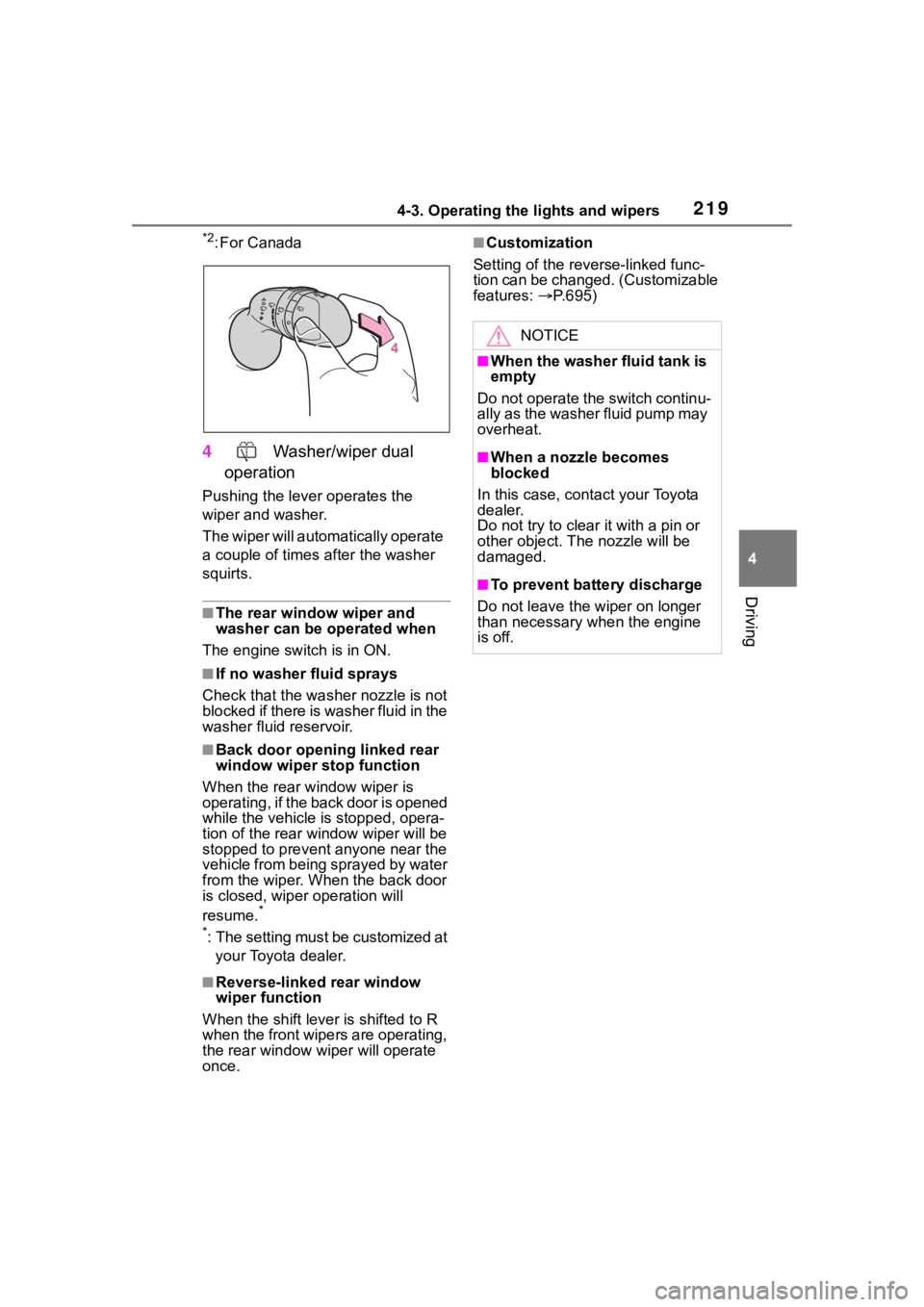
4 Washer/wiper dual
operation
Pushing the lever operates the
wiper and washer.
The wiper will automatically operate
a couple of times after the washer
squirts.
■The rear window wiper and
washer can be operated when
The engine switch is in ON.
■If no washer fluid sprays
Check that the washer nozzle is not
blocked if there is washer fluid in the
washer fluid reservoir.
■Back door opening linked rear
window wiper stop function
When the rear w indow wiper is
operating, if the back door is opened
while the vehicle is stopped, opera-
tion of the rear window wiper will be
stopped to prevent anyone near the
vehicle from being sprayed by water
from the wiper. When the back door
is closed, wiper operation will
resume.
*
*
: The setting must be customized at your Toyota dealer.
■Reverse-linked rear window
wiper function
When the shift lever is shifted to R
when the front wipers are operating,
the rear window wiper will operate
once.
■Customization
Setting of the reverse-linked func-
tion can be changed. (Customizable
features: P.695)
NOTICE
■When the washer fluid tank is
empty
Do not operate the switch continu-
ally as the washer fluid pump may
overheat.
■When a nozzle becomes
blocked
In this case, contact your Toyota
dealer.
Do not try to clear it with a pin or
other object. The nozzle will be
damaged.
■To prevent battery discharge
Do not leave the wiper on longer
than necessary w hen the engine
is off.
Page 295 of 736
2954-5. Using the driving support systems
4
Driving
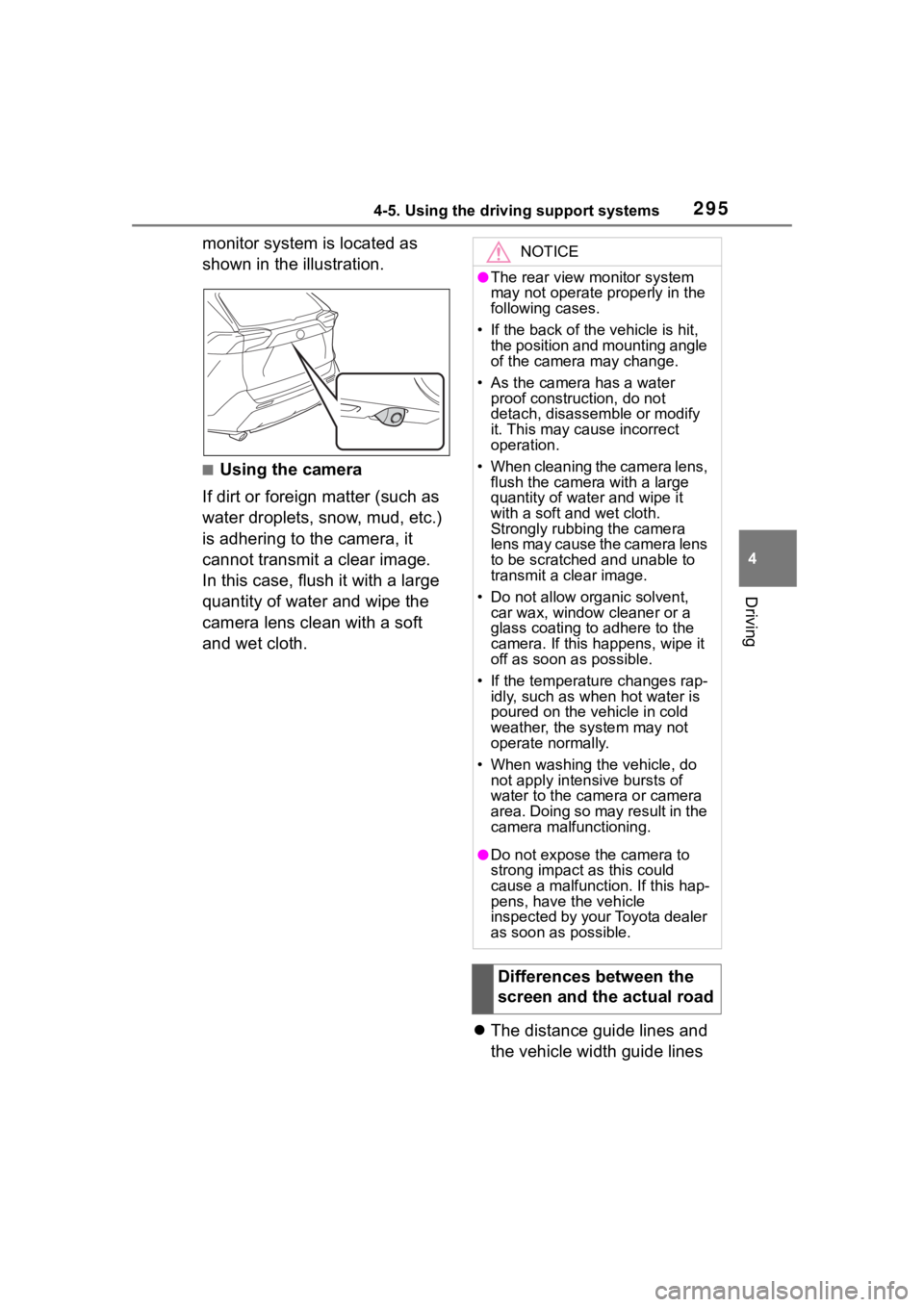
monitor system is located as
shown in the illustration.
■Using the camera
If dirt or foreign matter (such as
water droplets, snow, mud, etc.)
is adhering to the camera, it
cannot transmit a clear image.
In this case, flush it with a large
quantity of water and wipe the
camera lens clean with a soft
and wet cloth.
The distance guide lines and
the vehicle width guide lines
NOTICE
●The rear view monitor system
may not operate properly in the
following cases.
• If the back of the vehicle is hit, the position and mounting angle
of the camera may change.
• As the camera has a water proof construction, do not
detach, disassemble or modify
it. This may cause incorrect
operation.
• When cleaning the camera lens, flush the camera with a large
quantity of water and wipe it
with a soft and wet cloth.
Strongly rubbing the camera
lens may cause the camera lens
to be scratched and unable to
transmit a clear image.
• Do not allow organic solvent, car wax, window cleaner or a
glass coating to adhere to the
camera. If this happens, wipe it
off as soon as possible.
• If the temperature changes rap- idly, such as when hot water is
poured on the vehicle in cold
weather, the system may not
operate normally.
• When washing the vehicle, do not apply intensive bursts of
water to the came ra or camera
area. Doing so may result in the
camera malfunctioning.
●Do not expose the camera to
strong impact as this could
cause a malfunction. If this hap-
pens, have the vehicle
inspected by your Toyota dealer
as soon as possible.
Differences between the
screen and the actual road