oil TOYOTA RAV4 2020 Owners Manual (in English)
[x] Cancel search | Manufacturer: TOYOTA, Model Year: 2020, Model line: RAV4, Model: TOYOTA RAV4 2020Pages: 736, PDF Size: 30.79 MB
Page 1 of 736
RAV4_OM_OM0R024U_(U)
1
2
3
4
5
6
7
8
9
10
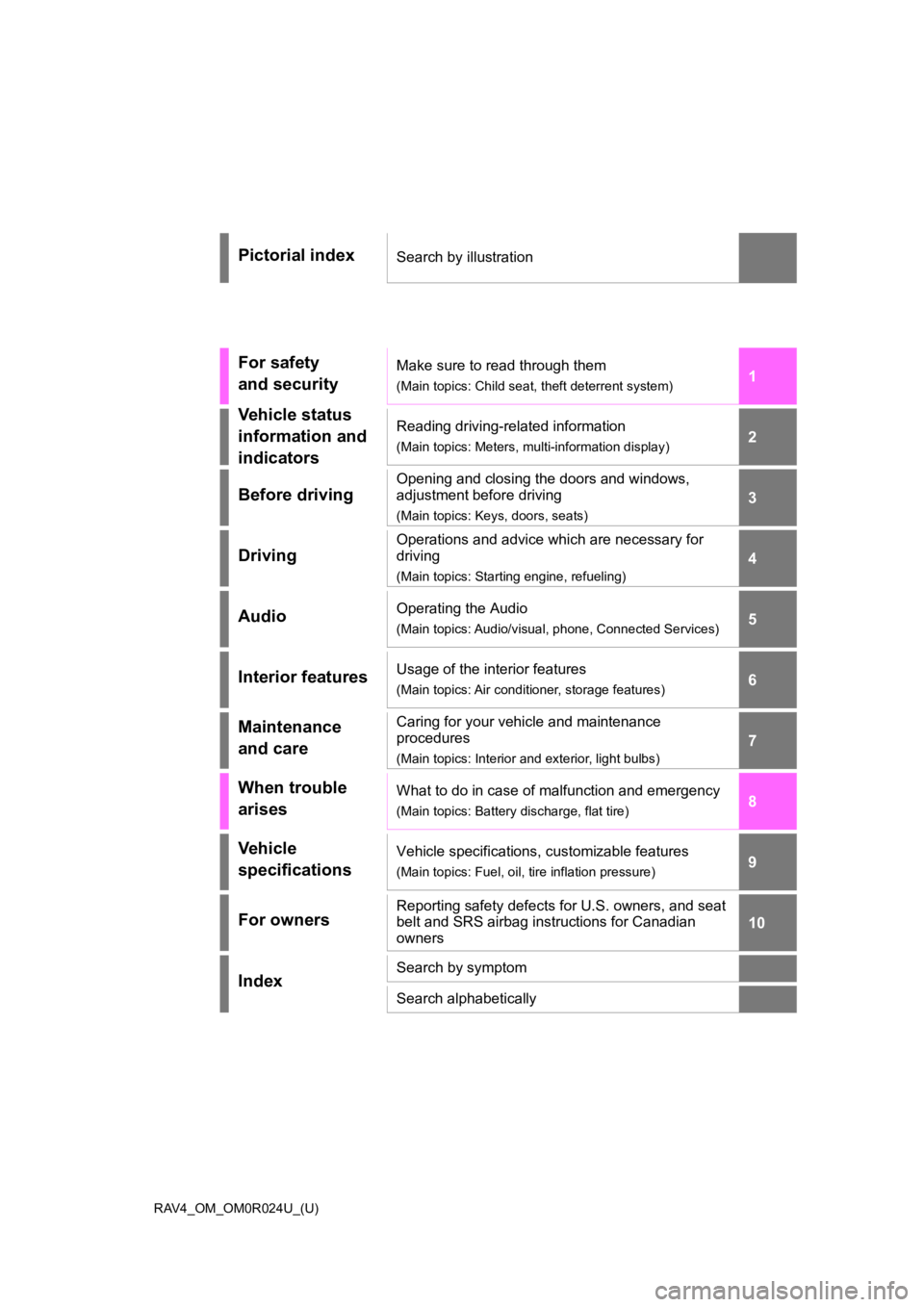
Pictorial indexSearch by illustration
For safety
and securityMake sure to read through them
(Main topics: Child seat, theft deterrent system)
Vehicle status
information and
indicatorsReading driving-related information
(Main topics: Meters, multi-information display)
Before driving
Opening and closing the doors and windows,
adjustment before driving
(Main topics: Keys, doors, seats)
Driving
Operations and advice which are necessary for
driving
(Main topics: Starting engine, refueling)
AudioOperating the Audio
(Main topics: Audio/visual, phone, Connected Services)
Interior featuresUsage of the interior features
(Main topics: Air conditioner, storage features)
Maintenance
and careCaring for your vehicle and maintenance
procedures
(Main topics: Interior and exterior, light bulbs)
When trouble
arisesWhat to do in case of malfunction and emergency
(Main topics: Battery discharge, flat tire)
Vehicle
specificationsVehicle specifications, customizable features
(Main topics: Fuel, oil, tire inflation pressure)
For ownersReporting safety defects for U.S. owners, and seat
belt and SRS airbag instructions for Canadian
owners
IndexSearch by symptom
Search alphabetically
Page 6 of 736
6TABLE OF CONTENTS
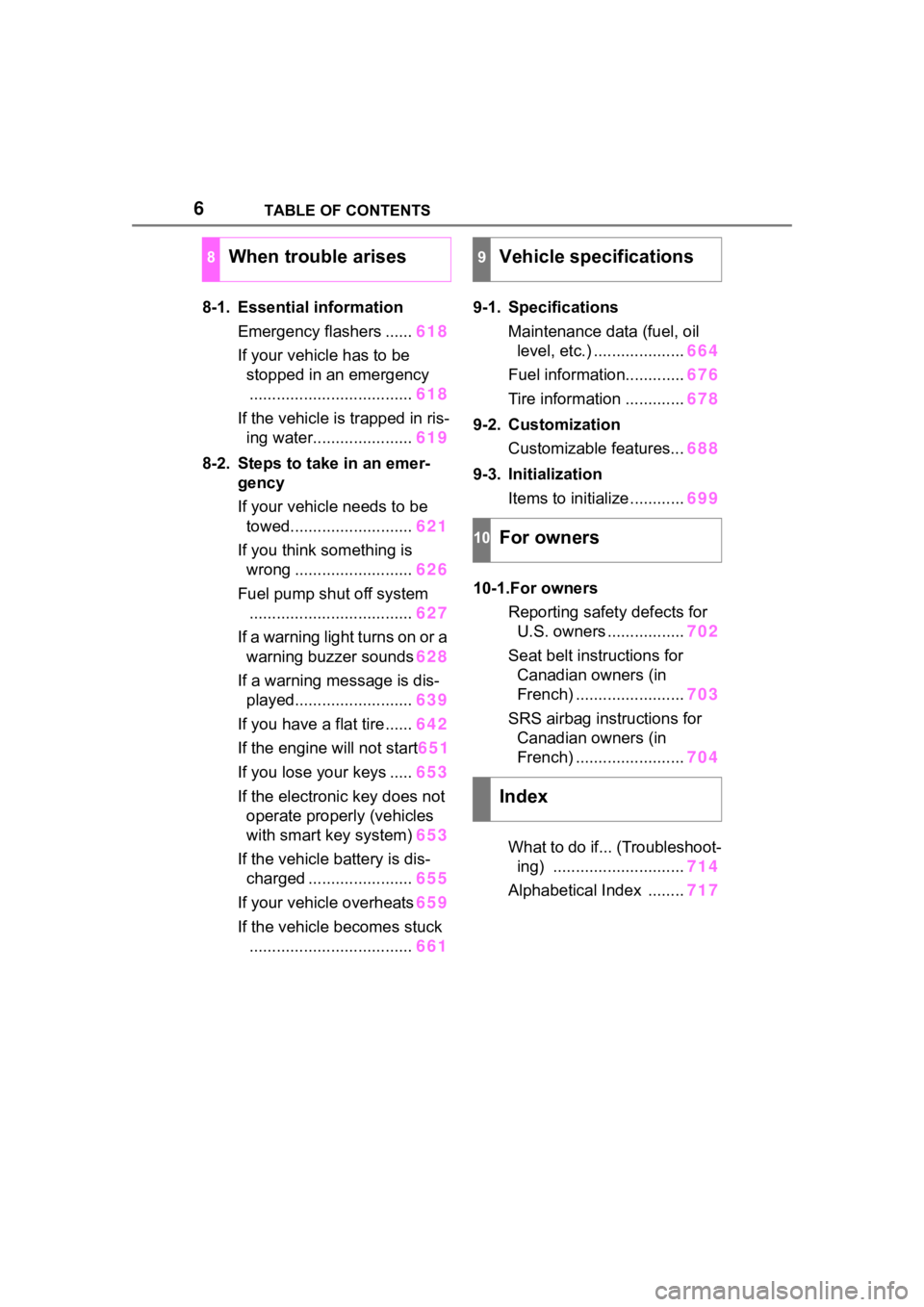
8-1. Essential informationEmergency flashers ...... 618
If your vehicle has to be stopped in an emergency.................................... 618
If the vehicle is trapped in ris- ing water...................... 619
8-2. Steps to take in an emer- gency
If your vehicle needs to be
towed........................... 621
If you think something is wrong .......................... 626
Fuel pump shut off system .................................... 627
If a warning light turns on or a warning buzzer sounds 628
If a warning message is dis- played.......................... 639
If you have a flat tire...... 642
If the engine will not start 651
If you lose your keys ..... 653
If the electronic key does not operate properly (vehicles
with smart key system) 653
If the vehicle battery is dis- charged ....................... 655
If your vehicle overheats 659
If the vehicle becomes stuck .................................... 6619-1. Specifications
Maintenance data (fuel, oil level, etc.) .................... 664
Fuel information............. 676
Tire information ............. 678
9-2. Customization Customizable features... 688
9-3. Initialization Items to initialize ............ 699
10-1.For owners Reporting safet y defects for
U.S. owners ................. 702
Seat belt instructions for Canadian owners (in
French) ........................ 703
SRS airbag instructions for Canadian owners (in
French) ........................ 704
What to do if... (Troubleshoot- ing) ............................. 714
Alphabetical Index ........ 717
8When trouble arises9Vehicle specifications
10For owners
Index
Page 15 of 736
15Pictorial index
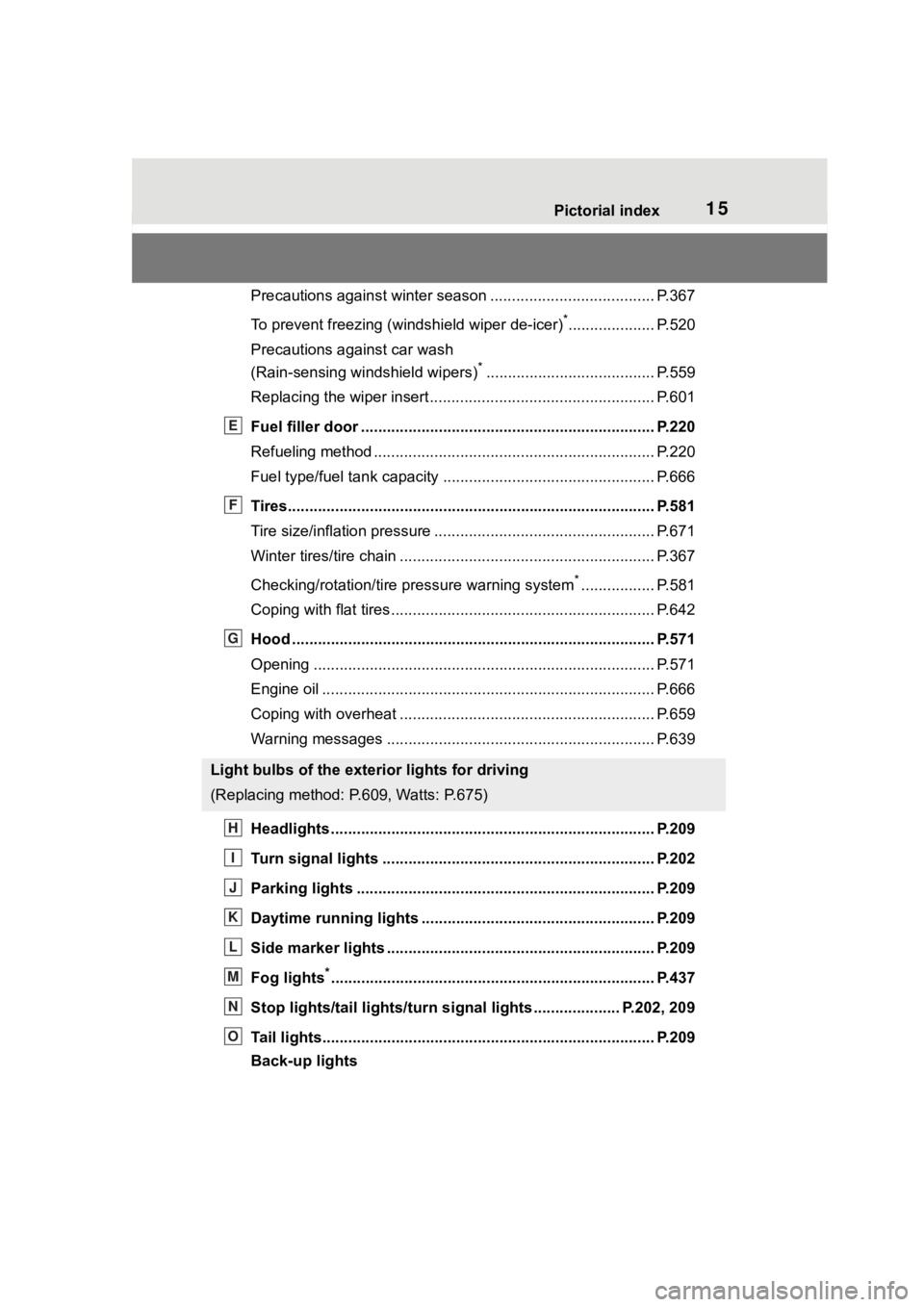
Precautions against winter season ...................................... P.367
To prevent freezing (windshield wiper de-icer)
*.................... P.520
Precautions against car wash
(Rain-sensing windshield wipers)
*....................................... P.559
Replacing the wiper insert ..................................... ............... P.601
Fuel filler door ............................................... ..................... P.220
Refueling method ............................................... .................. P.220
Fuel type/fuel tan k capacity ................................... .............. P.666
Tires.......................................................... ........................... P.581
Tire size/inflation pressure ................................... ................ P.671
Winter tires/tire chain ........................................ ................... P.367
Checking/rotation/tire pressure warning system
*................. P.581
Coping with flat tires......................................... .................... P.642
Hood ........................................................... ......................... P.571
Opening ............................................................................... P.571
Engine oil ..................................................... ........................ P.666
Coping with overheat ........................................... ................ P.659
Warning messages ............................................... ............... P.639
Headlights..................................................... ...................... P.209
Turn signal lights ............................................. .................. P.202
Parking lights ................................................. .................... P.209
Daytime running lights .. .................................................... P.209
Side marker lights ............................................. ................. P.209
Fog lights
*............................................................... ............ P.437
Stop lights/tail lights/turn s ignal lights .................... P.202, 209
Tail lights.................................................... ......................... P.209
Back-up lights
Light bulbs of the exterior lights for driving
(Replacing method: P.609, Watts: P.675)
E
F
G
H
I
J
K
L
M
N
O
Page 78 of 736
782-1. Instrument cluster
*1: These lights turn on when the
engine switch is turned to ON to
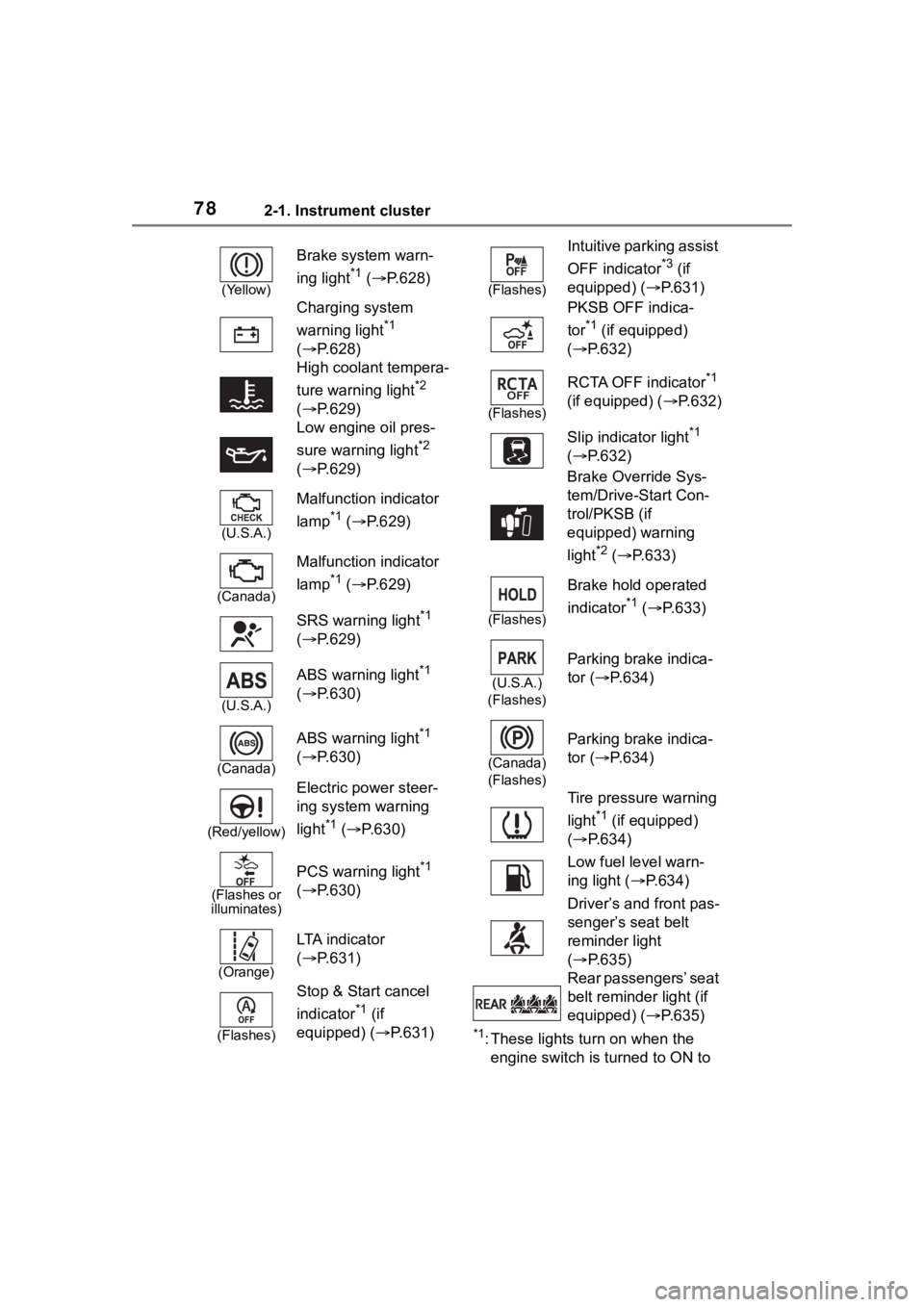
(Yellow)
Brake system warn-
ing light
*1 ( P.628)
Charging system
warning light
*1
( P.628)
High coolant tempera-
ture warning light
*2
( P.629)
Low engine oil pres-
sure warning light
*2
( P.629)
(U.S.A.)
Malfunction indicator
lamp
*1 ( P.629)
(Canada)
Malfunction indicator
lamp
*1 ( P.629)
SRS warning light
*1
( P.629)
(U.S.A.)
ABS warning light*1
( P.630)
(Canada)
ABS warning light*1
( P.630)
(Red/yellow)
Electric power steer-
ing system warning
light
*1 ( P.630)
(Flashes or
illuminates)
PCS warning light*1
( P.630)
(Orange)
LTA i n d i c a t o r
( P.631)
(Flashes)
Stop & Start cancel
indicator
*1 (if
equipped) (P.631)
(Flashes)
Intuitive parking assist
OFF indicator
*3 (if
equipped) ( P.631)
PKSB OFF indica-
tor
*1 (if equipped)
( P.632)
(Flashes)
RCTA OFF indicator*1
(if equipped) ( P.632)
Slip indicator light
*1
( P.632)
Brake Override Sys-
tem/Drive-Start Con-
trol/PKSB (if
equipped) warning
light
*2 ( P.633)
(Flashes)
Brake hold operated
indicator
*1 ( P.633)
(U.S.A.)
(Flashes)
Parking brake indica-
tor ( P.634)
(Canada)
(Flashes)
Parking brake indica-
tor ( P.634)
Tire pressure warning
light
*1 (if equipped)
( P.634)
Low fuel level warn-
ing light ( P.634)
Driver’s and front pas-
senger’s seat belt
reminder light
( P.635)
Rear passengers’ seat
belt reminder light (if
equipped) ( P.635)
Page 130 of 736

1303-2. Opening, closing and locking the doors
tact with, or is covered by the fol-
lowing metallic objects
• Cards to which al uminum foil is
attached
• Cigarette boxes that have alumi- num foil inside
• Metallic wallets or bags
• Coins
• Hand warmers made of metal
• Media such as CDs and DVDs
●When other wireless key (that
emits radio waves) is being used
nearby
●When carrying the electronic key
together with the following devices
that emit radio waves
• Portable radio, cellular phone, cordless phone or other wireless
communication devices
• Another vehicle’s electronic key or a wireless key that emits radio
waves
• Personal computers or personal digital assistants (PDAs)
• Digital audio players
• Portable game systems
●If window tint with a metallic con-
tent or metallic objects are
attached to the rear window
●When the electronic key is placed
near a battery charger or elec-
tronic devices
●When parking in a coin-operated
parking lot (Radio waves used to
detect vehicles may affect the
smart key system.)
■Note for the entry function
●Even when the electronic key is
within the effective range (detec-
tion areas), the system may not
operate properly in the following
cases:
• The electronic key is too close to the window or outside door han-
dle, near the ground, or in a high
place when the doors are locked
or unlocked.
• The electronic key is on the instru- ment panel, luggage cover or
floor, or in the door pockets or
glove box when the engine is started or engine switch modes
are changed.
●Do not leave the electronic key on
top of the instrument panel or near
the door pockets when exiting the
vehicle. Depending on the radio
wave reception conditions, it may
be detected by the antenna out-
side the cabin and the door will
become lockable from the outside,
possibly trapping the electronic
key inside the vehicle.
●As long as the electronic key is
within the effective range, the
doors may be locked or unlocked
by anyone. However, only the
doors detecting the electronic key
can be used to unlock the vehicle.
●Even if the electro
nic key is not
inside the vehicle, it may be possi-
ble to start the engine if the elec-
tronic key is near the window.
●The doors may unlock if a large
amount of water splashes on the
door handle, such as in the rain or
in a car wash when the electronic
key is within the effective range.
(The doors will au tomatically be
locked after approximately 60 sec-
onds if the doors are not opened
and closed.)
●If the wireless remote control is
used to lock the doors when the
electronic key is near the vehicle,
there is a possib ility that the door
may not be unlocked by the entry
function. (Use the wireless remote
control to unlock the doors.)
●Touching the door lock sensor
while wearing gloves may delay or
prevent lock operation. Remove
the gloves and touch the lock sen-
sor again.
●When the lock operation is per-
formed using the lock sensor, rec-
ognition signals will be shown up
to two consecutive times. After
this, no recognition signals will be
given.
●If the door handle becomes wet
while the electronic key is within
Page 175 of 736
1754-1. Before driving
4
Driving
NOTICE
■When encountering flooded
roads
Do not drive on a road that has
flooded after heavy rain, etc.
Doing so may cause the following
serious damage to the vehicle:
●Engine stalling
●Short in electrical components
●Engine damage caused by
water immersion
In the event that you drive on a
flooded road and the vehicle is
flooded, be sure to have your Toy-
ota dealer check the following:
●Brake function
●Changes in quantity and quality
of oil and fluid used for the
engine, transaxle, transfer
(AWD vehicles), rear differen-
tial (AWD vehicles), etc.
●Lubricant condition for the pro-
peller shaft (AWD models),
bearings and suspension joints
(where possible), and the func-
tion of all joints , bearings, etc.
■When parking the vehicle
Always set the parking brake, and
shift the shift lever to P. Failure to
do so may cause the vehicle to
move or the vehi cle may acceler-
ate suddenly if the accelerator
pedal is accidentally depressed.
Cargo and luggage
Take notice of the following
information about storage
precautions, cargo capacity
and load.
WA R N I N G
■Things that must not be car-
ried in the luggage compart-
ment
The following things may cause a
fire if loaded in the luggage com-
partment:
●Receptacles containing gaso-
line
●Aerosol cans
■Storage precautions
Observe the following precau-
tions.
Failure to do so may prevent the
pedals from being depressed
properly, may block the driver’s
vision, or may res ult in items hit-
ting the driver or passengers, pos-
sibly causing an accident.
●Stow cargo and luggage in the
luggage compartment when-
ever possible.
●Do not stack anything in the lug-
gage compartment higher than
the seatbacks.
●Do not place cargo or luggage
in or on the follo wing locations.
• At the feet of the driver
• On the front passenger or rear seats (when stacking items)
• On the luggage cover (if equipped)
• On the instrument panel
• On the dashboard
Page 237 of 736
2374-5. Using the driving support systems
4
Driving
LTA (Lane Tracing
Assist)
When driving on highways
and freeways with white
(yellow) lane lines, this
function alerts the driver
when the vehicle might
depart from its lane or
course
* and provides assis-
tance by operating the
steering wheel to keep the
vehicle in its lane or
course
*. Furthermore, the
system provides steering
assistance when dynamic
radar cruise control with
full-speed range is operat-
ing to keep the vehicle in its
lane.
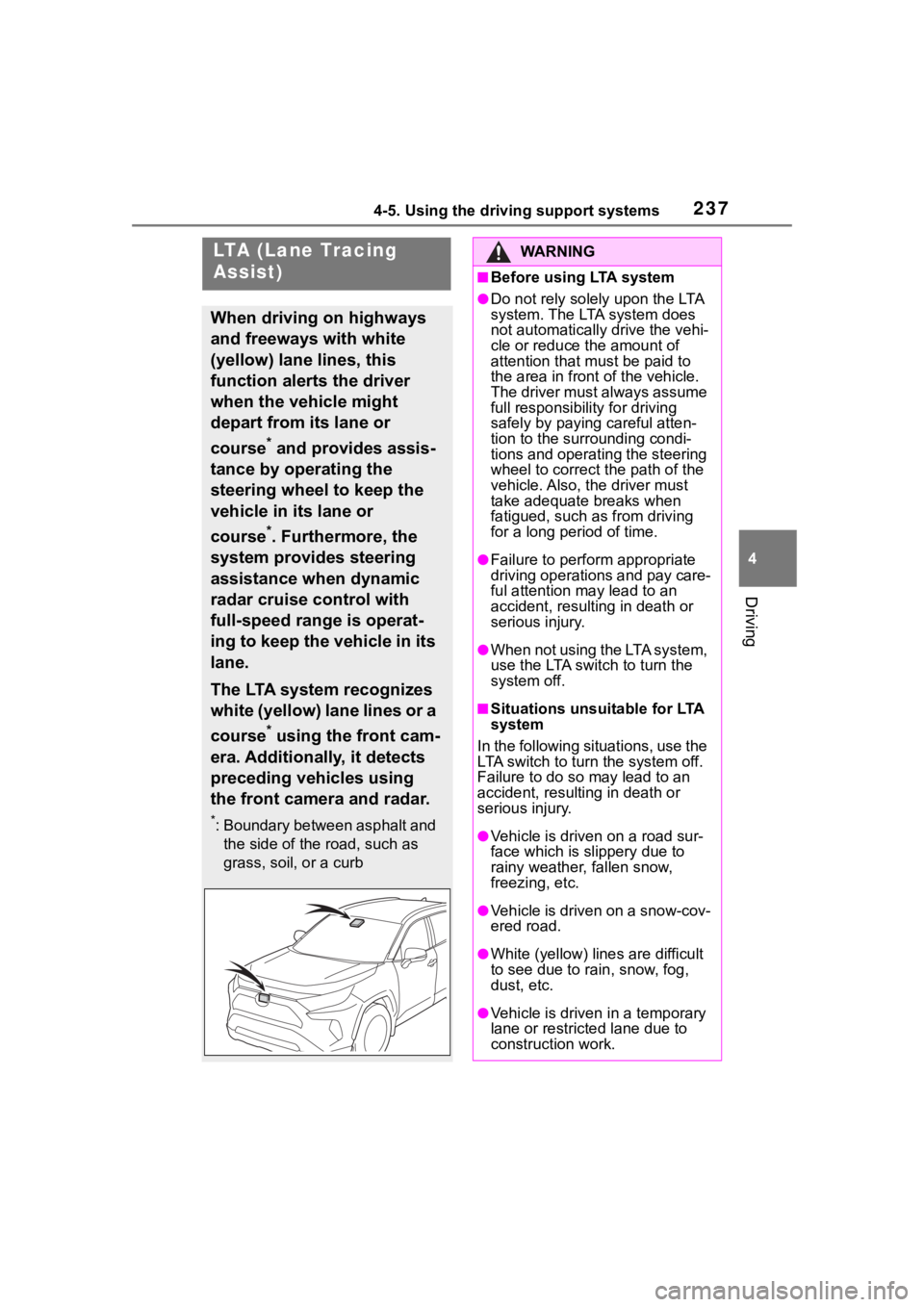
The LTA system recognizes
white (yellow) lane lines or a
course
* using the front cam-
era. Additionally, it detects
preceding vehicles using
the front camera and radar.
*: Boundary between asphalt and the side of the road, such as
grass, soil, or a curb
WA R N I N G
■Before using LTA system
●Do not rely solely upon the LTA
system. The LTA system does
not automatically drive the vehi-
cle or reduce the amount of
attention that m ust be paid to
the area in front of the vehicle.
The driver must always assume
full responsibilit y for driving
safely by paying careful atten-
tion to the surrounding condi-
tions and operating the steering
wheel to correct the path of the
vehicle. Also, the driver must
take adequate breaks when
fatigued, such as from driving
for a long period of time.
●Failure to perform appropriate
driving operations and pay care-
ful attention may lead to an
accident, result ing in death or
serious injury.
●When not using the LTA system,
use the LTA swit ch to turn the
system off.
■Situations unsuitable for LTA
system
In the following situations, use the
LTA switch to turn the system off.
Failure to do so may lead to an
accident, resulting in death or
serious injury.
●Vehicle is driven on a road sur-
face which is slippery due to
rainy weather, fallen snow,
freezing, etc.
●Vehicle is driven on a snow-cov-
ered road.
●White (yellow) lin es are difficult
to see due to ra in, snow, fog,
dust, etc.
●Vehicle is driven in a temporary
lane or restricted lane due to
construction work.
Page 240 of 736
2404-5. Using the driving support systems
■Lane departure alert func-
tion
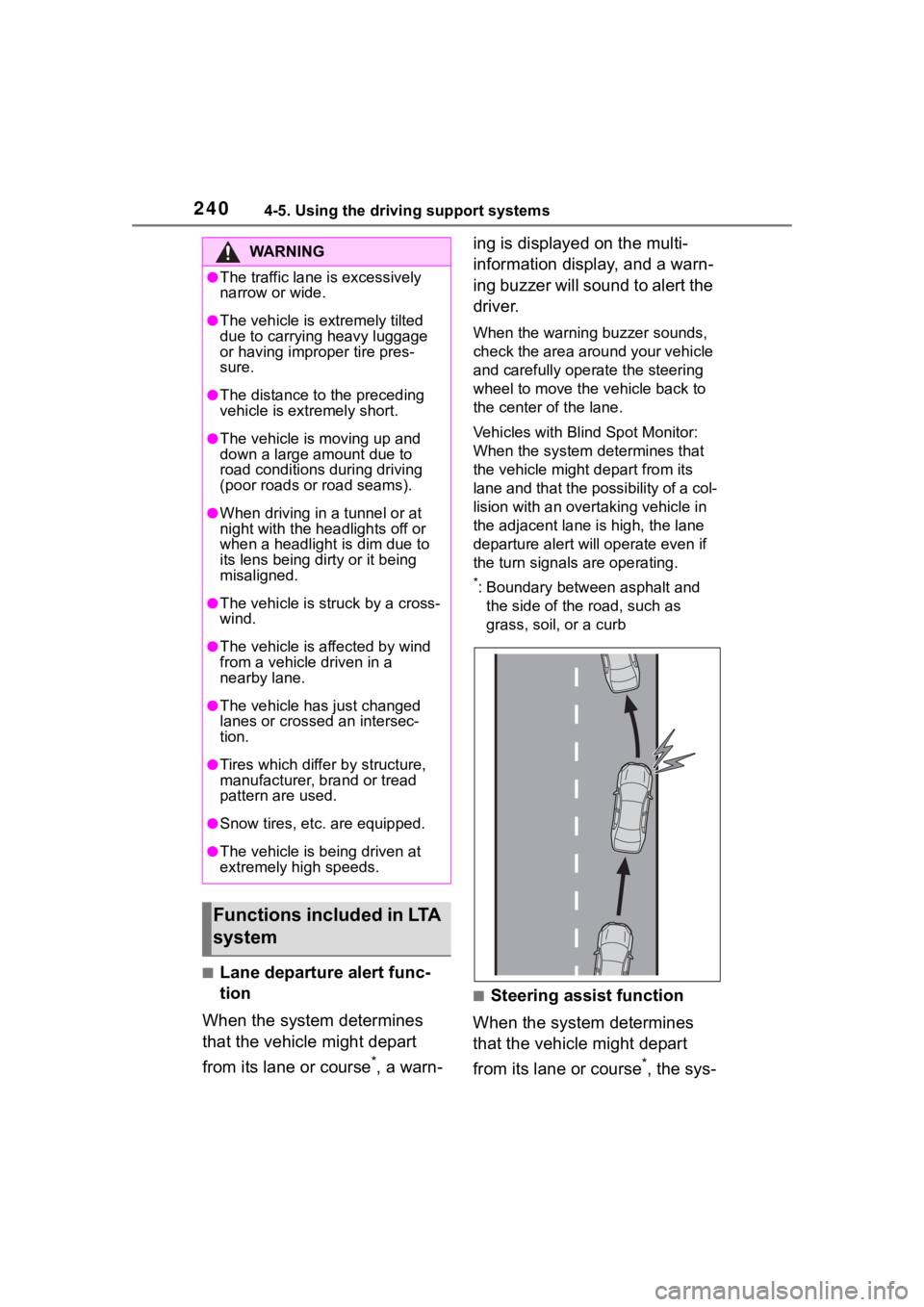
When the system determines
that the vehicle might depart
from its lane or course
*, a warn- ing is displayed on the multi-
information display, and a warn-
ing buzzer will sound to alert the
driver.
When the warning buzzer sounds,
check the area around your vehicle
and carefully operate the steering
wheel to move the vehicle back to
the center of the lane.
Vehicles with Blind Spot Monitor:
When the system determines that
the vehicle might depart from its
lane and that the possibility of a col-
lision with an overta
king vehicle in
the adjacent lane is high, the lane
departure alert will operate even if
the turn signals are operating.
*: Boundary between asphalt and
the side of the road, such as
grass, soil, or a curb
■Steering assist function
When the system determines
that the vehicle might depart
from its lane or course
*, the sys-
WA R N I N G
●The traffic lane is excessively
narrow or wide.
●The vehicle is extremely tilted
due to carrying heavy luggage
or having improper tire pres-
sure.
●The distance to the preceding
vehicle is extremely short.
●The vehicle is moving up and
down a large amount due to
road conditions during driving
(poor roads or road seams).
●When driving in a tunnel or at
night with the headlights off or
when a headlight is dim due to
its lens being dirty or it being
misaligned.
●The vehicle is struck by a cross-
wind.
●The vehicle is affected by wind
from a vehicle driven in a
nearby lane.
●The vehicle has just changed
lanes or crossed an intersec-
tion.
●Tires which differ by structure,
manufacturer, b rand or tread
pattern are used.
●Snow tires, etc. are equipped.
●The vehicle is being driven at
extremely high speeds.
Functions included in LTA
system
Page 241 of 736
2414-5. Using the driving support systems
4
Driving
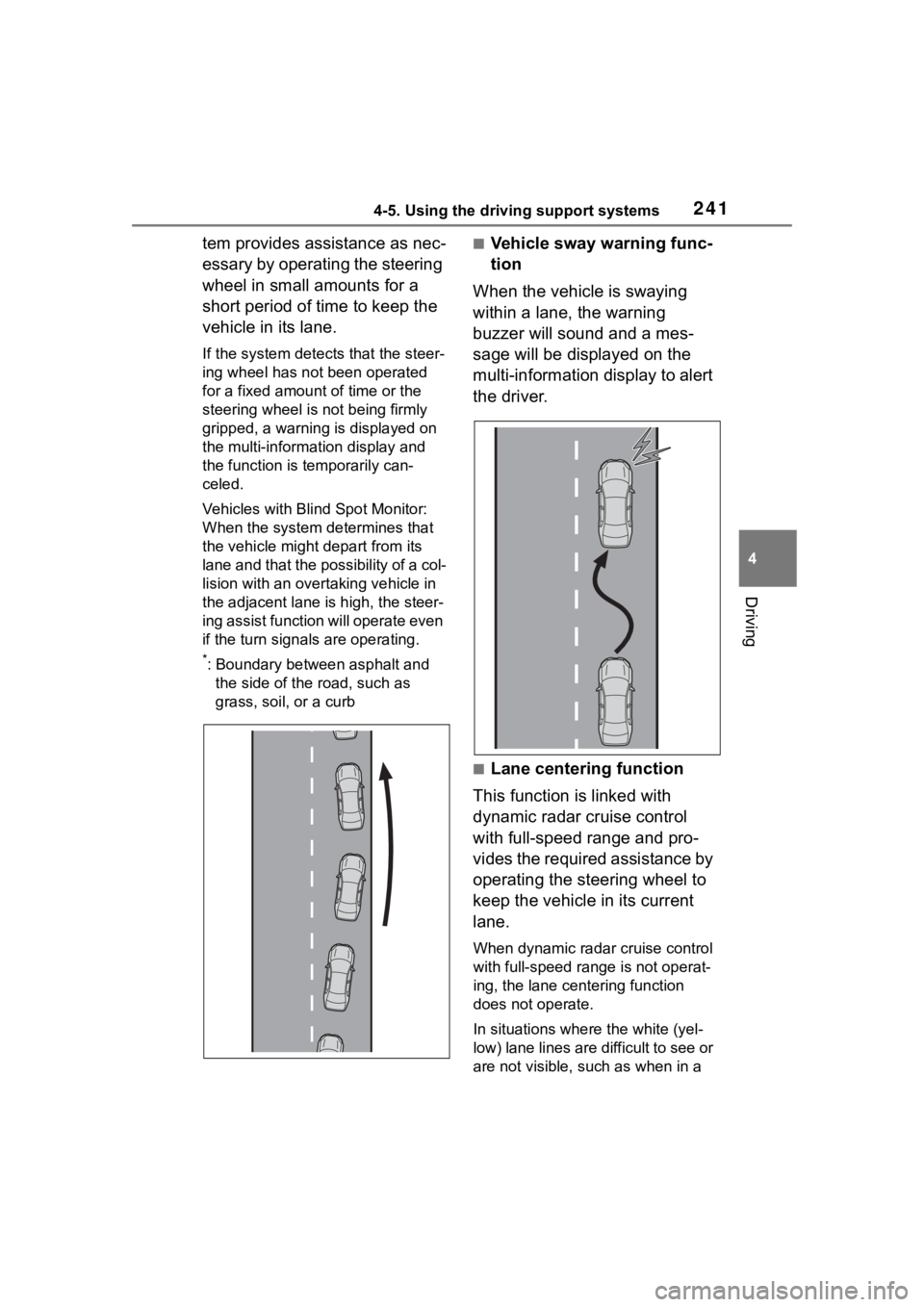
tem provides assistance as nec-
essary by operating the steering
wheel in small amounts for a
short period of time to keep the
vehicle in its lane.
If the system detects that the steer-
ing wheel has not been operated
for a fixed amount of time or the
steering wheel is not being firmly
gripped, a warning is displayed on
the multi-information display and
the function is temporarily can-
celed.
Vehicles with Blind Spot Monitor:
When the system de termines that
the vehicle might depart from its
lane and that the possibility of a col-
lision with an over taking vehicle in
the adjacent lane is high, the steer-
ing assist function will operate even
if the turn signals are operating.
*: Boundary between asphalt and
the side of the road, such as
grass, soil, or a curb
■Vehicle sway warning func-
tion
When the vehicle is swaying
within a lane, the warning
buzzer will sound and a mes-
sage will be displayed on the
multi-information display to alert
the driver.
■Lane centering function
This function is linked with
dynamic radar cruise control
with full-speed range and pro-
vides the required assistance by
operating the steering wheel to
keep the vehicle in its current
lane.
When dynamic radar cruise control
with full-speed range is not operat-
ing, the lane centering function
does not operate.
In situations where the white (yel-
low) lane lines are d ifficult to see or
are not visible, such as when in a
Page 243 of 736
2434-5. Using the driving support systems
4
Driving
tance of the steering assist function
or lane centering function is operat-
ing.
Both outer sides of the lane are dis-
played: Indicates that steering
wheel assist of the lane centering
function is operating.
One outer side of the lane is dis-
played: Indicates that steering
wheel assist of the steering assist
function is operating.
Both outer sides of the lane are
flashing: Alerts the driver that their
input is necessary to stay in the
center of the lane (lane centering
function).
Follow-up cruising display
Displayed when the multi-informa-
tion display is switched to the driv-
ing support system information
display.
Indicates that steering assist of the
lane centering function is operating
by monitoring the position of a pre-
ceding vehicle.
When the follow-up cruising display
is displayed, if the preceding vehi-
cle moves, your vehicle may move
in the same way. Always pay care-
ful attention to your surroundings
and operate the steering wheel as
necessary to correct the path of the
vehicle and ensure safety.
Lane departure alert function
display
Displayed when the multi-informa-
tion display is switched to the driv-
ing support system information
display.
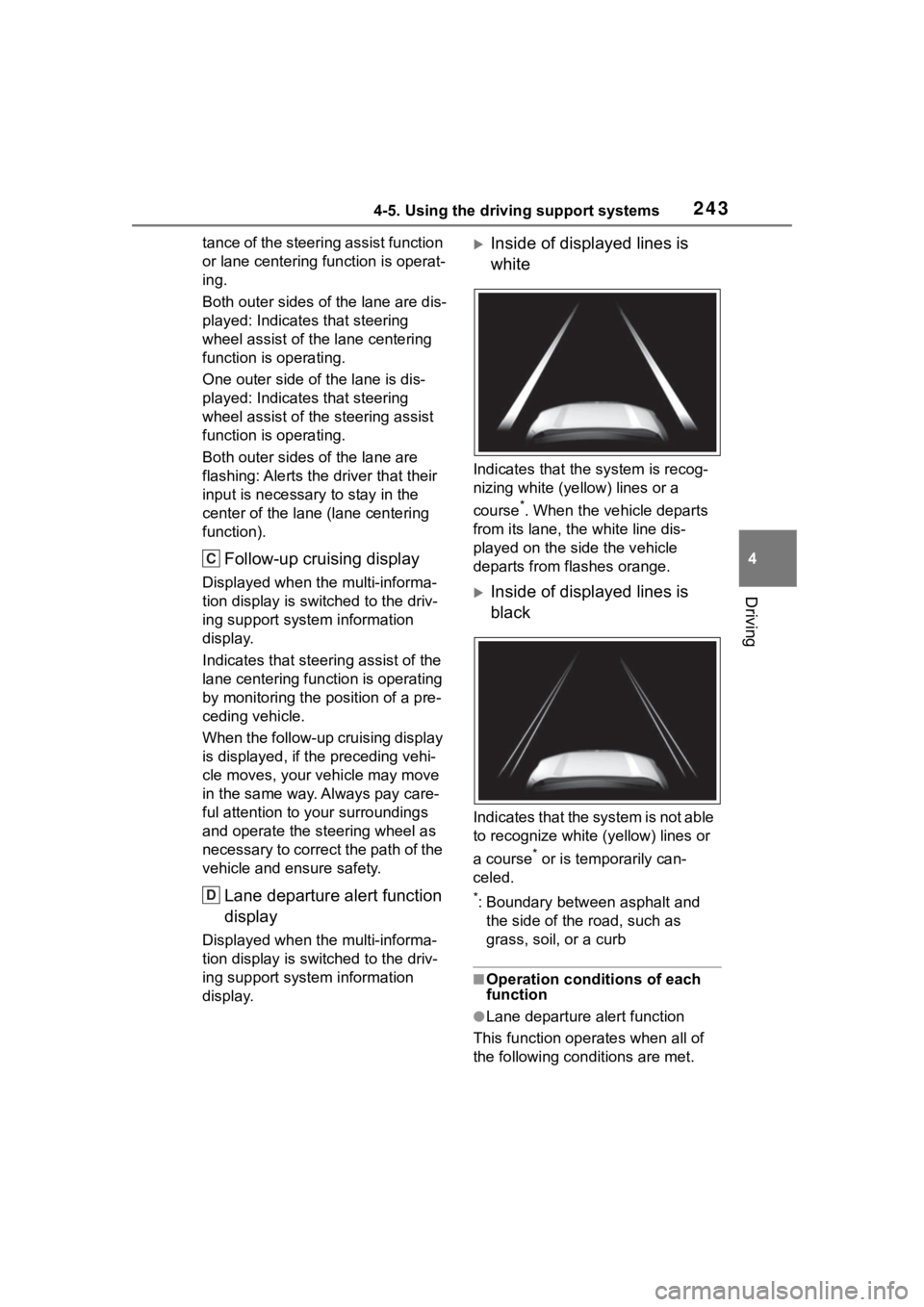
Inside of displayed lines is
white
Indicates that the system is recog-
nizing white (ye llow) lines or a
course
*. When the vehicle departs
from its lane, the white line dis-
played on the side the vehicle
departs from flashes orange.
Inside of displayed lines is
black
Indicates that the system is not able
to recognize white (yellow) lines or
a course
* or is temporarily can-
celed.
*: Boundary between asphalt and the side of the road, such as
grass, soil, or a curb
■Operation conditions of each
function
●Lane departure alert function
This function operates when all of
the following conditions are met.
C
D